Strategies for coping with device fragmentation
About Bitbar A technology company specialized in creating tools and environments for Android testing Experience ranging from hosting the build and test process of the whole Android stack to creating custom application testing device clusters Products: Testdroid Recorder and Testdroid Server
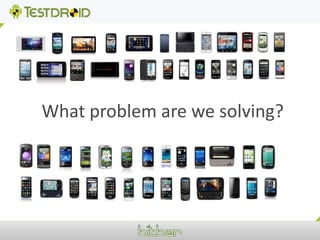
What problem are we solving?
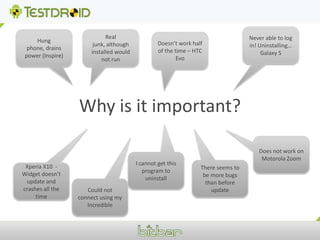
Never able to log in! Uninstalling… Galaxy SHung phone, drains power (Inspire)Real junk, although installed would not runDoesn’t work half of the time – HTC EvoWhy is it important?Does not work on Motorola ZoomI cannot get this program to uninstallThere seems to be more bugs than before updateXperia X10  - Widget doesn’t update and crashes all the timeCould not connect using my Incredible
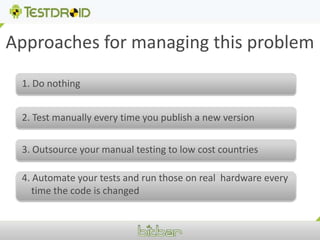
Approaches for managing this problem1. Do nothing2. Test manually every time you publish a new version3. Outsource your manual testing to low cost countries4. Automate your tests and run those on real  hardware every time the code is changed
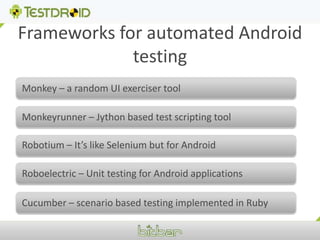
Frameworks for automated Android testingMonkey – a random UI exerciser toolMonkeyrunner – Jython based test scripting tool Robotium – It’s like Selenium but for Android  Roboelectric – Unit testing for Android applications Cucumber – scenario based testing implemented in Ruby
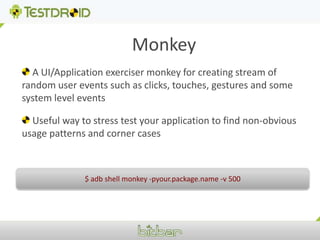
Monkey A UI/Application exerciser monkey for creating stream of random user events such as clicks, touches, gestures and some system level events  Useful way to stress test your application to find non-obvious usage patterns and corner cases $ adb shell monkey -pyour.package.name -v 500
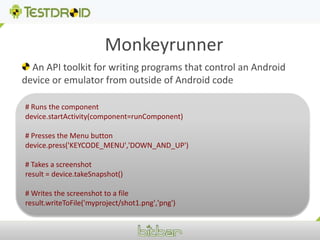
Monkeyrunner An API toolkit for writing programs that control an Android device or emulator from outside of Android code# Runs the componentdevice.startActivity(component=runComponent)# Presses the Menu buttondevice.press('KEYCODE_MENU','DOWN_AND_UP')# Takes a screenshotresult = device.takeSnapshot()# Writes the screenshot to a fileresult.writeToFile('myproject/shot1.png','png')
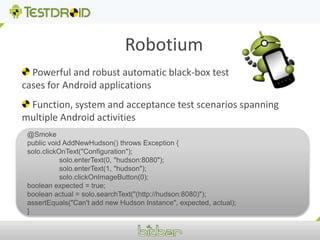
Robotium Powerful and robust automatic black-box test cases for Android applications  Function, system and acceptance test scenarios spanning multiple Android activities@Smokepublic void AddNewHudson() throws Exception {solo.clickOnText("Configuration");	solo.enterText(0, "hudson:8080");	solo.enterText(1, "hudson");	solo.clickOnImageButton(0);boolean expected = true;boolean actual = solo.searchText("(http://hudson:8080)");  assertEquals("Can't add new Hudson Instance", expected, actual);}
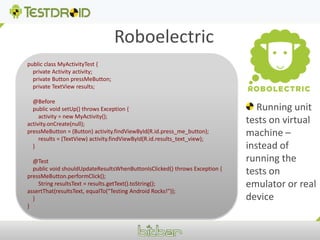
Roboelectricpublic class MyActivityTest {    private Activity activity;    private Button pressMeButton;    private TextView results;    @Before    public void setUp() throws Exception {        activity = new MyActivity();activity.onCreate(null);pressMeButton = (Button) activity.findViewById(R.id.press_me_button);        results = (TextView) activity.findViewById(R.id.results_text_view);    }    @Test    public void shouldUpdateResultsWhenButtonIsClicked() throws Exception {pressMeButton.performClick();        String resultsText = results.getText().toString();assertThat(resultsText, equalTo("Testing Android Rocks!"));    }} Running unit tests on virtual machine – instead of running the tests on emulator or real device
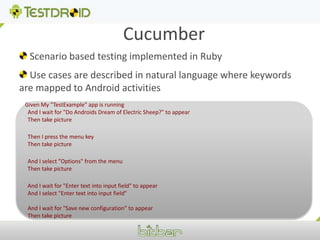
Cucumber Scenario based testing implemented in Ruby Use cases are described in natural language where keywords are mapped to Android activitiesGiven My ”TestExample" app is running  And I wait for "Do Androids Dream of Electric Sheep?" to appear  Then take picture  Then I press the menu key  Then take picture  And I select ”Options" from the menu  Then take picture  And I wait for "Enter text into input field" to appear  And I select "Enter text into input field"  And I wait for "Save new configuration" to appear  Then take picture
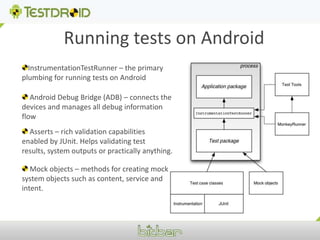
Running tests on AndroidInstrumentationTestRunner – the primary plumbing for running tests on Android Android Debug Bridge (ADB) – connects the devices and manages all debug information flow Asserts – rich validation capabilities enabled by JUnit. Helps validating test results, system outputs or practically anything. Mock objects – methods for creating mock system objects such as content, service and intent.
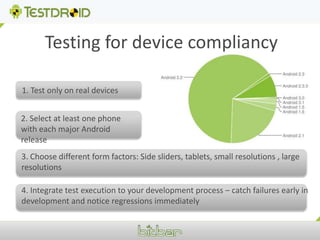
Testing for device compliancy1. Test only on real devices2. Select at least one phone with each major Android release3. Choose different form factors: Side sliders, tablets, small resolutions , large resolutions4. Integrate test execution to your development process – catch failures early in development and notice regressions immediately
Some best practices 1. Application developers should create the test cases at the same time when they are writing the code2. All test cases should be stored in version control – together with the source code  3. Use Continuous Integration and run the tests every time the code is changed 4. Avoid using emulators and rooted devices5. Publish the test results to whole organization – real time
Typical failures 1. Application installation fails2. Application crashes during execution3. Scaling/Layout problems4. Application hangs if some resource is not available5. Problems in landscape/portrait mode
Our solution for multi device testingTestdroid RecorderAn Eclipse plugin that automates the manual tasks of writing tests for Android applicationsTestdroid ServerA server software that manages all aspects of automatically running tests on multiple Android devices simultaneously.
Demo (Video)
Questions?
Thank you!

Android testing

  • 1.
    Strategies for copingwith device fragmentation
  • 2.
    About Bitbar Atechnology company specialized in creating tools and environments for Android testing Experience ranging from hosting the build and test process of the whole Android stack to creating custom application testing device clusters Products: Testdroid Recorder and Testdroid Server
  • 3.
    What problem arewe solving?
  • 4.
    Never able tolog in! Uninstalling… Galaxy SHung phone, drains power (Inspire)Real junk, although installed would not runDoesn’t work half of the time – HTC EvoWhy is it important?Does not work on Motorola ZoomI cannot get this program to uninstallThere seems to be more bugs than before updateXperia X10 - Widget doesn’t update and crashes all the timeCould not connect using my Incredible
  • 5.
    Approaches for managingthis problem1. Do nothing2. Test manually every time you publish a new version3. Outsource your manual testing to low cost countries4. Automate your tests and run those on real hardware every time the code is changed
  • 6.
    Frameworks for automatedAndroid testingMonkey – a random UI exerciser toolMonkeyrunner – Jython based test scripting tool Robotium – It’s like Selenium but for Android Roboelectric – Unit testing for Android applications Cucumber – scenario based testing implemented in Ruby
  • 7.
    Monkey A UI/Applicationexerciser monkey for creating stream of random user events such as clicks, touches, gestures and some system level events Useful way to stress test your application to find non-obvious usage patterns and corner cases $ adb shell monkey -pyour.package.name -v 500
  • 8.
    Monkeyrunner An APItoolkit for writing programs that control an Android device or emulator from outside of Android code# Runs the componentdevice.startActivity(component=runComponent)# Presses the Menu buttondevice.press('KEYCODE_MENU','DOWN_AND_UP')# Takes a screenshotresult = device.takeSnapshot()# Writes the screenshot to a fileresult.writeToFile('myproject/shot1.png','png')
  • 9.
    Robotium Powerful androbust automatic black-box test cases for Android applications Function, system and acceptance test scenarios spanning multiple Android activities@Smokepublic void AddNewHudson() throws Exception {solo.clickOnText("Configuration"); solo.enterText(0, "hudson:8080"); solo.enterText(1, "hudson"); solo.clickOnImageButton(0);boolean expected = true;boolean actual = solo.searchText("(http://hudson:8080)"); assertEquals("Can't add new Hudson Instance", expected, actual);}
  • 10.
    Roboelectricpublic class MyActivityTest{ private Activity activity; private Button pressMeButton; private TextView results; @Before public void setUp() throws Exception { activity = new MyActivity();activity.onCreate(null);pressMeButton = (Button) activity.findViewById(R.id.press_me_button); results = (TextView) activity.findViewById(R.id.results_text_view); } @Test public void shouldUpdateResultsWhenButtonIsClicked() throws Exception {pressMeButton.performClick(); String resultsText = results.getText().toString();assertThat(resultsText, equalTo("Testing Android Rocks!")); }} Running unit tests on virtual machine – instead of running the tests on emulator or real device
  • 11.
    Cucumber Scenario basedtesting implemented in Ruby Use cases are described in natural language where keywords are mapped to Android activitiesGiven My ”TestExample" app is running And I wait for "Do Androids Dream of Electric Sheep?" to appear Then take picture Then I press the menu key Then take picture And I select ”Options" from the menu Then take picture And I wait for "Enter text into input field" to appear And I select "Enter text into input field" And I wait for "Save new configuration" to appear Then take picture
  • 12.
    Running tests onAndroidInstrumentationTestRunner – the primary plumbing for running tests on Android Android Debug Bridge (ADB) – connects the devices and manages all debug information flow Asserts – rich validation capabilities enabled by JUnit. Helps validating test results, system outputs or practically anything. Mock objects – methods for creating mock system objects such as content, service and intent.
  • 13.
    Testing for devicecompliancy1. Test only on real devices2. Select at least one phone with each major Android release3. Choose different form factors: Side sliders, tablets, small resolutions , large resolutions4. Integrate test execution to your development process – catch failures early in development and notice regressions immediately
  • 14.
    Some best practices1. Application developers should create the test cases at the same time when they are writing the code2. All test cases should be stored in version control – together with the source code 3. Use Continuous Integration and run the tests every time the code is changed 4. Avoid using emulators and rooted devices5. Publish the test results to whole organization – real time
  • 15.
    Typical failures 1.Application installation fails2. Application crashes during execution3. Scaling/Layout problems4. Application hangs if some resource is not available5. Problems in landscape/portrait mode
  • 16.
    Our solution formulti device testingTestdroid RecorderAn Eclipse plugin that automates the manual tasks of writing tests for Android applicationsTestdroid ServerA server software that manages all aspects of automatically running tests on multiple Android devices simultaneously.
  • 17.
  • 18.
  • 19.