Testing on Android
Ari Lacenski
July 21, 2014
I <3 Android
• CodePath August 2013
• Then: EroGear LED control app
• Now: Android lead at Mango Health
Today
• Why test Android projects? What’s your approach?
• Android testing libraries
• How to write tests
• How to automate test runs
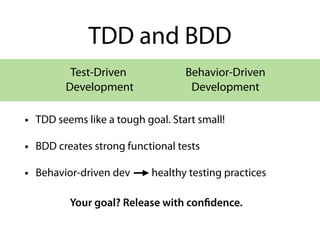
TDD and BDD
• TDD seems like a tough goal. Start small!
• BDD creates strong functional tests
• Behavior-driven dev healthy testing practices
Test-Driven
Development
Your goal? Release with confidence.
Behavior-Driven
Development
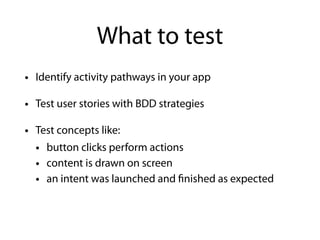
What to test
• Identify activity pathways in your app
• Test user stories with BDD strategies
• Test concepts like:
• button clicks perform actions
• content is drawn on screen
• an intent was launched and finished as expected
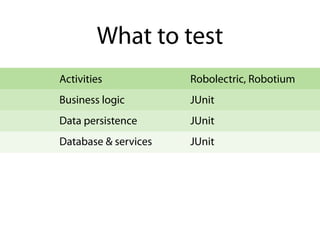
Database & services
What to test
Data persistence
Activities
Business logic
JUnit
JUnit
Robolectric, Robotium
JUnit
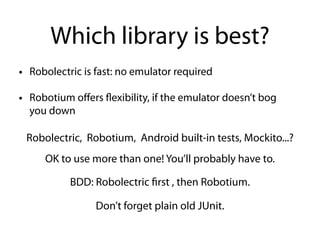
Which library is best?
• Robolectric is fast: no emulator required
• Robotium offers flexibility, if the emulator doesn’t bog
you down
Robolectric, Robotium, Android built-in tests, Mockito...?
OK to use more than one! You’ll probably have to.
BDD: Robolectric first , then Robotium.
Don’t forget plain old JUnit.
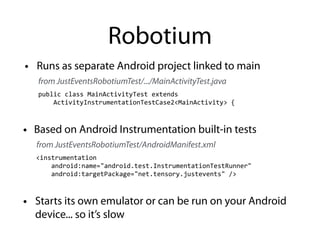
Robotium
<instrumentation	


  android:name="android.test.InstrumentationTestRunner"	


  android:targetPackage="net.tensory.justevents"	
  />
• Starts its own emulator or can be run on your Android
device... so it’s slow
public	
  class	
  MainActivityTest	
  extends	


  ActivityInstrumentationTestCase2<MainActivity>	
  {
• Runs as separate Android project linked to main
from JustEventsRobotiumTest/.../MainActivityTest.java
from JustEventsRobotiumTest/AndroidManifest.xml
• Based on Android Instrumentation built-in tests
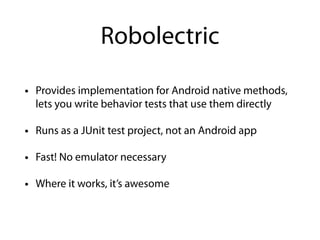
• Provides implementation for Android native methods,
lets you write behavior tests that use them directly
• Runs as a JUnit test project, not an Android app
• Fast! No emulator necessary
• Where it works, it’s awesome
Robolectric
http://www.slideshare.net/tylerschultz/robolectric-
android-unit-testing-framework
from 2011
Robolectric background
from 2010
(more code examples, but a little dated)
http://www.slideshare.net/
joemoore1/tdd-android-applications-with-robolectric
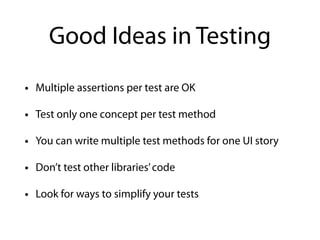
Good Ideas in Testing
• Multiple assertions per test are OK
• Test only one concept per test method
• You can write multiple test methods for one UI story
• Don’t test other libraries’code
• Look for ways to simplify your tests
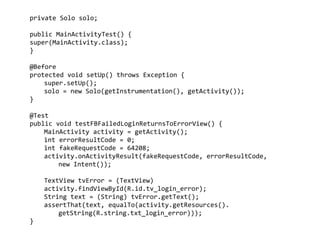
private	
  Solo	
  solo;	


public	
  MainActivityTest()	
  {	
  
super(MainActivity.class);	
  
}	


@Before	
  
protected	
  void	
  setUp()	
  throws	
  Exception	
  {	
  
	
   super.setUp();	
  
	
   solo	
  =	
  new	
  Solo(getInstrumentation(),	
  getActivity());	
  
}	
  
!
@Test	
  
public	
  void	
  testFBFailedLoginReturnsToErrorView()	
  {	
  
	
   MainActivity	
  activity	
  =	
  getActivity();	
  
	
   int	
  errorResultCode	
  =	
  0;	
  
	
   int	
  fakeRequestCode	
  =	
  64208;	
  
	
   activity.onActivityResult(fakeRequestCode,	
  errorResultCode,	


   new	
  Intent());	
  
!
	
   TextView	
  tvError	
  =	
  (TextView)	
  
	
   activity.findViewById(R.id.tv_login_error);	
  
	
   String	
  text	
  =	
  (String)	
  tvError.getText();	
  
	
   assertThat(text,	
  equalTo(activity.getResources().	


   getString(R.string.txt_login_error)));	
  
}
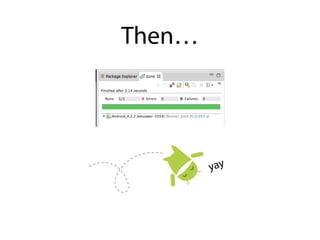
Then…
yay
Building with Tests
The goal of test coverage is to avoid manual work.
How do you run automated tests?
Continuous integration!
You rang, sir?
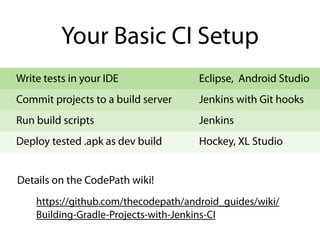
Your Basic CI Setup
Write tests in your IDE
Commit projects to a build server
Run build scripts
Deploy tested .apk as dev build
Eclipse, Android Studio
Jenkins with Git hooks
Jenkins
Hockey, XL Studio
Details on the CodePath wiki!
https://github.com/thecodepath/android_guides/wiki/
Building-Gradle-Projects-with-Jenkins-CI
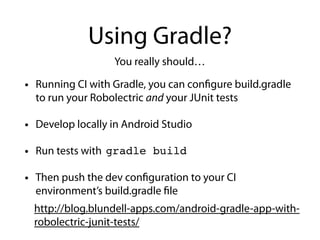
Using Gradle?
• Running CI with Gradle, you can configure build.gradle
to run your Robolectric and your JUnit tests
• Develop locally in Android Studio
• Run tests with
• Then push the dev configuration to your CI
environment’s build.gradle file
You really should…
gradle build
http://blog.blundell-apps.com/android-gradle-app-with-
robolectric-junit-tests/
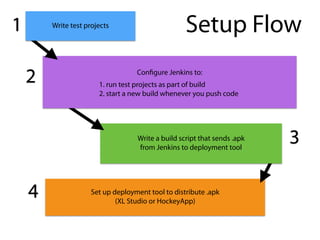
Set up deployment tool to distribute .apk
(XL Studio or HockeyApp)
Setup Flow
Write a build script that sends .apk
from Jenkins to deployment tool
Configure Jenkins to:
!
Write test projects1
2
3
4
1. run test projects as part of build
2. start a new build whenever you push code
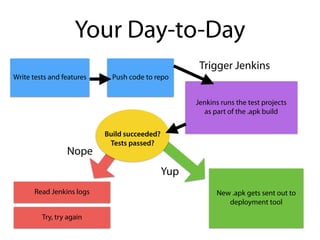
Your Day-to-Day
Write tests and features Push code to repo
Jenkins runs the test projects
as part of the .apk build
Nope
Yup
New .apk gets sent out to
deployment tool
Read Jenkins logs
Try, try again
Trigger Jenkins
Build succeeded?
Tests passed?
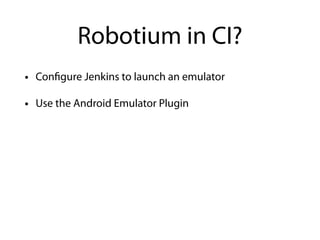
Robotium in CI?
• Configure Jenkins to launch an emulator
• Use the Android Emulator Plugin
• Big thanks to Nathan & Tim
• Contribute to the CodePath wiki!
!
• Stay in touch?
• Also, we’re hiring.
https://github.com/thecodepath/android_guides
and @tensoryalacenski@gmail.com
ari@mangohealth.com

Testing on Android

  • 1.
    Testing on Android AriLacenski July 21, 2014
  • 2.
    I <3 Android •CodePath August 2013 • Then: EroGear LED control app • Now: Android lead at Mango Health
  • 3.
    Today • Why testAndroid projects? What’s your approach? • Android testing libraries • How to write tests • How to automate test runs
  • 4.
    TDD and BDD •TDD seems like a tough goal. Start small! • BDD creates strong functional tests • Behavior-driven dev healthy testing practices Test-Driven Development Your goal? Release with confidence. Behavior-Driven Development
  • 5.
    What to test •Identify activity pathways in your app • Test user stories with BDD strategies • Test concepts like: • button clicks perform actions • content is drawn on screen • an intent was launched and finished as expected
  • 6.
    Database & services Whatto test Data persistence Activities Business logic JUnit JUnit Robolectric, Robotium JUnit
  • 7.
    Which library isbest? • Robolectric is fast: no emulator required • Robotium offers flexibility, if the emulator doesn’t bog you down Robolectric, Robotium, Android built-in tests, Mockito...? OK to use more than one! You’ll probably have to. BDD: Robolectric first , then Robotium. Don’t forget plain old JUnit.
  • 8.
    Robotium <instrumentation          android:name="android.test.InstrumentationTestRunner"          android:targetPackage="net.tensory.justevents"  /> • Starts its own emulator or can be run on your Android device... so it’s slow public  class  MainActivityTest  extends          ActivityInstrumentationTestCase2<MainActivity>  { • Runs as separate Android project linked to main from JustEventsRobotiumTest/.../MainActivityTest.java from JustEventsRobotiumTest/AndroidManifest.xml • Based on Android Instrumentation built-in tests
  • 9.
    • Provides implementationfor Android native methods, lets you write behavior tests that use them directly • Runs as a JUnit test project, not an Android app • Fast! No emulator necessary • Where it works, it’s awesome Robolectric
  • 10.
    http://www.slideshare.net/tylerschultz/robolectric- android-unit-testing-framework from 2011 Robolectric background from2010 (more code examples, but a little dated) http://www.slideshare.net/ joemoore1/tdd-android-applications-with-robolectric
  • 11.
    Good Ideas inTesting • Multiple assertions per test are OK • Test only one concept per test method • You can write multiple test methods for one UI story • Don’t test other libraries’code • Look for ways to simplify your tests
  • 12.
    private  Solo  solo;       public  MainActivityTest()  {   super(MainActivity.class);   }       @Before   protected  void  setUp()  throws  Exception  {     super.setUp();     solo  =  new  Solo(getInstrumentation(),  getActivity());   }   ! @Test   public  void  testFBFailedLoginReturnsToErrorView()  {     MainActivity  activity  =  getActivity();     int  errorResultCode  =  0;     int  fakeRequestCode  =  64208;     activity.onActivityResult(fakeRequestCode,  errorResultCode,         new  Intent());   !   TextView  tvError  =  (TextView)     activity.findViewById(R.id.tv_login_error);     String  text  =  (String)  tvError.getText();     assertThat(text,  equalTo(activity.getResources().               getString(R.string.txt_login_error)));   }
  • 13.
  • 14.
    Building with Tests Thegoal of test coverage is to avoid manual work. How do you run automated tests? Continuous integration! You rang, sir?
  • 15.
    Your Basic CISetup Write tests in your IDE Commit projects to a build server Run build scripts Deploy tested .apk as dev build Eclipse, Android Studio Jenkins with Git hooks Jenkins Hockey, XL Studio Details on the CodePath wiki! https://github.com/thecodepath/android_guides/wiki/ Building-Gradle-Projects-with-Jenkins-CI
  • 16.
    Using Gradle? • RunningCI with Gradle, you can configure build.gradle to run your Robolectric and your JUnit tests • Develop locally in Android Studio • Run tests with • Then push the dev configuration to your CI environment’s build.gradle file You really should… gradle build http://blog.blundell-apps.com/android-gradle-app-with- robolectric-junit-tests/
  • 17.
    Set up deploymenttool to distribute .apk (XL Studio or HockeyApp) Setup Flow Write a build script that sends .apk from Jenkins to deployment tool Configure Jenkins to: ! Write test projects1 2 3 4 1. run test projects as part of build 2. start a new build whenever you push code
  • 18.
    Your Day-to-Day Write testsand features Push code to repo Jenkins runs the test projects as part of the .apk build Nope Yup New .apk gets sent out to deployment tool Read Jenkins logs Try, try again Trigger Jenkins Build succeeded? Tests passed?
  • 19.
    Robotium in CI? •Configure Jenkins to launch an emulator • Use the Android Emulator Plugin
  • 20.
    • Big thanksto Nathan & Tim • Contribute to the CodePath wiki! ! • Stay in touch? • Also, we’re hiring. https://github.com/thecodepath/android_guides and @tensoryalacenski@gmail.com ari@mangohealth.com