MOET
    https://github.com/eing/moet
       Mobile End-to-End Testing
       Mobile Exploratory Testing

                Eing Ong
               Intuit, Inc.
         @eingong|eing.ong@intuit.com


1
                                        1
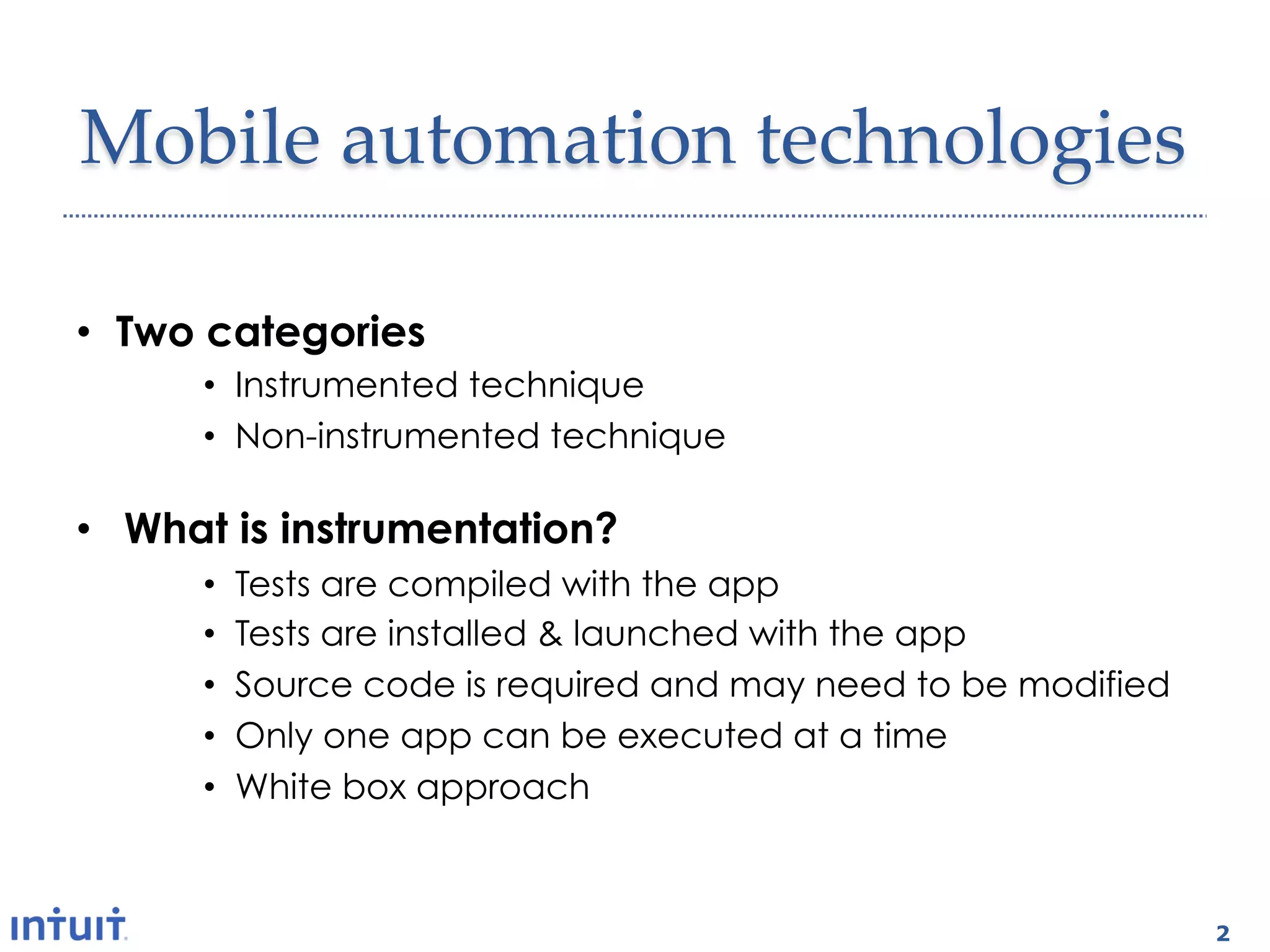
Mobile  automation  technologies	

•  Two categories
      •  Instrumented technique
      •  Non-instrumented technique

•  What is instrumentation?
      •    Tests are compiled with the app
      •    Tests are installed & launched with the app
      •    Source code is required and may need to be modified
      •    Only one app can be executed at a time
      •    White box approach


                                                                 2
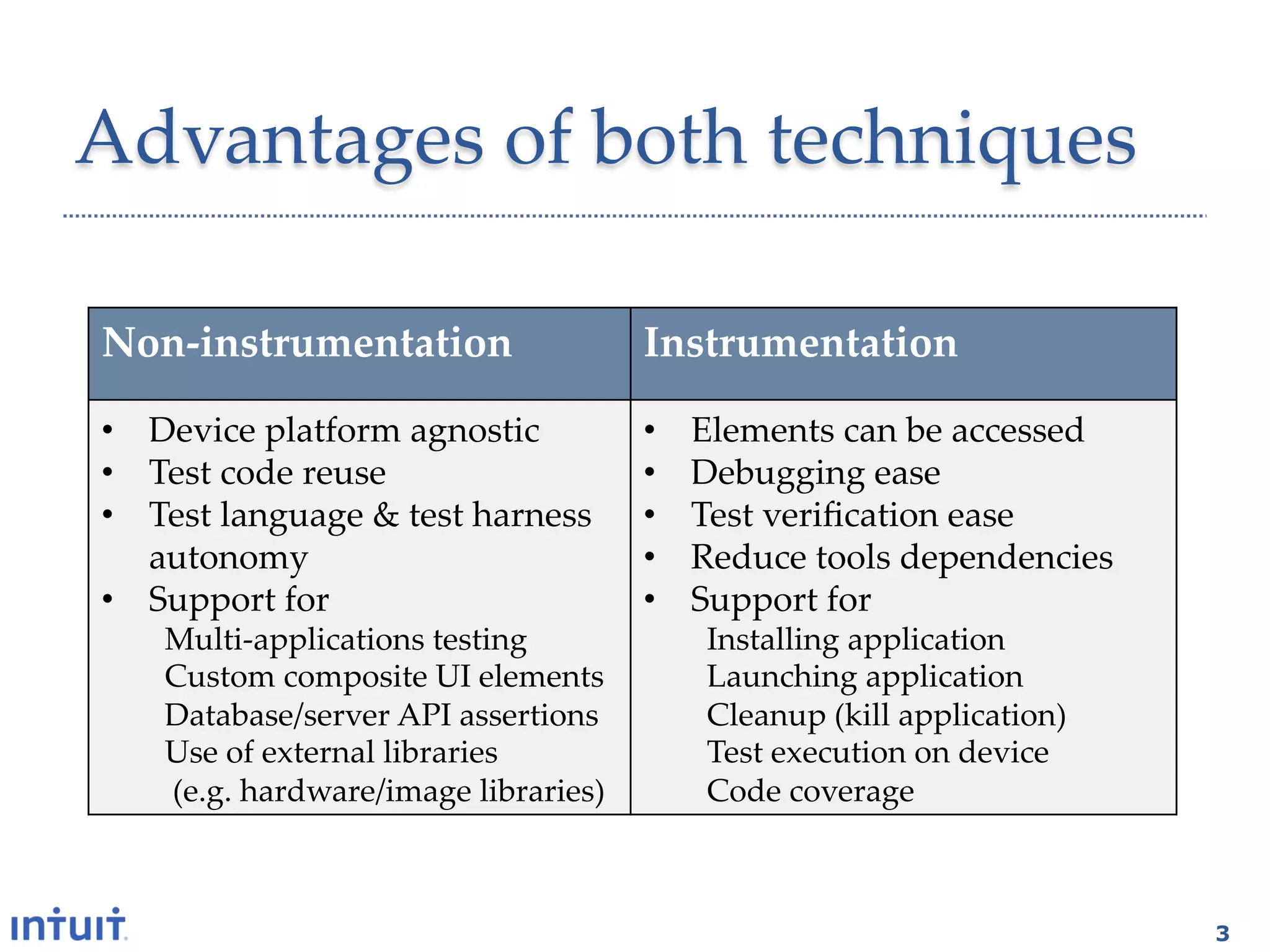
Advantages  of  both  techniques	

Non-­‐‑instrumentation	
                    Instrumentation	

•  Device  platform  agnostic	
             •    Elements  can  be  accessed	
•  Test  code  reuse	
                      •    Debugging  ease	
•  Test  language  &  test  harness         •    Test  verification  ease	
   autonomy	
                               •    Reduce  tools  dependencies	
•  Support  for	
                           •    Support  for	
    Multi-­‐‑applications  testing	
              Installing  application	
    Custom  composite  UI  elements	
             Launching  application	
    Database/server  API  assertions	
            Cleanup  (kill  application)	
    Use  of  external  libraries	
                Test  execution  on  device	
      (e.g.  hardware/image  libraries)	
         Code  coverage	


                                                                                   3
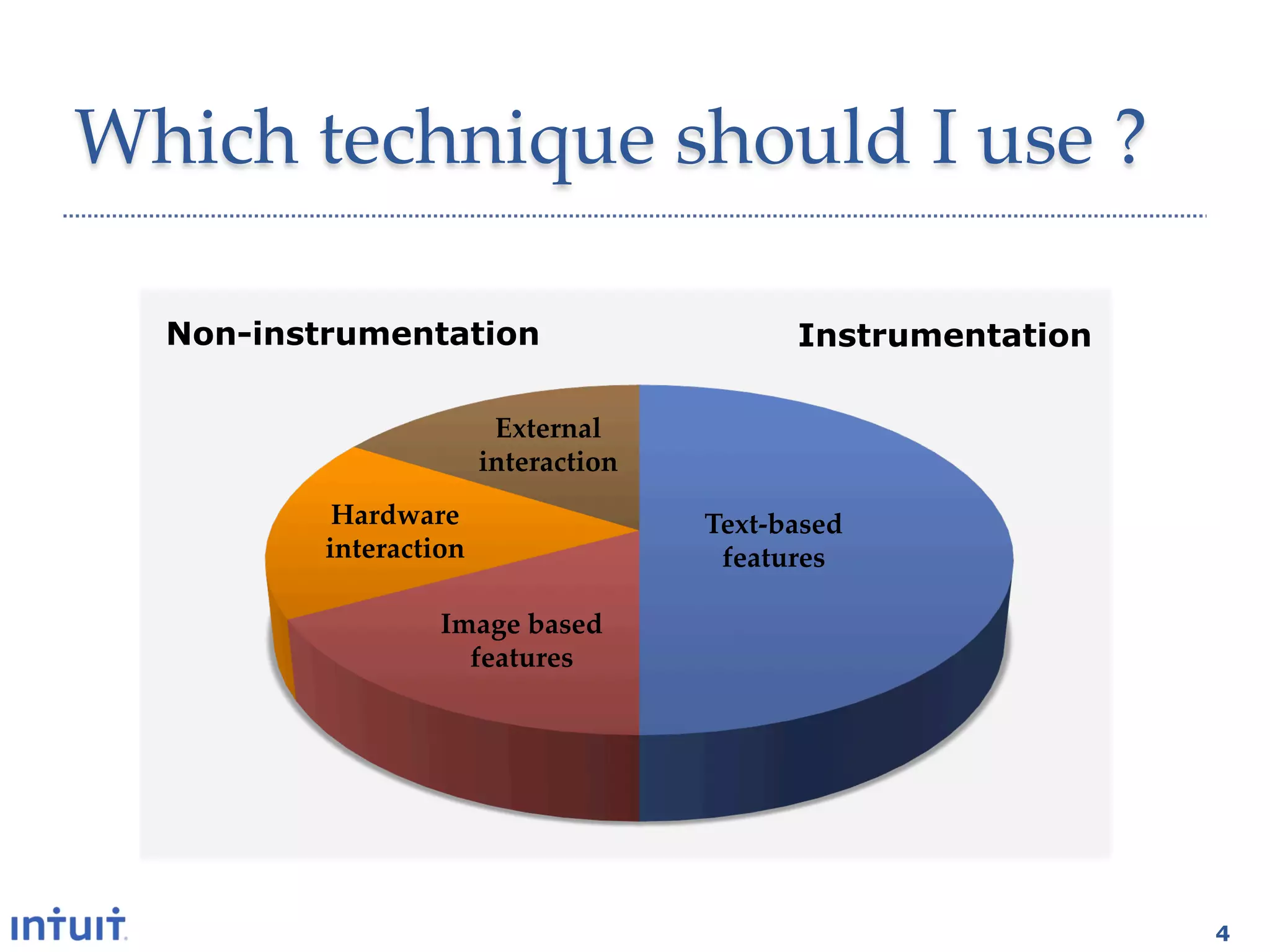
Which  technique  should  I  use  ?	

  Non-instrumentation                          Instrumentation

                       External  
                      interaction	
           Hardware                   Text-­‐‑based  
          interaction	
                features	

                   Image  based  
                     features	


                                                                 4
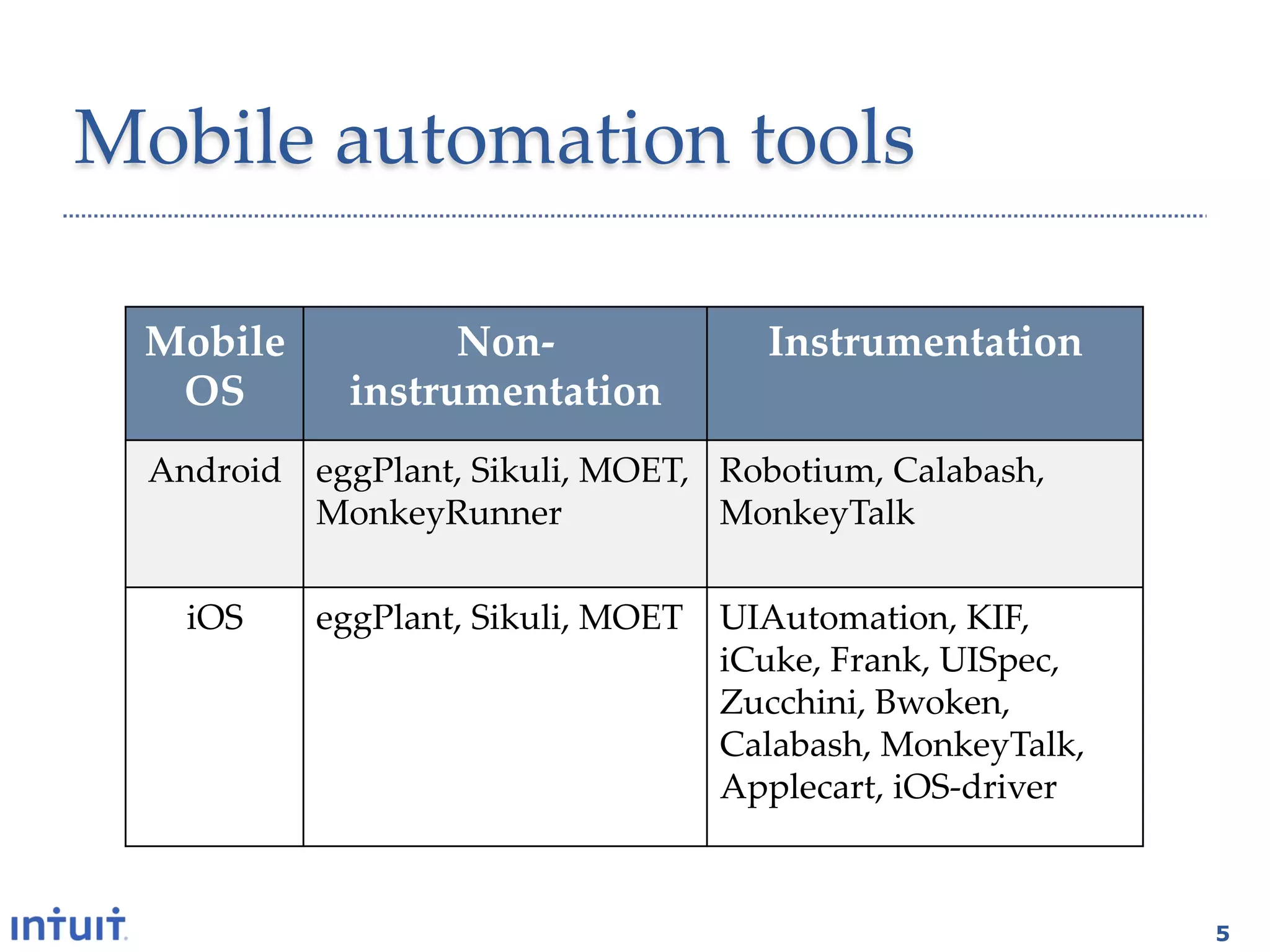
Mobile  automation  tools	

  Mobile  	
       Non-­‐‑                  Instrumentation	
   OS	
      instrumentation	
  Android	
 eggPlant,  Sikuli,  MOET,   Robotium,  Calabash,  
            MonkeyRunner	
              MonkeyTalk	

    iOS	
    eggPlant,  Sikuli,  MOET	
 UIAutomation,  KIF,  
                                        iCuke,  Frank,  UISpec,  
                                        Zucchini,  Bwoken,  
                                        Calabash,  MonkeyTalk,  
                                        Applecart,  iOS-­‐‑driver	


                                                                      5
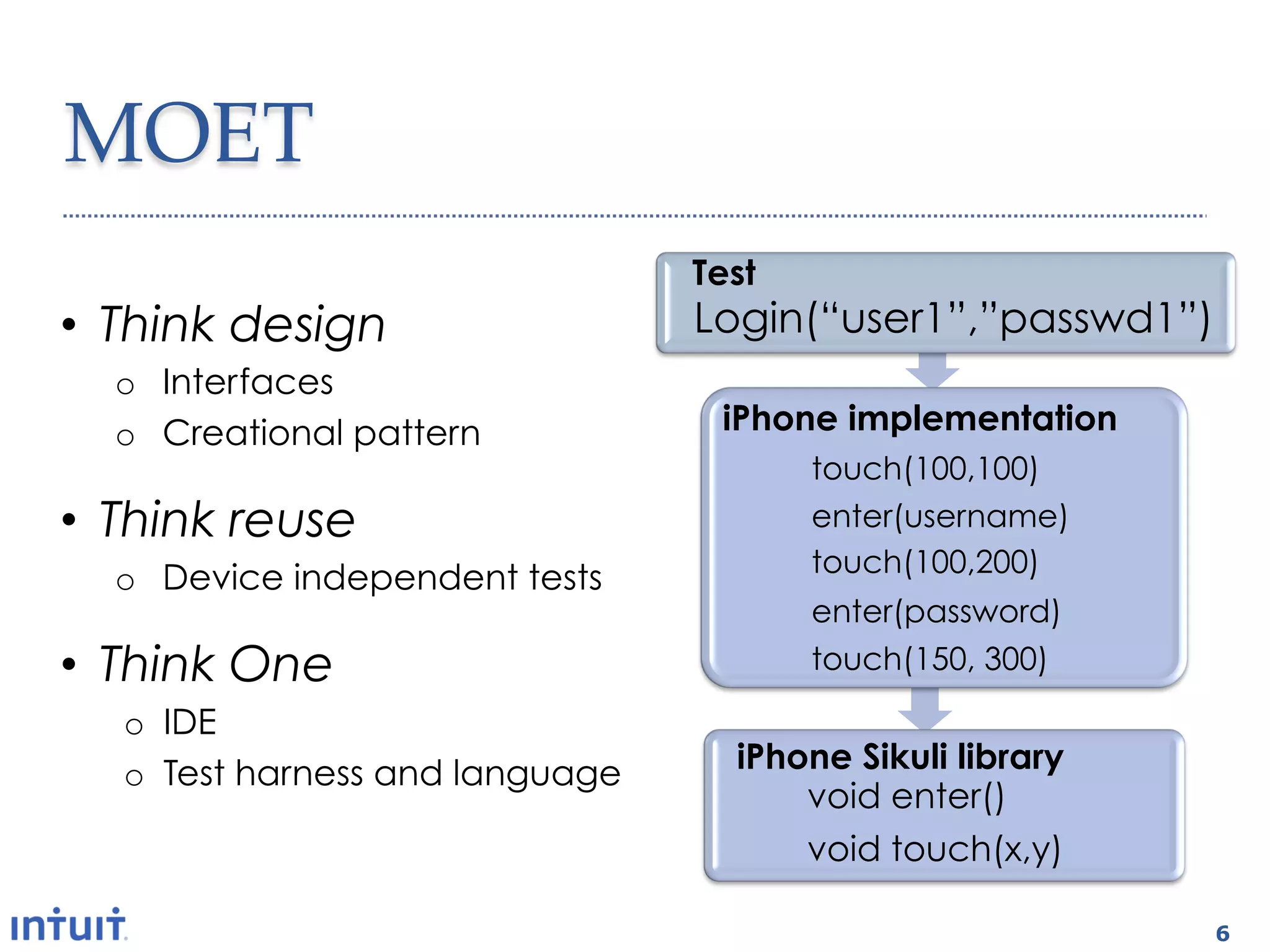
MOET	
                                 Test
•  Think design                  Login(“user1”,”passwd1”)
  o  Interfaces
  o  Creational pattern           iPhone implementation
                                        touch(100,100)
•  Think reuse                          enter(username)
                                        touch(100,200)
  o  Device independent tests
                                        enter(password)
•  Think One                            touch(150, 300)

  o  IDE
  o  Test harness and language     iPhone Sikuli library
                                       void enter()
                                       void touch(x,y)

                                                            6
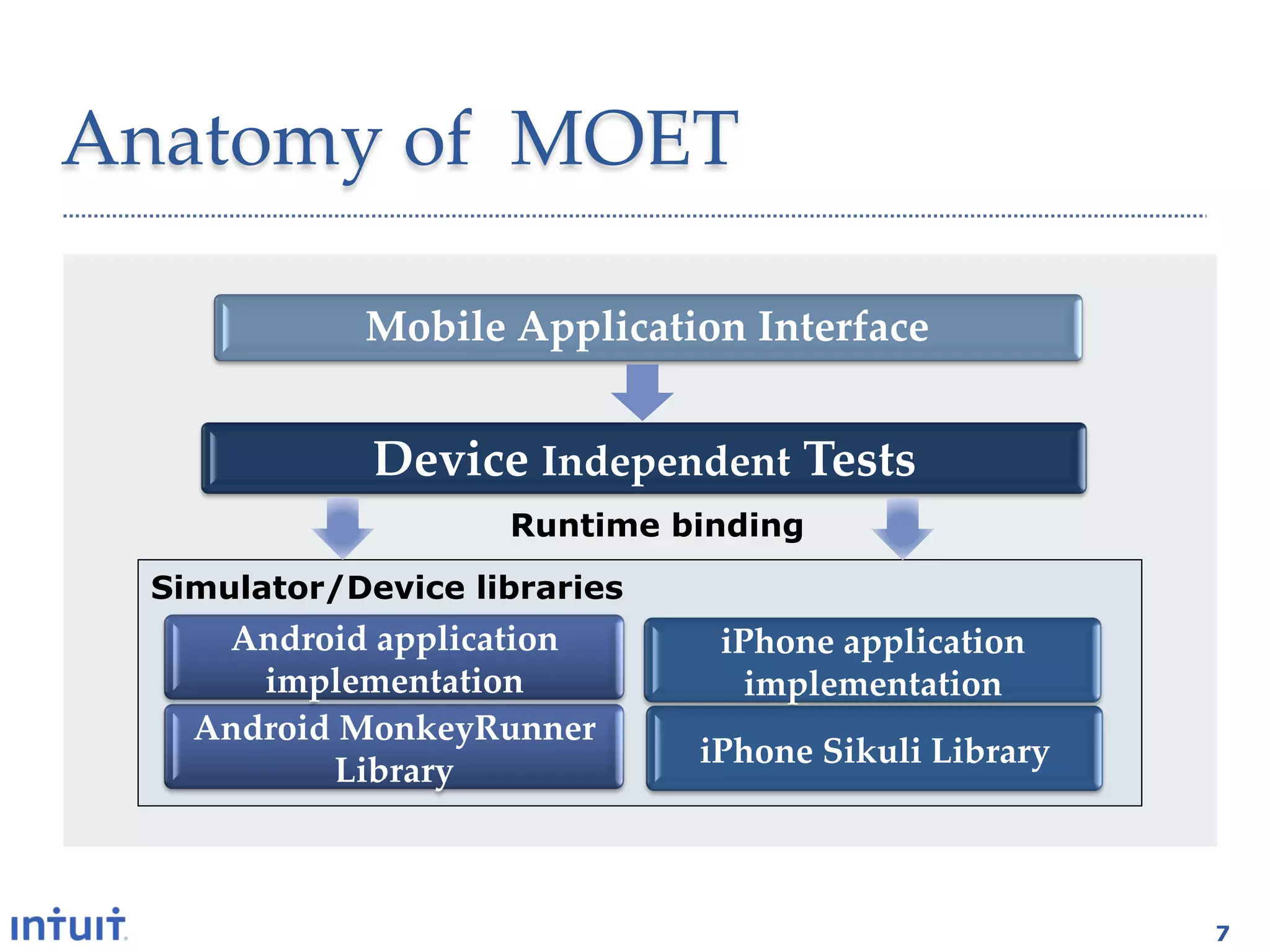
Anatomy  of    MOET	

             Mobile  Application  Interface	


              Device  Independent  Tests	
                     Runtime binding
  Simulator/Device libraries
     Android  application       iPhone  application  
       implementation	
           implementation	
    Android  MonkeyRunner  
                               iPhone  Sikuli  Library	
            Library	


                                                           7
Top Ten Wish List
            a.k.a.
    Mobile test automation
         Wall of Pain


8
                             8
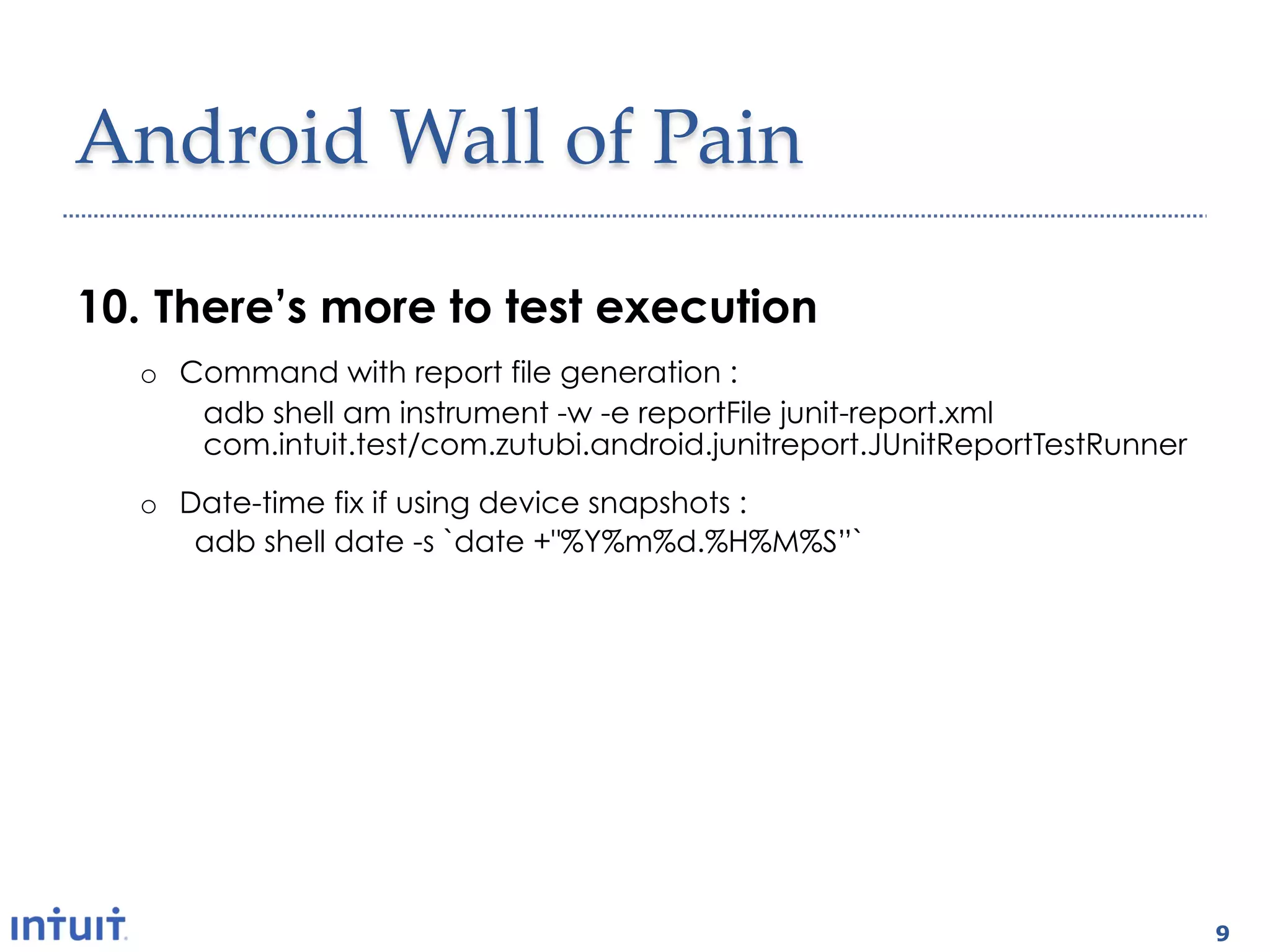
Android  Wall  of  Pain	

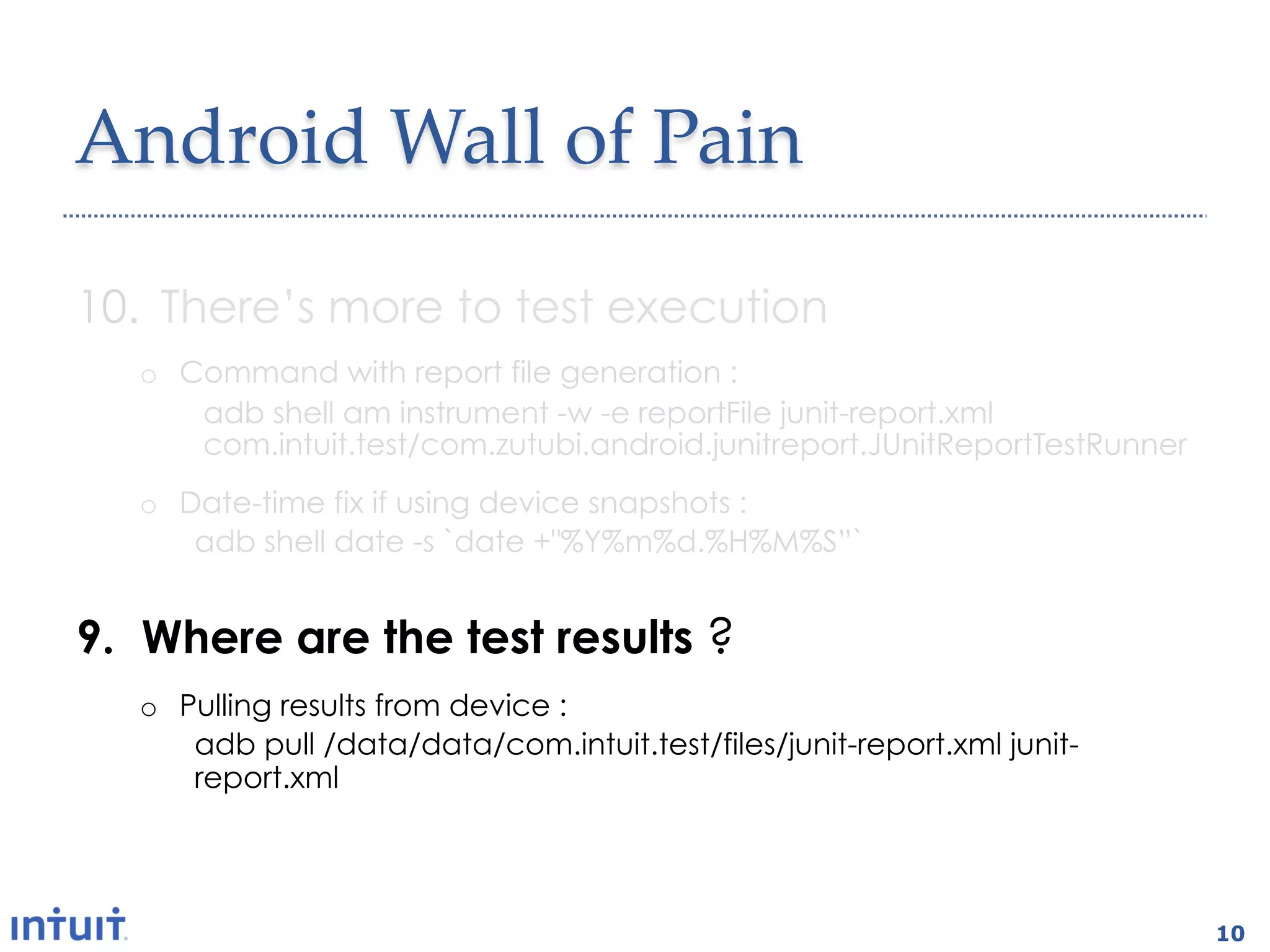
10.  There’s more to test execution
   o  Command with report file generation :
       adb shell am instrument -w -e reportFile junit-report.xml
       com.intuit.test/com.zutubi.android.junitreport.JUnitReportTestRunner
   o  Date-time fix if using device snapshots :
       adb shell date -s `date +"%Y%m%d.%H%M%S”`


9.  Where are the test results ?
   o  Pulling results from device :
       adb pull /data/data/com.intuit.test/files/junit-report.xml junit-
       report.xml


                                                                              9
Android  Wall  of  Pain	

10.  There’s more to test execution
   o  Command with report file generation :
       adb shell am instrument -w -e reportFile junit-report.xml
       com.intuit.test/com.zutubi.android.junitreport.JUnitReportTestRunner
   o  Date-time fix if using device snapshots :
       adb shell date -s `date +"%Y%m%d.%H%M%S”`


9.  Where are the test results ?
   o  Pulling results from device :
       adb pull /data/data/com.intuit.test/files/junit-report.xml junit-
       report.xml


                                                                              10
iOS  Wall  of  Pain	

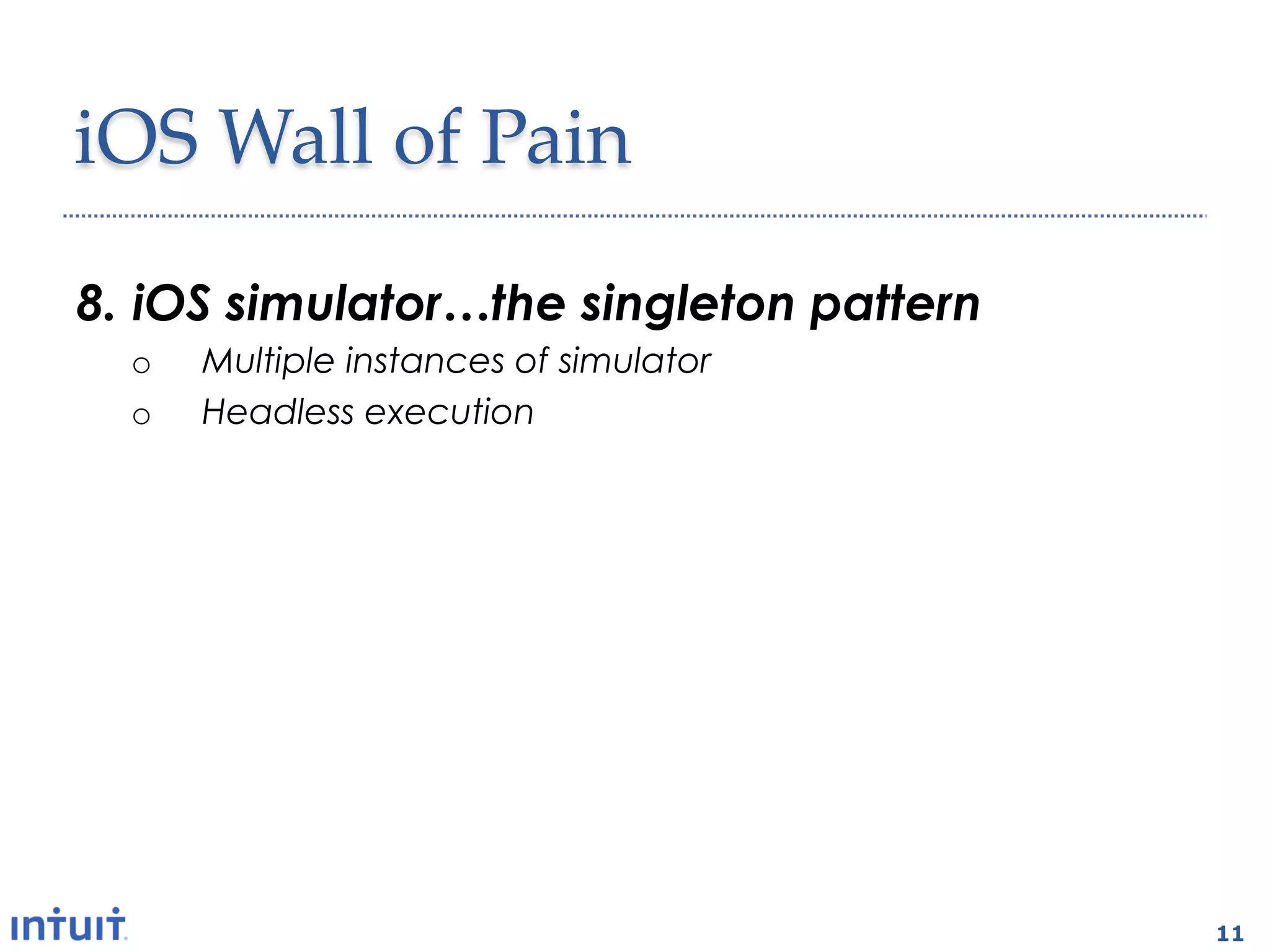
8.  iOS simulator…the singleton pattern
  o    Multiple instances of simulator
  o    Headless execution

7.  What test harness ?
  o  Test grouping, test assertions, base test class
  o  Results needs to be displayable in browser

6.  How about a CI plugin
  o  Test execution
  o  Code coverage


                                                       11
iOS  Wall  of  Pain	
8.  iOS simulator…the singleton pattern
  o    Multiple instances of simulator
  o    Headless execution

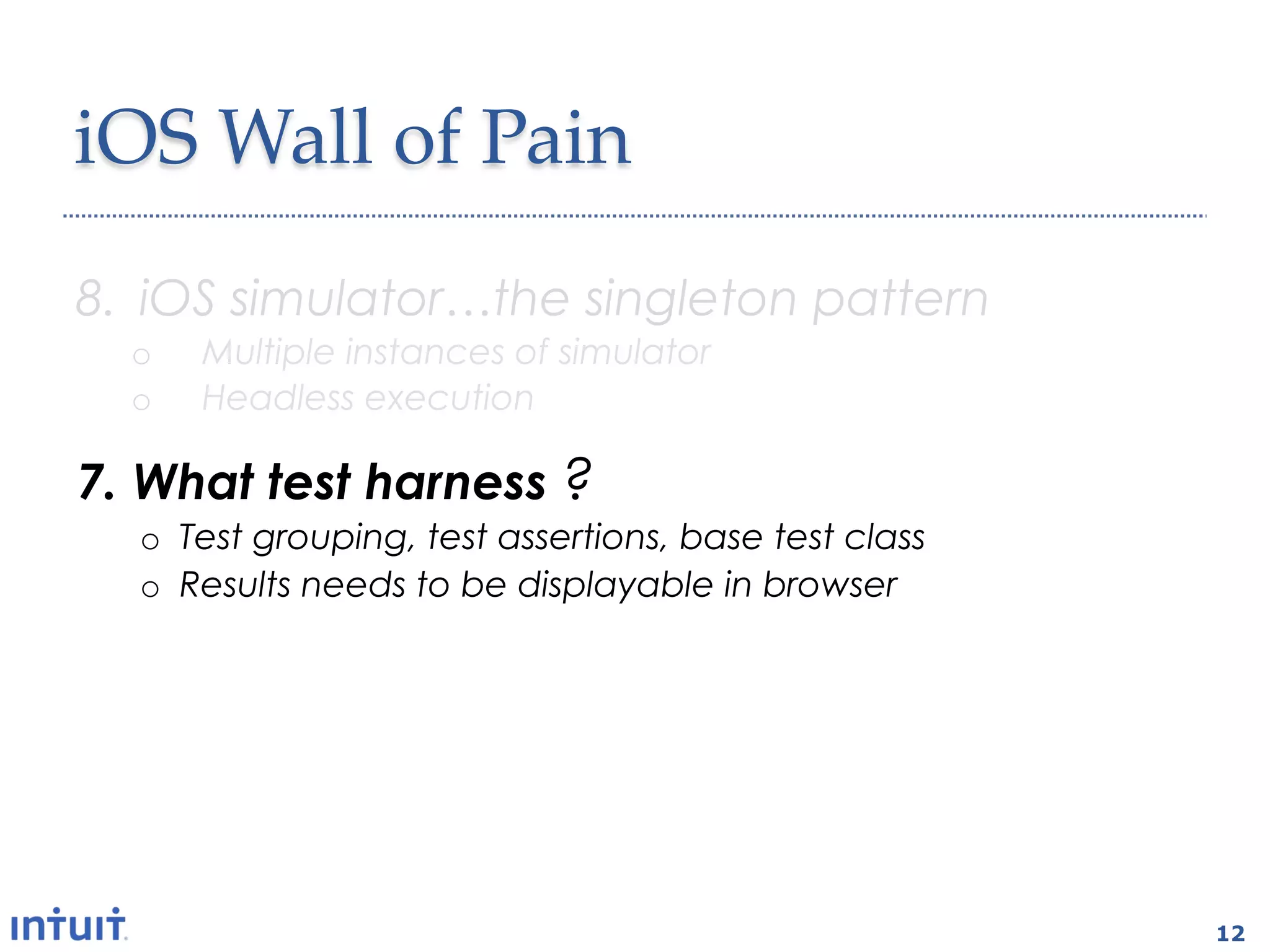
7.  What test harness ?
  o  Test grouping, test assertions, base test class
  o  Results needs to be displayable in browser

6.  How about a CI plugin
  o  Test execution
  o  Code coverage


                                                       12
iOS  Wall  of  Pain	
8.  iOS simulator…the singleton pattern
  o    Headless execution
  o    Multiple instances of simulator

7.  What test harness ?
  o  Test grouping, test assertions, base test class
  o  Results needs to be displayable in browser

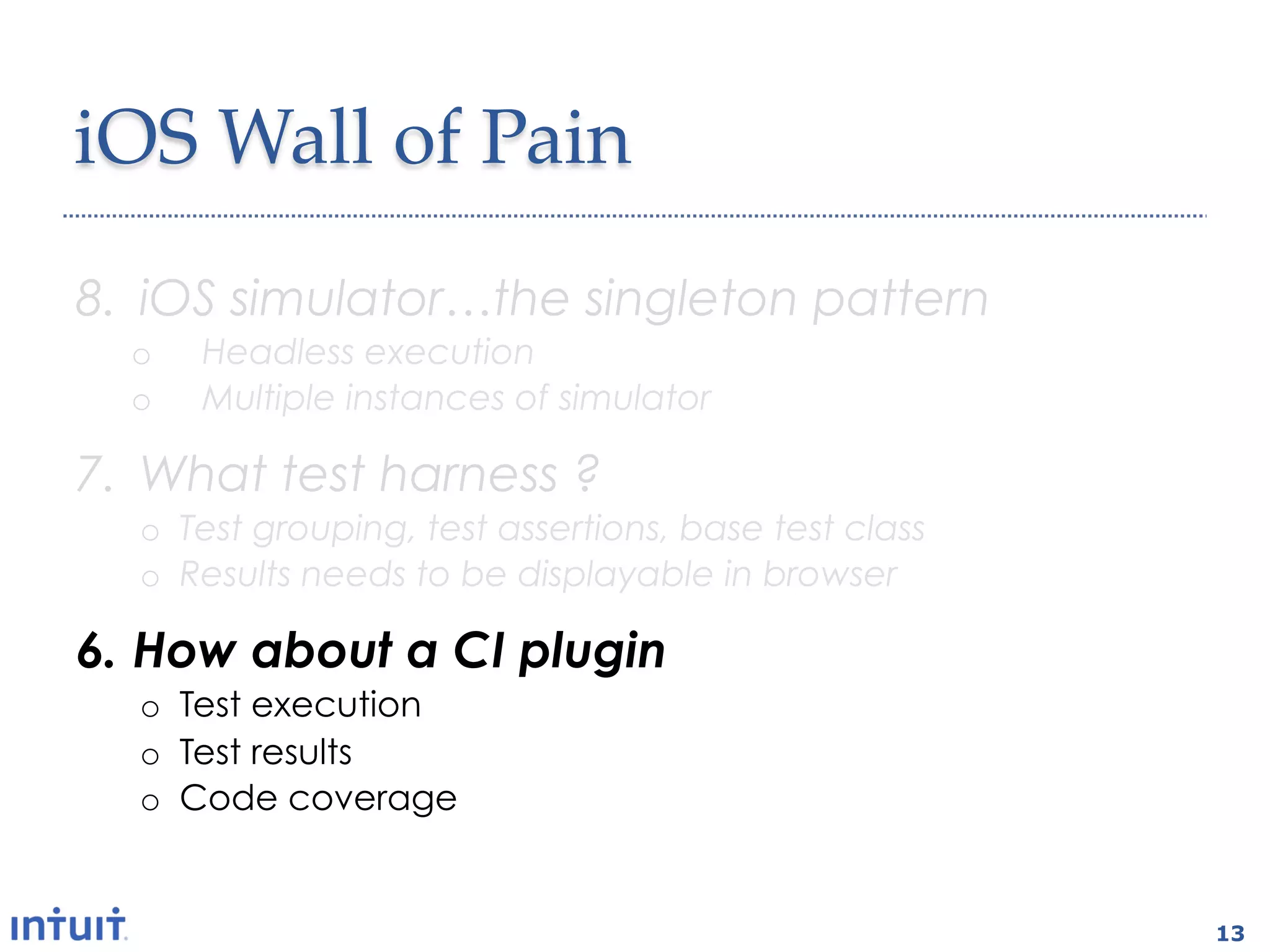
6.  How about a CI plugin
  o  Test execution
  o  Test results
  o  Code coverage


                                                       13
iOS  Wall  of  Pain	

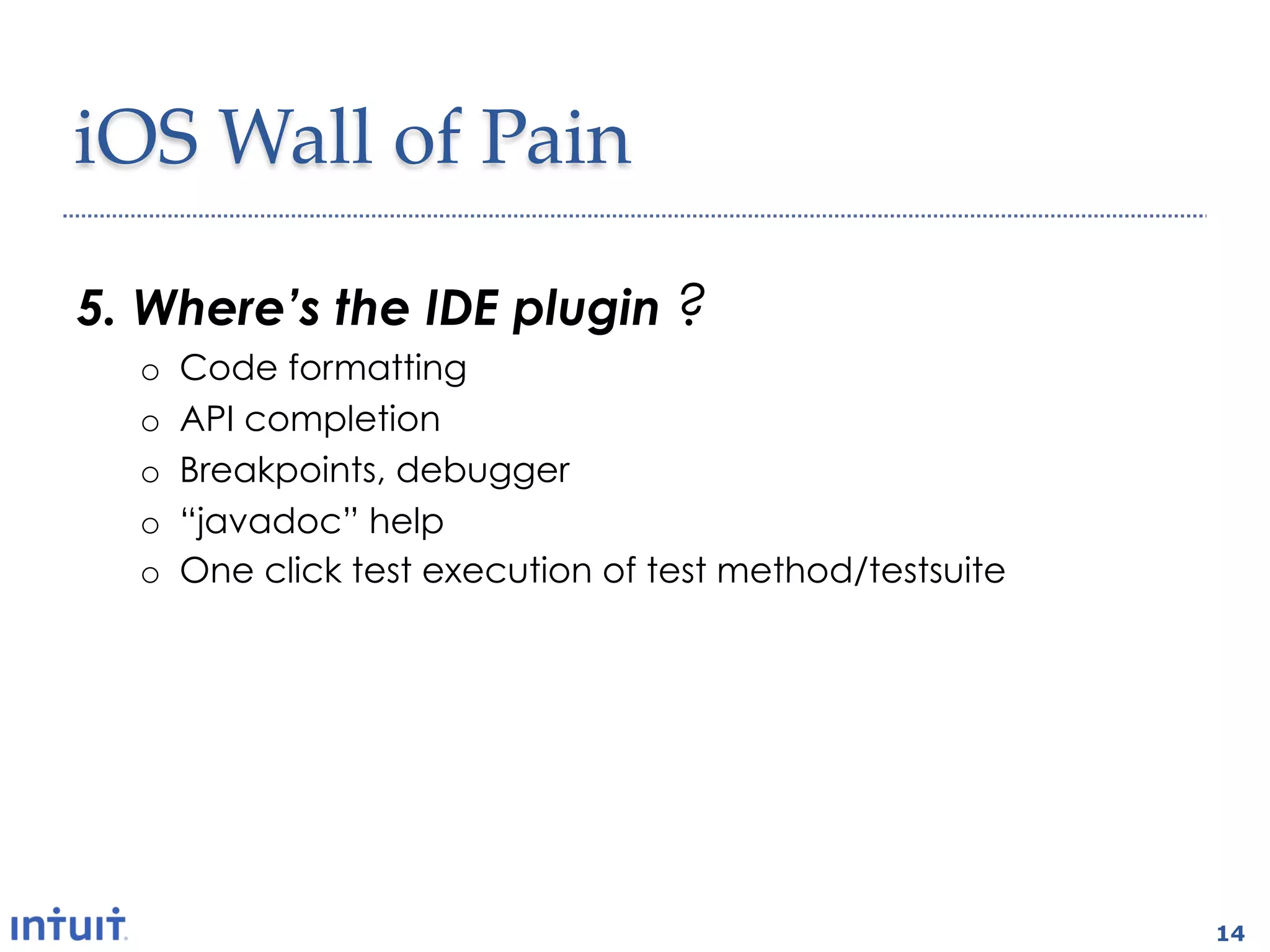
5.  Where’s the IDE plugin ?
  o    Code formatting
  o    API completion
  o    Breakpoints, debugger
  o    “javadoc” help
  o    One click test execution of test method/testsuite


                                                           14
All  mobile  platforms	

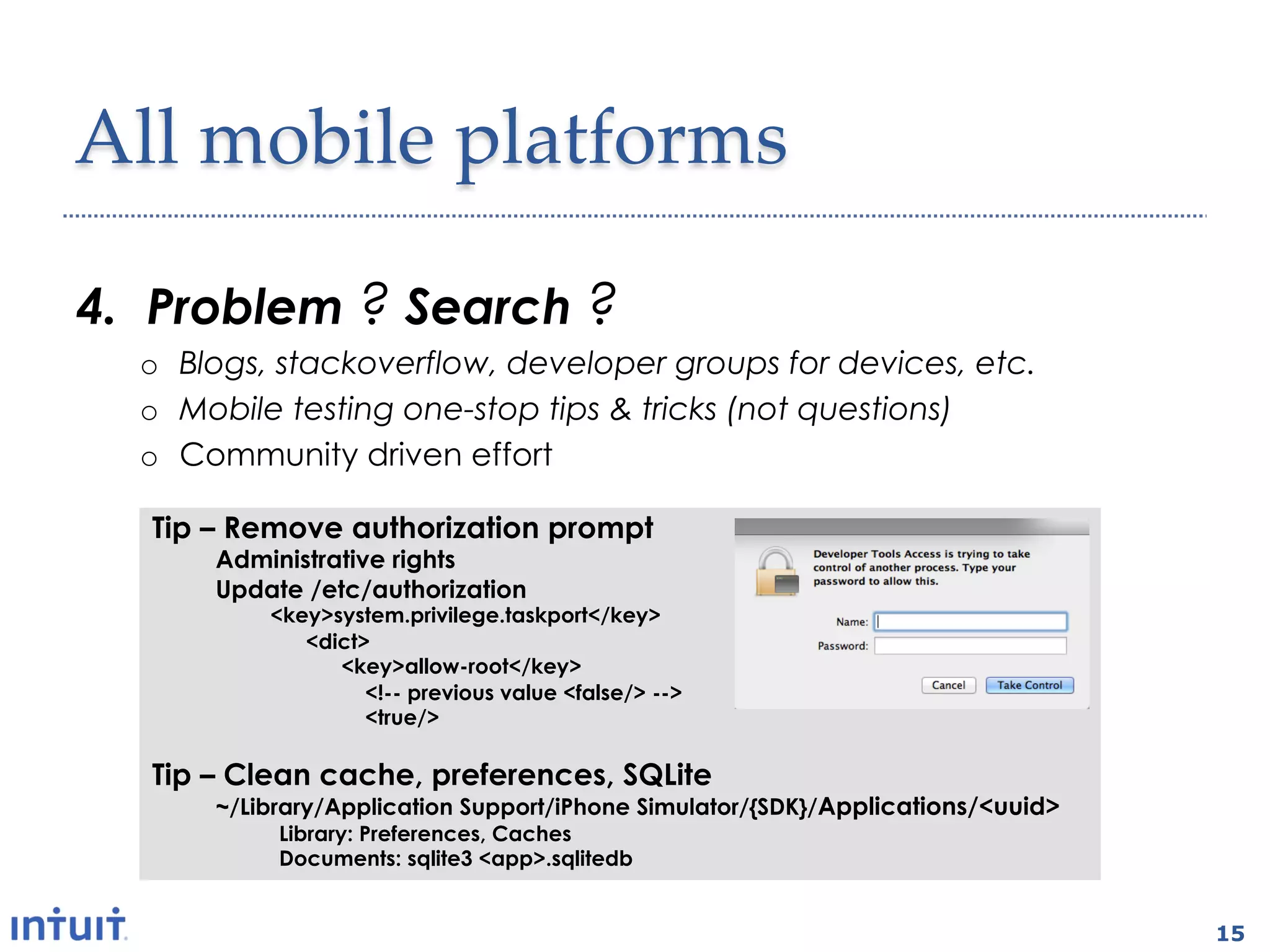
4.  Problem ? Search ?
  o  Blogs, stackoverflow, developer groups for devices, etc.
  o  Mobile testing one-stop tips & tricks (not questions)
  o  Community driven effort

   Tip – Remove authorization prompt
       Administrative rights
       Update /etc/authorization
           <key>system.privilege.taskport</key>
              <dict>
                 <key>allow-root</key>
                    <!-- previous value <false/> -->
                    <true/>

   Tip – Clean cache, preferences, SQLite
       ~/Library/Application Support/iPhone Simulator/{SDK}/Applications/<uuid>
            Library: Preferences, Caches
            Documents: sqlite3 <app>.sqlitedb


                                                                                  15
All  mobile  platforms	

3.  How about a mobile test report ?
  o  Mobile test report standard e.g. mobile-test-report.xml
      •  Screenshots and video recording of failed tests
      •  Device logs
      •  Device detection

2.  Wireless?
  o  OTA app installation
  o  Testing via wifi and carrier networks
  o  Selenium grid-like test infrastructure


                                                               16
All  mobile  platforms	

3.  How about a mobile test report?
  o  Mobile test report standard e.g. mobile-test-report.xml
      •  Screenshots and video recording of failed tests
      •  Device logs
      •  Device detection

2.  Mobile testing is anything but mobile
  o    OTA app installation and execution
  o    Testing via wifi and carrier networks
  o    Test tool independent component
  o    Selenium grid-like test infrastructure


                                                               17
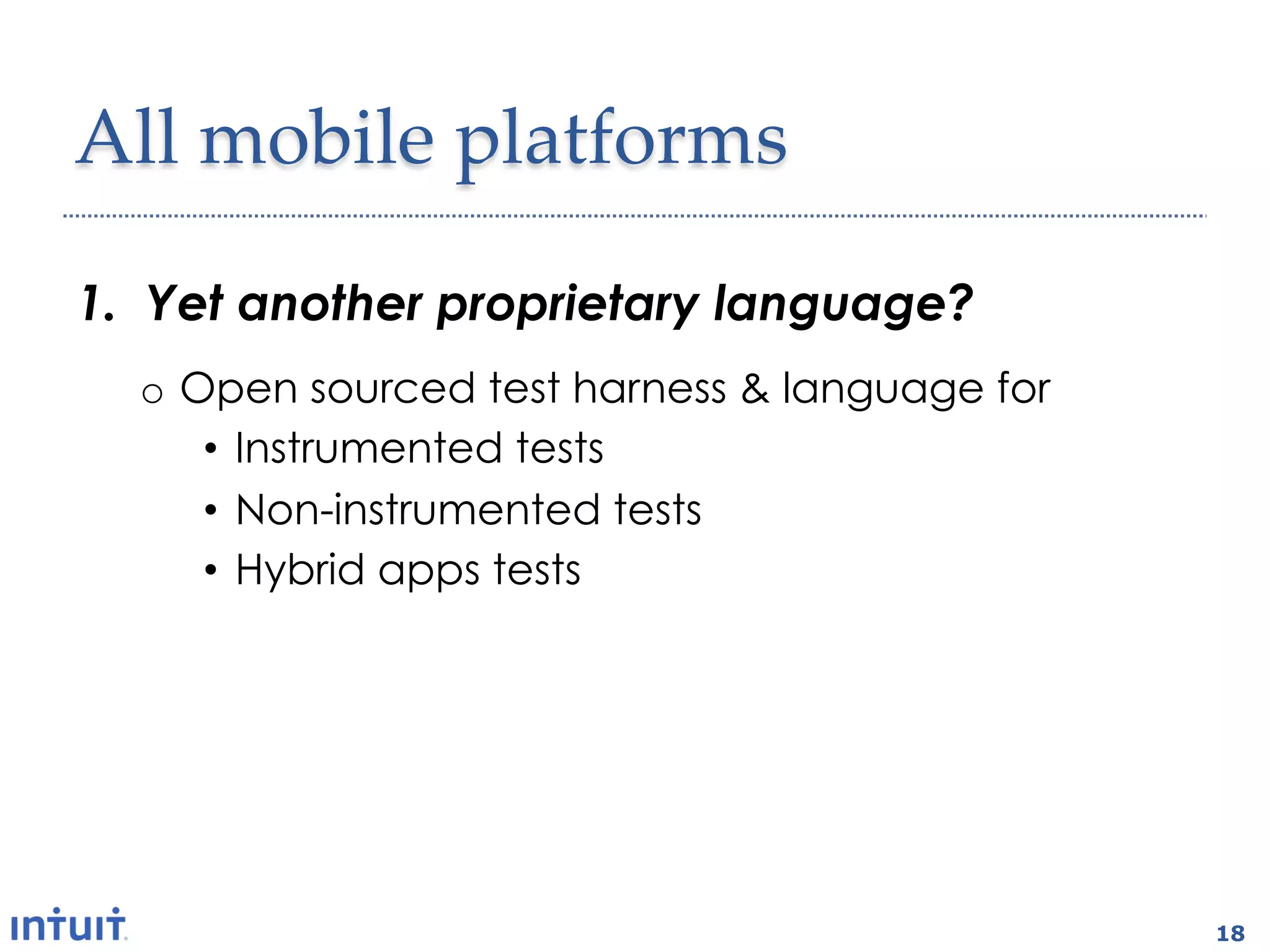
All  mobile  platforms	

1.  Yet another proprietary language?
  o  Open sourced test harness & language for
      •  Instrumented tests
      •  Non-instrumented tests
      •  Hybrid apps tests


                                                18
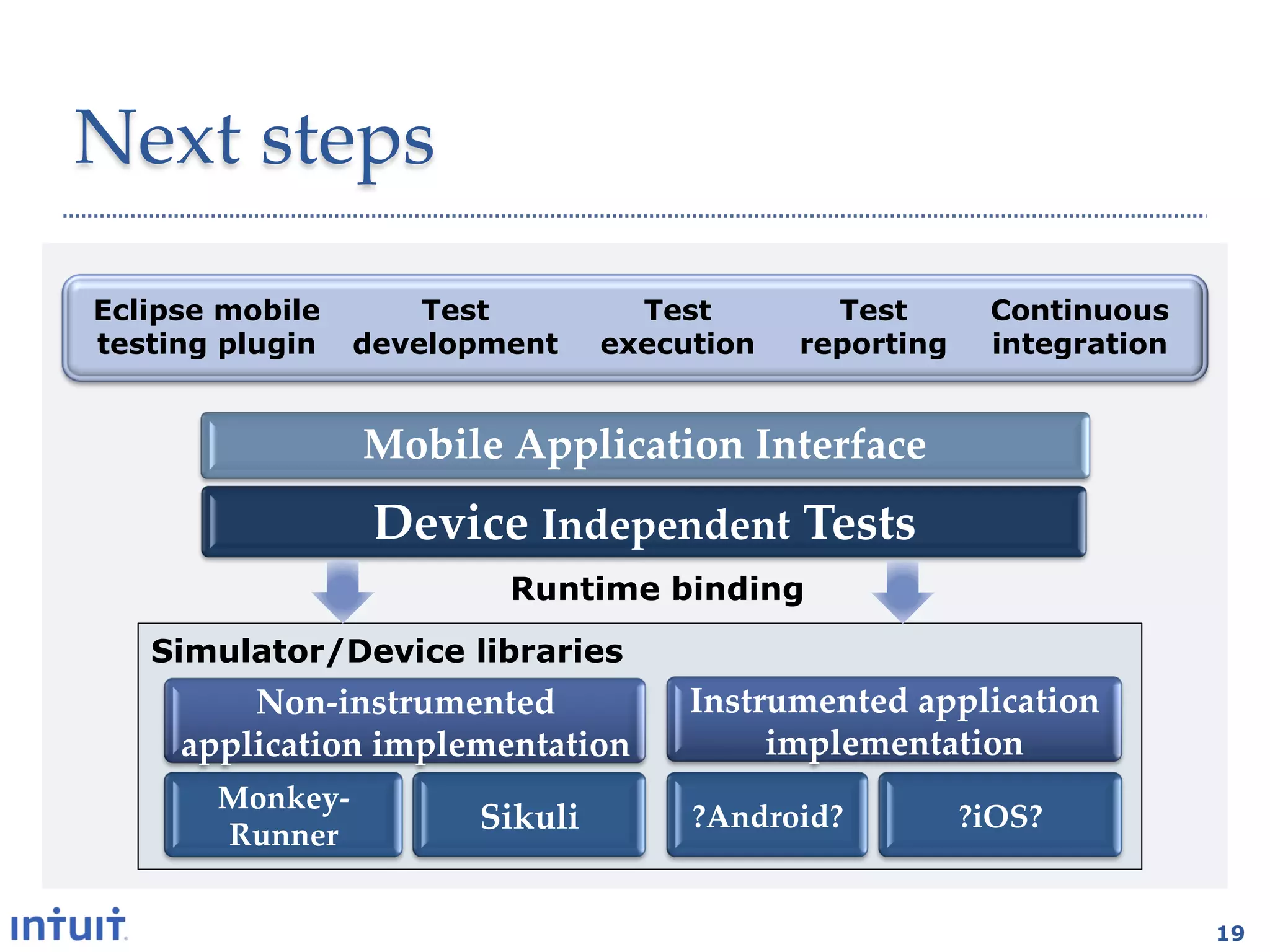
Next  steps	

Eclipse mobile       Test         Test        Test        Continuous
testing plugin   development    execution   reporting     integration


                 Mobile  Application  Interface	
                    Device  Independent  Tests	
                          Runtime binding
   Simulator/Device libraries
         Non-­‐‑instrumented       Instrumented  application  
     application  implementation	
      implementation	
       Monkey-­‐‑
                         Sikuli	
    ?Android?	
        ?iOS?  	
       Runner	


                                                                        19

2012 mobile testingsummit-moet

  • 1.
    MOET https://github.com/eing/moet Mobile End-to-End Testing Mobile Exploratory Testing Eing Ong Intuit, Inc. @eingong|eing.ong@intuit.com 1 1
  • 2.
    Mobile  automation  technologies • Two categories •  Instrumented technique •  Non-instrumented technique •  What is instrumentation? •  Tests are compiled with the app •  Tests are installed & launched with the app •  Source code is required and may need to be modified •  Only one app can be executed at a time •  White box approach 2
  • 3.
    Advantages  of  both techniques Non-­‐‑instrumentation Instrumentation •  Device  platform  agnostic •  Elements  can  be  accessed •  Test  code  reuse •  Debugging  ease •  Test  language  &  test  harness   •  Test  verification  ease autonomy •  Reduce  tools  dependencies •  Support  for •  Support  for Multi-­‐‑applications  testing Installing  application Custom  composite  UI  elements Launching  application Database/server  API  assertions Cleanup  (kill  application) Use  of  external  libraries Test  execution  on  device  (e.g.  hardware/image  libraries) Code  coverage 3
  • 4.
    Which  technique  should I  use  ? Non-instrumentation Instrumentation External   interaction Hardware   Text-­‐‑based   interaction features Image  based   features 4
  • 5.
    Mobile  automation  tools Mobile   Non-­‐‑ Instrumentation OS instrumentation Android eggPlant,  Sikuli,  MOET,   Robotium,  Calabash,   MonkeyRunner MonkeyTalk iOS eggPlant,  Sikuli,  MOET UIAutomation,  KIF,   iCuke,  Frank,  UISpec,   Zucchini,  Bwoken,   Calabash,  MonkeyTalk,   Applecart,  iOS-­‐‑driver 5
  • 6.
    MOET Test •  Think design Login(“user1”,”passwd1”) o  Interfaces o  Creational pattern iPhone implementation touch(100,100) •  Think reuse enter(username) touch(100,200) o  Device independent tests enter(password) •  Think One touch(150, 300) o  IDE o  Test harness and language iPhone Sikuli library void enter() void touch(x,y) 6
  • 7.
    Anatomy  of   MOET Mobile  Application  Interface Device  Independent  Tests Runtime binding Simulator/Device libraries Android  application   iPhone  application   implementation implementation Android  MonkeyRunner   iPhone  Sikuli  Library Library 7
  • 8.
    Top Ten WishList a.k.a. Mobile test automation Wall of Pain 8 8
  • 9.
    Android  Wall  of Pain 10.  There’s more to test execution o  Command with report file generation : adb shell am instrument -w -e reportFile junit-report.xml com.intuit.test/com.zutubi.android.junitreport.JUnitReportTestRunner o  Date-time fix if using device snapshots : adb shell date -s `date +"%Y%m%d.%H%M%S”` 9.  Where are the test results ? o  Pulling results from device : adb pull /data/data/com.intuit.test/files/junit-report.xml junit- report.xml 9
  • 10.
    Android  Wall  of Pain 10.  There’s more to test execution o  Command with report file generation : adb shell am instrument -w -e reportFile junit-report.xml com.intuit.test/com.zutubi.android.junitreport.JUnitReportTestRunner o  Date-time fix if using device snapshots : adb shell date -s `date +"%Y%m%d.%H%M%S”` 9.  Where are the test results ? o  Pulling results from device : adb pull /data/data/com.intuit.test/files/junit-report.xml junit- report.xml 10
  • 11.
    iOS  Wall  of Pain 8.  iOS simulator…the singleton pattern o  Multiple instances of simulator o  Headless execution 7.  What test harness ? o  Test grouping, test assertions, base test class o  Results needs to be displayable in browser 6.  How about a CI plugin o  Test execution o  Code coverage 11
  • 12.
    iOS  Wall  of Pain 8.  iOS simulator…the singleton pattern o  Multiple instances of simulator o  Headless execution 7.  What test harness ? o  Test grouping, test assertions, base test class o  Results needs to be displayable in browser 6.  How about a CI plugin o  Test execution o  Code coverage 12
  • 13.
    iOS  Wall  of Pain 8.  iOS simulator…the singleton pattern o  Headless execution o  Multiple instances of simulator 7.  What test harness ? o  Test grouping, test assertions, base test class o  Results needs to be displayable in browser 6.  How about a CI plugin o  Test execution o  Test results o  Code coverage 13
  • 14.
    iOS  Wall  of Pain 5.  Where’s the IDE plugin ? o  Code formatting o  API completion o  Breakpoints, debugger o  “javadoc” help o  One click test execution of test method/testsuite 14
  • 15.
    All  mobile  platforms 4. Problem ? Search ? o  Blogs, stackoverflow, developer groups for devices, etc. o  Mobile testing one-stop tips & tricks (not questions) o  Community driven effort Tip – Remove authorization prompt Administrative rights Update /etc/authorization <key>system.privilege.taskport</key> <dict> <key>allow-root</key> <!-- previous value <false/> --> <true/> Tip – Clean cache, preferences, SQLite ~/Library/Application Support/iPhone Simulator/{SDK}/Applications/<uuid> Library: Preferences, Caches Documents: sqlite3 <app>.sqlitedb 15
  • 16.
    All  mobile  platforms 3. How about a mobile test report ? o  Mobile test report standard e.g. mobile-test-report.xml •  Screenshots and video recording of failed tests •  Device logs •  Device detection 2.  Wireless? o  OTA app installation o  Testing via wifi and carrier networks o  Selenium grid-like test infrastructure 16
  • 17.
    All  mobile  platforms 3. How about a mobile test report? o  Mobile test report standard e.g. mobile-test-report.xml •  Screenshots and video recording of failed tests •  Device logs •  Device detection 2.  Mobile testing is anything but mobile o  OTA app installation and execution o  Testing via wifi and carrier networks o  Test tool independent component o  Selenium grid-like test infrastructure 17
  • 18.
    All  mobile  platforms 1. Yet another proprietary language? o  Open sourced test harness & language for •  Instrumented tests •  Non-instrumented tests •  Hybrid apps tests 18
  • 19.
    Next  steps Eclipse mobile Test Test Test Continuous testing plugin development execution reporting integration Mobile  Application  Interface Device  Independent  Tests Runtime binding Simulator/Device libraries Non-­‐‑instrumented   Instrumented  application   application  implementation implementation Monkey-­‐‑ Sikuli ?Android? ?iOS?   Runner 19