A Brain-Friendly Guide

Head First

Android App Dev Tools

MOPCON

shakalaca
Hello ! I’m Shaka
•
•

CTO @ SmarTapper Co., Ltd.
Consultant @ SleepNOVA, Inc.

http:/
/about.me/shakalaca
Today’s topic
•
•
•

Genymotion (101 session)

•

w/ demo

Gradle (201 session)

•

w/ sample scripts

Android Studio (201 session)
Genymotion
Myth :
App development on Android is
FREE (or cheaper) than iOS
Really ?
•

Don’t have to buy a Mac

... you’ll buy one eventually (look at me)

•

There’s an emulator

... you really use it ?

•

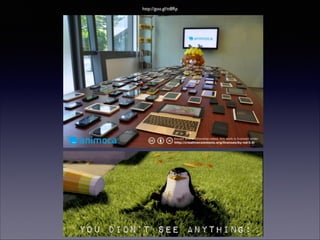
Android phone is way cheaper than iPhone !

... you mean those in the next page ?
http://goo.gl/tt8Rp
There’s no such thing as free
lunch ..
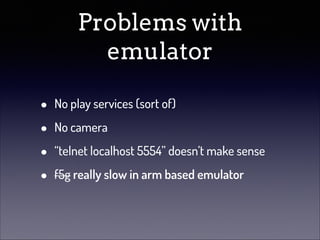
Problems with
emulator
•
•
•
•

No play services (sort of)
No camera
“telnet localhost 5554” doesn’t make sense
f5g really slow in arm based emulator
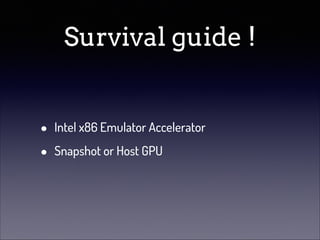
Survival guide !
•
•

Intel x86 Emulator Accelerator
Snapshot or Host GPU
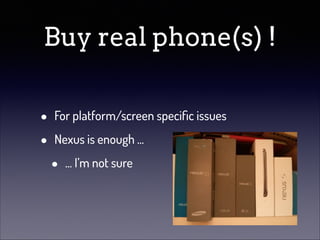
Buy real phone(s) !
•
•

For platform/screen specific issues
Nexus is enough ...

•

... I’m not sure
Developers’ pain

https://www.youtube.com/watch?v=cOUK0JZvbwI
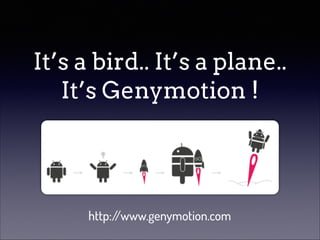
It’s a bird.. It’s a plane..
It’s Genymotion !

http:/
/www.genymotion.com
Is it the one ?
•
•
•
•

Android x86 emulator based on AndroVM open
source project

•

http:/
/androvm.org/

(In some case) faster than SDK emulator
Multi-platform
IDE plugins
Good for ..
•
•

Test applications

•

Fast & cable free

Screencast

•

Use your favorite software (for me:
QuickTime for OS X)
And gamers love it ..

https://www.google.com.tw/search?q=神魔之塔+genymotion
Features (HW)
•
•
•
•
•
•

Camera
GPS
Battery
Speaker / Microphone
Rotation
Physical keys
Features (SW)
•
•
•
•
•
•

API 16 & 17, 18 in preview
Play store (service)
Root access
OpenGL
Virtual keys
Full screen (F11)
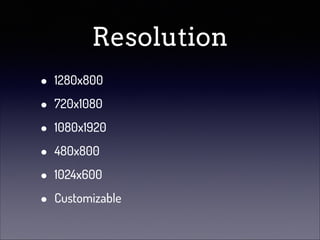
Resolution
•
•
•
•
•
•

1280x800
720x1080
1080x1920
480x800
1024x600
Customizable
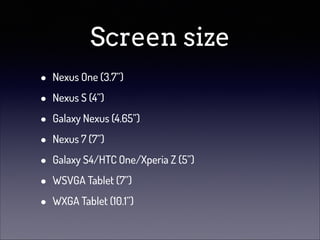
Screen size
•
•
•
•
•
•
•

Nexus One (3.7”)
Nexus S (4”)
Galaxy Nexus (4.65”)
Nexus 7 (7”)
Galaxy S4/HTC One/Xperia Z (5”)
WSVGA Tablet (7”)
WXGA Tablet (10.1”)
Demo time !
Tips !
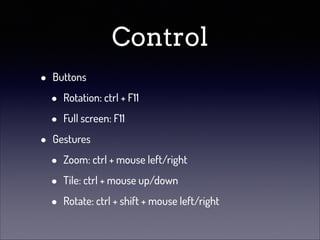
Control
•
•

Buttons

•
•

Rotation: ctrl + F11
Full screen: F11

Gestures

•
•
•

Zoom: ctrl + mouse left/right
Tile: ctrl + mouse up/down
Rotate: ctrl + shift + mouse left/right
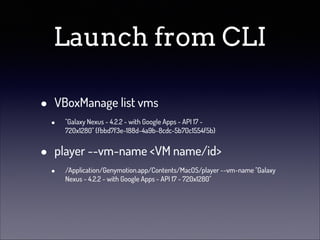
Launch from CLI
•
•

VBoxManage list vms
•

"Galaxy Nexus - 4.2.2 - with Google Apps - API 17 720x1280" {fbbd7f3e-188d-4a9b-8cdc-5b70c1554f5b}

player --vm-name <VM name/id>
•

/Application/Genymotion.app/Contents/MacOS/player --vm-name "Galaxy
Nexus - 4.2.2 - with Google Apps - API 17 - 720x1280"
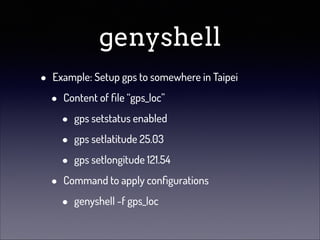
genyshell
•

Example: Setup gps to somewhere in Taipei

•

•

Content of file “gps_loc”

•
•
•

gps setstatus enabled
gps setlatitude 25.03
gps setlongitude 121.54

Command to apply configurations

•

genyshell -f gps_loc
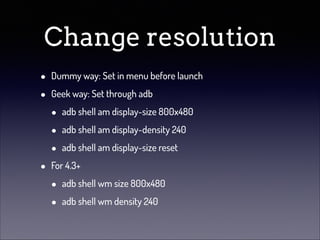
Change resolution
•
•

•

Dummy way: Set in menu before launch
Geek way: Set through adb

•
•
•

adb shell am display-size 800x480
adb shell am display-density 240
adb shell am display-size reset

For 4.3+

•
•

adb shell wm size 800x480
adb shell wm density 240
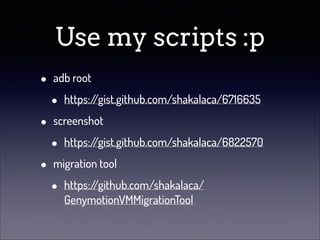
Use my scripts :p
•
•
•

adb root

•

https:/
/gist.github.com/shakalaca/6716635

screenshot

•

https:/
/gist.github.com/shakalaca/6822570

migration tool

•

https:/
/github.com/shakalaca/
GenymotionVMMigrationTool
Gradle enabled
android project
What is gradle ?
Gradle is build automation evolved. Gradle can automate the building,
testing, publishing, deployment and more of software packages or
other types of projects such as generated static websites, generated
documentation or indeed anything else.
!
Gradle combines the power and flexibility of Ant with the dependency
management and conventions of Maven into a more effective way to
build. Powered by a Groovy DSL and packed with innovation, Gradle
provides a declarative way to describe all kinds of builds through
sensible defaults. Gradle is quickly becoming the build system of
choice for many open source projects, leading edge enterprises and
legacy automation challenges.
- http:/
/www.gradle.org/
.. short version

An open source build system that combines the
power of Ant & Maven but easy to use
Why (google wants to change the
build system to) gradle ?
•

My guess..

•
•

Simplify and unify project dependency
management in IDE & CLI

•

Think about Eclipse & ant (ci server)
BETA

Android Studio is coming !
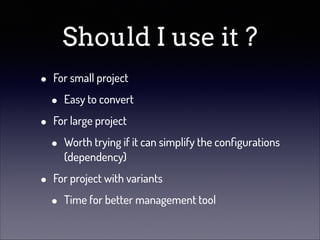
Should I use it ?
•
•
•

For small project

•

Easy to convert

For large project

•

Worth trying if it can simplify the configurations
(dependency)

For project with variants

•

Time for better management tool
Will it blow up my
projects ?

It’s 2013 now, you should have SCM … right ?
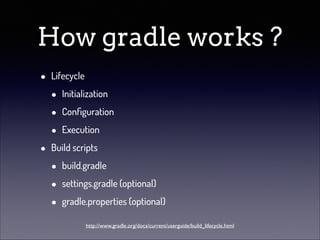
How gradle works ?
•

•

Lifecycle

•
•
•

Initialization
Configuration
Execution

Build scripts

•
•
•

build.gradle
settings.gradle (optional)
gradle.properties (optional)
http://www.gradle.org/docs/current/userguide/build_lifecycle.html
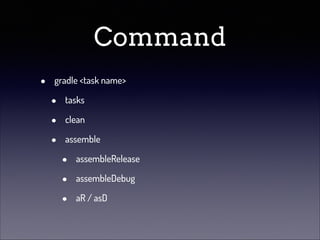
Command
•

gradle <task name>

•
•
•

tasks
clean
assemble

•
•
•

assembleRelease
assembleDebug
aR / asD
Android integration
•
•

gradle android plugin

•

http:/
/tools.android.com/tech-docs/newbuild-system/

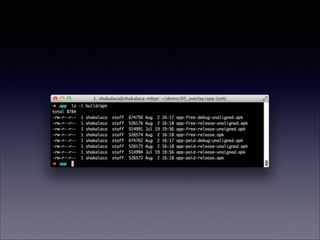
output

•

<project>/build/apk/
Step by step tutorial
• Basic
• Dependency
• Sign / Proguard
• Variant
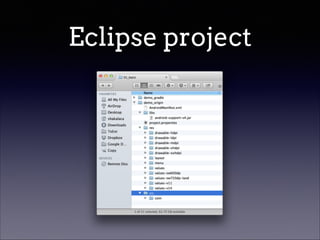
Eclipse project
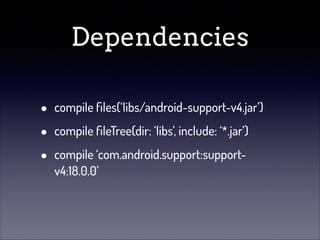
Dependencies
•
•
•

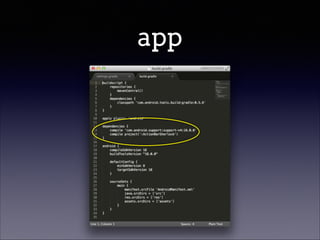
compile files(‘libs/android-support-v4.jar’)
compile fileTree(dir: ‘libs’, include: ‘*.jar’)
compile ‘com.android.support:supportv4:18.0.0’
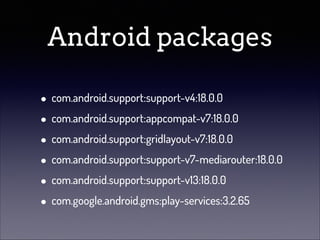
Android packages
!

• com.android.support:support-v4:18.0.0
• com.android.support:appcompat-v7:18.0.0
• com.android.support:gridlayout-v7:18.0.0
• com.android.support:support-v7-mediarouter:18.0.0
• com.android.support:support-v13:18.0.0
• com.google.android.gms:play-services:3.2.65
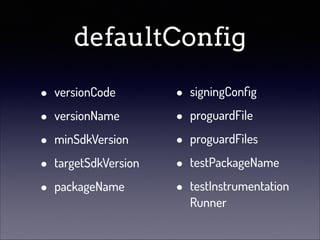
defaultConfig
•
•
•
•
•

versionCode
versionName
minSdkVersion
targetSdkVersion
packageName

•
•
•
•
•

signingConfig
proguardFile
proguardFiles
testPackageName
testInstrumentation
Runner
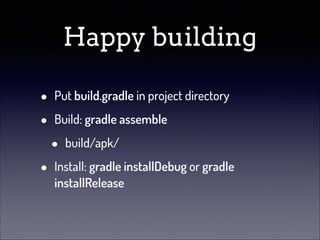
Happy building
•
•
•

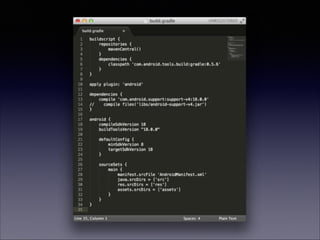
Put build.gradle in project directory
Build: gradle assemble

•

build/apk/

Install: gradle installDebug or gradle
installRelease
Step by step tutorial
• Basic
• Dependency
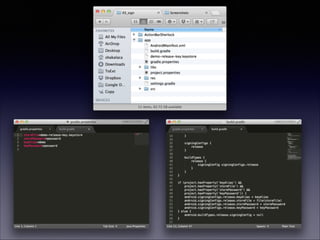
• Sign / Proguard
• Variant
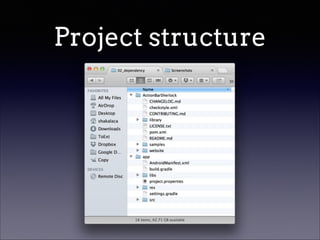
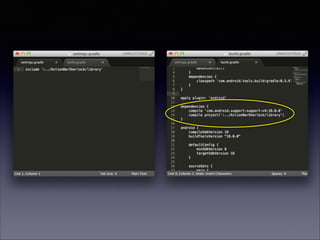
Project structure
app
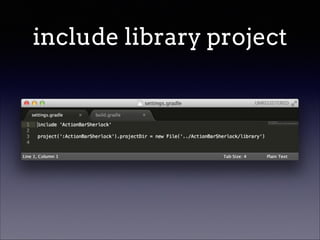
include library project
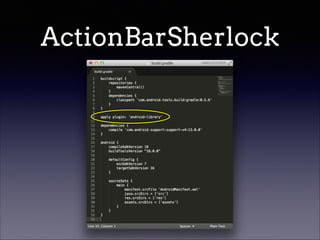
ActionBarSherlock
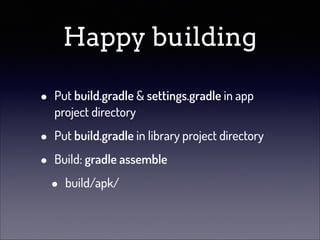
Happy building
•

Put build.gradle & settings.gradle in app
project directory

•
•

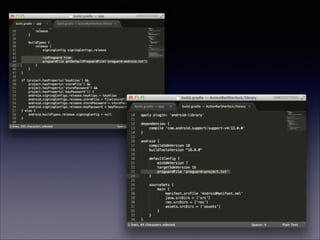
Put build.gradle in library project directory
Build: gradle assemble

•

build/apk/
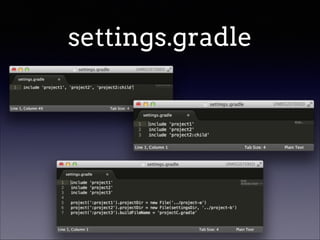
settings.gradle
•
•

Used in multi-project hierarchy
Define projects to be used in build
settings.gradle
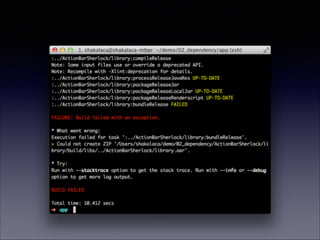
er.. no direct way ?
Known issue
•
•

Library project is always “release” build

•

define your own debug flags..

<application /> in AndroidManifest.xml
Step by step tutorial
• Basic
• Dependency
• Sign / Proguard
• Variant
Build types
•
•

default 2 types: debug & release
for debugging & signing
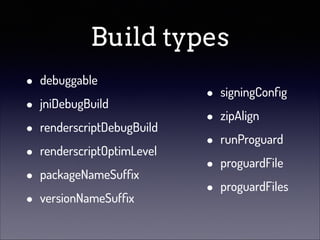
Build types
•
•
•
•
•
•

debuggable
jniDebugBuild
renderscriptDebugBuild
renderscriptOptimLevel
packageNameSuffix
versionNameSuffix

•
•
•
•
•

signingConfig
zipAlign
runProguard
proguardFile
proguardFiles
Tips
•

Save your gradle.properties in ~/.gradle/

•

.. If you work alone
Step by step tutorial
• Basic
• Dependency
• Sign / Proguard
• Variant
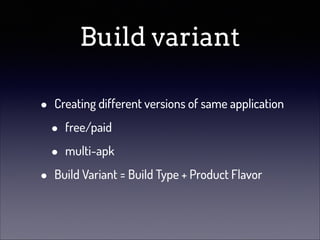
Build variant
•
•

Creating different versions of same application

•
•

free/paid
multi-apk

Build Variant = Build Type + Product Flavor
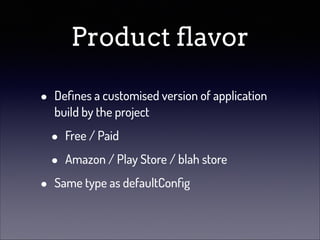
Product flavor
•

•

Defines a customised version of application
build by the project

•
•

Free / Paid
Amazon / Play Store / blah store

Same type as defaultConfig
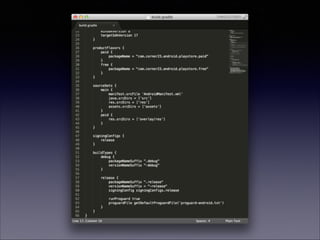
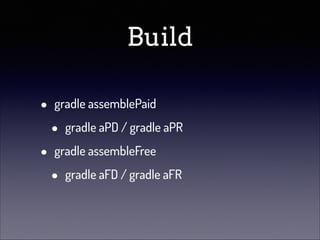
Build
•
•

gradle assemblePaid

•

gradle aPD / gradle aPR

gradle assembleFree

•

gradle aFD / gradle aFR
One more thing..
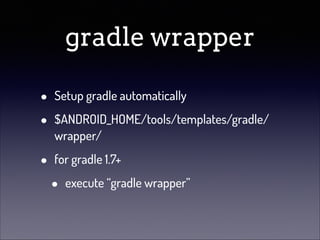
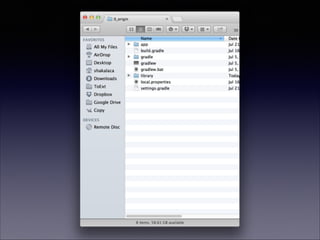
gradle wrapper
•
•

Setup gradle automatically

•

for gradle 1.7+

$ANDROID_HOME/tools/templates/gradle/
wrapper/

•

execute “gradle wrapper”
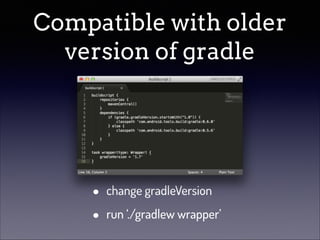
Compatible with older
version of gradle

•
•

change gradleVersion
run ‘./gradlew wrapper’
Summary
•
•
•
•
•

Simple android project
Sign release key
Run proguard
Build variants
Wrapper
All samples are here
http:/
/github.com/shakalaca/
learning_gradle_android
Maven repository
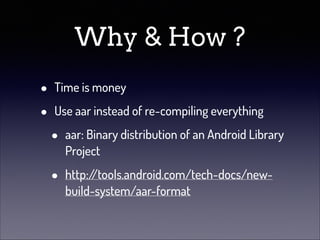
Why & How ?
•
•

Time is money
Use aar instead of re-compiling everything

•

aar: Binary distribution of an Android Library
Project

•

http:/
/tools.android.com/tech-docs/newbuild-system/aar-format
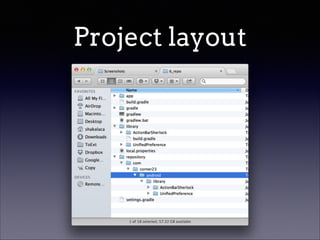
Project layout
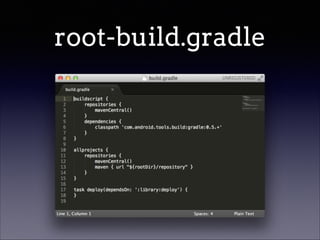
root-build.gradle
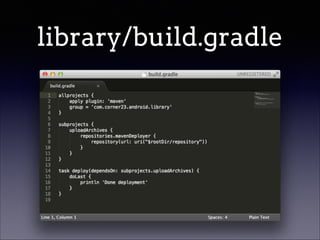
library/build.gradle
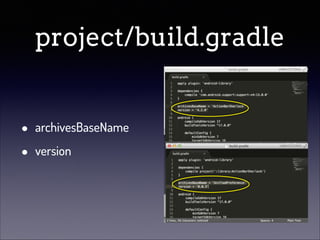
project/build.gradle
•
•

archivesBaseName
version
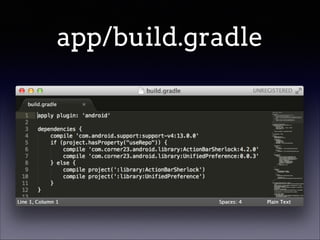
app/build.gradle
How
•
•

deploy library

•

./gradlew deploy

use local repository

•

./gradlew as -PuseRepo
Performance boost
•
•

in ~/.gradle/gradle.properties

•
•

org.gradle.daemon=true
org.gradle.parallel=true (be careful)

stop the daemon

•

gradle --stop
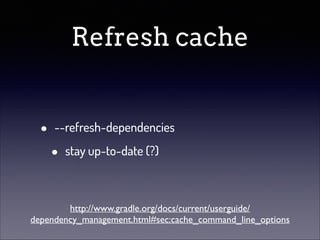
Refresh cache
•

--refresh-dependencies

•

stay up-to-date (?)

http://www.gradle.org/docs/current/userguide/
dependency_management.html#sec:cache_command_line_options
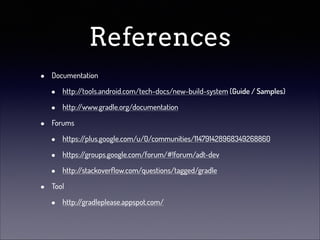
References
•
•

•

Documentation

•
•

http:/
/tools.android.com/tech-docs/new-build-system (Guide / Samples)
http:/
/www.gradle.org/documentation

Forums

•
•
•

https:/
/plus.google.com/u/0/communities/114791428968349268860
https:/
/groups.google.com/forum/#!forum/adt-dev
http:/
/stackoverflow.com/questions/tagged/gradle

Tool

•

http:/
/gradleplease.appspot.com/
Or follow me @
•
•
•

G+

•

http:/
/google.com/profiles/shakalaca

Blog

•

http:/
/23pin.logdown.com

Taipei GDG (G+ Community)

•

https:/
/plus.google.com/communities/
100566773212437391191
Q&A
Bonus !
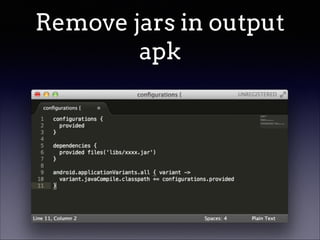
Remove jars in output
apk
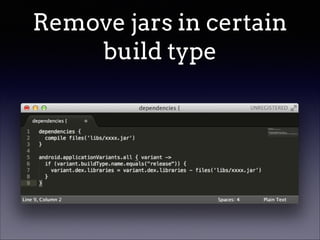
Remove jars in certain
build type
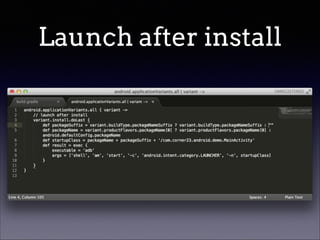
Launch after install
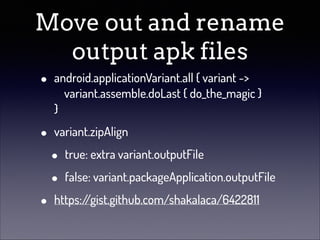
Move out and rename
output apk files
•

android.applicationVariant.all { variant ->

variant.assemble.doLast { do_the_magic } 

}

•

variant.zipAlign

•

•
•

true: extra variant.outputFile
false: variant.packageApplication.outputFile

https:/
/gist.github.com/shakalaca/6422811
NDK support

•

https:/
/gist.github.com/pboos/5802233#filendk-build-gradle
For other issues ..
•

•

Google Maps Android API v2 gradle integration

•
•

Different resources for build types
http:/
/23pin.logdown.com/posts/144771-googlemaps-android-api-v2-gradle-integration

Gradle and GCM project integration

•
•

Difference in AndroidManifest.xml
http:/
/23pin.logdown.com/posts/144770-gradle-andgcm-project-integration

Head first android apps dev tools