Automated Exploratory
Testing
Justin Ison Automation Architect Isonic LLC
Automating myself out of a job…almost
The Agile World Moves Fast
It’s up to us to keep up…
I have noticed a trend:
• Increasingly shorter time to market
• Desire for continued feature updates to keep ahead of competition
• Adoption of QA-less teams, requiring developers to test also
This means less time is usually allocated to exploratory and manually testing your application.
IMO there are not enough software options available in the market to help fill the quality gaps with the shortened
release and testing time.
Because of this:
• Many companies (big and small) are relying more and more on the endusers/customers to report issues.
• Some companies rely almost solely on telemetry (analytics).
• Analytics only provide you with so much. You are not going to get UI, locale, or design flaws from analytics.
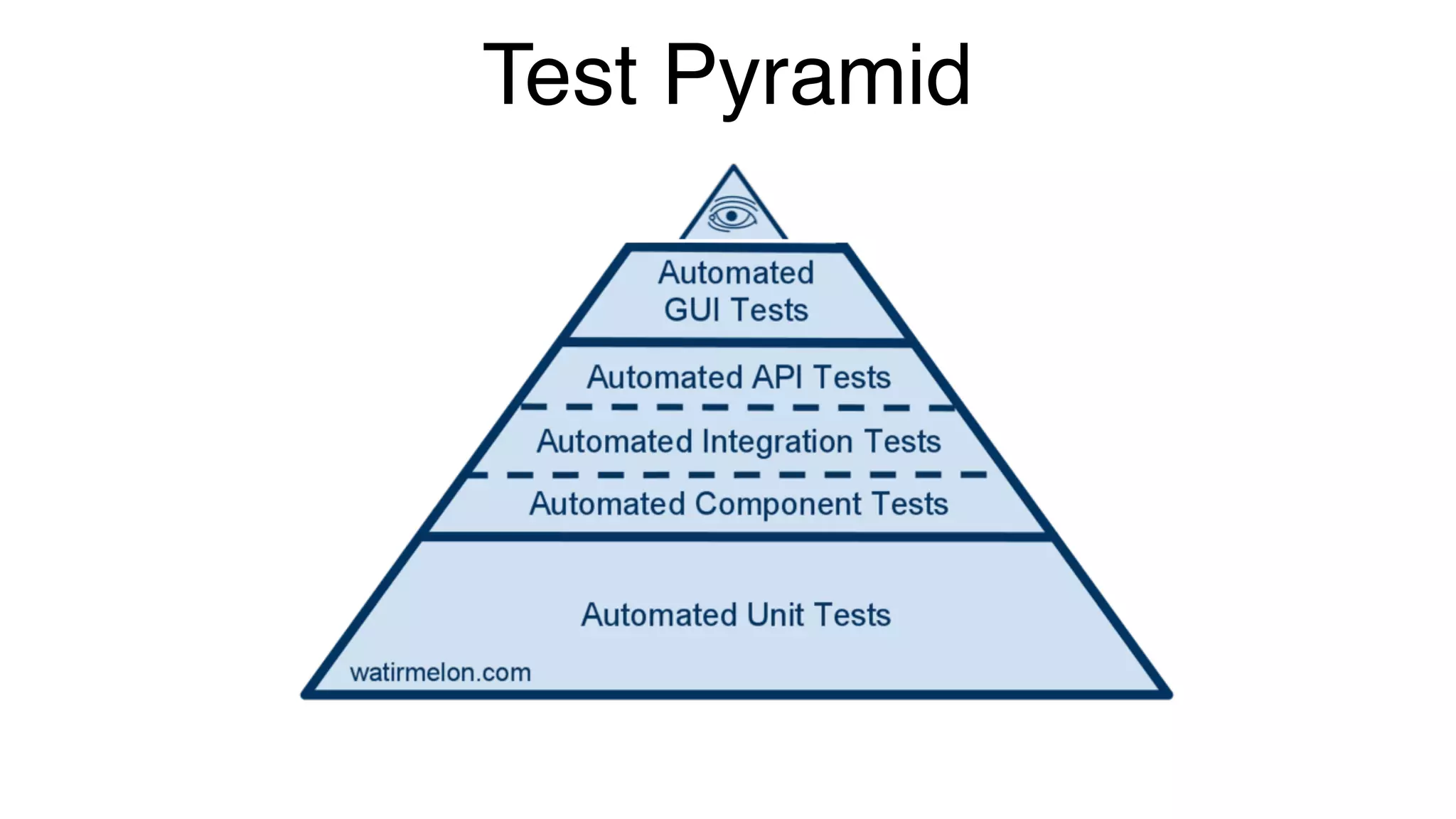
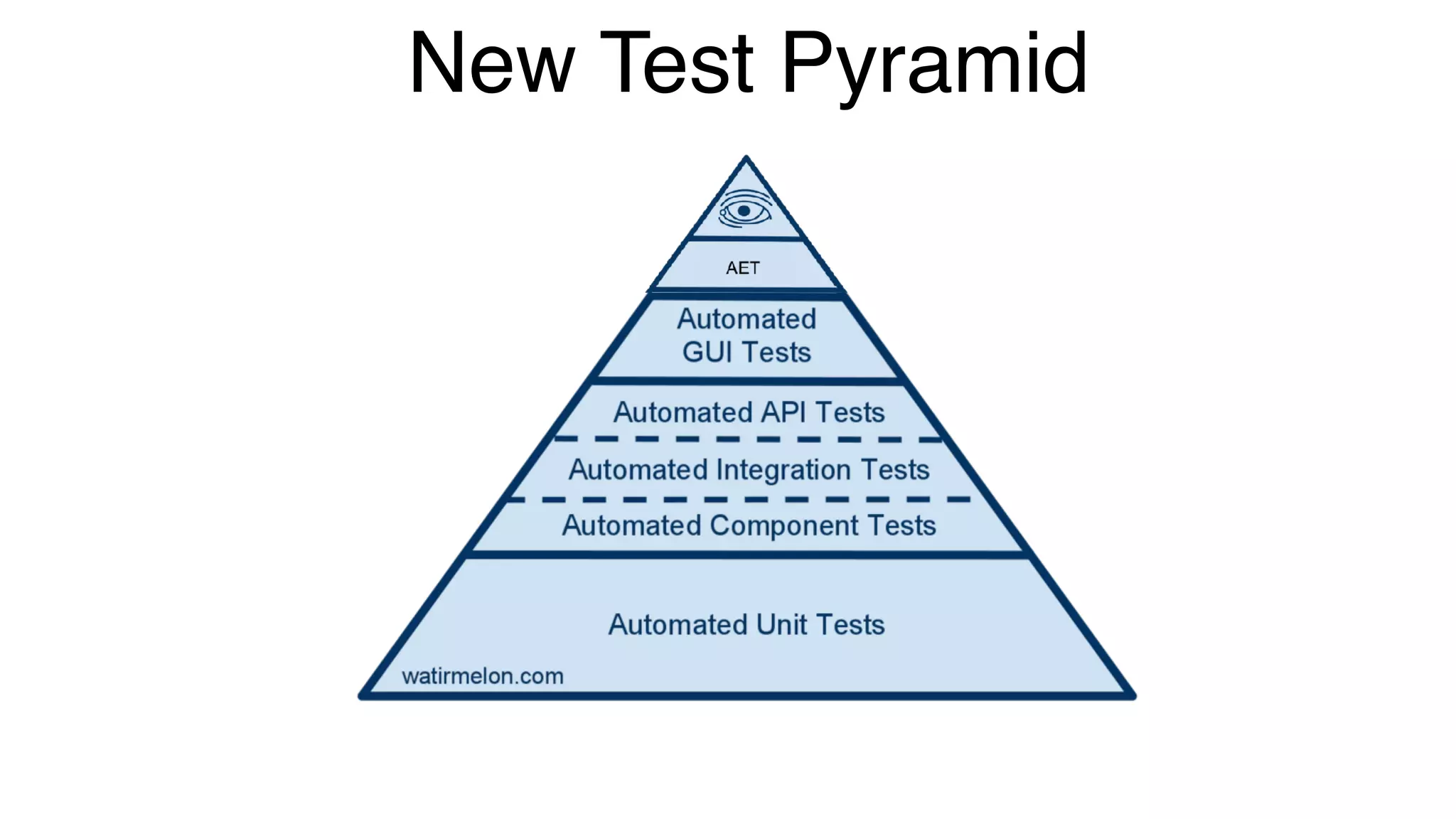
Test Pyramid
My Goal
Automate Exploratory Testing!
Know more about my application for every build
• Capture elements with and without accessibility labels
• Capture images for every supported resolution and orientation
• Know when errors or exceptions occur
• Detect language or locale issues
• Capture performance data
• Generate unique telemetry data
Ability to replay a test after code fix
Be cross-platform!
New Test Pyramid
So what led me here?
I once worked for a company that was very big on dog-fooding our applications.
However, there was a slight problem with this.
• People tended to only test the platform they preferred. We were not getting
much feedback for our less popular platforms.
• We had a very small QA team that could not manual and exploratory test all of
our platforms.
So this led me to the idea of creating something that didn’t care about a apps
current state and would test whatever was given to it, reporting back it’s findings.
I also didn’t want to replace UI Test Automation, but rather include another tool to
fill the missing quality gaps as I mentioned previously.
The pain of automating and re-automating tests
• Constantly fixing and revising tests due to code or design changes
What is an app crawler?
• An app crawler is much like a web crawler (spider, robot).
It’s a program that is designed to emulate user interactions.
A self-automating program that interacts with components
that are available in the UI much like a user would.
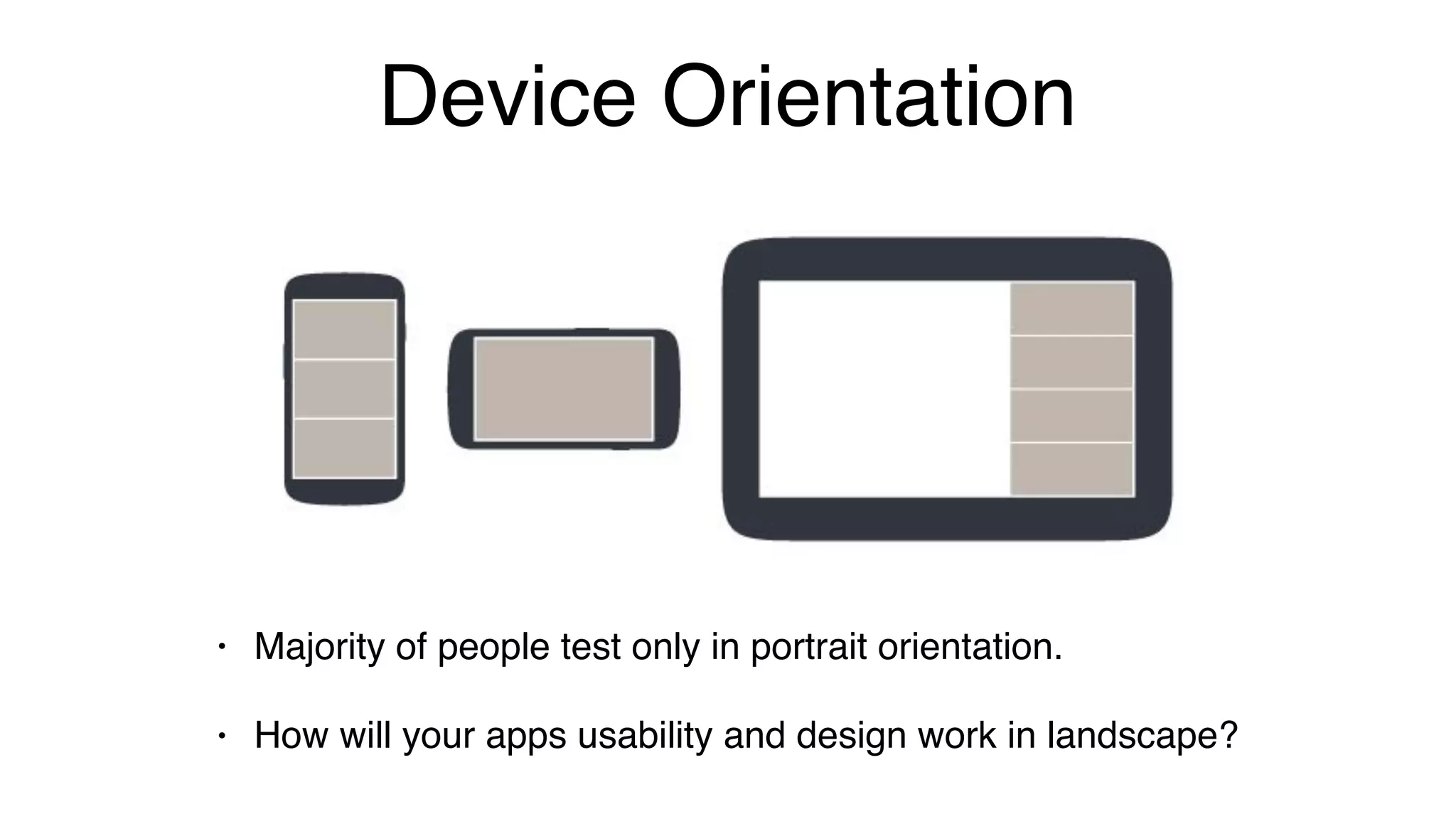
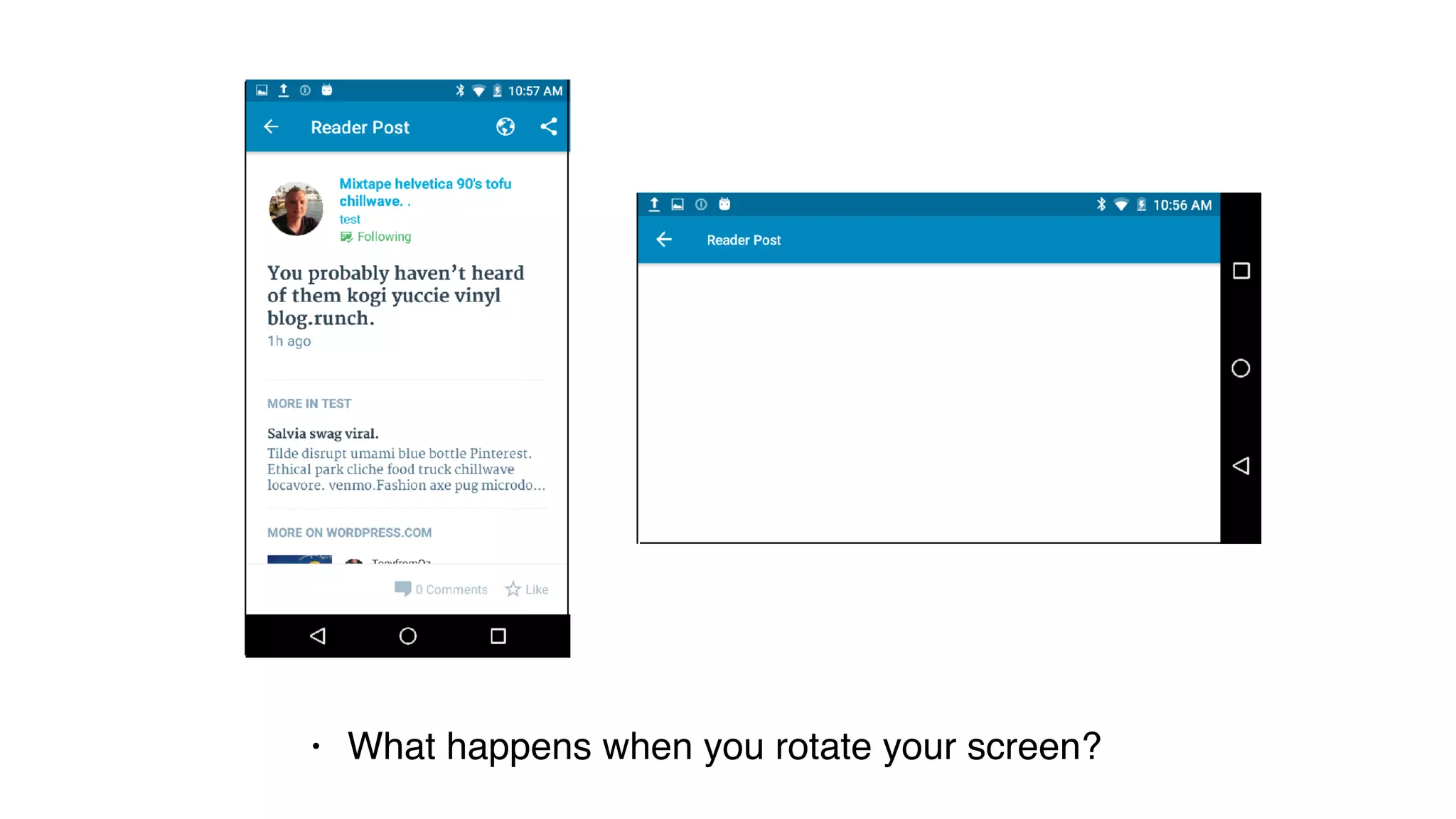
Device Orientation
• Majority of people test only in portrait orientation.
• How will your apps usability and design work in landscape?
• What happens when you rotate your screen?
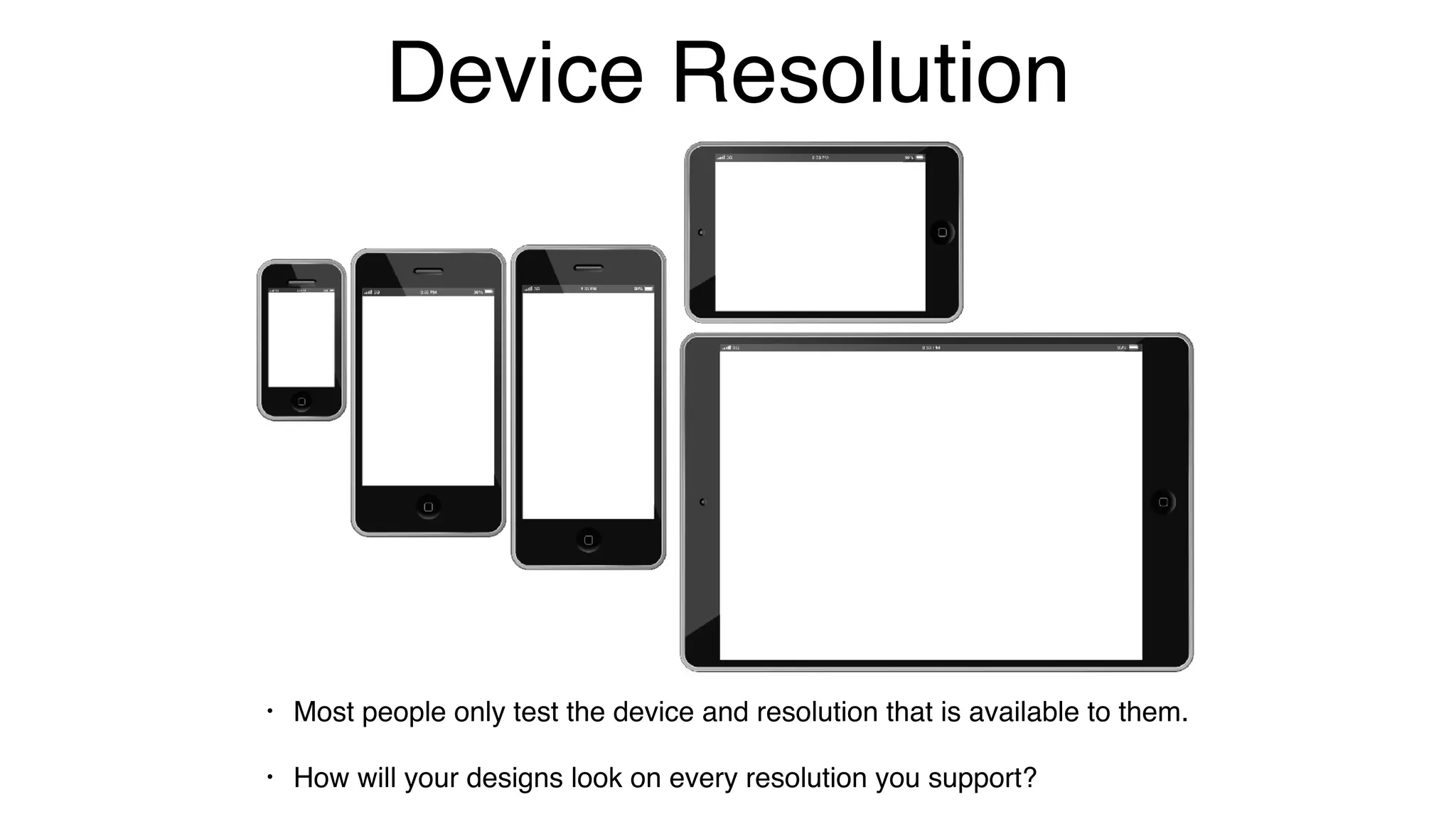
Device Resolution
• Most people only test the device and resolution that is available to them.
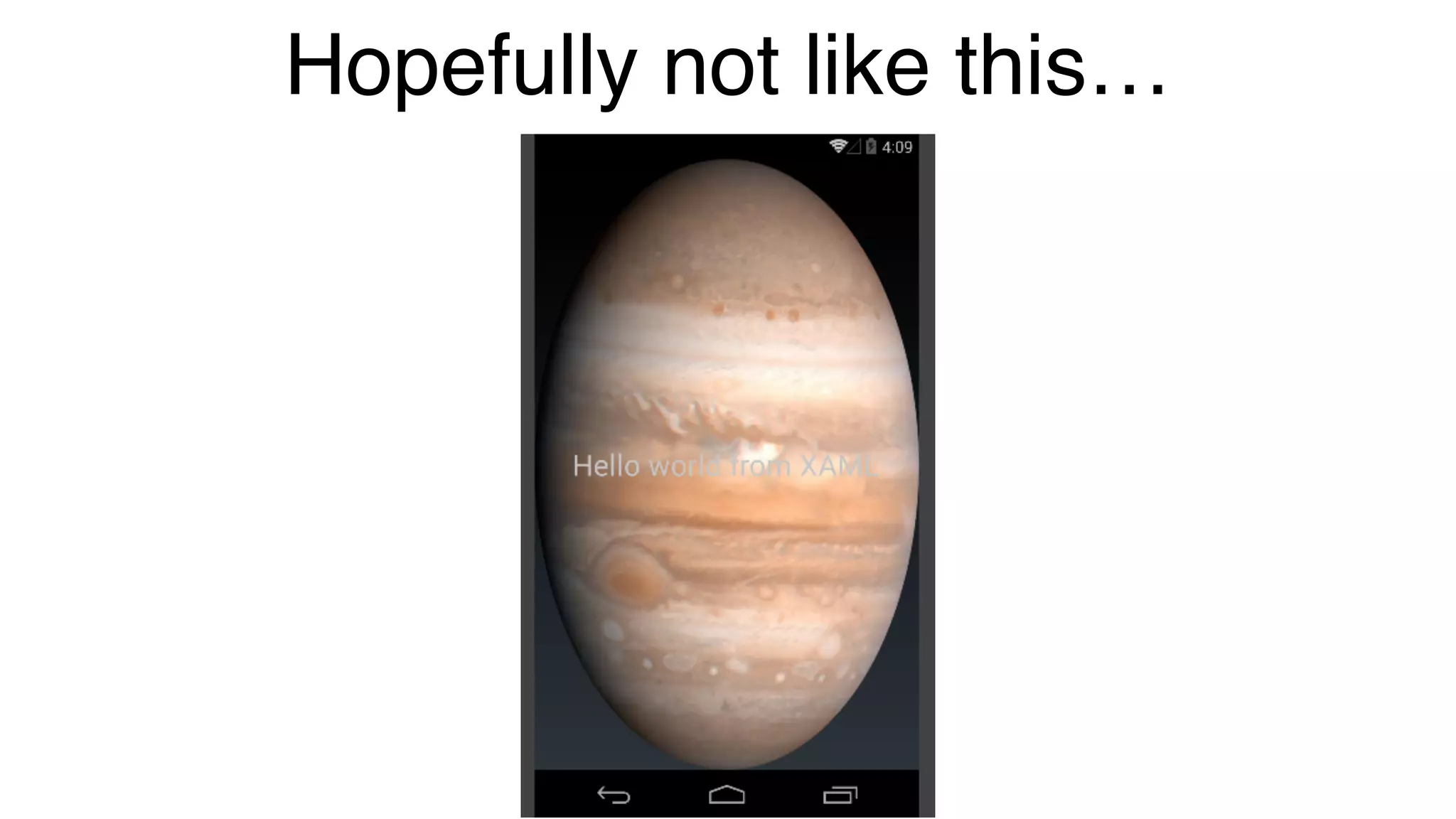
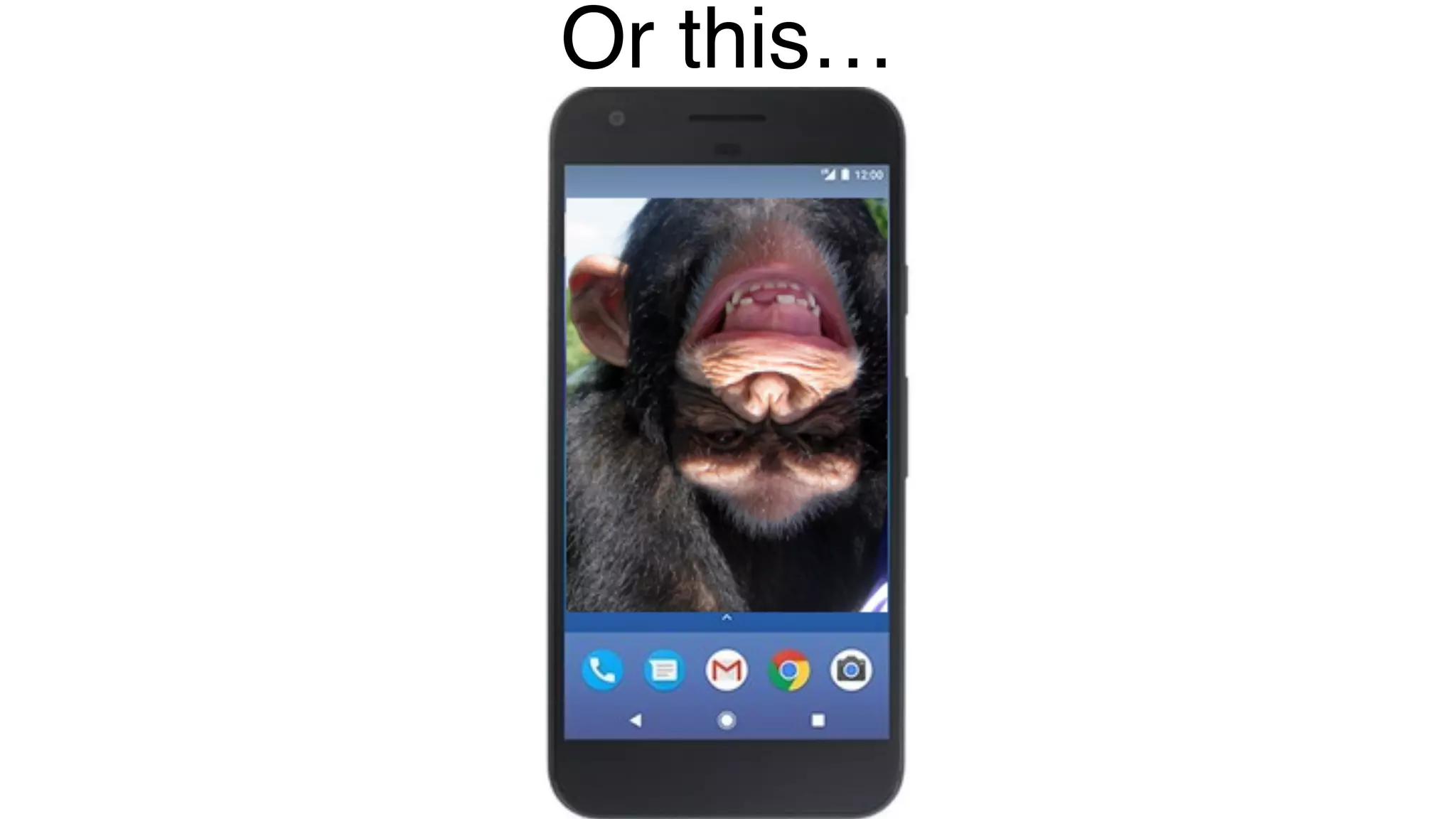
• How will your designs look on every resolution you support?
Hopefully not like this…
Or this…
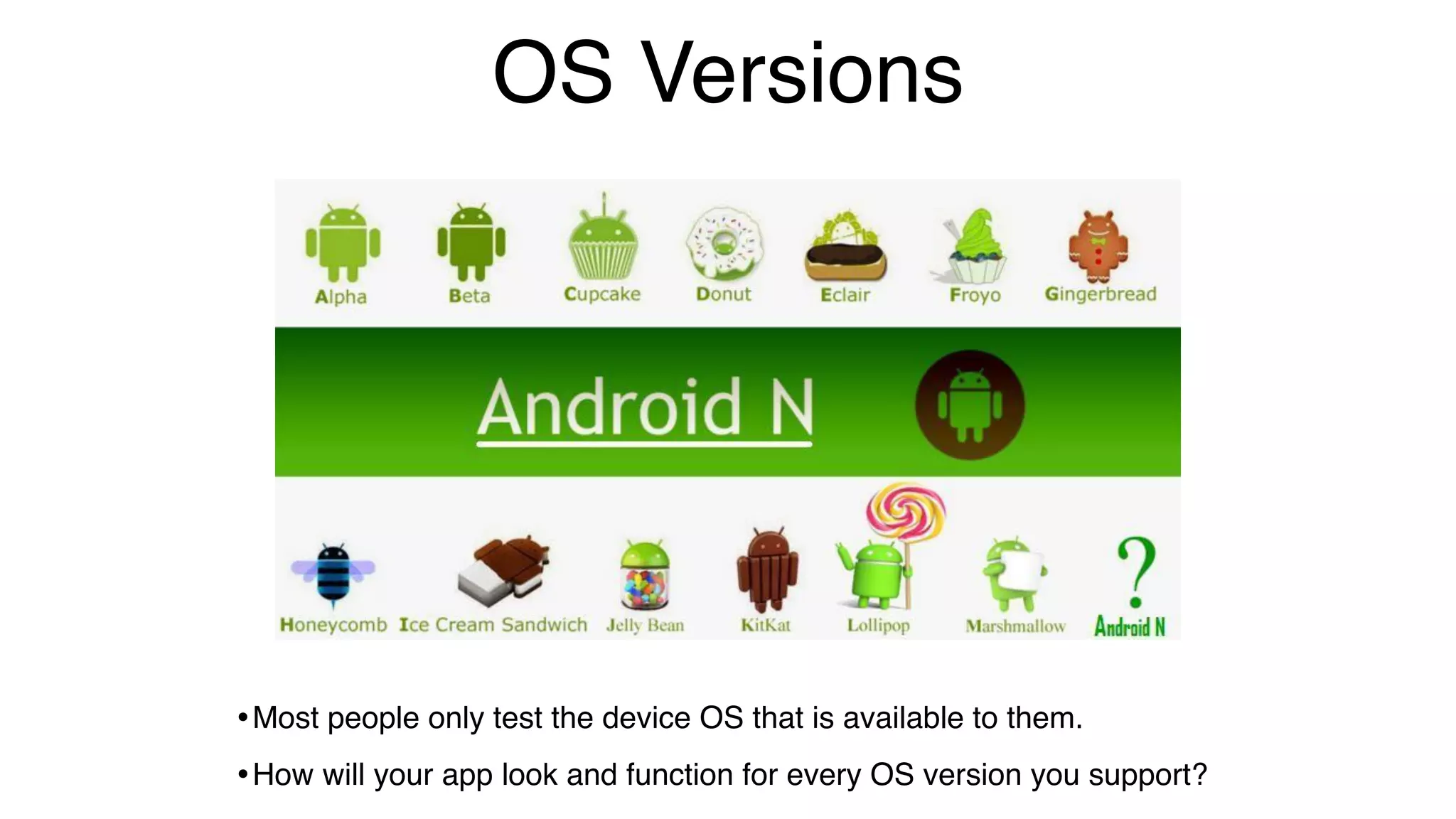
OS Versions
•Most people only test the device OS that is available to them.
•How will your app look and function for every OS version you support?
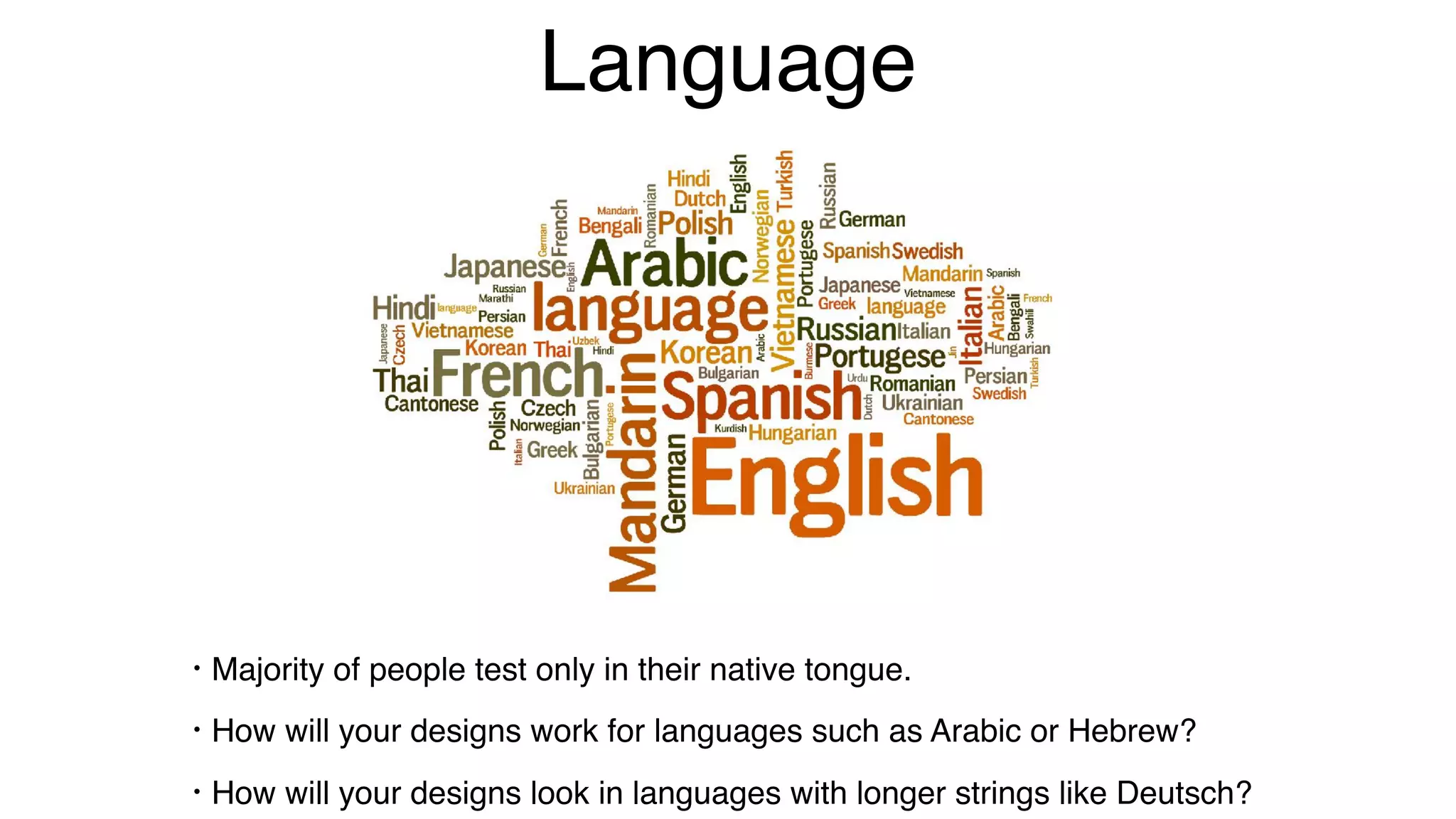
Language
• Majority of people test only in their native tongue.
• How will your designs work for languages such as Arabic or Hebrew?
• How will your designs look in languages with longer strings like Deutsch?
Metadata Overload!
Now you can see, there are many many different variables for which to account.
• How do you know your app will work correctly for all combinations in shorter
sprints?
You could do this all with UI Test Automation.
• Then again UI tests only test what is programmed to test.
• But you would need an army of engineers to pull it off.
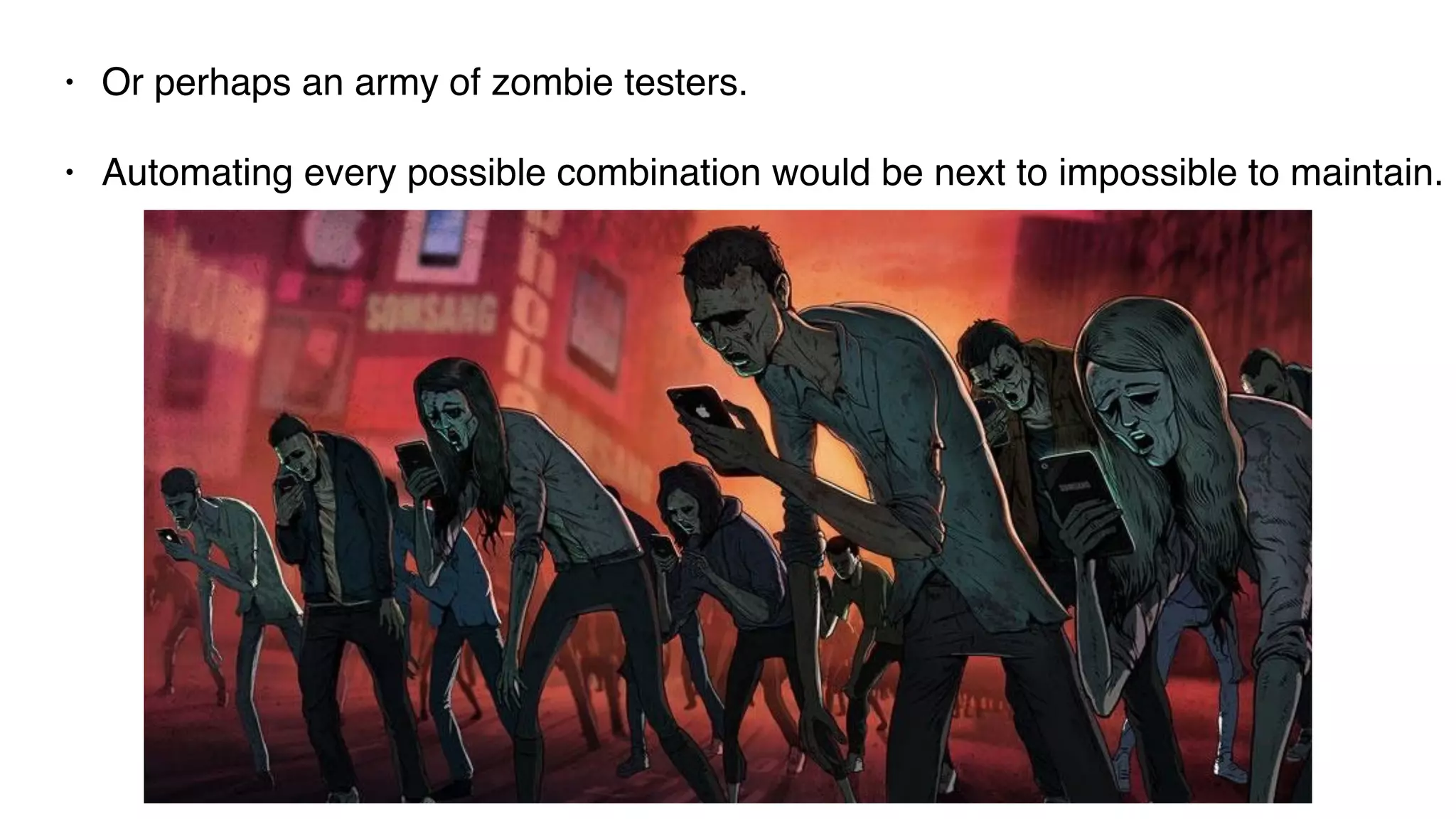
• Or perhaps an army of zombie testers.
• Automating every possible combination would be next to impossible to maintain.
Some Challenges
• Hybrid web views that will never end
• Detecting unique locators
• Rescuing the app when it gets stuck
• Handling authentication login or accidental logout
• Gestures and when to appropriately use them
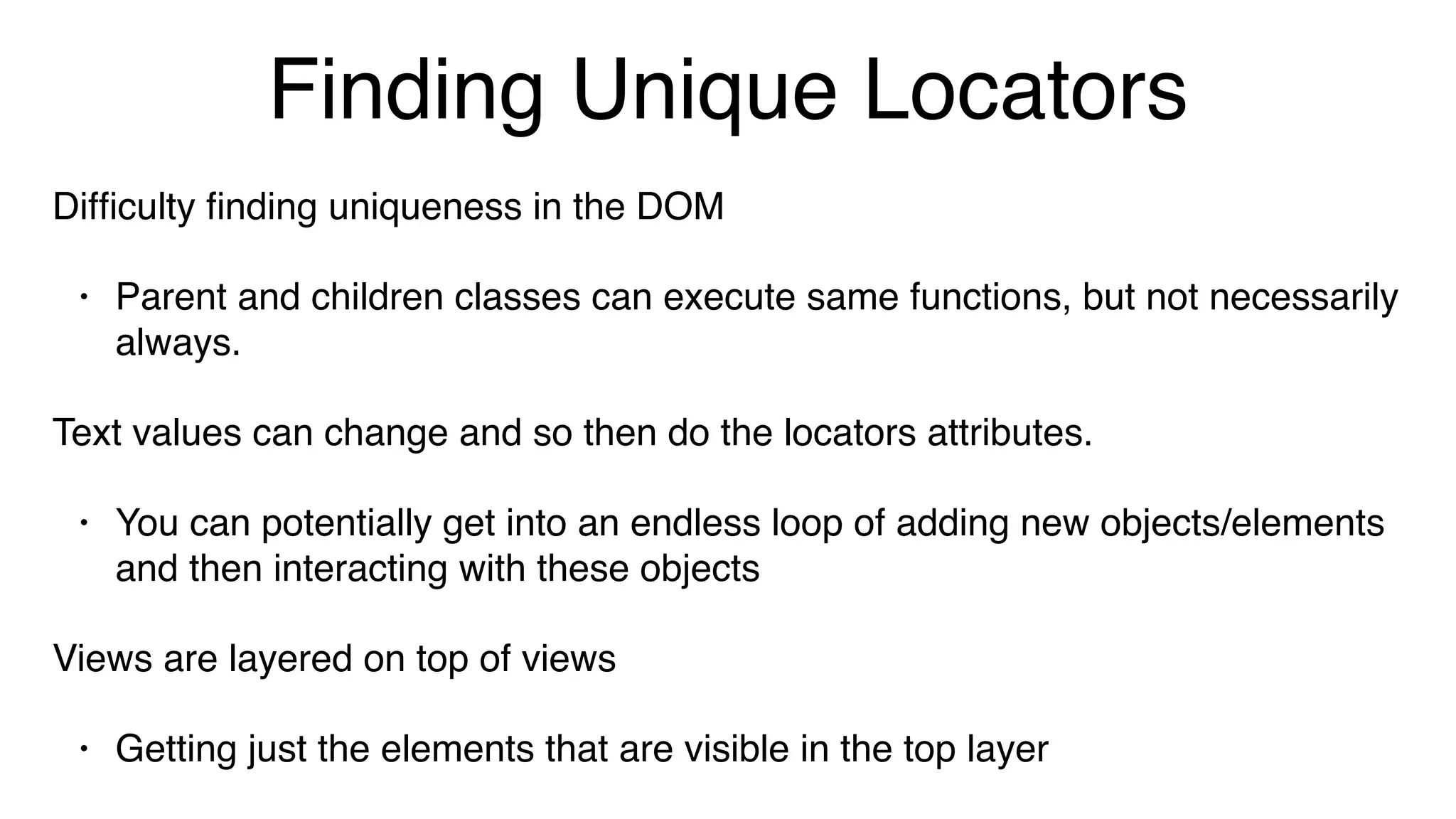
Finding Unique Locators
Difficulty finding uniqueness in the DOM
• Parent and children classes can execute same functions, but not necessarily
always.
Text values can change and so then do the locators attributes.
• You can potentially get into an endless loop of adding new objects/elements
and then interacting with these objects
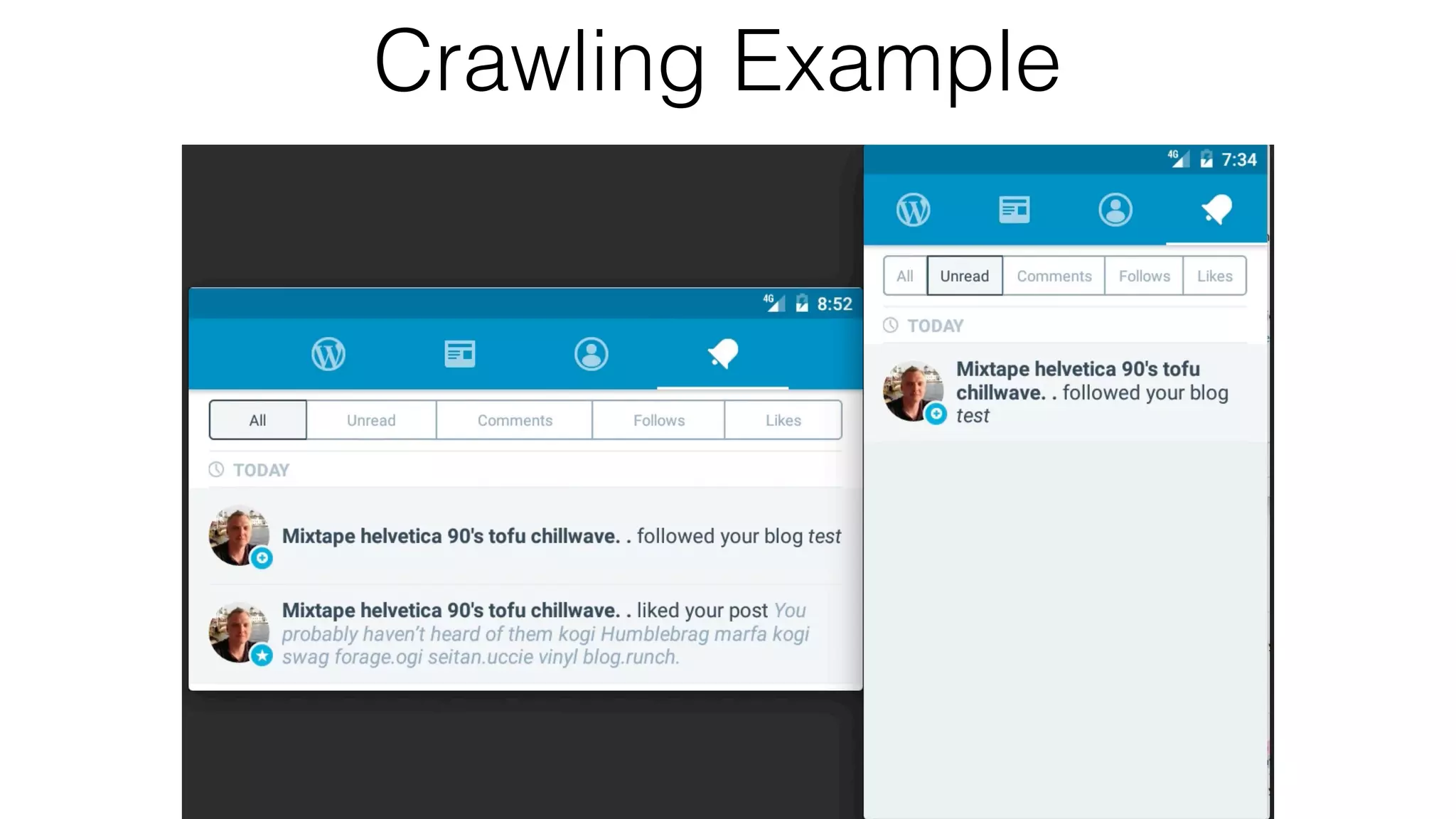
Views are layered on top of views
• Getting just the elements that are visible in the top layer
Crawling Example
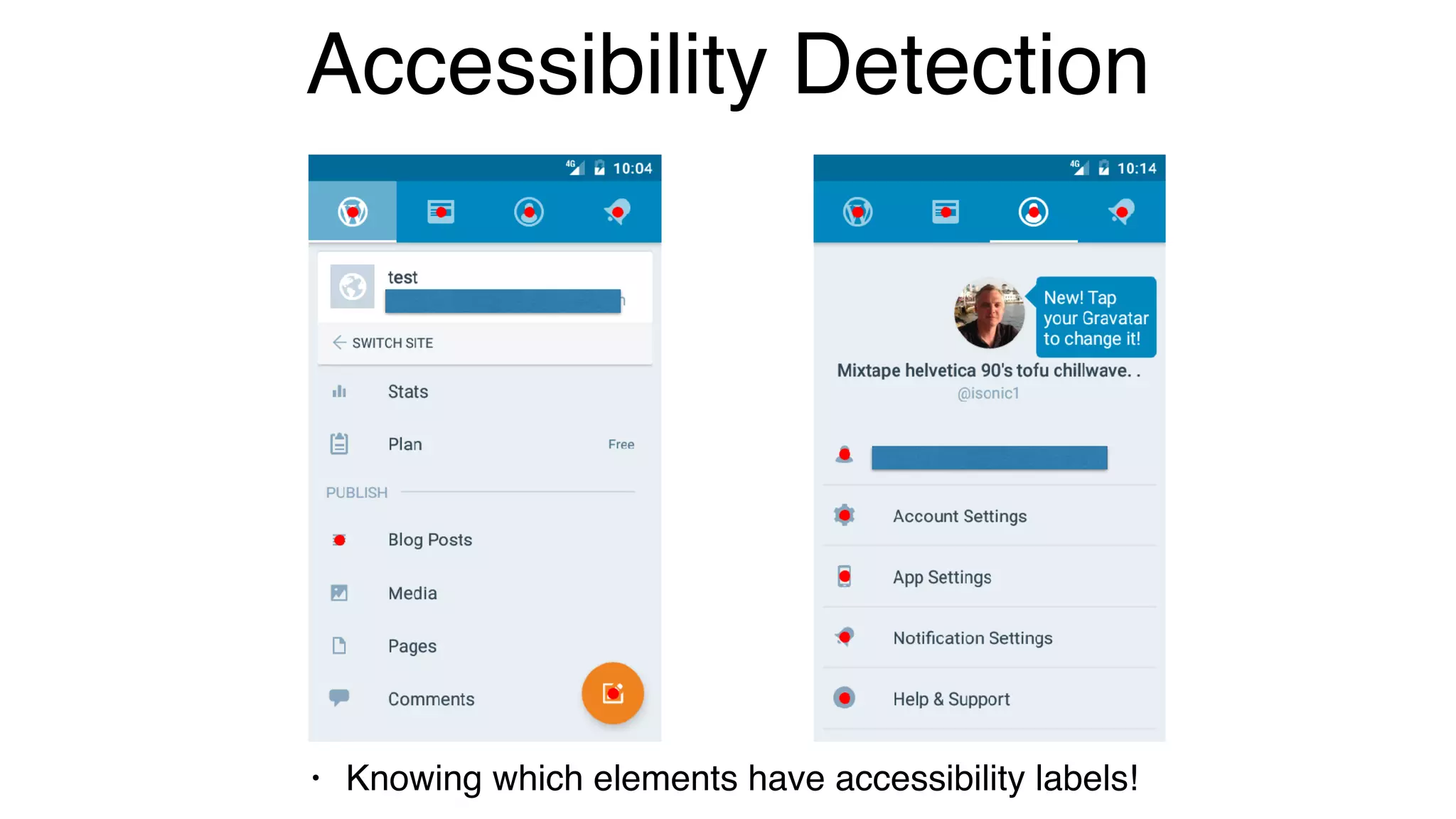
Accessibility Detection
• Knowing which elements have accessibility labels!
Performance
The Forgotten Test
It's not enough to only have automated tests to ensure quality and
catch regressions.
• It's imperative to know more about what’s happening under-the-
hood of your mobile application.
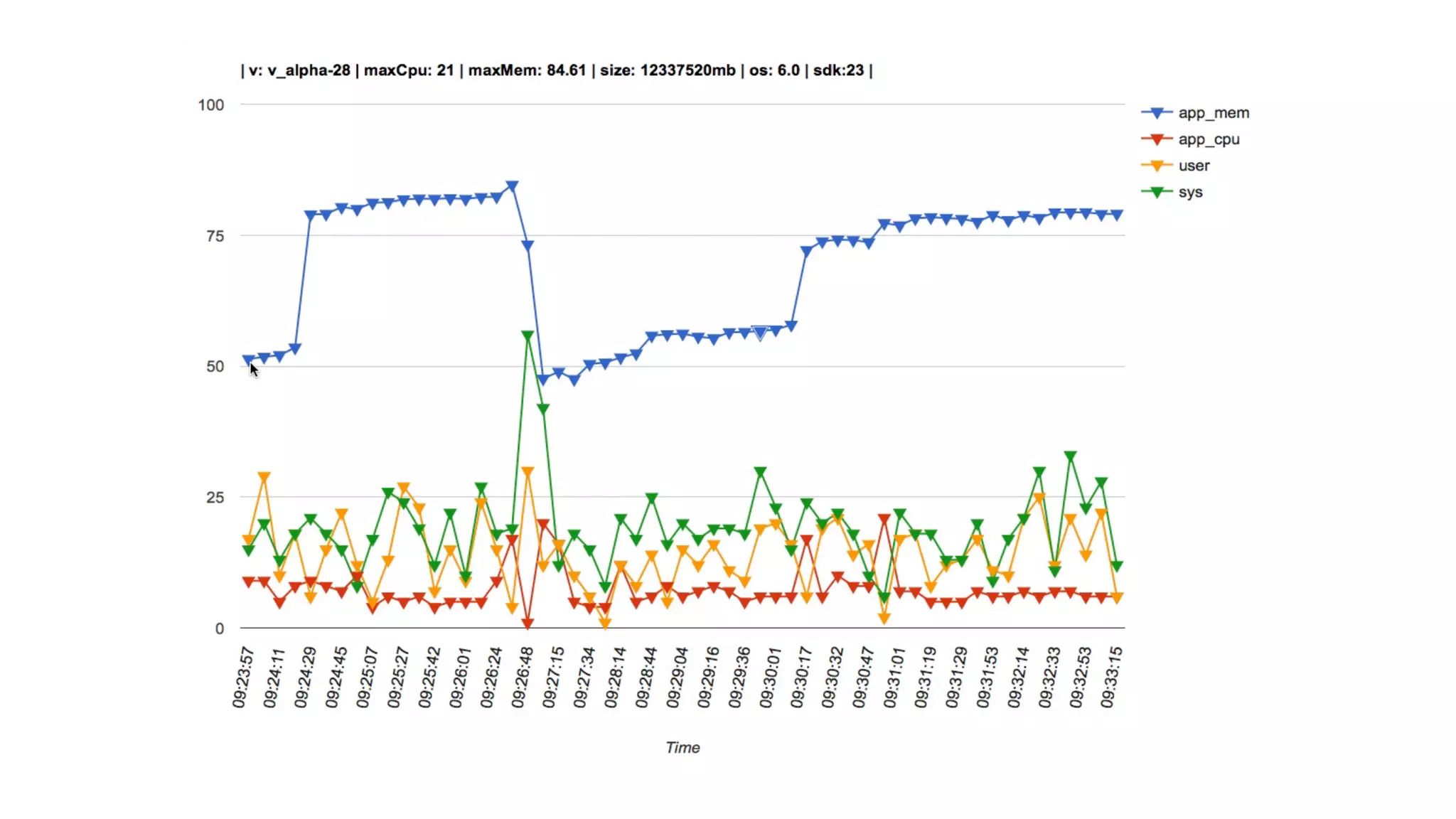
Specifically, monitoring the performance.
• It's not only important to capture this information, but storing it for
historical lookup, benchmarking and detecting trends.
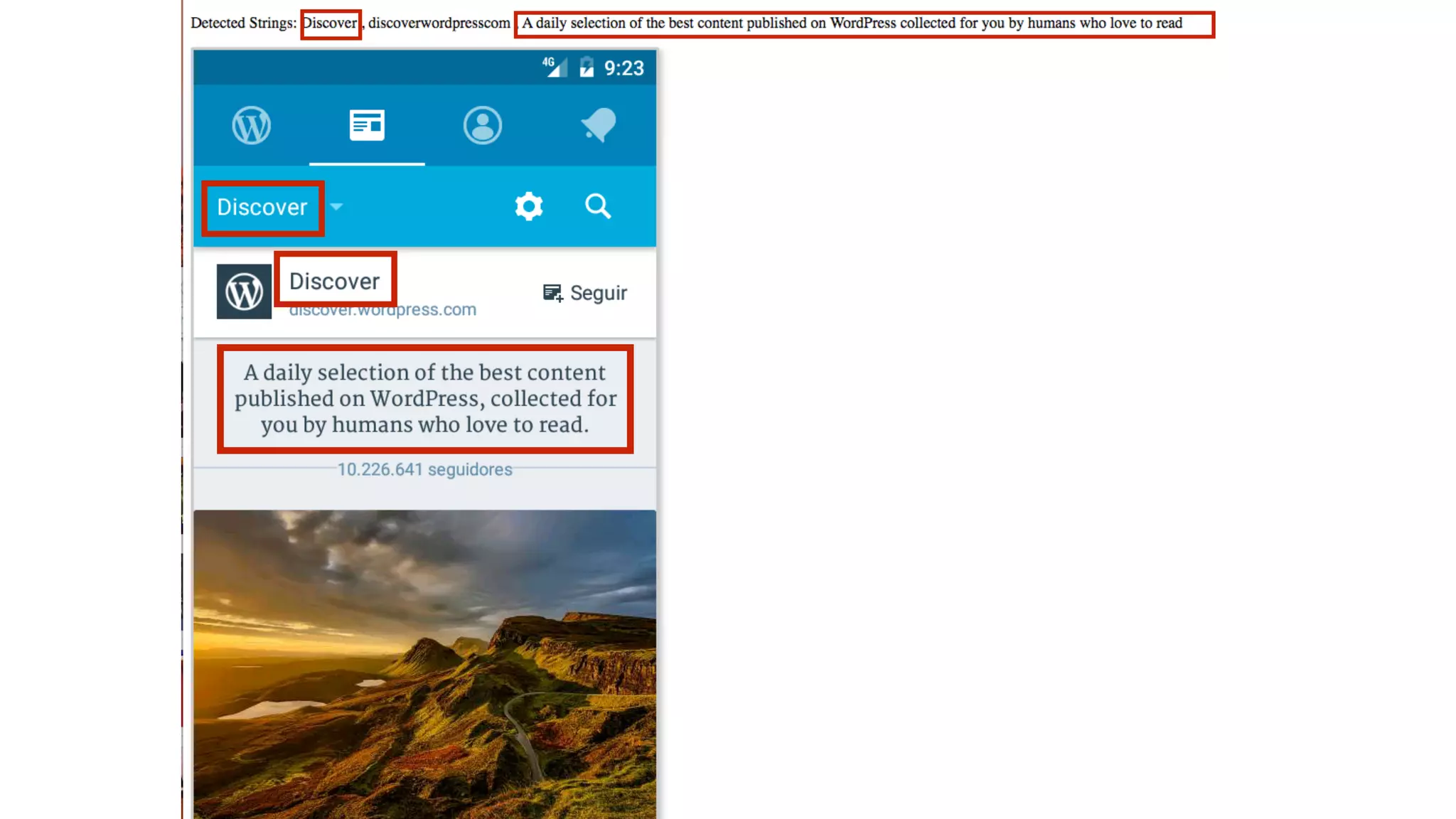
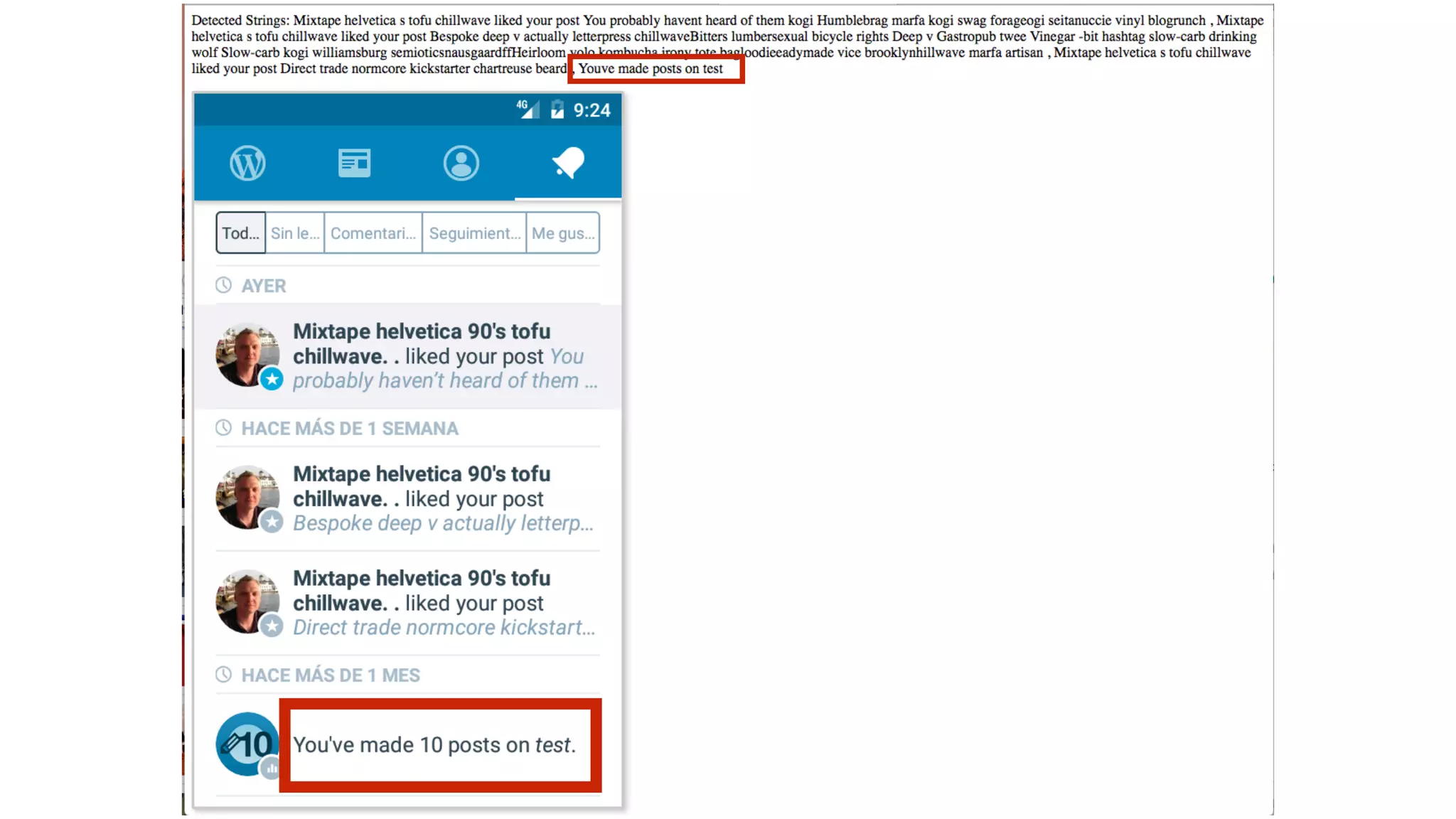
Language Detection
As you’ve seen, there are a lot of screenshots generated. I was manually
scanning every image for issues. So, I thought there had to be a better way!
I dug into learning about all the open source translation libraries. I tried
several, but none of them worked very well. Some worked great when
submitting a sentence of 4 or more words, but that is not going to work well
for applications when one word titles are used.
I relented and used a paid service like google translations. They provided the
best results compared with any open source tools I tried.
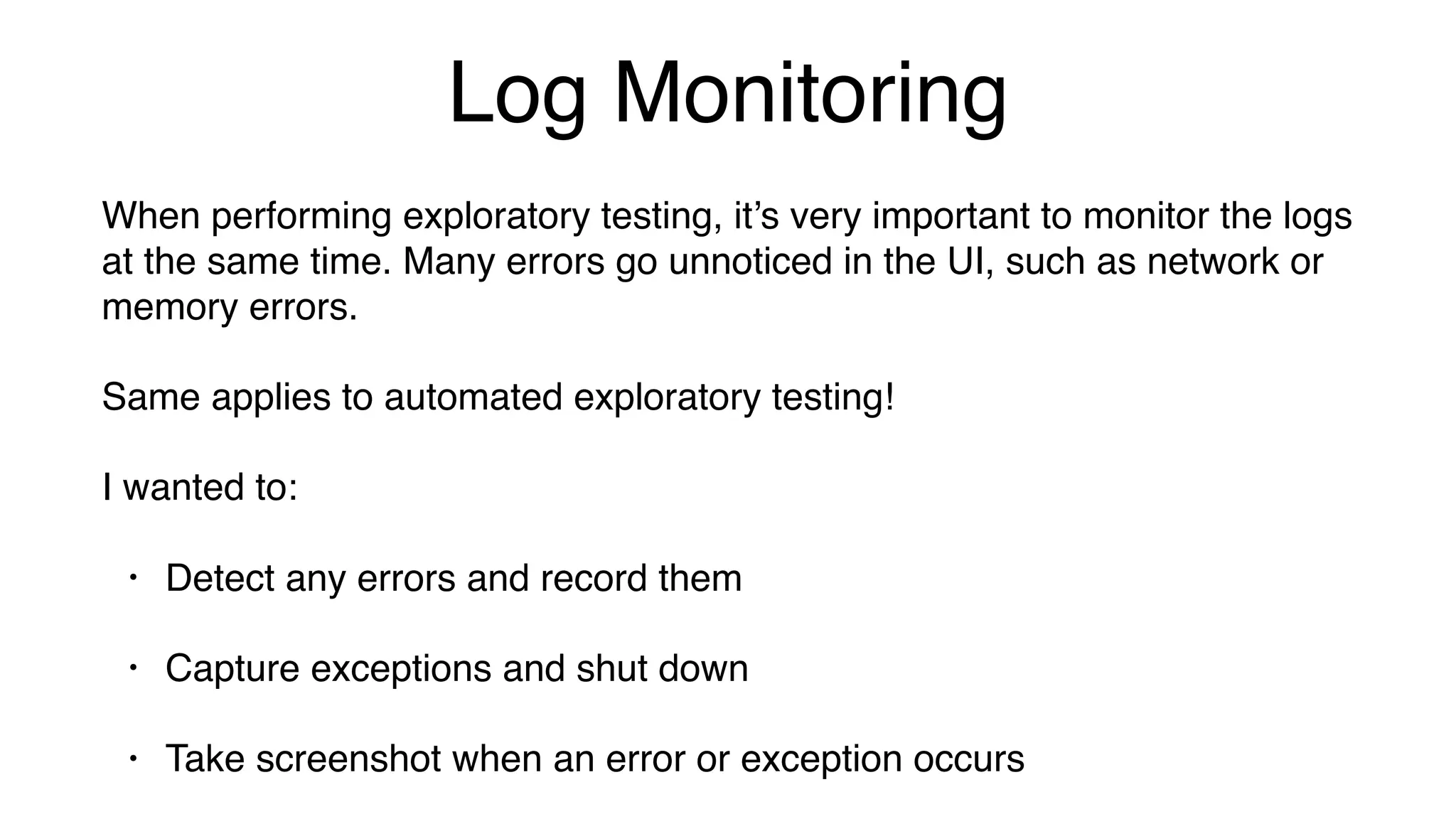
Log Monitoring
When performing exploratory testing, it’s very important to monitor the logs
at the same time. Many errors go unnoticed in the UI, such as network or
memory errors.
Same applies to automated exploratory testing!
I wanted to:
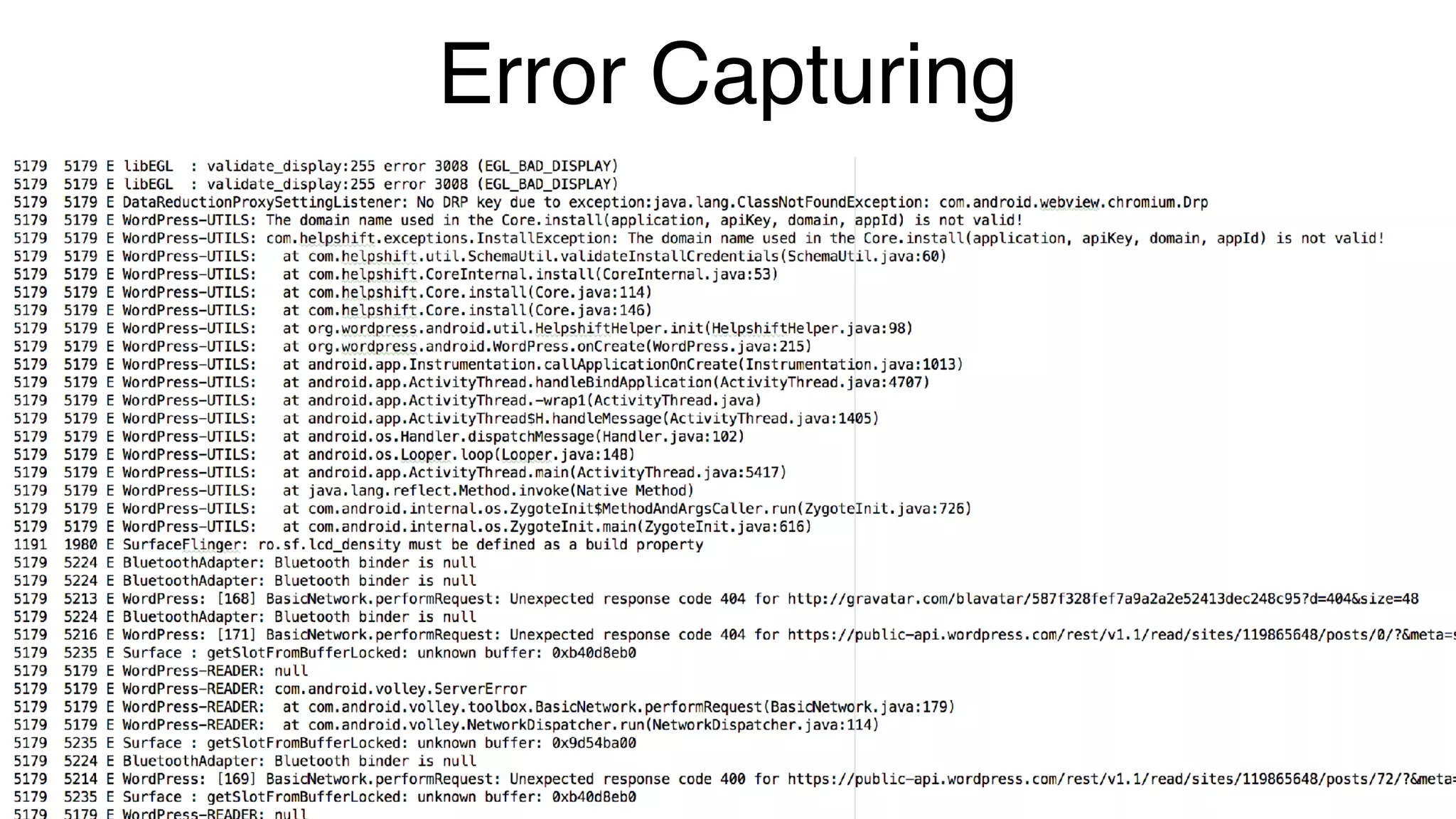
• Detect any errors and record them
• Capture exceptions and shut down
• Take screenshot when an error or exception occurs
Error Capturing
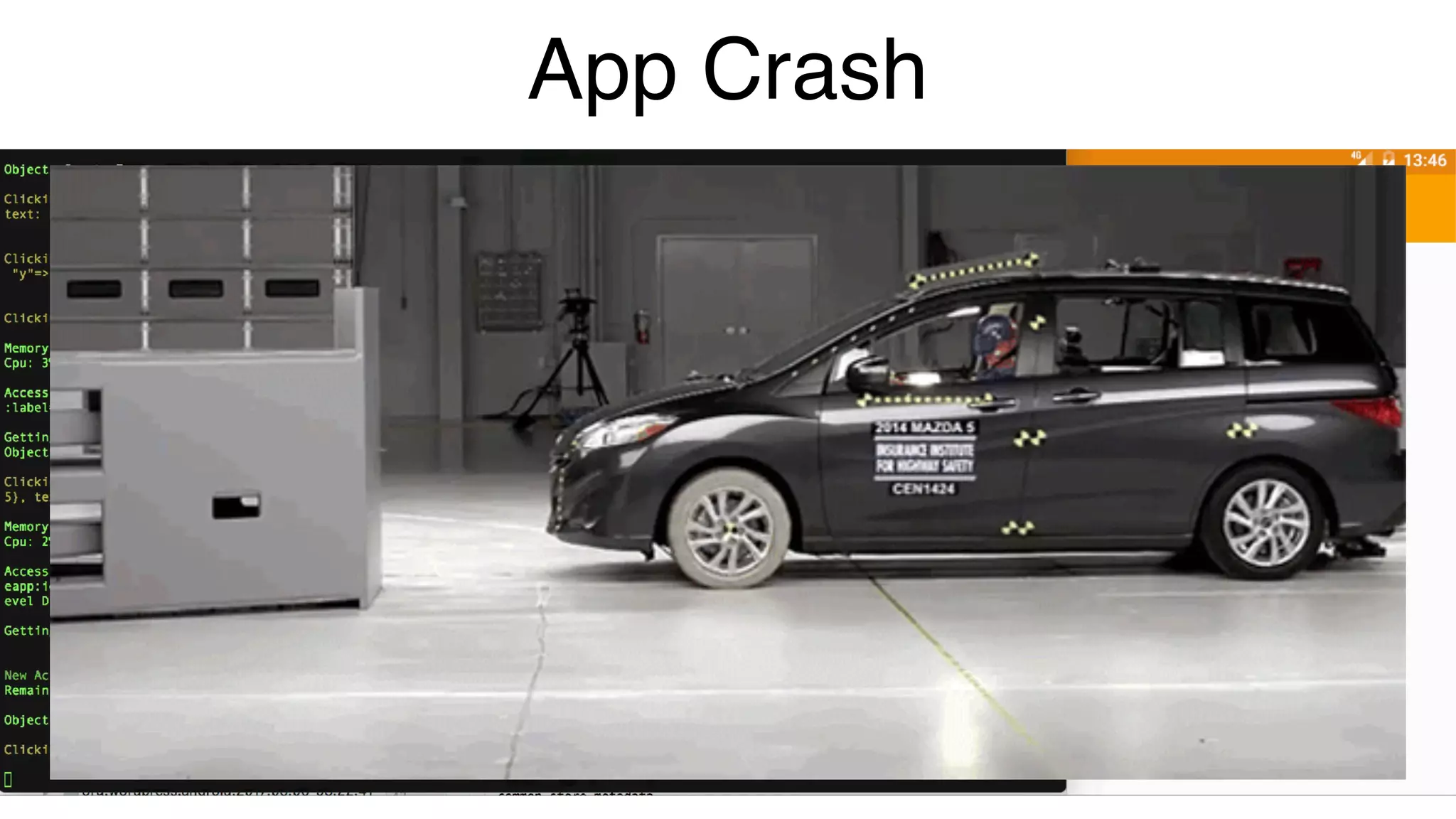
App Crash
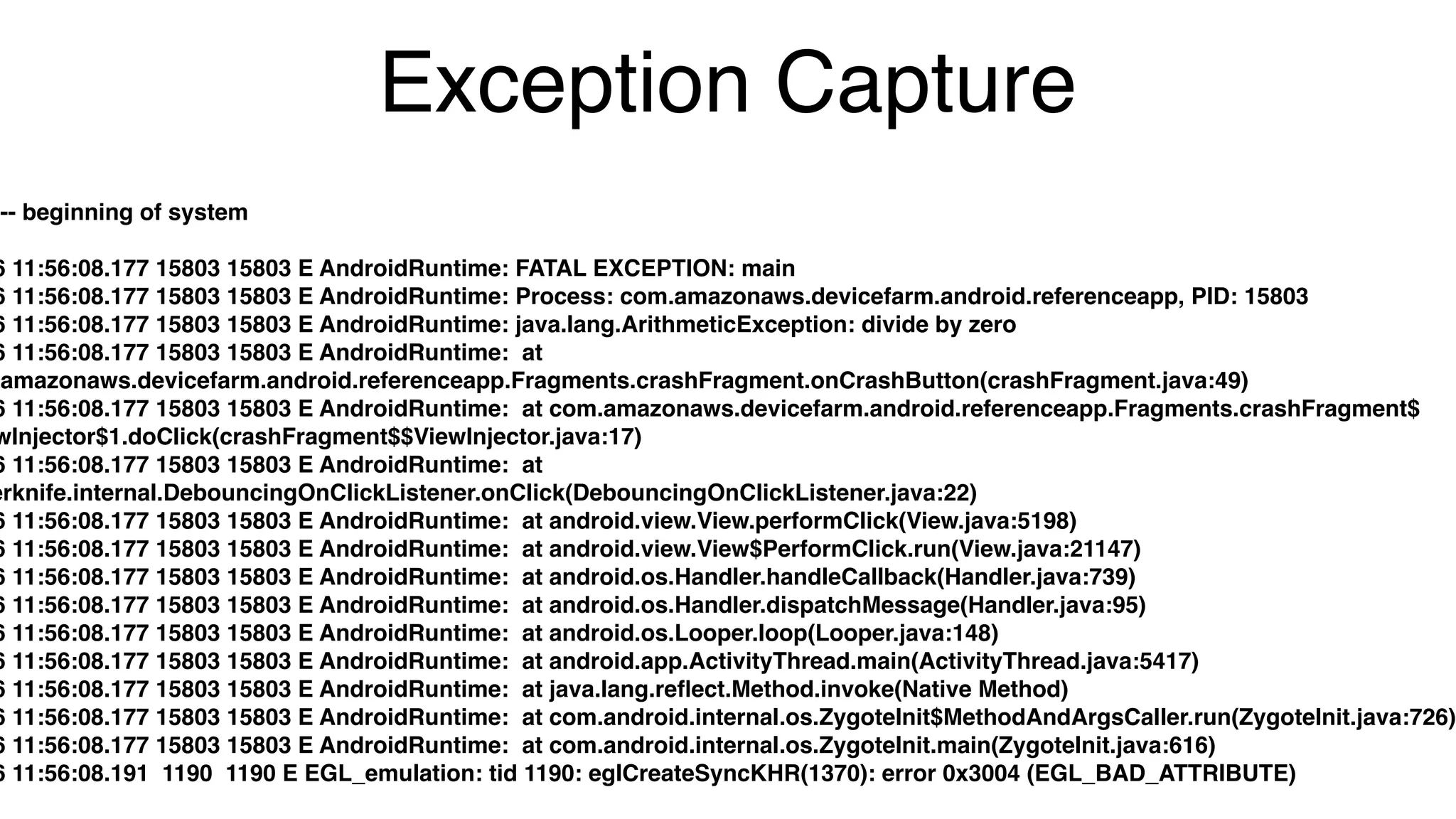
Exception Capture
--- beginning of system

6 11:56:08.177 15803 15803 E AndroidRuntime: FATAL EXCEPTION: main

6 11:56:08.177 15803 15803 E AndroidRuntime: Process: com.amazonaws.devicefarm.android.referenceapp, PID: 15803

6 11:56:08.177 15803 15803 E AndroidRuntime: java.lang.ArithmeticException: divide by zero

6 11:56:08.177 15803 15803 E AndroidRuntime: at
.amazonaws.devicefarm.android.referenceapp.Fragments.crashFragment.onCrashButton(crashFragment.java:49)

6 11:56:08.177 15803 15803 E AndroidRuntime: at com.amazonaws.devicefarm.android.referenceapp.Fragments.crashFragment$
wInjector$1.doClick(crashFragment$$ViewInjector.java:17)

6 11:56:08.177 15803 15803 E AndroidRuntime: at
erknife.internal.DebouncingOnClickListener.onClick(DebouncingOnClickListener.java:22)

6 11:56:08.177 15803 15803 E AndroidRuntime: at android.view.View.performClick(View.java:5198)

6 11:56:08.177 15803 15803 E AndroidRuntime: at android.view.View$PerformClick.run(View.java:21147)

6 11:56:08.177 15803 15803 E AndroidRuntime: at android.os.Handler.handleCallback(Handler.java:739)

6 11:56:08.177 15803 15803 E AndroidRuntime: at android.os.Handler.dispatchMessage(Handler.java:95)

6 11:56:08.177 15803 15803 E AndroidRuntime: at android.os.Looper.loop(Looper.java:148)

6 11:56:08.177 15803 15803 E AndroidRuntime: at android.app.ActivityThread.main(ActivityThread.java:5417)

6 11:56:08.177 15803 15803 E AndroidRuntime: at java.lang.reflect.Method.invoke(Native Method)

6 11:56:08.177 15803 15803 E AndroidRuntime: at com.android.internal.os.ZygoteInit$MethodAndArgsCaller.run(ZygoteInit.java:726)
6 11:56:08.177 15803 15803 E AndroidRuntime: at com.android.internal.os.ZygoteInit.main(ZygoteInit.java:616)

6 11:56:08.191 1190 1190 E EGL_emulation: tid 1190: eglCreateSyncKHR(1370): error 0x3004 (EGL_BAD_ATTRIBUTE)
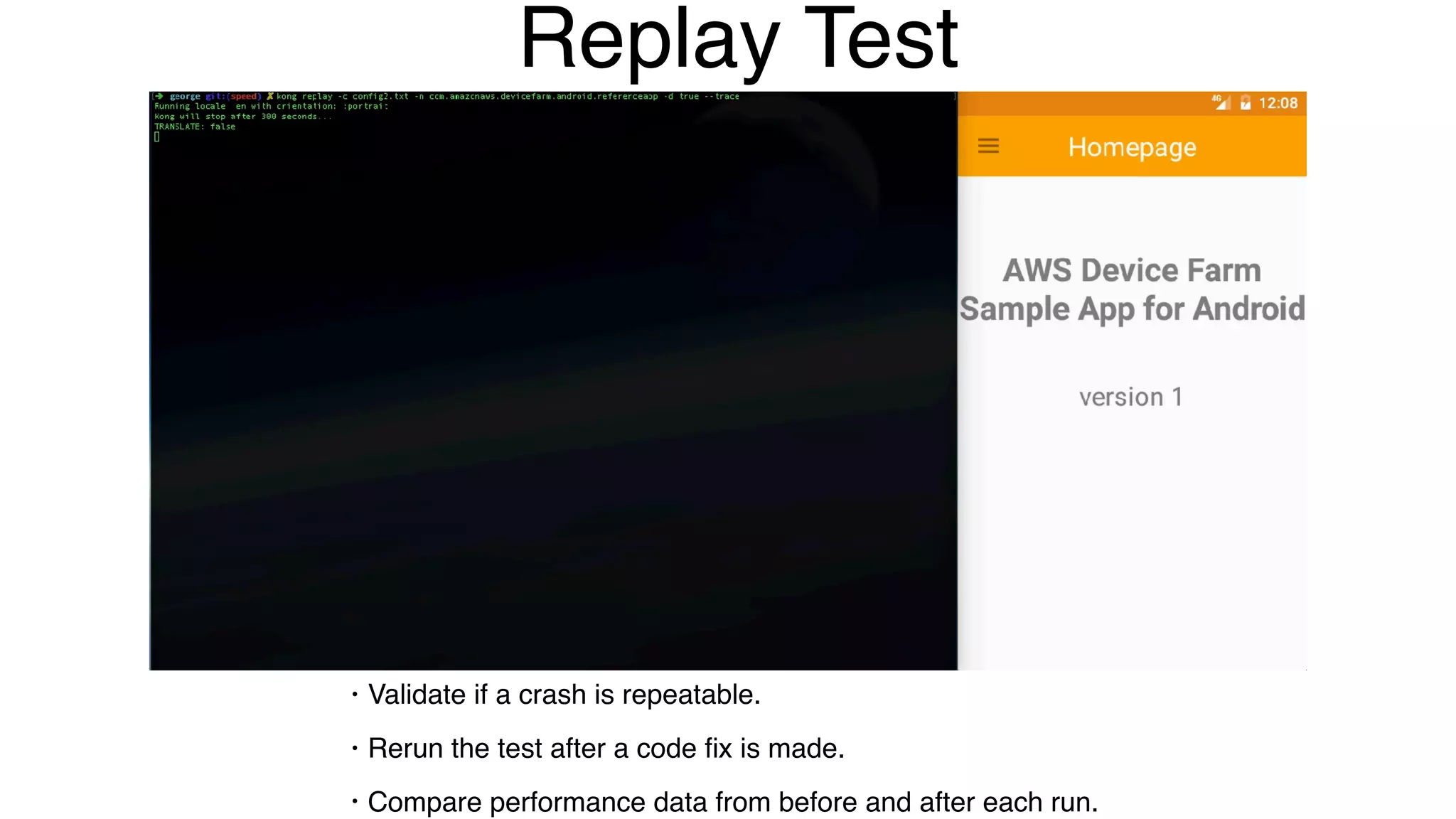
Replay Test
• Validate if a crash is repeatable.
• Rerun the test after a code fix is made.
• Compare performance data from before and after each run.
Automatic Tests!
I wanted to take it one step further.
Reviewing screenshots for every single language, resolution and orientation on
every build became very cumbersome, and also prone to human mistake.
How can I automate that process?
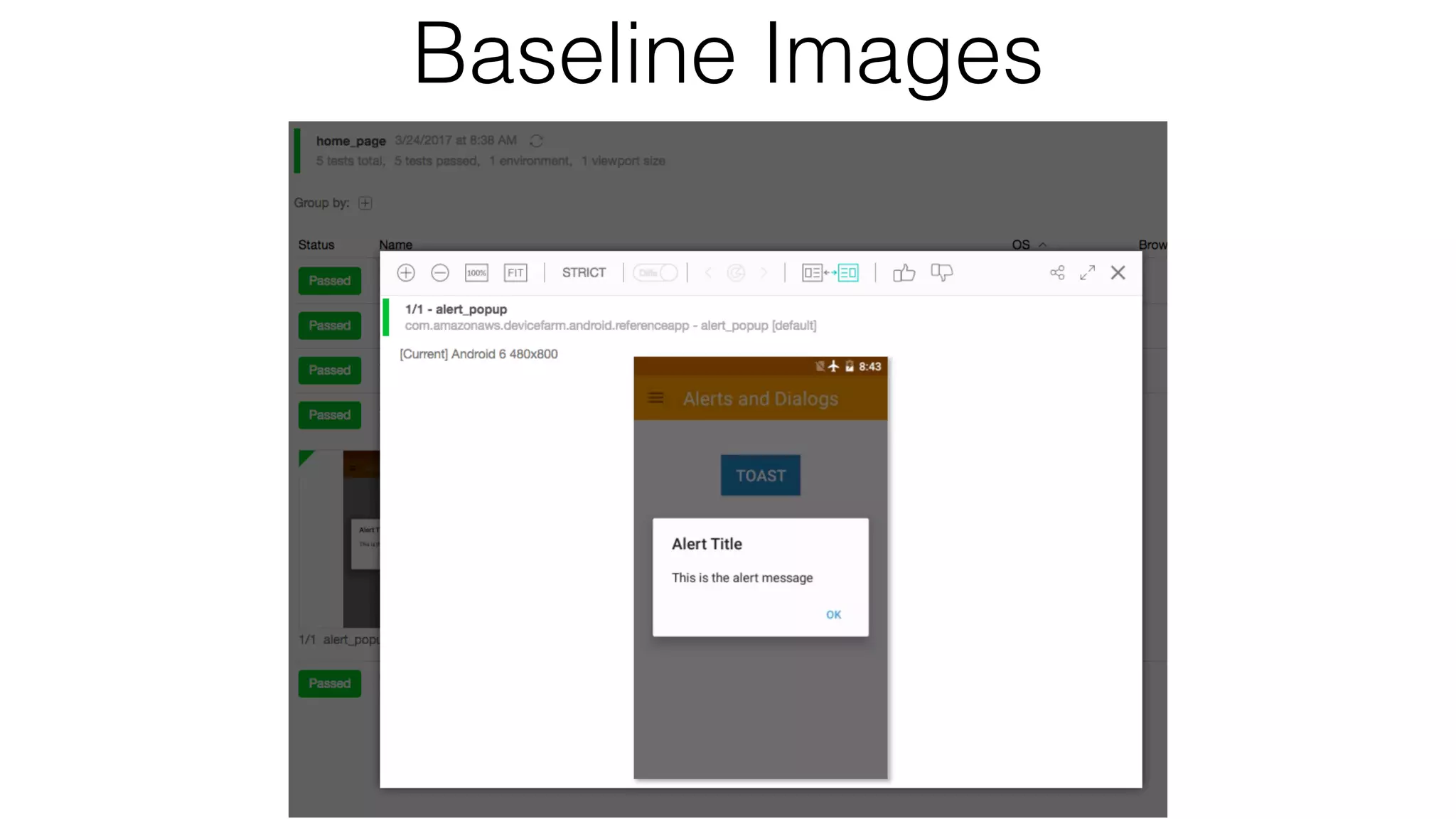
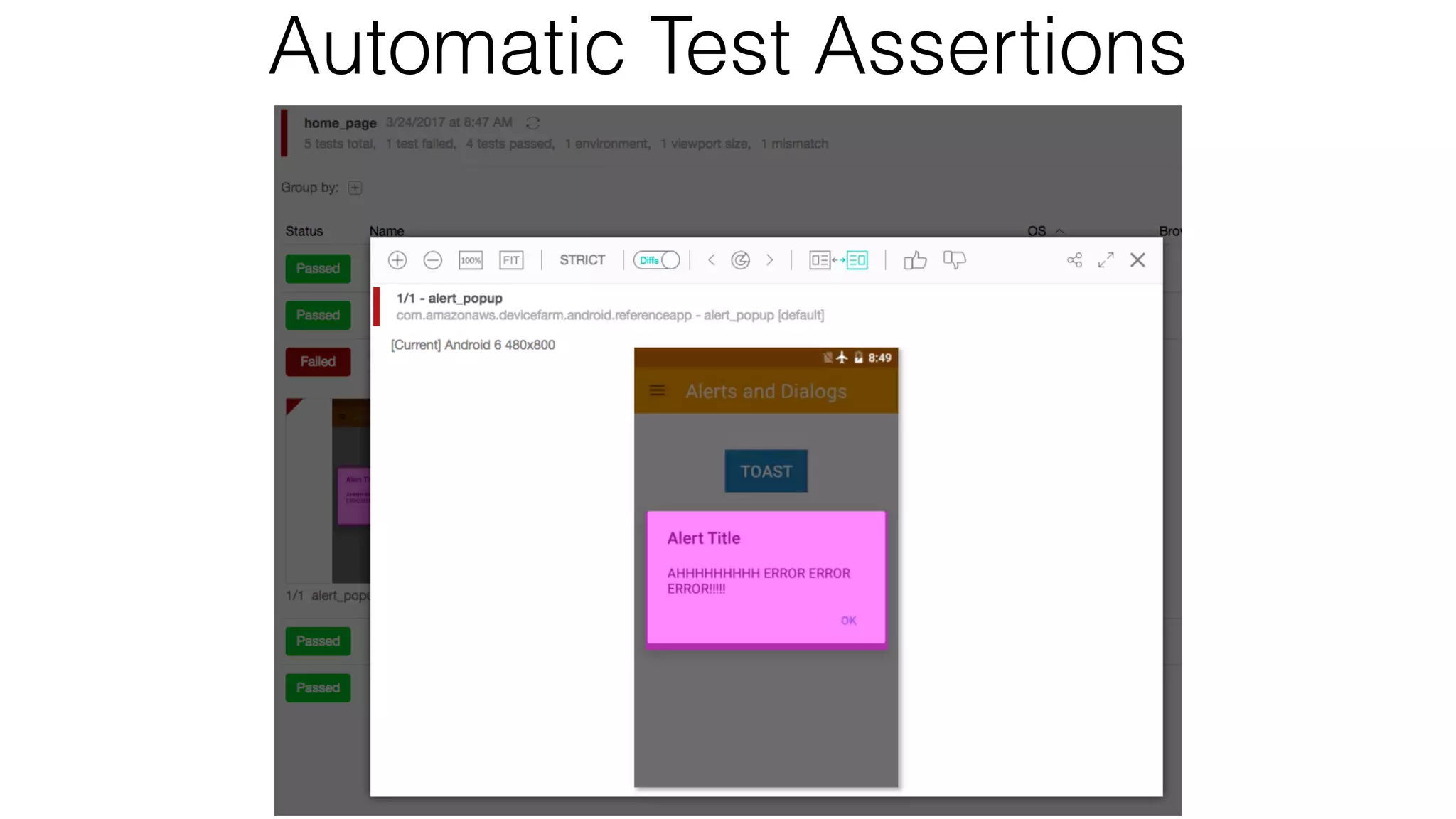
• Image validation with Applitools!
• I can now have something that tests itself without writing a line of code.
Baseline Images
Automatic Test Assertions
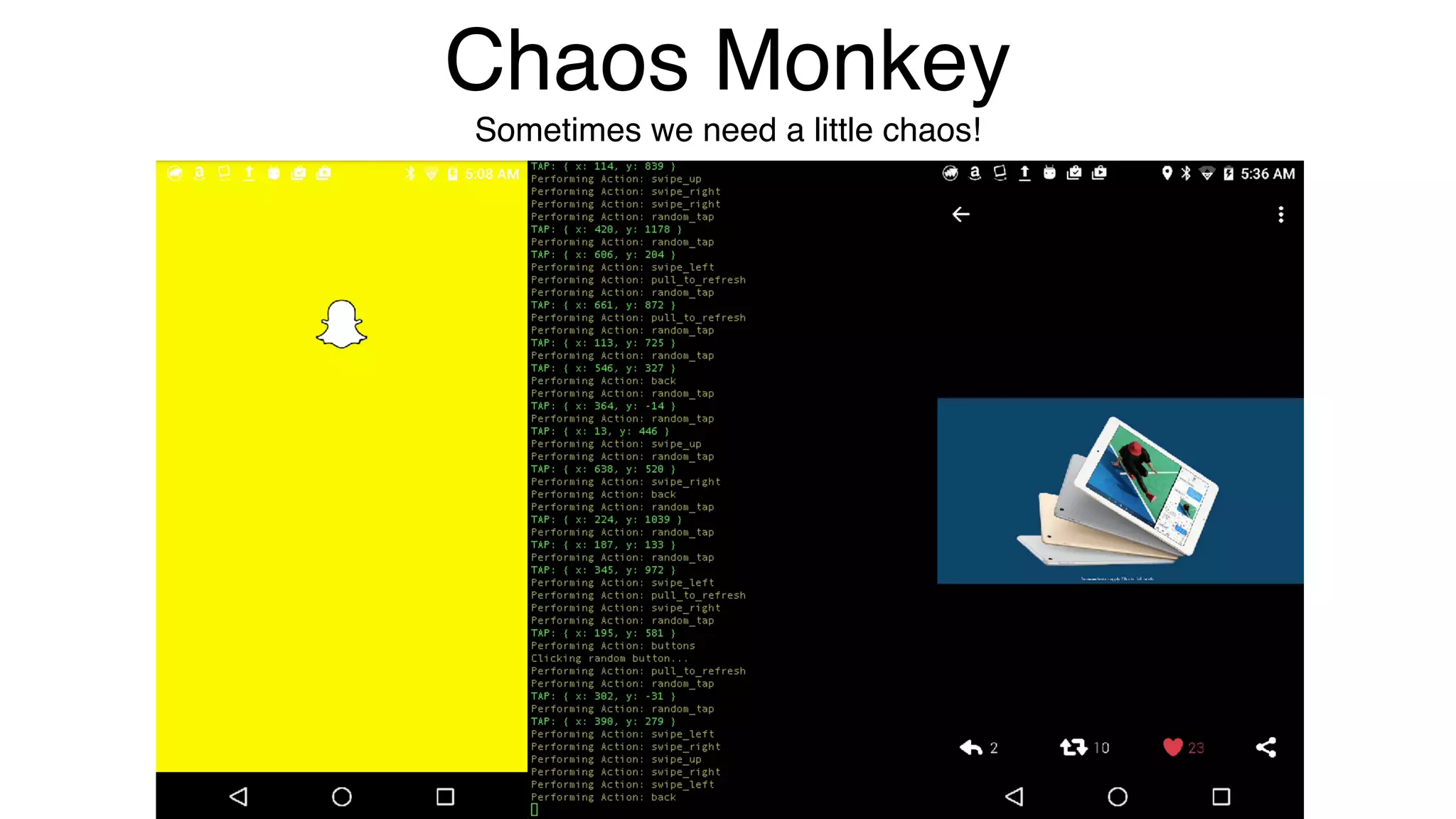
Chaos Monkey
Sometimes we need a little chaos!
02-25 14:50:23.111 7813 7813 E AndroidRuntime: FATAL EXCEPTION: main
02-25 14:50:23.111 7813 7813 E AndroidRuntime: Process: com.snapchat.android, PID: 7813
02-25 14:50:23.111 7813 7813 E AndroidRuntime: java.lang.NullPointerException: Attempt to invoke virtual method 'android.content.Context
android.view.View.getContext()' on a null object reference
02-25 14:50:23.111 7813 7813 E AndroidRuntime: at fra.a(SourceFile:409)
02-25 14:50:23.111 7813 7813 E AndroidRuntime: at
com.snapchat.android.app.feature.search.ui.SearchFragment.onDelegatedBackPressed(SourceFile:299)
02-25 14:50:23.111 7813 7813 E AndroidRuntime: at com.snapchat.android.LandingPageActivity.onBackPressed(SourceFile:50480)
02-25 14:50:23.111 7813 7813 E AndroidRuntime: at android.app.Activity.onKeyUp(Activity.java:2511)
02-25 14:50:23.111 7813 7813 E AndroidRuntime: at com.snapchat.android.LandingPageActivity.onKeyUp(SourceFile:4014)
02-25 14:50:23.111 7813 7813 E AndroidRuntime: at android.view.KeyEvent.dispatch(KeyEvent.java:2698)
02-25 14:50:23.111 7813 7813 E AndroidRuntime: at android.app.Activity.dispatchKeyEvent(Activity.java:2764)
02-25 14:50:23.111 7813 7813 E AndroidRuntime: at com.android.internal.policy.PhoneWindow$DecorView.dispatchKeyEvent(PhoneWindow.java:2353)
02-25 14:50:23.111 7813 7813 E AndroidRuntime: at android.view.ViewRootImpl$ViewPostImeInputStage.processKeyEvent(ViewRootImpl.java:4639)
02-25 14:50:23.111 7813 7813 E AndroidRuntime: at android.view.ViewRootImpl$ViewPostImeInputStage.onProcess(ViewRootImpl.java:4595)
02-25 14:50:23.111 7813 7813 E AndroidRuntime: at android.view.ViewRootImpl$InputStage.deliver(ViewRootImpl.java:4108)
02-25 14:50:23.111 7813 7813 E AndroidRuntime: at android.view.ViewRootImpl$InputStage.onDeliverToNext(ViewRootImpl.java:4161)
02-25 14:50:23.111 7813 7813 E AndroidRuntime: at android.view.ViewRootImpl$InputStage.forward(ViewRootImpl.java:4127)
02-25 14:50:23.111 7813 7813 E AndroidRuntime: at android.view.ViewRootImpl$AsyncInputStage.forward(ViewRootImpl.java:4273)
02-25 14:50:23.111 7813 7813 E AndroidRuntime: at android.view.ViewRootImpl$InputStage.apply(ViewRootImpl.java:4135)
02-25 14:50:23.111 7813 7813 E AndroidRuntime: at android.view.ViewRootImpl$AsyncInputStage.apply(ViewRootImpl.java:4330)
02-25 14:50:23.111 7813 7813 E AndroidRuntime: at android.view.ViewRootImpl$InputStage.deliver(ViewRootImpl.java:4108)
02-25 14:50:23.111 7813 7813 E AndroidRuntime: at android.view.ViewRootImpl$InputStage.onDeliverToNext(ViewRootImpl.java:4161)
02-25 14:50:23.111 7813 7813 E AndroidRuntime: at android.view.ViewRootImpl$InputStage.forward(ViewRootImpl.java:4127)
02-25 14:50:23.111 7813 7813 E AndroidRuntime: at android.view.ViewRootImpl$InputStage.apply(ViewRootImpl.java:4135)
02-25 14:50:23.111 7813 7813 E AndroidRuntime: at android.view.ViewRootImpl$InputStage.deliver(ViewRootImpl.java:4108)
02-25 14:50:23.111 7813 7813 E AndroidRuntime: at android.view.ViewRootImpl$InputStage.onDeliverToNext(ViewRootImpl.java:4161)
02-25 14:50:23.111 7813 7813 E AndroidRuntime: at android.view.ViewRootImpl$InputStage.forward(ViewRootImpl.java:4127)
02-25 14:50:23.111 7813 7813 E AndroidRuntime: at android.view.ViewRootImpl$AsyncInputStage.forward(ViewRootImpl.java:4306)
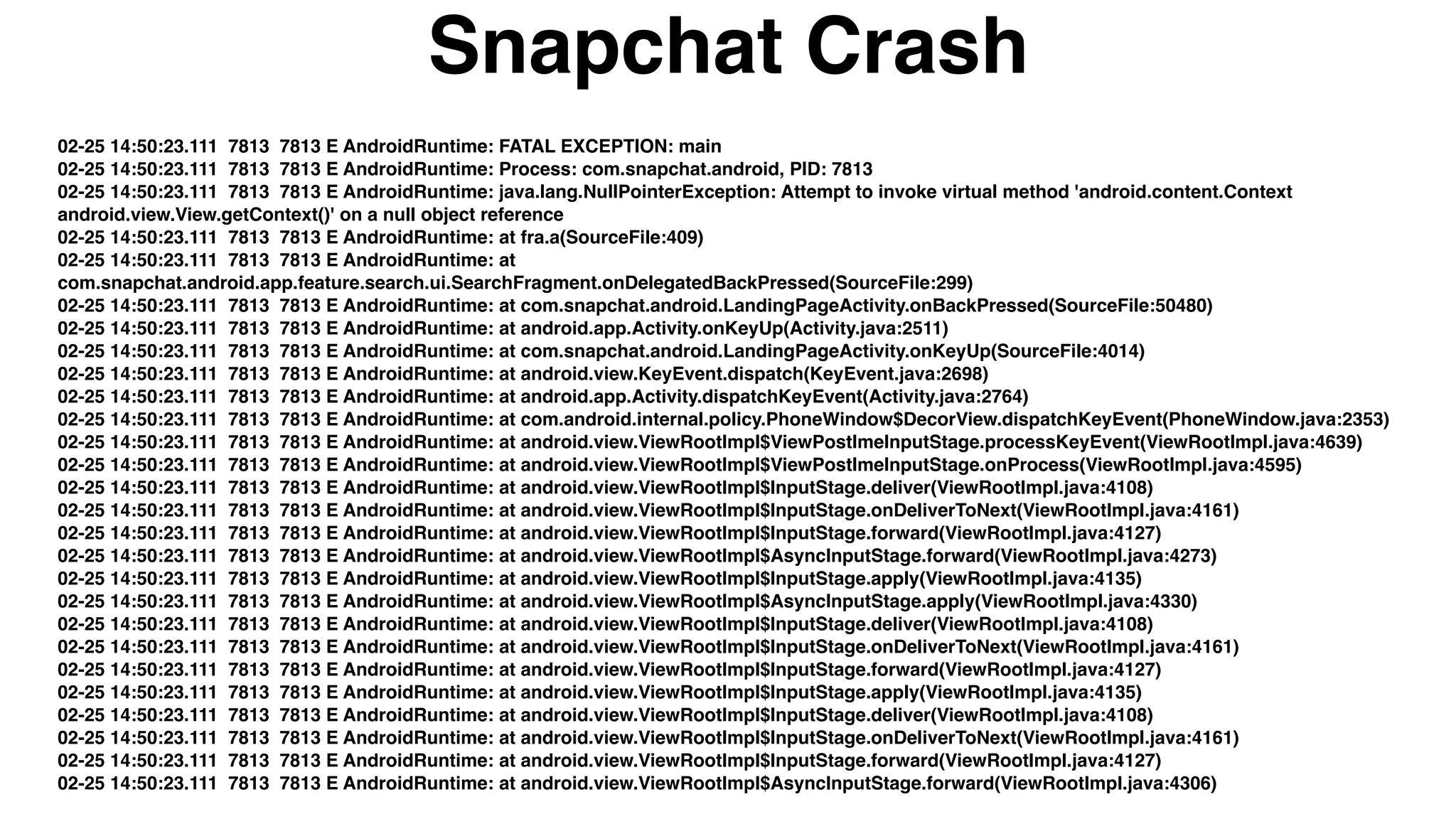
Snapchat Crash
Conclusion
Hopefully I’ve demonstrated the benefits of adding a crawler to your
build process.
I do believe with the rate of technology changes, app crawling could be
the future of UI Test Automation or some form of it.
I plan to open source the crawling engine I have built.
• If anyone is interested in helping out, please feel free to contact me.
Questions?
• @isonic1
• justin.ison@gmail.com
Justin Ison - Automation Architect - Isonic LLC
Thank You!

Automated Exploratory Testing

  • 1.
    Automated Exploratory Testing Justin IsonAutomation Architect Isonic LLC Automating myself out of a job…almost
  • 2.
    The Agile WorldMoves Fast It’s up to us to keep up… I have noticed a trend: • Increasingly shorter time to market • Desire for continued feature updates to keep ahead of competition • Adoption of QA-less teams, requiring developers to test also This means less time is usually allocated to exploratory and manually testing your application. IMO there are not enough software options available in the market to help fill the quality gaps with the shortened release and testing time. Because of this: • Many companies (big and small) are relying more and more on the endusers/customers to report issues. • Some companies rely almost solely on telemetry (analytics). • Analytics only provide you with so much. You are not going to get UI, locale, or design flaws from analytics.
  • 3.
  • 4.
    My Goal Automate ExploratoryTesting! Know more about my application for every build • Capture elements with and without accessibility labels • Capture images for every supported resolution and orientation • Know when errors or exceptions occur • Detect language or locale issues • Capture performance data • Generate unique telemetry data Ability to replay a test after code fix Be cross-platform!
  • 5.
  • 6.
    So what ledme here? I once worked for a company that was very big on dog-fooding our applications. However, there was a slight problem with this. • People tended to only test the platform they preferred. We were not getting much feedback for our less popular platforms. • We had a very small QA team that could not manual and exploratory test all of our platforms. So this led me to the idea of creating something that didn’t care about a apps current state and would test whatever was given to it, reporting back it’s findings. I also didn’t want to replace UI Test Automation, but rather include another tool to fill the missing quality gaps as I mentioned previously. The pain of automating and re-automating tests • Constantly fixing and revising tests due to code or design changes
  • 7.
    What is anapp crawler? • An app crawler is much like a web crawler (spider, robot). It’s a program that is designed to emulate user interactions. A self-automating program that interacts with components that are available in the UI much like a user would.
  • 8.
    Device Orientation • Majorityof people test only in portrait orientation. • How will your apps usability and design work in landscape?
  • 9.
    • What happenswhen you rotate your screen?
  • 10.
    Device Resolution • Mostpeople only test the device and resolution that is available to them. • How will your designs look on every resolution you support?
  • 11.
  • 12.
  • 13.
    OS Versions •Most peopleonly test the device OS that is available to them. •How will your app look and function for every OS version you support?
  • 14.
    Language • Majority ofpeople test only in their native tongue. • How will your designs work for languages such as Arabic or Hebrew? • How will your designs look in languages with longer strings like Deutsch?
  • 15.
    Metadata Overload! Now youcan see, there are many many different variables for which to account. • How do you know your app will work correctly for all combinations in shorter sprints? You could do this all with UI Test Automation. • Then again UI tests only test what is programmed to test. • But you would need an army of engineers to pull it off.
  • 16.
    • Or perhapsan army of zombie testers. • Automating every possible combination would be next to impossible to maintain.
  • 17.
    Some Challenges • Hybridweb views that will never end • Detecting unique locators • Rescuing the app when it gets stuck • Handling authentication login or accidental logout • Gestures and when to appropriately use them
  • 18.
    Finding Unique Locators Difficultyfinding uniqueness in the DOM • Parent and children classes can execute same functions, but not necessarily always. Text values can change and so then do the locators attributes. • You can potentially get into an endless loop of adding new objects/elements and then interacting with these objects Views are layered on top of views • Getting just the elements that are visible in the top layer
  • 19.
  • 21.
    Accessibility Detection • Knowingwhich elements have accessibility labels!
  • 22.
    Performance The Forgotten Test It'snot enough to only have automated tests to ensure quality and catch regressions. • It's imperative to know more about what’s happening under-the- hood of your mobile application. Specifically, monitoring the performance. • It's not only important to capture this information, but storing it for historical lookup, benchmarking and detecting trends.
  • 24.
    Language Detection As you’veseen, there are a lot of screenshots generated. I was manually scanning every image for issues. So, I thought there had to be a better way! I dug into learning about all the open source translation libraries. I tried several, but none of them worked very well. Some worked great when submitting a sentence of 4 or more words, but that is not going to work well for applications when one word titles are used. I relented and used a paid service like google translations. They provided the best results compared with any open source tools I tried.
  • 27.
    Log Monitoring When performingexploratory testing, it’s very important to monitor the logs at the same time. Many errors go unnoticed in the UI, such as network or memory errors. Same applies to automated exploratory testing! I wanted to: • Detect any errors and record them • Capture exceptions and shut down • Take screenshot when an error or exception occurs
  • 28.
  • 29.
  • 30.
    Exception Capture --- beginningof system
 6 11:56:08.177 15803 15803 E AndroidRuntime: FATAL EXCEPTION: main
 6 11:56:08.177 15803 15803 E AndroidRuntime: Process: com.amazonaws.devicefarm.android.referenceapp, PID: 15803
 6 11:56:08.177 15803 15803 E AndroidRuntime: java.lang.ArithmeticException: divide by zero
 6 11:56:08.177 15803 15803 E AndroidRuntime: at .amazonaws.devicefarm.android.referenceapp.Fragments.crashFragment.onCrashButton(crashFragment.java:49)
 6 11:56:08.177 15803 15803 E AndroidRuntime: at com.amazonaws.devicefarm.android.referenceapp.Fragments.crashFragment$ wInjector$1.doClick(crashFragment$$ViewInjector.java:17)
 6 11:56:08.177 15803 15803 E AndroidRuntime: at erknife.internal.DebouncingOnClickListener.onClick(DebouncingOnClickListener.java:22)
 6 11:56:08.177 15803 15803 E AndroidRuntime: at android.view.View.performClick(View.java:5198)
 6 11:56:08.177 15803 15803 E AndroidRuntime: at android.view.View$PerformClick.run(View.java:21147)
 6 11:56:08.177 15803 15803 E AndroidRuntime: at android.os.Handler.handleCallback(Handler.java:739)
 6 11:56:08.177 15803 15803 E AndroidRuntime: at android.os.Handler.dispatchMessage(Handler.java:95)
 6 11:56:08.177 15803 15803 E AndroidRuntime: at android.os.Looper.loop(Looper.java:148)
 6 11:56:08.177 15803 15803 E AndroidRuntime: at android.app.ActivityThread.main(ActivityThread.java:5417)
 6 11:56:08.177 15803 15803 E AndroidRuntime: at java.lang.reflect.Method.invoke(Native Method)
 6 11:56:08.177 15803 15803 E AndroidRuntime: at com.android.internal.os.ZygoteInit$MethodAndArgsCaller.run(ZygoteInit.java:726) 6 11:56:08.177 15803 15803 E AndroidRuntime: at com.android.internal.os.ZygoteInit.main(ZygoteInit.java:616)
 6 11:56:08.191 1190 1190 E EGL_emulation: tid 1190: eglCreateSyncKHR(1370): error 0x3004 (EGL_BAD_ATTRIBUTE)
  • 31.
    Replay Test • Validateif a crash is repeatable. • Rerun the test after a code fix is made. • Compare performance data from before and after each run.
  • 32.
    Automatic Tests! I wantedto take it one step further. Reviewing screenshots for every single language, resolution and orientation on every build became very cumbersome, and also prone to human mistake. How can I automate that process? • Image validation with Applitools! • I can now have something that tests itself without writing a line of code.
  • 33.
  • 34.
  • 35.
    Chaos Monkey Sometimes weneed a little chaos!
  • 36.
    02-25 14:50:23.111 78137813 E AndroidRuntime: FATAL EXCEPTION: main 02-25 14:50:23.111 7813 7813 E AndroidRuntime: Process: com.snapchat.android, PID: 7813 02-25 14:50:23.111 7813 7813 E AndroidRuntime: java.lang.NullPointerException: Attempt to invoke virtual method 'android.content.Context android.view.View.getContext()' on a null object reference 02-25 14:50:23.111 7813 7813 E AndroidRuntime: at fra.a(SourceFile:409) 02-25 14:50:23.111 7813 7813 E AndroidRuntime: at com.snapchat.android.app.feature.search.ui.SearchFragment.onDelegatedBackPressed(SourceFile:299) 02-25 14:50:23.111 7813 7813 E AndroidRuntime: at com.snapchat.android.LandingPageActivity.onBackPressed(SourceFile:50480) 02-25 14:50:23.111 7813 7813 E AndroidRuntime: at android.app.Activity.onKeyUp(Activity.java:2511) 02-25 14:50:23.111 7813 7813 E AndroidRuntime: at com.snapchat.android.LandingPageActivity.onKeyUp(SourceFile:4014) 02-25 14:50:23.111 7813 7813 E AndroidRuntime: at android.view.KeyEvent.dispatch(KeyEvent.java:2698) 02-25 14:50:23.111 7813 7813 E AndroidRuntime: at android.app.Activity.dispatchKeyEvent(Activity.java:2764) 02-25 14:50:23.111 7813 7813 E AndroidRuntime: at com.android.internal.policy.PhoneWindow$DecorView.dispatchKeyEvent(PhoneWindow.java:2353) 02-25 14:50:23.111 7813 7813 E AndroidRuntime: at android.view.ViewRootImpl$ViewPostImeInputStage.processKeyEvent(ViewRootImpl.java:4639) 02-25 14:50:23.111 7813 7813 E AndroidRuntime: at android.view.ViewRootImpl$ViewPostImeInputStage.onProcess(ViewRootImpl.java:4595) 02-25 14:50:23.111 7813 7813 E AndroidRuntime: at android.view.ViewRootImpl$InputStage.deliver(ViewRootImpl.java:4108) 02-25 14:50:23.111 7813 7813 E AndroidRuntime: at android.view.ViewRootImpl$InputStage.onDeliverToNext(ViewRootImpl.java:4161) 02-25 14:50:23.111 7813 7813 E AndroidRuntime: at android.view.ViewRootImpl$InputStage.forward(ViewRootImpl.java:4127) 02-25 14:50:23.111 7813 7813 E AndroidRuntime: at android.view.ViewRootImpl$AsyncInputStage.forward(ViewRootImpl.java:4273) 02-25 14:50:23.111 7813 7813 E AndroidRuntime: at android.view.ViewRootImpl$InputStage.apply(ViewRootImpl.java:4135) 02-25 14:50:23.111 7813 7813 E AndroidRuntime: at android.view.ViewRootImpl$AsyncInputStage.apply(ViewRootImpl.java:4330) 02-25 14:50:23.111 7813 7813 E AndroidRuntime: at android.view.ViewRootImpl$InputStage.deliver(ViewRootImpl.java:4108) 02-25 14:50:23.111 7813 7813 E AndroidRuntime: at android.view.ViewRootImpl$InputStage.onDeliverToNext(ViewRootImpl.java:4161) 02-25 14:50:23.111 7813 7813 E AndroidRuntime: at android.view.ViewRootImpl$InputStage.forward(ViewRootImpl.java:4127) 02-25 14:50:23.111 7813 7813 E AndroidRuntime: at android.view.ViewRootImpl$InputStage.apply(ViewRootImpl.java:4135) 02-25 14:50:23.111 7813 7813 E AndroidRuntime: at android.view.ViewRootImpl$InputStage.deliver(ViewRootImpl.java:4108) 02-25 14:50:23.111 7813 7813 E AndroidRuntime: at android.view.ViewRootImpl$InputStage.onDeliverToNext(ViewRootImpl.java:4161) 02-25 14:50:23.111 7813 7813 E AndroidRuntime: at android.view.ViewRootImpl$InputStage.forward(ViewRootImpl.java:4127) 02-25 14:50:23.111 7813 7813 E AndroidRuntime: at android.view.ViewRootImpl$AsyncInputStage.forward(ViewRootImpl.java:4306) Snapchat Crash
  • 37.
    Conclusion Hopefully I’ve demonstratedthe benefits of adding a crawler to your build process. I do believe with the rate of technology changes, app crawling could be the future of UI Test Automation or some form of it. I plan to open source the crawling engine I have built. • If anyone is interested in helping out, please feel free to contact me.
  • 38.
    Questions? • @isonic1 • justin.ison@gmail.com JustinIson - Automation Architect - Isonic LLC Thank You!