





























1 
Elasticsearch 
Amir Sedighi 
Twitter: @amirsedighi 
Blog: http://hexican.com 
Email: sedighi@gmail.com 
Oct 2014
2 
References 
● http://elasticsearch.org/ 
● https://www.found.no/foundation/elasticsearch-in-production/ 
● https://www.found.no/foundation/sizing-elasticsearch/ 
● https://www.found.no/foundation/elasticsearch-as-nosql/ 
● https://www.found.no/foundation/elasticsearch-from-the-bottom-up/
3 
● Thanks to Alex Brasetvik (@alexbrasetvik) 
from @foundsays, for the slides. 
● Thanks to Leslie Hawthorn (@lhawthorn) 
from @elasticsearch, for the stickers.
Powered by Lucene, Search Stuffs 
● 1999 Doug Cutting 
● 2003 Doug Cutting 
● 2004 Yonik Seeley 
● 2010 Shay Banon
5 
● Full-Text Search Library. 
● Free & Open-Source 
● Features: 
– Indexes & Analyzes Data 
– Tokenizing 
– Filtering 
– Wildcards 
– Aggregation 
– Sorting
6 
● Free and Open-Source 
● Java (Cross-platform) 
● Real-Time Analytical Search Engine 
● Distributed 
● Highly Available 
● RESTful
7
8
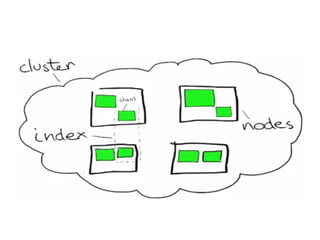
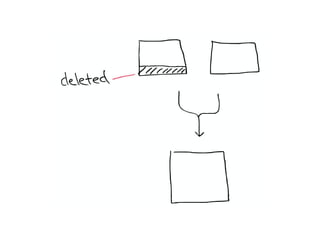
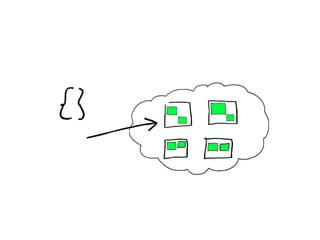
Shard
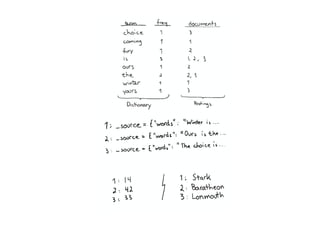
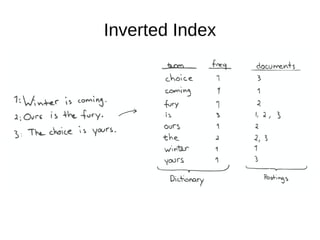
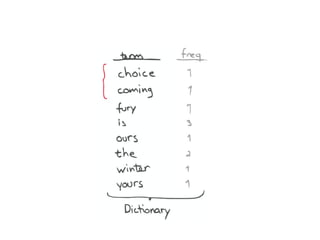
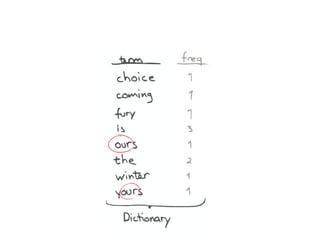
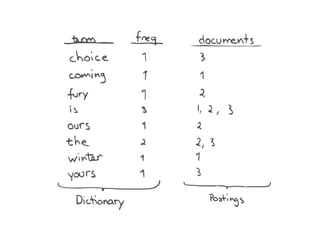
Inverted Index
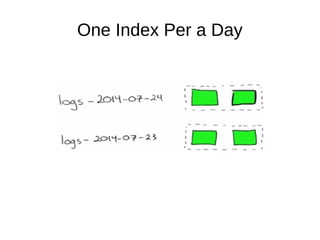
One Index Per a Day
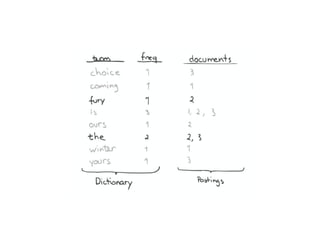
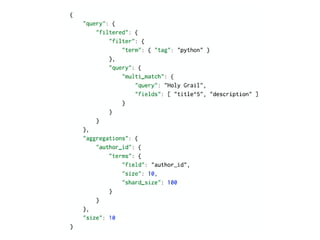
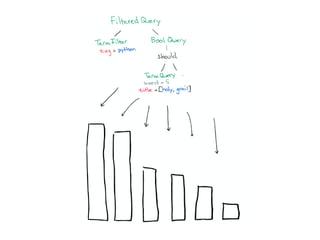
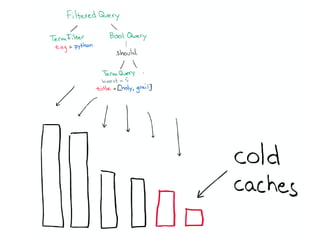
A Partial Query
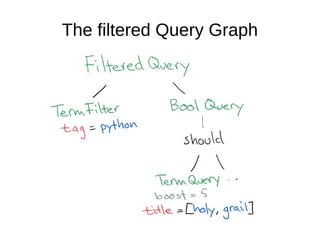
The filtered Query Graph
50 
Question 
● Can ES be used as a "NoSQL"-database?
51 
Production and Deployment 
● Keeping End-users Happy. 
● Tracking Quality of Service and Healthy.
52 
Agenda 
● Memory (Performance and Reliability) 
● Security 
● Networking (Reliability)
53 
Memory 
● Search engines have a great appetite for 
memory! 
– Caches, caches, caches 
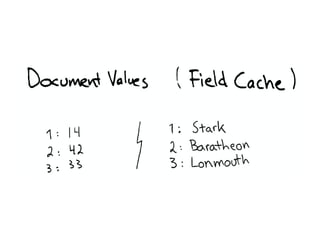
● Field and filter caches 
● Index building
54 
Comparison 
● RDBMSs are built to store. They Put good 
things in memory, and will flush to disk when 
there is no memory. 
– Slower but working. 
– Timeout is a client matter. 
● Search-Engines are built for speed. 
– Fast running or not running. 
– Assumption: You've provided enough memory.
55 
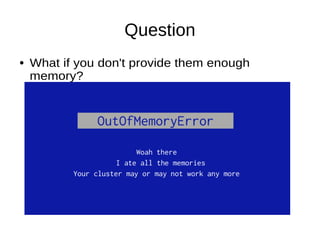
Question 
● What if you don't provide them enough 
memory?
Question 
● What if you don't provide them enough 
memory?
57 
Out Of Memory 
● In the best case: 
– Your Indexing or Search Request simply failed. 
● More: 
– Cluster state corrupted. 
– Crashed Netty. 
● Just don't end up there in your production cluster.
58 
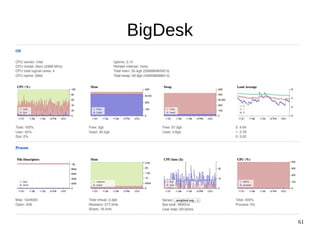
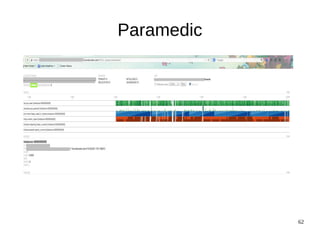
Warning Signs 
● ES provides lots of end-points to give you 
insights into it. 
– Resource Usage 
● Cache Sizes 
● Heap Space 
● There are Monitoring Tools. 
– Profile your queries and optimize them.
59 
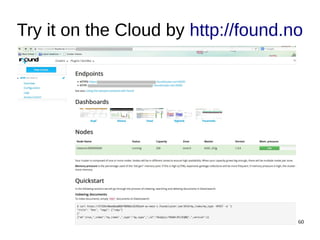
Marvel
Try it on the Cloud by http://found.no 
60
61 
BigDesk
62 
Paramedic
63 
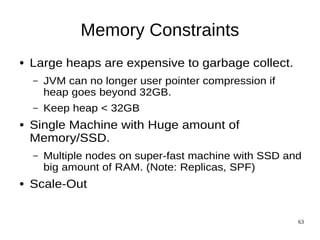
Memory Constraints 
● Large heaps are expensive to garbage collect. 
– JVM can no longer user pointer compression if 
heap goes beyond 32GB. 
– Keep heap < 32GB 
● Single Machine with Huge amount of 
Memory/SSD. 
– Multiple nodes on super-fast machine with SSD and 
big amount of RAM. (Note: Replicas, SPF) 
● Scale-Out
64 
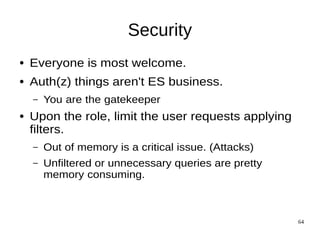
Security 
● Everyone is most welcome. 
● Auth(z) things aren't ES business. 
– You are the gatekeeper 
● Upon the role, limit the user requests applying 
filters. 
– Out of memory is a critical issue. (Attacks) 
– Unfiltered or unnecessary queries are pretty 
memory consuming.
65 
Security Shield is coming soon
66 
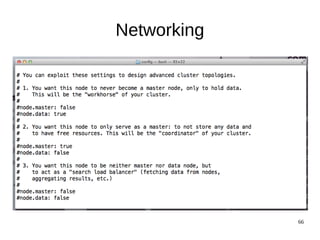
Networking 
● ES works great, on a single node. 
● ES is impressively easy to use for being a 
distributed system. 
● ES Supports lots of different network 
topologies.
67 
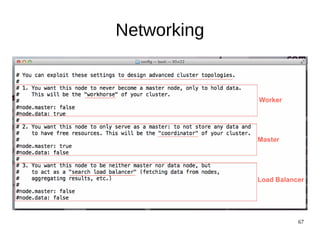
Networking
68 
Networking
69 
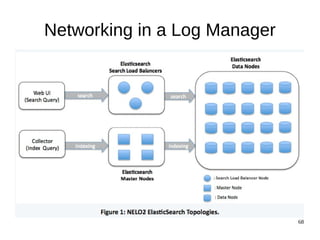
Networking in a Log Manager
70 
Suggestions 
● Have enough memory to keep your nodes 
reliable. 
● Have majority of nodes. 
● Favor filters over matching queries. 
● Have an eye on the cluster (Health). 
● Don't let user to run faceted queries or reduce 
the frequency.
71 
Questions?

An Introduction to Elasticsearch for Beginners

  • 1.
    1 Elasticsearch AmirSedighi Twitter: @amirsedighi Blog: http://hexican.com Email: sedighi@gmail.com Oct 2014
  • 2.
    2 References ●http://elasticsearch.org/ ● https://www.found.no/foundation/elasticsearch-in-production/ ● https://www.found.no/foundation/sizing-elasticsearch/ ● https://www.found.no/foundation/elasticsearch-as-nosql/ ● https://www.found.no/foundation/elasticsearch-from-the-bottom-up/
  • 3.
    3 ● Thanksto Alex Brasetvik (@alexbrasetvik) from @foundsays, for the slides. ● Thanks to Leslie Hawthorn (@lhawthorn) from @elasticsearch, for the stickers.
  • 4.
    Powered by Lucene,Search Stuffs ● 1999 Doug Cutting ● 2003 Doug Cutting ● 2004 Yonik Seeley ● 2010 Shay Banon
  • 5.
    5 ● Full-TextSearch Library. ● Free & Open-Source ● Features: – Indexes & Analyzes Data – Tokenizing – Filtering – Wildcards – Aggregation – Sorting
  • 6.
    6 ● Freeand Open-Source ● Java (Cross-platform) ● Real-Time Analytical Search Engine ● Distributed ● Highly Available ● RESTful
  • 7.
  • 8.
  • 14.
  • 18.
  • 35.
  • 38.
  • 44.
  • 50.
    50 Question ●Can ES be used as a "NoSQL"-database?
  • 51.
    51 Production andDeployment ● Keeping End-users Happy. ● Tracking Quality of Service and Healthy.
  • 52.
    52 Agenda ●Memory (Performance and Reliability) ● Security ● Networking (Reliability)
  • 53.
    53 Memory ●Search engines have a great appetite for memory! – Caches, caches, caches ● Field and filter caches ● Index building
  • 54.
    54 Comparison ●RDBMSs are built to store. They Put good things in memory, and will flush to disk when there is no memory. – Slower but working. – Timeout is a client matter. ● Search-Engines are built for speed. – Fast running or not running. – Assumption: You've provided enough memory.
  • 55.
    55 Question ●What if you don't provide them enough memory?
  • 56.
    Question ● Whatif you don't provide them enough memory?
  • 57.
    57 Out OfMemory ● In the best case: – Your Indexing or Search Request simply failed. ● More: – Cluster state corrupted. – Crashed Netty. ● Just don't end up there in your production cluster.
  • 58.
    58 Warning Signs ● ES provides lots of end-points to give you insights into it. – Resource Usage ● Cache Sizes ● Heap Space ● There are Monitoring Tools. – Profile your queries and optimize them.
  • 59.
  • 60.
    Try it onthe Cloud by http://found.no 60
  • 61.
  • 62.
  • 63.
    63 Memory Constraints ● Large heaps are expensive to garbage collect. – JVM can no longer user pointer compression if heap goes beyond 32GB. – Keep heap < 32GB ● Single Machine with Huge amount of Memory/SSD. – Multiple nodes on super-fast machine with SSD and big amount of RAM. (Note: Replicas, SPF) ● Scale-Out
  • 64.
    64 Security ●Everyone is most welcome. ● Auth(z) things aren't ES business. – You are the gatekeeper ● Upon the role, limit the user requests applying filters. – Out of memory is a critical issue. (Attacks) – Unfiltered or unnecessary queries are pretty memory consuming.
  • 65.
    65 Security Shieldis coming soon
  • 66.
    66 Networking ●ES works great, on a single node. ● ES is impressively easy to use for being a distributed system. ● ES Supports lots of different network topologies.
  • 67.
  • 68.
  • 69.
    69 Networking ina Log Manager
  • 70.
    70 Suggestions ●Have enough memory to keep your nodes reliable. ● Have majority of nodes. ● Favor filters over matching queries. ● Have an eye on the cluster (Health). ● Don't let user to run faceted queries or reduce the frequency.
  • 71.