1 
کارگاه پردازش داده توزیع شده 
پردیس- شهیدبهشتی 
دانشکده علوم و مهندسی کامپیوتر 
درس: پایگاه داده توزیع شده 
استاد: دکتر هادی طباطبایی 
ارائه: ابوالفضل صدیقی 
آبان ۱۳۹۳
Distributed Data Processing 
School of Computer Science and Engineering 
A. Sedighi 
@amirsedighi 
Hexican.com 
sedighi@gmail.com
3 
Every Game needs it's Playing Yard
4 
Every Game needs it's Playing Yard
What can I do on a Single Machine? 
5 
● MVC Programming 
● Regular Biz Apps 
● 100 GBs Data 
● Web Surfing 
● ...
6 
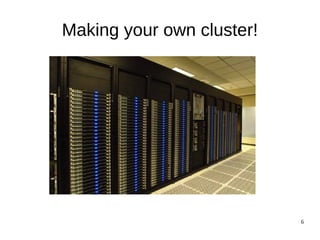
Linux Cluster
7
8
9 
Introduction 
This is a 4 sessions, hands-on, step-by-step 
tutorial on setting up, a Linux cluster on your 
machine (Notebook or PC), to try a few number 
of big-data processing frameworks and tools.
10 
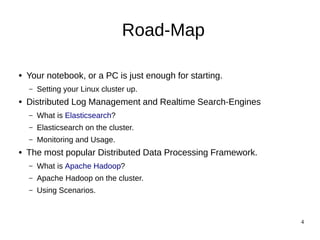
What we are going to do? 
● Your notebook, or a PC is just enough for starting. 
– Setting your Linux cluster up. 
● Distributed Log Management and Realtime Search-Engines 
– What is Elasticsearch? 
– Elasticsearch on the cluster. 
– Monitoring and Usage. 
● The most popular Distributed Data Processing Framework. 
– What is Apache Hadoop? 
– Apache Hadoop on the cluster. 
– Using Scenarios.
11 
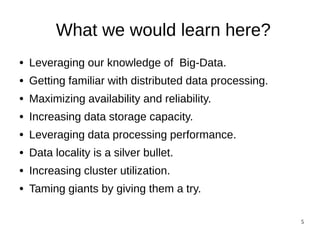
What we would Learn? 
● Leveraging our knowledge of Big-Data. 
● Getting familiar with distributed data processing. 
● Maximizing availability and reliability. 
● Increasing data storage capacity. 
● Leveraging data processing performance. 
● Data locality is a silver bullet. 
● Increasing cluster utilization. 
● Taming giants by giving them a try.
12 
Preparing the Linux Cluster - 
VirtualBox
13 
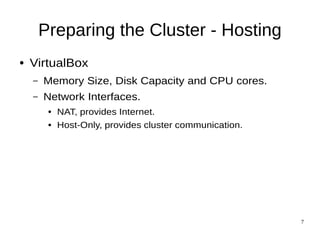
Preparing the Cluster - Hosting 
● VirtualBox 
– Memory Size, Disk Capacity and CPU cores. 
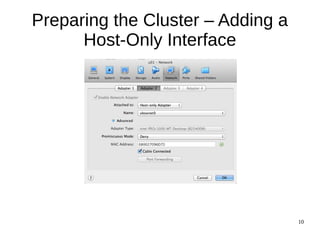
– Network Interfaces. 
● NAT, provides Internet. 
● Host-Only, provides cluster communication.
14 
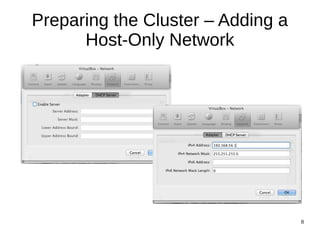
Preparing the Cluster – Adding a 
Host-Only Network
15 
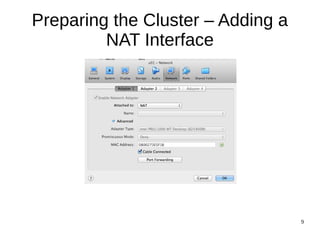
Preparing the Cluster – Adding a 
NAT Interface
16 
Preparing the Cluster – Adding a 
Host-Only Interface
17 
Preparing the Cluster – First Node 
● Creating a Linux machine inside VirtualBox. 
● Installing Linux. (I've used Ubuntu 12.04) 
– Check Samba 
– Check OpenSSH 
● Give the first node all. 
– Having an “install” folder on. 
– Having primitives such as Java installed on. 
● Shutting down the first node.
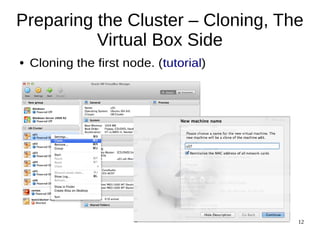
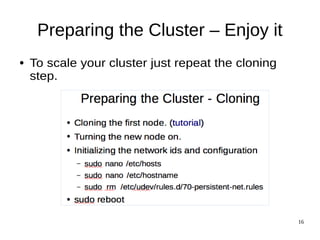
Preparing the Cluster – Cloning, The 
18 
Virtual Box Side 
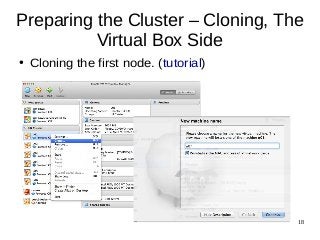
● Cloning the first node. (tutorial)
Preparing the Cluster – Cloning, the 
19 
Linux side 
● Turning the new node on. 
● Network configuration 
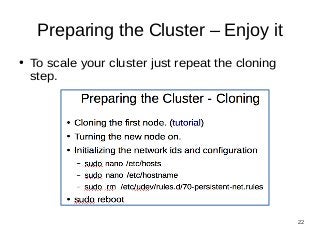
– sudo nano /etc/hosts 
– sudo nano /etc/hostname 
– sudo nano /etc/network/interfaces 
– sudo rm /etc/udev/rules.d/70-persistent-net.rules 
● sudo reboot
20 
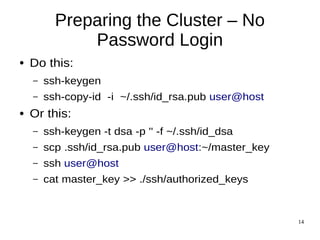
Preparing the Cluster – No 
Password Login 
● Do this: 
– ssh-keygen 
– ssh-copy-id -i ~/.ssh/id_rsa.pub user@host 
● Or this: 
– ssh-keygen -t dsa -p '' -f ~/.ssh/id_dsa 
– scp .ssh/id_rsa.pub user@host:~/master_key 
– ssh user@host 
– cat master_key >> ./ssh/authorized_keys
21 
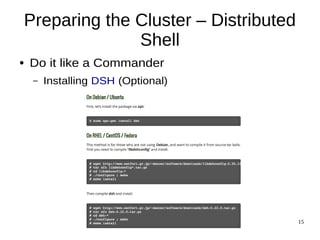
Preparing the Cluster – Distributed 
Shell 
● Do it like a Commander 
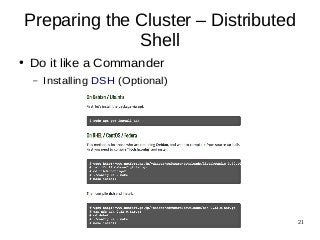
– Installing DSH (Optional)
22 
Preparing the Cluster – Enjoy it 
● To scale your cluster just repeat the cloning 
step.
23 
Next? 
● An introduction to distributed Log Management 
and analytical search-engines. 
– How Elasticsearch works? 
– Workshop. 
● An introduction to Apache Hadoop 
– How Apache Hadoop works? 
– Workshop.

Distributed Data Processing Workshop - SBU

  • 1.
    1 کارگاه پردازشداده توزیع شده پردیس- شهیدبهشتی دانشکده علوم و مهندسی کامپیوتر درس: پایگاه داده توزیع شده استاد: دکتر هادی طباطبایی ارائه: ابوالفضل صدیقی آبان ۱۳۹۳
  • 2.
    Distributed Data Processing School of Computer Science and Engineering A. Sedighi @amirsedighi Hexican.com sedighi@gmail.com
  • 3.
    3 Every Gameneeds it's Playing Yard
  • 4.
    4 Every Gameneeds it's Playing Yard
  • 5.
    What can Ido on a Single Machine? 5 ● MVC Programming ● Regular Biz Apps ● 100 GBs Data ● Web Surfing ● ...
  • 6.
  • 7.
  • 8.
  • 9.
    9 Introduction Thisis a 4 sessions, hands-on, step-by-step tutorial on setting up, a Linux cluster on your machine (Notebook or PC), to try a few number of big-data processing frameworks and tools.
  • 10.
    10 What weare going to do? ● Your notebook, or a PC is just enough for starting. – Setting your Linux cluster up. ● Distributed Log Management and Realtime Search-Engines – What is Elasticsearch? – Elasticsearch on the cluster. – Monitoring and Usage. ● The most popular Distributed Data Processing Framework. – What is Apache Hadoop? – Apache Hadoop on the cluster. – Using Scenarios.
  • 11.
    11 What wewould Learn? ● Leveraging our knowledge of Big-Data. ● Getting familiar with distributed data processing. ● Maximizing availability and reliability. ● Increasing data storage capacity. ● Leveraging data processing performance. ● Data locality is a silver bullet. ● Increasing cluster utilization. ● Taming giants by giving them a try.
  • 12.
    12 Preparing theLinux Cluster - VirtualBox
  • 13.
    13 Preparing theCluster - Hosting ● VirtualBox – Memory Size, Disk Capacity and CPU cores. – Network Interfaces. ● NAT, provides Internet. ● Host-Only, provides cluster communication.
  • 14.
    14 Preparing theCluster – Adding a Host-Only Network
  • 15.
    15 Preparing theCluster – Adding a NAT Interface
  • 16.
    16 Preparing theCluster – Adding a Host-Only Interface
  • 17.
    17 Preparing theCluster – First Node ● Creating a Linux machine inside VirtualBox. ● Installing Linux. (I've used Ubuntu 12.04) – Check Samba – Check OpenSSH ● Give the first node all. – Having an “install” folder on. – Having primitives such as Java installed on. ● Shutting down the first node.
  • 18.
    Preparing the Cluster– Cloning, The 18 Virtual Box Side ● Cloning the first node. (tutorial)
  • 19.
    Preparing the Cluster– Cloning, the 19 Linux side ● Turning the new node on. ● Network configuration – sudo nano /etc/hosts – sudo nano /etc/hostname – sudo nano /etc/network/interfaces – sudo rm /etc/udev/rules.d/70-persistent-net.rules ● sudo reboot
  • 20.
    20 Preparing theCluster – No Password Login ● Do this: – ssh-keygen – ssh-copy-id -i ~/.ssh/id_rsa.pub user@host ● Or this: – ssh-keygen -t dsa -p '' -f ~/.ssh/id_dsa – scp .ssh/id_rsa.pub user@host:~/master_key – ssh user@host – cat master_key >> ./ssh/authorized_keys
  • 21.
    21 Preparing theCluster – Distributed Shell ● Do it like a Commander – Installing DSH (Optional)
  • 22.
    22 Preparing theCluster – Enjoy it ● To scale your cluster just repeat the cloning step.
  • 23.
    23 Next? ●An introduction to distributed Log Management and analytical search-engines. – How Elasticsearch works? – Workshop. ● An introduction to Apache Hadoop – How Apache Hadoop works? – Workshop.