Advanced Database
Systems
INSTRUCTOR:
ELLEN GRACE
PORRAS
FIRST SEMESTER 2022-2023
OVERVIEW
Welcome to the first module of this course on the Advanced Database Systems!
Understanding of SQL and its capabilities for querying a single table a prerequisite.
In this subject, you will learn how to retrieve data from multiple tables using one
SQL statement. You will see how tables can be joined together and how similar
results are obtained using different approaches, including the joints and sub queries.
It is important that you understand how to query multiple tables for generating
appropriate reports in the creation of an information system.
Advanced Database Systems
SQL
Statements
3
Most of the actions you need to
perform on a database are done
with SQL statements. The
following SQL statement will
select all the records in the
"Persons" table:
SELECT * FROM Persons
Advanced Database Systems
Semicolon after SQL Statements?
4
Some database systems require a semicolon at the
end of each SQL statement. Semicolon is the
standard way to separate each SQL statement in
database systems that allow more than one SQL
statement to be executed in the same call to the
server.
Advanced Database Systems
5
Advanced Database Systems
SQL can be divided into two parts: The Data Manipulation Language
(DML) and the Data Definition Language (DDL).
SQL DML and DDL
6
Advanced Database Systems
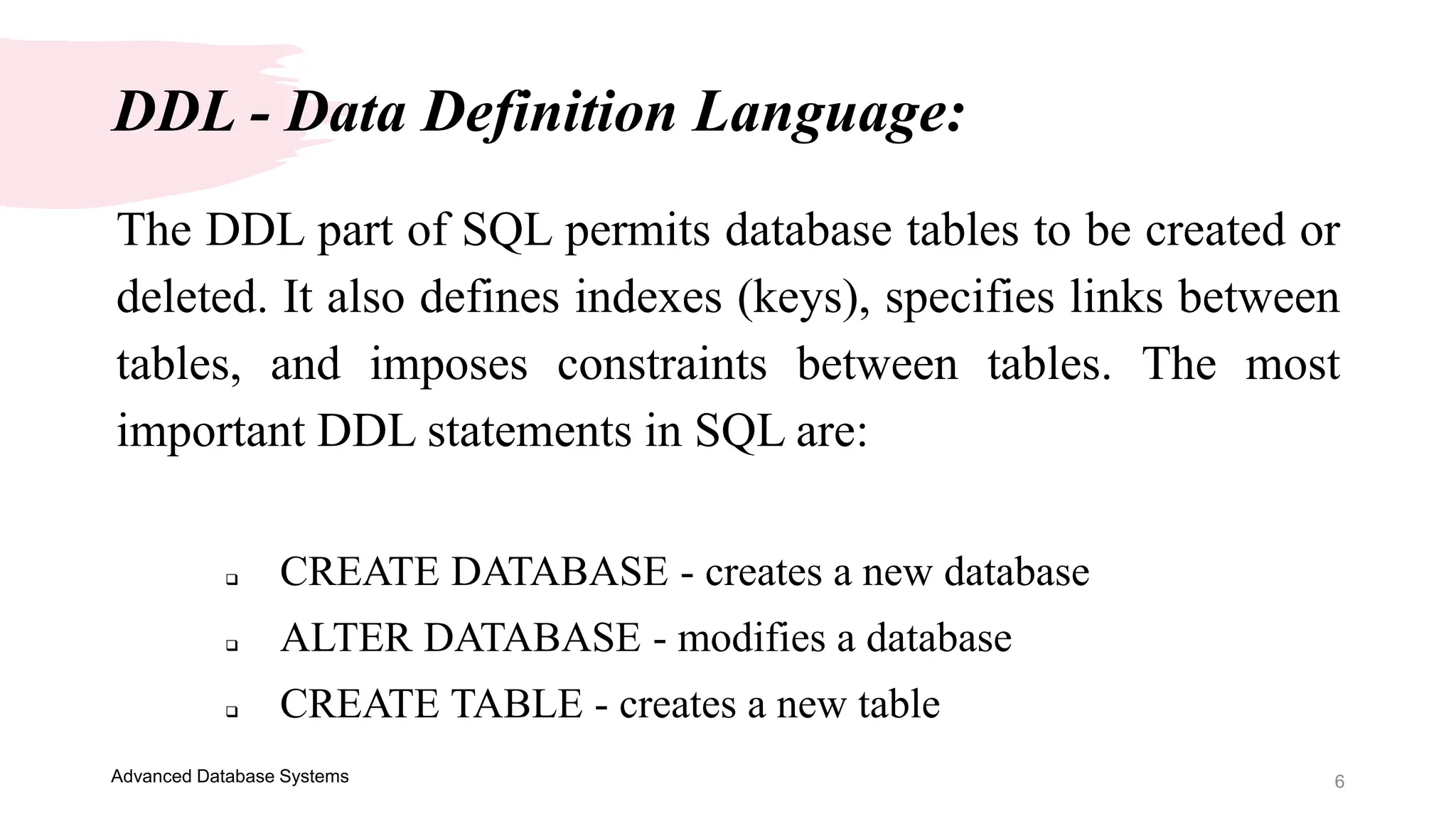
The DDL part of SQL permits database tables to be created or
deleted. It also defines indexes (keys), specifies links between
tables, and imposes constraints between tables. The most
important DDL statements in SQL are:
 CREATE DATABASE - creates a new database
 ALTER DATABASE - modifies a database
 CREATE TABLE - creates a new table
DDL - Data Definition Language:
7
Advanced Database Systems
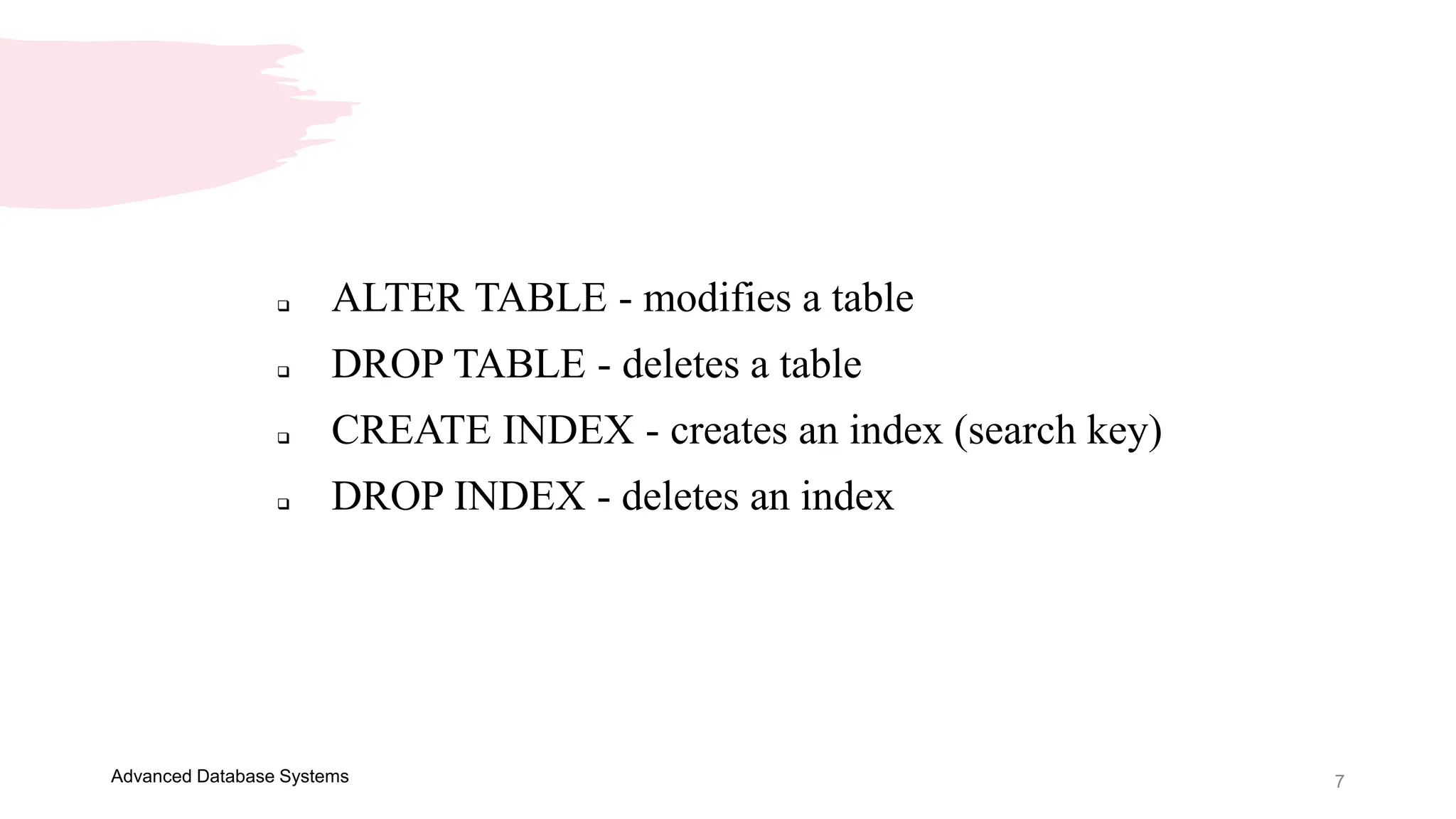
 ALTER TABLE - modifies a table
 DROP TABLE - deletes a table
 CREATE INDEX - creates an index (search key)
 DROP INDEX - deletes an index
8
Advanced Database Systems
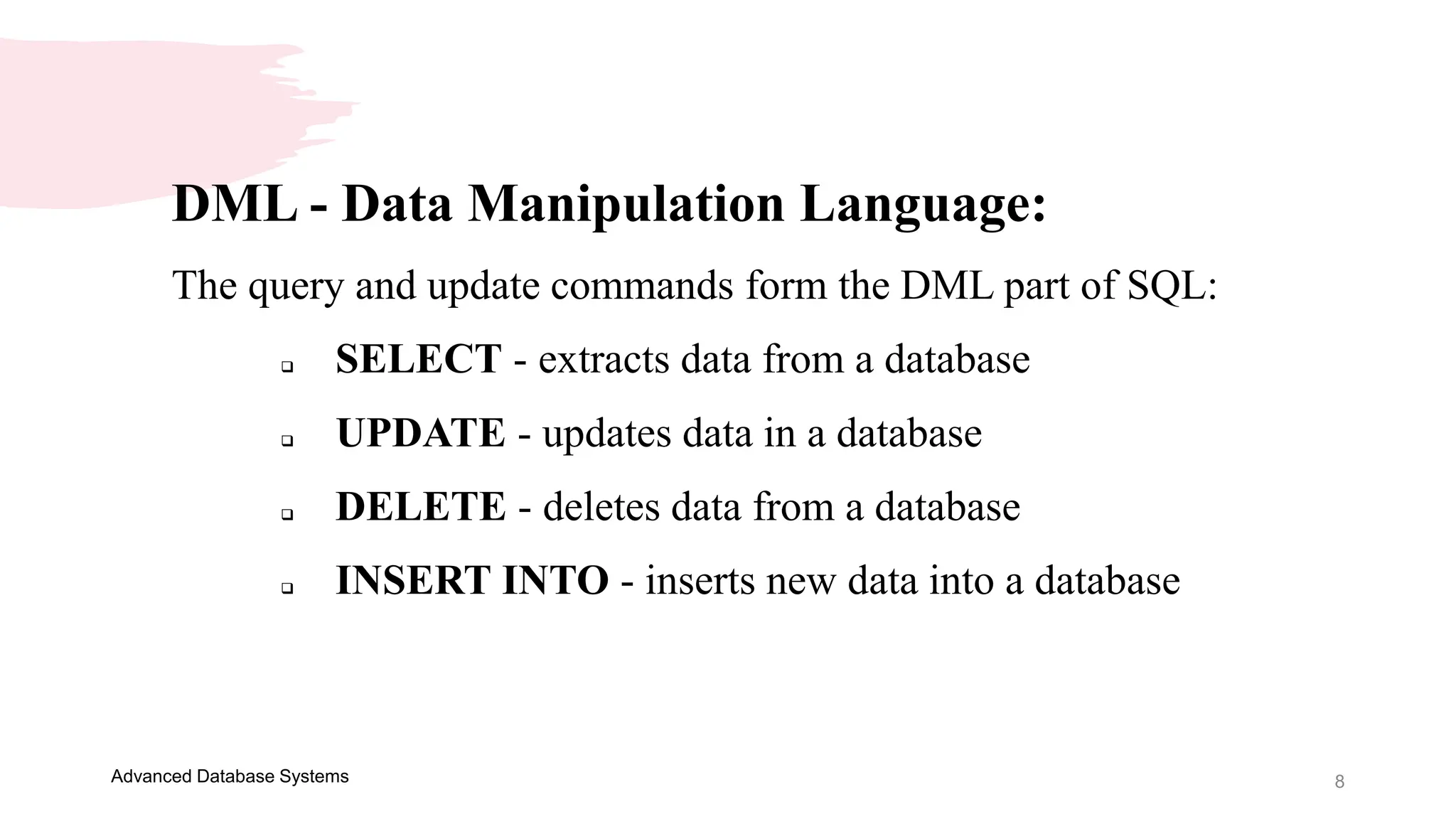
DML - Data Manipulation Language:
The query and update commands form the DML part of SQL:
 SELECT - extracts data from a database
 UPDATE - updates data in a database
 DELETE - deletes data from a database
 INSERT INTO - inserts new data into a database
9
Advanced Database Systems
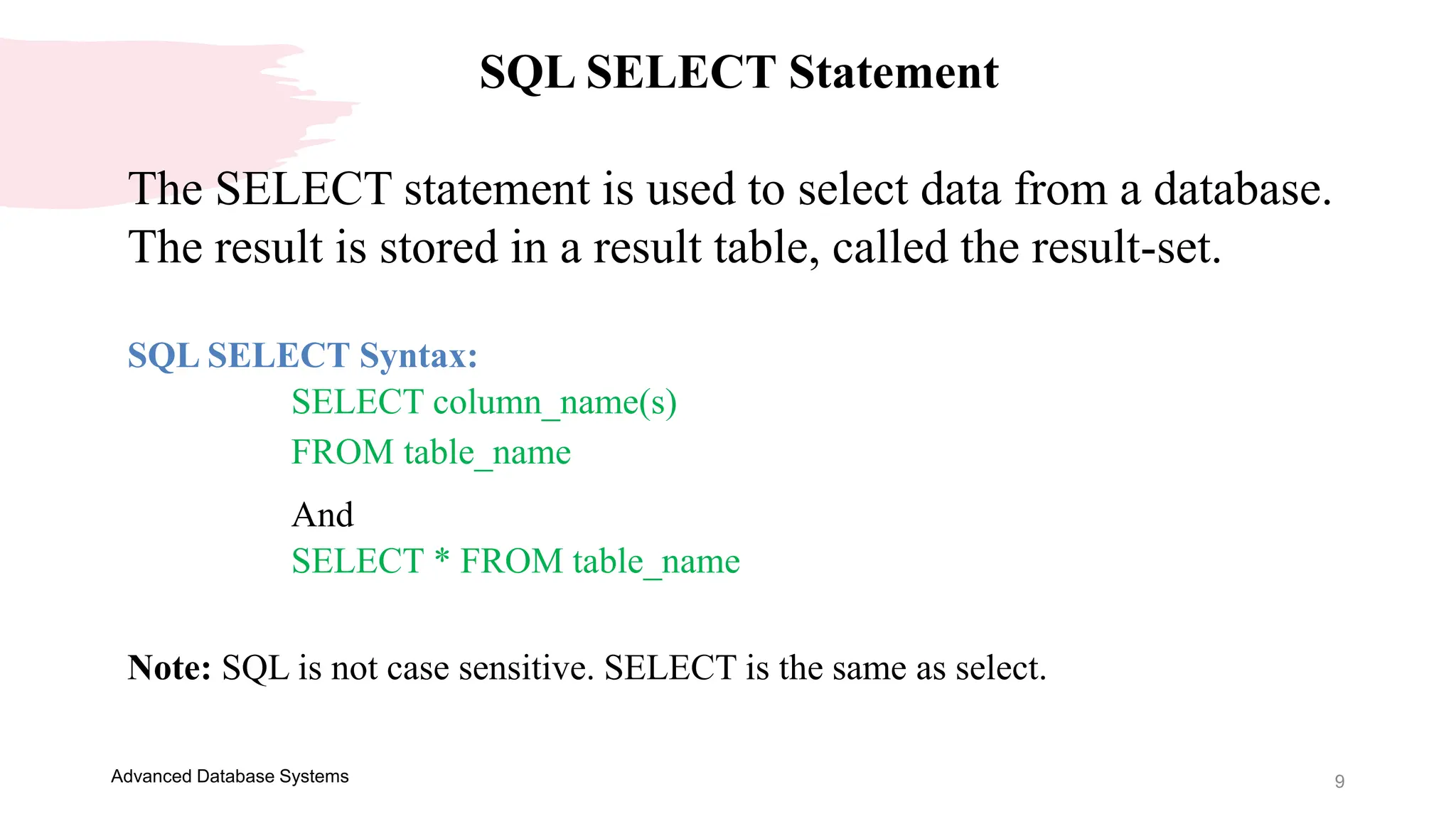
SQL SELECT Statement
The SELECT statement is used to select data from a database.
The result is stored in a result table, called the result-set.
SQL SELECT Syntax:
SELECT column_name(s)
FROM table_name
And
SELECT * FROM table_name
Note: SQL is not case sensitive. SELECT is the same as select.
10
Advanced Database Systems
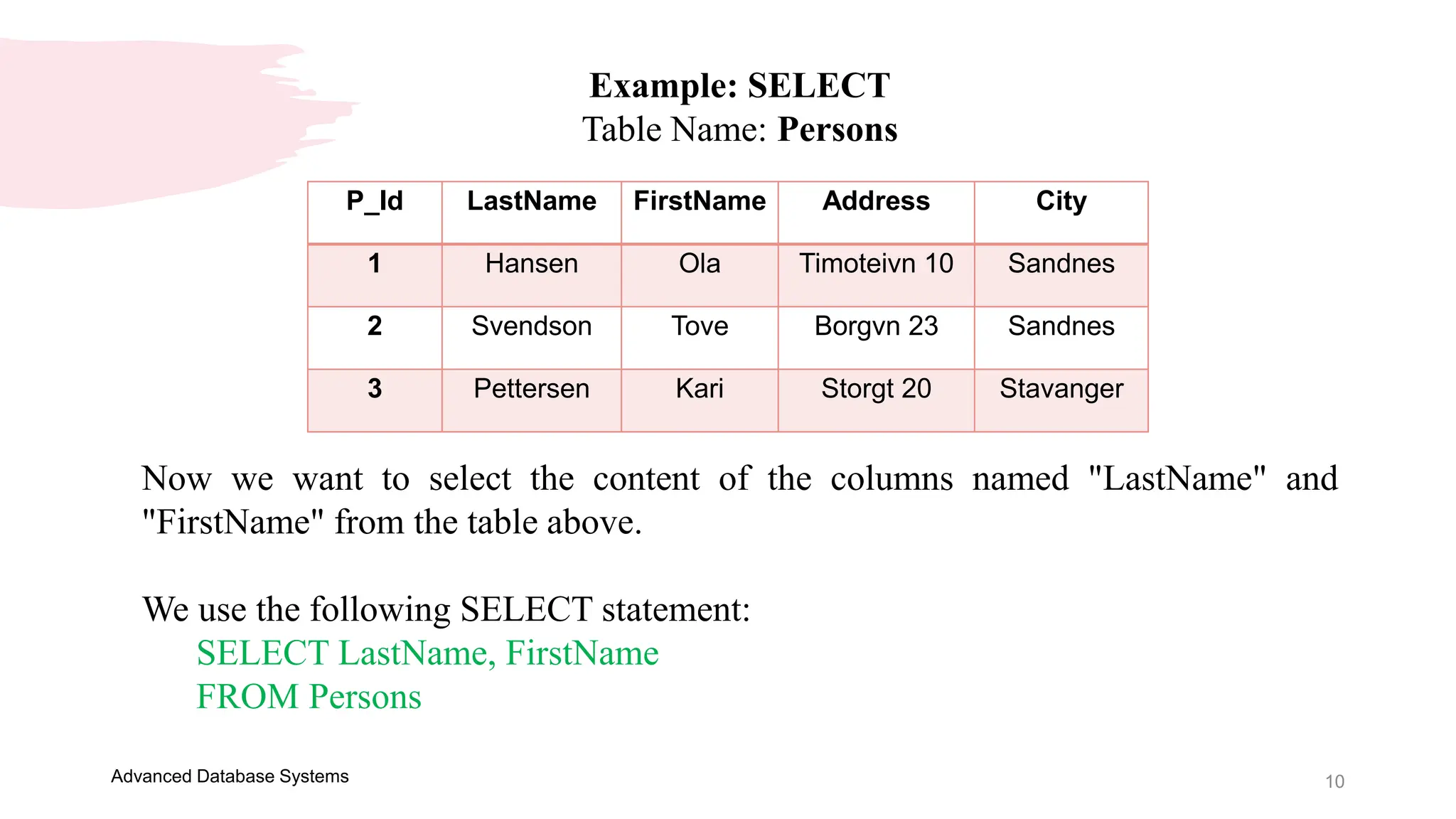
Example: SELECT
Table Name: Persons
P_Id LastName FirstName Address City
1 Hansen Ola Timoteivn 10 Sandnes
2 Svendson Tove Borgvn 23 Sandnes
3 Pettersen Kari Storgt 20 Stavanger
Now we want to select the content of the columns named "LastName" and
"FirstName" from the table above.
We use the following SELECT statement:
SELECT LastName, FirstName
FROM Persons
11
Advanced Database Systems
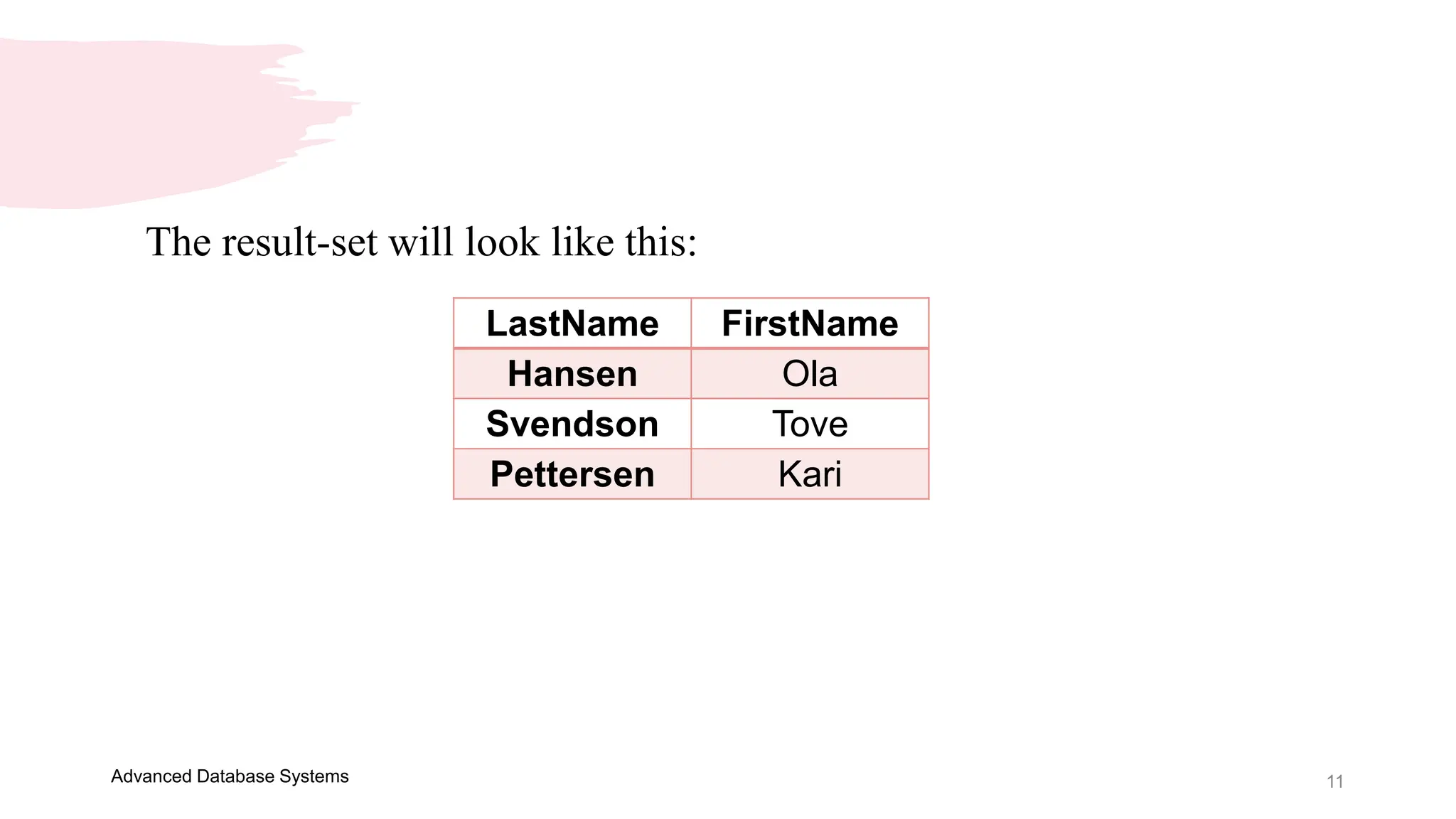
The result-set will look like this:
LastName FirstName
Hansen Ola
Svendson Tove
Pettersen Kari
12
Advanced Database Systems
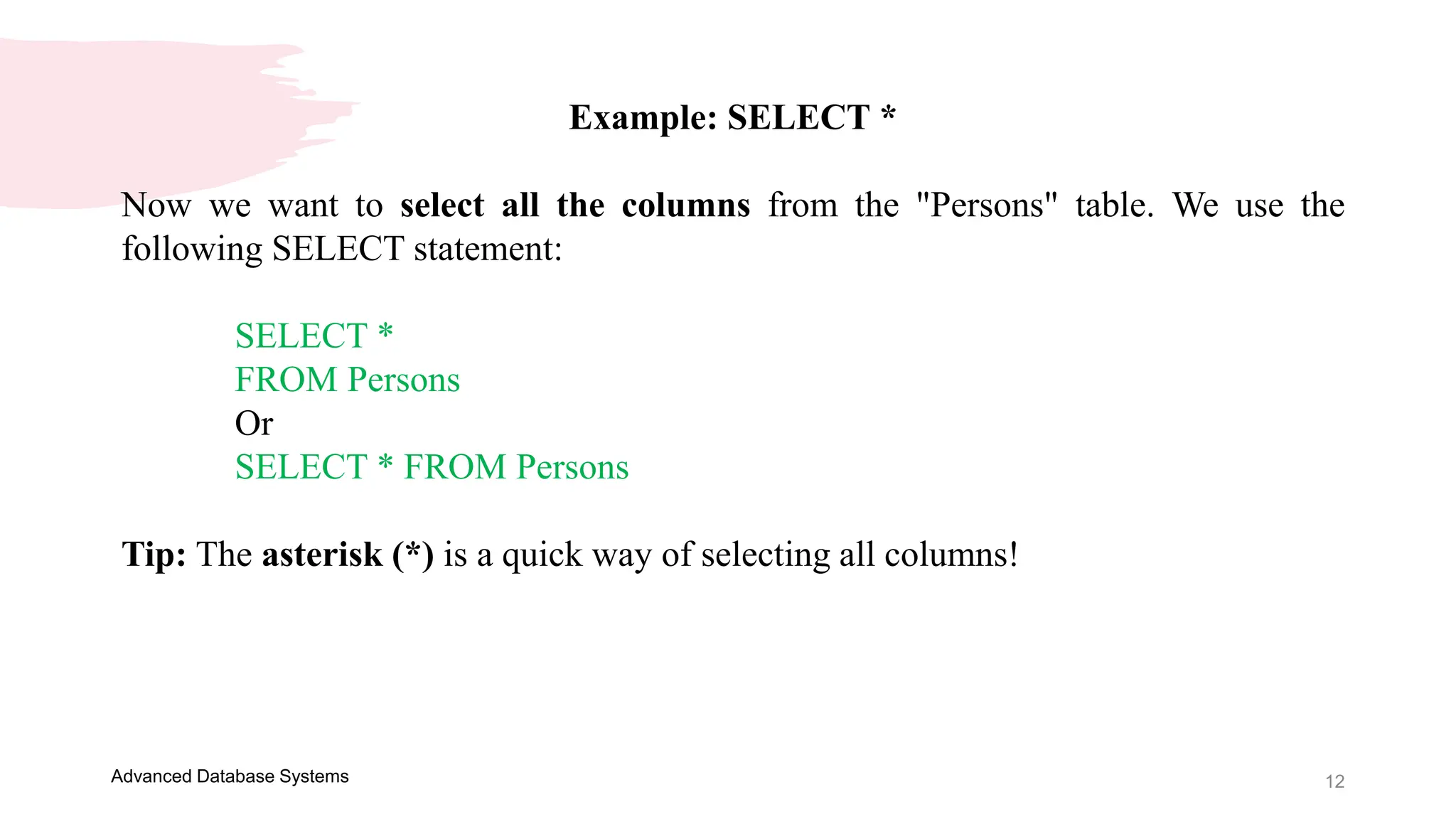
Example: SELECT *
Now we want to select all the columns from the "Persons" table. We use the
following SELECT statement:
SELECT *
FROM Persons
Or
SELECT * FROM Persons
Tip: The asterisk (*) is a quick way of selecting all columns!
13
Advanced Database Systems
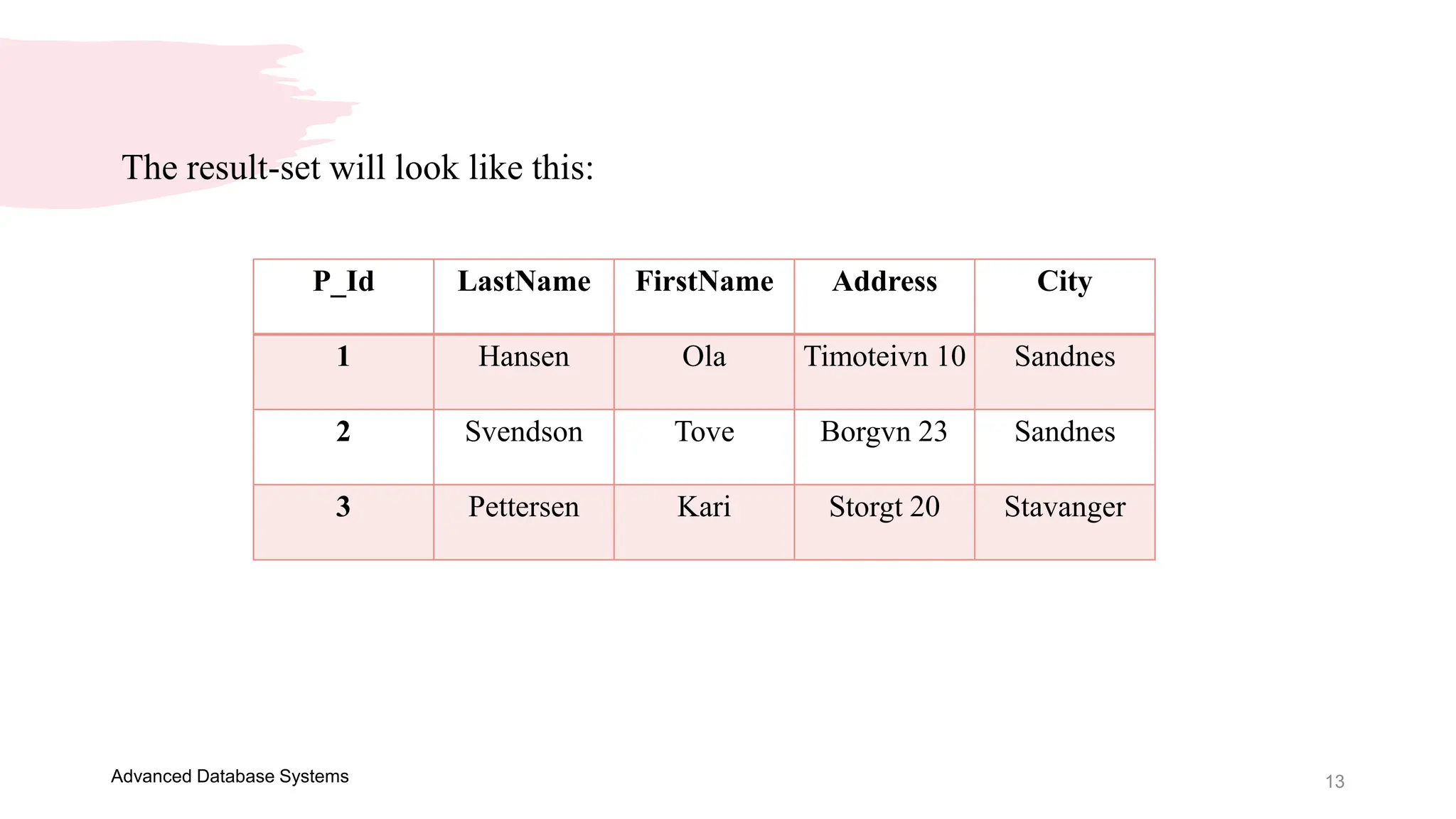
The result-set will look like this:
P_Id LastName FirstName Address City
1 Hansen Ola Timoteivn 10 Sandnes
2 Svendson Tove Borgvn 23 Sandnes
3 Pettersen Kari Storgt 20 Stavanger
14
Advanced Database Systems
SQL SELECT DISTINCT Statement
In a table, some of the columns may contain duplicate values. This is
not a problem, however, sometimes you will want to list only the
different (distinct) values in a table.
The DISTINCT keyword can be used to return only distinct (different)
values.
15
Advanced Database Systems
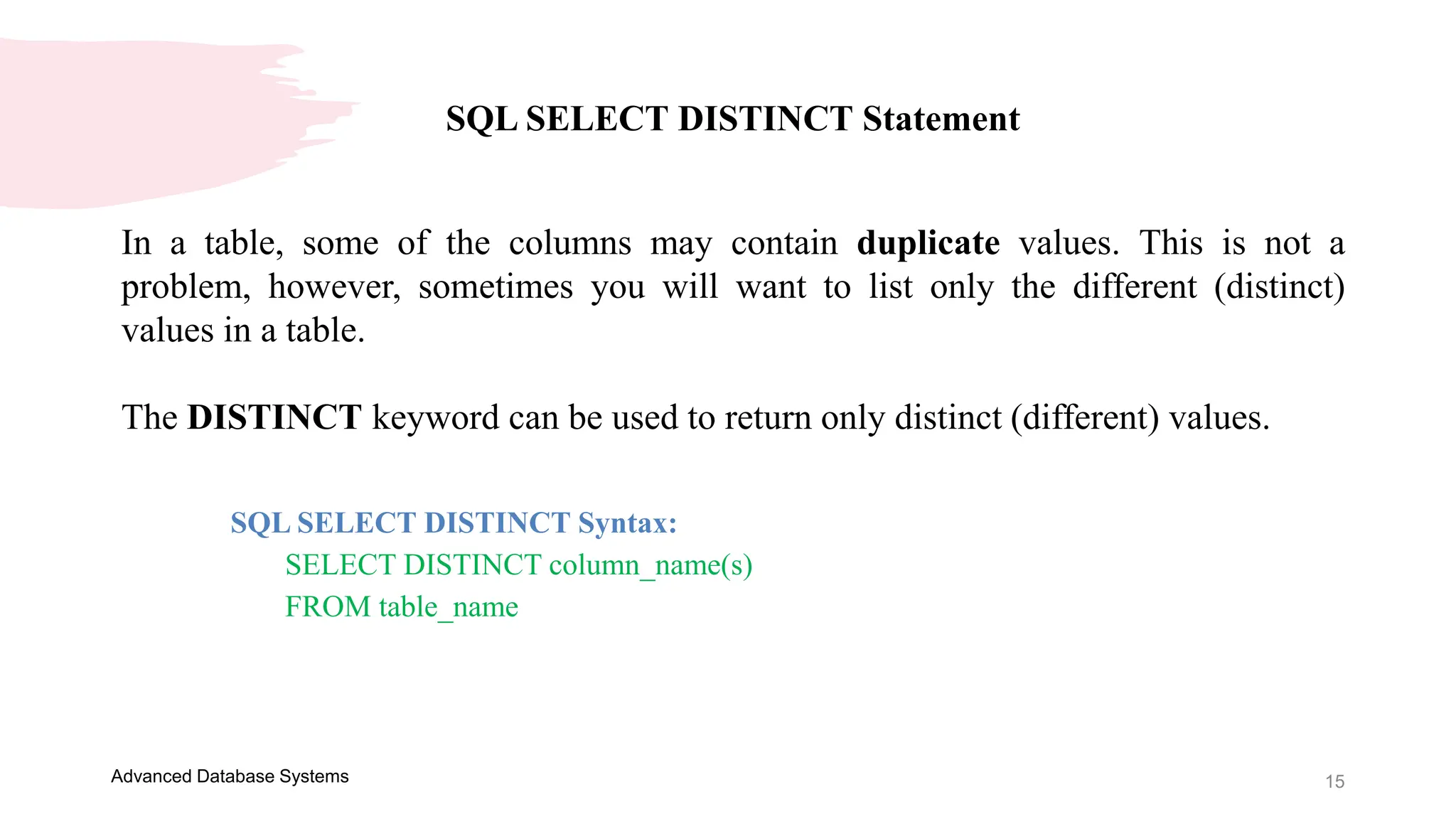
SQL SELECT DISTINCT Statement
In a table, some of the columns may contain duplicate values. This is not a
problem, however, sometimes you will want to list only the different (distinct)
values in a table.
The DISTINCT keyword can be used to return only distinct (different) values.
SQL SELECT DISTINCT Syntax:
SELECT DISTINCT column_name(s)
FROM table_name
16
Advanced Database Systems
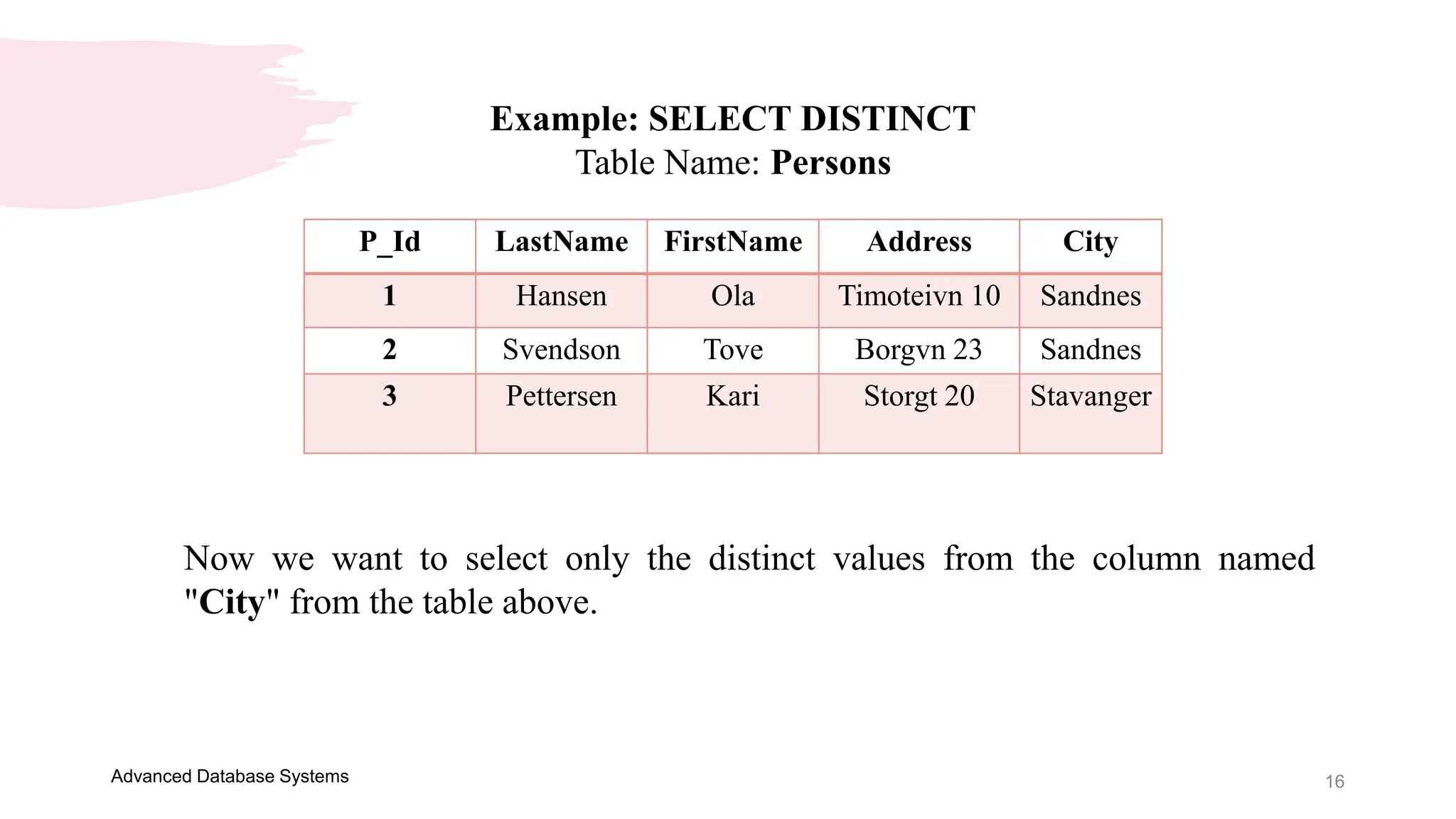
Example: SELECT DISTINCT
Table Name: Persons
P_Id LastName FirstName Address City
1 Hansen Ola Timoteivn 10 Sandnes
2 Svendson Tove Borgvn 23 Sandnes
3 Pettersen Kari Storgt 20 Stavanger
Now we want to select only the distinct values from the column named
"City" from the table above.
17
Advanced Database Systems
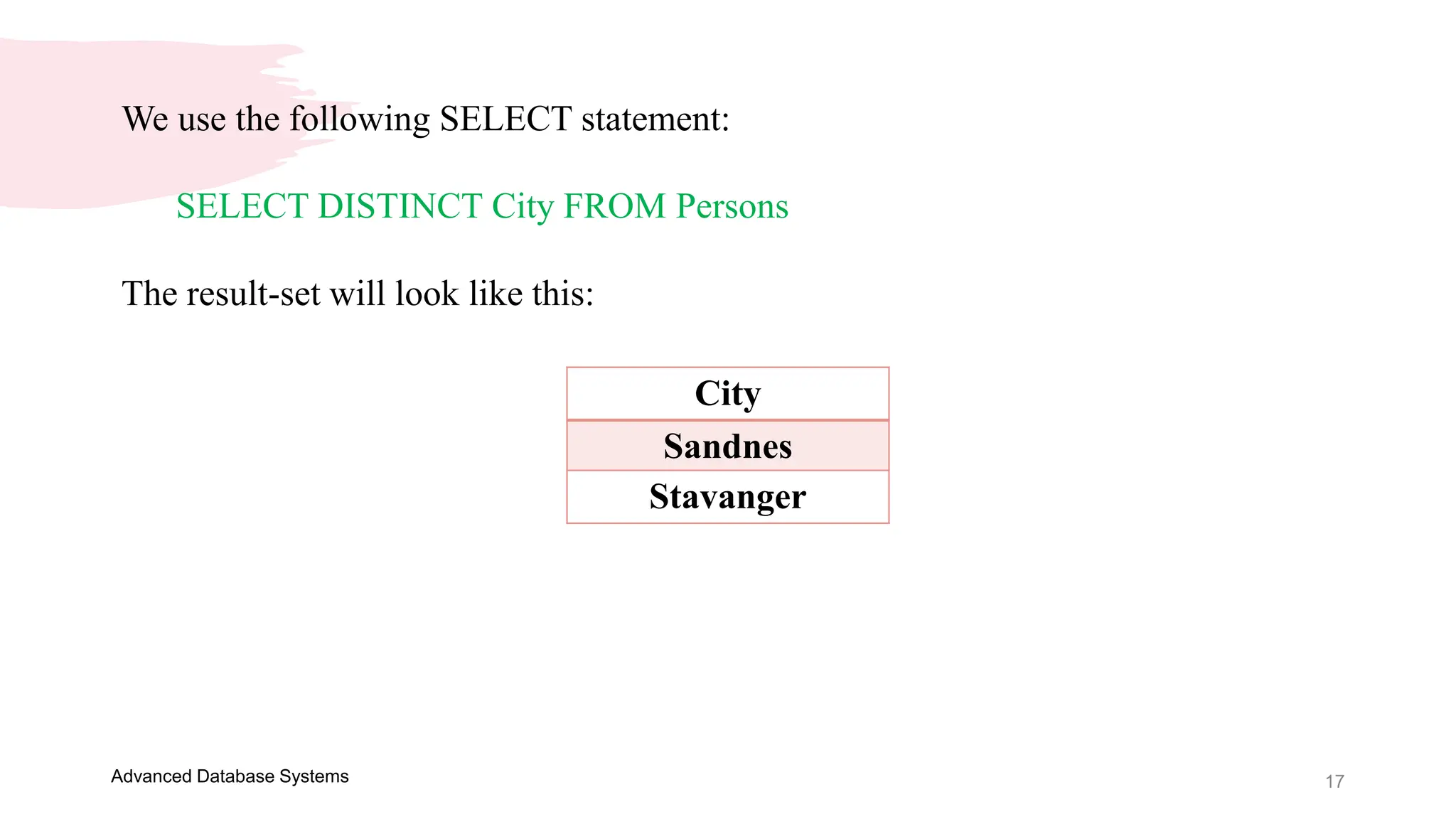
We use the following SELECT statement:
SELECT DISTINCT City FROM Persons
The result-set will look like this:
City
Sandnes
Stavanger
18
Advanced Database Systems
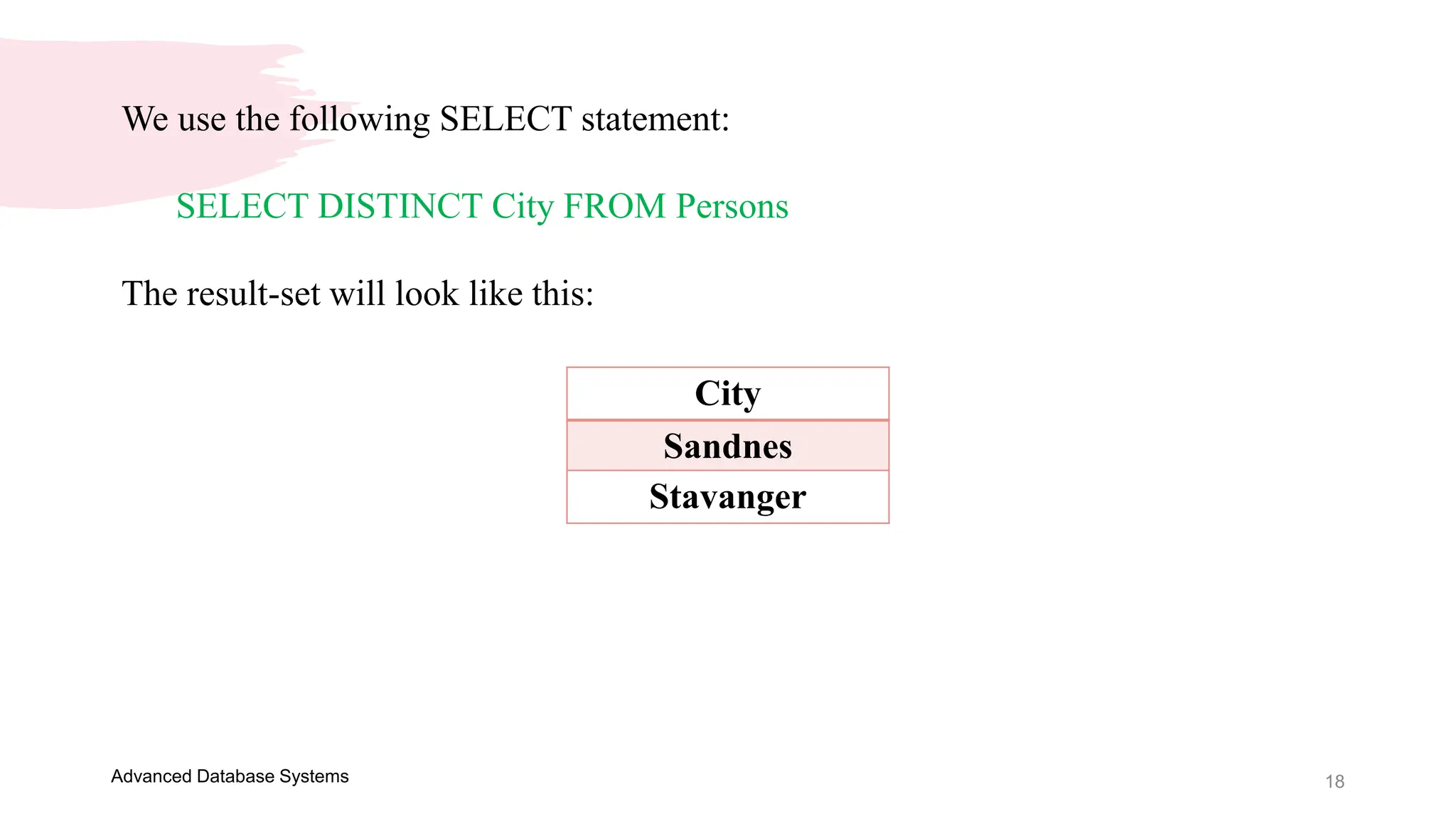
We use the following SELECT statement:
SELECT DISTINCT City FROM Persons
The result-set will look like this:
City
Sandnes
Stavanger
Thank you
Presenter name: Ellen Grace D. Porras
Email address: egporras@psu.palawan.edu.ph
This Photo by Unknown Author is licensed under CC BY-SA-NC

Advanced Database Systems - Presentation 2.pptx

  • 1.
  • 2.
    OVERVIEW Welcome to thefirst module of this course on the Advanced Database Systems! Understanding of SQL and its capabilities for querying a single table a prerequisite. In this subject, you will learn how to retrieve data from multiple tables using one SQL statement. You will see how tables can be joined together and how similar results are obtained using different approaches, including the joints and sub queries. It is important that you understand how to query multiple tables for generating appropriate reports in the creation of an information system. Advanced Database Systems
  • 3.
    SQL Statements 3 Most of theactions you need to perform on a database are done with SQL statements. The following SQL statement will select all the records in the "Persons" table: SELECT * FROM Persons Advanced Database Systems
  • 4.
    Semicolon after SQLStatements? 4 Some database systems require a semicolon at the end of each SQL statement. Semicolon is the standard way to separate each SQL statement in database systems that allow more than one SQL statement to be executed in the same call to the server. Advanced Database Systems
  • 5.
    5 Advanced Database Systems SQLcan be divided into two parts: The Data Manipulation Language (DML) and the Data Definition Language (DDL). SQL DML and DDL
  • 6.
    6 Advanced Database Systems TheDDL part of SQL permits database tables to be created or deleted. It also defines indexes (keys), specifies links between tables, and imposes constraints between tables. The most important DDL statements in SQL are:  CREATE DATABASE - creates a new database  ALTER DATABASE - modifies a database  CREATE TABLE - creates a new table DDL - Data Definition Language:
  • 7.
    7 Advanced Database Systems ALTER TABLE - modifies a table  DROP TABLE - deletes a table  CREATE INDEX - creates an index (search key)  DROP INDEX - deletes an index
  • 8.
    8 Advanced Database Systems DML- Data Manipulation Language: The query and update commands form the DML part of SQL:  SELECT - extracts data from a database  UPDATE - updates data in a database  DELETE - deletes data from a database  INSERT INTO - inserts new data into a database
  • 9.
    9 Advanced Database Systems SQLSELECT Statement The SELECT statement is used to select data from a database. The result is stored in a result table, called the result-set. SQL SELECT Syntax: SELECT column_name(s) FROM table_name And SELECT * FROM table_name Note: SQL is not case sensitive. SELECT is the same as select.
  • 10.
    10 Advanced Database Systems Example:SELECT Table Name: Persons P_Id LastName FirstName Address City 1 Hansen Ola Timoteivn 10 Sandnes 2 Svendson Tove Borgvn 23 Sandnes 3 Pettersen Kari Storgt 20 Stavanger Now we want to select the content of the columns named "LastName" and "FirstName" from the table above. We use the following SELECT statement: SELECT LastName, FirstName FROM Persons
  • 11.
    11 Advanced Database Systems Theresult-set will look like this: LastName FirstName Hansen Ola Svendson Tove Pettersen Kari
  • 12.
    12 Advanced Database Systems Example:SELECT * Now we want to select all the columns from the "Persons" table. We use the following SELECT statement: SELECT * FROM Persons Or SELECT * FROM Persons Tip: The asterisk (*) is a quick way of selecting all columns!
  • 13.
    13 Advanced Database Systems Theresult-set will look like this: P_Id LastName FirstName Address City 1 Hansen Ola Timoteivn 10 Sandnes 2 Svendson Tove Borgvn 23 Sandnes 3 Pettersen Kari Storgt 20 Stavanger
  • 14.
    14 Advanced Database Systems SQLSELECT DISTINCT Statement In a table, some of the columns may contain duplicate values. This is not a problem, however, sometimes you will want to list only the different (distinct) values in a table. The DISTINCT keyword can be used to return only distinct (different) values.
  • 15.
    15 Advanced Database Systems SQLSELECT DISTINCT Statement In a table, some of the columns may contain duplicate values. This is not a problem, however, sometimes you will want to list only the different (distinct) values in a table. The DISTINCT keyword can be used to return only distinct (different) values. SQL SELECT DISTINCT Syntax: SELECT DISTINCT column_name(s) FROM table_name
  • 16.
    16 Advanced Database Systems Example:SELECT DISTINCT Table Name: Persons P_Id LastName FirstName Address City 1 Hansen Ola Timoteivn 10 Sandnes 2 Svendson Tove Borgvn 23 Sandnes 3 Pettersen Kari Storgt 20 Stavanger Now we want to select only the distinct values from the column named "City" from the table above.
  • 17.
    17 Advanced Database Systems Weuse the following SELECT statement: SELECT DISTINCT City FROM Persons The result-set will look like this: City Sandnes Stavanger
  • 18.
    18 Advanced Database Systems Weuse the following SELECT statement: SELECT DISTINCT City FROM Persons The result-set will look like this: City Sandnes Stavanger
  • 19.
    Thank you Presenter name:Ellen Grace D. Porras Email address: egporras@psu.palawan.edu.ph This Photo by Unknown Author is licensed under CC BY-SA-NC