
A Crash Course
On Technical SEO
Our Speaker Tonight
Patrick Stox
Technical SEO at IBM
On Page
The main thing is content
But since this is technical
SEO:
● Title
● Meta Description
● Headings
● Images
● URL
Most of these should align with
the content and what the page is
about.
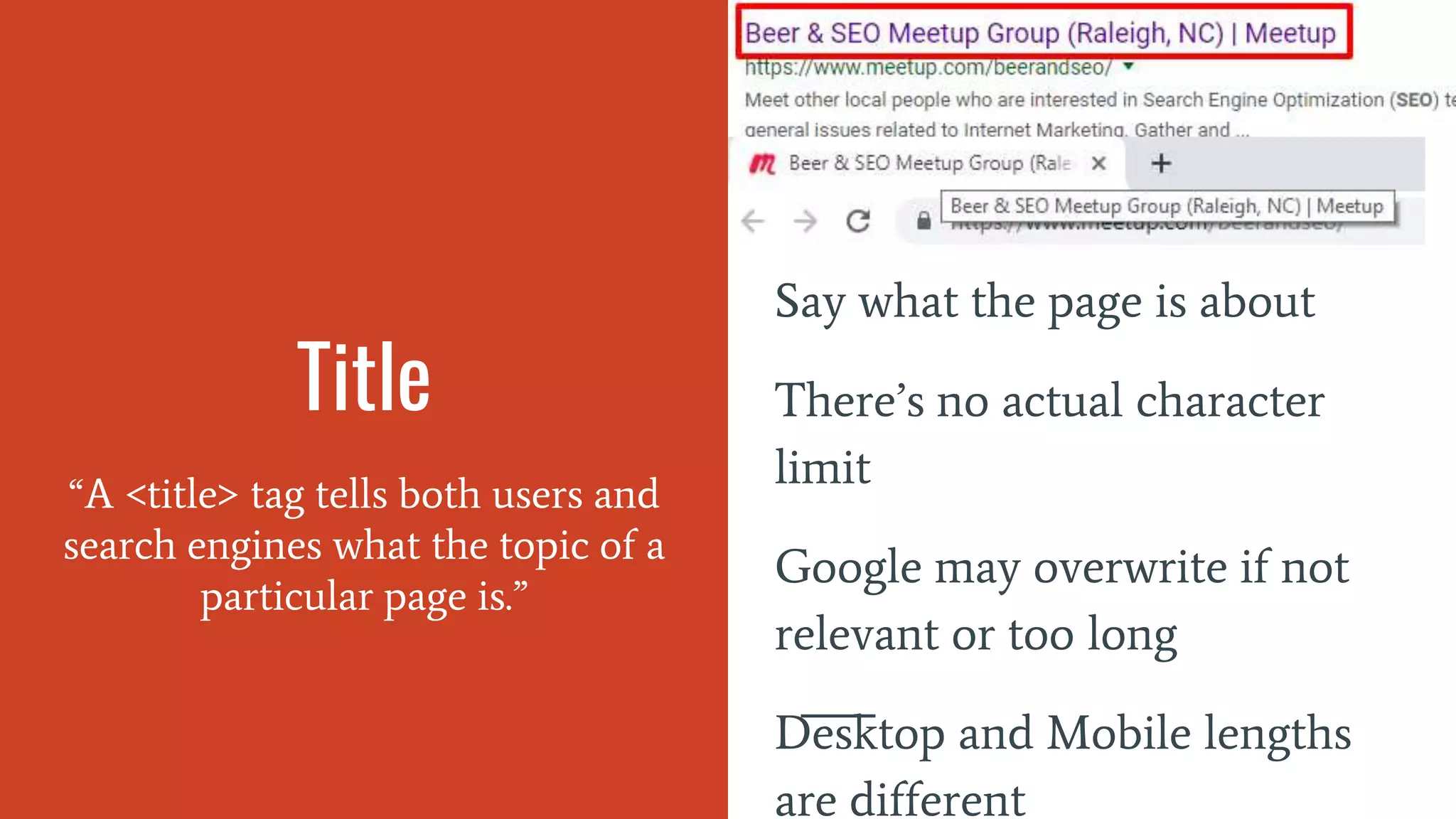
Title
“A <title> tag tells both users and
search engines what the topic of a
particular page is.”
Say what the page is about
There’s no actual character
limit
Google may overwrite if not
relevant or too long
Desktop and Mobile lengths
are different
Don’t do this:
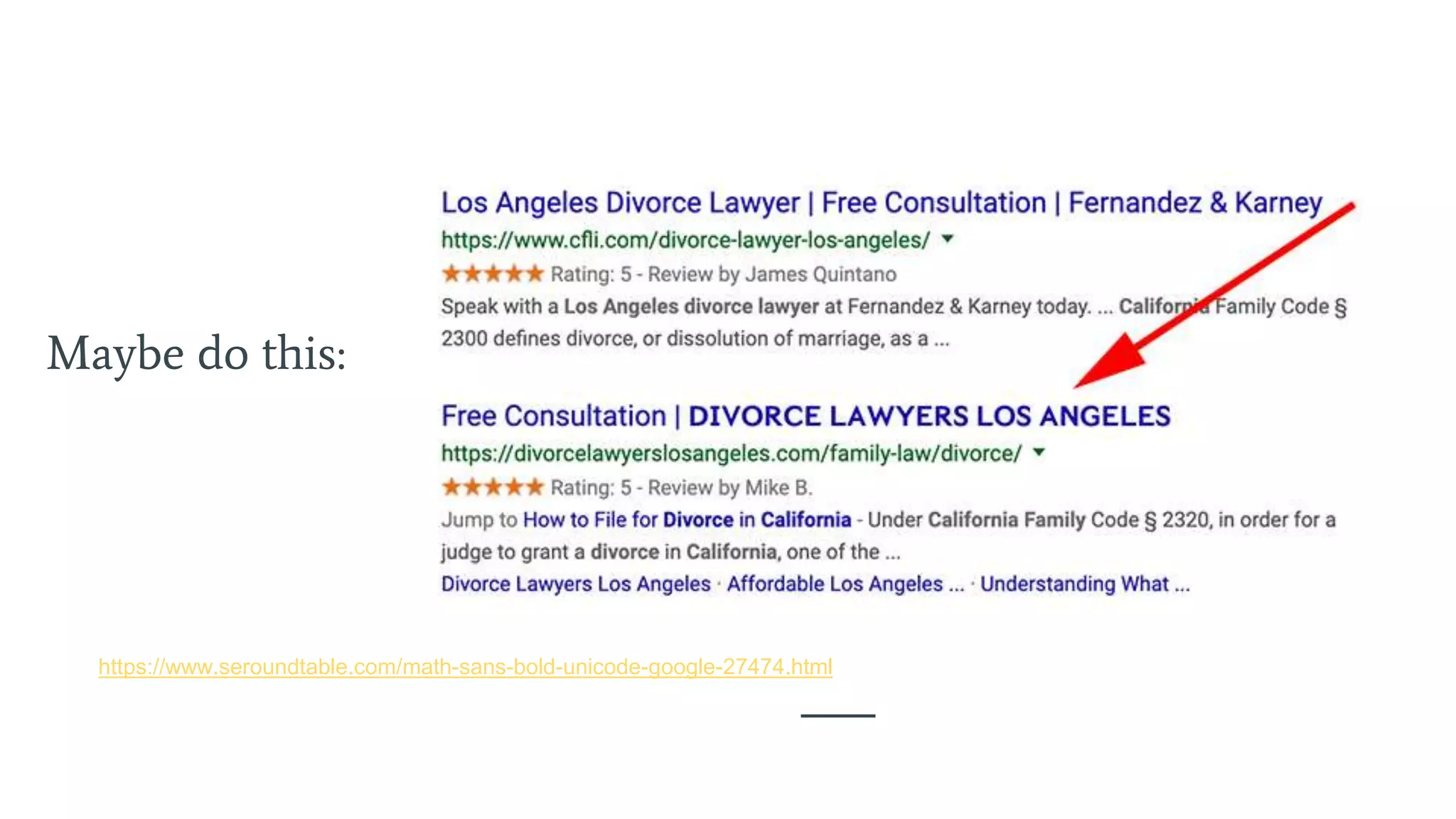
Maybe do this:
https://www.seroundtable.com/math-sans-bold-unicode-google-27474.html
Meta Description
“A page's description meta tag
gives Google and other search
engines a summary of what the
page is about.”
Not a ranking factor
Google can ignore this one
too and write you a new one
No real limit on this either
Chance to sell yourself or
fulfill their needs
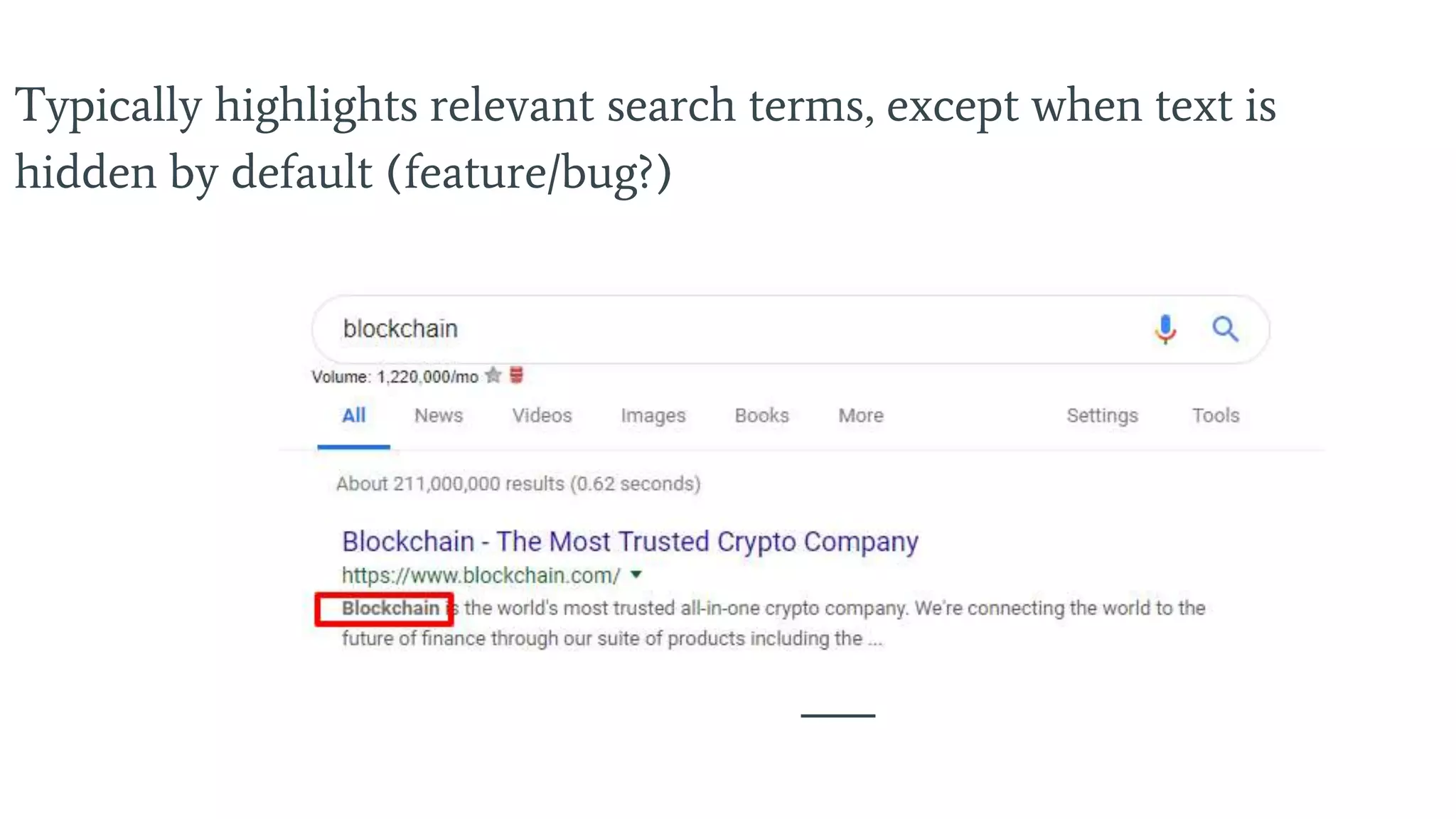
Typically highlights relevant search terms, except when text is
hidden by default (feature/bug?)
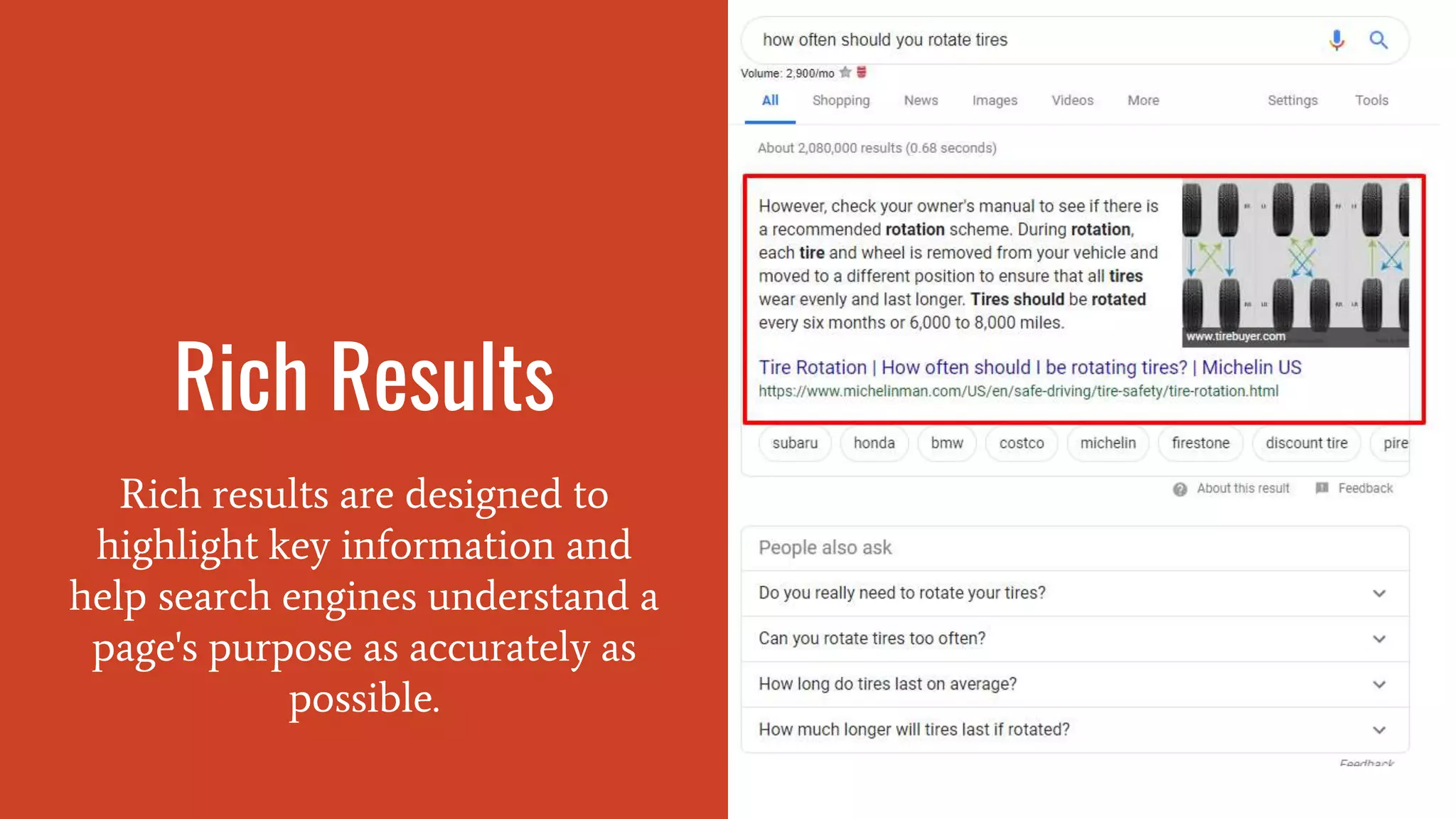
Rich Results
Rich results are designed to
highlight key information and
help search engines understand a
page's purpose as accurately as
possible.
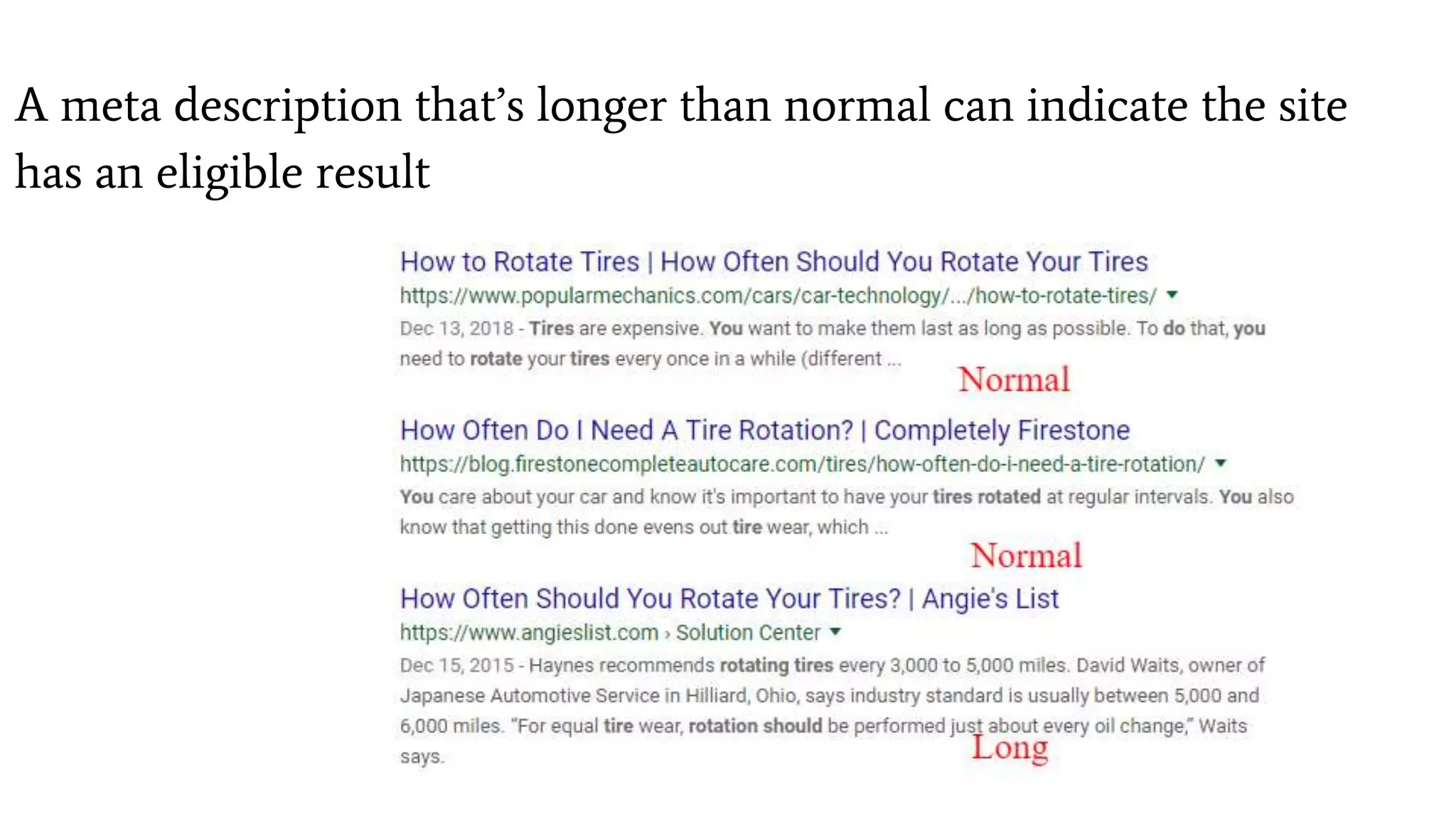
A meta description that’s longer than normal can indicate the site
has an eligible result
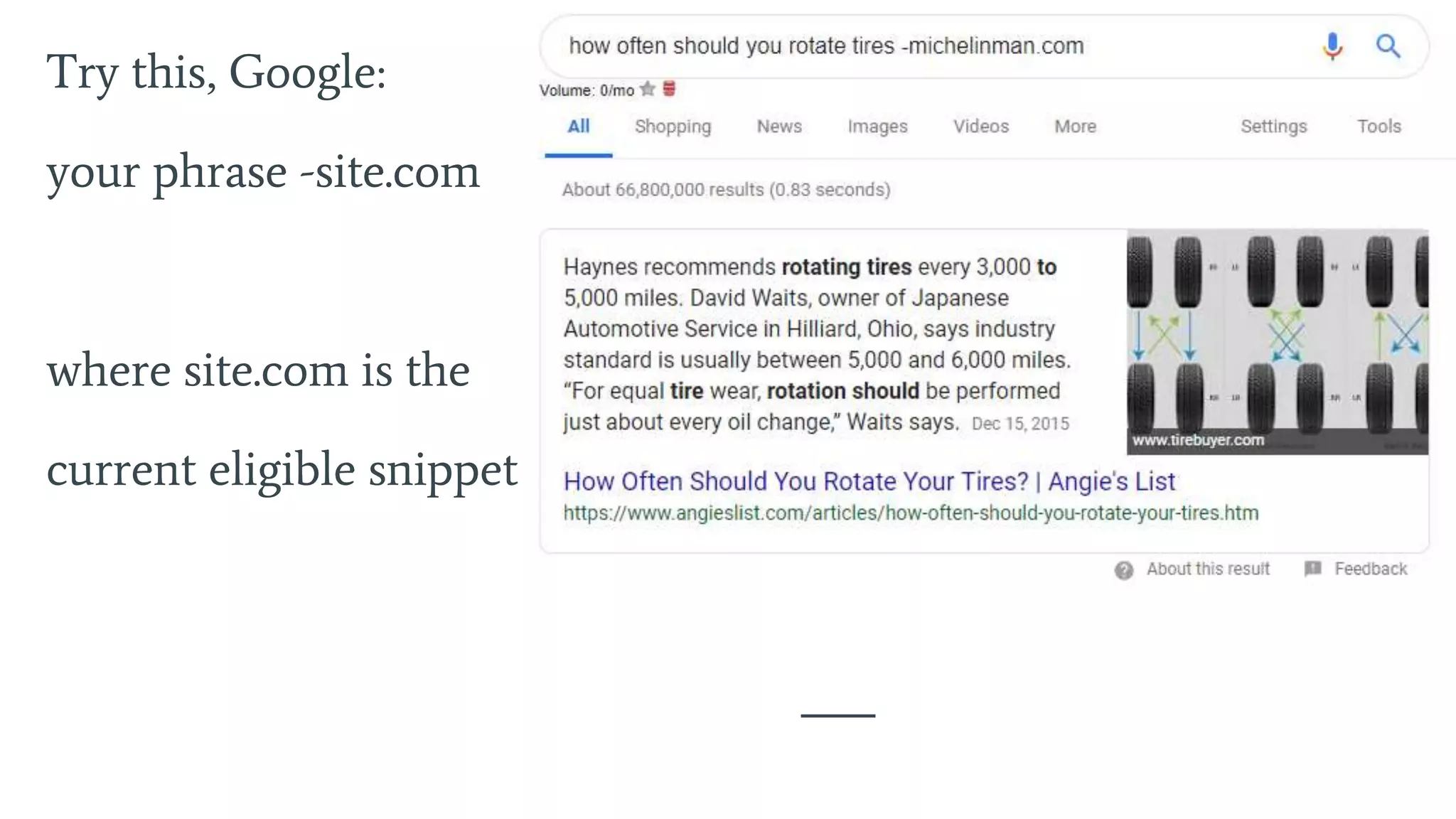
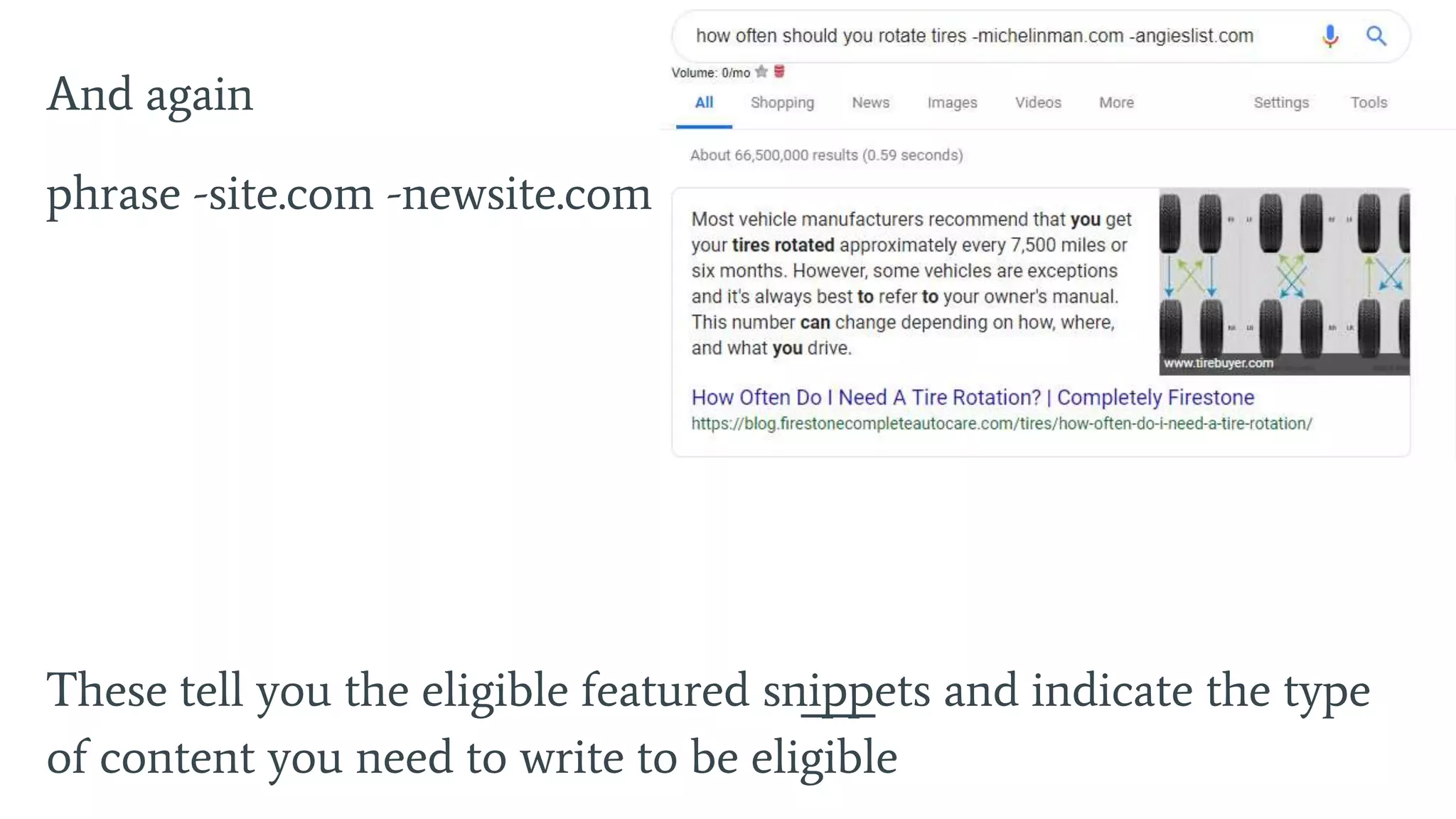
Try this, Google:
your phrase -site.com
where site.com is the
current eligible snippet
And again
phrase -site.com -newsite.com
These tell you the eligible featured snippets and indicate the type
of content you need to write to be eligible
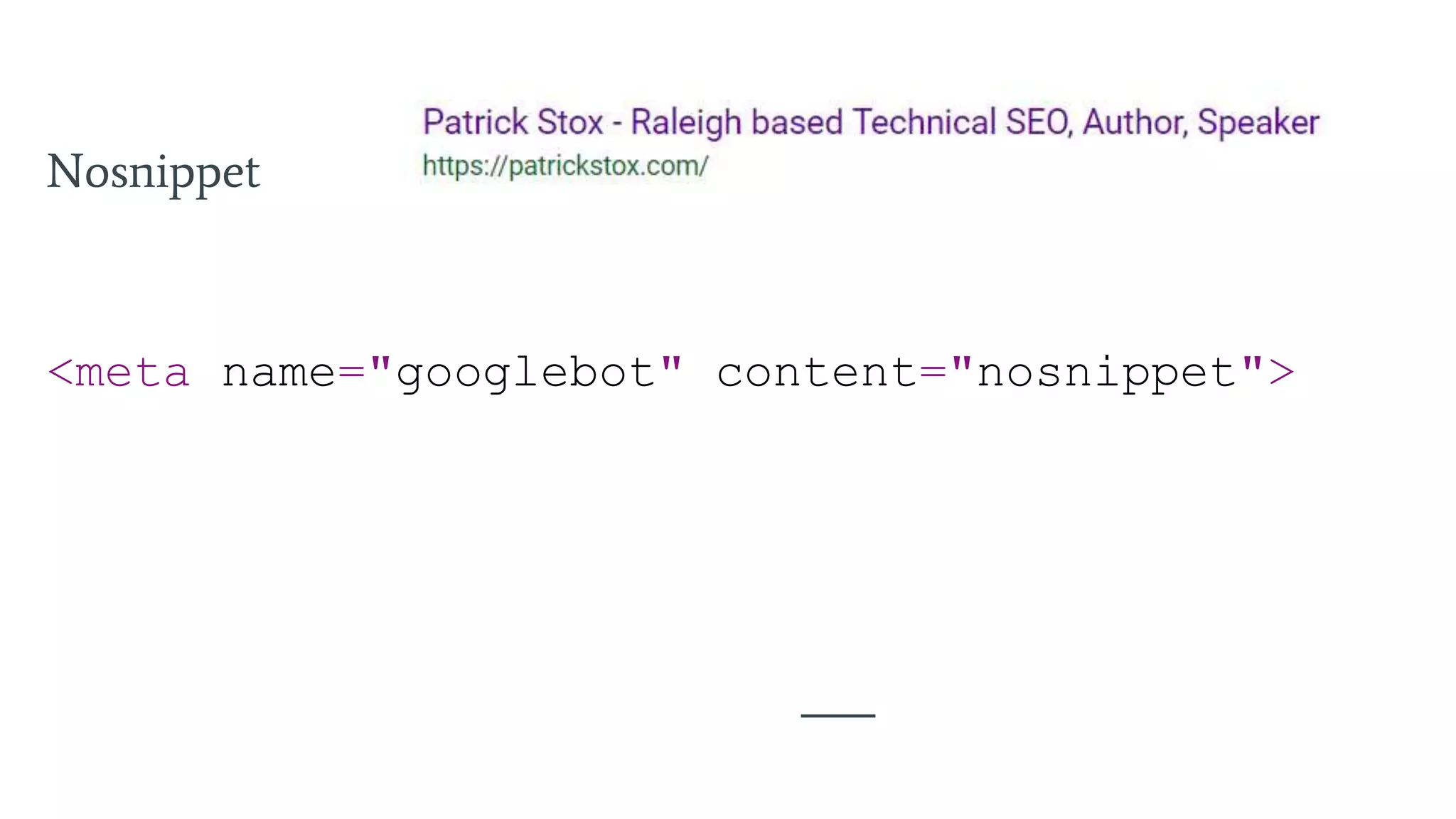
Nosnippet
<meta name="googlebot" content="nosnippet">
Headings
H1 > H6
Break up content into a structure
and allow for easier skimming of
sections
Order doesn’t matter, can
use h1 after h2
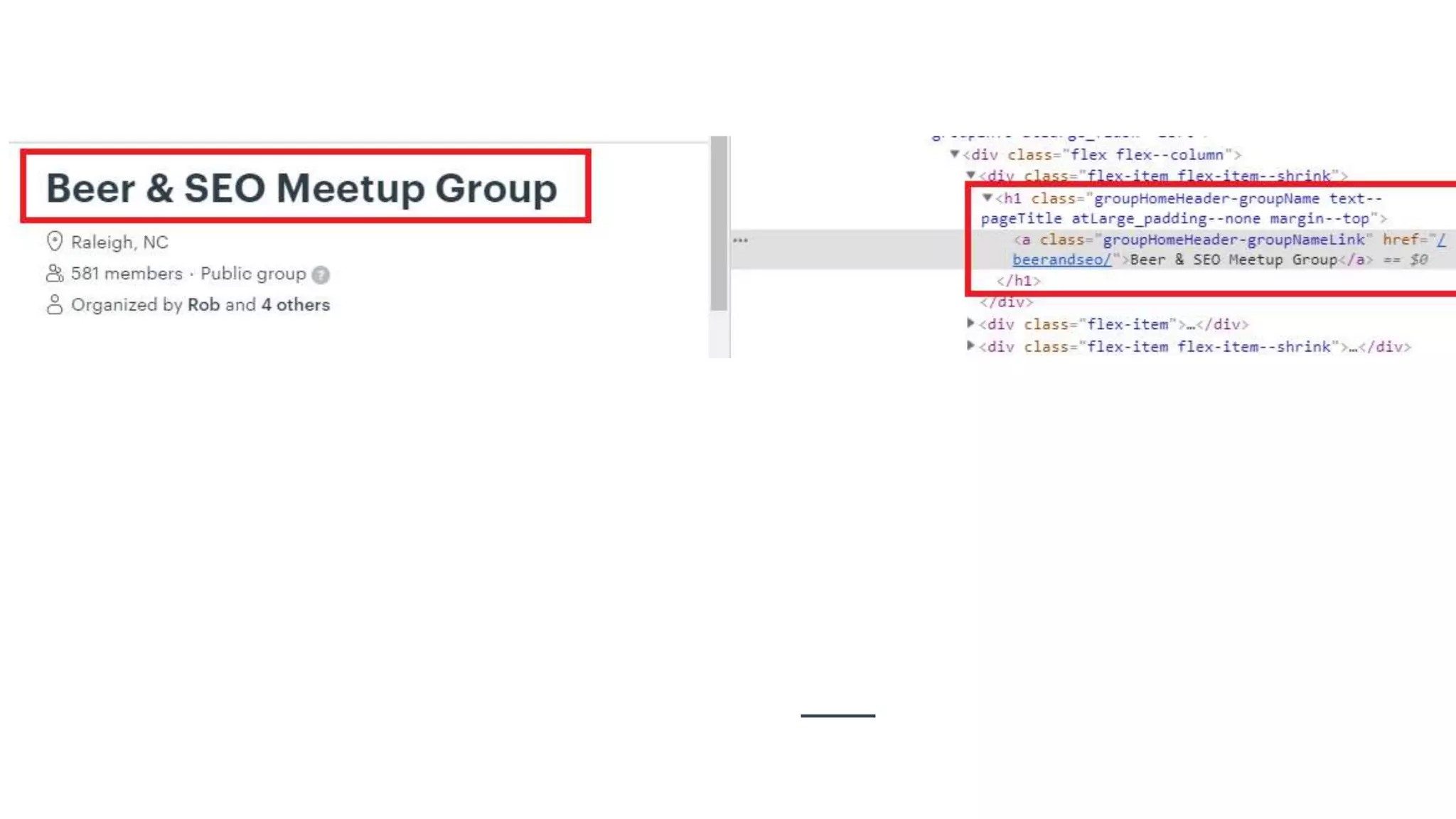
Can use multiple h1 tags
Can use h2 or h3 as the
highest, it’s okay really
Describe the section
Makes pages skimmable
Images
Google has a real focus on images
at the moment
The image index is separate
from the index for pages
Allow crawling of images
Have an image sitemap
If you have a lot of good
images, opening up
copyright to allow people to
use the images with
attribution = links!
What Matters For
Image Optimization
Text around the image
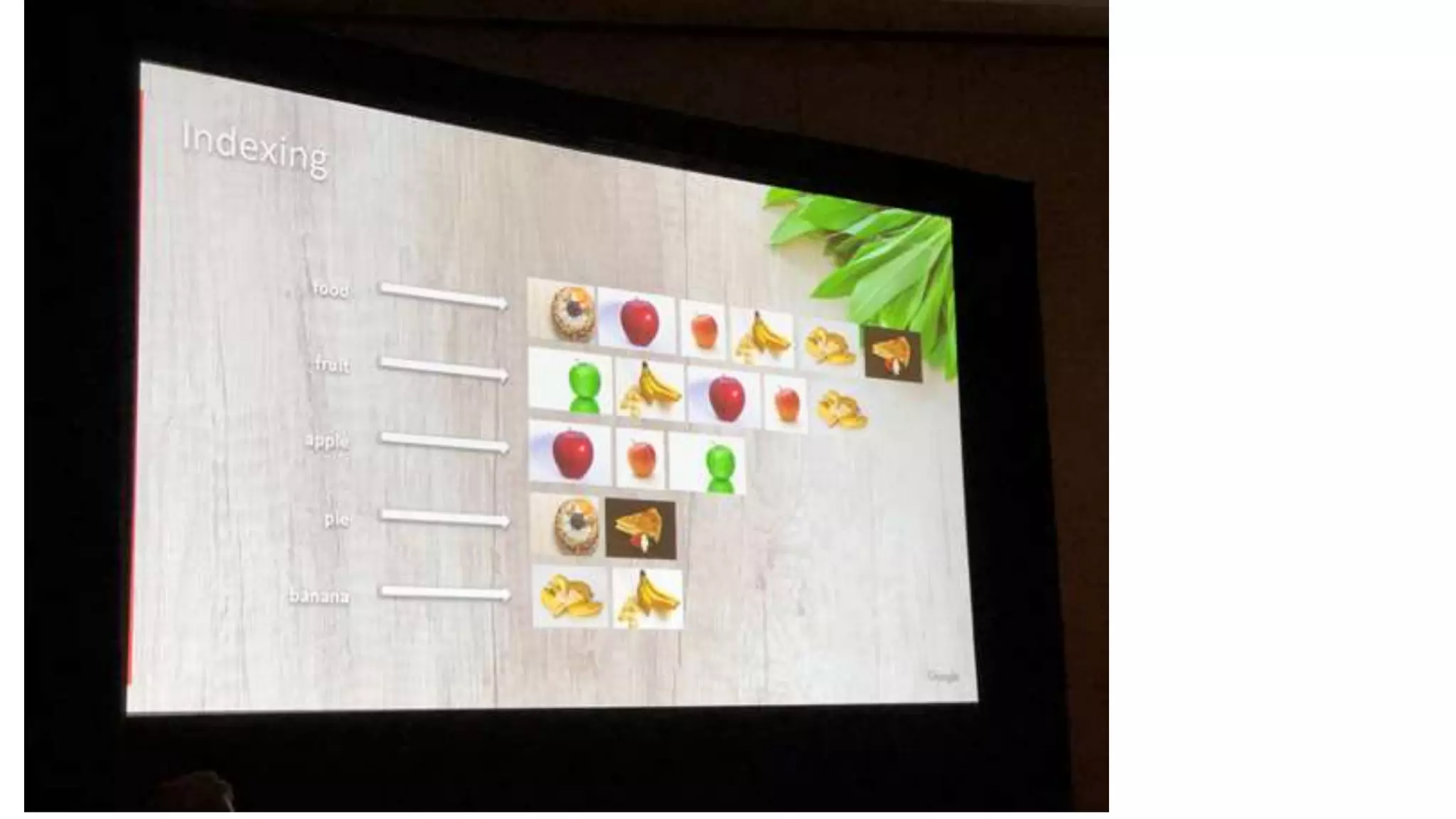
Content of the image
Image name (minimal
impact)
Alt attribute
Webpage title + description
SEOs have a lot of
debates around
image best
practices, mine are:
You can’t use an alt
attribute on a background
image
You shouldn’t use an alt
attribute for an irrelevant
image or one used for
spacing
You shouldn’t add your
keyword if the image is not
relevant
URL
The address of a web page, i.e.
https://patrickstox.com
Mainly used as an identifier
Keywords in URL are a tiny
ranking factor
Up to 2083 characters (IE
cutoff)
Structure matters for
discovery/crawling but not
ranking
Keep URL structures sensible and logical.
The structure can change Internal linking (links from one page
on your site to another) which can impact results
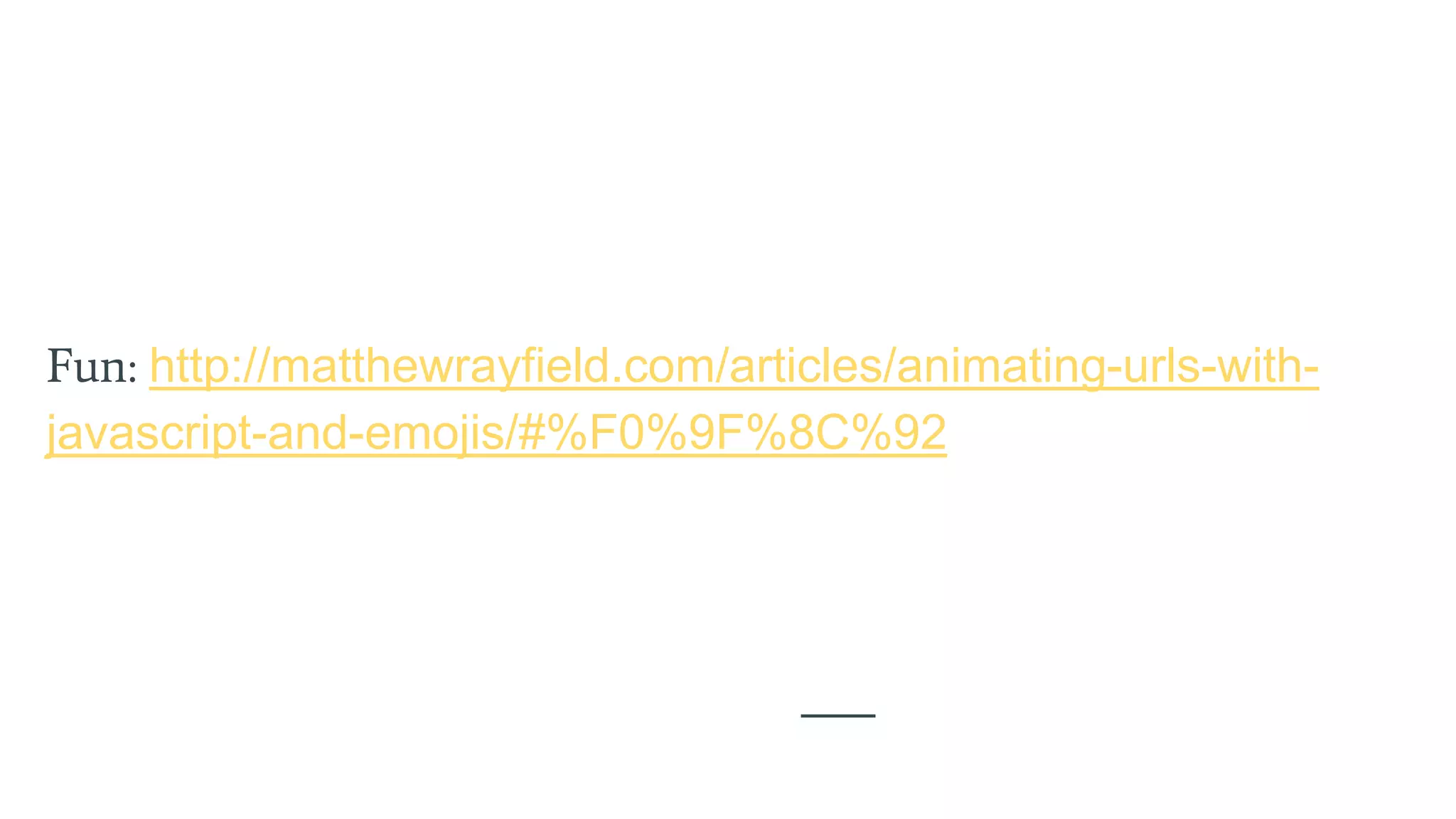
Fun: http://matthewrayfield.com/articles/animating-urls-with-
javascript-and-emojis/#%F0%9F%8C%92
Most Important For
Ranking
This is how I’d order them
Is a page indexed, how is it
indexed
Content
Links
•Is it indexed, how is it indexed
•How are signals consolidated (content, internal and external links, redirects). Fewer, stronger
pages
•Content (talk about the right things, the things people are searching for, the things top pages are
ranking for, the things top pages are talking about, expand to domain/topic level opportunities,
what’s driving value to competitors) Every person, every time
•Intent – to me this is as simple as match popular search terms. Google tries to show a mix
(fractured intent) of popular searches in their results and generally top pages talk about what
people search for. Meet user needs and fulfill your promises
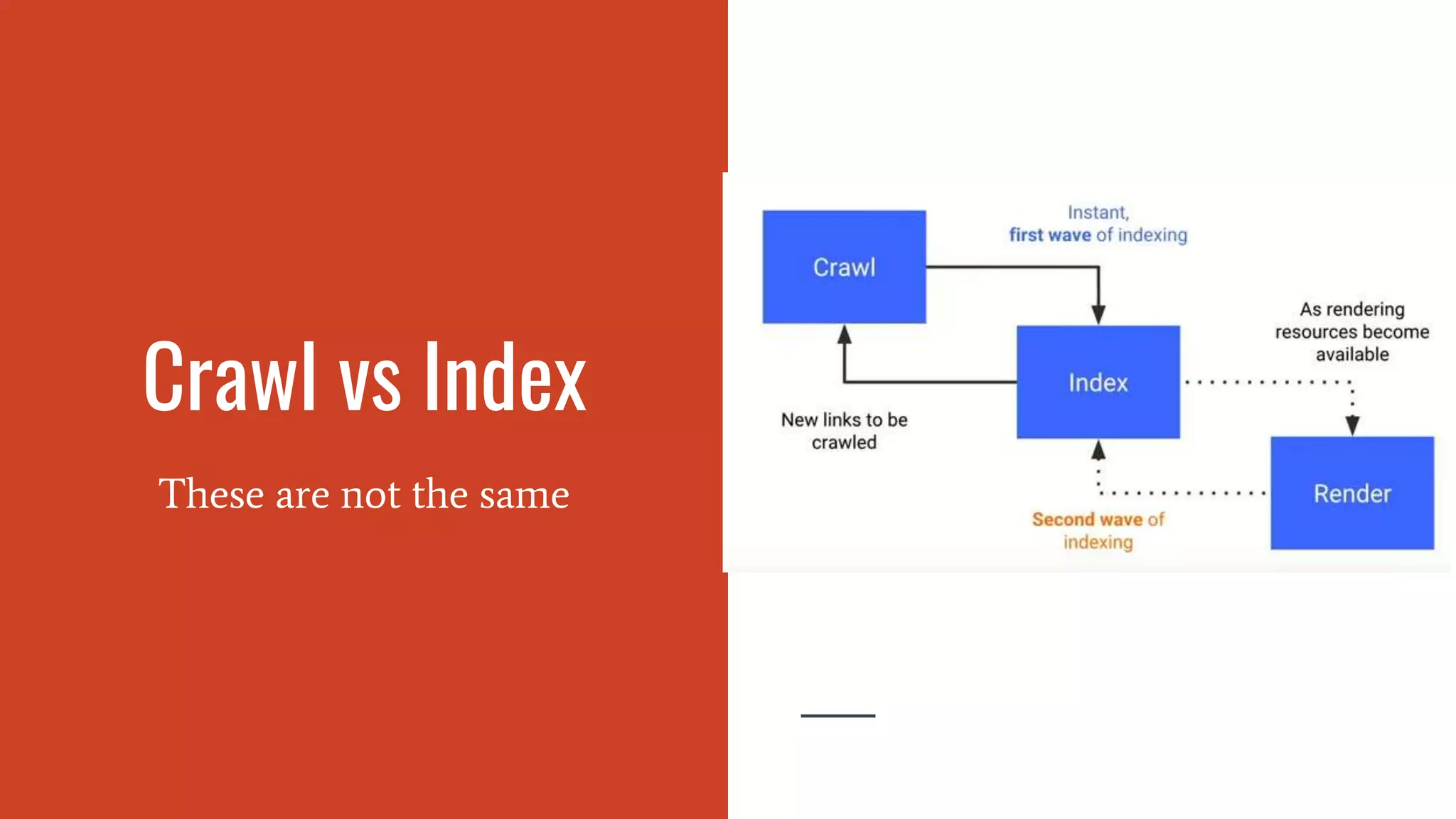
Crawl vs Index
These are not the same
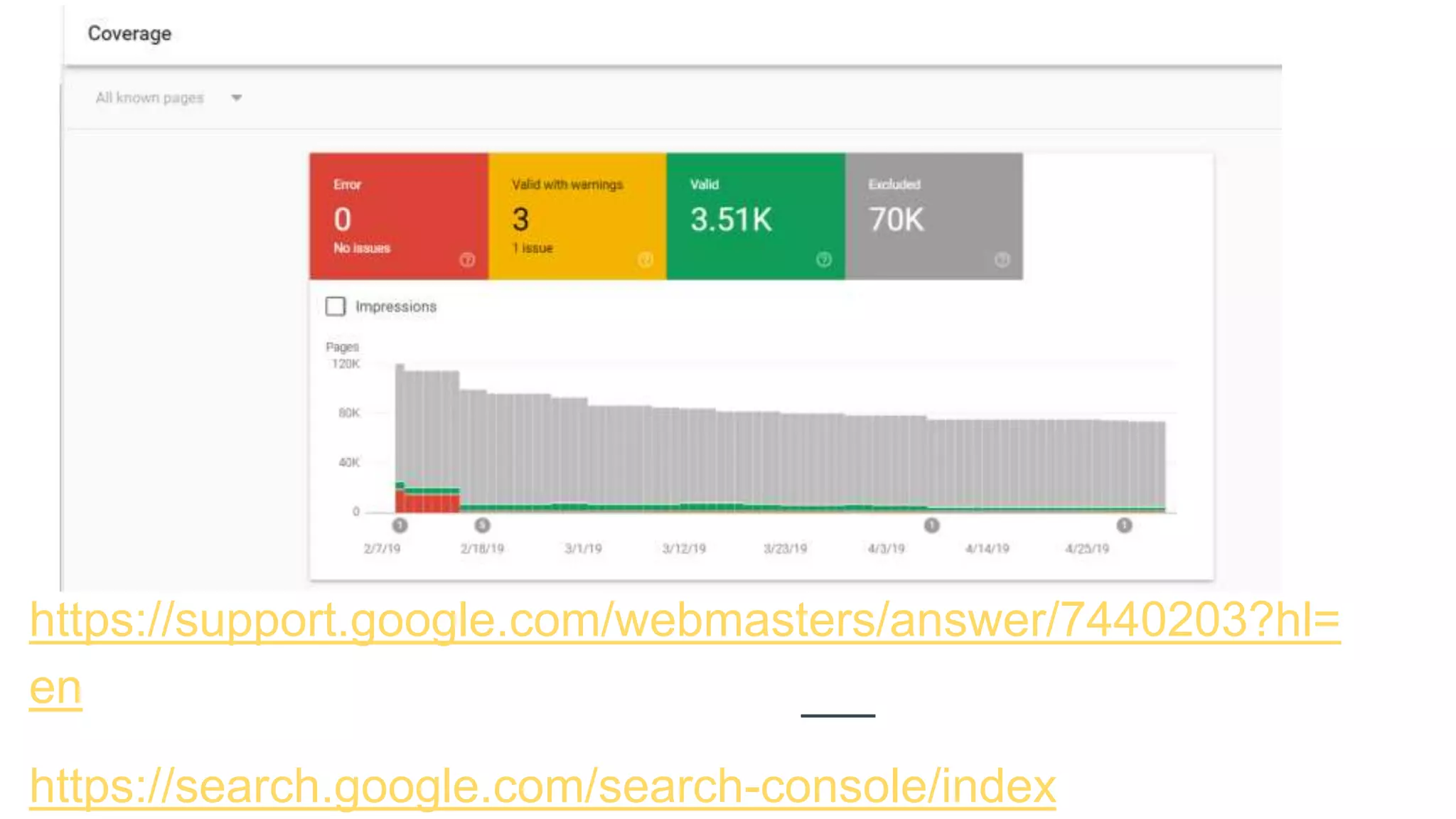
https://support.google.com/webmasters/answer/7440203?hl=
en
https://search.google.com/search-console/index
Search Engines are
Constantly
Crawling the Web
Googlebot
Bingbot
They find pages by following links,
through sitemaps, submissions
(Google Search Console, Mobile
Friendly Test), Indexing API
Crawl budget = # of pages they’ll
crawl on your site, but note they
prioritize them based on a lot of
things like how often the pages
update and how strong the pages are
Googlebot
Uses a long viewport 431x731, 12,140
pixels high for mobile and 768/1024
9,307 pixels high for desktop
https://codeseo.io/console-log-
hacking-for-googlebot/
Is being updated to current Chrome
Heavily caches files
Runs with a sped up clock
Robots.txt
Tells crawlers where they can and
can’t go
Multiple robots.txt files may
need to be looked at when
troubleshooting. Each domain
and subdomain can have it’s
own.
Max size is 500 KB
You can search archive.org for
older versions of robots.txt files
Blocking things causes lots of
issues with canonicalization
User-agent — specifies which robot.
Disallow — suggests the robots not crawl this area.
Allow — allows robots to crawl this area.
Crawl-delay — tells robots to wait a certain number of
seconds before continuing the crawl.
Sitemap — specifies the sitemap location.
Noindex — tells Google to remove pages from the index.
(Not officially supported)
# — comments out a line so it will not be read.
* — match any text.
$ — the URL must end here.
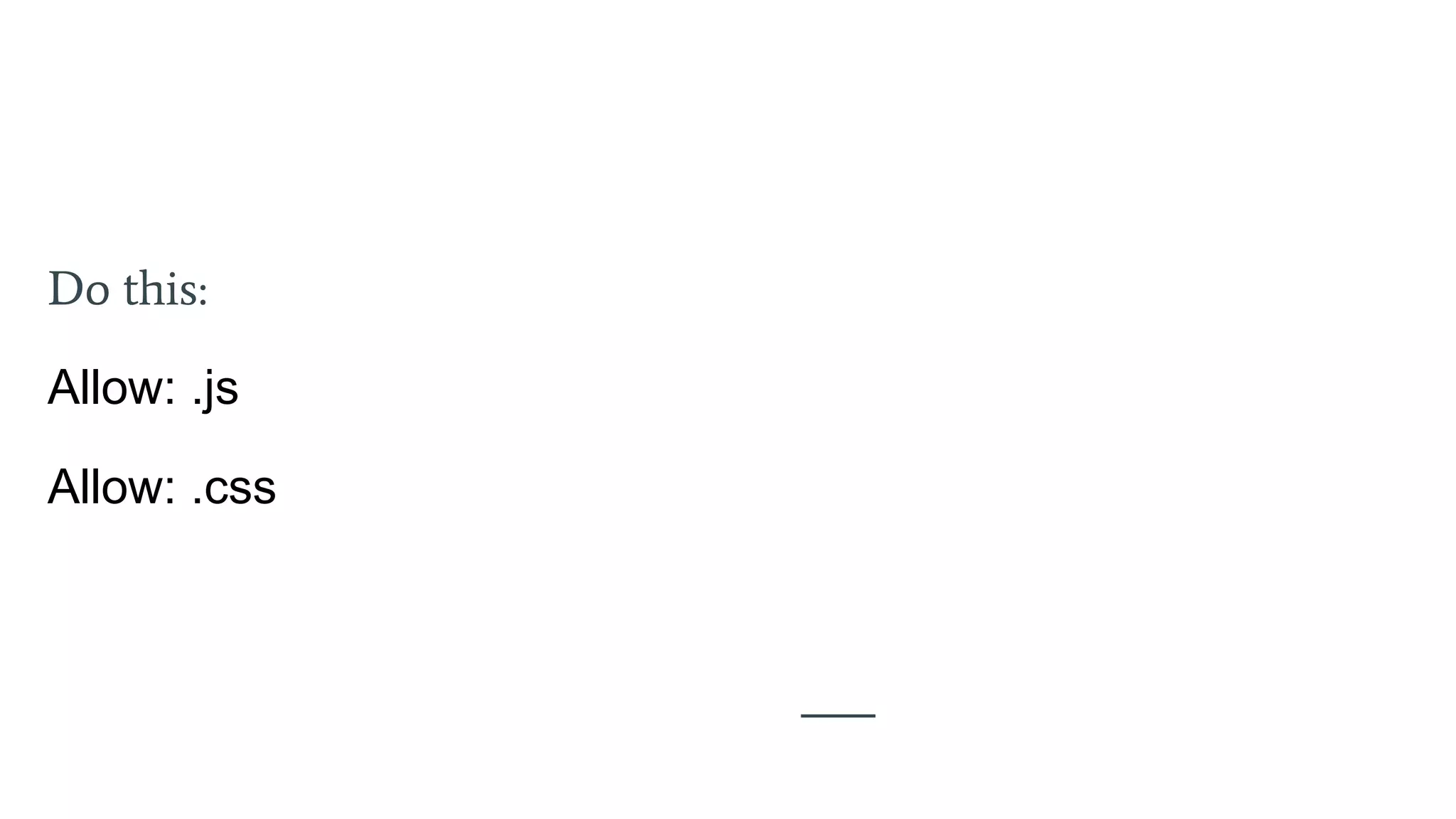
Do this:
Allow: .js
Allow: .css
Sitemap
“A sitemap is a file where you
provide information about the
pages, videos, and other files on
your site, and the relationships
between them. Search engines like
Google read this file to more
intelligently crawl your site.”
Not Required
Manually run sitemaps are almost
impossible to maintain
Most common is xml, but can be txt
Can be cross-domain if both sites
verified in GSC
Limit 50MB (uncompressed) and
50,000 URLs, can create a sitemap
index (file that points to other
sitemaps) if more are needed
Pages, video, images, news
Sitemap 2
“A sitemap is a file where you
provide information about the
pages, videos, and other files on
your site, and the relationships
between them. Search engines like
Google read this file to more
intelligently crawl your site.”
Used as a canonicalization
signal
Should be only resolved
URLs
Can include hreflang here
(internationalization)
Can filter to see how pages
are being treated in the
Index Coverage report in
Google Search Console
Indexing APIs
API to notifiy search engines of
updates, may replace sitemaps in
the future
https://developers.google.c
om/search/apis/indexing-
api/v3/quickstart
https://www.bing.com/web
master/help/submit-urls-to-
bing-62f2860a
Robots Directive
Controls crawling, indexing, and
some more items
Good bots will listen to these
Can be in the <head> section or the
the server response headers in the
request
<meta name="googlebot"
content="noindex" />
X-Robots-Tag: noindex
Google will take the most restrictive
setting
all There are no restrictions for indexing or serving. Note: this directive is the
default value and has no effect if explicitly listed.
noindex Do not show this page in search results and do not show a "Cached" link in
search results.
nofollow Do not follow the links on this page.
none Equivalent to noindex, nofollow.
noarchive Do not show a "Cached" link in search results.
nosnippet Do not show a text snippet or video preview in the search results for this
page. A static thumbnail (if available) will still be visible.
notranslate Do not offer translation of this page in search results.
noimageindex Do not index images on this page.
unavailable_after: [RFC-850 date/time] Do not show this page in search results after the specified date/time. The
date/time must be specified in the RFC 850 format.
Conflicting Signals
A page can that’s marked noindex
but is blocked by robots.txt can be
indexed
Lots of different signals add up and
sometimes search engines have to
make a decision. Some things for
them are directives and others are
more like suggestions. They will
typically lean towards more
restrictive statements.
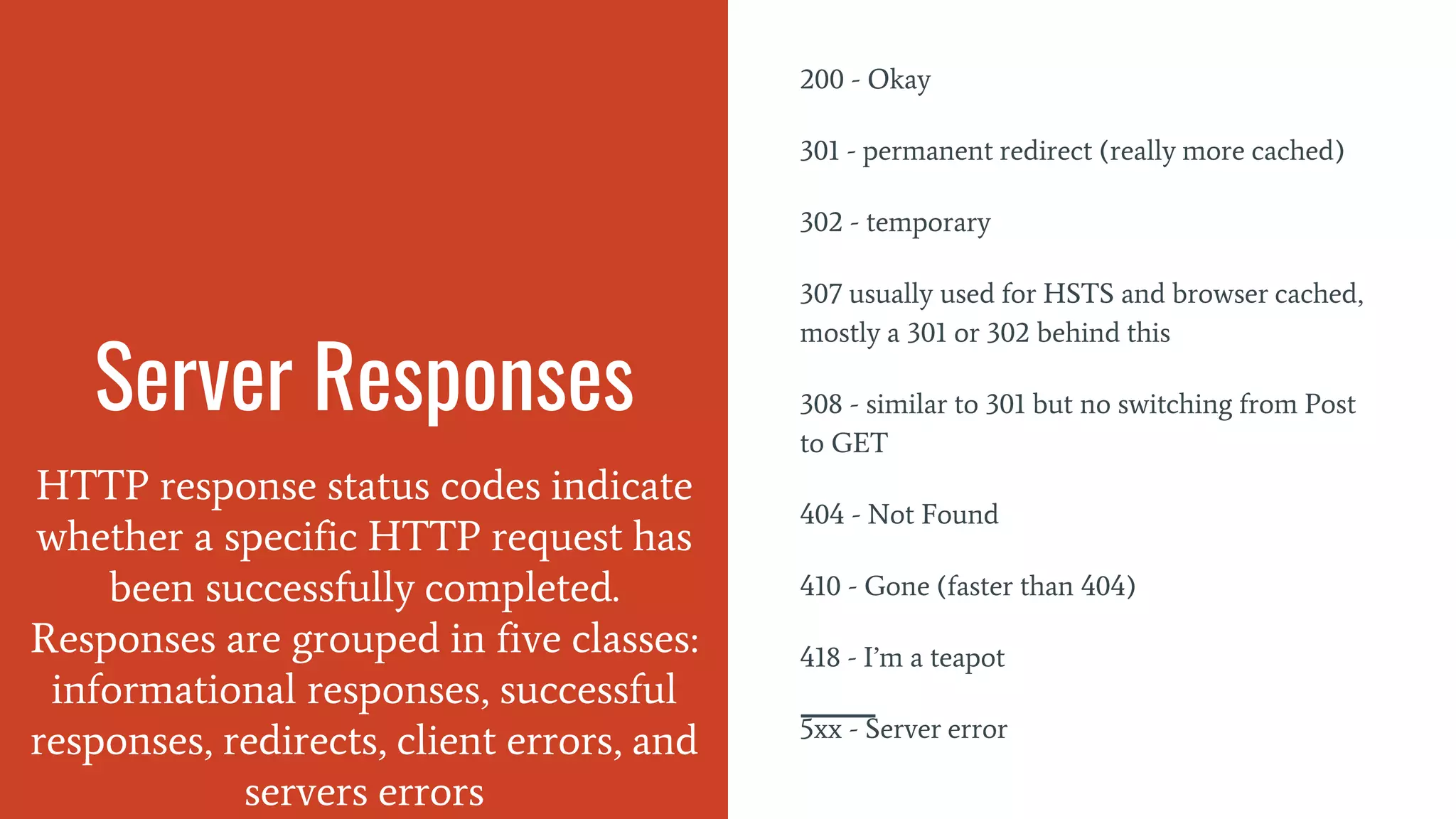
Server Responses
HTTP response status codes indicate
whether a specific HTTP request has
been successfully completed.
Responses are grouped in five classes:
informational responses, successful
responses, redirects, client errors, and
servers errors
200 - Okay
301 - permanent redirect (really more cached)
302 - temporary
307 usually used for HSTS and browser cached,
mostly a 301 or 302 behind this
308 - similar to 301 but no switching from Post
to GET
404 - Not Found
410 - Gone (faster than 404)
418 - I’m a teapot
5xx - Server error
Canonical Tag
The canonical tag helps solve
duplicate content issues by setting
the preferred version of a page
and passing signals such as links
to the preferred version.
The tag helps consolidate duplicate
content caused by issues such as:
HTTP and HTTPS
www and non-www
parameters and faceted navigation
session IDs
trailing slashes
index/default pages
alternate page versions such as m. or
AMP pages or print versions
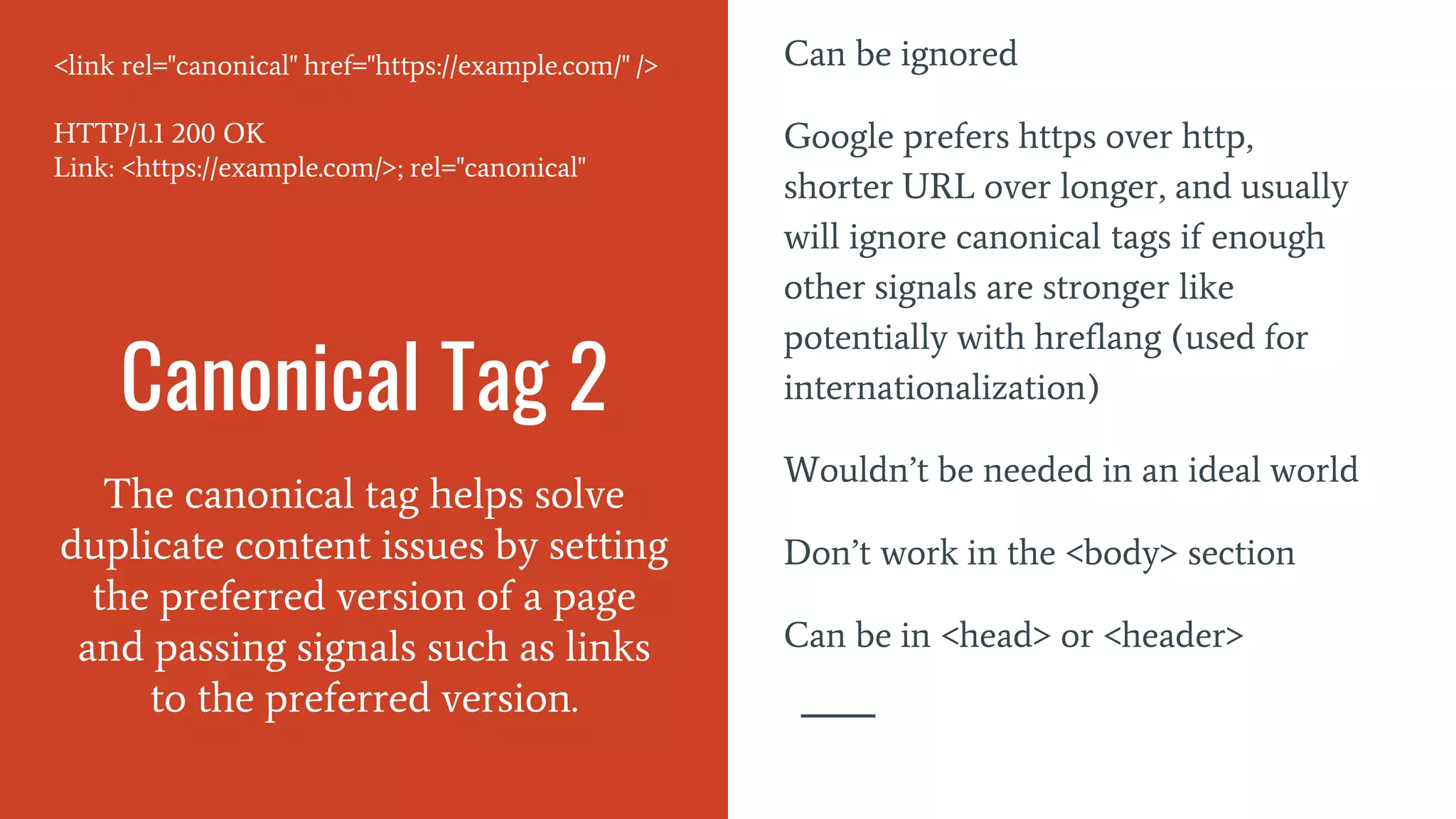
Canonical Tag 2
The canonical tag helps solve
duplicate content issues by setting
the preferred version of a page
and passing signals such as links
to the preferred version.
Can be ignored
Google prefers https over http,
shorter URL over longer, and usually
will ignore canonical tags if enough
other signals are stronger like
potentially with hreflang (used for
internationalization)
Wouldn’t be needed in an ideal world
Don’t work in the <body> section
Can be in <head> or <header>
<link rel="canonical" href="https://example.com/" />
HTTP/1.1 200 OK
Link: <https://example.com/>; rel="canonical"
If the canonical is thrown into the <body> section, it’s usually because something like
an iframe was injected into the <head> section and caused the browser to end the
<head> early.
To troubleshoot this, you can use DOM breakpoints to step through what might have
caused this https://developers.google.com/web/updates/2015/05/view-and-change-your-
dom-breakpoints
Canonicalization
Determining which page to show
in the index, which pages will
share signals
Canonical tags
Hreflang
Duplicates
Sitemap URLs
Internal Links
Redirects
Duplicate Content
Duplicate content generally refers
to substantive blocks of content
within or across domains that
either completely match other
content or are appreciably similar.
Mostly, this is not deceptive in
origin.
“Don't be afraid of duplicate content.
It's the internet, it happens. Google
search does not penalize for duplicate
content.” - Gary Illyes, Google
Webmaster Trends Analyst
Duplicates are typically filtered or
folded together in Google’s index in
what are called Clusters. These
typically share signals like links.
Duplicate Content 2
Duplicate content generally refers
to substantive blocks of content
within or across domains that
either completely match other
content or are appreciably similar.
Mostly, this is not deceptive in
origin.
HTTP and HTTPS
www and non-www
Parameters and faceted navigation
Session IDs
Trailing slashes
Index pages
Alternate page versions such as m. or
AMP pages or print
Dev/hosting environments
Pagination
Scrapers. Copying, syndication
Country/language versions
Solutions:
Do nothing and hope Google gets it right.
Canonical tags.
Redirects.
Tell Google how to handle URL parameters in GSC
Rel=”alternate”. Used to consolidate alternate versions of a page, such as mobile or various
country/language pages. With country/language in particular, hreflang is used to show the
correct country/language page in the search results.
Follow syndication best practices, typically canonical back if you can or at least link back
to original source.
Tools
Crawlers: DeepCrawl, Botify,
Oncrawl, Ryte, Screaming Frog,
Sitebulb, ContentKing
Change Monitoring: ContentKing,
PageModified, Little Warden
Chrome:
Ayima Redirect Path or Link Redirect
Trace - shows header responses and
redirect paths
Tag Assistant (GTM), Tealium Tools
Dev Tools
Tools
See what Google sees:
Mobile Friendly Test (Mobile)
https://search.google.com/test/mobile-friendly
Search Console URL Inspector
https://search.google.com/search-console/inspect
Rich Results Test (Desktop)
https://search.google.com/test/rich-results
Tools give data, but you need insights. These are common suggestions that waste time:
Page size - Google says keep it under a couple hundred megabytes
Too many links on a page - Google says a few thousand at most
https://support.google.com/webmasters/answer/35769?hl=en&ref_topic=6001981
Missing sitemap
Missing robots.txt
No custom 404 page
Title tags too long/short
Invalid HTML
Word Count
Keyword Density
Readability
Favicon
Social tags
Multiple h1 tags
Troubleshooting
Info: command deprecated /cry
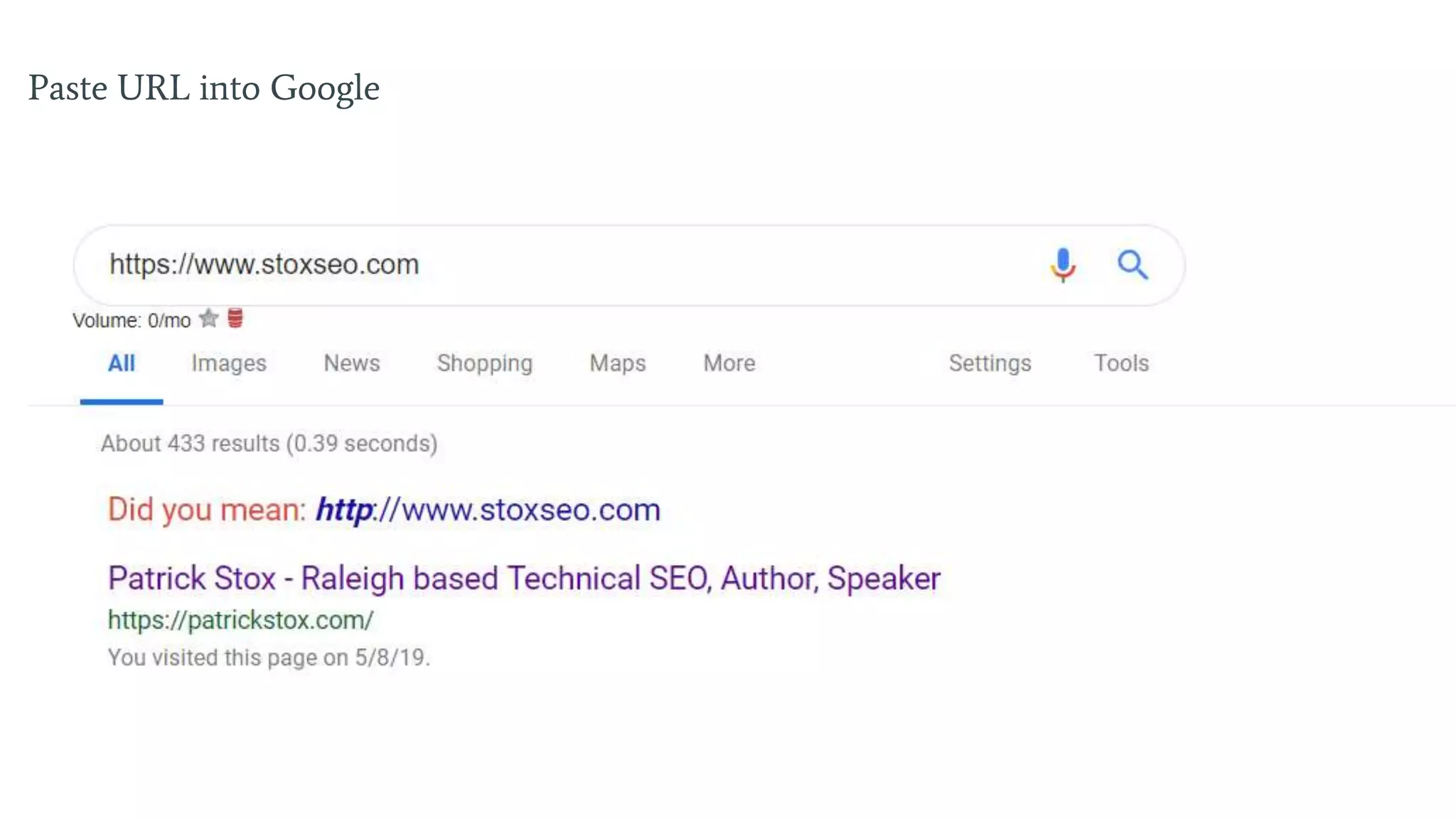
Paste URL into Google
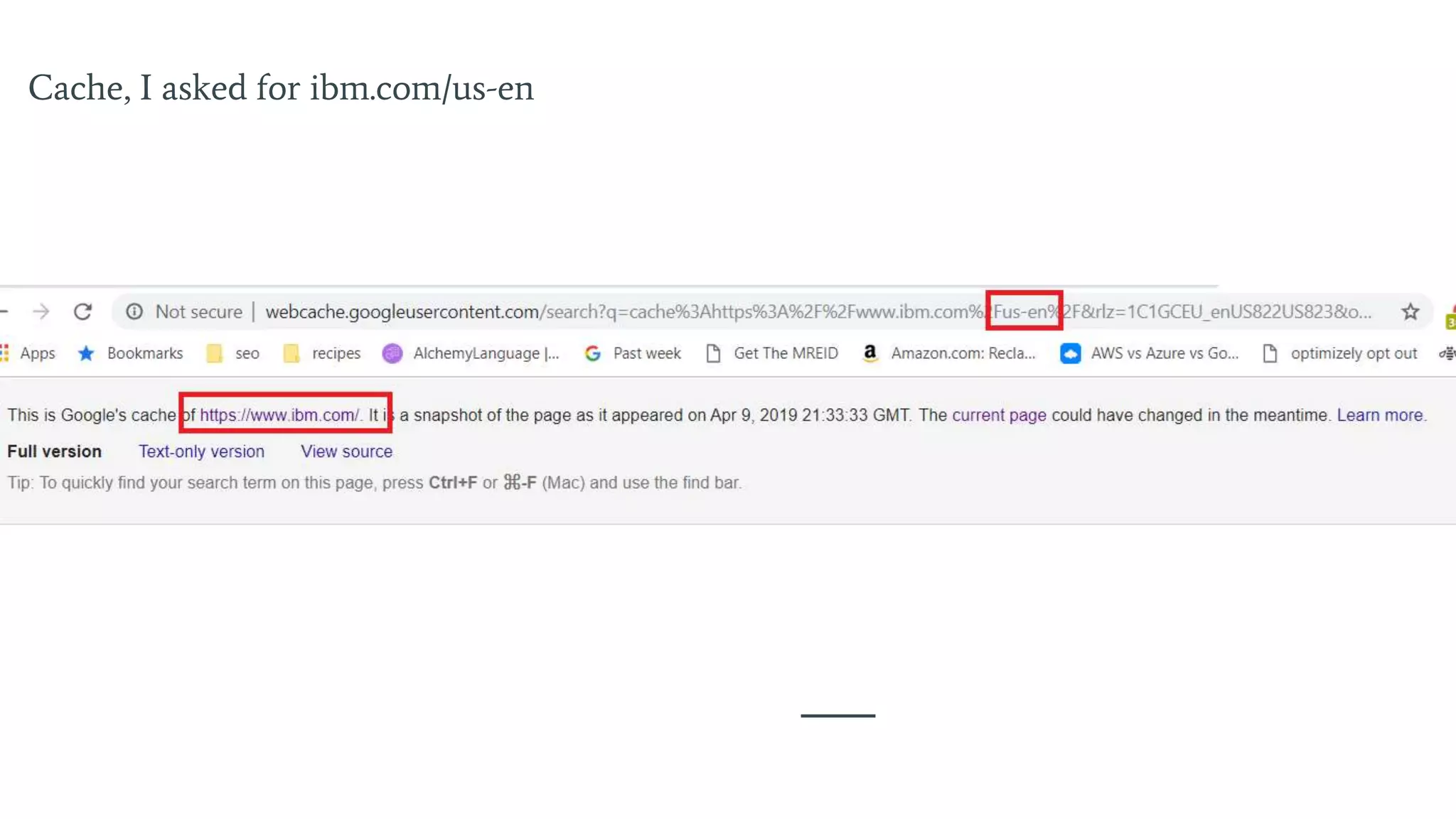
Cache:
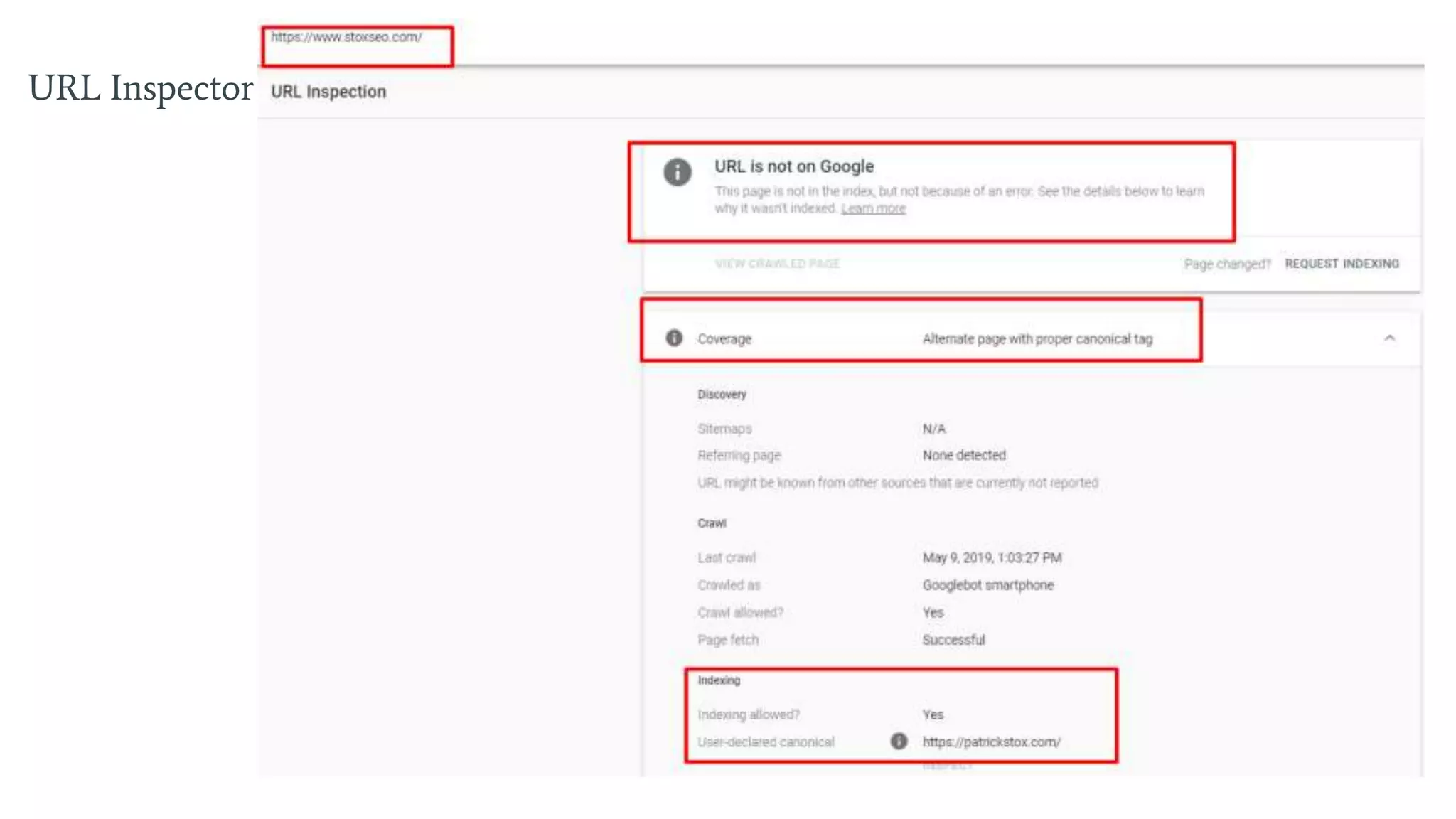
URL Inspector in GSC (if on
domain)
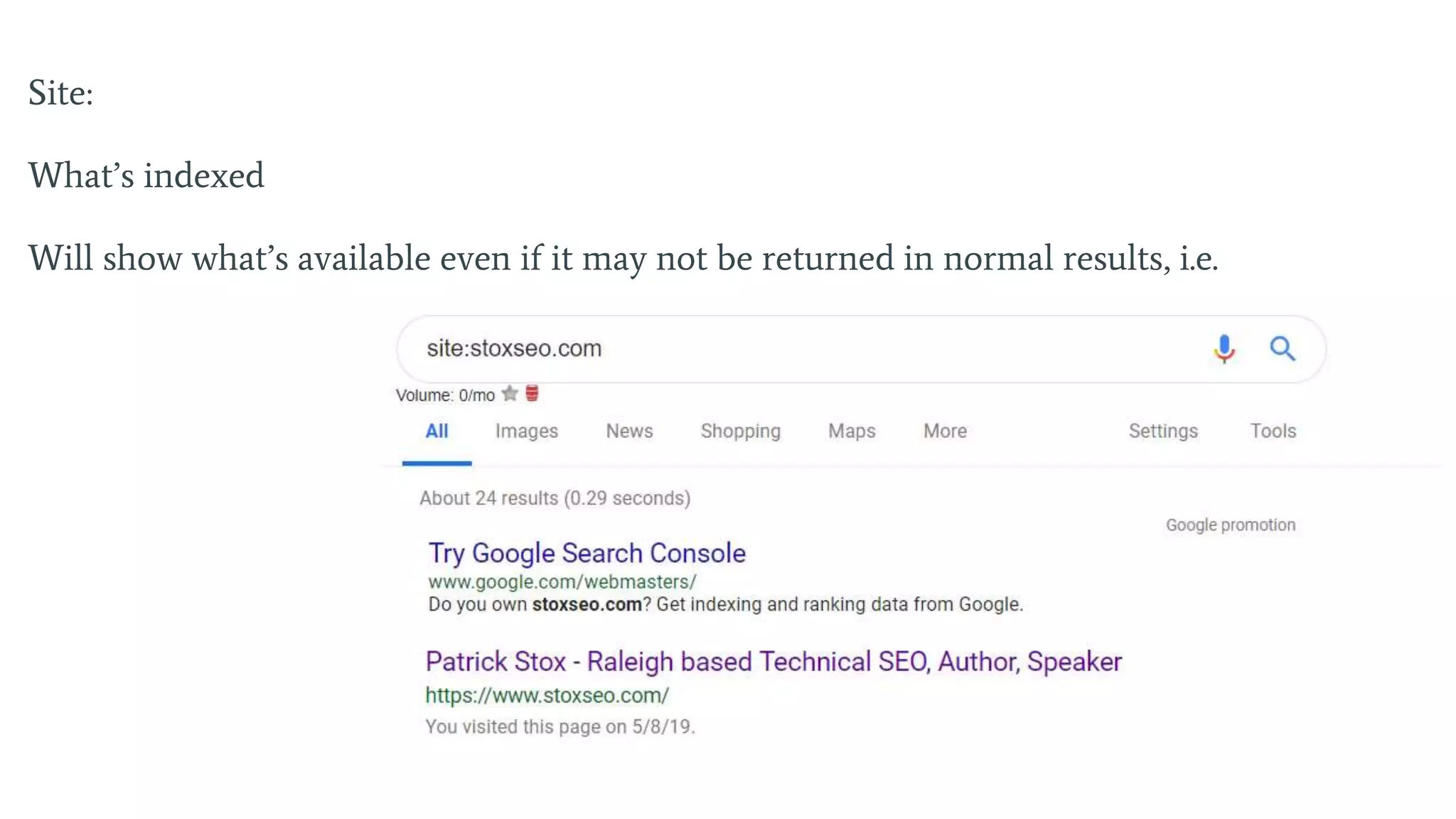
Site:
Paste URL into Google
Cache, I asked for ibm.com/us-en
URL Inspector
Site:
What’s indexed
Will show what’s available even if it may not be returned in normal results, i.e.
Search Engines
Might Fix Issues on
Their End
Hints from websites can be mixed
and confusing
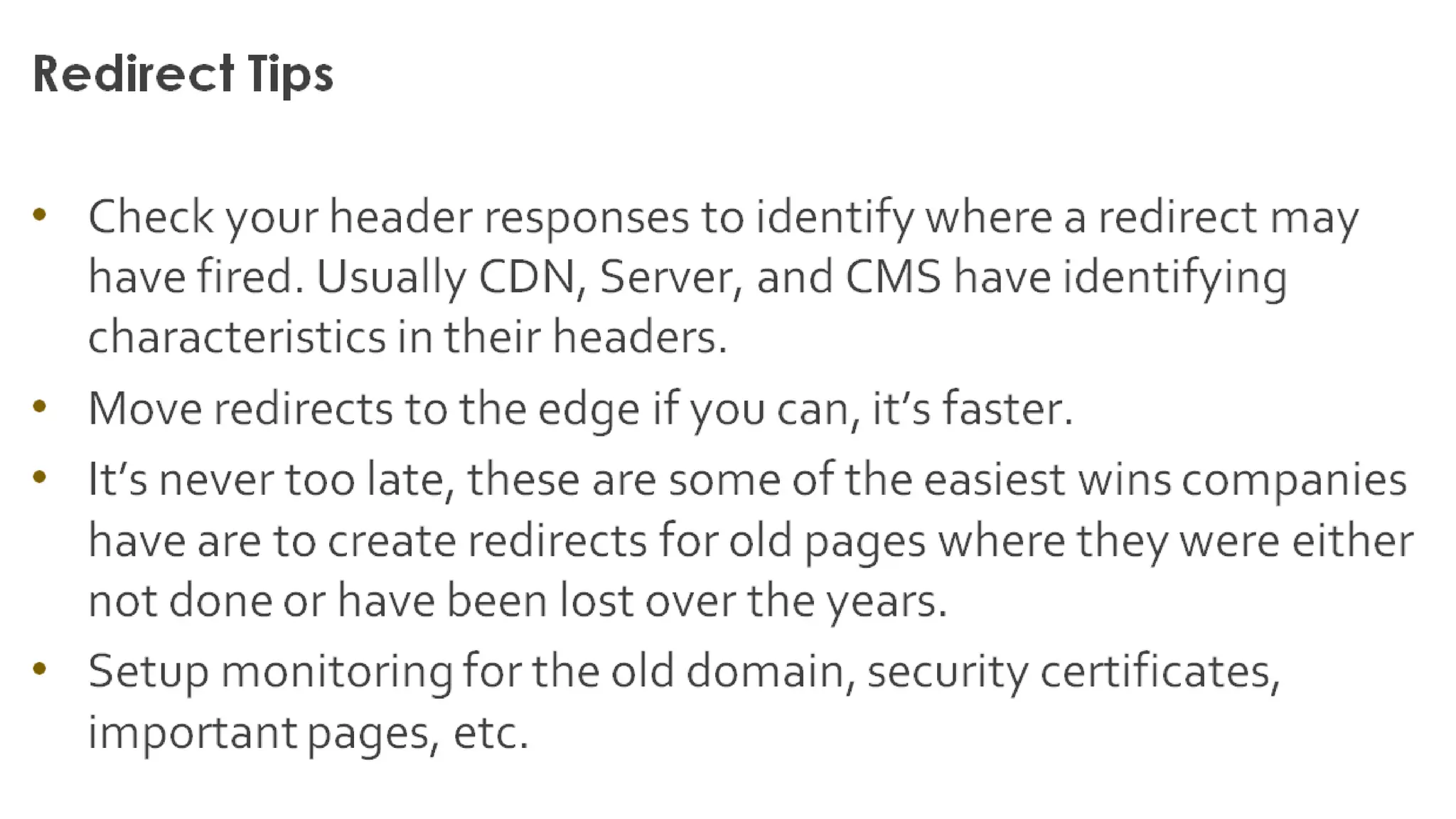
Redirects
Take users and bots from one
page to another
Site Speed
https://developers.google.com/speed/pagespeed/insights/
https://www.webpagetest.org/
CrUX (Google’s real user
monitoring)
Soon GSC
Boomerang, New Relic, lots of
options for RUM
Site Speed
Faster site
More users recorded in analytics
AMP
https://www.slideshare.net/patrickstox
https://searchengineland.com/the-amp-is-a-lie-278401
Schema What it gets you, site search box,
reviews, etc
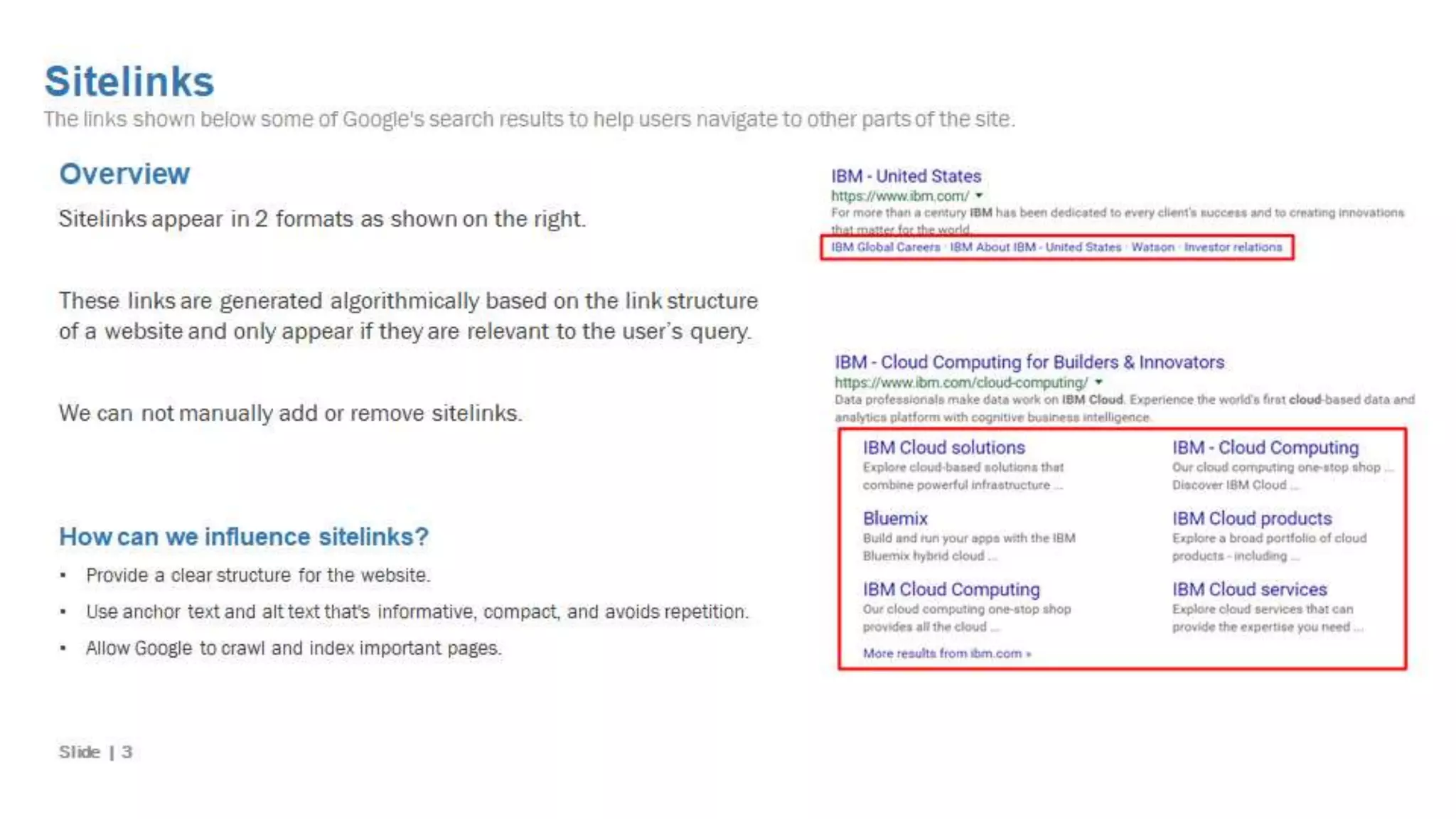
Sitelinks
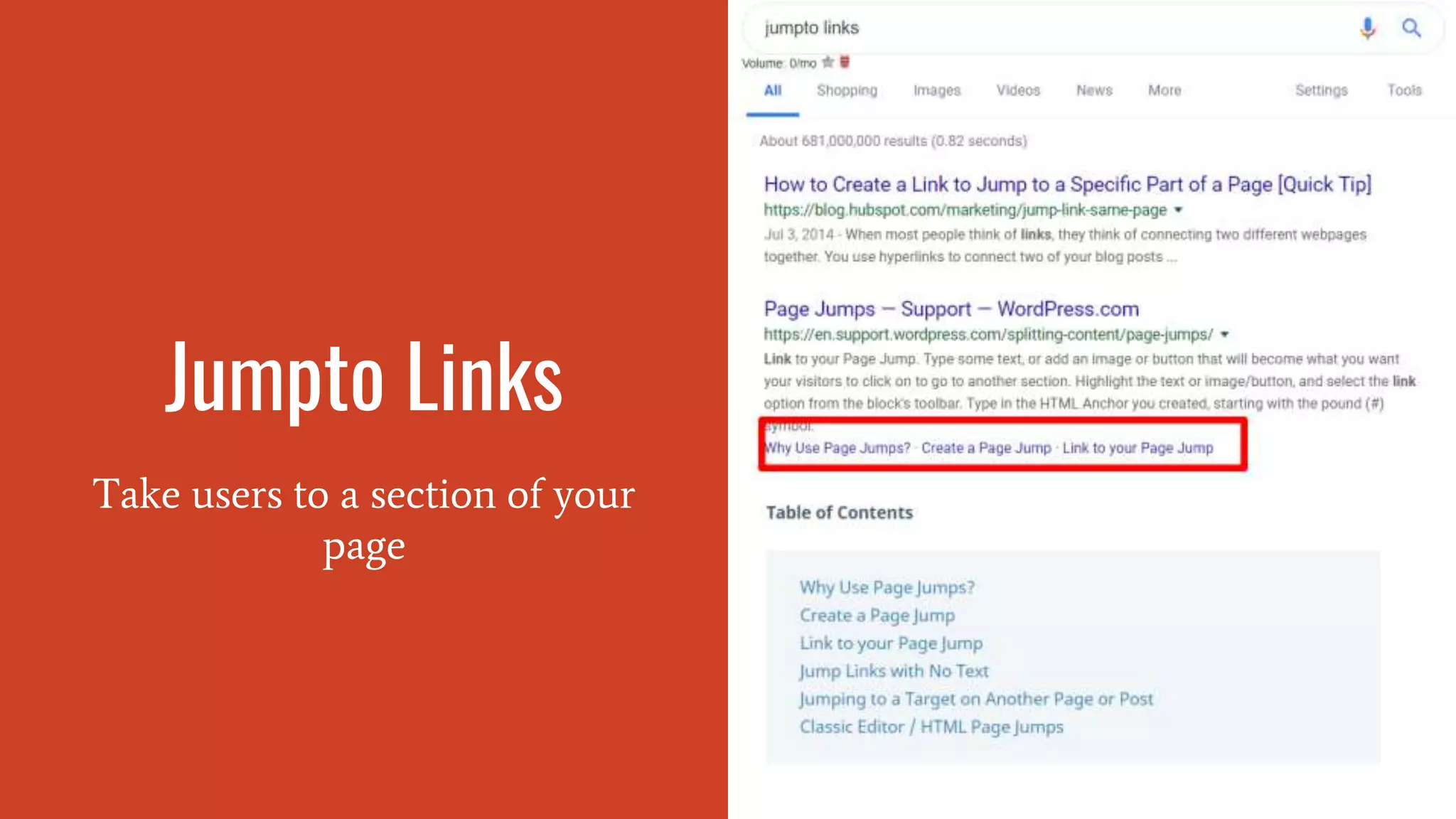
Jumpto Links
Take users to a section of your
page
<a id="whatever-you-want">What you want to link to link to.</a>
<a href="#whatever-you-want">Something about the section you’re linking to.</a>
That anchor is all that’s needed.
HTTPS
https://www.slideshare.net/patrick
stox/better-safe-than-sorry-with-
https-smx-east-2016-patrick-stox
HTTP/2 (h2)
https://searchengineland.com/everyone-moving-http2-236716
Mobile Friendliness
https://www.slideshare.net/patrick
stox/mobile-first-indexing-smx-
advanced-2017-patrick-stox
Content Security
Policy
Fix mixed content issues when
migrating to https
upgrade-insecure-requests
Referrer Policy
https://searchengineland.com/need-know-referrer-policy-
276185
JavaScript
https://www.slideshare.net/patrick
stox/smx-advanced-2018-seo-for-
javascript-frameworks-by-patrick-
stox
https://www.youtube.com/playlist?list=PLKoqnv2vTMUPOalM
1zuWDP9OQl851WMM9 <Recommended
Pagination Hasn’t worked in years...
Facets Fewer, stronger pages
Log Files
Middleware
Systems like SEO
A/B Testing
Platforms
Edge SEO Probably should have been called
serverless
Hreflang
https://www.slideshare.net/patrickstox/pubcon-vegas-2017-
youre-going-to-screw-up-international-seo-patrick-stox
https://searchengineland.com/4-hreflang-tag-errors-google-
corrects-for-you-296034
https://searchengineland.com/google-changed-the-way-it-
works-and-no-one-really-noticed-300213
Cannibalization
https://searchengineland.com/what-people-get-wrong-about-
keyword-cannibalization-292148
Internal Links
https://searchengineland.com/important-thing-seos-overlook-
internal-links-234275

A Crash Course in Technical SEO from Patrick Stox - Beer & SEO Meetup May 2019

  • 1.
    A Crash Course OnTechnical SEO
  • 2.
    Our Speaker Tonight PatrickStox Technical SEO at IBM
  • 3.
    On Page The mainthing is content But since this is technical SEO: ● Title ● Meta Description ● Headings ● Images ● URL Most of these should align with the content and what the page is about.
  • 4.
    Title “A <title> tagtells both users and search engines what the topic of a particular page is.” Say what the page is about There’s no actual character limit Google may overwrite if not relevant or too long Desktop and Mobile lengths are different
  • 5.
  • 6.
  • 7.
    Meta Description “A page'sdescription meta tag gives Google and other search engines a summary of what the page is about.” Not a ranking factor Google can ignore this one too and write you a new one No real limit on this either Chance to sell yourself or fulfill their needs
  • 8.
    Typically highlights relevantsearch terms, except when text is hidden by default (feature/bug?)
  • 9.
    Rich Results Rich resultsare designed to highlight key information and help search engines understand a page's purpose as accurately as possible.
  • 10.
    A meta descriptionthat’s longer than normal can indicate the site has an eligible result
  • 11.
    Try this, Google: yourphrase -site.com where site.com is the current eligible snippet
  • 12.
    And again phrase -site.com-newsite.com These tell you the eligible featured snippets and indicate the type of content you need to write to be eligible
  • 13.
  • 14.
    Headings H1 > H6 Breakup content into a structure and allow for easier skimming of sections Order doesn’t matter, can use h1 after h2 Can use multiple h1 tags Can use h2 or h3 as the highest, it’s okay really Describe the section Makes pages skimmable
  • 16.
    Images Google has areal focus on images at the moment The image index is separate from the index for pages Allow crawling of images Have an image sitemap If you have a lot of good images, opening up copyright to allow people to use the images with attribution = links!
  • 17.
    What Matters For ImageOptimization Text around the image Content of the image Image name (minimal impact) Alt attribute Webpage title + description
  • 19.
    SEOs have alot of debates around image best practices, mine are: You can’t use an alt attribute on a background image You shouldn’t use an alt attribute for an irrelevant image or one used for spacing You shouldn’t add your keyword if the image is not relevant
  • 20.
    URL The address ofa web page, i.e. https://patrickstox.com Mainly used as an identifier Keywords in URL are a tiny ranking factor Up to 2083 characters (IE cutoff) Structure matters for discovery/crawling but not ranking
  • 21.
    Keep URL structuressensible and logical. The structure can change Internal linking (links from one page on your site to another) which can impact results
  • 22.
  • 23.
    Most Important For Ranking Thisis how I’d order them Is a page indexed, how is it indexed Content Links
  • 24.
    •Is it indexed,how is it indexed •How are signals consolidated (content, internal and external links, redirects). Fewer, stronger pages •Content (talk about the right things, the things people are searching for, the things top pages are ranking for, the things top pages are talking about, expand to domain/topic level opportunities, what’s driving value to competitors) Every person, every time •Intent – to me this is as simple as match popular search terms. Google tries to show a mix (fractured intent) of popular searches in their results and generally top pages talk about what people search for. Meet user needs and fulfill your promises
  • 25.
    Crawl vs Index Theseare not the same
  • 26.
  • 27.
    Search Engines are Constantly Crawlingthe Web Googlebot Bingbot They find pages by following links, through sitemaps, submissions (Google Search Console, Mobile Friendly Test), Indexing API Crawl budget = # of pages they’ll crawl on your site, but note they prioritize them based on a lot of things like how often the pages update and how strong the pages are
  • 28.
    Googlebot Uses a longviewport 431x731, 12,140 pixels high for mobile and 768/1024 9,307 pixels high for desktop https://codeseo.io/console-log- hacking-for-googlebot/ Is being updated to current Chrome Heavily caches files Runs with a sped up clock
  • 29.
    Robots.txt Tells crawlers wherethey can and can’t go Multiple robots.txt files may need to be looked at when troubleshooting. Each domain and subdomain can have it’s own. Max size is 500 KB You can search archive.org for older versions of robots.txt files Blocking things causes lots of issues with canonicalization
  • 30.
    User-agent — specifieswhich robot. Disallow — suggests the robots not crawl this area. Allow — allows robots to crawl this area. Crawl-delay — tells robots to wait a certain number of seconds before continuing the crawl. Sitemap — specifies the sitemap location. Noindex — tells Google to remove pages from the index. (Not officially supported) # — comments out a line so it will not be read. * — match any text. $ — the URL must end here.
  • 31.
  • 32.
    Sitemap “A sitemap isa file where you provide information about the pages, videos, and other files on your site, and the relationships between them. Search engines like Google read this file to more intelligently crawl your site.” Not Required Manually run sitemaps are almost impossible to maintain Most common is xml, but can be txt Can be cross-domain if both sites verified in GSC Limit 50MB (uncompressed) and 50,000 URLs, can create a sitemap index (file that points to other sitemaps) if more are needed Pages, video, images, news
  • 33.
    Sitemap 2 “A sitemapis a file where you provide information about the pages, videos, and other files on your site, and the relationships between them. Search engines like Google read this file to more intelligently crawl your site.” Used as a canonicalization signal Should be only resolved URLs Can include hreflang here (internationalization) Can filter to see how pages are being treated in the Index Coverage report in Google Search Console
  • 34.
    Indexing APIs API tonotifiy search engines of updates, may replace sitemaps in the future https://developers.google.c om/search/apis/indexing- api/v3/quickstart https://www.bing.com/web master/help/submit-urls-to- bing-62f2860a
  • 35.
    Robots Directive Controls crawling,indexing, and some more items Good bots will listen to these Can be in the <head> section or the the server response headers in the request <meta name="googlebot" content="noindex" /> X-Robots-Tag: noindex Google will take the most restrictive setting
  • 36.
    all There areno restrictions for indexing or serving. Note: this directive is the default value and has no effect if explicitly listed. noindex Do not show this page in search results and do not show a "Cached" link in search results. nofollow Do not follow the links on this page. none Equivalent to noindex, nofollow. noarchive Do not show a "Cached" link in search results. nosnippet Do not show a text snippet or video preview in the search results for this page. A static thumbnail (if available) will still be visible. notranslate Do not offer translation of this page in search results. noimageindex Do not index images on this page. unavailable_after: [RFC-850 date/time] Do not show this page in search results after the specified date/time. The date/time must be specified in the RFC 850 format.
  • 37.
    Conflicting Signals A pagecan that’s marked noindex but is blocked by robots.txt can be indexed Lots of different signals add up and sometimes search engines have to make a decision. Some things for them are directives and others are more like suggestions. They will typically lean towards more restrictive statements.
  • 38.
    Server Responses HTTP responsestatus codes indicate whether a specific HTTP request has been successfully completed. Responses are grouped in five classes: informational responses, successful responses, redirects, client errors, and servers errors 200 - Okay 301 - permanent redirect (really more cached) 302 - temporary 307 usually used for HSTS and browser cached, mostly a 301 or 302 behind this 308 - similar to 301 but no switching from Post to GET 404 - Not Found 410 - Gone (faster than 404) 418 - I’m a teapot 5xx - Server error
  • 39.
    Canonical Tag The canonicaltag helps solve duplicate content issues by setting the preferred version of a page and passing signals such as links to the preferred version. The tag helps consolidate duplicate content caused by issues such as: HTTP and HTTPS www and non-www parameters and faceted navigation session IDs trailing slashes index/default pages alternate page versions such as m. or AMP pages or print versions
  • 40.
    Canonical Tag 2 Thecanonical tag helps solve duplicate content issues by setting the preferred version of a page and passing signals such as links to the preferred version. Can be ignored Google prefers https over http, shorter URL over longer, and usually will ignore canonical tags if enough other signals are stronger like potentially with hreflang (used for internationalization) Wouldn’t be needed in an ideal world Don’t work in the <body> section Can be in <head> or <header> <link rel="canonical" href="https://example.com/" /> HTTP/1.1 200 OK Link: <https://example.com/>; rel="canonical"
  • 41.
    If the canonicalis thrown into the <body> section, it’s usually because something like an iframe was injected into the <head> section and caused the browser to end the <head> early. To troubleshoot this, you can use DOM breakpoints to step through what might have caused this https://developers.google.com/web/updates/2015/05/view-and-change-your- dom-breakpoints
  • 42.
    Canonicalization Determining which pageto show in the index, which pages will share signals Canonical tags Hreflang Duplicates Sitemap URLs Internal Links Redirects
  • 43.
    Duplicate Content Duplicate contentgenerally refers to substantive blocks of content within or across domains that either completely match other content or are appreciably similar. Mostly, this is not deceptive in origin. “Don't be afraid of duplicate content. It's the internet, it happens. Google search does not penalize for duplicate content.” - Gary Illyes, Google Webmaster Trends Analyst Duplicates are typically filtered or folded together in Google’s index in what are called Clusters. These typically share signals like links.
  • 44.
    Duplicate Content 2 Duplicatecontent generally refers to substantive blocks of content within or across domains that either completely match other content or are appreciably similar. Mostly, this is not deceptive in origin. HTTP and HTTPS www and non-www Parameters and faceted navigation Session IDs Trailing slashes Index pages Alternate page versions such as m. or AMP pages or print Dev/hosting environments Pagination Scrapers. Copying, syndication Country/language versions
  • 45.
    Solutions: Do nothing andhope Google gets it right. Canonical tags. Redirects. Tell Google how to handle URL parameters in GSC Rel=”alternate”. Used to consolidate alternate versions of a page, such as mobile or various country/language pages. With country/language in particular, hreflang is used to show the correct country/language page in the search results. Follow syndication best practices, typically canonical back if you can or at least link back to original source.
  • 46.
    Tools Crawlers: DeepCrawl, Botify, Oncrawl,Ryte, Screaming Frog, Sitebulb, ContentKing Change Monitoring: ContentKing, PageModified, Little Warden Chrome: Ayima Redirect Path or Link Redirect Trace - shows header responses and redirect paths Tag Assistant (GTM), Tealium Tools Dev Tools
  • 47.
    Tools See what Googlesees: Mobile Friendly Test (Mobile) https://search.google.com/test/mobile-friendly Search Console URL Inspector https://search.google.com/search-console/inspect Rich Results Test (Desktop) https://search.google.com/test/rich-results
  • 48.
    Tools give data,but you need insights. These are common suggestions that waste time: Page size - Google says keep it under a couple hundred megabytes Too many links on a page - Google says a few thousand at most https://support.google.com/webmasters/answer/35769?hl=en&ref_topic=6001981 Missing sitemap Missing robots.txt No custom 404 page Title tags too long/short Invalid HTML Word Count Keyword Density Readability Favicon Social tags Multiple h1 tags
  • 49.
    Troubleshooting Info: command deprecated/cry Paste URL into Google Cache: URL Inspector in GSC (if on domain) Site:
  • 50.
  • 51.
    Cache, I askedfor ibm.com/us-en
  • 52.
  • 53.
    Site: What’s indexed Will showwhat’s available even if it may not be returned in normal results, i.e.
  • 54.
    Search Engines Might FixIssues on Their End Hints from websites can be mixed and confusing
  • 55.
    Redirects Take users andbots from one page to another
  • 70.
    Site Speed https://developers.google.com/speed/pagespeed/insights/ https://www.webpagetest.org/ CrUX (Google’sreal user monitoring) Soon GSC Boomerang, New Relic, lots of options for RUM
  • 71.
    Site Speed Faster site Moreusers recorded in analytics
  • 72.
  • 73.
    Schema What itgets you, site search box, reviews, etc
  • 74.
  • 76.
    Jumpto Links Take usersto a section of your page
  • 77.
    <a id="whatever-you-want">What youwant to link to link to.</a> <a href="#whatever-you-want">Something about the section you’re linking to.</a> That anchor is all that’s needed.
  • 78.
  • 79.
  • 80.
  • 81.
    Content Security Policy Fix mixedcontent issues when migrating to https upgrade-insecure-requests
  • 82.
  • 83.
  • 84.
  • 85.
  • 86.
  • 87.
  • 88.
    Edge SEO Probablyshould have been called serverless
  • 89.
  • 90.
  • 91.