Password Security

Module 8
Objectives
Explain Authentication and Authorization
Provide familiarity with how passwords are used
Identify the importance of good password selection
Examine why password policies are essential
Develop guidelines for creating strong passwords
Password Cracking Tools
File Integrity
Authentication & Authorization
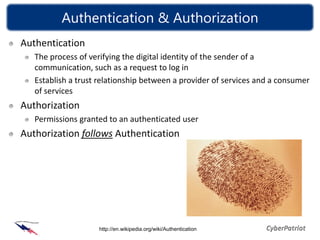
Authentication
   The process of verifying the digital identity of the sender of a
   communication, such as a request to log in
   Establish a trust relationship between a provider of services and a consumer
   of services
Authorization
   Permissions granted to an authenticated user
Authorization follows Authentication


                    http://en.wikipedia.org/wiki/Authentication
Authentication & Authorization
Authentication methods
   Something you have (a token, a swipe card, etc.)
   Something you are (biometrics)
   Something you know (a password)
   Secure communication channel
Authorization
   By policies of an organization or
   operational requirements
   Access control (Set of permissions granted )


                                  Module 06: 4
How/Where Passwords are Used
Controlling access to a resource
  Computers
  Cell Phones
  On-line Accounts
  Voicemail
  Medical and Benefit phone access
  Facility Access
  Automated Teller Machines (ATM)
  Etc.
Why Password Development is Important
Passwords control access to private data and resources
Attackers may capture a password file and crack it
  Passwords stored as hash values
  Cracker programs can run at their leisure
Attackers may try to break into a live system
  If a “time-out” policy is not implemented, they could try
  infinite times until they succeed
  Many users have simple passwords or one associated with
  their life (profiling or social engineering can be used against
  them)
  Some systems come with default passwords
Password Cracking
Techniques
  Brute Force – Every combination of letters, numbers, and
  characters possible
  Dictionary – Words (and combinations of words) found in a
  specialized dictionary
Assume a password of 7 alphabet characters in length
  MaxCombinations = NumberAvailableCharsPasswordLength
  MaxCombinations = 267 = 8,031,810,176 (8 Billion)
Example: A 3GHz processor, guessing 3 million
passwords per second, will take approximately 45
minutes to guess the passwords

                     http://en.wikipedia.org/wiki/Password_strength
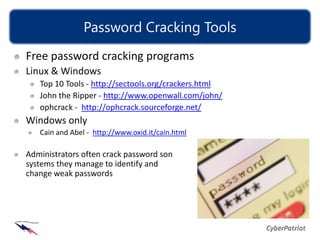
Password Cracking Tools
Free password cracking programs
Linux & Windows
   Top 10 Tools - http://sectools.org/crackers.html
   John the Ripper - http://www.openwall.com/john/
   ophcrack - http://ophcrack.sourceforge.net/
Windows only
   Cain and Abel - http://www.oxid.it/cain.html

Administrators often crack password son
systems they manage to identify and
change weak passwords
Guidelines for Developing Passwords
Strong Passwords                          Weak Passwords
   8 or more characters long                 Contains your name, friends name,
   Have a combination of upper and           favorite pet, sports team, etc.
   lowercase letters, numbers, and           Contains publicly accessible
   special characters                        information about yourself, such
   Changed on a regular basis                as social security number, license
   Easy to remember and are not              numbers, phone numbers,
   written down                              address, birthdays, etc.
   Passphrases: Choose a line or two         Words found in a dictionary of any
   from a song or poem and use the           language
   first letter of each word. For            Made of all numbers or all the
   example, “It is the East, and Juliet      same letter
   is the Sun'' becomes “IstE,@J1tS”         Never changed
   Not used over and over again for          Written down
   different programs and websites           Shared with others
Windows XP
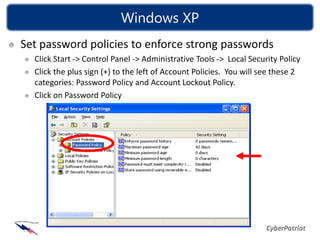
Set password policies to enforce strong passwords
  Click Start -> Control Panel -> Administrative Tools -> Local Security Policy
  Click the plus sign (+) to the left of Account Policies. You will see these 2
  categories: Password Policy and Account Lockout Policy.
  Click on Password Policy
Windows XP
Best Practices are stated below
  Enforce password history:        5 passwords
     This security setting determines the number of unique new passwords that have to be
     associated with a user account before an old password can be reused. The value must be
     between 0 and 24 passwords.
     This policy enables administrators to enhance security by ensuring that old passwords are
     not reused continually.
  Maximum password age:            30 to 90 days
     This security setting determines the period of time (in days) that a password can be used
     before the system requires the user to change it.
     Best practices state passwords should expire every 30 to 90 days, depending on the
     environment. This limits an attacker’s amount of time to crack a user's password and have
     access to network resources.
  Minimum password age:            5 days
      This security setting determines the period of time (in days) a password must be used
     before it can be changed.
     Without a minimum password age, users can cycle through passwords repeatedly until
     they get to an old favorite.
Windows XP
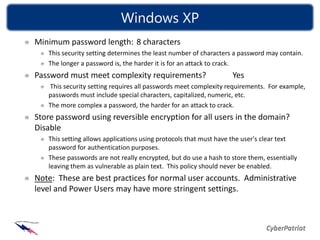
Minimum password length: 8 characters
   This security setting determines the least number of characters a password may contain.
   The longer a password is, the harder it is for an attack to crack.
Password must meet complexity requirements?                       Yes
   This security setting requires all passwords meet complexity requirements. For example,
   passwords must include special characters, capitalized, numeric, etc.
   The more complex a password, the harder for an attack to crack.
Store password using reversible encryption for all users in the domain?
Disable
   This setting allows applications using protocols that must have the user's clear text
   password for authentication purposes.
   These passwords are not really encrypted, but do use a hash to store them, essentially
   leaving them as vulnerable as plain text. This policy should never be enabled.
Note: These are best practices for normal user accounts. Administrative
level and Power Users may have more stringent settings.
Ubuntu
Set password policies to enforce strong passwords
Password values are controlled in the file /etc/pam.d/common-
password
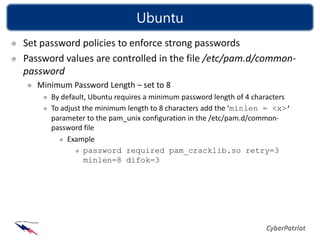
   Minimum Password Length – set to 8
      By default, Ubuntu requires a minimum password length of 4 characters
      To adjust the minimum length to 8 characters add the ‘minlen = <x>’
      parameter to the pam_unix configuration in the /etc/pam.d/common-
      password file
           Example
                password required pam_cracklib.so retry=3
                minlen=8 difok=3
Ubuntu
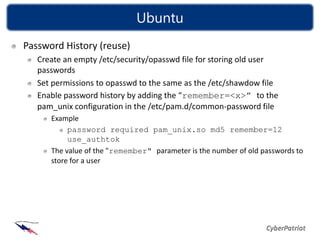
Password History (reuse)
   Create an empty /etc/security/opasswd file for storing old user
   passwords
   Set permissions to opasswd to the same as the /etc/shawdow file
   Enable password history by adding the “remember=<x>” to the
   pam_unix configuration in the /etc/pam.d/common-password file
      Example
           password required pam_unix.so md5 remember=12
           use_authtok
      The value of the "remember" parameter is the number of old passwords to
      store for a user
Ubuntu
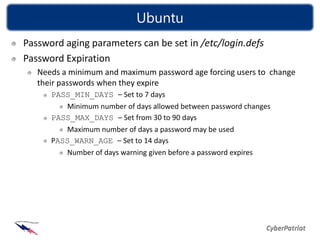
Password aging parameters can be set in /etc/login.defs
Password Expiration
   Needs a minimum and maximum password age forcing users to change
   their passwords when they expire
      PASS_MIN_DAYS – Set to 7 days
         Minimum number of days allowed between password changes
      PASS_MAX_DAYS – Set from 30 to 90 days
         Maximum number of days a password may be used
      PASS_WARN_AGE – Set to 14 days
         Number of days warning given before a password expires
Password Policy Best Practices
Password policies are critical to the security posture of
your organization
Best Practices across the board
  Number of times a password can be reused
     Passwords should not be cycled more than 3 to 5 uses
  Password should expire/be changed
     Every 90 days for user account
     Every 30 days for an administrator account
  Minimum length requirement
     8 characters
  Complexity requirements
     Upper and lower case, special character and numbers
  All passwords should be encrypted when stored
                                  Module 06: 16
Password Policy Best Practices
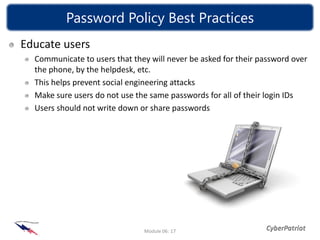
Educate users
  Communicate to users that they will never be asked for their password over
  the phone, by the helpdesk, etc.
  This helps prevent social engineering attacks
  Make sure users do not use the same passwords for all of their login IDs
  Users should not write down or share passwords


                               Module 06: 17
List of References
http://en.wikipedia.org/wiki/Authentication
http://www.duke.edu/~rob/kerberos/authvauth.html
http://en.wikipedia.org/wiki/Password_strength
http://www.computerhope.com/issues/ch000300.htm
http://tigger.uic.edu/~mbird/password.html
http://sectools.org/crackers.html

8 passwordsecurity

  • 1.
  • 2.
    Objectives Explain Authentication andAuthorization Provide familiarity with how passwords are used Identify the importance of good password selection Examine why password policies are essential Develop guidelines for creating strong passwords Password Cracking Tools File Integrity
  • 3.
    Authentication & Authorization Authentication The process of verifying the digital identity of the sender of a communication, such as a request to log in Establish a trust relationship between a provider of services and a consumer of services Authorization Permissions granted to an authenticated user Authorization follows Authentication http://en.wikipedia.org/wiki/Authentication
  • 4.
    Authentication & Authorization Authenticationmethods Something you have (a token, a swipe card, etc.) Something you are (biometrics) Something you know (a password) Secure communication channel Authorization By policies of an organization or operational requirements Access control (Set of permissions granted ) Module 06: 4
  • 5.
    How/Where Passwords areUsed Controlling access to a resource Computers Cell Phones On-line Accounts Voicemail Medical and Benefit phone access Facility Access Automated Teller Machines (ATM) Etc.
  • 6.
    Why Password Developmentis Important Passwords control access to private data and resources Attackers may capture a password file and crack it Passwords stored as hash values Cracker programs can run at their leisure Attackers may try to break into a live system If a “time-out” policy is not implemented, they could try infinite times until they succeed Many users have simple passwords or one associated with their life (profiling or social engineering can be used against them) Some systems come with default passwords
  • 7.
    Password Cracking Techniques Brute Force – Every combination of letters, numbers, and characters possible Dictionary – Words (and combinations of words) found in a specialized dictionary Assume a password of 7 alphabet characters in length MaxCombinations = NumberAvailableCharsPasswordLength MaxCombinations = 267 = 8,031,810,176 (8 Billion) Example: A 3GHz processor, guessing 3 million passwords per second, will take approximately 45 minutes to guess the passwords http://en.wikipedia.org/wiki/Password_strength
  • 8.
    Password Cracking Tools Freepassword cracking programs Linux & Windows Top 10 Tools - http://sectools.org/crackers.html John the Ripper - http://www.openwall.com/john/ ophcrack - http://ophcrack.sourceforge.net/ Windows only Cain and Abel - http://www.oxid.it/cain.html Administrators often crack password son systems they manage to identify and change weak passwords
  • 9.
    Guidelines for DevelopingPasswords Strong Passwords Weak Passwords 8 or more characters long Contains your name, friends name, Have a combination of upper and favorite pet, sports team, etc. lowercase letters, numbers, and Contains publicly accessible special characters information about yourself, such Changed on a regular basis as social security number, license Easy to remember and are not numbers, phone numbers, written down address, birthdays, etc. Passphrases: Choose a line or two Words found in a dictionary of any from a song or poem and use the language first letter of each word. For Made of all numbers or all the example, “It is the East, and Juliet same letter is the Sun'' becomes “IstE,@J1tS” Never changed Not used over and over again for Written down different programs and websites Shared with others
  • 10.
    Windows XP Set passwordpolicies to enforce strong passwords Click Start -> Control Panel -> Administrative Tools -> Local Security Policy Click the plus sign (+) to the left of Account Policies. You will see these 2 categories: Password Policy and Account Lockout Policy. Click on Password Policy
  • 11.
    Windows XP Best Practicesare stated below Enforce password history: 5 passwords This security setting determines the number of unique new passwords that have to be associated with a user account before an old password can be reused. The value must be between 0 and 24 passwords. This policy enables administrators to enhance security by ensuring that old passwords are not reused continually. Maximum password age: 30 to 90 days This security setting determines the period of time (in days) that a password can be used before the system requires the user to change it. Best practices state passwords should expire every 30 to 90 days, depending on the environment. This limits an attacker’s amount of time to crack a user's password and have access to network resources. Minimum password age: 5 days This security setting determines the period of time (in days) a password must be used before it can be changed. Without a minimum password age, users can cycle through passwords repeatedly until they get to an old favorite.
  • 12.
    Windows XP Minimum passwordlength: 8 characters This security setting determines the least number of characters a password may contain. The longer a password is, the harder it is for an attack to crack. Password must meet complexity requirements? Yes This security setting requires all passwords meet complexity requirements. For example, passwords must include special characters, capitalized, numeric, etc. The more complex a password, the harder for an attack to crack. Store password using reversible encryption for all users in the domain? Disable This setting allows applications using protocols that must have the user's clear text password for authentication purposes. These passwords are not really encrypted, but do use a hash to store them, essentially leaving them as vulnerable as plain text. This policy should never be enabled. Note: These are best practices for normal user accounts. Administrative level and Power Users may have more stringent settings.
  • 13.
    Ubuntu Set password policiesto enforce strong passwords Password values are controlled in the file /etc/pam.d/common- password Minimum Password Length – set to 8 By default, Ubuntu requires a minimum password length of 4 characters To adjust the minimum length to 8 characters add the ‘minlen = <x>’ parameter to the pam_unix configuration in the /etc/pam.d/common- password file Example password required pam_cracklib.so retry=3 minlen=8 difok=3
  • 14.
    Ubuntu Password History (reuse) Create an empty /etc/security/opasswd file for storing old user passwords Set permissions to opasswd to the same as the /etc/shawdow file Enable password history by adding the “remember=<x>” to the pam_unix configuration in the /etc/pam.d/common-password file Example password required pam_unix.so md5 remember=12 use_authtok The value of the "remember" parameter is the number of old passwords to store for a user
  • 15.
    Ubuntu Password aging parameterscan be set in /etc/login.defs Password Expiration Needs a minimum and maximum password age forcing users to change their passwords when they expire PASS_MIN_DAYS – Set to 7 days Minimum number of days allowed between password changes PASS_MAX_DAYS – Set from 30 to 90 days Maximum number of days a password may be used PASS_WARN_AGE – Set to 14 days Number of days warning given before a password expires
  • 16.
    Password Policy BestPractices Password policies are critical to the security posture of your organization Best Practices across the board Number of times a password can be reused Passwords should not be cycled more than 3 to 5 uses Password should expire/be changed Every 90 days for user account Every 30 days for an administrator account Minimum length requirement 8 characters Complexity requirements Upper and lower case, special character and numbers All passwords should be encrypted when stored Module 06: 16
  • 17.
    Password Policy BestPractices Educate users Communicate to users that they will never be asked for their password over the phone, by the helpdesk, etc. This helps prevent social engineering attacks Make sure users do not use the same passwords for all of their login IDs Users should not write down or share passwords Module 06: 17
  • 18.