Passwords
Authentication and Protection
1
• Passwords are cheap to deploy, but also act as the first
line of defense in a security arsenal.
– They are also often the weakest link.
• Examples of what they protect:
– ATMs and bank accounts
– Nuclear power and other critical infrastructure systems
– Company proprietary information and systems
– Email accounts (Gmail, Hotmail, Yahoo, AOL, etc.)
– Student information (e.g. MyUalbany & WebCT)
Passwords:
2
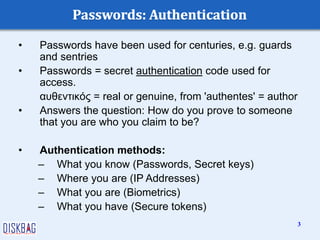
• Passwords have been used for centuries, e.g. guards
and sentries
• Passwords = secret authentication code used for
access.
αυθεντικός = real or genuine, from 'authentes' = author
• Answers the question: How do you prove to someone
that you are who you claim to be?
• Authentication methods:
– What you know (Passwords, Secret keys)
– Where you are (IP Addresses)
– What you are (Biometrics)
– What you have (Secure tokens)
3
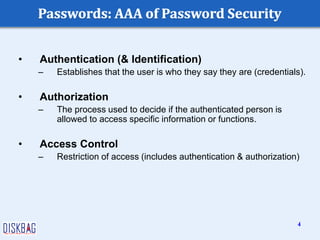
• Authentication (& Identification)
– Establishes that the user is who they say they are (credentials).
• Authorization
– The process used to decide if the authenticated person is
allowed to access specific information or functions.
• Access Control
– Restriction of access (includes authentication & authorization)
4
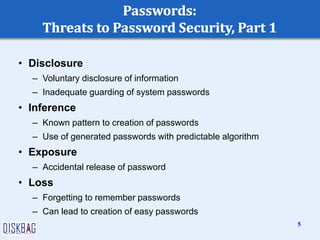
• Disclosure
– Voluntary disclosure of information
– Inadequate guarding of system passwords
• Inference
– Known pattern to creation of passwords
– Use of generated passwords with predictable algorithm
• Exposure
– Accidental release of password
• Loss
– Forgetting to remember passwords
– Can lead to creation of easy passwords
5
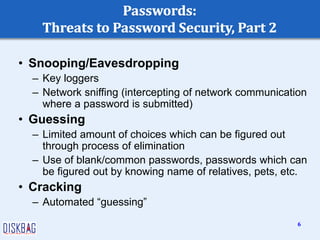
• Snooping/Eavesdropping
– Key loggers
– Network sniffing (intercepting of network communication
where a password is submitted)
• Guessing
– Limited amount of choices which can be figured out
through process of elimination
– Use of blank/common passwords, passwords which can
be figured out by knowing name of relatives, pets, etc.
• Cracking
– Automated “guessing”
6
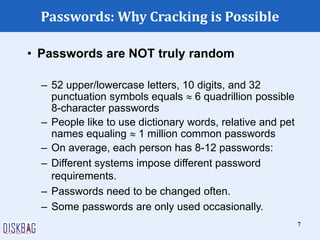
Passwords: Why Cracking is Possible
• Passwords are NOT truly random
– 52 upper/lowercase letters, 10 digits, and 32
punctuation symbols equals  6 quadrillion possible
8-character passwords
– People like to use dictionary words, relative and pet
names equaling  1 million common passwords
– On average, each person has 8-12 passwords:
– Different systems impose different password
requirements.
– Passwords need to be changed often.
– Some passwords are only used occasionally.
7
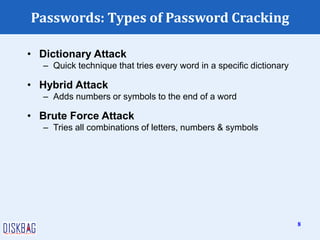
Passwords: Types of Password Cracking
• Dictionary Attack
– Quick technique that tries every word in a specific dictionary
• Hybrid Attack
– Adds numbers or symbols to the end of a word
• Brute Force Attack
– Tries all combinations of letters, numbers & symbols
8
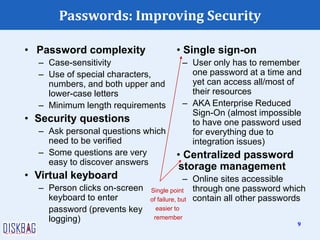
• Single sign-on
– User only has to remember
one password at a time and
yet can access all/most of
their resources
– AKA Enterprise Reduced
Sign-On (almost impossible
to have one password used
for everything due to
integration issues)
• Centralized password
storage management
– Online sites accessible
through one password which
contain all other passwords
Passwords: Improving Security
• Password complexity
– Case-sensitivity
– Use of special characters,
numbers, and both upper and
lower-case letters
– Minimum length requirements
• Security questions
– Ask personal questions which
need to be verified
– Some questions are very
easy to discover answers
• Virtual keyboard
– Person clicks on-screen
keyboard to enter
password (prevents key
logging)
Single point
of failure, but
easier to
remember
9
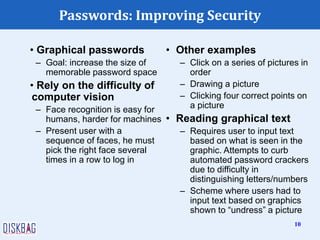
• Graphical passwords
– Goal: increase the size of
memorable password space
• Rely on the difficulty of
computer vision
– Face recognition is easy for
humans, harder for machines
– Present user with a
sequence of faces, he must
pick the right face several
times in a row to log in
Passwords: Improving Security
• Other examples
– Click on a series of pictures in
order
– Drawing a picture
– Clicking four correct points on
a picture
• Reading graphical text
– Requires user to input text
based on what is seen in the
graphic. Attempts to curb
automated password crackers
due to difficulty in
distinguishing letters/numbers
– Scheme where users had to
input text based on graphics
shown to “undress” a picture
10
• Uses certain biological
or behavioral
characteristics for
authentication
– Biometric reader
measures
physiological indicia
and compares them to
specified values
– It is not capable of
securing information
over the network
Passwords: Biometric/Behaviometric
Authentication
• Biological Examples
– Fingerprint, Iris, Retina,
Face, & Hand
Recognition
• Behavioral Examples
– Handwriting, Gait,
Typing Rhythm, Mouse
Gesture Recognition
11
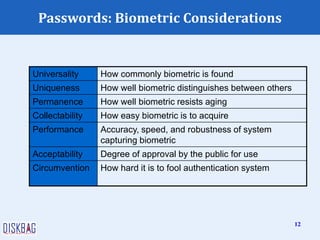
Passwords: Biometric Considerations
Universality How commonly biometric is found
Uniqueness How well biometric distinguishes between others
Permanence How well biometric resists aging
Collectability How easy biometric is to acquire
Performance Accuracy, speed, and robustness of system
capturing biometric
Acceptability Degree of approval by the public for use
Circumvention How hard it is to fool authentication system
12
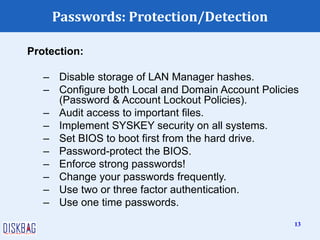
Passwords: Protection/Detection
Protection:
– Disable storage of LAN Manager hashes.
– Configure both Local and Domain Account Policies
(Password & Account Lockout Policies).
– Audit access to important files.
– Implement SYSKEY security on all systems.
– Set BIOS to boot first from the hard drive.
– Password-protect the BIOS.
– Enforce strong passwords!
– Change your passwords frequently.
– Use two or three factor authentication.
– Use one time passwords.
13
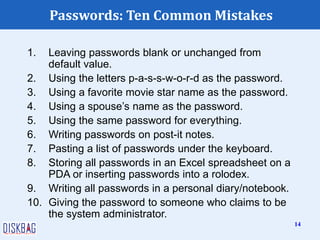
Passwords: Ten Common Mistakes
1. Leaving passwords blank or unchanged from
default value.
2. Using the letters p-a-s-s-w-o-r-d as the password.
3. Using a favorite movie star name as the password.
4. Using a spouse’s name as the password.
5. Using the same password for everything.
6. Writing passwords on post-it notes.
7. Pasting a list of passwords under the keyboard.
8. Storing all passwords in an Excel spreadsheet on a
PDA or inserting passwords into a rolodex.
9. Writing all passwords in a personal diary/notebook.
10. Giving the password to someone who claims to be
the system administrator.
14

Passwords

  • 1.
  • 2.
    • Passwords arecheap to deploy, but also act as the first line of defense in a security arsenal. – They are also often the weakest link. • Examples of what they protect: – ATMs and bank accounts – Nuclear power and other critical infrastructure systems – Company proprietary information and systems – Email accounts (Gmail, Hotmail, Yahoo, AOL, etc.) – Student information (e.g. MyUalbany & WebCT) Passwords: 2
  • 3.
    • Passwords havebeen used for centuries, e.g. guards and sentries • Passwords = secret authentication code used for access. αυθεντικός = real or genuine, from 'authentes' = author • Answers the question: How do you prove to someone that you are who you claim to be? • Authentication methods: – What you know (Passwords, Secret keys) – Where you are (IP Addresses) – What you are (Biometrics) – What you have (Secure tokens) 3
  • 4.
    • Authentication (&Identification) – Establishes that the user is who they say they are (credentials). • Authorization – The process used to decide if the authenticated person is allowed to access specific information or functions. • Access Control – Restriction of access (includes authentication & authorization) 4
  • 5.
    • Disclosure – Voluntarydisclosure of information – Inadequate guarding of system passwords • Inference – Known pattern to creation of passwords – Use of generated passwords with predictable algorithm • Exposure – Accidental release of password • Loss – Forgetting to remember passwords – Can lead to creation of easy passwords 5
  • 6.
    • Snooping/Eavesdropping – Keyloggers – Network sniffing (intercepting of network communication where a password is submitted) • Guessing – Limited amount of choices which can be figured out through process of elimination – Use of blank/common passwords, passwords which can be figured out by knowing name of relatives, pets, etc. • Cracking – Automated “guessing” 6
  • 7.
    Passwords: Why Crackingis Possible • Passwords are NOT truly random – 52 upper/lowercase letters, 10 digits, and 32 punctuation symbols equals  6 quadrillion possible 8-character passwords – People like to use dictionary words, relative and pet names equaling  1 million common passwords – On average, each person has 8-12 passwords: – Different systems impose different password requirements. – Passwords need to be changed often. – Some passwords are only used occasionally. 7
  • 8.
    Passwords: Types ofPassword Cracking • Dictionary Attack – Quick technique that tries every word in a specific dictionary • Hybrid Attack – Adds numbers or symbols to the end of a word • Brute Force Attack – Tries all combinations of letters, numbers & symbols 8
  • 9.
    • Single sign-on –User only has to remember one password at a time and yet can access all/most of their resources – AKA Enterprise Reduced Sign-On (almost impossible to have one password used for everything due to integration issues) • Centralized password storage management – Online sites accessible through one password which contain all other passwords Passwords: Improving Security • Password complexity – Case-sensitivity – Use of special characters, numbers, and both upper and lower-case letters – Minimum length requirements • Security questions – Ask personal questions which need to be verified – Some questions are very easy to discover answers • Virtual keyboard – Person clicks on-screen keyboard to enter password (prevents key logging) Single point of failure, but easier to remember 9
  • 10.
    • Graphical passwords –Goal: increase the size of memorable password space • Rely on the difficulty of computer vision – Face recognition is easy for humans, harder for machines – Present user with a sequence of faces, he must pick the right face several times in a row to log in Passwords: Improving Security • Other examples – Click on a series of pictures in order – Drawing a picture – Clicking four correct points on a picture • Reading graphical text – Requires user to input text based on what is seen in the graphic. Attempts to curb automated password crackers due to difficulty in distinguishing letters/numbers – Scheme where users had to input text based on graphics shown to “undress” a picture 10
  • 11.
    • Uses certainbiological or behavioral characteristics for authentication – Biometric reader measures physiological indicia and compares them to specified values – It is not capable of securing information over the network Passwords: Biometric/Behaviometric Authentication • Biological Examples – Fingerprint, Iris, Retina, Face, & Hand Recognition • Behavioral Examples – Handwriting, Gait, Typing Rhythm, Mouse Gesture Recognition 11
  • 12.
    Passwords: Biometric Considerations UniversalityHow commonly biometric is found Uniqueness How well biometric distinguishes between others Permanence How well biometric resists aging Collectability How easy biometric is to acquire Performance Accuracy, speed, and robustness of system capturing biometric Acceptability Degree of approval by the public for use Circumvention How hard it is to fool authentication system 12
  • 13.
    Passwords: Protection/Detection Protection: – Disablestorage of LAN Manager hashes. – Configure both Local and Domain Account Policies (Password & Account Lockout Policies). – Audit access to important files. – Implement SYSKEY security on all systems. – Set BIOS to boot first from the hard drive. – Password-protect the BIOS. – Enforce strong passwords! – Change your passwords frequently. – Use two or three factor authentication. – Use one time passwords. 13
  • 14.
    Passwords: Ten CommonMistakes 1. Leaving passwords blank or unchanged from default value. 2. Using the letters p-a-s-s-w-o-r-d as the password. 3. Using a favorite movie star name as the password. 4. Using a spouse’s name as the password. 5. Using the same password for everything. 6. Writing passwords on post-it notes. 7. Pasting a list of passwords under the keyboard. 8. Storing all passwords in an Excel spreadsheet on a PDA or inserting passwords into a rolodex. 9. Writing all passwords in a personal diary/notebook. 10. Giving the password to someone who claims to be the system administrator. 14