Splendorcollege
What is password
 A secret series of characters that enables a user

 to access a file, computer, or program.


 On multi-user systems, each user must enter his

 or her password before the computer will respond

 to commands
Why passwords are important
     To guarantee security to personal information

     To prevent unauthorized access to user
     accounts

     To prevent unauthorized access to important
     information

     To be able to use various Internet services
     securely
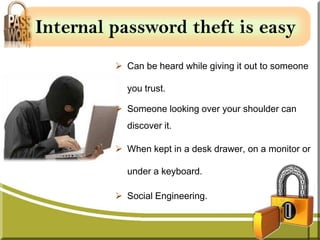
Internal password theft is easy
          Can be heard while giving it out to someone

           you trust.

          Someone looking over your shoulder can
           discover it.

          When kept in a desk drawer, on a monitor or

           under a keyboard.

          Social Engineering.
Secure your password
 Your password is only yours.   Do NOT:
 Never tell any one your         Say your password aloud.
  password, including             E-mail your password to a
  supervisors, personal            co-worker.
  assistants, or IT personnel.
                                  Offer anyone hints
 Change your password often       about what your password
 Never write down your            might be.
  password.
Create a strong password
   A strong password guarantees maximum protection

    Length. Make your passwords long with eight or

   more characters.

    Complexity. Use the entire keyboard.

    Variety.   Don't   use   the   same    password   for

    everything.

    Variation: Change them often.
Weak password
 Sequences or repeated     characters. Examples:
  12345678, 222222, abcdefg, or adjacent letters on your
  keyboard.

 Words spelled backwards, common misspellings, and
  abbreviations.

 Personal information. Your name, birthday, driver's
  license, passport number, or similar information.

 Dictionary words in any language.
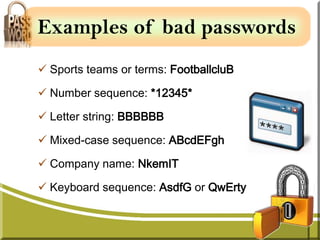
Examples of bad passwords
 Sports teams or terms: FootballcluB

 Number sequence: *12345*

 Letter string: BBBBBB

 Mixed-case sequence: ABcdEFgh

 Company name: NkemIT

 Keyboard sequence: AsdfG or QwErty
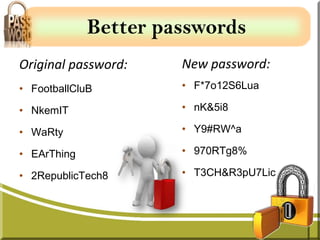
Better passwords
Original password:    New password:
• FootballCluB        • F*7o12S6Lua

• NkemIT              • nK&5i8

• WaRty               • Y9#RW^a

• EArThing            • 970RTg8%

• 2RepublicTech8      • T3CH&R3pU7Lic
Conclusion

A strong password can protect your personal account.

A password is the key to your organization’s resources.

Try and develop a strong passwords that are not obvious to

someone familiar with you.

Remember to change your password on a regular basis.
References
Gollmann, D. (2011). Identification and Authentication. In:
Computer Security. 3rd ed. West Sussex: John Wiley & Sons Ltd.
p39-64

IT Services. (2011) Password. Wolverhampton: University of
Wolverhampton IT Service.

 Microsoft. (2012). Create strong passwords. Available:
http://www.microsoft.com/security/online-privacy/passwords-
create.aspx. Last accessed 20th May 2012.

Pptuu. (2012). Protecting Your Password (1). Available:
http://www.pptuu.com/show_498555_1.html. Last accessed 20th
May 2012.
References (cont’d)
 UT H. (2010). Information Security Frequently Asked Questions
(FAQs). Available:
http://ims.uthscsa.edu/information_security/information_faq.aspx.
Last accessed 20th May 2012.

Webopedia. (2012). password. Available:
http://www.webopedia.com/TERM/P/password.html. Last accessed
20th May 2012.

Wolverhampton, Uni. (2012). IT Security. Available:
http://www.wlv.ac.uk/its/ default.aspx? page=6990. Last
accessed 20th May 2012.
ASK YOURSELF

         How secure is my
           password?
          http://howsecureismypassword.net/

https://www.microsoft.com/security/pc-security/password-
                      checker.aspx
End
Questions

Securing password

  • 1.
  • 2.
    What is password A secret series of characters that enables a user to access a file, computer, or program. On multi-user systems, each user must enter his or her password before the computer will respond to commands
  • 3.
    Why passwords areimportant To guarantee security to personal information To prevent unauthorized access to user accounts To prevent unauthorized access to important information To be able to use various Internet services securely
  • 4.
    Internal password theftis easy  Can be heard while giving it out to someone you trust.  Someone looking over your shoulder can discover it.  When kept in a desk drawer, on a monitor or under a keyboard.  Social Engineering.
  • 5.
    Secure your password Your password is only yours. Do NOT:  Never tell any one your  Say your password aloud. password, including  E-mail your password to a supervisors, personal co-worker. assistants, or IT personnel.  Offer anyone hints  Change your password often about what your password  Never write down your might be. password.
  • 6.
    Create a strongpassword A strong password guarantees maximum protection  Length. Make your passwords long with eight or more characters.  Complexity. Use the entire keyboard.  Variety. Don't use the same password for everything.  Variation: Change them often.
  • 7.
    Weak password  Sequencesor repeated characters. Examples: 12345678, 222222, abcdefg, or adjacent letters on your keyboard.  Words spelled backwards, common misspellings, and abbreviations.  Personal information. Your name, birthday, driver's license, passport number, or similar information.  Dictionary words in any language.
  • 8.
    Examples of badpasswords  Sports teams or terms: FootballcluB  Number sequence: *12345*  Letter string: BBBBBB  Mixed-case sequence: ABcdEFgh  Company name: NkemIT  Keyboard sequence: AsdfG or QwErty
  • 9.
    Better passwords Original password: New password: • FootballCluB • F*7o12S6Lua • NkemIT • nK&5i8 • WaRty • Y9#RW^a • EArThing • 970RTg8% • 2RepublicTech8 • T3CH&R3pU7Lic
  • 10.
    Conclusion A strong passwordcan protect your personal account. A password is the key to your organization’s resources. Try and develop a strong passwords that are not obvious to someone familiar with you. Remember to change your password on a regular basis.
  • 11.
    References Gollmann, D. (2011).Identification and Authentication. In: Computer Security. 3rd ed. West Sussex: John Wiley & Sons Ltd. p39-64 IT Services. (2011) Password. Wolverhampton: University of Wolverhampton IT Service. Microsoft. (2012). Create strong passwords. Available: http://www.microsoft.com/security/online-privacy/passwords- create.aspx. Last accessed 20th May 2012. Pptuu. (2012). Protecting Your Password (1). Available: http://www.pptuu.com/show_498555_1.html. Last accessed 20th May 2012.
  • 12.
    References (cont’d) UTH. (2010). Information Security Frequently Asked Questions (FAQs). Available: http://ims.uthscsa.edu/information_security/information_faq.aspx. Last accessed 20th May 2012. Webopedia. (2012). password. Available: http://www.webopedia.com/TERM/P/password.html. Last accessed 20th May 2012. Wolverhampton, Uni. (2012). IT Security. Available: http://www.wlv.ac.uk/its/ default.aspx? page=6990. Last accessed 20th May 2012.
  • 13.
    ASK YOURSELF How secure is my password? http://howsecureismypassword.net/ https://www.microsoft.com/security/pc-security/password- checker.aspx
  • 14.
  • 15.