Biology

Chemistry
Informatics

Introduction to network
mapping

Network Mapping

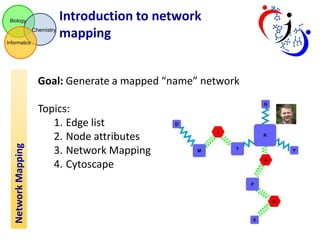
Goal: Generate a mapped “name” network
Topics:
1. Edge list
2. Node attributes
3. Network Mapping
4. Cytoscape
Network Mapping

Biology

Chemistry

Network Mapping

Informatics

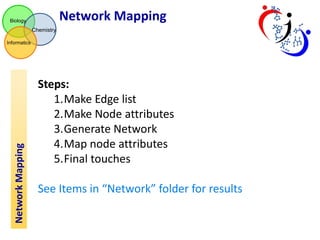
Steps:
1.Make Edge list
2.Make Node attributes
3.Generate Network
4.Map node attributes
5.Final touches
See Items in “Network” folder for results
Edge List

Biology

Chemistry
Informatics

Network Mapping

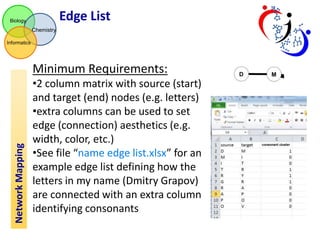
Minimum Requirements:
•2 column matrix with source (start)
and target (end) nodes (e.g. letters)
•extra columns can be used to set
edge (connection) aesthetics (e.g.
width, color, etc.)
•See file “name edge list.xlsx” for an
example edge list defining how the
letters in my name (Dmitry Grapov)
are connected with an extra column
identifying consonants
Node Attributes

Biology

Chemistry

Network Mapping

Informatics

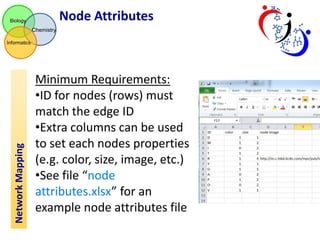
Minimum Requirements:
•ID for nodes (rows) must
match the edge ID
•Extra columns can be used
to set each nodes properties
(e.g. color, size, image, etc.)
•See file “node
attributes.xlsx” for an
example node attributes file
Network Generation

Biology

Chemistry
Informatics

Network Mapping

Use Cytoscape to generate network (v2.83)
(http://www.cytoscape.org/ )
•Import Edge list (this can be many forms)

1
2
Network Generation (cont.)

Biology

Chemistry

Network Mapping

Informatics

1. Select file for edge list
2. Identify columns for edge (connection) source and target.
Double click column to enable edge attributes.
Hint: Show Text File Import Options>>Transfer first line…..

1
3

2
4

5

6
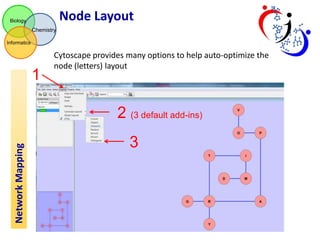
Node Layout

Biology

Chemistry
Informatics

1

Cytoscape provides many options to help auto-optimize the
node (letters) layout

Network Mapping

2 (3 default add-ins)

3
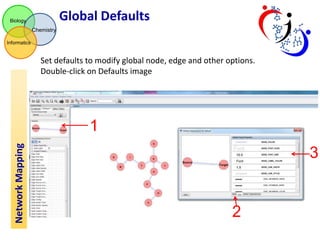
Global Defaults

Biology

Chemistry
Informatics

Set defaults to modify global node, edge and other options.
Double-click on Defaults image

Network Mapping

1
3

2
Modify Edge Attributes

Biology

Chemistry
Informatics

Network Mapping

Use the VizMapper to map “extra columns” in edge list (attributes) to aesthetics.

1
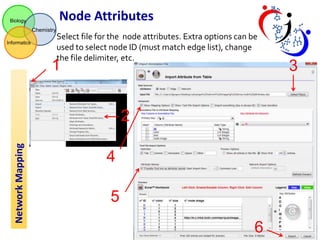
Node Attributes

Biology

Chemistry
Informatics

Select file for the node attributes. Extra options can be
used to select node ID (must match edge list), change
the file delimiter, etc.

1

Network Mapping

2
4
5
6

3
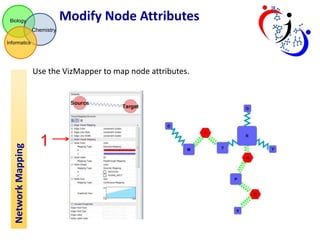
Modify Node Attributes

Biology

Chemistry
Informatics

Network Mapping

Use the VizMapper to map node attributes.

1
Add node images

Biology

Chemistry
Informatics

Network Mapping

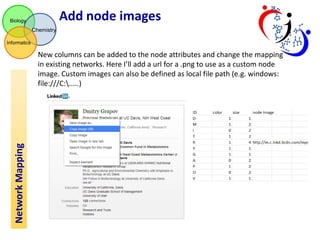
New columns can be added to the node attributes and change the mapping
in existing networks. Here I’ll add a url for a .png to use as a custom node
image. Custom images can also be defined as local file path (e.g. windows:
file:///C:.....)
Override mapped attributes

Biology

Chemistry
Informatics

Right-click on an edge or node to manually
change their aesthetics

Network Mapping

1

2
3
Export Network as Image

Biology

Chemistry
Informatics

Export as .pdf or .svg to further modify (and beautify) the network.

1

Network Mapping

2
Final Touches

Biology

Chemistry
Informatics

Network Mapping

Use irfanview (http://www.irfanview.com/) for minor edits or
inkscape (http://www.inkscape.org/en/) for complete control of
final touches including making legends.

7 network mapping i