

WEBSITE AUDIT FOR BETTER RANKINGS
WRITTEN BY
GABOR ANDRASI
SEARCH MARKETING MANGER AT PRETTY KLICKS
15 Minutes SEO Audit
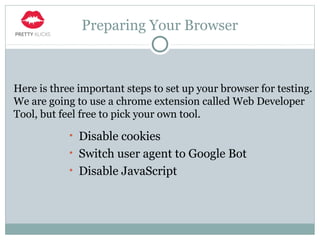
Preparing Your Browser
• Disable cookies
• Switch user agent to Google Bot
• Disable JavaScript
Here is three important steps to set up your browser for testing.
We are going to use a chrome extension called Web Developer
Tool, but feel free to pick your own tool.
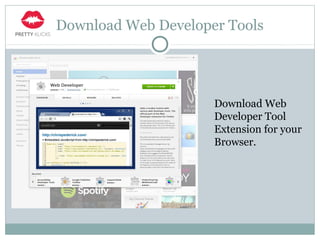
Download Web Developer Tools
Download Web
Developer Tool
Extension for your
Browser.
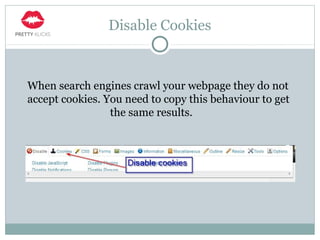
Disable Cookies
When search engines crawl your webpage they do not
accept cookies. You need to copy this behaviour to get
the same results.
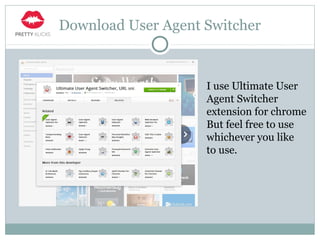
Download User Agent Switcher
I use Ultimate User
Agent Switcher
extension for chrome
But feel free to use
whichever you like
to use.
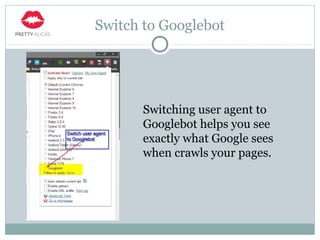
Switch to Googlebot
Switching user agent to
Googlebot helps you see
exactly what Google sees
when crawls your pages.
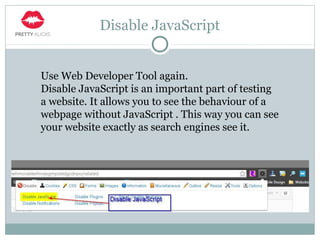
Disable JavaScript
Use Web Developer Tool again.
Disable JavaScript is an important part of testing
a website. It allows you to see the behaviour of a
webpage without JavaScript . This way you can see
your website exactly as search engines see it.
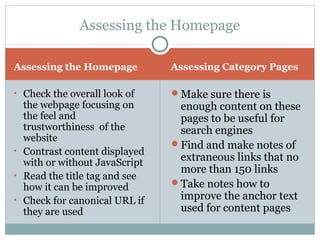
Assessing the Homepage Assessing Category Pages
• Check the overall look of
the webpage focusing on
the feel and
trustworthiness of the
website
• Contrast content displayed
with or without JavaScript
• Read the title tag and see
how it can be improved
• Check for canonical URL if
they are used
ď‚—Make sure there is
enough content on these
pages to be useful for
search engines
ď‚—Find and make notes of
extraneous links that no
more than 150 links
ď‚—Take notes how to
improve the anchor text
used for content pages
Assessing the Homepage
Checking Global Navigation
Checking site navigation can help you reveal hidden
errors, malfunctions that your visitors may encounter
during their visit and put them off visiting your site
any further. Put yourself in your visitors shoes or ask
someone to help you browse your site as a stranger.
It’s important to have a second opinion as you know
your site already and it can affect the results. In the
next chapter I’ll show you how to check your website
navigation.
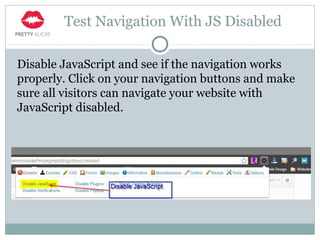
Test Navigation With JS Disabled
Disable JavaScript and see if the navigation works
properly. Click on your navigation buttons and make
sure all visitors can navigate your website with
JavaScript disabled.
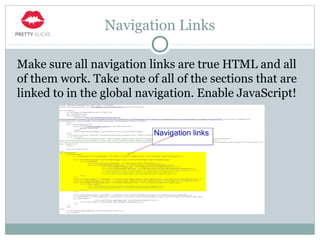
Navigation Links
Make sure all navigation links are true HTML and all
of them work. Take note of all of the sections that are
linked to in the global navigation. Enable JavaScript!
Link Analysis
Now you have an idea of how the website is organized,
let’s see what the rest of the world thinks about it.
As you probably know links are extremely important
for search engines therefore analysing their structure
is inevitable.
We need to know where are those links are coming
from, what quality they are providing for us and so on.
In the next few chapters I’ll show you how to examine
those links in a few simple steps.
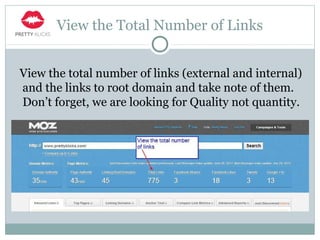
View the Total Number of Links
View the total number of links (external and internal)
and the links to root domain and take note of them.
Don’t forget, we are looking for Quality not quantity.
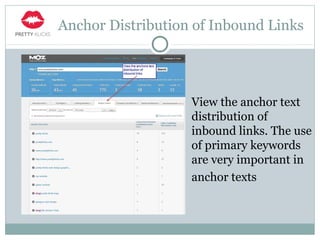
Anchor Distribution of Inbound Links
View the anchor text
distribution of
inbound links. The use
of primary keywords
are very important in
anchor texts
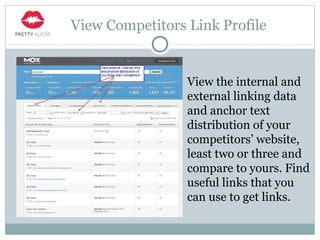
View Competitors Link Profile
View the internal and
external linking data
and anchor text
distribution of your
competitors’ website,
least two or three and
compare to yours. Find
useful links that you
can use to get links.
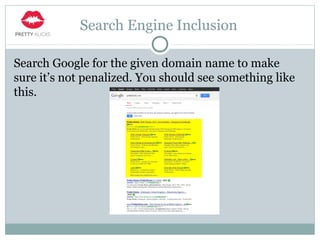
Search Engine Inclusion
Search Google for the given domain name to make
sure it’s not penalized. You should see something like
this.
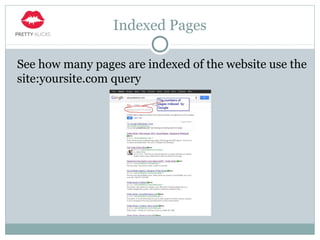
Indexed Pages
See how many pages are indexed of the website use the
site:yoursite.com query
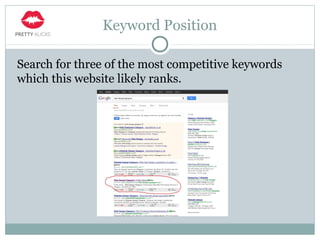
Keyword Position
Search for three of the most competitive keywords
which this website likely ranks.
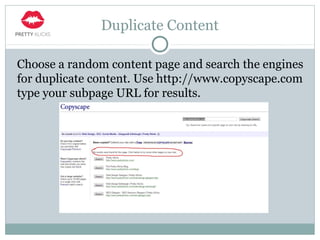
Duplicate Content
Choose a random content page and search the engines
for duplicate content. Use http://www.copyscape.com
type your subpage URL for results.
Useful Commands for Search
ď‚—site:yourwebsite.com helps you find out how many
pages are indexed by search engines
ď‚—inurl: yourwebsite.com limits the search to those
where the query appears in the url.
ď‚—intitle:yourwebsite.com like the inurl command but
in this case it limits the search to those where the
query appears in the title tag
Thank You
Thanks for reading.
If you have any question or just want to connect you
can find us on:
Facebook
Twitter
Visit: http://www.prettyklicks.com

15 minutes seo audit

  • 1.
    WEBSITE AUDIT FORBETTER RANKINGS WRITTEN BY GABOR ANDRASI SEARCH MARKETING MANGER AT PRETTY KLICKS 15 Minutes SEO Audit
  • 2.
    Preparing Your Browser •Disable cookies • Switch user agent to Google Bot • Disable JavaScript Here is three important steps to set up your browser for testing. We are going to use a chrome extension called Web Developer Tool, but feel free to pick your own tool.
  • 3.
    Download Web DeveloperTools Download Web Developer Tool Extension for your Browser.
  • 4.
    Disable Cookies When searchengines crawl your webpage they do not accept cookies. You need to copy this behaviour to get the same results.
  • 5.
    Download User AgentSwitcher I use Ultimate User Agent Switcher extension for chrome But feel free to use whichever you like to use.
  • 6.
    Switch to Googlebot Switchinguser agent to Googlebot helps you see exactly what Google sees when crawls your pages.
  • 7.
    Disable JavaScript Use WebDeveloper Tool again. Disable JavaScript is an important part of testing a website. It allows you to see the behaviour of a webpage without JavaScript . This way you can see your website exactly as search engines see it.
  • 8.
    Assessing the HomepageAssessing Category Pages • Check the overall look of the webpage focusing on the feel and trustworthiness of the website • Contrast content displayed with or without JavaScript • Read the title tag and see how it can be improved • Check for canonical URL if they are used Make sure there is enough content on these pages to be useful for search engines Find and make notes of extraneous links that no more than 150 links Take notes how to improve the anchor text used for content pages Assessing the Homepage
  • 9.
    Checking Global Navigation Checkingsite navigation can help you reveal hidden errors, malfunctions that your visitors may encounter during their visit and put them off visiting your site any further. Put yourself in your visitors shoes or ask someone to help you browse your site as a stranger. It’s important to have a second opinion as you know your site already and it can affect the results. In the next chapter I’ll show you how to check your website navigation.
  • 10.
    Test Navigation WithJS Disabled Disable JavaScript and see if the navigation works properly. Click on your navigation buttons and make sure all visitors can navigate your website with JavaScript disabled.
  • 11.
    Navigation Links Make sureall navigation links are true HTML and all of them work. Take note of all of the sections that are linked to in the global navigation. Enable JavaScript!
  • 12.
    Link Analysis Now youhave an idea of how the website is organized, let’s see what the rest of the world thinks about it. As you probably know links are extremely important for search engines therefore analysing their structure is inevitable. We need to know where are those links are coming from, what quality they are providing for us and so on. In the next few chapters I’ll show you how to examine those links in a few simple steps.
  • 13.
    View the TotalNumber of Links View the total number of links (external and internal) and the links to root domain and take note of them. Don’t forget, we are looking for Quality not quantity.
  • 14.
    Anchor Distribution ofInbound Links View the anchor text distribution of inbound links. The use of primary keywords are very important in anchor texts
  • 15.
    View Competitors LinkProfile View the internal and external linking data and anchor text distribution of your competitors’ website, least two or three and compare to yours. Find useful links that you can use to get links.
  • 16.
    Search Engine Inclusion SearchGoogle for the given domain name to make sure it’s not penalized. You should see something like this.
  • 17.
    Indexed Pages See howmany pages are indexed of the website use the site:yoursite.com query
  • 18.
    Keyword Position Search forthree of the most competitive keywords which this website likely ranks.
  • 19.
    Duplicate Content Choose arandom content page and search the engines for duplicate content. Use http://www.copyscape.com type your subpage URL for results.
  • 20.
    Useful Commands forSearch ď‚—site:yourwebsite.com helps you find out how many pages are indexed by search engines ď‚—inurl: yourwebsite.com limits the search to those where the query appears in the url. ď‚—intitle:yourwebsite.com like the inurl command but in this case it limits the search to those where the query appears in the title tag
  • 21.
    Thank You Thanks forreading. If you have any question or just want to connect you can find us on: Facebook Twitter Visit: http://www.prettyklicks.com