Gran Sasso Science Institute
Ivano Malavolta
Geolocation and mapping
Roadmap
Introduction
Geolocation
Google Maps Services*


* In this lecture we refer to Google Maps Services only because of space limitations.
Other services, like Yahoo! Place Finder, Open Street Maps, etc. can be used as valid
alternatives
Geolocation


Geolocation is the identification of the real-world geographic
location of an object, like:

•  mobile phone
•  Internet-connected computer terminal

Geolocation may refer to the practice of assessing the location,
or to the actual assessed location
Mapping


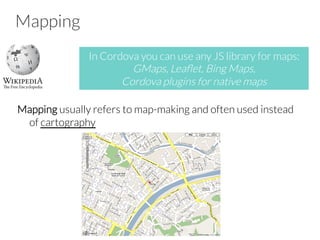
Mapping usually refers to map-making and often used instead
of cartography

In Cordova you can use any JS library for maps:
GMaps, Leaflet, Bing Maps, 
Cordova plugins for native maps
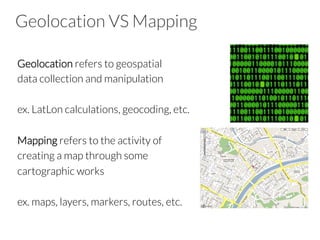
Geolocation VS Mapping
Geolocation refers to geospatial 
data collection and manipulation

ex. LatLon calculations, geocoding, etc.

Mapping refers to the activity of 
creating a map through some 
cartographic works

ex. maps, layers, markers, routes, etc.
Roadmap
Introduction
Geolocation
Google Maps Services*


* In this lecture we refer to Google Maps Services only because of space limitations.
Other services, like Yahoo! Place Finder, Open Street Maps, etc. can be used as valid
alternatives
Geolocation
navigator.geolocation

Provides access for capturing location information for the
device, like:

•  latitude
•  longitude
•  Speed
Geolocation
The API itself is agnostic of the underlying location information
sources

Common sources of location information include
•  Global Positioning System (GPS)
•  location info from IP address, RFID, WiFi,GSM cell IDs, etc.

No guarantee is given that the API returns the device's actual
location


This API is based on the W3C Geolocation API Specification,
and only executes on devices that don't already provide an
implementation
Geolocation Methods
The geolocation object provides 3 methods:
•  geolocation.getCurrentPosition
•  geolocation.watchPosition
•  geolocation.clearWatch
getCurrentPosition
It returns the device's current position

getCurrentPosition(win, [fail], [options]);
win

callback function with a Position parameter
fail

error callback
options

geolocation options
watchPosition
It gets the device's position when a change in position has been
detected

var id = watchPosition(win, [fail], [options]);
win

callback function with a Position parameter
fail

error callback
options

geolocation options
clearWatch
Stop watching the Geolocation referenced by the watch ID
parameter

clearWatch(watchID);
watchID

 ID returned by geolocation.watchPosition
Options
•  enableHighAccuracy (Boolean)
–  receive the best possible results (e.g., GPS) 
–  by default Cordova uses network-based methods
•  timeout (Number)
–  the maximum length of time (msec) that is allowed to pass from
the call until the 
corresponding callback is invoked, otherwise the
error callback is called
•  maximumAge (Number)
–  accept a cached position whose age is no greater than the
specified time in milliseconds
The Position object
Contains the data created by the geolocation API

It is passed as argument to the success callbacks of
getCurrentPosition and watchPosition
Properties: 

•  coords
–  a set of geographic Coordinates
•  timestamp
–  creation timestamp in milliseconds
The Coordinates object
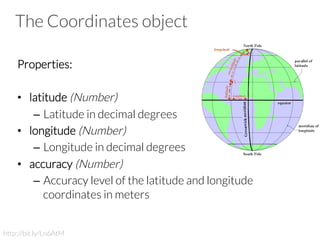
Properties:
 
•  latitude (Number)
–  Latitude in decimal degrees
•  longitude (Number)
–  Longitude in decimal degrees
•  accuracy (Number)
–  Accuracy level of the latitude and longitude
coordinates in meters

http://bit.ly/Ln6AtM
The Coordinates object
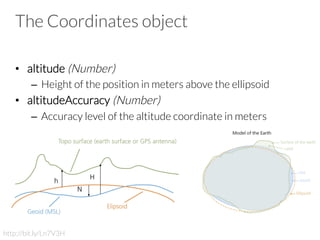
•  altitude (Number)
–  Height of the position in meters above the ellipsoid
•  altitudeAccuracy (Number)
–  Accuracy level of the altitude coordinate in meters

http://bit.ly/Ln7V3H
The Coordinates object
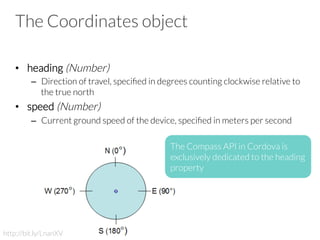
•  heading (Number)
–  Direction of travel, specified in degrees counting clockwise relative to
the true north
•  speed (Number)
–  Current ground speed of the device, specified in meters per second
http://bit.ly/LnanXV
The Compass API in Cordova is
exclusively dedicated to the heading
property
Position Error
Encapsulates the error code resulting from a failed position
capture operation

It contains a pre-defined error code

PositionError.PERMISSION_DENIED
PositionError.POSITION_UNAVAILABLE
PositionError.TIMEOUT
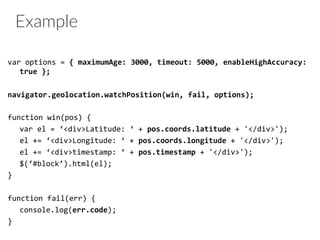
Example
var	
  options	
  =	
  {	
  maximumAge:	
  3000,	
  timeout:	
  5000,	
  enableHighAccuracy:	
  
true	
  };	


navigator.geolocation.watchPosition(win,	
  fail,	
  options);	


function	
  win(pos)	
  {	
  
	
  var	
  el	
  =	
  ‘<div>Latitude:	
  ‘	
  +	
  pos.coords.latitude	
  +	
  '</div>');	
  
	
  el	
  +=	
  ‘<div>Longitude:	
  ‘	
  +	
  pos.coords.longitude	
  +	
  '</div>');	
  
	
  el	
  +=	
  ‘<div>timestamp:	
  ‘	
  +	
  pos.timestamp	
  +	
  '</div>');	
  
	
  $(‘#block’).html(el);	
  
}	


function	
  fail(err)	
  {	
  
	
  console.log(err.code);	
  
}	
  
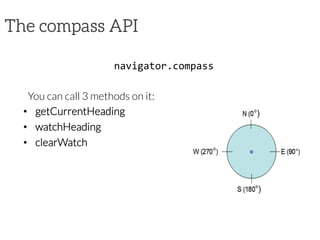
The compass API
navigator.compass	
  

You can call 3 methods on it:
•  getCurrentHeading
•  watchHeading
•  clearWatch


getCurrentHeading
getCurrentHeading(win,	
  [fail],	
  [options]);	
  

It detects the direction or heading that the device is pointed
from the top of the device

win

callback function with an Heading parameter
fail

error callback
options
compass options
watchHeading
var	
  id	
  =	
  watchHeading(win,	
  [fail],	
  [options]);	
  

It gets the device's heading at a regular interval


win

callback function with an Heading parameter
fail

error callback
options 

compass options	
  
clearWatch
clearWatch(watchID);	
  

Stop watching the heading of the device by referencing the
watchID parameter

watchID

 ID returned by heading.watchHeading
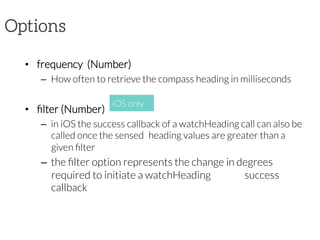
Options
•  frequency  (Number)
–  How often to retrieve the compass heading in milliseconds
•  filter (Number)
–  in iOS the success callback of a watchHeading call can also be
called once the sensed 
heading values are greater than a
given filter
–  the filter option represents the change in degrees
required to initiate a watchHeading 
success
callback 
iOS only
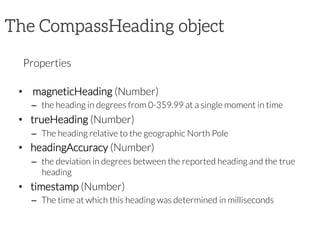
The CompassHeading object

Properties

•   magneticHeading (Number)
–  the heading in degrees from 0-359.99 at a single moment in time
•  trueHeading (Number)
–  The heading relative to the geographic North Pole
•  headingAccuracy (Number)
–  the deviation in degrees between the reported heading and the true
heading
•  timestamp (Number)
–  The time at which this heading was determined in milliseconds
The CompassError object

Encapsulates the error code resulting from a failed heading
capture operation

It contains a pre-defined error code

–  CompassError.COMPASS_INTERNAL_ERR
–  CompassError.COMPASS_NOT_SUPPORTED
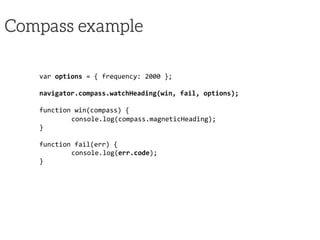
Compass example
var	
  options	
  =	
  {	
  frequency:	
  2000	
  };	


navigator.compass.watchHeading(win,	
  fail,	
  options);	


function	
  win(compass)	
  {	
  
	
  console.log(compass.magneticHeading);	
  
}	


function	
  fail(err)	
  {	
  
	
  console.log(err.code);	
  
}	
  
Roadmap
Introduction
Geolocation
Google Maps Services*


* In this lecture we refer to Google Maps Services only because of space limitations.
Other services, like Yahoo! Place Finder, Open Street Maps, etc. can be used as valid
alternatives
Google Maps API
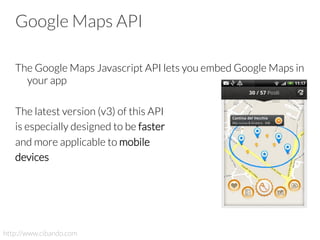
The Google Maps Javascript API lets you embed Google Maps in
your app

The latest version (v3) of this API 
is especially designed to be faster 
and more applicable to mobile
devices
http://www.cibando.com
Goole Maps API
The API provides a number of utilities for manipulating maps and
adding content to the map through a variety of services

You can see it like a way to programmatically manage maps on
http://maps.google.com
GMaps Basics
google.maps.Map

This object represents a GMaps map

it will contain the maps along with all the other elements, like
markers, polygons, etc.
GMaps Basics
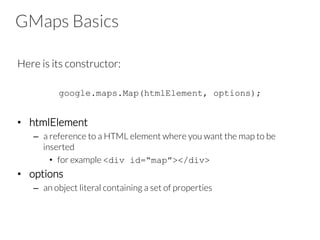
Here is its constructor:

google.maps.Map(htmlElement, options);

•  htmlElement
–  a reference to a HTML element where you want the map to be
inserted
•  for example <div id=“map”></div>
•  options
–  an object literal containing a set of properties
GMaps Basics
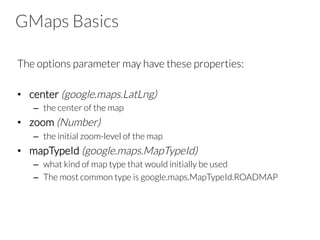
The options parameter may have these properties:

•  center (google.maps.LatLng)
–  the center of the map
•  zoom (Number)
–  the initial zoom-level of the map
•  mapTypeId (google.maps.MapTypeId)
–  what kind of map type that would initially be used
–  The most common type is google.maps.MapTypeId.ROADMAP
GMaps Basics
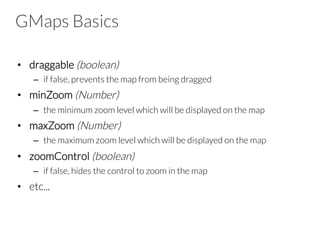
•  draggable (boolean)
–  if false, prevents the map from being dragged
•  minZoom (Number)
–  the minimum zoom level which will be displayed on the map 
•  maxZoom (Number)
–  the maximum zoom level which will be displayed on the map
•  zoomControl (boolean)
–  if false, hides the control to zoom in the map
•  etc...
The LatLng object
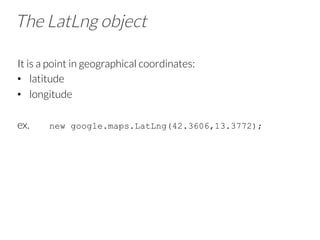
It is a point in geographical coordinates:
•  latitude
•  longitude
ex. new google.maps.LatLng(42.3606,13.3772);
The LatLngBounds object
It represents a rectangle in geographical coordinates
•  south-west
•  north-east
var pt = new google.maps.LatLngBounds(
new google.maps.LatLng(57.8, 14.0),
new google.maps.LatLng(57.8, 14.0)
);
contains(pt), intersect(bounds), getCenter(),
union(bounds), etc.
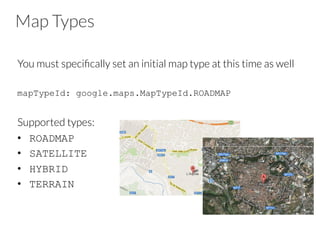
Map Types
You must specifically set an initial map type at this time as well

mapTypeId: google.maps.MapTypeId.ROADMAP
Supported types:
•  ROADMAP
•  SATELLITE
•  HYBRID
•  TERRAIN
Example
// in your JS file
var options = {
center: new google.maps.LatLng(-34.397, 150.644),
zoom: 8,
mapTypeId: google.maps.MapTypeId.ROADMAP
};
var map = new
google.maps.Map(document.getElementById(“map”),
options);
// somewhere in your HTML templates
<div id=“map”></div>
GMaps Events
There are 2 types of events:

•  User events
–  are propagated from the DOM to the Google Maps API
–  for example touchend
•  MVC state change notifications
–  reflect changes in Maps API objects and are named using a
property_changed convention
–  for example the API will fire a zoom_changed event on a map when the
map's zoom level changes
Map Event Listeners
You register for event notifications using the addListener()
event handler

google.maps.event.addListener(obj, eventname, callback)

•  obj: the object on which the event can occur
–  ex. the whole map, a marker, etc.
•  eventname: an event to listen for
–  ex. “click”, “center_changed”, “zoom_changed”, etc.
–  every objects can respond to different types of events 
•  callback: function to call when the specified event occurs
DOM Object Events
It allows you to capture events occurred on elements within the
DOM

addDOMListener(obj, eventname, callback)
It is similar to addListener, but here obj can be any element
within the DOM
Example
var map = new
google.maps.Map(document.getElementById(“map”), opt);
google.maps.event.addListener(map, 'click',
function(event) {
var marker = new google.maps.Marker({
position: event.latLng,
map: map
});
map.setCenter(marker.getPosition());
}
);
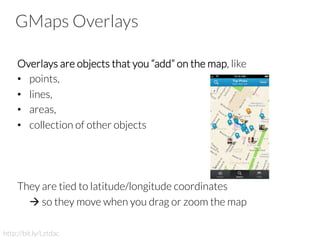
GMaps Overlays
Overlays are objects that you “add” on the map, like
•  points,
•  lines,
•  areas,
•  collection of other objects 


They are tied to latitude/longitude coordinates

à so they move when you drag or zoom the map

http://bit.ly/Lztdac
Types of Overlays in GMaps
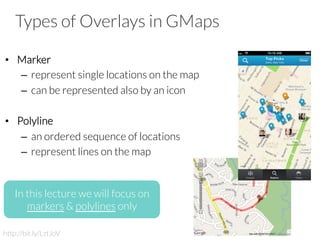
•  Marker
–  represent single locations on the map
–  can be represented also by an icon
•  Polyline
–  an ordered sequence of locations
–  represent lines on the map
In this lecture we will focus on
markers & polylines only
http://bit.ly/LztJoV
Types of Overlays in GMaps
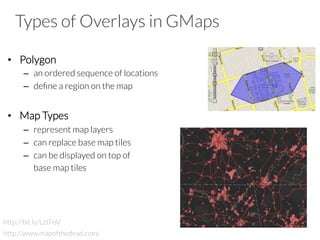
•  Polygon
–  an ordered sequence of locations
–  define a region on the map
•  Map Types
–  represent map layers
–  can replace base map tiles
–  can be displayed on top of 

base map tiles
http://bit.ly/LztFoV
http://www.mapofthedead.com/
Types of Overlays in GMaps
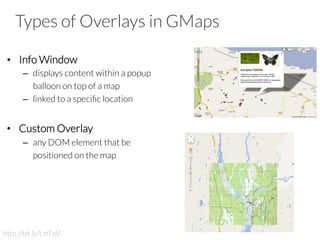
•  Info Window
–  displays content within a popup 

balloon on top of a map
–  linked to a specific location
•  Custom Overlay
–  any DOM element that be

positioned on the map
http://bit.ly/LztFoV
Markers
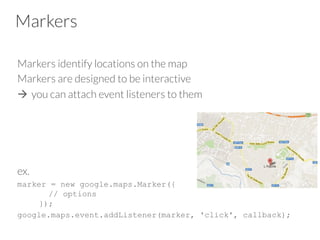
Markers identify locations on the map
Markers are designed to be interactive
à  you can attach event listeners to them
ex. 
marker = new google.maps.Marker({
// options
});
google.maps.event.addListener(marker, 'click', callback);
Marker Options
The google.maps.Marker constructor takes a single object literal
specifying the initial properties of the marker

•  position
–  LatLng identifying the initial location of the marker
•  map
–  the Map object on which to place the marker
–  You can add the marker later by calling setMap() method
–  You can remove a marker by calling setMap()with null
Marker Options
•  animation
–  google.maps.Animation.DROP
–  google.maps.Animation.BOUNCE
You may initiate an animation on an existing marker by calling
setAnimation() on the marker object
•  draggable
–  makes the marker draggable on the map
•  icon
–  used to set a custom icon for the marker
–  it defines the URL of an image to be used as icon
–  The Google Maps API will size the icon automatically
Polylines
A Polyline object consists of an array of LatLngs

It creates a series of line segments that connect those locations in
an ordered sequence

Similarly to Marker, the constructor of Polyline takes an
object literal containing the options

Also Polyline can react to user events
Polylines Options
•  path[]
–  array of LatLng, one for each point of the polyline
•  strokeColor
–  color of the lines in CSS syntax
•  strokeOpacity
–  opacity of the lines as a decimal number between 0 and 1
•  strokeWeight
–  the weight of the line's stroke in pixels
•  editable
–  boolean, specifies whether users can modify it or not
Example
var map; // the map object (initialization omitted here)
var coords = [
new google.maps.LatLng(37.772323, -122.214897),
new google.maps.LatLng(21.291982, -157.821856),
new google.maps.LatLng(-18.142599, 178.431),
new google.maps.LatLng(-27.46758, 153.027892)
];
var polyline = new google.maps.Polyline({
path: coords,
strokeColor: "#00FF00",
strokeOpacity: 1.0,
strokeWeight: 1
});
polyline.setMap(map);
GMaps Services
3 are the main services provided by GMaps:

•  Directions
•  Distance Matrix
•  Geocoding
Directions
You can calculate directions (using a variety of methods of
transportation) by using the object 

google.maps.DirectionsService

This object communicates with Google Maps which receives
direction requests and returns computed results

You can
1.  manage these directions results directly
2.  use the DirectionsRenderer object to render them
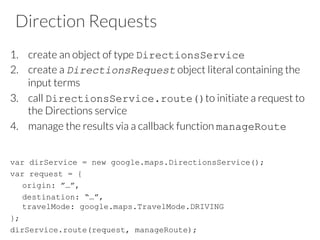
Direction Requests
1.  create an object of type DirectionsService
2.  create a DirectionsRequest object literal containing the
input terms
3.  call DirectionsService.route()to initiate a request to
the Directions service
4.  manage the results via a callback function manageRoute
var dirService = new google.maps.DirectionsService();
var request = {
origin: ”…”,
destination: “…”,
travelMode: google.maps.TravelMode.DRIVING
};
dirService.route(request, manageRoute);
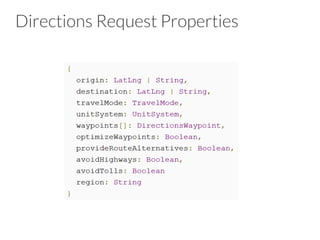
Directions Request Properties
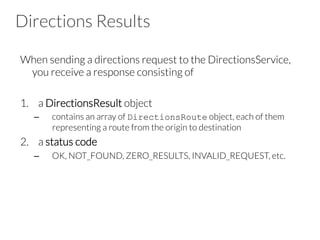
Directions Results
When sending a directions request to the DirectionsService,
you receive a response consisting of 

1.  a DirectionsResult object
–  contains an array of DirectionsRoute object, each of them
representing a route from the origin to destination
2.  a status code
–  OK, NOT_FOUND, ZERO_RESULTS, INVALID_REQUEST, etc.
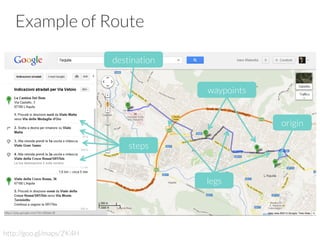
Example of Route
http://goo.gl/maps/ZK4H
origin
destination
waypoints
steps
legs
Routes
It is an object literal with the following fields:

•  legs[]: array of DirectionsLeg objects
•  waypoint_order[]: indicates the order of waypoints
•  overview_path[]: array of LatLngs approximating the path of
the resulting directions
•  bounds: LatLngBounds containing the route
•  copyrights: text
•  warnings: text
Legs
It is an object literal with the following fields:

•  steps[]: array of DirectionsStep objects
•  distance: total distance covered by this leg
•  duration: total duration of the leg
•  start_location: the origin of the leg as LatLng 
•  end_location: the destination of the leg as LatLng 
•  start_address: the origin of the leg as text
•  end_address: the destination of the leg as text
Steps
It is an object literal with the following fields:

•  instructions: instructions for this step within as text
•  distance: total distance covered by this step
•  duration: total duration of the step
•  start_location: the origin of the leg as LatLng 
•  end_location: the destination of the leg as LatLng
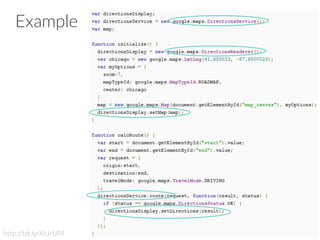
Example
http://bit.ly/KtJrUM
Distance Matrix
It is a service to compute
1.  travel distance
2.  journey duration 

between multiple origins and destinations
This service does not return detailed route information
à you need the Directions Service for these
Distance Requests
google.maps.DistanceMatrixService .getDistanceMatrix(opt
ions, callback)
where
•  options
–  object literals containing origin, destination, travel modes, ...
•  callback
–  the function executed upon response
Distance Request Options
•  origins
–  array containing one or more address strings and/or LatLng
•  destinations
–  array containing one or more address strings and/or LatLng
•  travelMode
–  google.maps.TravelMode.DRIVING
–  google.maps.TravelMode.WALKING
–  google.maps.TravelMode.BICYCLING
•  unitSystem
–  google.maps.UnitSystem.METRIC
–  google.maps.UnitSystem.IMPERIAL
•  avoidHighways (boolean)
•  avoidTolls (boolean)
Distance Responses
A successful call to the Distance Matrix service returns:

•  a DistanceMatrixResponse object
•  a DistanceMatrixStatus object

These are passed to the callback function you specified in the
request
DistanceMatrixResponse
It is an object containing the following properties:

•  originAddresses
–  array containing the locations passed in the origins field
•  destinationAddresses
–  array containing the locations passed in the destinations field
•  rows
–  array of DistanceMatrixResponseRow objects, with each row
corresponding to an origin
•  elements
–  are children of rows, and correspond to a pairing of the row's origin
with each destination
–  They contain status, distance, and duration information for each
origin/destination pair
Example
var origin = “L’Aquila, Italy";
var destination = “London, England";
var service = new google.maps.DistanceMatrixService();
service.getDistanceMatrix({
origins: [origin],
destinations: [destination],
travelMode: google.maps.TravelMode.DRIVING,
avoidHighways: false,
avoidTolls: false
}, callback);
function callback(response, status) {
if (status == google.maps.DistanceMatrixStatus.OK) {
var t = response.rows[0].elements[0].distance.text;
alert(t);
}
}
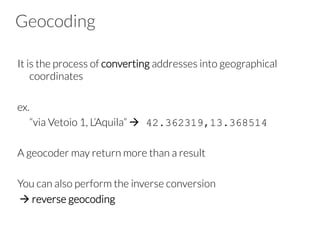
Geocoding
It is the process of converting addresses into geographical
coordinates

ex. 

“via Vetoio 1, L’Aquila” à 42.362319,13.368514
A geocoder may return more than a result

You can also perform the inverse conversion
à reverse geocoding
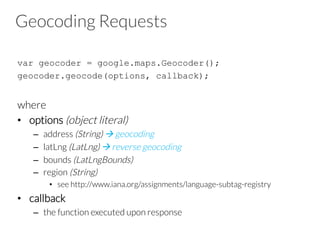
Geocoding Requests
var geocoder = google.maps.Geocoder();
geocoder.geocode(options, callback);

where
•  options (object literal)
–  address (String) à geocoding
–  latLng (LatLng) à reverse geocoding
–  bounds (LatLngBounds) 
–  region (String)
•  see http://www.iana.org/assignments/language-subtag-registry
•  callback
–  the function executed upon response
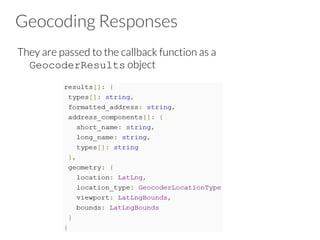
Geocoding Responses
They are passed to the callback function as a
GeocoderResults object
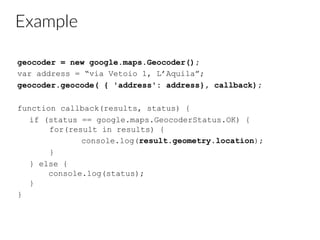
Example
geocoder = new google.maps.Geocoder();
var address = “via Vetoio 1, L’Aquila”;
geocoder.geocode( { 'address': address}, callback);
function callback(results, status) {
if (status == google.maps.GeocoderStatus.OK) {
for(result in results) {
console.log(result.geometry.location);
}
} else {
console.log(status);
}
}
What’s more?
•  Controls
–  UI elements to allow user interaction with the map
–  zoom, Street View, scale, map type
•  Layers
–  GeoRSS, KML, Fusion Tables, etc.
•  Map Types & Styles (see http://bit.ly/JEA6Nu)
–  custom styles, image overlays, etc.
•  StreetView Services
•  Drawing Library
–  drawing tools, geometry, etc.
Open source implementations
Geocoding and Reverse geolocation

http://wiki.openstreetmap.org/wiki/Nominatim

Mapping

http://leafletjs.com + Open Street Map tiles

Operations on maps

check Leaflet plugins

For a more “native feeling”, Cordova plugins:

http://plugins.cordova.io/#/package/com.phonegap.plugins.mapkit

http://plugins.cordova.io/#/package/com.risingj.cordova.maplauncher
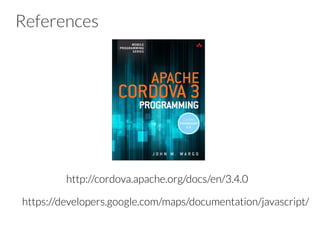
References


https://developers.google.com/maps/documentation/javascript/
http://cordova.apache.org/docs/en/3.4.0
+ 39 380 70 21 600
Contact
Ivano Malavolta | 
Gran Sasso Science Institute
iivanoo
ivano.malavolta@univaq.it
www.ivanomalavolta.com

Geolocation and mapping using Google Maps services

  • 1.
    Gran Sasso ScienceInstitute Ivano Malavolta Geolocation and mapping
  • 2.
    Roadmap Introduction Geolocation Google Maps Services* *In this lecture we refer to Google Maps Services only because of space limitations. Other services, like Yahoo! Place Finder, Open Street Maps, etc. can be used as valid alternatives
  • 3.
    Geolocation Geolocation is the identificationof the real-world geographic location of an object, like: •  mobile phone •  Internet-connected computer terminal Geolocation may refer to the practice of assessing the location, or to the actual assessed location
  • 4.
    Mapping Mapping usually refers to map-making andoften used instead of cartography In Cordova you can use any JS library for maps: GMaps, Leaflet, Bing Maps, Cordova plugins for native maps
  • 5.
    Geolocation VS Mapping Geolocationrefers to geospatial data collection and manipulation ex. LatLon calculations, geocoding, etc. Mapping refers to the activity of creating a map through some cartographic works ex. maps, layers, markers, routes, etc.
  • 6.
    Roadmap Introduction Geolocation Google Maps Services* *In this lecture we refer to Google Maps Services only because of space limitations. Other services, like Yahoo! Place Finder, Open Street Maps, etc. can be used as valid alternatives
  • 7.
    Geolocation navigator.geolocation Provides access forcapturing location information for the device, like: •  latitude •  longitude •  Speed
  • 8.
    Geolocation The API itselfis agnostic of the underlying location information sources Common sources of location information include •  Global Positioning System (GPS) •  location info from IP address, RFID, WiFi,GSM cell IDs, etc. No guarantee is given that the API returns the device's actual location This API is based on the W3C Geolocation API Specification, and only executes on devices that don't already provide an implementation
  • 9.
    Geolocation Methods The geolocationobject provides 3 methods: •  geolocation.getCurrentPosition •  geolocation.watchPosition •  geolocation.clearWatch
  • 10.
    getCurrentPosition It returns thedevice's current position getCurrentPosition(win, [fail], [options]); win callback function with a Position parameter fail error callback options geolocation options
  • 11.
    watchPosition It gets thedevice's position when a change in position has been detected var id = watchPosition(win, [fail], [options]); win callback function with a Position parameter fail error callback options geolocation options
  • 12.
    clearWatch Stop watching theGeolocation referenced by the watch ID parameter clearWatch(watchID); watchID ID returned by geolocation.watchPosition
  • 13.
    Options •  enableHighAccuracy (Boolean) –  receivethe best possible results (e.g., GPS) –  by default Cordova uses network-based methods •  timeout (Number) –  the maximum length of time (msec) that is allowed to pass from the call until the corresponding callback is invoked, otherwise the error callback is called •  maximumAge (Number) –  accept a cached position whose age is no greater than the specified time in milliseconds
  • 14.
    The Position object Containsthe data created by the geolocation API It is passed as argument to the success callbacks of getCurrentPosition and watchPosition Properties:  •  coords –  a set of geographic Coordinates •  timestamp –  creation timestamp in milliseconds
  • 15.
    The Coordinates object Properties:   • latitude (Number) –  Latitude in decimal degrees •  longitude (Number) –  Longitude in decimal degrees •  accuracy (Number) –  Accuracy level of the latitude and longitude coordinates in meters http://bit.ly/Ln6AtM
  • 16.
    The Coordinates object • altitude (Number) –  Height of the position in meters above the ellipsoid •  altitudeAccuracy (Number) –  Accuracy level of the altitude coordinate in meters http://bit.ly/Ln7V3H
  • 17.
    The Coordinates object • heading (Number) –  Direction of travel, specified in degrees counting clockwise relative to the true north •  speed (Number) –  Current ground speed of the device, specified in meters per second http://bit.ly/LnanXV The Compass API in Cordova is exclusively dedicated to the heading property
  • 18.
    Position Error Encapsulates theerror code resulting from a failed position capture operation It contains a pre-defined error code PositionError.PERMISSION_DENIED PositionError.POSITION_UNAVAILABLE PositionError.TIMEOUT
  • 19.
    Example var  options  =  {  maximumAge:  3000,  timeout:  5000,  enableHighAccuracy:   true  };     navigator.geolocation.watchPosition(win,  fail,  options);     function  win(pos)  {    var  el  =  ‘<div>Latitude:  ‘  +  pos.coords.latitude  +  '</div>');    el  +=  ‘<div>Longitude:  ‘  +  pos.coords.longitude  +  '</div>');    el  +=  ‘<div>timestamp:  ‘  +  pos.timestamp  +  '</div>');    $(‘#block’).html(el);   }     function  fail(err)  {    console.log(err.code);   }  
  • 20.
    The compass API navigator.compass   You can call 3 methods on it: •  getCurrentHeading •  watchHeading •  clearWatch    
  • 21.
    getCurrentHeading getCurrentHeading(win,  [fail],  [options]);   It detects the direction or heading that the device is pointed from the top of the device win callback function with an Heading parameter fail error callback options compass options
  • 22.
    watchHeading var  id  =  watchHeading(win,  [fail],  [options]);   It gets the device's heading at a regular interval win callback function with an Heading parameter fail error callback options compass options  
  • 23.
    clearWatch clearWatch(watchID);   Stop watchingthe heading of the device by referencing the watchID parameter watchID ID returned by heading.watchHeading
  • 24.
    Options •  frequency  (Number) – How often to retrieve the compass heading in milliseconds •  filter (Number) –  in iOS the success callback of a watchHeading call can also be called once the sensed heading values are greater than a given filter –  the filter option represents the change in degrees required to initiate a watchHeading success callback iOS only
  • 25.
    The CompassHeading object Properties •  magneticHeading (Number) –  the heading in degrees from 0-359.99 at a single moment in time •  trueHeading (Number) –  The heading relative to the geographic North Pole •  headingAccuracy (Number) –  the deviation in degrees between the reported heading and the true heading •  timestamp (Number) –  The time at which this heading was determined in milliseconds
  • 26.
    The CompassError object Encapsulatesthe error code resulting from a failed heading capture operation It contains a pre-defined error code –  CompassError.COMPASS_INTERNAL_ERR –  CompassError.COMPASS_NOT_SUPPORTED
  • 27.
    Compass example var  options  =  {  frequency:  2000  };     navigator.compass.watchHeading(win,  fail,  options);     function  win(compass)  {    console.log(compass.magneticHeading);   }     function  fail(err)  {    console.log(err.code);   }  
  • 28.
    Roadmap Introduction Geolocation Google Maps Services* *In this lecture we refer to Google Maps Services only because of space limitations. Other services, like Yahoo! Place Finder, Open Street Maps, etc. can be used as valid alternatives
  • 29.
    Google Maps API TheGoogle Maps Javascript API lets you embed Google Maps in your app The latest version (v3) of this API is especially designed to be faster and more applicable to mobile devices http://www.cibando.com
  • 30.
    Goole Maps API TheAPI provides a number of utilities for manipulating maps and adding content to the map through a variety of services You can see it like a way to programmatically manage maps on http://maps.google.com
  • 31.
    GMaps Basics google.maps.Map This objectrepresents a GMaps map it will contain the maps along with all the other elements, like markers, polygons, etc.
  • 32.
    GMaps Basics Here isits constructor: google.maps.Map(htmlElement, options); •  htmlElement –  a reference to a HTML element where you want the map to be inserted •  for example <div id=“map”></div> •  options –  an object literal containing a set of properties
  • 33.
    GMaps Basics The optionsparameter may have these properties: •  center (google.maps.LatLng) –  the center of the map •  zoom (Number) –  the initial zoom-level of the map •  mapTypeId (google.maps.MapTypeId) –  what kind of map type that would initially be used –  The most common type is google.maps.MapTypeId.ROADMAP
  • 34.
    GMaps Basics •  draggable(boolean) –  if false, prevents the map from being dragged •  minZoom (Number) –  the minimum zoom level which will be displayed on the map •  maxZoom (Number) –  the maximum zoom level which will be displayed on the map •  zoomControl (boolean) –  if false, hides the control to zoom in the map •  etc...
  • 35.
    The LatLng object Itis a point in geographical coordinates: •  latitude •  longitude ex. new google.maps.LatLng(42.3606,13.3772);
  • 36.
    The LatLngBounds object Itrepresents a rectangle in geographical coordinates •  south-west •  north-east var pt = new google.maps.LatLngBounds( new google.maps.LatLng(57.8, 14.0), new google.maps.LatLng(57.8, 14.0) ); contains(pt), intersect(bounds), getCenter(), union(bounds), etc.
  • 37.
    Map Types You mustspecifically set an initial map type at this time as well mapTypeId: google.maps.MapTypeId.ROADMAP Supported types: •  ROADMAP •  SATELLITE •  HYBRID •  TERRAIN
  • 38.
    Example // in yourJS file var options = { center: new google.maps.LatLng(-34.397, 150.644), zoom: 8, mapTypeId: google.maps.MapTypeId.ROADMAP }; var map = new google.maps.Map(document.getElementById(“map”), options); // somewhere in your HTML templates <div id=“map”></div>
  • 39.
    GMaps Events There are2 types of events: •  User events –  are propagated from the DOM to the Google Maps API –  for example touchend •  MVC state change notifications –  reflect changes in Maps API objects and are named using a property_changed convention –  for example the API will fire a zoom_changed event on a map when the map's zoom level changes
  • 40.
    Map Event Listeners Youregister for event notifications using the addListener() event handler google.maps.event.addListener(obj, eventname, callback) •  obj: the object on which the event can occur –  ex. the whole map, a marker, etc. •  eventname: an event to listen for –  ex. “click”, “center_changed”, “zoom_changed”, etc. –  every objects can respond to different types of events •  callback: function to call when the specified event occurs
  • 41.
    DOM Object Events Itallows you to capture events occurred on elements within the DOM addDOMListener(obj, eventname, callback) It is similar to addListener, but here obj can be any element within the DOM
  • 42.
    Example var map =new google.maps.Map(document.getElementById(“map”), opt); google.maps.event.addListener(map, 'click', function(event) { var marker = new google.maps.Marker({ position: event.latLng, map: map }); map.setCenter(marker.getPosition()); } );
  • 43.
    GMaps Overlays Overlays areobjects that you “add” on the map, like •  points, •  lines, •  areas, •  collection of other objects They are tied to latitude/longitude coordinates à so they move when you drag or zoom the map http://bit.ly/Lztdac
  • 44.
    Types of Overlaysin GMaps •  Marker –  represent single locations on the map –  can be represented also by an icon •  Polyline –  an ordered sequence of locations –  represent lines on the map In this lecture we will focus on markers & polylines only http://bit.ly/LztJoV
  • 45.
    Types of Overlaysin GMaps •  Polygon –  an ordered sequence of locations –  define a region on the map •  Map Types –  represent map layers –  can replace base map tiles –  can be displayed on top of base map tiles http://bit.ly/LztFoV http://www.mapofthedead.com/
  • 46.
    Types of Overlaysin GMaps •  Info Window –  displays content within a popup balloon on top of a map –  linked to a specific location •  Custom Overlay –  any DOM element that be positioned on the map http://bit.ly/LztFoV
  • 47.
    Markers Markers identify locationson the map Markers are designed to be interactive à  you can attach event listeners to them ex. marker = new google.maps.Marker({ // options }); google.maps.event.addListener(marker, 'click', callback);
  • 48.
    Marker Options The google.maps.Markerconstructor takes a single object literal specifying the initial properties of the marker •  position –  LatLng identifying the initial location of the marker •  map –  the Map object on which to place the marker –  You can add the marker later by calling setMap() method –  You can remove a marker by calling setMap()with null
  • 49.
    Marker Options •  animation – google.maps.Animation.DROP –  google.maps.Animation.BOUNCE You may initiate an animation on an existing marker by calling setAnimation() on the marker object •  draggable –  makes the marker draggable on the map •  icon –  used to set a custom icon for the marker –  it defines the URL of an image to be used as icon –  The Google Maps API will size the icon automatically
  • 50.
    Polylines A Polyline objectconsists of an array of LatLngs It creates a series of line segments that connect those locations in an ordered sequence Similarly to Marker, the constructor of Polyline takes an object literal containing the options Also Polyline can react to user events
  • 51.
    Polylines Options •  path[] – array of LatLng, one for each point of the polyline •  strokeColor –  color of the lines in CSS syntax •  strokeOpacity –  opacity of the lines as a decimal number between 0 and 1 •  strokeWeight –  the weight of the line's stroke in pixels •  editable –  boolean, specifies whether users can modify it or not
  • 52.
    Example var map; //the map object (initialization omitted here) var coords = [ new google.maps.LatLng(37.772323, -122.214897), new google.maps.LatLng(21.291982, -157.821856), new google.maps.LatLng(-18.142599, 178.431), new google.maps.LatLng(-27.46758, 153.027892) ]; var polyline = new google.maps.Polyline({ path: coords, strokeColor: "#00FF00", strokeOpacity: 1.0, strokeWeight: 1 }); polyline.setMap(map);
  • 53.
    GMaps Services 3 arethe main services provided by GMaps: •  Directions •  Distance Matrix •  Geocoding
  • 54.
    Directions You can calculatedirections (using a variety of methods of transportation) by using the object google.maps.DirectionsService This object communicates with Google Maps which receives direction requests and returns computed results You can 1.  manage these directions results directly 2.  use the DirectionsRenderer object to render them
  • 55.
    Direction Requests 1.  createan object of type DirectionsService 2.  create a DirectionsRequest object literal containing the input terms 3.  call DirectionsService.route()to initiate a request to the Directions service 4.  manage the results via a callback function manageRoute var dirService = new google.maps.DirectionsService(); var request = { origin: ”…”, destination: “…”, travelMode: google.maps.TravelMode.DRIVING }; dirService.route(request, manageRoute);
  • 56.
  • 57.
    Directions Results When sendinga directions request to the DirectionsService, you receive a response consisting of 1.  a DirectionsResult object –  contains an array of DirectionsRoute object, each of them representing a route from the origin to destination 2.  a status code –  OK, NOT_FOUND, ZERO_RESULTS, INVALID_REQUEST, etc.
  • 58.
  • 59.
    Routes It is anobject literal with the following fields: •  legs[]: array of DirectionsLeg objects •  waypoint_order[]: indicates the order of waypoints •  overview_path[]: array of LatLngs approximating the path of the resulting directions •  bounds: LatLngBounds containing the route •  copyrights: text •  warnings: text
  • 60.
    Legs It is anobject literal with the following fields: •  steps[]: array of DirectionsStep objects •  distance: total distance covered by this leg •  duration: total duration of the leg •  start_location: the origin of the leg as LatLng •  end_location: the destination of the leg as LatLng •  start_address: the origin of the leg as text •  end_address: the destination of the leg as text
  • 61.
    Steps It is anobject literal with the following fields: •  instructions: instructions for this step within as text •  distance: total distance covered by this step •  duration: total duration of the step •  start_location: the origin of the leg as LatLng •  end_location: the destination of the leg as LatLng
  • 62.
  • 63.
    Distance Matrix It isa service to compute 1.  travel distance 2.  journey duration between multiple origins and destinations This service does not return detailed route information à you need the Directions Service for these
  • 64.
    Distance Requests google.maps.DistanceMatrixService .getDistanceMatrix(opt ions,callback) where •  options –  object literals containing origin, destination, travel modes, ... •  callback –  the function executed upon response
  • 65.
    Distance Request Options • origins –  array containing one or more address strings and/or LatLng •  destinations –  array containing one or more address strings and/or LatLng •  travelMode –  google.maps.TravelMode.DRIVING –  google.maps.TravelMode.WALKING –  google.maps.TravelMode.BICYCLING •  unitSystem –  google.maps.UnitSystem.METRIC –  google.maps.UnitSystem.IMPERIAL •  avoidHighways (boolean) •  avoidTolls (boolean)
  • 66.
    Distance Responses A successfulcall to the Distance Matrix service returns: •  a DistanceMatrixResponse object •  a DistanceMatrixStatus object These are passed to the callback function you specified in the request
  • 67.
    DistanceMatrixResponse It is anobject containing the following properties: •  originAddresses –  array containing the locations passed in the origins field •  destinationAddresses –  array containing the locations passed in the destinations field •  rows –  array of DistanceMatrixResponseRow objects, with each row corresponding to an origin •  elements –  are children of rows, and correspond to a pairing of the row's origin with each destination –  They contain status, distance, and duration information for each origin/destination pair
  • 68.
    Example var origin =“L’Aquila, Italy"; var destination = “London, England"; var service = new google.maps.DistanceMatrixService(); service.getDistanceMatrix({ origins: [origin], destinations: [destination], travelMode: google.maps.TravelMode.DRIVING, avoidHighways: false, avoidTolls: false }, callback); function callback(response, status) { if (status == google.maps.DistanceMatrixStatus.OK) { var t = response.rows[0].elements[0].distance.text; alert(t); } }
  • 69.
    Geocoding It is theprocess of converting addresses into geographical coordinates ex. “via Vetoio 1, L’Aquila” à 42.362319,13.368514 A geocoder may return more than a result You can also perform the inverse conversion à reverse geocoding
  • 70.
    Geocoding Requests var geocoder= google.maps.Geocoder(); geocoder.geocode(options, callback); where •  options (object literal) –  address (String) à geocoding –  latLng (LatLng) à reverse geocoding –  bounds (LatLngBounds) –  region (String) •  see http://www.iana.org/assignments/language-subtag-registry •  callback –  the function executed upon response
  • 71.
    Geocoding Responses They arepassed to the callback function as a GeocoderResults object
  • 72.
    Example geocoder = newgoogle.maps.Geocoder(); var address = “via Vetoio 1, L’Aquila”; geocoder.geocode( { 'address': address}, callback); function callback(results, status) { if (status == google.maps.GeocoderStatus.OK) { for(result in results) { console.log(result.geometry.location); } } else { console.log(status); } }
  • 73.
    What’s more? •  Controls – UI elements to allow user interaction with the map –  zoom, Street View, scale, map type •  Layers –  GeoRSS, KML, Fusion Tables, etc. •  Map Types & Styles (see http://bit.ly/JEA6Nu) –  custom styles, image overlays, etc. •  StreetView Services •  Drawing Library –  drawing tools, geometry, etc.
  • 74.
    Open source implementations Geocodingand Reverse geolocation http://wiki.openstreetmap.org/wiki/Nominatim Mapping http://leafletjs.com + Open Street Map tiles Operations on maps check Leaflet plugins For a more “native feeling”, Cordova plugins: http://plugins.cordova.io/#/package/com.phonegap.plugins.mapkit http://plugins.cordova.io/#/package/com.risingj.cordova.maplauncher
  • 75.
  • 76.
    + 39 38070 21 600 Contact Ivano Malavolta | Gran Sasso Science Institute iivanoo ivano.malavolta@univaq.it www.ivanomalavolta.com