DOSE: Deployment and Operations
for Software Engineers
Secure Development
© Len Bass 2019 2
Overview
• Identify and protect critical data and
resources
• Managing credentials for access to services
• Managing credentials for individuals
© Len Bass 2019 3
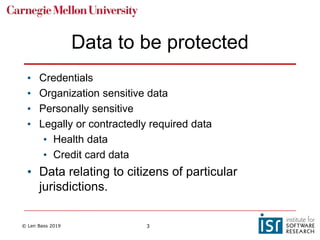
Data to be protected
• Credentials
• Organization sensitive data
• Personally sensitive
• Legally or contractedly required data
• Health data
• Credit card data
• Data relating to citizens of particular
jurisdictions.
© Len Bass 2019 4
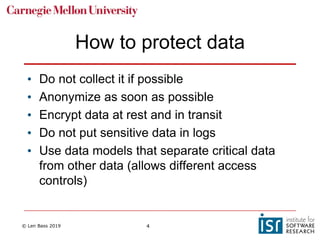
How to protect data
• Do not collect it if possible
• Anonymize as soon as possible
• Encrypt data at rest and in transit
• Do not put sensitive data in logs
• Use data models that separate critical data
from other data (allows different access
controls)
© Len Bass 2019 5
Resources to be protected
• Hardware
• CPU
• Memory
• Disk
• APIs
© Len Bass 2019 6
Some techniques for
protecting resources
• Sanitize inputs both from client side and
server side. Prevents buffer overflow and
SQL injection attacks.
• Encrypt request/response.
• Do not store sensitive data inside cookies.
© Len Bass 2019 7
Overview
• Identify and protect critical data and
resources
• Managing credentials for access to
services
• Managing credentials for individuals
© Len Bass 2019 8
Problem
• One service (client) wishes to access a
second service
• Second service requires access
credentials.
• How does client get credentials?
© Len Bass 2019 9
Solution 1
• Configuration management systems have extensions
called “vaults”
• Vaults maintain information in an encrypted form and
require special registrations to access.
• Store credential for service in vault
• Client retrieves credential from value
• Requires that client be authenticated to configuration
management system
• Moves problem from service to vault management
which can be better controlled by an organization
© Len Bass 2019 10
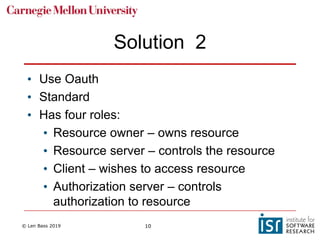
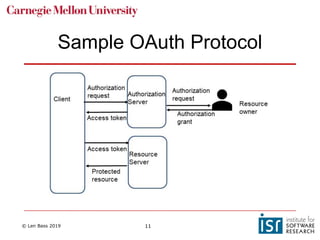
Solution 2
• Use Oauth
• Standard
• Has four roles:
• Resource owner – owns resource
• Resource server – controls the resource
• Client – wishes to access resource
• Authorization server – controls
authorization to resource
© Len Bass 2019 11
Sample OAuth Protocol
© Len Bass 2019 12
Overview
• Identify and protect critical data and resources
• Managing credentials for access to services
• Managing credentials for individuals
© Len Bass 2019 13
Principle of least privilege
• Individuals should be given the least
privileges they need to do their job
• System administrators need different
privileges than developers than testers, etc
© Len Bass 2019 14
RBAC
• Role Based Access Control (RBAC)
• Managing credentials for all of the employees
as individuals gets too complicated when
there are >500 employees
• Define a group of roles and provide
credentials based on roles
• Assign individuals to one or more roles.
© Len Bass 2019 15
Problems with RBAC
• Explosion of roles
• Suppose in a bank with multiple branches, one
branch gives managers the power to approve
loans up to $10,000 and another branch gives
managers power to approve loans up to $20,000
• Are these two different roles?
• Does manager need multiple roles? – including max
loan that can be approved.
© Len Bass 2019 16
Centralizing account
management
• Managing individual accounts and roles is
usually done using Lightweight Directory
Access Protocol (LDAP)
• Individuals are registered in the LDAP server
with account information and roles.
© Len Bass 2019 17
Employee leaves organization
• LDAP simplifies managing of computer accounts for
individuals joining or leaving an organization
• An employee who leaves has their account deleted in
the LDAP and they can no longer access computer
system.
• What about the credentials for employees who
leave?
© Len Bass 2019 18
Credentials are assigned to roles
• Suppose individual who leaves has
maintenance responsibilities
• This allows access to certain rooms via key
code.
• If key code is changed then remaining
maintenance personnel cannot access
rooms.
© Len Bass 2019 19
Credential rotation
• Credentials can be rotated periodically or
upon individual leaving.
• Credential rotation is not instantaneous.
• An application may have to be designed for
alternative credentials.
© Len Bass 2019 20
Summary
• Critical data comes in a variety of forms.
Protection may be required by law,
regulations or corporate needs.
• Vaults and OAuth are used to control access
to services.
• RBAC and LDAP are used to manage
credentials for individuals.
© Len Bass 2019 21
Overview
• Software Supply Chain and Software
Assurance
• Weaknesses and vulnerabilities
• Vulnerability discovery and patching
• OWASP top 10
© Len Bass 2019 22
Software Supply Chain
• The set of software that contributes to the content of a service.
• Includes
• Operating system
• Middle ware
• Frameworks
• Supporting tooling
• …
• May be open source or commercial off the shelf (COTS)
© Len Bass 2019 23
Open source selection criteria
• Project maturity and development activity.
• Identified and engaged maintainer(s).
• Repository used for the project.
• The download confirmation hash.
• Pedigree.
© Len Bass 2019 24
Overview
• Software Supply Chain and Software
Assurance
• Weaknesses and vulnerabilities
• Vulnerability discovery and patching
• OWASP top 10
© Len Bass 2019 25
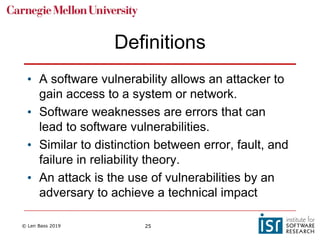
Definitions
• A software vulnerability allows an attacker to
gain access to a system or network.
• Software weaknesses are errors that can
lead to software vulnerabilities.
• Similar to distinction between error, fault, and
failure in reliability theory.
• An attack is the use of vulnerabilities by an
adversary to achieve a technical impact
© Len Bass 2019 26
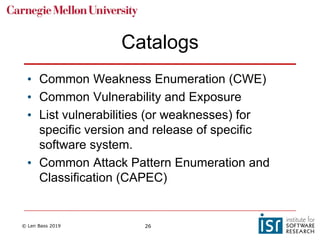
Catalogs
• Common Weakness Enumeration (CWE)
• Common Vulnerability and Exposure
• List vulnerabilities (or weaknesses) for
specific version and release of specific
software system.
• Common Attack Pattern Enumeration and
Classification (CAPEC)
© Len Bass 2019 27
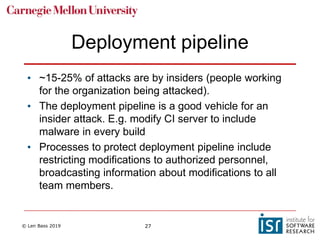
Deployment pipeline
• ~15-25% of attacks are by insiders (people working
for the organization being attacked).
• The deployment pipeline is a good vehicle for an
insider attack. E.g. modify CI server to include
malware in every build
• Processes to protect deployment pipeline include
restricting modifications to authorized personnel,
broadcasting information about modifications to all
team members.
© Len Bass 2019 28
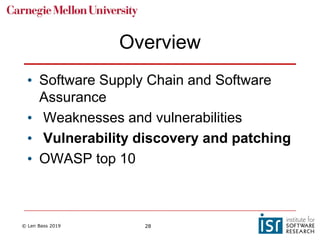
Overview
• Software Supply Chain and Software
Assurance
• Weaknesses and vulnerabilities
• Vulnerability discovery and patching
• OWASP top 10
© Len Bass 2019 29
Vulnerability/patch process
1. A vulnerability is discovered
2. The vulnerability is reported to Computer Emergency
Response Team (CERT/CC). This starts the disclosure
window (currently 45 days)
3. CERT/CC publicly discloses the vulnerability and lists
the vulnerability in the CVE.
4. The vendor issues a patch, referencing the CVE ID.
5. You are informed of the patch
6. You apply the patch.
© Len Bass 2019 30
Problems with process
• Too much information
• Multiple vendors with multiple products are
continually issuing patches
• Which ones apply to the software you are
using?
• Deciding whether and when to apply a patch.
Depends on severity of problem being fixed
and your operational procedures.
© Len Bass 2019 31
One process
• Rebuild all software periodically.
• Guarantees that latest patches are
incorporated for software that you use
• Costs rebuilding time
© Len Bass 2019 32
Overview
• Software Supply Chain and Software
Assurance
• Weaknesses and vulnerabilities
• Vulnerability discovery and patching
• OWASP top 10
© Len Bass 2019 33
OWASP
• The Open Web Application Security
Project, or OWASP, is an international
non-profit organization dedicated to web
application security.
• One of their projects is a list of the top
ten security vulnerabilities for web
applications.
© Len Bass 2019 34
1 - injection
• Injection. injection attacks happen when
untrusted data is sent to a code
interpreter through a form input or some
other data submission to a web
application.
• Injection attacks can be prevented by
validating and/or sanitizing user-
submitted data.
© Len Bass 2019 35
2 - broken authentication
• Vulnerabilities in authentication (login)
systems can give attackers access to
user accounts
• require 2-factor authentication (2FA)
• Limit or delay repeated login attempts
© Len Bass 2019 36
3 - Sensitive Data Exposure
• attackers can gain access to sensitive
data. One popular method for stealing
sensitive information is using a man-in-
the-middle attack.
• Encrypt all sensitive data as well as
disabling the caching of any sensitive
information.
© Len Bass 2019 37
4. XML External Entities
• XML input can reference an external
entity, attempting to exploit a
vulnerability in the parser.
• Use a less complex data type such as
JSON.
© Len Bass 2019 38
Summary
• Supply chain may be a source of
vulnerabilities
• Catalogs of vulnerabilities and patches
• Patching process must be defined for your
organization
• OWASP is an organization that catalogues
vulnerabilities and mitigation strategies.

11 secure development

  • 1.
    DOSE: Deployment andOperations for Software Engineers Secure Development
  • 2.
    © Len Bass2019 2 Overview • Identify and protect critical data and resources • Managing credentials for access to services • Managing credentials for individuals
  • 3.
    © Len Bass2019 3 Data to be protected • Credentials • Organization sensitive data • Personally sensitive • Legally or contractedly required data • Health data • Credit card data • Data relating to citizens of particular jurisdictions.
  • 4.
    © Len Bass2019 4 How to protect data • Do not collect it if possible • Anonymize as soon as possible • Encrypt data at rest and in transit • Do not put sensitive data in logs • Use data models that separate critical data from other data (allows different access controls)
  • 5.
    © Len Bass2019 5 Resources to be protected • Hardware • CPU • Memory • Disk • APIs
  • 6.
    © Len Bass2019 6 Some techniques for protecting resources • Sanitize inputs both from client side and server side. Prevents buffer overflow and SQL injection attacks. • Encrypt request/response. • Do not store sensitive data inside cookies.
  • 7.
    © Len Bass2019 7 Overview • Identify and protect critical data and resources • Managing credentials for access to services • Managing credentials for individuals
  • 8.
    © Len Bass2019 8 Problem • One service (client) wishes to access a second service • Second service requires access credentials. • How does client get credentials?
  • 9.
    © Len Bass2019 9 Solution 1 • Configuration management systems have extensions called “vaults” • Vaults maintain information in an encrypted form and require special registrations to access. • Store credential for service in vault • Client retrieves credential from value • Requires that client be authenticated to configuration management system • Moves problem from service to vault management which can be better controlled by an organization
  • 10.
    © Len Bass2019 10 Solution 2 • Use Oauth • Standard • Has four roles: • Resource owner – owns resource • Resource server – controls the resource • Client – wishes to access resource • Authorization server – controls authorization to resource
  • 11.
    © Len Bass2019 11 Sample OAuth Protocol
  • 12.
    © Len Bass2019 12 Overview • Identify and protect critical data and resources • Managing credentials for access to services • Managing credentials for individuals
  • 13.
    © Len Bass2019 13 Principle of least privilege • Individuals should be given the least privileges they need to do their job • System administrators need different privileges than developers than testers, etc
  • 14.
    © Len Bass2019 14 RBAC • Role Based Access Control (RBAC) • Managing credentials for all of the employees as individuals gets too complicated when there are >500 employees • Define a group of roles and provide credentials based on roles • Assign individuals to one or more roles.
  • 15.
    © Len Bass2019 15 Problems with RBAC • Explosion of roles • Suppose in a bank with multiple branches, one branch gives managers the power to approve loans up to $10,000 and another branch gives managers power to approve loans up to $20,000 • Are these two different roles? • Does manager need multiple roles? – including max loan that can be approved.
  • 16.
    © Len Bass2019 16 Centralizing account management • Managing individual accounts and roles is usually done using Lightweight Directory Access Protocol (LDAP) • Individuals are registered in the LDAP server with account information and roles.
  • 17.
    © Len Bass2019 17 Employee leaves organization • LDAP simplifies managing of computer accounts for individuals joining or leaving an organization • An employee who leaves has their account deleted in the LDAP and they can no longer access computer system. • What about the credentials for employees who leave?
  • 18.
    © Len Bass2019 18 Credentials are assigned to roles • Suppose individual who leaves has maintenance responsibilities • This allows access to certain rooms via key code. • If key code is changed then remaining maintenance personnel cannot access rooms.
  • 19.
    © Len Bass2019 19 Credential rotation • Credentials can be rotated periodically or upon individual leaving. • Credential rotation is not instantaneous. • An application may have to be designed for alternative credentials.
  • 20.
    © Len Bass2019 20 Summary • Critical data comes in a variety of forms. Protection may be required by law, regulations or corporate needs. • Vaults and OAuth are used to control access to services. • RBAC and LDAP are used to manage credentials for individuals.
  • 21.
    © Len Bass2019 21 Overview • Software Supply Chain and Software Assurance • Weaknesses and vulnerabilities • Vulnerability discovery and patching • OWASP top 10
  • 22.
    © Len Bass2019 22 Software Supply Chain • The set of software that contributes to the content of a service. • Includes • Operating system • Middle ware • Frameworks • Supporting tooling • … • May be open source or commercial off the shelf (COTS)
  • 23.
    © Len Bass2019 23 Open source selection criteria • Project maturity and development activity. • Identified and engaged maintainer(s). • Repository used for the project. • The download confirmation hash. • Pedigree.
  • 24.
    © Len Bass2019 24 Overview • Software Supply Chain and Software Assurance • Weaknesses and vulnerabilities • Vulnerability discovery and patching • OWASP top 10
  • 25.
    © Len Bass2019 25 Definitions • A software vulnerability allows an attacker to gain access to a system or network. • Software weaknesses are errors that can lead to software vulnerabilities. • Similar to distinction between error, fault, and failure in reliability theory. • An attack is the use of vulnerabilities by an adversary to achieve a technical impact
  • 26.
    © Len Bass2019 26 Catalogs • Common Weakness Enumeration (CWE) • Common Vulnerability and Exposure • List vulnerabilities (or weaknesses) for specific version and release of specific software system. • Common Attack Pattern Enumeration and Classification (CAPEC)
  • 27.
    © Len Bass2019 27 Deployment pipeline • ~15-25% of attacks are by insiders (people working for the organization being attacked). • The deployment pipeline is a good vehicle for an insider attack. E.g. modify CI server to include malware in every build • Processes to protect deployment pipeline include restricting modifications to authorized personnel, broadcasting information about modifications to all team members.
  • 28.
    © Len Bass2019 28 Overview • Software Supply Chain and Software Assurance • Weaknesses and vulnerabilities • Vulnerability discovery and patching • OWASP top 10
  • 29.
    © Len Bass2019 29 Vulnerability/patch process 1. A vulnerability is discovered 2. The vulnerability is reported to Computer Emergency Response Team (CERT/CC). This starts the disclosure window (currently 45 days) 3. CERT/CC publicly discloses the vulnerability and lists the vulnerability in the CVE. 4. The vendor issues a patch, referencing the CVE ID. 5. You are informed of the patch 6. You apply the patch.
  • 30.
    © Len Bass2019 30 Problems with process • Too much information • Multiple vendors with multiple products are continually issuing patches • Which ones apply to the software you are using? • Deciding whether and when to apply a patch. Depends on severity of problem being fixed and your operational procedures.
  • 31.
    © Len Bass2019 31 One process • Rebuild all software periodically. • Guarantees that latest patches are incorporated for software that you use • Costs rebuilding time
  • 32.
    © Len Bass2019 32 Overview • Software Supply Chain and Software Assurance • Weaknesses and vulnerabilities • Vulnerability discovery and patching • OWASP top 10
  • 33.
    © Len Bass2019 33 OWASP • The Open Web Application Security Project, or OWASP, is an international non-profit organization dedicated to web application security. • One of their projects is a list of the top ten security vulnerabilities for web applications.
  • 34.
    © Len Bass2019 34 1 - injection • Injection. injection attacks happen when untrusted data is sent to a code interpreter through a form input or some other data submission to a web application. • Injection attacks can be prevented by validating and/or sanitizing user- submitted data.
  • 35.
    © Len Bass2019 35 2 - broken authentication • Vulnerabilities in authentication (login) systems can give attackers access to user accounts • require 2-factor authentication (2FA) • Limit or delay repeated login attempts
  • 36.
    © Len Bass2019 36 3 - Sensitive Data Exposure • attackers can gain access to sensitive data. One popular method for stealing sensitive information is using a man-in- the-middle attack. • Encrypt all sensitive data as well as disabling the caching of any sensitive information.
  • 37.
    © Len Bass2019 37 4. XML External Entities • XML input can reference an external entity, attempting to exploit a vulnerability in the parser. • Use a less complex data type such as JSON.
  • 38.
    © Len Bass2019 38 Summary • Supply chain may be a source of vulnerabilities • Catalogs of vulnerabilities and patches • Patching process must be defined for your organization • OWASP is an organization that catalogues vulnerabilities and mitigation strategies.