Aditro – Our focus benefits yours
Information Security 2016
Tomi Järvinen
Platform Security Specialist
1/23/2017 1Copyright © Aditro. All rights reserved.
Agenda
 Information security today
 Information Security, actual risks, how breaches happens
 Information security in daily work
 Security in project work & development
 Online security, email & social media
 Traveling safety tips
23/01/2017 COPYRIGHT © ADITRO. ALL RIGHTS RESERVED. 2
Security principles
23/01/2017 COPYRIGHT © ADITRO. ALL RIGHTS RESERVED. 3
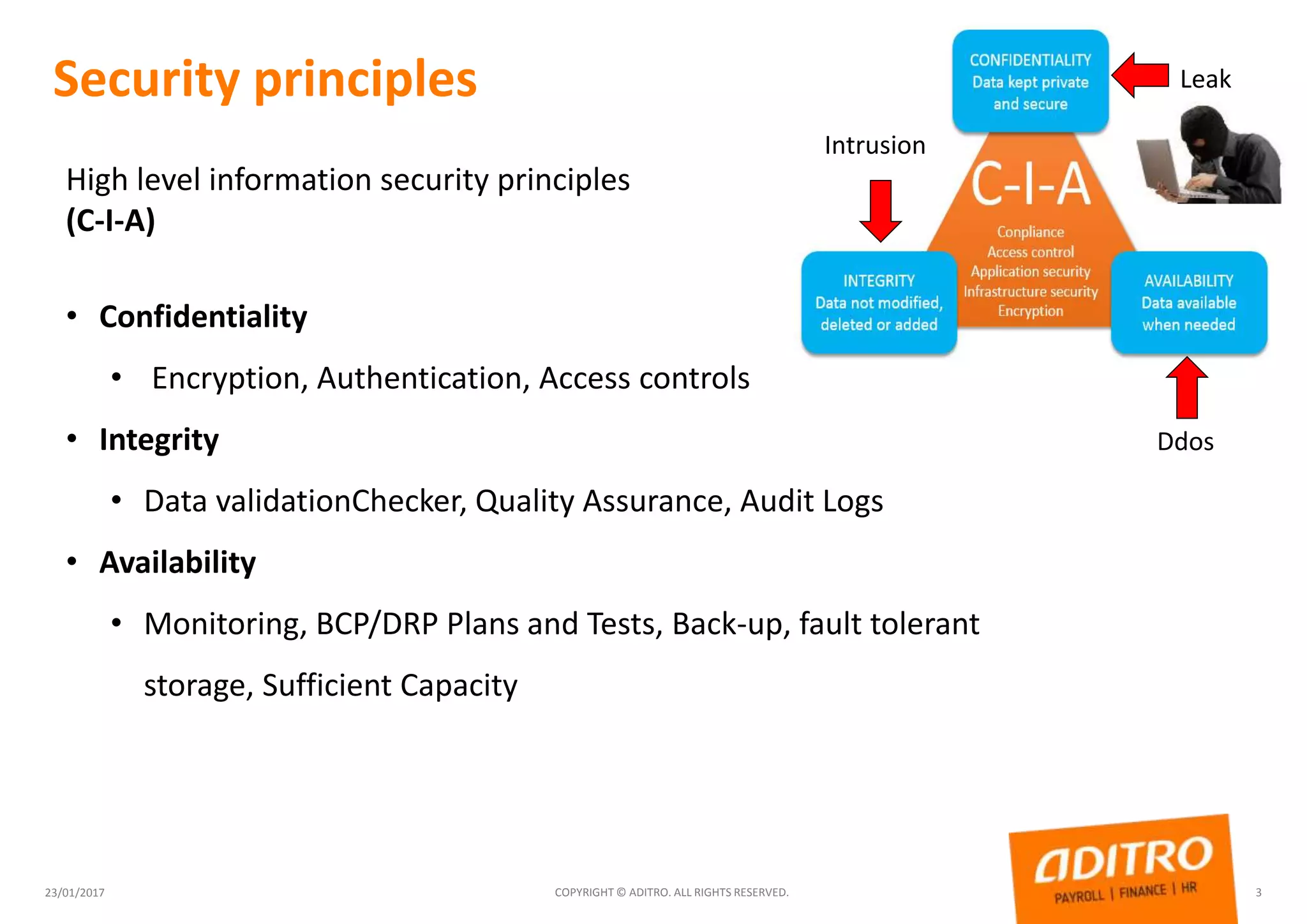
High level information security principles
(C-I-A)
• Confidentiality
• Encryption, Authentication, Access controls
• Integrity
• Data validationChecker, Quality Assurance, Audit Logs
• Availability
• Monitoring, BCP/DRP Plans and Tests, Back-up, fault tolerant
storage, Sufficient Capacity
Ddos
Leak
Intrusion
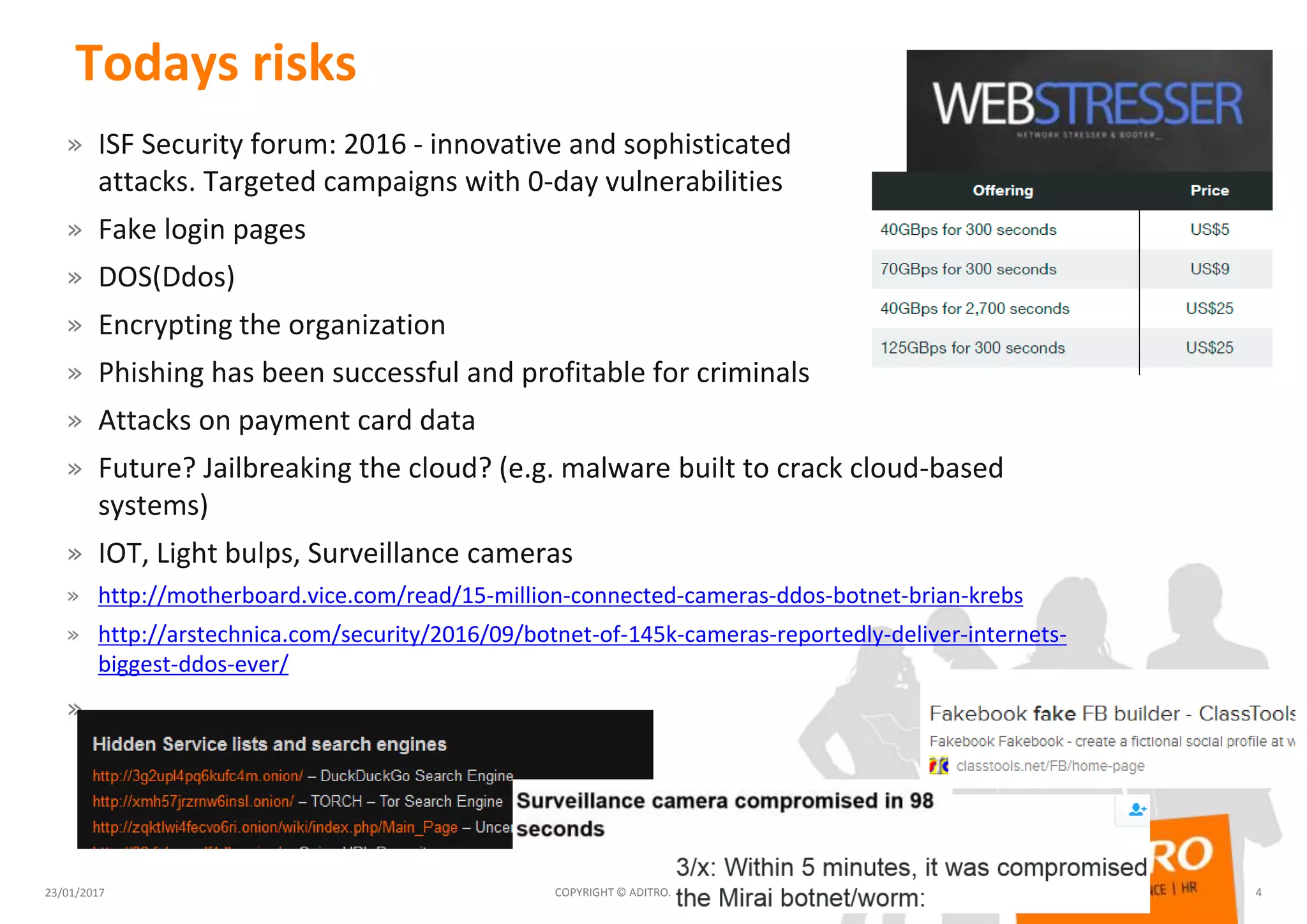
Todays risks
» ISF Security forum: 2016 - innovative and sophisticated
attacks. Targeted campaigns with 0-day vulnerabilities
» Fake login pages
» DOS(Ddos)
» Encrypting the organization
» Phishing has been successful and profitable for criminals
» Attacks on payment card data
» Future? Jailbreaking the cloud? (e.g. malware built to crack cloud-based
systems)
» IOT, Light bulps, Surveillance cameras
» http://motherboard.vice.com/read/15-million-connected-cameras-ddos-botnet-brian-krebs
» http://arstechnica.com/security/2016/09/botnet-of-145k-cameras-reportedly-deliver-internets-
biggest-ddos-ever/
»
23/01/2017 COPYRIGHT © ADITRO. ALL RIGHTS RESERVED. 4
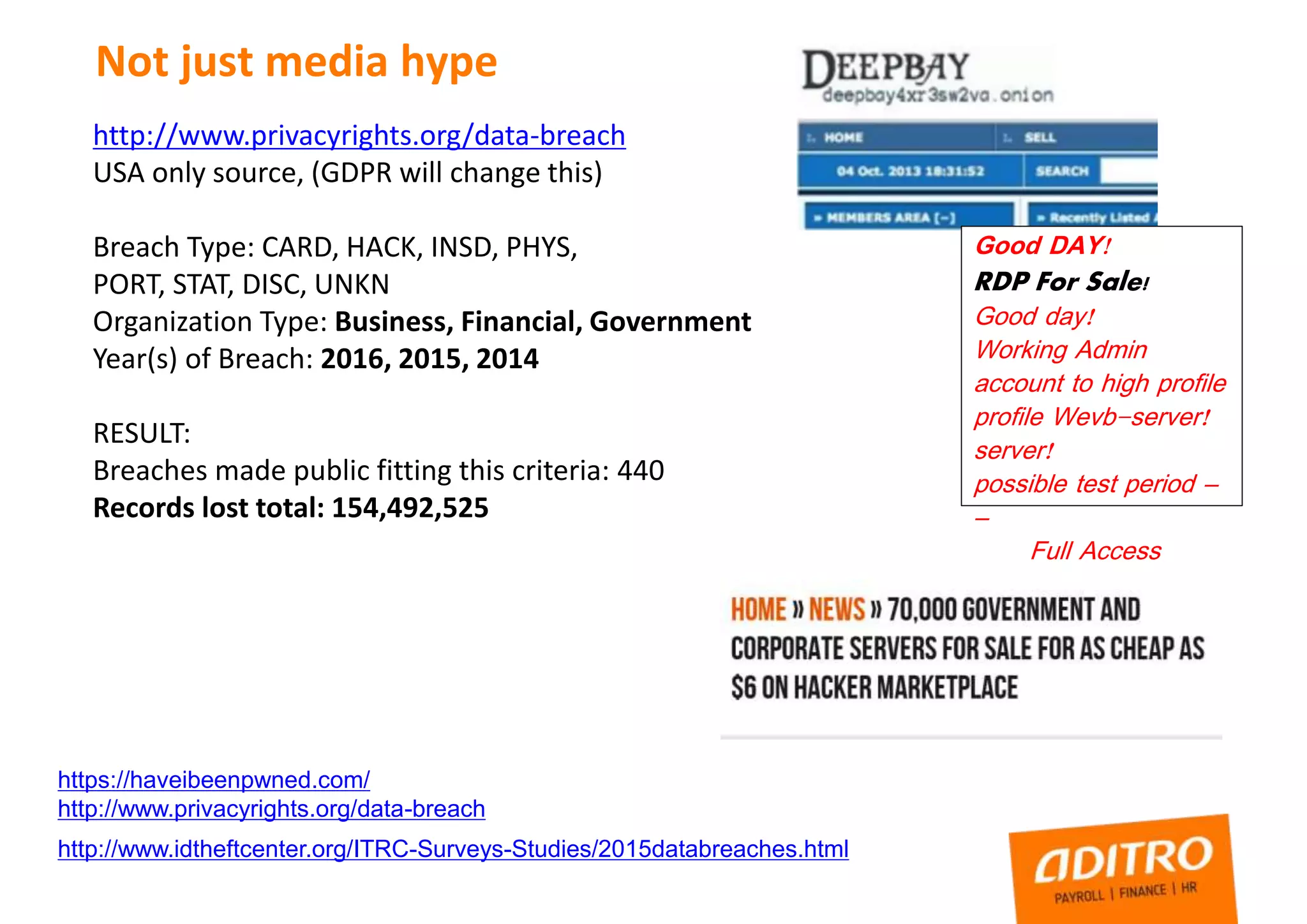
Not just media hype
https://haveibeenpwned.com/
http://www.privacyrights.org/data-breach
http://www.idtheftcenter.org/ITRC-Surveys-Studies/2015databreaches.html
http://www.privacyrights.org/data-breach
USA only source, (GDPR will change this)
Breach Type: CARD, HACK, INSD, PHYS,
PORT, STAT, DISC, UNKN
Organization Type: Business, Financial, Government
Year(s) of Breach: 2016, 2015, 2014
RESULT:
Breaches made public fitting this criteria: 440
Records lost total: 154,492,525
Good DAY!
RDP For Sale!
Good day!
Working Admin
account to high profile
profile Wevb-server!
server!
possible test period –
–
Full Access
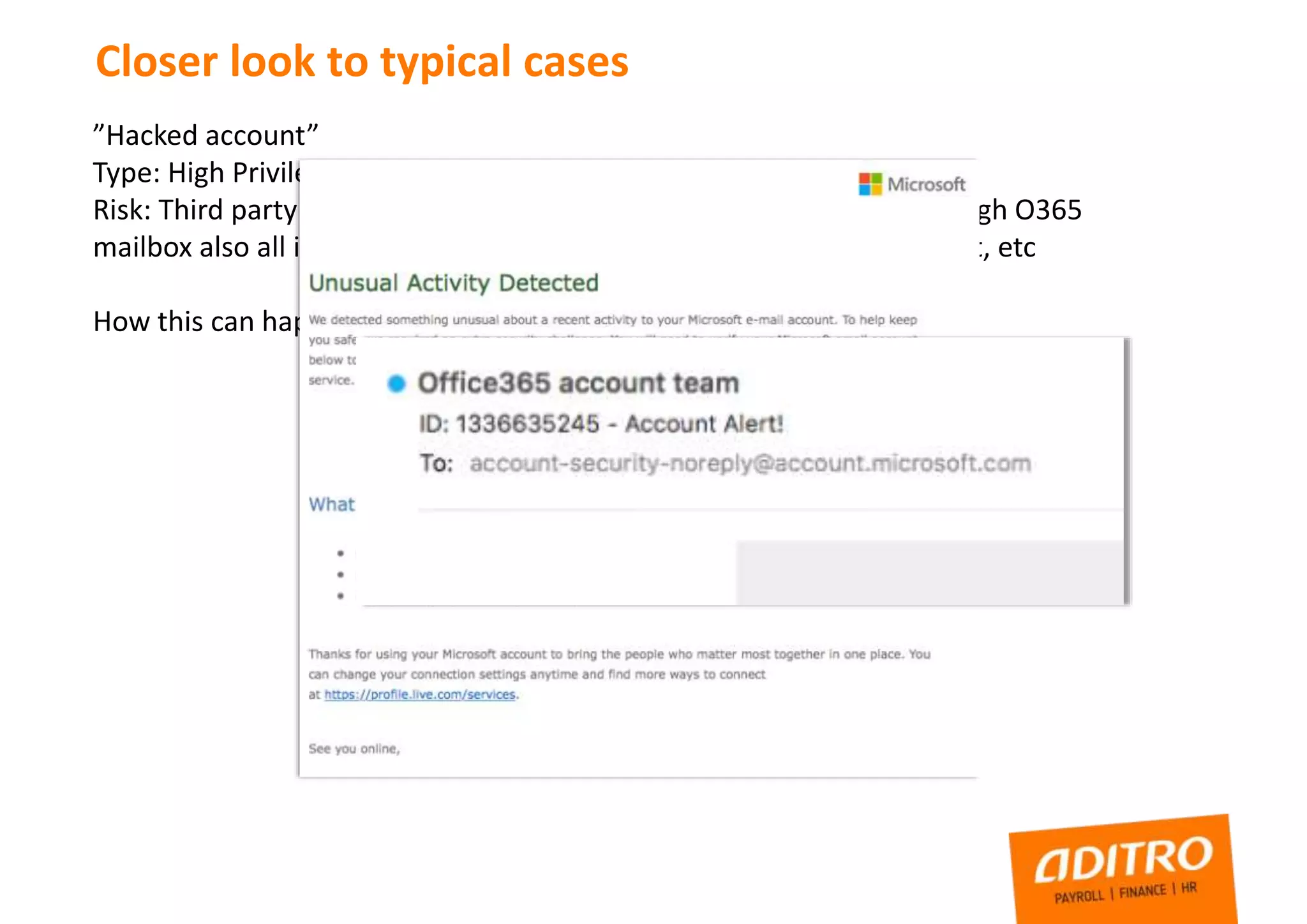
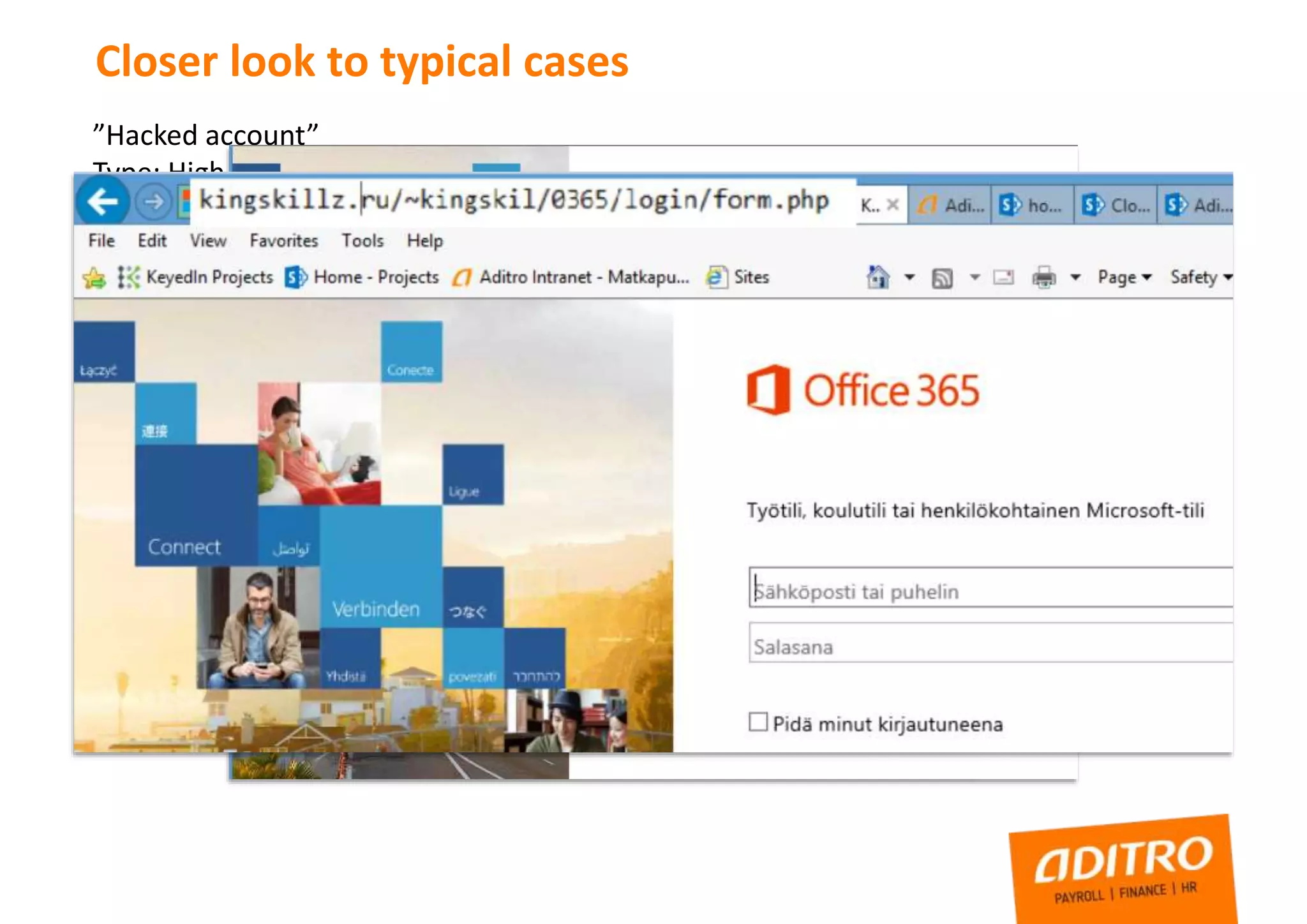
Closer look to typical cases
”Hacked account”
Type: High Privilege account credentials leaked
Risk: Third party have full control to administrator level account, through O365
mailbox also all information about systems, links to servers, sharepoint, etc
How this can happen?
Closer look to typical cases
”Hacked account”
Type: High Privilege account credentials leaked
Risk: Third party have full control to administrator level account, through O365
mailbox also all information about systems, links to servers, sharepoint, etc
How this can happen?
Closer look to typical cases
”Hacked account”
Type: High Privilege account credentials leaked
Risk: Third party have full control to administrator level account, through O365
mailbox also all information about systems, links to servers, sharepoint, etc
How this can happen?
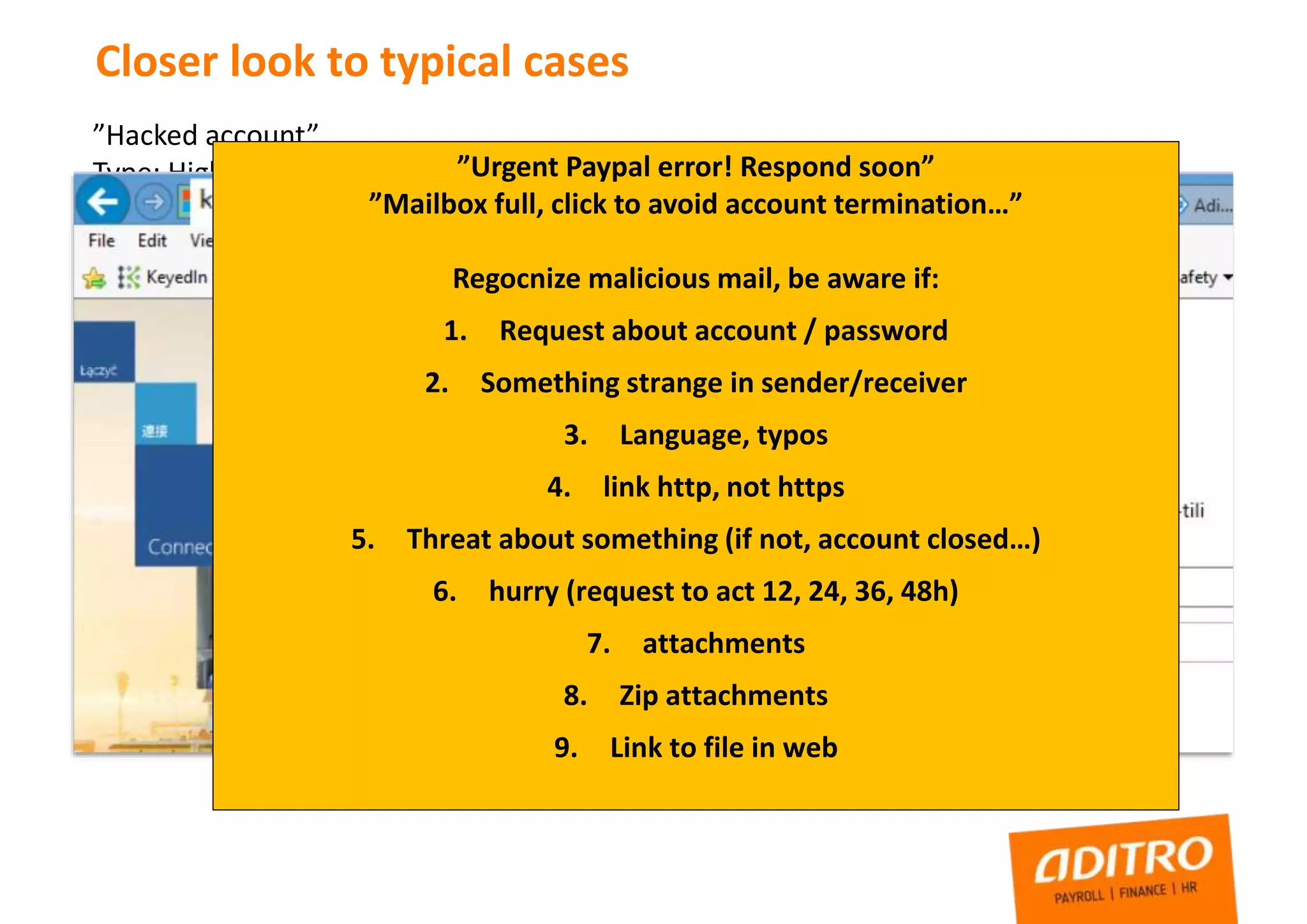
”Urgent Paypal error! Respond soon”
”Mailbox full, click to avoid account termination…”
Regocnize malicious mail, be aware if:
1. Request about account / password
2. Something strange in sender/receiver
3. Language, typos
4. link http, not https
5. Threat about something (if not, account closed…)
6. hurry (request to act 12, 24, 36, 48h)
7. attachments
8. Zip attachments
9. Link to file in web
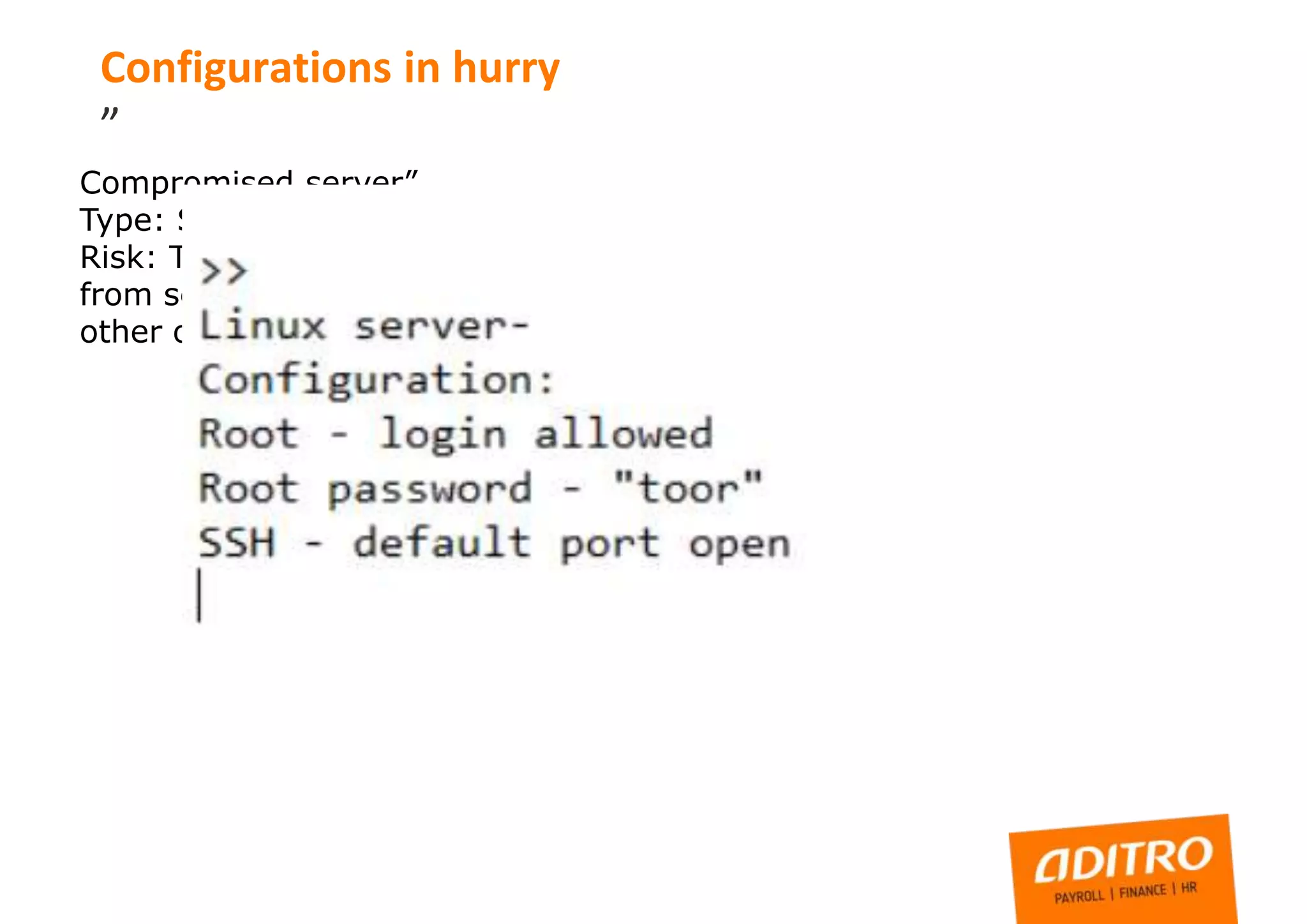
Compromised server”
Type: SSH port open, not hardened, server compromised
Risk: Third party have full control to server, possible data leak
from server or jump point to other infrastructure, DOS to some
other organization
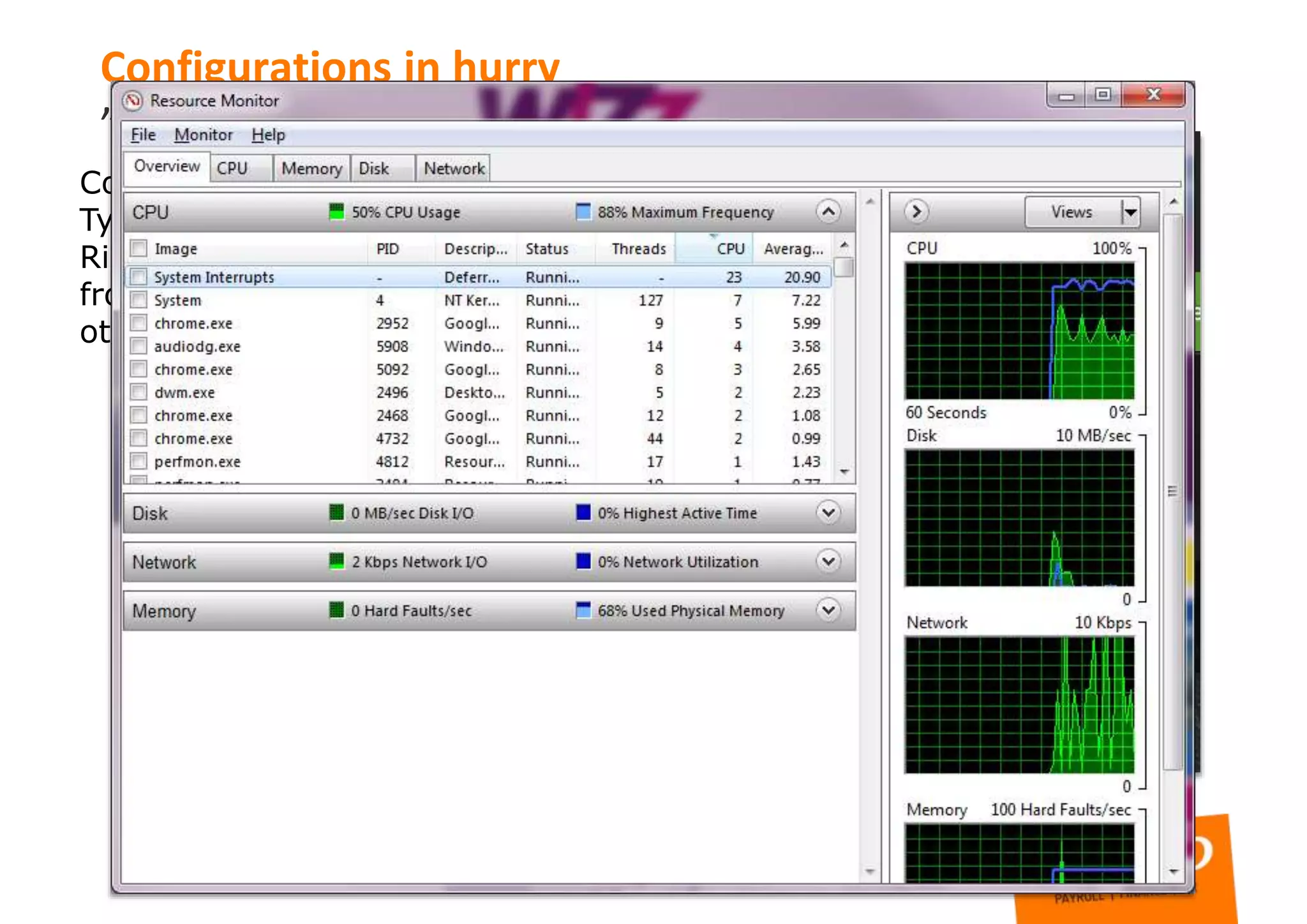
Configurations in hurry
”
Compromised server”
Type: SSH port open, not hardened, server compromised
Risk: Third party have full control to server, possible data leak
from server or jump point to other infrastructure, DOS to some
other organization
Configurations in hurry
”
Compromised server”
Type: SSH port open, not hardened, server compromised
Risk: Third party have full control to server, possible data leak
from server or jump point to other infrastructure, DOS to some
other organization
Configurations in hurry
”
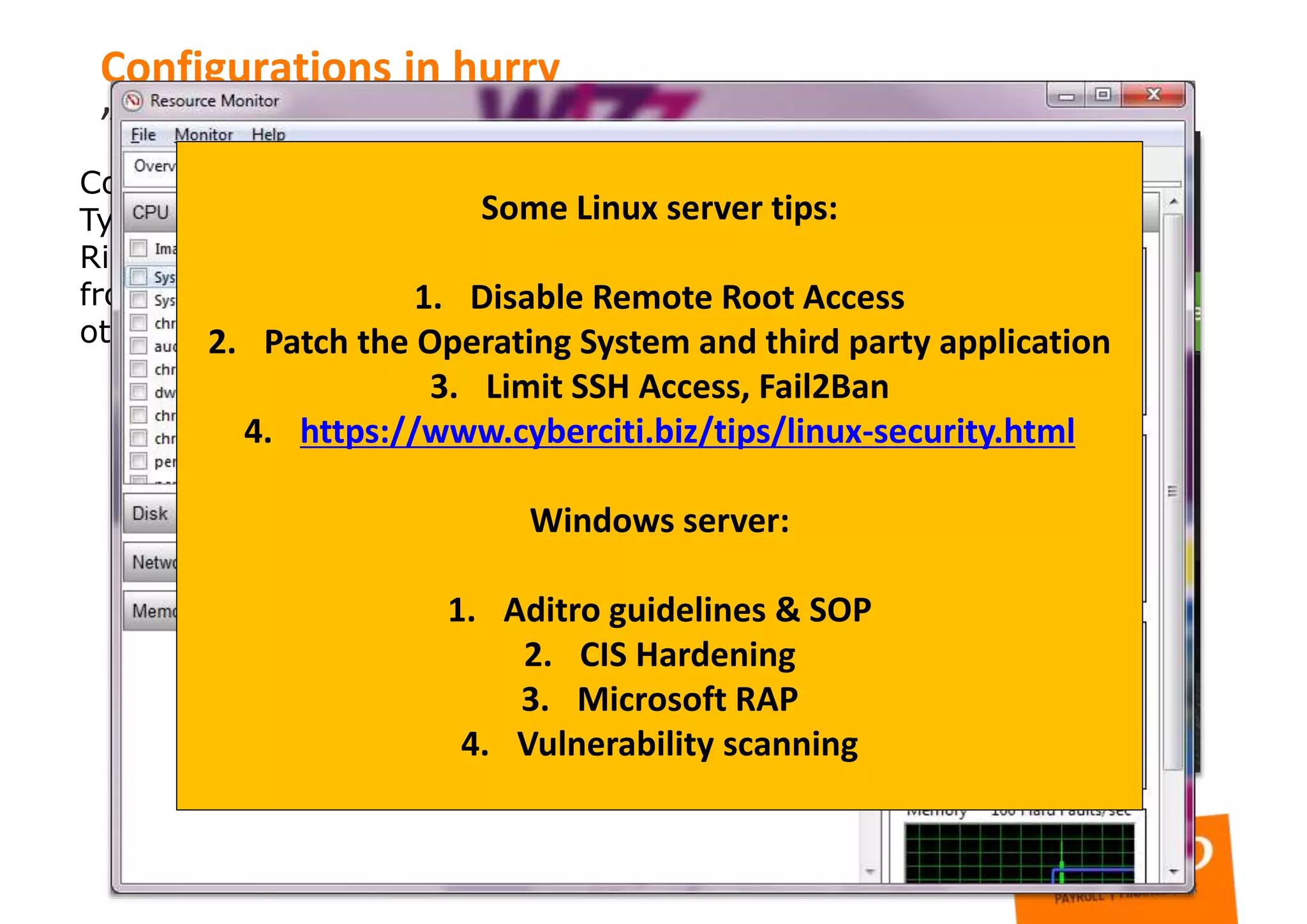
Some Linux server tips:
1. Disable Remote Root Access
2. Patch the Operating System and third party application
3. Limit SSH Access, Fail2Ban
4. https://www.cyberciti.biz/tips/linux-security.html
Windows server:
1. Aditro guidelines & SOP
2. CIS Hardening
3. Microsoft RAP
4. Vulnerability scanning
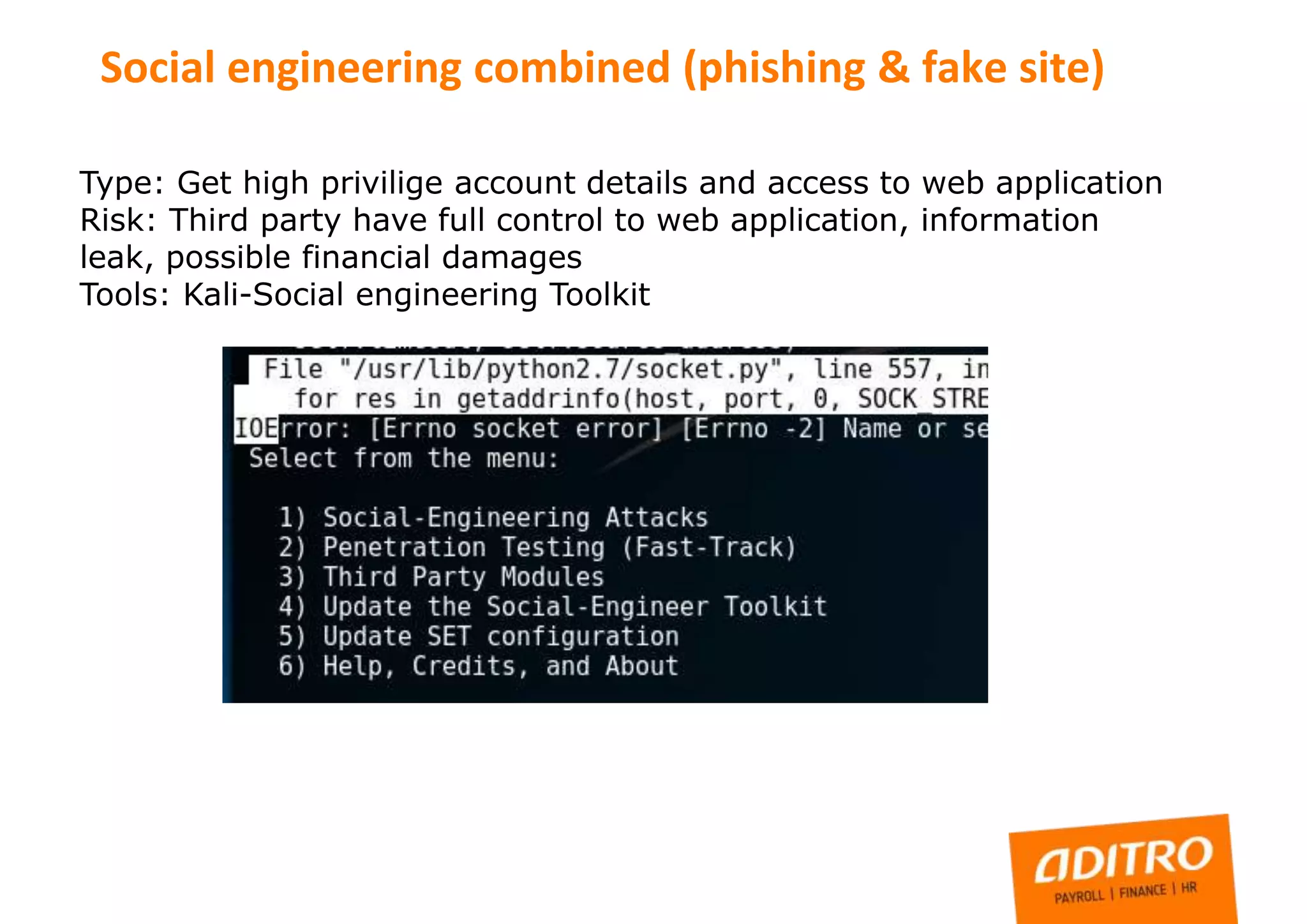
Type: Get high privilige account details and access to web application
Risk: Third party have full control to web application, information
leak, possible financial damages
Tools: Kali-Social engineering Toolkit
Social engineering combined (phishing & fake site)
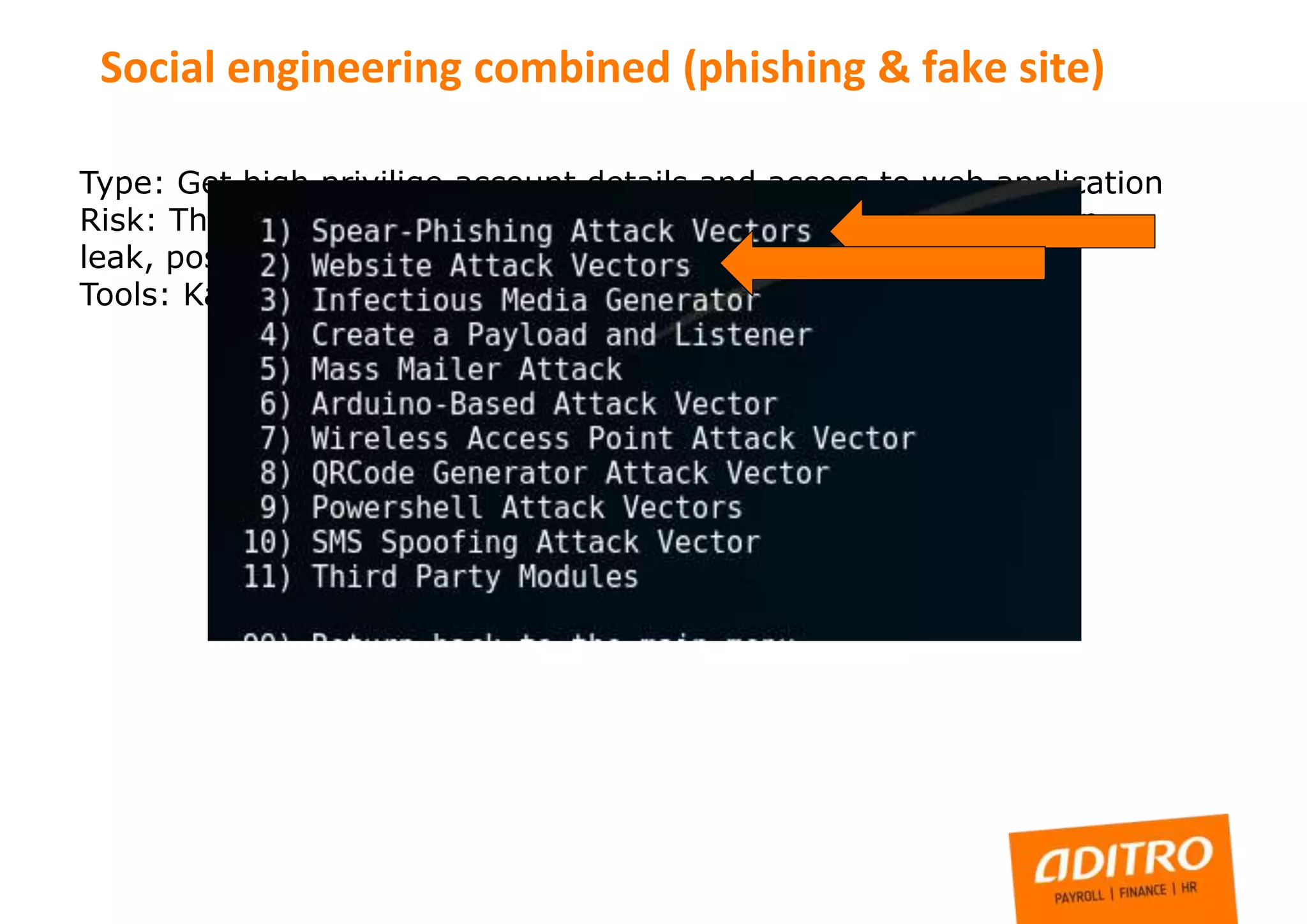
Type: Get high privilige account details and access to web application
Risk: Third party have full control to web application, information
leak, possible financial damages
Tools: Kali-Social engineering Toolkit
Social engineering combined (phishing & fake site)
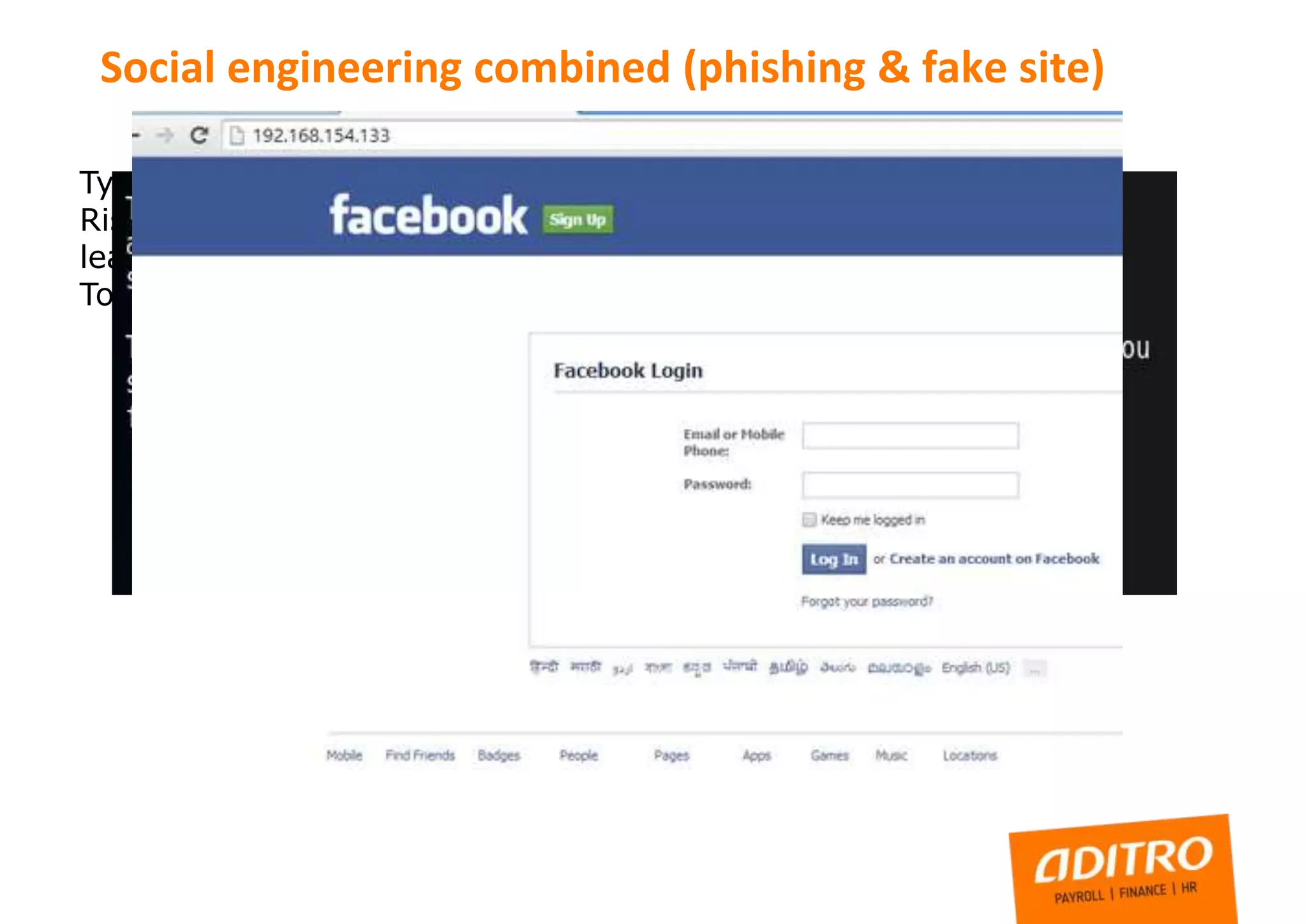
Type: Get high privilige account details and access to web application
Risk: Third party have full control to web application, information
leak, possible financial damages
Tools: Kali-Social engineering Toolkit
Social engineering combined (phishing & fake site)
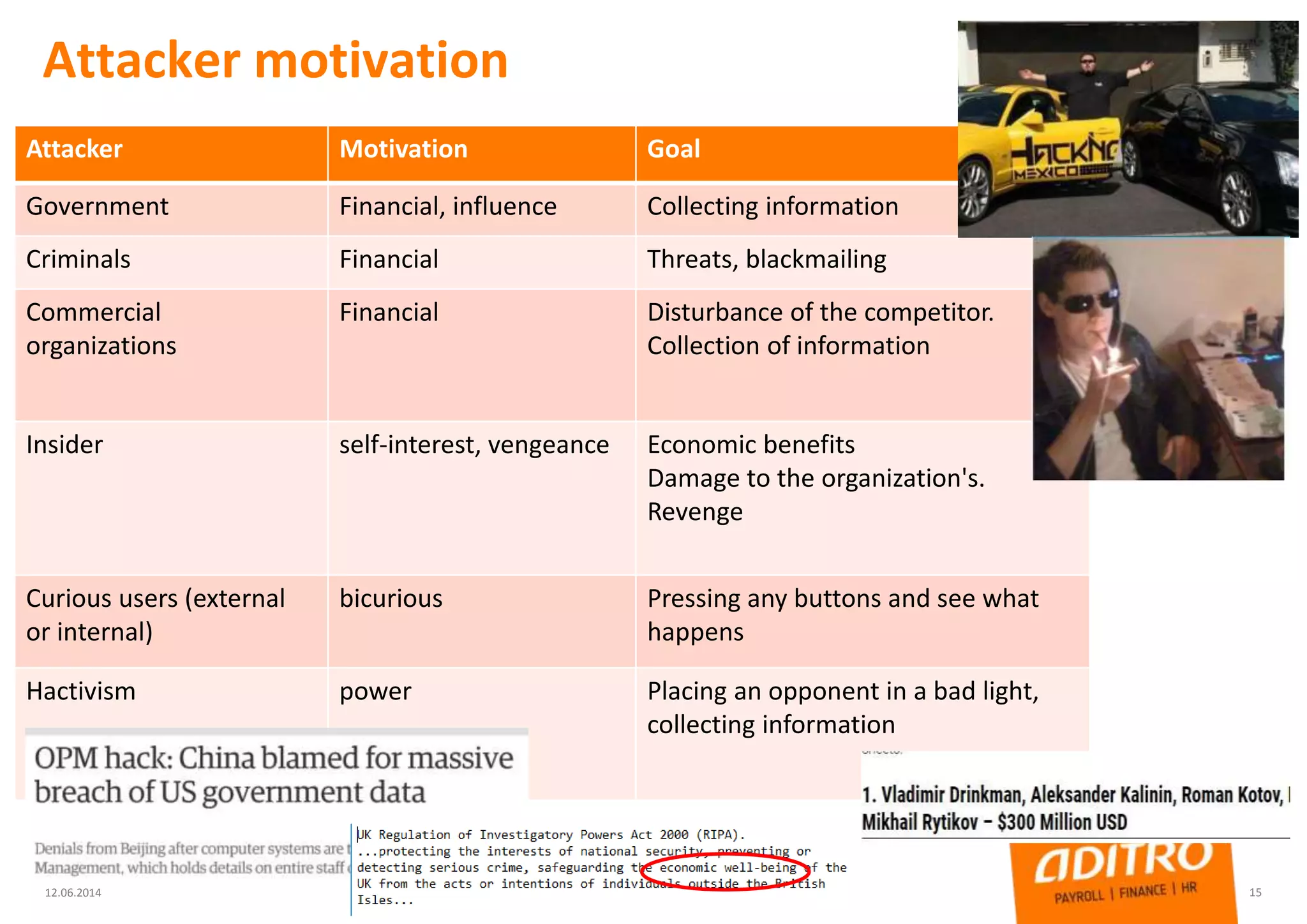
Attacker motivation
12.06.2014 15
Attacker Motivation Goal
Government Financial, influence Collecting information
Criminals Financial Threats, blackmailing
Commercial
organizations
Financial Disturbance of the competitor.
Collection of information
Insider self-interest, vengeance Economic benefits
Damage to the organization's.
Revenge
Curious users (external
or internal)
bicurious Pressing any buttons and see what
happens
Hactivism power Placing an opponent in a bad light,
collecting information
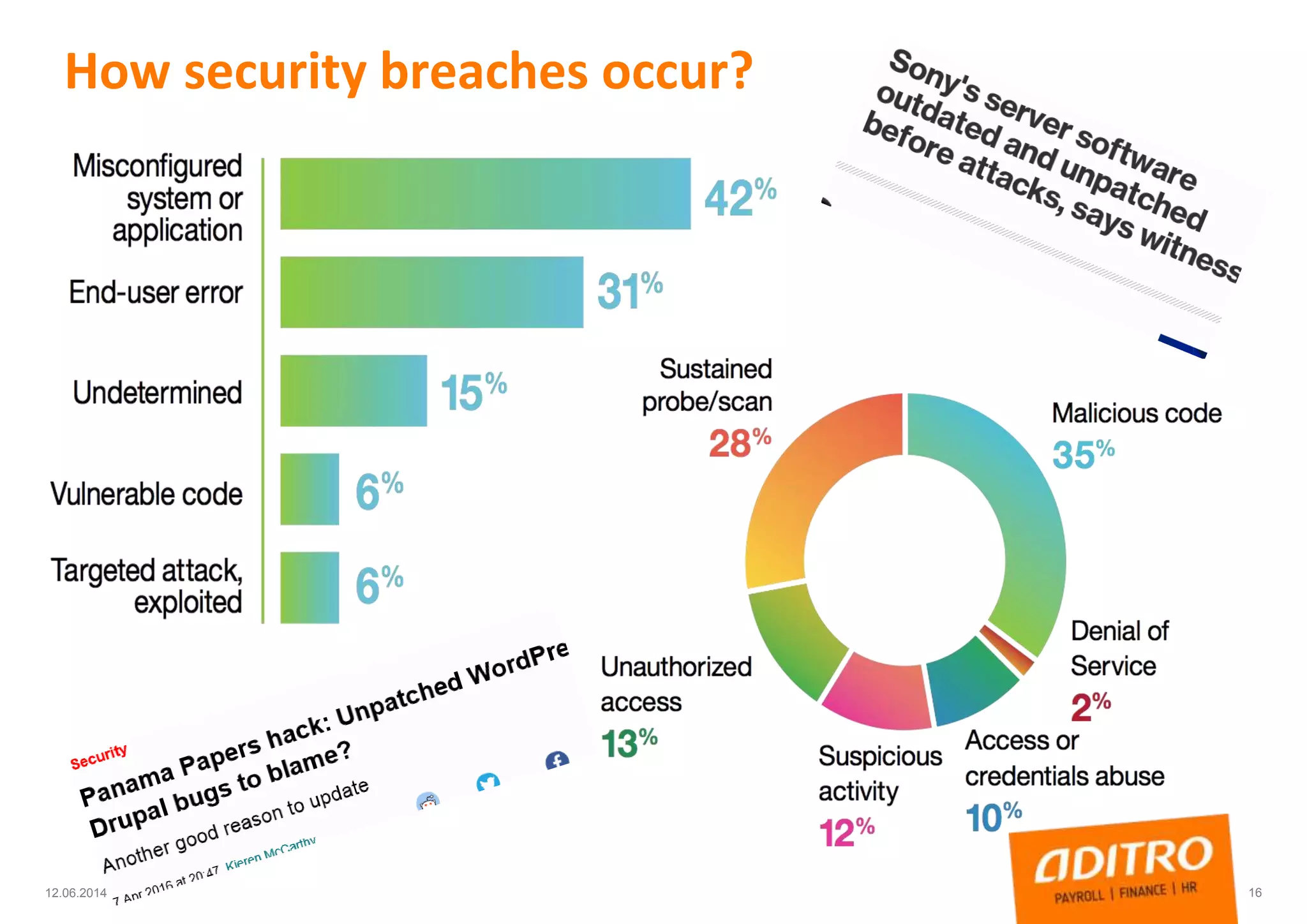
How security breaches occur?
1612.06.2014
Agenda
 Information security today
 Information Security, actual risks, how breaches happens
 Information security in daily work
 IT infrastructure
 Security in project work & development
 Online security, email & social media
 Traveling safety tips
23/01/2017 COPYRIGHT © ADITRO. ALL RIGHTS RESERVED. 17
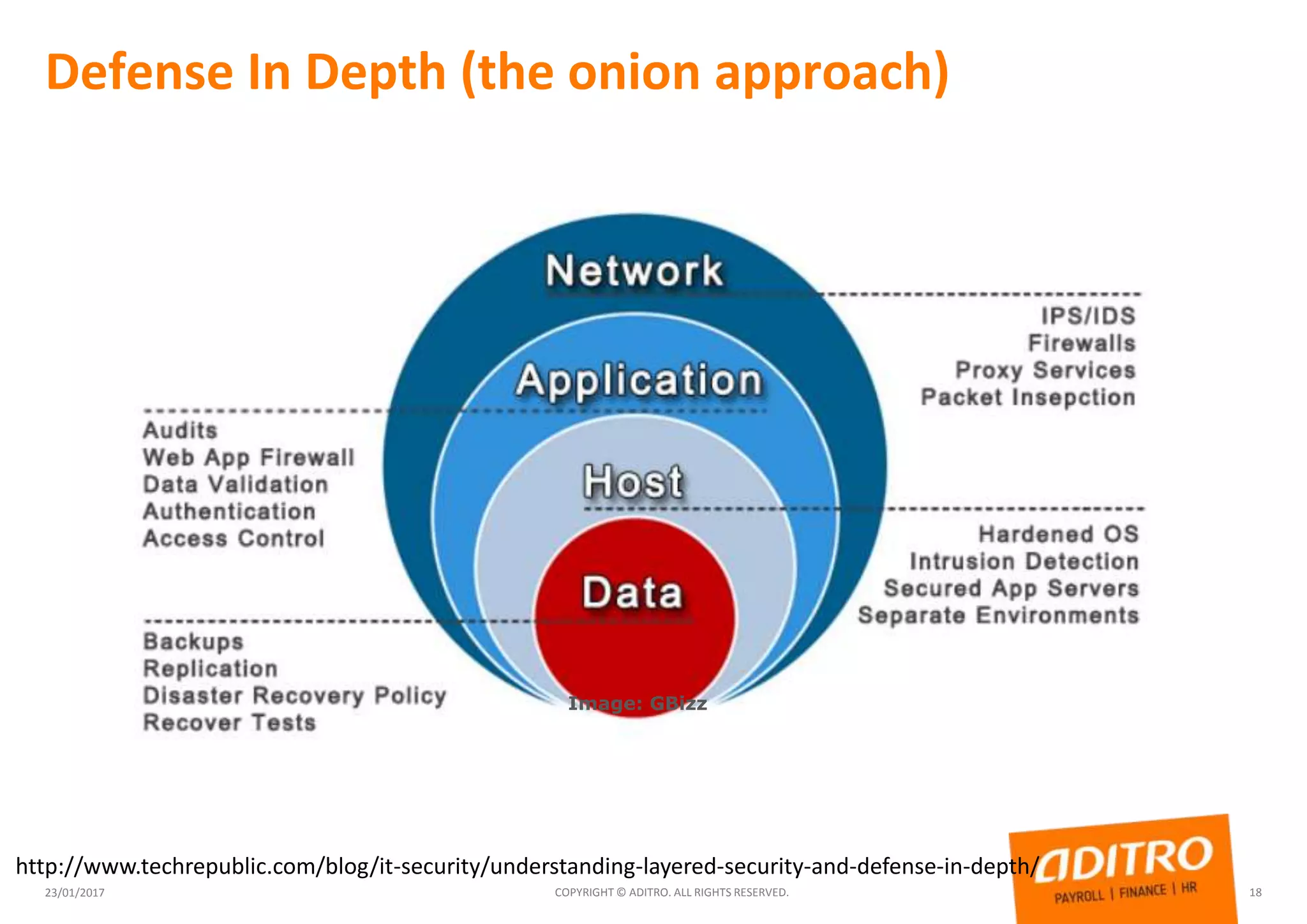
Defense In Depth (the onion approach)
23/01/2017 COPYRIGHT © ADITRO. ALL RIGHTS RESERVED. 18
http://www.techrepublic.com/blog/it-security/understanding-layered-security-and-defense-in-depth/
Image: GBizz
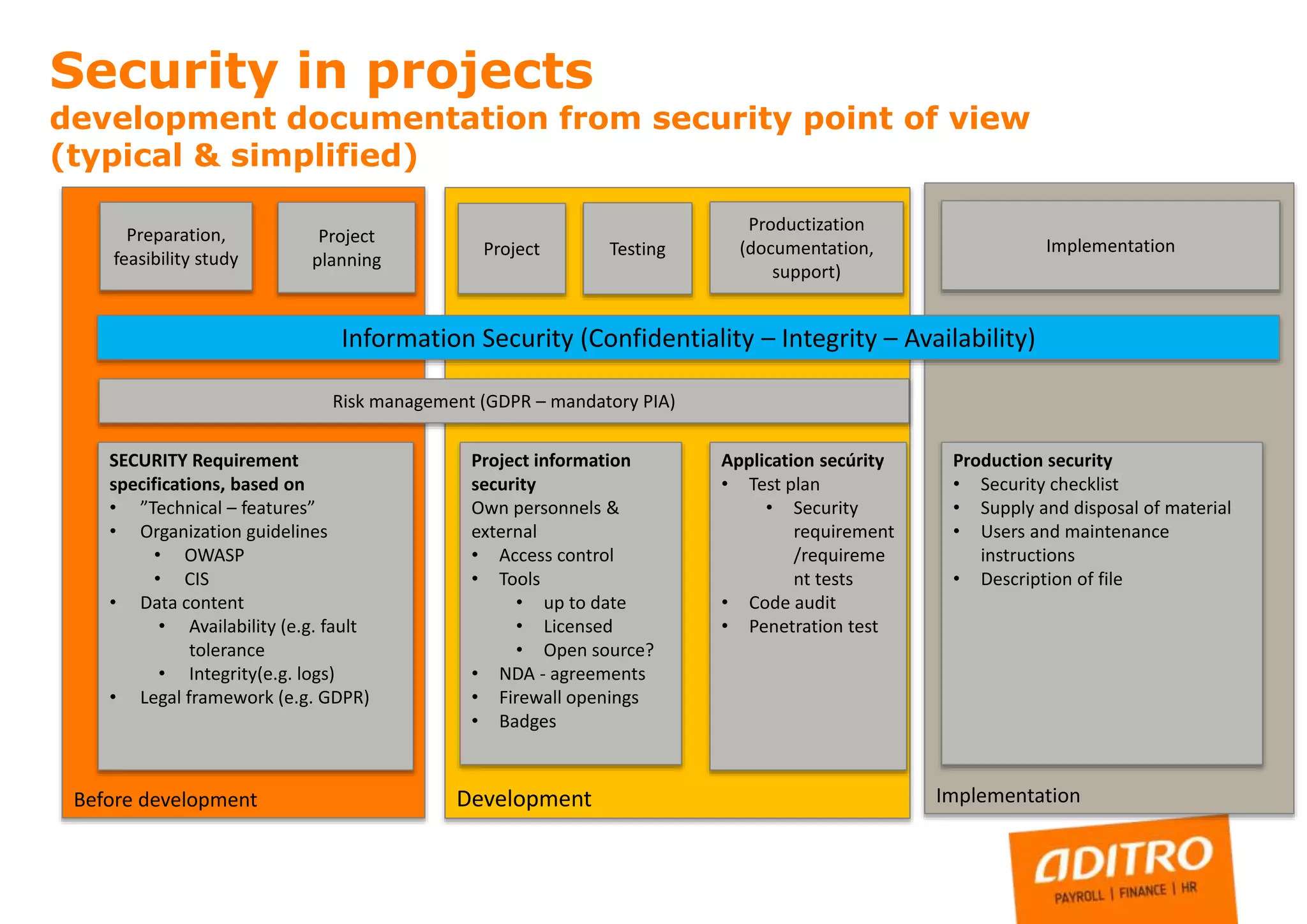
ImplementationDevelopmentBefore development
Preparation,
feasibility study
Project
planning
Testing Implementation
SECURITY Requirement
specifications, based on
• ”Technical – features”
• Organization guidelines
• OWASP
• CIS
• Data content
• Availability (e.g. fault
tolerance
• Integrity(e.g. logs)
• Legal framework (e.g. GDPR)
Project
Risk management (GDPR – mandatory PIA)
Project information
security
Own personnels &
external
• Access control
• Tools
• up to date
• Licensed
• Open source?
• NDA - agreements
• Firewall openings
• Badges
Application secúrity
• Test plan
• Security
requirement
/requireme
nt tests
• Code audit
• Penetration test
Production security
• Security checklist
• Supply and disposal of material
• Users and maintenance
instructions
• Description of file
Security in projects
development documentation from security point of view
(typical & simplified)
Productization
(documentation,
support)
Information Security (Confidentiality – Integrity – Availability)
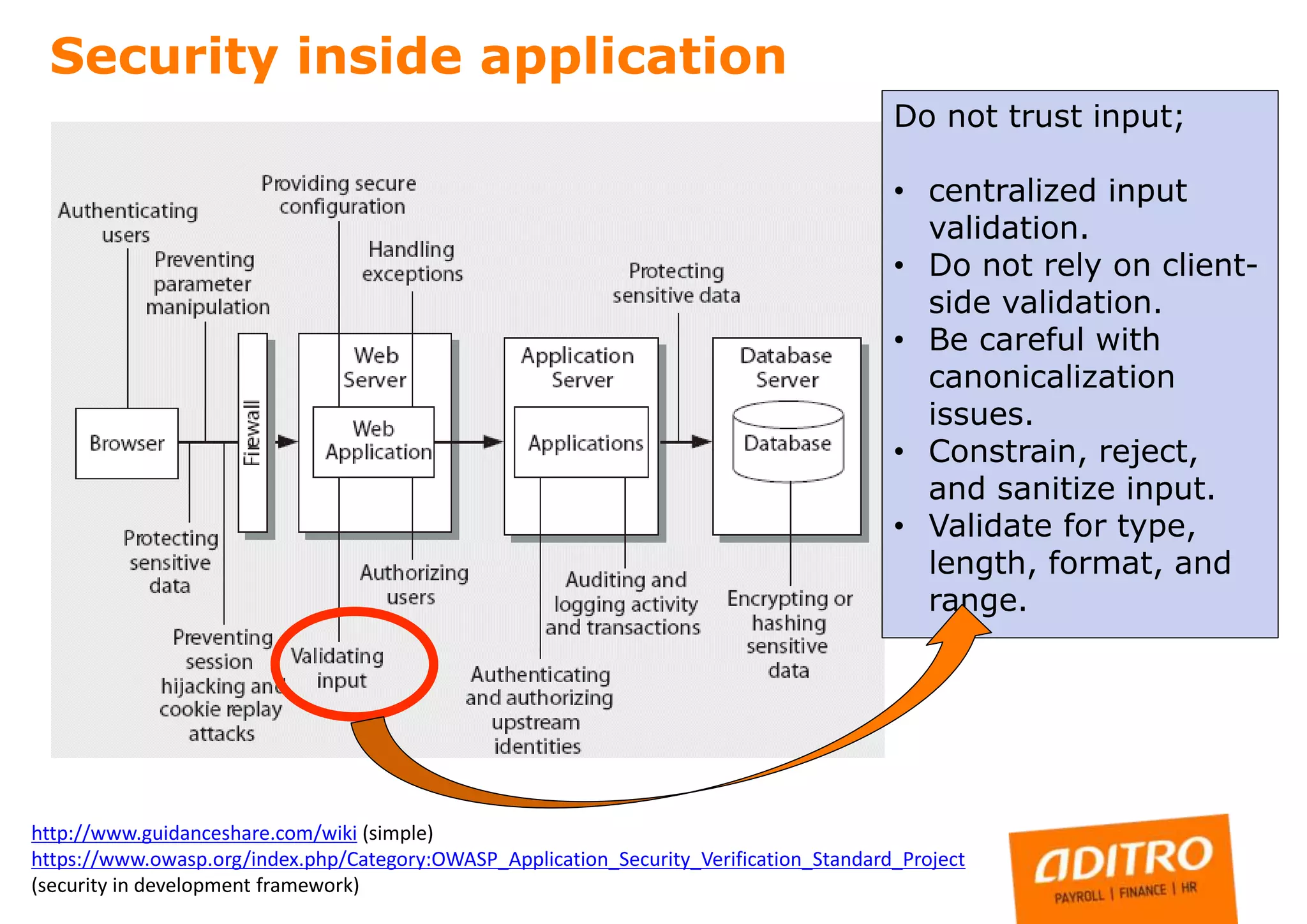
Security inside application
http://www.guidanceshare.com/wiki (simple)
https://www.owasp.org/index.php/Category:OWASP_Application_Security_Verification_Standard_Project
(security in development framework)
Do not trust input;
• centralized input
validation.
• Do not rely on client-
side validation.
• Be careful with
canonicalization
issues.
• Constrain, reject,
and sanitize input.
• Validate for type,
length, format, and
range.
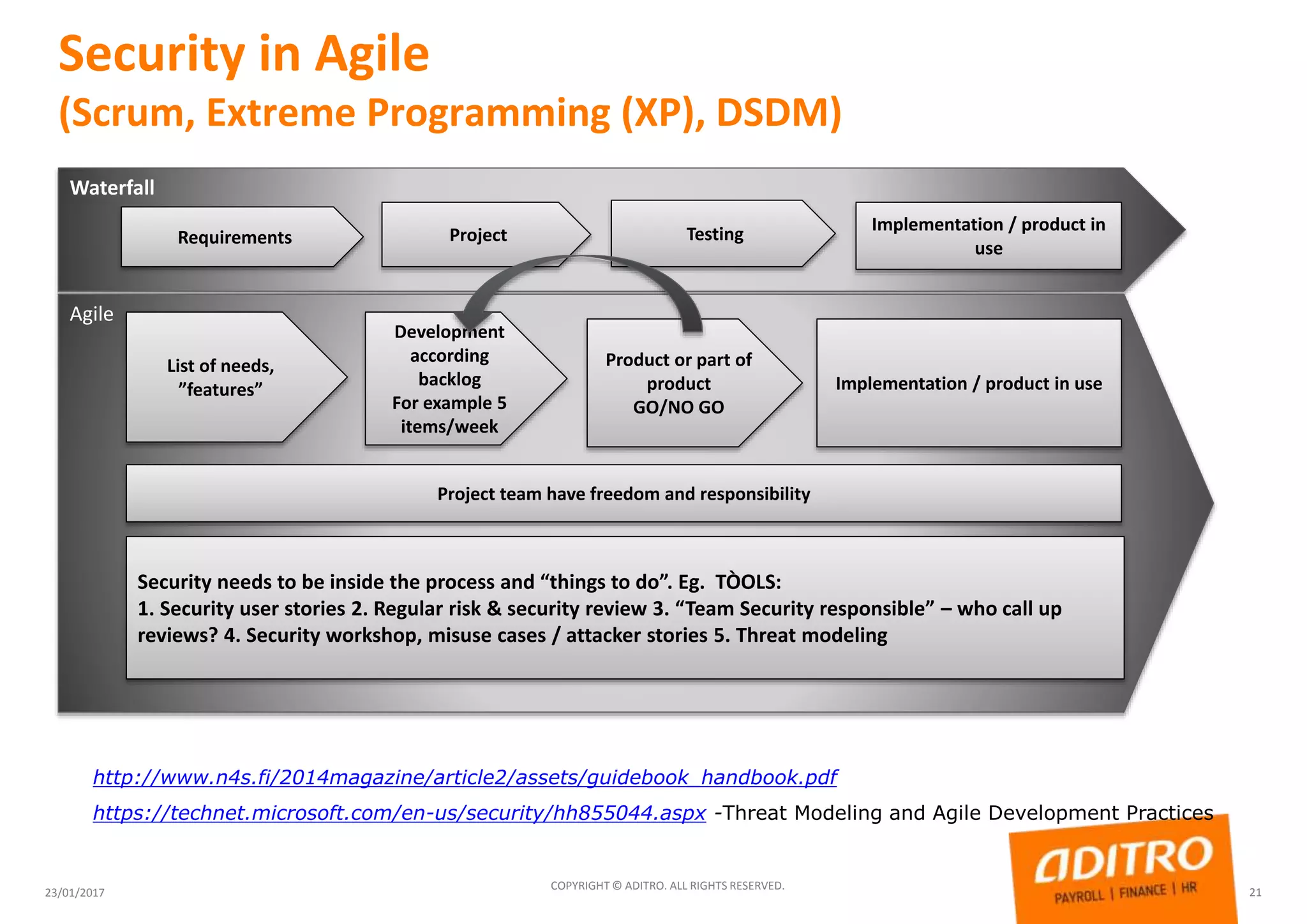
Security in Agile
(Scrum, Extreme Programming (XP), DSDM)
23/01/2017
COPYRIGHT © ADITRO. ALL RIGHTS RESERVED.
21
Waterfall
Requirements Project Testing Implementation / product in
use
Agile
List of needs,
”features”
Development
according
backlog
For example 5
items/week
Product or part of
product
GO/NO GO
Implementation / product in use
.
Project team have freedom and responsibility
Security needs to be inside the process and “things to do”. Eg. TÒOLS:
1. Security user stories 2. Regular risk & security review 3. “Team Security responsible” – who call up
reviews? 4. Security workshop, misuse cases / attacker stories 5. Threat modeling
http://www.n4s.fi/2014magazine/article2/assets/guidebook_handbook.pdf
https://technet.microsoft.com/en-us/security/hh855044.aspx -Threat Modeling and Agile Development Practices
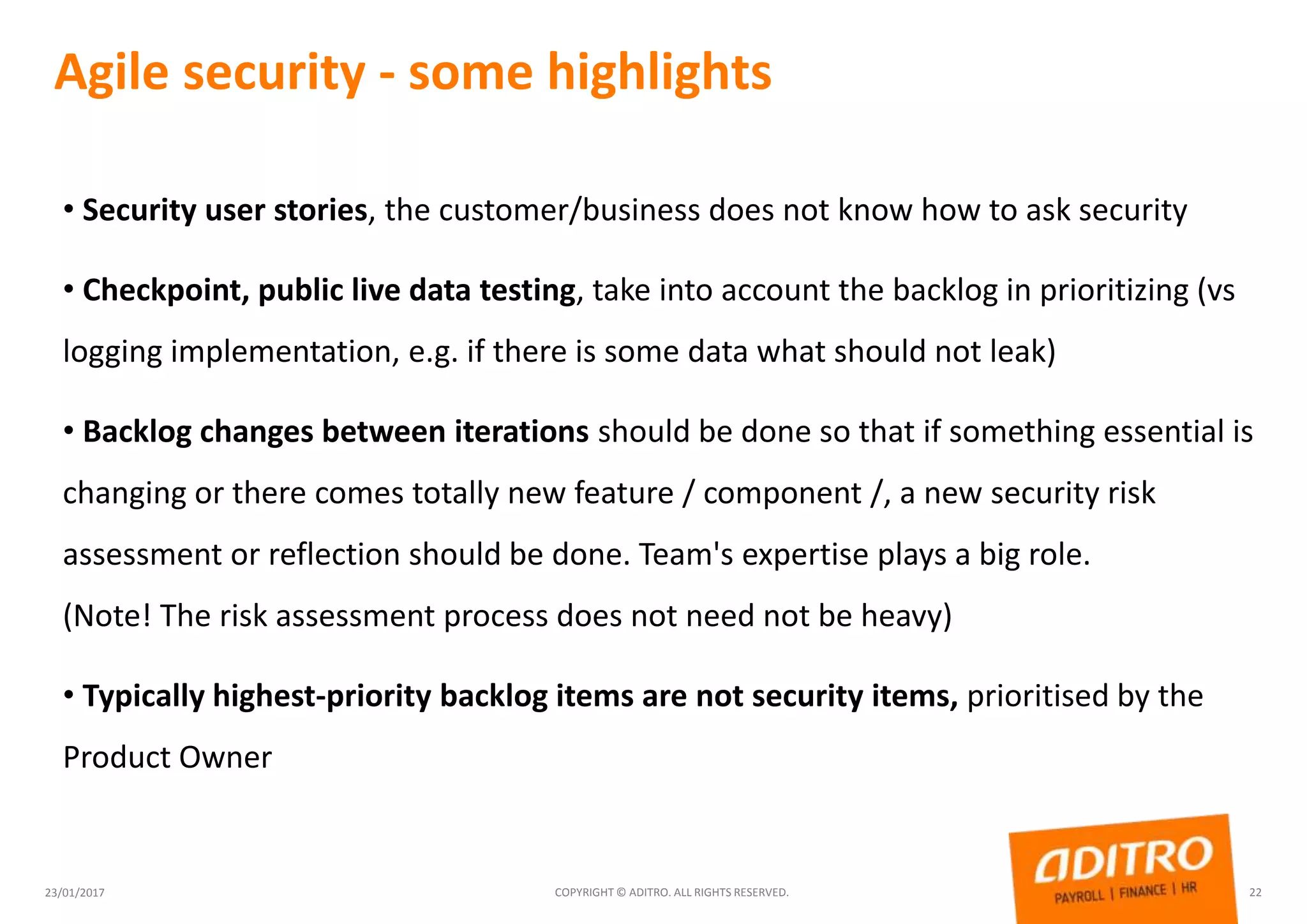
Agile security - some highlights
23/01/2017 COPYRIGHT © ADITRO. ALL RIGHTS RESERVED. 22
• Security user stories, the customer/business does not know how to ask security
• Checkpoint, public live data testing, take into account the backlog in prioritizing (vs
logging implementation, e.g. if there is some data what should not leak)
• Backlog changes between iterations should be done so that if something essential is
changing or there comes totally new feature / component /, a new security risk
assessment or reflection should be done. Team's expertise plays a big role.
(Note! The risk assessment process does not need not be heavy)
• Typically highest-priority backlog items are not security items, prioritised by the
Product Owner
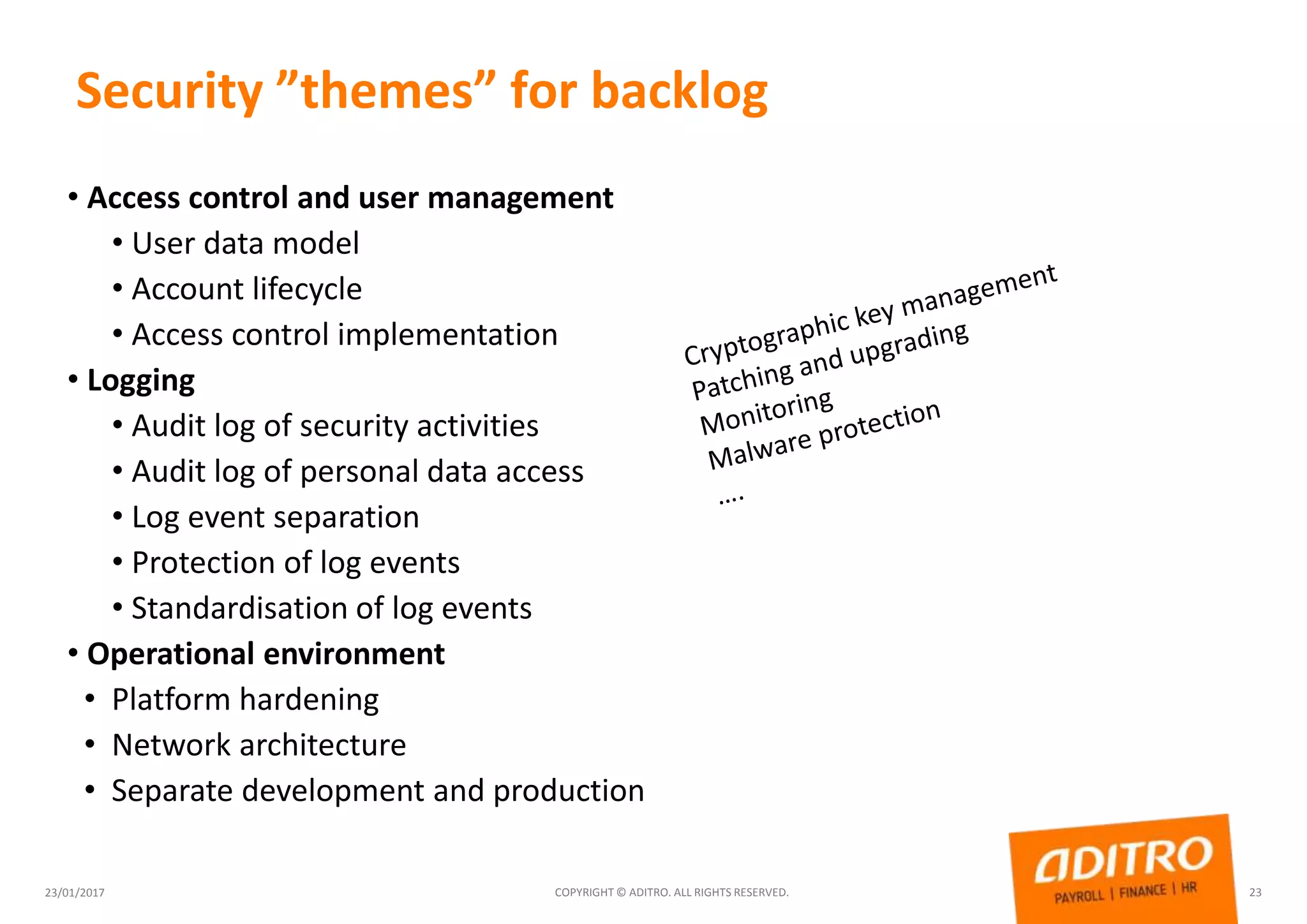
Security ”themes” for backlog
23/01/2017 COPYRIGHT © ADITRO. ALL RIGHTS RESERVED. 23
• Access control and user management
• User data model
• Account lifecycle
• Access control implementation
• Logging
• Audit log of security activities
• Audit log of personal data access
• Log event separation
• Protection of log events
• Standardisation of log events
• Operational environment
• Platform hardening
• Network architecture
• Separate development and production
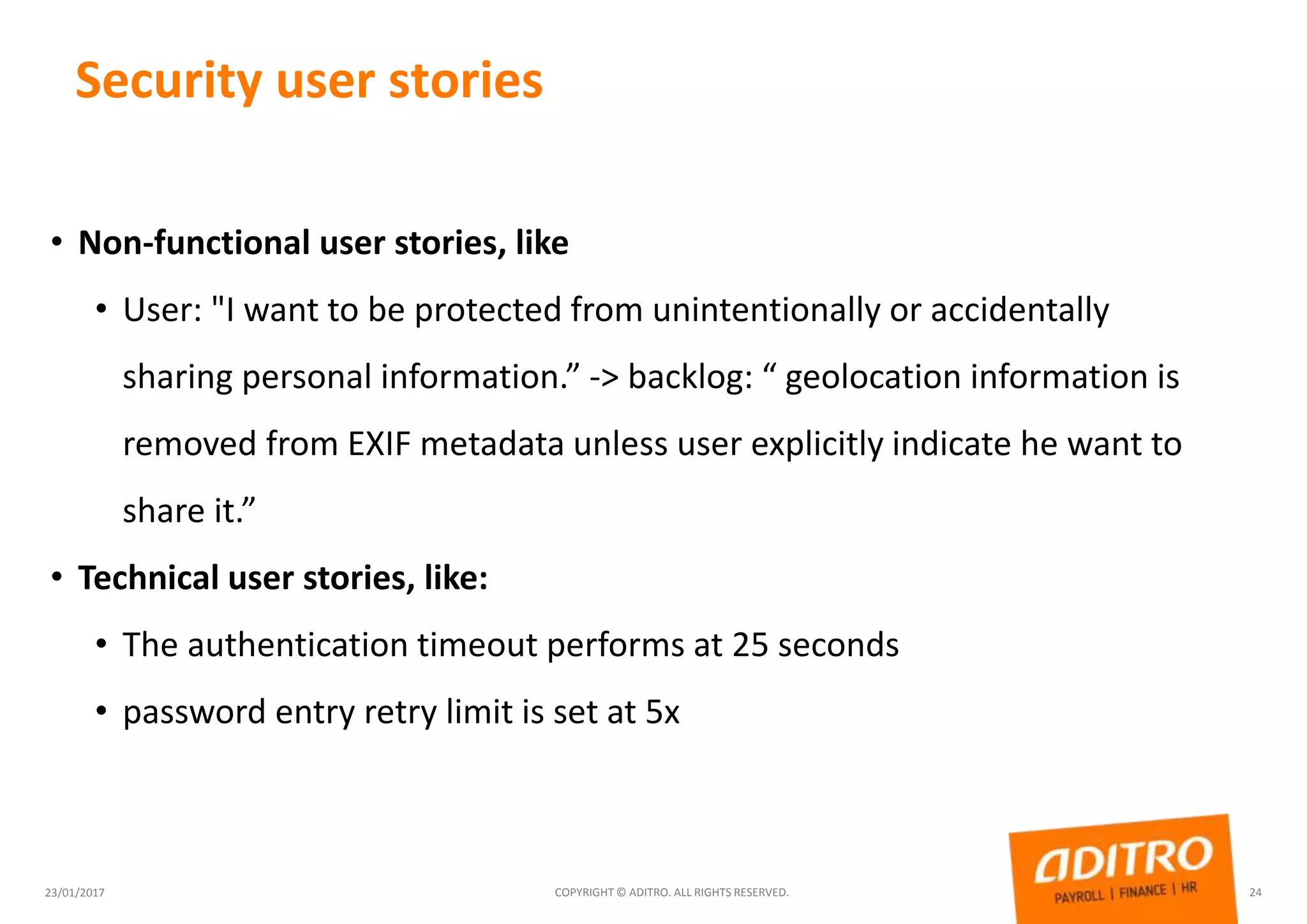
Security user stories
23/01/2017 COPYRIGHT © ADITRO. ALL RIGHTS RESERVED. 24
• Non-functional user stories, like
• User: "I want to be protected from unintentionally or accidentally
sharing personal information.” -> backlog: “ geolocation information is
removed from EXIF metadata unless user explicitly indicate he want to
share it.”
• Technical user stories, like:
• The authentication timeout performs at 25 seconds
• password entry retry limit is set at 5x
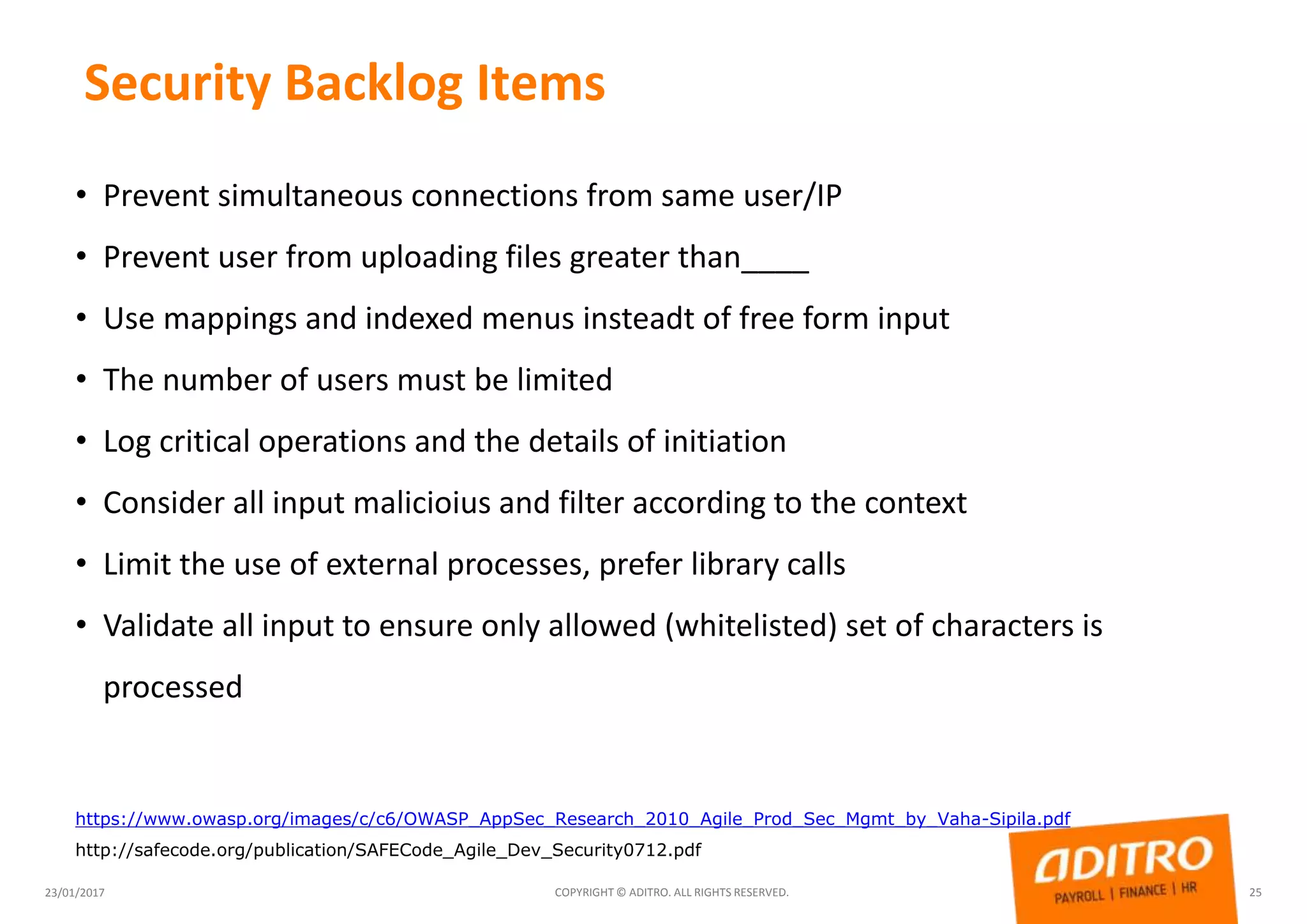
Security Backlog Items
23/01/2017 COPYRIGHT © ADITRO. ALL RIGHTS RESERVED. 25
• Prevent simultaneous connections from same user/IP
• Prevent user from uploading files greater than____
• Use mappings and indexed menus insteadt of free form input
• The number of users must be limited
• Log critical operations and the details of initiation
• Consider all input malicioius and filter according to the context
• Limit the use of external processes, prefer library calls
• Validate all input to ensure only allowed (whitelisted) set of characters is
processed
https://www.owasp.org/images/c/c6/OWASP_AppSec_Research_2010_Agile_Prod_Sec_Mgmt_by_Vaha-Sipila.pdf
http://safecode.org/publication/SAFECode_Agile_Dev_Security0712.pdf
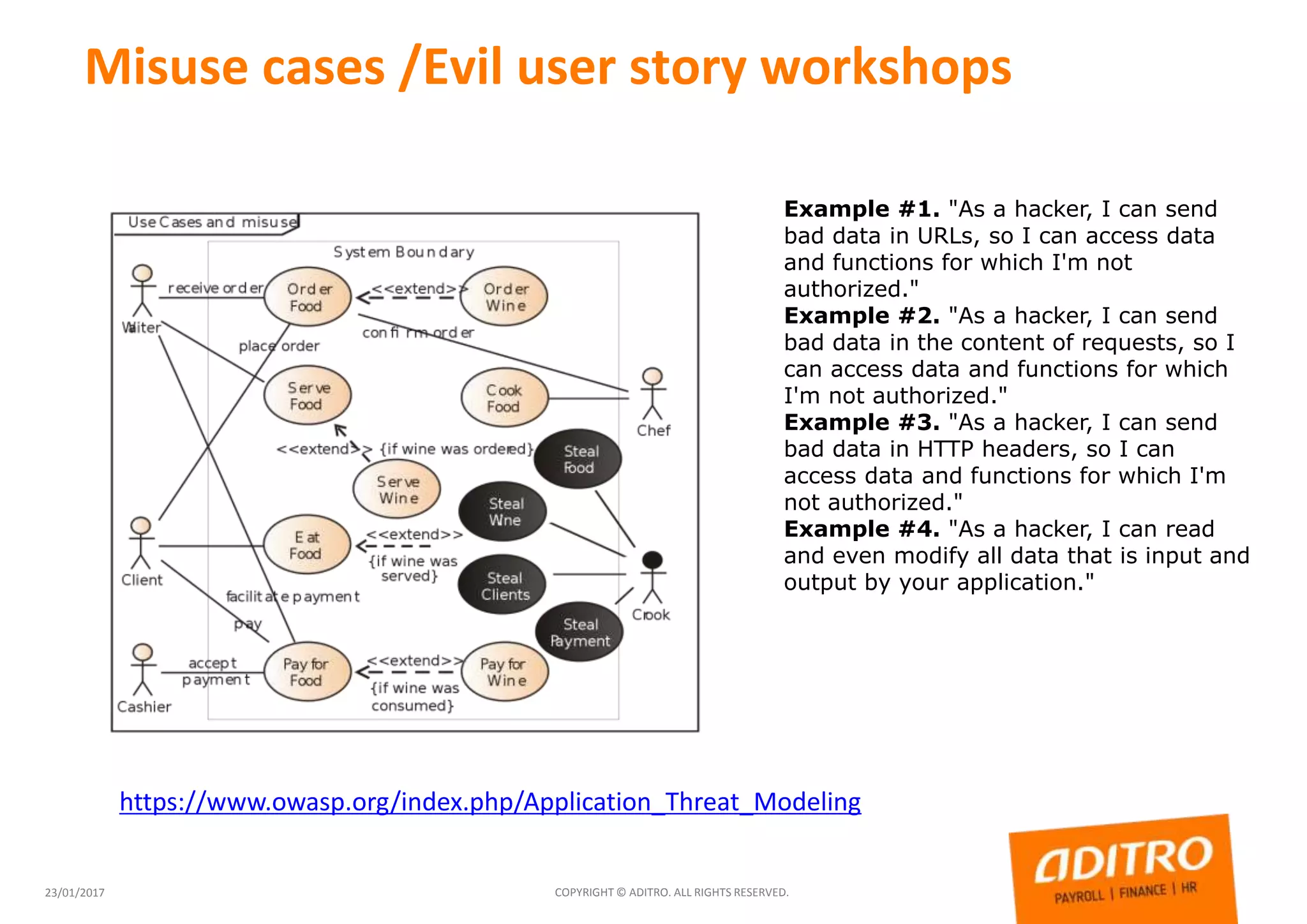
Misuse cases /Evil user story workshops
23/01/2017 COPYRIGHT © ADITRO. ALL RIGHTS RESERVED.
Example #1. "As a hacker, I can send
bad data in URLs, so I can access data
and functions for which I'm not
authorized."
Example #2. "As a hacker, I can send
bad data in the content of requests, so I
can access data and functions for which
I'm not authorized."
Example #3. "As a hacker, I can send
bad data in HTTP headers, so I can
access data and functions for which I'm
not authorized."
Example #4. "As a hacker, I can read
and even modify all data that is input and
output by your application."
https://www.owasp.org/index.php/Application_Threat_Modeling
27
Security in work, (C-I-A)
• Take care of work material
• Make sure that your files are always backed up. Dispose of confidential material in
accordance with instructions. Be sure to log out from software and systems
• Protect your equipment and the environment
• Make sure that your computer security software is working and updated. Use the
password-protected "screen saver". Lock your room and your computer when you
leave for a short time
• Be sure about source of information
• The message may contain malware or be forged. the name and address of the sender
does not guarantee anything, does not it. The programs should not be installed unless
you are sure that it is safe. The file which you are not sure or do not know who it is,
do not open. Be carefull with USB-Sticks
• Be accurate in your own work
• When you send something, please tell clearly what it is, do not send attachments
without first informing the recipient about coming files. Also keep in mind the so-
called Hidden Data (MS-Office meta-data). Be a always little suspicious when
someone asks for confidential information, verify persons identity
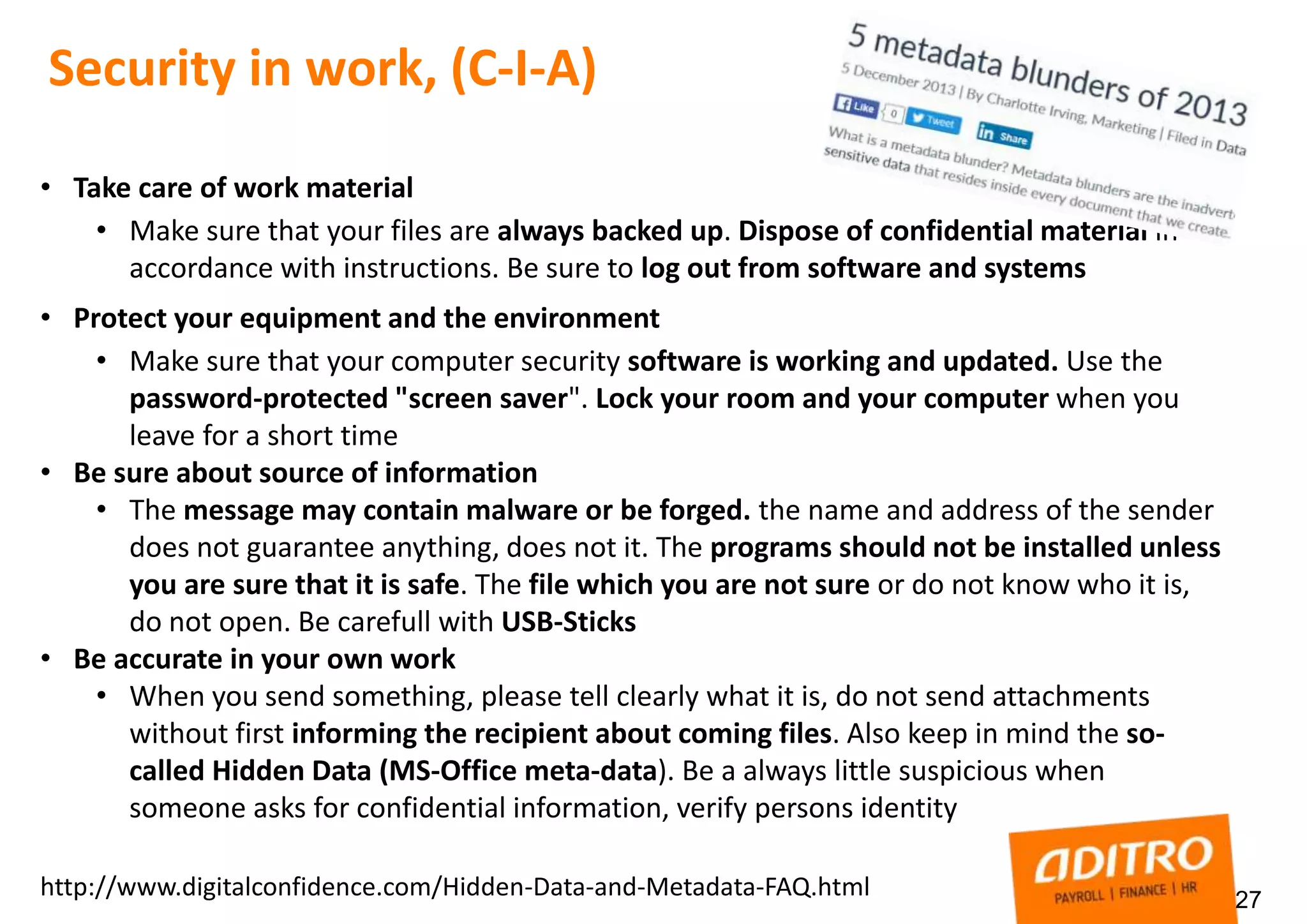
http://www.digitalconfidence.com/Hidden-Data-and-Metadata-FAQ.html
28
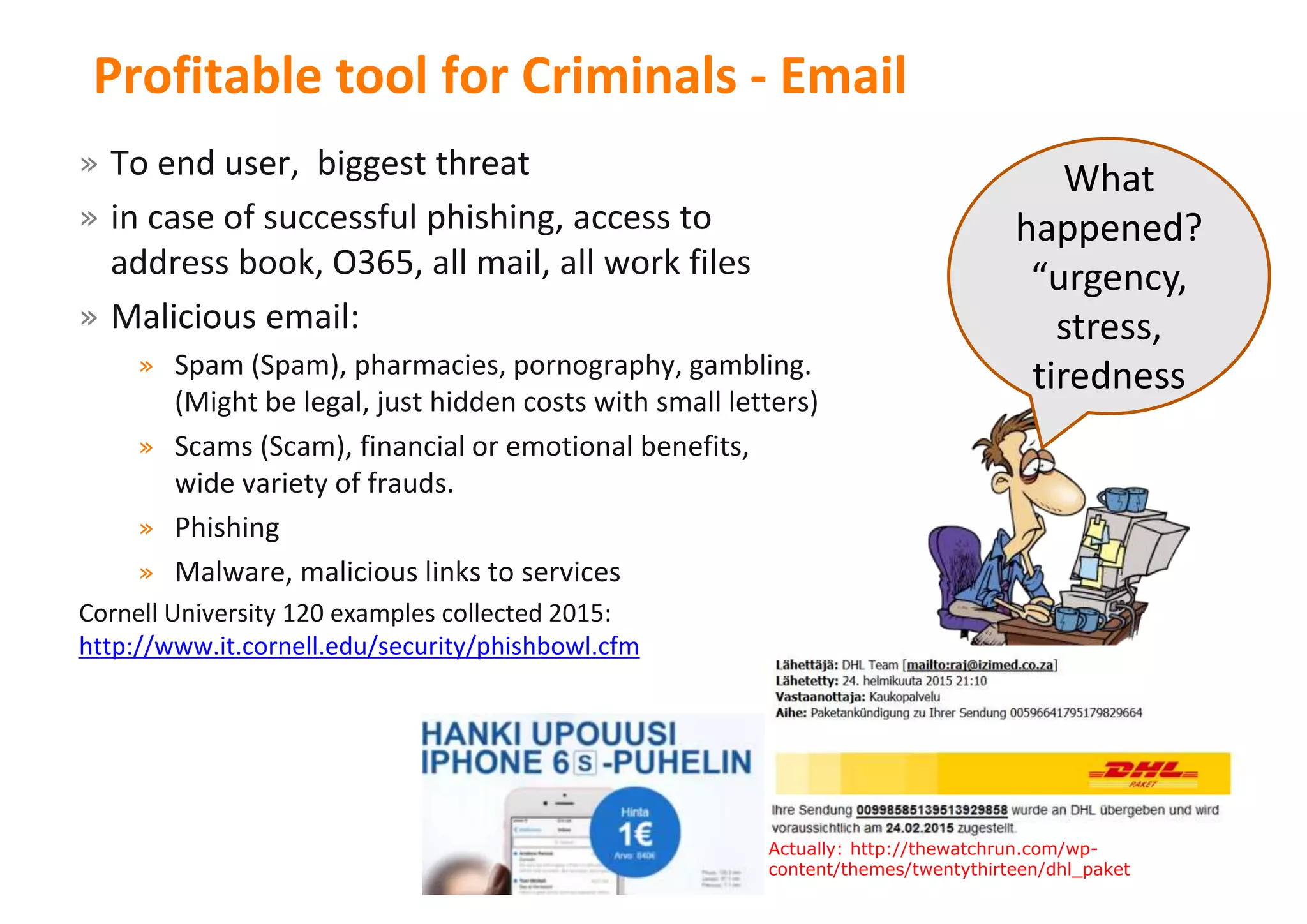
Profitable tool for Criminals - Email
» To end user, biggest threat
» in case of successful phishing, access to
address book, O365, all mail, all work files
» Malicious email:
» Spam (Spam), pharmacies, pornography, gambling.
(Might be legal, just hidden costs with small letters)
» Scams (Scam), financial or emotional benefits,
wide variety of frauds.
» Phishing
» Malware, malicious links to services
Cornell University 120 examples collected 2015:
http://www.it.cornell.edu/security/phishbowl.cfm
What
happened?
“urgency,
stress,
tiredness
28Actually: http://thewatchrun.com/wp-
content/themes/twentythirteen/dhl_paket
29
Social media
• ready to use
• scalable
• no IT help needed
• service for almost any
possible use case
• all possible bells and whistles
• can be used anywhere
• free of charge, (if your privacy
and personal life has no value)
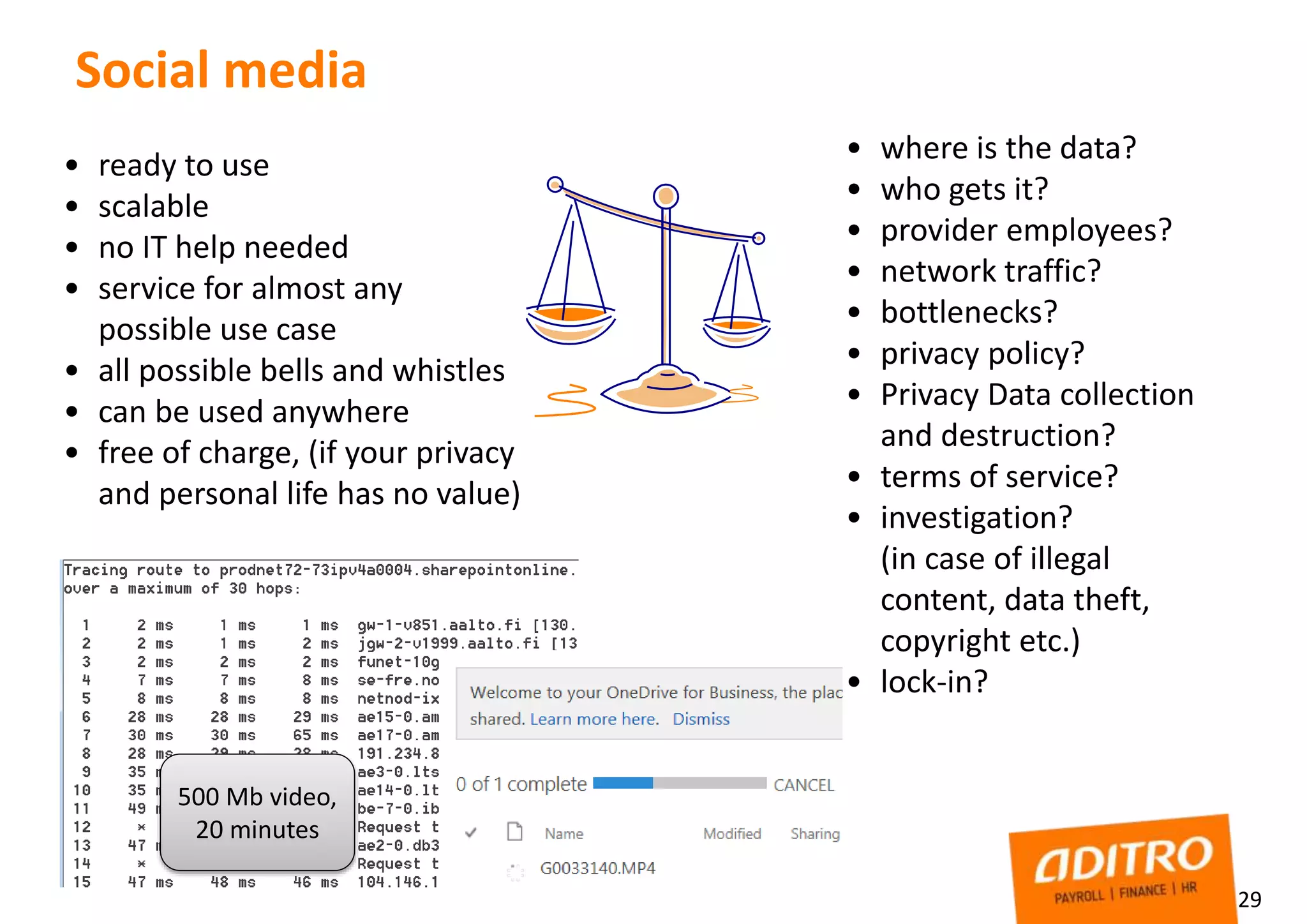
500 Mb video,
20 minutes
• where is the data?
• who gets it?
• provider employees?
• network traffic?
• bottlenecks?
• privacy policy?
• Privacy Data collection
and destruction?
• terms of service?
• investigation?
(in case of illegal
content, data theft,
copyright etc.)
• lock-in?
30
Social media
• Keep your password / username combination safe, if the worst happens
(e.g. serious illness)
• material may be financially or for some other reason valuable to others
• Use different password in services, and user id,
• mnemonic? software like "KeePass“ http://keepass.info/ for password management
• Keep copies of everything on your own computer
• Account de-activation (mistake, leak, id theft) end of life service
• Do not accept all friend requests
• If necessary, clear the browser cache
• "Sure" way to store files securely is an encryption
Strong password? Not : Pa5!&rVx!, Better “AksuliKivenKalaValeLomaLue”
8 character password with 94 different character vs, 16 just numbers, same difficulty for
password cracker.
• “Terms of Service; Didn't Read” https://tosdr.org/
• https://blog.kaspersky.com/remember-strong-passwords/6386/ (about Entropy and passwords, “disorder”)
• http://resources.infosecinstitute.com/password-security-complexity-vs-length/
• Email encryption, Aditro TLS by default (encryption depends on receiver)
• File/Folder level encryption, 7-zip + AES option
• Create Encrypted package, send by email or share using OneDrive,
send password with SMS
• VeraCrypt, heavier tool, for example project use.
https://veracrypt.codeplex.com/
• Create ”container” to place where every member have access
• share password with secure way
Encryption, secure way to share
(for example file share in public cloud)
http://www.northeastern.edu/securenu/sensitive-information-2/how-to-use-7-zip-to-encrypt-files-and-folders/
32
Keep safety when traveling
• Activate lock out functions for screen savers – Computers with confidential data
should be configured to "lock out" after 20 minutes of inactivity. PC in sleep mode
can be hacked easily
• Laptop hard drives should be encrypted, Ask for more information about from the
IT Service Desk.
• With kiosk PCs, clear browser cache
• Before travel, write down important contact details, IT-service desk, “if device is
lost instructions” operator, credit card contact numbers
• Use VPN, open WLAN is OPEN
• Change your password while abroad, before travel
• Take care of USB-sticks, don’t take USBs from unknown
• Always transport your devices as hand luggage when traveling (e.g. train, ship, bus)
• Make sure that the PIN and protection code are enabled.
• Disable bluetooth if you don’t need it
• Be careful when (or avoid totally) printing and carrying confidential material
Thank You!
23/01/2017 COPYRIGHT © ADITRO. ALL RIGHTS RESERVED. 33
Tomi.Jarvinen@aditro.com
https://Twitter.com/tomppaj

Information security - what is going on 2016

  • 1.
    Aditro – Ourfocus benefits yours Information Security 2016 Tomi Järvinen Platform Security Specialist 1/23/2017 1Copyright © Aditro. All rights reserved.
  • 2.
    Agenda  Information securitytoday  Information Security, actual risks, how breaches happens  Information security in daily work  Security in project work & development  Online security, email & social media  Traveling safety tips 23/01/2017 COPYRIGHT © ADITRO. ALL RIGHTS RESERVED. 2
  • 3.
    Security principles 23/01/2017 COPYRIGHT© ADITRO. ALL RIGHTS RESERVED. 3 High level information security principles (C-I-A) • Confidentiality • Encryption, Authentication, Access controls • Integrity • Data validationChecker, Quality Assurance, Audit Logs • Availability • Monitoring, BCP/DRP Plans and Tests, Back-up, fault tolerant storage, Sufficient Capacity Ddos Leak Intrusion
  • 4.
    Todays risks » ISFSecurity forum: 2016 - innovative and sophisticated attacks. Targeted campaigns with 0-day vulnerabilities » Fake login pages » DOS(Ddos) » Encrypting the organization » Phishing has been successful and profitable for criminals » Attacks on payment card data » Future? Jailbreaking the cloud? (e.g. malware built to crack cloud-based systems) » IOT, Light bulps, Surveillance cameras » http://motherboard.vice.com/read/15-million-connected-cameras-ddos-botnet-brian-krebs » http://arstechnica.com/security/2016/09/botnet-of-145k-cameras-reportedly-deliver-internets- biggest-ddos-ever/ » 23/01/2017 COPYRIGHT © ADITRO. ALL RIGHTS RESERVED. 4
  • 5.
    Not just mediahype https://haveibeenpwned.com/ http://www.privacyrights.org/data-breach http://www.idtheftcenter.org/ITRC-Surveys-Studies/2015databreaches.html http://www.privacyrights.org/data-breach USA only source, (GDPR will change this) Breach Type: CARD, HACK, INSD, PHYS, PORT, STAT, DISC, UNKN Organization Type: Business, Financial, Government Year(s) of Breach: 2016, 2015, 2014 RESULT: Breaches made public fitting this criteria: 440 Records lost total: 154,492,525 Good DAY! RDP For Sale! Good day! Working Admin account to high profile profile Wevb-server! server! possible test period – – Full Access
  • 6.
    Closer look totypical cases ”Hacked account” Type: High Privilege account credentials leaked Risk: Third party have full control to administrator level account, through O365 mailbox also all information about systems, links to servers, sharepoint, etc How this can happen?
  • 7.
    Closer look totypical cases ”Hacked account” Type: High Privilege account credentials leaked Risk: Third party have full control to administrator level account, through O365 mailbox also all information about systems, links to servers, sharepoint, etc How this can happen?
  • 8.
    Closer look totypical cases ”Hacked account” Type: High Privilege account credentials leaked Risk: Third party have full control to administrator level account, through O365 mailbox also all information about systems, links to servers, sharepoint, etc How this can happen? ”Urgent Paypal error! Respond soon” ”Mailbox full, click to avoid account termination…” Regocnize malicious mail, be aware if: 1. Request about account / password 2. Something strange in sender/receiver 3. Language, typos 4. link http, not https 5. Threat about something (if not, account closed…) 6. hurry (request to act 12, 24, 36, 48h) 7. attachments 8. Zip attachments 9. Link to file in web
  • 9.
    Compromised server” Type: SSHport open, not hardened, server compromised Risk: Third party have full control to server, possible data leak from server or jump point to other infrastructure, DOS to some other organization Configurations in hurry ”
  • 10.
    Compromised server” Type: SSHport open, not hardened, server compromised Risk: Third party have full control to server, possible data leak from server or jump point to other infrastructure, DOS to some other organization Configurations in hurry ”
  • 11.
    Compromised server” Type: SSHport open, not hardened, server compromised Risk: Third party have full control to server, possible data leak from server or jump point to other infrastructure, DOS to some other organization Configurations in hurry ” Some Linux server tips: 1. Disable Remote Root Access 2. Patch the Operating System and third party application 3. Limit SSH Access, Fail2Ban 4. https://www.cyberciti.biz/tips/linux-security.html Windows server: 1. Aditro guidelines & SOP 2. CIS Hardening 3. Microsoft RAP 4. Vulnerability scanning
  • 12.
    Type: Get highprivilige account details and access to web application Risk: Third party have full control to web application, information leak, possible financial damages Tools: Kali-Social engineering Toolkit Social engineering combined (phishing & fake site)
  • 13.
    Type: Get highprivilige account details and access to web application Risk: Third party have full control to web application, information leak, possible financial damages Tools: Kali-Social engineering Toolkit Social engineering combined (phishing & fake site)
  • 14.
    Type: Get highprivilige account details and access to web application Risk: Third party have full control to web application, information leak, possible financial damages Tools: Kali-Social engineering Toolkit Social engineering combined (phishing & fake site)
  • 15.
    Attacker motivation 12.06.2014 15 AttackerMotivation Goal Government Financial, influence Collecting information Criminals Financial Threats, blackmailing Commercial organizations Financial Disturbance of the competitor. Collection of information Insider self-interest, vengeance Economic benefits Damage to the organization's. Revenge Curious users (external or internal) bicurious Pressing any buttons and see what happens Hactivism power Placing an opponent in a bad light, collecting information
  • 16.
    How security breachesoccur? 1612.06.2014
  • 17.
    Agenda  Information securitytoday  Information Security, actual risks, how breaches happens  Information security in daily work  IT infrastructure  Security in project work & development  Online security, email & social media  Traveling safety tips 23/01/2017 COPYRIGHT © ADITRO. ALL RIGHTS RESERVED. 17
  • 18.
    Defense In Depth(the onion approach) 23/01/2017 COPYRIGHT © ADITRO. ALL RIGHTS RESERVED. 18 http://www.techrepublic.com/blog/it-security/understanding-layered-security-and-defense-in-depth/ Image: GBizz
  • 19.
    ImplementationDevelopmentBefore development Preparation, feasibility study Project planning TestingImplementation SECURITY Requirement specifications, based on • ”Technical – features” • Organization guidelines • OWASP • CIS • Data content • Availability (e.g. fault tolerance • Integrity(e.g. logs) • Legal framework (e.g. GDPR) Project Risk management (GDPR – mandatory PIA) Project information security Own personnels & external • Access control • Tools • up to date • Licensed • Open source? • NDA - agreements • Firewall openings • Badges Application secúrity • Test plan • Security requirement /requireme nt tests • Code audit • Penetration test Production security • Security checklist • Supply and disposal of material • Users and maintenance instructions • Description of file Security in projects development documentation from security point of view (typical & simplified) Productization (documentation, support) Information Security (Confidentiality – Integrity – Availability)
  • 20.
    Security inside application http://www.guidanceshare.com/wiki(simple) https://www.owasp.org/index.php/Category:OWASP_Application_Security_Verification_Standard_Project (security in development framework) Do not trust input; • centralized input validation. • Do not rely on client- side validation. • Be careful with canonicalization issues. • Constrain, reject, and sanitize input. • Validate for type, length, format, and range.
  • 21.
    Security in Agile (Scrum,Extreme Programming (XP), DSDM) 23/01/2017 COPYRIGHT © ADITRO. ALL RIGHTS RESERVED. 21 Waterfall Requirements Project Testing Implementation / product in use Agile List of needs, ”features” Development according backlog For example 5 items/week Product or part of product GO/NO GO Implementation / product in use . Project team have freedom and responsibility Security needs to be inside the process and “things to do”. Eg. TÒOLS: 1. Security user stories 2. Regular risk & security review 3. “Team Security responsible” – who call up reviews? 4. Security workshop, misuse cases / attacker stories 5. Threat modeling http://www.n4s.fi/2014magazine/article2/assets/guidebook_handbook.pdf https://technet.microsoft.com/en-us/security/hh855044.aspx -Threat Modeling and Agile Development Practices
  • 22.
    Agile security -some highlights 23/01/2017 COPYRIGHT © ADITRO. ALL RIGHTS RESERVED. 22 • Security user stories, the customer/business does not know how to ask security • Checkpoint, public live data testing, take into account the backlog in prioritizing (vs logging implementation, e.g. if there is some data what should not leak) • Backlog changes between iterations should be done so that if something essential is changing or there comes totally new feature / component /, a new security risk assessment or reflection should be done. Team's expertise plays a big role. (Note! The risk assessment process does not need not be heavy) • Typically highest-priority backlog items are not security items, prioritised by the Product Owner
  • 23.
    Security ”themes” forbacklog 23/01/2017 COPYRIGHT © ADITRO. ALL RIGHTS RESERVED. 23 • Access control and user management • User data model • Account lifecycle • Access control implementation • Logging • Audit log of security activities • Audit log of personal data access • Log event separation • Protection of log events • Standardisation of log events • Operational environment • Platform hardening • Network architecture • Separate development and production
  • 24.
    Security user stories 23/01/2017COPYRIGHT © ADITRO. ALL RIGHTS RESERVED. 24 • Non-functional user stories, like • User: "I want to be protected from unintentionally or accidentally sharing personal information.” -> backlog: “ geolocation information is removed from EXIF metadata unless user explicitly indicate he want to share it.” • Technical user stories, like: • The authentication timeout performs at 25 seconds • password entry retry limit is set at 5x
  • 25.
    Security Backlog Items 23/01/2017COPYRIGHT © ADITRO. ALL RIGHTS RESERVED. 25 • Prevent simultaneous connections from same user/IP • Prevent user from uploading files greater than____ • Use mappings and indexed menus insteadt of free form input • The number of users must be limited • Log critical operations and the details of initiation • Consider all input malicioius and filter according to the context • Limit the use of external processes, prefer library calls • Validate all input to ensure only allowed (whitelisted) set of characters is processed https://www.owasp.org/images/c/c6/OWASP_AppSec_Research_2010_Agile_Prod_Sec_Mgmt_by_Vaha-Sipila.pdf http://safecode.org/publication/SAFECode_Agile_Dev_Security0712.pdf
  • 26.
    Misuse cases /Eviluser story workshops 23/01/2017 COPYRIGHT © ADITRO. ALL RIGHTS RESERVED. Example #1. "As a hacker, I can send bad data in URLs, so I can access data and functions for which I'm not authorized." Example #2. "As a hacker, I can send bad data in the content of requests, so I can access data and functions for which I'm not authorized." Example #3. "As a hacker, I can send bad data in HTTP headers, so I can access data and functions for which I'm not authorized." Example #4. "As a hacker, I can read and even modify all data that is input and output by your application." https://www.owasp.org/index.php/Application_Threat_Modeling
  • 27.
    27 Security in work,(C-I-A) • Take care of work material • Make sure that your files are always backed up. Dispose of confidential material in accordance with instructions. Be sure to log out from software and systems • Protect your equipment and the environment • Make sure that your computer security software is working and updated. Use the password-protected "screen saver". Lock your room and your computer when you leave for a short time • Be sure about source of information • The message may contain malware or be forged. the name and address of the sender does not guarantee anything, does not it. The programs should not be installed unless you are sure that it is safe. The file which you are not sure or do not know who it is, do not open. Be carefull with USB-Sticks • Be accurate in your own work • When you send something, please tell clearly what it is, do not send attachments without first informing the recipient about coming files. Also keep in mind the so- called Hidden Data (MS-Office meta-data). Be a always little suspicious when someone asks for confidential information, verify persons identity http://www.digitalconfidence.com/Hidden-Data-and-Metadata-FAQ.html
  • 28.
    28 Profitable tool forCriminals - Email » To end user, biggest threat » in case of successful phishing, access to address book, O365, all mail, all work files » Malicious email: » Spam (Spam), pharmacies, pornography, gambling. (Might be legal, just hidden costs with small letters) » Scams (Scam), financial or emotional benefits, wide variety of frauds. » Phishing » Malware, malicious links to services Cornell University 120 examples collected 2015: http://www.it.cornell.edu/security/phishbowl.cfm What happened? “urgency, stress, tiredness 28Actually: http://thewatchrun.com/wp- content/themes/twentythirteen/dhl_paket
  • 29.
    29 Social media • readyto use • scalable • no IT help needed • service for almost any possible use case • all possible bells and whistles • can be used anywhere • free of charge, (if your privacy and personal life has no value) 500 Mb video, 20 minutes • where is the data? • who gets it? • provider employees? • network traffic? • bottlenecks? • privacy policy? • Privacy Data collection and destruction? • terms of service? • investigation? (in case of illegal content, data theft, copyright etc.) • lock-in?
  • 30.
    30 Social media • Keepyour password / username combination safe, if the worst happens (e.g. serious illness) • material may be financially or for some other reason valuable to others • Use different password in services, and user id, • mnemonic? software like "KeePass“ http://keepass.info/ for password management • Keep copies of everything on your own computer • Account de-activation (mistake, leak, id theft) end of life service • Do not accept all friend requests • If necessary, clear the browser cache • "Sure" way to store files securely is an encryption Strong password? Not : Pa5!&rVx!, Better “AksuliKivenKalaValeLomaLue” 8 character password with 94 different character vs, 16 just numbers, same difficulty for password cracker. • “Terms of Service; Didn't Read” https://tosdr.org/ • https://blog.kaspersky.com/remember-strong-passwords/6386/ (about Entropy and passwords, “disorder”) • http://resources.infosecinstitute.com/password-security-complexity-vs-length/
  • 31.
    • Email encryption,Aditro TLS by default (encryption depends on receiver) • File/Folder level encryption, 7-zip + AES option • Create Encrypted package, send by email or share using OneDrive, send password with SMS • VeraCrypt, heavier tool, for example project use. https://veracrypt.codeplex.com/ • Create ”container” to place where every member have access • share password with secure way Encryption, secure way to share (for example file share in public cloud) http://www.northeastern.edu/securenu/sensitive-information-2/how-to-use-7-zip-to-encrypt-files-and-folders/
  • 32.
    32 Keep safety whentraveling • Activate lock out functions for screen savers – Computers with confidential data should be configured to "lock out" after 20 minutes of inactivity. PC in sleep mode can be hacked easily • Laptop hard drives should be encrypted, Ask for more information about from the IT Service Desk. • With kiosk PCs, clear browser cache • Before travel, write down important contact details, IT-service desk, “if device is lost instructions” operator, credit card contact numbers • Use VPN, open WLAN is OPEN • Change your password while abroad, before travel • Take care of USB-sticks, don’t take USBs from unknown • Always transport your devices as hand luggage when traveling (e.g. train, ship, bus) • Make sure that the PIN and protection code are enabled. • Disable bluetooth if you don’t need it • Be careful when (or avoid totally) printing and carrying confidential material
  • 33.
    Thank You! 23/01/2017 COPYRIGHT© ADITRO. ALL RIGHTS RESERVED. 33 Tomi.Jarvinen@aditro.com https://Twitter.com/tomppaj