Topic 5: Input and Output
Reading: Chapter 12
Advanced Programming Techniques
Objectives and Outline
• Objectives:
– Overall view i/o in java
– Reading and writing local files
• Outline
– Introduction and overview
– Reading and writing local files
• Connecting to files
• Reading and writing characters
• Reading and writing objects
– File management
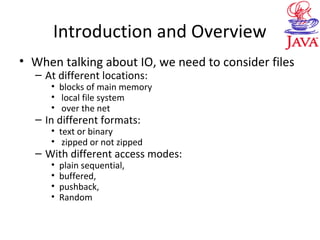
Introduction and Overview
• When talking about IO, we need to consider files
– At different locations:
• blocks of main memory
• local file system
• over the net
– In different formats:
• text or binary
• zipped or not zipped
– With different access modes:
• plain sequential,
• buffered,
• pushback,
• Random
Introduction and Overview
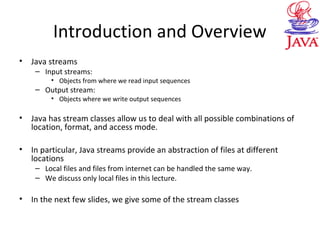
• Java streams
– Input streams:
• Objects from where we read input sequences
– Output stream:
• Objects where we write output sequences
• Java has stream classes allow us to deal with all possible combinations of
location, format, and access mode.
• In particular, Java streams provide an abstraction of files at different
locations
– Local files and files from internet can be handled the same way.
– We discuss only local files in this lecture.
• In the next few slides, we give some of the stream classes
Introduction and Overview
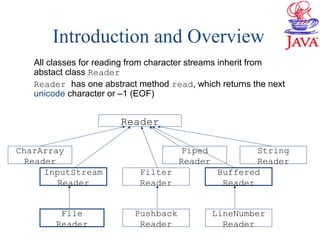
All classes for reading from character streams inherit from
abstact class Reader
Reader has one abstract method read, which returns the next
unicode character or –1 (EOF)
Reader
LineNumber
Reader
Pushback
Reader
InputStream
Reader
CharArray
Reader
Filter
Reader
Buffered
Reader
String
Reader
Piped
Reader
File
Reader
Introduction and Overview
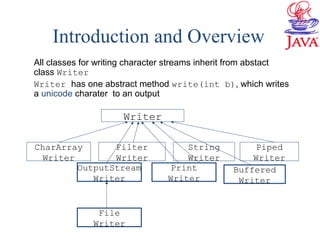
All classes for writing character streams inherit from abstact
class Writer
Writer has one abstract method write(int b), which writes
a unicode charater to an output
Writer
Print
Writer
File
Writer
Buffered
Writer
OutputStream
Writer
Piped
Writer
Filter
Writer
CharArray
Writer
String
Writer
Introduction and Overview
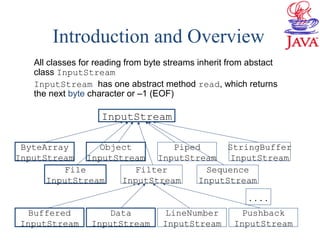
All classes for reading from byte streams inherit from abstact
class InputStream
InputStream has one abstract method read, which returns
the next byte character or –1 (EOF)
InputStream
Pushback
InputStream
LineNumber
InputStream
Data
InputStream
Buffered
InputStream
File
InputStream
ByteArray
InputStream
Filter
InputStream
Sequence
InputStream
StringBuffer
InputStream
Object
InputStream
Piped
InputStream
. . . .
Introduction and Overview
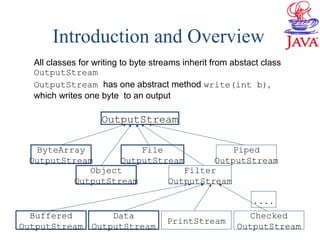
All classes for writing to byte streams inherit from abstact class
OutputStream
OutputStream has one abstract method write(int b),
which writes one byte to an output
OutputStream
Checked
OutputStream
PrintStream
Data
OutputStream
Buffered
OutputStream
ByteArray
OutputStream
Filter
OutputStream
Object
OutputStream
Piped
OutputStream
. . . .
File
OutputStream
Reading and Writing local files
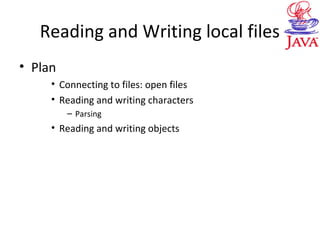
• Plan
• Connecting to files: open files
• Reading and writing characters
– Parsing
• Reading and writing objects
Connecting to Files
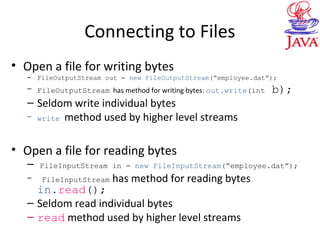
• Open a file for writing bytes
– FileOutputStream out = new FileOutputStream(“employee.dat”);
– FileOutputStream has method for writing bytes: out.write(int b);
– Seldom write individual bytes
– write method used by higher level streams
• Open a file for reading bytes
– FileInputStream in = new FileInputStream(“employee.dat”);
– FileInputStream has method for reading bytes
in.read();
– Seldom read individual bytes
– read method used by higher level streams
Writing Characters
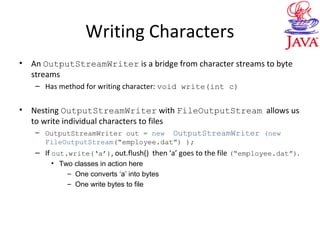
• An OutputStreamWriter is a bridge from character streams to byte
streams
– Has method for writing character: void write(int c)
• Nesting OutputStreamWriter with FileOutputStream allows us
to write individual characters to files
– OutputStreamWriter out = new OutputStreamWriter (new
FileOutputStream(“employee.dat”) );
– If out.write(‘a’), out.flush() then ‘a’ goes to the file (“employee.dat”).
• Two classes in action here
– One converts ‘a’ into bytes
– One write bytes to file
Writing Characters
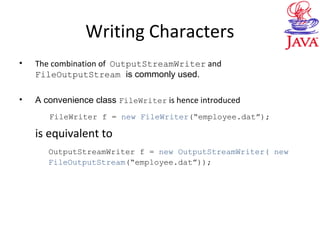
• The combination of OutputStreamWriter and
FileOutputStream is commonly used.
• A convenience class FileWriter is hence introduced
FileWriter f = new FileWriter(“employee.dat”);
is equivalent to
OutputStreamWriter f = new OutputStreamWriter( new
FileOutputStream(“employee.dat”));
Writing Charaters
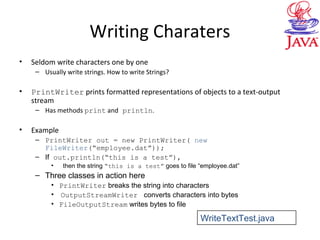
• Seldom write characters one by one
– Usually write strings. How to write Strings?
• PrintWriter prints formatted representations of objects to a text-output
stream
– Has methods print and println.
• Example
– PrintWriter out = new PrintWriter( new
FileWriter(“employee.dat”));
– If out.println(“this is a test”),
• then the string “this is a test” goes to file “employee.dat”
– Three classes in action here
• PrintWriter breaks the string into characters
• OutputStreamWriter converts characters into bytes
• FileOutputStream writes bytes to file
WriteTextTest.java
Reading Characters
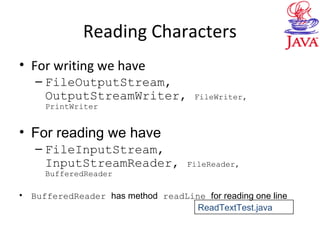
• For writing we have
– FileOutputStream,
OutputStreamWriter, FileWriter,
PrintWriter
• For reading we have
– FileInputStream,
InputStreamReader, FileReader,
BufferedReader
• BufferedReader has method readLine for reading one line
ReadTextTest.java
Read and Write Standard IO
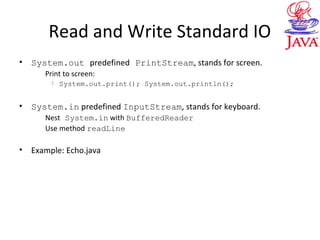
• System.out predefined PrintStream, stands for screen.
Print to screen:
l System.out.print(); System.out.println();
• System.in predefined InputStream, stands for keyboard.
Nest System.in with BufferedReader
Use method readLine
• Example: Echo.java
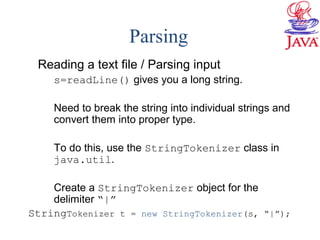
Parsing
Reading a text file / Parsing input
s=readLine() gives you a long string.
Need to break the string into individual strings and
convert them into proper type.
To do this, use the StringTokenizer class in
java.util.
Create a StringTokenizer object for the
delimiter “|”
StringTokenizer t = new StringTokenizer(s, “|”);
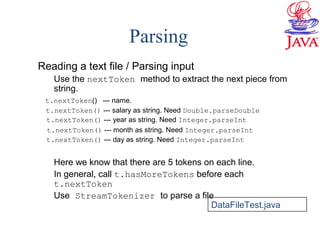
Parsing
Reading a text file / Parsing input
Use the nextToken method to extract the next piece from
string.
t.nextToken() --- name.
t.nextToken() --- salary as string. Need Double.parseDouble
t.nextToken() --- year as string. Need Integer.parseInt
t.nextToken() --- month as string. Need Integer.parseInt
t.nextToken() --- day as string. Need Integer.parseInt
Here we know that there are 5 tokens on each line.
In general, call t.hasMoreTokens before each
t.nextToken
Use StreamTokenizer to parse a file
DataFileTest.java
Reading and Writing Objects
• When useful
– Need to save some information and retrieve it
later.
– Saved information does not have to be human
readable.
• Why bother (since we can write and read text
files)
– Much easier than writing and reading text files
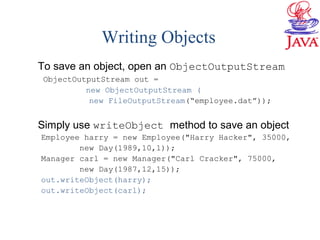
Writing Objects
To save an object, open an ObjectOutputStream
ObjectOutputStream out =
new ObjectOutputStream (
new FileOutputStream(“employee.dat”));
Simply use writeObject method to save an object
Employee harry = new Employee("Harry Hacker", 35000,
new Day(1989,10,1));
Manager carl = new Manager("Carl Cracker", 75000,
new Day(1987,12,15));
out.writeObject(harry);
out.writeObject(carl);
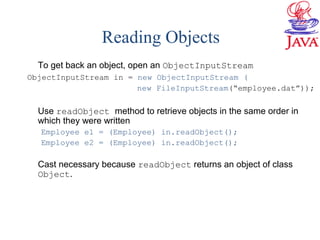
Reading Objects
To get back an object, open an ObjectInputStream
ObjectInputStream in = new ObjectInputStream (
new FileInputStream(“employee.dat”));
Use readObject method to retrieve objects in the same order in
which they were written
Employee e1 = (Employee) in.readObject();
Employee e2 = (Employee) in.readObject();
Cast necessary because readObject returns an object of class
Object.
Serializable Interface
• For object writing/reading to work, the class
must implement the serializable interface
– Class Employee implements
Serializable(){…}
• Since Arrays, one can write/read an array of
any objects in one sentence
– Employee[] staff; …
– out.writeObject( staff );
– (Employee[])in.readObject();
ObjectFileTest.java
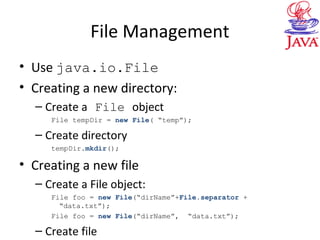
File Management
• Use java.io.File
• Creating a new directory:
– Create a File object
File tempDir = new File( “temp”);
– Create directory
tempDir.mkdir();
• Creating a new file
– Create a File object:
File foo = new File(“dirName”+File.separator +
“data.txt”);
File foo = new File(“dirName”, “data.txt”);
– Create file
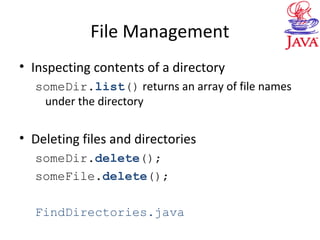
File Management
• Inspecting contents of a directory
someDir.list() returns an array of file names
under the directory
• Deleting files and directories
someDir.delete();
someFile.delete();
FindDirectories.java

05io

  • 1.
    Topic 5: Inputand Output Reading: Chapter 12 Advanced Programming Techniques
  • 2.
    Objectives and Outline •Objectives: – Overall view i/o in java – Reading and writing local files • Outline – Introduction and overview – Reading and writing local files • Connecting to files • Reading and writing characters • Reading and writing objects – File management
  • 3.
    Introduction and Overview •When talking about IO, we need to consider files – At different locations: • blocks of main memory • local file system • over the net – In different formats: • text or binary • zipped or not zipped – With different access modes: • plain sequential, • buffered, • pushback, • Random
  • 4.
    Introduction and Overview •Java streams – Input streams: • Objects from where we read input sequences – Output stream: • Objects where we write output sequences • Java has stream classes allow us to deal with all possible combinations of location, format, and access mode. • In particular, Java streams provide an abstraction of files at different locations – Local files and files from internet can be handled the same way. – We discuss only local files in this lecture. • In the next few slides, we give some of the stream classes
  • 5.
    Introduction and Overview Allclasses for reading from character streams inherit from abstact class Reader Reader has one abstract method read, which returns the next unicode character or –1 (EOF) Reader LineNumber Reader Pushback Reader InputStream Reader CharArray Reader Filter Reader Buffered Reader String Reader Piped Reader File Reader
  • 6.
    Introduction and Overview Allclasses for writing character streams inherit from abstact class Writer Writer has one abstract method write(int b), which writes a unicode charater to an output Writer Print Writer File Writer Buffered Writer OutputStream Writer Piped Writer Filter Writer CharArray Writer String Writer
  • 7.
    Introduction and Overview Allclasses for reading from byte streams inherit from abstact class InputStream InputStream has one abstract method read, which returns the next byte character or –1 (EOF) InputStream Pushback InputStream LineNumber InputStream Data InputStream Buffered InputStream File InputStream ByteArray InputStream Filter InputStream Sequence InputStream StringBuffer InputStream Object InputStream Piped InputStream . . . .
  • 8.
    Introduction and Overview Allclasses for writing to byte streams inherit from abstact class OutputStream OutputStream has one abstract method write(int b), which writes one byte to an output OutputStream Checked OutputStream PrintStream Data OutputStream Buffered OutputStream ByteArray OutputStream Filter OutputStream Object OutputStream Piped OutputStream . . . . File OutputStream
  • 9.
    Reading and Writinglocal files • Plan • Connecting to files: open files • Reading and writing characters – Parsing • Reading and writing objects
  • 10.
    Connecting to Files •Open a file for writing bytes – FileOutputStream out = new FileOutputStream(“employee.dat”); – FileOutputStream has method for writing bytes: out.write(int b); – Seldom write individual bytes – write method used by higher level streams • Open a file for reading bytes – FileInputStream in = new FileInputStream(“employee.dat”); – FileInputStream has method for reading bytes in.read(); – Seldom read individual bytes – read method used by higher level streams
  • 11.
    Writing Characters • AnOutputStreamWriter is a bridge from character streams to byte streams – Has method for writing character: void write(int c) • Nesting OutputStreamWriter with FileOutputStream allows us to write individual characters to files – OutputStreamWriter out = new OutputStreamWriter (new FileOutputStream(“employee.dat”) ); – If out.write(‘a’), out.flush() then ‘a’ goes to the file (“employee.dat”). • Two classes in action here – One converts ‘a’ into bytes – One write bytes to file
  • 12.
    Writing Characters • Thecombination of OutputStreamWriter and FileOutputStream is commonly used. • A convenience class FileWriter is hence introduced FileWriter f = new FileWriter(“employee.dat”); is equivalent to OutputStreamWriter f = new OutputStreamWriter( new FileOutputStream(“employee.dat”));
  • 13.
    Writing Charaters • Seldomwrite characters one by one – Usually write strings. How to write Strings? • PrintWriter prints formatted representations of objects to a text-output stream – Has methods print and println. • Example – PrintWriter out = new PrintWriter( new FileWriter(“employee.dat”)); – If out.println(“this is a test”), • then the string “this is a test” goes to file “employee.dat” – Three classes in action here • PrintWriter breaks the string into characters • OutputStreamWriter converts characters into bytes • FileOutputStream writes bytes to file WriteTextTest.java
  • 14.
    Reading Characters • Forwriting we have – FileOutputStream, OutputStreamWriter, FileWriter, PrintWriter • For reading we have – FileInputStream, InputStreamReader, FileReader, BufferedReader • BufferedReader has method readLine for reading one line ReadTextTest.java
  • 15.
    Read and WriteStandard IO • System.out predefined PrintStream, stands for screen. Print to screen: l System.out.print(); System.out.println(); • System.in predefined InputStream, stands for keyboard. Nest System.in with BufferedReader Use method readLine • Example: Echo.java
  • 16.
    Parsing Reading a textfile / Parsing input s=readLine() gives you a long string. Need to break the string into individual strings and convert them into proper type. To do this, use the StringTokenizer class in java.util. Create a StringTokenizer object for the delimiter “|” StringTokenizer t = new StringTokenizer(s, “|”);
  • 17.
    Parsing Reading a textfile / Parsing input Use the nextToken method to extract the next piece from string. t.nextToken() --- name. t.nextToken() --- salary as string. Need Double.parseDouble t.nextToken() --- year as string. Need Integer.parseInt t.nextToken() --- month as string. Need Integer.parseInt t.nextToken() --- day as string. Need Integer.parseInt Here we know that there are 5 tokens on each line. In general, call t.hasMoreTokens before each t.nextToken Use StreamTokenizer to parse a file DataFileTest.java
  • 18.
    Reading and WritingObjects • When useful – Need to save some information and retrieve it later. – Saved information does not have to be human readable. • Why bother (since we can write and read text files) – Much easier than writing and reading text files
  • 19.
    Writing Objects To savean object, open an ObjectOutputStream ObjectOutputStream out = new ObjectOutputStream ( new FileOutputStream(“employee.dat”)); Simply use writeObject method to save an object Employee harry = new Employee("Harry Hacker", 35000, new Day(1989,10,1)); Manager carl = new Manager("Carl Cracker", 75000, new Day(1987,12,15)); out.writeObject(harry); out.writeObject(carl);
  • 20.
    Reading Objects To getback an object, open an ObjectInputStream ObjectInputStream in = new ObjectInputStream ( new FileInputStream(“employee.dat”)); Use readObject method to retrieve objects in the same order in which they were written Employee e1 = (Employee) in.readObject(); Employee e2 = (Employee) in.readObject(); Cast necessary because readObject returns an object of class Object.
  • 21.
    Serializable Interface • Forobject writing/reading to work, the class must implement the serializable interface – Class Employee implements Serializable(){…} • Since Arrays, one can write/read an array of any objects in one sentence – Employee[] staff; … – out.writeObject( staff ); – (Employee[])in.readObject(); ObjectFileTest.java
  • 22.
    File Management • Usejava.io.File • Creating a new directory: – Create a File object File tempDir = new File( “temp”); – Create directory tempDir.mkdir(); • Creating a new file – Create a File object: File foo = new File(“dirName”+File.separator + “data.txt”); File foo = new File(“dirName”, “data.txt”); – Create file
  • 23.
    File Management • Inspectingcontents of a directory someDir.list() returns an array of file names under the directory • Deleting files and directories someDir.delete(); someFile.delete(); FindDirectories.java