Deepak H B
Full-Stack Developer
Gmail: deepakhb2@gmail.com
Linkedin: http://in.linkedin.com/in/deepakhb
GitHub: https://github.com/deepakhb2
Basic Input and Output
Introduction
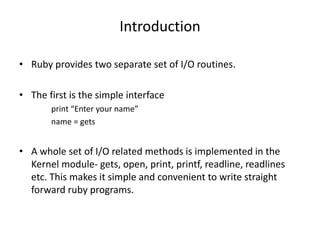
• Ruby provides two separate set of I/O routines.
• The first is the simple interface
print “Enter your name”
name = gets
• A whole set of I/O related methods is implemented in the
Kernel module- gets, open, print, printf, readline, readlines
etc. This makes it simple and convenient to write straight
forward ruby programs.
IO Object
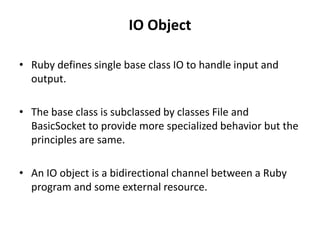
• Ruby defines single base class IO to handle input and
output.
• The base class is subclassed by classes File and
BasicSocket to provide more specialized behavior but the
principles are same.
• An IO object is a bidirectional channel between a Ruby
program and some external resource.
Opening and Closing Files
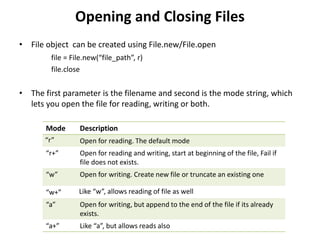
• File object can be created using File.new/File.open
file = File.new(“file_path”, r)
file.close
• The first parameter is the filename and second is the mode string, which
lets you open the file for reading, writing or both.
Mode Description
“r” Open for reading. The default mode
“r+” Open for reading and writing, start at beginning of the file, Fail if
file does not exists.
“w” Open for writing. Create new file or truncate an existing one
“w+” Like “w”, allows reading of file as well
“a” Open for writing, but append to the end of the file if its already
exists.
“a+” Like “a”, but allows reads also
Contd..
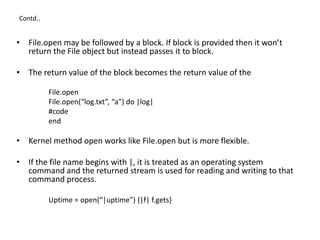
• File.open may be followed by a block. If block is provided then it won’t
return the File object but instead passes it to block.
• The return value of the block becomes the return value of the
File.open
File.open(“log.txt”, “a”) do |log|
#code
end
• Kernel method open works like File.open but is more flexible.
• If the file name begins with |, it is treated as an operating system
command and the returned stream is used for reading and writing to that
command process.
Uptime = open(“|uptime”) {|f| f.gets}
Reading from File
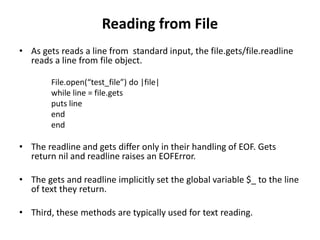
• As gets reads a line from standard input, the file.gets/file.readline
reads a line from file object.
File.open(“test_file”) do |file|
while line = file.gets
puts line
end
end
• The readline and gets differ only in their handling of EOF. Gets
return nil and readline raises an EOFError.
• The gets and readline implicitly set the global variable $_ to the line
of text they return.
• Third, these methods are typically used for text reading.
Contd..
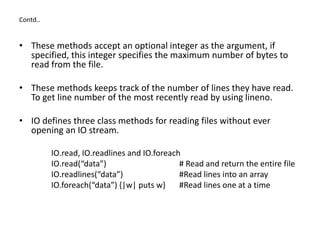
• These methods accept an optional integer as the argument, if
specified, this integer specifies the maximum number of bytes to
read from the file.
• These methods keeps track of the number of lines they have read.
To get line number of the most recently read by using lineno.
• IO defines three class methods for reading files without ever
opening an IO stream.
IO.read, IO.readlines and IO.foreach
IO.read(“data”) # Read and return the entire file
IO.readlines(“data”) #Read lines into an array
IO.foreach(“data”) {|w| puts w} #Read lines one at a time
Writing to files
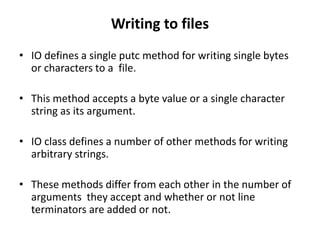
• IO defines a single putc method for writing single bytes
or characters to a file.
• This method accepts a byte value or a single character
string as its argument.
• IO class defines a number of other methods for writing
arbitrary strings.
• These methods differ from each other in the number of
arguments they accept and whether or not line
terminators are added or not.
Contd..
f=File.open("files/test.txt","w+")
x = "This is sample wirte."
y = "Try it out"
f << x # Output x.to_s
f << x << y # May be chained: output x.to_s + y.to_s
f.print # Output $_ + $
f.print f # Output s.to_s + $
f.print x, y # Output s.to_s + t.to_s + $
f.printf y, x # Outputs fmt%[args]
f.puts # Output newline
f.puts x # Output x.to_s.chomp plus newline
f.puts x,y # Output x.to_s.chomp, newline, y.to_s.chomp, newline
f.puts [x,y] # Same as above
f.write f # Output s.to_s, returns s.to_s.length
f.Rewind
while(line=f.gets)
puts line
end
f.close
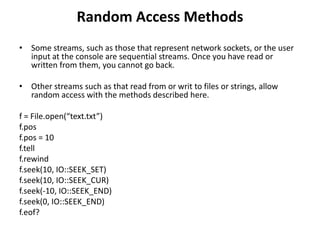
Random Access Methods
• Some streams, such as those that represent network sockets, or the user
input at the console are sequential streams. Once you have read or
written from them, you cannot go back.
• Other streams such as that read from or writ to files or strings, allow
random access with the methods described here.
f = File.open(“text.txt”)
f.pos
f.pos = 10
f.tell
f.rewind
f.seek(10, IO::SEEK_SET)
f.seek(10, IO::SEEK_CUR)
f.seek(-10, IO::SEEK_END)
f.seek(0, IO::SEEK_END)
f.eof?

9 Inputs & Outputs

  • 1.
    Deepak H B Full-StackDeveloper Gmail: deepakhb2@gmail.com Linkedin: http://in.linkedin.com/in/deepakhb GitHub: https://github.com/deepakhb2
  • 2.
  • 3.
    Introduction • Ruby providestwo separate set of I/O routines. • The first is the simple interface print “Enter your name” name = gets • A whole set of I/O related methods is implemented in the Kernel module- gets, open, print, printf, readline, readlines etc. This makes it simple and convenient to write straight forward ruby programs.
  • 4.
    IO Object • Rubydefines single base class IO to handle input and output. • The base class is subclassed by classes File and BasicSocket to provide more specialized behavior but the principles are same. • An IO object is a bidirectional channel between a Ruby program and some external resource.
  • 5.
    Opening and ClosingFiles • File object can be created using File.new/File.open file = File.new(“file_path”, r) file.close • The first parameter is the filename and second is the mode string, which lets you open the file for reading, writing or both. Mode Description “r” Open for reading. The default mode “r+” Open for reading and writing, start at beginning of the file, Fail if file does not exists. “w” Open for writing. Create new file or truncate an existing one “w+” Like “w”, allows reading of file as well “a” Open for writing, but append to the end of the file if its already exists. “a+” Like “a”, but allows reads also
  • 6.
    Contd.. • File.open maybe followed by a block. If block is provided then it won’t return the File object but instead passes it to block. • The return value of the block becomes the return value of the File.open File.open(“log.txt”, “a”) do |log| #code end • Kernel method open works like File.open but is more flexible. • If the file name begins with |, it is treated as an operating system command and the returned stream is used for reading and writing to that command process. Uptime = open(“|uptime”) {|f| f.gets}
  • 7.
    Reading from File •As gets reads a line from standard input, the file.gets/file.readline reads a line from file object. File.open(“test_file”) do |file| while line = file.gets puts line end end • The readline and gets differ only in their handling of EOF. Gets return nil and readline raises an EOFError. • The gets and readline implicitly set the global variable $_ to the line of text they return. • Third, these methods are typically used for text reading.
  • 8.
    Contd.. • These methodsaccept an optional integer as the argument, if specified, this integer specifies the maximum number of bytes to read from the file. • These methods keeps track of the number of lines they have read. To get line number of the most recently read by using lineno. • IO defines three class methods for reading files without ever opening an IO stream. IO.read, IO.readlines and IO.foreach IO.read(“data”) # Read and return the entire file IO.readlines(“data”) #Read lines into an array IO.foreach(“data”) {|w| puts w} #Read lines one at a time
  • 9.
    Writing to files •IO defines a single putc method for writing single bytes or characters to a file. • This method accepts a byte value or a single character string as its argument. • IO class defines a number of other methods for writing arbitrary strings. • These methods differ from each other in the number of arguments they accept and whether or not line terminators are added or not.
  • 10.
    Contd.. f=File.open("files/test.txt","w+") x = "Thisis sample wirte." y = "Try it out" f << x # Output x.to_s f << x << y # May be chained: output x.to_s + y.to_s f.print # Output $_ + $ f.print f # Output s.to_s + $ f.print x, y # Output s.to_s + t.to_s + $ f.printf y, x # Outputs fmt%[args] f.puts # Output newline f.puts x # Output x.to_s.chomp plus newline f.puts x,y # Output x.to_s.chomp, newline, y.to_s.chomp, newline f.puts [x,y] # Same as above f.write f # Output s.to_s, returns s.to_s.length f.Rewind while(line=f.gets) puts line end f.close
  • 11.
    Random Access Methods •Some streams, such as those that represent network sockets, or the user input at the console are sequential streams. Once you have read or written from them, you cannot go back. • Other streams such as that read from or writ to files or strings, allow random access with the methods described here. f = File.open(“text.txt”) f.pos f.pos = 10 f.tell f.rewind f.seek(10, IO::SEEK_SET) f.seek(10, IO::SEEK_CUR) f.seek(-10, IO::SEEK_END) f.seek(0, IO::SEEK_END) f.eof?