
What is Web Design?
Definition of Web Design
   What is Web Design?
   Wikipedia:
“Web Design is a skill of creating presentations of
  content (usually hypertext or hypermedia that is
  delivered to an end-user through the World Wide
  Web, by way of a Web browser or either Web-
  enabled software like Internet television clients,
  microblogging clients and RSS feeders.”
Confused? !!&!*!???****???!
Definition of Web Design
   Web Design is difficult to define because it
    covers so much ground:
       Clients
       Types of contents
       Functionalities
What is Web Design?
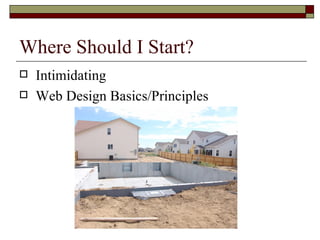
Where Should I Start?
   Intimidating
   Web Design Basics/Principles
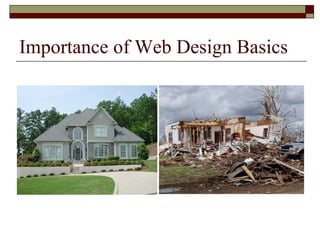
Importance of Web Design Basics
Web Design Basics
What is a good Web site from a design
standpoint?
Introduction
 Think of something anyone can do?
Answer: Make an ugly Web page.
 To avoid making an ugly Web page, we need to
  learn the basic design principles.
 Four basic concepts: alignment, proximity,
  rhythm/repetition, and contrast + one additional:
  spelling
 Results: From dorky to professional looking pages
How do users think?
   In order to use the principles properly we first
    need to understand:
       How users interact with Web sites.
       How they think
       What are the basic patterns of users’ behavior
How do users think?
   Users don’t read, they scan.
   Web users are impatient and insist on instant
    gratification.
   Users don’t make optimal choices.
   Users follow their intuition.
   Users want to have control.
    http://www.youtube.com/watch?v=lo_a2cfBUGc
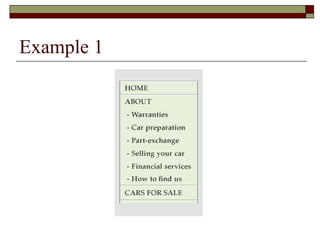
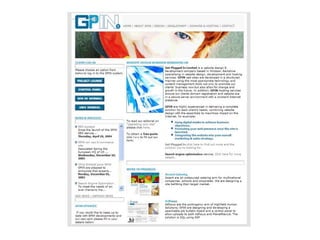
Alignment
   Alignment: Items on the page are lined up with each
    other
   Two types of alignment:
       Horizontal alignment
       Vertical alignment.
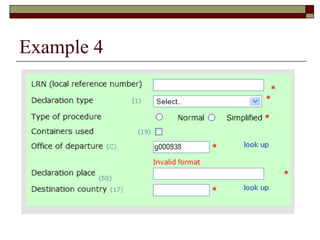
   CHOOSE ONE. Choose one alignment and use it on
    the entire page. Don’t mix alignment.
   Get the text away from the left edge. This means
    indent your text so the text doesn’t appear in long,
    dorky, difficult-to-read lines.
   Type sits on an invisible line called the “baseline”.
Example 1
Example 2
Example 3
Example 4
Example 5
Proximity
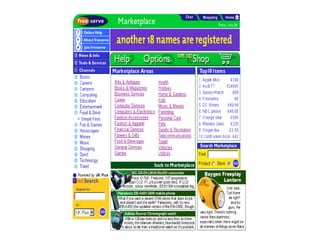
   Proximity: Relationships that items develop
    when they are close together, in close
    proximity.
   Be conscious of the space between elements.
       Group together
       Space them apart
   Difference between a paragraph and a break:
    <P> and <BR>
Proximity
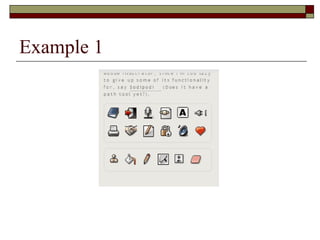
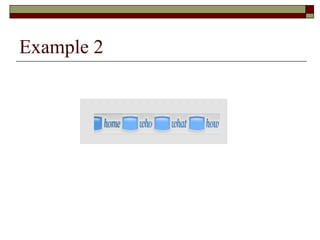
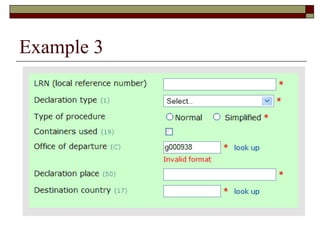
   Three tools of proximity:
       Grouping
       Containment
       Whitespace
Example 1
Example 2
Example 3
Example 4
Example 5
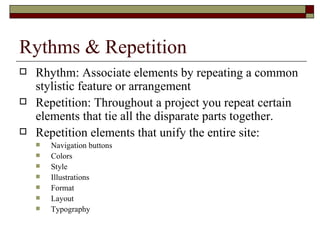
Rythms & Repetition
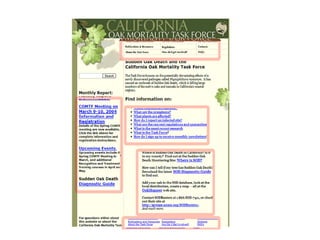
   Rhythm: Associate elements by repeating a common
    stylistic feature or arrangement
   Repetition: Throughout a project you repeat certain
    elements that tie all the disparate parts together.
   Repetition elements that unify the entire site:
       Navigation buttons
       Colors
       Style
       Illustrations
       Format
       Layout
       Typography
Example 1
Example 2
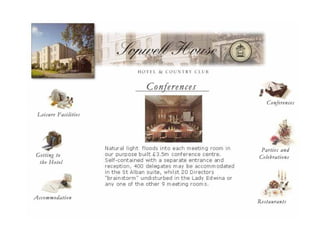
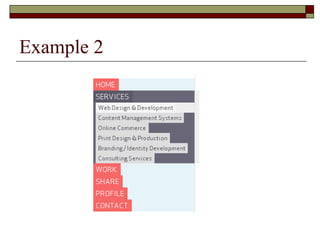
Contrast
   Contrast: What draws your eyes onto the
    page.
   Contrasting elements guide your eyes into the
    page, create a hierarchy of information, and
    enable you to skim through the vast array of
    information and pick out what you need
Contrast
   Contrast elements:
       Style
       Colors
       Graphic signposts
       Spatial arrangement
   Exception: If you want people to sit and read
    through an entire piece, avoid contrast so the
    page can be bland and uninterrupted.
Example 1
Example 2
Squint Test
   Easy way to assess the overall contrast of
    your page
   Technique: Close your eyelids so your eyes
    are about three quarters closed, so that normal
    text becomes blurred and unreadable.
Example 3
Contrast
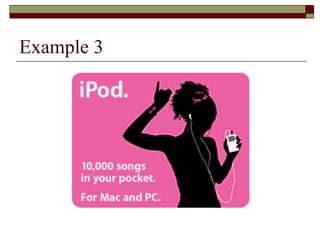
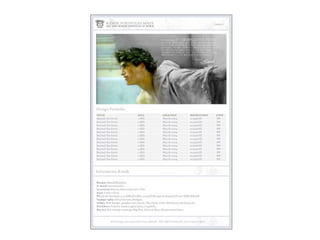
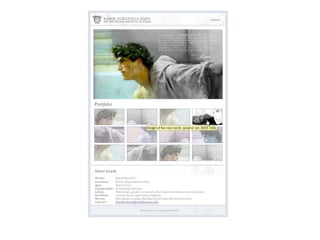
   Create a focal point: Something must be the
    dominating force, and the other elements
    follow a hierarchy from that point down. The
    focus is created through contrast.
Example 4
Spell it Right!
   Bad spelling and bad grammar can destroy
    the professional effect of your web site
   Use spell checker
   http://spellr.us/files/university-release.html
Combine the principles
   Applying any one of these principles will radically
    improve the design of your web pages, you will
    generally find yourself applying more than one
    principle, and probably all four.
   Summary of the principles:
       Spelling
       Contrast
       Repetition
       Alignment
       Proximity
   http://www.youtube.com/watch?v=mF_mWi6r-9I

Web design basics

  • 1.
    What is WebDesign?
  • 2.
    Definition of WebDesign  What is Web Design?  Wikipedia: “Web Design is a skill of creating presentations of content (usually hypertext or hypermedia that is delivered to an end-user through the World Wide Web, by way of a Web browser or either Web- enabled software like Internet television clients, microblogging clients and RSS feeders.”
  • 3.
  • 4.
    Definition of WebDesign  Web Design is difficult to define because it covers so much ground:  Clients  Types of contents  Functionalities
  • 5.
    What is WebDesign?
  • 6.
    Where Should IStart?  Intimidating  Web Design Basics/Principles
  • 7.
    Importance of WebDesign Basics
  • 8.
    Web Design Basics Whatis a good Web site from a design standpoint?
  • 9.
    Introduction  Think ofsomething anyone can do? Answer: Make an ugly Web page.  To avoid making an ugly Web page, we need to learn the basic design principles.  Four basic concepts: alignment, proximity, rhythm/repetition, and contrast + one additional: spelling  Results: From dorky to professional looking pages
  • 10.
    How do usersthink?  In order to use the principles properly we first need to understand:  How users interact with Web sites.  How they think  What are the basic patterns of users’ behavior
  • 11.
    How do usersthink?  Users don’t read, they scan.  Web users are impatient and insist on instant gratification.  Users don’t make optimal choices.  Users follow their intuition.  Users want to have control. http://www.youtube.com/watch?v=lo_a2cfBUGc
  • 12.
    Alignment  Alignment: Items on the page are lined up with each other  Two types of alignment:  Horizontal alignment  Vertical alignment.  CHOOSE ONE. Choose one alignment and use it on the entire page. Don’t mix alignment.  Get the text away from the left edge. This means indent your text so the text doesn’t appear in long, dorky, difficult-to-read lines.  Type sits on an invisible line called the “baseline”.
  • 13.
  • 14.
  • 16.
  • 18.
  • 20.
  • 21.
    Proximity  Proximity: Relationships that items develop when they are close together, in close proximity.  Be conscious of the space between elements.  Group together  Space them apart  Difference between a paragraph and a break: <P> and <BR>
  • 22.
    Proximity  Three tools of proximity:  Grouping  Containment  Whitespace
  • 23.
  • 24.
  • 25.
  • 26.
  • 27.
  • 29.
    Rythms & Repetition  Rhythm: Associate elements by repeating a common stylistic feature or arrangement  Repetition: Throughout a project you repeat certain elements that tie all the disparate parts together.  Repetition elements that unify the entire site:  Navigation buttons  Colors  Style  Illustrations  Format  Layout  Typography
  • 30.
  • 32.
  • 33.
    Contrast  Contrast: What draws your eyes onto the page.  Contrasting elements guide your eyes into the page, create a hierarchy of information, and enable you to skim through the vast array of information and pick out what you need
  • 34.
    Contrast  Contrast elements:  Style  Colors  Graphic signposts  Spatial arrangement  Exception: If you want people to sit and read through an entire piece, avoid contrast so the page can be bland and uninterrupted.
  • 35.
  • 38.
  • 39.
    Squint Test  Easy way to assess the overall contrast of your page  Technique: Close your eyelids so your eyes are about three quarters closed, so that normal text becomes blurred and unreadable.
  • 40.
  • 41.
    Contrast  Create a focal point: Something must be the dominating force, and the other elements follow a hierarchy from that point down. The focus is created through contrast.
  • 42.
  • 45.
    Spell it Right!  Bad spelling and bad grammar can destroy the professional effect of your web site  Use spell checker  http://spellr.us/files/university-release.html
  • 46.
    Combine the principles  Applying any one of these principles will radically improve the design of your web pages, you will generally find yourself applying more than one principle, and probably all four.  Summary of the principles:  Spelling  Contrast  Repetition  Alignment  Proximity  http://www.youtube.com/watch?v=mF_mWi6r-9I

Editor's Notes

  • #10 Mainly very simple ideas about the interface and navigation. It will not land you $20,000 web design contracts, but they will keep you from embarrassing yourself in front of millions of people.
  • #12 Users scan the page. As soon as they find a link that seems like it might lead to the goal, there is a very good chance that it will be immediately clicked. In most cases, users muddle through instead of reading the information a designer has provided.
  • #13 Lack of alignment is the most prevalent problem on the web pages CHOOSE ONE. Seriously. This means if you choose to align the basic text on the left, then don’t center the headline. If you center some of the text, then center all of the text. Don’t mix alignments. You might find it difficult at first to line everything up. I know it makes a person with no background in design feel like they are doing cool things by making some text flush left, some right, and some centered. But it looks terrible and messy =&gt; Unprofessional appearance. Horizontal / vertical alignment example on page 106 Baseline example on page 106
  • #22 When two items are close they appear to have a relationship, to belong together. When items are physically far from each other, they don’t have a relationship. Often on Web pages, many items are orphaned unnecessarily, and many other items have inappropriate relationships. Examples: A headline or subhead is far from the text it belongs with. A caption is far from the picture it describes. A subhead is closer to the text above it than the text below it. Example on page 110
  • #30 Each page in the web site should look like it belongs to the same web site, the same company, the same concept. Repetition makes this happen. Example on pages 114 and 115
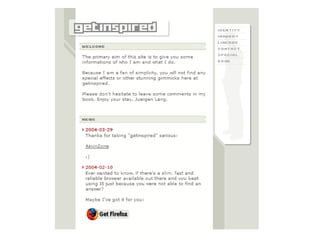
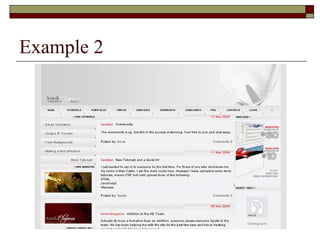
  • #35 Example of contrast: the links and their particular format.
  • #42 Create hierarchy of importance. See p. 118. When all of the type is the same size, as in this heading, there is no hierarchy of importance. See p.119
  • #46 Yeah, I know, spelling is not part of design. Neither is grammar but… Typos and accidentally misspelled words sneak in so make sure to use the spell checker. Examples on page 121.