Website Designing Using CMS
Demo by Abdulla Shareef Sheikh
What is a Website ?
• A website is a collection of web pages
(documents that are accessed through the
Internet), which contains specific information
about a person or a product or a company.
Why we need a website for our business ?
• Credibility
• Marketing online possible
• Target new customers
• You're Open 24/7/365
• Passive Income Opportunities
• Eliminate Barriers
• Improve Your Customer Service
Worried About Coding ???
The Beautiful Solution is CMS
What is CMS ?
• Create
• Edit
• publish
• Archive web pages, articles,
press releases.
Def: Content Management System is a Web application that
provides capabilities For multiple users with different
permission levels to manage web pages without coding
knowledge.
A CMS provides the following web page editing capabilities
Popular CMS present in Market
WordPress Market Share
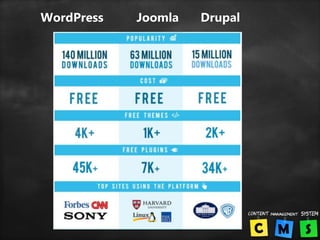
WordPress Joomla Drupal
Which works for what ?
• WordPress: Best choice for beginners because
of it’s ease-of-use, it works especially well for
small to medium sized websites, blogs and
smaller e-commerce stores.
• Joomla: Great for e-commerce or social
networking websites, but requires a basic
understanding of technical skills.
• Drupal: The most difficult, but also the most
powerful. It requires a familiar understanding
of HTML, CSS and PHP.
What is WordPress ?
WordPress is an online, open source website
creation tool written in PHP. But in non-geek
speak, it's probably the easiest and most
powerful blogging and website content
management system (CMS) in existence
today.
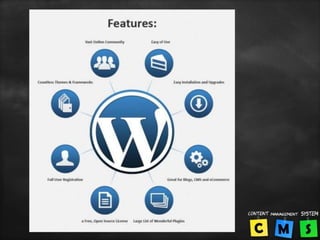
WordPress Features
• Its Free
• User Friendly
• Easy to Install
• Easy to Customize
• Lots of Free Themes
• Lots of Free Plugins
• Responsive design
• High Security
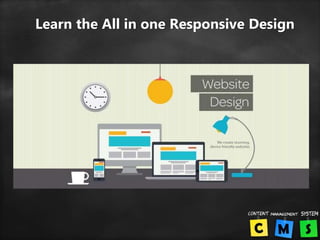
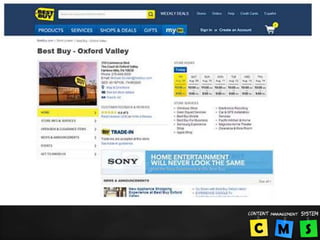
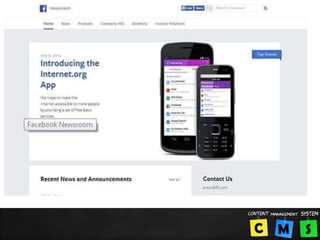
Learn the All in one Responsive Design
More than 2000 top brands from World
Wide using WordPress
• BBC America
• Sony Music
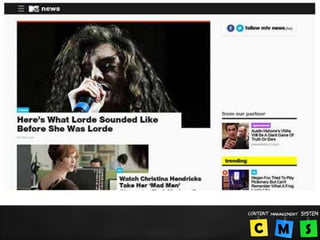
• MTv News
• Bata
• Ebay
• Ford
• Fortune
• New York Times
• CNN
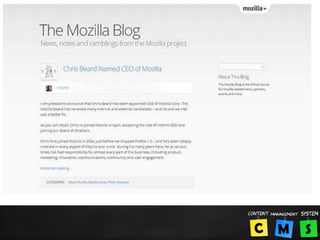
• Mozilla
• Samsung
• Yahoo
• Forbes…etc
Main Segments of WP Training
• Domain Registration
• Choosing A Hosting Plan
• How to develop a
complete Professional
website with WordPress.
• How to develop an E-
Commerce Website with
Wordpress.
• Basic SEO
• How to get Web Design
work from freelancing
sites.
• How to get Google
Adsense approval for
your websites.
• How to place Affiliate
Marking Ads on your
website.
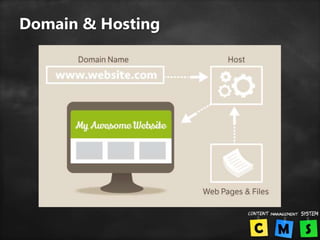
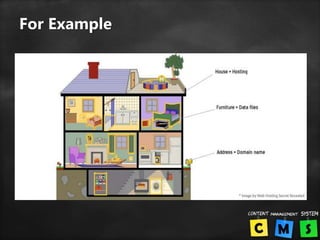
Domain & Hosting
For Example
Thank You

Website design with Wordpress ppt

  • 1.
    Website Designing UsingCMS Demo by Abdulla Shareef Sheikh
  • 2.
    What is aWebsite ? • A website is a collection of web pages (documents that are accessed through the Internet), which contains specific information about a person or a product or a company.
  • 3.
    Why we needa website for our business ? • Credibility • Marketing online possible • Target new customers • You're Open 24/7/365 • Passive Income Opportunities • Eliminate Barriers • Improve Your Customer Service
  • 4.
  • 5.
  • 6.
    What is CMS? • Create • Edit • publish • Archive web pages, articles, press releases. Def: Content Management System is a Web application that provides capabilities For multiple users with different permission levels to manage web pages without coding knowledge. A CMS provides the following web page editing capabilities
  • 7.
  • 8.
  • 9.
  • 10.
    Which works forwhat ? • WordPress: Best choice for beginners because of it’s ease-of-use, it works especially well for small to medium sized websites, blogs and smaller e-commerce stores. • Joomla: Great for e-commerce or social networking websites, but requires a basic understanding of technical skills. • Drupal: The most difficult, but also the most powerful. It requires a familiar understanding of HTML, CSS and PHP.
  • 12.
    What is WordPress? WordPress is an online, open source website creation tool written in PHP. But in non-geek speak, it's probably the easiest and most powerful blogging and website content management system (CMS) in existence today.
  • 14.
    WordPress Features • ItsFree • User Friendly • Easy to Install • Easy to Customize • Lots of Free Themes • Lots of Free Plugins • Responsive design • High Security
  • 15.
    Learn the Allin one Responsive Design
  • 16.
    More than 2000top brands from World Wide using WordPress • BBC America • Sony Music • MTv News • Bata • Ebay • Ford • Fortune • New York Times • CNN • Mozilla • Samsung • Yahoo • Forbes…etc
  • 26.
    Main Segments ofWP Training • Domain Registration • Choosing A Hosting Plan • How to develop a complete Professional website with WordPress. • How to develop an E- Commerce Website with Wordpress. • Basic SEO • How to get Web Design work from freelancing sites. • How to get Google Adsense approval for your websites. • How to place Affiliate Marking Ads on your website.
  • 27.
  • 28.
  • 30.