HTML: Part 1Hypertext Markup Language
ReviewHomepage: Starting pointWorld’s smallest HTML in index.htmlViewable in Internet Explorer   http://www4.ncsu.edu/~loginIDEdit/Save/Reload Editing in NotepadSave changes in NotepadReload/Refresh web browser
HomepageIdeasWho are you?What is your major?Interests?Favorite movies?Links, picturesView Source – remember to stay within CSC200 material!
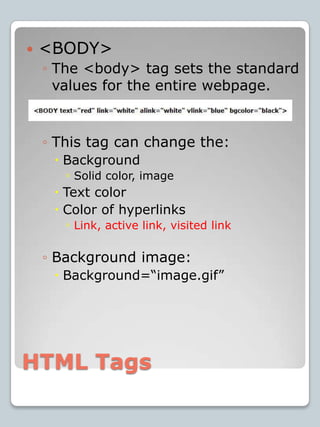
HTML Tags<BODY> The <body> tag sets the standard values for the entire webpage.This tag can change the:BackgroundSolid color, imageText colorColor of hyperlinksLink, active link, visited linkBackground image:Background=“image.gif”
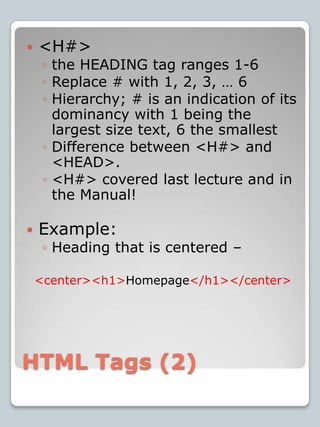
HTML Tags (2)<H#>the HEADING tag ranges 1-6Replace # with 1, 2, 3, … 6Hierarchy; # is an indication of its dominancy with 1 being the largest size text, 6 the smallestDifference between <H#> and <HEAD>. <H#> covered last lecture and in the Manual!Example:Heading that is centered –<center><h1>Homepage</h1></center>
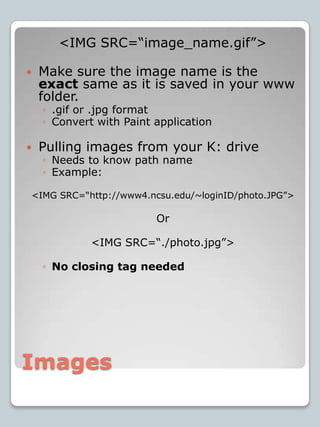
Images<IMG SRC=“image_name.gif”>Make sure the image name is the exact same as it is saved in your www folder..gif or .jpg formatConvert with Paint applicationPulling images from your K: driveNeeds to know path nameExample:<IMG SRC=“http://www4.ncsu.edu/~loginID/photo.JPG”> Or<IMG SRC=“./photo.jpg”>No closing tag needed
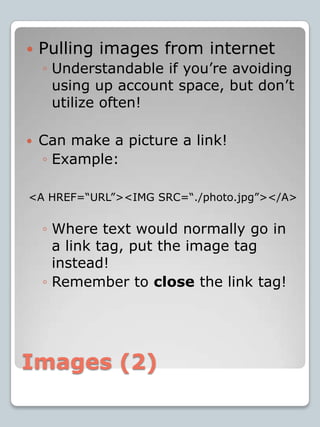
Images (2)Pulling images from internetUnderstandable if you’re avoiding using up account space, but don’t utilize often!Can make a picture a link!Example:<A HREF=“URL”><IMG SRC=“./photo.jpg”></A>Where text would normally go in a link tag, put the image tag instead!Remember to close the link tag!
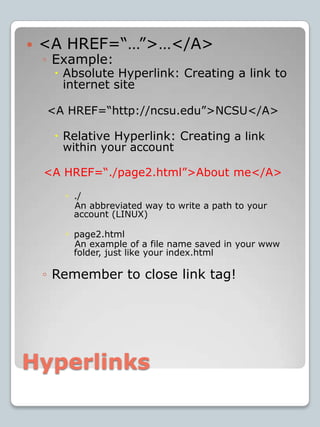
<A HREF=“…”>…</A>Example:Absolute Hyperlink: Creating a link to internet site<A HREF=“http://ncsu.edu”>NCSU</A>Relative Hyperlink: Creating a link within your account<A HREF=“./page2.html”>About me</A>./    An abbreviated way to write a path to your account (LINUX)page2.html    An example of a file name saved in your www folder, just like your index.htmlRemember to close link tag!Hyperlinks
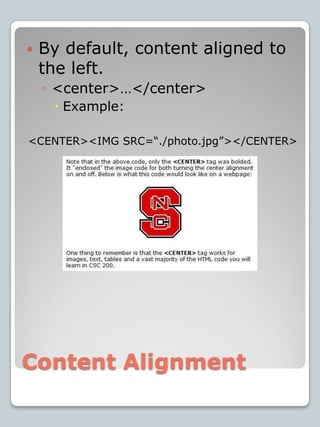
Content AlignmentBy default, content aligned to the left.<center>…</center>Example:<CENTER><IMG SRC=“./photo.jpg”></CENTER>
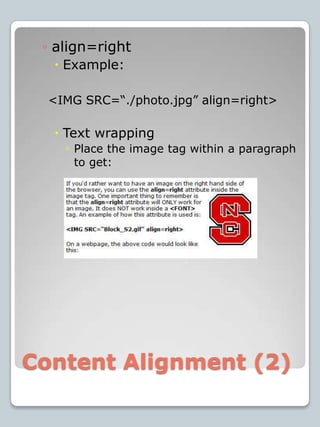
Content Alignment (2)align=rightExample:<IMG SRC=“./photo.jpg” align=right>Text wrappingPlace the image tag within a paragraph to get:
AnnouncementsInteractive Lab Quiz 4!Example:http://www4.ncsu.edu/~vjbuchan/csc200example.htmlOrhttp://www4.ncsu.edu/~vjbuchanEnter      Announcements    CSC200 Example webpageHomeworkNone due next week, Oct. 10Homework 5 works with your index.html file! Don’t wait too long, you’ll need to use a unity lab computer.EVERYONE should get 100%! 

Lab 4: Introduction to HTML

  • 1.
    HTML: Part 1HypertextMarkup Language
  • 2.
    ReviewHomepage: Starting pointWorld’ssmallest HTML in index.htmlViewable in Internet Explorer http://www4.ncsu.edu/~loginIDEdit/Save/Reload Editing in NotepadSave changes in NotepadReload/Refresh web browser
  • 3.
    HomepageIdeasWho are you?Whatis your major?Interests?Favorite movies?Links, picturesView Source – remember to stay within CSC200 material!
  • 4.
    HTML Tags<BODY> The<body> tag sets the standard values for the entire webpage.This tag can change the:BackgroundSolid color, imageText colorColor of hyperlinksLink, active link, visited linkBackground image:Background=“image.gif”
  • 5.
    HTML Tags (2)<H#>theHEADING tag ranges 1-6Replace # with 1, 2, 3, … 6Hierarchy; # is an indication of its dominancy with 1 being the largest size text, 6 the smallestDifference between <H#> and <HEAD>. <H#> covered last lecture and in the Manual!Example:Heading that is centered –<center><h1>Homepage</h1></center>
  • 6.
    Images<IMG SRC=“image_name.gif”>Make surethe image name is the exact same as it is saved in your www folder..gif or .jpg formatConvert with Paint applicationPulling images from your K: driveNeeds to know path nameExample:<IMG SRC=“http://www4.ncsu.edu/~loginID/photo.JPG”> Or<IMG SRC=“./photo.jpg”>No closing tag needed
  • 7.
    Images (2)Pulling imagesfrom internetUnderstandable if you’re avoiding using up account space, but don’t utilize often!Can make a picture a link!Example:<A HREF=“URL”><IMG SRC=“./photo.jpg”></A>Where text would normally go in a link tag, put the image tag instead!Remember to close the link tag!
  • 8.
    <A HREF=“…”>…</A>Example:Absolute Hyperlink:Creating a link to internet site<A HREF=“http://ncsu.edu”>NCSU</A>Relative Hyperlink: Creating a link within your account<A HREF=“./page2.html”>About me</A>./ An abbreviated way to write a path to your account (LINUX)page2.html An example of a file name saved in your www folder, just like your index.htmlRemember to close link tag!Hyperlinks
  • 9.
    Content AlignmentBy default,content aligned to the left.<center>…</center>Example:<CENTER><IMG SRC=“./photo.jpg”></CENTER>
  • 10.
    Content Alignment (2)align=rightExample:<IMGSRC=“./photo.jpg” align=right>Text wrappingPlace the image tag within a paragraph to get:
  • 11.
    AnnouncementsInteractive Lab Quiz4!Example:http://www4.ncsu.edu/~vjbuchan/csc200example.htmlOrhttp://www4.ncsu.edu/~vjbuchanEnter Announcements CSC200 Example webpageHomeworkNone due next week, Oct. 10Homework 5 works with your index.html file! Don’t wait too long, you’ll need to use a unity lab computer.EVERYONE should get 100%! 