LCU14-103: How to create and run Trusted 
Applications on OP-TEE 
Joakim Bech, LCU14 
LCU14 BURLINGAME
OP-TEE Overview 
OP-TEE is an Open Source TEE and is the result of collaboration work between 
STMicroelectronics and Linaro (Security Working Group). 
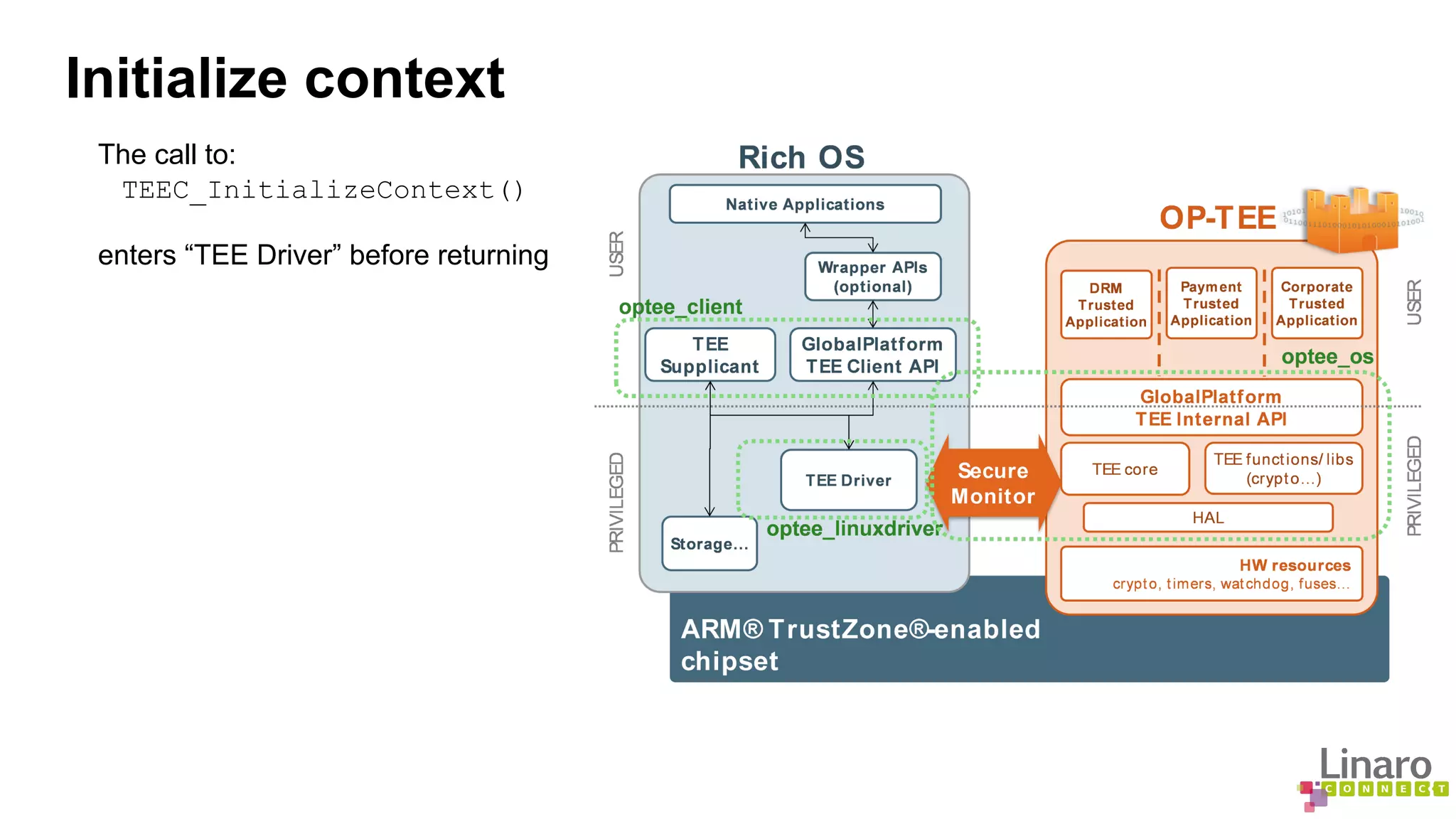
It contains the complete stack from normal world client API's (optee_client), the Linux kernel TEE 
driver (optee_linuxdriver) and the Trusted OS and the secure monitor (optee_os).
Hello world 
The “hello world” example consists of two parts 
● Linux user space, client implementation 
● Secure world Trusted Application (TA), passive receiver 
● Based on GlobalPlatform APIs
Initialize context 
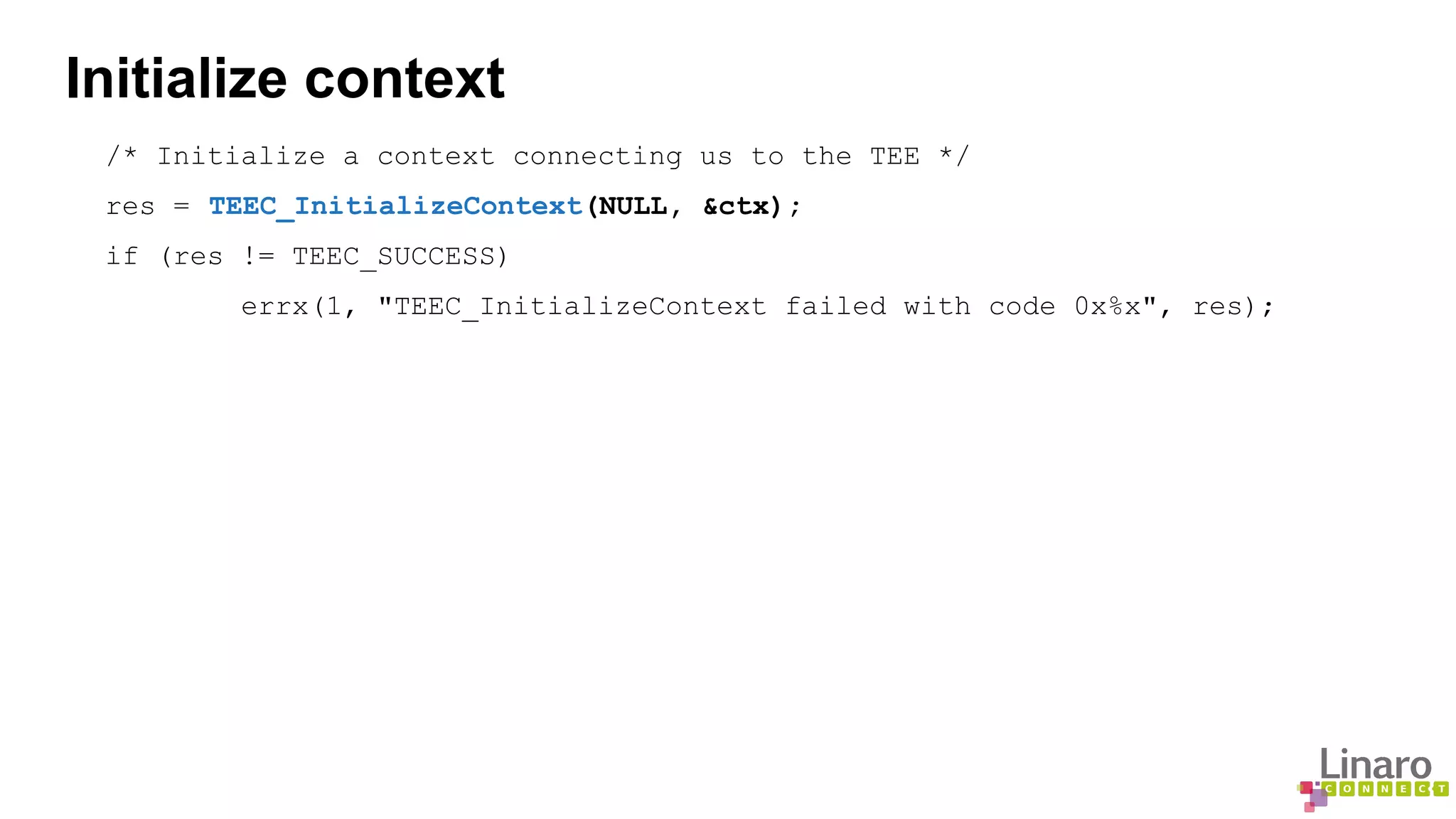
/* Initialize a context connecting us to the TEE */ 
res = TEEC_InitializeContext(NULL, &ctx); 
if (res != TEEC_SUCCESS) 
errx(1, "TEEC_InitializeContext failed with code 0x%x", res);
Initialize context 
The call to: 
TEEC_InitializeContext() 
enters “TEE Driver” before returning
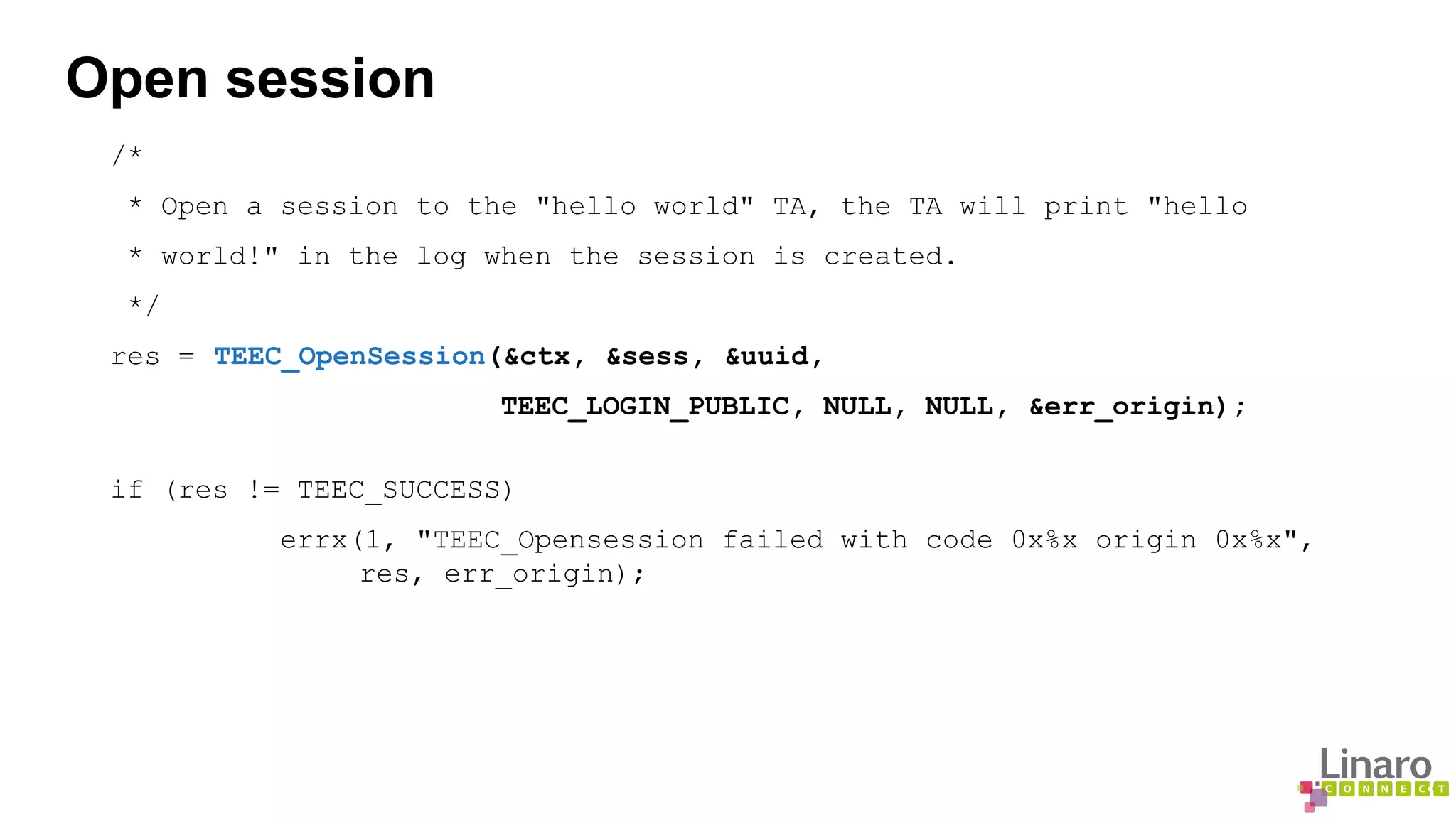
Open session 
/* 
* Open a session to the "hello world" TA, the TA will print "hello 
* world!" in the log when the session is created. 
*/ 
res = TEEC_OpenSession(&ctx, &sess, &uuid, 
TEEC_LOGIN_PUBLIC, NULL, NULL, &err_origin); 
if (res != TEEC_SUCCESS) 
errx(1, "TEEC_Opensession failed with code 0x%x origin 0x%x", 
res, err_origin);
Open session 
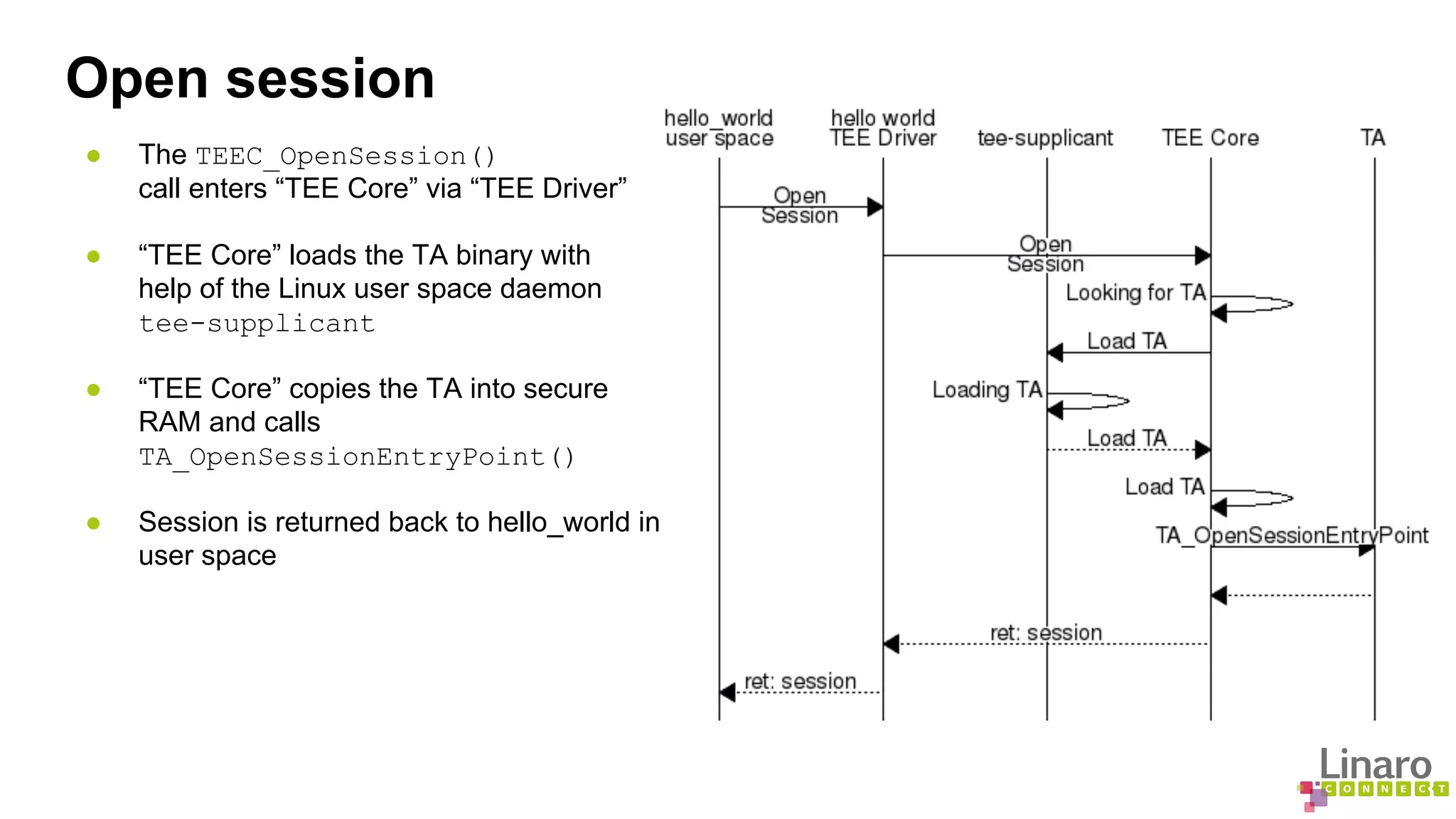
● The TEEC_OpenSession() 
call enters “TEE Core” via “TEE Driver” 
● “TEE Core” loads the TA binary with 
help of the Linux user space daemon 
tee-supplicant 
● “TEE Core” copies the TA into secure 
RAM and calls 
TA_OpenSessionEntryPoint() 
● Session is returned back to hello_world in 
user space
Invoke command 
memset(&op, 0, sizeof(op)); 
op.paramTypes = TEEC_PARAM_TYPES(TEEC_VALUE_INOUT, TEEC_NONE, 
TEEC_NONE, TEEC_NONE); 
op.params[0].value.a = 42; 
printf("Invoking TA to increment %dn", op.params[0].value.a); 
res = TEEC_InvokeCommand(&sess, TA_HELLO_WORLD_CMD_INC_VALUE, &op, 
&err_origin); 
if (res != TEEC_SUCCESS) 
errx(1, "TEEC_InvokeCommand failed with code 0x%x origin 0x%x", 
res, err_origin); 
printf("TA incremented value to %dn", op.params[0].value.a);
Invoke command 
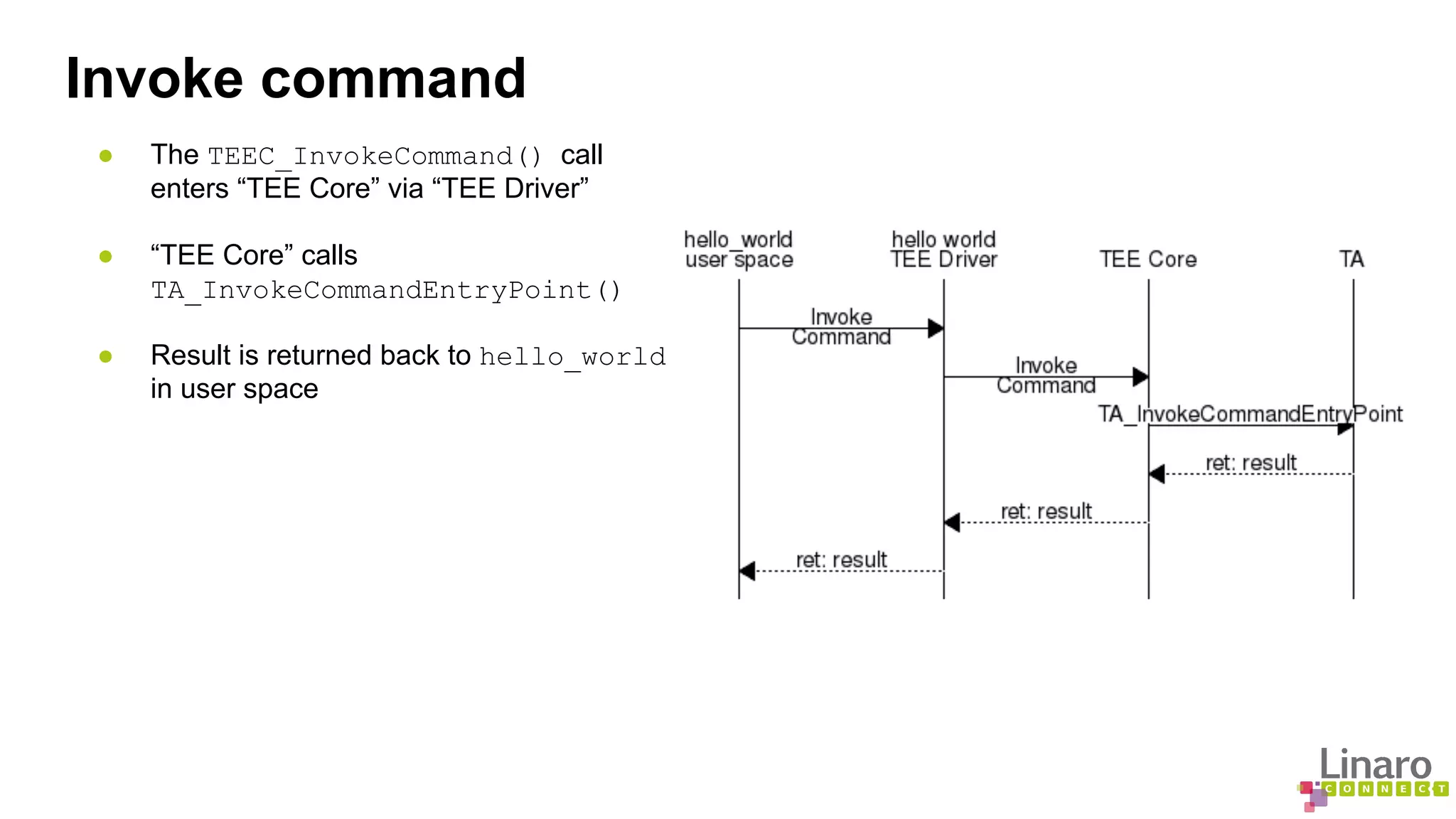
● The TEEC_InvokeCommand() call 
enters “TEE Core” via “TEE Driver” 
● “TEE Core” calls 
TA_InvokeCommandEntryPoint() 
● Result is returned back to hello_world 
in user space
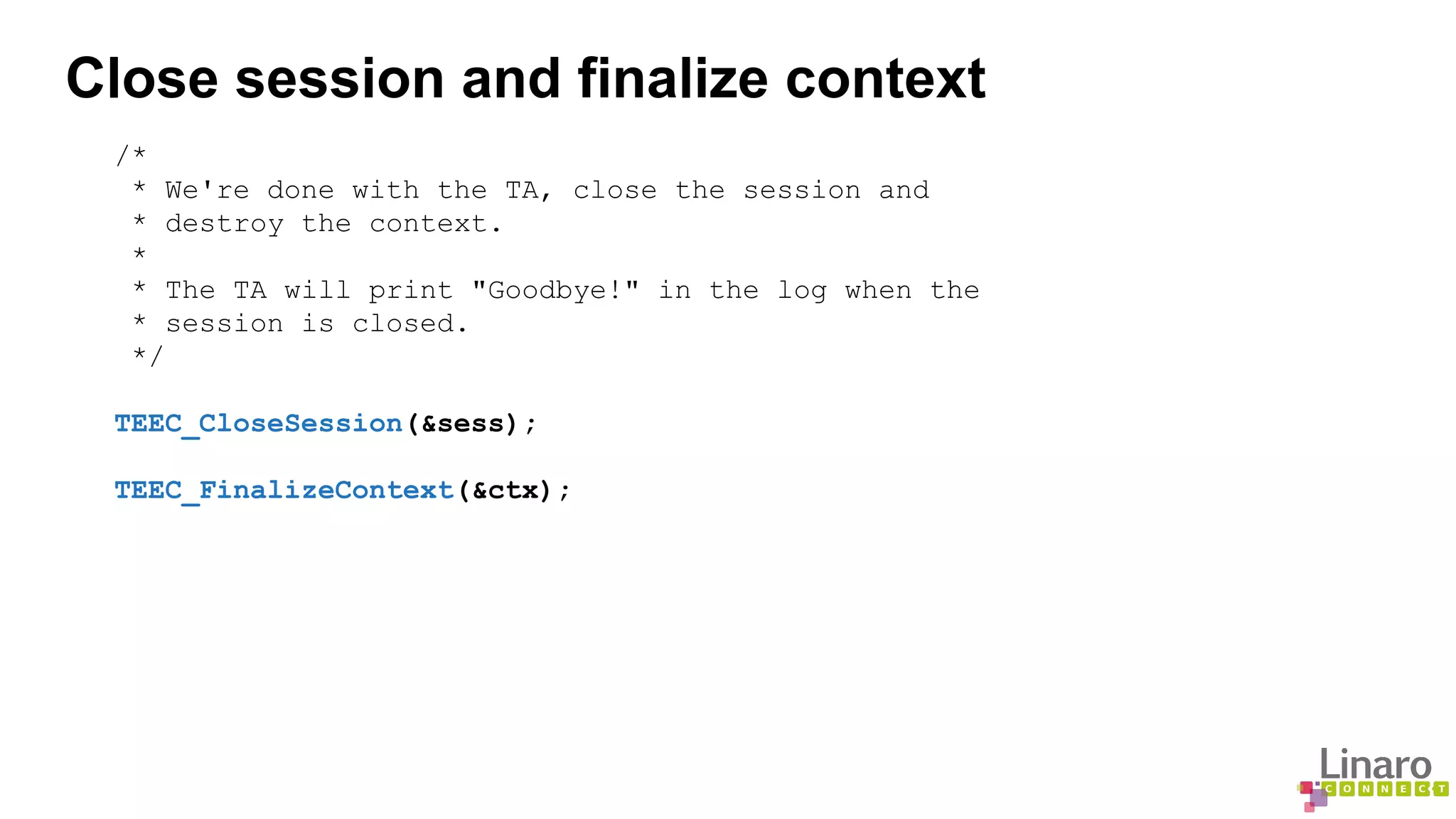
Close session and finalize context 
/* 
* We're done with the TA, close the session and 
* destroy the context. 
* 
* The TA will print "Goodbye!" in the log when the 
* session is closed. 
*/ 
TEEC_CloseSession(&sess); 
TEEC_FinalizeContext(&ctx);
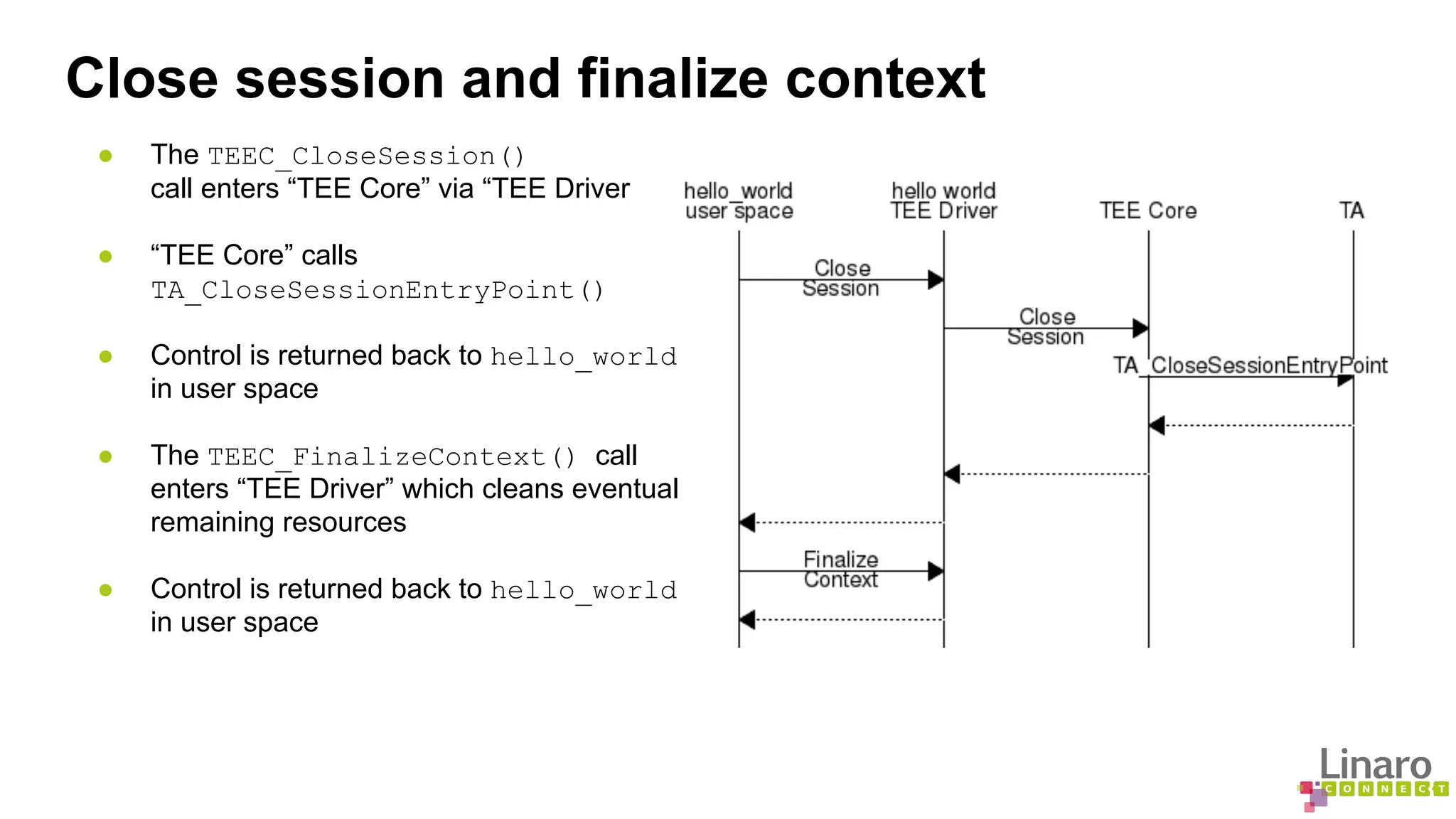
Close session and finalize context 
● The TEEC_CloseSession() 
call enters “TEE Core” via “TEE Driver 
● “TEE Core” calls 
TA_CloseSessionEntryPoint() 
● Control is returned back to hello_world 
in user space 
● The TEEC_FinalizeContext() call 
enters “TEE Driver” which cleans eventual 
remaining resources 
● Control is returned back to hello_world 
in user space
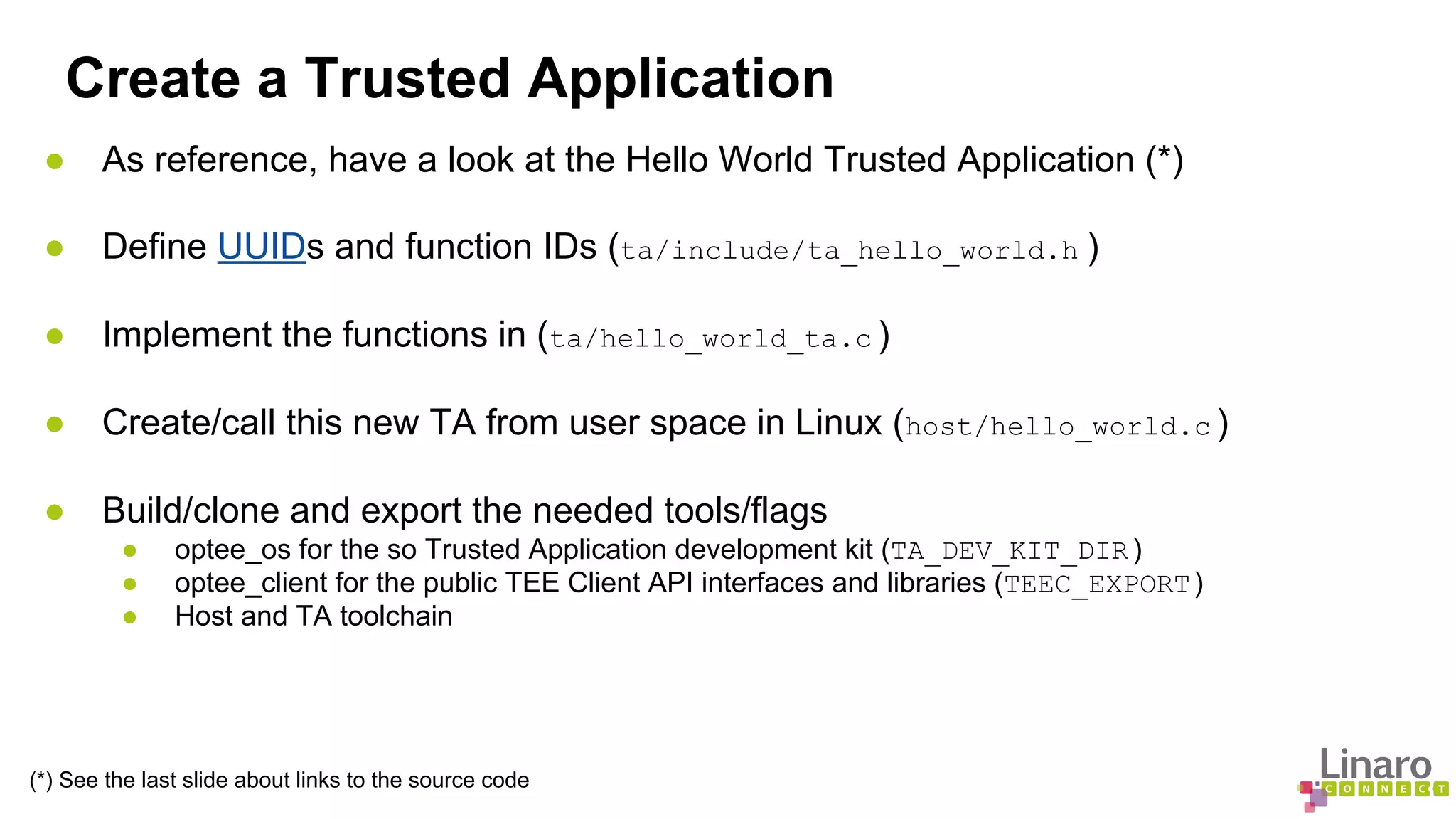
Create a Trusted Application 
● As reference, have a look at the Hello World Trusted Application (*) 
● Define UUIDs and function IDs (ta/include/ta_hello_world.h ) 
● Implement the functions in (ta/hello_world_ta.c ) 
● Create/call this new TA from user space in Linux (host/hello_world.c ) 
● Build/clone and export the needed tools/flags 
● optee_os for the so Trusted Application development kit (TA_DEV_KIT_DIR ) 
● optee_client for the public TEE Client API interfaces and libraries (TEEC_EXPORT ) 
● Host and TA toolchain 
(*) See the last slide about links to the source code
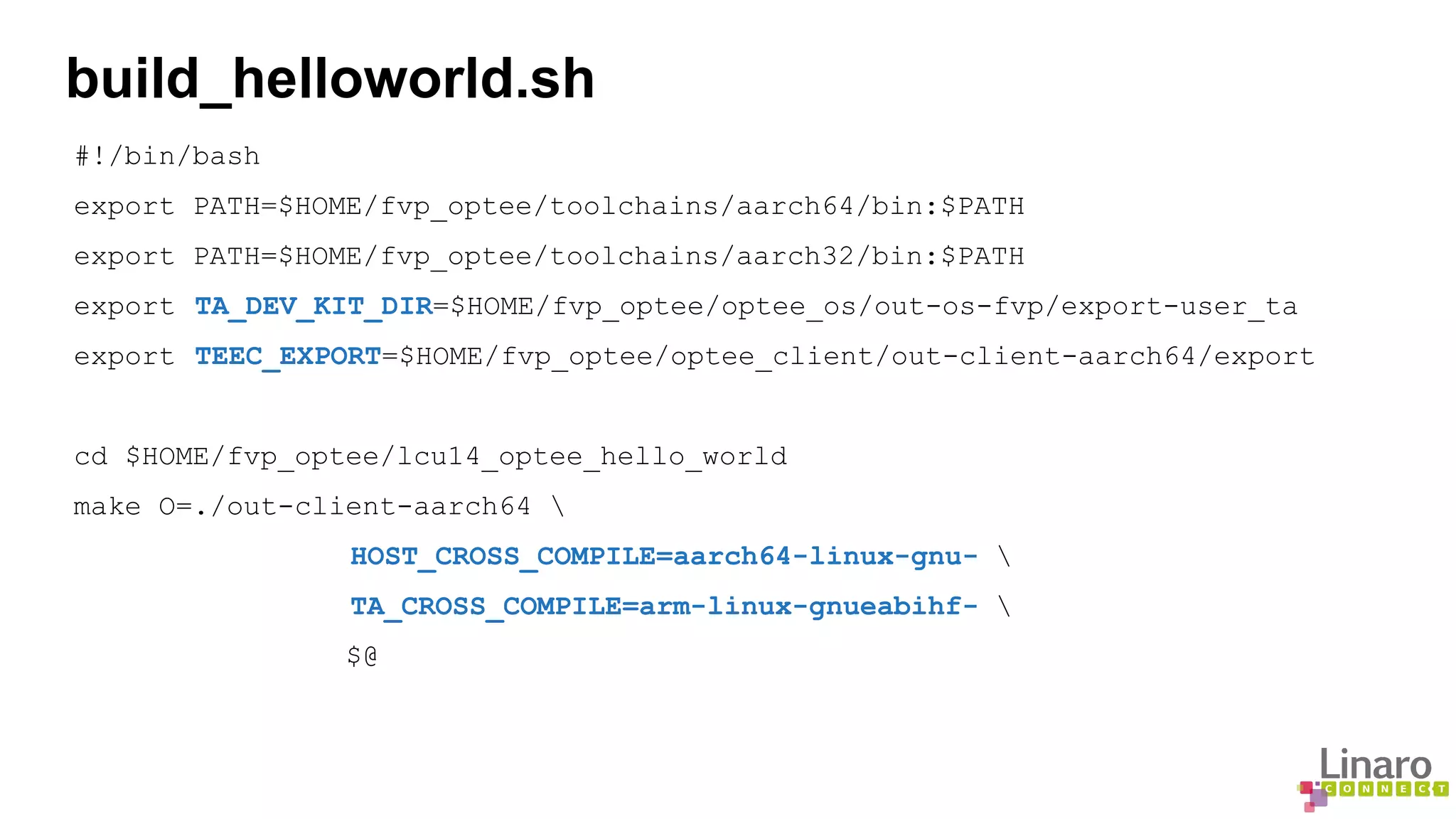
build_helloworld.sh 
#!/bin/bash 
export PATH=$HOME/fvp_optee/toolchains/aarch64/bin:$PATH 
export PATH=$HOME/fvp_optee/toolchains/aarch32/bin:$PATH 
export TA_DEV_KIT_DIR=$HOME/fvp_optee/optee_os/out-os-fvp/export-user_ta 
export TEEC_EXPORT=$HOME/fvp_optee/optee_client/out-client-aarch64/export 
cd $HOME/fvp_optee/lcu14_optee_hello_world 
make O=./out-client-aarch64  
HOST_CROSS_COMPILE=aarch64-linux-gnu-  
TA_CROSS_COMPILE=arm-linux-gnueabihf-  
$@
Demo Time - Hello World TA 
● Trusted Application binaries should be stored on (adb, mount fs, gen_init_cpio ...) 
/lib/teetz 
● Run FVP 
● Load optee Linux kernel driver 
modprobe optee 
● Run the daemon serving secure world with amongst others, filesystem access. 
tee-supplicant & 
● Run the client application 
hello_world
Questions?
Source code 
● Hello world example available at 
http://github.com/jenswi-linaro/lcu14_optee_hello_world 
● OP-TEE source available at 
http://github.com/OP-TEE 
● ARM-TF source available at 
https://github.com/ARM-software/arm-trusted-firmware 
● If the OP-TEE dispatcher is not merged yet it can be found in pull request 
https://github.com/ARM-software/arm-trusted-firmware/pull/188
More about Linaro Connect: connect.linaro.org 
Linaro members: www.linaro.org/members 
More about Linaro: www.linaro.org/about/

LCU14-103: How to create and run Trusted Applications on OP-TEE

  • 1.
    LCU14-103: How tocreate and run Trusted Applications on OP-TEE Joakim Bech, LCU14 LCU14 BURLINGAME
  • 2.
    OP-TEE Overview OP-TEEis an Open Source TEE and is the result of collaboration work between STMicroelectronics and Linaro (Security Working Group). It contains the complete stack from normal world client API's (optee_client), the Linux kernel TEE driver (optee_linuxdriver) and the Trusted OS and the secure monitor (optee_os).
  • 3.
    Hello world The“hello world” example consists of two parts ● Linux user space, client implementation ● Secure world Trusted Application (TA), passive receiver ● Based on GlobalPlatform APIs
  • 4.
    Initialize context /*Initialize a context connecting us to the TEE */ res = TEEC_InitializeContext(NULL, &ctx); if (res != TEEC_SUCCESS) errx(1, "TEEC_InitializeContext failed with code 0x%x", res);
  • 5.
    Initialize context Thecall to: TEEC_InitializeContext() enters “TEE Driver” before returning
  • 6.
    Open session /* * Open a session to the "hello world" TA, the TA will print "hello * world!" in the log when the session is created. */ res = TEEC_OpenSession(&ctx, &sess, &uuid, TEEC_LOGIN_PUBLIC, NULL, NULL, &err_origin); if (res != TEEC_SUCCESS) errx(1, "TEEC_Opensession failed with code 0x%x origin 0x%x", res, err_origin);
  • 7.
    Open session ●The TEEC_OpenSession() call enters “TEE Core” via “TEE Driver” ● “TEE Core” loads the TA binary with help of the Linux user space daemon tee-supplicant ● “TEE Core” copies the TA into secure RAM and calls TA_OpenSessionEntryPoint() ● Session is returned back to hello_world in user space
  • 8.
    Invoke command memset(&op,0, sizeof(op)); op.paramTypes = TEEC_PARAM_TYPES(TEEC_VALUE_INOUT, TEEC_NONE, TEEC_NONE, TEEC_NONE); op.params[0].value.a = 42; printf("Invoking TA to increment %dn", op.params[0].value.a); res = TEEC_InvokeCommand(&sess, TA_HELLO_WORLD_CMD_INC_VALUE, &op, &err_origin); if (res != TEEC_SUCCESS) errx(1, "TEEC_InvokeCommand failed with code 0x%x origin 0x%x", res, err_origin); printf("TA incremented value to %dn", op.params[0].value.a);
  • 9.
    Invoke command ●The TEEC_InvokeCommand() call enters “TEE Core” via “TEE Driver” ● “TEE Core” calls TA_InvokeCommandEntryPoint() ● Result is returned back to hello_world in user space
  • 10.
    Close session andfinalize context /* * We're done with the TA, close the session and * destroy the context. * * The TA will print "Goodbye!" in the log when the * session is closed. */ TEEC_CloseSession(&sess); TEEC_FinalizeContext(&ctx);
  • 11.
    Close session andfinalize context ● The TEEC_CloseSession() call enters “TEE Core” via “TEE Driver ● “TEE Core” calls TA_CloseSessionEntryPoint() ● Control is returned back to hello_world in user space ● The TEEC_FinalizeContext() call enters “TEE Driver” which cleans eventual remaining resources ● Control is returned back to hello_world in user space
  • 12.
    Create a TrustedApplication ● As reference, have a look at the Hello World Trusted Application (*) ● Define UUIDs and function IDs (ta/include/ta_hello_world.h ) ● Implement the functions in (ta/hello_world_ta.c ) ● Create/call this new TA from user space in Linux (host/hello_world.c ) ● Build/clone and export the needed tools/flags ● optee_os for the so Trusted Application development kit (TA_DEV_KIT_DIR ) ● optee_client for the public TEE Client API interfaces and libraries (TEEC_EXPORT ) ● Host and TA toolchain (*) See the last slide about links to the source code
  • 13.
    build_helloworld.sh #!/bin/bash exportPATH=$HOME/fvp_optee/toolchains/aarch64/bin:$PATH export PATH=$HOME/fvp_optee/toolchains/aarch32/bin:$PATH export TA_DEV_KIT_DIR=$HOME/fvp_optee/optee_os/out-os-fvp/export-user_ta export TEEC_EXPORT=$HOME/fvp_optee/optee_client/out-client-aarch64/export cd $HOME/fvp_optee/lcu14_optee_hello_world make O=./out-client-aarch64 HOST_CROSS_COMPILE=aarch64-linux-gnu- TA_CROSS_COMPILE=arm-linux-gnueabihf- $@
  • 14.
    Demo Time -Hello World TA ● Trusted Application binaries should be stored on (adb, mount fs, gen_init_cpio ...) /lib/teetz ● Run FVP ● Load optee Linux kernel driver modprobe optee ● Run the daemon serving secure world with amongst others, filesystem access. tee-supplicant & ● Run the client application hello_world
  • 15.
  • 16.
    Source code ●Hello world example available at http://github.com/jenswi-linaro/lcu14_optee_hello_world ● OP-TEE source available at http://github.com/OP-TEE ● ARM-TF source available at https://github.com/ARM-software/arm-trusted-firmware ● If the OP-TEE dispatcher is not merged yet it can be found in pull request https://github.com/ARM-software/arm-trusted-firmware/pull/188
  • 17.
    More about LinaroConnect: connect.linaro.org Linaro members: www.linaro.org/members More about Linaro: www.linaro.org/about/