Collaboration Diagram
Types of Interaction diagrams There are two types of interaction   diagrams: Sequence  diagrams: emphasize the  order / Sequence  or  concurrency  of the interactions. Collaboration  diagrams: emphasize the interacting  objects .
Scenarios Use case diagram presents an outside view of the system. Flow of events, captures the functionality of the use case Scenarios are used to describe how use cases are realized as interactions among societies of objects
Scenarios It is one path through the flow of events for the use case. Scenarios help discovering objects, classes and object interaction needed to carry out a piece of the functionality in use case Scenarios shows how the responsibility of a use case are distributed among the objects
Scenarios how to capture? Sequence Diagram Collaboration Diagram
Sequence Diagram
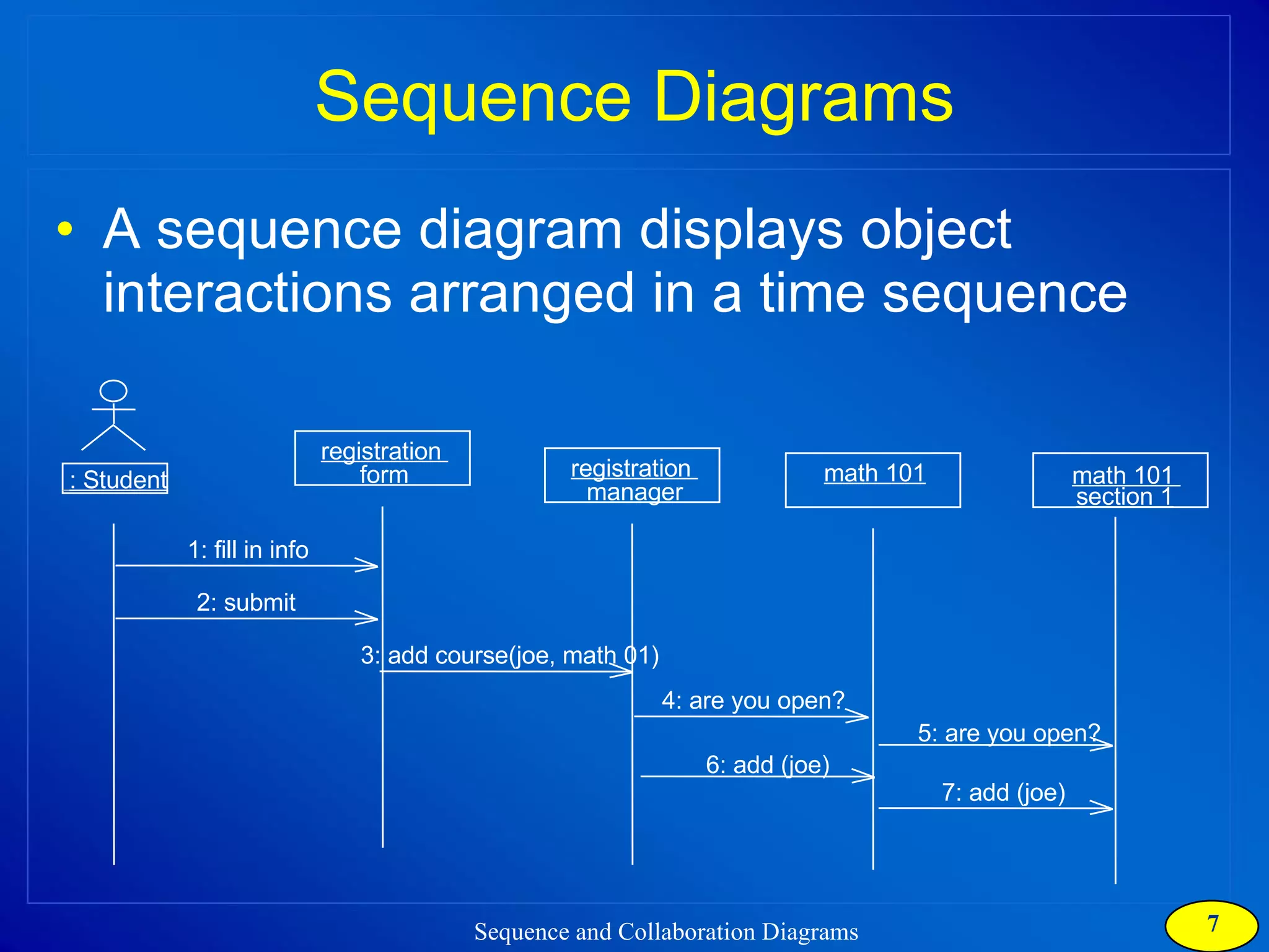
Sequence Diagrams A sequence diagram displays object interactions arranged in a time sequence : Student registration  form registration  manager math 101 1: fill in info 2: submit 3: add course(joe, math 01) 4: are you open? 5: are you open? 6: add (joe) 7: add (joe) math 101  section 1
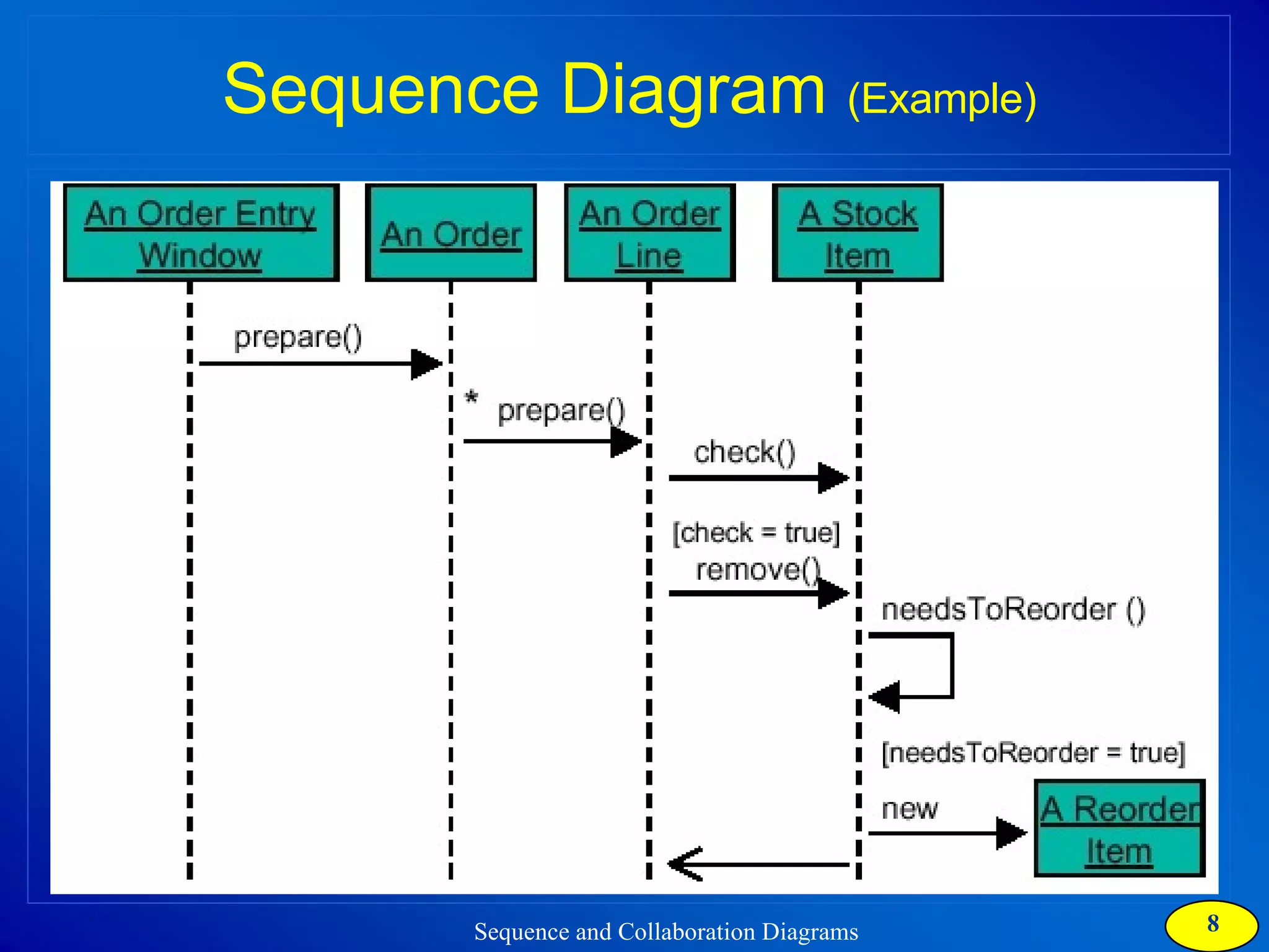
Sequence Diagram  (Example)
Collaboration Diagram
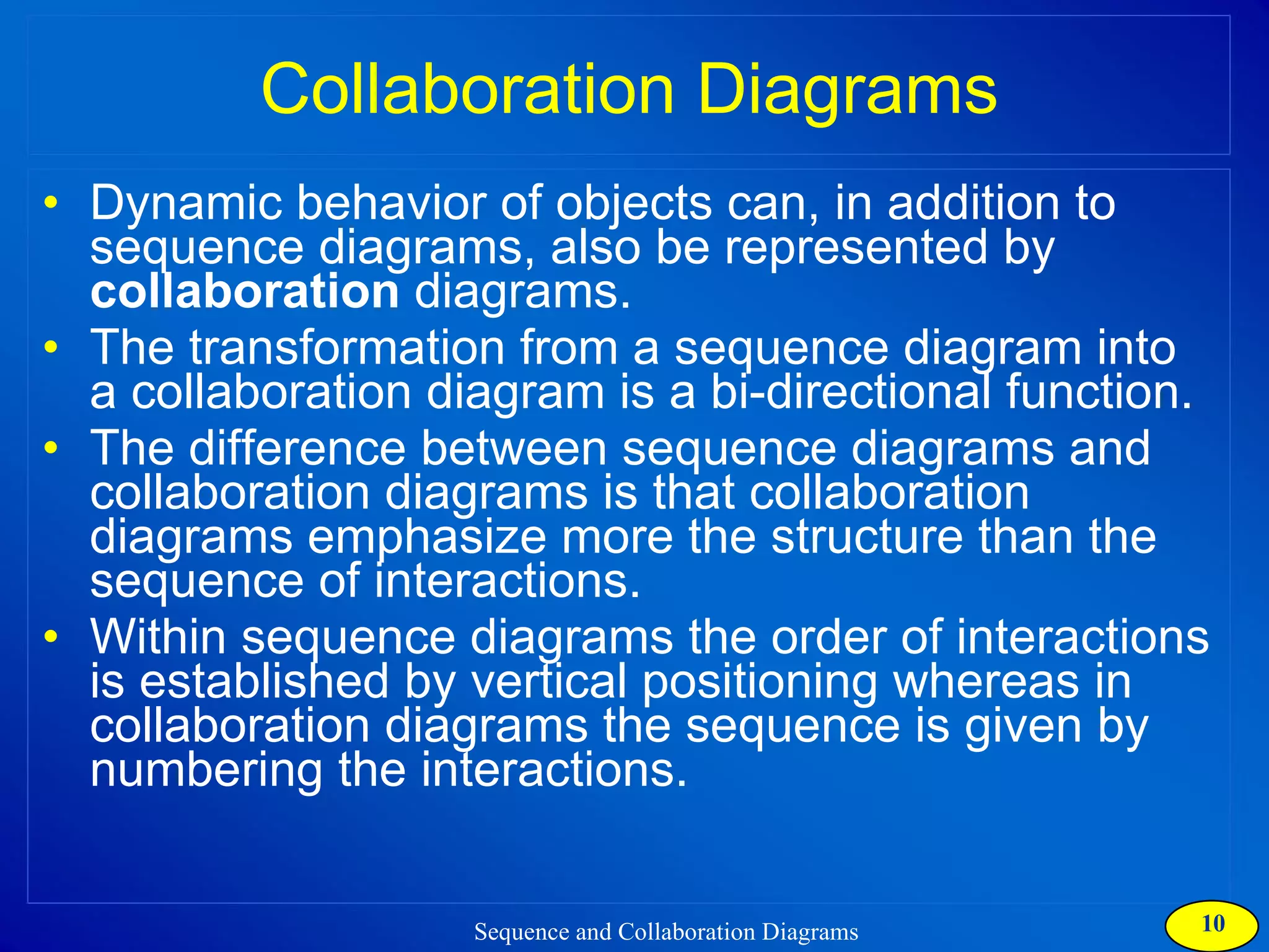
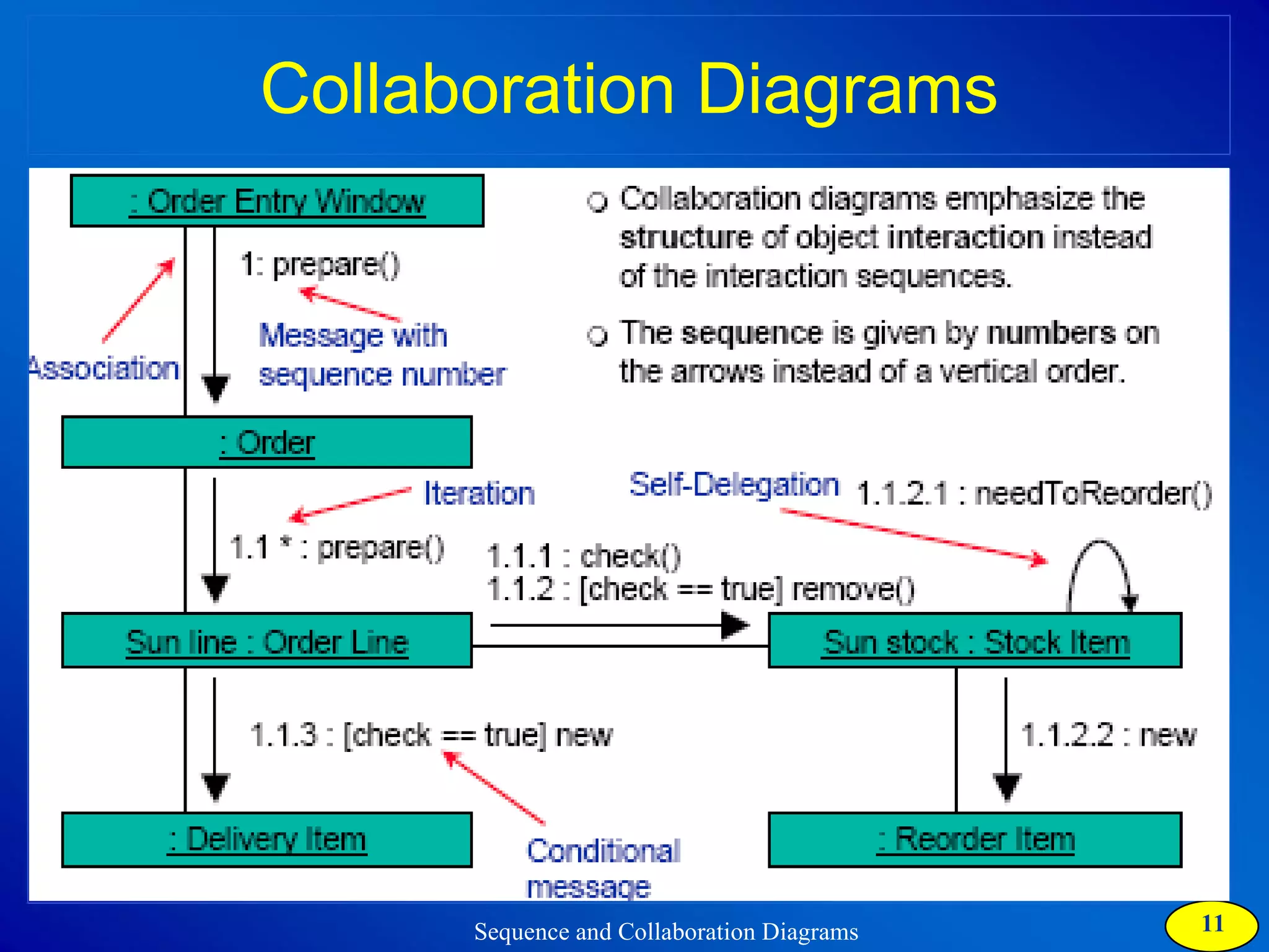
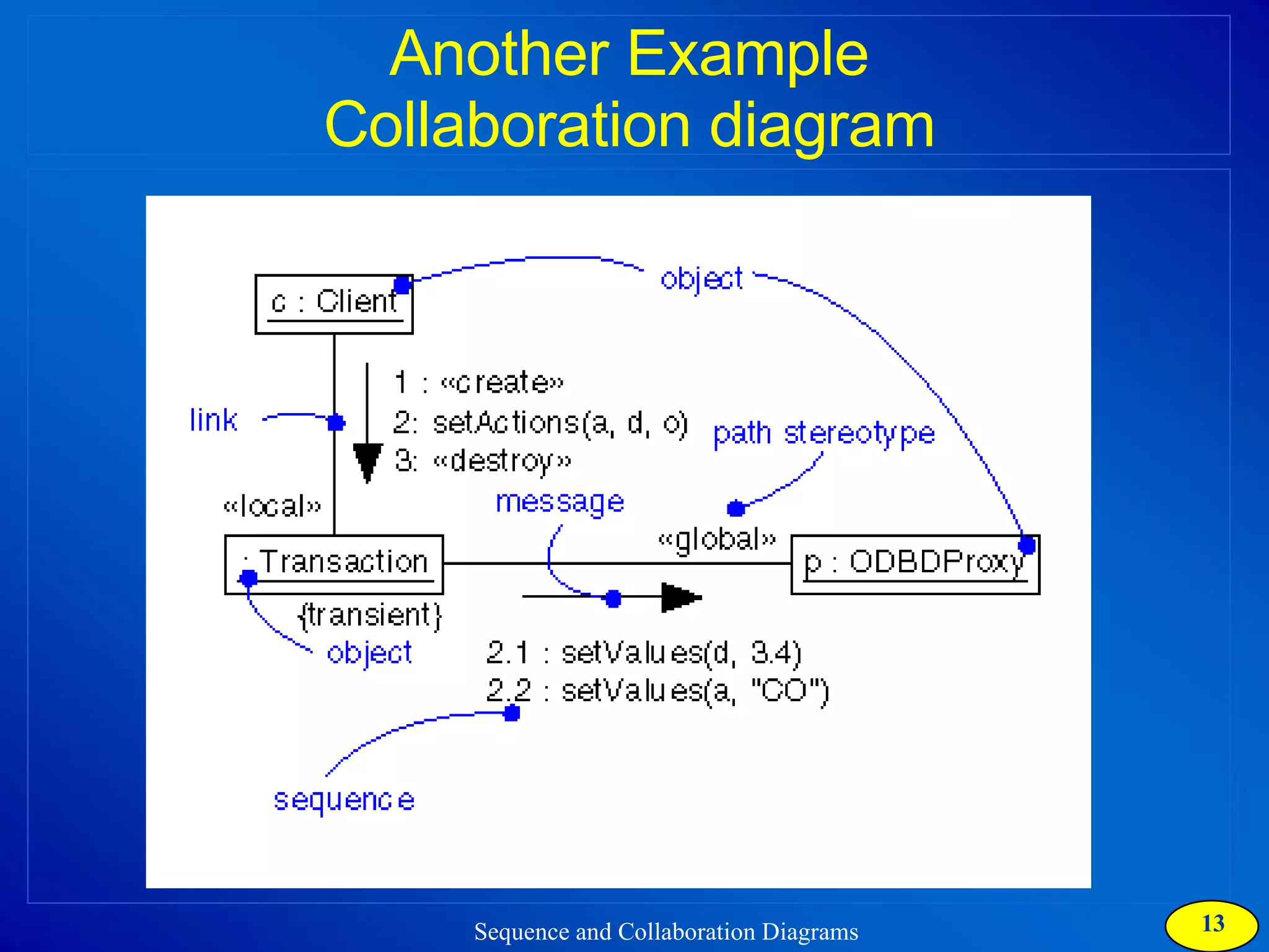
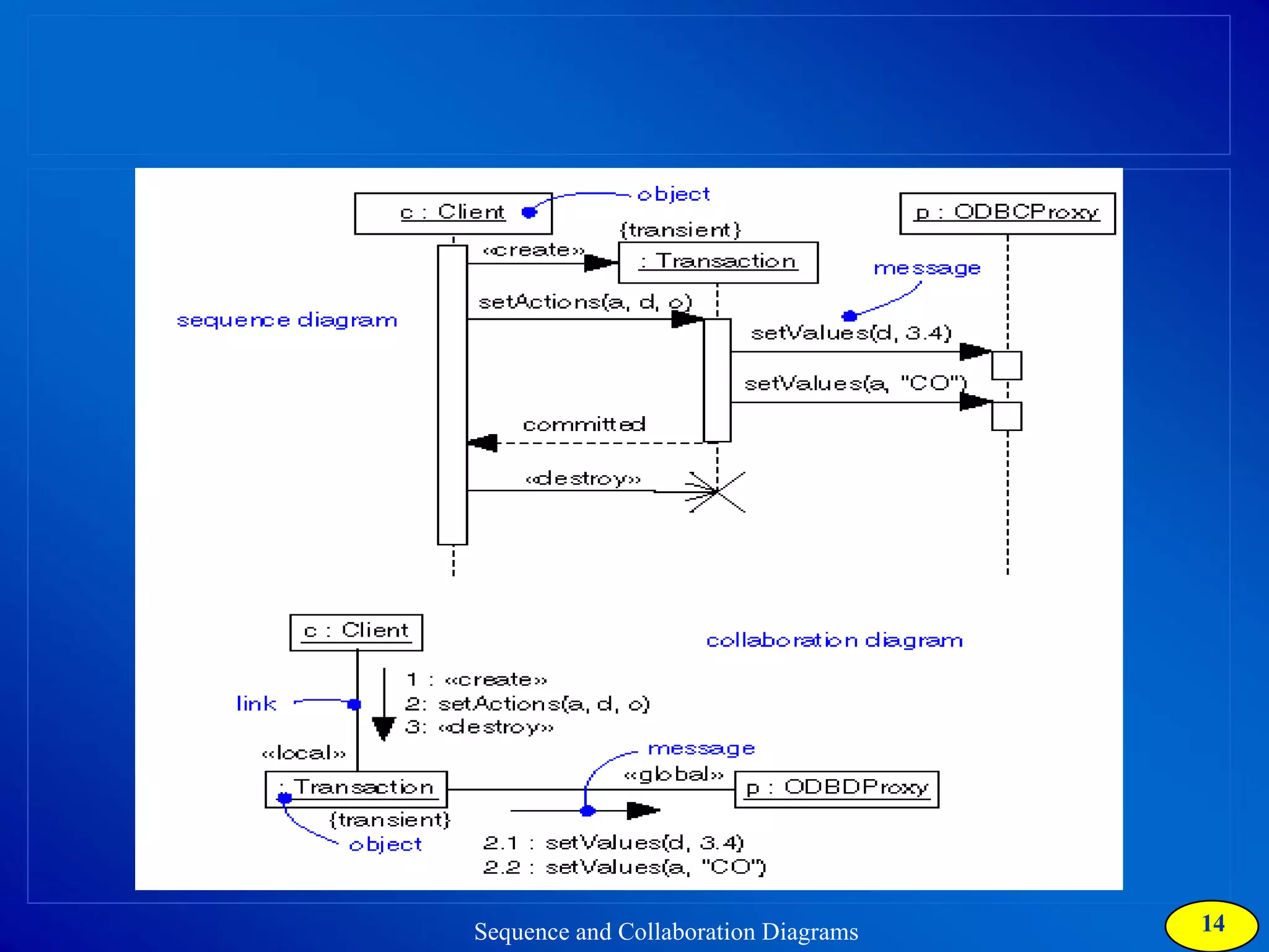
Collaboration Diagrams Dynamic behavior of objects can, in addition to sequence diagrams, also be represented by  collaboration  diagrams. The transformation from a sequence diagram into a collaboration diagram is a bi-directional function.  The difference between sequence diagrams and collaboration diagrams is that collaboration diagrams emphasize more the structure than the sequence of interactions. Within sequence diagrams the order of interactions is established by vertical positioning whereas in collaboration diagrams the sequence is given by numbering the interactions.
Collaboration Diagrams
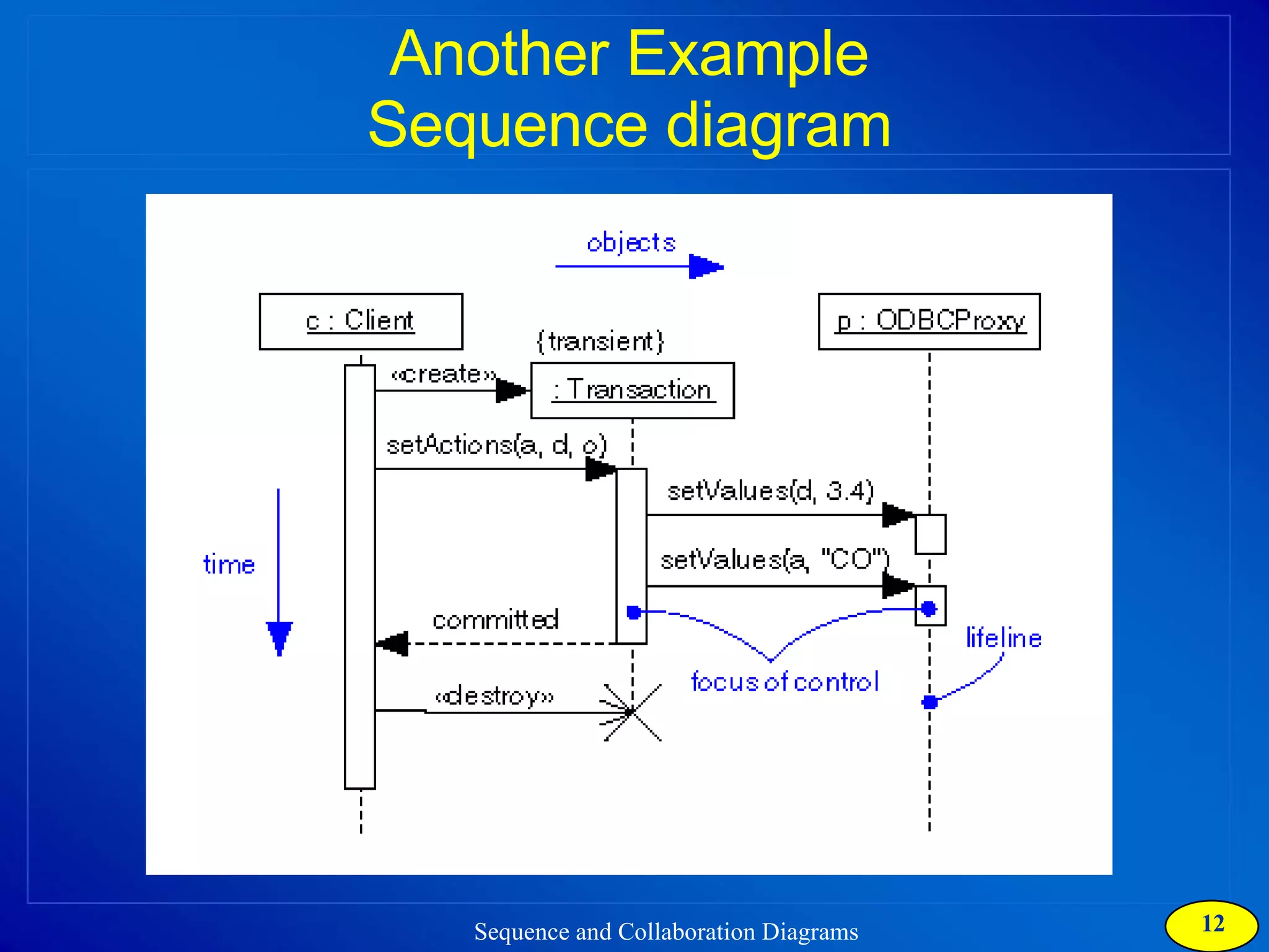
Another Example Sequence diagram
Another Example Collaboration diagram
 
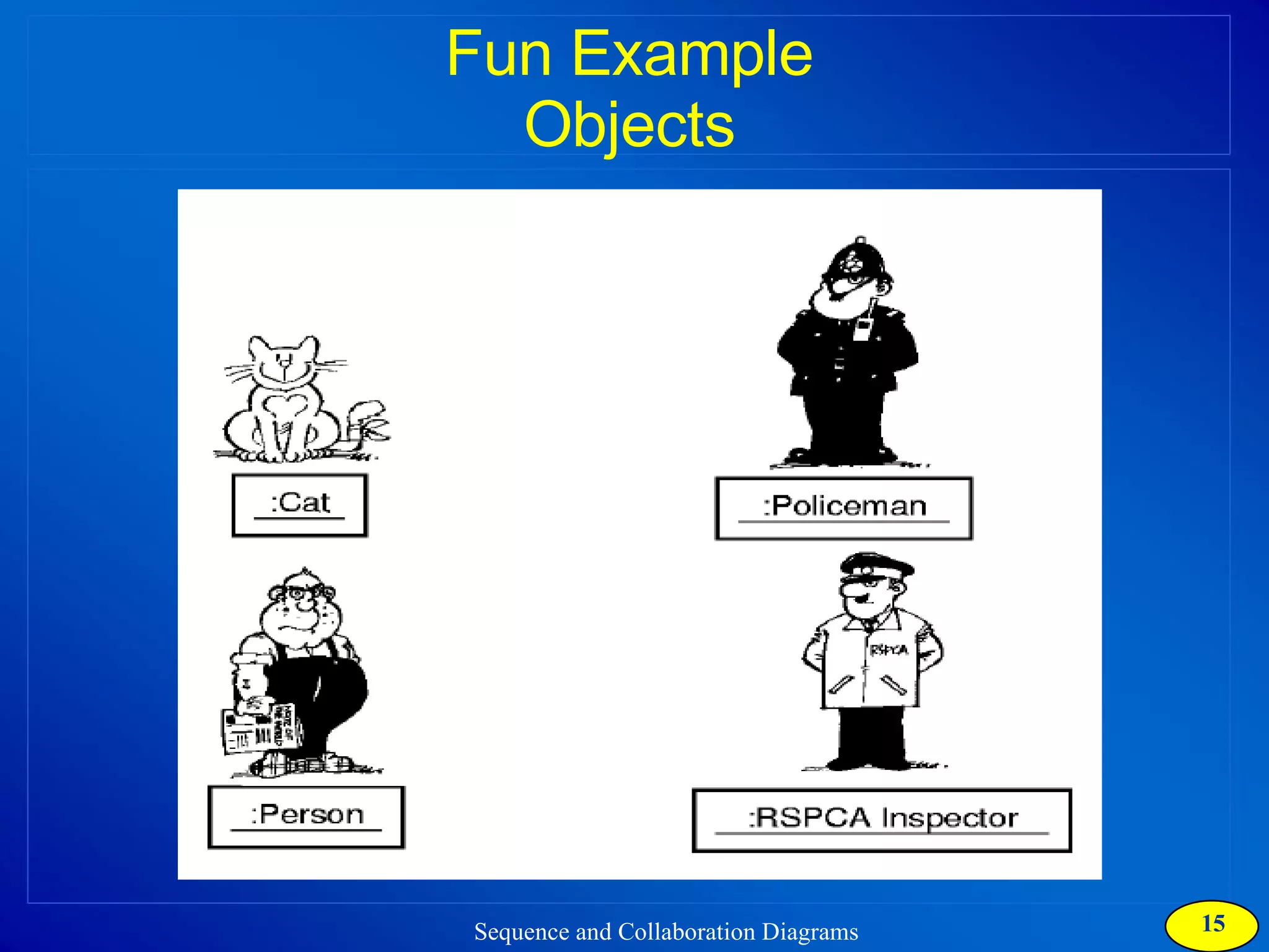
Fun Example Objects
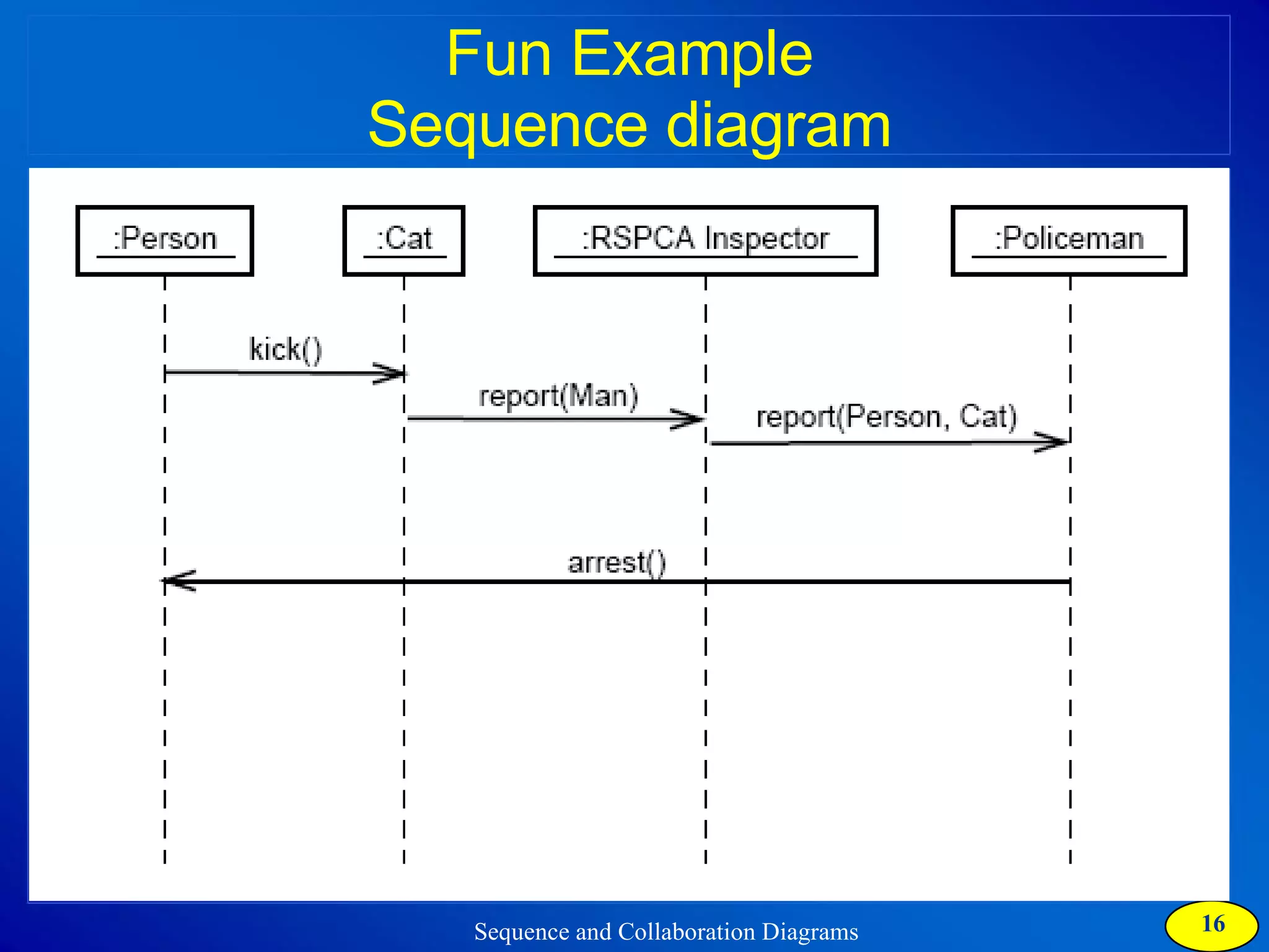
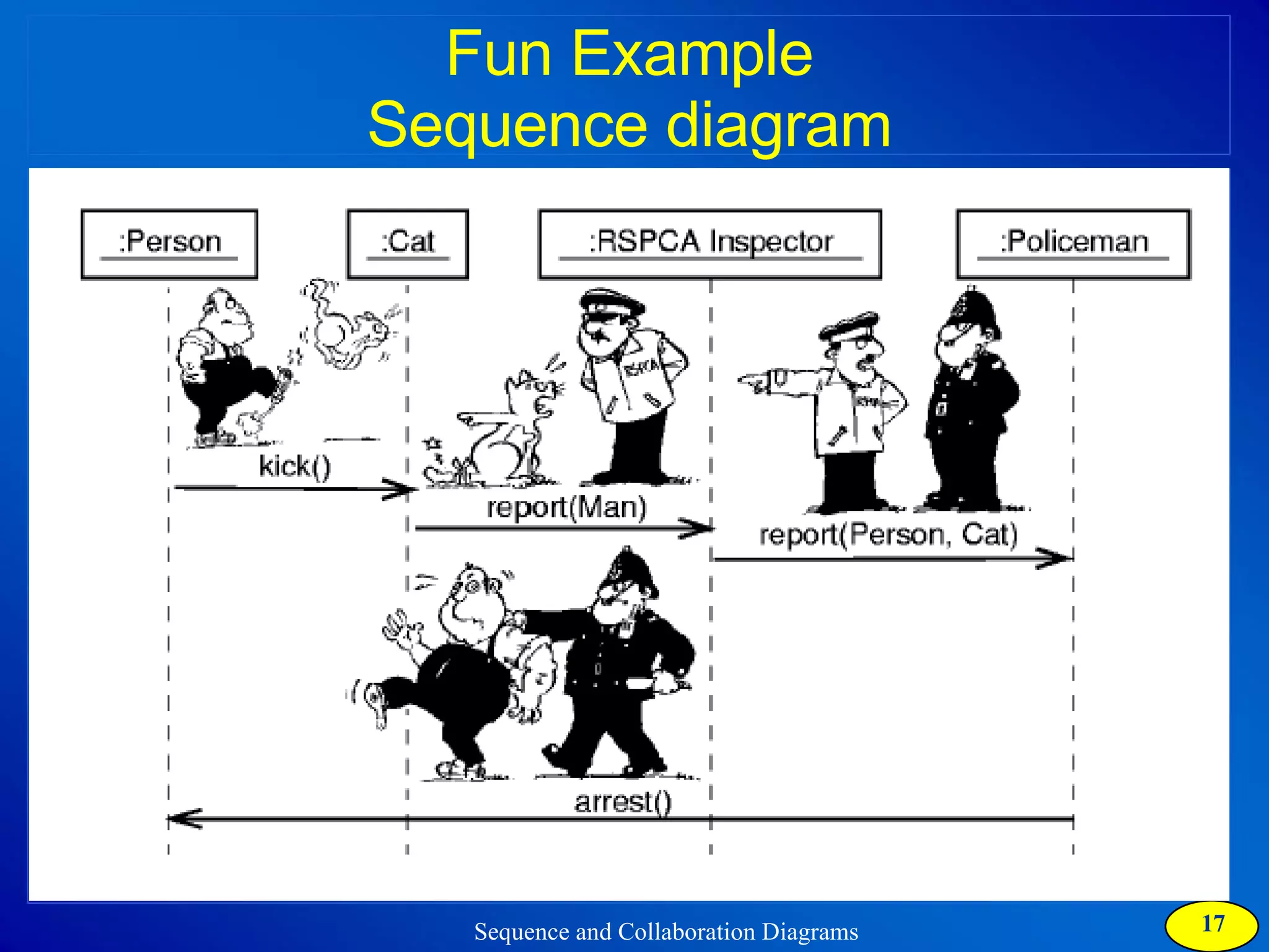
Fun Example Sequence diagram
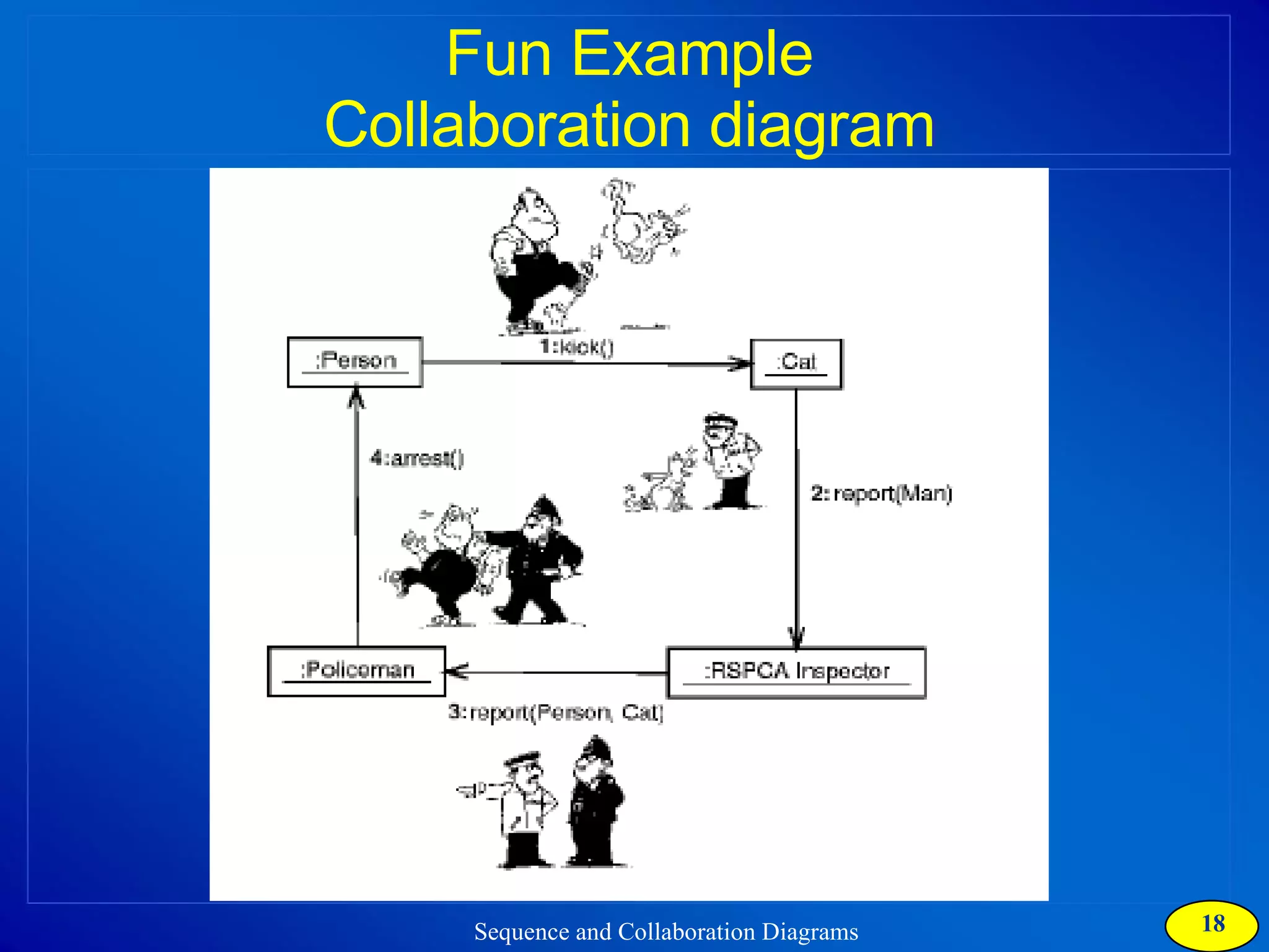
Fun Example Collaboration diagram
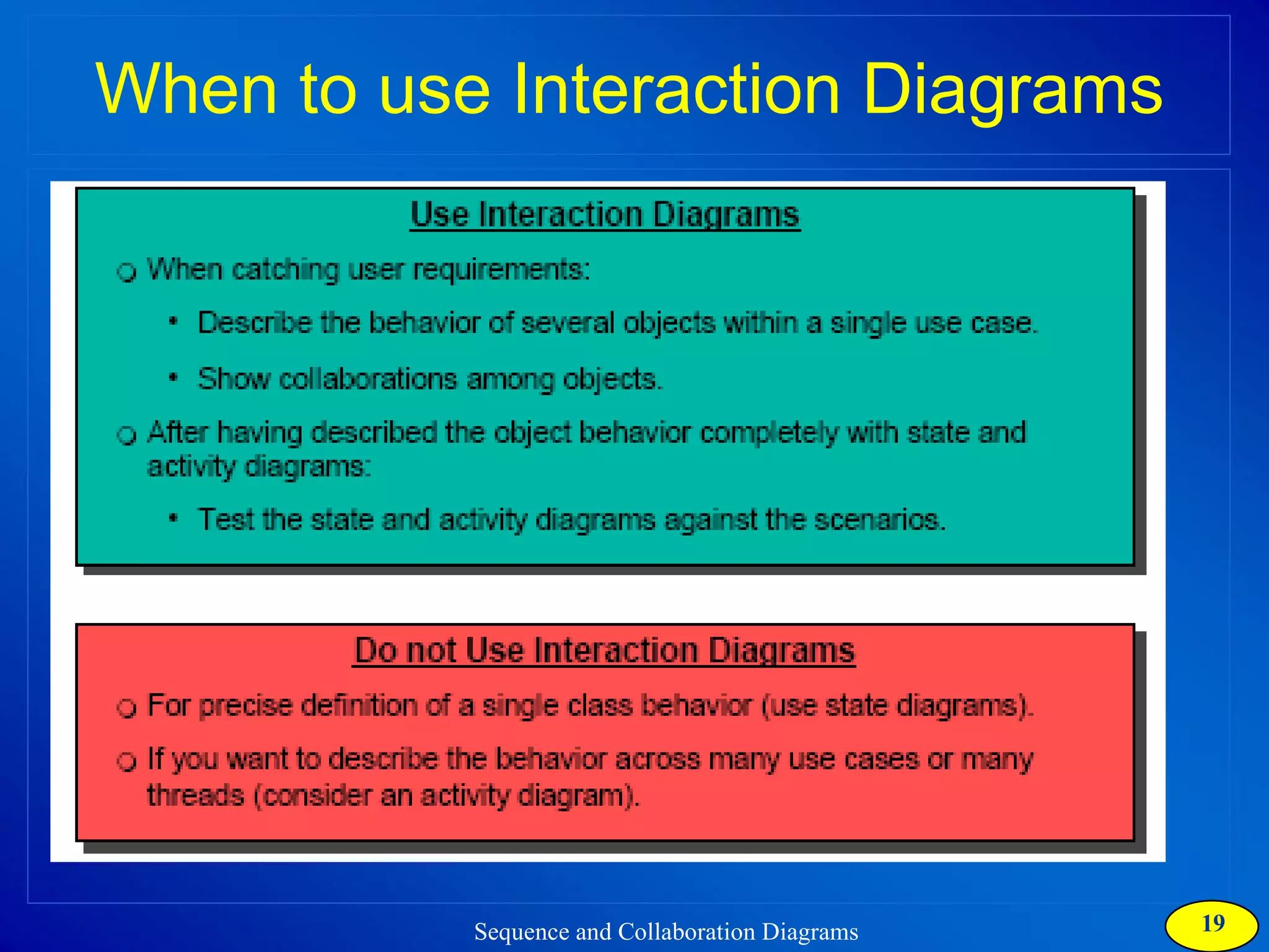
When to use Interaction Diagrams
Rational Rose  Live Demo
Your Turn - Lab Activity  Practicing Interaction Diagrams Use Rational Rose 2002 to create Sequence and Collaboration diagrams for the Scenario provided in Lab 09 of lab manual
What Next…? For your project, you need to:  Discover Classes from flow of events Identify Boundary, Control and Entity Classes Capture dynamic behavior of use case using Sequence and Collaboration diagrams

Collaboration Diagram

  • 1.
  • 2.
    Types of Interactiondiagrams There are two types of interaction diagrams: Sequence diagrams: emphasize the order / Sequence or concurrency of the interactions. Collaboration diagrams: emphasize the interacting objects .
  • 3.
    Scenarios Use casediagram presents an outside view of the system. Flow of events, captures the functionality of the use case Scenarios are used to describe how use cases are realized as interactions among societies of objects
  • 4.
    Scenarios It isone path through the flow of events for the use case. Scenarios help discovering objects, classes and object interaction needed to carry out a piece of the functionality in use case Scenarios shows how the responsibility of a use case are distributed among the objects
  • 5.
    Scenarios how tocapture? Sequence Diagram Collaboration Diagram
  • 6.
  • 7.
    Sequence Diagrams Asequence diagram displays object interactions arranged in a time sequence : Student registration form registration manager math 101 1: fill in info 2: submit 3: add course(joe, math 01) 4: are you open? 5: are you open? 6: add (joe) 7: add (joe) math 101 section 1
  • 8.
  • 9.
  • 10.
    Collaboration Diagrams Dynamicbehavior of objects can, in addition to sequence diagrams, also be represented by collaboration diagrams. The transformation from a sequence diagram into a collaboration diagram is a bi-directional function. The difference between sequence diagrams and collaboration diagrams is that collaboration diagrams emphasize more the structure than the sequence of interactions. Within sequence diagrams the order of interactions is established by vertical positioning whereas in collaboration diagrams the sequence is given by numbering the interactions.
  • 11.
  • 12.
  • 13.
  • 14.
  • 15.
  • 16.
  • 17.
  • 18.
  • 19.
    When to useInteraction Diagrams
  • 20.
    Rational Rose Live Demo
  • 21.
    Your Turn -Lab Activity Practicing Interaction Diagrams Use Rational Rose 2002 to create Sequence and Collaboration diagrams for the Scenario provided in Lab 09 of lab manual
  • 22.
    What Next…? Foryour project, you need to: Discover Classes from flow of events Identify Boundary, Control and Entity Classes Capture dynamic behavior of use case using Sequence and Collaboration diagrams