Cyberbullying Presentation
 IN-CLASS WORKOUT #13


EDUC W200 Week 13
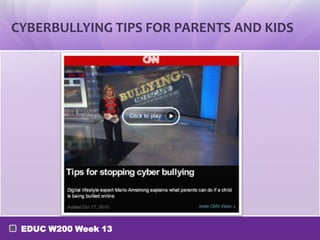
CYBERBULLYING TIPS FOR PARENTS AND KIDS


 EDUC W200 Week 13
WHAT ARE WE SUPPOSED TO DO?

•    Pick a tool and develop a presentation that will help inform:
     o parents about these problems if you are an elementary teacher.
     o students about these problems if you are a high school teacher.

•    You should also locate 4 different resources that parents/students could
     access to find out more, and strategies they might use to deal with these
     problems.
•    Publish your presentation and embed it in your teacher site Class Materials
     page.
•    Underneath your embedded presentation list your resources with title,
     descriptions, clickable links, a brief summary of what the resource is, and a
     brief explanation of why you selected that resource.
•    A good resource for the in-class workout: Safety in the Social Media World


    EDUC W200 Week 13
WHAT TOOLS CAN WE USE?

• Check the W200 Week 13 detail page for more details

• Some Presentation Tools to consider:
  • Kerproof Studio: Online Digital Studio
  • Prezi: Online Presentations
  • Glogster: Online Multi-Media Poster
    Presentations
  • Animoto: Create video from images
  • Google Presentations

  •   Link to many tools

 EDUC W200 Week 13
CAN’T WE USE THE IPADS (OR OTHER DEVICE)
    FOR THIS?
•    If you have an app on a smartphone or other device that you
     can create some kind of presentation about
     cyberbullying, please check with your instructor.
•    If you would like to use the iPads, here are some possible
     options:
     •   iMovie – in groups of 2 or 3, create a short movie talking about
         how to prevent cyberbullying. (NOTE- be brief in making the
         movie so that you can upload it to YouTube)
     •   Popplet Lite – This tool allows you to create a visual mind-map
         that would allow you to create a visual diagram about
         cyberbullying and some resources to prevent it.
     •   DrawingPad or SketchBook – These are 2 drawing programs that
         you could use to create a drawing about the dangers of
         cyberbullying.

     EDUC W200 Week 13
ICW #13 SUBMISSION

• Post to Teacher Website  Class Materials page

• Outline:
  o   Title: Cyberbullying Strategies
  o   Screenshot: Submit Screenshot of or Embed your Presentation
  o   Description: Reflect on this activity:
  o   How do these strategies address cyberbullying
  o   What can you, as a teacher, do to prevent cyberbullying?
  o   Submission: Submit the link to your Class Materials page to OnCourse 
      ICW #13.


 EDUC W200 Week 13
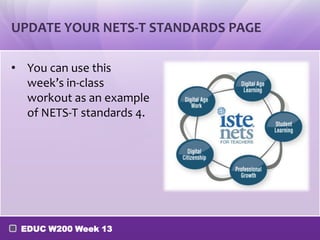
UPDATE YOUR NETS-T STANDARDS PAGE

• You can use this
  week’s in-class
  workout as an example
  of NETS-T standards 4.


 EDUC W200 Week 13

Week 13 part 8

  • 1.
    Cyberbullying Presentation IN-CLASSWORKOUT #13 EDUC W200 Week 13
  • 2.
    CYBERBULLYING TIPS FORPARENTS AND KIDS EDUC W200 Week 13
  • 3.
    WHAT ARE WESUPPOSED TO DO? • Pick a tool and develop a presentation that will help inform: o parents about these problems if you are an elementary teacher. o students about these problems if you are a high school teacher. • You should also locate 4 different resources that parents/students could access to find out more, and strategies they might use to deal with these problems. • Publish your presentation and embed it in your teacher site Class Materials page. • Underneath your embedded presentation list your resources with title, descriptions, clickable links, a brief summary of what the resource is, and a brief explanation of why you selected that resource. • A good resource for the in-class workout: Safety in the Social Media World EDUC W200 Week 13
  • 4.
    WHAT TOOLS CANWE USE? • Check the W200 Week 13 detail page for more details • Some Presentation Tools to consider: • Kerproof Studio: Online Digital Studio • Prezi: Online Presentations • Glogster: Online Multi-Media Poster Presentations • Animoto: Create video from images • Google Presentations • Link to many tools EDUC W200 Week 13
  • 5.
    CAN’T WE USETHE IPADS (OR OTHER DEVICE) FOR THIS? • If you have an app on a smartphone or other device that you can create some kind of presentation about cyberbullying, please check with your instructor. • If you would like to use the iPads, here are some possible options: • iMovie – in groups of 2 or 3, create a short movie talking about how to prevent cyberbullying. (NOTE- be brief in making the movie so that you can upload it to YouTube) • Popplet Lite – This tool allows you to create a visual mind-map that would allow you to create a visual diagram about cyberbullying and some resources to prevent it. • DrawingPad or SketchBook – These are 2 drawing programs that you could use to create a drawing about the dangers of cyberbullying. EDUC W200 Week 13
  • 6.
    ICW #13 SUBMISSION •Post to Teacher Website  Class Materials page • Outline: o Title: Cyberbullying Strategies o Screenshot: Submit Screenshot of or Embed your Presentation o Description: Reflect on this activity: o How do these strategies address cyberbullying o What can you, as a teacher, do to prevent cyberbullying? o Submission: Submit the link to your Class Materials page to OnCourse  ICW #13. EDUC W200 Week 13
  • 7.
    UPDATE YOUR NETS-TSTANDARDS PAGE • You can use this week’s in-class workout as an example of NETS-T standards 4. EDUC W200 Week 13

Editor's Notes

  • #3 http://cnn.com/video/?/video/bestoftv/2010/10/17/nr.armstrong.bullies.cnn
  • #4 http://www.usa-people-search.com/content-finding-people,-finding-everything-safety-in-a-social-media-world.aspx