An Environment for Access
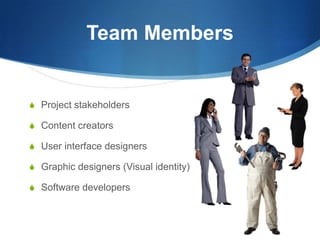
Team MembersProject stakeholdersContent creatorsUser interface designersGraphic designers (Visual identity)Software developers
Project StakeholderStakeholders are those who are behind the project vision or those will be affected by the project’s outcome.In the case of educators, the project stakeholders are often students.Accessibility Responsibilities:ListenSupportMediateMonitor
Content CreatorsResponsibilitiesCreating content for the projectAccessibility ResponsibilitiesEnsure that content is created for all assets (images, animations, video, etc.) within the project
User Interface DesignersResponsibilitiesCreating content layouts that ensure consistency and reliabilityAccessibility ResponsibilitiesEnsure that standardized styles are consistently usedEnsure that the “behind the scenes” coding represents the message of both the graphic designer and the content creator.
Graphic DesignersResponsibilities:To enhance the content with flexible visual layoutsAccessibility Responsibilities:Address visual identity in an accessible mannerCreate appropriate styles for the contentBe aware of color decisions
Infrastructure DevelopersResponsibilitiesProgramming and building frameworks to deliver the contentCommunicate effectively with other members to understand their expectationsAccessibility ResponsibilitiesEnsure functionality for all users, regardless of their technological devices
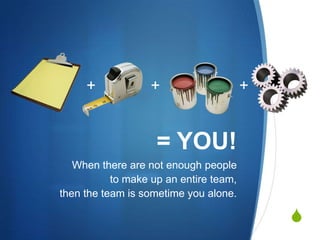
+++= YOU!When there are not enough people to make up an entire team, then the team is sometime you alone.
Be PositiveTry to be positive in the way you present accessibility.Using the danger of a lawsuit will onlyinspire defensiveness.
DocumentationDocument the team’s progress and project details with a project wiki or a project style guide containing detailed information.Media specification sheet: outlines project content, images, videos and other media along with their associated text descriptions, metadata and other needs.
Plan for AccessDo it right the first time to avoid retrofitting inaccessible websites!By planning for accessibility in the beginning, project costs can be reduced.
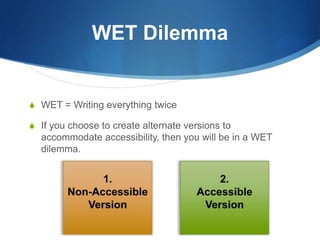
WET DilemmaWET = Writing everything twiceIf you choose to create alternate versions to accommodate accessibility, then you will be in a WET dilemma.1.Non-AccessibleVersion2.AccessibleVersion
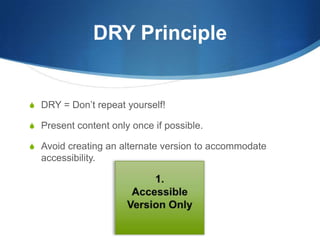
DRY PrincipleDRY = Don’t repeat yourself!Present content only once if possible.Avoid creating an alternate version to accommodate accessibility.1.AccessibleVersion Only
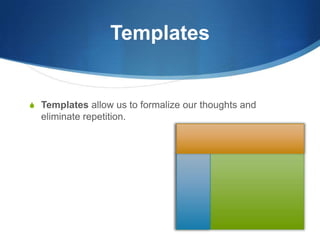
TemplatesTemplates allow us to formalize our thoughts and eliminate repetition.

Environment for Access

  • 1.
  • 2.
    Team MembersProject stakeholdersContentcreatorsUser interface designersGraphic designers (Visual identity)Software developers
  • 3.
    Project StakeholderStakeholders arethose who are behind the project vision or those will be affected by the project’s outcome.In the case of educators, the project stakeholders are often students.Accessibility Responsibilities:ListenSupportMediateMonitor
  • 4.
    Content CreatorsResponsibilitiesCreating contentfor the projectAccessibility ResponsibilitiesEnsure that content is created for all assets (images, animations, video, etc.) within the project
  • 5.
    User Interface DesignersResponsibilitiesCreatingcontent layouts that ensure consistency and reliabilityAccessibility ResponsibilitiesEnsure that standardized styles are consistently usedEnsure that the “behind the scenes” coding represents the message of both the graphic designer and the content creator.
  • 6.
    Graphic DesignersResponsibilities:To enhancethe content with flexible visual layoutsAccessibility Responsibilities:Address visual identity in an accessible mannerCreate appropriate styles for the contentBe aware of color decisions
  • 7.
    Infrastructure DevelopersResponsibilitiesProgramming andbuilding frameworks to deliver the contentCommunicate effectively with other members to understand their expectationsAccessibility ResponsibilitiesEnsure functionality for all users, regardless of their technological devices
  • 8.
    +++= YOU!When thereare not enough people to make up an entire team, then the team is sometime you alone.
  • 9.
    Be PositiveTry tobe positive in the way you present accessibility.Using the danger of a lawsuit will onlyinspire defensiveness.
  • 10.
    DocumentationDocument the team’sprogress and project details with a project wiki or a project style guide containing detailed information.Media specification sheet: outlines project content, images, videos and other media along with their associated text descriptions, metadata and other needs.
  • 11.
    Plan for AccessDoit right the first time to avoid retrofitting inaccessible websites!By planning for accessibility in the beginning, project costs can be reduced.
  • 12.
    WET DilemmaWET =Writing everything twiceIf you choose to create alternate versions to accommodate accessibility, then you will be in a WET dilemma.1.Non-AccessibleVersion2.AccessibleVersion
  • 13.
    DRY PrincipleDRY =Don’t repeat yourself!Present content only once if possible.Avoid creating an alternate version to accommodate accessibility.1.AccessibleVersion Only
  • 14.
    TemplatesTemplates allow usto formalize our thoughts and eliminate repetition.