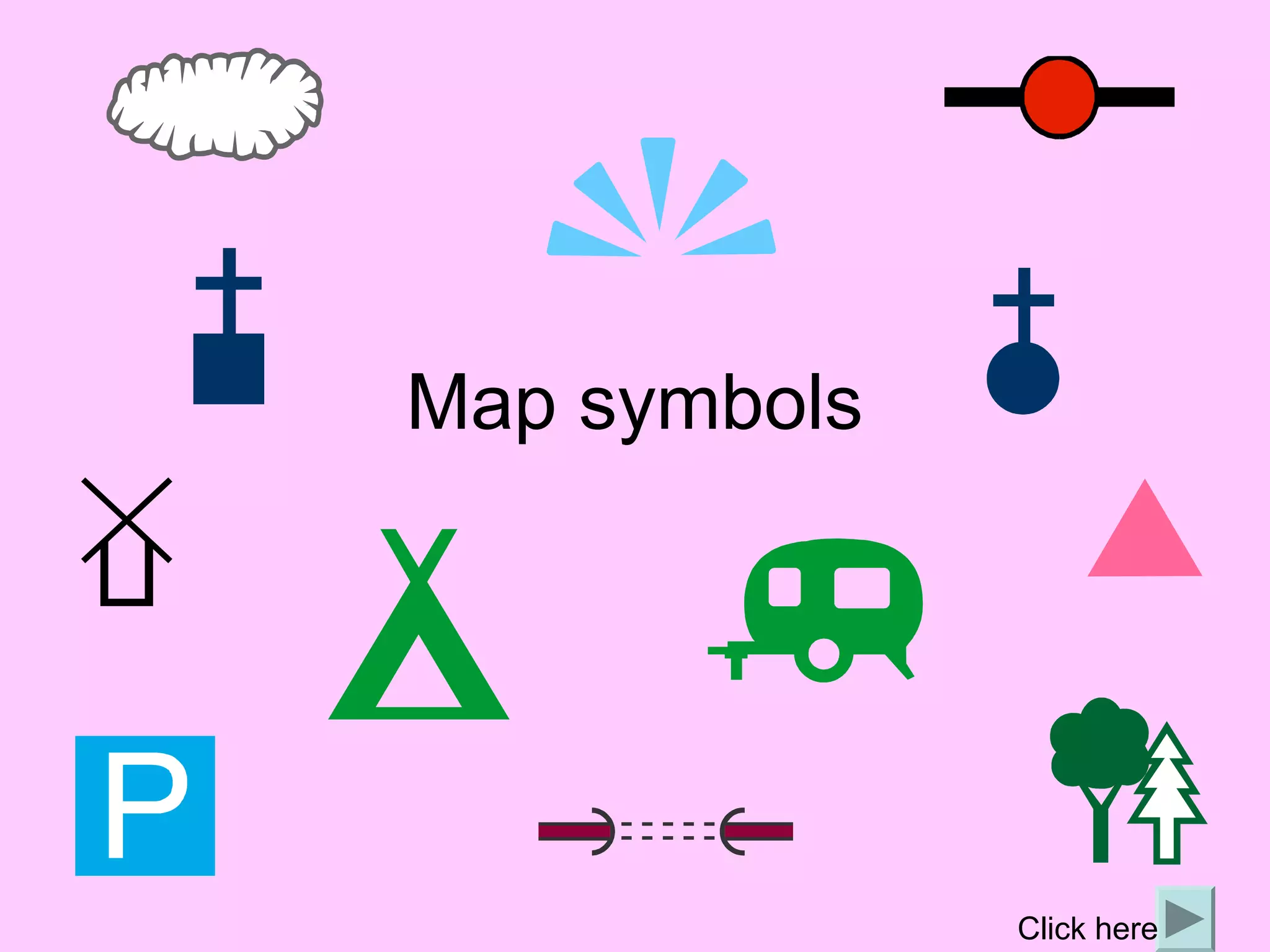
Map symbols


              Click here
What are map symbols?
• Maps give us a lot of information and there
  is not much room for labels.
• So we use symbols to save space and
  make the map easier to read.
• Symbols may be simple drawings, letters,
  shortened words or coloured shapes or
  areas.
How can we use them?
• A map will always have a key to list and explain
  the meanings of the symbols used.
• It is therefore not necessary for you to learn all
  the OS symbols as you will have a key.
  However it will make it quicker if you are familiar
  with some of the more common ones.
• If you have to draw your own map, you can
  make up your own symbols – but remember you
  must provide a key to explain what they are.
OS map symbols
• The OS has its own set of map symbols,
  often copied by others.
• These symbols can be grouped into
  categories like places of interest (usually
  shown in black), points of interest for
  tourists (blue), etc. but every map will
  have a key for reference.
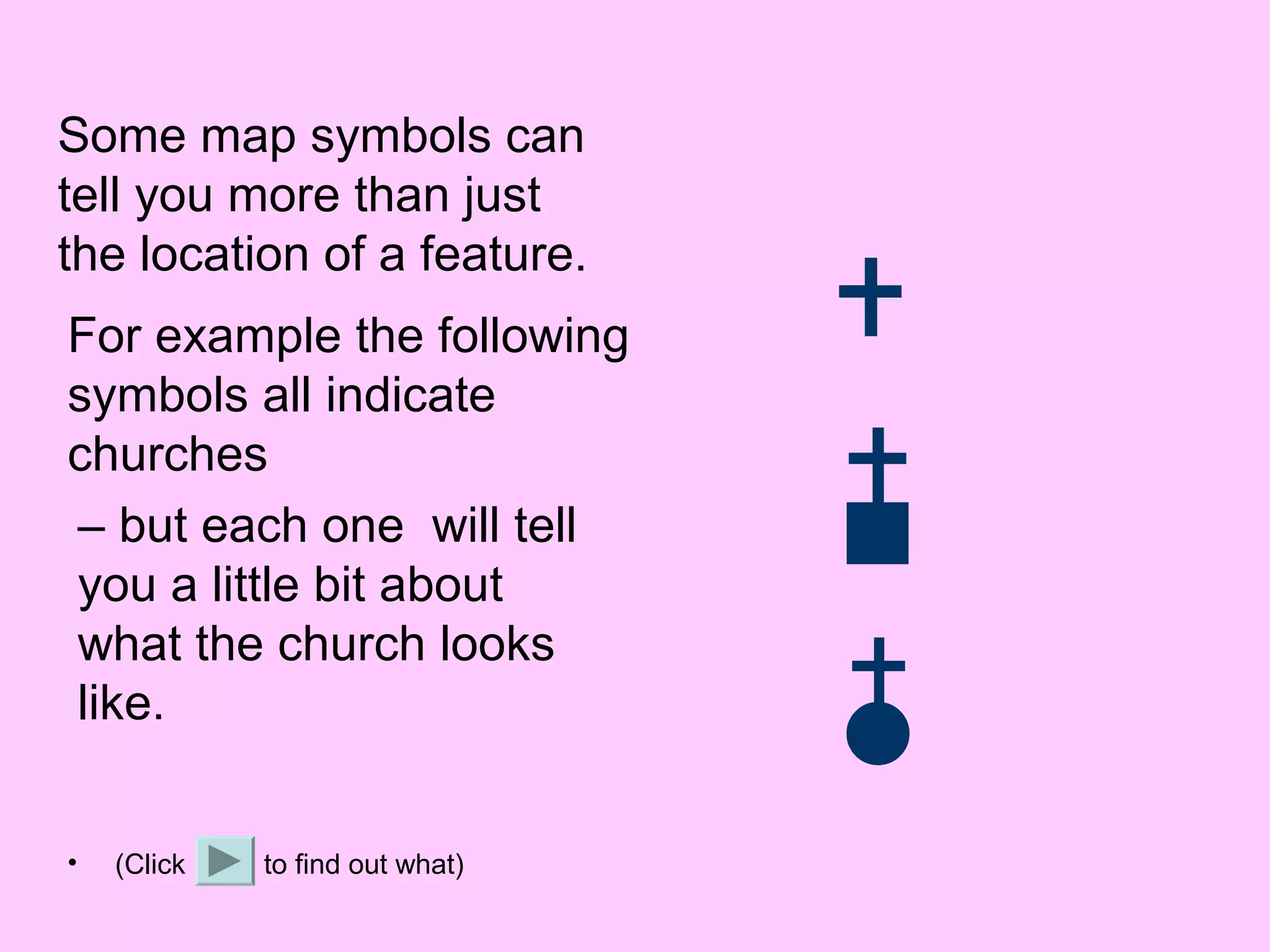
Some map symbols can
tell you more than just
the location of a feature.
For example the following
symbols all indicate
churches
– but each one will tell
you a little bit about
what the church looks
like.


•   (Click   to find out what)
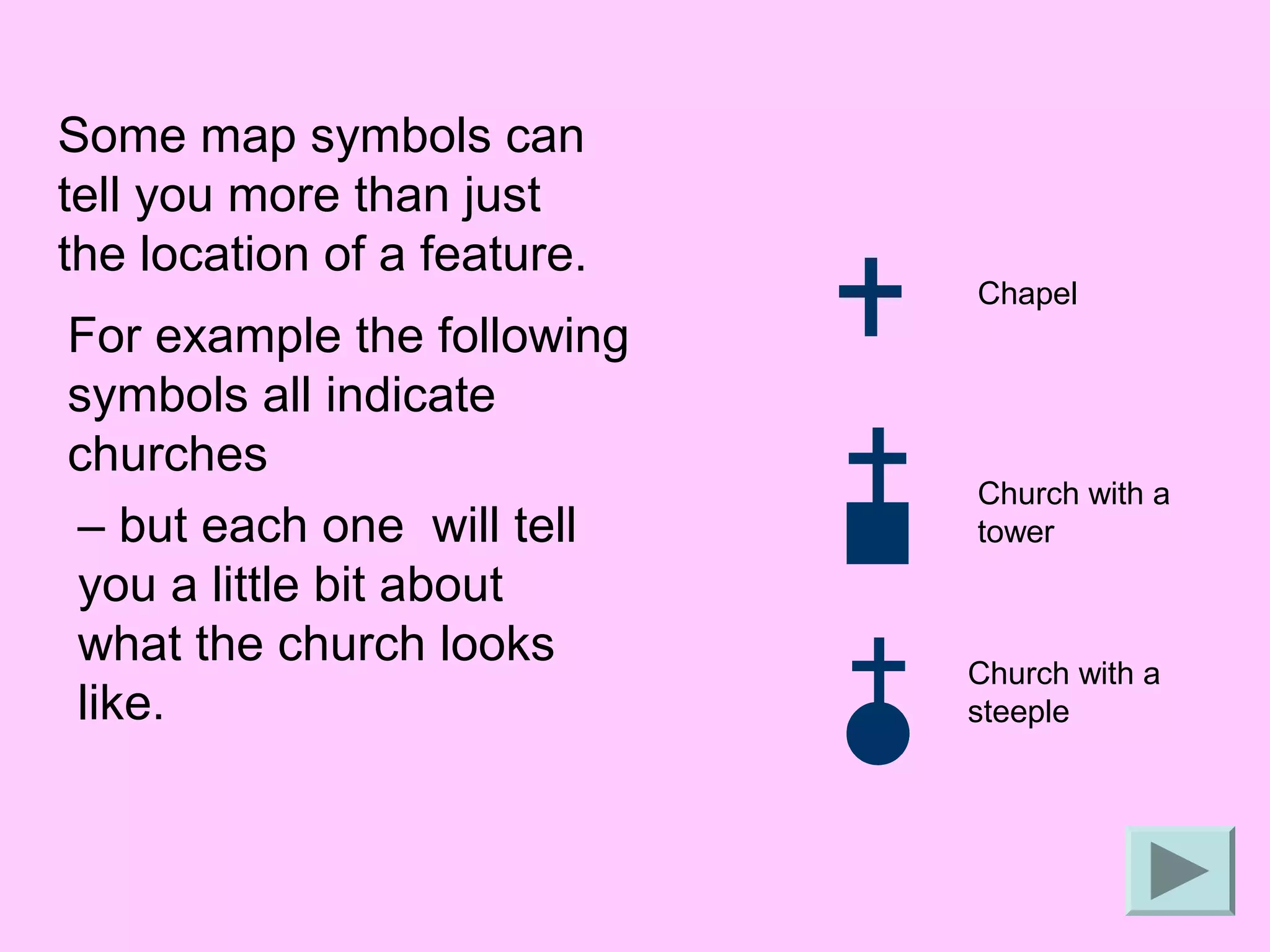
Some map symbols can
tell you more than just
the location of a feature.
                             Chapel
For example the following
symbols all indicate
churches
                             Church with a
– but each one will tell     tower
you a little bit about
what the church looks        Church with a
like.                        steeple
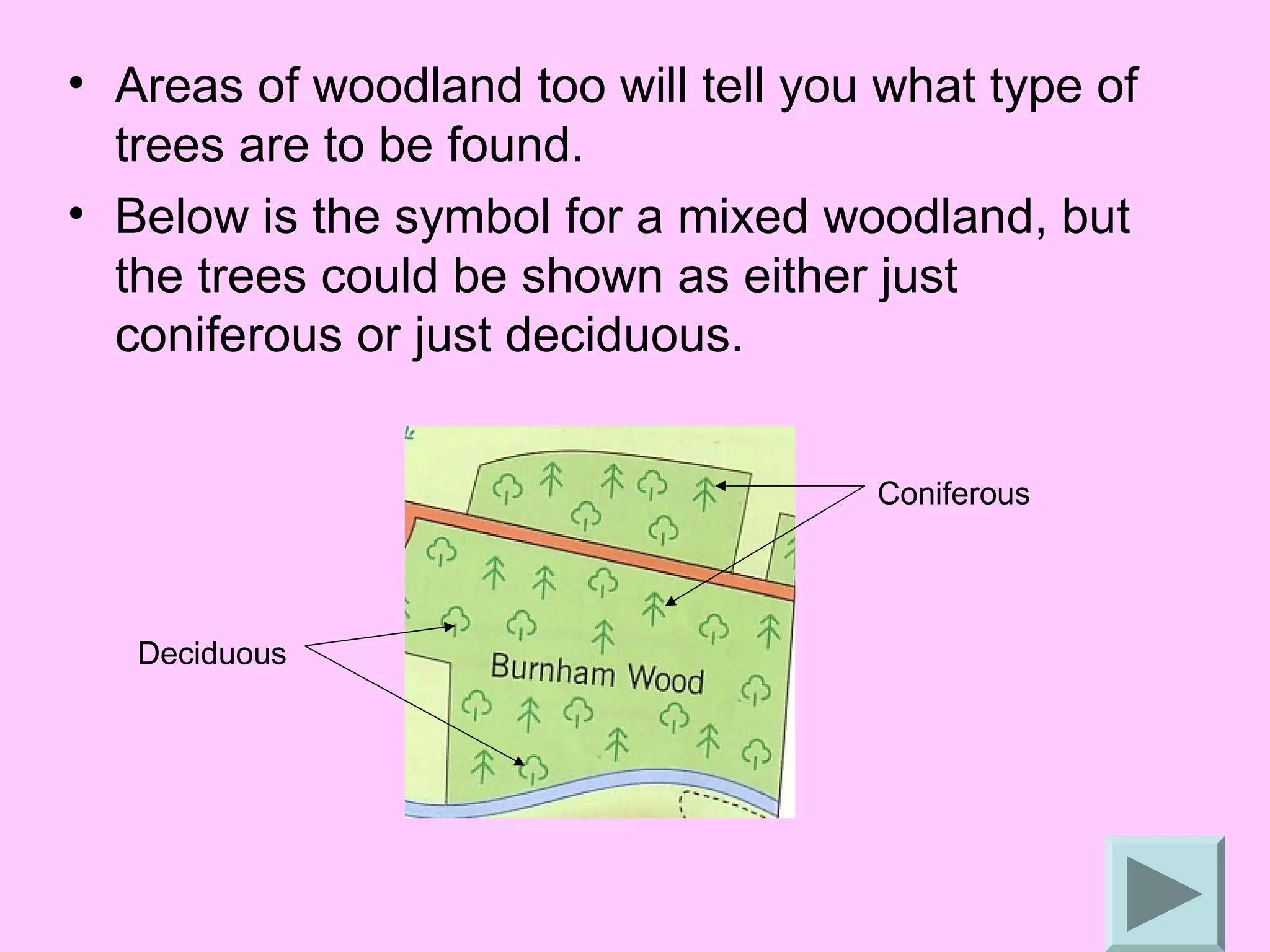
• Areas of woodland too will tell you what type of
  trees are to be found.
• Below is the symbol for a mixed woodland, but
  the trees could be shown as either just
  coniferous or just deciduous.


                                     Coniferous


   Deciduous
• Remember to give as much detail as you
  can. You might be asked where a certain
  feature is so be sure you know how to pin
  point its 6 figure grid reference or the grid
  square/squares it covers.

• Now try the following short tests.
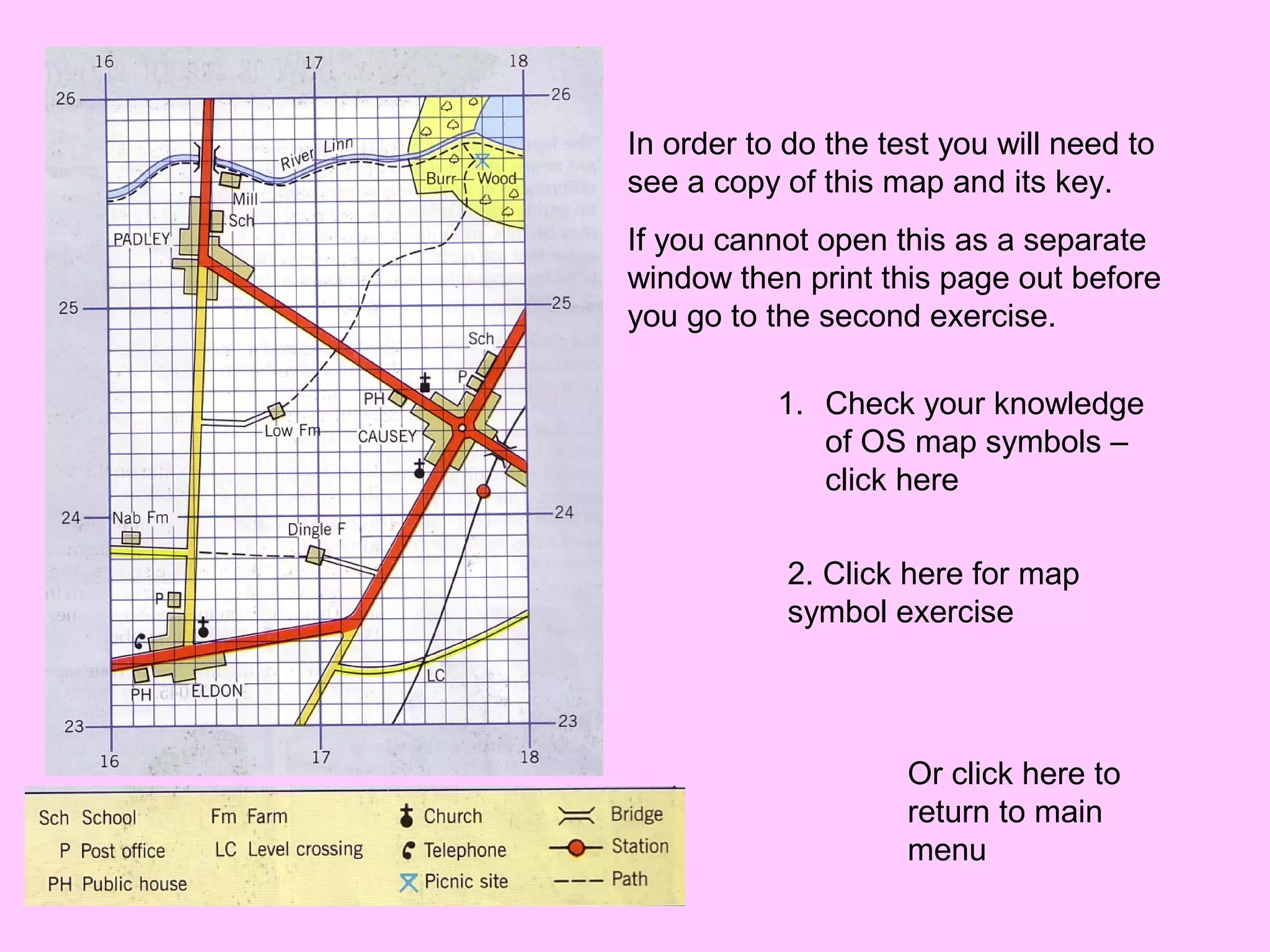
In order to do the test you will need to
see a copy of this map and its key.
If you cannot open this as a separate
window then print this page out before
you go to the second exercise.

           1. Check your knowledge
              of OS map symbols –
              click here

            2. Click here for map
            symbol exercise


                     Or click here to
                     return to main
                     menu

Map symbols

  • 1.
    Map symbols Click here
  • 2.
    What are mapsymbols? • Maps give us a lot of information and there is not much room for labels. • So we use symbols to save space and make the map easier to read. • Symbols may be simple drawings, letters, shortened words or coloured shapes or areas.
  • 3.
    How can weuse them? • A map will always have a key to list and explain the meanings of the symbols used. • It is therefore not necessary for you to learn all the OS symbols as you will have a key. However it will make it quicker if you are familiar with some of the more common ones. • If you have to draw your own map, you can make up your own symbols – but remember you must provide a key to explain what they are.
  • 4.
    OS map symbols •The OS has its own set of map symbols, often copied by others. • These symbols can be grouped into categories like places of interest (usually shown in black), points of interest for tourists (blue), etc. but every map will have a key for reference.
  • 5.
    Some map symbolscan tell you more than just the location of a feature. For example the following symbols all indicate churches – but each one will tell you a little bit about what the church looks like. • (Click to find out what)
  • 6.
    Some map symbolscan tell you more than just the location of a feature. Chapel For example the following symbols all indicate churches Church with a – but each one will tell tower you a little bit about what the church looks Church with a like. steeple
  • 7.
    • Areas ofwoodland too will tell you what type of trees are to be found. • Below is the symbol for a mixed woodland, but the trees could be shown as either just coniferous or just deciduous. Coniferous Deciduous
  • 8.
    • Remember togive as much detail as you can. You might be asked where a certain feature is so be sure you know how to pin point its 6 figure grid reference or the grid square/squares it covers. • Now try the following short tests.
  • 9.
    In order todo the test you will need to see a copy of this map and its key. If you cannot open this as a separate window then print this page out before you go to the second exercise. 1. Check your knowledge of OS map symbols – click here 2. Click here for map symbol exercise Or click here to return to main menu