Designing in practice: aligning design creativity with practice Gráinne Conole, Open University, UK TechItUp Conference, Kamloops Kamloops University, 23/10/09 More info, slides and references: http://cloudworks.ac.uk/index.php/cloud/view/2559.html http://static.worldarchitecturenews.com/news_images/ 11190_3_JLB%20PREFERRED%20External %20Image%201000px%20wide.jpg
Improving the design process How can we design learning activities that make effective use of technology and that are pedagogical informed? How can we represent and share designs? What kind of help and support can we provide? Assessment Learning outcomes Tasks Aspects of design
Learning design: a definition
A methodology for enabling teachers/designers to make more informed decisions in how they go about designing, which is pedagogically informed and makes effective use of appropriate resources and technologies
Covers design of resource and individual learning activities up to whole curriculum level
Helps make the design process more explicit and shareable
Includes resource, tools and activities
What do we know about design?
How do teachers go about the design process ?
Where do they get ideas and inspiration from?
How do they represent their design process?
To what extent do they share their design ideas with others?
Where do they get help and advice ?
How do they evaluate the effectiveness of their designs?
Design strategies Design process creative, messy, iterative Sharing and reuse difficult, but valuable Serendipitous routes to support Every teacher does it differently Different aspects to design - focus and level of granularity No one perfect design tool or approach Different aspects – resources, tools, outcomes, support, etc.
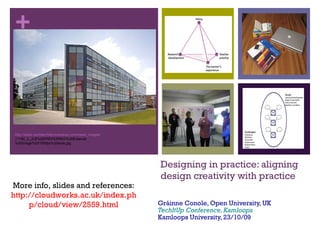
Design creativity vs. design practice The vision… Open plan, with creative spaces, “quiet rooms”, hot desking areas, technology-enhanced, lots of social space The Jennie Lee Building, The Open University, UK
The OU Learning Design Initiative Representing pedagogy Guiding design Sharing ideas Empirical evidence base Andrew Brasher, Paul Clark, Simon Cross, Juliette Culver, Rebecca Galley & Paul Mundin
A simple design Learning activity Output Learning outcome Resource Role End of activity Task Tool
Key features
Time allocation for tasks
In-situ help
Conditional branching
Design templates
Summary
Visual maps with icons + connections
Generic icon set + customised design icon set
Multiple layers , maps within maps
Drag and drop different file formats (images, videos etc.)
In-situ design help –customised google search and links to cloudworks
Aggregation of task times by roles
Design templates
Flexible export options from picture to interactive web page
Forms of representation
We have indentified six “views” for a course
Task swim line
Course map
Pedagogy profile
Cost effectiveness
Course performance
Design factors views
Uses
Representing an existing course
Comparing courses
As part of the design process
Describing the curriculum Cloudscape: http://cloudworks.ac.uk/cloudscape/view/1907
Task swim line
Based on:
Roles – student, tutor, etc.
Tasks – read, discuss, etc.
Tools and resources
Outputs
Advantages
Makes design explicit
Maps out design
Sharable with others
Good at activity level
Pedagogy profile
Map of student tasks to time periods (weeks, semesters, etc)
Six types of student tasks + assessment
Each cell indicates the amount of time spent in that period on each type of task
Widget provides graphical view
Guidance & support Evidence & demonstration Information & experience Communication & interaction Thinking & reflection Course map
Gives an “at a glance view”
Five components to any course
Uses:
Represent a course
Compare
Design
Course map/At a glance representation Guidance and support “ Learning pathway” Course structure and timetable Course calendar, study guide, tutorials Information and experience “ Content and activities” Could include course materials, prior experience or student generated content Readings, DVDs, podcasts, lab or field work, placements Communication and interaction “ Dialogue” Social dimensions of the course, interaction with other students and tutors Course forum, email Thinking and reflection “ Meta-cognition” Internalisation and reflection on learning In-text questions, notebook, blog, e-portfolio, Evidence and demonstration “ Assessment” Diagnostic, formative and summative Multiple choice quizzes, TMAs, ECA
KE312 Working Together for Children 60pt course over 32 weeks 3 blocks/20 learning guides Whole weeks devoted to TMAs Consolidation week (week 22)
Practice related
Aligned to latest prof framework for mult-agency working
Rich case studies
Read – relate to practice – reflect – write
Course map example Mick Jones Evidence & demonstration 6 TMAs – submitted online (505 of overall score) 3hr examination (50% of overall score) Thinking & reflection Activities throughout learning guides (4-7 per guide) 5 website ‘interactives’ Journal space in MyStuff Core questions, thinking points and summaries in course books Communication & interaction Course-wide Café forum Tutor group forums with sub-forums for each block F2F tutorials near beginning, middle and end of course (some regional variation) Information & experience PDF resources Links to e-journal articles and other websites 3 co-published course books (21 chapters/ 960pp) DVD – videos of 3 practice settings + interviews (XXmin) Plus own experience and practice Guidance & support Study planner 20 Learning guides General assessment guidance TMA questions Course guide Study calendar Tutor support – 1:20; 21 contact hrs; band 7
Facets of OULDI work
Harnessing web 2.0 practices Teachers/design want examples , want to share/discuss ! Many repositories of good practice , but little impact Can we change practices through use of web 2.0 ideas? Blogging Facebook Twitter Slideshare Flckr Youtube Commenting Live commentary Tagging RSS feeds Embedding Following
Cloudworks: Social and collective
Vision & principles
Connect people with similar interests
Showcase work
Provide a place for different communities
Encourage sharing
Low barrier to entry
People -orientated
Open site, open content
Target particular communities
The site acting as a conduit
Enable people to find, share & discuss learning & teaching ideas
Key concepts: Clouds Clouds: Ideas Design or case studies Tools or resources Questions or problems
Key concepts: Cloudscapes Cloudscapes: Conferences Workshops Course team Student cohort Research theme Project
0 comments
Post a comment