What’s Coming in Virtual Machine Manager 2012SIM204Raymond Chou (MVP SCOM)Principal ConsultantRedynamics Asia System ManagementLai YoongSeng (MVP VM)Technical ConsultantRedynamics Asia System Management
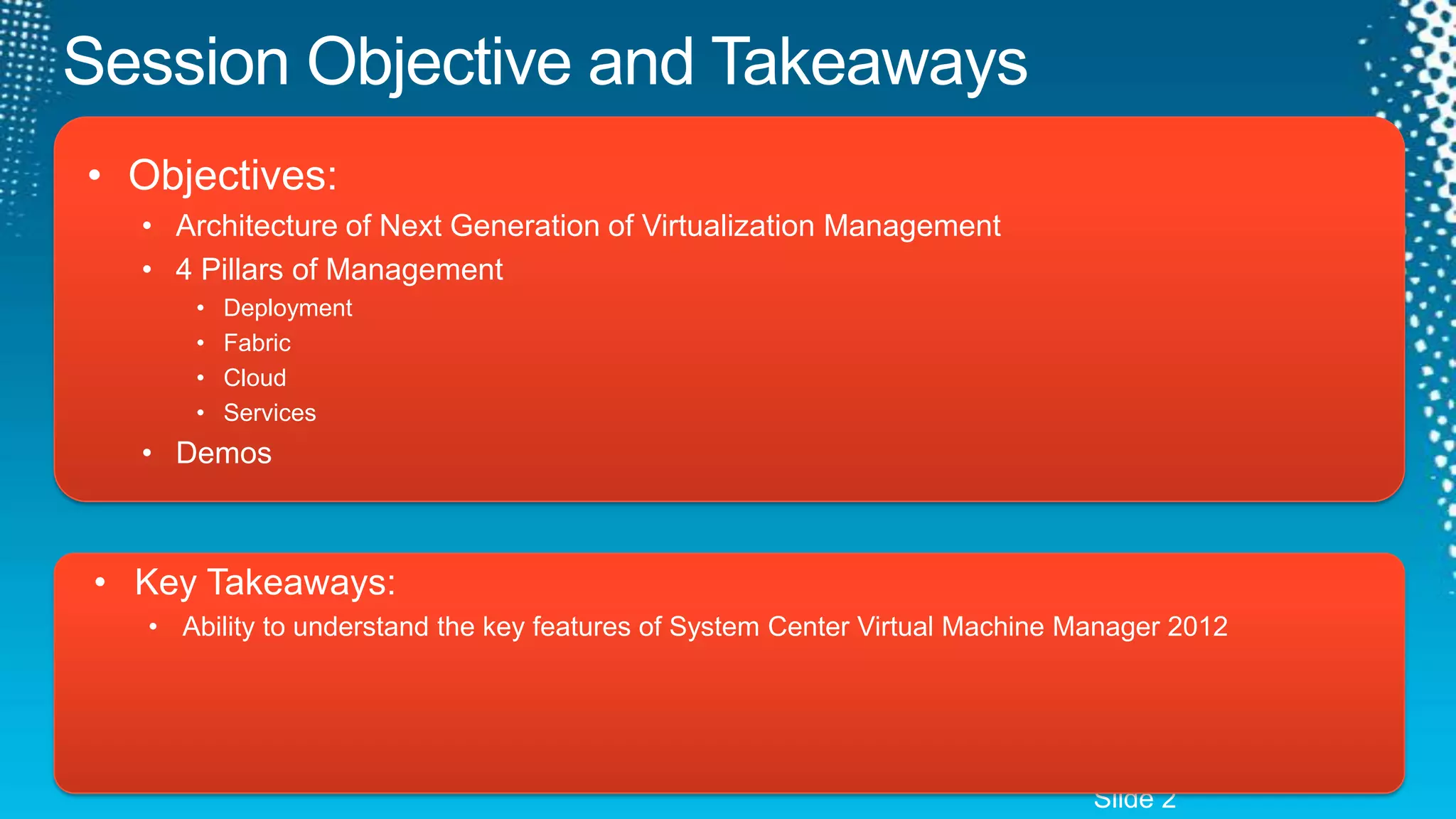
Session Objective and TakeawaysObjectives:Architecture of Next Generation of Virtualization Management4 Pillars of ManagementDeploymentFabricCloudServicesDemosKey Takeaways:Ability to understand the key features of System Center Virtual Machine Manager 2012Slide 2
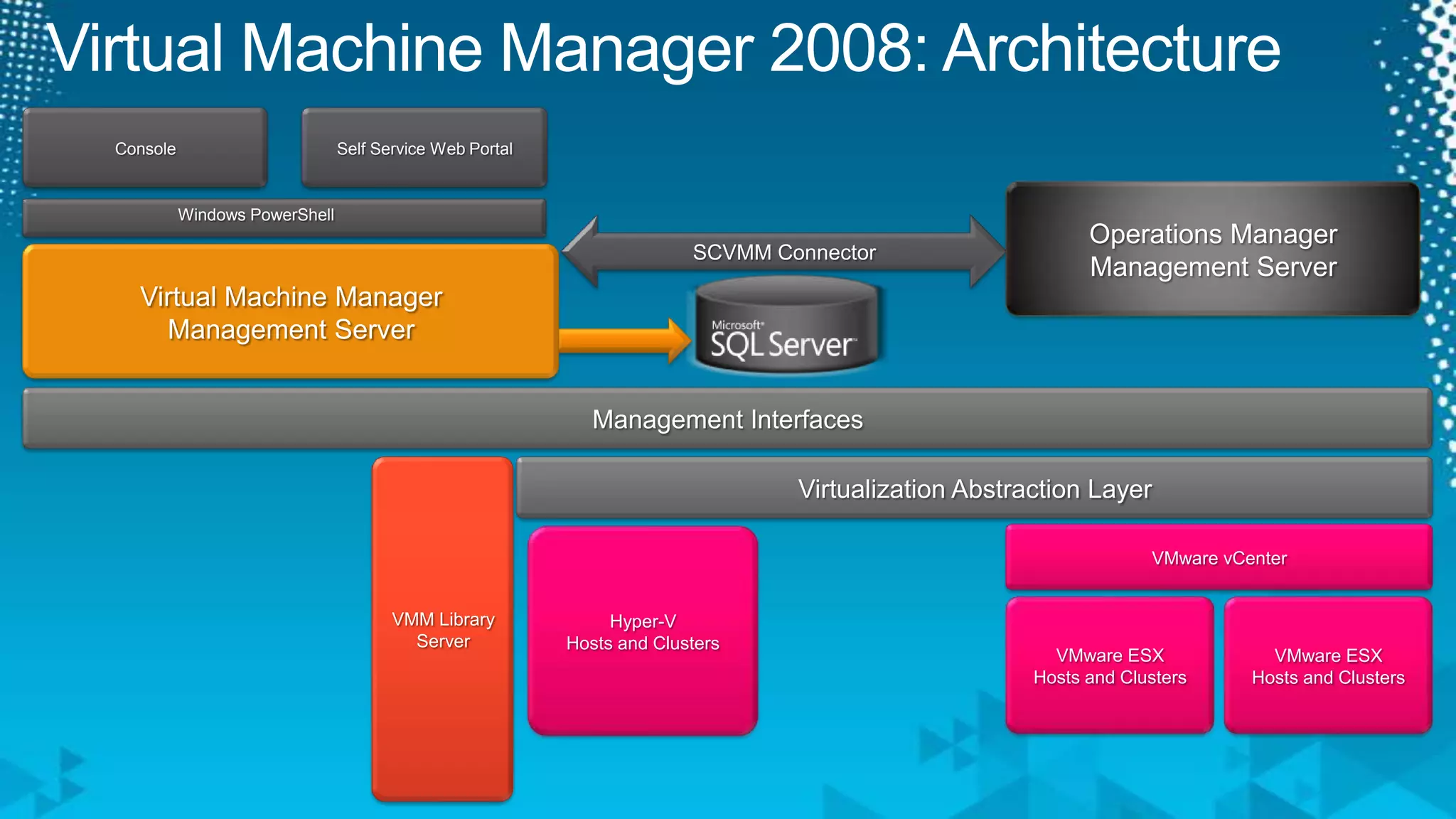
Virtual Machine Manager 2008: ArchitectureSelf Service Web PortalConsoleOperations Manager Management ServerWindows PowerShellSCVMM ConnectorVirtual Machine Manager Management ServerManagement InterfacesVMM Library ServerVirtualization Abstraction Layer VMware vCenterHyper-V Hosts and ClustersVMware ESX Hosts and ClustersVMware ESX Hosts and Clusters
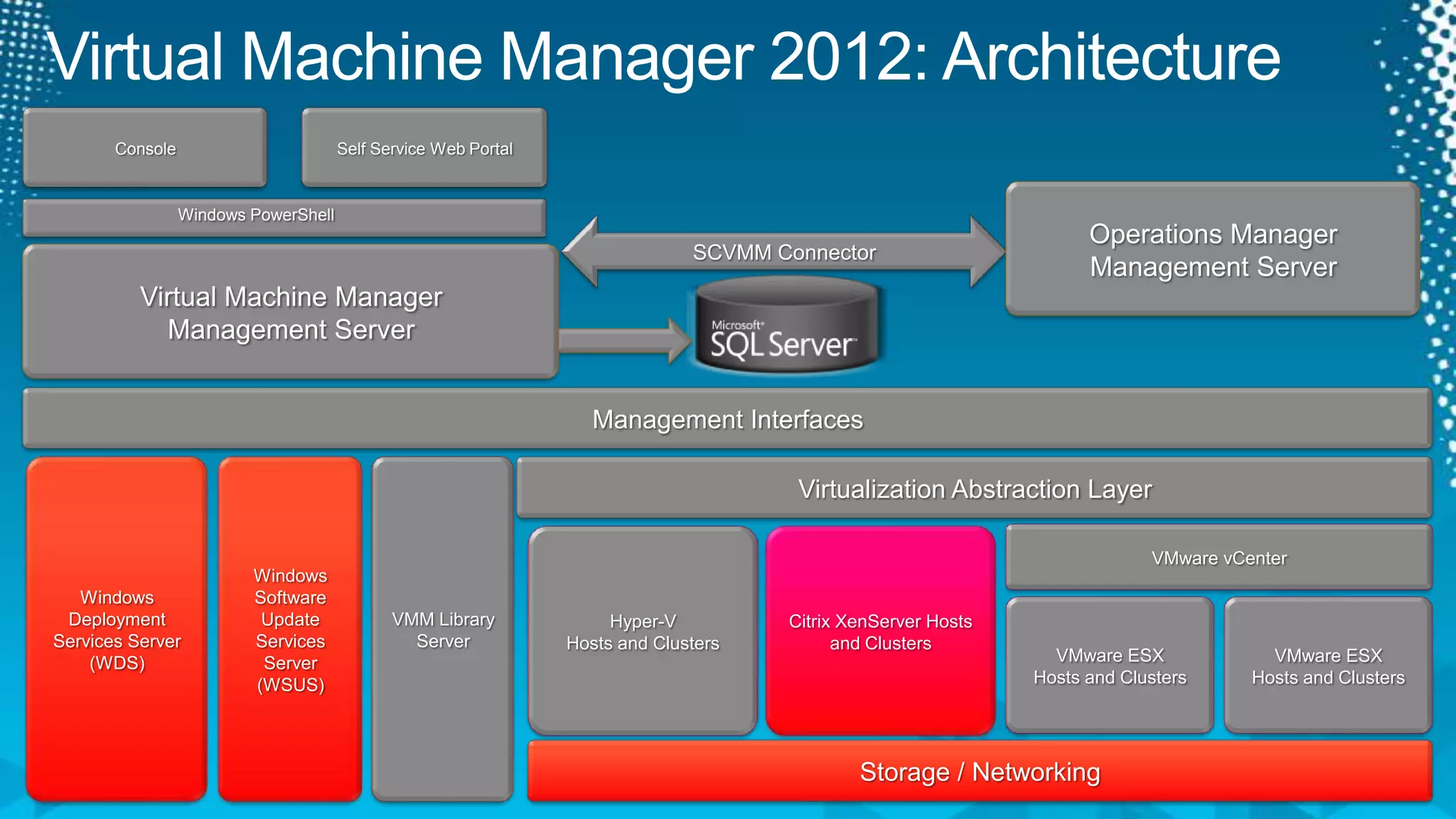
Virtual Machine Manager 2012: ArchitectureSelf Service Web PortalConsoleOperations Manager Management ServerWindows PowerShellSCVMM ConnectorVirtual Machine Manager Management ServerManagement InterfacesVMM Library ServerVirtualization Abstraction Layer Windows Deployment Services Server (WDS)Windows Software Update Services Server(WSUS)VMware vCenterHyper-V Hosts and ClustersCitrix XenServer Hosts and ClustersVMware ESX Hosts and ClustersVMware ESX Hosts and ClustersStorage / Networking
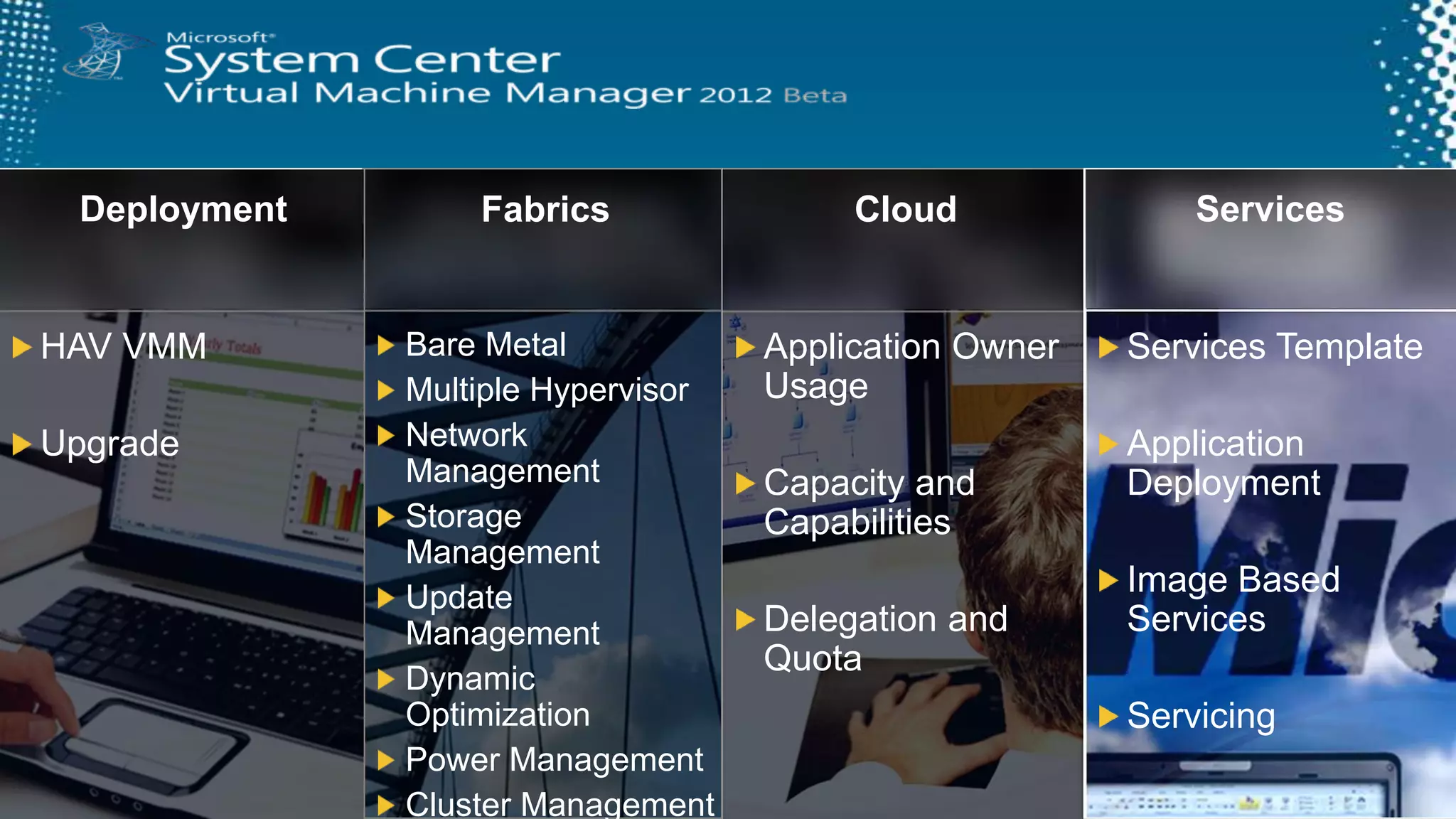
DeploymentServicesCloudFabricsBare MetalMultiple HypervisorNetwork ManagementStorage ManagementUpdate ManagementDynamic OptimizationPower ManagementCluster ManagementServices TemplateApplication DeploymentImage Based ServicesServicingApplication Owner UsageCapacity and CapabilitiesDelegation and QuotaHAV VMMUpgrade
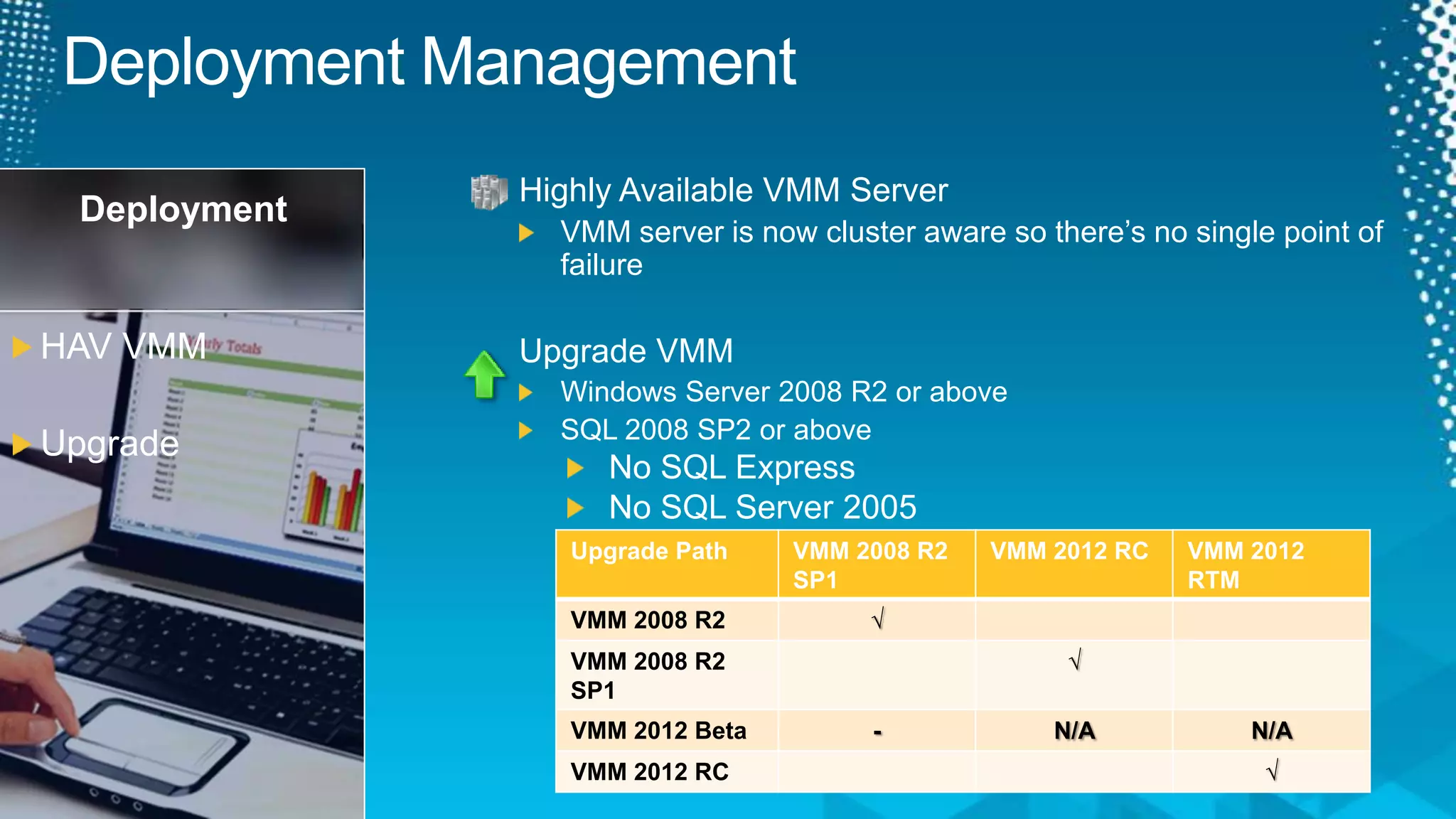
Deployment ManagementHighly Available VMM ServerVMM server is now cluster aware so there’s no single point of failureUpgrade VMMWindows Server 2008 R2 or aboveSQL 2008 SP2or aboveNo SQL ExpressNo SQL Server 2005DeploymentHAV VMMUpgrade
VideoHigh Availability VMM
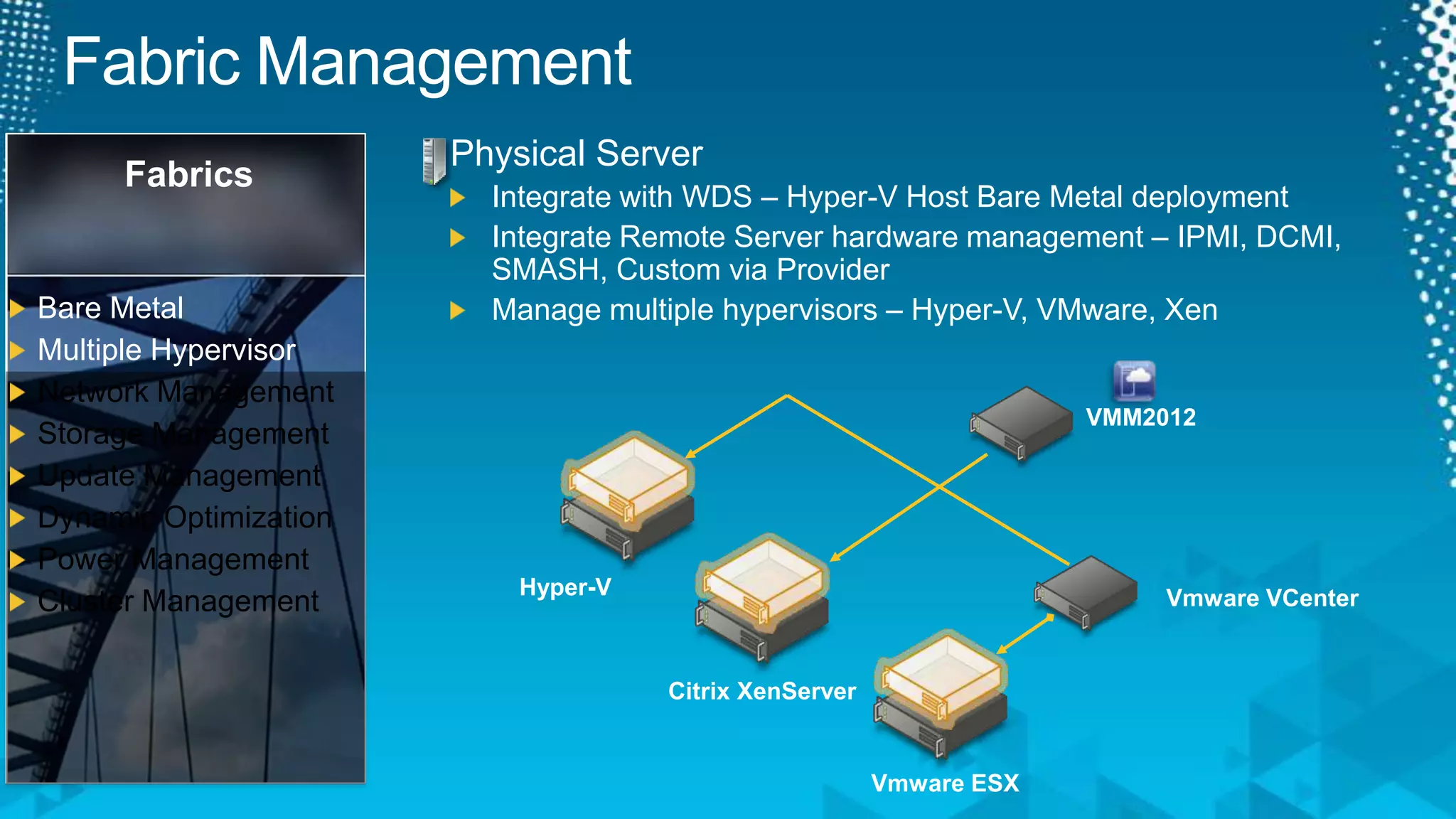
Fabric ManagementPhysical ServerIntegrate with WDS – Hyper-V Host Bare Metal deploymentIntegrate Remote Server hardware management – IPMI, DCMI, SMASH, Custom via ProviderManage multiple hypervisors – Hyper-V, VMware, XenFabricsBare MetalMultiple HypervisorNetwork ManagementStorage ManagementUpdate ManagementDynamic OptimizationPower ManagementCluster ManagementVMM2012Hyper-VVmwareVCenterCitrix XenServerVmware ESX
VideoBare Metal & Managing Citrix
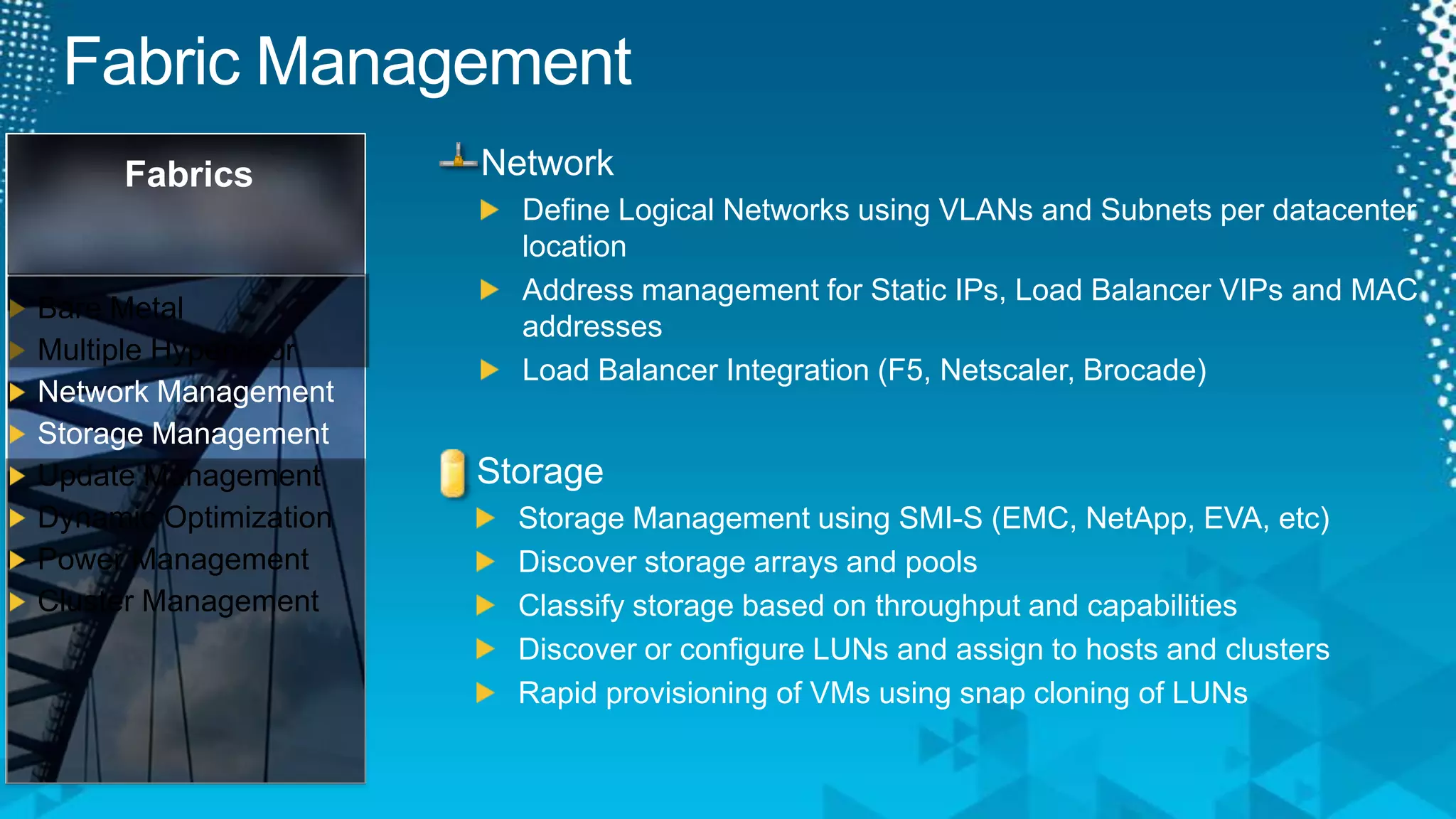
Fabric ManagementFabricsBare MetalMultiple HypervisorNetwork ManagementStorage ManagementUpdate ManagementDynamic OptimizationPower ManagementCluster ManagementNetworkDefine Logical Networks using VLANs and Subnets per datacenter locationAddress management for Static IPs, Load Balancer VIPs and MAC addressesLoad Balancer Integration (F5, Netscaler, Brocade)StorageStorage Management using SMI-S (EMC, NetApp, EVA, etc)Discover storage arrays and poolsClassify storage based on throughput and capabilitiesDiscover or configure LUNs and assign to hosts and clustersRapid provisioning of VMs using snap cloning of LUNs
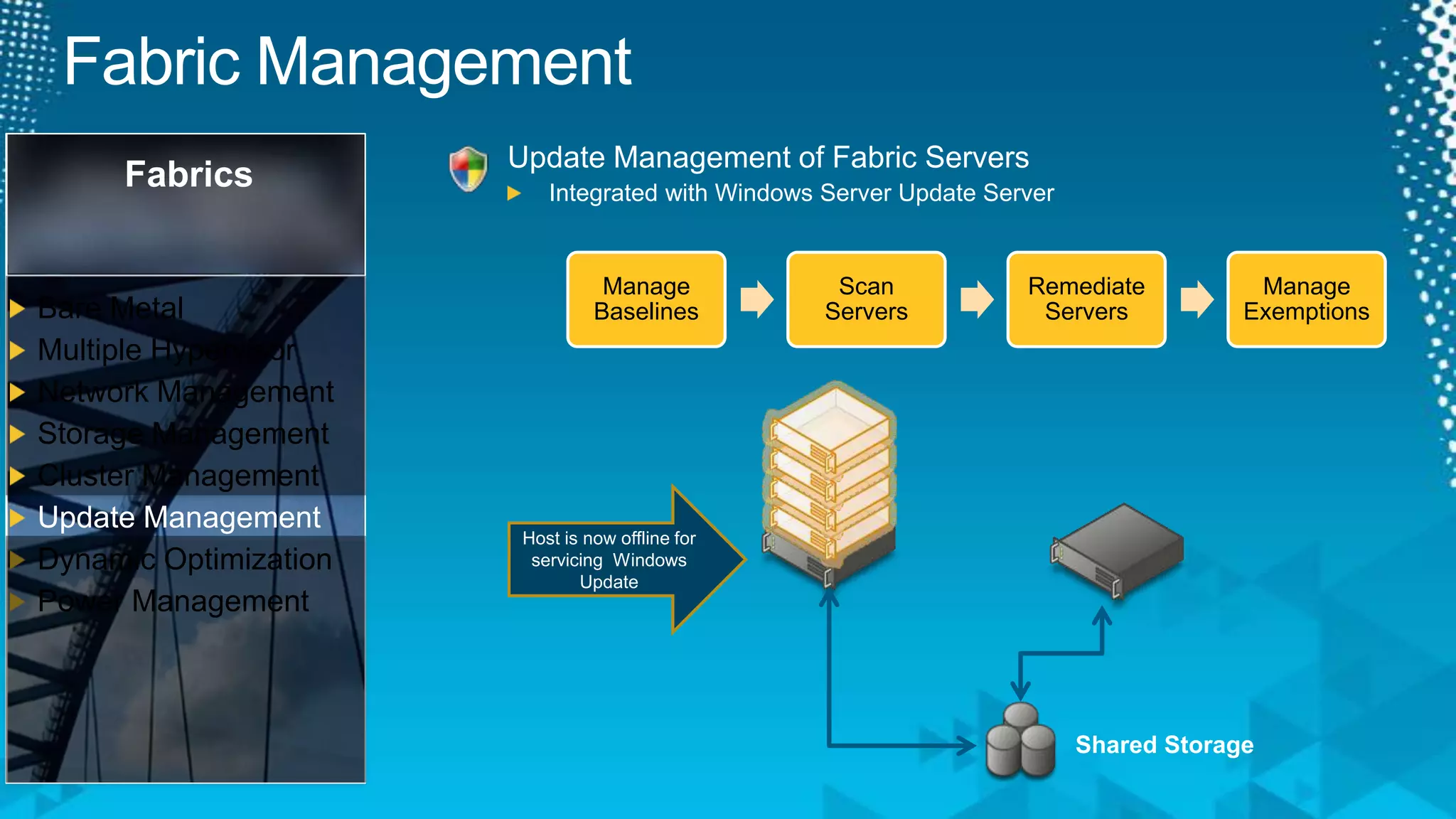
Fabric ManagementUpdate Management of Fabric ServersIntegrated with Windows Server Update ServerFabricsBare MetalMultiple HypervisorNetwork ManagementStorage ManagementCluster ManagementUpdate ManagementDynamic OptimizationPower ManagementHost is now offline for servicing  Windows UpdateShared Storage
Update ManagementVideo
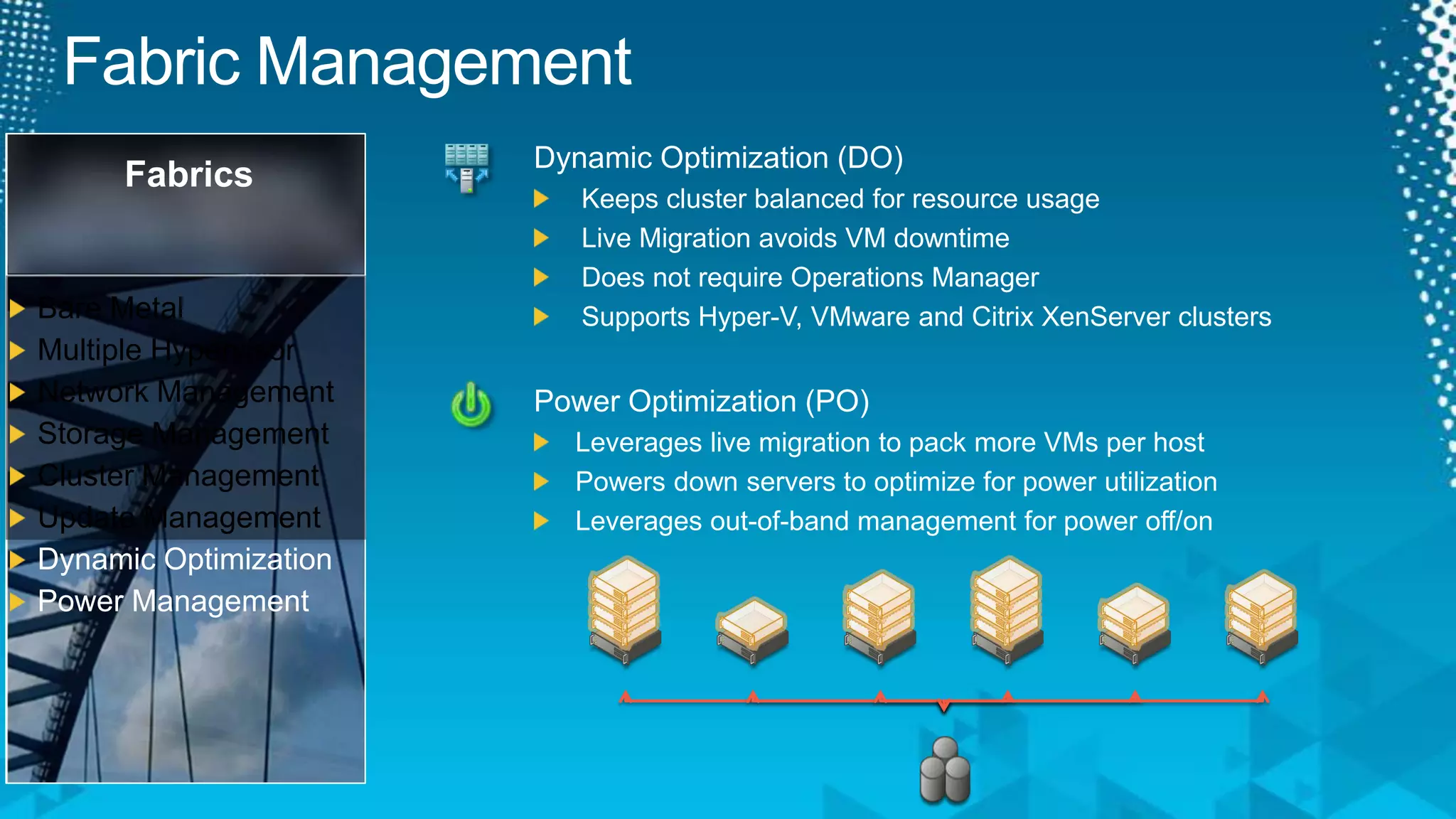
Fabric ManagementDynamic Optimization (DO)Keeps cluster balanced for resource usageLive Migration avoids VM downtimeDoes not require Operations ManagerSupports Hyper-V, VMware and Citrix XenServer clustersFabricsBare MetalMultiple HypervisorNetwork ManagementStorage ManagementCluster ManagementUpdate ManagementDynamic OptimizationPower ManagementPower Optimization (PO)Leverages live migration to pack more VMs per hostPowers down servers to optimize for power utilizationLeverages out-of-band management for power off/on
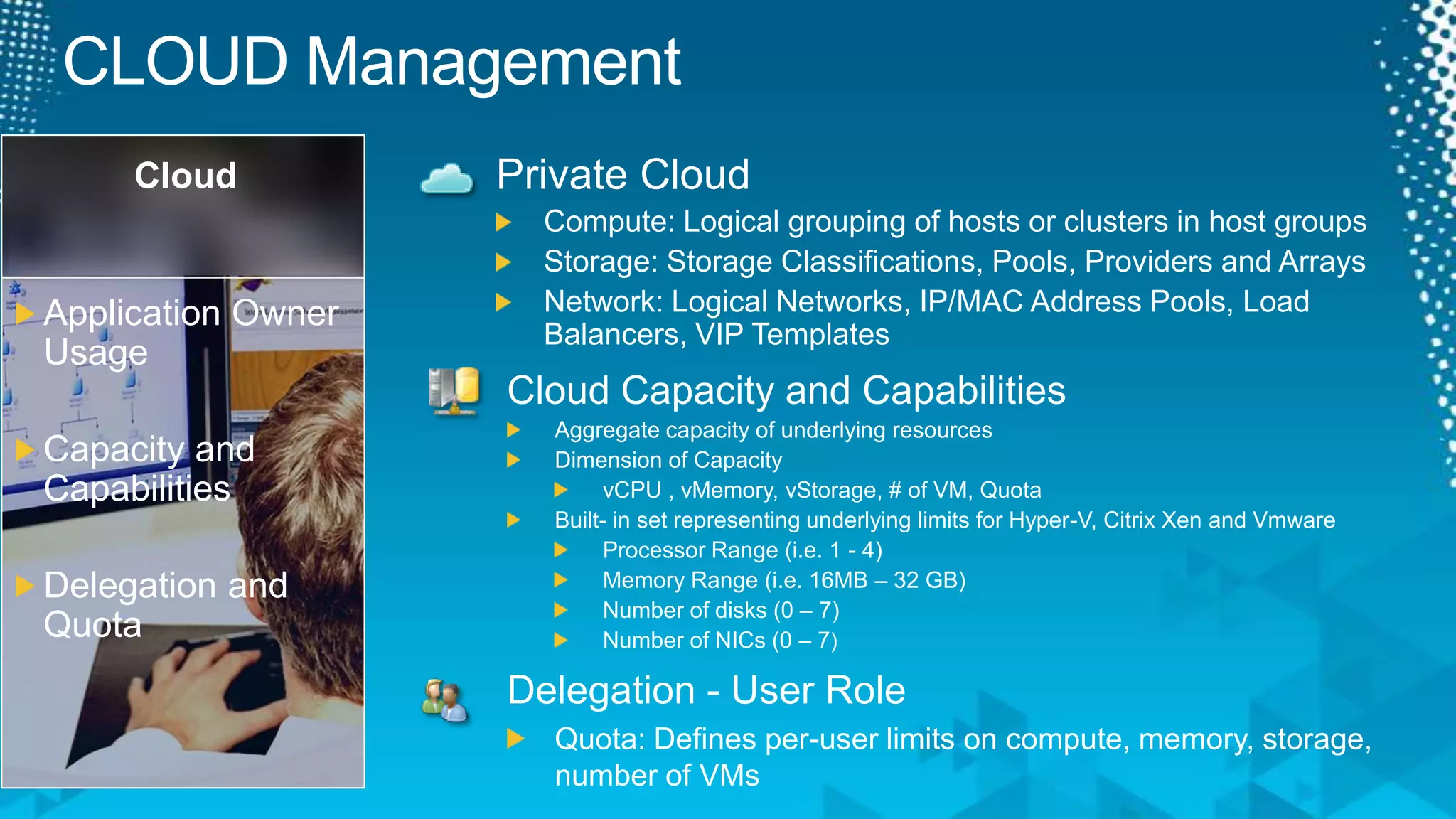
CLOUD ManagementCloudPrivate CloudCompute: Logical grouping of hosts or clusters in host groupsStorage: Storage Classifications, Pools, Providers and ArraysNetwork: Logical Networks, IP/MAC Address Pools, Load Balancers, VIP TemplatesApplication Owner UsageCapacity and CapabilitiesDelegation and QuotaCloud Capacity and CapabilitiesAggregate capacity of underlying resourcesDimension of CapacityvCPU , vMemory, vStorage, # of VM, QuotaBuilt- in set representing underlying limits for Hyper-V, Citrix Xen and VmwareProcessor Range (i.e. 1 - 4)Memory Range (i.e. 16MB – 32 GB)Number of disks (0 – 7)Number of NICs (0 – 7)Delegation - User RoleQuota: Defines per-user limits on compute, memory, storage, number of VMs
Private Cloud ManagementVideo
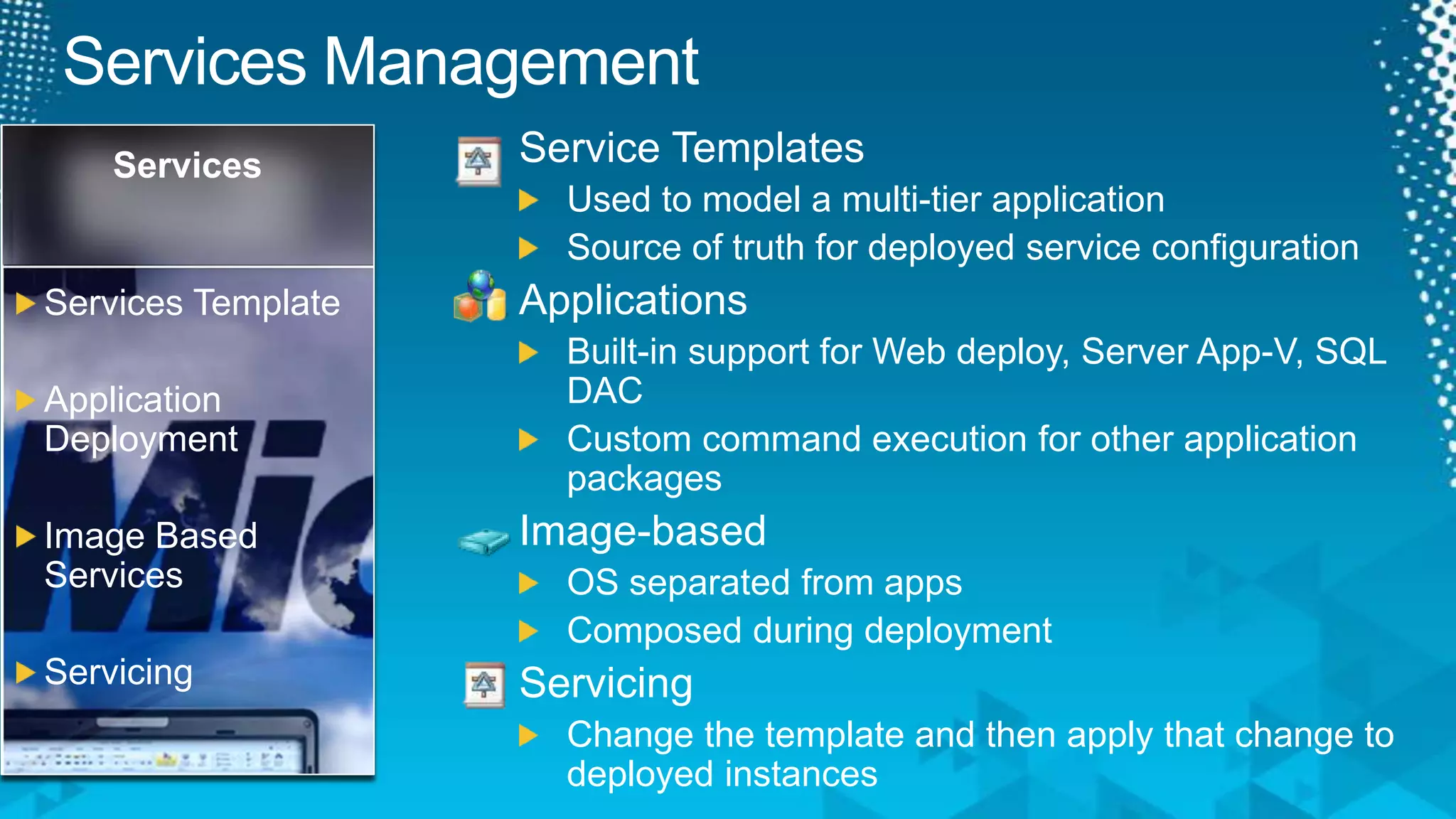
Services ManagementService TemplatesUsed to model a multi-tier applicationSource of truth for deployed service configurationApplicationsBuilt-in support for Web deploy, Server App-V, SQL DACCustom command execution for other application packagesImage-basedOS separated from appsComposed during deploymentServicingChange the template and then apply that change to deployed instancesServicesServices TemplateApplication DeploymentImage Based ServicesServicing
Services Dashboard DesignerVideo
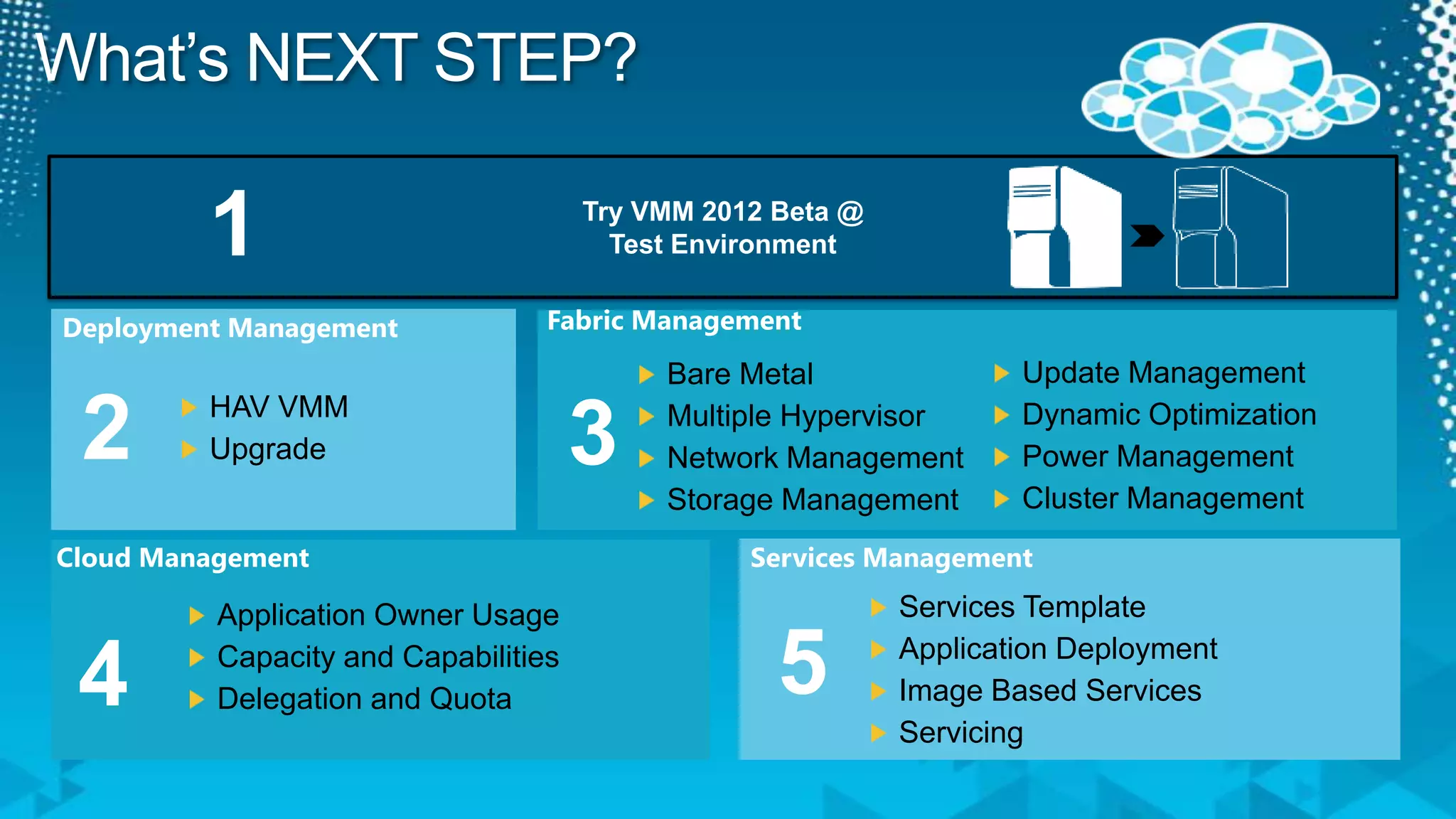
What’s NEXT STEP?Try VMM 2012 Beta @ Test Environment1Fabric ManagementDeployment ManagementUpdate ManagementDynamic OptimizationPower ManagementCluster ManagementBare MetalMultiple HypervisorNetwork ManagementStorage Management23HAV VMMUpgradeServices ManagementCloud ManagementServices TemplateApplication DeploymentImage Based ServicesServicingApplication Owner UsageCapacity and CapabilitiesDelegation and Quota54
Track ResourcesRequired Slide Track PMs will supply the content for this slide, which will be inserted during the final scrub. Download http://www.microsoft.com/systemcenter/en/us/virtual-machine-manager/vm-vnext-beta.aspx System Center VMM 2012 Technet Library –http://technet.microsoft.com/en-us/library/gg610610.aspxRaymond Chou Blog’s - http://mymomexperience.blogspot.com/Lai Blog’s – http://www.ms4u.info
ResourcesLearningMicrosoft Certification & Training ResourcesConnect. Share. Discuss.http://newzealand.msteched.comwww.microsoft.com/learningResources for IT ProfessionalsResources for Developershttp://microsoft.com/msdnhttp://microsoft.com/technet
Evaluate your sessionson CommNet and go inthe draw to win instantprizes
© 2011 Microsoft Corporation. All rights reserved. Microsoft, Windows, Windows Vista and other product names are or may be registered trademarks and/or trademarks in the U.S. and/or other countries.The information herein is for informational purposes only and represents the current view of Microsoft Corporation as of the date of this presentation.  Because Microsoft must respond to changing market conditions, it should not be interpreted to be a commitment on the part of Microsoft, and Microsoft cannot guarantee the accuracy of any information provided after the date of this presentation. MICROSOFT MAKES NO WARRANTIES, EXPRESS, IMPLIED OR STATUTORY, AS TO THE INFORMATION IN THIS PRESENTATION.

SIM204-What's Coming in Virtual Machine Manager 2012?

  • 1.
    What’s Coming inVirtual Machine Manager 2012SIM204Raymond Chou (MVP SCOM)Principal ConsultantRedynamics Asia System ManagementLai YoongSeng (MVP VM)Technical ConsultantRedynamics Asia System Management
  • 2.
    Session Objective andTakeawaysObjectives:Architecture of Next Generation of Virtualization Management4 Pillars of ManagementDeploymentFabricCloudServicesDemosKey Takeaways:Ability to understand the key features of System Center Virtual Machine Manager 2012Slide 2
  • 3.
    Virtual Machine Manager2008: ArchitectureSelf Service Web PortalConsoleOperations Manager Management ServerWindows PowerShellSCVMM ConnectorVirtual Machine Manager Management ServerManagement InterfacesVMM Library ServerVirtualization Abstraction Layer VMware vCenterHyper-V Hosts and ClustersVMware ESX Hosts and ClustersVMware ESX Hosts and Clusters
  • 4.
    Virtual Machine Manager2012: ArchitectureSelf Service Web PortalConsoleOperations Manager Management ServerWindows PowerShellSCVMM ConnectorVirtual Machine Manager Management ServerManagement InterfacesVMM Library ServerVirtualization Abstraction Layer Windows Deployment Services Server (WDS)Windows Software Update Services Server(WSUS)VMware vCenterHyper-V Hosts and ClustersCitrix XenServer Hosts and ClustersVMware ESX Hosts and ClustersVMware ESX Hosts and ClustersStorage / Networking
  • 5.
    DeploymentServicesCloudFabricsBare MetalMultiple HypervisorNetworkManagementStorage ManagementUpdate ManagementDynamic OptimizationPower ManagementCluster ManagementServices TemplateApplication DeploymentImage Based ServicesServicingApplication Owner UsageCapacity and CapabilitiesDelegation and QuotaHAV VMMUpgrade
  • 6.
    Deployment ManagementHighly AvailableVMM ServerVMM server is now cluster aware so there’s no single point of failureUpgrade VMMWindows Server 2008 R2 or aboveSQL 2008 SP2or aboveNo SQL ExpressNo SQL Server 2005DeploymentHAV VMMUpgrade
  • 7.
  • 8.
    Fabric ManagementPhysical ServerIntegratewith WDS – Hyper-V Host Bare Metal deploymentIntegrate Remote Server hardware management – IPMI, DCMI, SMASH, Custom via ProviderManage multiple hypervisors – Hyper-V, VMware, XenFabricsBare MetalMultiple HypervisorNetwork ManagementStorage ManagementUpdate ManagementDynamic OptimizationPower ManagementCluster ManagementVMM2012Hyper-VVmwareVCenterCitrix XenServerVmware ESX
  • 9.
    VideoBare Metal &Managing Citrix
  • 10.
    Fabric ManagementFabricsBare MetalMultipleHypervisorNetwork ManagementStorage ManagementUpdate ManagementDynamic OptimizationPower ManagementCluster ManagementNetworkDefine Logical Networks using VLANs and Subnets per datacenter locationAddress management for Static IPs, Load Balancer VIPs and MAC addressesLoad Balancer Integration (F5, Netscaler, Brocade)StorageStorage Management using SMI-S (EMC, NetApp, EVA, etc)Discover storage arrays and poolsClassify storage based on throughput and capabilitiesDiscover or configure LUNs and assign to hosts and clustersRapid provisioning of VMs using snap cloning of LUNs
  • 11.
    Fabric ManagementUpdate Managementof Fabric ServersIntegrated with Windows Server Update ServerFabricsBare MetalMultiple HypervisorNetwork ManagementStorage ManagementCluster ManagementUpdate ManagementDynamic OptimizationPower ManagementHost is now offline for servicing Windows UpdateShared Storage
  • 12.
  • 13.
    Fabric ManagementDynamic Optimization(DO)Keeps cluster balanced for resource usageLive Migration avoids VM downtimeDoes not require Operations ManagerSupports Hyper-V, VMware and Citrix XenServer clustersFabricsBare MetalMultiple HypervisorNetwork ManagementStorage ManagementCluster ManagementUpdate ManagementDynamic OptimizationPower ManagementPower Optimization (PO)Leverages live migration to pack more VMs per hostPowers down servers to optimize for power utilizationLeverages out-of-band management for power off/on
  • 14.
    CLOUD ManagementCloudPrivate CloudCompute:Logical grouping of hosts or clusters in host groupsStorage: Storage Classifications, Pools, Providers and ArraysNetwork: Logical Networks, IP/MAC Address Pools, Load Balancers, VIP TemplatesApplication Owner UsageCapacity and CapabilitiesDelegation and QuotaCloud Capacity and CapabilitiesAggregate capacity of underlying resourcesDimension of CapacityvCPU , vMemory, vStorage, # of VM, QuotaBuilt- in set representing underlying limits for Hyper-V, Citrix Xen and VmwareProcessor Range (i.e. 1 - 4)Memory Range (i.e. 16MB – 32 GB)Number of disks (0 – 7)Number of NICs (0 – 7)Delegation - User RoleQuota: Defines per-user limits on compute, memory, storage, number of VMs
  • 15.
  • 16.
    Services ManagementService TemplatesUsedto model a multi-tier applicationSource of truth for deployed service configurationApplicationsBuilt-in support for Web deploy, Server App-V, SQL DACCustom command execution for other application packagesImage-basedOS separated from appsComposed during deploymentServicingChange the template and then apply that change to deployed instancesServicesServices TemplateApplication DeploymentImage Based ServicesServicing
  • 17.
  • 18.
    What’s NEXT STEP?TryVMM 2012 Beta @ Test Environment1Fabric ManagementDeployment ManagementUpdate ManagementDynamic OptimizationPower ManagementCluster ManagementBare MetalMultiple HypervisorNetwork ManagementStorage Management23HAV VMMUpgradeServices ManagementCloud ManagementServices TemplateApplication DeploymentImage Based ServicesServicingApplication Owner UsageCapacity and CapabilitiesDelegation and Quota54
  • 19.
    Track ResourcesRequired SlideTrack PMs will supply the content for this slide, which will be inserted during the final scrub. Download http://www.microsoft.com/systemcenter/en/us/virtual-machine-manager/vm-vnext-beta.aspx System Center VMM 2012 Technet Library –http://technet.microsoft.com/en-us/library/gg610610.aspxRaymond Chou Blog’s - http://mymomexperience.blogspot.com/Lai Blog’s – http://www.ms4u.info
  • 20.
    ResourcesLearningMicrosoft Certification &Training ResourcesConnect. Share. Discuss.http://newzealand.msteched.comwww.microsoft.com/learningResources for IT ProfessionalsResources for Developershttp://microsoft.com/msdnhttp://microsoft.com/technet
  • 21.
    Evaluate your sessionsonCommNet and go inthe draw to win instantprizes
  • 22.
    © 2011 MicrosoftCorporation. All rights reserved. Microsoft, Windows, Windows Vista and other product names are or may be registered trademarks and/or trademarks in the U.S. and/or other countries.The information herein is for informational purposes only and represents the current view of Microsoft Corporation as of the date of this presentation. Because Microsoft must respond to changing market conditions, it should not be interpreted to be a commitment on the part of Microsoft, and Microsoft cannot guarantee the accuracy of any information provided after the date of this presentation. MICROSOFT MAKES NO WARRANTIES, EXPRESS, IMPLIED OR STATUTORY, AS TO THE INFORMATION IN THIS PRESENTATION.

Editor's Notes

  • #3 ObjectiveAfter today session, you will gain ???