Graphic File
Formats
Basic Introduction
10/4/2015 1Ankit Mishra|CS1
Fb.com/djankit007
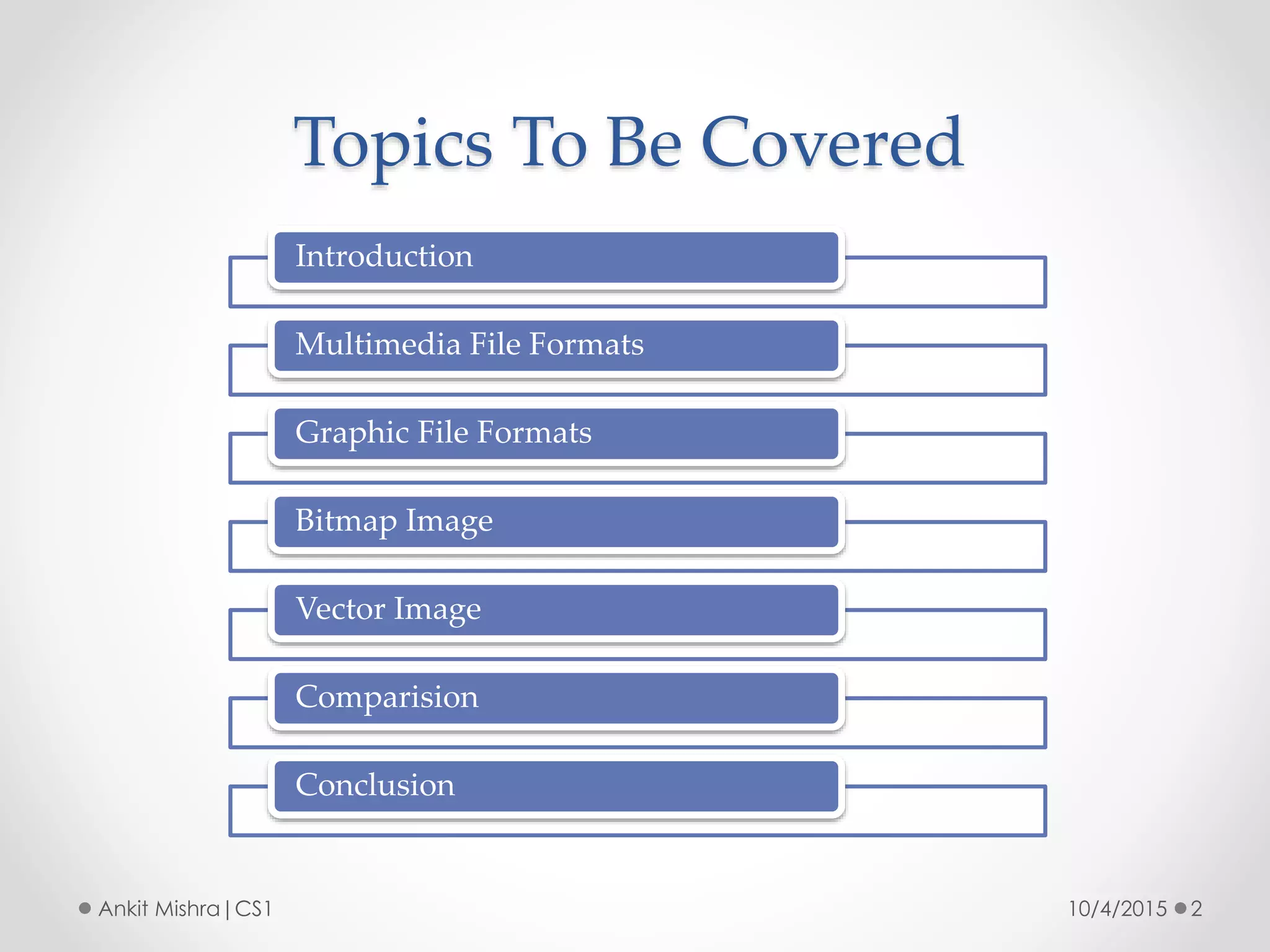
Topics To Be Covered
10/4/2015 2Ankit Mishra|CS1
Introduction
Multimedia File Formats
Graphic File Formats
Bitmap Image
Vector Image
Comparision
Conclusion
Introduction
10/4/2015 3Ankit Mishra|CS1
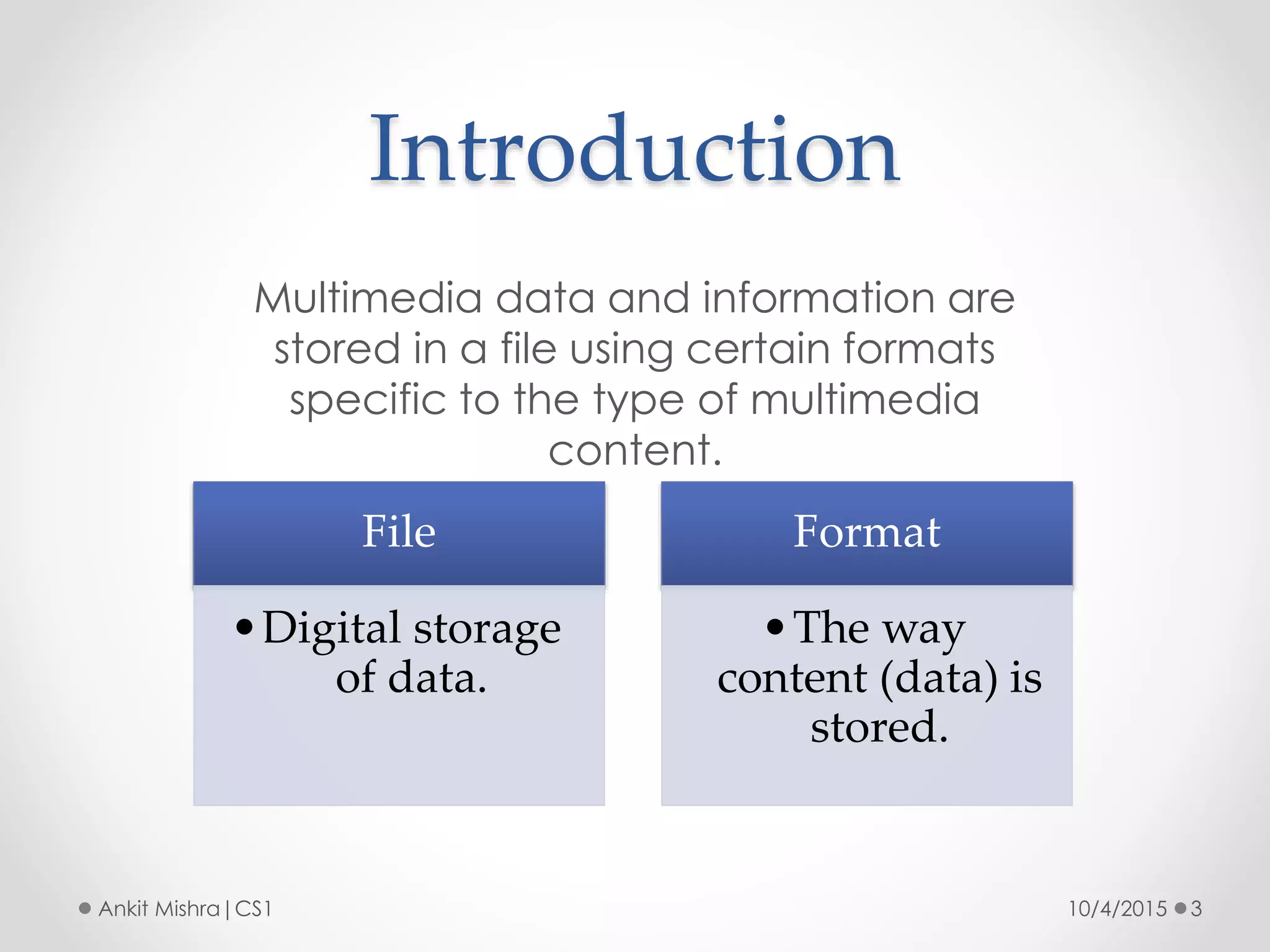
Multimedia data and information are
stored in a file using certain formats
specific to the type of multimedia
content.
File
•Digital storage
of data.
Format
•The way
content (data) is
stored.
Multimedia File Formats
10/4/2015 4Ankit Mishra|CS1
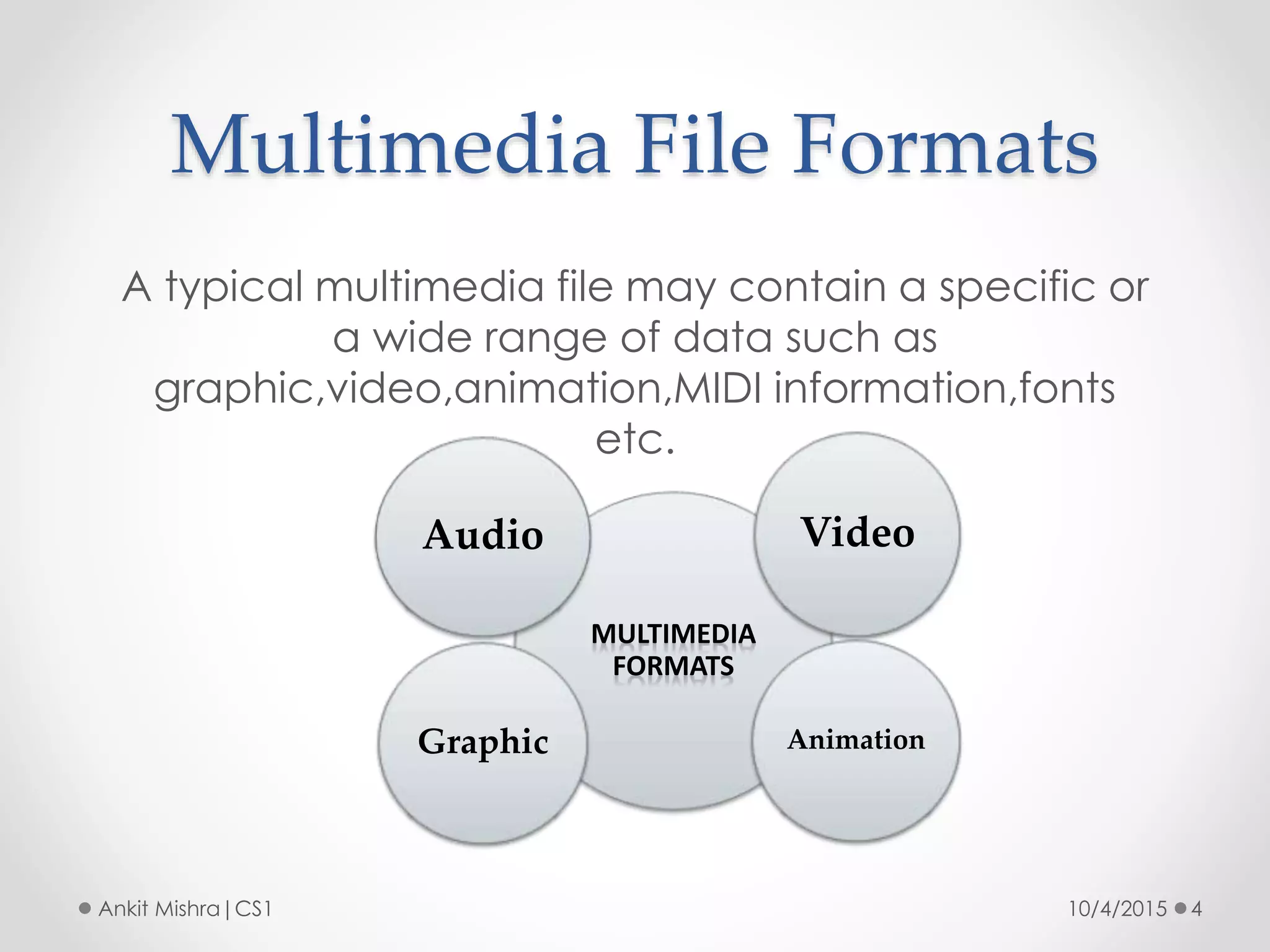
A typical multimedia file may contain a specific or
a wide range of data such as
graphic,video,animation,MIDI information,fonts
etc.
MULTIMEDIA
FORMATS
Video
AnimationGraphic
Audio
Graphic File Formats
10/4/2015 5Ankit Mishra|CS1
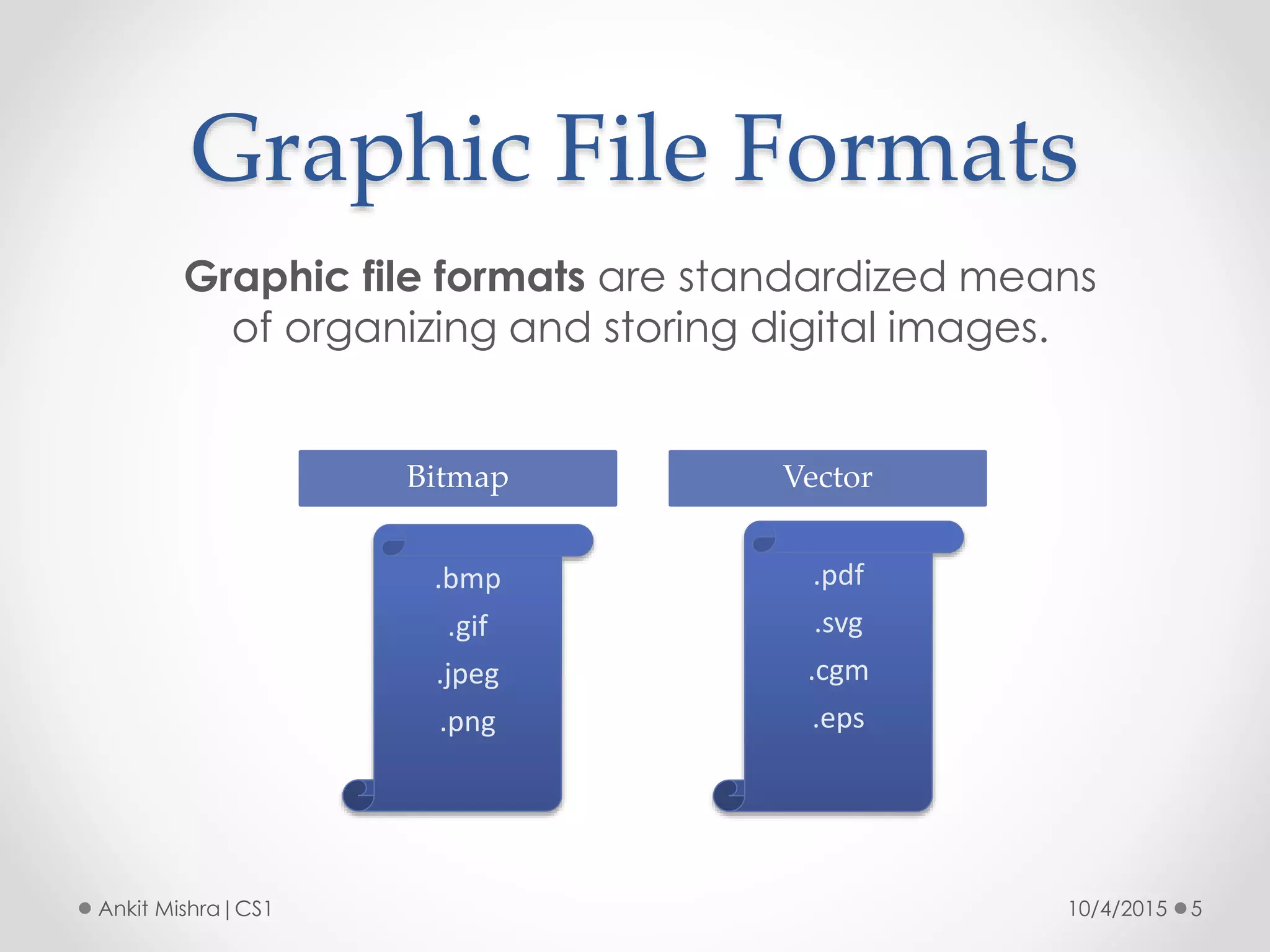
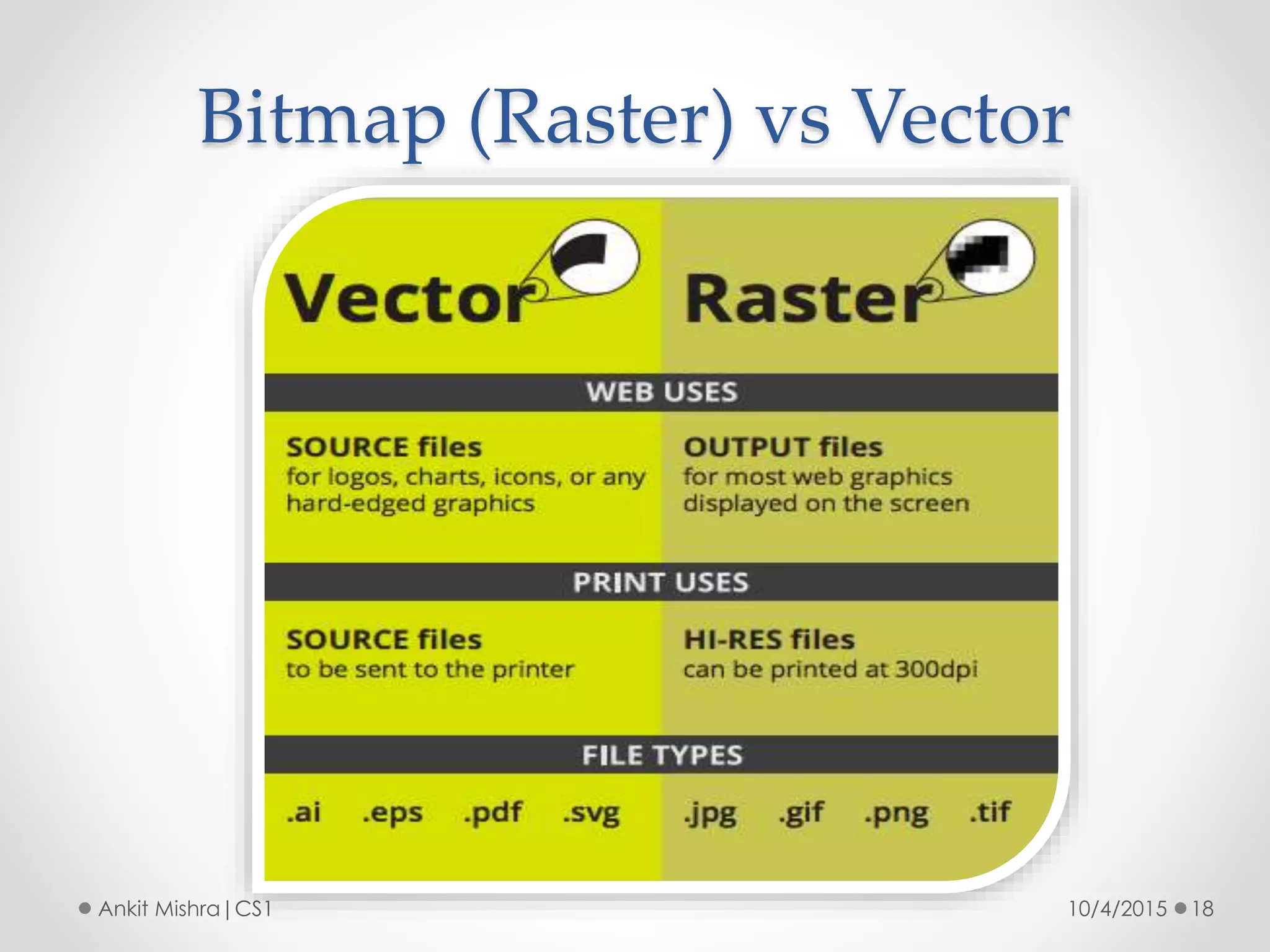
Graphic file formats are standardized means
of organizing and storing digital images.
.bmp
.gif
.jpeg
.png
Bitmap
.pdf
.svg
.cgm
.eps
Vector
Image Resolution
10/4/2015 6Ankit Mishra|CS1
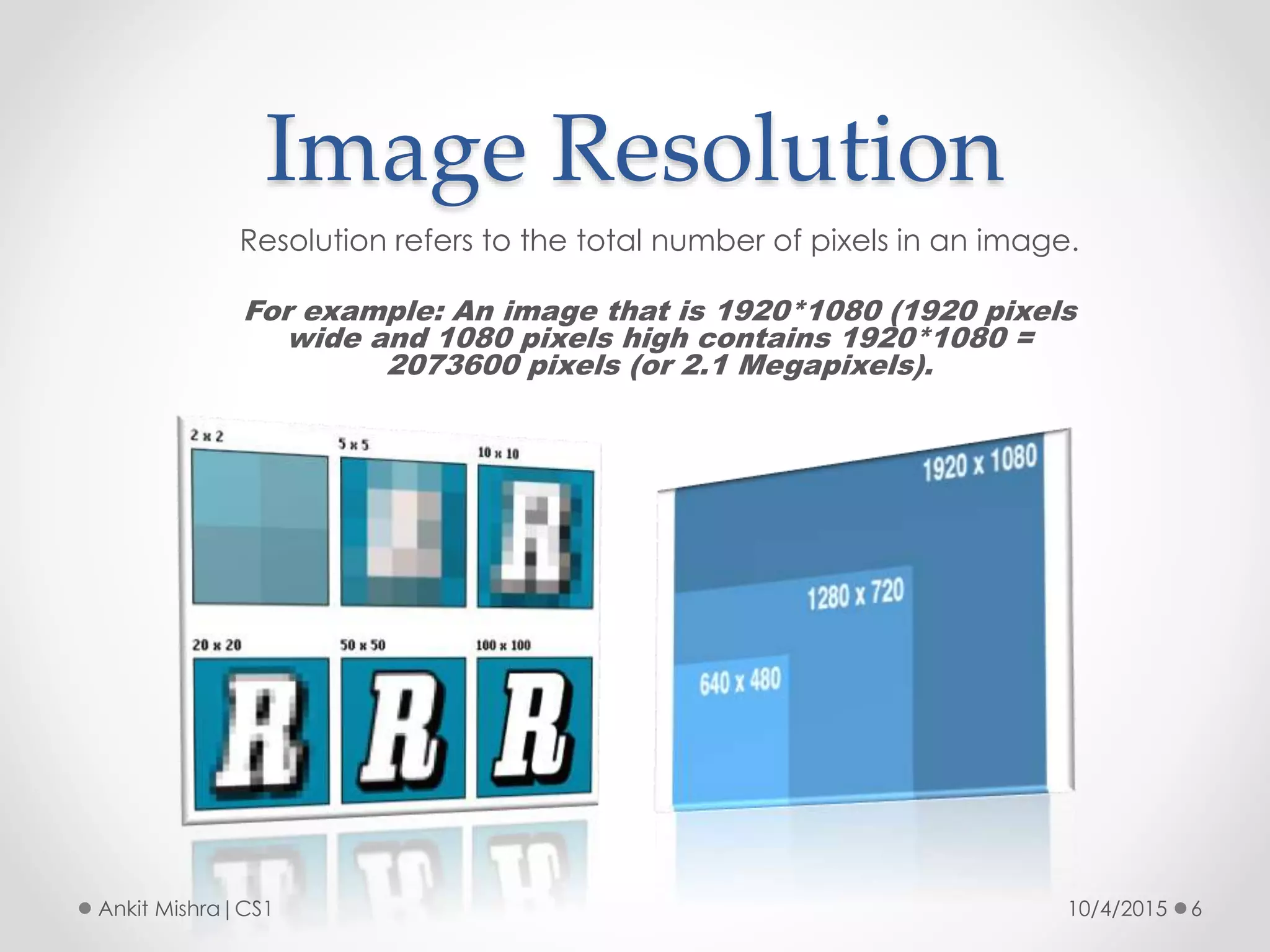
Resolution refers to the total number of pixels in an image.
For example: An image that is 1920*1080 (1920 pixels
wide and 1080 pixels high contains 1920*1080 =
2073600 pixels (or 2.1 Megapixels).
Bitmap Image
10/4/2015 7Ankit Mishra|CS1
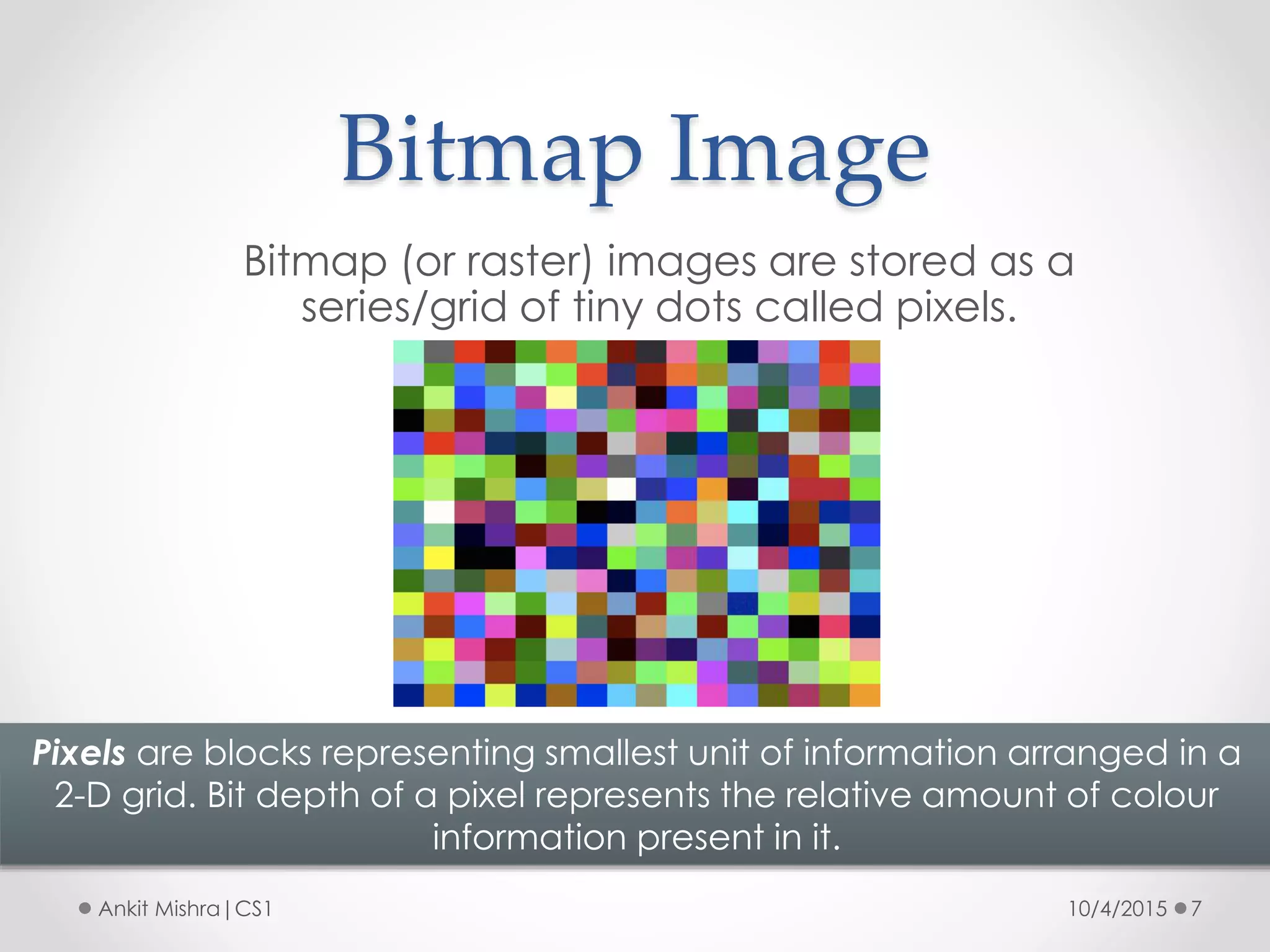
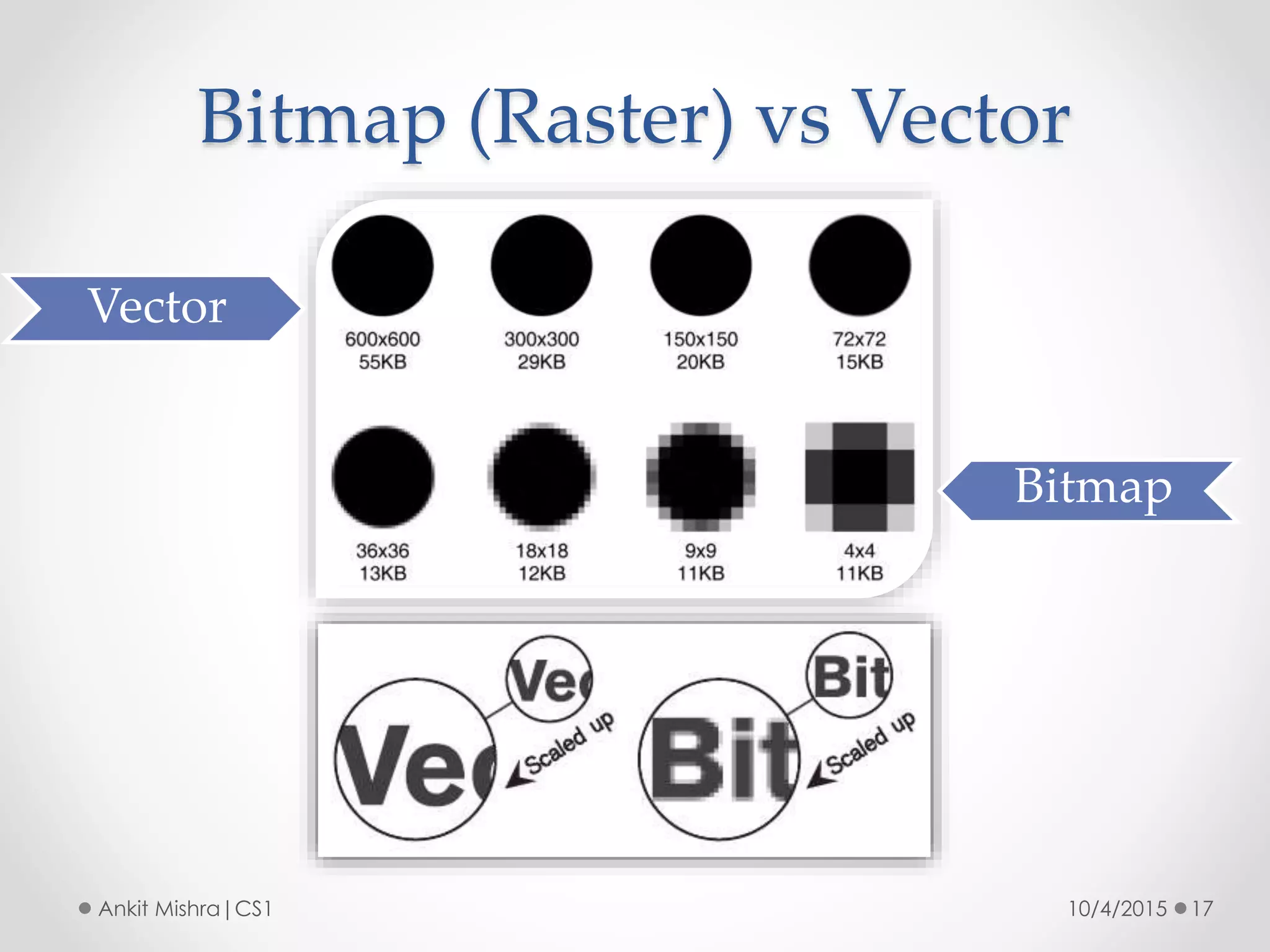
Bitmap (or raster) images are stored as a
series/grid of tiny dots called pixels.
Pixels are blocks representing smallest unit of information arranged in a
2-D grid. Bit depth of a pixel represents the relative amount of colour
information present in it.
Bitmap Image Format
10/4/2015 8Ankit Mishra|CS1
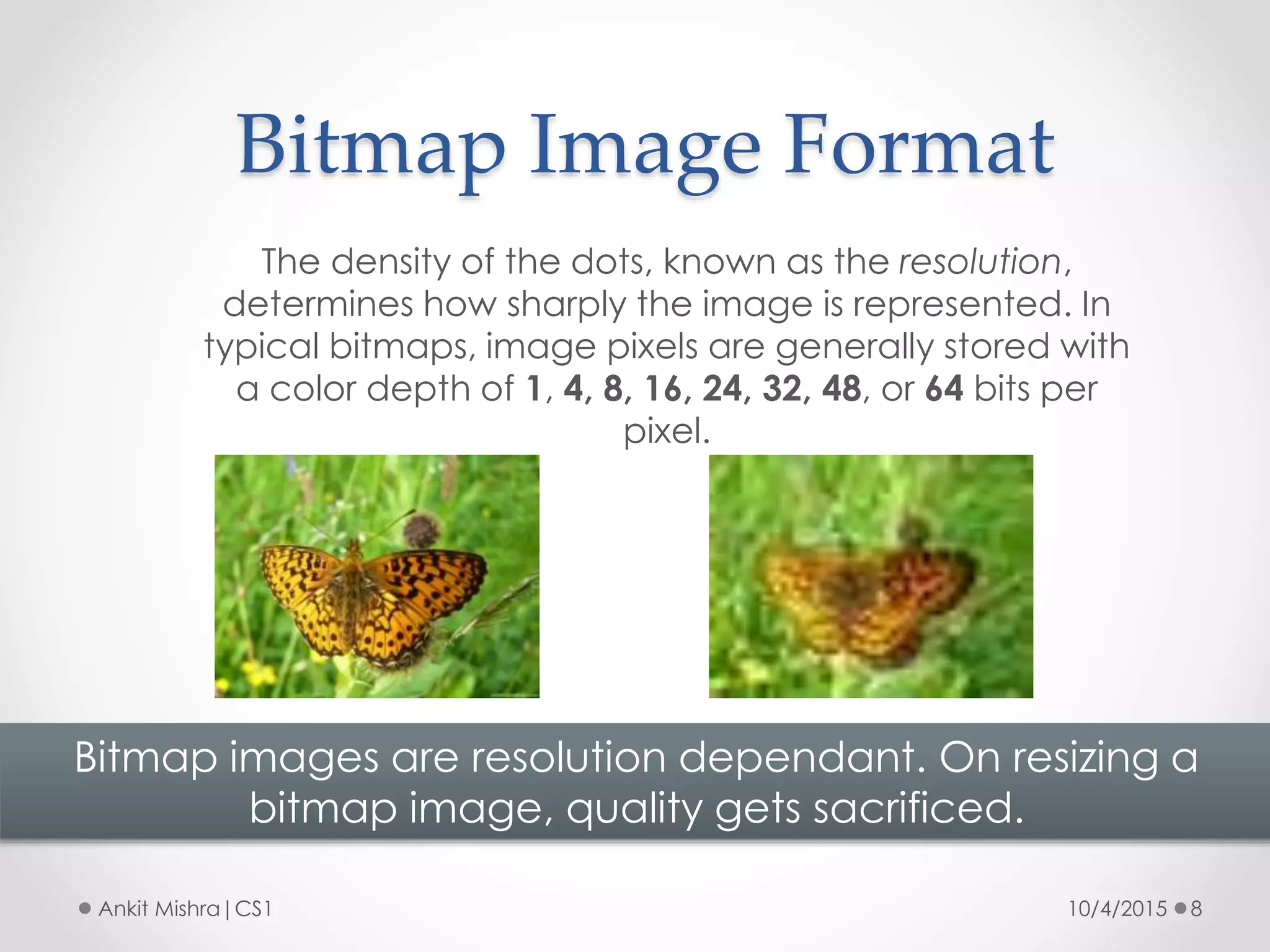
The density of the dots, known as the resolution,
determines how sharply the image is represented. In
typical bitmaps, image pixels are generally stored with
a color depth of 1, 4, 8, 16, 24, 32, 48, or 64 bits per
pixel.
Bitmap images are resolution dependant. On resizing a
bitmap image, quality gets sacrificed.
Representing Images In Bitmap
10/4/2015 9Ankit Mishra|CS1
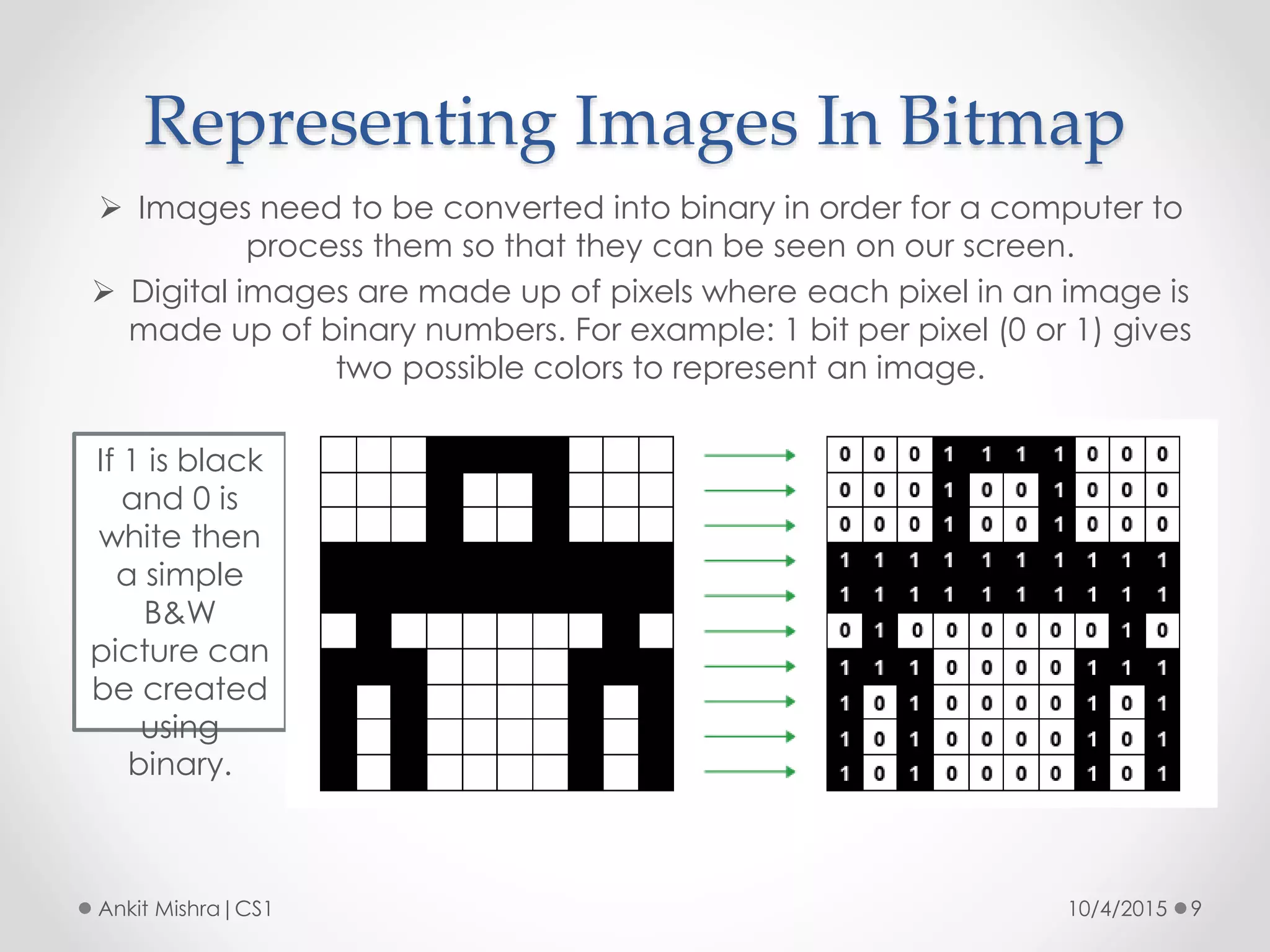
 Images need to be converted into binary in order for a computer to
process them so that they can be seen on our screen.
 Digital images are made up of pixels where each pixel in an image is
made up of binary numbers. For example: 1 bit per pixel (0 or 1) gives
two possible colors to represent an image.
If 1 is black
and 0 is
white then
a simple
B&W
picture can
be created
using
binary.
Representing Images In Bitmap
10/4/2015 10Ankit Mishra|CS1
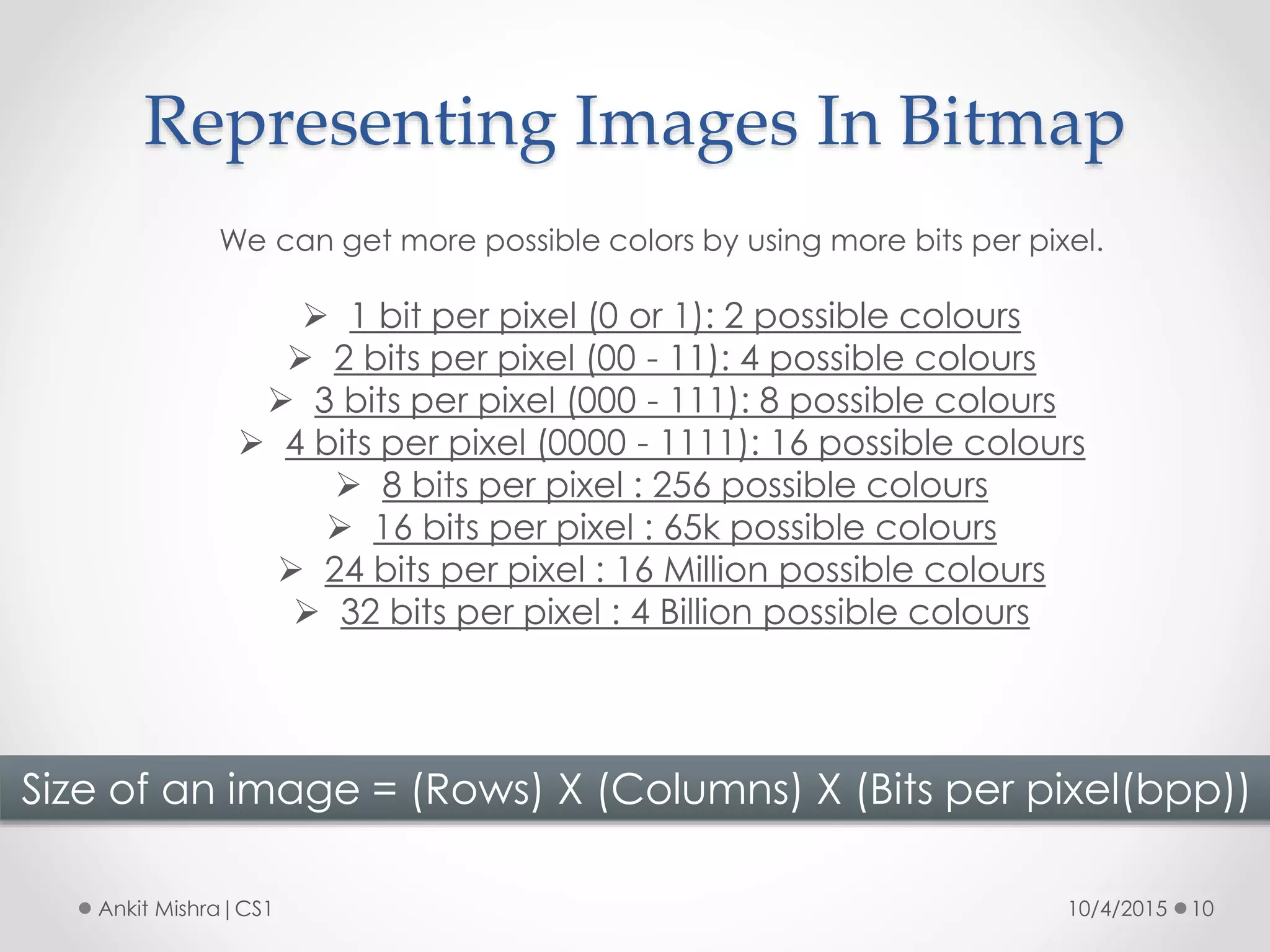
We can get more possible colors by using more bits per pixel.
 1 bit per pixel (0 or 1): 2 possible colours
 2 bits per pixel (00 - 11): 4 possible colours
 3 bits per pixel (000 - 111): 8 possible colours
 4 bits per pixel (0000 - 1111): 16 possible colours
 8 bits per pixel : 256 possible colours
 16 bits per pixel : 65k possible colours
 24 bits per pixel : 16 Million possible colours
 32 bits per pixel : 4 Billion possible colours
Size of an image = (Rows) X (Columns) X (Bits per pixel(bpp))
Representing Images In Bitmap
10/4/2015 11Ankit Mishra|CS1
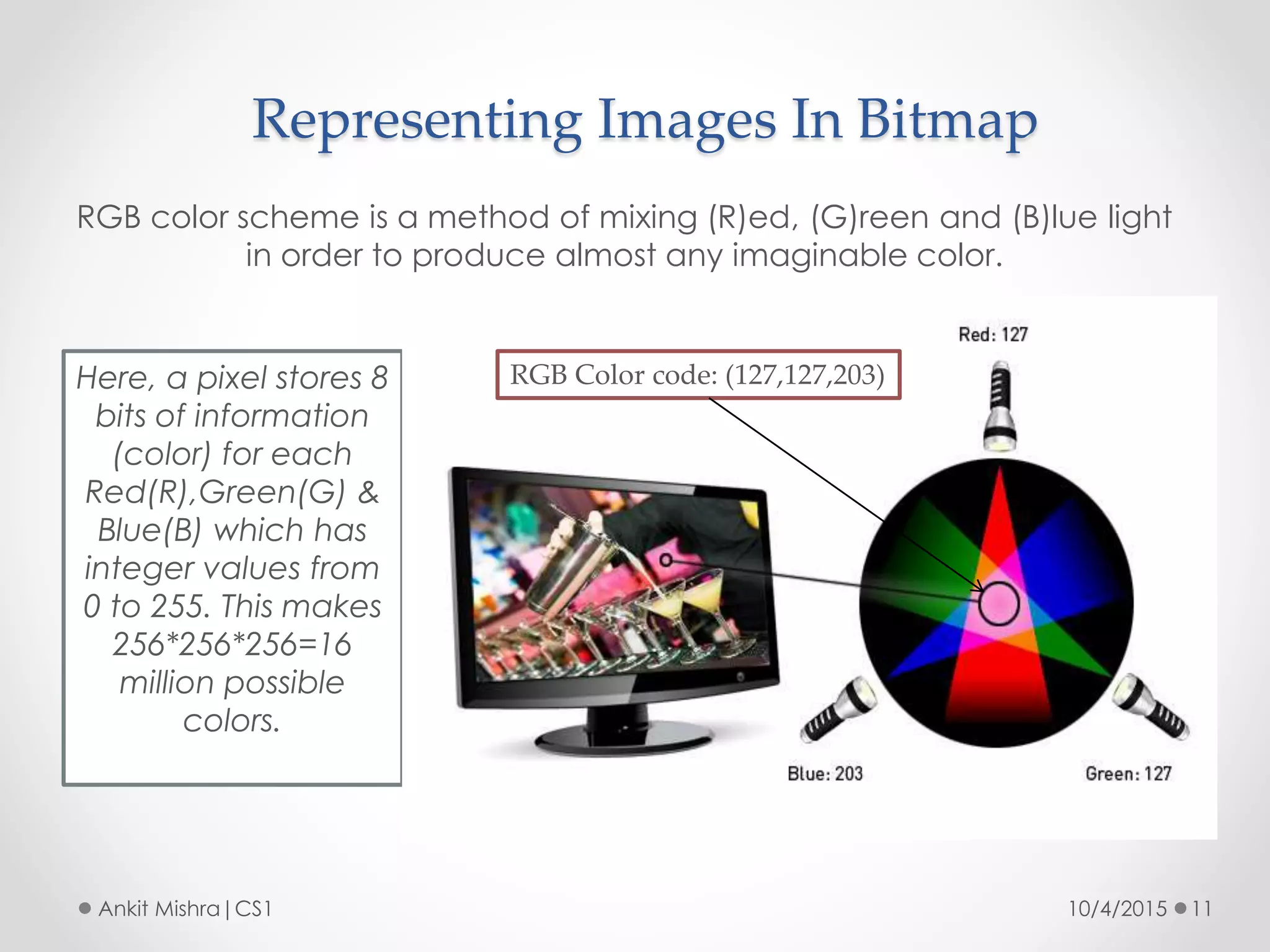
RGB color scheme is a method of mixing (R)ed, (G)reen and (B)lue light
in order to produce almost any imaginable color.
Here, a pixel stores 8
bits of information
(color) for each
Red(R),Green(G) &
Blue(B) which has
integer values from
0 to 255. This makes
256*256*256=16
million possible
colors.
RGB Color code: (127,127,203)
Representing Grayscale Image
10/4/2015 12Ankit Mishra|CS1
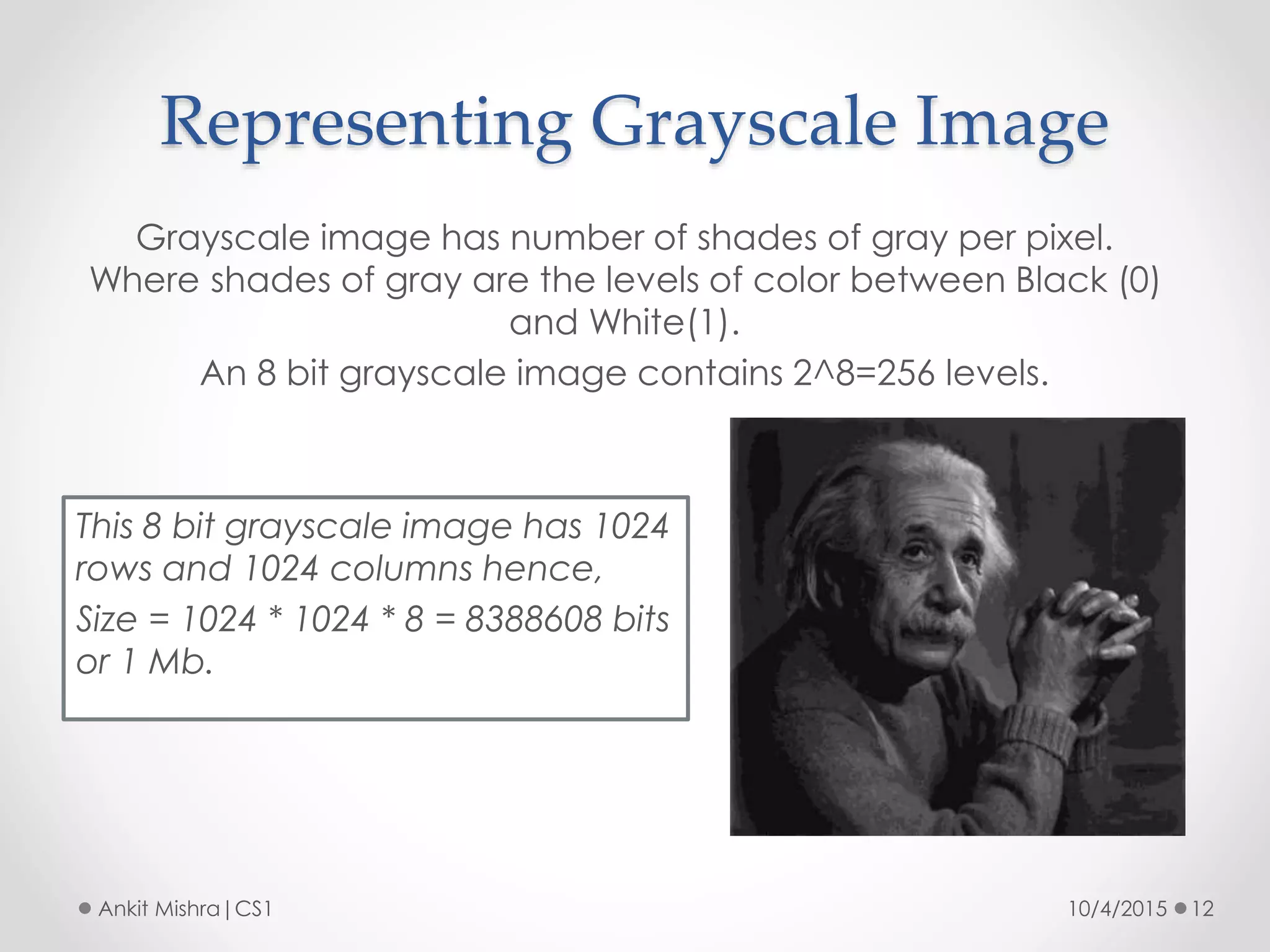
Grayscale image has number of shades of gray per pixel.
Where shades of gray are the levels of color between Black (0)
and White(1).
An 8 bit grayscale image contains 2^8=256 levels.
This 8 bit grayscale image has 1024
rows and 1024 columns hence,
Size = 1024 * 1024 * 8 = 8388608 bits
or 1 Mb.
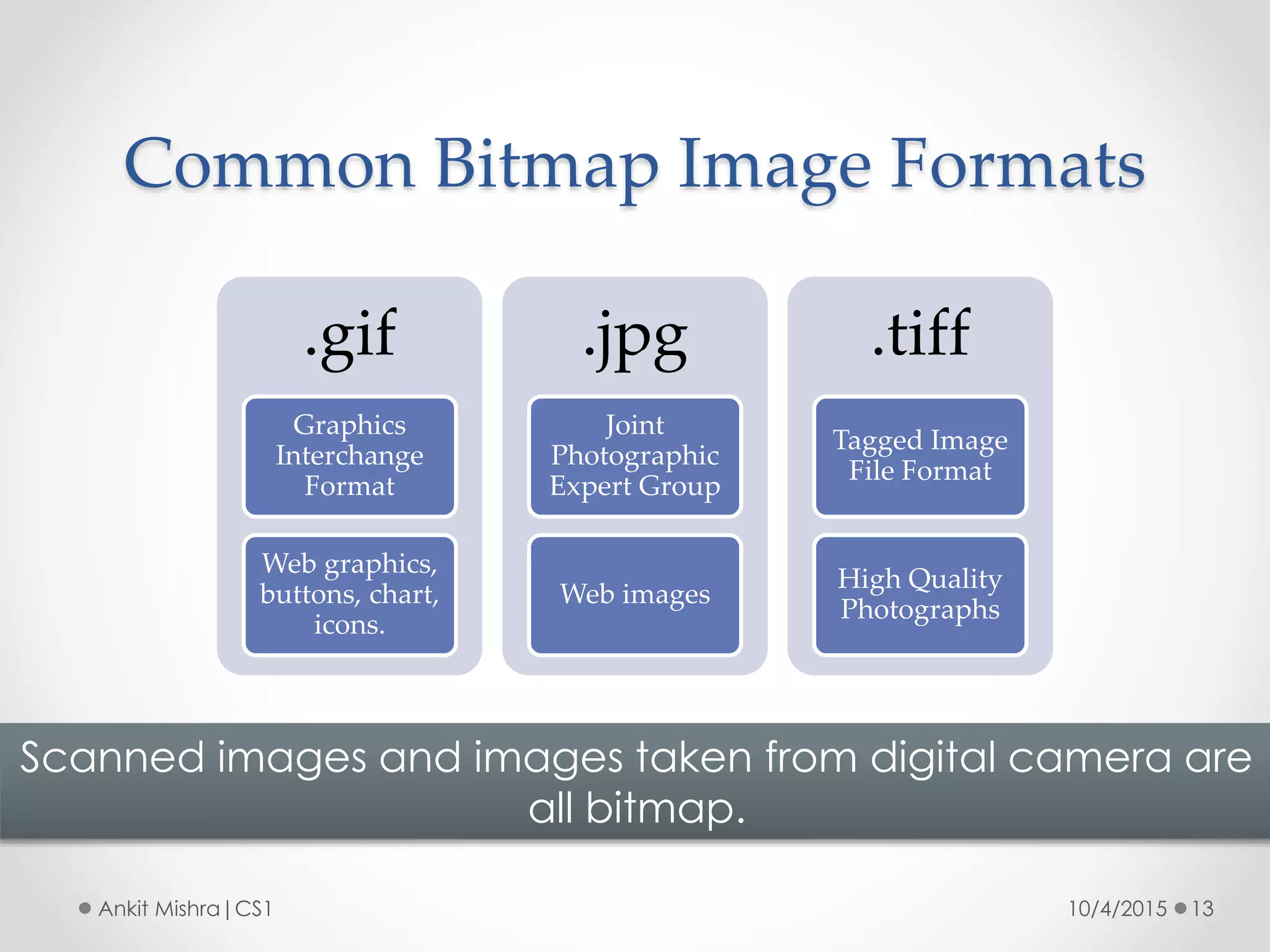
Common Bitmap Image Formats
10/4/2015 13Ankit Mishra|CS1
Scanned images and images taken from digital camera are
all bitmap.
.gif
Graphics
Interchange
Format
Web graphics,
buttons, chart,
icons.
.jpg
Joint
Photographic
Expert Group
Web images
.tiff
Tagged Image
File Format
High Quality
Photographs
Vector Image Format
10/4/2015 14Ankit Mishra|CS1
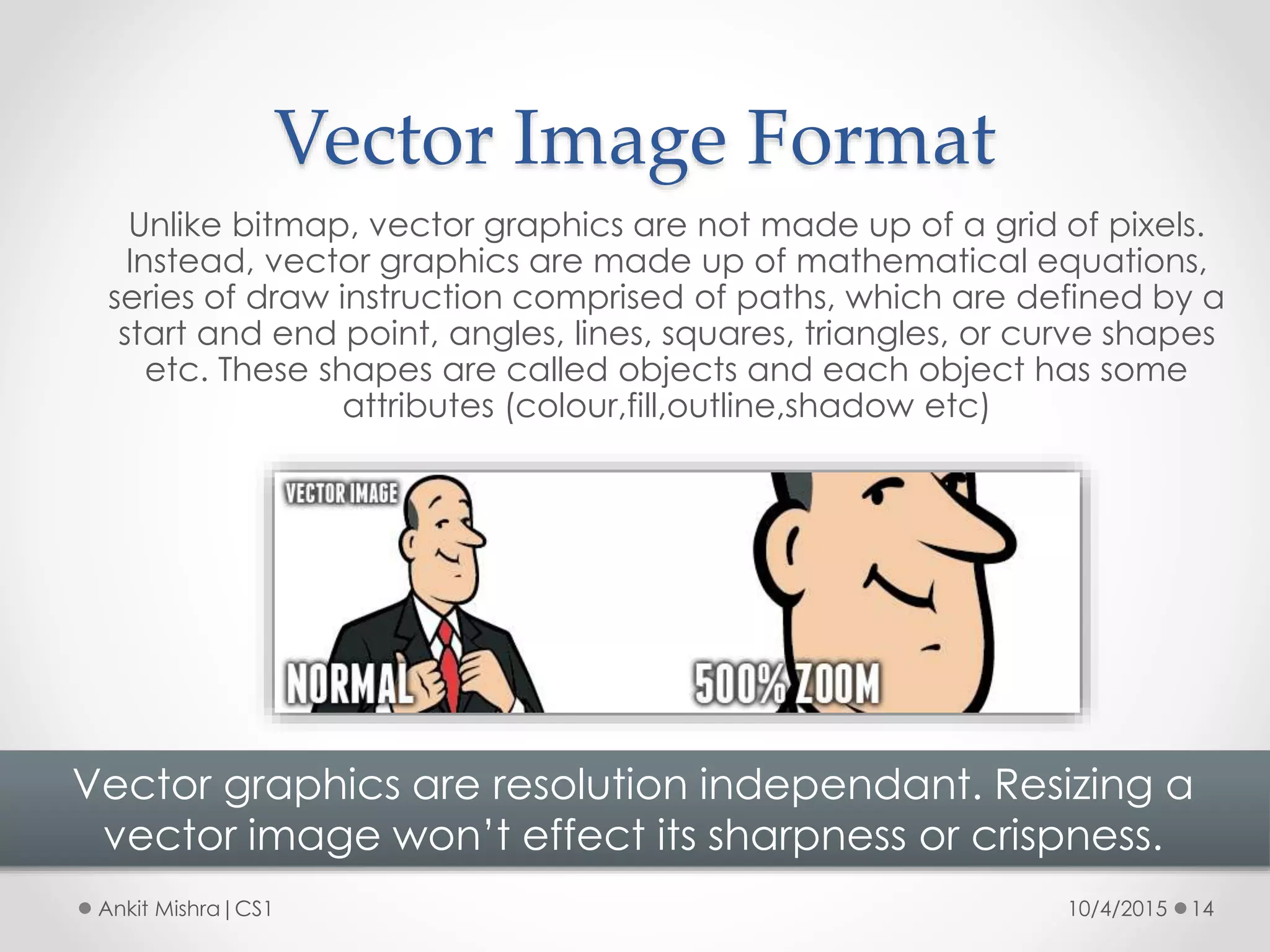
Unlike bitmap, vector graphics are not made up of a grid of pixels.
Instead, vector graphics are made up of mathematical equations,
series of draw instruction comprised of paths, which are defined by a
start and end point, angles, lines, squares, triangles, or curve shapes
etc. These shapes are called objects and each object has some
attributes (colour,fill,outline,shadow etc)
Vector graphics are resolution independant. Resizing a
vector image won’t effect its sharpness or crispness.
Vector Image Format
10/4/2015 15Ankit Mishra|CS1
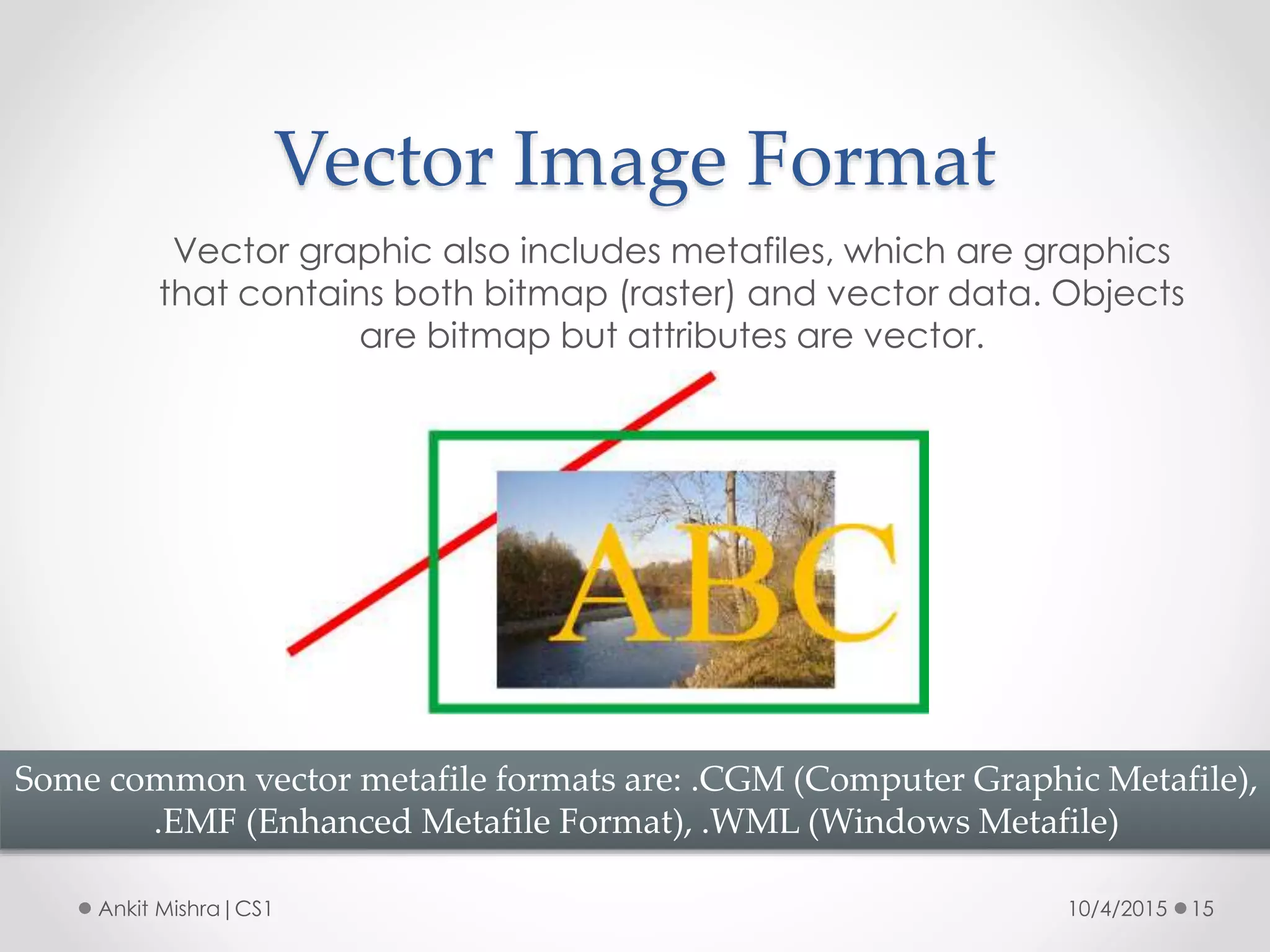
Vector graphic also includes metafiles, which are graphics
that contains both bitmap (raster) and vector data. Objects
are bitmap but attributes are vector.
Some common vector metafile formats are: .CGM (Computer Graphic Metafile),
.EMF (Enhanced Metafile Format), .WML (Windows Metafile)
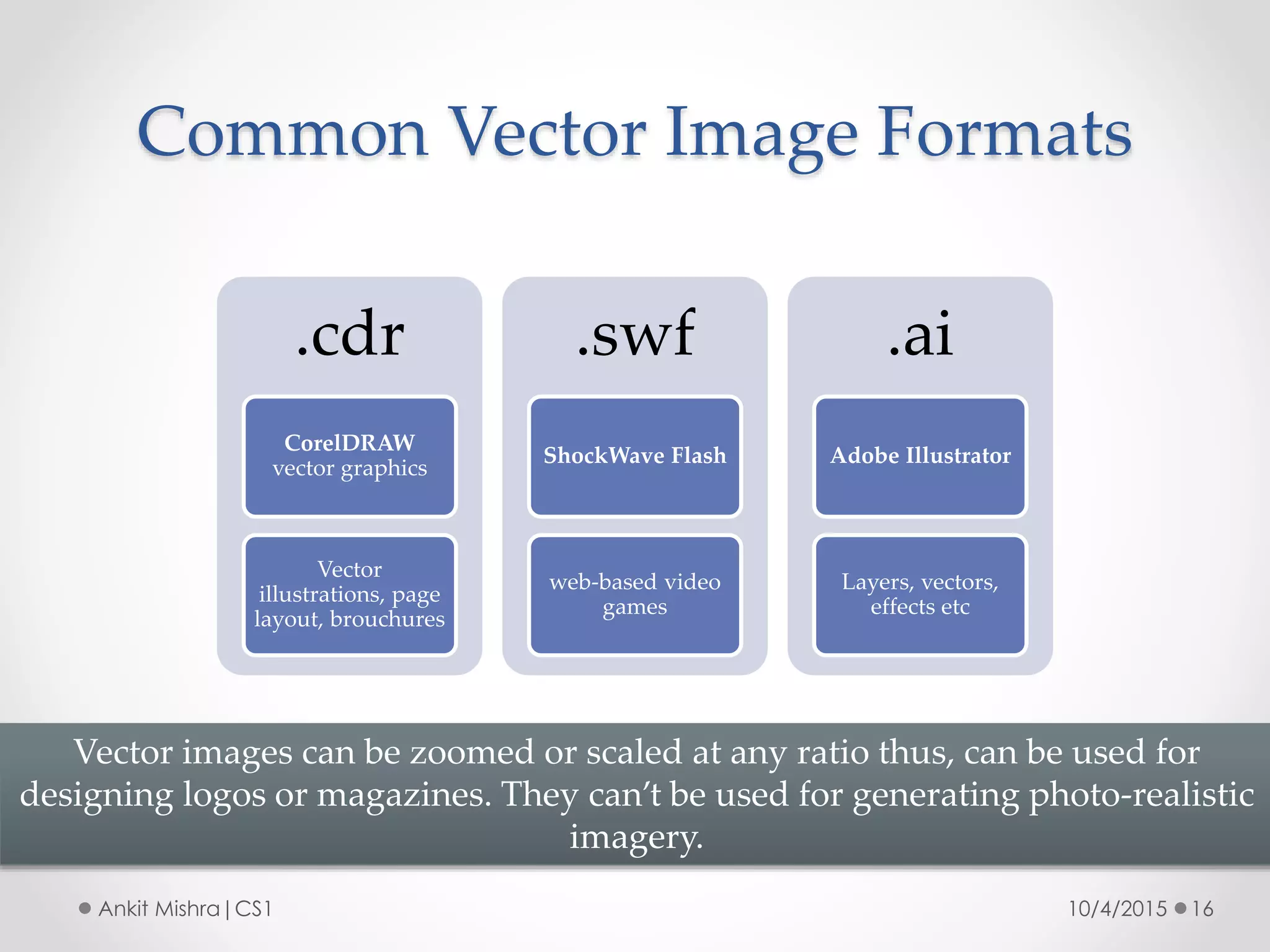
Common Vector Image Formats
10/4/2015 16Ankit Mishra|CS1
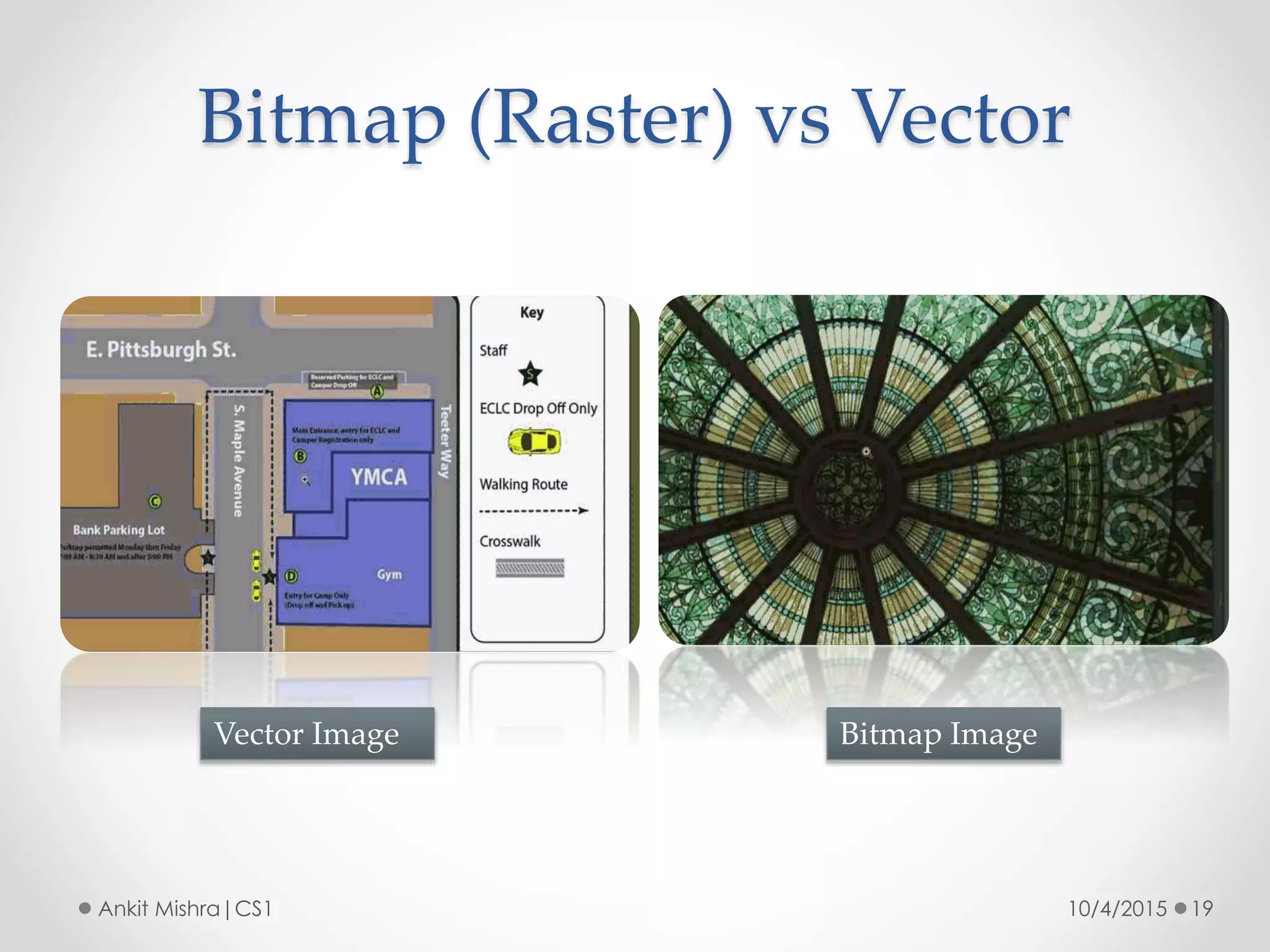
Vector images can be zoomed or scaled at any ratio thus, can be used for
designing logos or magazines. They can’t be used for generating photo-realistic
imagery.
.cdr
CorelDRAW
vector graphics
Vector
illustrations, page
layout, brouchures
.swf
ShockWave Flash
web-based video
games
.ai
Adobe Illustrator
Layers, vectors,
effects etc
Bitmap (Raster) vs Vector
10/4/2015 17Ankit Mishra|CS1
Vector
Bitmap
Bitmap (Raster) vs Vector
10/4/2015 18Ankit Mishra|CS1
Bitmap (Raster) vs Vector
10/4/2015 19Ankit Mishra|CS1
Bitmap ImageVector Image
Conclusion
10/4/2015 20Ankit Mishra|CS1
• The choice to use bitmap or vector depends on the
design itself.
• If it's going to have photographic elements with
continuous tones and blends of color, one should use
bitmap editing programs like Photoshop.
• And if considering final design to look like an illustration
with clear contrasts between objects & shapes, then use
a vector program like adobe illustrator.

Basic Introduction To Graphic File Formats

  • 1.
    Graphic File Formats Basic Introduction 10/4/20151Ankit Mishra|CS1 Fb.com/djankit007
  • 2.
    Topics To BeCovered 10/4/2015 2Ankit Mishra|CS1 Introduction Multimedia File Formats Graphic File Formats Bitmap Image Vector Image Comparision Conclusion
  • 3.
    Introduction 10/4/2015 3Ankit Mishra|CS1 Multimediadata and information are stored in a file using certain formats specific to the type of multimedia content. File •Digital storage of data. Format •The way content (data) is stored.
  • 4.
    Multimedia File Formats 10/4/20154Ankit Mishra|CS1 A typical multimedia file may contain a specific or a wide range of data such as graphic,video,animation,MIDI information,fonts etc. MULTIMEDIA FORMATS Video AnimationGraphic Audio
  • 5.
    Graphic File Formats 10/4/20155Ankit Mishra|CS1 Graphic file formats are standardized means of organizing and storing digital images. .bmp .gif .jpeg .png Bitmap .pdf .svg .cgm .eps Vector
  • 6.
    Image Resolution 10/4/2015 6AnkitMishra|CS1 Resolution refers to the total number of pixels in an image. For example: An image that is 1920*1080 (1920 pixels wide and 1080 pixels high contains 1920*1080 = 2073600 pixels (or 2.1 Megapixels).
  • 7.
    Bitmap Image 10/4/2015 7AnkitMishra|CS1 Bitmap (or raster) images are stored as a series/grid of tiny dots called pixels. Pixels are blocks representing smallest unit of information arranged in a 2-D grid. Bit depth of a pixel represents the relative amount of colour information present in it.
  • 8.
    Bitmap Image Format 10/4/20158Ankit Mishra|CS1 The density of the dots, known as the resolution, determines how sharply the image is represented. In typical bitmaps, image pixels are generally stored with a color depth of 1, 4, 8, 16, 24, 32, 48, or 64 bits per pixel. Bitmap images are resolution dependant. On resizing a bitmap image, quality gets sacrificed.
  • 9.
    Representing Images InBitmap 10/4/2015 9Ankit Mishra|CS1  Images need to be converted into binary in order for a computer to process them so that they can be seen on our screen.  Digital images are made up of pixels where each pixel in an image is made up of binary numbers. For example: 1 bit per pixel (0 or 1) gives two possible colors to represent an image. If 1 is black and 0 is white then a simple B&W picture can be created using binary.
  • 10.
    Representing Images InBitmap 10/4/2015 10Ankit Mishra|CS1 We can get more possible colors by using more bits per pixel.  1 bit per pixel (0 or 1): 2 possible colours  2 bits per pixel (00 - 11): 4 possible colours  3 bits per pixel (000 - 111): 8 possible colours  4 bits per pixel (0000 - 1111): 16 possible colours  8 bits per pixel : 256 possible colours  16 bits per pixel : 65k possible colours  24 bits per pixel : 16 Million possible colours  32 bits per pixel : 4 Billion possible colours Size of an image = (Rows) X (Columns) X (Bits per pixel(bpp))
  • 11.
    Representing Images InBitmap 10/4/2015 11Ankit Mishra|CS1 RGB color scheme is a method of mixing (R)ed, (G)reen and (B)lue light in order to produce almost any imaginable color. Here, a pixel stores 8 bits of information (color) for each Red(R),Green(G) & Blue(B) which has integer values from 0 to 255. This makes 256*256*256=16 million possible colors. RGB Color code: (127,127,203)
  • 12.
    Representing Grayscale Image 10/4/201512Ankit Mishra|CS1 Grayscale image has number of shades of gray per pixel. Where shades of gray are the levels of color between Black (0) and White(1). An 8 bit grayscale image contains 2^8=256 levels. This 8 bit grayscale image has 1024 rows and 1024 columns hence, Size = 1024 * 1024 * 8 = 8388608 bits or 1 Mb.
  • 13.
    Common Bitmap ImageFormats 10/4/2015 13Ankit Mishra|CS1 Scanned images and images taken from digital camera are all bitmap. .gif Graphics Interchange Format Web graphics, buttons, chart, icons. .jpg Joint Photographic Expert Group Web images .tiff Tagged Image File Format High Quality Photographs
  • 14.
    Vector Image Format 10/4/201514Ankit Mishra|CS1 Unlike bitmap, vector graphics are not made up of a grid of pixels. Instead, vector graphics are made up of mathematical equations, series of draw instruction comprised of paths, which are defined by a start and end point, angles, lines, squares, triangles, or curve shapes etc. These shapes are called objects and each object has some attributes (colour,fill,outline,shadow etc) Vector graphics are resolution independant. Resizing a vector image won’t effect its sharpness or crispness.
  • 15.
    Vector Image Format 10/4/201515Ankit Mishra|CS1 Vector graphic also includes metafiles, which are graphics that contains both bitmap (raster) and vector data. Objects are bitmap but attributes are vector. Some common vector metafile formats are: .CGM (Computer Graphic Metafile), .EMF (Enhanced Metafile Format), .WML (Windows Metafile)
  • 16.
    Common Vector ImageFormats 10/4/2015 16Ankit Mishra|CS1 Vector images can be zoomed or scaled at any ratio thus, can be used for designing logos or magazines. They can’t be used for generating photo-realistic imagery. .cdr CorelDRAW vector graphics Vector illustrations, page layout, brouchures .swf ShockWave Flash web-based video games .ai Adobe Illustrator Layers, vectors, effects etc
  • 17.
    Bitmap (Raster) vsVector 10/4/2015 17Ankit Mishra|CS1 Vector Bitmap
  • 18.
    Bitmap (Raster) vsVector 10/4/2015 18Ankit Mishra|CS1
  • 19.
    Bitmap (Raster) vsVector 10/4/2015 19Ankit Mishra|CS1 Bitmap ImageVector Image
  • 20.
    Conclusion 10/4/2015 20Ankit Mishra|CS1 •The choice to use bitmap or vector depends on the design itself. • If it's going to have photographic elements with continuous tones and blends of color, one should use bitmap editing programs like Photoshop. • And if considering final design to look like an illustration with clear contrasts between objects & shapes, then use a vector program like adobe illustrator.