COMPUTER SYSTEM ORGANISATION Presentation Made By: Ms. Archika Bhatia
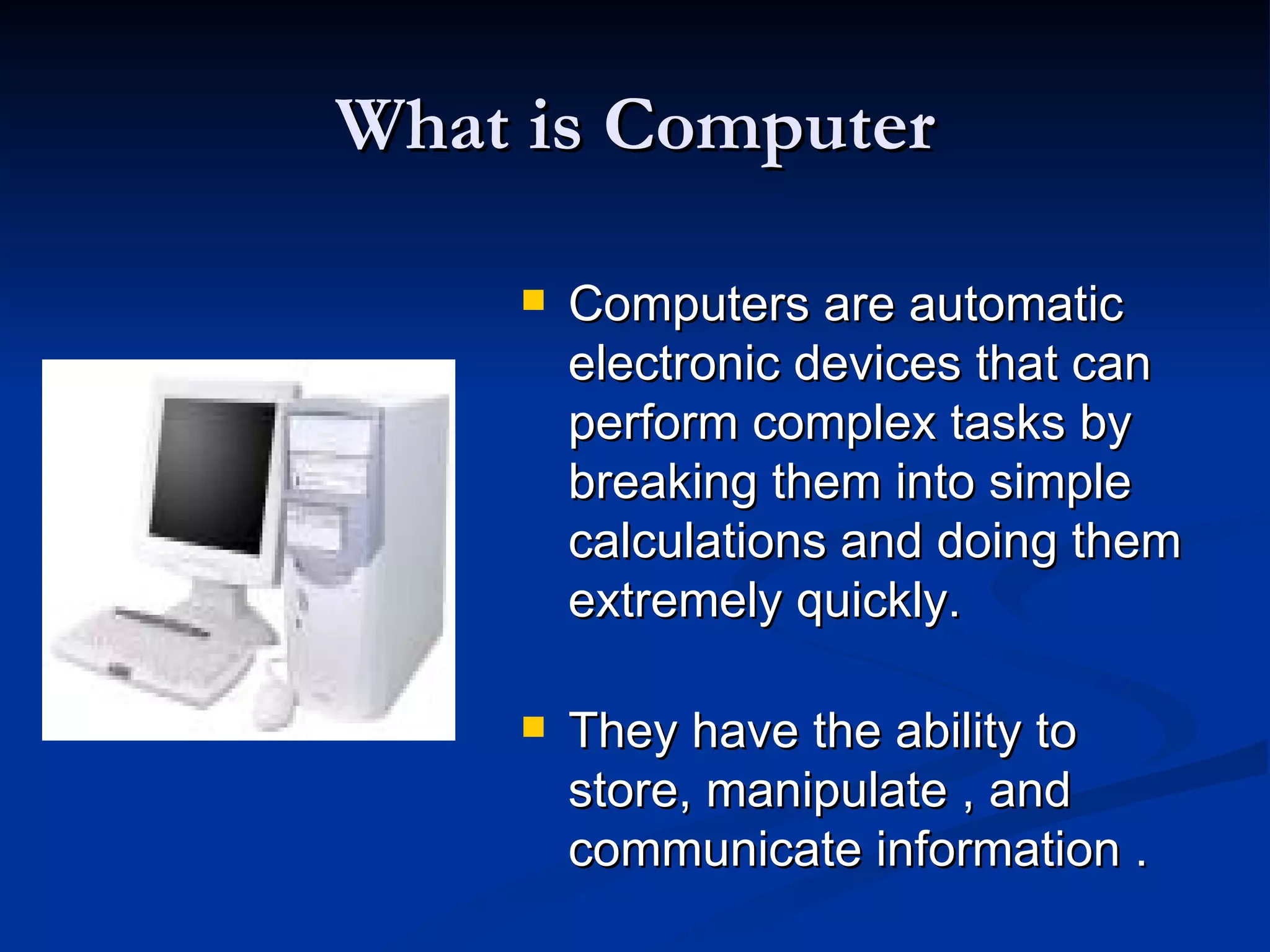
What is Computer Computers are automatic electronic devices that can perform complex tasks by breaking them into simple  calculations and doing them extremely quickly. They have the ability to store, manipulate , and communicate information .
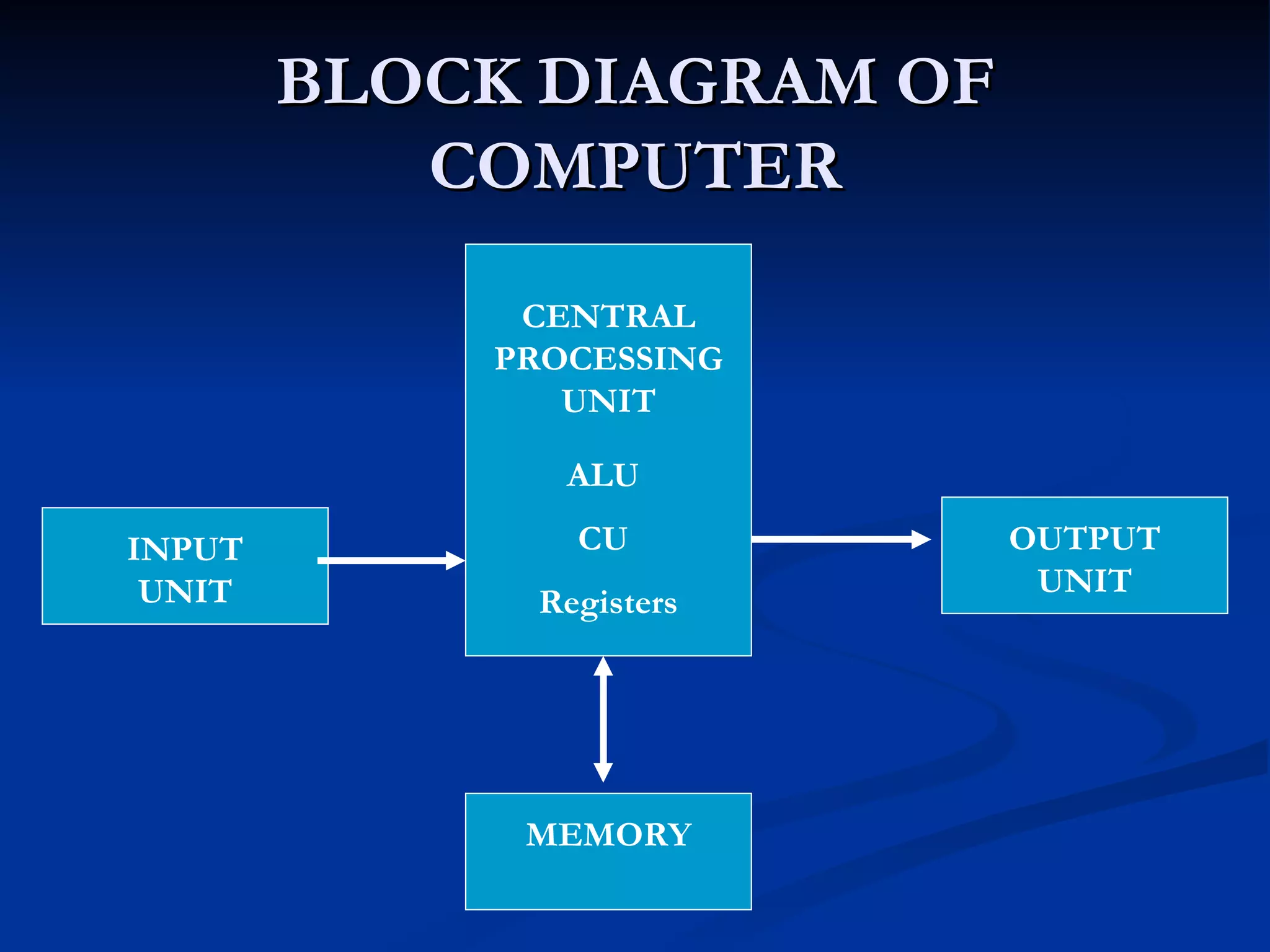
BLOCK DIAGRAM OF COMPUTER INPUT UNIT OUTPUT UNIT MEMORY CENTRAL PROCESSING UNIT ALU CU Registers
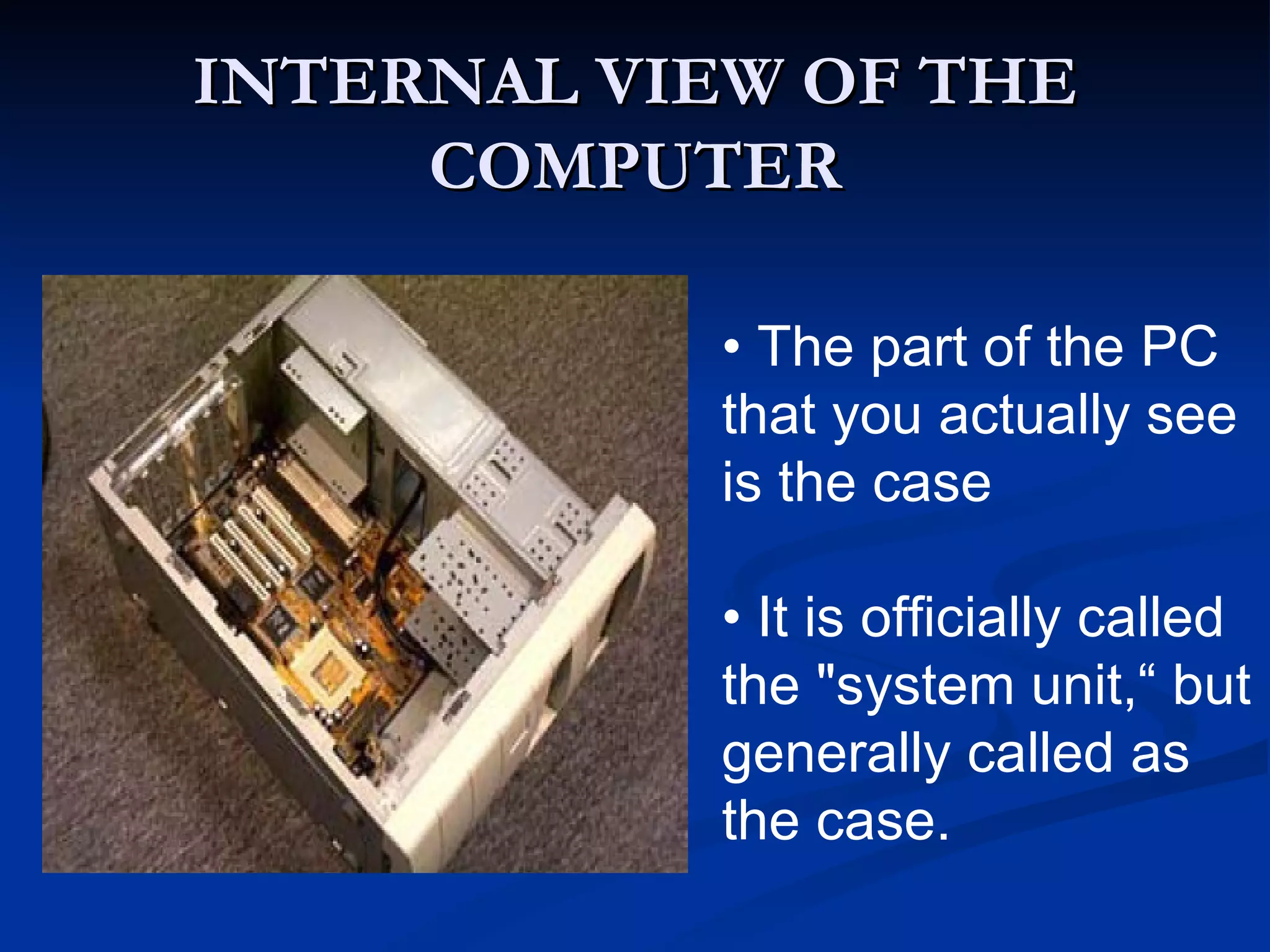
INTERNAL VIEW OF THE COMPUTER •  The part of the PC that you actually see is the case •  It is officially called the "system unit,“ but generally called as the case.
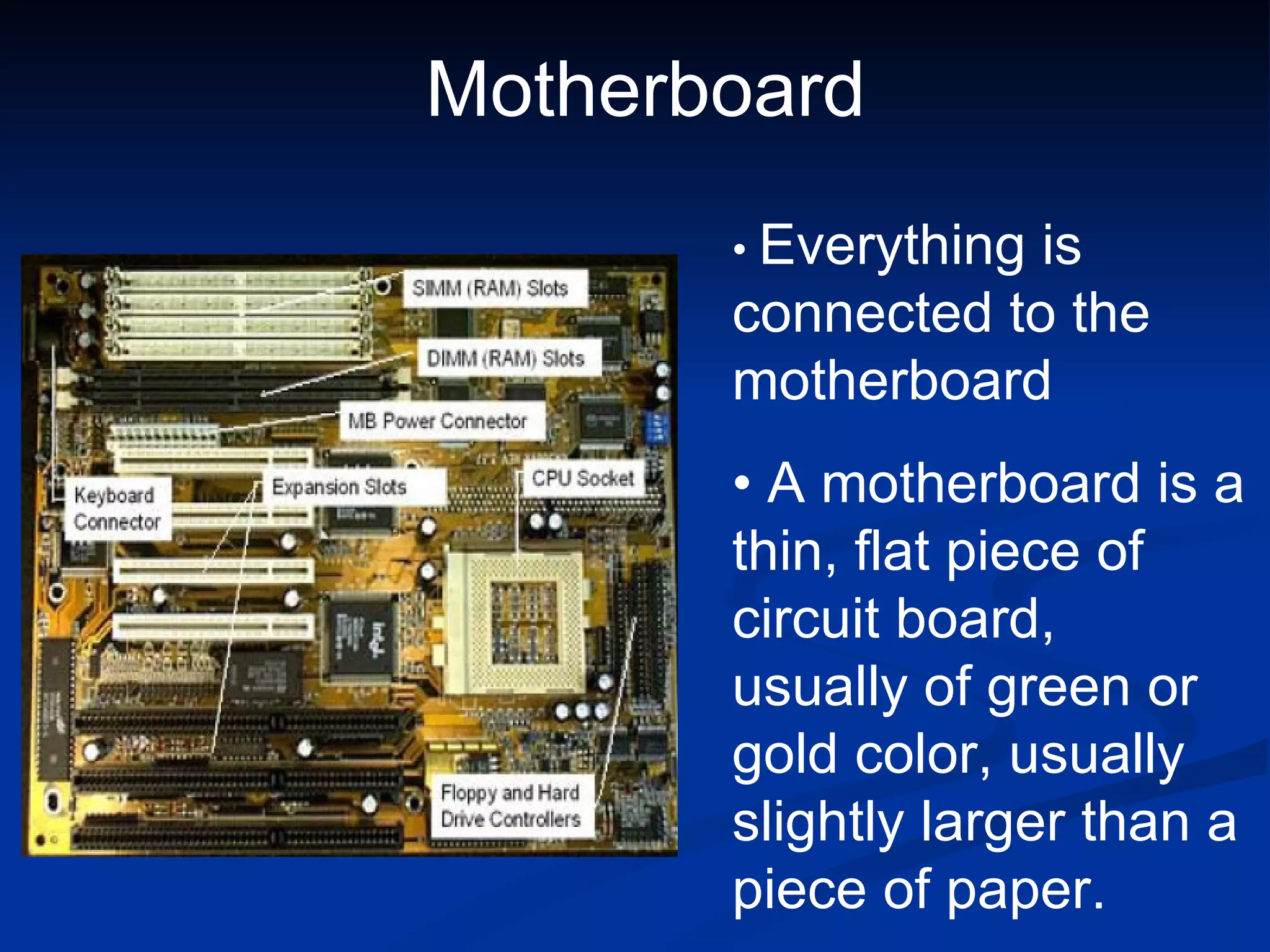
•   Everything is connected to the motherboard •  A motherboard is a thin, flat piece of circuit board, usually of green or gold color, usually slightly larger than a piece of paper. Motherboard
INPUT UNIT Accepts data from the outside world Converts data into the computer understandable form i.e. Binary form Example of Input devices: Keyboard, Mouse, Microphone, etc.
OUTPUT UNIT Produces the output in user readable form. Example of input devices: Monitor, Printer, Speakers, Plotter
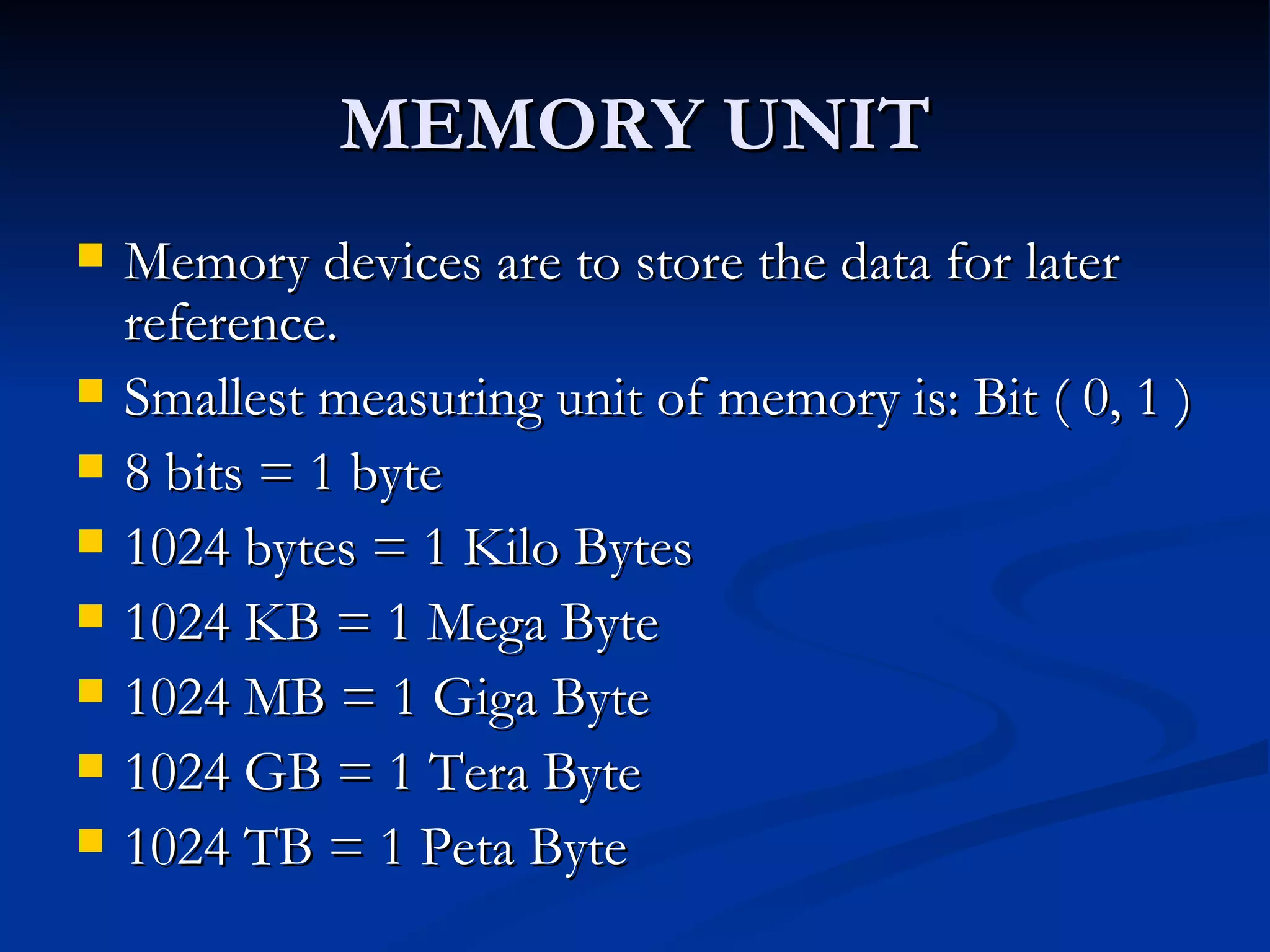
MEMORY UNIT Memory devices are to store the data for later reference. Smallest measuring unit of memory is: Bit ( 0, 1 ) 8 bits = 1 byte 1024 bytes = 1 Kilo Bytes 1024 KB = 1 Mega Byte 1024 MB = 1 Giga Byte 1024 GB = 1 Tera Byte 1024 TB = 1 Peta Byte
CLASSIFICATION OF MEMORY Broadly classified into two :  Primary Memory ( Main Memory ) Secondary Memory Primary memory  is the memory internal to the computer. i.e. the memory generally placed on the Mother board of the computer. Secondary memory  is the memory external to the computer. Generally for large storage of data Generally for permanent storage of data
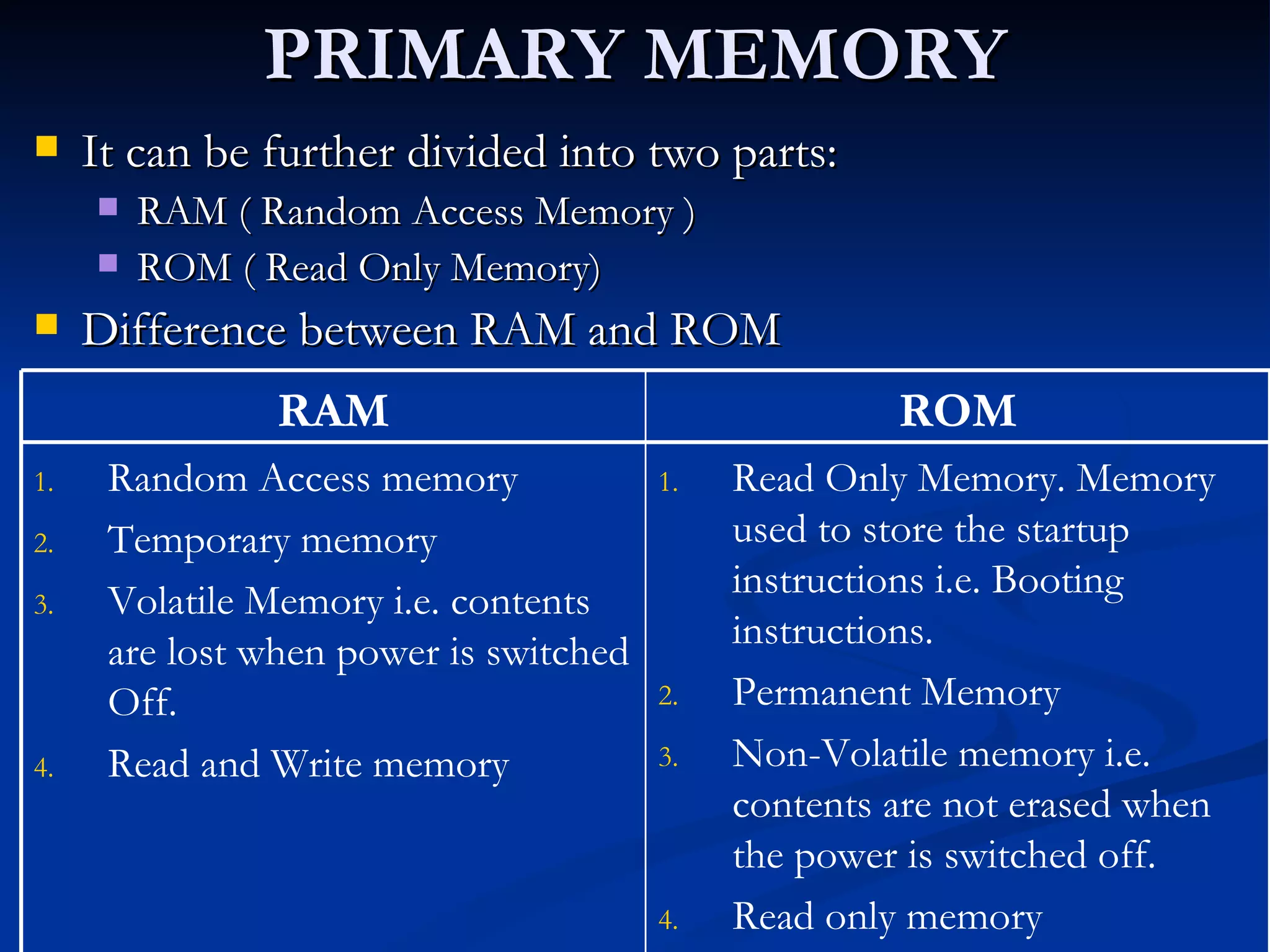
PRIMARY MEMORY It can be further divided into two parts: RAM ( Random Access Memory ) ROM ( Read Only Memory) Difference between RAM and ROM Read Only Memory. Memory used to store the startup instructions i.e. Booting instructions. Permanent Memory Non-Volatile memory i.e. contents are not erased when the power is switched off. Read only memory Random Access memory Temporary memory Volatile Memory i.e. contents are lost when power is switched Off. Read and Write memory ROM RAM
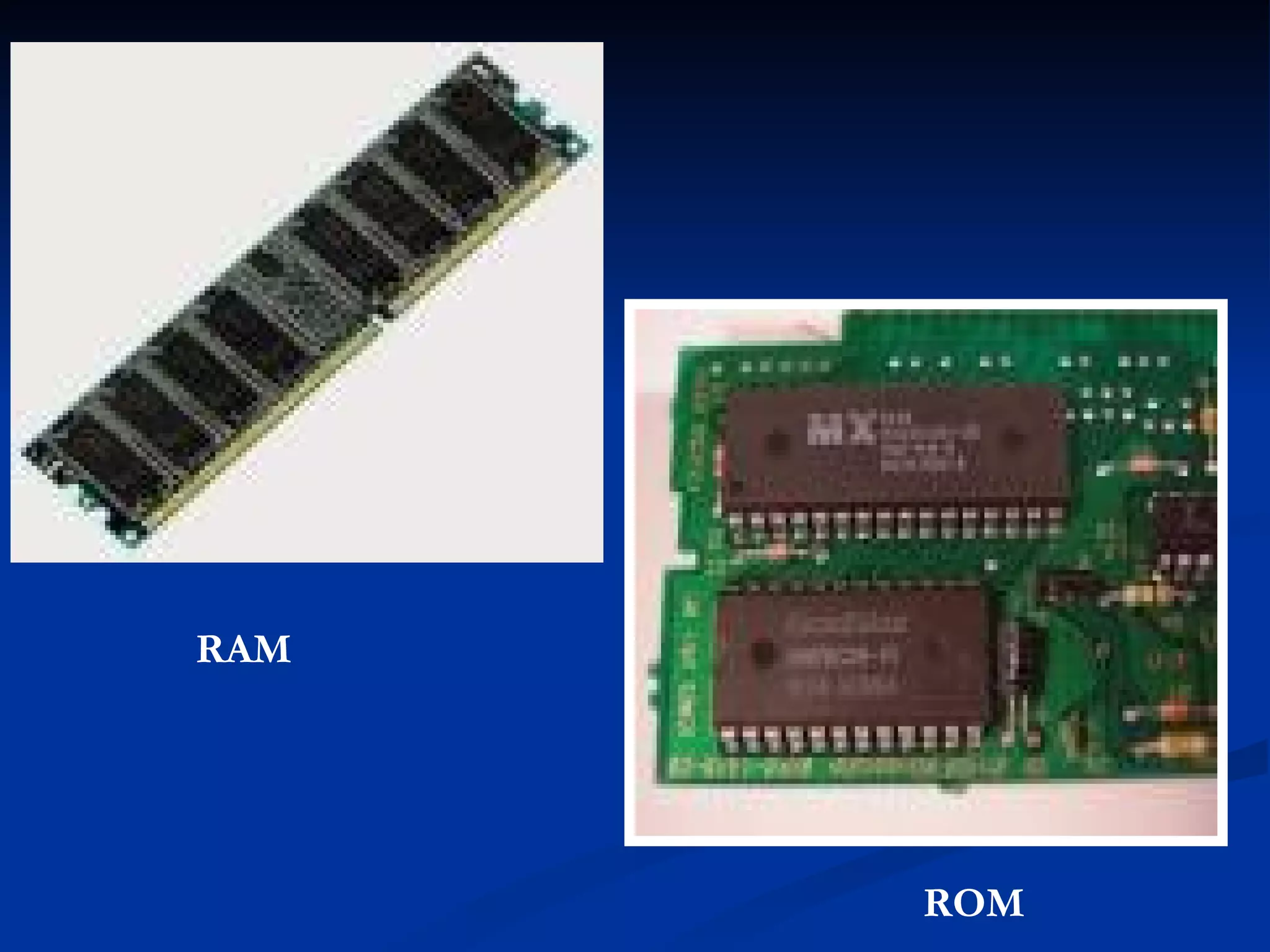
RAM ROM
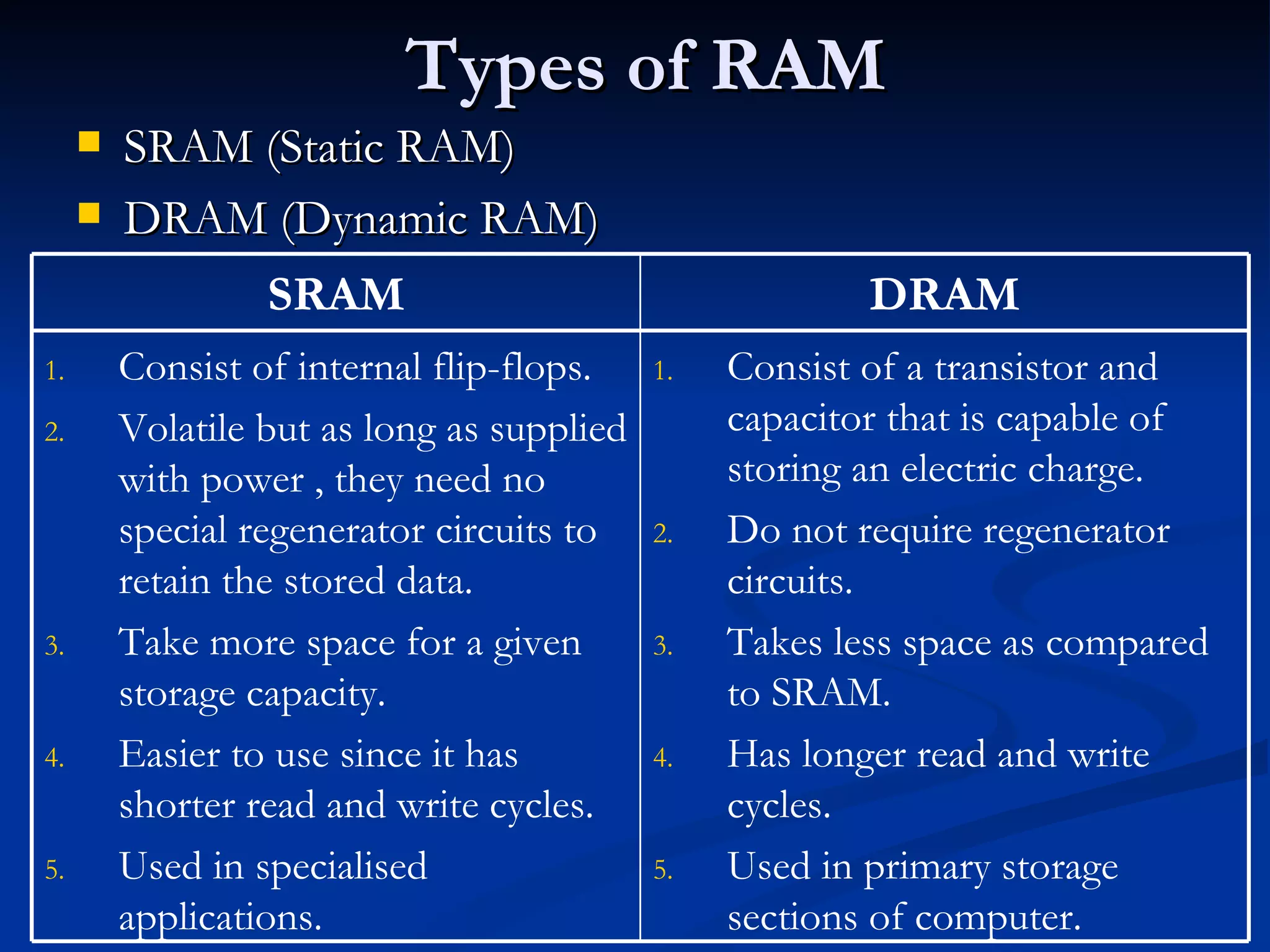
Types of RAM SRAM (Static RAM) DRAM (Dynamic RAM) Consist of a transistor and capacitor that is capable of storing an electric charge. Do not require regenerator circuits. Takes less space as compared to SRAM. Has longer read and write cycles. Used in primary storage sections of computer. Consist of internal flip-flops. Volatile but as long as supplied with power , they need no special regenerator circuits to retain the stored data. Take more space for a given storage capacity. Easier to use since it has shorter read and write cycles. Used in specialised applications. DRAM SRAM
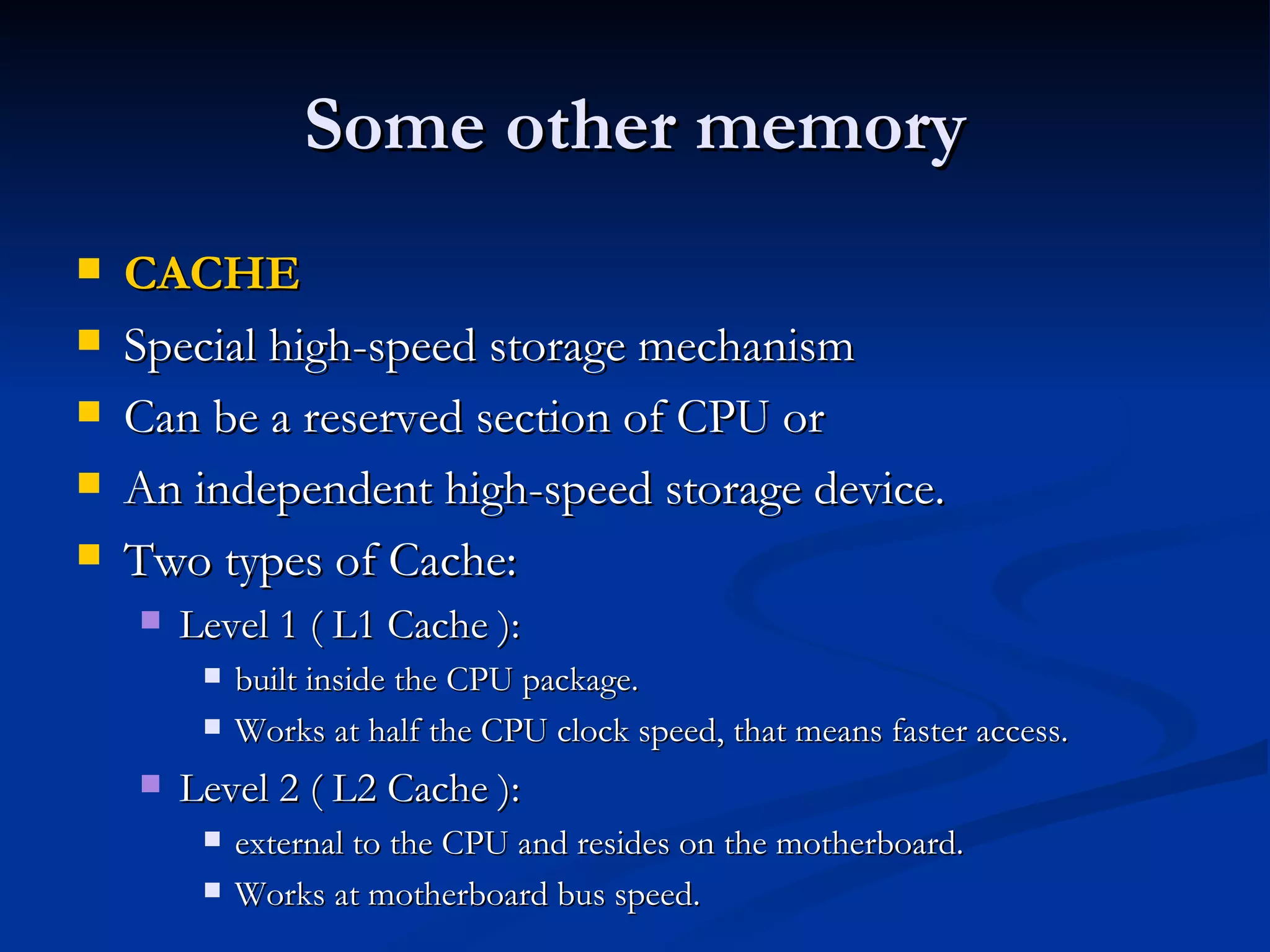
Some other memory CACHE Special high-speed storage mechanism Can be a reserved section of CPU or An independent high-speed storage device. Two types of Cache: Level 1 ( L1 Cache ): built inside the CPU package. Works at half the CPU clock speed, that means faster access. Level 2 ( L2 Cache ): external to the CPU and resides on the motherboard.  Works at motherboard bus speed.
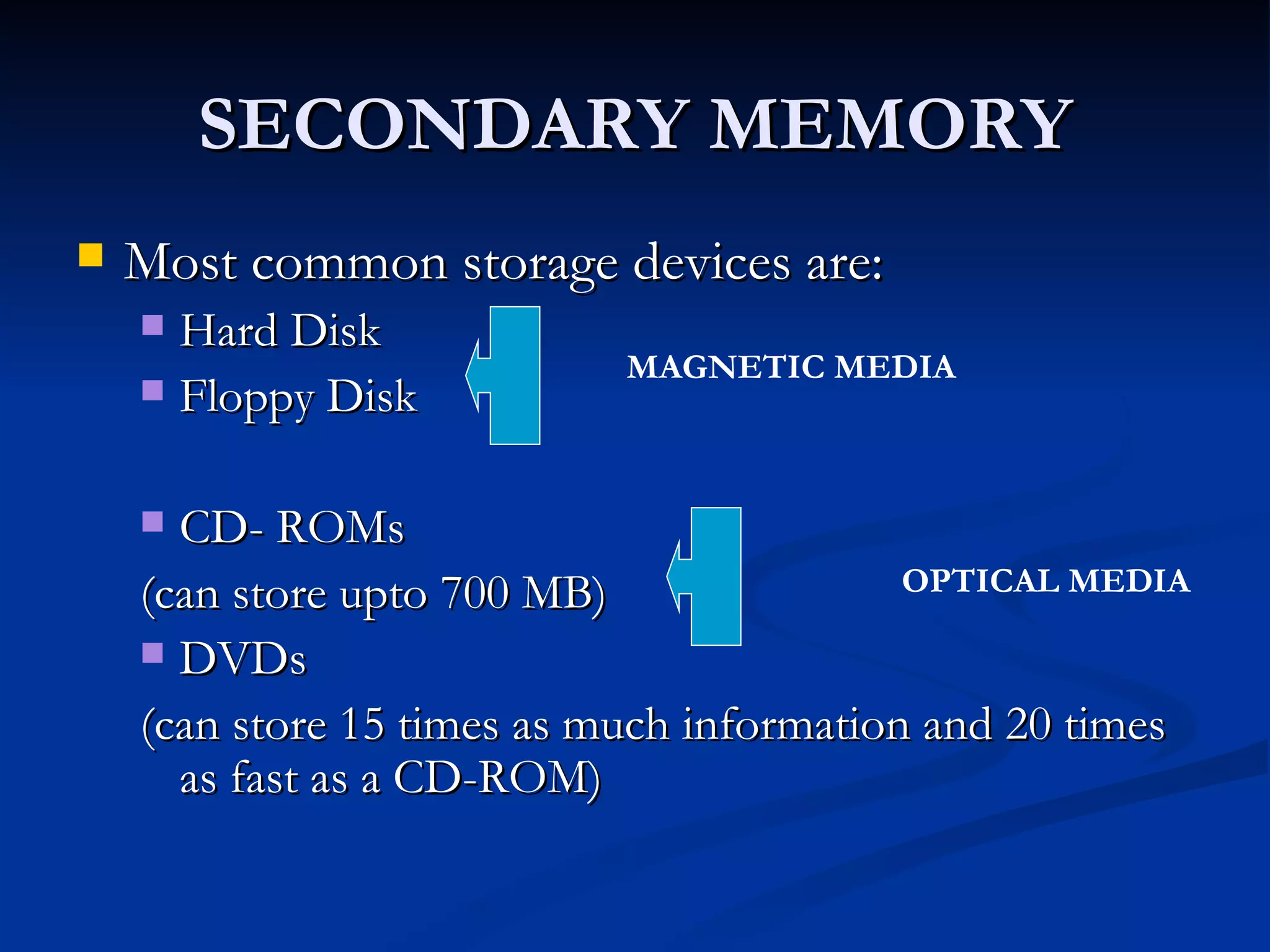
SECONDARY MEMORY Most common storage devices are: Hard Disk Floppy Disk CD- ROMs (can store upto 700 MB) DVDs (can store 15 times as much information and 20 times as fast as a CD-ROM) MAGNETIC MEDIA OPTICAL MEDIA
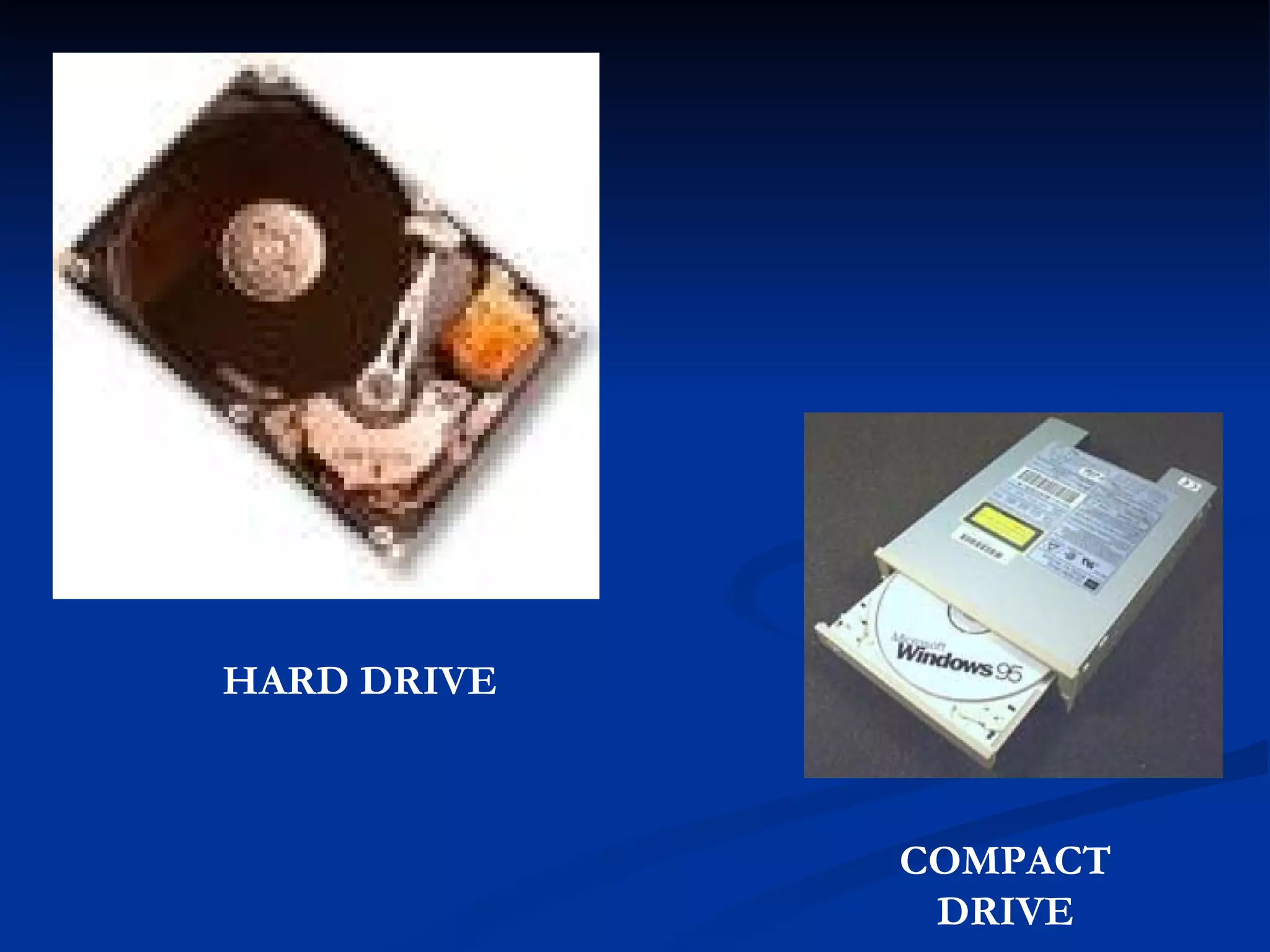
HARD DRIVE COMPACT DRIVE
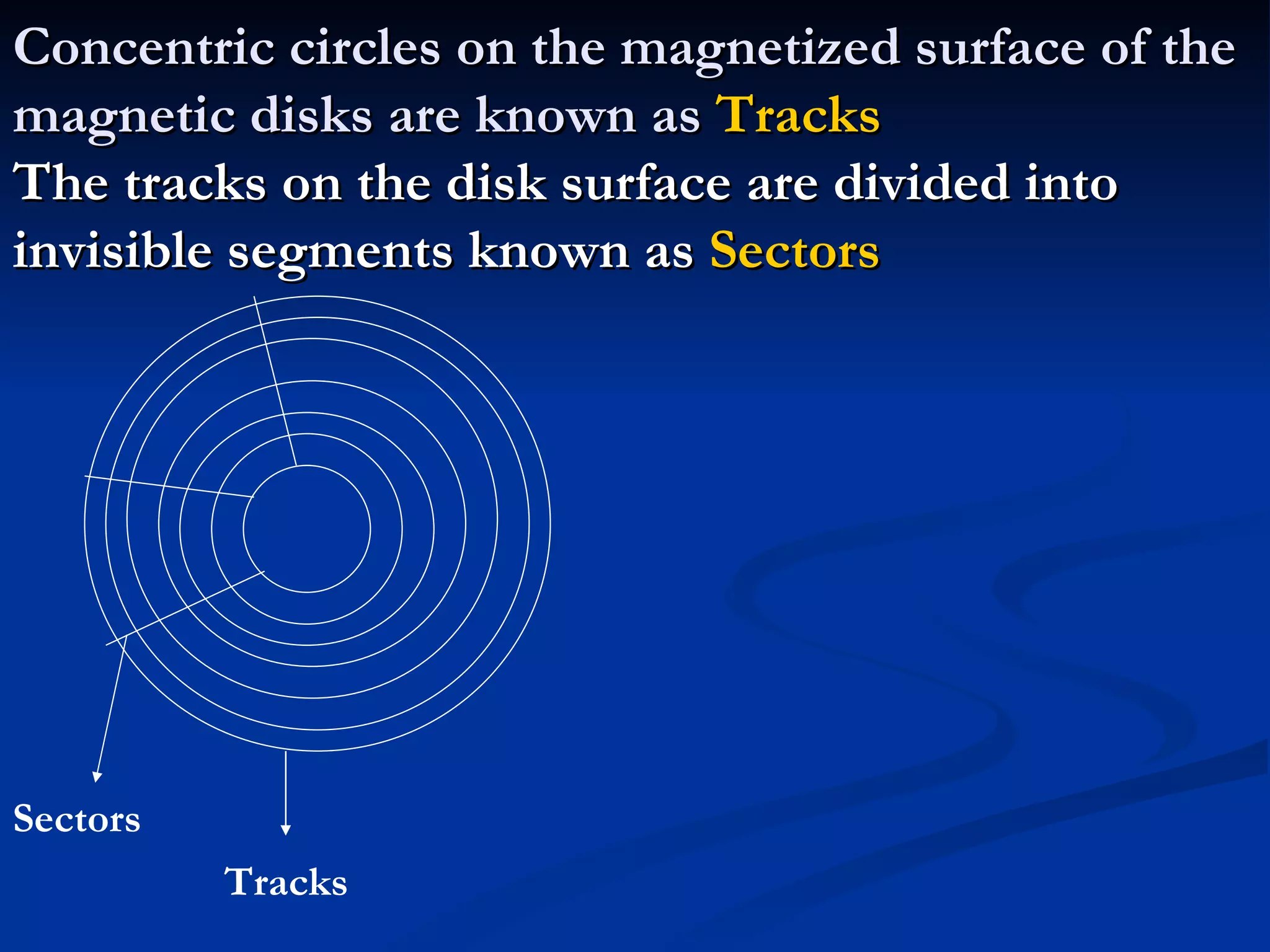
Concentric circles on the magnetized surface of the magnetic disks are known as  Tracks The tracks on the disk surface are divided into invisible segments known as  Sectors Tracks Sectors
New Age Memories Pen Drive / Thumb Drive Also called Flash memory, USB memory, Key memory It works in a similar way to RAM but it is a non-volatile memory.
Blue Ray Disk Blu-ray Disc is a next-generation, optical disc format that enables the ultimate high-def entertainment experience . The name  Blu-ray Disc  is derived from the  blue-violet laser  used to read and write this type of disc. Because of its  shorter wavelength  (405 nm), substantially more data can be stored on a Blu-ray Disc than on the DVD format, which uses a  red (650 nm) laser .
Blu-ray Disc provides these key features and advantages: Largest capacity available anywhere (25 GB single layer/50 GB dual layer).   Blu-ray Disc offers up to 5X the capacity of today’s DVDs.  Maximum picture resolution.   Blu-ray Disc delivers full 1080p* video resolution to provide pristine picture quality.  Best audio possible.   Blu-ray Disc provides as many as 7.1 channels of native, uncompressed surround sound for crystal-clear audio entertainment.  Enhanced interactivity .  Enjoy such capabilities as seamless menu navigation, exciting, new bonus features, and network/Internet connectivity.  Backward compatibility .  Blu-ray Disc players enable you to continue to view and enjoy your existing DVD libraries.  Disc robustness .  Breakthroughs in hard-coating technologies enable Blu-ray Disc to offer the strongest resistance to scratches and fingerprints.
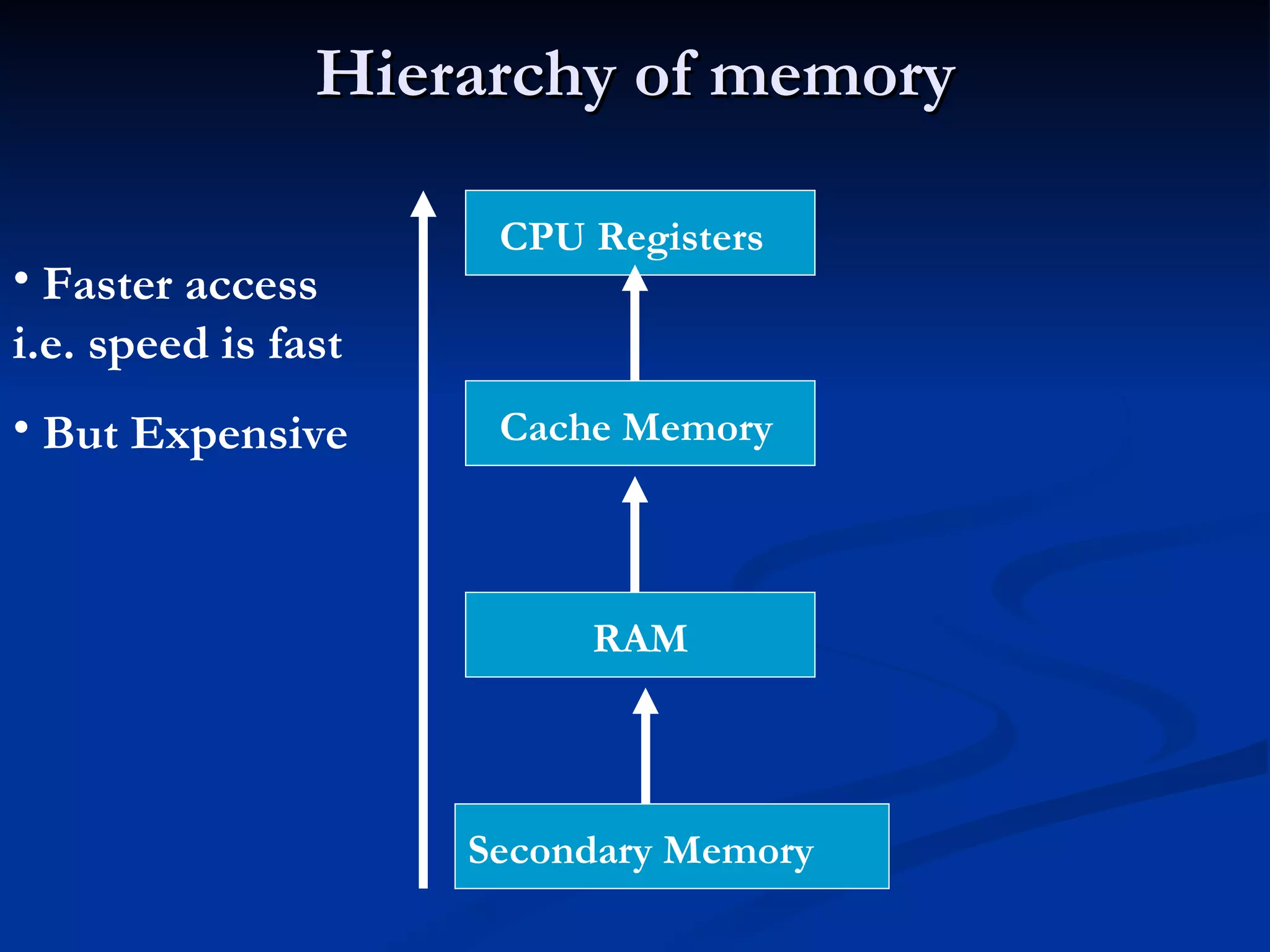
Hierarchy of memory CPU Registers Secondary Memory Cache Memory RAM Faster access i.e. speed is fast But Expensive
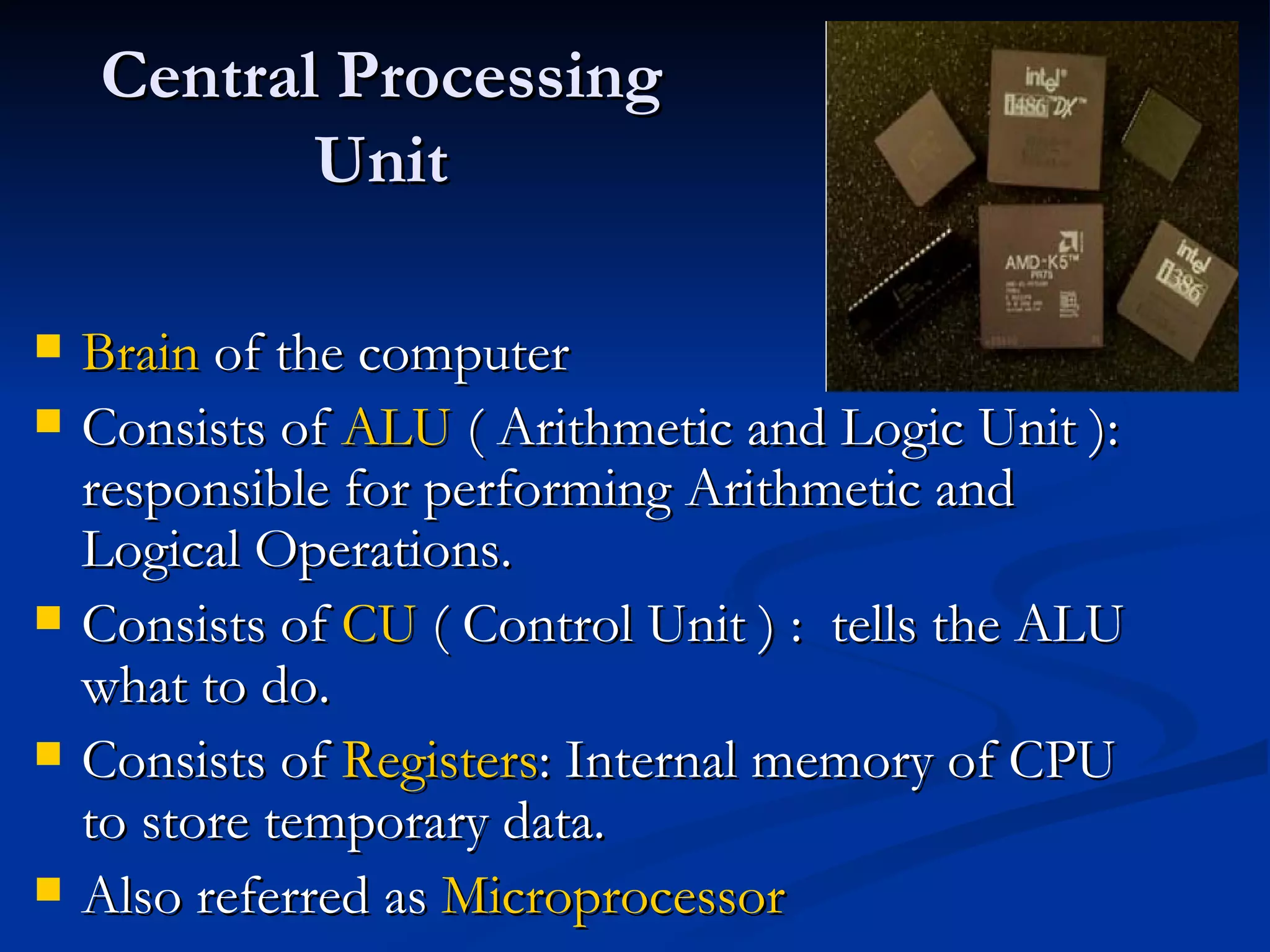
Central Processing Unit Brain  of the computer Consists of  ALU  ( Arithmetic and Logic Unit ): responsible for performing Arithmetic and Logical Operations. Consists of  CU  ( Control Unit ) :  tells the ALU what to do. Consists of  Registers : Internal memory of CPU to store temporary data. Also referred as  Microprocessor
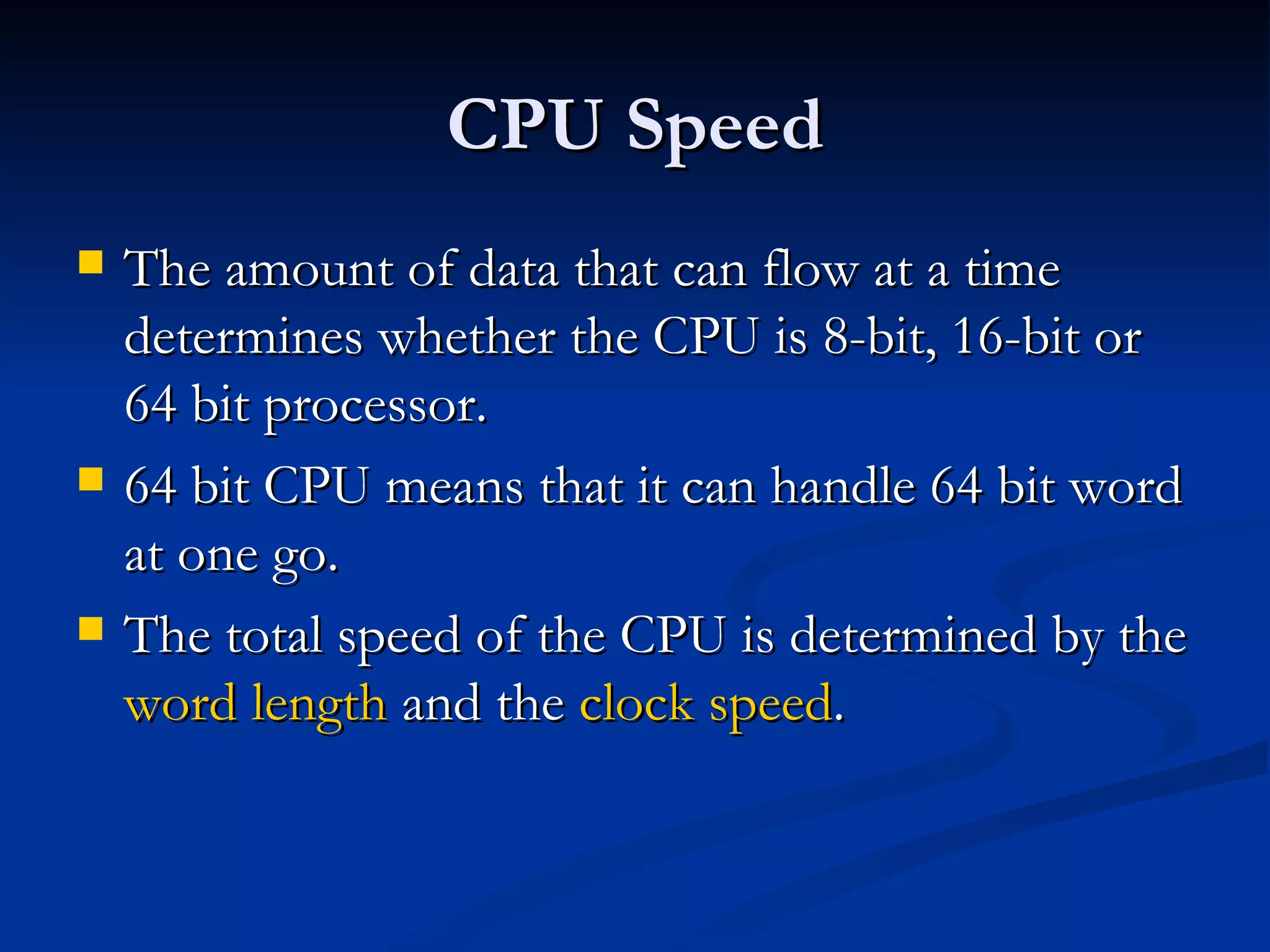
CPU Speed The amount of data that can flow at a time determines whether the CPU is 8-bit, 16-bit or 64 bit processor. 64 bit CPU means that it can handle 64 bit word at one go. The total speed of the CPU is determined by the  word length  and the  clock speed .
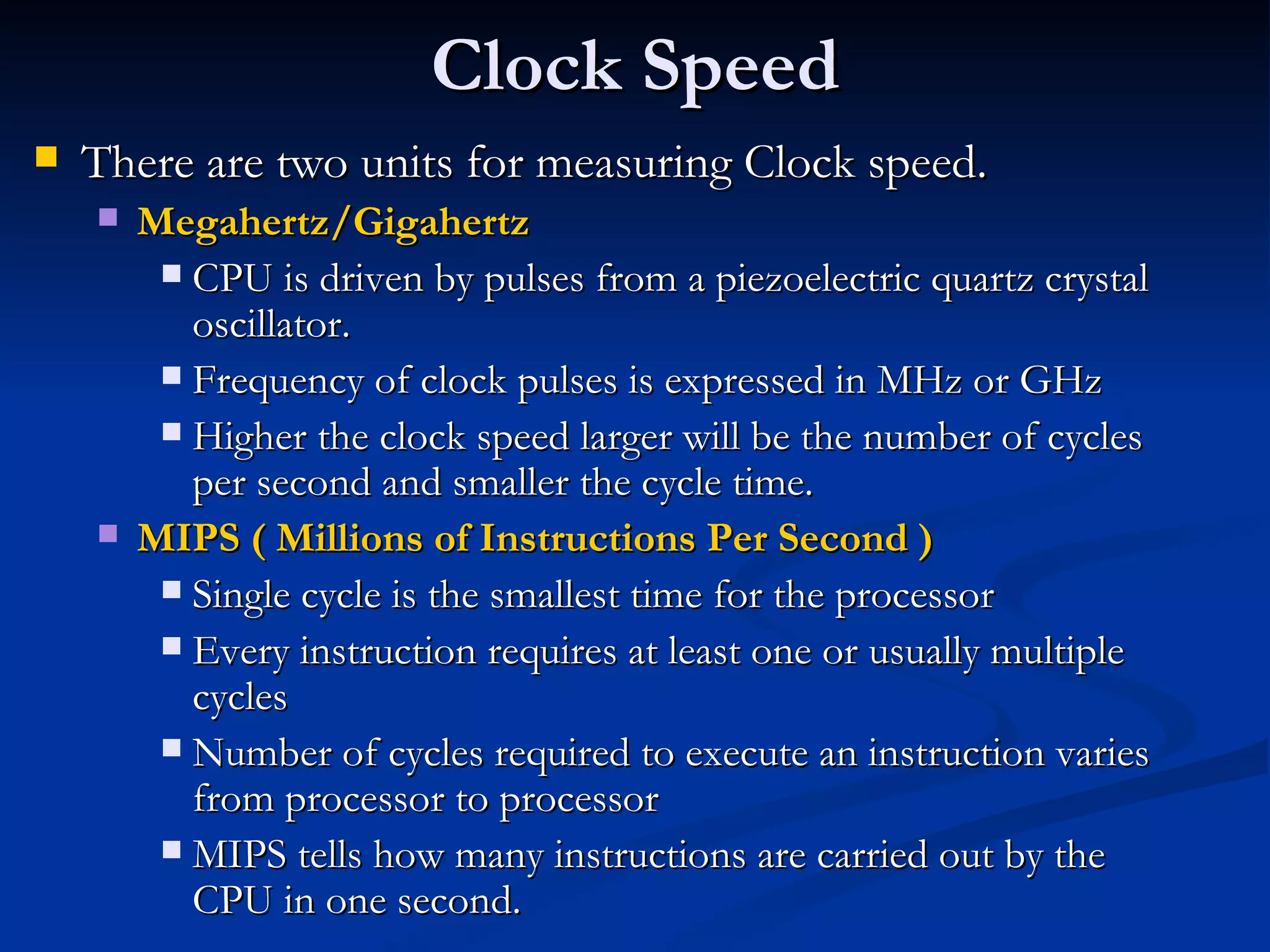
Clock Speed There are two units for measuring Clock speed. Megahertz/Gigahertz CPU is driven by pulses from a piezoelectric quartz crystal oscillator. Frequency of clock pulses is expressed in MHz or GHz Higher the clock speed larger will be the number of cycles per second and smaller the cycle time. MIPS ( Millions of Instructions Per Second ) Single cycle is the smallest time for the processor Every instruction requires at least one or usually multiple cycles Number of cycles required to execute an instruction varies from processor to processor MIPS tells how many instructions are carried out by the CPU in one second.
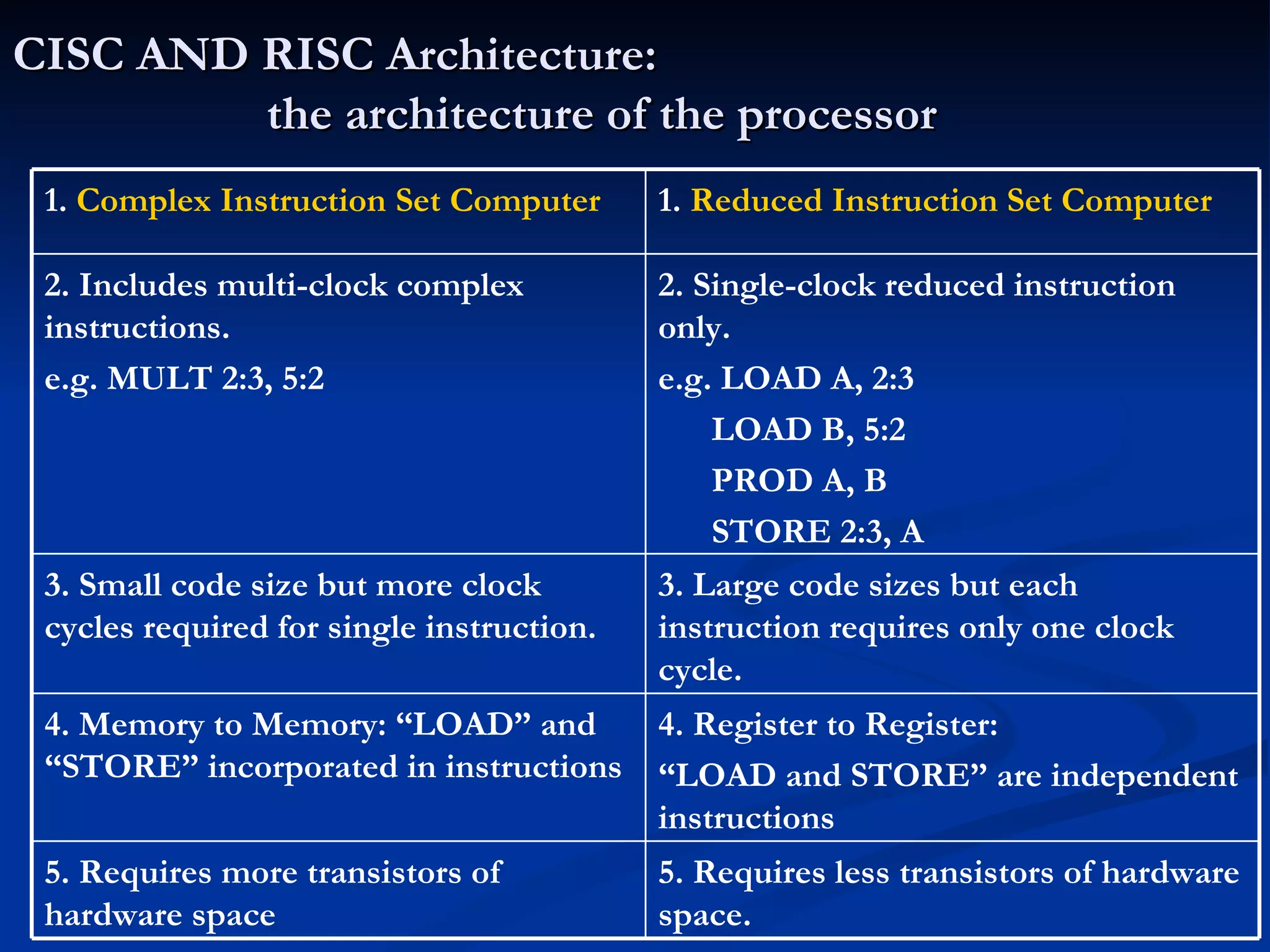
CISC AND RISC Architecture: the architecture of the processor 5. Requires less transistors of hardware space. 5. Requires more transistors of hardware space  4. Register to Register: “ LOAD and STORE” are independent instructions 4. Memory to Memory: “LOAD” and “STORE” incorporated in instructions 3. Large code sizes but each instruction requires only one clock cycle. 3. Small code size but more clock cycles required for single instruction. 2. Single-clock reduced instruction only. e.g. LOAD A, 2:3 LOAD B, 5:2 PROD A, B STORE 2:3, A 2. Includes multi-clock complex instructions. e.g. MULT 2:3, 5:2 1.  Reduced Instruction Set Computer 1.  Complex Instruction Set Computer
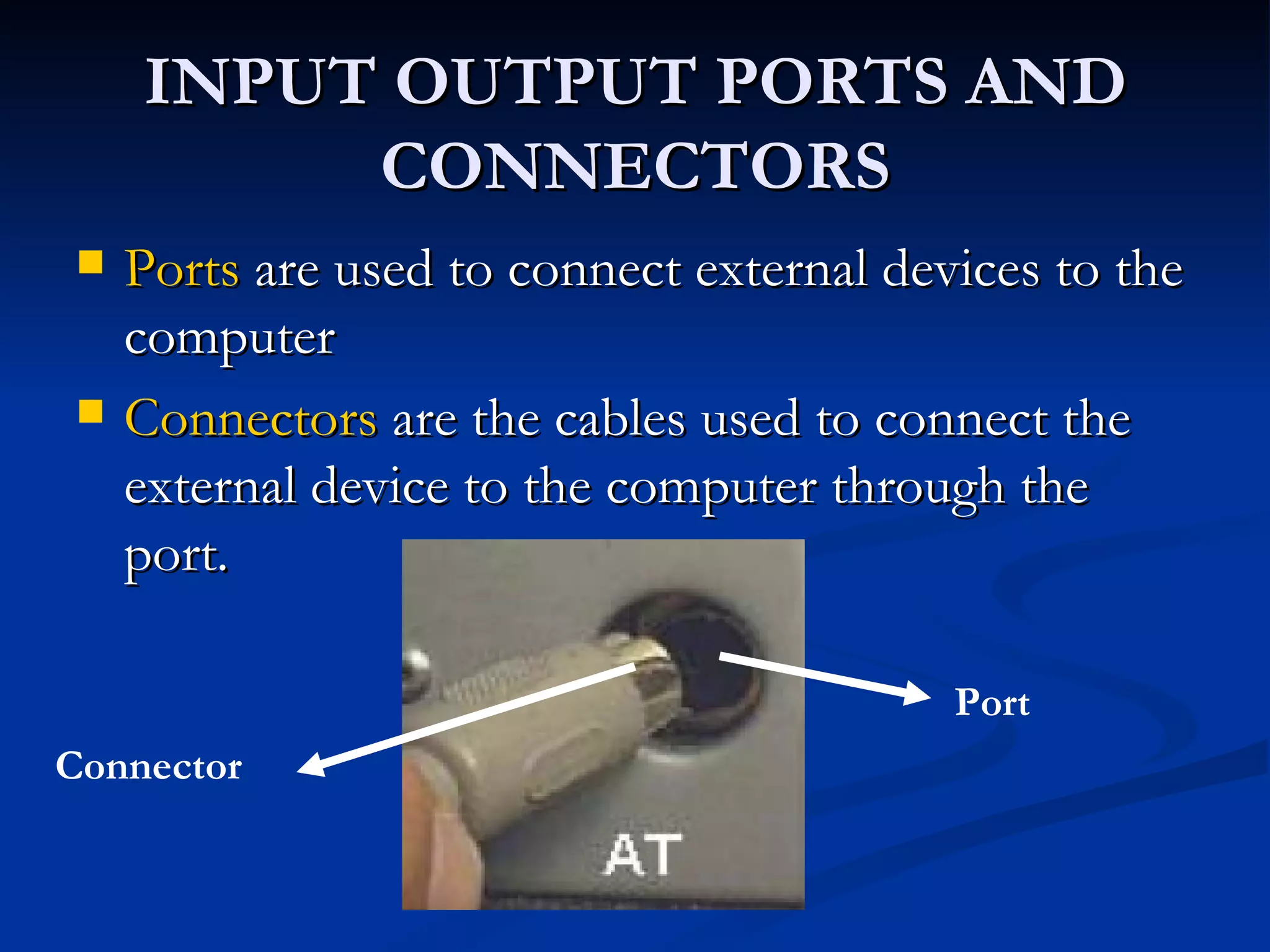
INPUT OUTPUT PORTS AND CONNECTORS Ports  are used to connect external devices to the computer Connectors  are the cables used to connect the external device to the computer through the port. Connector Port
Different types of Ports Serial Parallel Universal Serial Bus PS-2 port Infrared port Bluetooth
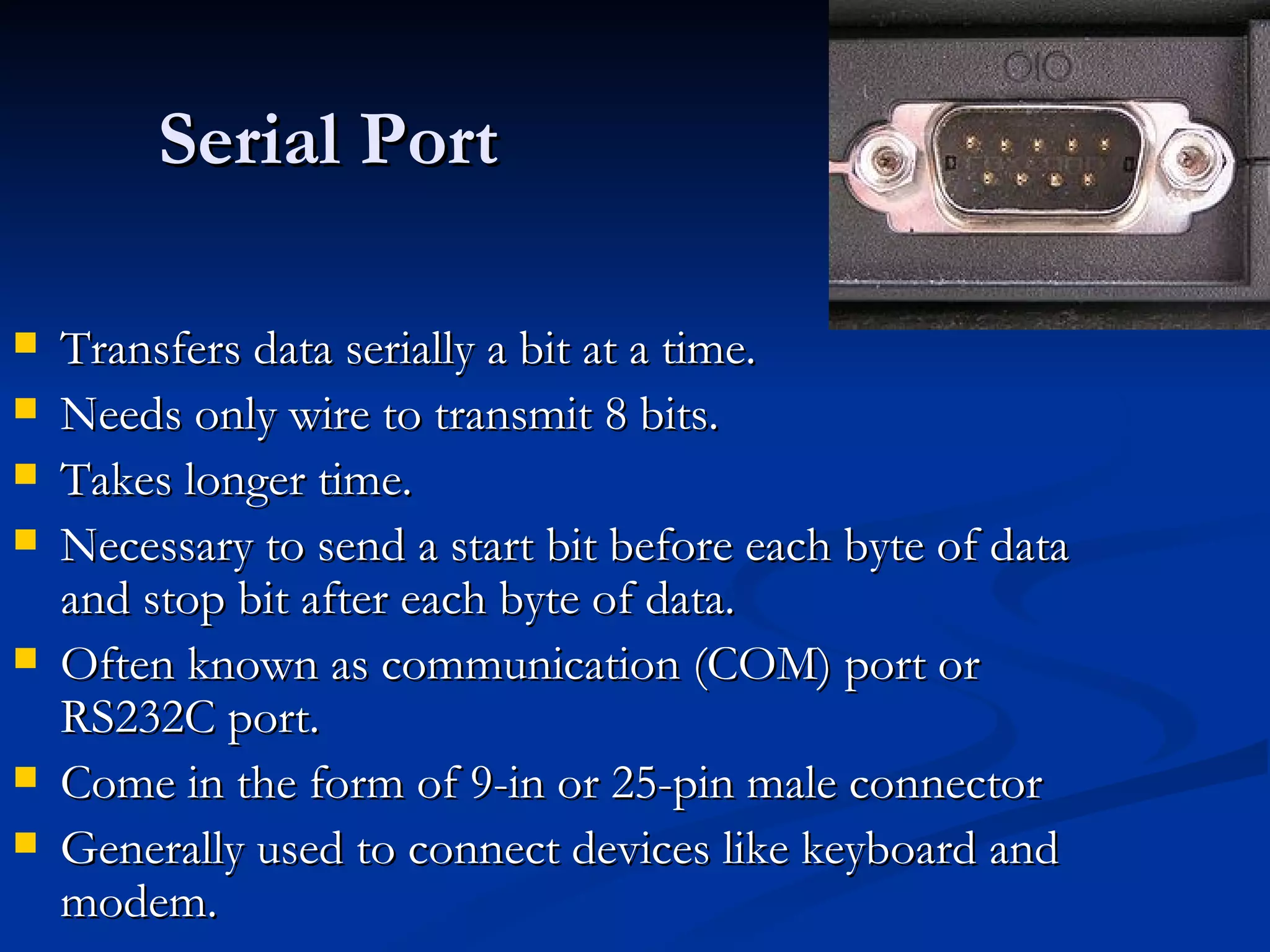
Serial Port Transfers data serially a bit at a time. Needs only wire to transmit 8 bits. Takes longer time. Necessary to send a start bit before each byte of data and stop bit after each byte of data. Often known as communication (COM) port or RS232C port. Come in the form of 9-in or 25-pin male connector Generally used to connect devices like keyboard and modem.
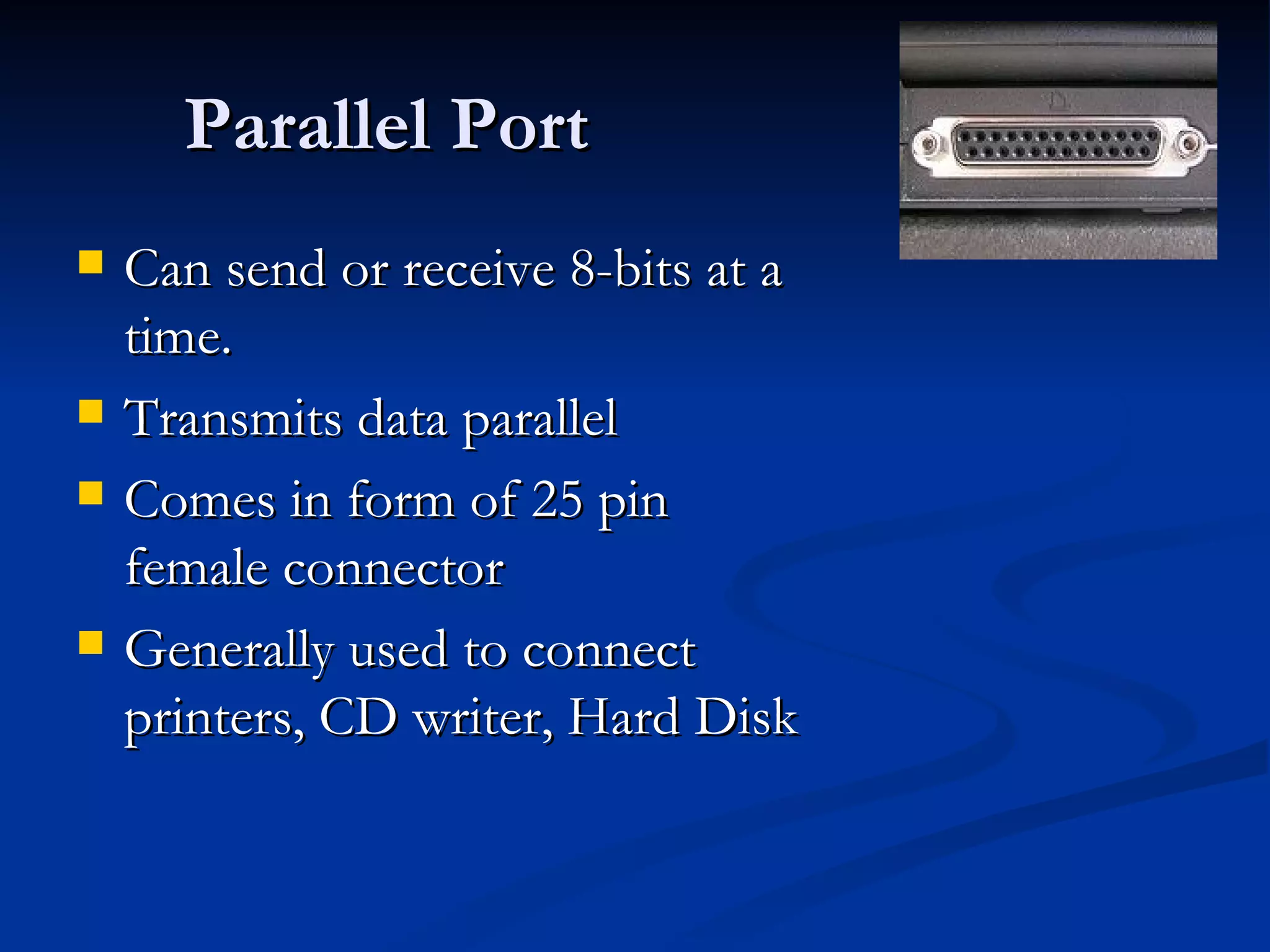
Parallel Port Can send or receive 8-bits at a time. Transmits data parallel Comes in form of 25 pin female connector Generally used to connect printers, CD writer, Hard Disk
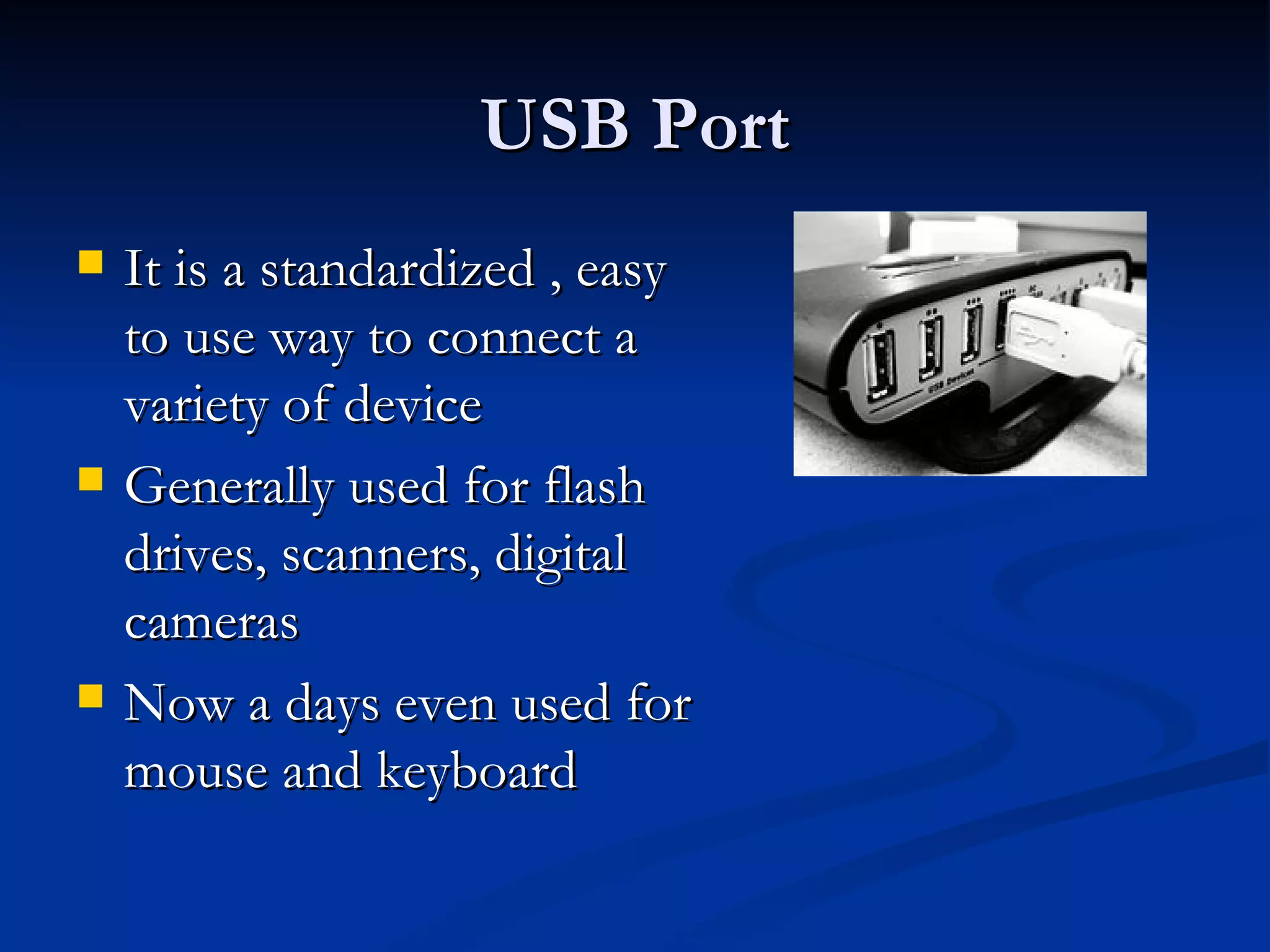
USB Port It is a standardized , easy to use way to connect a variety of device Generally used for flash drives, scanners, digital cameras Now a days even used for mouse and keyboard
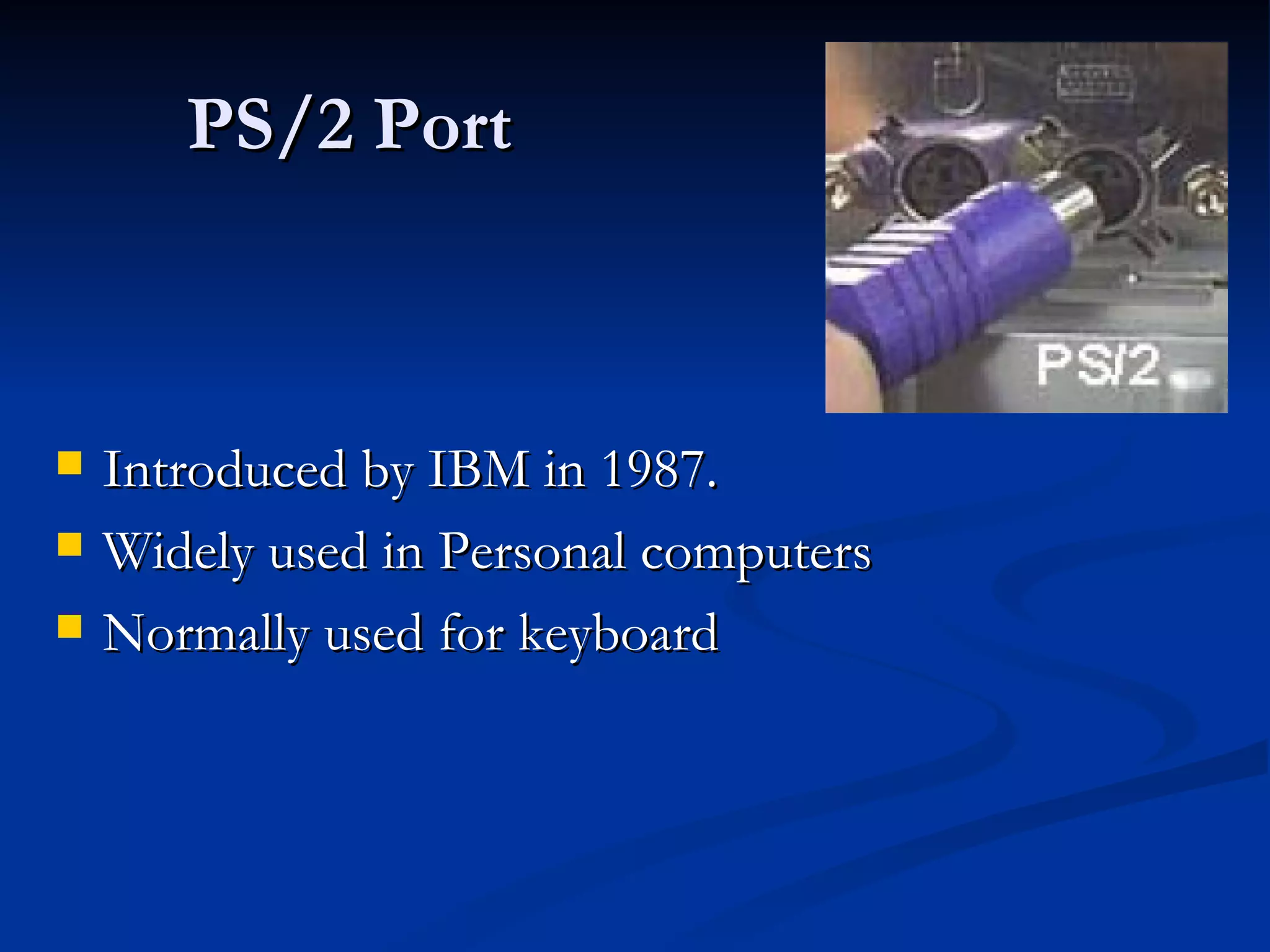
PS/2 Port Introduced by IBM in 1987. Widely used in Personal computers Normally used for keyboard
InfraRed Port (IR Port) Port which sends and receives infrared signals from other devices. Sends rays measured in Terahertz Involves a transceiver ( a combination of transmitter and receiver ) in both the communicating devices. Important role in wireless communications Suitable for short distance. IR is line-of-sight light transmission, sensitive to fog and atmospheric conditions E.g. used in remote controls for TV, music system, etc.
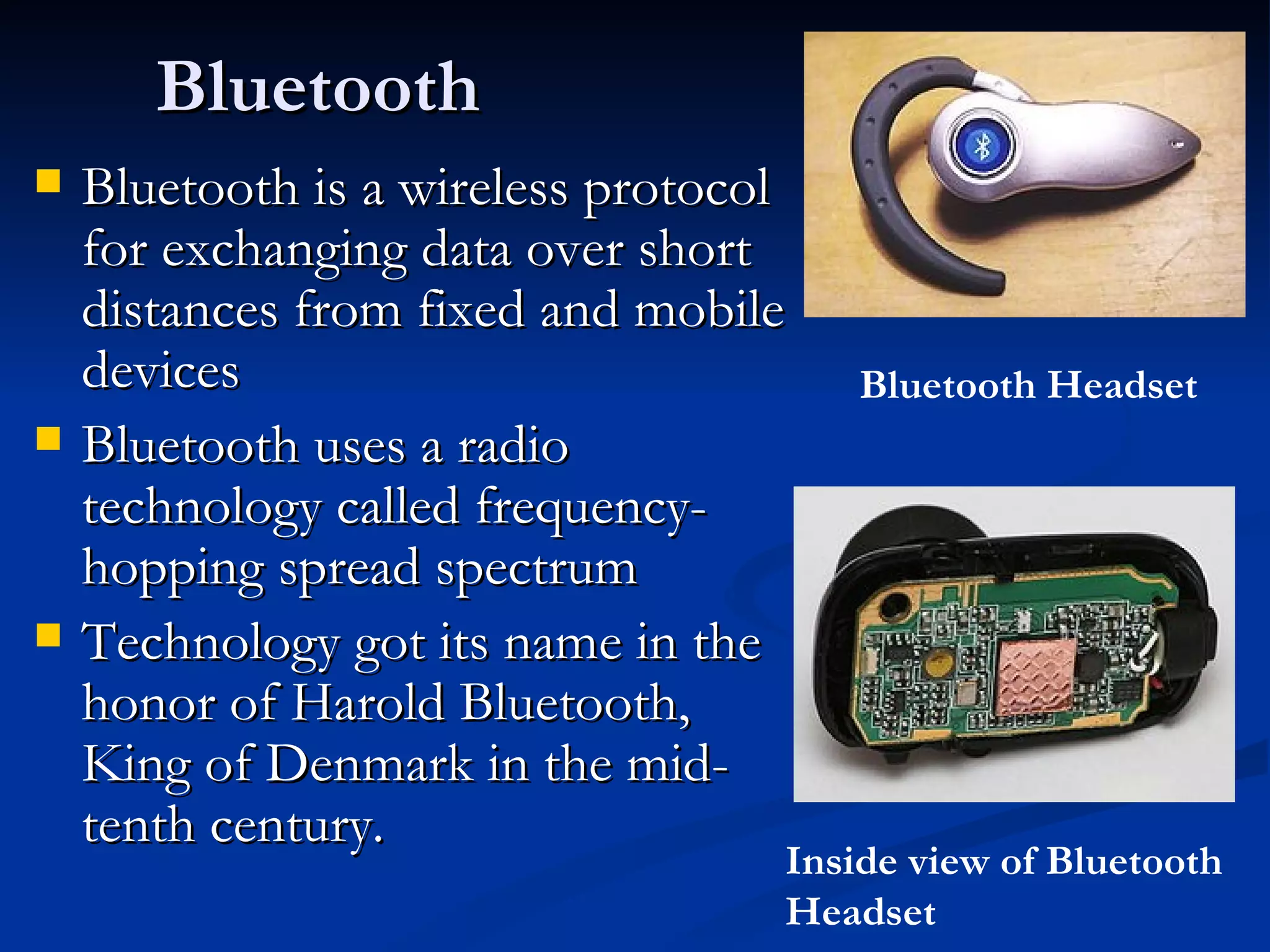
Bluetooth Bluetooth is a wireless protocol for exchanging data over short distances from fixed and mobile devices Bluetooth uses a radio technology called frequency-hopping spread spectrum Technology got its name in the honor of Harold Bluetooth, King of Denmark in the mid-tenth century. Bluetooth Headset Inside view of Bluetooth Headset

Computer Fundamentals

  • 1.
    COMPUTER SYSTEM ORGANISATIONPresentation Made By: Ms. Archika Bhatia
  • 2.
    What is ComputerComputers are automatic electronic devices that can perform complex tasks by breaking them into simple calculations and doing them extremely quickly. They have the ability to store, manipulate , and communicate information .
  • 3.
    BLOCK DIAGRAM OFCOMPUTER INPUT UNIT OUTPUT UNIT MEMORY CENTRAL PROCESSING UNIT ALU CU Registers
  • 4.
    INTERNAL VIEW OFTHE COMPUTER • The part of the PC that you actually see is the case • It is officially called the "system unit,“ but generally called as the case.
  • 5.
    Everything is connected to the motherboard • A motherboard is a thin, flat piece of circuit board, usually of green or gold color, usually slightly larger than a piece of paper. Motherboard
  • 6.
    INPUT UNIT Acceptsdata from the outside world Converts data into the computer understandable form i.e. Binary form Example of Input devices: Keyboard, Mouse, Microphone, etc.
  • 7.
    OUTPUT UNIT Producesthe output in user readable form. Example of input devices: Monitor, Printer, Speakers, Plotter
  • 8.
    MEMORY UNIT Memorydevices are to store the data for later reference. Smallest measuring unit of memory is: Bit ( 0, 1 ) 8 bits = 1 byte 1024 bytes = 1 Kilo Bytes 1024 KB = 1 Mega Byte 1024 MB = 1 Giga Byte 1024 GB = 1 Tera Byte 1024 TB = 1 Peta Byte
  • 9.
    CLASSIFICATION OF MEMORYBroadly classified into two : Primary Memory ( Main Memory ) Secondary Memory Primary memory is the memory internal to the computer. i.e. the memory generally placed on the Mother board of the computer. Secondary memory is the memory external to the computer. Generally for large storage of data Generally for permanent storage of data
  • 10.
    PRIMARY MEMORY Itcan be further divided into two parts: RAM ( Random Access Memory ) ROM ( Read Only Memory) Difference between RAM and ROM Read Only Memory. Memory used to store the startup instructions i.e. Booting instructions. Permanent Memory Non-Volatile memory i.e. contents are not erased when the power is switched off. Read only memory Random Access memory Temporary memory Volatile Memory i.e. contents are lost when power is switched Off. Read and Write memory ROM RAM
  • 11.
  • 12.
    Types of RAMSRAM (Static RAM) DRAM (Dynamic RAM) Consist of a transistor and capacitor that is capable of storing an electric charge. Do not require regenerator circuits. Takes less space as compared to SRAM. Has longer read and write cycles. Used in primary storage sections of computer. Consist of internal flip-flops. Volatile but as long as supplied with power , they need no special regenerator circuits to retain the stored data. Take more space for a given storage capacity. Easier to use since it has shorter read and write cycles. Used in specialised applications. DRAM SRAM
  • 13.
    Some other memoryCACHE Special high-speed storage mechanism Can be a reserved section of CPU or An independent high-speed storage device. Two types of Cache: Level 1 ( L1 Cache ): built inside the CPU package. Works at half the CPU clock speed, that means faster access. Level 2 ( L2 Cache ): external to the CPU and resides on the motherboard. Works at motherboard bus speed.
  • 14.
    SECONDARY MEMORY Mostcommon storage devices are: Hard Disk Floppy Disk CD- ROMs (can store upto 700 MB) DVDs (can store 15 times as much information and 20 times as fast as a CD-ROM) MAGNETIC MEDIA OPTICAL MEDIA
  • 15.
  • 16.
    Concentric circles onthe magnetized surface of the magnetic disks are known as Tracks The tracks on the disk surface are divided into invisible segments known as Sectors Tracks Sectors
  • 17.
    New Age MemoriesPen Drive / Thumb Drive Also called Flash memory, USB memory, Key memory It works in a similar way to RAM but it is a non-volatile memory.
  • 18.
    Blue Ray DiskBlu-ray Disc is a next-generation, optical disc format that enables the ultimate high-def entertainment experience . The name Blu-ray Disc is derived from the blue-violet laser used to read and write this type of disc. Because of its shorter wavelength (405 nm), substantially more data can be stored on a Blu-ray Disc than on the DVD format, which uses a red (650 nm) laser .
  • 19.
    Blu-ray Disc providesthese key features and advantages: Largest capacity available anywhere (25 GB single layer/50 GB dual layer). Blu-ray Disc offers up to 5X the capacity of today’s DVDs. Maximum picture resolution. Blu-ray Disc delivers full 1080p* video resolution to provide pristine picture quality. Best audio possible. Blu-ray Disc provides as many as 7.1 channels of native, uncompressed surround sound for crystal-clear audio entertainment. Enhanced interactivity . Enjoy such capabilities as seamless menu navigation, exciting, new bonus features, and network/Internet connectivity. Backward compatibility . Blu-ray Disc players enable you to continue to view and enjoy your existing DVD libraries. Disc robustness . Breakthroughs in hard-coating technologies enable Blu-ray Disc to offer the strongest resistance to scratches and fingerprints.
  • 20.
    Hierarchy of memoryCPU Registers Secondary Memory Cache Memory RAM Faster access i.e. speed is fast But Expensive
  • 21.
    Central Processing UnitBrain of the computer Consists of ALU ( Arithmetic and Logic Unit ): responsible for performing Arithmetic and Logical Operations. Consists of CU ( Control Unit ) : tells the ALU what to do. Consists of Registers : Internal memory of CPU to store temporary data. Also referred as Microprocessor
  • 22.
    CPU Speed Theamount of data that can flow at a time determines whether the CPU is 8-bit, 16-bit or 64 bit processor. 64 bit CPU means that it can handle 64 bit word at one go. The total speed of the CPU is determined by the word length and the clock speed .
  • 23.
    Clock Speed Thereare two units for measuring Clock speed. Megahertz/Gigahertz CPU is driven by pulses from a piezoelectric quartz crystal oscillator. Frequency of clock pulses is expressed in MHz or GHz Higher the clock speed larger will be the number of cycles per second and smaller the cycle time. MIPS ( Millions of Instructions Per Second ) Single cycle is the smallest time for the processor Every instruction requires at least one or usually multiple cycles Number of cycles required to execute an instruction varies from processor to processor MIPS tells how many instructions are carried out by the CPU in one second.
  • 24.
    CISC AND RISCArchitecture: the architecture of the processor 5. Requires less transistors of hardware space. 5. Requires more transistors of hardware space 4. Register to Register: “ LOAD and STORE” are independent instructions 4. Memory to Memory: “LOAD” and “STORE” incorporated in instructions 3. Large code sizes but each instruction requires only one clock cycle. 3. Small code size but more clock cycles required for single instruction. 2. Single-clock reduced instruction only. e.g. LOAD A, 2:3 LOAD B, 5:2 PROD A, B STORE 2:3, A 2. Includes multi-clock complex instructions. e.g. MULT 2:3, 5:2 1. Reduced Instruction Set Computer 1. Complex Instruction Set Computer
  • 25.
    INPUT OUTPUT PORTSAND CONNECTORS Ports are used to connect external devices to the computer Connectors are the cables used to connect the external device to the computer through the port. Connector Port
  • 26.
    Different types ofPorts Serial Parallel Universal Serial Bus PS-2 port Infrared port Bluetooth
  • 27.
    Serial Port Transfersdata serially a bit at a time. Needs only wire to transmit 8 bits. Takes longer time. Necessary to send a start bit before each byte of data and stop bit after each byte of data. Often known as communication (COM) port or RS232C port. Come in the form of 9-in or 25-pin male connector Generally used to connect devices like keyboard and modem.
  • 28.
    Parallel Port Cansend or receive 8-bits at a time. Transmits data parallel Comes in form of 25 pin female connector Generally used to connect printers, CD writer, Hard Disk
  • 29.
    USB Port Itis a standardized , easy to use way to connect a variety of device Generally used for flash drives, scanners, digital cameras Now a days even used for mouse and keyboard
  • 30.
    PS/2 Port Introducedby IBM in 1987. Widely used in Personal computers Normally used for keyboard
  • 31.
    InfraRed Port (IRPort) Port which sends and receives infrared signals from other devices. Sends rays measured in Terahertz Involves a transceiver ( a combination of transmitter and receiver ) in both the communicating devices. Important role in wireless communications Suitable for short distance. IR is line-of-sight light transmission, sensitive to fog and atmospheric conditions E.g. used in remote controls for TV, music system, etc.
  • 32.
    Bluetooth Bluetooth isa wireless protocol for exchanging data over short distances from fixed and mobile devices Bluetooth uses a radio technology called frequency-hopping spread spectrum Technology got its name in the honor of Harold Bluetooth, King of Denmark in the mid-tenth century. Bluetooth Headset Inside view of Bluetooth Headset