IT TOOLS AND BUSINESS SYSTEM
COMPUTER
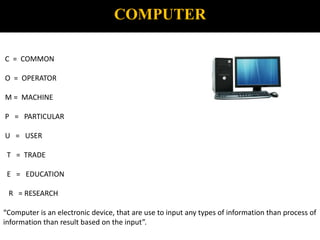
C = COMMON
O = OPERATOR
M = MACHINE
P = PARTICULAR
U = USER
T = TRADE
E = EDUCATION
R = RESEARCH
“Computer is an electronic device, that are use to input any types of information than process of
information than result based on the input”.
GENERATION OF COMPUTER
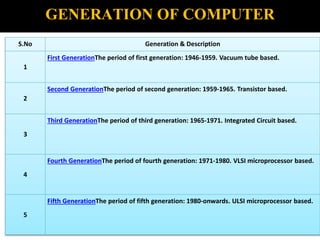
S.No Generation & Description
1
First GenerationThe period of first generation: 1946-1959. Vacuum tube based.
2
Second GenerationThe period of second generation: 1959-1965. Transistor based.
3
Third GenerationThe period of third generation: 1965-1971. Integrated Circuit based.
4
Fourth GenerationThe period of fourth generation: 1971-1980. VLSI microprocessor based.
5
Fifth GenerationThe period of fifth generation: 1980-onwards. ULSI microprocessor based.
LIFE CYCLE OF COMPUTER
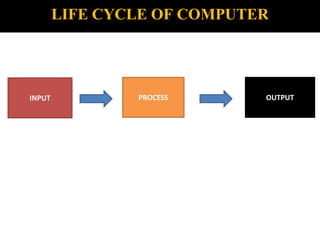
INPUT PROCESS OUTPUT
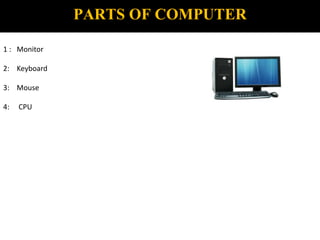
PARTS OF COMPUTER
1 : Monitor
2: Keyboard
3: Mouse
4: CPU
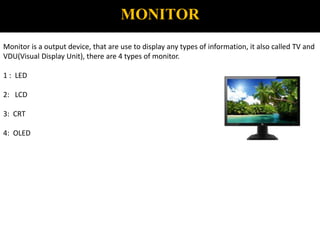
MONITOR
Monitor is a output device, that are use to display any types of information, it also called TV and
VDU(Visual Display Unit), there are 4 types of monitor.
1 : LED
2: LCD
3: CRT
4: OLED
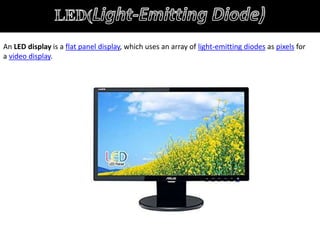
An LED display is a flat panel display, which uses an array of light-emitting diodes as pixels for
a video display.
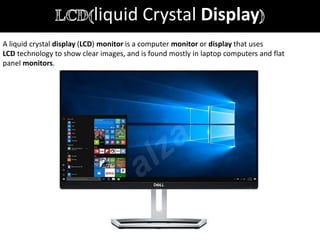
liquid Crystal Display
A liquid crystal display (LCD) monitor is a computer monitor or display that uses
LCD technology to show clear images, and is found mostly in laptop computers and flat
panel monitors.
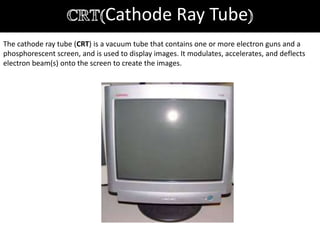
Cathode Ray Tube
The cathode ray tube (CRT) is a vacuum tube that contains one or more electron guns and a
phosphorescent screen, and is used to display images. It modulates, accelerates, and deflects
electron beam(s) onto the screen to create the images.
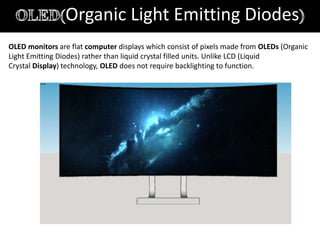
Organic Light Emitting Diodes
OLED monitors are flat computer displays which consist of pixels made from OLEDs (Organic
Light Emitting Diodes) rather than liquid crystal filled units. Unlike LCD (Liquid
Crystal Display) technology, OLED does not require backlighting to function.
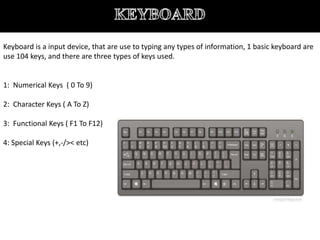
Keyboard is a input device, that are use to typing any types of information, 1 basic keyboard are
use 104 keys, and there are three types of keys used.
1: Numerical Keys ( 0 To 9)
2: Character Keys ( A To Z)
3: Functional Keys ( F1 To F12)
4: Special Keys (+,-/>< etc)
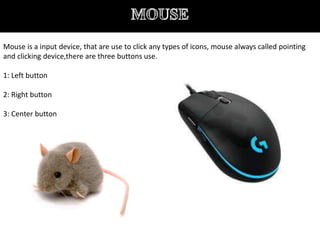
Mouse is a input device, that are use to click any types of icons, mouse always called pointing
and clicking device,there are three buttons use.
1: Left button
2: Right button
3: Center button
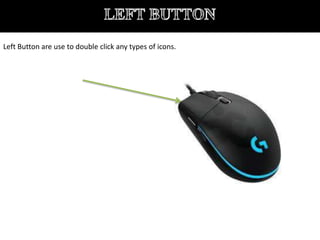
Left Button are use to double click any types of icons.
Right button are use to open any icons by short cut menu.
It’s button are use to page up and down.
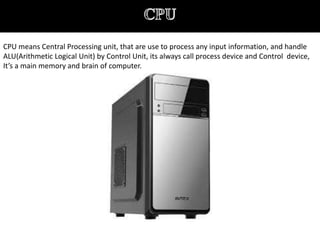
CPU means Central Processing unit, that are use to process any input information, and handle
ALU(Arithmetic Logical Unit) by Control Unit, its always call process device and Control device,
It’s a main memory and brain of computer.
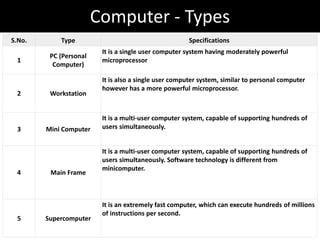
Computer - Types
S.No. Type Specifications
1
PC (Personal
Computer)
It is a single user computer system having moderately powerful
microprocessor
2 Workstation
It is also a single user computer system, similar to personal computer
however has a more powerful microprocessor.
3 Mini Computer
It is a multi-user computer system, capable of supporting hundreds of
users simultaneously.
4 Main Frame
It is a multi-user computer system, capable of supporting hundreds of
users simultaneously. Software technology is different from
minicomputer.
5 Supercomputer
It is an extremely fast computer, which can execute hundreds of millions
of instructions per second.
PC (Personal Computer)
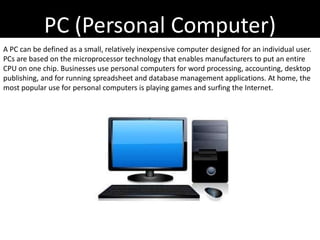
A PC can be defined as a small, relatively inexpensive computer designed for an individual user.
PCs are based on the microprocessor technology that enables manufacturers to put an entire
CPU on one chip. Businesses use personal computers for word processing, accounting, desktop
publishing, and for running spreadsheet and database management applications. At home, the
most popular use for personal computers is playing games and surfing the Internet.
Workstation
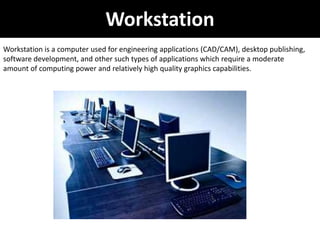
Workstation is a computer used for engineering applications (CAD/CAM), desktop publishing,
software development, and other such types of applications which require a moderate
amount of computing power and relatively high quality graphics capabilities.
Minicomputer
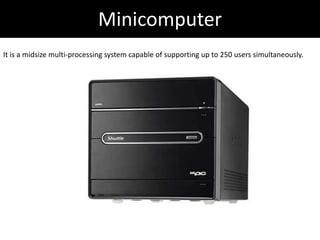
It is a midsize multi-processing system capable of supporting up to 250 users simultaneously.
Mainframe
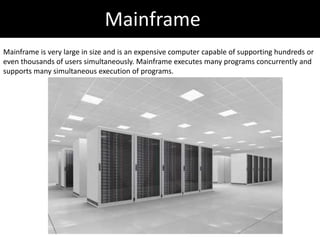
Mainframe is very large in size and is an expensive computer capable of supporting hundreds or
even thousands of users simultaneously. Mainframe executes many programs concurrently and
supports many simultaneous execution of programs.
Supercomputer
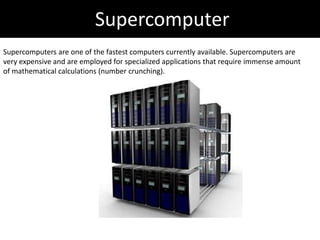
Supercomputers are one of the fastest computers currently available. Supercomputers are
very expensive and are employed for specialized applications that require immense amount
of mathematical calculations (number crunching).
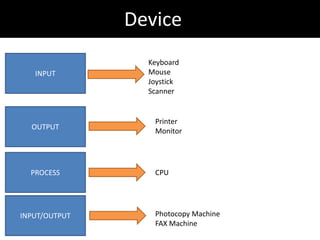
Device
INPUT
Keyboard
Mouse
Joystick
Scanner
OUTPUT
Printer
Monitor
PROCESS CPU
INPUT/OUTPUT Photocopy Machine
FAX Machine
Memory
A memory is just like a human brain. It is used to store data and instructions. Computer memory
is the storage space in the computer, where data is to be processed and instructions required for
processing are stored. The memory is divided into large number of small parts called cells. Each
location or cell has a unique address, which varies from zero to memory size minus one. For
example, if the computer has 64k words, then this memory unit has 64 * 1024 = 65536 memory
locations. The address of these locations varies from 0 to 65535.
Memory is primarily of three types −
1: Cache Memory
2: Primary Memory/Main Memory
3: Secondary Memory
Cache Memory
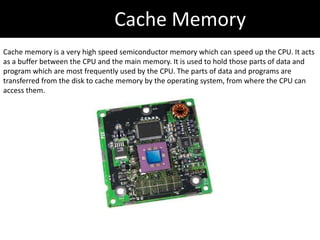
Cache memory is a very high speed semiconductor memory which can speed up the CPU. It acts
as a buffer between the CPU and the main memory. It is used to hold those parts of data and
program which are most frequently used by the CPU. The parts of data and programs are
transferred from the disk to cache memory by the operating system, from where the CPU can
access them.
Primary Memory
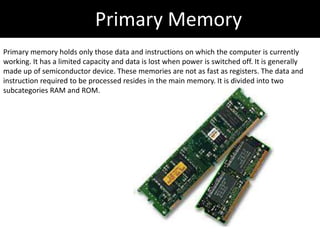
Primary memory holds only those data and instructions on which the computer is currently
working. It has a limited capacity and data is lost when power is switched off. It is generally
made up of semiconductor device. These memories are not as fast as registers. The data and
instruction required to be processed resides in the main memory. It is divided into two
subcategories RAM and ROM.
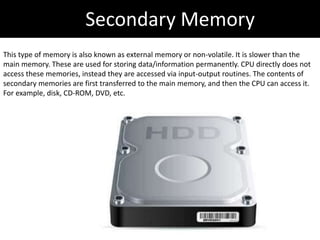
Secondary Memory
This type of memory is also known as external memory or non-volatile. It is slower than the
main memory. These are used for storing data/information permanently. CPU directly does not
access these memories, instead they are accessed via input-output routines. The contents of
secondary memories are first transferred to the main memory, and then the CPU can access it.
For example, disk, CD-ROM, DVD, etc.
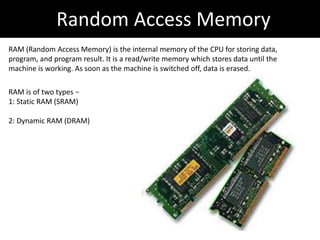
Random Access Memory
RAM (Random Access Memory) is the internal memory of the CPU for storing data,
program, and program result. It is a read/write memory which stores data until the
machine is working. As soon as the machine is switched off, data is erased.
RAM is of two types −
1: Static RAM (SRAM)
2: Dynamic RAM (DRAM)
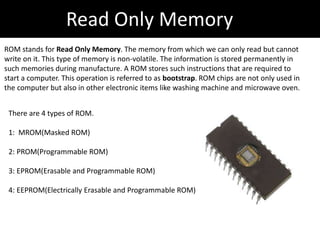
Read Only Memory
ROM stands for Read Only Memory. The memory from which we can only read but cannot
write on it. This type of memory is non-volatile. The information is stored permanently in
such memories during manufacture. A ROM stores such instructions that are required to
start a computer. This operation is referred to as bootstrap. ROM chips are not only used in
the computer but also in other electronic items like washing machine and microwave oven.
There are 4 types of ROM.
1: MROM(Masked ROM)
2: PROM(Programmable ROM)
3: EPROM(Erasable and Programmable ROM)
4: EEPROM(Electrically Erasable and Programmable ROM)
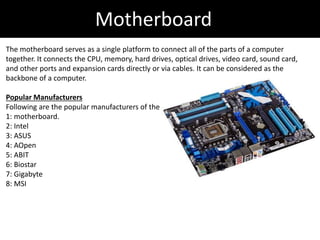
Motherboard
The motherboard serves as a single platform to connect all of the parts of a computer
together. It connects the CPU, memory, hard drives, optical drives, video card, sound card,
and other ports and expansion cards directly or via cables. It can be considered as the
backbone of a computer.
Popular Manufacturers
Following are the popular manufacturers of the
1: motherboard.
2: Intel
3: ASUS
4: AOpen
5: ABIT
6: Biostar
7: Gigabyte
8: MSI
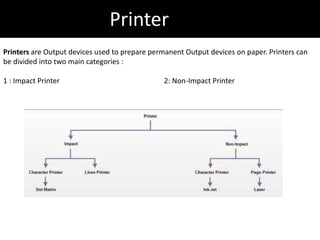
Printer
Printers are Output devices used to prepare permanent Output devices on paper. Printers can
be divided into two main categories :
1 : Impact Printer 2: Non-Impact Printer
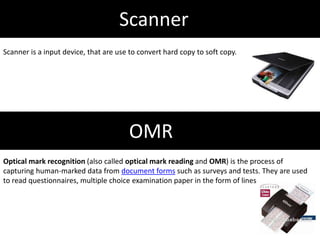
Scanner
Scanner is a input device, that are use to convert hard copy to soft copy.
OMR
Optical mark recognition (also called optical mark reading and OMR) is the process of
capturing human-marked data from document forms such as surveys and tests. They are used
to read questionnaires, multiple choice examination paper in the form of lines
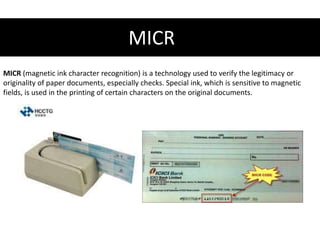
MICR
MICR (magnetic ink character recognition) is a technology used to verify the legitimacy or
originality of paper documents, especially checks. Special ink, which is sensitive to magnetic
fields, is used in the printing of certain characters on the original documents.
HARDWARE
Computer hardware includes the physical parts or components of a computer, such as
the central processing unit, monitor, keyboard, computer data storage, graphic card, sound
card and motherboard.
SOFTWARE
Software is a set of programs, which is designed to perform a well-defined function. A program
is a sequence of instructions written to solve a particular problem.
There are two types of software −
1: System Software
2: Application Software
System SOFTWARE
he system software is a collection of programs designed to operate, control, and extend the
processing capabilities of the computer itself. System software is generally prepared by the
computer manufacturers. These software products comprise of programs written in low-level
languages, which interact with the hardware at a very basic level. System software serves as the
interface between the hardware and the end users.
Some examples of system software are Operating System, Compilers, Interpreter, Assemblers,
etc.
Application SOFTWARE
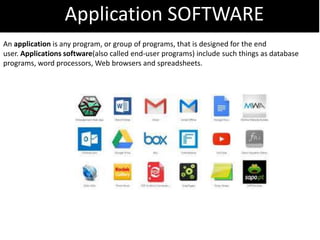
An application is any program, or group of programs, that is designed for the end
user. Applications software(also called end-user programs) include such things as database
programs, word processors, Web browsers and spreadsheets.

It tools and business system

  • 1.
    IT TOOLS ANDBUSINESS SYSTEM
  • 2.
    COMPUTER C = COMMON O= OPERATOR M = MACHINE P = PARTICULAR U = USER T = TRADE E = EDUCATION R = RESEARCH “Computer is an electronic device, that are use to input any types of information than process of information than result based on the input”.
  • 3.
    GENERATION OF COMPUTER S.NoGeneration & Description 1 First GenerationThe period of first generation: 1946-1959. Vacuum tube based. 2 Second GenerationThe period of second generation: 1959-1965. Transistor based. 3 Third GenerationThe period of third generation: 1965-1971. Integrated Circuit based. 4 Fourth GenerationThe period of fourth generation: 1971-1980. VLSI microprocessor based. 5 Fifth GenerationThe period of fifth generation: 1980-onwards. ULSI microprocessor based.
  • 4.
    LIFE CYCLE OFCOMPUTER INPUT PROCESS OUTPUT
  • 5.
    PARTS OF COMPUTER 1: Monitor 2: Keyboard 3: Mouse 4: CPU
  • 6.
    MONITOR Monitor is aoutput device, that are use to display any types of information, it also called TV and VDU(Visual Display Unit), there are 4 types of monitor. 1 : LED 2: LCD 3: CRT 4: OLED
  • 7.
    An LED displayis a flat panel display, which uses an array of light-emitting diodes as pixels for a video display.
  • 8.
    liquid Crystal Display Aliquid crystal display (LCD) monitor is a computer monitor or display that uses LCD technology to show clear images, and is found mostly in laptop computers and flat panel monitors.
  • 9.
    Cathode Ray Tube Thecathode ray tube (CRT) is a vacuum tube that contains one or more electron guns and a phosphorescent screen, and is used to display images. It modulates, accelerates, and deflects electron beam(s) onto the screen to create the images.
  • 10.
    Organic Light EmittingDiodes OLED monitors are flat computer displays which consist of pixels made from OLEDs (Organic Light Emitting Diodes) rather than liquid crystal filled units. Unlike LCD (Liquid Crystal Display) technology, OLED does not require backlighting to function.
  • 11.
    Keyboard is ainput device, that are use to typing any types of information, 1 basic keyboard are use 104 keys, and there are three types of keys used. 1: Numerical Keys ( 0 To 9) 2: Character Keys ( A To Z) 3: Functional Keys ( F1 To F12) 4: Special Keys (+,-/>< etc)
  • 12.
    Mouse is ainput device, that are use to click any types of icons, mouse always called pointing and clicking device,there are three buttons use. 1: Left button 2: Right button 3: Center button
  • 13.
    Left Button areuse to double click any types of icons.
  • 14.
    Right button areuse to open any icons by short cut menu.
  • 15.
    It’s button areuse to page up and down.
  • 16.
    CPU means CentralProcessing unit, that are use to process any input information, and handle ALU(Arithmetic Logical Unit) by Control Unit, its always call process device and Control device, It’s a main memory and brain of computer.
  • 17.
    Computer - Types S.No.Type Specifications 1 PC (Personal Computer) It is a single user computer system having moderately powerful microprocessor 2 Workstation It is also a single user computer system, similar to personal computer however has a more powerful microprocessor. 3 Mini Computer It is a multi-user computer system, capable of supporting hundreds of users simultaneously. 4 Main Frame It is a multi-user computer system, capable of supporting hundreds of users simultaneously. Software technology is different from minicomputer. 5 Supercomputer It is an extremely fast computer, which can execute hundreds of millions of instructions per second.
  • 18.
    PC (Personal Computer) APC can be defined as a small, relatively inexpensive computer designed for an individual user. PCs are based on the microprocessor technology that enables manufacturers to put an entire CPU on one chip. Businesses use personal computers for word processing, accounting, desktop publishing, and for running spreadsheet and database management applications. At home, the most popular use for personal computers is playing games and surfing the Internet.
  • 19.
    Workstation Workstation is acomputer used for engineering applications (CAD/CAM), desktop publishing, software development, and other such types of applications which require a moderate amount of computing power and relatively high quality graphics capabilities.
  • 20.
    Minicomputer It is amidsize multi-processing system capable of supporting up to 250 users simultaneously.
  • 21.
    Mainframe Mainframe is verylarge in size and is an expensive computer capable of supporting hundreds or even thousands of users simultaneously. Mainframe executes many programs concurrently and supports many simultaneous execution of programs.
  • 22.
    Supercomputer Supercomputers are oneof the fastest computers currently available. Supercomputers are very expensive and are employed for specialized applications that require immense amount of mathematical calculations (number crunching).
  • 23.
  • 24.
    Memory A memory isjust like a human brain. It is used to store data and instructions. Computer memory is the storage space in the computer, where data is to be processed and instructions required for processing are stored. The memory is divided into large number of small parts called cells. Each location or cell has a unique address, which varies from zero to memory size minus one. For example, if the computer has 64k words, then this memory unit has 64 * 1024 = 65536 memory locations. The address of these locations varies from 0 to 65535. Memory is primarily of three types − 1: Cache Memory 2: Primary Memory/Main Memory 3: Secondary Memory
  • 25.
    Cache Memory Cache memoryis a very high speed semiconductor memory which can speed up the CPU. It acts as a buffer between the CPU and the main memory. It is used to hold those parts of data and program which are most frequently used by the CPU. The parts of data and programs are transferred from the disk to cache memory by the operating system, from where the CPU can access them.
  • 26.
    Primary Memory Primary memoryholds only those data and instructions on which the computer is currently working. It has a limited capacity and data is lost when power is switched off. It is generally made up of semiconductor device. These memories are not as fast as registers. The data and instruction required to be processed resides in the main memory. It is divided into two subcategories RAM and ROM.
  • 27.
    Secondary Memory This typeof memory is also known as external memory or non-volatile. It is slower than the main memory. These are used for storing data/information permanently. CPU directly does not access these memories, instead they are accessed via input-output routines. The contents of secondary memories are first transferred to the main memory, and then the CPU can access it. For example, disk, CD-ROM, DVD, etc.
  • 28.
    Random Access Memory RAM(Random Access Memory) is the internal memory of the CPU for storing data, program, and program result. It is a read/write memory which stores data until the machine is working. As soon as the machine is switched off, data is erased. RAM is of two types − 1: Static RAM (SRAM) 2: Dynamic RAM (DRAM)
  • 29.
    Read Only Memory ROMstands for Read Only Memory. The memory from which we can only read but cannot write on it. This type of memory is non-volatile. The information is stored permanently in such memories during manufacture. A ROM stores such instructions that are required to start a computer. This operation is referred to as bootstrap. ROM chips are not only used in the computer but also in other electronic items like washing machine and microwave oven. There are 4 types of ROM. 1: MROM(Masked ROM) 2: PROM(Programmable ROM) 3: EPROM(Erasable and Programmable ROM) 4: EEPROM(Electrically Erasable and Programmable ROM)
  • 30.
    Motherboard The motherboard servesas a single platform to connect all of the parts of a computer together. It connects the CPU, memory, hard drives, optical drives, video card, sound card, and other ports and expansion cards directly or via cables. It can be considered as the backbone of a computer. Popular Manufacturers Following are the popular manufacturers of the 1: motherboard. 2: Intel 3: ASUS 4: AOpen 5: ABIT 6: Biostar 7: Gigabyte 8: MSI
  • 31.
    Printer Printers are Outputdevices used to prepare permanent Output devices on paper. Printers can be divided into two main categories : 1 : Impact Printer 2: Non-Impact Printer
  • 32.
    Scanner Scanner is ainput device, that are use to convert hard copy to soft copy. OMR Optical mark recognition (also called optical mark reading and OMR) is the process of capturing human-marked data from document forms such as surveys and tests. They are used to read questionnaires, multiple choice examination paper in the form of lines
  • 33.
    MICR MICR (magnetic inkcharacter recognition) is a technology used to verify the legitimacy or originality of paper documents, especially checks. Special ink, which is sensitive to magnetic fields, is used in the printing of certain characters on the original documents.
  • 34.
    HARDWARE Computer hardware includesthe physical parts or components of a computer, such as the central processing unit, monitor, keyboard, computer data storage, graphic card, sound card and motherboard. SOFTWARE Software is a set of programs, which is designed to perform a well-defined function. A program is a sequence of instructions written to solve a particular problem. There are two types of software − 1: System Software 2: Application Software
  • 35.
    System SOFTWARE he systemsoftware is a collection of programs designed to operate, control, and extend the processing capabilities of the computer itself. System software is generally prepared by the computer manufacturers. These software products comprise of programs written in low-level languages, which interact with the hardware at a very basic level. System software serves as the interface between the hardware and the end users. Some examples of system software are Operating System, Compilers, Interpreter, Assemblers, etc.
  • 36.
    Application SOFTWARE An applicationis any program, or group of programs, that is designed for the end user. Applications software(also called end-user programs) include such things as database programs, word processors, Web browsers and spreadsheets.