Extensible Markup Language
Objectives


                In this session, you will learn to:
                   Reuse XML schema components
                   Create groups of elements and attributes in an XML schema


     Ver. 1.0                      Session 4                           Slide 1 of 23
Extensible Markup Language
Reusing Components of a Schema


               •   Schemas support a high degree of reusability among other
                   schemas.
               •   Reusability among other schemas is achieved by using the
                   include or import elements.


    Ver. 1.0                        Session 4                        Slide 2 of 23
Extensible Markup Language
The include Element


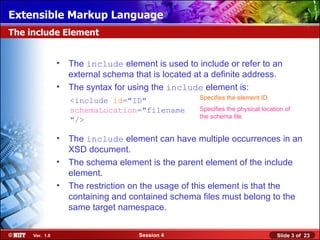
                •   The include element is used to include or refer to an
                    external schema that is located at a definite address.
                •   The syntax for using the include element is:
                                                     Specifies the element ID.
                    <include id="ID"
                    schemaLocation="filename         Specifies the physical location of
                                                     the schema file.
                    "/>

                •   The include element can have multiple occurrences in an
                    XSD document.
                •   The schema element is the parent element of the include
                    element.
                •   The restriction on the usage of this element is that the
                    containing and contained schema files must belong to the
                    same target namespace.


     Ver. 1.0                        Session 4                                    Slide 3 of 23
Extensible Markup Language
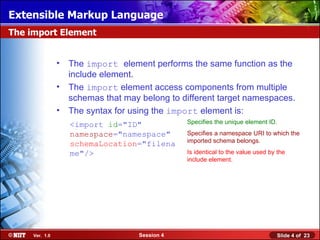
The import Element


                •   The import element performs the same function as the
                    include element.
                •   The import element access components from multiple
                    schemas that may belong to different target namespaces.
                •   The syntax for using the import element is:
                    <import id="ID"              Specifies the unique element ID.

                    namespace="namespace"        Specifies a namespace URI to which the
                                                 imported schema belongs.
                    schemaLocation="filena
                    me"/>                        Is identical to the value used by the
                                                 include element.


     Ver. 1.0                        Session 4                                    Slide 4 of 23
Extensible Markup Language
Demo: Reusing XML Schema Components


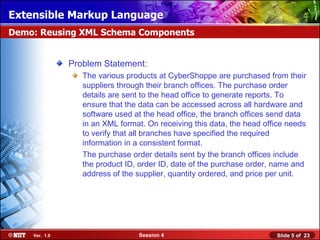
               Problem Statement:
                  The various products at CyberShoppe are purchased from their
                  suppliers through their branch offices. The purchase order
                  details are sent to the head office to generate reports. To
                  ensure that the data can be accessed across all hardware and
                  software used at the head office, the branch offices send data
                  in an XML format. On receiving this data, the head office needs
                  to verify that all branches have specified the required
                  information in a consistent format.
                  The purchase order details sent by the branch offices include
                  the product ID, order ID, date of the purchase order, name and
                  address of the supplier, quantity ordered, and price per unit.


    Ver. 1.0                     Session 4                              Slide 5 of 23
Extensible Markup Language
Demo: Reusing XML Schema Components (Contd.)


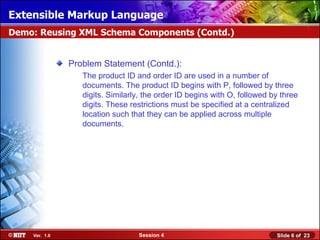
               Problem Statement (Contd.):
                  The product ID and order ID are used in a number of
                  documents. The product ID begins with P, followed by three
                  digits. Similarly, the order ID begins with O, followed by three
                  digits. These restrictions must be specified at a centralized
                  location such that they can be applied across multiple
                  documents.


    Ver. 1.0                      Session 4                                Slide 6 of 23
Extensible Markup Language
Creating Grouped Elements and Attributes


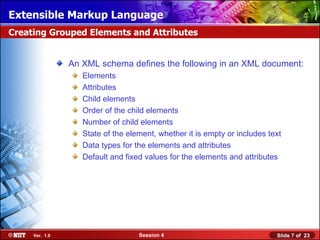
                An XML schema defines the following in an XML document:
                   Elements
                   Attributes
                   Child elements
                   Order of the child elements
                   Number of child elements
                   State of the element, whether it is empty or includes text
                   Data types for the elements and attributes
                   Default and fixed values for the elements and attributes


     Ver. 1.0                      Session 4                               Slide 7 of 23
Extensible Markup Language
Creating Grouped Elements and Attributes (Contd.)


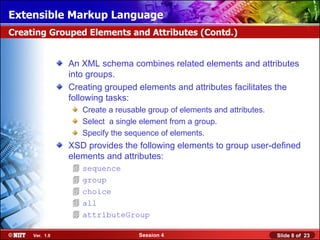
                An XML schema combines related elements and attributes
                into groups.
                Creating grouped elements and attributes facilitates the
                following tasks:
                    Create a reusable group of elements and attributes.
                    Select a single element from a group.
                    Specify the sequence of elements.
                XSD provides the following elements to group user-defined
                elements and attributes:
                   sequence
                   group
                   choice
                   all
                   attributeGroup

     Ver. 1.0                      Session 4                              Slide 8 of 23
Extensible Markup Language
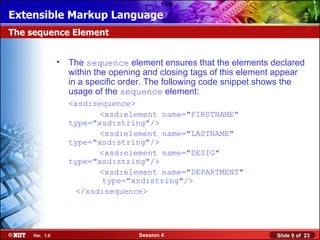
The sequence Element


               •   The sequence element ensures that the elements declared
                   within the opening and closing tags of this element appear
                   in a specific order. The following code snippet shows the
                   usage of the sequence element:
                   <xsd:sequence>
                          <xsd:element name="FIRSTNAME"
                   type="xsd:string"/>
                          <xsd:element name="LASTNAME"
                   type="xsd:string"/>
                          <xsd:element name="DESIG"
                   type="xsd:string"/>
                          <xsd:element name="DEPARTMENT"
                           type="xsd:string"/>
                     </xsd:sequence>


    Ver. 1.0                        Session 4                         Slide 9 of 23
Extensible Markup Language
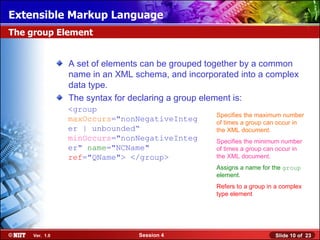
The group Element


                A set of elements can be grouped together by a common
                name in an XML schema, and incorporated into a complex
                data type.
                The syntax for declaring a group element is:
                <group
                                                  Specifies the maximum number
                maxOccurs="nonNegativeInteg       of times a group can occur in
                er | unbounded“                   the XML document.
                minOccurs="nonNegativeInteg       Specifies the minimum number
                er" name="NCName"                 of times a group can occur in
                ref="QName"> </group>             the XML document.
                                                  Assigns a name for the group
                                                  element.
                                                  Refers to a group in a complex
                                                  type element


     Ver. 1.0                   Session 4                             Slide 10 of 23
Extensible Markup Language
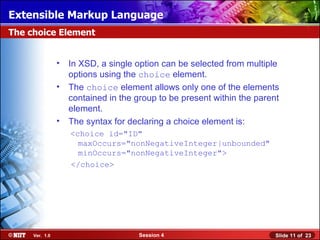
The choice Element


                •   In XSD, a single option can be selected from multiple
                    options using the choice element.
                •   The choice element allows only one of the elements
                    contained in the group to be present within the parent
                    element.
                •   The syntax for declaring a choice element is:
                    <choice id="ID"
                      maxOccurs="nonNegativeInteger|unbounded"
                      minOccurs="nonNegativeInteger">
                    </choice>


     Ver. 1.0                         Session 4                          Slide 11 of 23
Extensible Markup Language
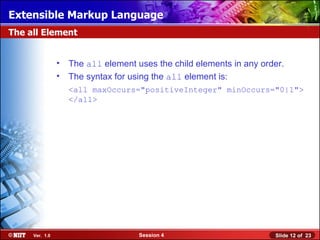
The all Element


                •   The all element uses the child elements in any order.
                •   The syntax for using the all element is:
                    <all maxOccurs="positiveInteger" minOccurs="0|1">
                    </all>


     Ver. 1.0                        Session 4                        Slide 12 of 23
Extensible Markup Language
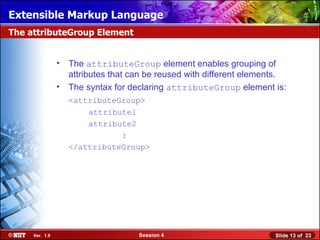
The attributeGroup Element


                •   The attributeGroup element enables grouping of
                    attributes that can be reused with different elements.
                •   The syntax for declaring attributeGroup element is:
                    <attributeGroup>
                        attribute1
                        attribute2
                               :
                    </attributeGroup>


     Ver. 1.0                        Session 4                         Slide 13 of 23
Extensible Markup Language
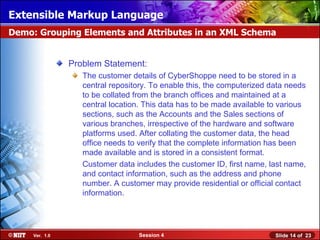
Demo: Grouping Elements and Attributes in an XML Schema


                Problem Statement:
                   The customer details of CyberShoppe need to be stored in a
                   central repository. To enable this, the computerized data needs
                   to be collated from the branch offices and maintained at a
                   central location. This data has to be made available to various
                   sections, such as the Accounts and the Sales sections of
                   various branches, irrespective of the hardware and software
                   platforms used. After collating the customer data, the head
                   office needs to verify that the complete information has been
                   made available and is stored in a consistent format.
                   Customer data includes the customer ID, first name, last name,
                   and contact information, such as the address and phone
                   number. A customer may provide residential or official contact
                   information.


     Ver. 1.0                     Session 4                              Slide 14 of 23
Extensible Markup Language
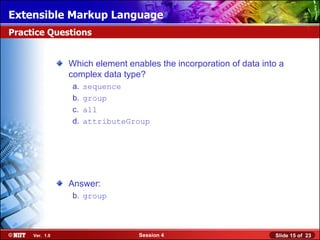
Practice Questions


                Which element enables the incorporation of data into a
                complex data type?
                 a.   sequence
                 b.   group
                 c.   all
                 d.   attributeGroup


                Answer:
                 b. group


     Ver. 1.0                    Session 4                         Slide 15 of 23
Extensible Markup Language
Practice Questions


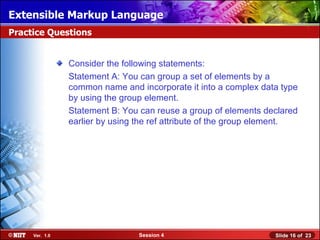
                Consider the following statements:
                Statement A: You can group a set of elements by a
                common name and incorporate it into a complex data type
                by using the group element.
                Statement B: You can reuse a group of elements declared
                earlier by using the ref attribute of the group element.


     Ver. 1.0                    Session 4                        Slide 16 of 23
Extensible Markup Language
Practice Questions (Contd.)


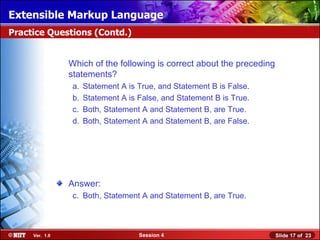
                Which of the following is correct about the preceding
                statements?
                 a.   Statement A is True, and Statement B is False.
                 b.   Statement A is False, and Statement B is True.
                 c.   Both, Statement A and Statement B, are True.
                 d.   Both, Statement A and Statement B, are False.


                Answer:
                 c. Both, Statement A and Statement B, are True.


     Ver. 1.0                        Session 4                          Slide 17 of 23
Extensible Markup Language
Practice Questions


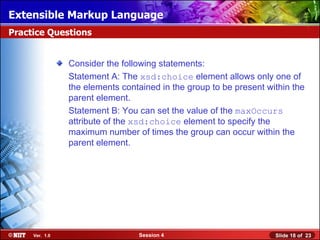
                Consider the following statements:
                Statement A: The xsd:choice element allows only one of
                the elements contained in the group to be present within the
                parent element.
                Statement B: You can set the value of the maxOccurs
                attribute of the xsd:choice element to specify the
                maximum number of times the group can occur within the
                parent element.


     Ver. 1.0                    Session 4                          Slide 18 of 23
Extensible Markup Language
Practice Questions (Contd.)


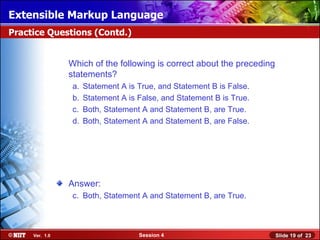
                Which of the following is correct about the preceding
                statements?
                 a.   Statement A is True, and Statement B is False.
                 b.   Statement A is False, and Statement B is True.
                 c.   Both, Statement A and Statement B, are True.
                 d.   Both, Statement A and Statement B, are False.


                Answer:
                 c. Both, Statement A and Statement B, are True.


     Ver. 1.0                        Session 4                          Slide 19 of 23
Extensible Markup Language
Practice Questions


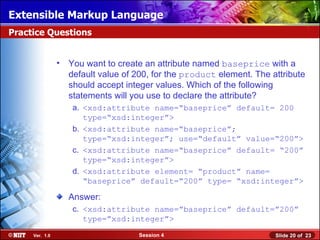
                • You want to create an attribute named baseprice with a
                  default value of 200, for the product element. The attribute
                  should accept integer values. Which of the following
                  statements will you use to declare the attribute?
                   a. <xsd:attribute name=“baseprice” default= 200
                      type=“xsd:integer”>
                   b. <xsd:attribute name=“baseprice”;
                      type=“xsd:integer”; use=“default” value=“200”>
                   c. <xsd:attribute name=“baseprice” default= “200”
                      type=“xsd:integer”>
                   d. <xsd:attribute element= “product” name=
                      “baseprice” default=“200” type= “xsd:integer”>

                  Answer:
                   c. <xsd:attribute name=”baseprice” default=”200”
                      type=”xsd:integer”>
     Ver. 1.0                       Session 4                         Slide 20 of 23
Extensible Markup Language
Practice Questions


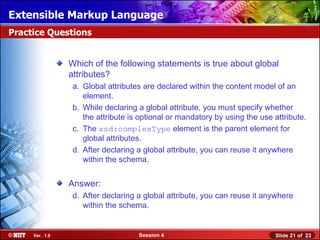
                Which of the following statements is true about global
                attributes?
                 a. Global attributes are declared within the content model of an
                    element.
                 b. While declaring a global attribute, you must specify whether
                    the attribute is optional or mandatory by using the use attribute.
                 c. The xsd:complexType element is the parent element for
                    global attributes.
                 d. After declaring a global attribute, you can reuse it anywhere
                    within the schema.


                Answer:
                 d. After declaring a global attribute, you can reuse it anywhere
                    within the schema.


     Ver. 1.0                       Session 4                               Slide 21 of 23
Extensible Markup Language
Summary


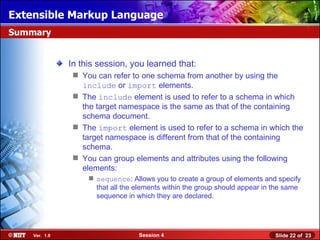
               In this session, you learned that:
                 You can refer to one schema from another by using the
                  include or import elements.
                 The include element is used to refer to a schema in which
                  the target namespace is the same as that of the containing
                  schema document.
                 The import element is used to refer to a schema in which the
                  target namespace is different from that of the containing
                  schema.
                 You can group elements and attributes using the following
                  elements:
                     sequence: Allows you to create a group of elements and specify
                      that all the elements within the group should appear in the same
                      sequence in which they are declared.


    Ver. 1.0                       Session 4                                  Slide 22 of 23
Extensible Markup Language
Summary (Contd.)


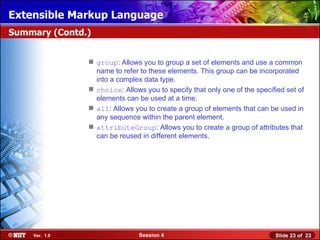
                group: Allows you to group a set of elements and use a common
                 name to refer to these elements. This group can be incorporated
                 into a complex data type.
                choice: Allows you to specify that only one of the specified set of
                 elements can be used at a time.
                all: Allows you to create a group of elements that can be used in
                 any sequence within the parent element.
                attributeGroup: Allows you to create a group of attributes that
                 can be reused in different elements.


    Ver. 1.0                   Session 4                                  Slide 23 of 23

Xml session04

  • 1.
    Extensible Markup Language Objectives In this session, you will learn to: Reuse XML schema components Create groups of elements and attributes in an XML schema Ver. 1.0 Session 4 Slide 1 of 23
  • 2.
    Extensible Markup Language ReusingComponents of a Schema • Schemas support a high degree of reusability among other schemas. • Reusability among other schemas is achieved by using the include or import elements. Ver. 1.0 Session 4 Slide 2 of 23
  • 3.
    Extensible Markup Language Theinclude Element • The include element is used to include or refer to an external schema that is located at a definite address. • The syntax for using the include element is: Specifies the element ID. <include id="ID" schemaLocation="filename Specifies the physical location of the schema file. "/> • The include element can have multiple occurrences in an XSD document. • The schema element is the parent element of the include element. • The restriction on the usage of this element is that the containing and contained schema files must belong to the same target namespace. Ver. 1.0 Session 4 Slide 3 of 23
  • 4.
    Extensible Markup Language Theimport Element • The import element performs the same function as the include element. • The import element access components from multiple schemas that may belong to different target namespaces. • The syntax for using the import element is: <import id="ID" Specifies the unique element ID. namespace="namespace" Specifies a namespace URI to which the imported schema belongs. schemaLocation="filena me"/> Is identical to the value used by the include element. Ver. 1.0 Session 4 Slide 4 of 23
  • 5.
    Extensible Markup Language Demo:Reusing XML Schema Components Problem Statement: The various products at CyberShoppe are purchased from their suppliers through their branch offices. The purchase order details are sent to the head office to generate reports. To ensure that the data can be accessed across all hardware and software used at the head office, the branch offices send data in an XML format. On receiving this data, the head office needs to verify that all branches have specified the required information in a consistent format. The purchase order details sent by the branch offices include the product ID, order ID, date of the purchase order, name and address of the supplier, quantity ordered, and price per unit. Ver. 1.0 Session 4 Slide 5 of 23
  • 6.
    Extensible Markup Language Demo:Reusing XML Schema Components (Contd.) Problem Statement (Contd.): The product ID and order ID are used in a number of documents. The product ID begins with P, followed by three digits. Similarly, the order ID begins with O, followed by three digits. These restrictions must be specified at a centralized location such that they can be applied across multiple documents. Ver. 1.0 Session 4 Slide 6 of 23
  • 7.
    Extensible Markup Language CreatingGrouped Elements and Attributes An XML schema defines the following in an XML document: Elements Attributes Child elements Order of the child elements Number of child elements State of the element, whether it is empty or includes text Data types for the elements and attributes Default and fixed values for the elements and attributes Ver. 1.0 Session 4 Slide 7 of 23
  • 8.
    Extensible Markup Language CreatingGrouped Elements and Attributes (Contd.) An XML schema combines related elements and attributes into groups. Creating grouped elements and attributes facilitates the following tasks: Create a reusable group of elements and attributes. Select a single element from a group. Specify the sequence of elements. XSD provides the following elements to group user-defined elements and attributes:  sequence  group  choice  all  attributeGroup Ver. 1.0 Session 4 Slide 8 of 23
  • 9.
    Extensible Markup Language Thesequence Element • The sequence element ensures that the elements declared within the opening and closing tags of this element appear in a specific order. The following code snippet shows the usage of the sequence element: <xsd:sequence> <xsd:element name="FIRSTNAME" type="xsd:string"/> <xsd:element name="LASTNAME" type="xsd:string"/> <xsd:element name="DESIG" type="xsd:string"/> <xsd:element name="DEPARTMENT" type="xsd:string"/> </xsd:sequence> Ver. 1.0 Session 4 Slide 9 of 23
  • 10.
    Extensible Markup Language Thegroup Element A set of elements can be grouped together by a common name in an XML schema, and incorporated into a complex data type. The syntax for declaring a group element is: <group Specifies the maximum number maxOccurs="nonNegativeInteg of times a group can occur in er | unbounded“ the XML document. minOccurs="nonNegativeInteg Specifies the minimum number er" name="NCName" of times a group can occur in ref="QName"> </group> the XML document. Assigns a name for the group element. Refers to a group in a complex type element Ver. 1.0 Session 4 Slide 10 of 23
  • 11.
    Extensible Markup Language Thechoice Element • In XSD, a single option can be selected from multiple options using the choice element. • The choice element allows only one of the elements contained in the group to be present within the parent element. • The syntax for declaring a choice element is: <choice id="ID" maxOccurs="nonNegativeInteger|unbounded" minOccurs="nonNegativeInteger"> </choice> Ver. 1.0 Session 4 Slide 11 of 23
  • 12.
    Extensible Markup Language Theall Element • The all element uses the child elements in any order. • The syntax for using the all element is: <all maxOccurs="positiveInteger" minOccurs="0|1"> </all> Ver. 1.0 Session 4 Slide 12 of 23
  • 13.
    Extensible Markup Language TheattributeGroup Element • The attributeGroup element enables grouping of attributes that can be reused with different elements. • The syntax for declaring attributeGroup element is: <attributeGroup> attribute1 attribute2 : </attributeGroup> Ver. 1.0 Session 4 Slide 13 of 23
  • 14.
    Extensible Markup Language Demo:Grouping Elements and Attributes in an XML Schema Problem Statement: The customer details of CyberShoppe need to be stored in a central repository. To enable this, the computerized data needs to be collated from the branch offices and maintained at a central location. This data has to be made available to various sections, such as the Accounts and the Sales sections of various branches, irrespective of the hardware and software platforms used. After collating the customer data, the head office needs to verify that the complete information has been made available and is stored in a consistent format. Customer data includes the customer ID, first name, last name, and contact information, such as the address and phone number. A customer may provide residential or official contact information. Ver. 1.0 Session 4 Slide 14 of 23
  • 15.
    Extensible Markup Language PracticeQuestions Which element enables the incorporation of data into a complex data type? a. sequence b. group c. all d. attributeGroup Answer: b. group Ver. 1.0 Session 4 Slide 15 of 23
  • 16.
    Extensible Markup Language PracticeQuestions Consider the following statements: Statement A: You can group a set of elements by a common name and incorporate it into a complex data type by using the group element. Statement B: You can reuse a group of elements declared earlier by using the ref attribute of the group element. Ver. 1.0 Session 4 Slide 16 of 23
  • 17.
    Extensible Markup Language PracticeQuestions (Contd.) Which of the following is correct about the preceding statements? a. Statement A is True, and Statement B is False. b. Statement A is False, and Statement B is True. c. Both, Statement A and Statement B, are True. d. Both, Statement A and Statement B, are False. Answer: c. Both, Statement A and Statement B, are True. Ver. 1.0 Session 4 Slide 17 of 23
  • 18.
    Extensible Markup Language PracticeQuestions Consider the following statements: Statement A: The xsd:choice element allows only one of the elements contained in the group to be present within the parent element. Statement B: You can set the value of the maxOccurs attribute of the xsd:choice element to specify the maximum number of times the group can occur within the parent element. Ver. 1.0 Session 4 Slide 18 of 23
  • 19.
    Extensible Markup Language PracticeQuestions (Contd.) Which of the following is correct about the preceding statements? a. Statement A is True, and Statement B is False. b. Statement A is False, and Statement B is True. c. Both, Statement A and Statement B, are True. d. Both, Statement A and Statement B, are False. Answer: c. Both, Statement A and Statement B, are True. Ver. 1.0 Session 4 Slide 19 of 23
  • 20.
    Extensible Markup Language PracticeQuestions • You want to create an attribute named baseprice with a default value of 200, for the product element. The attribute should accept integer values. Which of the following statements will you use to declare the attribute? a. <xsd:attribute name=“baseprice” default= 200 type=“xsd:integer”> b. <xsd:attribute name=“baseprice”; type=“xsd:integer”; use=“default” value=“200”> c. <xsd:attribute name=“baseprice” default= “200” type=“xsd:integer”> d. <xsd:attribute element= “product” name= “baseprice” default=“200” type= “xsd:integer”> Answer: c. <xsd:attribute name=”baseprice” default=”200” type=”xsd:integer”> Ver. 1.0 Session 4 Slide 20 of 23
  • 21.
    Extensible Markup Language PracticeQuestions Which of the following statements is true about global attributes? a. Global attributes are declared within the content model of an element. b. While declaring a global attribute, you must specify whether the attribute is optional or mandatory by using the use attribute. c. The xsd:complexType element is the parent element for global attributes. d. After declaring a global attribute, you can reuse it anywhere within the schema. Answer: d. After declaring a global attribute, you can reuse it anywhere within the schema. Ver. 1.0 Session 4 Slide 21 of 23
  • 22.
    Extensible Markup Language Summary In this session, you learned that:  You can refer to one schema from another by using the include or import elements.  The include element is used to refer to a schema in which the target namespace is the same as that of the containing schema document.  The import element is used to refer to a schema in which the target namespace is different from that of the containing schema.  You can group elements and attributes using the following elements:  sequence: Allows you to create a group of elements and specify that all the elements within the group should appear in the same sequence in which they are declared. Ver. 1.0 Session 4 Slide 22 of 23
  • 23.
    Extensible Markup Language Summary(Contd.)  group: Allows you to group a set of elements and use a common name to refer to these elements. This group can be incorporated into a complex data type.  choice: Allows you to specify that only one of the specified set of elements can be used at a time.  all: Allows you to create a group of elements that can be used in any sequence within the parent element.  attributeGroup: Allows you to create a group of attributes that can be reused in different elements. Ver. 1.0 Session 4 Slide 23 of 23

Editor's Notes

  • #2 Introduce the students to the course by asking them what they know about forensics. Next, ask the students what they know about system forensics and why is it required in organizations dependent on IT. This could be a brief discussion of about 5 minutes. Lead the discussion to the objectives of this chapter.
  • #3 Introduce the students to the different types of threats that systems face by: Asking the students to give examples of what they think are environmental and human threats. Asking the students to give instances of what they think are malicious and non-malicious threats. Conclude the discussion on the different types of threats by giving additional examples of malicious and non malicious threats.
  • #4 Introduce the students to the different types of threats that systems face by: Asking the students to give examples of what they think are environmental and human threats. Asking the students to give instances of what they think are malicious and non-malicious threats. Conclude the discussion on the different types of threats by giving additional examples of malicious and non malicious threats.
  • #5 Hold a two- three minute discussion on the different types of system-related crimes that the students have experienced or heard. At the end of the discussion, give additional examples of system-related crimes.
  • #6 While explaining the definition of system forensics, ask the students to note the following key words in the definition: Identify Extract Process Analyze Digital and hardware evidence Tell the students that these form an integral aspect of system forensics and would be discussed in detail. Before moving on to the next slide, hold a brief discussion on why is it important for organizations to take the help of system forensics. The discussion should be focused on: The role that system forensics plays in organizations having an IT set up. This discussion will serve as a precursor to the next slide.
  • #7 While explaining the definition of system forensics, ask the students to note the following key words in the definition: Identify Extract Process Analyze Digital and hardware evidence Tell the students that these form an integral aspect of system forensics and would be discussed in detail. Before moving on to the next slide, hold a brief discussion on why is it important for organizations to take the help of system forensics. The discussion should be focused on: The role that system forensics plays in organizations having an IT set up. This discussion will serve as a precursor to the next slide.
  • #8 While explaining the definition of system forensics, ask the students to note the following key words in the definition: Identify Extract Process Analyze Digital and hardware evidence Tell the students that these form an integral aspect of system forensics and would be discussed in detail. Before moving on to the next slide, hold a brief discussion on why is it important for organizations to take the help of system forensics. The discussion should be focused on: The role that system forensics plays in organizations having an IT set up. This discussion will serve as a precursor to the next slide.
  • #9 While explaining the definition of system forensics, ask the students to note the following key words in the definition: Identify Extract Process Analyze Digital and hardware evidence Tell the students that these form an integral aspect of system forensics and would be discussed in detail. Before moving on to the next slide, hold a brief discussion on why is it important for organizations to take the help of system forensics. The discussion should be focused on: The role that system forensics plays in organizations having an IT set up. This discussion will serve as a precursor to the next slide.
  • #10 Connect the information given on this slide to the initial discussion held on the different types of system-related crimes.
  • #11 Connect the information given on this slide to the initial discussion held on the different types of system-related crimes.
  • #12 Connect the information given on this slide to the initial discussion held on the different types of system-related crimes.
  • #13 Connect the information given on this slide to the initial discussion held on the different types of system-related crimes.
  • #14 Connect the information given on this slide to the initial discussion held on the different types of system-related crimes.
  • #15 While explaining the definition of system forensics, ask the students to note the following key words in the definition: Identify Extract Process Analyze Digital and hardware evidence Tell the students that these form an integral aspect of system forensics and would be discussed in detail. Before moving on to the next slide, hold a brief discussion on why is it important for organizations to take the help of system forensics. The discussion should be focused on: The role that system forensics plays in organizations having an IT set up. This discussion will serve as a precursor to the next slide.
  • #16 Reiterate the concepts taught earlier by asking the given question.
  • #17 Reiterate the concepts taught earlier by asking the given question.
  • #18 Reiterate the concepts taught earlier by asking the given question.
  • #19 Reiterate the concepts taught earlier by asking the given question.
  • #20 Reiterate the concepts taught earlier by asking the given question.
  • #21 Reiterate the concepts taught earlier by asking the given question.
  • #22 Reiterate the concepts taught earlier by asking the given question.