XML stands forExtensible Markup Language. It is a text-based markup
language derived from Standard Generalized Markup Language (SGML).
XML tags identify the data and are used to store and organize the data,
rather than specifying how to display it like HTML tags, which are used
to display the data. XML is not going to replace HTML in the near future,
but it introduces new possibilities by adopting many successful features
of HTML.
3.
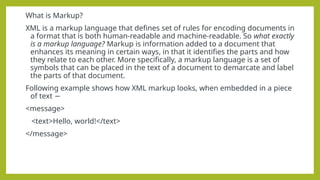
What is Markup?
XMLis a markup language that defines set of rules for encoding documents in
a format that is both human-readable and machine-readable. So what exactly
is a markup language? Markup is information added to a document that
enhances its meaning in certain ways, in that it identifies the parts and how
they relate to each other. More specifically, a markup language is a set of
symbols that can be placed in the text of a document to demarcate and label
the parts of that document.
Following example shows how XML markup looks, when embedded in a piece
of text −
<message>
<text>Hello, world!</text>
</message>
4.
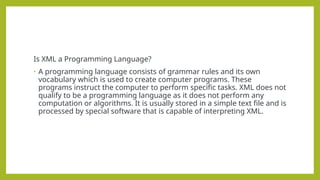
Is XML aProgramming Language?
• A programming language consists of grammar rules and its own
vocabulary which is used to create computer programs. These
programs instruct the computer to perform specific tasks. XML does not
qualify to be a programming language as it does not perform any
computation or algorithms. It is usually stored in a simple text file and is
processed by special software that is capable of interpreting XML.
5.
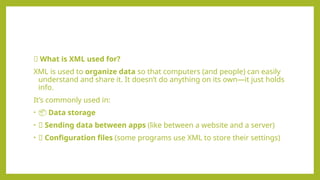
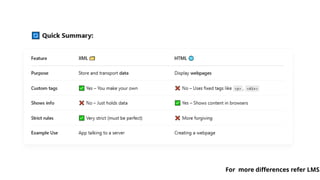
🔹 What isXML used for?
XML is used to organize data so that computers (and people) can easily
understand and share it. It doesn’t do anything on its own—it just holds
info.
It’s commonly used in:
• 📦 Data storage
• 🔄 Sending data between apps (like between a website and a server)
• 📄 Configuration files (some programs use XML to store their settings)
6.
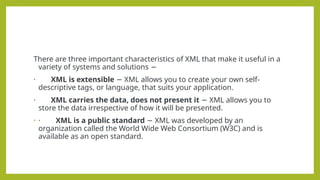
There are threeimportant characteristics of XML that make it useful in a
variety of systems and solutions −
· XML is extensible XML allows you to create your own self-
−
descriptive tags, or language, that suits your application.
· XML carries the data, does not present it XML allows you to
−
store the data irrespective of how it will be presented.
• · XML is a public standard XML was developed by an
−
organization called the World Wide Web Consortium (W3C) and is
available as an open standard.
7.
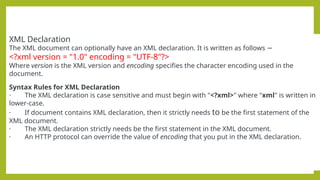
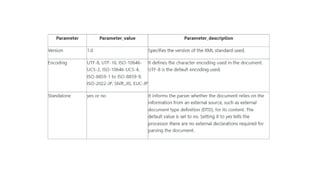
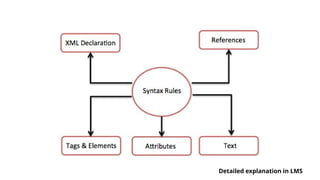
XML Declaration
The XMLdocument can optionally have an XML declaration. It is written as follows −
<?xml version = "1.0" encoding = "UTF-8"?>
Where version is the XML version and encoding specifies the character encoding used in the
document.
Syntax Rules for XML Declaration
· The XML declaration is case sensitive and must begin with "<?xml>" where "xml" is written in
lower-case.
· If document contains XML declaration, then it strictly needs to be the first statement of the
XML document.
· The XML declaration strictly needs be the first statement in the XML document.
· An HTTP protocol can override the value of encoding that you put in the XML declaration.
9.
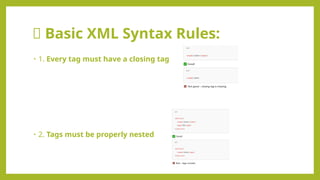
✅ Basic XMLSyntax Rules:
• 1. Every tag must have a closing tag
• 2. Tags must be properly nested
10.
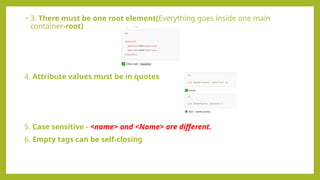
• 3. Theremust be one root element(Everything goes inside one main
container-root)
4. Attribute values must be in quotes
5. Case sensitive - <name> and <Name> are different.
6. Empty tags can be self-closing
XML Features
1. XMLfocuses on data rather than how it looks
2. Easy and efficient data sharing
3. Compatibility with other markup language HTML
4. Supports platform transition
5. Allows XML validation
6. Adapts technology advancements
7. XML supports Unicode
15.
Advantages of XML
1.XML is platform independent and programming language
independent
2. XML supports Unicode. Unicode is an international encoding standard
for use with different languages and scripts.
3. The data stored and transported using XML can be changed at any
point of time without affecting the data presentation.
4. XML simplifies data sharing between various systems because of its
platform independent nature.
16.
Disadvantages of XML
–1. XML syntax is redundant compared to other text-based data
transmission formats
– 2. The redundancy in syntax of XML causes higher storage and
transportation cost when the volume of data is large.
– 3. XML document is less readable compared to other text-based data
transmission formats
– 4. XML doesn’t support array.
– 5. XML file sizes are usually very large due to its verbose nature, it is
totally dependent on who is writing it.
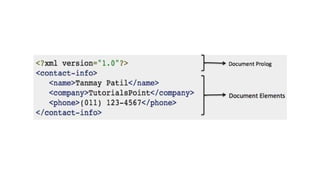
17.
Document Prolog Section
DocumentProlog comes at the top of the document, before the root
element. This section contains −
• XML declaration
• Document type declaration
Document Elements Section
• Document Elements are the building blocks of XML. These divide the
document into a hierarchy of sections, each serving a specific purpose. You
can separate a document into multiple sections so that they can be rendered
differently, or used by a search engine. The elements can be containers, with
a combination of text and other elements.
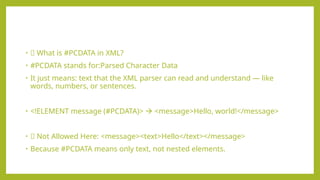
• 🧾 Whatis #PCDATA in XML?
• #PCDATA stands for:Parsed Character Data
• It just means: text that the XML parser can read and understand — like
words, numbers, or sentences.
• <!ELEMENT message (#PCDATA)> <message>Hello, world!</message>
• ❌ Not Allowed Here: <message><text>Hello</text></message>
• Because #PCDATA means only text, not nested elements.
21.
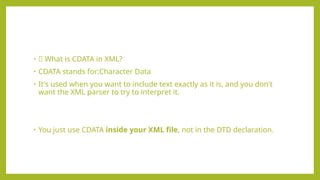
• 🧾 Whatis CDATA in XML?
• CDATA stands for:Character Data
• It's used when you want to include text exactly as it is, and you don't
want the XML parser to try to interpret it.
• You just use CDATA inside your XML file, not in the DTD declaration.
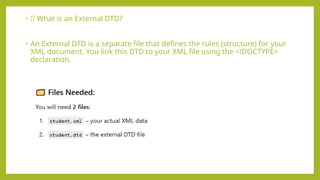
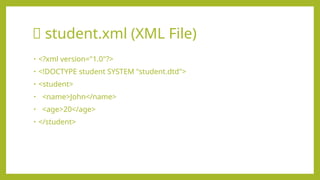
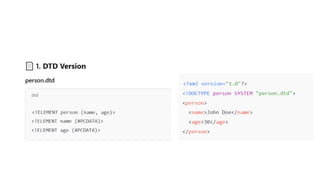
• ✅ Whatis an External DTD?
• An External DTD is a separate file that defines the rules (structure) for your
XML document. You link this DTD to your XML file using the <!DOCTYPE>
declaration.
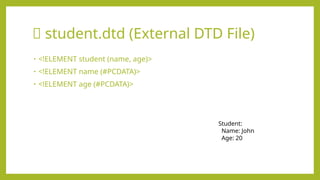
📄 student.dtd (ExternalDTD File)
• <!ELEMENT student (name, age)>
• <!ELEMENT name (#PCDATA)>
• <!ELEMENT age (#PCDATA)>
Student:
Name: John
Age: 20
26.
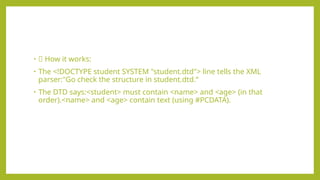
• 🧠 Howit works:
• The <!DOCTYPE student SYSTEM "student.dtd"> line tells the XML
parser:"Go check the structure in student.dtd.“
• The DTD says:<student> must contain <name> and <age> (in that
order).<name> and <age> contain text (using #PCDATA).
27.
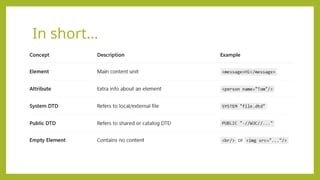
📘 Types ofExternal DTD References
There are two main ways to refer to an external DTD in an XML file:
1. ✅ System Identifier
Used when you have a specific file (like address.dtd) on your system or a
server.
Syntax:<!DOCTYPE name SYSTEM "filename.dtd">
Example: <!DOCTYPE note SYSTEM "note.dtd">
28.
2. ✅ PublicIdentifier
Used to refer to a shared/public DTD using a Formal Public Identifier (FPI).
Often used in large systems or published standards
Syntax:<!DOCTYPE name PUBLIC "FPI" "URI">
Example: <!DOCTYPE note PUBLIC "-//W3C//DTD Note 1.0//EN"
"http://example.com/note.dtd">
29.
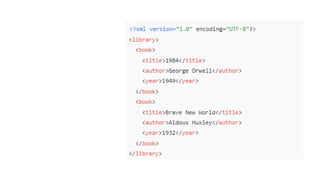
🔷 Elements inXML
• An element is a container for data.
• It can hold:
• Text
• Other elements (nested)
• Or be empty
📘 Examples:
<message>Hello</message> <!-- Element with text-->
<note><to>John</to></note> <!-- Nested elements -->
<br/> <!-- Empty element -->
30.
🔶 Attributes inXML
• An attribute gives extra information about an element.
Example:<person name="Alice" age="25"/>
Element: person
Attributes: name and age
Values: "Alice" and "25"
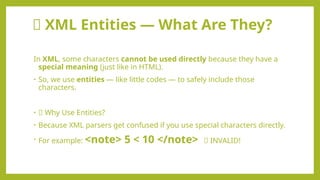
🧾 XML Entities— What Are They?
In XML, some characters cannot be used directly because they have a
special meaning (just like in HTML).
• So, we use entities — like little codes — to safely include those
characters.
• 📌 Why Use Entities?
• Because XML parsers get confused if you use special characters directly.
• For example: <note> 5 < 10 </note> ❌ INVALID!
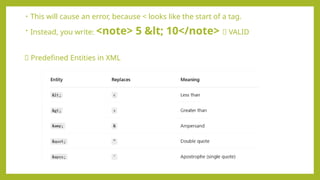
33.
• This willcause an error, because < looks like the start of a tag.
• Instead, you write: <note> 5 < 10</note> ✅ VALID
✅ Predefined Entities in XML
34.
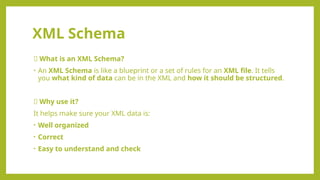
XML Schema
💡 Whatis an XML Schema?
• An XML Schema is like a blueprint or a set of rules for an XML file. It tells
you what kind of data can be in the XML and how it should be structured.
📌 Why use it?
It helps make sure your XML data is:
• Well organized
• Correct
• Easy to understand and check
35.
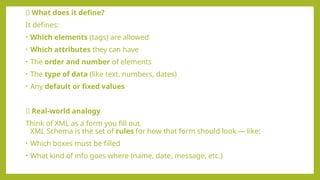
🧱 What doesit define?
It defines:
• Which elements (tags) are allowed
• Which attributes they can have
• The order and number of elements
• The type of data (like text, numbers, dates)
• Any default or fixed values
📄 Real-world analogy
Think of XML as a form you fill out.
XML Schema is the set of rules for how that form should look — like:
• Which boxes must be filled
• What kind of info goes where (name, date, message, etc.)
36.
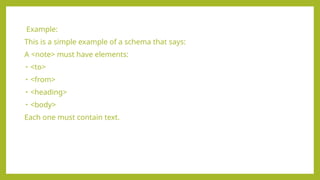
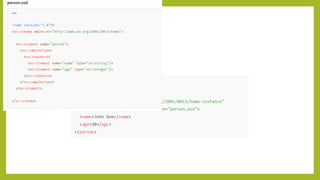
Example:
This is asimple example of a schema that says:
A <note> must have elements:
• <to>
• <from>
• <heading>
• <body>
Each one must contain text.
37.
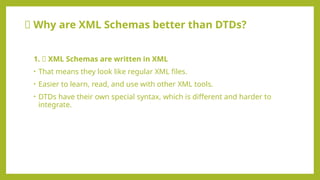
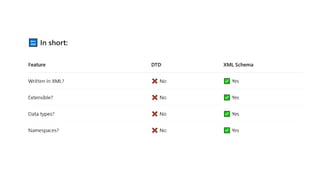
🆚 Why areXML Schemas better than DTDs?
1. ✅ XML Schemas are written in XML
• That means they look like regular XML files.
• Easier to learn, read, and use with other XML tools.
• DTDs have their own special syntax, which is different and harder to
integrate.
38.
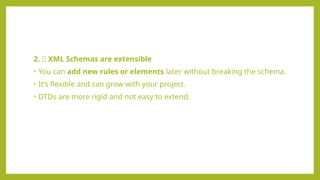
2. ➕ XMLSchemas are extensible
• You can add new rules or elements later without breaking the schema.
• It’s flexible and can grow with your project.
• DTDs are more rigid and not easy to extend.
39.
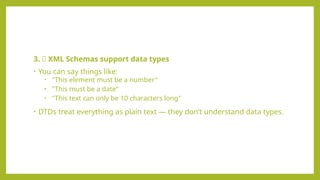
3. 🔢 XMLSchemas support data types
• You can say things like:
• "This element must be a number"
• "This must be a date"
• "This text can only be 10 characters long"
• DTDs treat everything as plain text — they don’t understand data types.
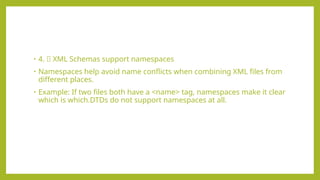
40.
• 4. 🌐XML Schemas support namespaces
• Namespaces help avoid name conflicts when combining XML files from
different places.
• Example: If two files both have a <name> tag, namespaces make it clear
which is which.DTDs do not support namespaces at all.

![✅ Internal DTD Example
• <?xml version="1.0"?>
• <!DOCTYPE greeting [
• <!ELEMENT greeting (#PCDATA)>
• ]>
• <greeting>Hello, world!</greeting>
🔹 Here:
•<!ELEMENT> defines elements.
•#PCDATA = parsed character data (just text).](https://image.slidesharecdn.com/unitv-introductiontoxml-250426045025-45273e7b/85/Internet_Technology_UNIT-V-Introduction-to-XML-pptx-19-320.jpg)
![Example 2
• <?xml version="1.0"?>
• <!DOCTYPE note [
• <!ELEMENT note (to, from, heading, body)>
• <!ELEMENT to (#PCDATA)>
• <!ELEMENT from (#PCDATA)>
• <!ELEMENT heading (#PCDATA)>
• <!ELEMENT body (#PCDATA)>
• ]>
• <note>
• <to>John</to>
• <from>Jane</from>
• <heading>Reminder</heading>
• <body>Don't forget our meeting tomorrow!</body>
• </note>](https://image.slidesharecdn.com/unitv-introductiontoxml-250426045025-45273e7b/85/Internet_Technology_UNIT-V-Introduction-to-XML-pptx-22-320.jpg)