eXtensible Markup Language
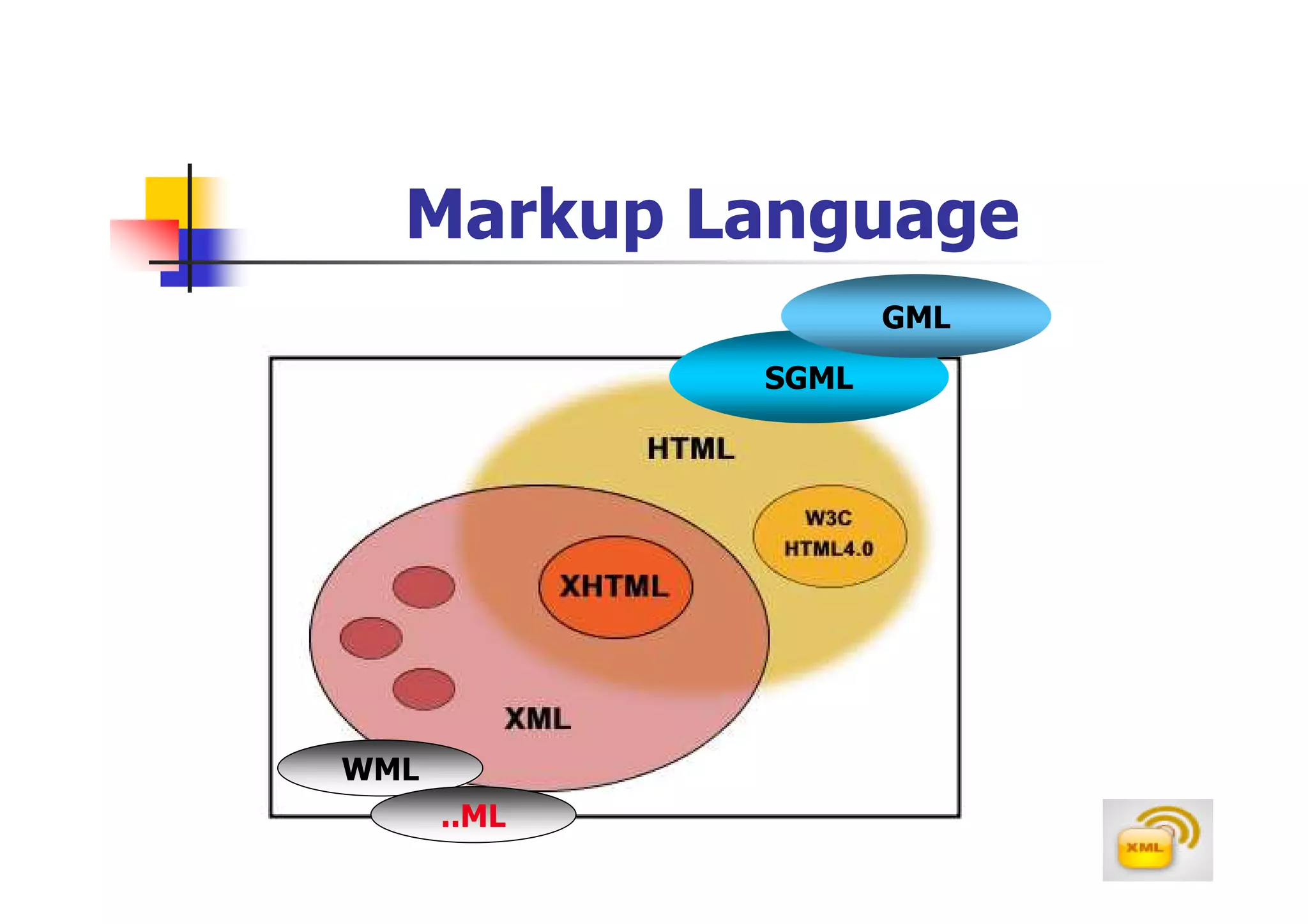
Markup Language
                    GML
             SGML


WML
      ..ML
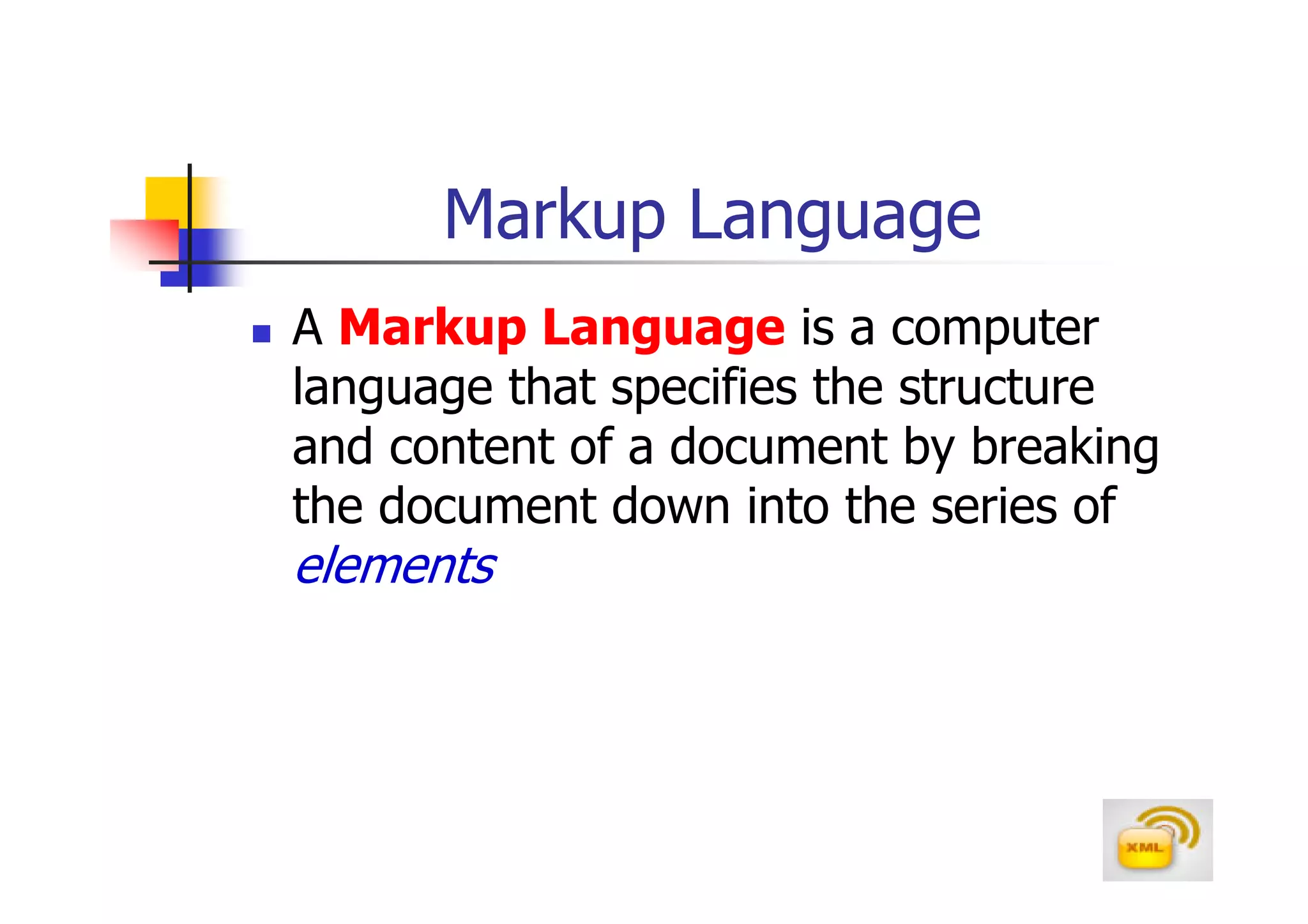
Markup Language
A Markup Language is a computer
language that specifies the structure
and content of a document by breaking
the document down into the series of
elements
XML
XML stands for eXtensible Markup Language
XML is a markup language much like HTML
It’s a new markup language,developed by the
W3C(www.w3.org),mainly to overcome limitations
in HTML
XML was designed to describe data
XML tags are not predefined in XML.You must
define your own tags
XML & HTML
HTML and XML were designed with
different goals
  HTML was designed to display data and to
  focus on how data looks
  XML was designed to describe data and to
  focus on what data is
HTML is about displaying information,
XML is about describing information
XML & HTML

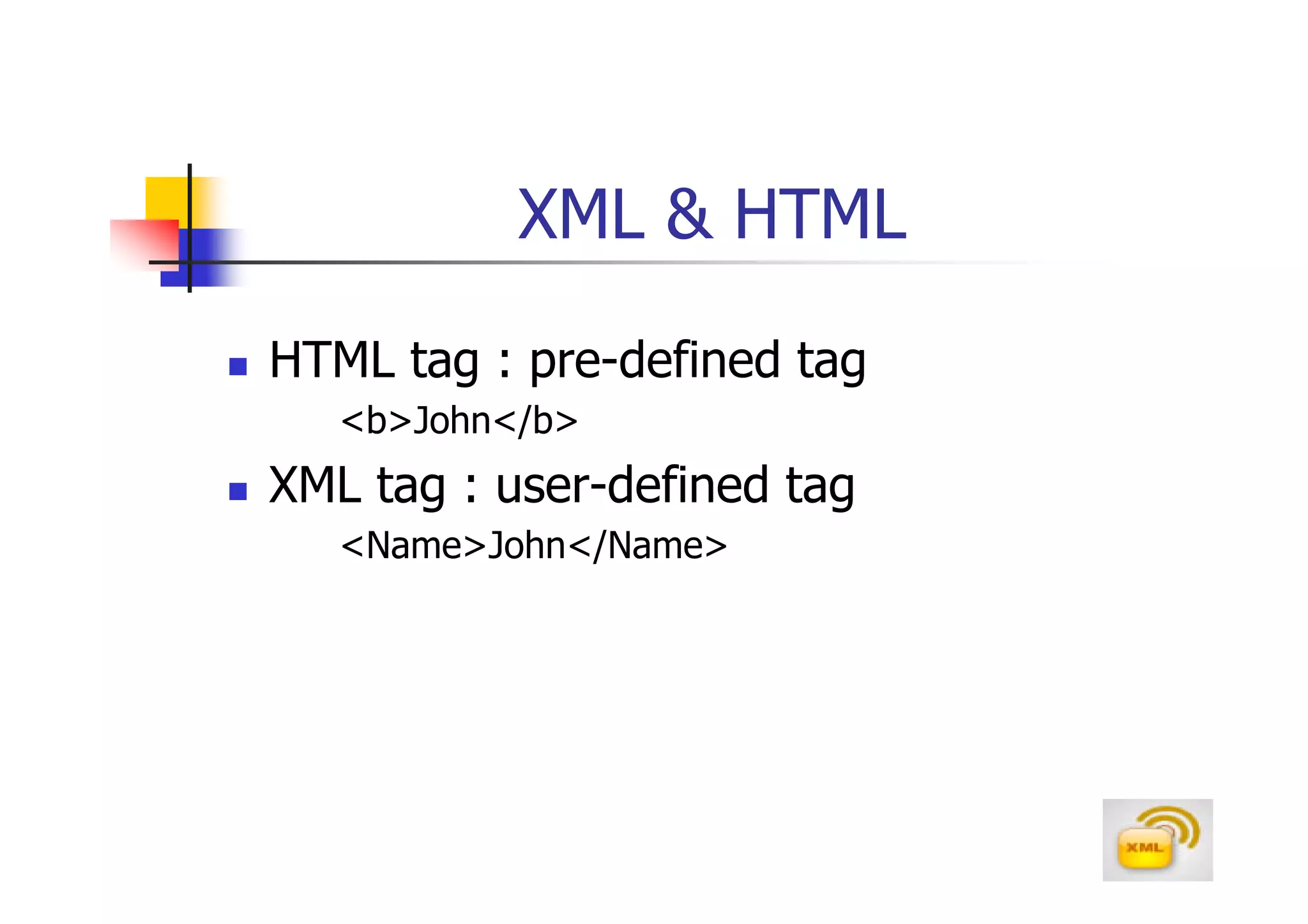
HTML tag : pre-defined tag
   <b>John</b>
XML tag : user-defined tag
   <Name>John</Name>
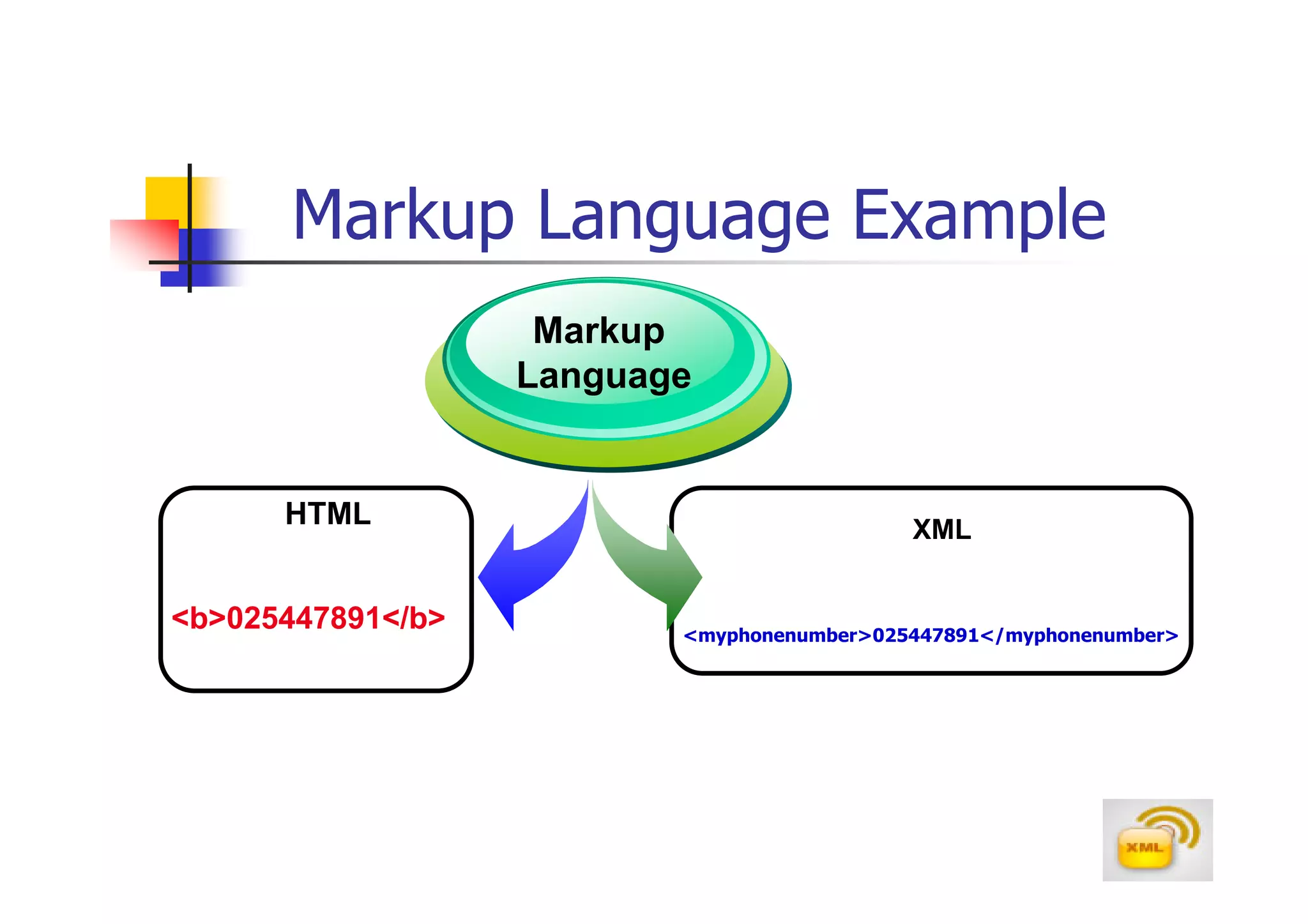
Markup Language Example
                    Markup
                   Language


      HTML                                  XML


<b>025447891</b>          <myphonenumber>025447891</myphonenumber>
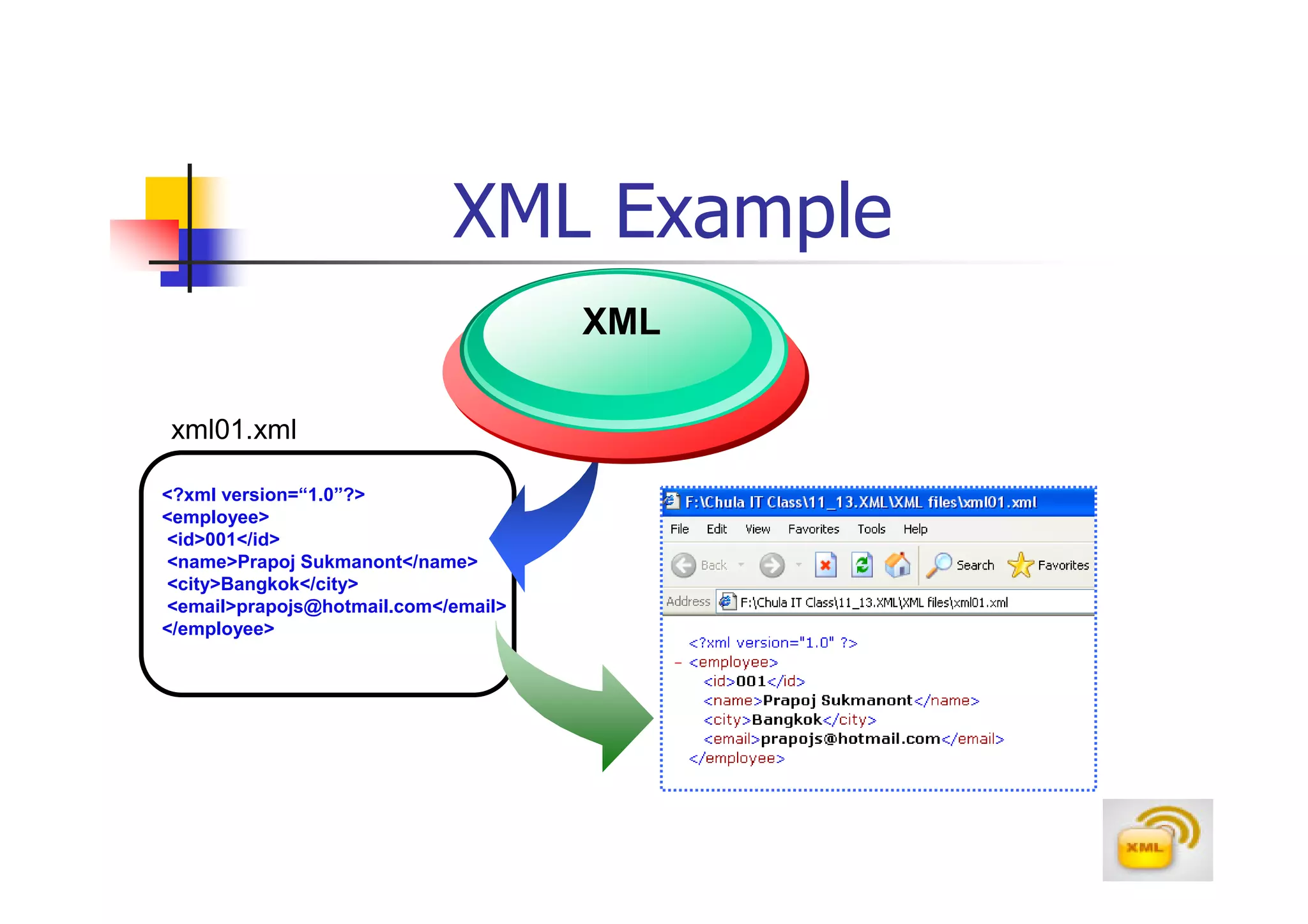
XML Example
                                     XML

xml01.xml

<?xml version=“1.0”?>
<employee>
<id>001</id>
<name>Prapoj Sukmanont</name>
<city>Bangkok</city>
<email>prapojs@hotmail.com</email>
</employee>
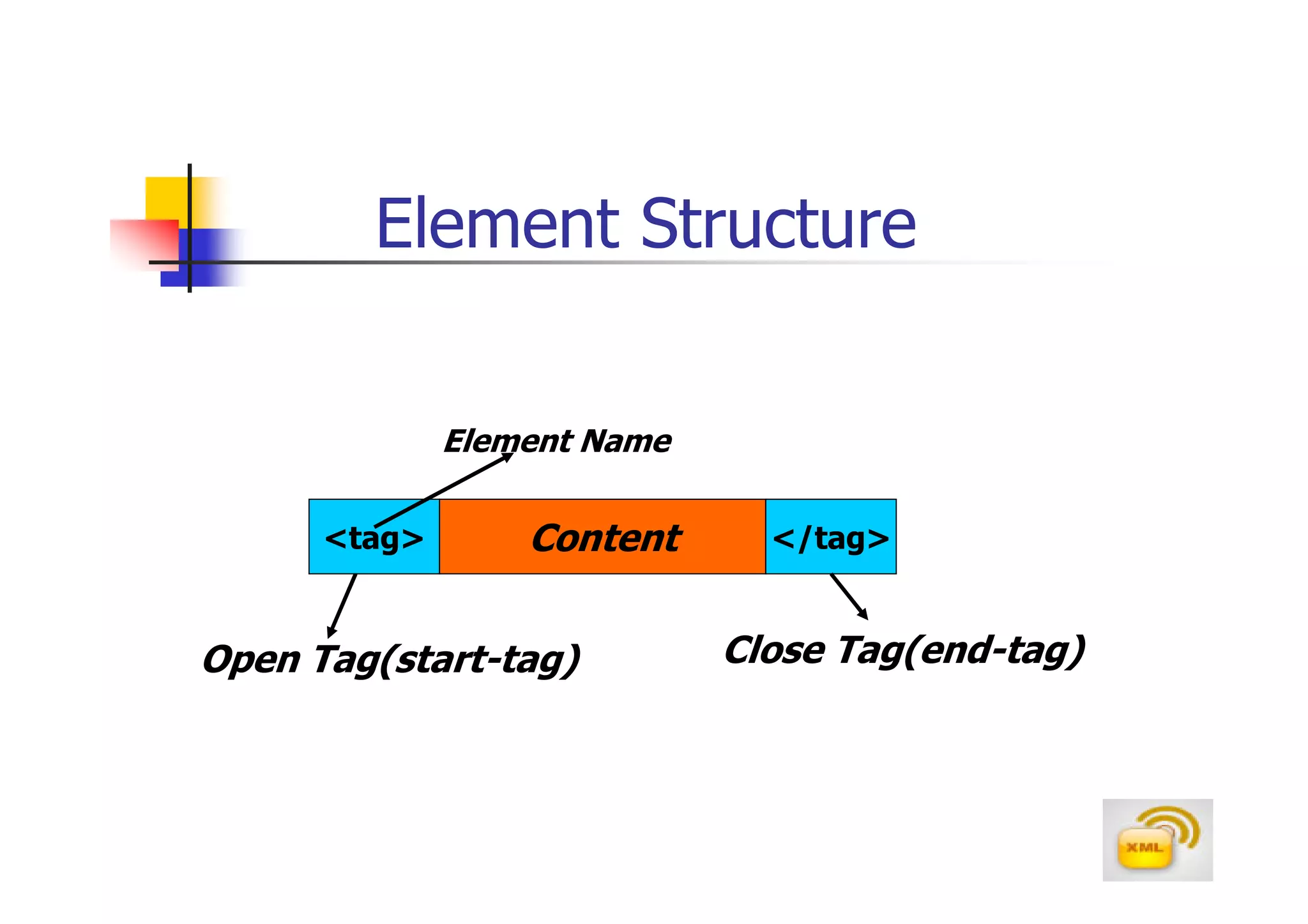
Element Structure

              Element Name

      <tag>       Content      </tag>


Open Tag(start-tag)          Close Tag(end-tag)
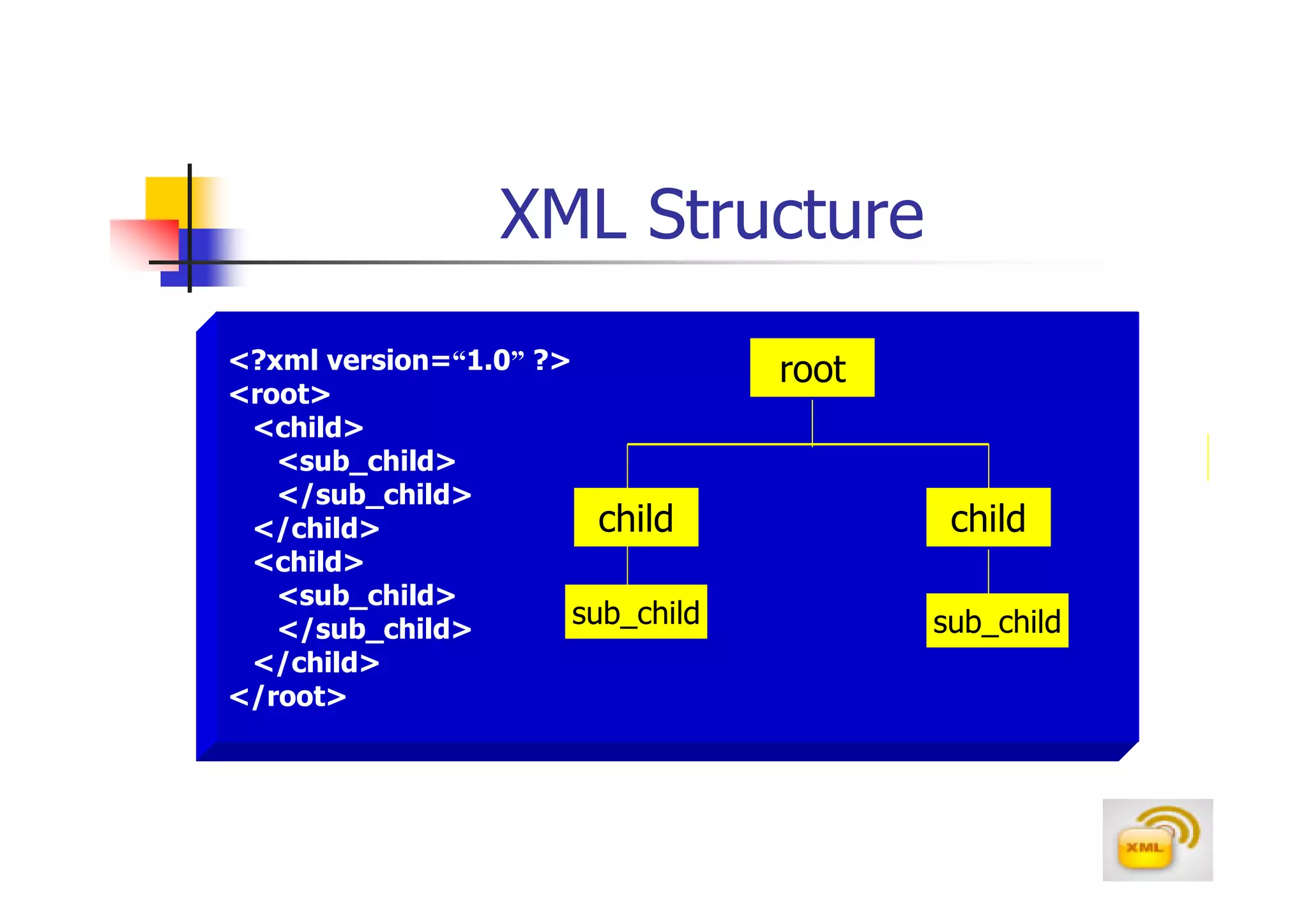
XML Structure
<?xml version=“1.0” ?>             root
<root>
 <child>
   <sub_child>
   </sub_child>
 </child>                child             child
 <child>
   <sub_child>
   </sub_child>
                       sub_child          sub_child
 </child>
</root>
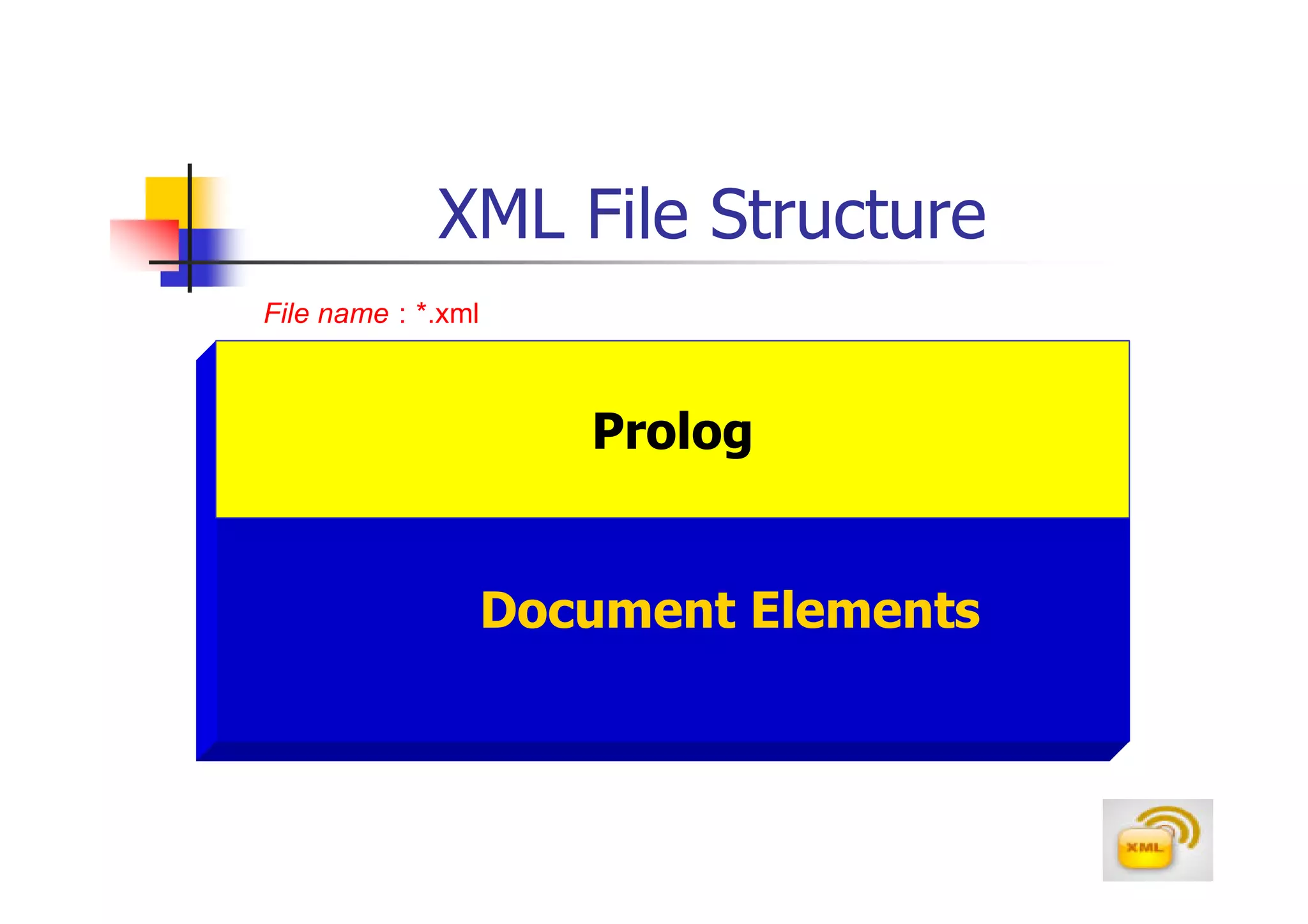
XML File Structure
File name : *.xml

                       Prolog


                    Document Elements
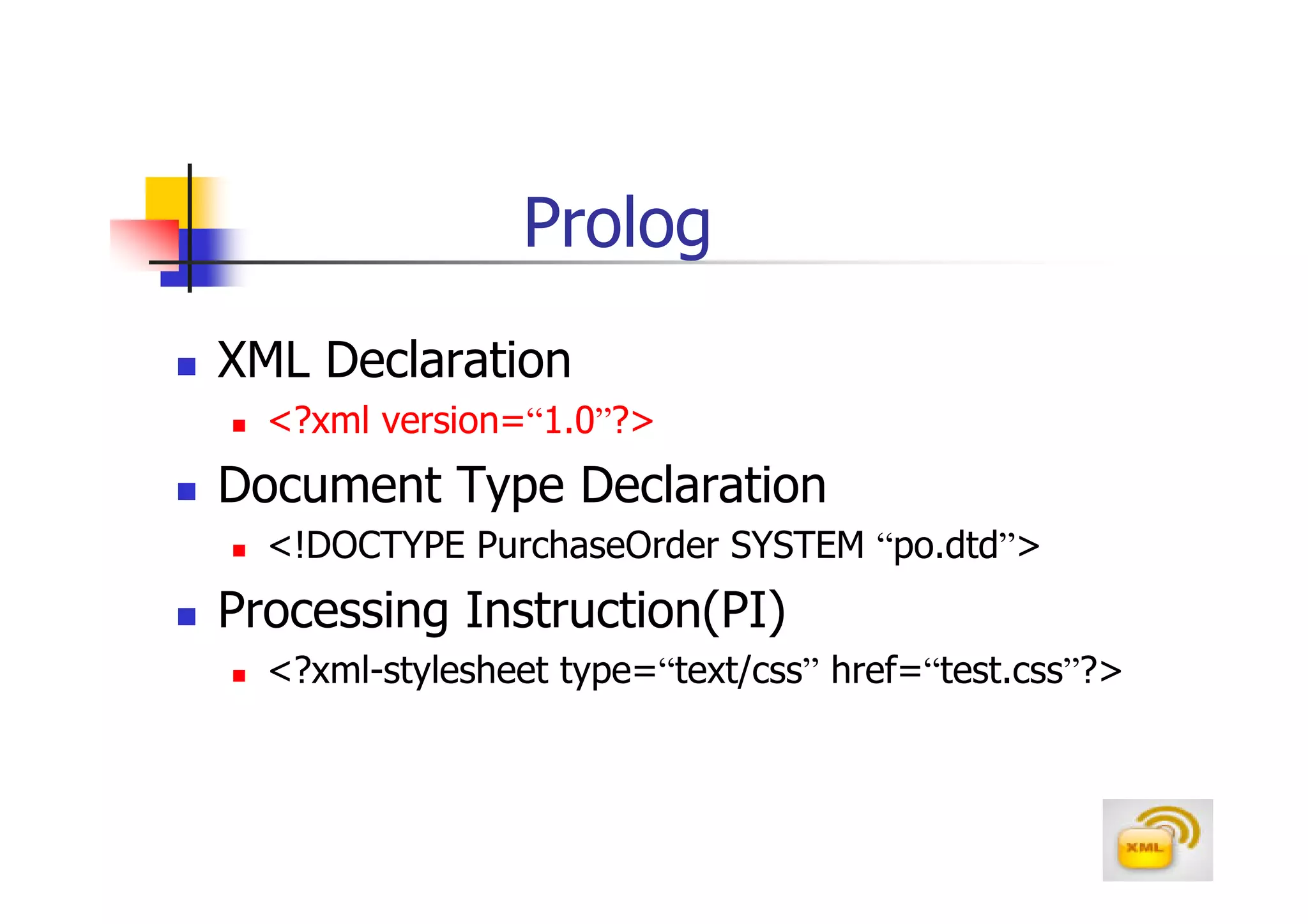
Prolog
XML Declaration
  <?xml version=“1.0”?>
Document Type Declaration
  <!DOCTYPE PurchaseOrder SYSTEM “po.dtd”>
Processing Instruction(PI)
  <?xml-stylesheet type=“text/css” href=“test.css”?>
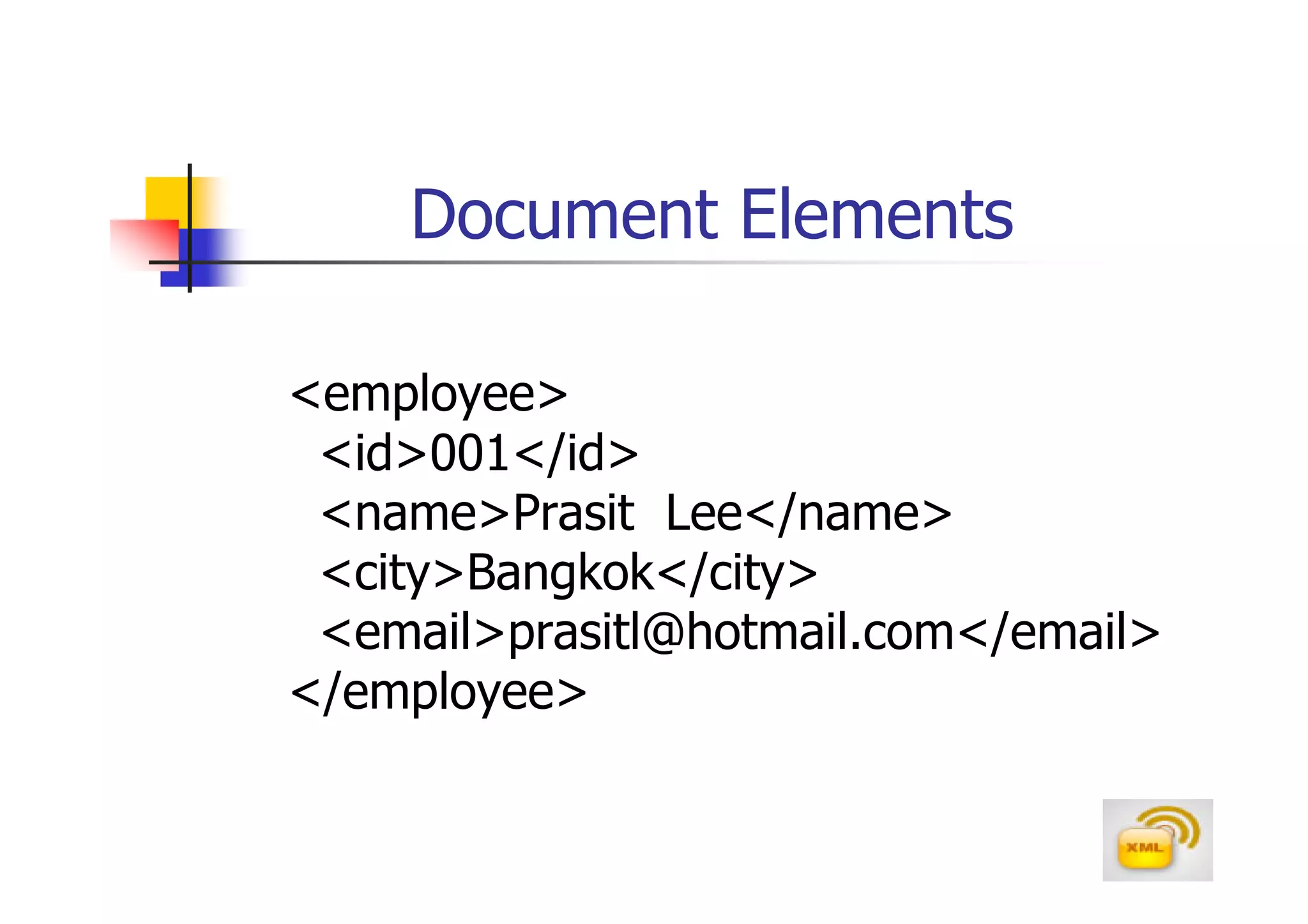
Document Elements

<employee>
 <id>001</id>
 <name>Prasit Lee</name>
 <city>Bangkok</city>
 <email>prasitl@hotmail.com</email>
</employee>
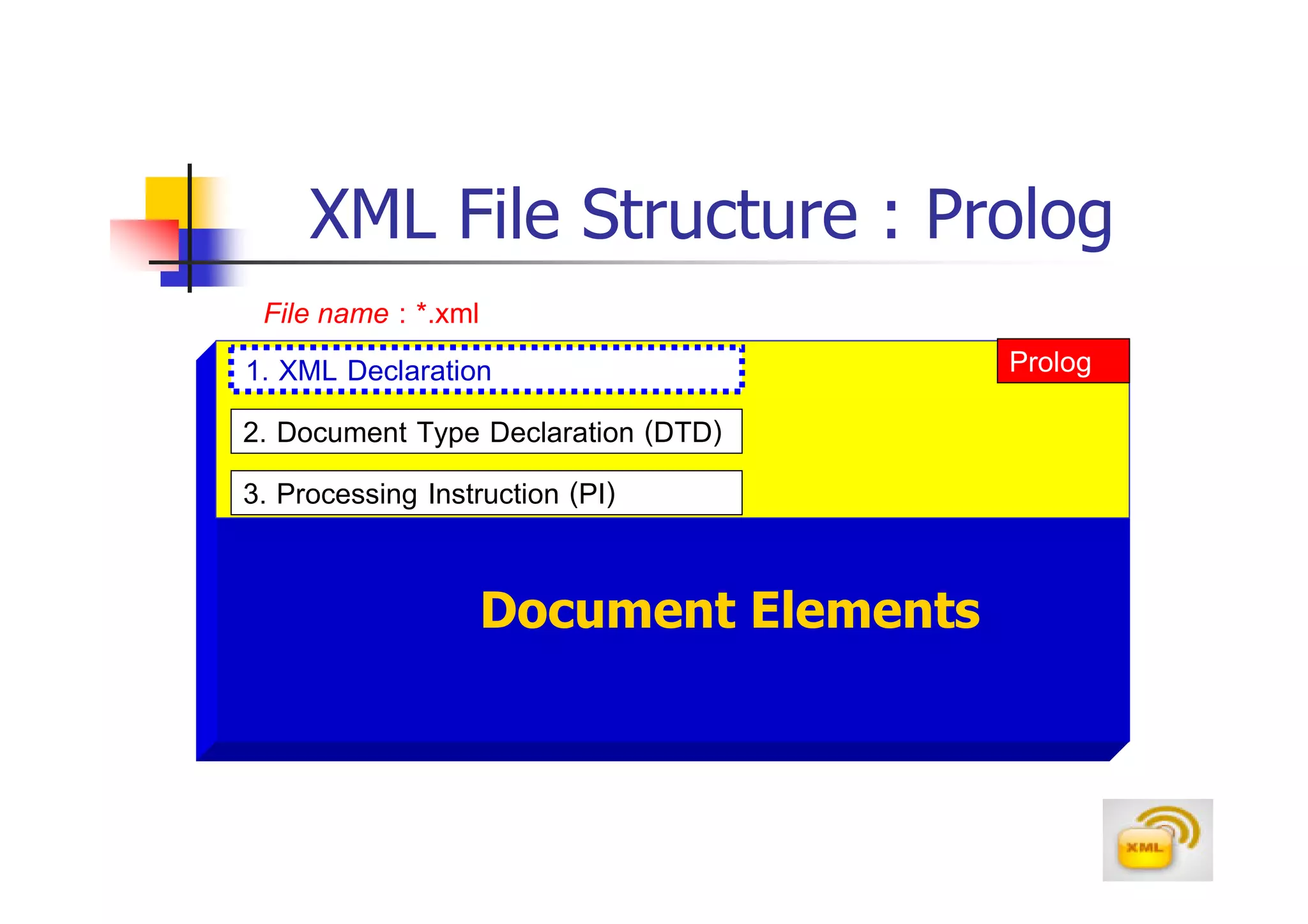
XML File Structure : Prolog
  File name : *.xml
1. XML Declaration                   Prolog
2. Document Type Declaration (DTD)
3. Processing Instruction (PI)

                Document Elements
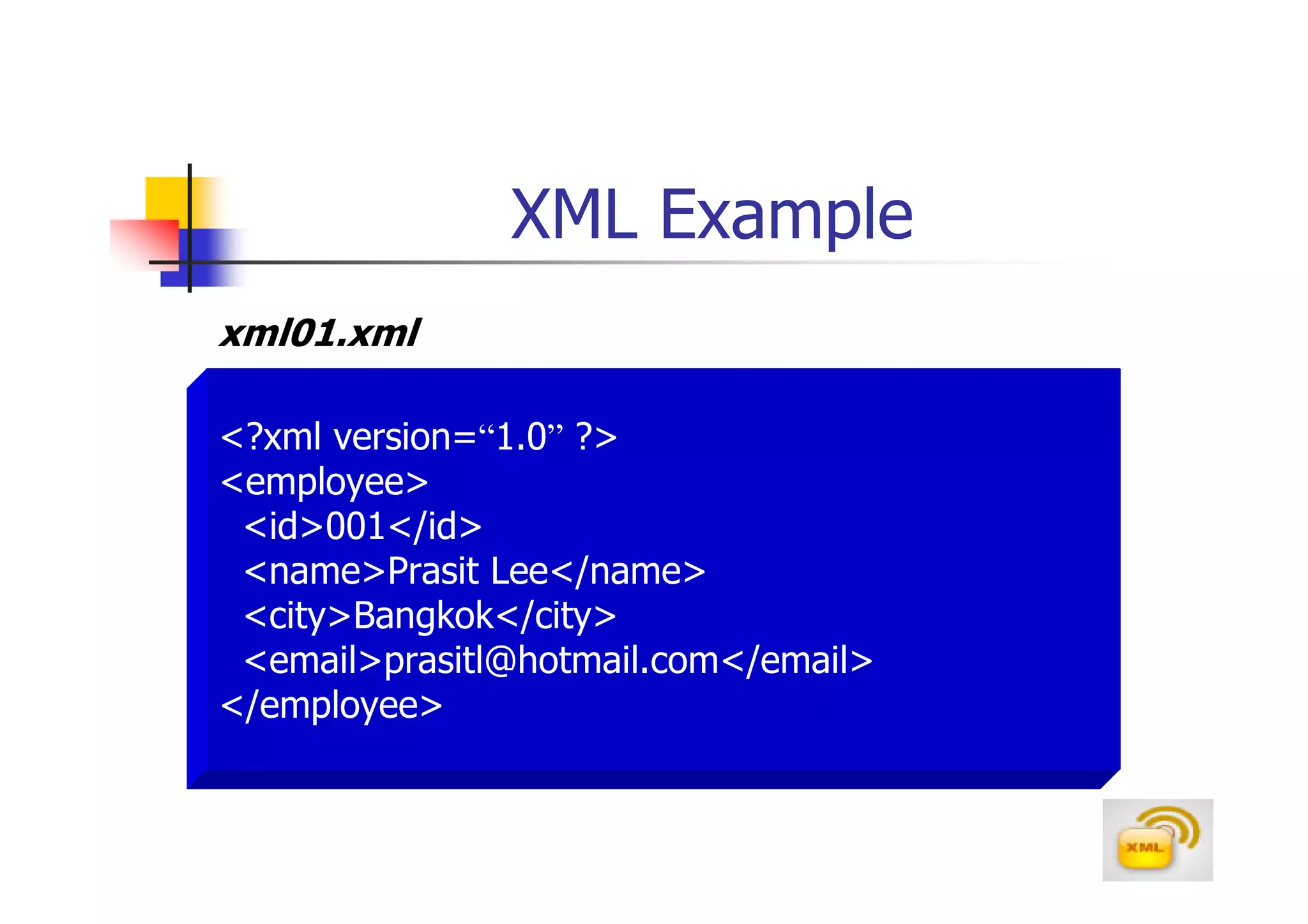
XML Example
xml01.xml

<?xml version=“1.0” ?>
<employee>
 <id>001</id>
 <name>Prasit Lee</name>
 <city>Bangkok</city>
 <email>prasitl@hotmail.com</email>
</employee>
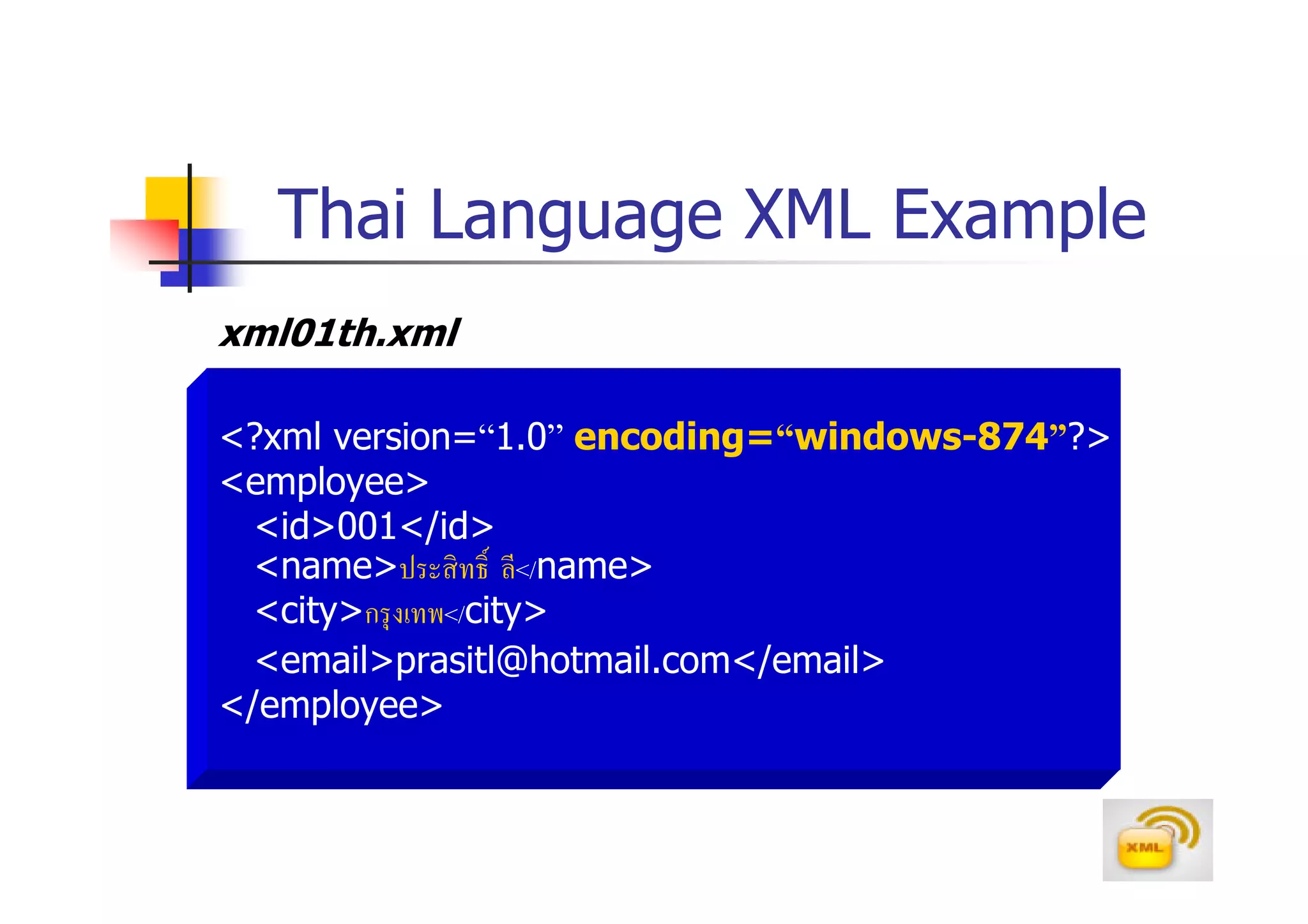
Thai Language XML Example
xml01th.xml

<?xml version=“1.0” encoding=“windows-874”?>
<employee>
  <id>001</id>
  <name>ประสิ ทธิ ลี</name>
  <city>กรุ งเทพ</city>
  <email>prasitl@hotmail.com</email>
</employee>
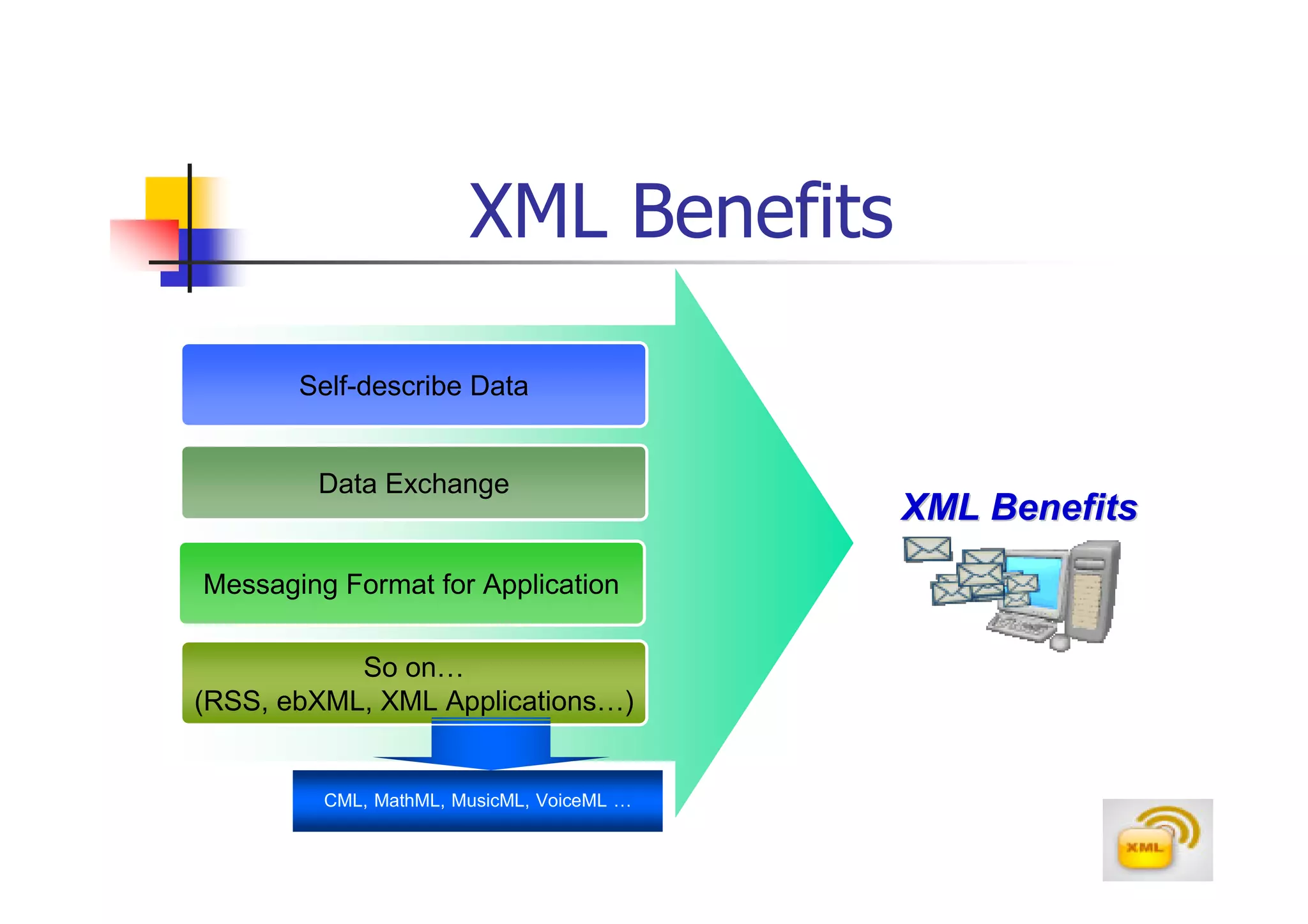
XML Benefits

       Self-describe Data


        Data Exchange
                                           XML Benefits
Messaging Format for Application

           So on…
(RSS, ebXML, XML Applications…)


         CML, MathML, MusicML, VoiceML …
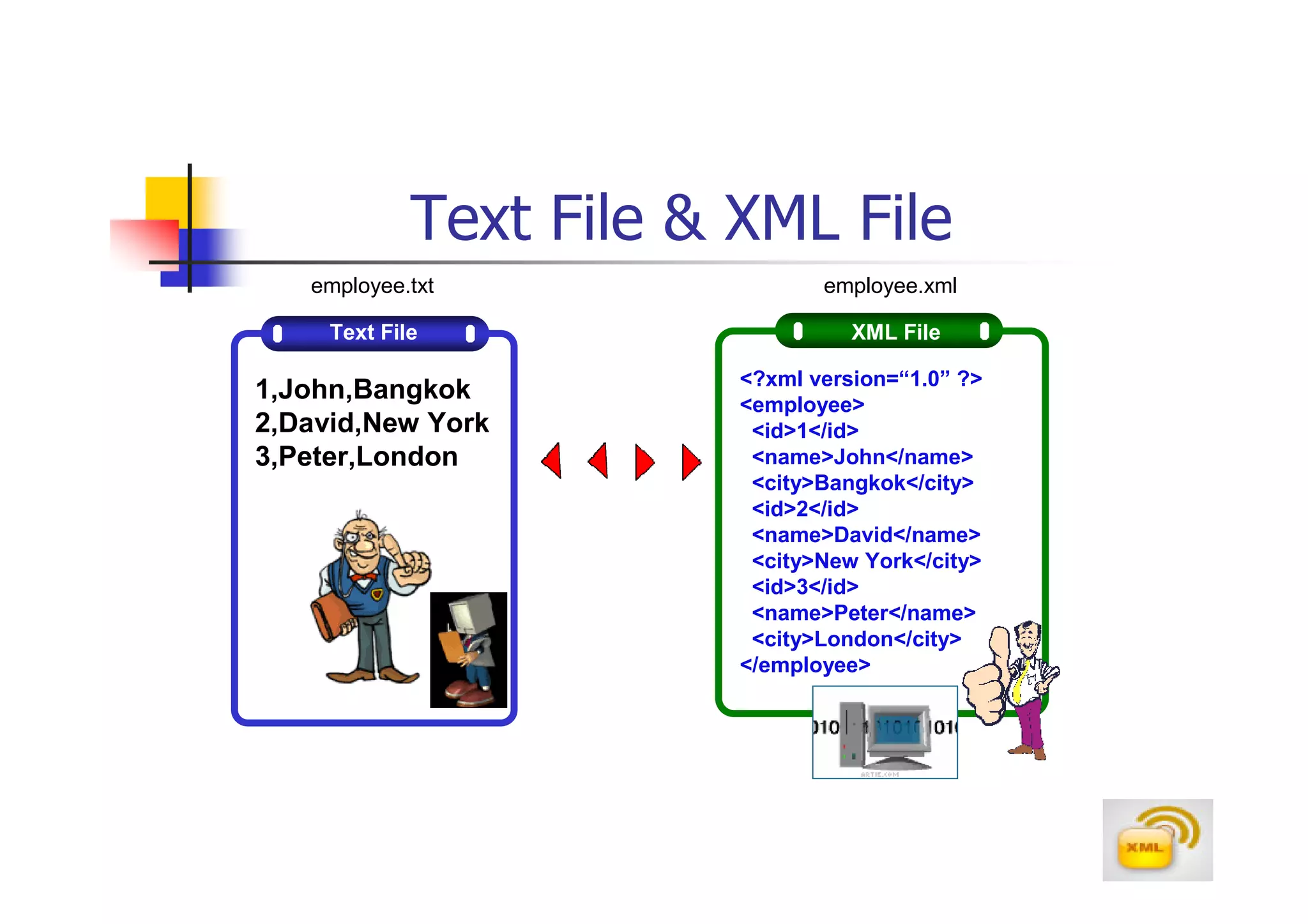
Text File & XML File
   employee.txt                 employee.xml

     Text File                     XML File

                         <?xml version=“1.0” ?>
1,John,Bangkok           <employee>
2,David,New York          <id>1</id>
3,Peter,London            <name>John</name>
                          <city>Bangkok</city>
                          <id>2</id>
                          <name>David</name>
                          <city>New York</city>
                          <id>3</id>
                          <name>Peter</name>
                          <city>London</city>
                         </employee>
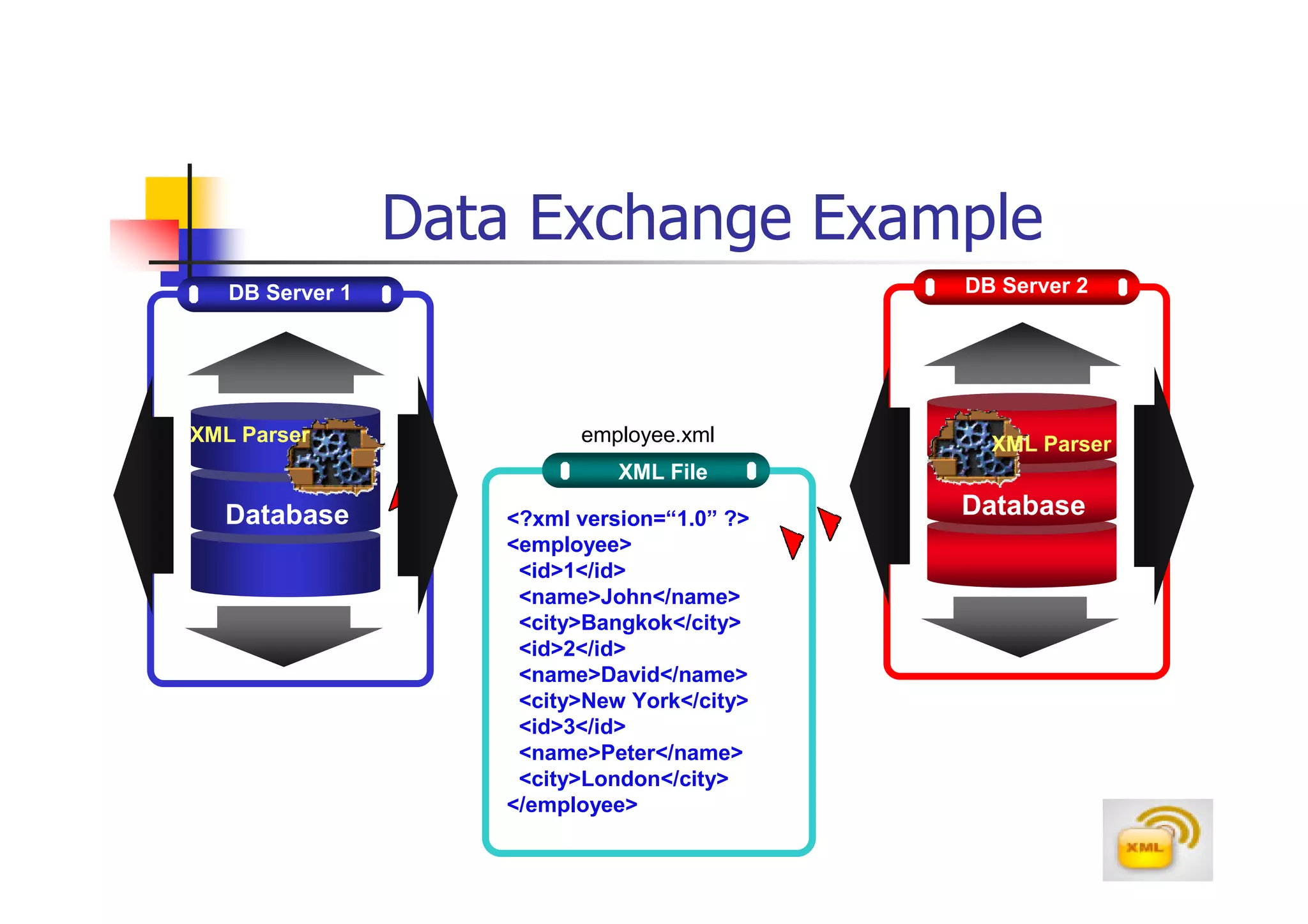
Data Exchange Example
   DB Server 1                               DB Server 2


XML Parser                employee.xml         XML Parser
                              XML File

  Database          <?xml version=“1.0” ?>
                                             Database
                    <employee>
                     <id>1</id>
                     <name>John</name>
                     <city>Bangkok</city>
                     <id>2</id>
                     <name>David</name>
                     <city>New York</city>
                     <id>3</id>
                     <name>Peter</name>
                     <city>London</city>
                    </employee>
XML Processor
After the XML document is created, it needs
to be evaluated by an application known as
an XML processor or XML parser
Part of the function of the parser is to
interpret the document’s code and verify that
it satisfies all of the XML specifications for
document structure and syntax
Microsoft developed an XML parser called
MSXML (msxml.exe) for its Internet Explorer
browser
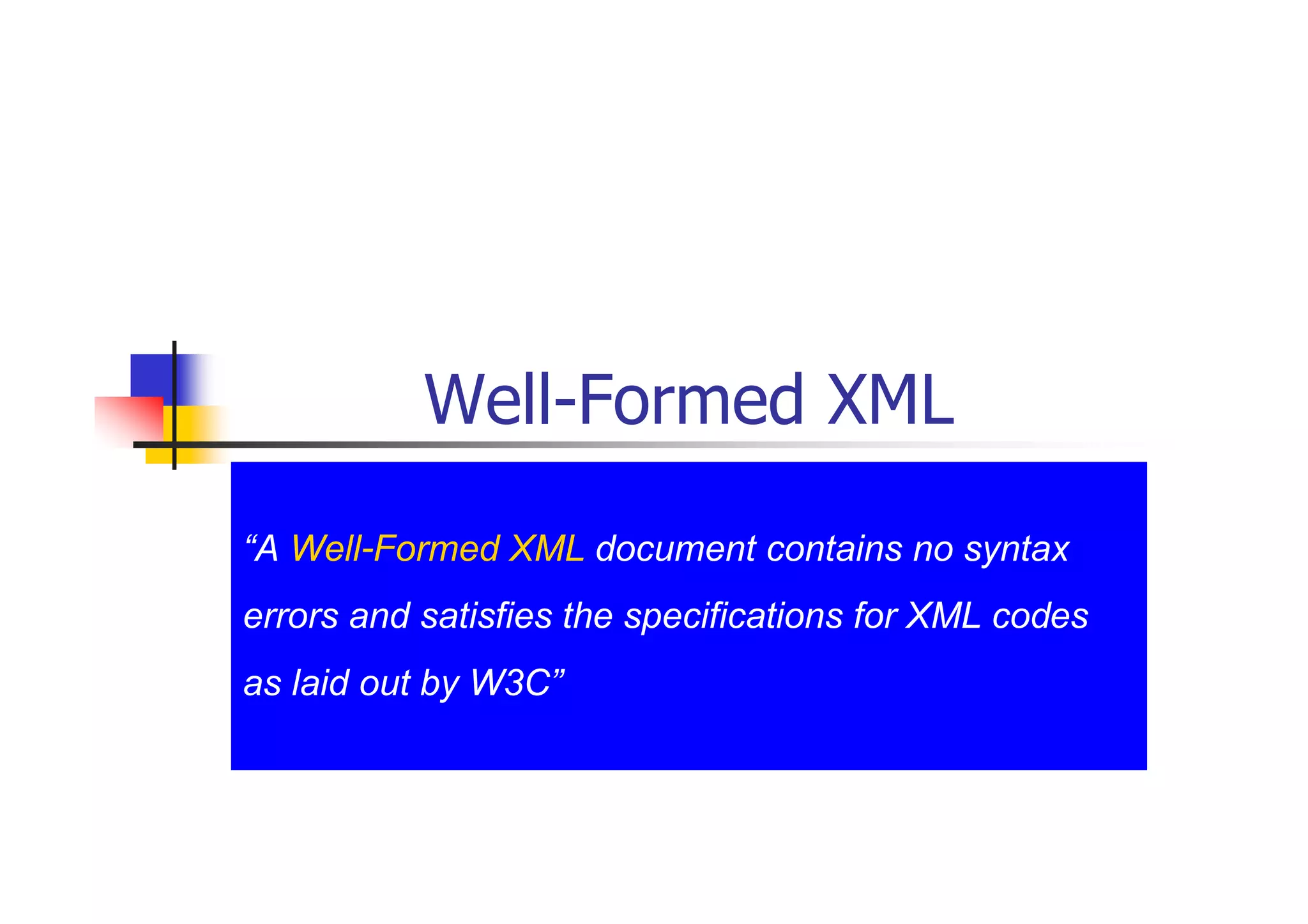
Well-Formed XML

“A Well-Formed XML document contains no syntax
errors and satisfies the specifications for XML codes
as laid out by W3C”
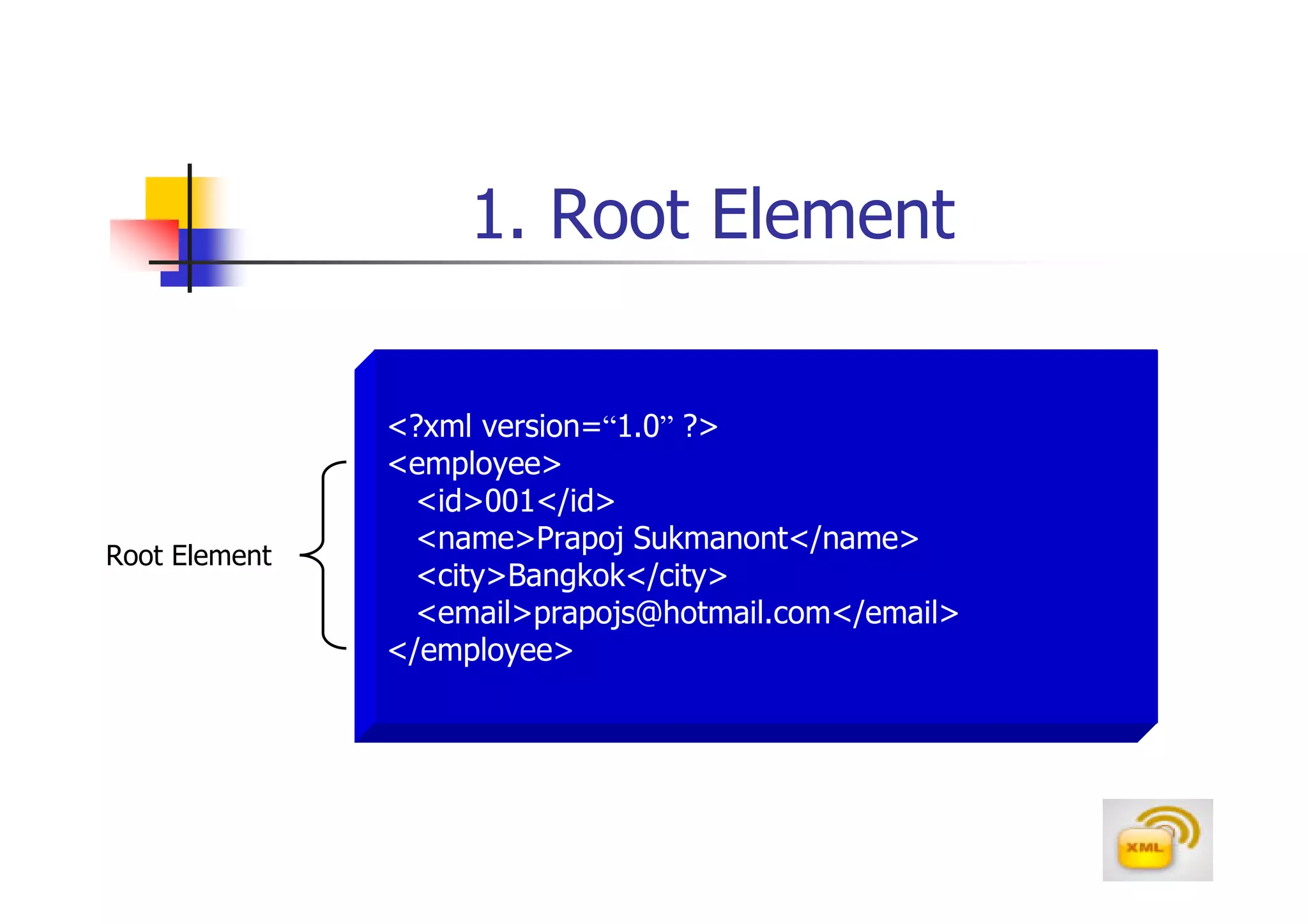
1. Root Element

               <?xml version=“1.0” ?>
               <employee>
                 <id>001</id>
                 <name>Prapoj Sukmanont</name>
Root Element
                 <city>Bangkok</city>
                 <email>prapojs@hotmail.com</email>
               </employee>
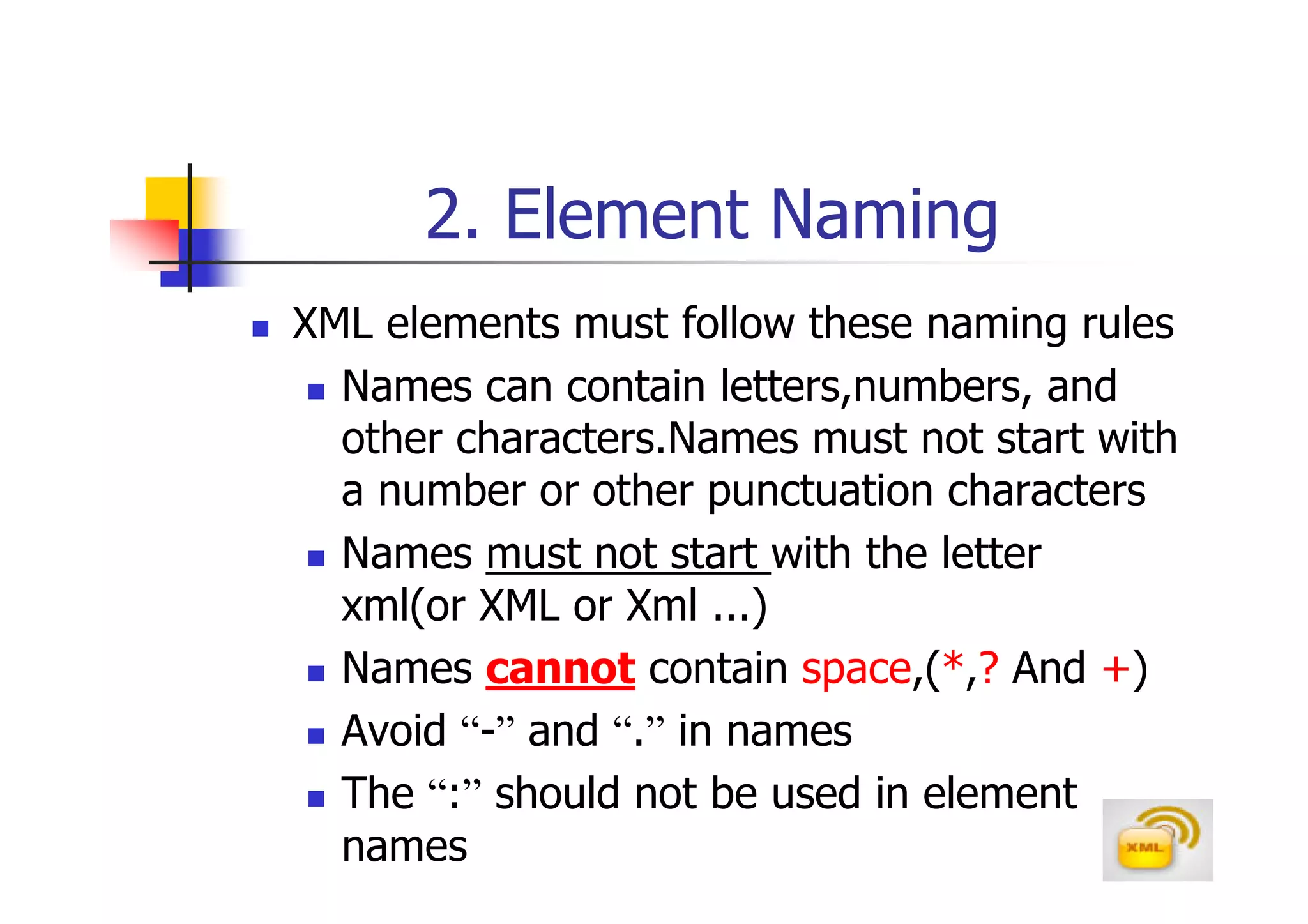
2. Element Naming
XML elements must follow these naming rules
  Names can contain letters,numbers, and
  other characters.Names must not start with
  a number or other punctuation characters
  Names must not start with the letter
  xml(or XML or Xml ...)
  Names cannot contain space,(*,? And +)
  Avoid “-” and “.” in names
  The “:” should not be used in element
  names
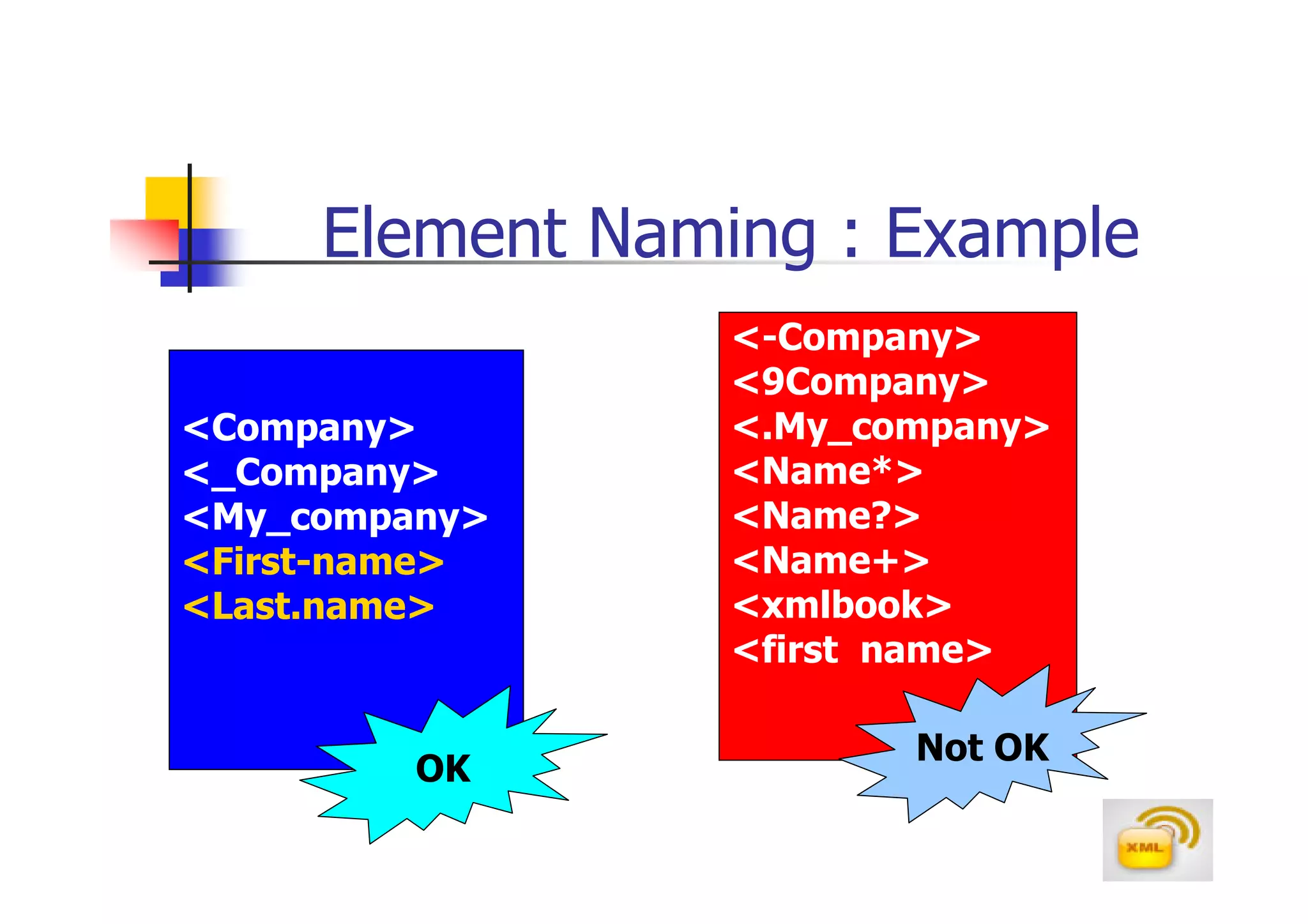
Element Naming : Example
                 <-Company>
                 <9Company>
<Company>        <.My_company>
<_Company>       <Name*>
<My_company>     <Name?>
<First-name>     <Name+>
<Last.name>      <xmlbook>
                 <first name>

                        Not OK
         OK
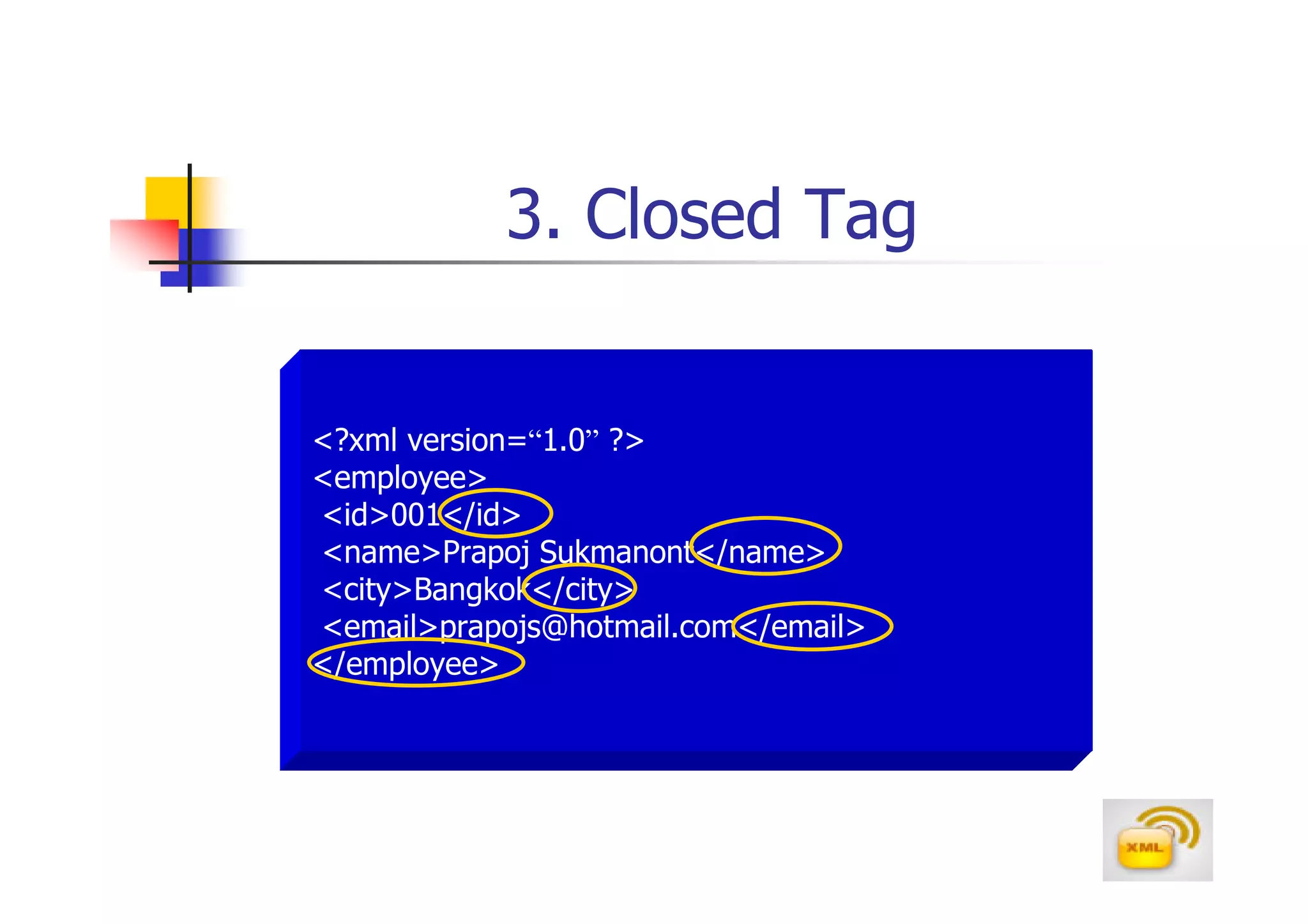
3. Closed Tag


<?xml version=“1.0” ?>
<employee>
<id>001</id>
<name>Prapoj Sukmanont</name>
<city>Bangkok</city>
<email>prapojs@hotmail.com</email>
</employee>
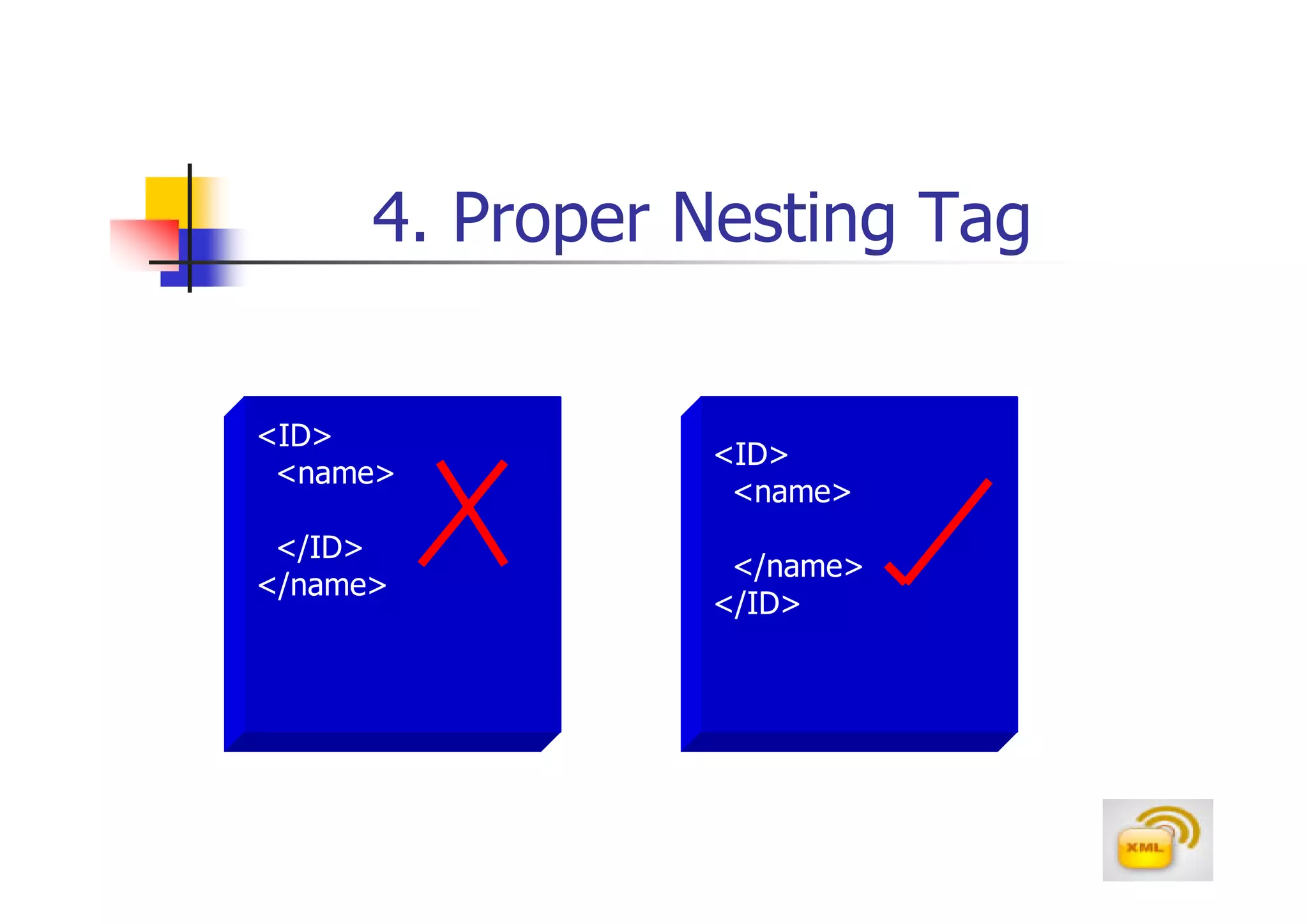
4. Proper Nesting Tag

<ID>
                <ID>
 <name>
                 <name>
 </ID>
                 </name>
</name>
                </ID>
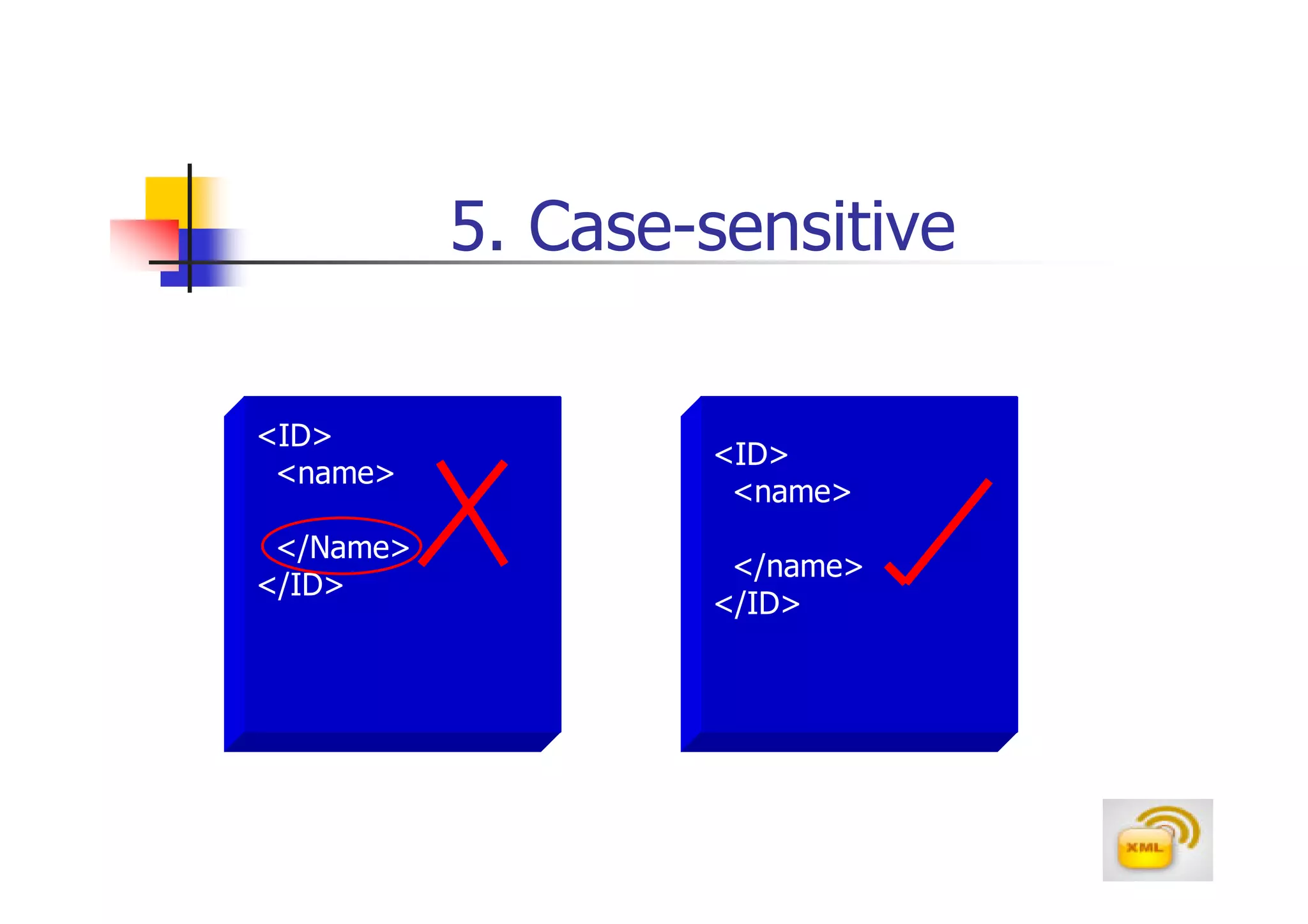
5. Case-sensitive

<ID>
                   <ID>
 <name>
                    <name>
 </Name>
                    </name>
</ID>
                   </ID>
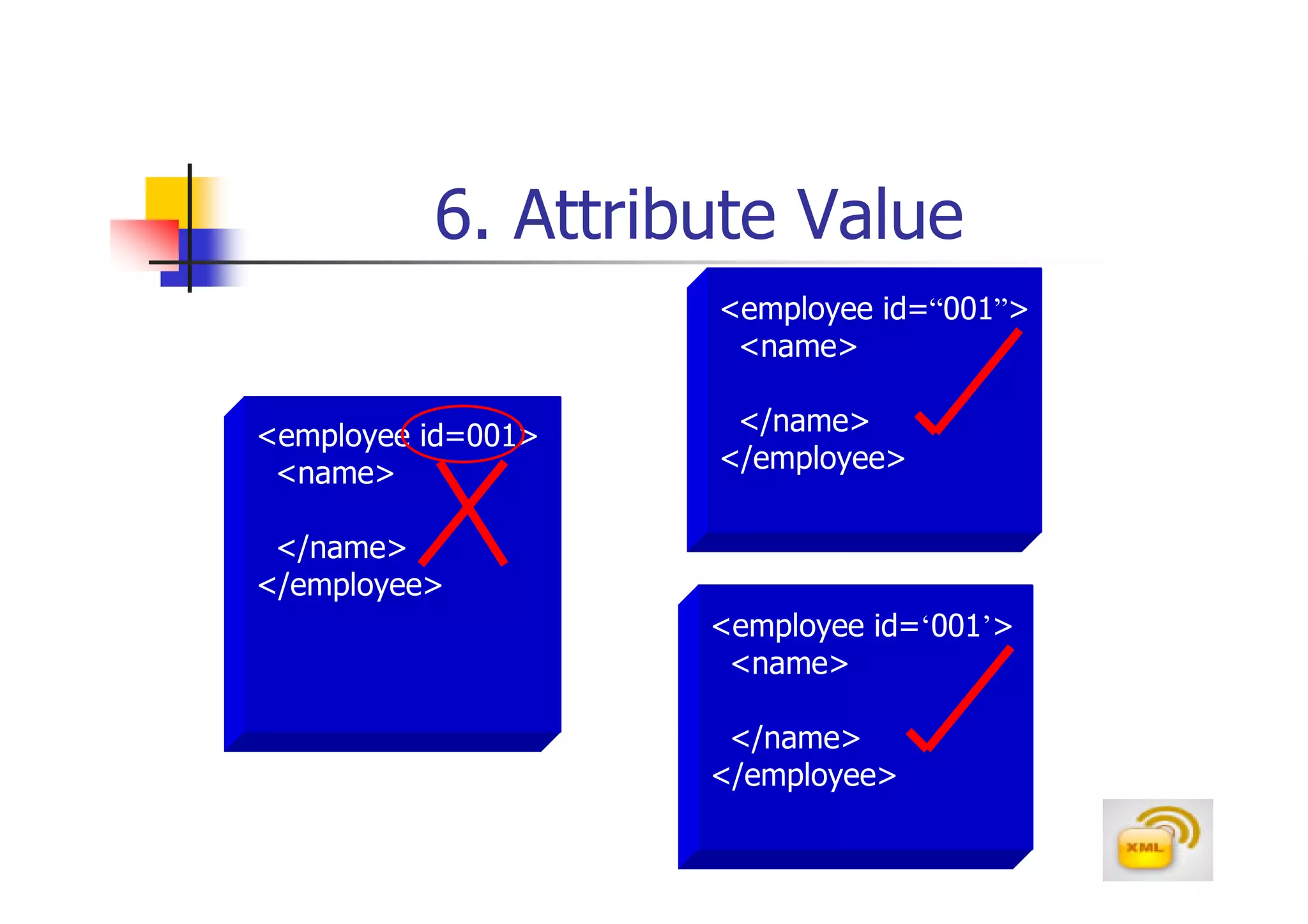
6. Attribute Value
                    <employee id=“001”>
                     <name>

<employee id=001>    </name>
 <name>             </employee>

 </name>
</employee>
                    <employee id=‘001’>
                     <name>

                     </name>
                    </employee>
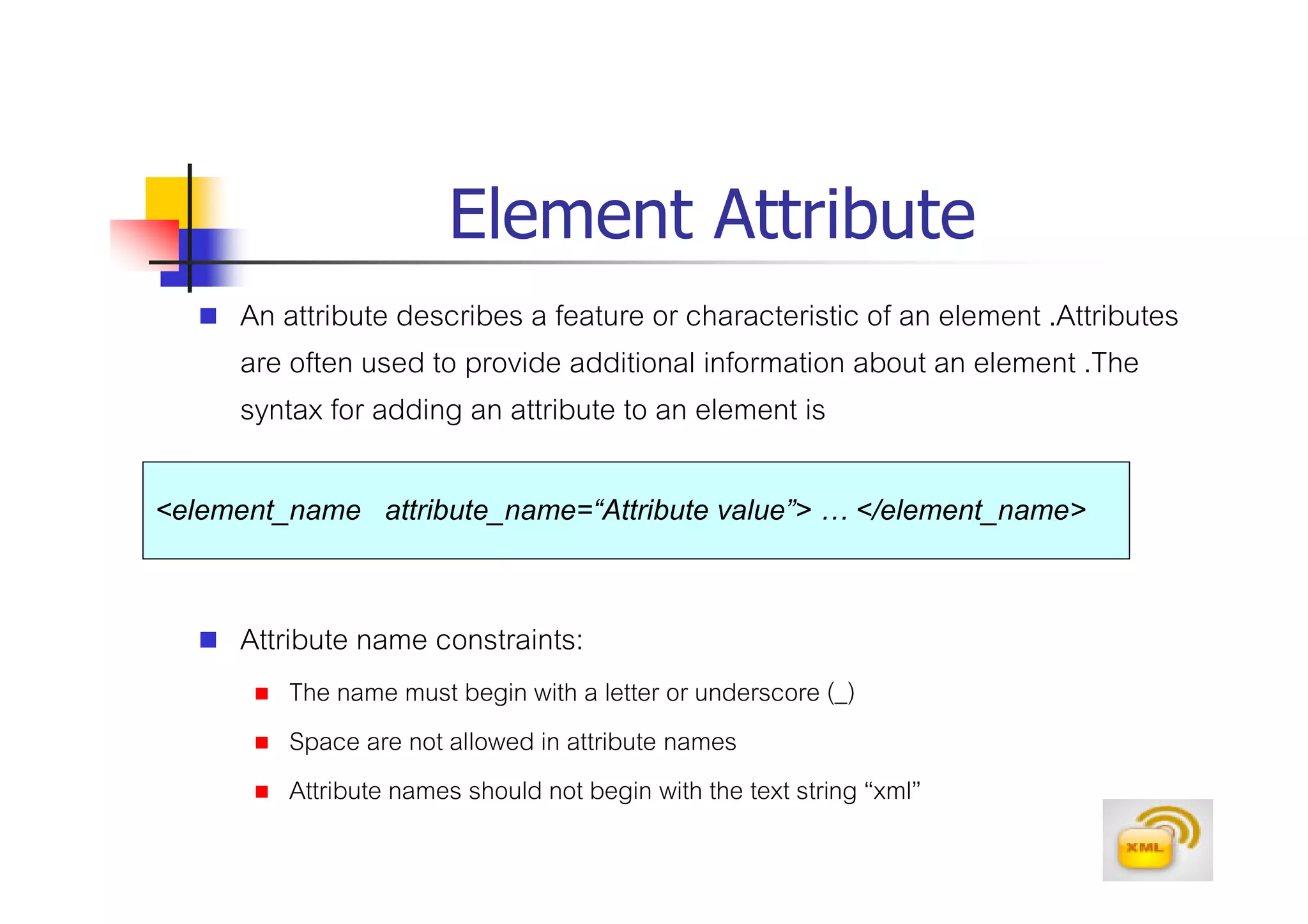
Element Attribute
     An attribute describes a feature or characteristic of an element .Attributes
     are often used to provide additional information about an element .The
     syntax for adding an attribute to an element is

<element_name attribute_name=“Attribute value”> … </element_name>

     Attribute name constraints:
         The name must begin with a letter or underscore (_)
         Space are not allowed in attribute names
         Attribute names should not begin with the text string “xml”
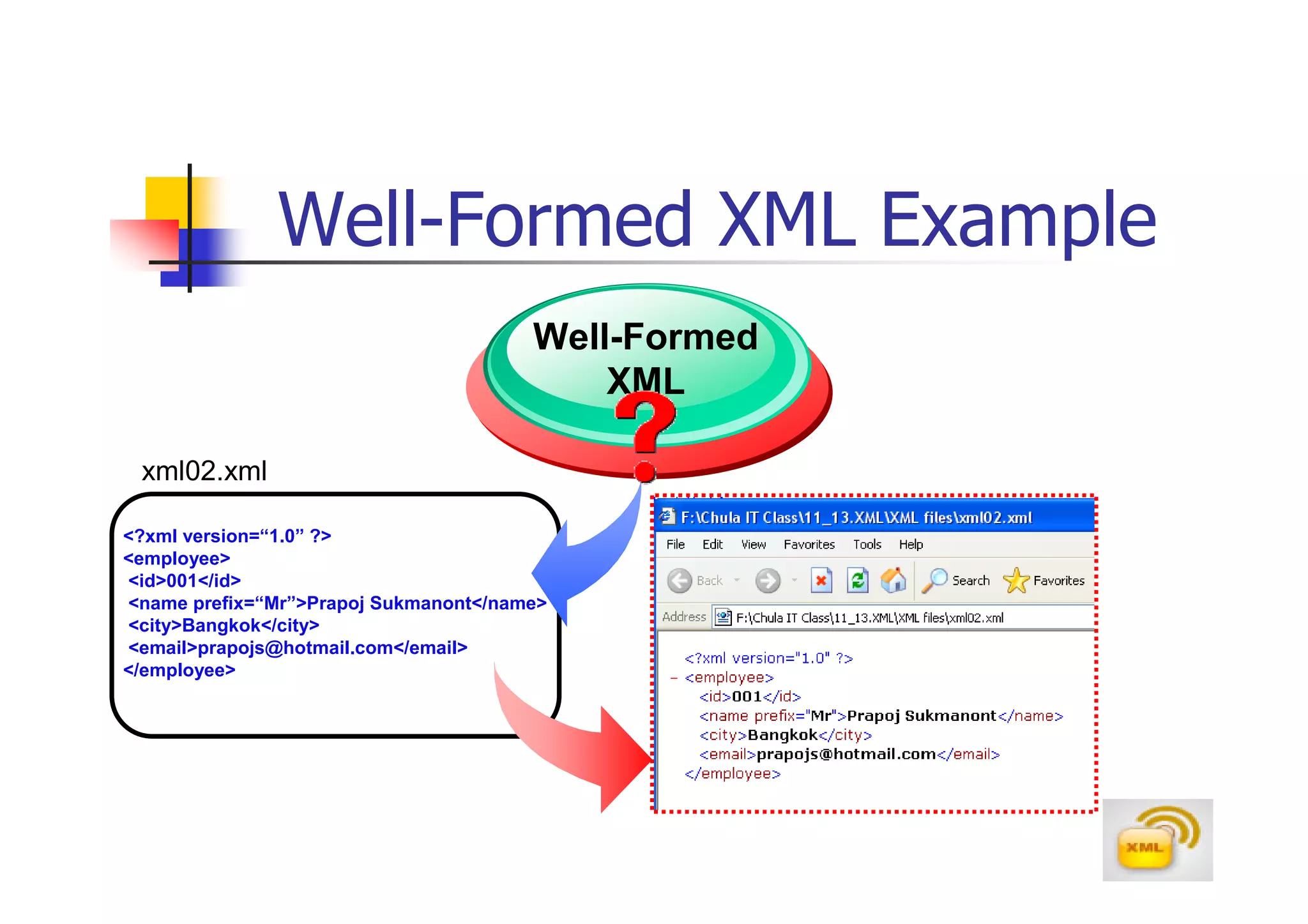
Well-Formed XML Example
                                       Well-Formed
                                           XML

 xml02.xml

<?xml version=“1.0” ?>
<employee>
<id>001</id>
<name prefix=“Mr”>Prapoj Sukmanont</name>
<city>Bangkok</city>
<email>prapojs@hotmail.com</email>
</employee>
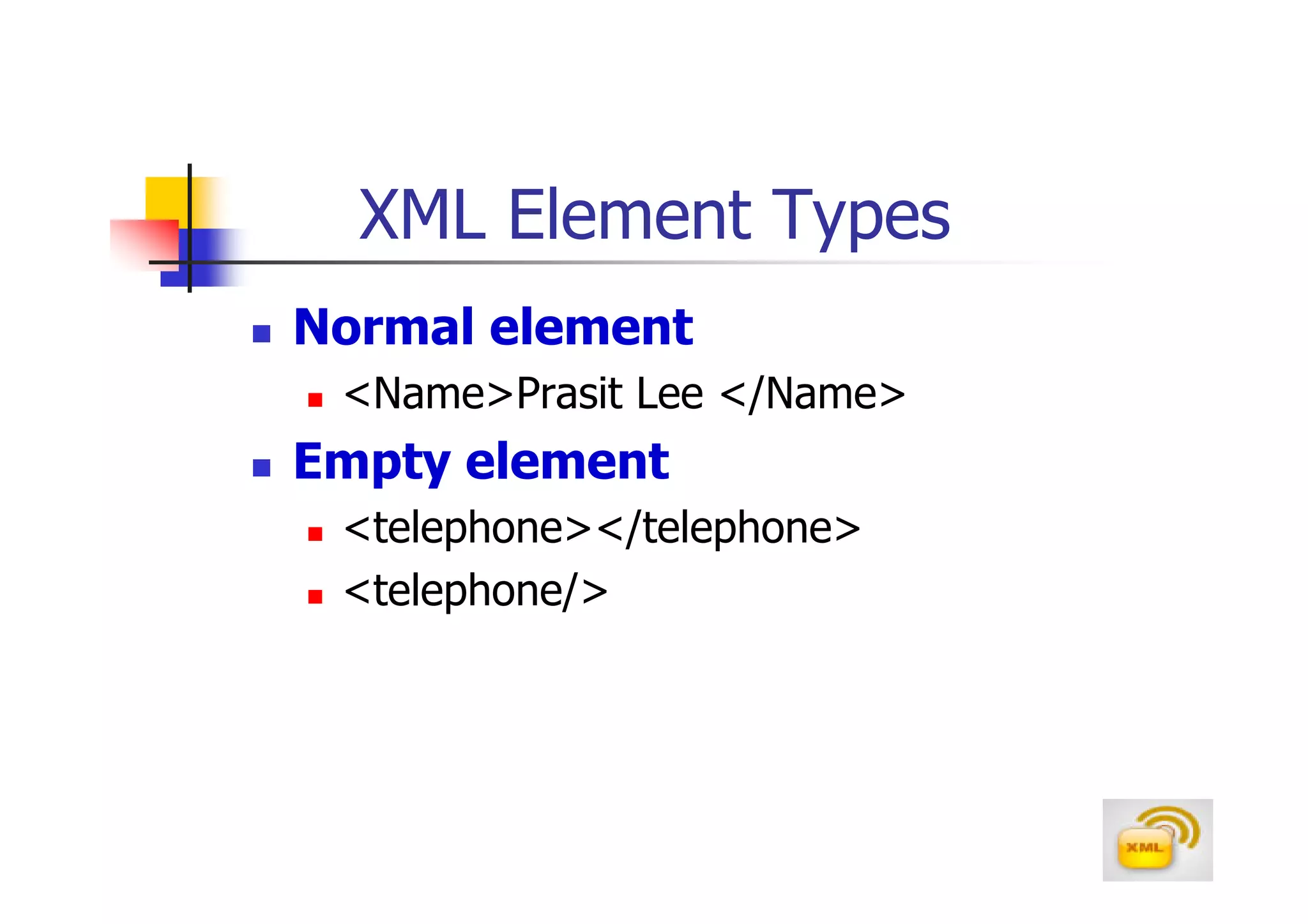
XML Element Types
Normal element
 <Name>Prasit Lee </Name>
Empty element
 <telephone></telephone>
 <telephone/>
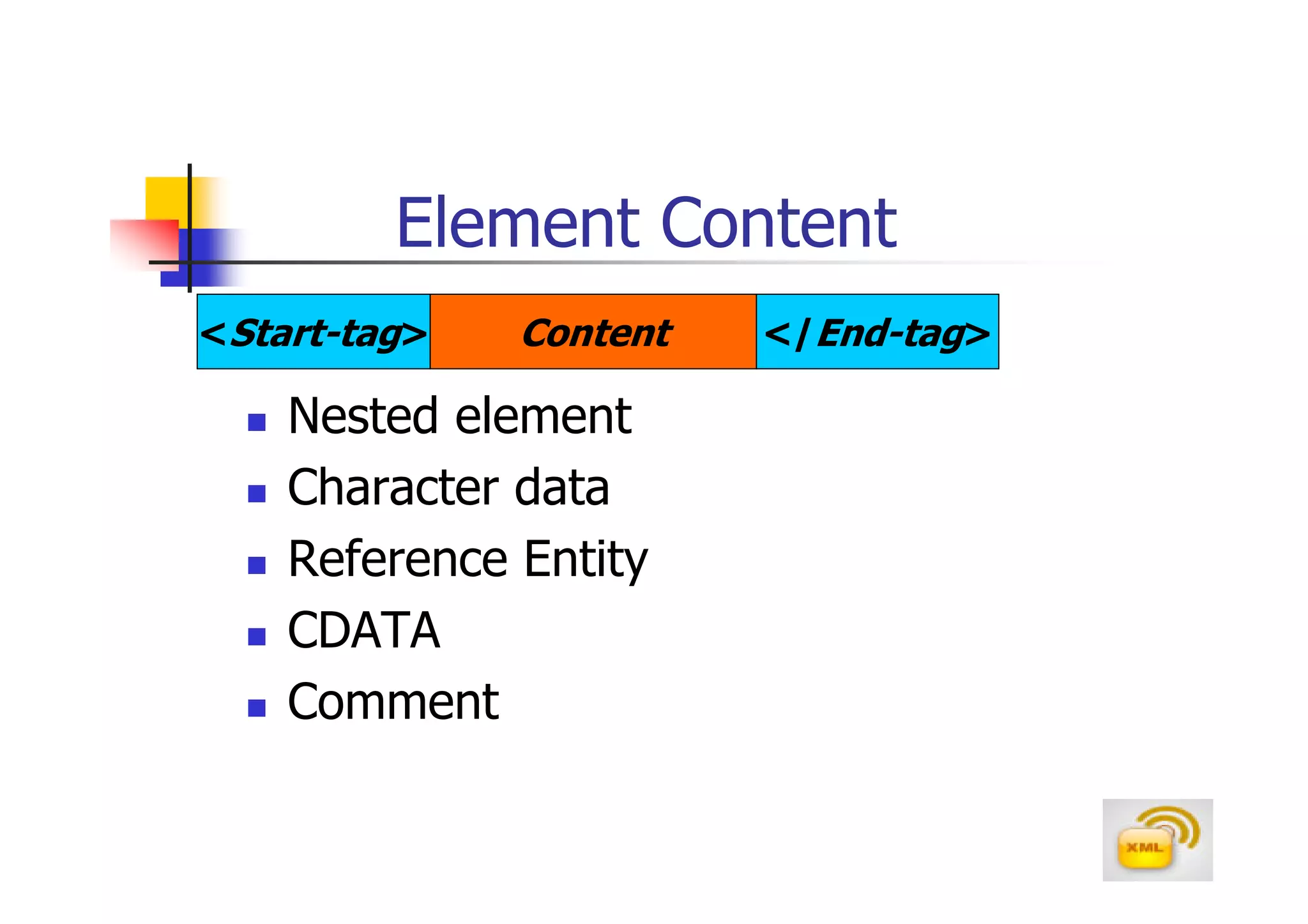
Element Content
Element Content
<Start-tag>   Content   </End-tag>

    Nested element
    Character data
    Reference Entity
    CDATA
    Comment
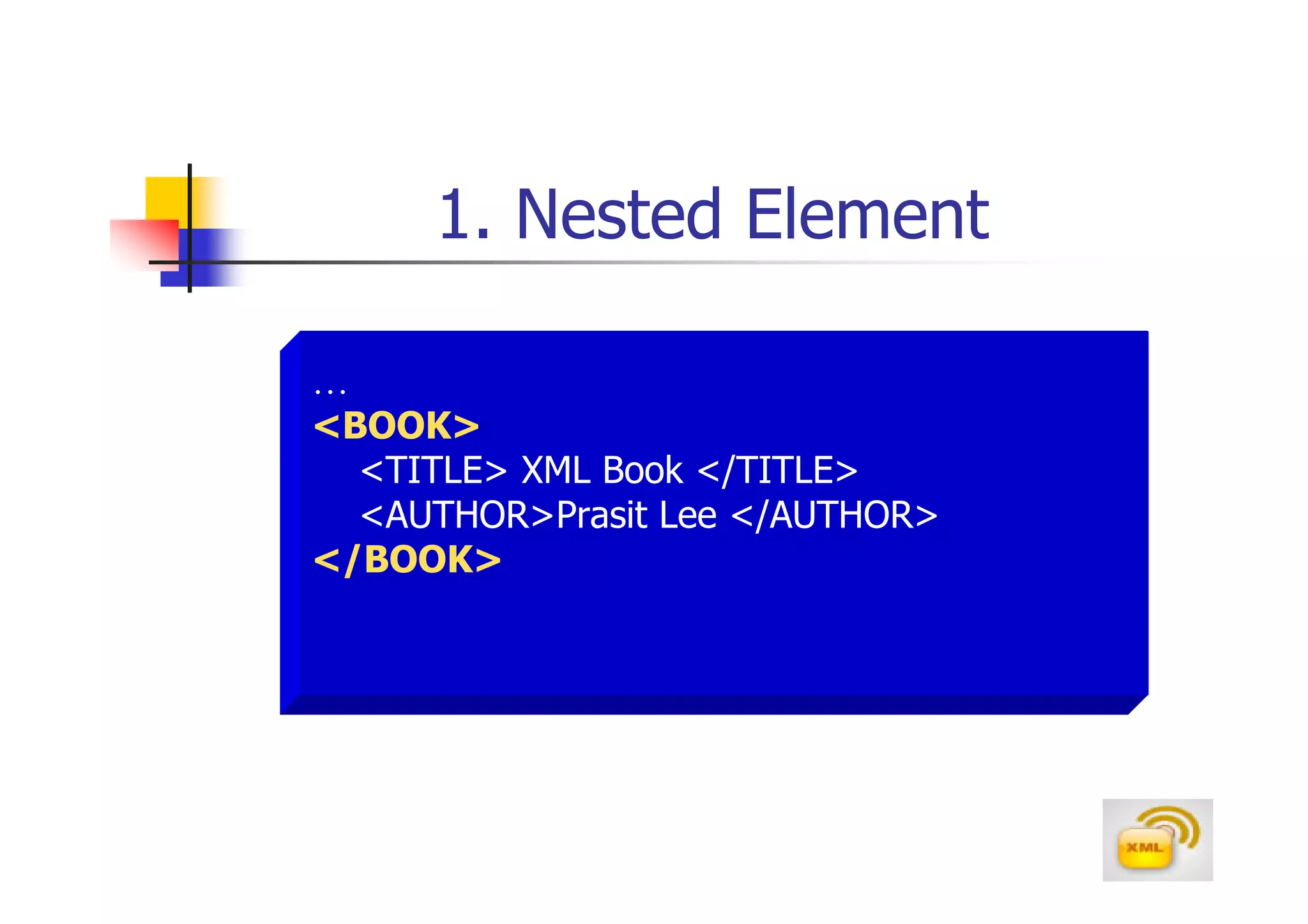
1. Nested Element

…
<BOOK>
  <TITLE> XML Book </TITLE>
  <AUTHOR>Prasit Lee </AUTHOR>
</BOOK>
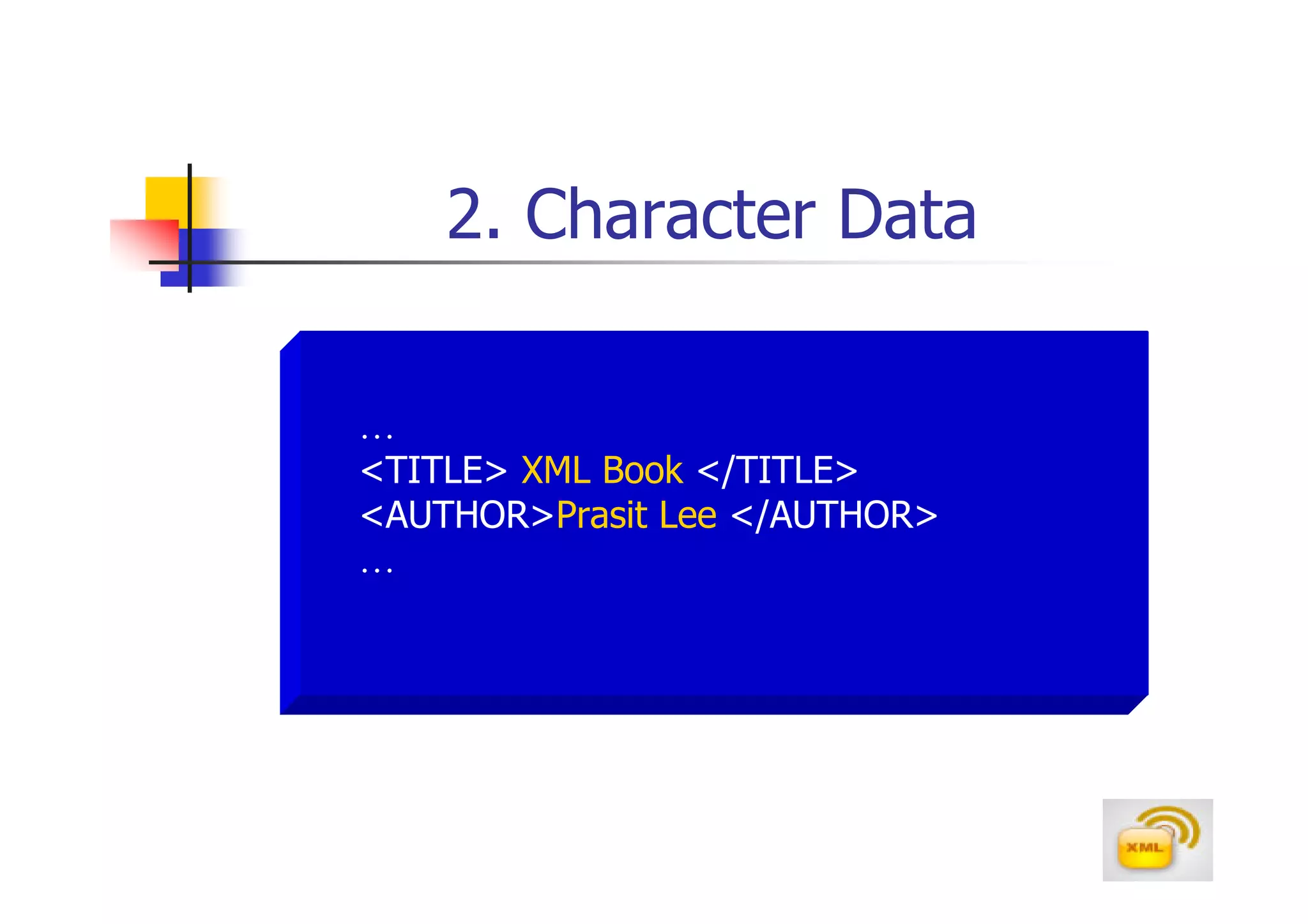
2. Character Data

…
<TITLE> XML Book </TITLE>
<AUTHOR>Prasit Lee </AUTHOR>
…
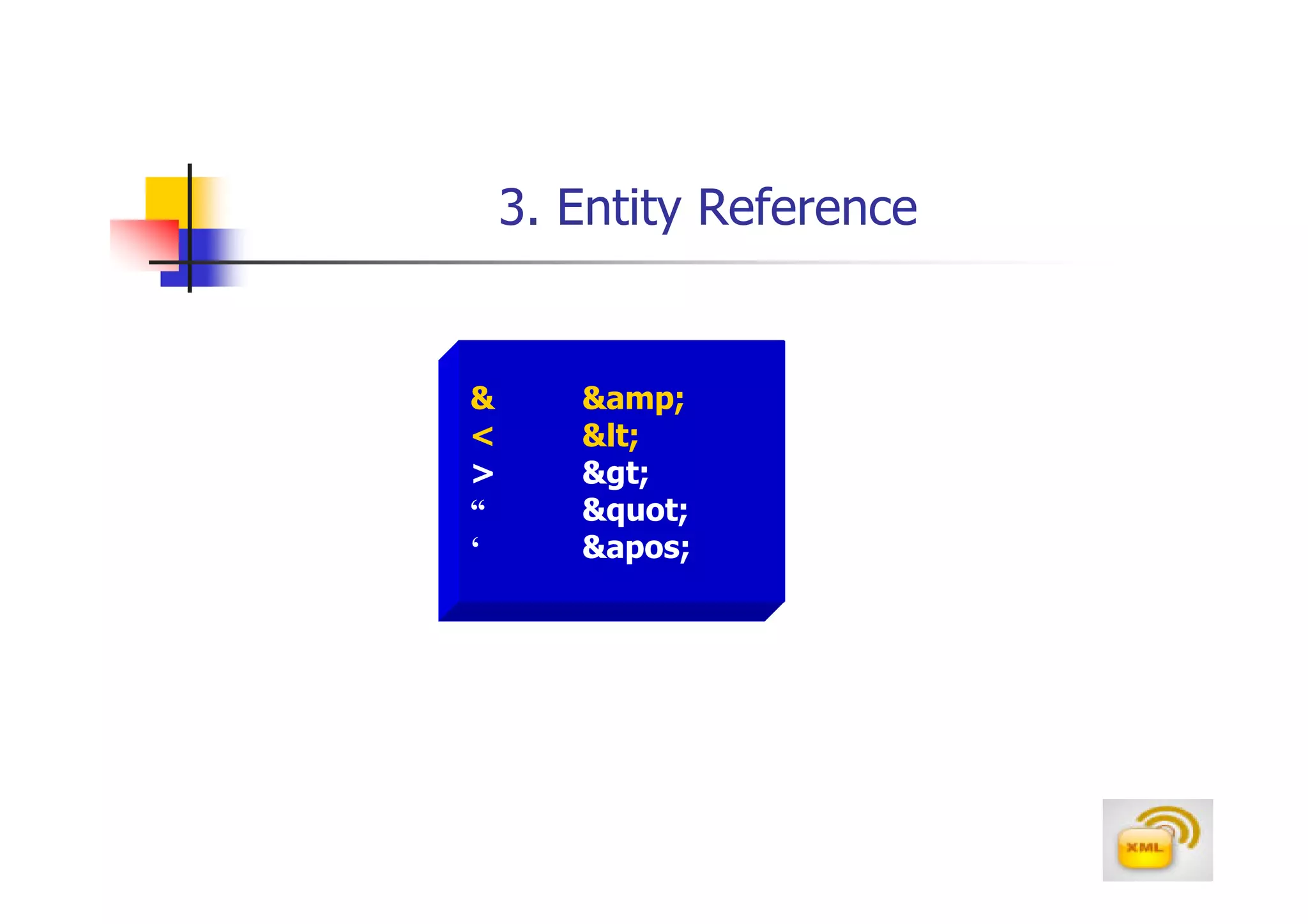
3. Entity Reference


&      &amp;
<      &lt;
>      &gt;
“      &quot;
‘      &apos;
XML Example
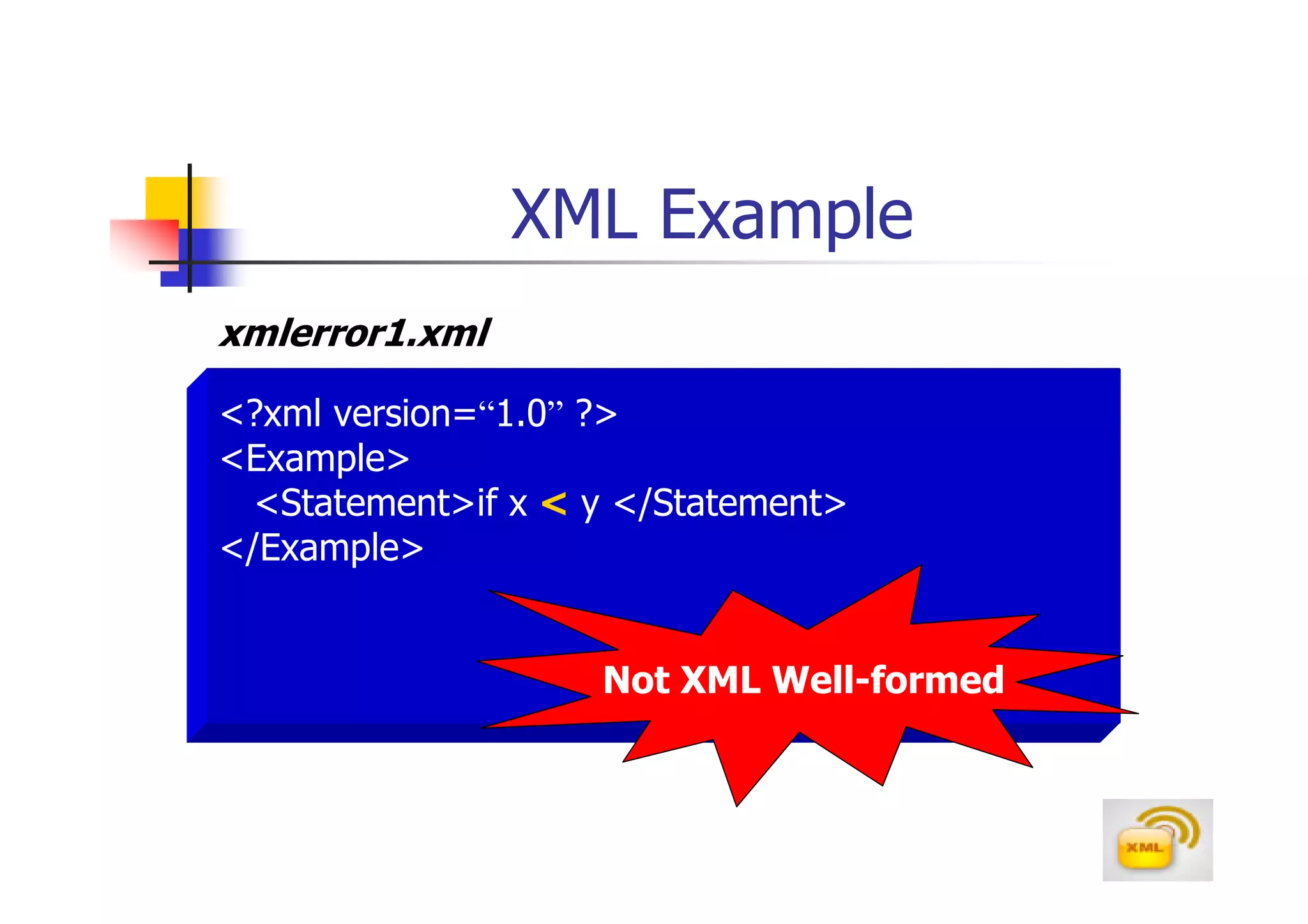
xmlerror1.xml

<?xml version=“1.0” ?>
<Example>
  <Statement>if x < y </Statement>
</Example>


                    Not XML Well-formed
XML Example
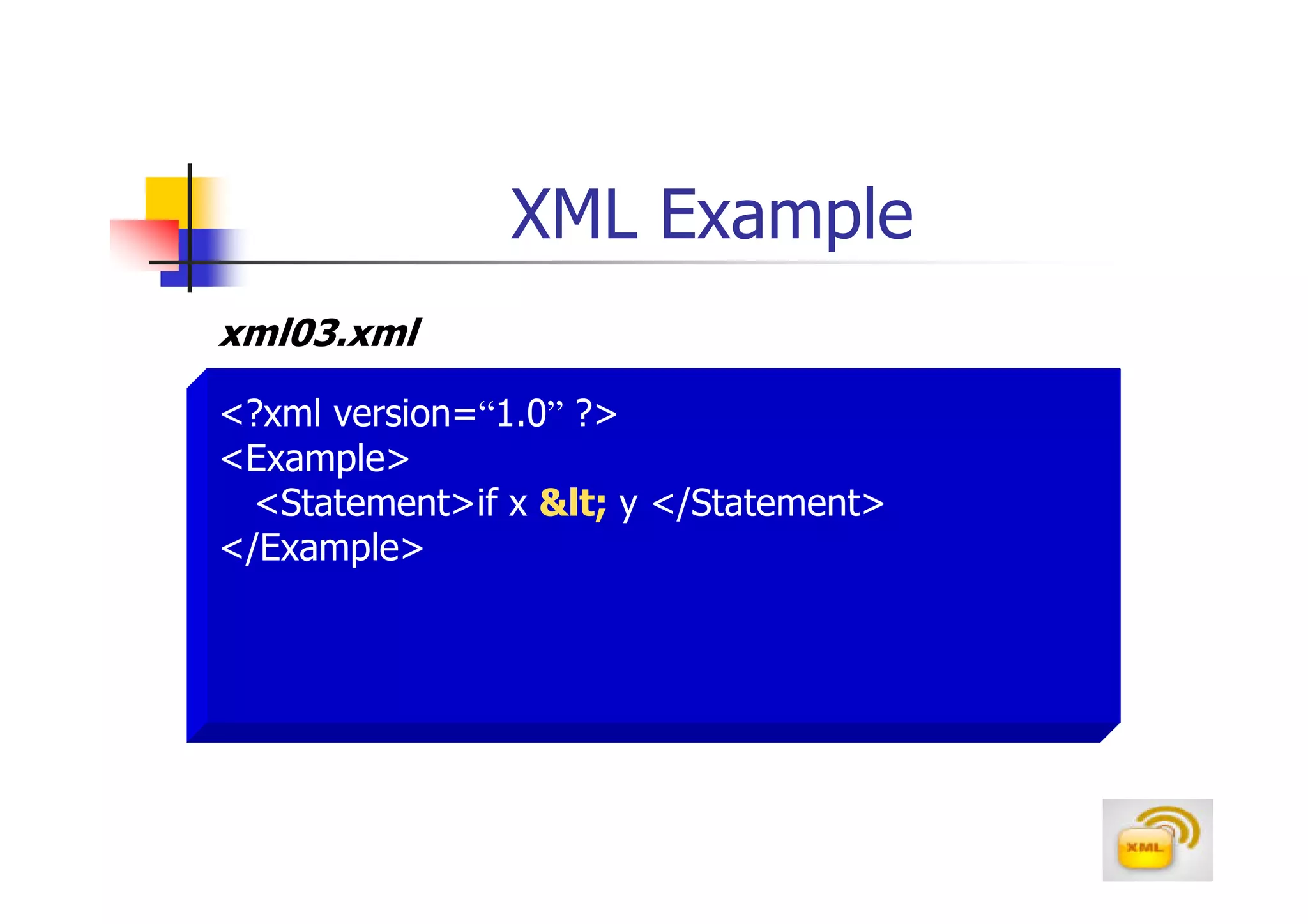
xml03.xml

<?xml version=“1.0” ?>
<Example>
  <Statement>if x &lt; y </Statement>
</Example>
4. CDATA Section
xml04.xml

<?xml version=“1.0”?>
<Example>
  <Statement>
   <![CDATA[
     if x > y and a < b
     ]]>
  </Statement>
</Example>
CDATA
Sometimes, an XML document needs to store large
blocks of text containing the < and > symbols. In
that case, it would be cumbersome to replace all of
the < and > symbols with &lt; and &gt; character
reference, the code itself will be difficult to read
Instead of using character references, you can place
large blocks of text into a CDATA section
A CDATA section is a large block text that the XML
processor interprets only a text
           <![CDATA[
                    Text block
              ]]>
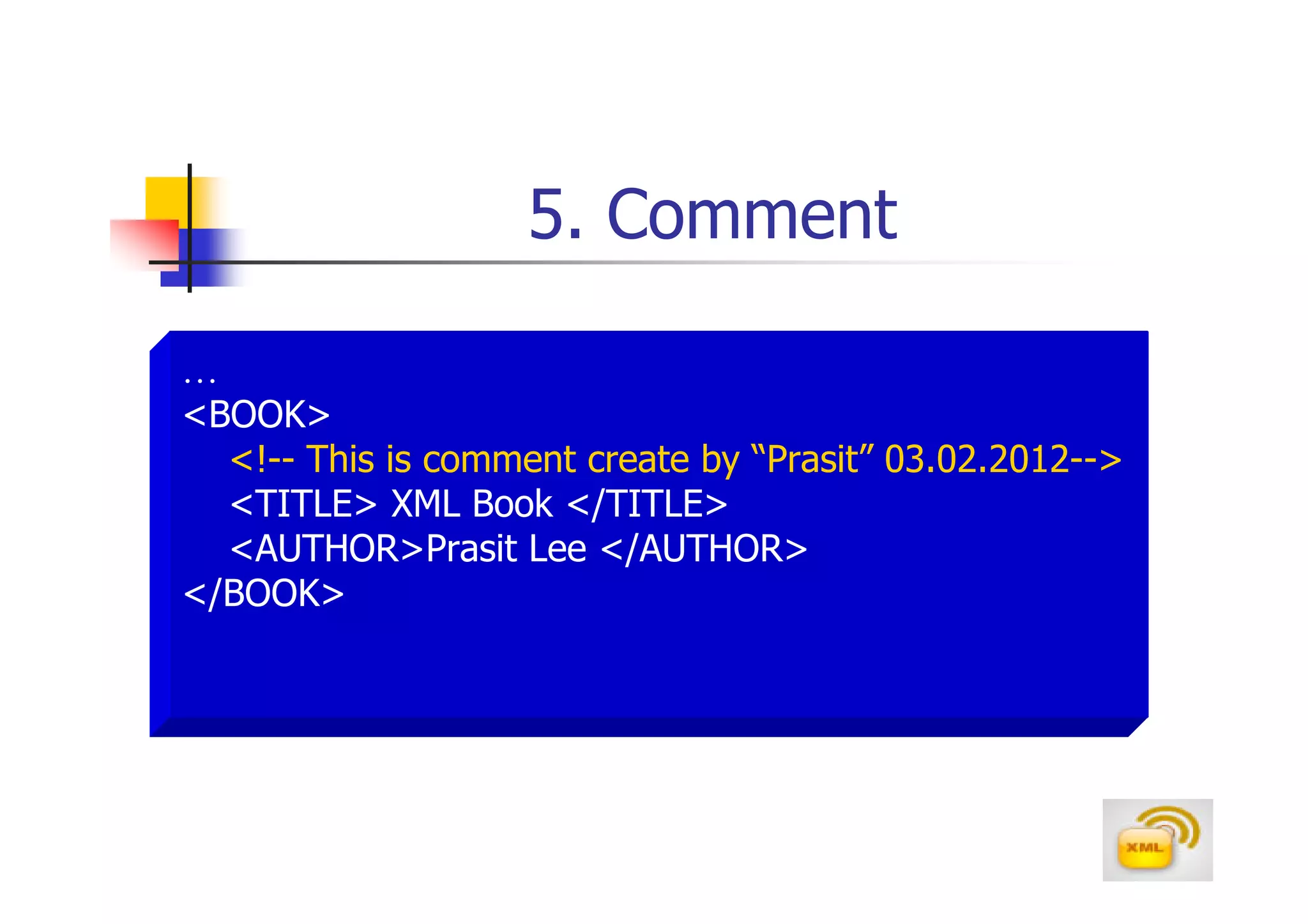
5. Comment

…
<BOOK>
  <!-- This is comment create by “Prasit” 03.02.2012-->
  <TITLE> XML Book </TITLE>
  <AUTHOR>Prasit Lee </AUTHOR>
</BOOK>

Xml overview

  • 1.
  • 2.
    Markup Language GML SGML WML ..ML
  • 3.
    Markup Language A MarkupLanguage is a computer language that specifies the structure and content of a document by breaking the document down into the series of elements
  • 4.
    XML XML stands foreXtensible Markup Language XML is a markup language much like HTML It’s a new markup language,developed by the W3C(www.w3.org),mainly to overcome limitations in HTML XML was designed to describe data XML tags are not predefined in XML.You must define your own tags
  • 5.
    XML & HTML HTMLand XML were designed with different goals HTML was designed to display data and to focus on how data looks XML was designed to describe data and to focus on what data is HTML is about displaying information, XML is about describing information
  • 6.
    XML & HTML HTMLtag : pre-defined tag <b>John</b> XML tag : user-defined tag <Name>John</Name>
  • 7.
    Markup Language Example Markup Language HTML XML <b>025447891</b> <myphonenumber>025447891</myphonenumber>
  • 8.
    XML Example XML xml01.xml <?xml version=“1.0”?> <employee> <id>001</id> <name>Prapoj Sukmanont</name> <city>Bangkok</city> <email>prapojs@hotmail.com</email> </employee>
  • 9.
    Element Structure Element Name <tag> Content </tag> Open Tag(start-tag) Close Tag(end-tag)
  • 10.
    XML Structure <?xml version=“1.0”?> root <root> <child> <sub_child> </sub_child> </child> child child <child> <sub_child> </sub_child> sub_child sub_child </child> </root>
  • 11.
    XML File Structure Filename : *.xml Prolog Document Elements
  • 12.
    Prolog XML Declaration <?xml version=“1.0”?> Document Type Declaration <!DOCTYPE PurchaseOrder SYSTEM “po.dtd”> Processing Instruction(PI) <?xml-stylesheet type=“text/css” href=“test.css”?>
  • 13.
    Document Elements <employee> <id>001</id> <name>Prasit Lee</name> <city>Bangkok</city> <email>prasitl@hotmail.com</email> </employee>
  • 14.
    XML File Structure: Prolog File name : *.xml 1. XML Declaration Prolog 2. Document Type Declaration (DTD) 3. Processing Instruction (PI) Document Elements
  • 15.
    XML Example xml01.xml <?xml version=“1.0”?> <employee> <id>001</id> <name>Prasit Lee</name> <city>Bangkok</city> <email>prasitl@hotmail.com</email> </employee>
  • 16.
    Thai Language XMLExample xml01th.xml <?xml version=“1.0” encoding=“windows-874”?> <employee> <id>001</id> <name>ประสิ ทธิ ลี</name> <city>กรุ งเทพ</city> <email>prasitl@hotmail.com</email> </employee>
  • 17.
    XML Benefits Self-describe Data Data Exchange XML Benefits Messaging Format for Application So on… (RSS, ebXML, XML Applications…) CML, MathML, MusicML, VoiceML …
  • 18.
    Text File &XML File employee.txt employee.xml Text File XML File <?xml version=“1.0” ?> 1,John,Bangkok <employee> 2,David,New York <id>1</id> 3,Peter,London <name>John</name> <city>Bangkok</city> <id>2</id> <name>David</name> <city>New York</city> <id>3</id> <name>Peter</name> <city>London</city> </employee>
  • 19.
    Data Exchange Example DB Server 1 DB Server 2 XML Parser employee.xml XML Parser XML File Database <?xml version=“1.0” ?> Database <employee> <id>1</id> <name>John</name> <city>Bangkok</city> <id>2</id> <name>David</name> <city>New York</city> <id>3</id> <name>Peter</name> <city>London</city> </employee>
  • 20.
    XML Processor After theXML document is created, it needs to be evaluated by an application known as an XML processor or XML parser Part of the function of the parser is to interpret the document’s code and verify that it satisfies all of the XML specifications for document structure and syntax Microsoft developed an XML parser called MSXML (msxml.exe) for its Internet Explorer browser
  • 21.
    Well-Formed XML “A Well-FormedXML document contains no syntax errors and satisfies the specifications for XML codes as laid out by W3C”
  • 22.
    1. Root Element <?xml version=“1.0” ?> <employee> <id>001</id> <name>Prapoj Sukmanont</name> Root Element <city>Bangkok</city> <email>prapojs@hotmail.com</email> </employee>
  • 23.
    2. Element Naming XMLelements must follow these naming rules Names can contain letters,numbers, and other characters.Names must not start with a number or other punctuation characters Names must not start with the letter xml(or XML or Xml ...) Names cannot contain space,(*,? And +) Avoid “-” and “.” in names The “:” should not be used in element names
  • 24.
    Element Naming :Example <-Company> <9Company> <Company> <.My_company> <_Company> <Name*> <My_company> <Name?> <First-name> <Name+> <Last.name> <xmlbook> <first name> Not OK OK
  • 25.
    3. Closed Tag <?xmlversion=“1.0” ?> <employee> <id>001</id> <name>Prapoj Sukmanont</name> <city>Bangkok</city> <email>prapojs@hotmail.com</email> </employee>
  • 26.
    4. Proper NestingTag <ID> <ID> <name> <name> </ID> </name> </name> </ID>
  • 27.
    5. Case-sensitive <ID> <ID> <name> <name> </Name> </name> </ID> </ID>
  • 28.
    6. Attribute Value <employee id=“001”> <name> <employee id=001> </name> <name> </employee> </name> </employee> <employee id=‘001’> <name> </name> </employee>
  • 29.
    Element Attribute An attribute describes a feature or characteristic of an element .Attributes are often used to provide additional information about an element .The syntax for adding an attribute to an element is <element_name attribute_name=“Attribute value”> … </element_name> Attribute name constraints: The name must begin with a letter or underscore (_) Space are not allowed in attribute names Attribute names should not begin with the text string “xml”
  • 30.
    Well-Formed XML Example Well-Formed XML xml02.xml <?xml version=“1.0” ?> <employee> <id>001</id> <name prefix=“Mr”>Prapoj Sukmanont</name> <city>Bangkok</city> <email>prapojs@hotmail.com</email> </employee>
  • 31.
    XML Element Types Normalelement <Name>Prasit Lee </Name> Empty element <telephone></telephone> <telephone/>
  • 32.
  • 33.
    Element Content <Start-tag> Content </End-tag> Nested element Character data Reference Entity CDATA Comment
  • 34.
    1. Nested Element … <BOOK> <TITLE> XML Book </TITLE> <AUTHOR>Prasit Lee </AUTHOR> </BOOK>
  • 35.
    2. Character Data … <TITLE>XML Book </TITLE> <AUTHOR>Prasit Lee </AUTHOR> …
  • 36.
    3. Entity Reference & &amp; < &lt; > &gt; “ &quot; ‘ &apos;
  • 37.
    XML Example xmlerror1.xml <?xml version=“1.0”?> <Example> <Statement>if x < y </Statement> </Example> Not XML Well-formed
  • 38.
    XML Example xml03.xml <?xml version=“1.0”?> <Example> <Statement>if x &lt; y </Statement> </Example>
  • 39.
    4. CDATA Section xml04.xml <?xmlversion=“1.0”?> <Example> <Statement> <![CDATA[ if x > y and a < b ]]> </Statement> </Example>
  • 40.
    CDATA Sometimes, an XMLdocument needs to store large blocks of text containing the < and > symbols. In that case, it would be cumbersome to replace all of the < and > symbols with &lt; and &gt; character reference, the code itself will be difficult to read Instead of using character references, you can place large blocks of text into a CDATA section A CDATA section is a large block text that the XML processor interprets only a text <![CDATA[ Text block ]]>
  • 41.
    5. Comment … <BOOK> <!-- This is comment create by “Prasit” 03.02.2012--> <TITLE> XML Book </TITLE> <AUTHOR>Prasit Lee </AUTHOR> </BOOK>