The document provides guidelines for writing effective emails, addressing key aspects such as format, tone, content, and response timing. It emphasizes the importance of clarity and scannability, encouraging the use of bulleted lists and bold for action items to improve communication. Additionally, it stresses understanding the audience and responding appropriately to ensure emails achieve their intended outcomes.
2 // Intro
Accordingto a 2013 survey by the Huffington Post and
publisher of the Myers-Briggs personality assessment CPP...
"Email was found to be the biggest offender when it comes to
creating resentment and confusion in the workplace.”
Compared to: texting, social networking, the phone, instant messaging, video conferencing
http://socialmediatoday.com/socialmktgfella/1545786/email-creating-resentment-work-infographic
3.
3 // Intro
Atthe same time...
http://socialmediatoday.com/socialmktgfella/1545786/email-creating-resentment-work-infographic
92% of respondents still consider email to be a valuable
communication tool
● Email can be considered a primary form of communication in
business - it’s not going away any time soon
● How can we structure & compose emails to get the most out of
our internal & client communications?
6 // EmailFormat
Write for “scannability”
● Assume reader isn’t going to read everything in complete detail -
especially not a busy client, or someone reading on a phone
● Most important items need to be easily called out & emphasized so
they won’t be missed
● Formatting techniques: bulleted lists, bolding action items & dates, etc.
https://econsultancy.com/blog/64439-eight-best-practice-tips-for-writing-effective-email-copy/
7.
7 // EmailFormat
Examples
01 Make good use of your subject line:
vs.
Which is more effective?
8.
8 // EmailFormat
Examples
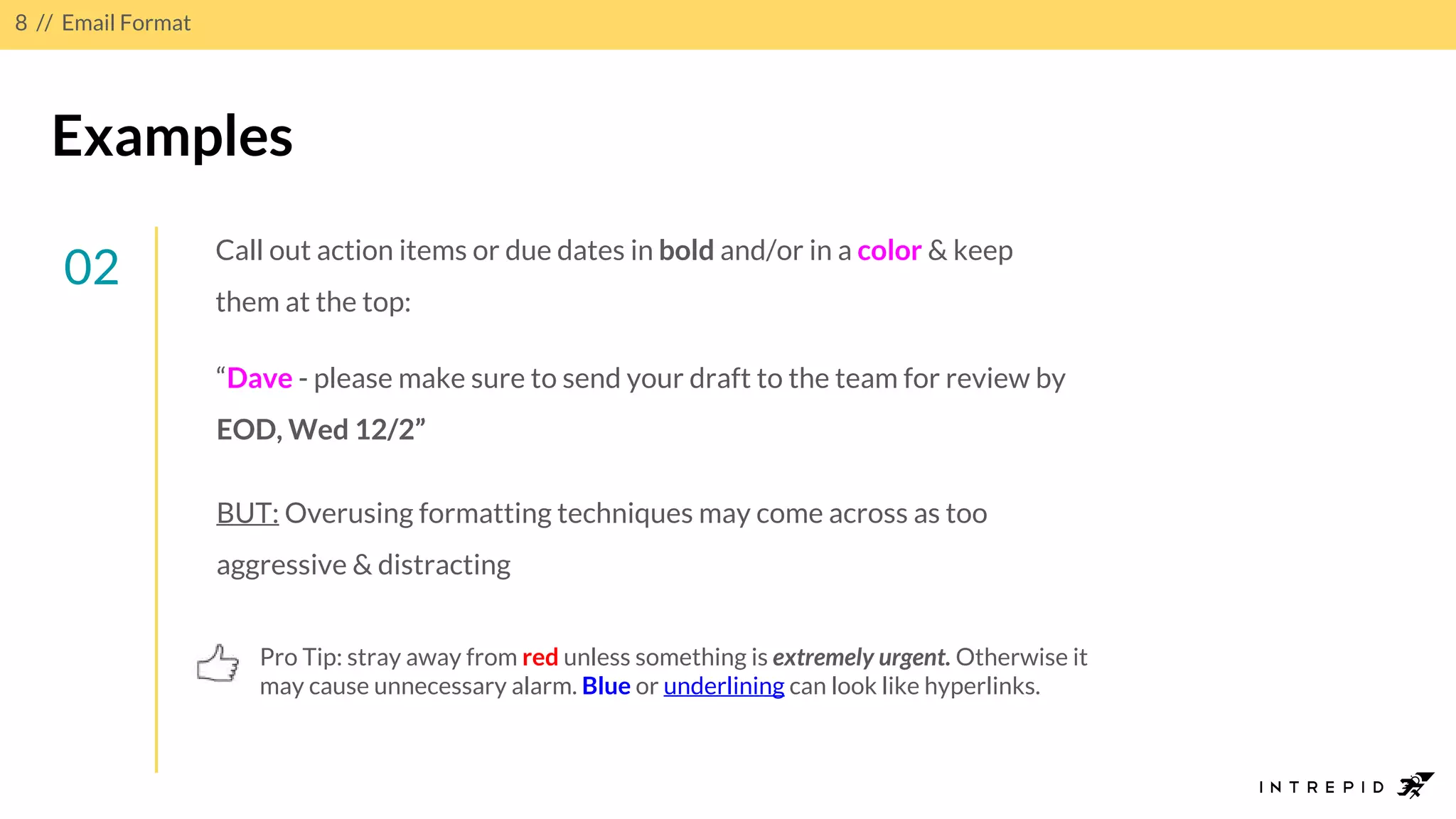
02
“Dave - please make sure to send your draft to the team for review by
EOD, Wed 12/2”
BUT: Overusing formatting techniques may come across as too
aggressive & distracting
Pro Tip: stray away from red unless something is extremely urgent. Otherwise it
may cause unnecessary alarm. Blue or underlining can look like hyperlinks.
Call out action items or due dates in bold and/or in a color & keep
them at the top:
9.
9 // EmailFormat
Examples
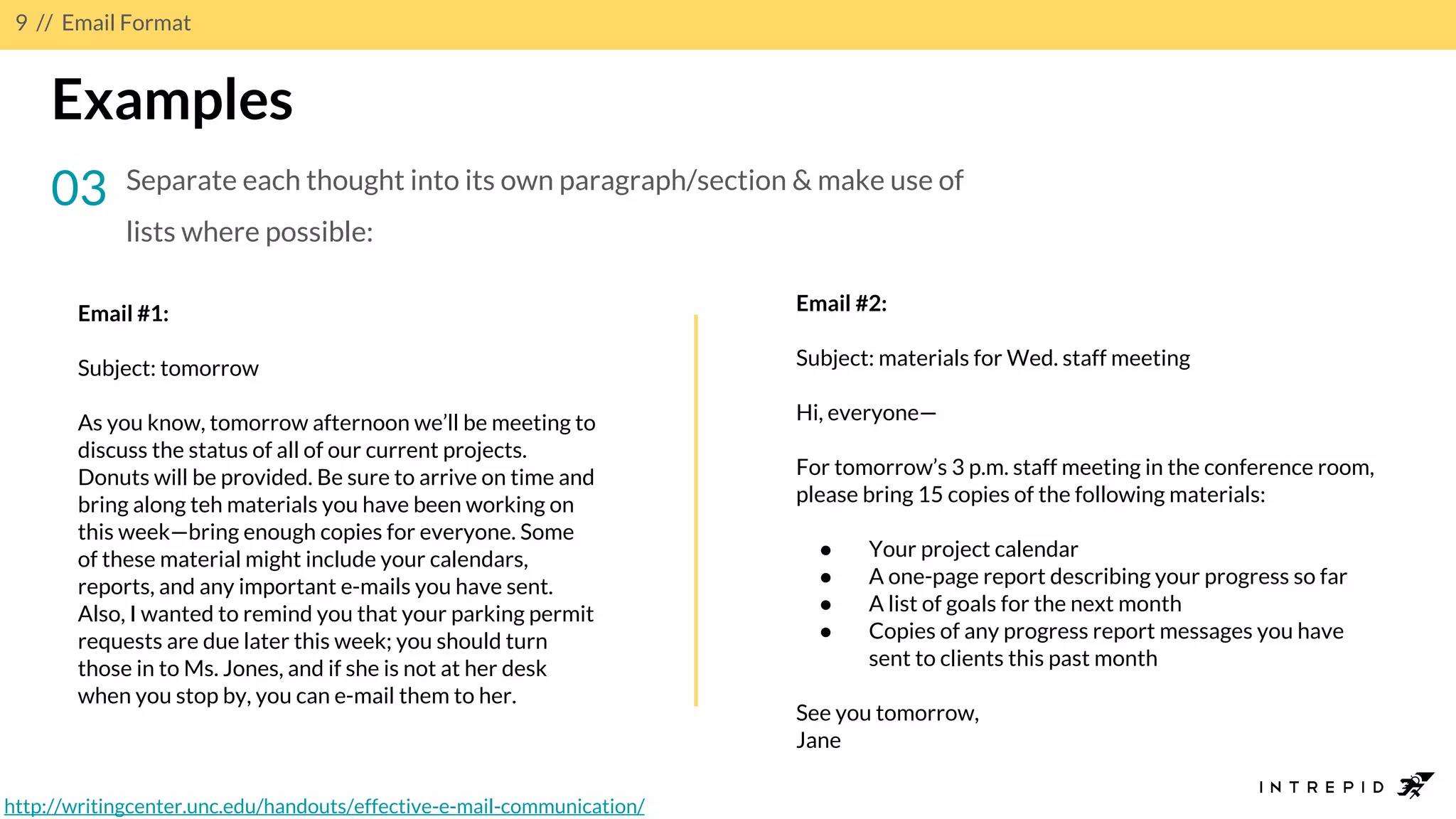
03 Separate each thought into its own paragraph/section & make use of
lists where possible:
Email #1:
Subject: tomorrow
As you know, tomorrow afternoon we’ll be meeting to
discuss the status of all of our current projects.
Donuts will be provided. Be sure to arrive on time and
bring along teh materials you have been working on
this week—bring enough copies for everyone. Some
of these material might include your calendars,
reports, and any important e-mails you have sent.
Also, I wanted to remind you that your parking permit
requests are due later this week; you should turn
those in to Ms. Jones, and if she is not at her desk
when you stop by, you can e-mail them to her.
Email #2:
Subject: materials for Wed. staff meeting
Hi, everyone—
For tomorrow’s 3 p.m. staff meeting in the conference room,
please bring 15 copies of the following materials:
● Your project calendar
● A one-page report describing your progress so far
● A list of goals for the next month
● Copies of any progress report messages you have
sent to clients this past month
See you tomorrow,
Jane
http://writingcenter.unc.edu/handouts/effective-e-mail-communication/
11 // EmailTone
Know your audience
● Not just about standard etiquette - be aware of recipient’s personality
& values
● Ensure the right message is being communicated in the right way so
nothing is misconstrued or lost in translation
● Usually learned over time - adapt your tone as you get to know your
clients/teams & what type of emails they are most responsive to
● Also “generational” and “hierarchical” differences to take into account
with tone
12.
12 // EmailTone
Examples
01 Brevity vs. Detail 02 Facts vs. Fluff 03 Casual vs. Formal
● Important to be
efficient but too
short a message
may come off as
rude/inadequate
● BUT, add too
much detail &
your reader may
lose patience
● Important to build
a good rapport
with your team &
be approachable
● BUT, keep in mind
roles &
relationships -
would you send an
emoji to a client?
● Facts are
important for
accuracy but may
case reader to feel
disconnected from
sender
● BUT, too much fluff
& overall point of
the message could
be lost
14 // EmailContent
Keep it relevant & actionable
● Every email should have a goal or intended outcome after it is received
● Important not only that this goal is clear to the recipient but also that
your message encourages them to take action after reading
● After all, the content is the meat of the email- you want your reader to
digest it all!
15.
15 // EmailContent
Examples
01 Content is directly relevant to subject line; reader shouldn’t have to
ask: “what’s this about?”
02
03
04 Include clear call to action before closure (e.g. “Please make sure to
provide your feedback on the report before EOD”)
Ask direct questions to demonstrate you expect a reply (e.g. “I
would really like to see the report” vs. “Can you please send me
the report?”)
Focus on one point per email- don’t get tangled up with too many
topics
16.
16 // EmailContent
Provide accuracy & evidence
● Always make sure claims are truthful & can be backed up with relevant evidence/examples
● Remember: email is a written record - exaggerated/untruthful information can be used
against you!
● Also easier for your recipient to buy into claim when presented with evidence to support it
● Always provide the WHY’S behind an idea & examples of how something has worked in the
past
● Reference a past email in the thread or shared document which reiterates your point
Pro Tip: Trying to get a client to make a quick decision? Provide options for an easy yes/no answer. Include your
personal recommendation as the “expert” on the topic for even more influence!
17.
17 // EmailContent
Examples
01 “The team has investigated this issue and has determined it can be
achieved through the following method (see link or attachment)...”
02
03 “As I mentioned in my previous email (see below), we were expecting the
updates from your team by noon today. Can you let us know when we might be
receiving them?”
“We’ve taken your feedback into consideration for the app navigation
and have incorporated the changes into two options (below). Option #1
utilizes a hamburger button and Option #2 displays a floating action
button. We’d strongly recommend going with Option #2 as it’s a better
user experience (etc…) and is found in similar apps such as….”
19 // EmailCadence
Consider your response time
● Respond according to urgency, especially with clients
● A quick response is more likely to elicit a quick response back
● Unable to respond right away? Send a quick email to acknowledge receipt and provide a
timeframe for when you’ll reply
● For less urgent matters, occasionally hold off on an immediate response (or responses over
a weekend) so client doesn’t view you as disposable at all times & take advantage
● Important to keep a good balance - for strategy AND for sanity!
Pro Tip: What if the urgency or ask is unclear? Follow-up and ask! e.g.: “When do you need this by?” “Would early next
week be okay?” “Can you clarify the following?” If you can’t act on it right away, this type of response at least shows it’s
top of mind
21 // Tips& Tricks
For your consideration...
01 Proofread, proofread & proofread again. And re-read again after sending!
Always gut check: did you remember to hit “reply all”?
Wait to fill in the address line until you’ve drafted (and proofread) the email to avoid
accidentally hitting “send” too soon & to ensure you’ve included all/only the
appropriate recipients
02
03
04
Pro Tip: When drafting a long/important response in a reply, open a new draft & copy and paste your
response back into the original thread
The time of day you send emails matters. Instead of sending EOD, leave an email
in drafts and hit send first thing in the AM so it’s at the top of the recipient’s
inbox
22.
22 // Tips& Tricks
For your consideration...
05 There is a always a chance your email will be forwarded or passed around - use your
discretion as to how much info you divulge
When including attachments and/or links, double check attachments are: a) actually
attached and b) accessible/viewable for recipient. Make sure links lead to correct
URL
Insert images/objects for reference directly into body of email (when space allows)
so recipient isn’t required to open separate attachment or misses content entirely
Email thread getting too long, confusing or diverging from the subject? Send a fresh
email or hop on a call instead
06
07
08
Pro tip: Always consider when a phone call or face-to-face meeting might be a better approach than
sending an email
23.
23 // Tips& Tricks
Did you know?
You can change the subject line in an email
thread while replying or forwarding in gmail
Select the drop-down arrow next to ‘reply’
icon and select ‘edit subject’
Pro Tip: Changing the subject (vs. starting a new thread) is
most helpful when the topic and/or recipients of the thread
changes but you still need to reference prior thread
content for context
http://www.ditoweb.com/blog/2013/06/pro-tip-change-
subject-line-in-gmai/
24.
24 // Tips& Tricks
What are your “tools of the trade”
when it comes to email?
25.
25 // Tips& Tricks
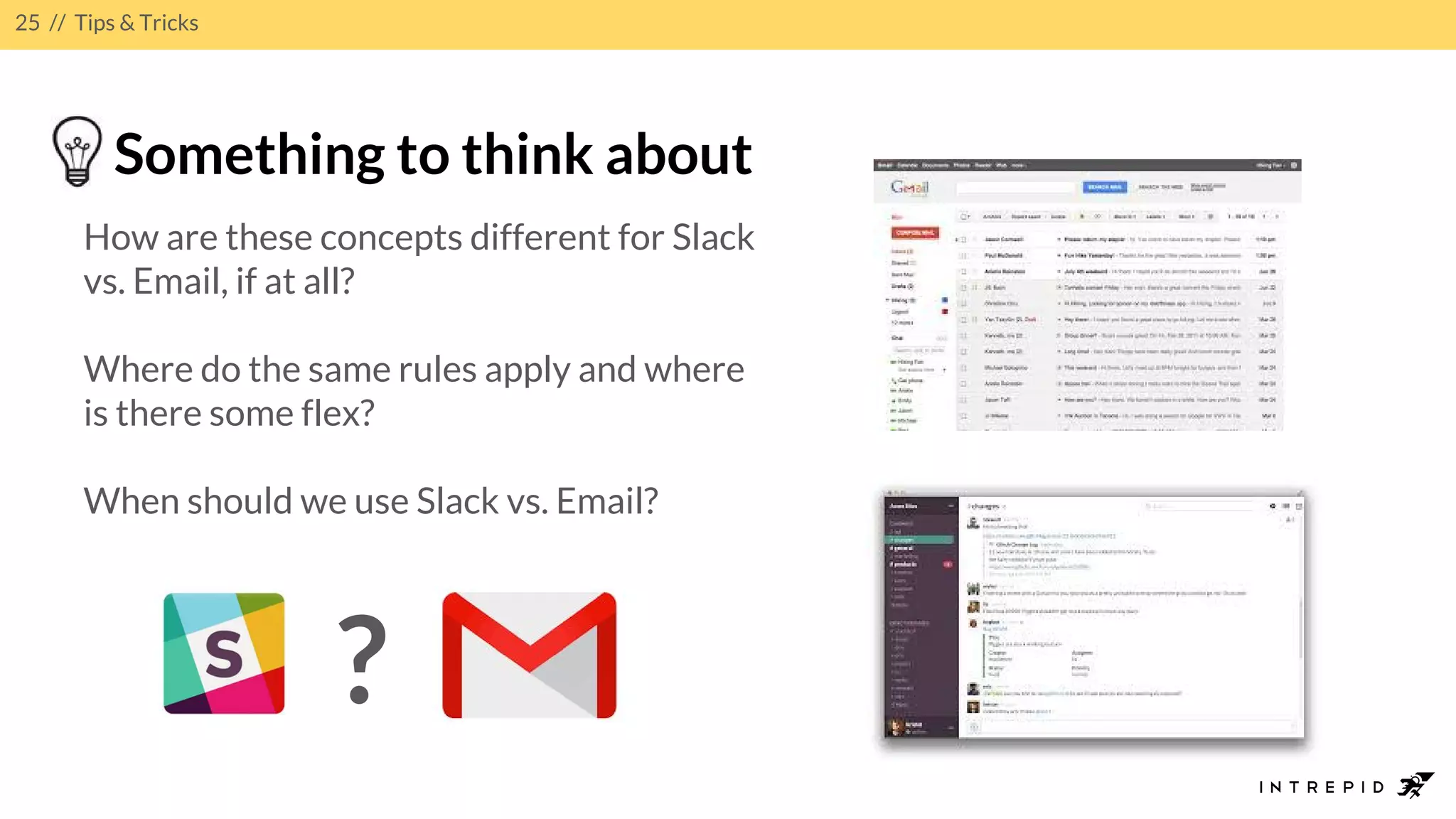
Something to think about
How are these concepts different for Slack
vs. Email, if at all?
Where do the same rules apply and where
is there some flex?
When should we use Slack vs. Email?
?
29 // Sources,etc.
“How’s your email
working for you?”
Infographic from
Huffington Post Study
“When to use emoji in
a work email (spoiler:
not with your boss)”
Article from Mashable.
com
30.
30 // Sources,etc.
21 Tips for Writing Effective Emails01
02
03
04
Additional Sources
Watch Your Words: Seven Tips for Writing Effective Emails
A Little Email Etiquette Can Help Banish Workplace Blues
Email Charter
05 20 Rules of Writing Effective Business Emails
06 Effective Email Communication
07 Eight Best Practice Tips for Writing Effective Email Copy










![Email etiquette [advanced level]](https://cdn.slidesharecdn.com/ss_thumbnails/emailetiquetteadvancedlevel-180705054408-thumbnail.jpg?width=640&height=640&fit=bounds)


