Wordpress 3.0

Norman Huelsman
 normanhuelsman.com
     @MrDirby
Create a Network

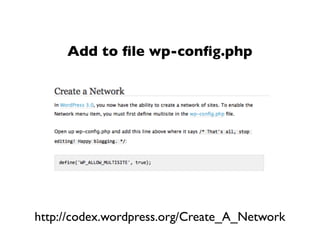
http://codex.wordpress.org/Create_A_Network
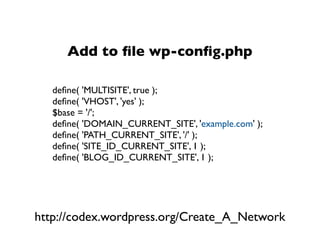
Add to file wp-config.php

   define( 'MULTISITE', true );
   define( 'VHOST', 'yes' );
   $base = '/';
   define( 'DOMAIN_CURRENT_SITE', 'example.com' );
   define( 'PATH_CURRENT_SITE', '/' );
   define( 'SITE_ID_CURRENT_SITE', 1 );
   define( 'BLOG_ID_CURRENT_SITE', 1 );


http://codex.wordpress.org/Create_A_Network
Add to file wp-config.php

   define( 'MULTISITE', true );
   define( 'VHOST', 'yes' );
   $base = '/';
   define( 'DOMAIN_CURRENT_SITE', 'example.com' );
   define( 'PATH_CURRENT_SITE', '/' );
   define( 'SITE_ID_CURRENT_SITE', 1 );
   define( 'BLOG_ID_CURRENT_SITE', 1 );


http://codex.wordpress.org/Create_A_Network
Other Setup Steps
1. Create a blogs.dir directory under /wp-content/
This directory is used to stored uploaded media for your additional sites and
must be writable by the web server. They should be CHOWNed and
CHMODed the same as your wp-content folder.

2. Add the extra lines provided to your wp-config.php file
These lines are dynamically generated for you based on your configuration.
Put these lines right under the WP_ALLOW_MULTISITE line, mostly for
readability.

3. Replace the content of your .htaccess file with the following
(If there isn't one, then create it.)
These lines are dynamically generated for you based on your configuration.

4. Once the above steps are completed and the new wp-config.php & .htaccess
files are saved, click "Return to Dashboard" to refresh your dashboard.


http://codex.wordpress.org/Create_A_Network
Congratulations!

 You are now a...
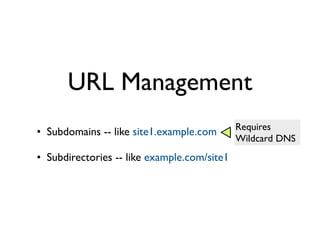
URL Management
                                                    Requires
	

 •	

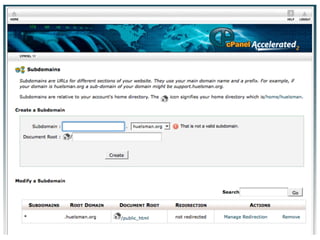
 Subdomains -- like site1.example.com
                                                    Wildcard DNS
	

 •	

 Subdirectories -- like example.com/site1
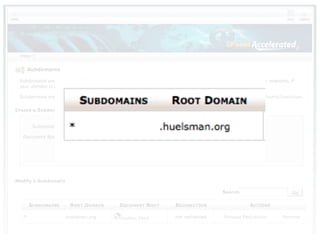
WildCard DNS
  Simple work around.
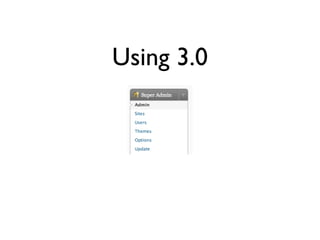
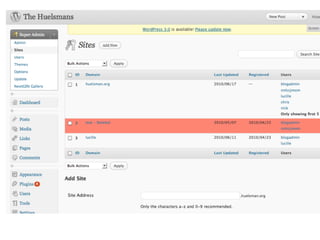
Using 3.0
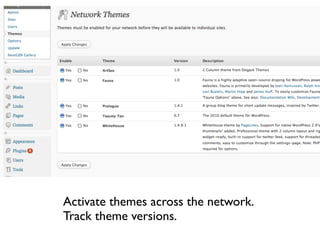
Activate themes across the network.
Track theme versions.
Child Themes
A WordPress child theme is a theme that inherits the
functionality of another theme, called the parent theme,
and allows you to modify, or add to, the functionality of
that parent theme.


       http://codex.wordpress.org/Child_Themes
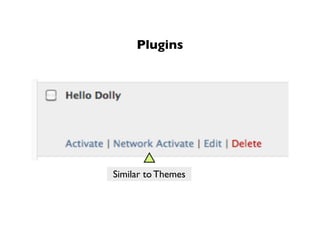
Plugins


Similar to Themes
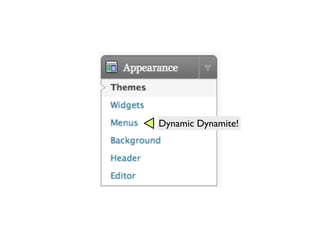
Dynamic Dynamite!
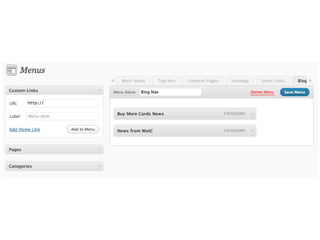
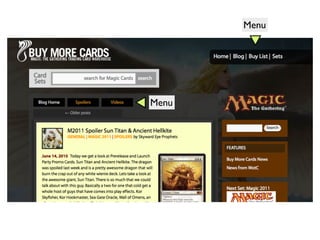
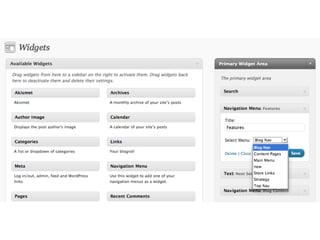
Menu


Menu
Custom Post Types
http://codex.wordpress.org/Custom_Post_Types
Wp3 refresh pgh

Wp3 refresh pgh

  • 1.
    Wordpress 3.0 Norman Huelsman normanhuelsman.com @MrDirby
  • 2.
  • 3.
    Add to filewp-config.php define( 'MULTISITE', true ); define( 'VHOST', 'yes' ); $base = '/'; define( 'DOMAIN_CURRENT_SITE', 'example.com' ); define( 'PATH_CURRENT_SITE', '/' ); define( 'SITE_ID_CURRENT_SITE', 1 ); define( 'BLOG_ID_CURRENT_SITE', 1 ); http://codex.wordpress.org/Create_A_Network
  • 4.
    Add to filewp-config.php define( 'MULTISITE', true ); define( 'VHOST', 'yes' ); $base = '/'; define( 'DOMAIN_CURRENT_SITE', 'example.com' ); define( 'PATH_CURRENT_SITE', '/' ); define( 'SITE_ID_CURRENT_SITE', 1 ); define( 'BLOG_ID_CURRENT_SITE', 1 ); http://codex.wordpress.org/Create_A_Network
  • 5.
    Other Setup Steps 1.Create a blogs.dir directory under /wp-content/ This directory is used to stored uploaded media for your additional sites and must be writable by the web server. They should be CHOWNed and CHMODed the same as your wp-content folder. 2. Add the extra lines provided to your wp-config.php file These lines are dynamically generated for you based on your configuration. Put these lines right under the WP_ALLOW_MULTISITE line, mostly for readability. 3. Replace the content of your .htaccess file with the following (If there isn't one, then create it.) These lines are dynamically generated for you based on your configuration. 4. Once the above steps are completed and the new wp-config.php & .htaccess files are saved, click "Return to Dashboard" to refresh your dashboard. http://codex.wordpress.org/Create_A_Network
  • 6.
  • 7.
    URL Management Requires • Subdomains -- like site1.example.com Wildcard DNS • Subdirectories -- like example.com/site1
  • 8.
    WildCard DNS Simple work around.
  • 11.
  • 13.
    Activate themes acrossthe network. Track theme versions.
  • 14.
    Child Themes A WordPresschild theme is a theme that inherits the functionality of another theme, called the parent theme, and allows you to modify, or add to, the functionality of that parent theme. http://codex.wordpress.org/Child_Themes
  • 16.
  • 17.
  • 19.
  • 21.