WordPress Structureand Best PracticesMark Parolisi04-05-2010
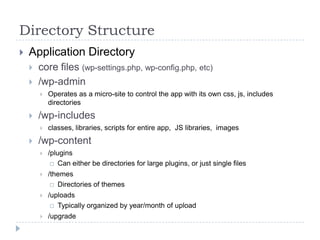
Directory StructureApplication Directorycore files (wp-settings.php, wp-config.php, etc)/wp-adminOperates as a micro-site to control the app with its own css, js, includes directories/wp-includesclasses, libraries, scripts for entire app,  JS libraries,  images/wp-content/pluginsCan either be directories for large plugins, or just single files/themesDirectories of themes/uploadsTypically organized by year/month of upload/upgrade
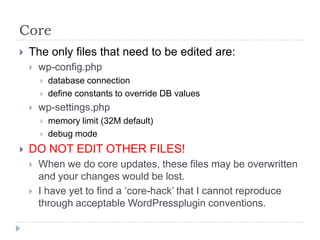
CoreThe only files that need to be edited are:wp-config.phpdatabase connectiondefine constants to override DB valueswp-settings.phpmemory limit (32M default)debug modeDO NOT EDIT OTHER FILES!When we do core updates, these files may be overwritten and your changes would be lost.I have yet to find a ‘core-hack’ that I cannot reproduce through acceptable WordPressplugin conventions.
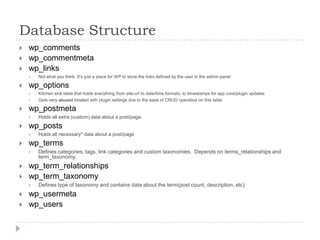
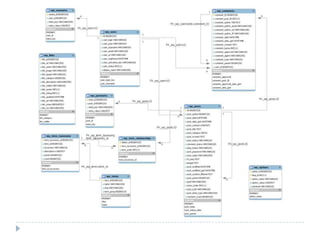
Database Structurewp_commentswp_commentmetawp_linksNot what you think. It’s just a place for WP to store the links defined by the user in the admin panelwp_optionsKitchen sink table that holds everything from site-url to date/time formats, to timestamps for app core/plugin updatesGets very abused bloated with plugin settings due to the ease of CRUD operatios on this tablewp_postmetaHolds all extra (custom) data about a post/page. wp_postsHolds all necessary* data about a post/pagewp_termsDefines categories, tags, link categories and custom taxonomies.  Depends on terms_relationships and term_taxonomy.wp_term_relationshipswp_term_taxonomyDefines type of taxonomy and contains data about the term(post count, description, etc)wp_usermetawp_users
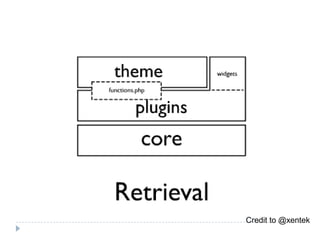
Credit to @xentek
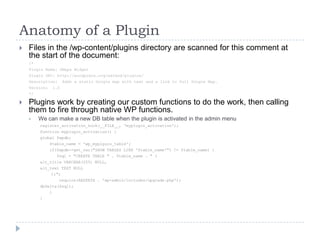
Anatomy of a PluginFiles in the /wp-content/plugins directory are scanned for this comment at the start of the document:/*Plugin Name: GMaps WidgetPlugin URI: http://wordpress.org/extend/plugins/Description:  Adds a static Google map with text and a link to full Google Map.Version:  1.0*/Plugins work by creating our custom functions to do the work, then calling them to fire through native WP functions.We can make a new DB table when the plugin is activated in the admin menuregister_activation_hook(__FILE__, ‘myplugin_activation');function myplugin_activation() {global $wpdb;    $table_name = 'wp_myplguin_table';    if($wpdb->get_var("SHOW TABLES LIKE '$table_name'") != $table_name) {       $sql = "CREATE TABLE " . $table_name . " (alt_title VARCHAR(255) NULL,alt_text TEXT NULL		);";        require(ABSPATH . 'wp-admin/includes/upgrade.php');dbDelta($sql);    }}
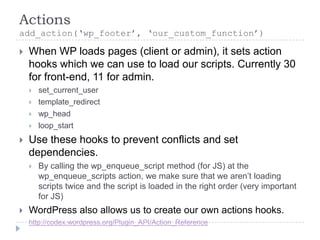
Actionsadd_action(‘wp_footer’, ‘our_custom_function’)When WP loads pages (client or admin), it sets action hooks which we can use to load our scripts. Currently 30 for front-end, 11 for admin.set_current_usertemplate_redirectwp_headloop_startUse these hooks to prevent conflicts and set dependencies.By calling the wp_enqueue_script method (for JS) at the wp_enqueue_scripts action, we make sure that we aren’t loading scripts twice and the script is loaded in the right order (very important for JS) WordPress also allows us to create our own actions hooks. http://codex.wordpress.org/Plugin_API/Action_Reference
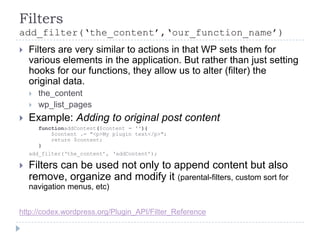
Filtersadd_filter(‘the_content’,‘our_function_name’)Filters are very similar to actions in that WP sets them for various elements in the application. But rather than just setting hooks for our functions, they allow us to alter (filter) the original data.the_contentwp_list_pagesExample: Adding to original post content	functionaddContent($content = ''){	$content .= "<p>My plugin text</p>";    return $content;}add_filter(‘the_content’, ‘addContent’);Filters can be used not only to append content but also remove, organize and modify it (parental-filters, custom sort for navigation menus, etc)http://codex.wordpress.org/Plugin_API/Filter_Reference
HackingModding other PluginsOpen Source plugins are free to use and modify in your own environment. But do it with care.Sometimes you can actually create a new plugin that alters another plugin (very case-by-case)Decide whether your mod is worth losing support from the native plugin.Change the plugin name or version number to prevent accidentally update and overwriting of your changes.Document/Comment all of your changes.If the mod could be used by others, try to contact the original author and share your patch.
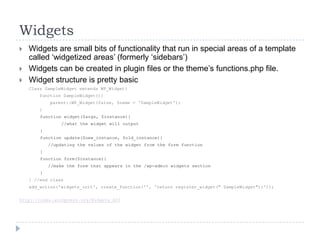
WidgetsWidgets are small bits of functionality that run in special areas of a template called ‘widgetized areas’ (formerly ‘sidebars’)Widgets can be created in plugin files or the theme’s functions.php file.Widget structure is pretty basicClass SampleWidget extends WP_Widget{    function SampleWidget(){        parent::WP_Widget(false, $name = ‘SampleWidget');	    }function widget($args, $instance){		        //what the widget will output}function update($new_instance, $old_instance){	//updating the values of the widget from the form function}function form($instance){		//make the form that appears in the /wp-admin widgets section}} //end classadd_action('widgets_init', create_function('', 'return register_widget(" SampleWidget");'));http://codex.wordpress.org/Widgets_API
Theme TemplatesA standard WP theme contains the following viewsHeader.phpIndex.phpSidebar.phpArchive.phpSingle.phpPage.phpSearch.phpFooter.phpComments.phpFunctions.phpSome of these files are optional -- e.g. If you omit single.php the index.php will render the content.
Functions.phpThis is the first file loaded and acts just like a plugin file.Anything you can do with a plugin, you can localize to a theme with functions.phpThis file typically defines widget areas, loading of custom JS and CSS, and the creation of custom admin menus and logic for the theme.If you find yourself writing functions into a template view, STOP! Write the logic in the functions.php file and just call it in the template.If your functions.php file becomes unmanageably large, don’t be afraid to break apart the logic with includes.
Content TemplatesIndex.phpThe initial ‘home page’ content. Default loads the most recent posts.Page.phpLoads content classified as ‘pages’?page_id=2Archive.phpLoads posts from a specific group/taxonomy. CategoriesTagsAuthorsDatesSingle.phpLoads content from a single ‘post’
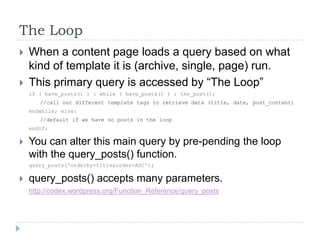
The LoopWhen a content page loads a query based on what kind of template it is (archive, single, page) run.This primary query is accessed by “The Loop”if ( have_posts() ) : while ( have_posts() ) : the_post();//call our different template tags to retrieve data (title, date, post_content)endwhile; else://default if we have no posts in the loop endif; You can alter this main query by pre-pending the loop with the query_posts() function.query_posts(‘orderby=title&order=ASC');query_posts() accepts many parameters.http://codex.wordpress.org/Function_Reference/query_posts
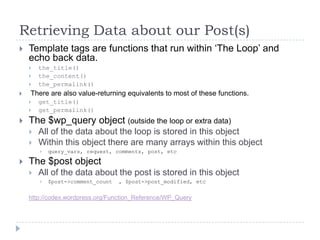
Retrieving Data about our Post(s)Template tags are functions that run within ‘The Loop’ and echo back data.the_title()the_content()the_permalink() There are also value-returning equivalents to most of these functions.get_title()get_permalink()The $wp_query object (outside the loop or extra data)All of the data about the loop is stored in this objectWithin this object there are many arrays within this objectquery_vars, request, comments, post, etcThe $post objectAll of the data about the post is stored in this object$post->comment_count  , $post->post_modified, etchttp://codex.wordpress.org/Function_Reference/WP_Query
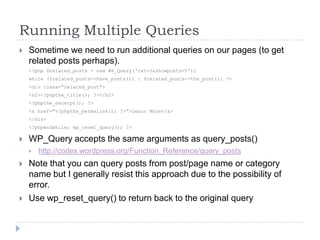
Running Multiple QueriesSometime we need to run additional queries on our pages (to get related posts perhaps).<?php $related_posts = new WP_Query(‘cat=3&showposts=5');while ($related_posts->have_posts()) : $related_posts->the_post(); ?><div class=“related_post">    <h2><?phpthe_title(); ?></h2>		<?phpthe_excerpt(); ?>    <a href="<?phpthe_permalink(); ?>”>Learn More</a></div><?phpendwhile; wp_reset_query(); ?>WP_Query accepts the same arguments as query_posts()http://codex.wordpress.org/Function_Reference/query_postsNote that you can query posts from post/page name or category name but I generally resist this approach due to the possibility of error.Use wp_reset_query() to return back to the original query
What NOT to do in TemplatesGet, don’t build URL’s<a href="'.get_bloginfo('url').'/category/'.$ctBX->category_nicename.‘”>get_category_link($id) or get_permalink($id)Not checking if plugin function existsif(function_exists(‘plugin_function’)):plugin_function();endif;Don’t use URL to find locationif(isset($_GET[‘s’]) || $_SERVER[‘REQUEST_URI’] == ‘/index.php’)if(is_search() || is_home())Calling JS or CSS from templateex. Loading jQuery from the template will NOT ensure that another plugin doesn’t load jQuery too. Sometimes different versions lead to conflicts and errors.Should use the wp_enqueue_script and wp_enqueue_style in functions.php
Things to RememberHaving modular plugins that can work with any theme pays off in the long run. Never write a plugin to be site-specific. Build it to be flexible and scalable, or let that feature exist only in the functions.php file of the parent theme.Treat your theme files as views. That’s what they are so don’t make them more than that.  Always add classes and/or id’s to elements to ensure that front-end styling is easy and effective.If you find yourself copying/pasting snippets of code into theme files (like RSS feeds, videos, etc) turn that snippet into a widget and maintain only one piece of code.Keeping core WordPress files and DB schema current is easy when following WP standards. Running the latest versions not only adds new features, but fixes bugs and security holes.Remember that WordPress was not built for developers; it was built for users.  The easy learning curve allows for most people to quickly start adding content to a website, but it is the responsibility of the developer to be the guardian of the output. Remove all functional-level options from the user and let them access only what they are interested in—the content. If aplugin requires multiple user-selected conditions to be fulfilled or code to be written into a template for it to even work, then it doesn’t work for WordPress.Ultimately, WordPress is a platform that encourages its developers to innovate by creating an open system than can easily be manipulated, but we can’t do it at the cost of stability, scalability, and usability of our products.

WordPress Structure and Best Practices

  • 1.
    WordPress Structureand BestPracticesMark Parolisi04-05-2010
  • 2.
    Directory StructureApplication Directorycorefiles (wp-settings.php, wp-config.php, etc)/wp-adminOperates as a micro-site to control the app with its own css, js, includes directories/wp-includesclasses, libraries, scripts for entire app, JS libraries, images/wp-content/pluginsCan either be directories for large plugins, or just single files/themesDirectories of themes/uploadsTypically organized by year/month of upload/upgrade
  • 3.
    CoreThe only filesthat need to be edited are:wp-config.phpdatabase connectiondefine constants to override DB valueswp-settings.phpmemory limit (32M default)debug modeDO NOT EDIT OTHER FILES!When we do core updates, these files may be overwritten and your changes would be lost.I have yet to find a ‘core-hack’ that I cannot reproduce through acceptable WordPressplugin conventions.
  • 4.
    Database Structurewp_commentswp_commentmetawp_linksNot whatyou think. It’s just a place for WP to store the links defined by the user in the admin panelwp_optionsKitchen sink table that holds everything from site-url to date/time formats, to timestamps for app core/plugin updatesGets very abused bloated with plugin settings due to the ease of CRUD operatios on this tablewp_postmetaHolds all extra (custom) data about a post/page. wp_postsHolds all necessary* data about a post/pagewp_termsDefines categories, tags, link categories and custom taxonomies. Depends on terms_relationships and term_taxonomy.wp_term_relationshipswp_term_taxonomyDefines type of taxonomy and contains data about the term(post count, description, etc)wp_usermetawp_users
  • 6.
  • 7.
    Anatomy of aPluginFiles in the /wp-content/plugins directory are scanned for this comment at the start of the document:/*Plugin Name: GMaps WidgetPlugin URI: http://wordpress.org/extend/plugins/Description: Adds a static Google map with text and a link to full Google Map.Version: 1.0*/Plugins work by creating our custom functions to do the work, then calling them to fire through native WP functions.We can make a new DB table when the plugin is activated in the admin menuregister_activation_hook(__FILE__, ‘myplugin_activation');function myplugin_activation() {global $wpdb; $table_name = 'wp_myplguin_table'; if($wpdb->get_var("SHOW TABLES LIKE '$table_name'") != $table_name) { $sql = "CREATE TABLE " . $table_name . " (alt_title VARCHAR(255) NULL,alt_text TEXT NULL );"; require(ABSPATH . 'wp-admin/includes/upgrade.php');dbDelta($sql); }}
  • 8.
    Actionsadd_action(‘wp_footer’, ‘our_custom_function’)When WPloads pages (client or admin), it sets action hooks which we can use to load our scripts. Currently 30 for front-end, 11 for admin.set_current_usertemplate_redirectwp_headloop_startUse these hooks to prevent conflicts and set dependencies.By calling the wp_enqueue_script method (for JS) at the wp_enqueue_scripts action, we make sure that we aren’t loading scripts twice and the script is loaded in the right order (very important for JS) WordPress also allows us to create our own actions hooks. http://codex.wordpress.org/Plugin_API/Action_Reference
  • 9.
    Filtersadd_filter(‘the_content’,‘our_function_name’)Filters are verysimilar to actions in that WP sets them for various elements in the application. But rather than just setting hooks for our functions, they allow us to alter (filter) the original data.the_contentwp_list_pagesExample: Adding to original post content functionaddContent($content = ''){ $content .= "<p>My plugin text</p>";    return $content;}add_filter(‘the_content’, ‘addContent’);Filters can be used not only to append content but also remove, organize and modify it (parental-filters, custom sort for navigation menus, etc)http://codex.wordpress.org/Plugin_API/Filter_Reference
  • 10.
    HackingModding other PluginsOpenSource plugins are free to use and modify in your own environment. But do it with care.Sometimes you can actually create a new plugin that alters another plugin (very case-by-case)Decide whether your mod is worth losing support from the native plugin.Change the plugin name or version number to prevent accidentally update and overwriting of your changes.Document/Comment all of your changes.If the mod could be used by others, try to contact the original author and share your patch.
  • 11.
    WidgetsWidgets are smallbits of functionality that run in special areas of a template called ‘widgetized areas’ (formerly ‘sidebars’)Widgets can be created in plugin files or the theme’s functions.php file.Widget structure is pretty basicClass SampleWidget extends WP_Widget{ function SampleWidget(){ parent::WP_Widget(false, $name = ‘SampleWidget'); }function widget($args, $instance){ //what the widget will output}function update($new_instance, $old_instance){ //updating the values of the widget from the form function}function form($instance){ //make the form that appears in the /wp-admin widgets section}} //end classadd_action('widgets_init', create_function('', 'return register_widget(" SampleWidget");'));http://codex.wordpress.org/Widgets_API
  • 12.
    Theme TemplatesA standardWP theme contains the following viewsHeader.phpIndex.phpSidebar.phpArchive.phpSingle.phpPage.phpSearch.phpFooter.phpComments.phpFunctions.phpSome of these files are optional -- e.g. If you omit single.php the index.php will render the content.
  • 13.
    Functions.phpThis is thefirst file loaded and acts just like a plugin file.Anything you can do with a plugin, you can localize to a theme with functions.phpThis file typically defines widget areas, loading of custom JS and CSS, and the creation of custom admin menus and logic for the theme.If you find yourself writing functions into a template view, STOP! Write the logic in the functions.php file and just call it in the template.If your functions.php file becomes unmanageably large, don’t be afraid to break apart the logic with includes.
  • 14.
    Content TemplatesIndex.phpThe initial‘home page’ content. Default loads the most recent posts.Page.phpLoads content classified as ‘pages’?page_id=2Archive.phpLoads posts from a specific group/taxonomy. CategoriesTagsAuthorsDatesSingle.phpLoads content from a single ‘post’
  • 15.
    The LoopWhen acontent page loads a query based on what kind of template it is (archive, single, page) run.This primary query is accessed by “The Loop”if ( have_posts() ) : while ( have_posts() ) : the_post();//call our different template tags to retrieve data (title, date, post_content)endwhile; else://default if we have no posts in the loop endif; You can alter this main query by pre-pending the loop with the query_posts() function.query_posts(‘orderby=title&order=ASC');query_posts() accepts many parameters.http://codex.wordpress.org/Function_Reference/query_posts
  • 16.
    Retrieving Data aboutour Post(s)Template tags are functions that run within ‘The Loop’ and echo back data.the_title()the_content()the_permalink() There are also value-returning equivalents to most of these functions.get_title()get_permalink()The $wp_query object (outside the loop or extra data)All of the data about the loop is stored in this objectWithin this object there are many arrays within this objectquery_vars, request, comments, post, etcThe $post objectAll of the data about the post is stored in this object$post->comment_count , $post->post_modified, etchttp://codex.wordpress.org/Function_Reference/WP_Query
  • 17.
    Running Multiple QueriesSometimewe need to run additional queries on our pages (to get related posts perhaps).<?php $related_posts = new WP_Query(‘cat=3&showposts=5');while ($related_posts->have_posts()) : $related_posts->the_post(); ?><div class=“related_post"> <h2><?phpthe_title(); ?></h2> <?phpthe_excerpt(); ?> <a href="<?phpthe_permalink(); ?>”>Learn More</a></div><?phpendwhile; wp_reset_query(); ?>WP_Query accepts the same arguments as query_posts()http://codex.wordpress.org/Function_Reference/query_postsNote that you can query posts from post/page name or category name but I generally resist this approach due to the possibility of error.Use wp_reset_query() to return back to the original query
  • 18.
    What NOT todo in TemplatesGet, don’t build URL’s<a href="'.get_bloginfo('url').'/category/'.$ctBX->category_nicename.‘”>get_category_link($id) or get_permalink($id)Not checking if plugin function existsif(function_exists(‘plugin_function’)):plugin_function();endif;Don’t use URL to find locationif(isset($_GET[‘s’]) || $_SERVER[‘REQUEST_URI’] == ‘/index.php’)if(is_search() || is_home())Calling JS or CSS from templateex. Loading jQuery from the template will NOT ensure that another plugin doesn’t load jQuery too. Sometimes different versions lead to conflicts and errors.Should use the wp_enqueue_script and wp_enqueue_style in functions.php
  • 19.
    Things to RememberHavingmodular plugins that can work with any theme pays off in the long run. Never write a plugin to be site-specific. Build it to be flexible and scalable, or let that feature exist only in the functions.php file of the parent theme.Treat your theme files as views. That’s what they are so don’t make them more than that. Always add classes and/or id’s to elements to ensure that front-end styling is easy and effective.If you find yourself copying/pasting snippets of code into theme files (like RSS feeds, videos, etc) turn that snippet into a widget and maintain only one piece of code.Keeping core WordPress files and DB schema current is easy when following WP standards. Running the latest versions not only adds new features, but fixes bugs and security holes.Remember that WordPress was not built for developers; it was built for users. The easy learning curve allows for most people to quickly start adding content to a website, but it is the responsibility of the developer to be the guardian of the output. Remove all functional-level options from the user and let them access only what they are interested in—the content. If aplugin requires multiple user-selected conditions to be fulfilled or code to be written into a template for it to even work, then it doesn’t work for WordPress.Ultimately, WordPress is a platform that encourages its developers to innovate by creating an open system than can easily be manipulated, but we can’t do it at the cost of stability, scalability, and usability of our products.