What is (or not)
 WordPress?
    Nikolay Bachiyski
  Bucharest, 16.09.2009
Me
• Nikolay from Bulgaria
• Internationalization
• Automattic
• http://nikolay.bg/
• @nikolayb
Boring stuff
WordPress is:
Boring stuff
WordPress is:
 • Blog platform
Boring stuff
WordPress is:
 • Blog platform
 • Open-source
Boring stuff
WordPress is:
 • Blog platform
 • Open-source
 • Grandma, you,
   CNN & NYT
Boring stuff
WordPress is:
 • Blog platform
 • Open-source
 • Grandma, you,
   CNN & NYT
 • Community
Boring stuff
WordPress is:
 • Blog platform
 • Open-source
 • Grandma, you,
   CNN & NYT
 • Community
 • Popular
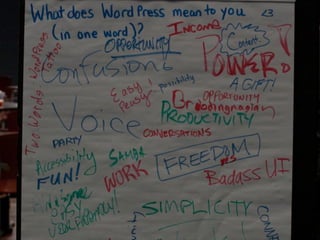
Gentlemen,
   too
Not only ladies
Culture
Sharing


http://www.flickr.com/photos/ryanr/142455033/
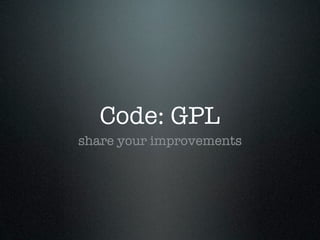
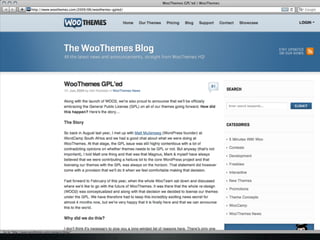
Code: GPL
share your improvements
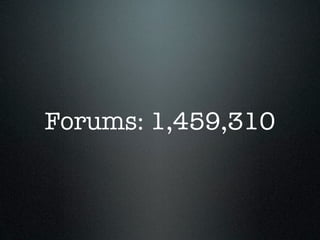
Forums: 1,459,310
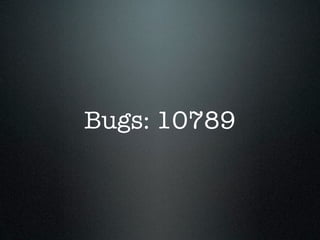
Bugs: 10789
Scribu
 hero
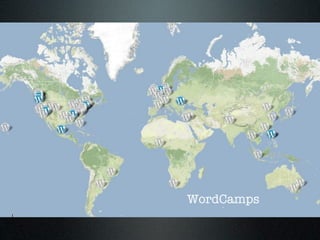
WordCamps
Not only a blog
Not even WordPress
MU        ulti       ser


Photo by http://www.flickr.com/photos/blue-moose/2972220353/
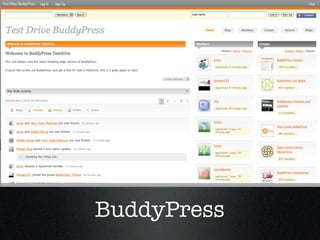
BuddyPress
Your own hi5?
 Facebook, LinkedIn
bbPress
forums, WordPress style
BackPress
            Photo by: http://www.flickr.com/photos/cobblucas/3271589953/
Isn’t secure?
 Security is a process
Committed,
but no promises
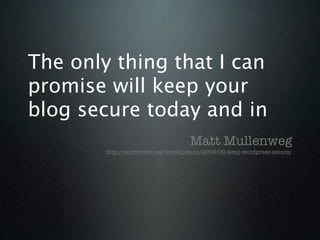
The only thing that I can
promise will keep your
blog secure today and in
                                    Matt Mullenweg
        http://wordpress.org/development/2009/09/keep-wordpress-secure/
Upgrade!
A click in time, saves ninety nine
WordPress 2.9
    Late 2009
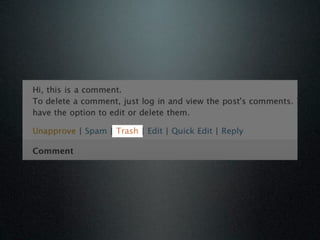
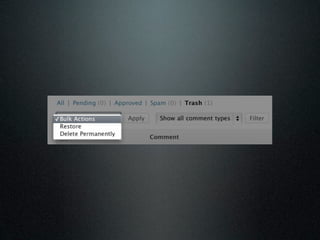
Media
overhaul
Albums
  3.0
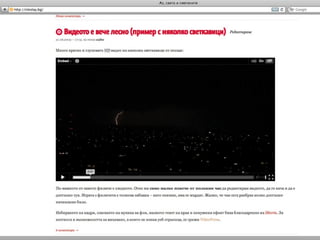
Easier embeds
  YouTube, Flickr…
Resize
Resize
Rotate
te
  ta
Ro
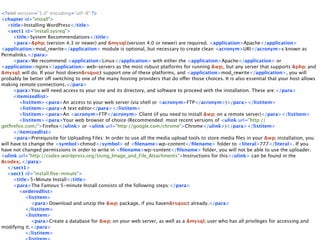
Handbooks
http://wordpress.org/docs/
<?xml version="1.0" encoding="utf-8" ?>
<chapter id="install">
   <title>Installing WordPress</title>
   <sect1 id="install.sysreq">
      <title>System Recommendations</title>
      <para>&php; (version 4.3 or newer) and &mysql;(version 4.0 or newer) are required. <application>Apache</application>
<application>mod_rewrite</application> module is optional, but necessary to create clean <acronym>URI</acronym>s known as
Permalinks.</para>
      <para>We recommend <application>Linux</application> with either the <application>Apache</application> or
<application>nginx</application> web-servers as the most robust platforms for running &wp;, but any server that supports &php; and
&mysql; will do. If your host doesn&rsquo;t support one of these platforms, and <application>mod_rewrite</application>, you will
probably be better off switching to one of the many hosting providers that do offer those choices. It is also essential that your host allows
making remote connections.</para>
      <para>You will need access to your site and its directory, and software to proceed with the installation. These are:</para>
      <itemizedlist>
        <listitem><para>An access to your web server (via shell or <acronym>FTP</acronym>)</para></listitem>
        <listitem><para>A text editor</para></listitem>
        <listitem><para>An <acronym>FTP</acronym> Client (if you need to install &wp; on a remote server)</para></listitem>
        <listitem><para>Your web browser of choice (Recommended: most recent versions of <ulink url="http://
getfirefox.com/">Firefox</ulink> or <ulink url="http://google.com/chrome">Chrome</ulink>)</para></listitem>
      </itemizedlist>
      <para>Prerequisite for Uploading Files: In order to use all the media upload tools to store media files in your &wp; installation, you
will have to change the <symbol>chmod</symbol> of <filename>wp-content</filename> folder to <literal>777</literal>. If you
have not changed permissions in order to write in <filename>wp-content</filename> folder, you will not be able to use the uploader.
<ulink url="http://codex.wordpress.org/Using_Image_and_File_Attachments">Instructions for this</ulink> can be found in the
&codex;.</para>
   </sect1>
   <sect1 id="install.five-minute">
      <title>5-Minute Install</title>
      <para>The Famous 5-minute Install consists of the following steps:</para>
        <orderedlist>
           <listitem>
              <para>Download and unzip the &wp; package, if you haven&rsquo;t already.</para>
           </listitem>
           <listitem>
              <para>Create a database for &wp; on your web server, as well as a &mysql; user who has all privileges for accessing and
modifying it.</para>
           </listitem>
Branch, translate
Beyond
Framework


            Photo by: http://www.flickr.com/photos/toneray/2509037534/
People
         Photo by: http://www.flickr.com/photos/seanosh/
?

What is (not) WordPress

  • 1.
    What is (ornot) WordPress? Nikolay Bachiyski Bucharest, 16.09.2009
  • 2.
    Me • Nikolay fromBulgaria • Internationalization • Automattic • http://nikolay.bg/ • @nikolayb
  • 3.
  • 4.
    Boring stuff WordPress is: • Blog platform
  • 5.
    Boring stuff WordPress is: • Blog platform • Open-source
  • 6.
    Boring stuff WordPress is: • Blog platform • Open-source • Grandma, you, CNN & NYT
  • 7.
    Boring stuff WordPress is: • Blog platform • Open-source • Grandma, you, CNN & NYT • Community
  • 8.
    Boring stuff WordPress is: • Blog platform • Open-source • Grandma, you, CNN & NYT • Community • Popular
  • 12.
  • 13.
  • 14.
  • 15.
  • 16.
  • 18.
  • 19.
  • 20.
  • 21.
  • 25.
  • 27.
  • 29.
    MU ulti ser Photo by http://www.flickr.com/photos/blue-moose/2972220353/
  • 31.
  • 32.
    Your own hi5? Facebook, LinkedIn
  • 33.
  • 34.
    BackPress Photo by: http://www.flickr.com/photos/cobblucas/3271589953/
  • 36.
  • 37.
  • 38.
    The only thingthat I can promise will keep your blog secure today and in Matt Mullenweg http://wordpress.org/development/2009/09/keep-wordpress-secure/
  • 39.
    Upgrade! A click intime, saves ninety nine
  • 40.
    WordPress 2.9 Late 2009
  • 46.
  • 49.
  • 51.
    Easier embeds YouTube, Flickr…
  • 52.
  • 53.
  • 54.
  • 55.
  • 56.
  • 57.
    <?xml version="1.0" encoding="utf-8"?> <chapter id="install"> <title>Installing WordPress</title> <sect1 id="install.sysreq"> <title>System Recommendations</title> <para>&php; (version 4.3 or newer) and &mysql;(version 4.0 or newer) are required. <application>Apache</application> <application>mod_rewrite</application> module is optional, but necessary to create clean <acronym>URI</acronym>s known as Permalinks.</para> <para>We recommend <application>Linux</application> with either the <application>Apache</application> or <application>nginx</application> web-servers as the most robust platforms for running &wp;, but any server that supports &php; and &mysql; will do. If your host doesn&rsquo;t support one of these platforms, and <application>mod_rewrite</application>, you will probably be better off switching to one of the many hosting providers that do offer those choices. It is also essential that your host allows making remote connections.</para> <para>You will need access to your site and its directory, and software to proceed with the installation. These are:</para> <itemizedlist> <listitem><para>An access to your web server (via shell or <acronym>FTP</acronym>)</para></listitem> <listitem><para>A text editor</para></listitem> <listitem><para>An <acronym>FTP</acronym> Client (if you need to install &wp; on a remote server)</para></listitem> <listitem><para>Your web browser of choice (Recommended: most recent versions of <ulink url="http:// getfirefox.com/">Firefox</ulink> or <ulink url="http://google.com/chrome">Chrome</ulink>)</para></listitem> </itemizedlist> <para>Prerequisite for Uploading Files: In order to use all the media upload tools to store media files in your &wp; installation, you will have to change the <symbol>chmod</symbol> of <filename>wp-content</filename> folder to <literal>777</literal>. If you have not changed permissions in order to write in <filename>wp-content</filename> folder, you will not be able to use the uploader. <ulink url="http://codex.wordpress.org/Using_Image_and_File_Attachments">Instructions for this</ulink> can be found in the &codex;.</para> </sect1> <sect1 id="install.five-minute"> <title>5-Minute Install</title> <para>The Famous 5-minute Install consists of the following steps:</para> <orderedlist> <listitem> <para>Download and unzip the &wp; package, if you haven&rsquo;t already.</para> </listitem> <listitem> <para>Create a database for &wp; on your web server, as well as a &mysql; user who has all privileges for accessing and modifying it.</para> </listitem>
  • 58.
  • 59.
  • 60.
    Framework Photo by: http://www.flickr.com/photos/toneray/2509037534/
  • 61.
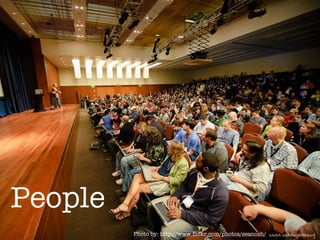
    People Photo by: http://www.flickr.com/photos/seanosh/
  • 62.

Editor's Notes

  • #4 The truth is that WordPress not so important.
  • #5 The truth is that WordPress not so important.
  • #6 The truth is that WordPress not so important.
  • #7 The truth is that WordPress not so important.
  • #8 The truth is that WordPress not so important.