Introduction to
WordPress Multisite


          Craig Taylor
    Toronto WordPress Group
     meetup.wptoronto.com
Intro to WordPress Multisite

●   What is WordPress Multisite?
●   Who, Where, Why?
●   WordPress Multisite Examples
●   Why Not?
●   How to set up WordPress Multisite
●   Domain Mapping
●   References
What is WordPress Multisite?
From the WordPress Codex:
  “A multisite network is a collection of sites that all
     share the same WordPress installation....”
What does that mean?

●   Sites in a multisite network can share plugins
    and themes.
●   Individual sites in network are virtual sites:
        –   don't have their own directories on server
        –   do have separate directories for media
        –   do have separate tables in database
What does that mean for you?
     If your WordPress installation is at:
          http://yoursitename.ca
with a few keystrokes, you can add additional
             WordPress sites at:
       http://site1.yoursitename.ca
                      or
       http://yoursitename.ca/site1
     (but not both....more on that later)
And?

●   Because there is only one installation of
    WordPress, you can update the WordPress
    installation for many sites, all at once.
●   You can install and update plugins and
    themes for many sites, all at once.
●
    You get to call yourself Super   Admin!
●   Problems may hit many sites, all at once.
What about WordPress MU?

●   WordPress “Multi-User”
       –   aka WordPressµ or WPMU
       –   prior to WordPress 3.0
       –   forked from WordPress code, maintained in
             parallel, but still separate project
       –   some plugins & themes worked.......
       –   ….. and some didn't
And after WordPress 3.0?

●   WPMU code merged with WordPress core
●   Multisite is part of all new WordPress
    installations...it just isn't turned on.
●   Setting up WordPress Multisite is easier than
    ever, which is a good thing.....
●   ….and a bad thing. (But mostly good!)
Who, Where, Why?
Who can use WP Multisite?

●   Anyone, but..
       –   get past the WP basics before jumping in
       –   decide what you are going to use it for and
            whether you really need it
       –   must have server access (FTP, cPanel File
            Manager, etc.) to modify files
       –   don't practice on a live site!
Where can you install Multisite?

●   Self-hosted (.org) WordPress installations
        –   confirm server requirements
        –   must have access to modify files
        –   some hosts frown on it or don't allow it
●   Local installations
        –   sub-folders (http://yoursitename.ca/site1)
Why install WP Multisite?

●   Run multiple sites of your own with easier
    maintenance, upgrades, etc.
●   Quick website development/testing.
●   Manage client sites, control access.
●   Private network (school/teacher blogs).
●   Hyperlocal sites (regional news, etc.)
●   Offer a public blog/site hosting service.
WordPress Multisite Examples
WP Multisite Showcase

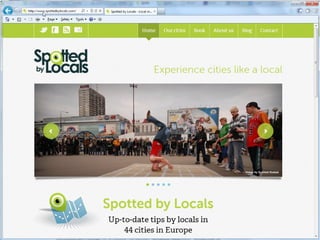
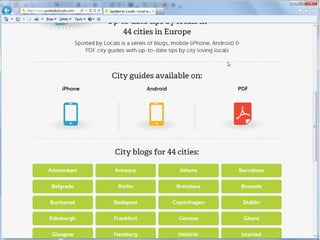
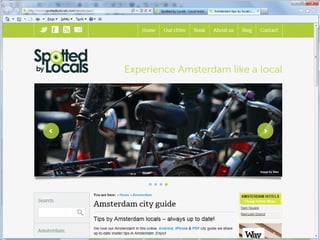
●   Spotted by Locals (spottedbylocals.com)
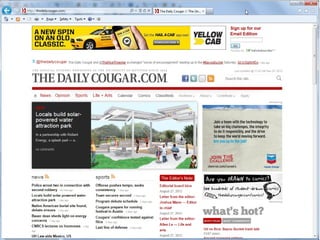
●   The Daily Cougar (thedailycougar.com)
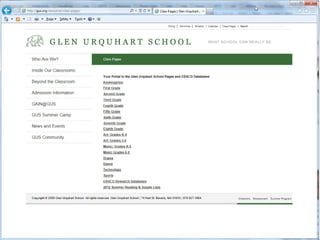
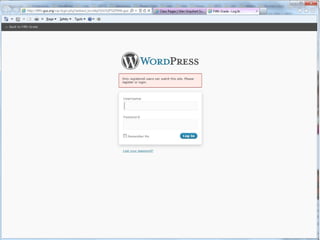
●   Glen Urquhart School (gus.org)
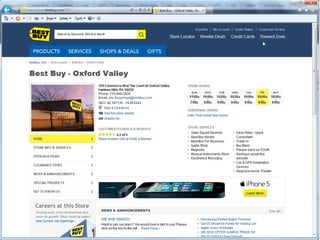
●   Best Buy (local store sites)
●   Reuters Blogs (blogs.reuters.com/us/)
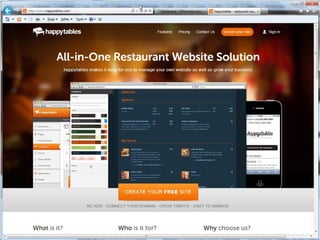
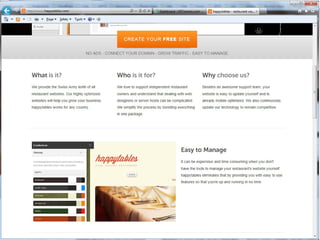
●   Happy Tables (happytables.com)
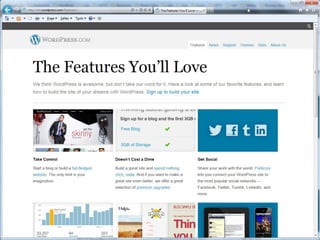
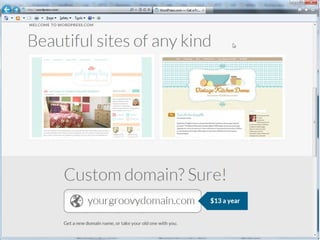
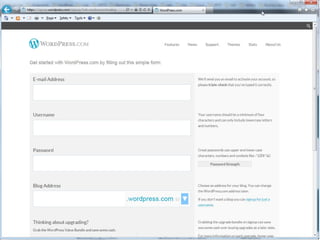
●   WordPress.com
Why Not?
Situations when you might
         not want Multisite
●   To categorize posts
        –   use categories!
●   For special post types (eg. videos)
        –   use custom post types
●   When you need separate user databases
●   If users need to include JS, iframes, etc.
●   If users need to install themes, plugins
●   Hosting small client sites
How to Set Up
WordPress Multisite
       (sort of)
Wait! Before you start!

●   Are you sure you need/want multisite?
●   Easiest to enable on a fresh installation.
●   Not easy to undo (but it can be done...)
●   If you MUST enable on an existing site
    BACK EVERYTHING UP!!
●   Don't follow my instructions, go to:
       http://halfelf.org/ebooks/wordpress-multisite-101/
       http://halfelf.org/ebooks/wordpress-multisite-110/
Wait, not yet!

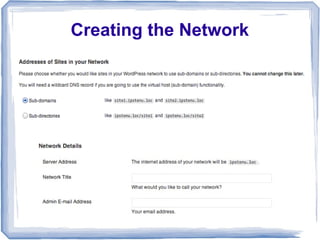
●   Decide on format (hard to change later)
       –   Subdomains (site1.yoursitename.ca)
               ●   need wildcard subdomains on server
                    (ie. *.yoursitename.ca)
               ●   web host must allow, and you must create
       –   Subfolders (yoursitename.ca/site1)
               ●   wildcard subdomains not required
               ●   only way for local install (no wildcards)
               ●   issues with converting older sites
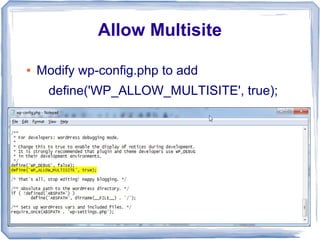
Allow Multisite

●   Modify wp-config.php to add
      define('WP_ALLOW_MULTISITE', true);
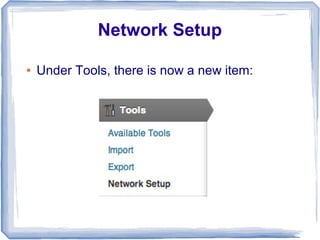
Network Setup

●   Under Tools, there is now a new item:
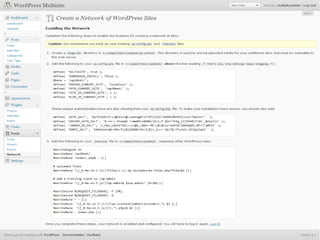
Creating the Network
Enabling the Network
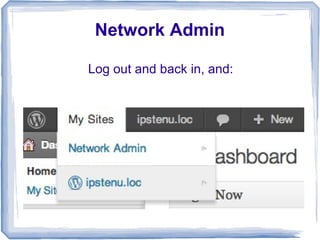
Network Admin

Log out and back in, and:
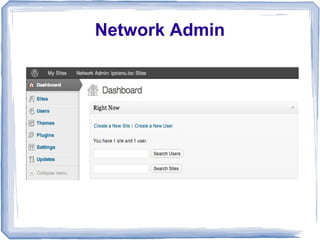
Network Admin
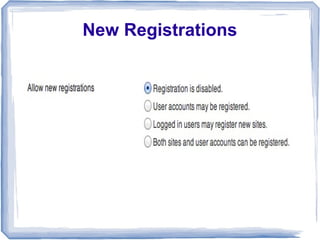
New Registrations
Domain Mapping

   Using WordPress MU Domain Mapping plugin

            http://site1.yoursitename.ca

                        can become

      http://site1.ca (any domain you control)
http://wordpress.org/extend/plugins/wordpress-mu-domain-mapping/
References
●   WordPress Multisite 101 by Mika Epstein & Andrea Rennick
    http://halfelf.org/ebooks/wordpress-multisite-101/
●   Wordpress Multisite 110 by Mika Epstein
    http://halfelf.org/ebooks/wordpress-multisite-110/
●   WP E-Books (Ron & Andrea Rennick) http://wpebooks.com/
●   codex.wordpress.org/Create_A_Network
●   codex.wordpress.org/Network_Admin
●   codex.wordpress.org/Multisite_Network_Administration


                     Craig Taylor.... craig@vrtoronto.ca
             Toronto WordPress Group.... meetup.wptoronto.com

Introduction to WordPress Multisite

  • 1.
    Introduction to WordPress Multisite Craig Taylor Toronto WordPress Group meetup.wptoronto.com
  • 2.
    Intro to WordPressMultisite ● What is WordPress Multisite? ● Who, Where, Why? ● WordPress Multisite Examples ● Why Not? ● How to set up WordPress Multisite ● Domain Mapping ● References
  • 3.
  • 4.
    From the WordPressCodex: “A multisite network is a collection of sites that all share the same WordPress installation....”
  • 5.
    What does thatmean? ● Sites in a multisite network can share plugins and themes. ● Individual sites in network are virtual sites: – don't have their own directories on server – do have separate directories for media – do have separate tables in database
  • 6.
    What does thatmean for you? If your WordPress installation is at: http://yoursitename.ca with a few keystrokes, you can add additional WordPress sites at: http://site1.yoursitename.ca or http://yoursitename.ca/site1 (but not both....more on that later)
  • 7.
    And? ● Because there is only one installation of WordPress, you can update the WordPress installation for many sites, all at once. ● You can install and update plugins and themes for many sites, all at once. ● You get to call yourself Super Admin! ● Problems may hit many sites, all at once.
  • 8.
    What about WordPressMU? ● WordPress “Multi-User” – aka WordPressµ or WPMU – prior to WordPress 3.0 – forked from WordPress code, maintained in parallel, but still separate project – some plugins & themes worked....... – ….. and some didn't
  • 9.
    And after WordPress3.0? ● WPMU code merged with WordPress core ● Multisite is part of all new WordPress installations...it just isn't turned on. ● Setting up WordPress Multisite is easier than ever, which is a good thing..... ● ….and a bad thing. (But mostly good!)
  • 10.
  • 11.
    Who can useWP Multisite? ● Anyone, but.. – get past the WP basics before jumping in – decide what you are going to use it for and whether you really need it – must have server access (FTP, cPanel File Manager, etc.) to modify files – don't practice on a live site!
  • 12.
    Where can youinstall Multisite? ● Self-hosted (.org) WordPress installations – confirm server requirements – must have access to modify files – some hosts frown on it or don't allow it ● Local installations – sub-folders (http://yoursitename.ca/site1)
  • 13.
    Why install WPMultisite? ● Run multiple sites of your own with easier maintenance, upgrades, etc. ● Quick website development/testing. ● Manage client sites, control access. ● Private network (school/teacher blogs). ● Hyperlocal sites (regional news, etc.) ● Offer a public blog/site hosting service.
  • 14.
  • 15.
    WP Multisite Showcase ● Spotted by Locals (spottedbylocals.com) ● The Daily Cougar (thedailycougar.com) ● Glen Urquhart School (gus.org) ● Best Buy (local store sites) ● Reuters Blogs (blogs.reuters.com/us/) ● Happy Tables (happytables.com) ● WordPress.com
  • 34.
  • 35.
    Situations when youmight not want Multisite ● To categorize posts – use categories! ● For special post types (eg. videos) – use custom post types ● When you need separate user databases ● If users need to include JS, iframes, etc. ● If users need to install themes, plugins ● Hosting small client sites
  • 36.
    How to SetUp WordPress Multisite (sort of)
  • 37.
    Wait! Before youstart! ● Are you sure you need/want multisite? ● Easiest to enable on a fresh installation. ● Not easy to undo (but it can be done...) ● If you MUST enable on an existing site BACK EVERYTHING UP!! ● Don't follow my instructions, go to: http://halfelf.org/ebooks/wordpress-multisite-101/ http://halfelf.org/ebooks/wordpress-multisite-110/
  • 38.
    Wait, not yet! ● Decide on format (hard to change later) – Subdomains (site1.yoursitename.ca) ● need wildcard subdomains on server (ie. *.yoursitename.ca) ● web host must allow, and you must create – Subfolders (yoursitename.ca/site1) ● wildcard subdomains not required ● only way for local install (no wildcards) ● issues with converting older sites
  • 39.
    Allow Multisite ● Modify wp-config.php to add define('WP_ALLOW_MULTISITE', true);
  • 40.
    Network Setup ● Under Tools, there is now a new item:
  • 41.
  • 42.
  • 44.
    Network Admin Log outand back in, and:
  • 45.
  • 46.
  • 47.
    Domain Mapping Using WordPress MU Domain Mapping plugin http://site1.yoursitename.ca can become http://site1.ca (any domain you control) http://wordpress.org/extend/plugins/wordpress-mu-domain-mapping/
  • 48.
    References ● WordPress Multisite 101 by Mika Epstein & Andrea Rennick http://halfelf.org/ebooks/wordpress-multisite-101/ ● Wordpress Multisite 110 by Mika Epstein http://halfelf.org/ebooks/wordpress-multisite-110/ ● WP E-Books (Ron & Andrea Rennick) http://wpebooks.com/ ● codex.wordpress.org/Create_A_Network ● codex.wordpress.org/Network_Admin ● codex.wordpress.org/Multisite_Network_Administration Craig Taylor.... craig@vrtoronto.ca Toronto WordPress Group.... meetup.wptoronto.com