Wordpress Resources 
Oct 11-12, 2014 * The University of the South 
Judy Wilson / site shack web design * nashville, tn 
____________________________ 
copyright 2014 Site Shack Web Design 
all rights reserved
Class Website 
www.site-shack.com/wordpress-sewanee-class
Self Hosting 
You’ll need to: 
• Choose a domain name 
• Select a domain registrar 
• Find a web host (curated or non-curated)
Domain name registrars 
• www.dotster.com 
• www.register.com 
• www.bluehost.com 
(also provides WordPress hosting, 1-click install)
Recommended Hosts 
Self managed or “non-curated” 
• webservices.thesba.com (Small Business Authority) - includes domain 
registration. 
• www.mediatemple.net/wordpress-webhosting.php (Media Temple) - 
includes domain registration. 
• www.bluehost.com - includes domain registration. 
• www.site5.com - includes domain registration 
Note: It’s possible to install WordPress on a Windows server, but WordPress is 
really designed for a Linux environment.
Recommended Hosts 
Managed or curated hosts 
• www.wpengine.com 
• www.websynthesis.com (recommended by Yoast Temple) 
- includes domain registration, uses Linux platform 
• www.getflywheel.com - includes domain registration, uses 
Linux platform 
• www.getpantheon.com - sophisticated, powerful – uses 
the “development – test – live model.”
Is it ok if my host and domain 
registrar are at the same account? 
‣ Pro: It makes setup easier. No need to know anything about 
“DNS.” 
‣ Con: If you have a falling out with your web host, you can switch 
hosts without losing or having a hassle transferring your domain 
name to a new web host. Likewise if your registrar gives you 
problems, you still have access to your web host.
Be aware. 
A word about one-click installs. Use a bit of caution with these. 
They are ok to use, but some hosts will also bundle hundreds (!) 
of extra themes. Make sure your one-click will not do this. 
The more themes, the better your chances of being hacked. Some 
themes are coded in such a way that they can be easily exploited 
by hackers. You will also need to confirm that various security 
features are in place after install. 
In other words, don’t “save money” by going with a cheap host or 
registrar.
• Set your domain name to auto-renew or pay for multiple years. 
• After you search for your domain name, buy it. 
• You get what you pay for: cheap ($3.95 a month e.g.) host accounts typically live 
on servers already stuffed with hundreds or thousands of other accounts, 
leading to slow downloads, increased vulnerability, long waits on customer 
service and so on. But it’s getting better. 
• Beware the “You Needs” (private registration, free trial offers, additional 
security that costs $ etc). 
• Check your shopping cart before you pay. 
• Don’t cheap out. 
Be aware, cont.
Where are all the files located? 
or What’s FTP? 
‣ FTP (File Transfer Protocol) is a means of moving Web site files from your computer to 
the Web host’s server (which is connected to the Internet). 
‣ How do I get an FTP program (aka “FTP client”) 
• You will need to download and install a FTP program 
• (Mac > Transmit or Filezilla and Windows > Filezilla) 
• NOTE that your web host account will include and FTP account
Be hyper-vigilant! 
• codex.wordpress.org/Hardening_WordPress 
• Use salt in your wp-config.php file - 
• api.wordpress.org/secret-key/1.1/salt/ 
• Don't use "admin" as your user name! 
• Don't use a wp_ prefix for your tables. 
• Use long (at least 8-12 characters) random, non-sequential passwords or have the host 
auto-generate your password (meaning: you won’t find it in a dictionary). 
• Get into the habit of changing your password(s) every 3 months. 
• KNOW IF/HOW/WHERE TO BACKUP and RESTORE YOUR SITE INCLUDING THE 
DATABASE. 
• Scan your site: sitecheck.sucuri.net 
www.slideshare.net/siteshackdesign/site-shack-securitywp041913
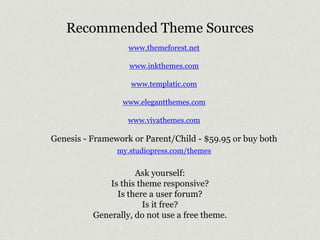
Recommended Theme Sources 
www.themeforest.net 
www.inkthemes.com 
www.templatic.com 
www.elegantthemes.com 
www.vivathemes.com 
Genesis - Framework or Parent/Child - $59.95 or buy both 
my.studiopress.com/themes 
Ask yourself: 
Is this theme responsive? 
Is there a user forum? 
Is it free? 
Generally, do not use a free theme.
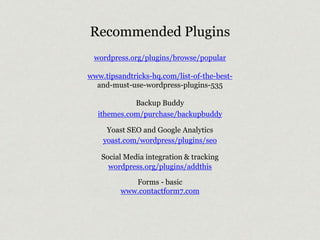
Recommended Plugins 
wordpress.org/plugins/browse/popular 
www.tipsandtricks-hq.com/list-of-the-best-and- 
must-use-wordpress-plugins-535 
Backup Buddy 
ithemes.com/purchase/backupbuddy 
Yoast SEO and Google Analytics 
yoast.com/wordpress/plugins/seo 
Social Media integration & tracking 
wordpress.org/plugins/addthis 
Forms - basic 
www.contactform7.com
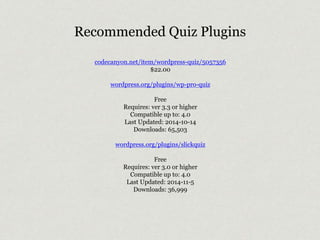
Recommended Quiz Plugins 
codecanyon.net/item/wordpress-quiz/5057356 
$22.00 
wordpress.org/plugins/wp-pro-quiz 
Free 
Requires: ver 3.3 or higher 
Compatible up to: 4.0 
Last Updated: 2014-10-14 
Downloads: 65,503 
wordpress.org/plugins/slickquiz 
Free 
Requires: ver 3.0 or higher 
Compatible up to: 4.0 
Last Updated: 2014-11-5 
Downloads: 36,999
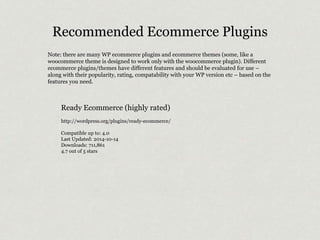
Recommended Ecommerce Plugins 
Note: there are many WP ecommerce plugins and ecommerce themes (some, like a 
woocommerce theme is designed to work only with the woocommerce plugin). Different 
ecommerce plugins/themes have different features and should be evaluated for use – 
along with their popularity, rating, compatability with your WP version etc – based on the 
features you need. 
Ready Ecommerce (highly rated) 
http://wordpress.org/plugins/ready-ecommerce/ 
Compatible up to: 4.0 
Last Updated: 2014-10-14 
Downloads: 711,861 
4.7 out of 5 stars
Recommended Ecommerce Plugin: 
Woocommerce plugin + theme 
Woo ecommerce themes are to use the woocommerce plugin. The themes use the Woo “framework” theme – this framework 
theme is purchased separately and works as a kind of code base for the actual Woo theme. This is what’s referred to as a “parent 
– child” theme configuration. The framework is the parent and the theme is the child. Modifcations to the theme and its code 
are not (and should not be) made to the framework; this is important. When a theme is updated (as is sometimes necessary), 
only the framework gets the updates, not the “child theme” with its modified (or “overwritten”) code. If the framework’s code 
had been overwritten however, the child theme would likely break or not function/appear as it should. 
Note that the Inovado theme supports woocommerce. 
www.woothemes.com/woocommerce/ 
www.woothemes.com/wooframework/ 
WooCommerce is free but you can purchase extensions on CodeCanyon. 
http://codecanyon.net/search?utf8=%E2%9C%93&term=woo+commerce 
Includes such plugins (that are coded to work with woothemes and woocommerce): 
codecanyon.net/item/social-coupon-for-wordpress/3417466?ref=wpexplorer 
Social Coupon for WordPress is a WooCommerce extension that allows you to easily add a social 
coupon system to your site that allows users to get instant discounts for sharing your pages.
WordPress Event Registration Plugins 
Events Manager 
wordpress.org/plugins/events-manager 
wp-events-plugin.com 
Requires: 3.5 or higher 
Compatible up to: 4.0 
Last Updated: 2014-9-5 
Downloads: 968,471 
4.3 of 5 stars 
The Pro version allows payment integration. 
Event Registration 
wordpress.org/plugins/event-registration 
Requires: 3.7 or higher 
Compatible up to: 3.9.2 
Last Updated: 2014-7-15 
Downloads: 119,096 
3.6 of 5 stars
Recommended Learning Resources 
www.wpbeginner.com 
code.tutsplus.com/categories/wordpress 
codex.wordpress.org 
www.lynda.com 
wpnashville.com 
2014.nashville.wordcamp.org
Search Engine Optimization Resources 
Webmaster Guidelines 
Best practices to help Google find, crawl, and index your site 
support.google.com/webmasters/answer/35769 
Google’s guidelines to duplicate text 
support.google.com/webmasters/answer/66359?hl=en 
www.moz.com 
moz.com/blog/searchmetrics-ranking-factors-2014 
moz.com/beginners-guide-to-seo 
moz.com/blog/7-advanced-seo-concepts 
yoast.com/articles/wordpress-seo
Want to know more? 
Just Google WordPress.

WordPress Resources Nov 2014

  • 1.
    Wordpress Resources Oct11-12, 2014 * The University of the South Judy Wilson / site shack web design * nashville, tn ____________________________ copyright 2014 Site Shack Web Design all rights reserved
  • 2.
  • 3.
    Self Hosting You’llneed to: • Choose a domain name • Select a domain registrar • Find a web host (curated or non-curated)
  • 4.
    Domain name registrars • www.dotster.com • www.register.com • www.bluehost.com (also provides WordPress hosting, 1-click install)
  • 5.
    Recommended Hosts Selfmanaged or “non-curated” • webservices.thesba.com (Small Business Authority) - includes domain registration. • www.mediatemple.net/wordpress-webhosting.php (Media Temple) - includes domain registration. • www.bluehost.com - includes domain registration. • www.site5.com - includes domain registration Note: It’s possible to install WordPress on a Windows server, but WordPress is really designed for a Linux environment.
  • 6.
    Recommended Hosts Managedor curated hosts • www.wpengine.com • www.websynthesis.com (recommended by Yoast Temple) - includes domain registration, uses Linux platform • www.getflywheel.com - includes domain registration, uses Linux platform • www.getpantheon.com - sophisticated, powerful – uses the “development – test – live model.”
  • 7.
    Is it okif my host and domain registrar are at the same account? ‣ Pro: It makes setup easier. No need to know anything about “DNS.” ‣ Con: If you have a falling out with your web host, you can switch hosts without losing or having a hassle transferring your domain name to a new web host. Likewise if your registrar gives you problems, you still have access to your web host.
  • 8.
    Be aware. Aword about one-click installs. Use a bit of caution with these. They are ok to use, but some hosts will also bundle hundreds (!) of extra themes. Make sure your one-click will not do this. The more themes, the better your chances of being hacked. Some themes are coded in such a way that they can be easily exploited by hackers. You will also need to confirm that various security features are in place after install. In other words, don’t “save money” by going with a cheap host or registrar.
  • 9.
    • Set yourdomain name to auto-renew or pay for multiple years. • After you search for your domain name, buy it. • You get what you pay for: cheap ($3.95 a month e.g.) host accounts typically live on servers already stuffed with hundreds or thousands of other accounts, leading to slow downloads, increased vulnerability, long waits on customer service and so on. But it’s getting better. • Beware the “You Needs” (private registration, free trial offers, additional security that costs $ etc). • Check your shopping cart before you pay. • Don’t cheap out. Be aware, cont.
  • 10.
    Where are allthe files located? or What’s FTP? ‣ FTP (File Transfer Protocol) is a means of moving Web site files from your computer to the Web host’s server (which is connected to the Internet). ‣ How do I get an FTP program (aka “FTP client”) • You will need to download and install a FTP program • (Mac > Transmit or Filezilla and Windows > Filezilla) • NOTE that your web host account will include and FTP account
  • 11.
    Be hyper-vigilant! •codex.wordpress.org/Hardening_WordPress • Use salt in your wp-config.php file - • api.wordpress.org/secret-key/1.1/salt/ • Don't use "admin" as your user name! • Don't use a wp_ prefix for your tables. • Use long (at least 8-12 characters) random, non-sequential passwords or have the host auto-generate your password (meaning: you won’t find it in a dictionary). • Get into the habit of changing your password(s) every 3 months. • KNOW IF/HOW/WHERE TO BACKUP and RESTORE YOUR SITE INCLUDING THE DATABASE. • Scan your site: sitecheck.sucuri.net www.slideshare.net/siteshackdesign/site-shack-securitywp041913
  • 12.
    Recommended Theme Sources www.themeforest.net www.inkthemes.com www.templatic.com www.elegantthemes.com www.vivathemes.com Genesis - Framework or Parent/Child - $59.95 or buy both my.studiopress.com/themes Ask yourself: Is this theme responsive? Is there a user forum? Is it free? Generally, do not use a free theme.
  • 13.
    Recommended Plugins wordpress.org/plugins/browse/popular www.tipsandtricks-hq.com/list-of-the-best-and- must-use-wordpress-plugins-535 Backup Buddy ithemes.com/purchase/backupbuddy Yoast SEO and Google Analytics yoast.com/wordpress/plugins/seo Social Media integration & tracking wordpress.org/plugins/addthis Forms - basic www.contactform7.com
  • 14.
    Recommended Quiz Plugins codecanyon.net/item/wordpress-quiz/5057356 $22.00 wordpress.org/plugins/wp-pro-quiz Free Requires: ver 3.3 or higher Compatible up to: 4.0 Last Updated: 2014-10-14 Downloads: 65,503 wordpress.org/plugins/slickquiz Free Requires: ver 3.0 or higher Compatible up to: 4.0 Last Updated: 2014-11-5 Downloads: 36,999
  • 15.
    Recommended Ecommerce Plugins Note: there are many WP ecommerce plugins and ecommerce themes (some, like a woocommerce theme is designed to work only with the woocommerce plugin). Different ecommerce plugins/themes have different features and should be evaluated for use – along with their popularity, rating, compatability with your WP version etc – based on the features you need. Ready Ecommerce (highly rated) http://wordpress.org/plugins/ready-ecommerce/ Compatible up to: 4.0 Last Updated: 2014-10-14 Downloads: 711,861 4.7 out of 5 stars
  • 16.
    Recommended Ecommerce Plugin: Woocommerce plugin + theme Woo ecommerce themes are to use the woocommerce plugin. The themes use the Woo “framework” theme – this framework theme is purchased separately and works as a kind of code base for the actual Woo theme. This is what’s referred to as a “parent – child” theme configuration. The framework is the parent and the theme is the child. Modifcations to the theme and its code are not (and should not be) made to the framework; this is important. When a theme is updated (as is sometimes necessary), only the framework gets the updates, not the “child theme” with its modified (or “overwritten”) code. If the framework’s code had been overwritten however, the child theme would likely break or not function/appear as it should. Note that the Inovado theme supports woocommerce. www.woothemes.com/woocommerce/ www.woothemes.com/wooframework/ WooCommerce is free but you can purchase extensions on CodeCanyon. http://codecanyon.net/search?utf8=%E2%9C%93&term=woo+commerce Includes such plugins (that are coded to work with woothemes and woocommerce): codecanyon.net/item/social-coupon-for-wordpress/3417466?ref=wpexplorer Social Coupon for WordPress is a WooCommerce extension that allows you to easily add a social coupon system to your site that allows users to get instant discounts for sharing your pages.
  • 17.
    WordPress Event RegistrationPlugins Events Manager wordpress.org/plugins/events-manager wp-events-plugin.com Requires: 3.5 or higher Compatible up to: 4.0 Last Updated: 2014-9-5 Downloads: 968,471 4.3 of 5 stars The Pro version allows payment integration. Event Registration wordpress.org/plugins/event-registration Requires: 3.7 or higher Compatible up to: 3.9.2 Last Updated: 2014-7-15 Downloads: 119,096 3.6 of 5 stars
  • 18.
    Recommended Learning Resources www.wpbeginner.com code.tutsplus.com/categories/wordpress codex.wordpress.org www.lynda.com wpnashville.com 2014.nashville.wordcamp.org
  • 19.
    Search Engine OptimizationResources Webmaster Guidelines Best practices to help Google find, crawl, and index your site support.google.com/webmasters/answer/35769 Google’s guidelines to duplicate text support.google.com/webmasters/answer/66359?hl=en www.moz.com moz.com/blog/searchmetrics-ranking-factors-2014 moz.com/beginners-guide-to-seo moz.com/blog/7-advanced-seo-concepts yoast.com/articles/wordpress-seo
  • 20.
    Want to knowmore? Just Google WordPress.