eTwinning Multilateral Contact Seminar
ICT in early education
Kazimierz Dolny
July 2015
https://www.youtube.com/watch?v=7KMM387HNQk
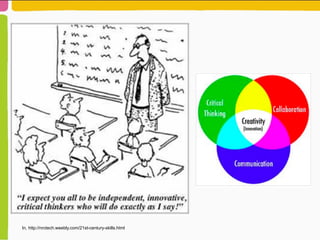
In, http://nrctech.weebly.com/21st-century-skills.html
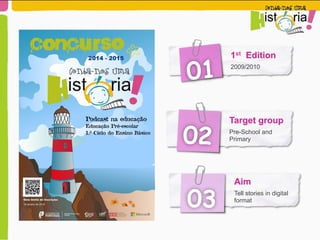
1st Edition
2009/2010
01
02
Target group
Pre-School and
Primary
03
Aim
Tell stories in digital
format
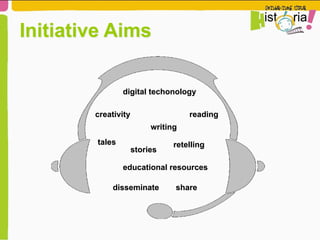
digital techonology
Initiative Aims
readingcreativity
tales retelling
disseminate share
writing
stories
educational resources
digital techonology
Initiative Aims
readingcreativity
tales retelling
disseminate share
writing
stories
educational resources
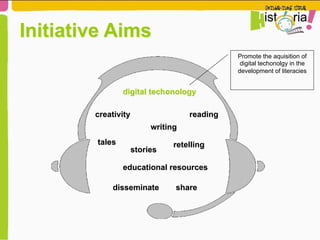
Promote the aquisition of
digital techonolgy in the
development of literacies
digital techonology
Initiative Aims
readingcreativity
tales retelling
disseminate share
writing
stories
educational resources
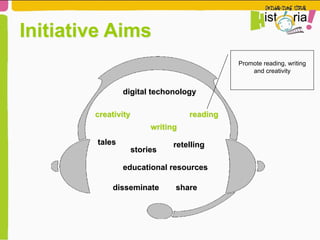
Promote reading, writing
and creativity
digital techonology
Initiative Aims
readingcreativity
tales retelling
disseminate share
writing
stories
educational resources
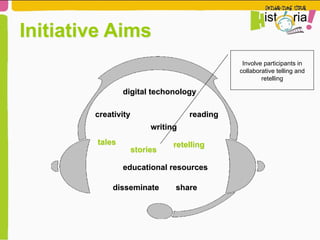
Involve participants in
collaborative telling and
retelling
digital techonology
Initiative Aims
readingcreativity
tales retelling
disseminate share
writing
stories
educational resources
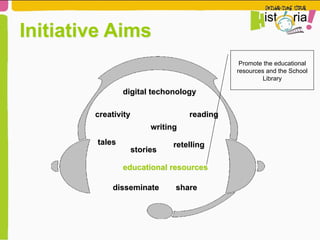
Promote the educational
resources and the School
Library
digital techonology
Initiative Aims
readingcreativity
tales retelling
disseminate share
writing
stories
educational resources
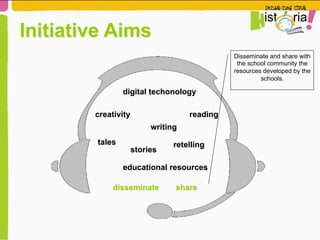
Disseminate and share with
the school community the
resources developed by the
schools.
But, what is a Digital Story?
-  It is sharing ideas and communication actions
(non-verbal), using digital techonologies as a
tool.
-  Nowadays, the format of story telling may vary,
but the focus is still the sharing of knowledge,
pass on the message and evolve.
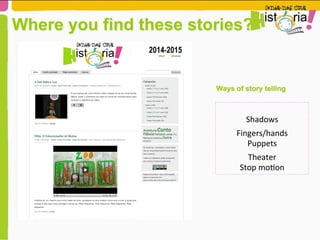
Where you find these stories?
Ways of story telling
	
  
Shadows	
  
Fingers/hands	
  
Puppets	
  	
  
Theater	
  
Stop	
  mo6on	
  
Pedagogical usage of stories
•  Drawing the characters and situation of the stories pupils listen to.
Artistic and Plastic Expression
•  Associate words and sentences to the created drawings
•  Organize drawings in sequences and rebuild the listened story
•  Create a digital comic
•  Build a scenario to dramatise on of the stories
•  Build accessories with recycle materials
Pedagogical use of stories
Expression games
•  Stage the story
•  Transform characters
•  Recognize the characters through gestures and movements
Writing
•  Recreate and build new stories
•  Copy and illustrate favourite stories in a notebook.
•  Recognize the characters through gestures and movements
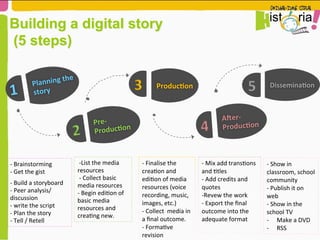
Building a digital story
(5 steps)
-­‐	
  Brainstorming	
  
-­‐	
  Get	
  the	
  gist	
  	
  
-­‐	
  Build	
  a	
  storyboard	
  
-­‐	
  Peer	
  analysis/
discussion	
  	
  
-­‐	
  write	
  the	
  script	
  	
  
-­‐	
  Plan	
  the	
  story	
  	
  
-­‐	
  Tell	
  /	
  Retell	
  
1	
   Planning	
  the	
  
story	
  	
  
2	
  
Pre-­‐
Produc5on	
  
3	
   Produc5on	
  
4	
  
A9er-­‐
Produc5on	
  
5	
   Dissemina5on	
  
	
  -­‐List	
  the	
  media	
  
resources	


  -­‐	
  Collect	
  basic	
  
media	
  resources	
  
-­‐	
  Begin	
  edi6on	
  of	
  
basic	
  media	
  
resources	
  and	
  
crea6ng	
  new.	
  	
  
-­‐	
  Finalise	
  the	
  
crea6on	
  and	
  
edi6on	
  of	
  media	
  
resources	
  (voice	
  
recording,	
  music,	
  
images,	
  etc.)	
  	
  
-­‐	
  Collect	
  	
  media	
  in	
  
a	
  final	
  outcome.	
  
-­‐	
  Forma6ve	
  
revision	
  	
  
-­‐	
  Mix	
  add	
  trans6ons	
  
and	
  6tles	
  
-­‐	
  Add	
  credits	
  and	
  
quotes	
  	
  
-­‐ Revew	
  the	
  work	
  	
  
-­‐ 	
  Export	
  the	
  final	
  
outcome	
  into	
  the	
  
adequate	
  format	


-­‐	
  Show	
  in	
  
classroom,	
  school	
  
community	
  	
  
-­‐	
  Publish	
  it	
  on	
  
web	
  
-­‐	
  Show	
  in	
  the	
  
school	
  TV	
  
-­‐  Make	
  a	
  DVD	
  
-­‐  RSS	
  
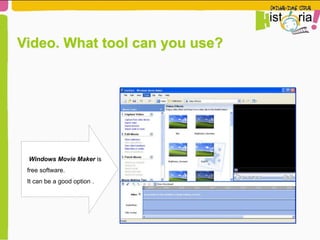
Windows Movie Maker is
free software.
It can be a good option .
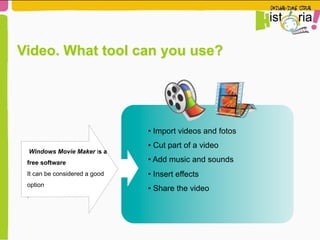
Video. What tool can you use?
Windows Movie Maker is a
free software
It can be considered a good
option
.
• Import videos and fotos
• Cut part of a video
• Add music and sounds
• Insert effects
• Share the video
Video. What tool can you use?
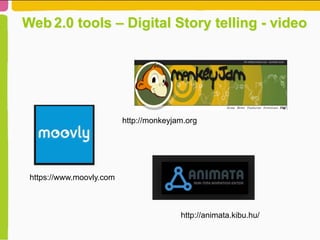
Web 2.0 tools – Digital Story telling - video
http://animata.kibu.hu/
http://monkeyjam.org
https://www.moovly.com
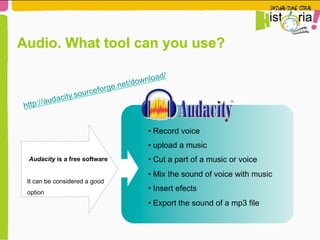
Audacity is a free software
It can be considered a good
option
• Record voice
• upload a music
• Cut a part of a music or voice
• Mix the sound of voice with music
• Insert efects
• Export the sound of a mp3 file
http://audacity.sourceforge.net/download/
Audio. What tool can you use?
O Audacity é um software
gratuito e pode ser
considerado uma boa opção.
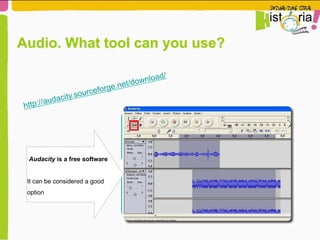
http://audacity.sourceforge.net/download/
Audio. What tool can you use?
Audacity is a free software
It can be considered a good
option
Shall we give it a try?
It is your turn to tell a story!
http://bit.ly/1JA56Ml
Note: The last letter is a small L
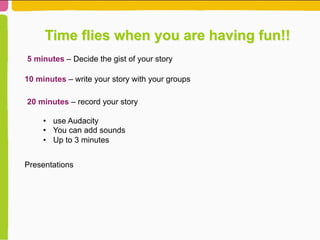
Time flies when you are having fun!!
5 minutes – Decide the gist of your story
10 minutes – write your story with your groups
20 minutes – record your story
•  use Audacity
•  You can add sounds
•  Up to 3 minutes
Presentations
Any questions?
Thank you!
milena.jorge@dge.mec.pt
rita.zurrapa@dge.mec.pt
Or eTwinning

Workshop polonia final

  • 1.
    eTwinning Multilateral ContactSeminar ICT in early education Kazimierz Dolny July 2015
  • 2.
  • 3.
  • 4.
    1st Edition 2009/2010 01 02 Target group Pre-Schooland Primary 03 Aim Tell stories in digital format
  • 5.
    digital techonology Initiative Aims readingcreativity talesretelling disseminate share writing stories educational resources
  • 6.
    digital techonology Initiative Aims readingcreativity talesretelling disseminate share writing stories educational resources Promote the aquisition of digital techonolgy in the development of literacies
  • 7.
    digital techonology Initiative Aims readingcreativity talesretelling disseminate share writing stories educational resources Promote reading, writing and creativity
  • 8.
    digital techonology Initiative Aims readingcreativity talesretelling disseminate share writing stories educational resources Involve participants in collaborative telling and retelling
  • 9.
    digital techonology Initiative Aims readingcreativity talesretelling disseminate share writing stories educational resources Promote the educational resources and the School Library
  • 10.
    digital techonology Initiative Aims readingcreativity talesretelling disseminate share writing stories educational resources Disseminate and share with the school community the resources developed by the schools.
  • 11.
    But, what isa Digital Story? -  It is sharing ideas and communication actions (non-verbal), using digital techonologies as a tool. -  Nowadays, the format of story telling may vary, but the focus is still the sharing of knowledge, pass on the message and evolve.
  • 12.
    Where you findthese stories? Ways of story telling   Shadows   Fingers/hands   Puppets     Theater   Stop  mo6on  
  • 13.
    Pedagogical usage ofstories •  Drawing the characters and situation of the stories pupils listen to. Artistic and Plastic Expression •  Associate words and sentences to the created drawings •  Organize drawings in sequences and rebuild the listened story •  Create a digital comic •  Build a scenario to dramatise on of the stories •  Build accessories with recycle materials
  • 14.
    Pedagogical use ofstories Expression games •  Stage the story •  Transform characters •  Recognize the characters through gestures and movements Writing •  Recreate and build new stories •  Copy and illustrate favourite stories in a notebook. •  Recognize the characters through gestures and movements
  • 15.
    Building a digitalstory (5 steps) -­‐  Brainstorming   -­‐  Get  the  gist     -­‐  Build  a  storyboard   -­‐  Peer  analysis/ discussion     -­‐  write  the  script     -­‐  Plan  the  story     -­‐  Tell  /  Retell   1   Planning  the   story     2   Pre-­‐ Produc5on   3   Produc5on   4   A9er-­‐ Produc5on   5   Dissemina5on    -­‐List  the  media   resources      -­‐  Collect  basic   media  resources   -­‐  Begin  edi6on  of   basic  media   resources  and   crea6ng  new.     -­‐  Finalise  the   crea6on  and   edi6on  of  media   resources  (voice   recording,  music,   images,  etc.)     -­‐  Collect    media  in   a  final  outcome.   -­‐  Forma6ve   revision     -­‐  Mix  add  trans6ons   and  6tles   -­‐  Add  credits  and   quotes     -­‐ Revew  the  work     -­‐   Export  the  final   outcome  into  the   adequate  format       -­‐  Show  in   classroom,  school   community     -­‐  Publish  it  on   web   -­‐  Show  in  the   school  TV   -­‐  Make  a  DVD   -­‐  RSS  
  • 16.
    Windows Movie Makeris free software. It can be a good option . Video. What tool can you use?
  • 17.
    Windows Movie Makeris a free software It can be considered a good option . • Import videos and fotos • Cut part of a video • Add music and sounds • Insert effects • Share the video Video. What tool can you use?
  • 18.
    Web 2.0 tools– Digital Story telling - video http://animata.kibu.hu/ http://monkeyjam.org https://www.moovly.com
  • 19.
    Audacity is afree software It can be considered a good option • Record voice • upload a music • Cut a part of a music or voice • Mix the sound of voice with music • Insert efects • Export the sound of a mp3 file http://audacity.sourceforge.net/download/ Audio. What tool can you use?
  • 20.
    O Audacity éum software gratuito e pode ser considerado uma boa opção. http://audacity.sourceforge.net/download/ Audio. What tool can you use? Audacity is a free software It can be considered a good option
  • 21.
    Shall we giveit a try?
  • 22.
    Shall we giveit a try? It is your turn to tell a story!
  • 23.
  • 24.
    Time flies whenyou are having fun!! 5 minutes – Decide the gist of your story 10 minutes – write your story with your groups 20 minutes – record your story •  use Audacity •  You can add sounds •  Up to 3 minutes Presentations
  • 25.