San Antonio Online Marketing Group
&
The San Antonio WordPress Meetup Group
WordPress For Beginners 101
@VenturePointSA
@yusufchowdhury
#VenturePointSA
#WordPressTips
Lets Start with the Basics!
• Domain
• Web Hosting
• Website
Domain Name
• Domain name is your web address or URL,
such as meetup.com
• Business Name
• Keywords
• Short
• Easy to remember
• Uncomplicated
Web Hosting
• Home for your website files - not the same
as Domain Registration or Domain Name
• Both can be provided from the same
company
• Domain Name and Web Hosting can be
from two separate places
• Change the DNS
• Support team will help you
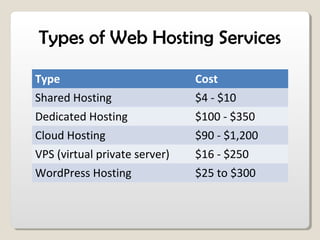
Types of Web Hosting Services
Type Cost
Shared Hosting $4 - $10
Dedicated Hosting $100 - $350
Cloud Hosting $90 - $1,200
VPS (virtual private server) $16 - $250
WordPress Hosting $25 to $300
Domain & Web Hosting
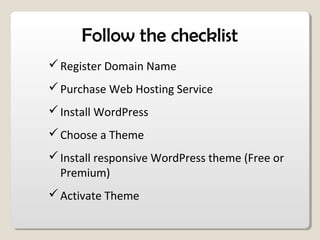
Follow the checklist
Register Domain Name
Purchase Web Hosting Service
Install WordPress
Choose a Theme
Install responsive WordPress theme (Free or
Premium)
Activate Theme
Plugins
Plugin:
A piece of code that gives you certain
functionality that your site did not have
before it was installed.
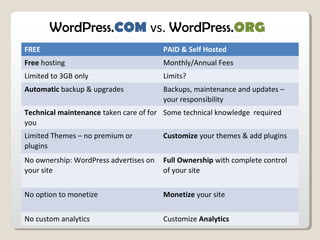
FREE PAID & Self Hosted
Free hosting Monthly/Annual Fees
Limited to 3GB only Limits?
Automatic backup & upgrades Backups, maintenance and updates –
your responsibility
Technical maintenance taken care of for
you
Some technical knowledge required
Limited Themes – no premium or
plugins
Customize your themes & add plugins
No ownership: WordPress advertises on
your site
Full Ownership with complete control
of your site
No option to monetize Monetize your site
No custom analytics Customize Analytics
WordPress.COM vs. WordPress.ORG
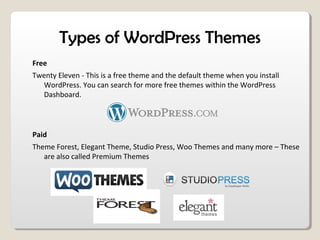
Types of WordPress Themes
Free
Twenty Eleven - This is a free theme and the default theme when you install
WordPress. You can search for more free themes within the WordPress
Dashboard.
Paid
Theme Forest, Elegant Theme, Studio Press, Woo Themes and many more – These
are also called Premium Themes
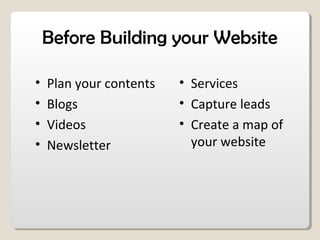
Before Building your Website
• Plan your contents
• Blogs
• Videos
• Newsletter
• Services
• Capture leads
• Create a map of
your website
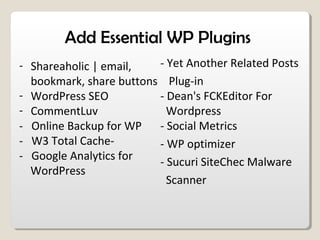
Add Essential WP Plugins
- Shareaholic | email,
bookmark, share buttons
- WordPress SEO
- CommentLuv
- Online Backup for WP
- W3 Total Cache-
- Google Analytics for
WordPress
- Yet Another Related Posts
Plug-in
- Dean's FCKEditor For
Wordpress
- Social Metrics
- WP optimizer
- Sucuri SiteChec Malware
Scanner
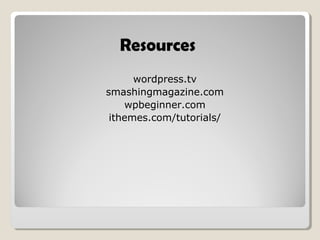
Resources
wordpress.tv
smashingmagazine.com
wpbeginner.com
ithemes.com/tutorials/
WordPress 101

WordPress 101

  • 1.
    San Antonio OnlineMarketing Group & The San Antonio WordPress Meetup Group WordPress For Beginners 101
  • 2.
  • 3.
    Lets Start withthe Basics! • Domain • Web Hosting • Website
  • 4.
    Domain Name • Domainname is your web address or URL, such as meetup.com • Business Name • Keywords • Short • Easy to remember • Uncomplicated
  • 5.
    Web Hosting • Homefor your website files - not the same as Domain Registration or Domain Name • Both can be provided from the same company • Domain Name and Web Hosting can be from two separate places • Change the DNS • Support team will help you
  • 6.
    Types of WebHosting Services Type Cost Shared Hosting $4 - $10 Dedicated Hosting $100 - $350 Cloud Hosting $90 - $1,200 VPS (virtual private server) $16 - $250 WordPress Hosting $25 to $300
  • 7.
    Domain & WebHosting
  • 8.
    Follow the checklist RegisterDomain Name Purchase Web Hosting Service Install WordPress Choose a Theme Install responsive WordPress theme (Free or Premium) Activate Theme
  • 9.
    Plugins Plugin: A piece ofcode that gives you certain functionality that your site did not have before it was installed.
  • 10.
    FREE PAID &Self Hosted Free hosting Monthly/Annual Fees Limited to 3GB only Limits? Automatic backup & upgrades Backups, maintenance and updates – your responsibility Technical maintenance taken care of for you Some technical knowledge required Limited Themes – no premium or plugins Customize your themes & add plugins No ownership: WordPress advertises on your site Full Ownership with complete control of your site No option to monetize Monetize your site No custom analytics Customize Analytics WordPress.COM vs. WordPress.ORG
  • 11.
    Types of WordPressThemes Free Twenty Eleven - This is a free theme and the default theme when you install WordPress. You can search for more free themes within the WordPress Dashboard. Paid Theme Forest, Elegant Theme, Studio Press, Woo Themes and many more – These are also called Premium Themes
  • 12.
    Before Building yourWebsite • Plan your contents • Blogs • Videos • Newsletter • Services • Capture leads • Create a map of your website
  • 13.
    Add Essential WPPlugins - Shareaholic | email, bookmark, share buttons - WordPress SEO - CommentLuv - Online Backup for WP - W3 Total Cache- - Google Analytics for WordPress - Yet Another Related Posts Plug-in - Dean's FCKEditor For Wordpress - Social Metrics - WP optimizer - Sucuri SiteChec Malware Scanner
  • 14.