







Beginning WordPress Getting Started with WordPress Tony Zeoli - Lead Developer Reese Felts Digital Newsroom reesefelts.org | reesenews.org @tonyzeoli
Blog: MarketBeat
Blog: The Lede
Tech Blog: GigaOm
Tech Blog: GigaOm
Site: SoloPractice.com
SoloPractice.com Course Page
SoloPractice.com Blog Page
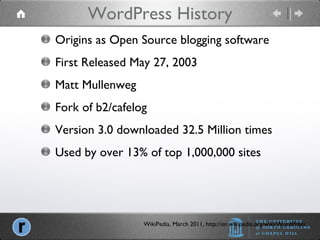
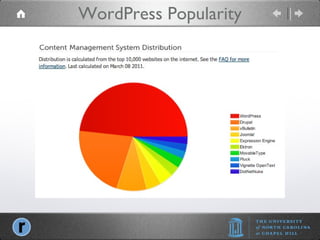
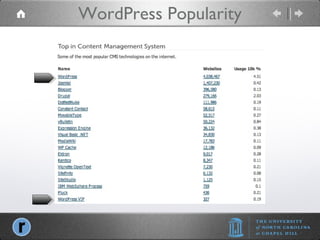
WordPress History WikiPedia, March 2011, http://en.wikipedia.org/wiki/WordPress Origins as Open Source blogging software First Released May 27, 2003 Matt Mullenweg Fork of b2/cafelog Version 3.0 downloaded 32.5 Million times Used by over 13% of top 1,000,000 sites
WordPress Popularity
What is WordPress Origins as Open Source blogging software Open Source CMS (content management system. Built with open source php scripting language, uses mySQL database, and HTML/CSS for layout and style. Runs on both Linux and Windows servers. Comprised of WordPress core, but allows for “plug-ins” and “themes.”
What is Open Source Open Source, Wikipedia, March 15, 2011 The term  open source  describes practices in production and development that promote access to the end product's source materials. Some consider open source a philosophy, others consider it a pragmatic methodology. Being organised effectively as a  consumer’s cooperative , the idea of open source is then to eliminate the access costs of the consumer and the creator by reducing the restrictions of copyright. This will lead to creation of additional works, which build upon previous work and add to greater social benefit. Additionally some proponents argue that open source also relieves society of the administration and enforcement costs of copyright.
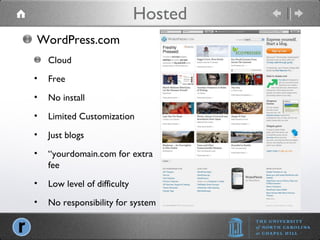
Hosted WordPress.com Cloud Free No install Limited Customization Just blogs “ yourdomain.com for extra fee Low level of difficulty No responsibility for system
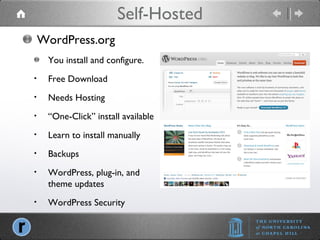
Self-Hosted WordPress.org You install and configure. Free Download Needs Hosting “ One-Click” install available Learn to install manually Backups WordPress, plug-in, and theme updates WordPress Security
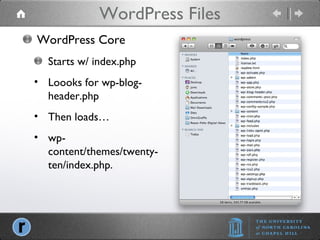
WordPress Files WordPress Core Starts w/ index.php Loooks for wp-blog-header.php Then loads… wp-content/themes/twenty-ten/index.php.
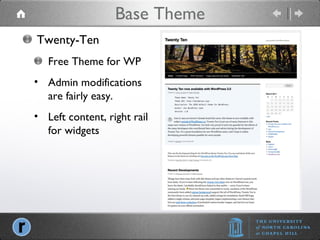
Base Theme Twenty-Ten Free Theme for WP Admin modifications are fairly easy. Left content, right rail for widgets
Buy Your Domain Purchase domain (your-domain.com) from a reputable domain service provider: GoDaddy, Register.com, NetworkSolutions You can now choose: .com, .org, .me, .tv, .fm, .am, .co, or many other “TLDs” (top level domains) Your hosting company may also offer domain registration. Your domain name is like your social security number, it always stays with you, no matter where you live. You will “point” your domain to the “domain name servers” (DNS) for your “hosting” provider
Set Up Hosting Work with a WordPress recommended host MediaTemple, BlueHost, Laughing Squid DO NOT use any domain registrars for hosting. DO NOT use CHEAP, SHARED hosting for $5 a month. Pay $15 to $20 a month and get better QOS (quality of service)
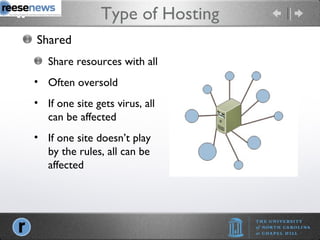
Type of Hosting Shared Share resources with all Often oversold If one site gets virus, all can be affected If one site doesn’t play by the rules, all can be affected
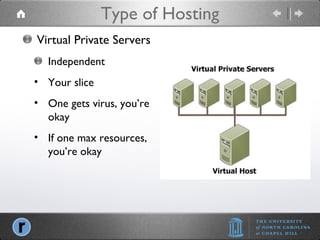
Type of Hosting Virtual Private Servers Independent Your slice One gets virus, you’re okay If one max resources, you’re okay
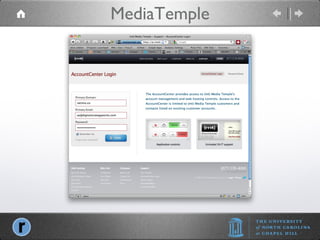
MediaTemple
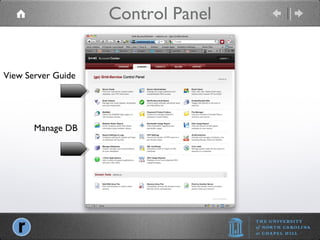
Control Panel View Server Guide Manage DB
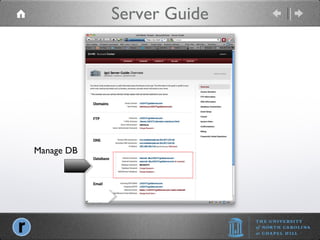
Server Guide Manage DB
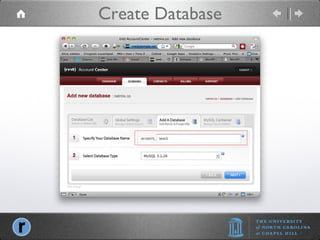
Create Database
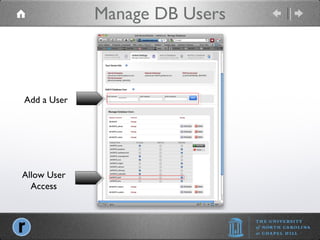
Manage DB Users Allow User Access Add a User
Installation Instructions at WordPress.org http://codex.wordpress.org Download WordPress from WordPress.org Unpack files on desktop
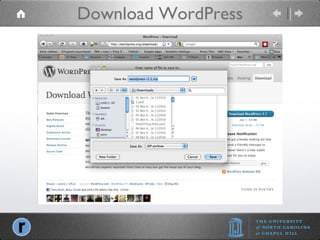
Download WordPress
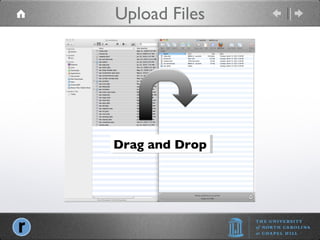
Manual Installation Acess host using FTP software Fetch or Cyberduck for Mac WS_FTP for Windows Upload Files
Upload Files Drag and Drop
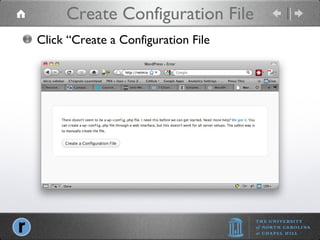
Create Configuration File Click “Create a Configuration File
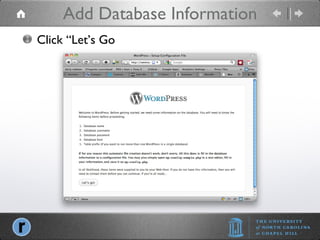
Add Database Information Click “Let’s Go
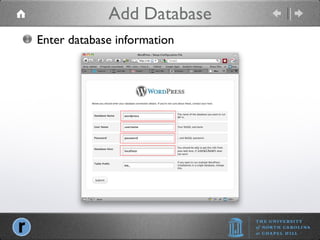
Add Database Enter database information
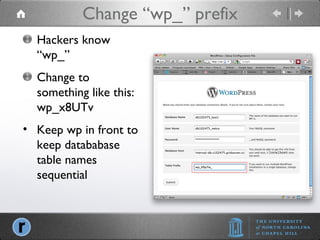
Change “wp_” prefix Hackers know “wp_” Change to something like this: wp_x8UTv Keep wp in front to keep datababase table names sequential
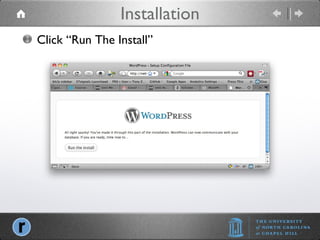
Installation Click “Run The Install”
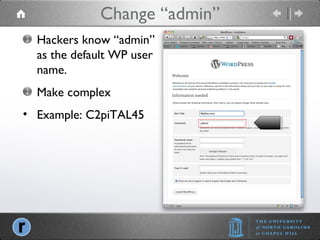
Change “admin” Hackers know “admin” as the default WP user name. Make complex Example: C2piTAL45
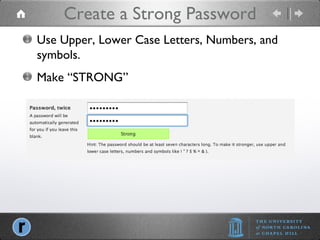
Create a Strong Password Add a User Use Upper, Lower Case Letters, Numbers, and symbols. Make “STRONG”
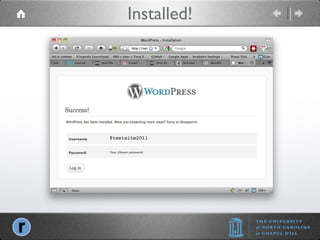
Installed!
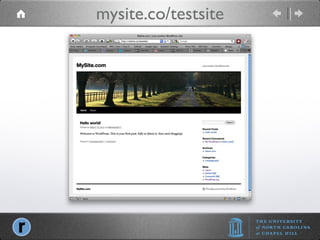
mysite.co/testsite
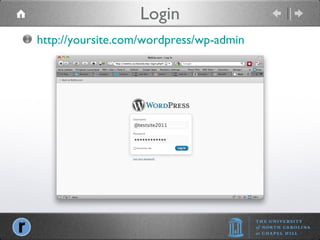
Login http://yoursite.com/wordpress/wp-admin
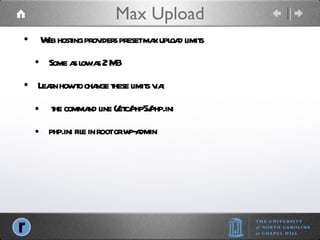
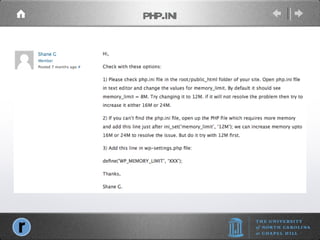
Max Upload Web hosting providers preset max upload limits Some as low as 2 MB Learn how to change these limits via: the command line (/etc/php5/php.ini php.ini file in root or wp-admin
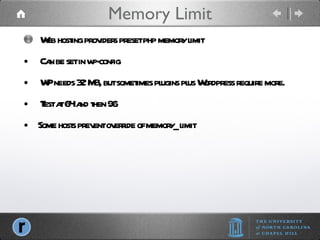
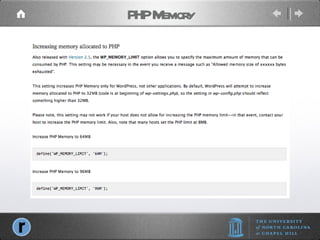
Memory Limit Web hosting providers preset php memory limit Can be set in wp-config WP needs 32 MB, but sometimes plugins plus Wordpress require more.  Test at 64 and then 96 Some hosts prevent override of memory_limit
PHP Memory
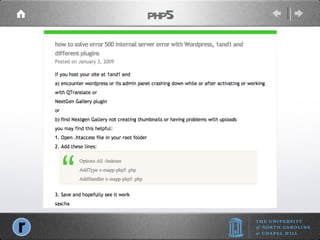
php.ini
php5
Intermediate WordPress Themes, Plugins, Social, SEO & More Tony Zeoli - Lead Developer Reese Felts Digital Newsroom reesefelts.org | reesenews.org @tonyzeoli
Overview Capabilities Native - WordPress Media Library Plug-ins - Video players,  audio players, and image galleries
Native Upload JPG, GIF, PNG PDF Audio Video Create and embed links
Types Single Image Galleries Image Rotators Slide Shows Page Flip
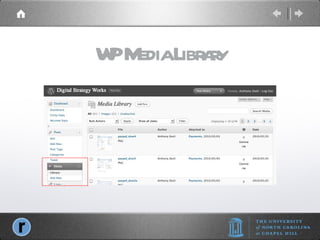
WP Media Library
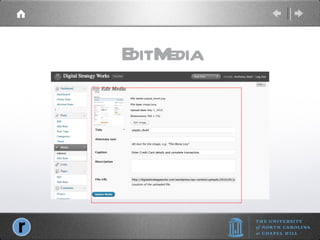
Edit Media
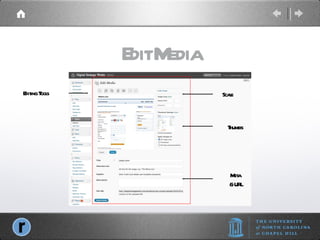
Edit Media Editing Tools Scale Thumbs Meta & URL
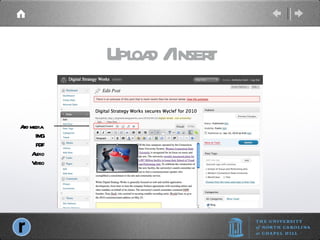
Upload / Insert Add media  IMG PDF Audio Video
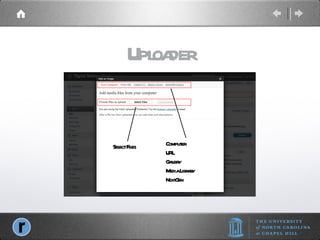
Uploader Select Files Computer URL Gallery Media Library NextGen
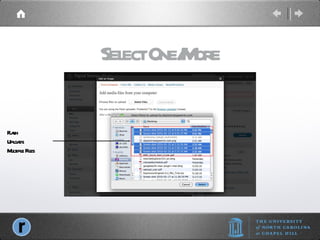
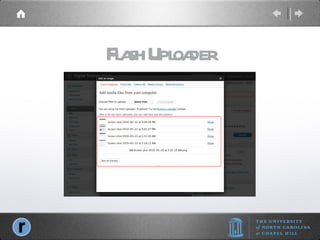
Select One/More Flash Uploads Multiple Files
Flash Uploader
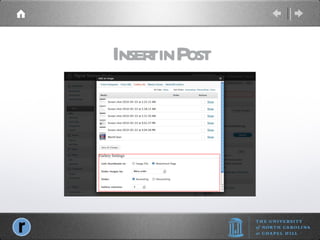
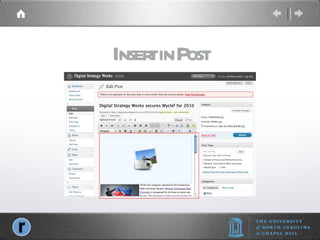
Insert in Post
Insert in Post
Display Gallery in Post
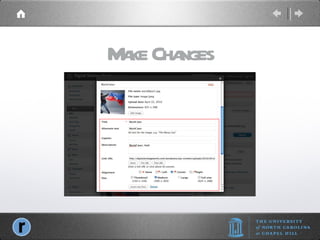
Make Changes
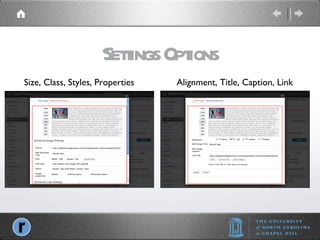
Settings Options Size, Class, Styles, Properties Alignment, Title, Caption, Link
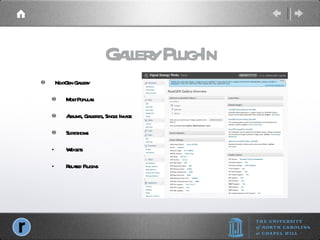
Gallery Plug-In NextGen Gallery Most Popular Albums, Galleries, Single Image Slideshows Widgets Related Plugins
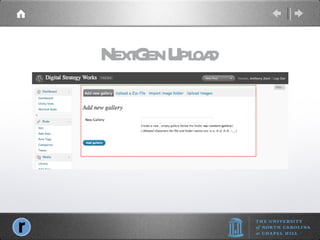
NextGen Upload
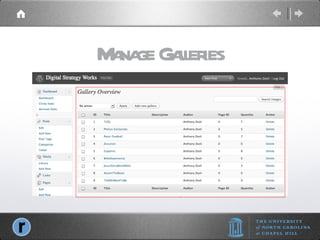
Manage Galleries
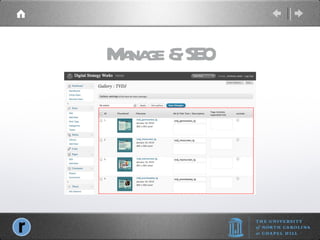
Manage & SEO
Insert Gallery short code: [nggallery id=1]
NG SlideShow
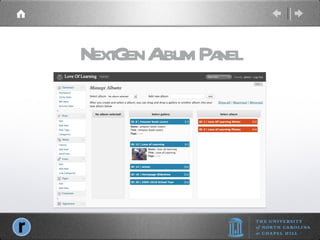
NextGen Album Panel
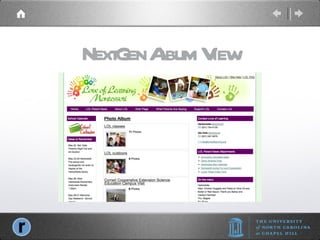
NextGen Album View
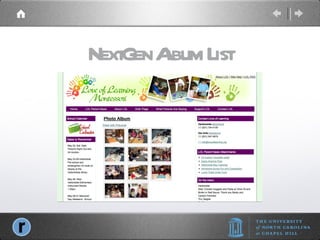
NextGen Album List
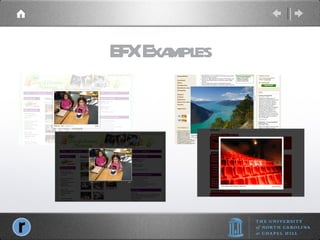
Photo EFX Lightbox2 http://www.huddletogether.com/projects/lightbox2/ Highslide http://highslide.com / Thickbox http://jquery.com/demo/thickbox/ Shutterbox Shutter
EFX Examples
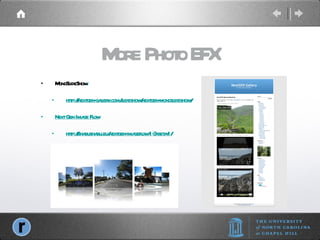
More Photo EFX MonoSlideShow :  http://nextgen-gallery.com/slideshow/nextgen-monoslideshow/ Next Gen Image Flow http://shabushabu.eu/nextgen-imageflow-1-3-beta-1/
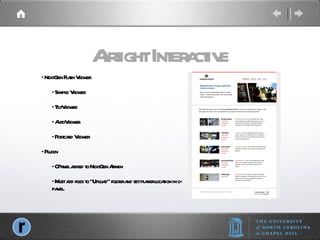
NextGen Flash Viewer Simple Viewer TiltViewer AutoViewer Postcard Viewer Plugin CPanel added to NextGen Admin Must add files to “Upload” folder and set player location in c-panel. Airtight Interactive
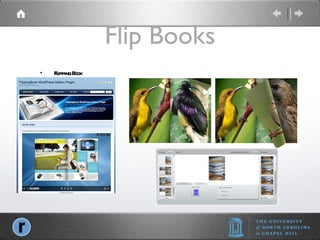
Flip Books Flipping Book
Sell Photos
Photocrati
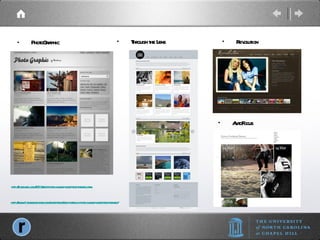
PhotoGraphic Through the Lens Revolution http://dobeweb.com/2010/best-photo-gallery-wordpress-themes.html AutoFocus http://www.1stwebdesigner.com/wordpress/free-portfolio-photo-gallery-wordpress-themes/
Snipi Clip Photos from the Web Wordpress Plug-In Add direct to your Wordpress Media Library
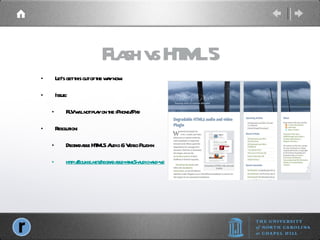
Flash vs HTML 5 Let’s get this out of the way now. Issue: FLV will not play on the iPhone/iPad Resolution: Degradable HTML5 Audio & Video Plug-in http://soukie.net/degradable-html5-audio-and-video-plugin/
Content Types Video:  flv (flash) .m4v & .mp4(H.264) .mov & ogg/ogv Audio: .mp3. .m4a & oga Photo: .jpg, .png, gig
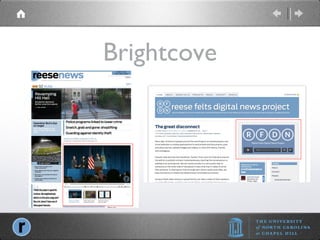
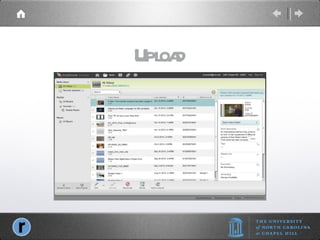
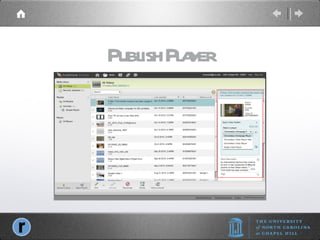
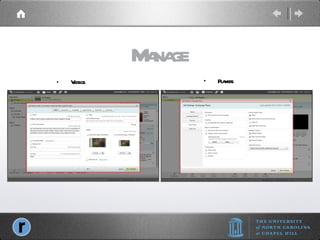
Video Plug-In or Development Options Brightcove Express $99, tiered to $499 Kaltura (API) Freemium (Free for up to 10GB free, paid thereafter) Wordpress Plugin WordTube with JW Player (HTML5) or Flow Player Vipers Video Quicktags, Wordpress Video Plugin Degradable HTML5 Audio & Video Plug-in
Brightcove
Upload
Publish Player
Manage Videos Players
Kaltura Content
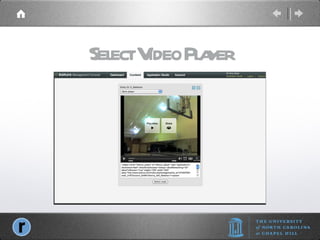
Select Video Player
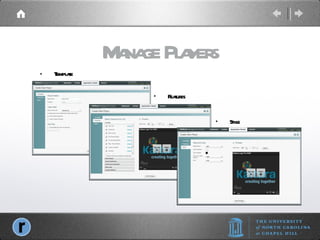
Manage Players Template Features Style
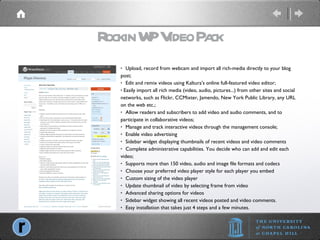
Rockin WP Video Pack   Upload, record from webcam and import all rich-media directly to your blog post;   Edit and remix videos using Kaltura's online full-featured video editor; Easily import all rich media (video, audio, pictures...) from other sites and social networks, such as Flickr, CCMixter, Jamendo, New York Public Library, any URL on the web etc.;   Allow readers and subscribers to add video and audio comments, and to participate in collaborative videos;   Manage and track interactive videos through the management console;   Enable video advertising   Sidebar widget displaying thumbnails of recent videos and video comments   Complete administrative capabilities. You decide who can add and edit each video;   Supports more than 150 video, audio and image file formats and codecs   Choose your preferred video player style for each player you embed   Custom sizing of the video player   Update thumbnail of video by selecting frame from video   Advanced sharing options for videos   Sidebar widget showing all recent videos posted and video comments.   Easy installation that takes just 4 steps and a few minutes.
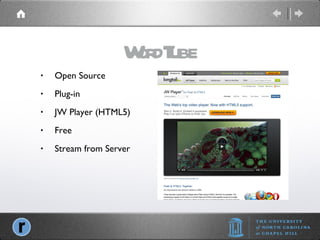
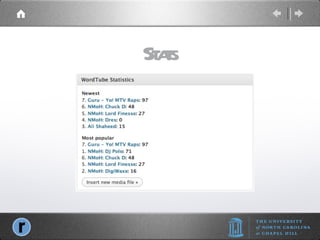
WordTube Open Source Plug-in JW Player (HTML5) Free Stream from Server
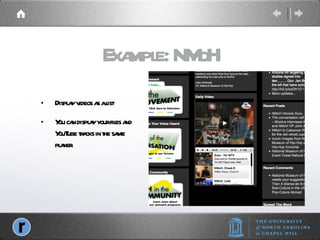
Example: NMoH Display videos as a list You can display your files and YouTube tracks in the same player.
Stats
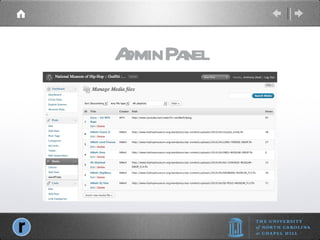
Admin Panel
Edit Media File Add to Play List
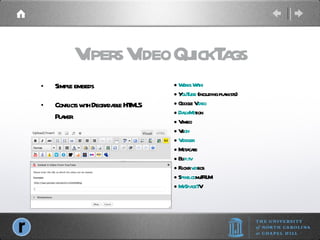
Vipers Video QuickTags Simple embeds Conflicts with Degradable HTML5 Player Works With: Y ouTube  (including playlists) Google V ideo DailyMo tion Vimeo Ve oh Viddler Metacafe Bli p.tv Flickr  vid eos S pike.co m/IFILM MySpaceT V
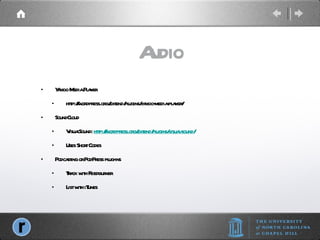
Audio Yahoo Media Player http://wordpress.org/extend/plugins/yahoo-media-player/ SoundCloud VisualSound:  http://wordpress.org/extend/plugins/visual-sound/ Uses Short Codes Podcasting or PodPress plug-ins Track with Feedburner List with iTunes
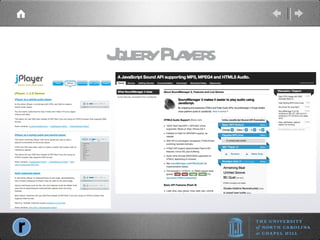
Jquery Players
Yahoo Media Player
Visual Sound Wordpress plugin Embed SoundCloud Players Multiple options using [short codes]
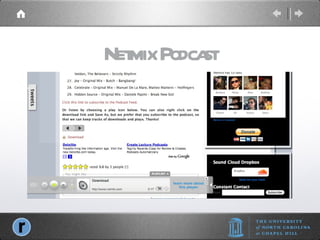
Netmix Podcast
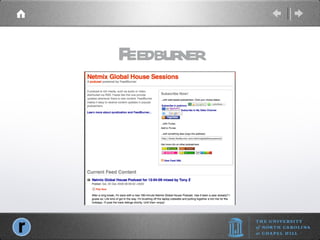
Feedburner
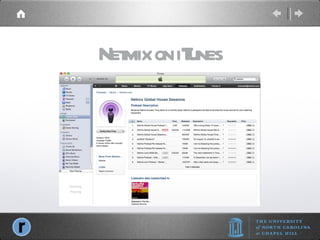
Netmix on iTunes
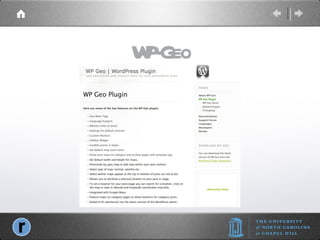
WP-Geo
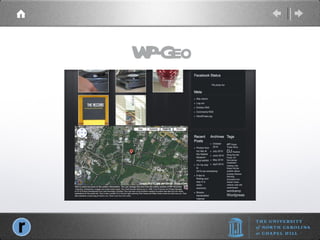
WP-Geo
WP-Geo
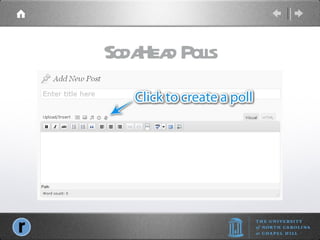
SodaHead Polls
Create Poll
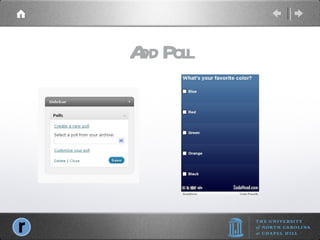
Add Poll
Contact Tony Zeoli, Lead Developer Reese Felts Digital News Project University of North Carolina at Chapel Hill [email_address]  | @tonyzeoli Founder, Digital Strategy Works | @dswks Founder, Netmix.com | @djtonyz

Beginning WordPress

  • 1.
    Beginning WordPress GettingStarted with WordPress Tony Zeoli - Lead Developer Reese Felts Digital Newsroom reesefelts.org | reesenews.org @tonyzeoli
  • 2.
  • 3.
  • 4.
  • 5.
  • 6.
  • 7.
  • 8.
  • 9.
    WordPress History WikiPedia,March 2011, http://en.wikipedia.org/wiki/WordPress Origins as Open Source blogging software First Released May 27, 2003 Matt Mullenweg Fork of b2/cafelog Version 3.0 downloaded 32.5 Million times Used by over 13% of top 1,000,000 sites
  • 10.
  • 11.
  • 12.
    What is WordPressOrigins as Open Source blogging software Open Source CMS (content management system. Built with open source php scripting language, uses mySQL database, and HTML/CSS for layout and style. Runs on both Linux and Windows servers. Comprised of WordPress core, but allows for “plug-ins” and “themes.”
  • 13.
    What is OpenSource Open Source, Wikipedia, March 15, 2011 The term open source describes practices in production and development that promote access to the end product's source materials. Some consider open source a philosophy, others consider it a pragmatic methodology. Being organised effectively as a consumer’s cooperative , the idea of open source is then to eliminate the access costs of the consumer and the creator by reducing the restrictions of copyright. This will lead to creation of additional works, which build upon previous work and add to greater social benefit. Additionally some proponents argue that open source also relieves society of the administration and enforcement costs of copyright.
  • 14.
    Hosted WordPress.com CloudFree No install Limited Customization Just blogs “ yourdomain.com for extra fee Low level of difficulty No responsibility for system
  • 15.
    Self-Hosted WordPress.org Youinstall and configure. Free Download Needs Hosting “ One-Click” install available Learn to install manually Backups WordPress, plug-in, and theme updates WordPress Security
  • 16.
    WordPress Files WordPressCore Starts w/ index.php Loooks for wp-blog-header.php Then loads… wp-content/themes/twenty-ten/index.php.
  • 17.
    Base Theme Twenty-TenFree Theme for WP Admin modifications are fairly easy. Left content, right rail for widgets
  • 18.
    Buy Your DomainPurchase domain (your-domain.com) from a reputable domain service provider: GoDaddy, Register.com, NetworkSolutions You can now choose: .com, .org, .me, .tv, .fm, .am, .co, or many other “TLDs” (top level domains) Your hosting company may also offer domain registration. Your domain name is like your social security number, it always stays with you, no matter where you live. You will “point” your domain to the “domain name servers” (DNS) for your “hosting” provider
  • 19.
    Set Up HostingWork with a WordPress recommended host MediaTemple, BlueHost, Laughing Squid DO NOT use any domain registrars for hosting. DO NOT use CHEAP, SHARED hosting for $5 a month. Pay $15 to $20 a month and get better QOS (quality of service)
  • 20.
    Type of HostingShared Share resources with all Often oversold If one site gets virus, all can be affected If one site doesn’t play by the rules, all can be affected
  • 21.
    Type of HostingVirtual Private Servers Independent Your slice One gets virus, you’re okay If one max resources, you’re okay
  • 22.
  • 23.
    Control Panel ViewServer Guide Manage DB
  • 24.
  • 25.
  • 26.
    Manage DB UsersAllow User Access Add a User
  • 27.
    Installation Instructions atWordPress.org http://codex.wordpress.org Download WordPress from WordPress.org Unpack files on desktop
  • 28.
  • 29.
    Manual Installation Acesshost using FTP software Fetch or Cyberduck for Mac WS_FTP for Windows Upload Files
  • 30.
  • 31.
    Create Configuration FileClick “Create a Configuration File
  • 32.
    Add Database InformationClick “Let’s Go
  • 33.
    Add Database Enterdatabase information
  • 34.
    Change “wp_” prefixHackers know “wp_” Change to something like this: wp_x8UTv Keep wp in front to keep datababase table names sequential
  • 35.
  • 36.
    Change “admin” Hackersknow “admin” as the default WP user name. Make complex Example: C2piTAL45
  • 37.
    Create a StrongPassword Add a User Use Upper, Lower Case Letters, Numbers, and symbols. Make “STRONG”
  • 38.
  • 39.
  • 40.
  • 41.
  • 42.
    Max Upload Webhosting providers preset max upload limits Some as low as 2 MB Learn how to change these limits via: the command line (/etc/php5/php.ini php.ini file in root or wp-admin
  • 43.
    Memory Limit Webhosting providers preset php memory limit Can be set in wp-config WP needs 32 MB, but sometimes plugins plus Wordpress require more. Test at 64 and then 96 Some hosts prevent override of memory_limit
  • 44.
  • 45.
  • 46.
  • 47.
    Intermediate WordPress Themes,Plugins, Social, SEO & More Tony Zeoli - Lead Developer Reese Felts Digital Newsroom reesefelts.org | reesenews.org @tonyzeoli
  • 48.
    Overview Capabilities Native- WordPress Media Library Plug-ins - Video players, audio players, and image galleries
  • 49.
    Native Upload JPG,GIF, PNG PDF Audio Video Create and embed links
  • 50.
    Types Single ImageGalleries Image Rotators Slide Shows Page Flip
  • 51.
  • 52.
  • 53.
    Edit Media EditingTools Scale Thumbs Meta & URL
  • 54.
    Upload / InsertAdd media IMG PDF Audio Video
  • 55.
    Uploader Select FilesComputer URL Gallery Media Library NextGen
  • 56.
    Select One/More FlashUploads Multiple Files
  • 57.
  • 58.
  • 59.
  • 60.
  • 61.
  • 62.
    Settings Options Size,Class, Styles, Properties Alignment, Title, Caption, Link
  • 63.
    Gallery Plug-In NextGenGallery Most Popular Albums, Galleries, Single Image Slideshows Widgets Related Plugins
  • 64.
  • 65.
  • 66.
  • 67.
    Insert Gallery shortcode: [nggallery id=1]
  • 68.
  • 69.
  • 70.
  • 71.
  • 72.
    Photo EFX Lightbox2http://www.huddletogether.com/projects/lightbox2/ Highslide http://highslide.com / Thickbox http://jquery.com/demo/thickbox/ Shutterbox Shutter
  • 73.
  • 74.
    More Photo EFXMonoSlideShow : http://nextgen-gallery.com/slideshow/nextgen-monoslideshow/ Next Gen Image Flow http://shabushabu.eu/nextgen-imageflow-1-3-beta-1/
  • 75.
    NextGen Flash ViewerSimple Viewer TiltViewer AutoViewer Postcard Viewer Plugin CPanel added to NextGen Admin Must add files to “Upload” folder and set player location in c-panel. Airtight Interactive
  • 76.
  • 77.
  • 78.
  • 79.
    PhotoGraphic Through theLens Revolution http://dobeweb.com/2010/best-photo-gallery-wordpress-themes.html AutoFocus http://www.1stwebdesigner.com/wordpress/free-portfolio-photo-gallery-wordpress-themes/
  • 80.
    Snipi Clip Photosfrom the Web Wordpress Plug-In Add direct to your Wordpress Media Library
  • 81.
    Flash vs HTML5 Let’s get this out of the way now. Issue: FLV will not play on the iPhone/iPad Resolution: Degradable HTML5 Audio & Video Plug-in http://soukie.net/degradable-html5-audio-and-video-plugin/
  • 82.
    Content Types Video: flv (flash) .m4v & .mp4(H.264) .mov & ogg/ogv Audio: .mp3. .m4a & oga Photo: .jpg, .png, gig
  • 83.
    Video Plug-In orDevelopment Options Brightcove Express $99, tiered to $499 Kaltura (API) Freemium (Free for up to 10GB free, paid thereafter) Wordpress Plugin WordTube with JW Player (HTML5) or Flow Player Vipers Video Quicktags, Wordpress Video Plugin Degradable HTML5 Audio & Video Plug-in
  • 84.
  • 85.
  • 86.
  • 87.
  • 88.
  • 89.
  • 90.
  • 91.
    Rockin WP VideoPack Upload, record from webcam and import all rich-media directly to your blog post; Edit and remix videos using Kaltura's online full-featured video editor; Easily import all rich media (video, audio, pictures...) from other sites and social networks, such as Flickr, CCMixter, Jamendo, New York Public Library, any URL on the web etc.; Allow readers and subscribers to add video and audio comments, and to participate in collaborative videos; Manage and track interactive videos through the management console; Enable video advertising Sidebar widget displaying thumbnails of recent videos and video comments Complete administrative capabilities. You decide who can add and edit each video; Supports more than 150 video, audio and image file formats and codecs Choose your preferred video player style for each player you embed Custom sizing of the video player Update thumbnail of video by selecting frame from video Advanced sharing options for videos Sidebar widget showing all recent videos posted and video comments. Easy installation that takes just 4 steps and a few minutes.
  • 92.
    WordTube Open SourcePlug-in JW Player (HTML5) Free Stream from Server
  • 93.
    Example: NMoH Displayvideos as a list You can display your files and YouTube tracks in the same player.
  • 94.
  • 95.
  • 96.
    Edit Media FileAdd to Play List
  • 97.
    Vipers Video QuickTagsSimple embeds Conflicts with Degradable HTML5 Player Works With: Y ouTube (including playlists) Google V ideo DailyMo tion Vimeo Ve oh Viddler Metacafe Bli p.tv Flickr vid eos S pike.co m/IFILM MySpaceT V
  • 98.
    Audio Yahoo MediaPlayer http://wordpress.org/extend/plugins/yahoo-media-player/ SoundCloud VisualSound: http://wordpress.org/extend/plugins/visual-sound/ Uses Short Codes Podcasting or PodPress plug-ins Track with Feedburner List with iTunes
  • 99.
  • 100.
  • 101.
    Visual Sound Wordpressplugin Embed SoundCloud Players Multiple options using [short codes]
  • 102.
  • 103.
  • 104.
  • 105.
  • 106.
  • 107.
  • 108.
  • 109.
  • 110.
  • 111.
    Contact Tony Zeoli,Lead Developer Reese Felts Digital News Project University of North Carolina at Chapel Hill [email_address] | @tonyzeoli Founder, Digital Strategy Works | @dswks Founder, Netmix.com | @djtonyz