


Shared Hostingand WordPressPresented by Al Davis
2What we will coverWhat is Shared Hosting?Why use Shared Hosting?What to look forThings you should knowHints on how to pick a providerHow to set up WordPress- 4 different methodsHow to migrate a site
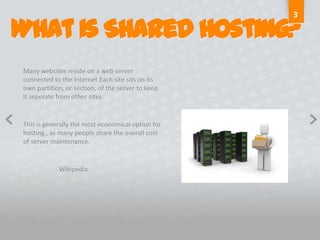
3What is Shared Hosting?Many websites reside on a web server connected to the Internet.Each site sits on its own partition, or section, of the server to keep it seperate from other sites. This is generally the most economical option for hosting , as many people share the overall cost of server maintenance.	- Wikipedia
4Why Shared Hosting?Cost Effective	The cost of servers, internet connectivity, maintenance and manpower is shared 	over many customers.	The cost to run a server in a secure, redundant environment can easily run to 	tens 	of thousands of dollars per month. Run your business, not your technologyShared Hosting allows you to focus on running your business, not learning how to 	run a web server.All told, it’s the simplest way to have a website, ideal for small businesses.
5What is required?Minimum requirements for WordPress	Version 3.1PHP version 4.3
MySQL version 4.1.2Version 3.2 (released July 4)PHP version 5.2.4 or greater
MySQl version 5.0 or greater6Things you should knowBut providers don’t tell youAll that storage and bandwidth?...You’re never going to use it all.Text is cheap ... but pictures and video will kill your storageFTP Access...never needs to be cappedEmail storage...shouldn’t be bundled upMSAccess...is simply wrong. Don’t use it for your website. Ever. And I mean ever!!!!
7Things you should look forFrom a  hosting providerCall supportHow long did it take to talk to a live person?	Do they even have live support?	Call when you are nost likely to be working on your site...calling at 10 am when 	you are going to be working at 7pm will not give you an accurate ideaAsk to be transferred to the sales departmentHow was that experience?	Did sales know why you were transferred?Don’t get locked in	Don’t commit for any more than 12 months maximum.
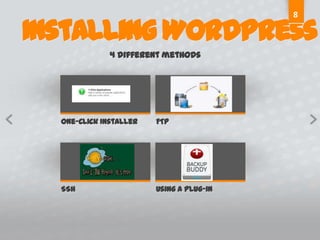
8Installing WordPress4 different methodsOne-Click InstallerFTPSSHUsing a plug-in
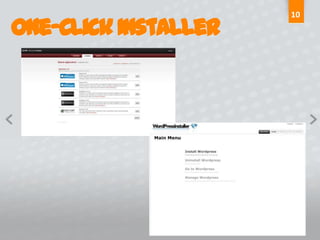
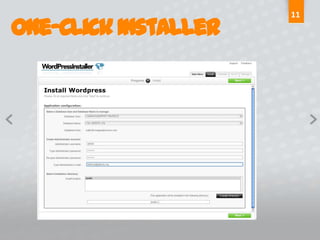
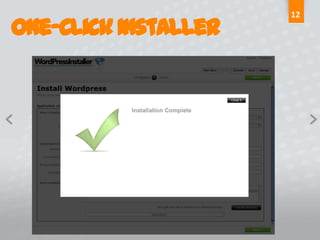
9One-Click InstallerWhat is it?An application that installs software for  the end user (WordPress, Joomla, Drupal 	etc.)Why Use it?Simple to use	Fast	Why Not to use it	No control of what is installed	No control of how it is installed	Can be tough to go back and change the installation
10One-Click Installer
11One-Click Installer
12One-Click Installer
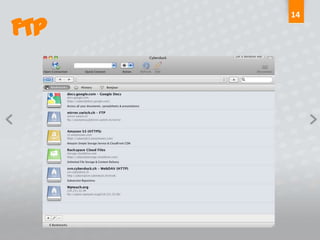
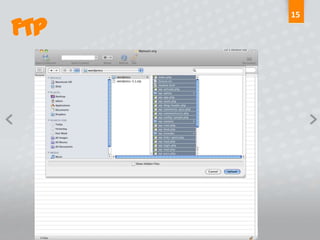
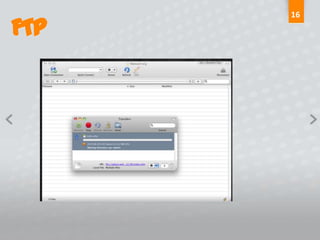
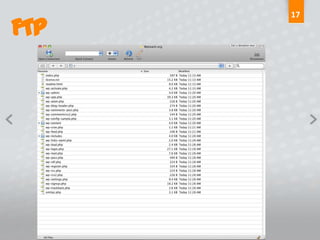
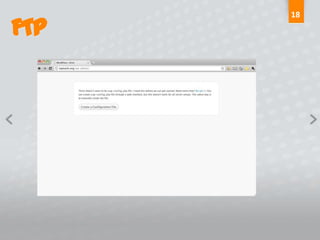
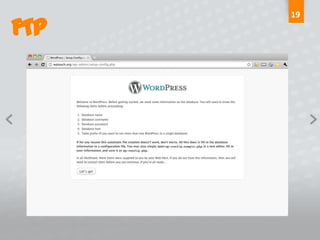
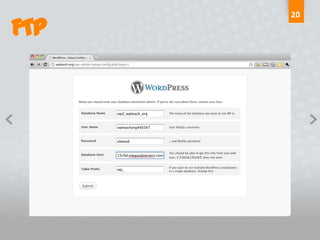
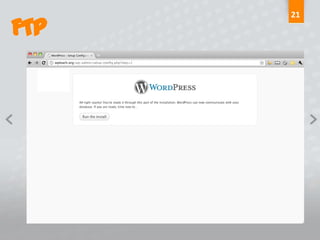
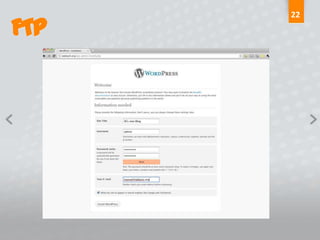
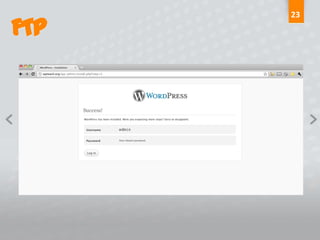
13FTPWhat is FTP?Stands for File Transfer Protocol	Fancy way of saying “moving files from your computer to the server via the 	internet”What do you need?FTP Client. There are many out there for Windows and Mac—some are even freeWhy use FTP?	Fine control over what is installed	When you’ve uploaded your files, you get to use the famous 5-minute install for WPWhy NOT to use FTPCan be slow depending upon your Internet connection	Requires greater technical knowledge than One-Click	Need to set up your own database for WP to work
14FTP
15FTP
16FTP
17FTP
18FTP
19FTP
20FTP
21FTP
22FTP
23FTP
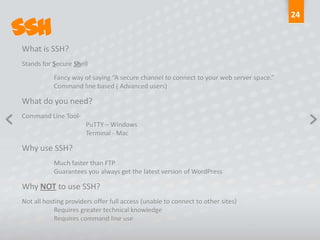
24SSHWhat is SSH?Stands for Secure Shell	Fancy way of saying “A secure channel to connect to your web server space.” 	Command line based ( Advanced users)What do you need?Command Line Tool-		PuTTY – Windows		Terminal - MacWhy use SSH?	Much faster than FTP	Guarantees you always get the latest version of WordPressWhy NOT to use SSH?Not all hosting providers offer full access (unable to connect to other sites)	Requires greater technical knowledge	Requires command line use
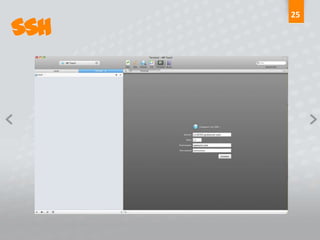
25SSH
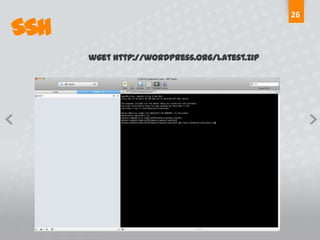
26SSHwget http://wordpress.org/latest.zip
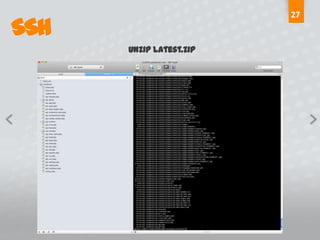
27SSHunzip latest.zip
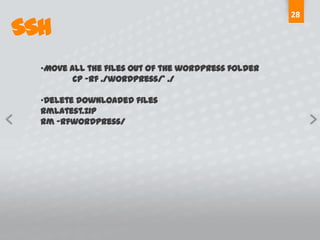
28SSHMove all the files out of the wordpress folder	cp –rf ./wordpress/* ./Delete downloaded filesrmlatest.ziprm –rfwordpress/
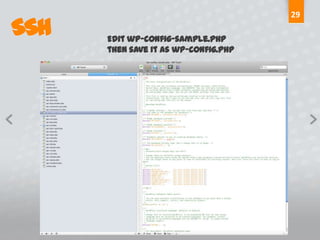
29SSHEdit wp-config-sample.phpthen save it as wp-config.php
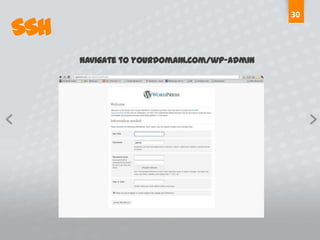
30SSHNavigate to yourdomain.com/wp-admin
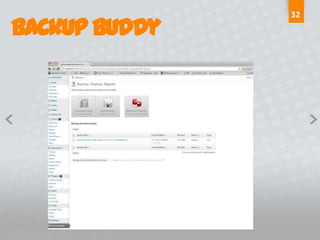
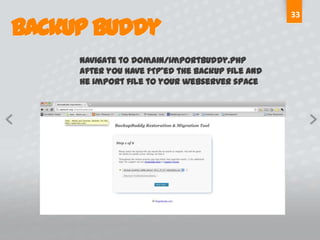
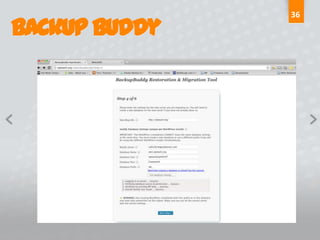
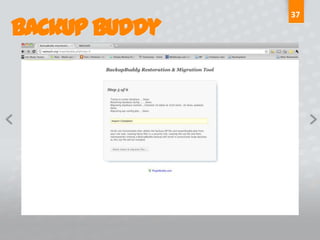
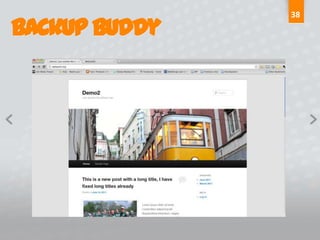
31Backup BuddyWhat is Backup Buddy?A WordPress plugin developed by ithemes ( www.ithemes.com)	Like getting 3 plugins in one			Installations			Backups			Migration toolWhy use Backup Buddy?	Allows you to develop locally, deploy to a web server	Takes all of your themes, custom CSS, plugins, content over in one smooth moveWhy NOT to use Backup Buddy?No custom installation of WordPress
32Backup Buddy
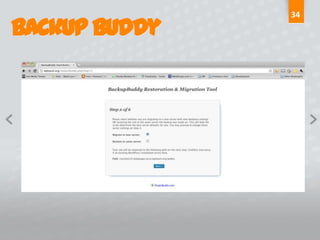
33Backup BuddyNavigate to domain/importbuddy.phpafter you have FTP’ed the backup file and he import file to your webserver space
34Backup Buddy
35Backup Buddy
36Backup Buddy
37Backup Buddy
38Backup Buddy
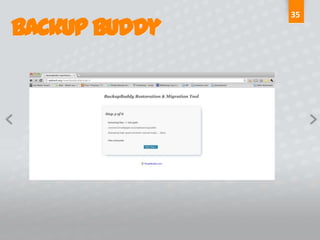
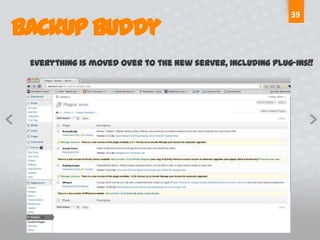
39Backup BuddyEverything is moved over to the new server, including plug-ins!!
Questions?
Contact Mealdavis@aldavis.orgSkype adavis3105Twitter- @adavis3105

Shared Hosting and WordPress

  • 1.
  • 2.
    2What we willcoverWhat is Shared Hosting?Why use Shared Hosting?What to look forThings you should knowHints on how to pick a providerHow to set up WordPress- 4 different methodsHow to migrate a site
  • 3.
    3What is SharedHosting?Many websites reside on a web server connected to the Internet.Each site sits on its own partition, or section, of the server to keep it seperate from other sites. This is generally the most economical option for hosting , as many people share the overall cost of server maintenance. - Wikipedia
  • 4.
    4Why Shared Hosting?CostEffective The cost of servers, internet connectivity, maintenance and manpower is shared over many customers. The cost to run a server in a secure, redundant environment can easily run to tens of thousands of dollars per month. Run your business, not your technologyShared Hosting allows you to focus on running your business, not learning how to run a web server.All told, it’s the simplest way to have a website, ideal for small businesses.
  • 5.
    5What is required?Minimumrequirements for WordPress Version 3.1PHP version 4.3
  • 6.
    MySQL version 4.1.2Version3.2 (released July 4)PHP version 5.2.4 or greater
  • 7.
    MySQl version 5.0or greater6Things you should knowBut providers don’t tell youAll that storage and bandwidth?...You’re never going to use it all.Text is cheap ... but pictures and video will kill your storageFTP Access...never needs to be cappedEmail storage...shouldn’t be bundled upMSAccess...is simply wrong. Don’t use it for your website. Ever. And I mean ever!!!!
  • 8.
    7Things you shouldlook forFrom a hosting providerCall supportHow long did it take to talk to a live person? Do they even have live support? Call when you are nost likely to be working on your site...calling at 10 am when you are going to be working at 7pm will not give you an accurate ideaAsk to be transferred to the sales departmentHow was that experience? Did sales know why you were transferred?Don’t get locked in Don’t commit for any more than 12 months maximum.
  • 9.
    8Installing WordPress4 differentmethodsOne-Click InstallerFTPSSHUsing a plug-in
  • 10.
    9One-Click InstallerWhat isit?An application that installs software for the end user (WordPress, Joomla, Drupal etc.)Why Use it?Simple to use Fast Why Not to use it No control of what is installed No control of how it is installed Can be tough to go back and change the installation
  • 11.
  • 12.
  • 13.
  • 14.
    13FTPWhat is FTP?Standsfor File Transfer Protocol Fancy way of saying “moving files from your computer to the server via the internet”What do you need?FTP Client. There are many out there for Windows and Mac—some are even freeWhy use FTP? Fine control over what is installed When you’ve uploaded your files, you get to use the famous 5-minute install for WPWhy NOT to use FTPCan be slow depending upon your Internet connection Requires greater technical knowledge than One-Click Need to set up your own database for WP to work
  • 15.
  • 16.
  • 17.
  • 18.
  • 19.
  • 20.
  • 21.
  • 22.
  • 23.
  • 24.
  • 25.
    24SSHWhat is SSH?Standsfor Secure Shell Fancy way of saying “A secure channel to connect to your web server space.” Command line based ( Advanced users)What do you need?Command Line Tool- PuTTY – Windows Terminal - MacWhy use SSH? Much faster than FTP Guarantees you always get the latest version of WordPressWhy NOT to use SSH?Not all hosting providers offer full access (unable to connect to other sites) Requires greater technical knowledge Requires command line use
  • 26.
  • 27.
  • 28.
  • 29.
    28SSHMove all thefiles out of the wordpress folder cp –rf ./wordpress/* ./Delete downloaded filesrmlatest.ziprm –rfwordpress/
  • 30.
  • 31.
  • 32.
    31Backup BuddyWhat isBackup Buddy?A WordPress plugin developed by ithemes ( www.ithemes.com) Like getting 3 plugins in one Installations Backups Migration toolWhy use Backup Buddy? Allows you to develop locally, deploy to a web server Takes all of your themes, custom CSS, plugins, content over in one smooth moveWhy NOT to use Backup Buddy?No custom installation of WordPress
  • 33.
  • 34.
    33Backup BuddyNavigate todomain/importbuddy.phpafter you have FTP’ed the backup file and he import file to your webserver space
  • 35.
  • 36.
  • 37.
  • 38.
  • 39.
  • 40.
    39Backup BuddyEverything ismoved over to the new server, including plug-ins!!
  • 41.
  • 42.