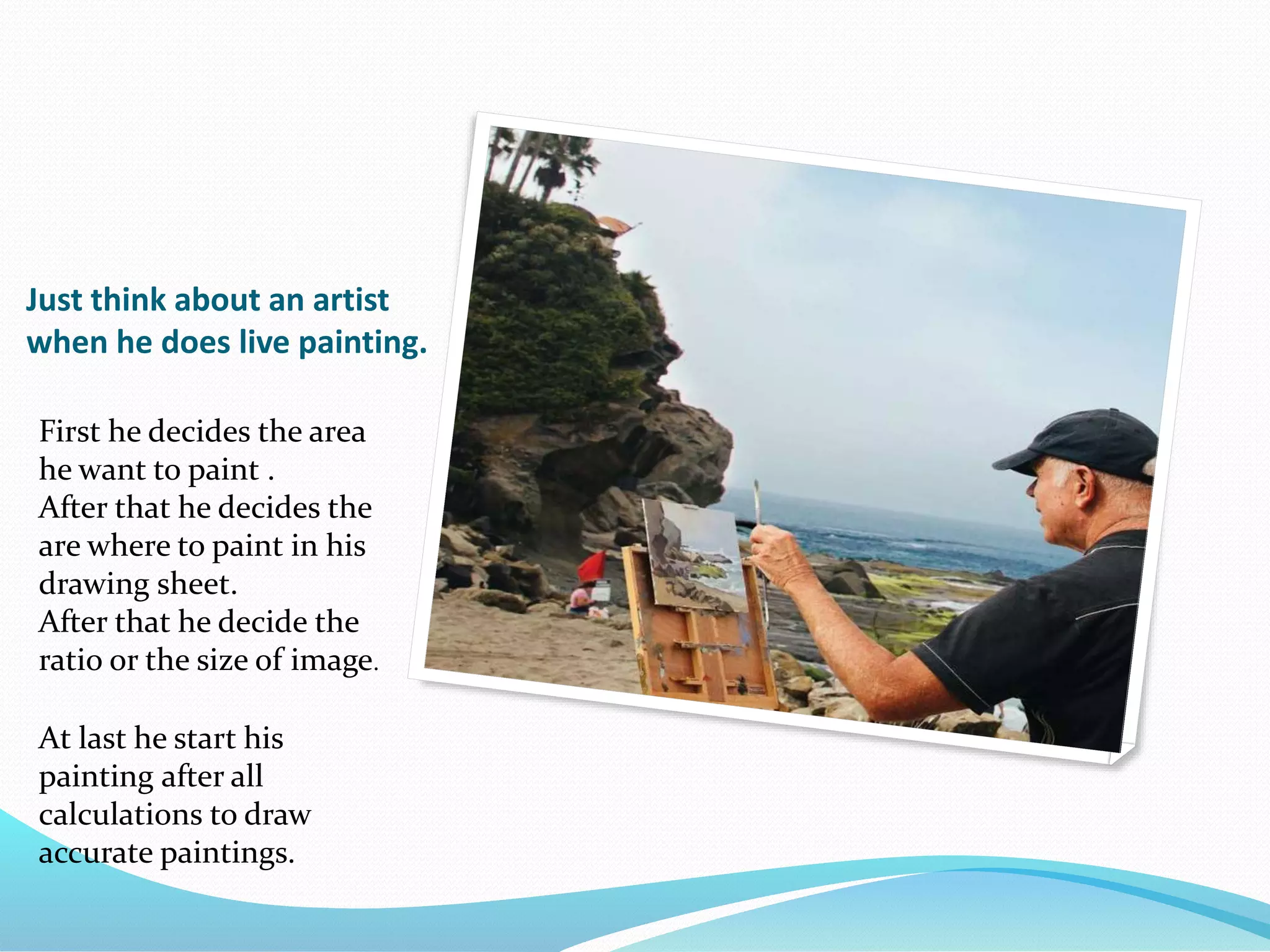
Just think about an artist
when he does live painting.
First he decides the area
he want to paint .
After that he decides the
are where to paint in his
drawing sheet.
After that he decide the
ratio or the size of image.
At last he start his
painting after all
calculations to draw
accurate paintings.
Window to View-Port Transformation
 Window to View-Port Transformation is the
transformation from world to device coordinates. It is
actually a combination of many transformations. It
basically involves translation,
scaling, rotation transformations. It also requires
methods to delete those portions of the scene which
are outside the selected display area. This is
called clipping.
WORLD COORDINATE?
 World coordinate is the actual physically vision that we
experience in everyday life.
What is Window?
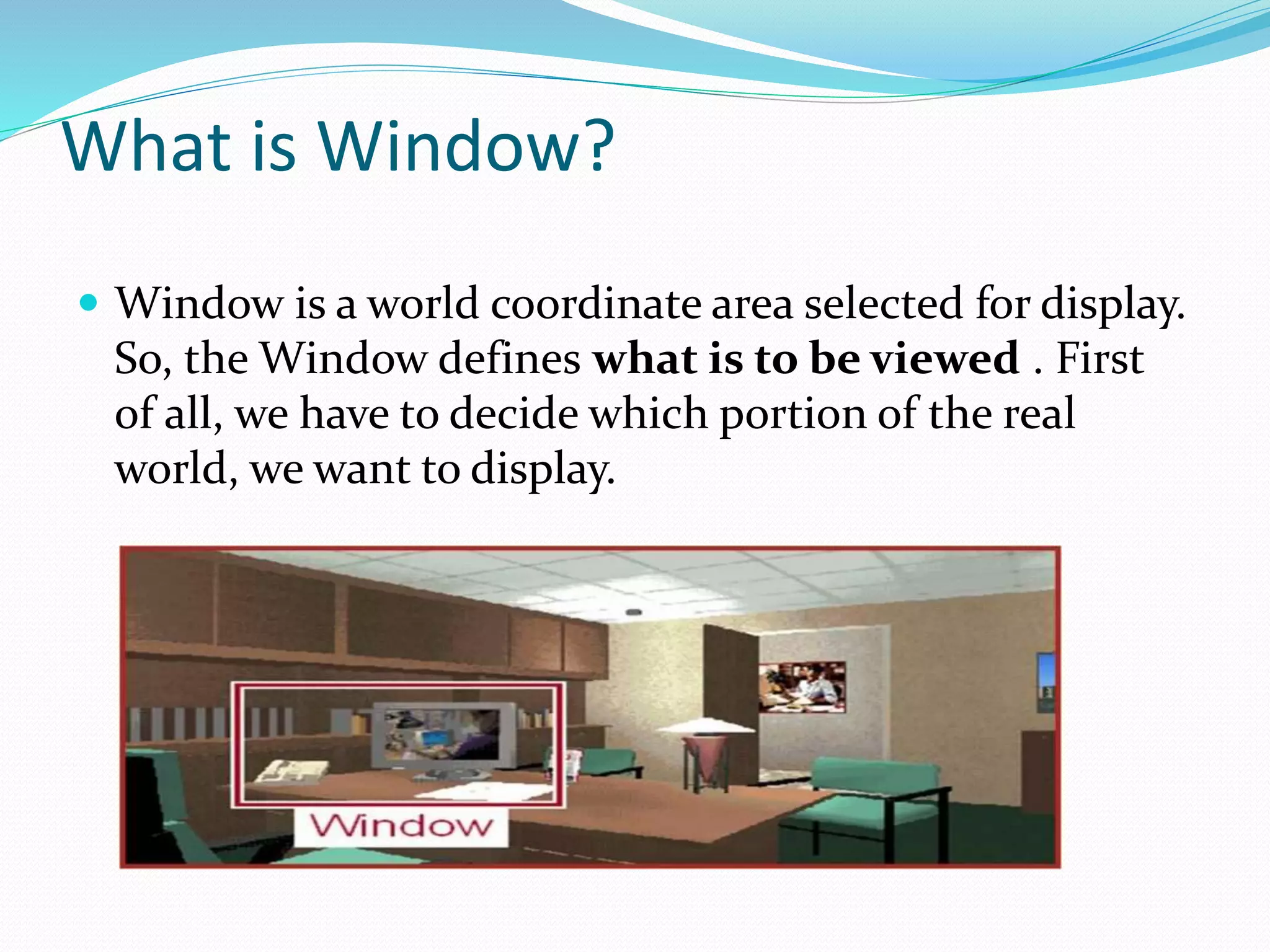
 Window is a world coordinate area selected for display.
So, the Window defines what is to be viewed . First
of all, we have to decide which portion of the real
world, we want to display.
View-Port
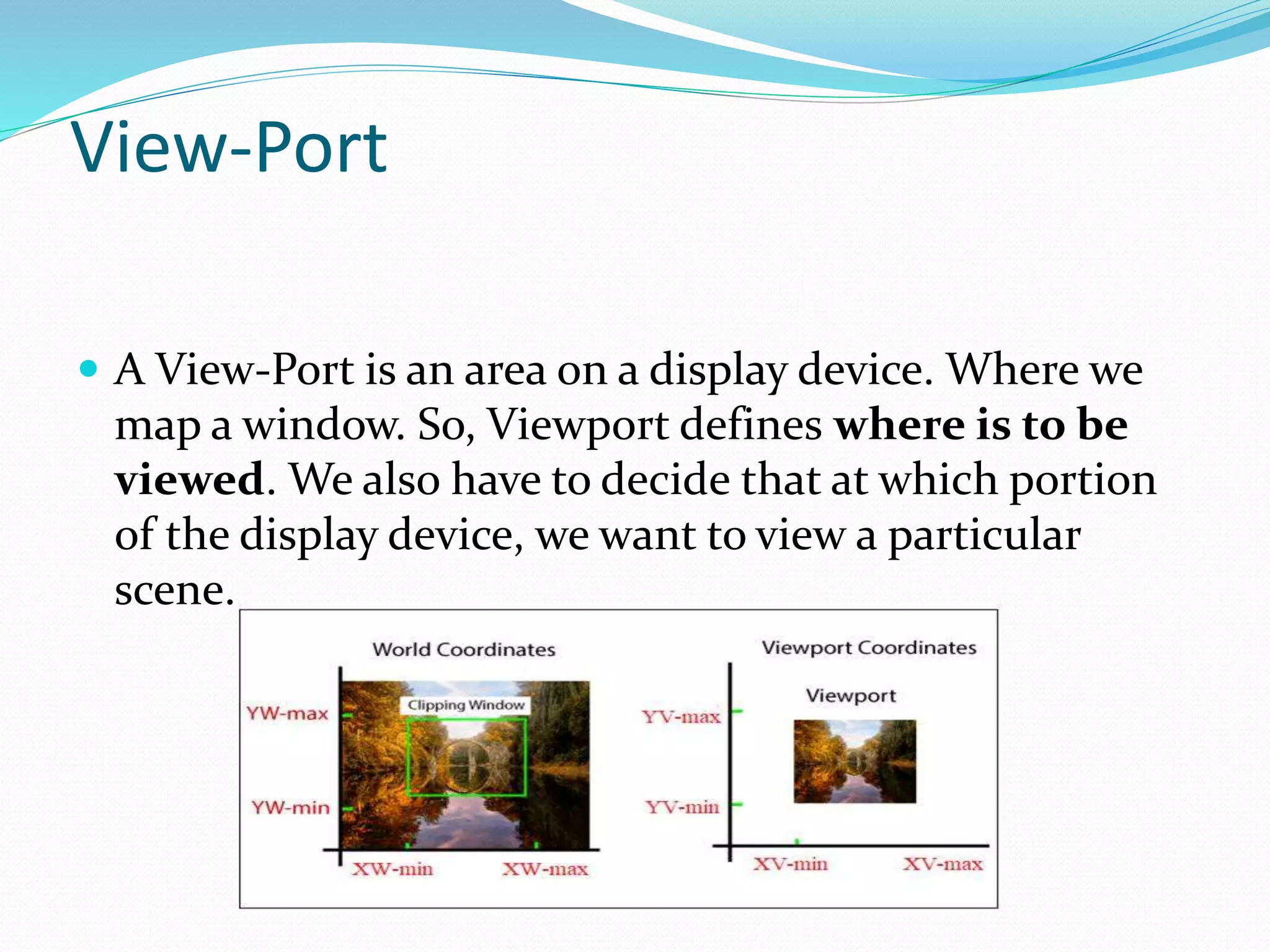
 A View-Port is an area on a display device. Where we
map a window. So, Viewport defines where is to be
viewed. We also have to decide that at which portion
of the display device, we want to view a particular
scene.
Window to View-Port
Transformation
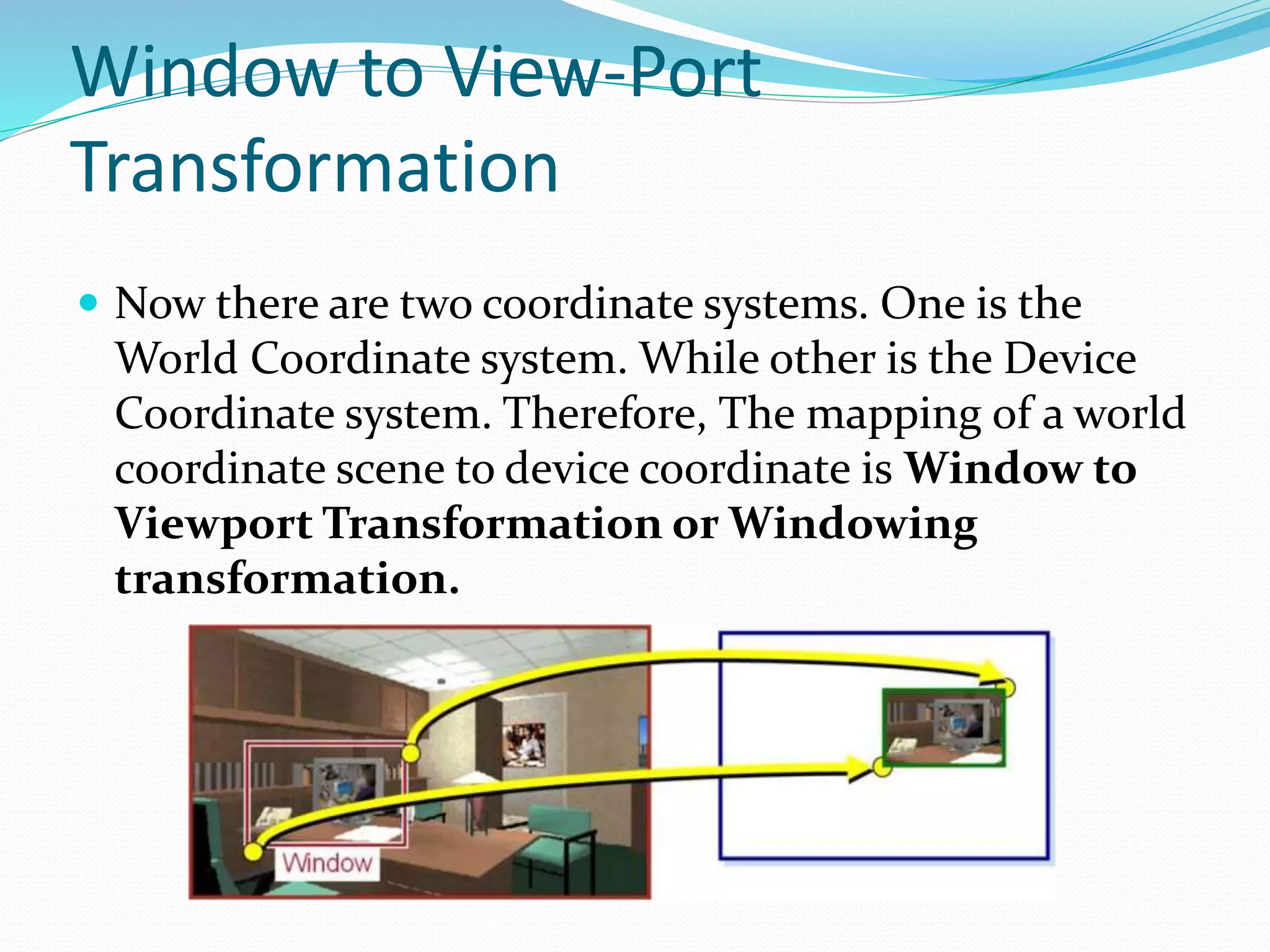
 Now there are two coordinate systems. One is the
World Coordinate system. While other is the Device
Coordinate system. Therefore, The mapping of a world
coordinate scene to device coordinate is Window to
Viewport Transformation or Windowing
transformation.
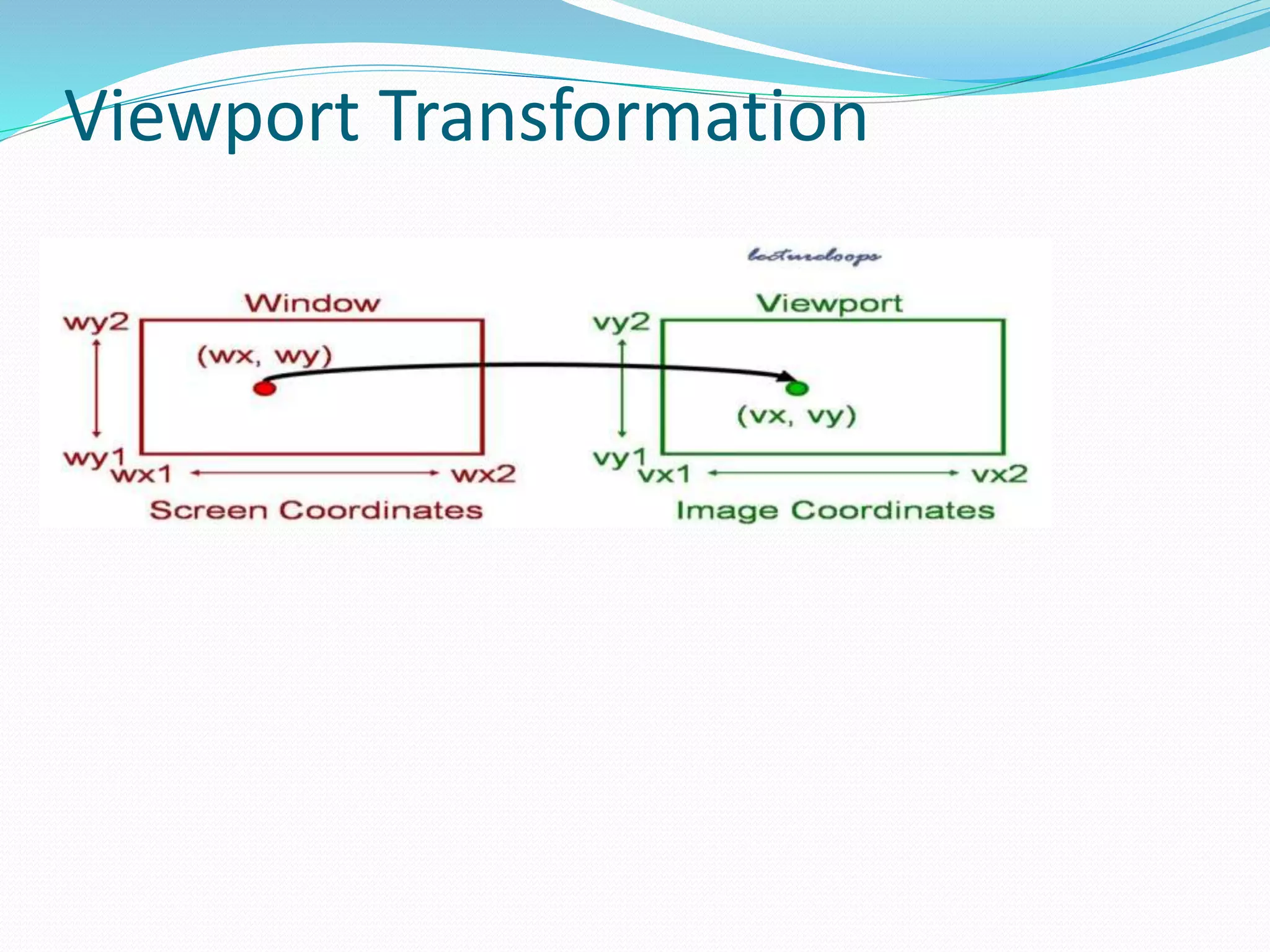
Viewport Transformation
WINDOW TO VIEWPORT
TRANSFORMATION numerical
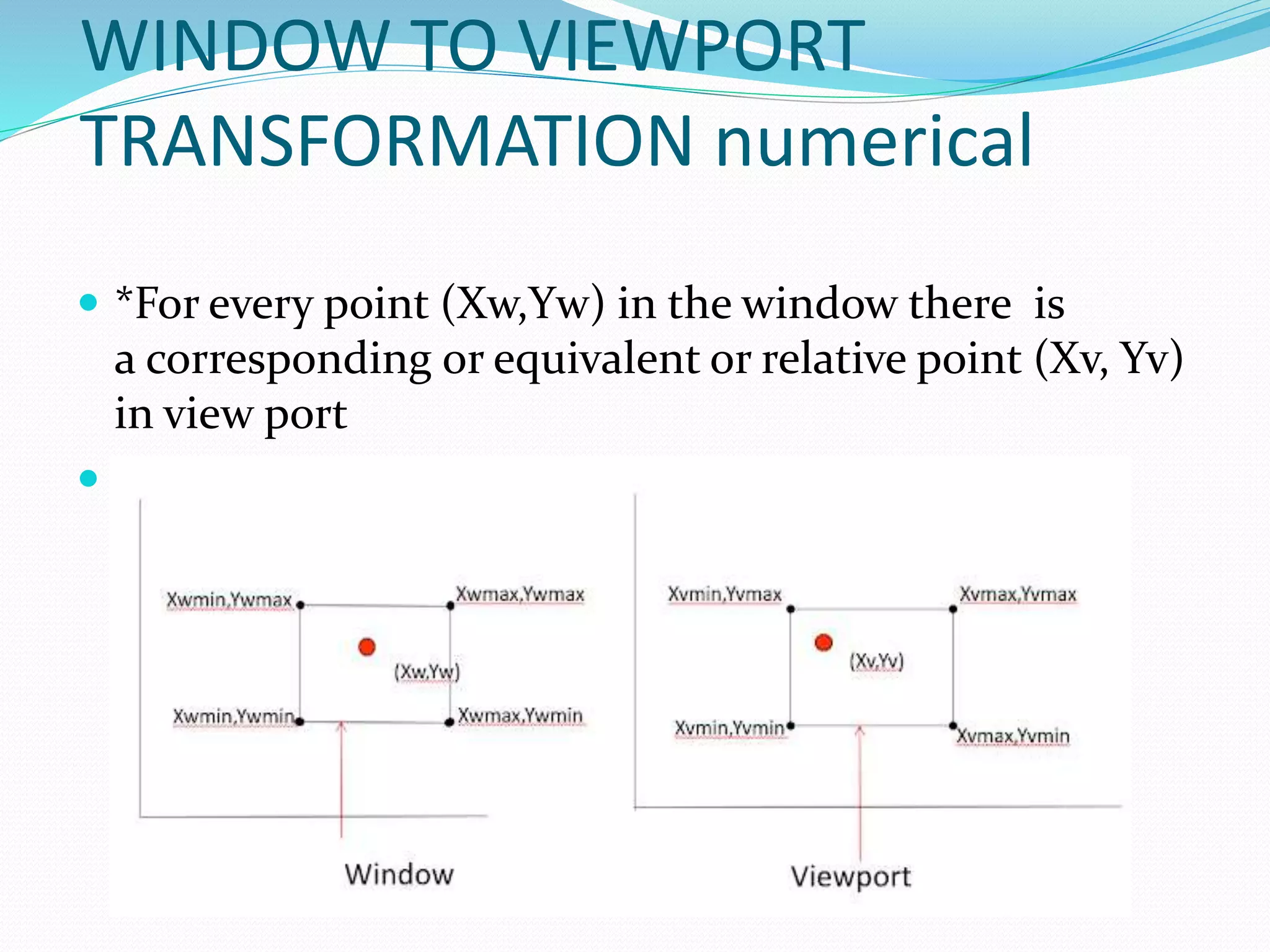
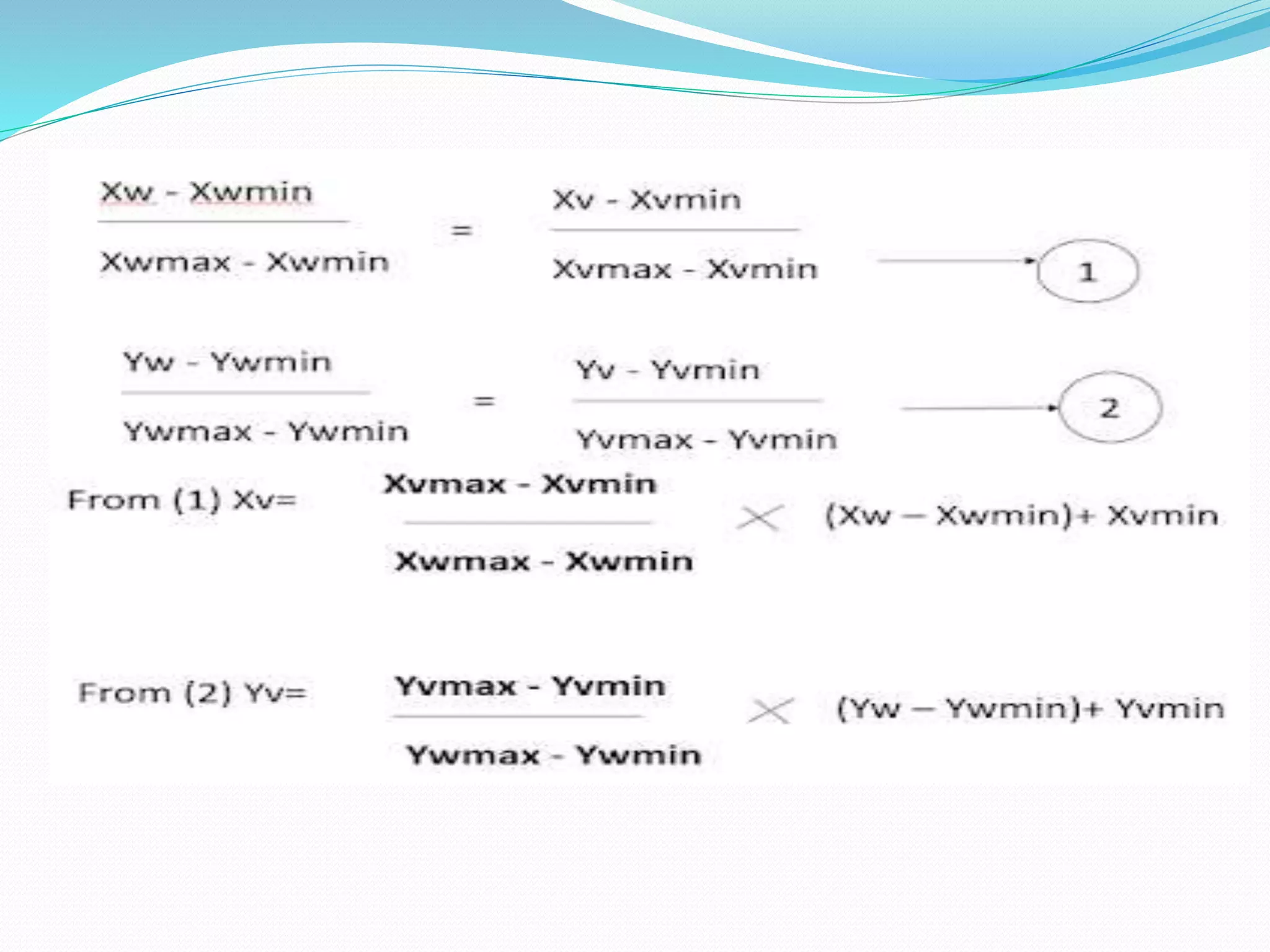
 *For every point (Xw,Yw) in the window there is
a corresponding or equivalent or relative point (Xv, Yv)
in view port

Applications of View-Port
 We can view objects at different positions on the display
area of an output device by changing the positions of the
viewport. Therefore, We can change the size and
proportions of displayed objects by varying the size of the
viewport. It is also possible to determine many viewports
on different areas of display and view the same object at a
different angle in each viewport.
 Zooming Effect-:
 Zooming Effect is Successively mapping different sized
windows on a fixed size viewport. As the windows are made
smaller, so we zoom in on some part of a scene to view
details that were not visible in large windows. Also, We can
obtain more overview by zooming out from a section of a
scene with successively larger windows.
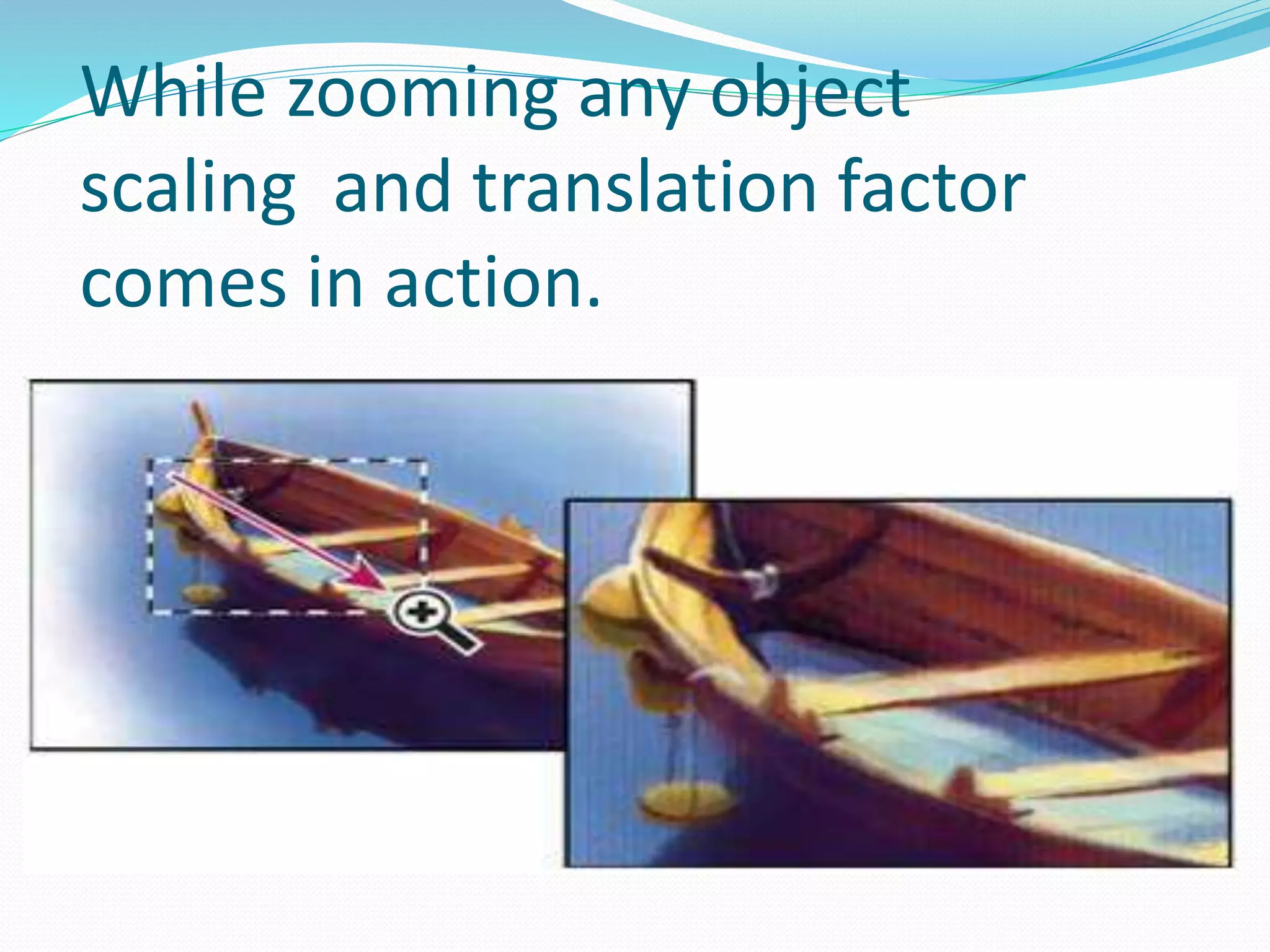
While zooming any object
scaling and translation factor
comes in action.
THANK YOU for paying attention…

Window to Viewport Transformation in Computer Graphics with.pptx

  • 2.
    Just think aboutan artist when he does live painting. First he decides the area he want to paint . After that he decides the are where to paint in his drawing sheet. After that he decide the ratio or the size of image. At last he start his painting after all calculations to draw accurate paintings.
  • 3.
    Window to View-PortTransformation  Window to View-Port Transformation is the transformation from world to device coordinates. It is actually a combination of many transformations. It basically involves translation, scaling, rotation transformations. It also requires methods to delete those portions of the scene which are outside the selected display area. This is called clipping.
  • 4.
    WORLD COORDINATE?  Worldcoordinate is the actual physically vision that we experience in everyday life.
  • 5.
    What is Window? Window is a world coordinate area selected for display. So, the Window defines what is to be viewed . First of all, we have to decide which portion of the real world, we want to display.
  • 6.
    View-Port  A View-Portis an area on a display device. Where we map a window. So, Viewport defines where is to be viewed. We also have to decide that at which portion of the display device, we want to view a particular scene.
  • 7.
    Window to View-Port Transformation Now there are two coordinate systems. One is the World Coordinate system. While other is the Device Coordinate system. Therefore, The mapping of a world coordinate scene to device coordinate is Window to Viewport Transformation or Windowing transformation.
  • 8.
  • 9.
    WINDOW TO VIEWPORT TRANSFORMATIONnumerical  *For every point (Xw,Yw) in the window there is a corresponding or equivalent or relative point (Xv, Yv) in view port 
  • 11.
    Applications of View-Port We can view objects at different positions on the display area of an output device by changing the positions of the viewport. Therefore, We can change the size and proportions of displayed objects by varying the size of the viewport. It is also possible to determine many viewports on different areas of display and view the same object at a different angle in each viewport.  Zooming Effect-:  Zooming Effect is Successively mapping different sized windows on a fixed size viewport. As the windows are made smaller, so we zoom in on some part of a scene to view details that were not visible in large windows. Also, We can obtain more overview by zooming out from a section of a scene with successively larger windows.
  • 12.
    While zooming anyobject scaling and translation factor comes in action.
  • 13.
    THANK YOU forpaying attention…