Windowing I
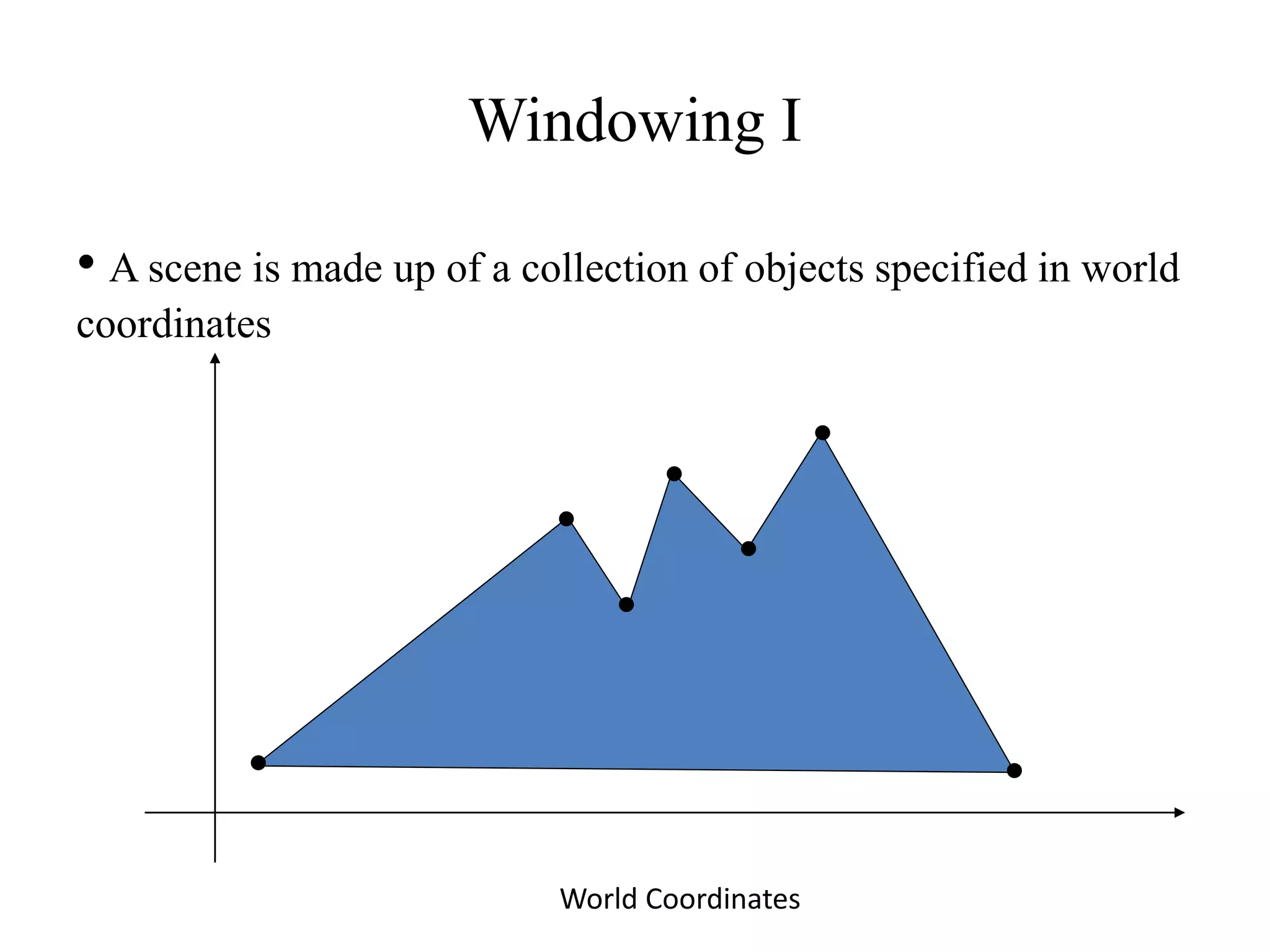
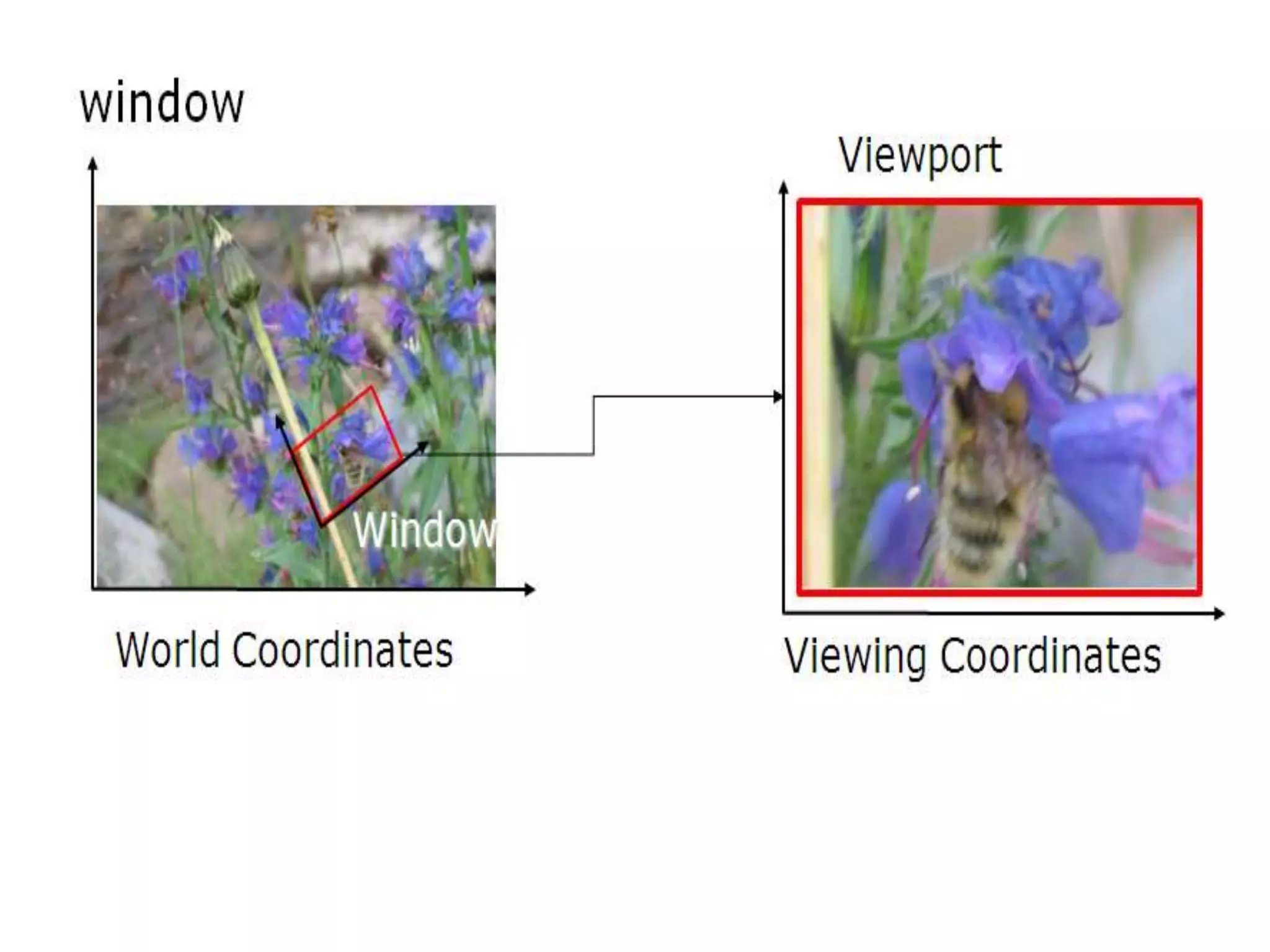
• A scene is made up of a collection of objects specified in world
coordinates
World Coordinates
Windowing II
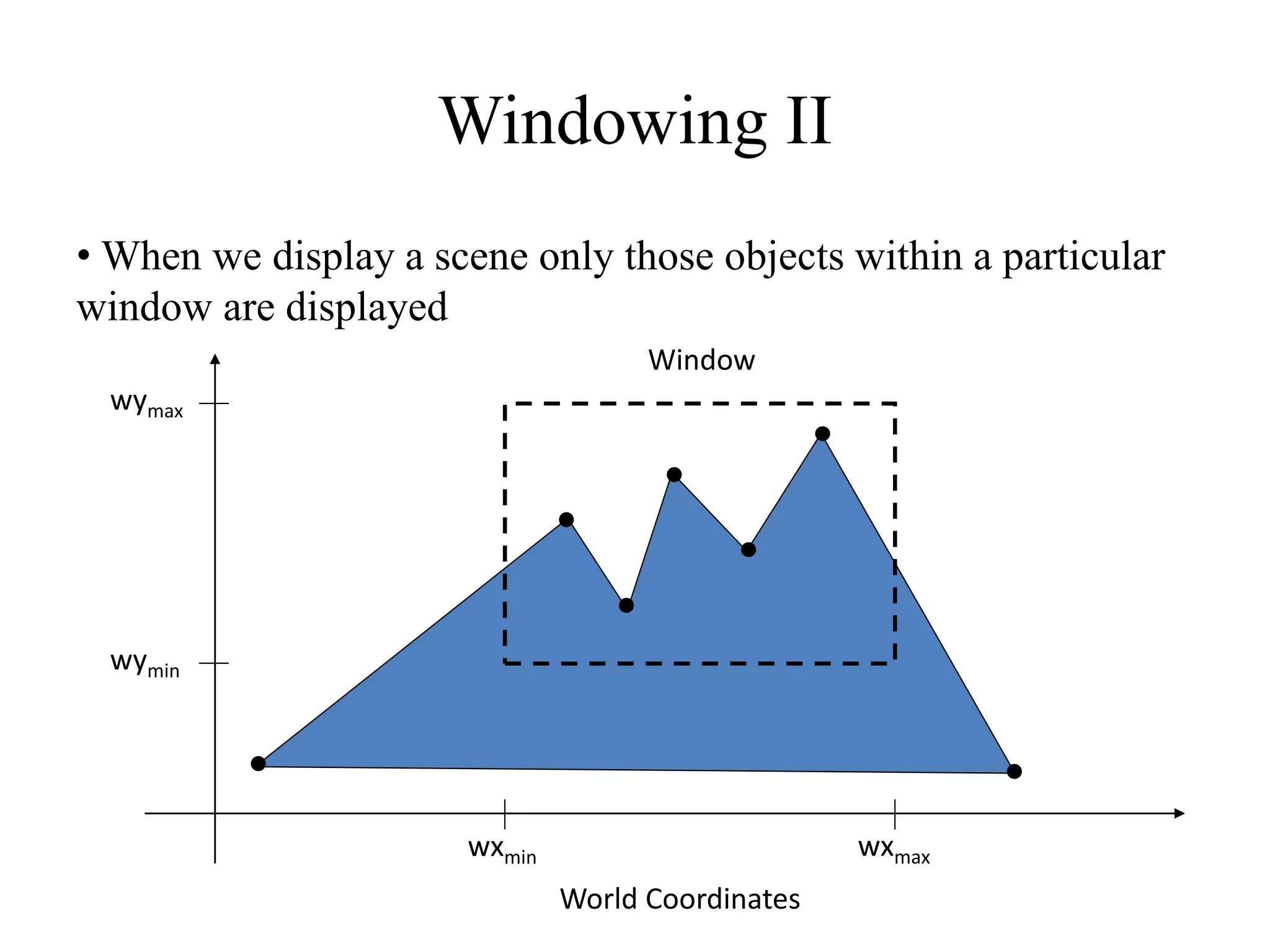
• When we display a scene only those objects within a particular
window are displayed
wymax
wymin
wxmin wxmax
Window
World Coordinates
Windowing III
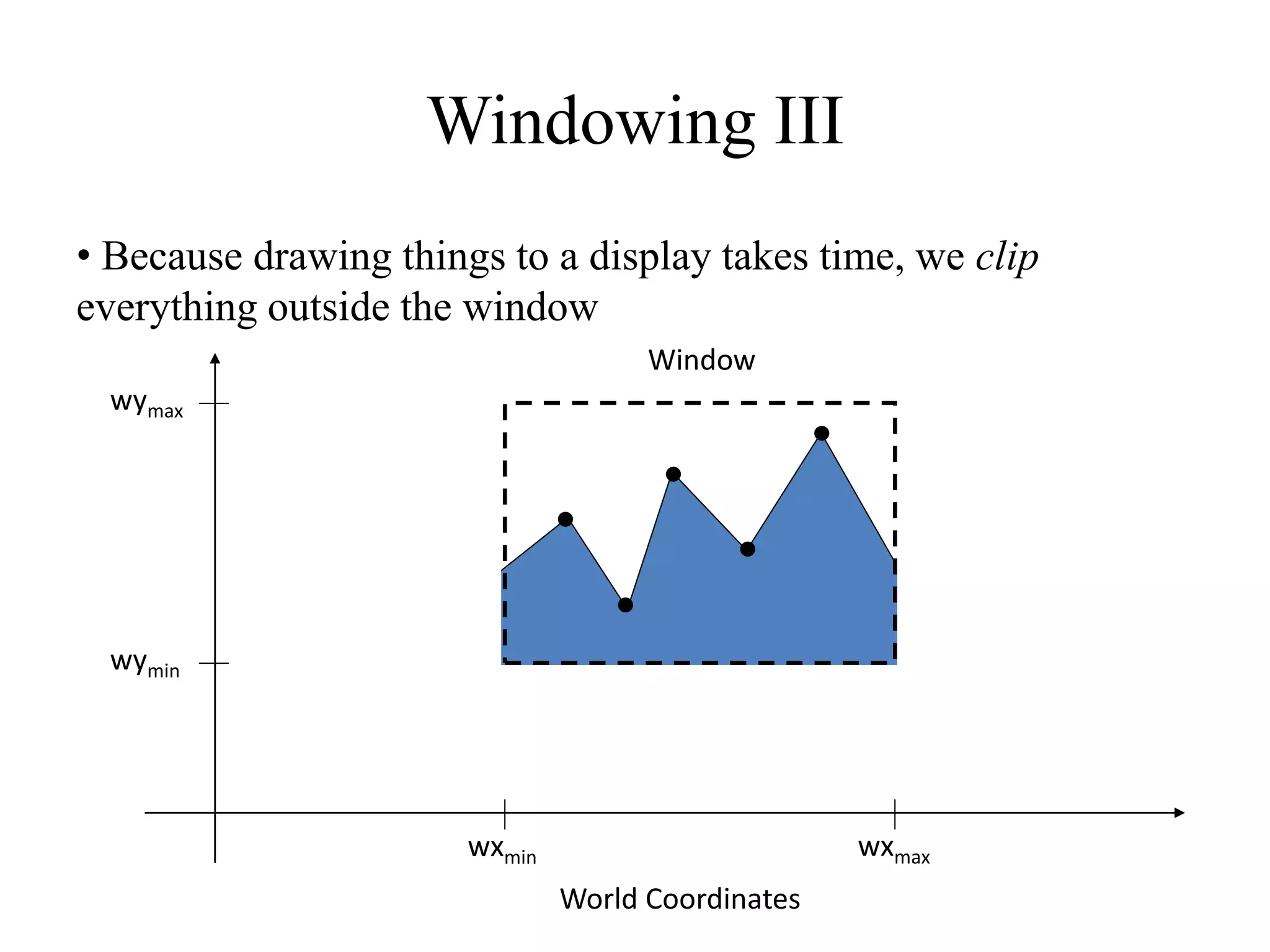
• Because drawing things to a display takes time, we clip
everything outside the window
wymax
wymin
wxmin wxmax
World Coordinates
Window
Clipping Window
• We could design our own clipping window with any shape,
size and orientation.
• But clipping a scene using nonlinear boundaries requires more
processing than clipping against a rectangle.
• Therefore, graphics packages commonly allow only
rectangular clipping windows aligned with the x and y axes.
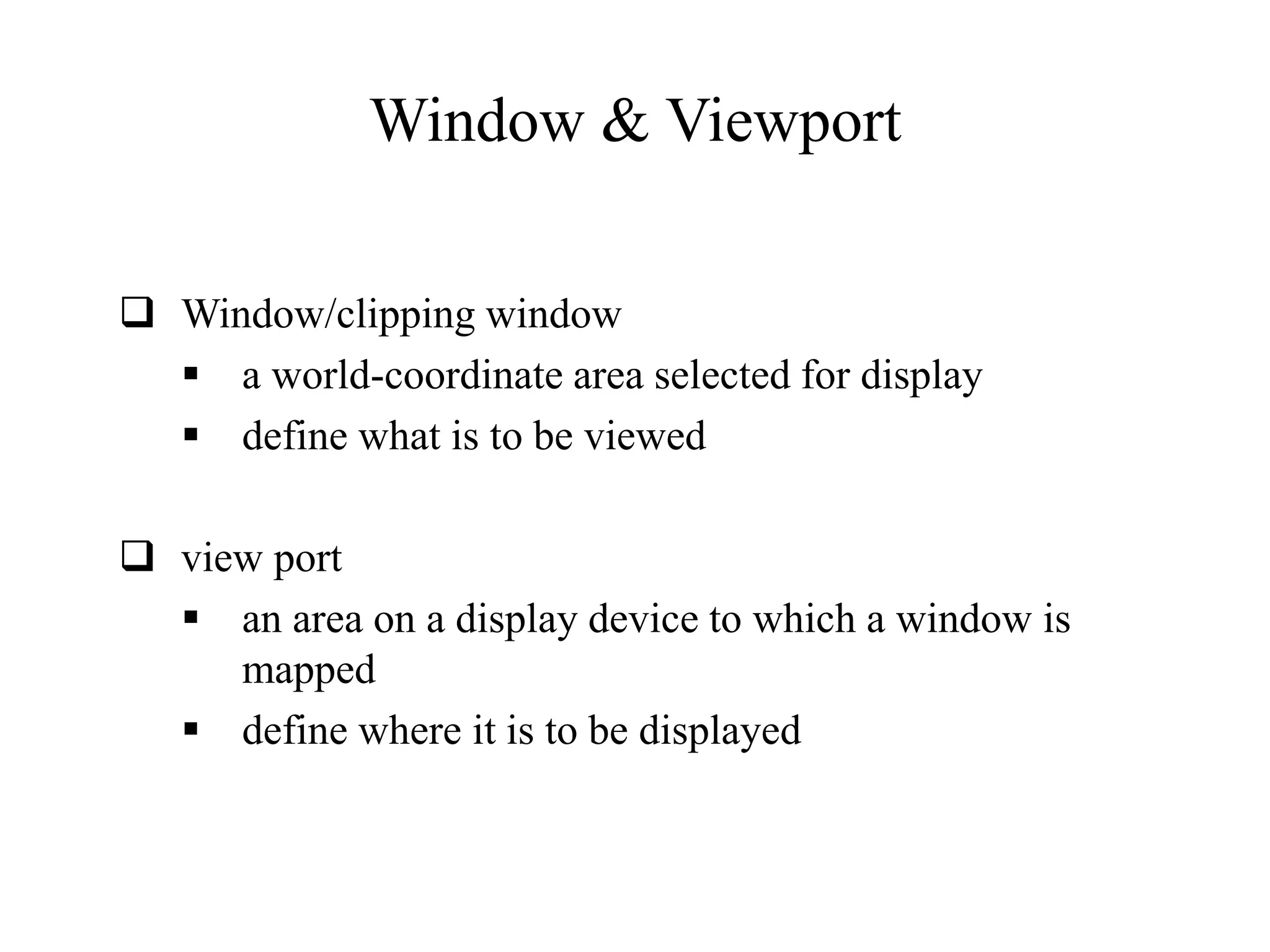
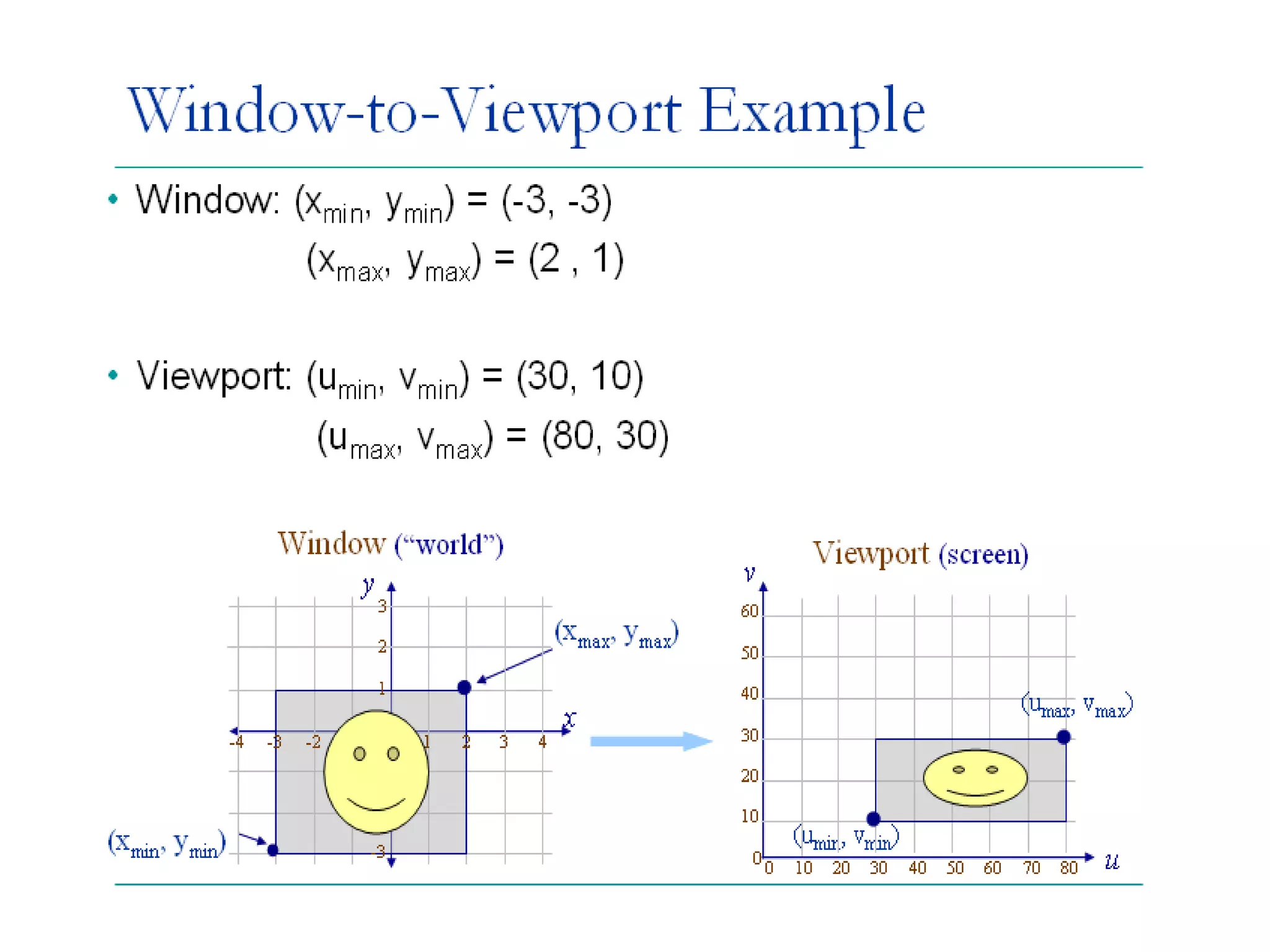
Window & Viewport
 Window/clipping window
 a world-coordinate area selected for display
 define what is to be viewed
 view port
 an area on a display device to which a window is
mapped
 define where it is to be displayed
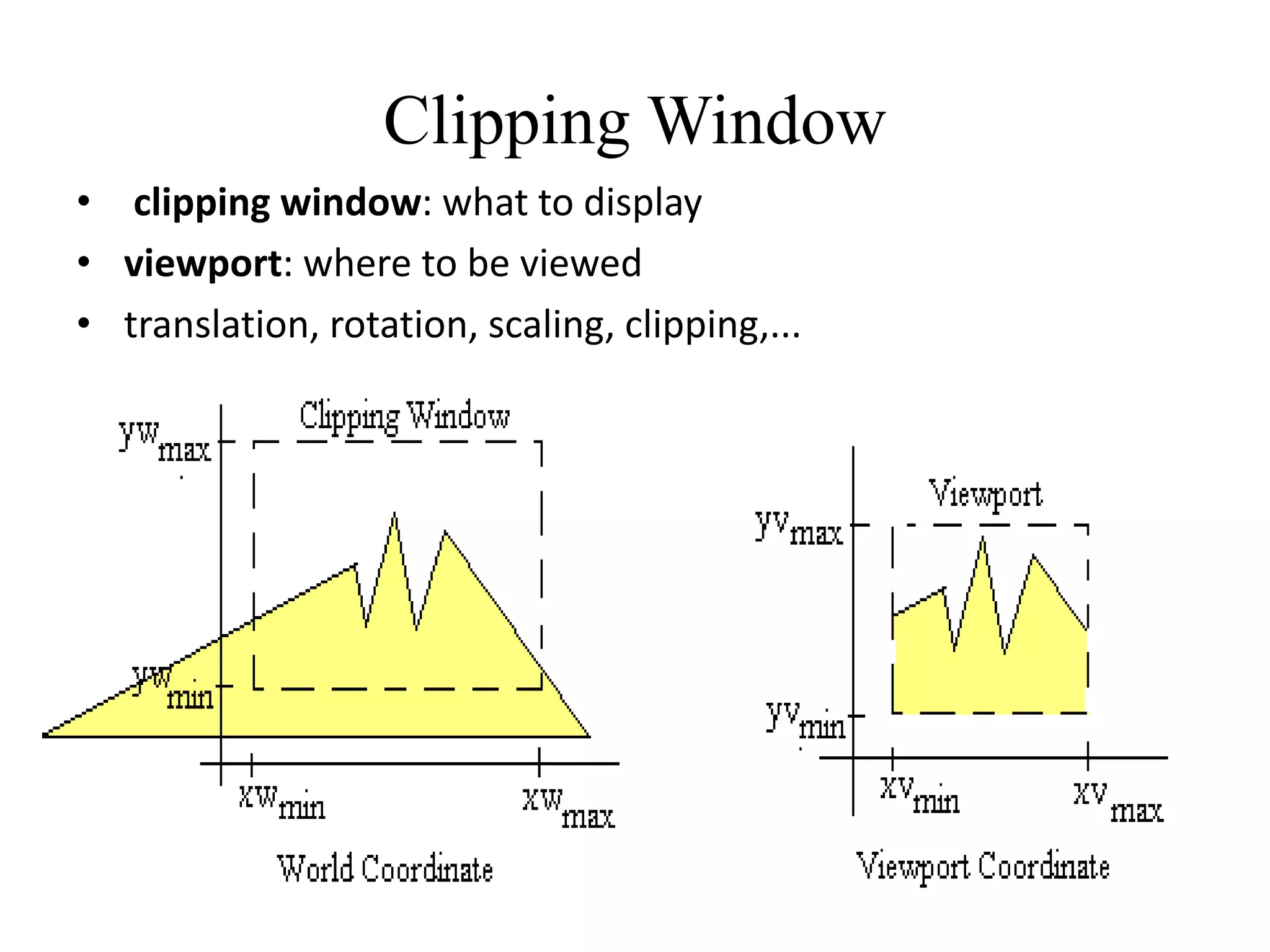
Clipping Window
• clipping window: what to display
• viewport: where to be viewed
• translation, rotation, scaling, clipping,...
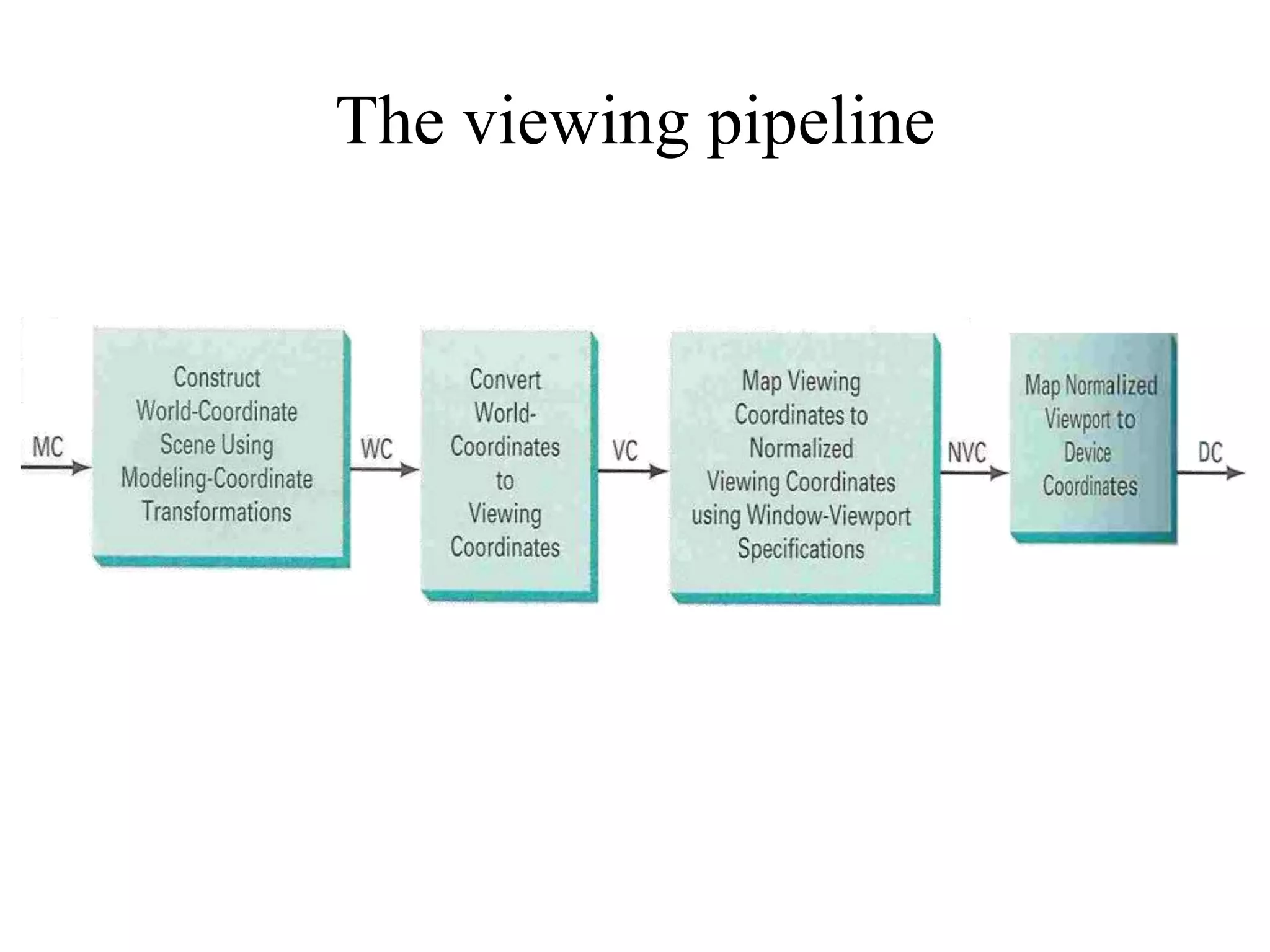
The viewing pipeline
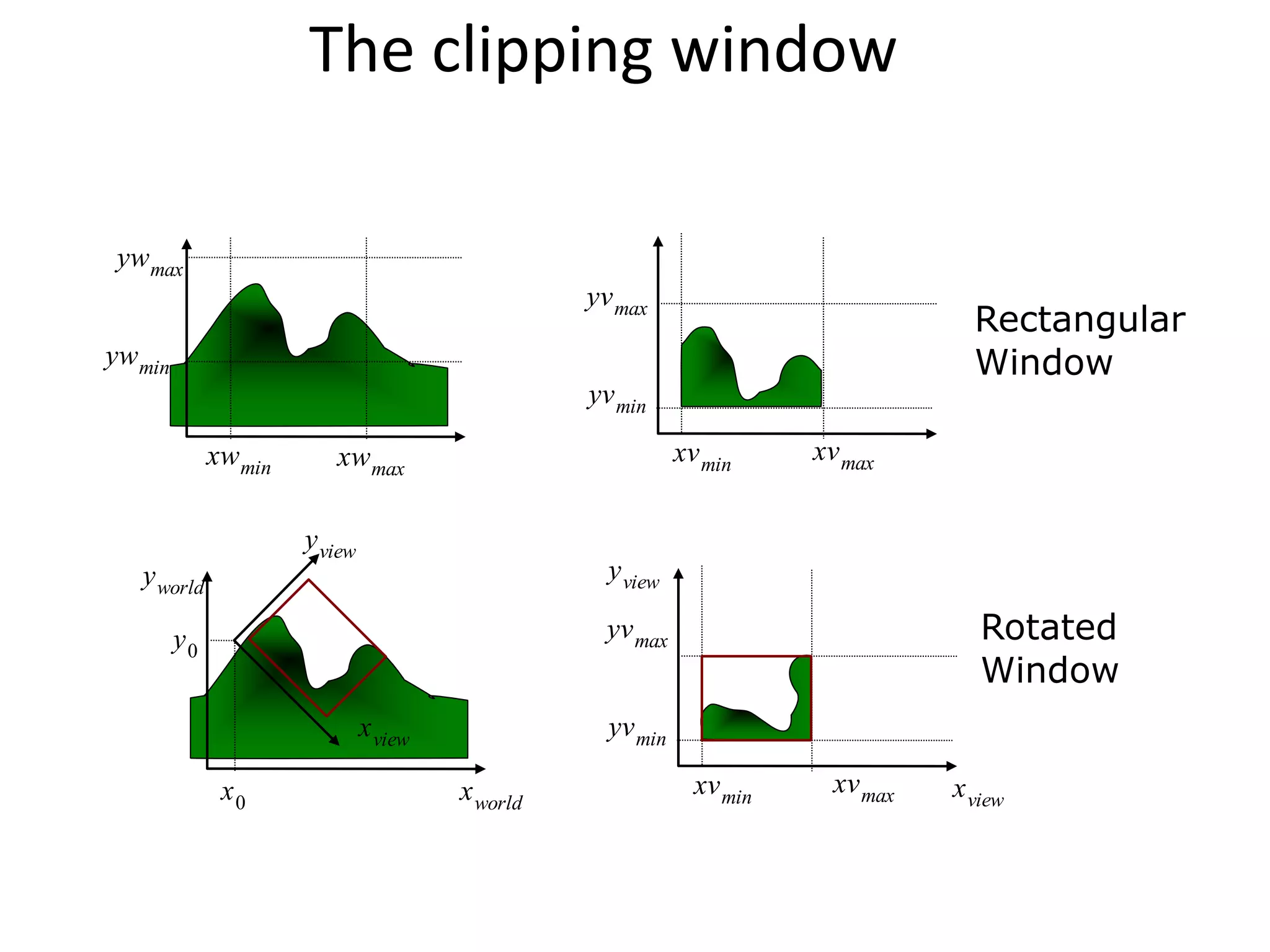
The clipping window
xwmin xwmax
ywmin
ywmax
xvmin
xvmax
yvmin
yvmax
xvmin
xvmax
yvmin
yvmax
x0
y0
xview
yview
xworld
yworld
xview
yview
Rectangular
Window
Rotated
Window
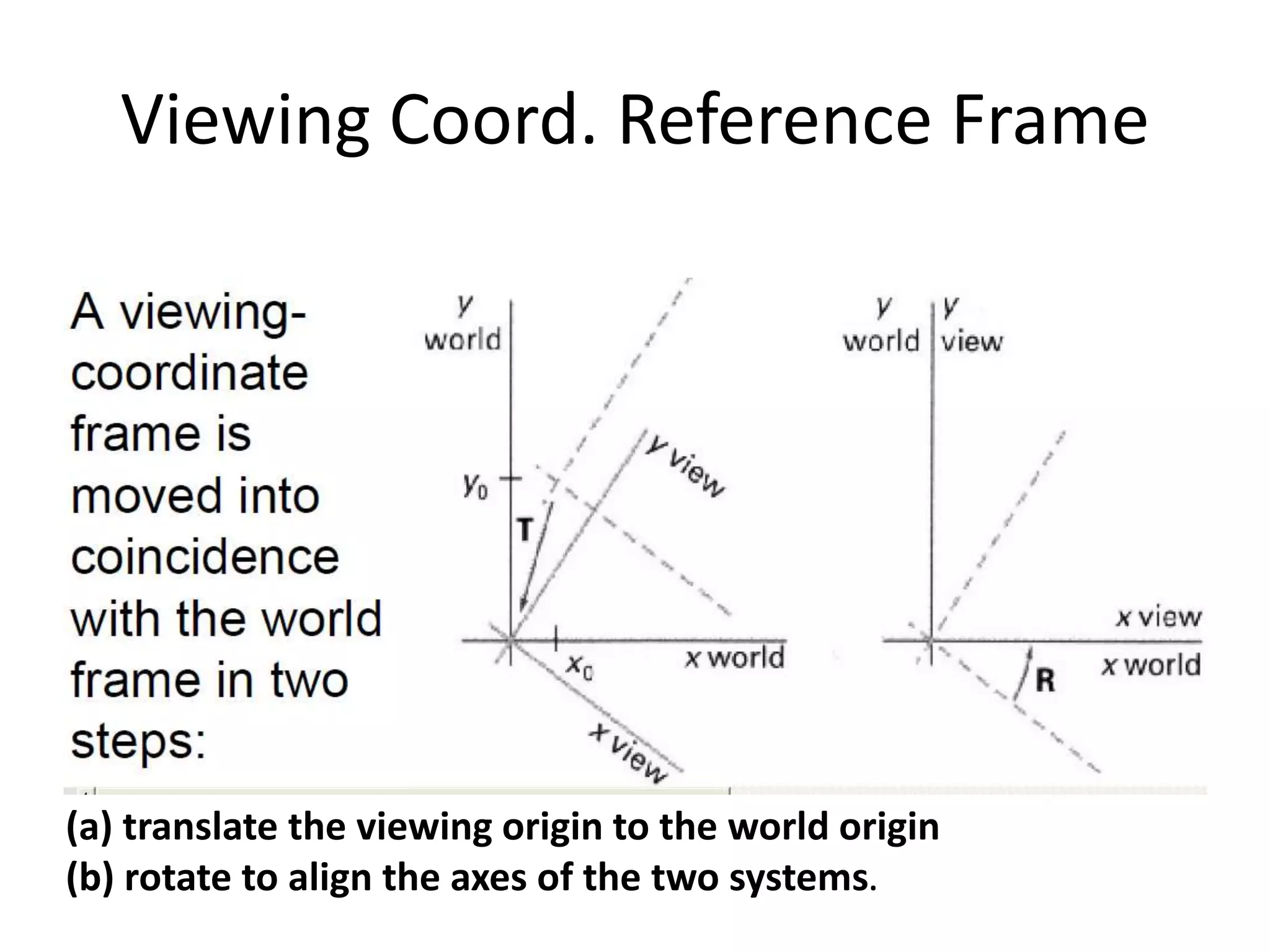
Viewing Coord. Reference Frame
(a) translate the viewing origin to the world origin
(b) rotate to align the axes of the two systems.
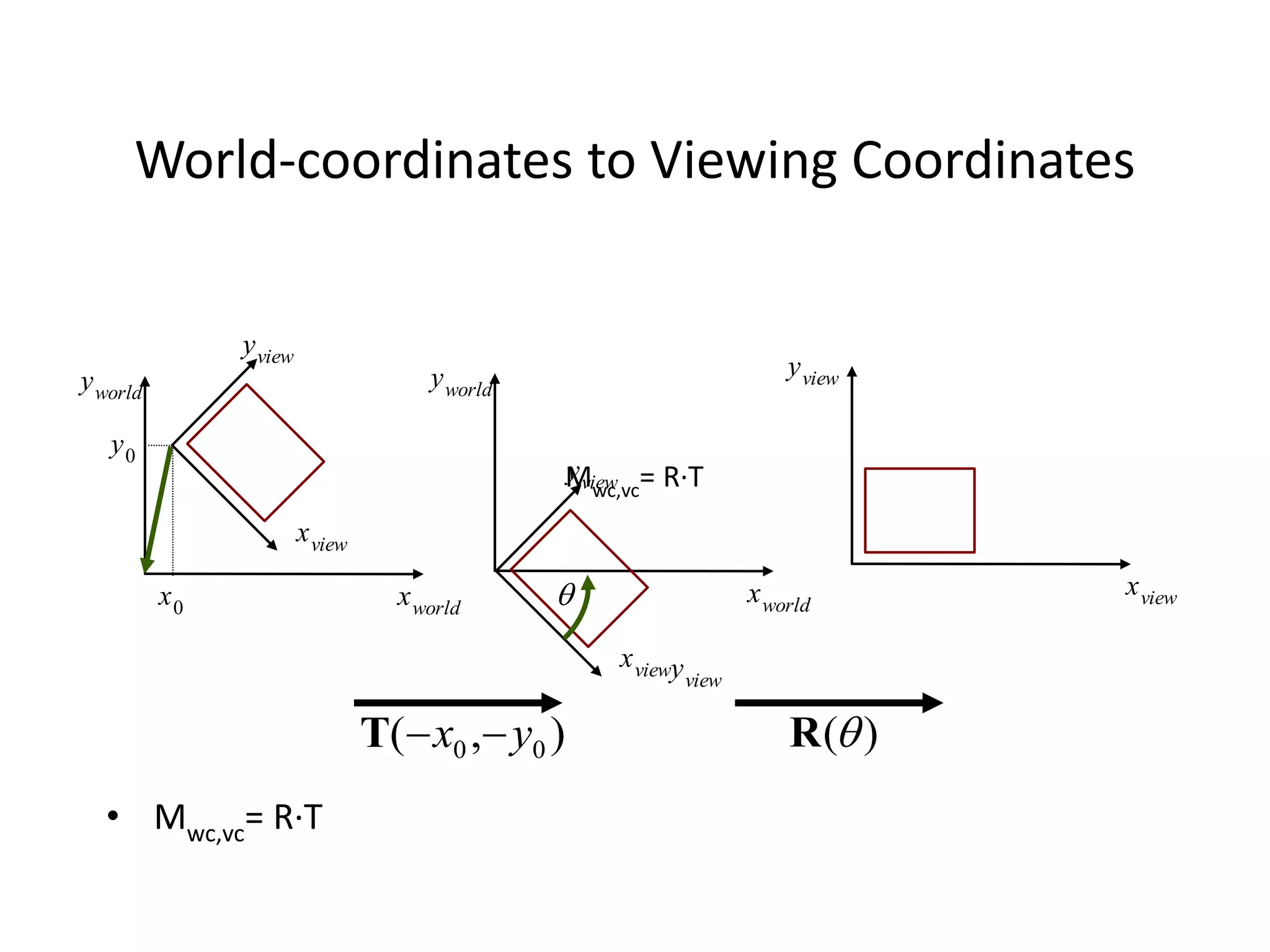
World-coordinates to Viewing Coordinates
• Mwc,vc= R·T
x0
y0
xview
yview
xworld
yworld
xview
yview
xview
yview
xworld
yworld
yview
)
,
( 0
0 y
x 

T )
(
R

Mwc,vc= R·T
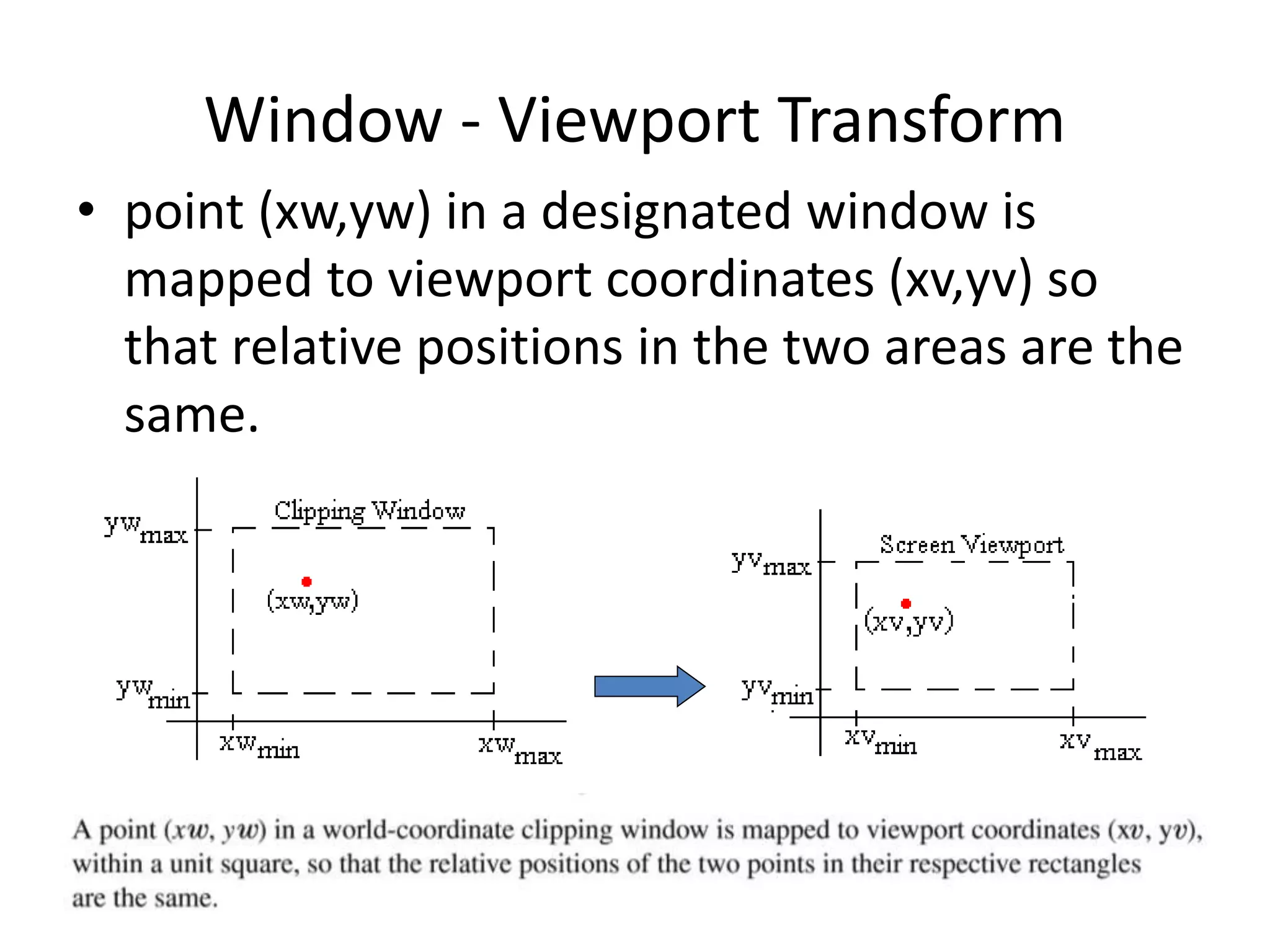
Window - Viewport Transform
• point (xw,yw) in a designated window is
mapped to viewport coordinates (xv,yv) so
that relative positions in the two areas are the
same.
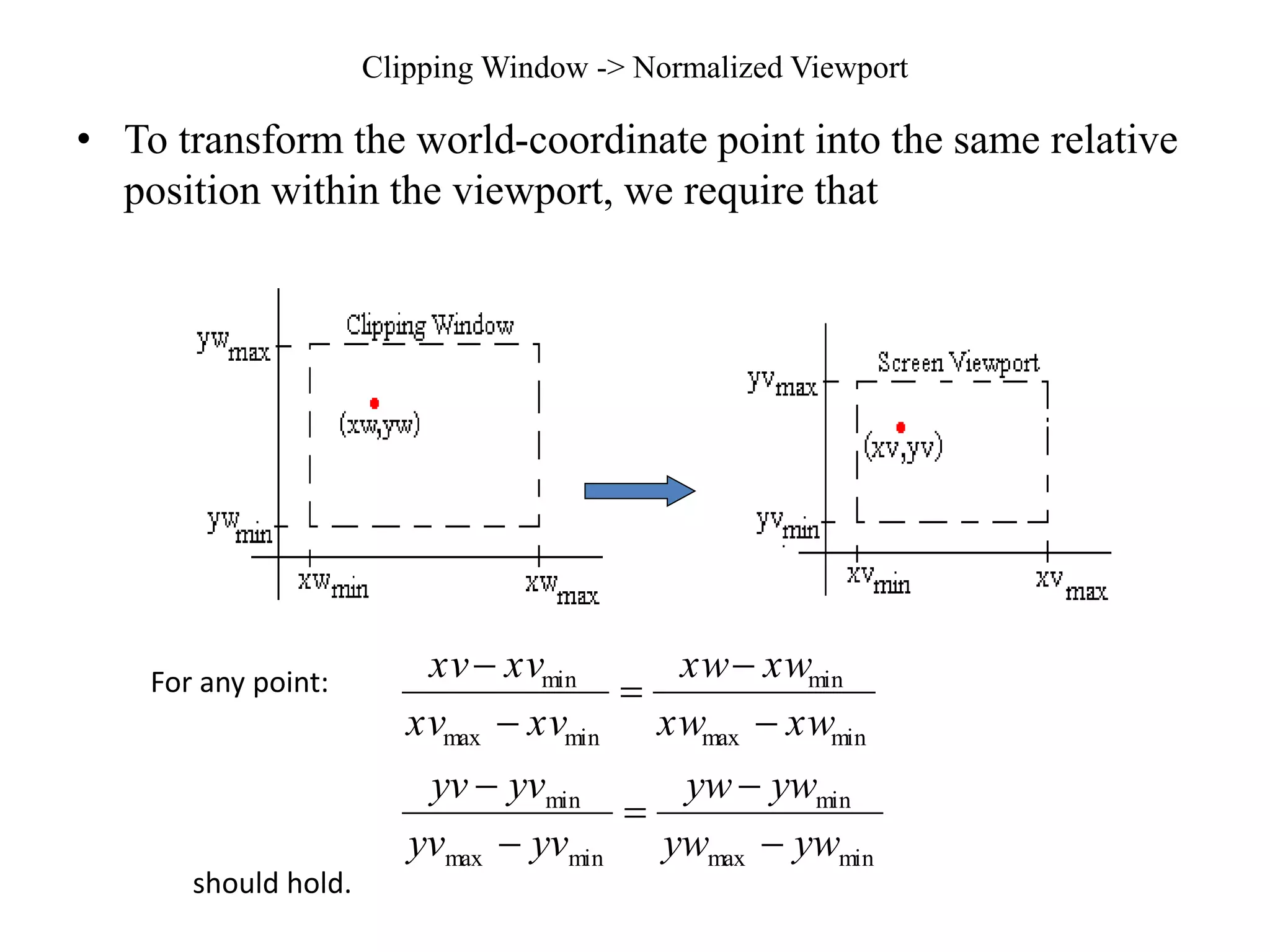
Clipping Window -> Normalized Viewport
• To transform the world-coordinate point into the same relative
position within the viewport, we require that
min
max
min
min
max
min
min
max
min
min
max
min
yw
yw
yw
yw
yv
yv
yv
yv
xw
xw
xw
xw
xv
xv
xv
xv










For any point:
should hold.
  
  
min
max
min
max
min
min
min
max
min
max
min
min
yw
yw
yv
yv
yw
yw
+
yv
=
yv
xw
xw
xv
xv
xw
xw
+
xv
=
xv






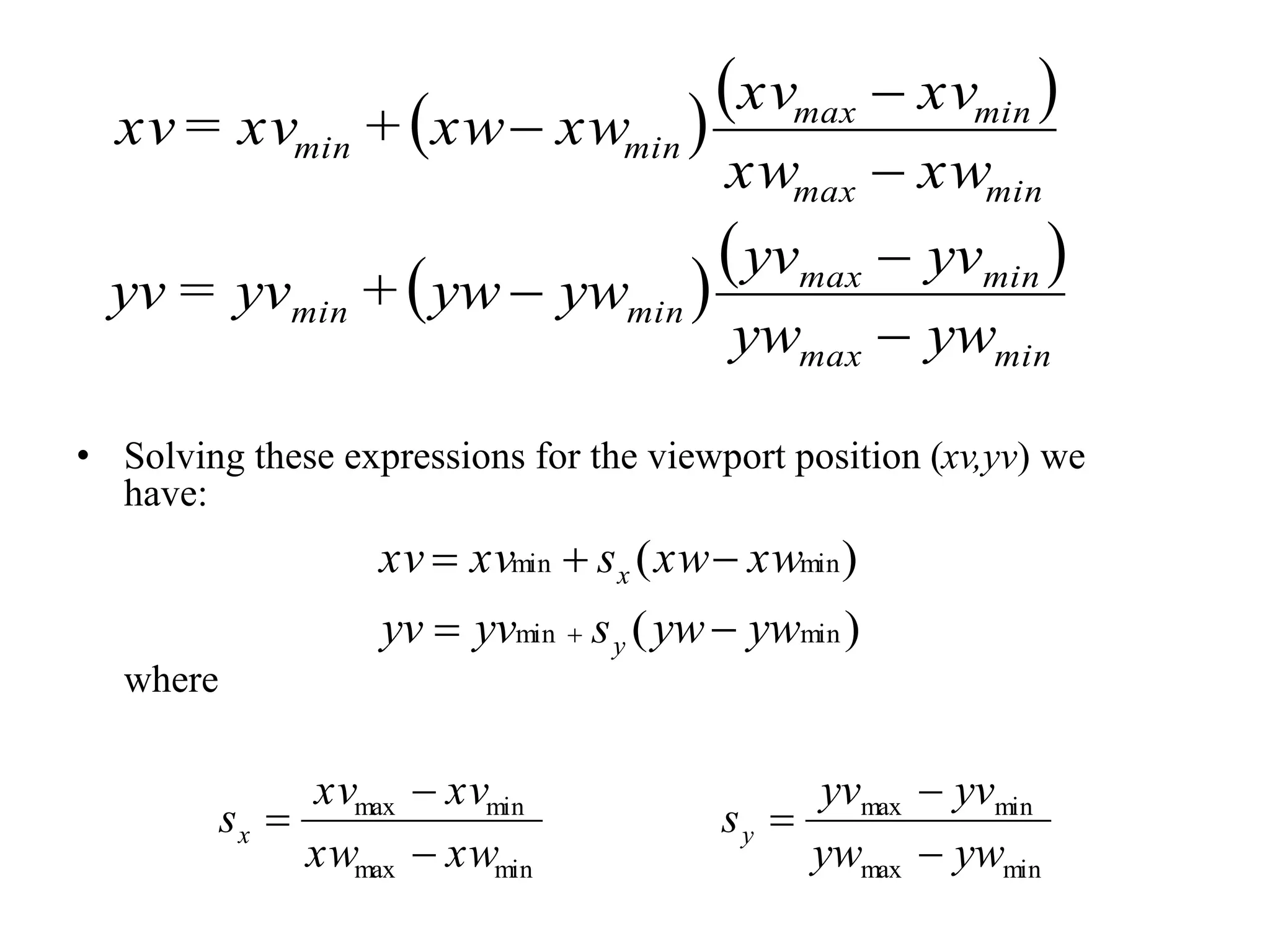
• Solving these expressions for the viewport position (xv,yv) we
have:
where
)
(
)
(
min
min
min
min
yw
yw
s
yv
yv
xw
xw
s
xv
xv
y
x






min
max
min
max
min
max
min
max
yw
yw
yv
yv
s
xw
xw
xv
xv
s y
x






C
xw
s
xv
xw
s
xv
xw
s
xv
xw
s
xw
s
xv
xv
xw
xw
s
xv
xv
x
x
x
x
x
x











min)
min
min
min
min
min
(
)
(

































1
1
0
0
2
0
1
0
1
y
x
c
Sy
c
Sx
y
x
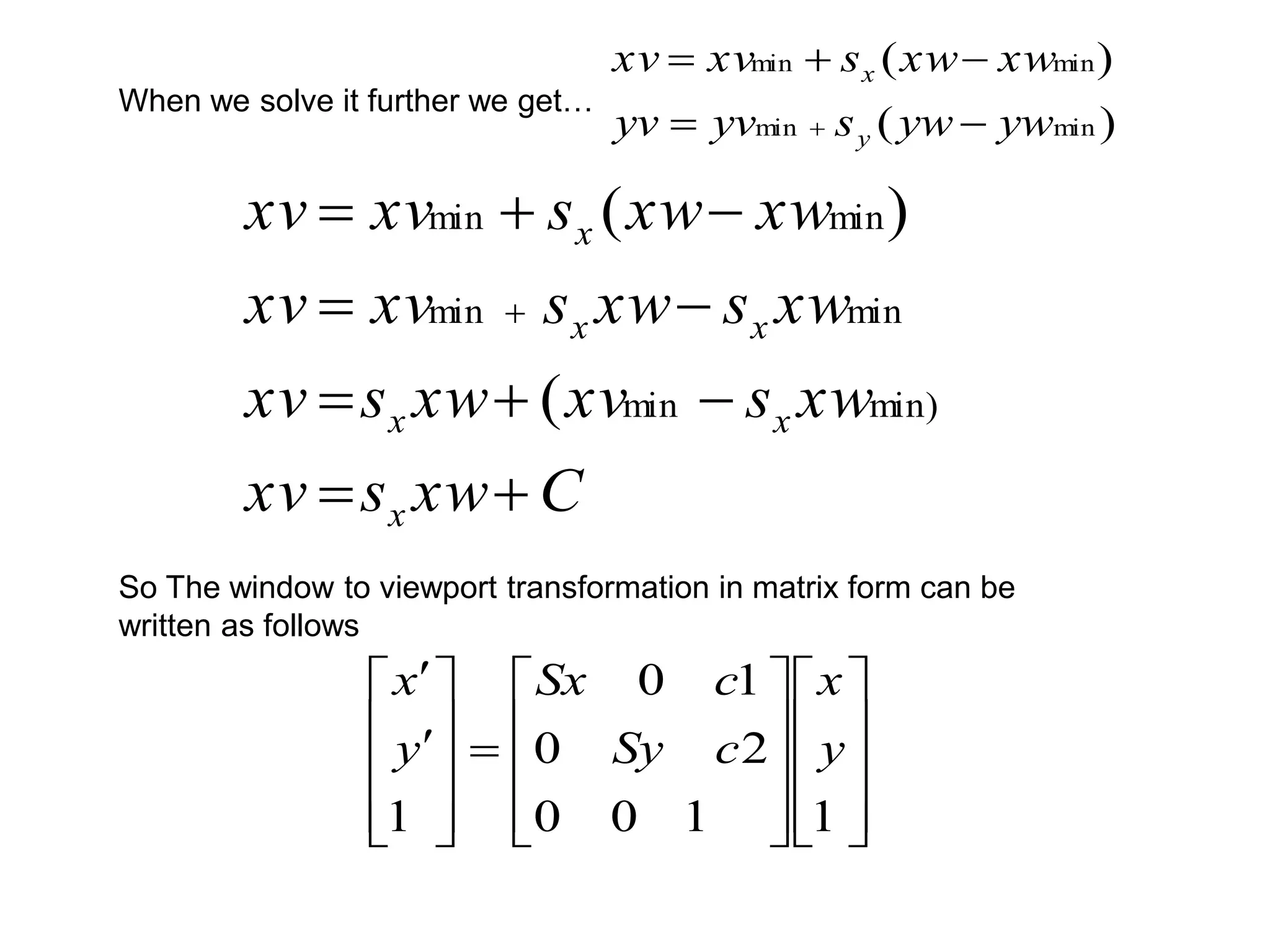
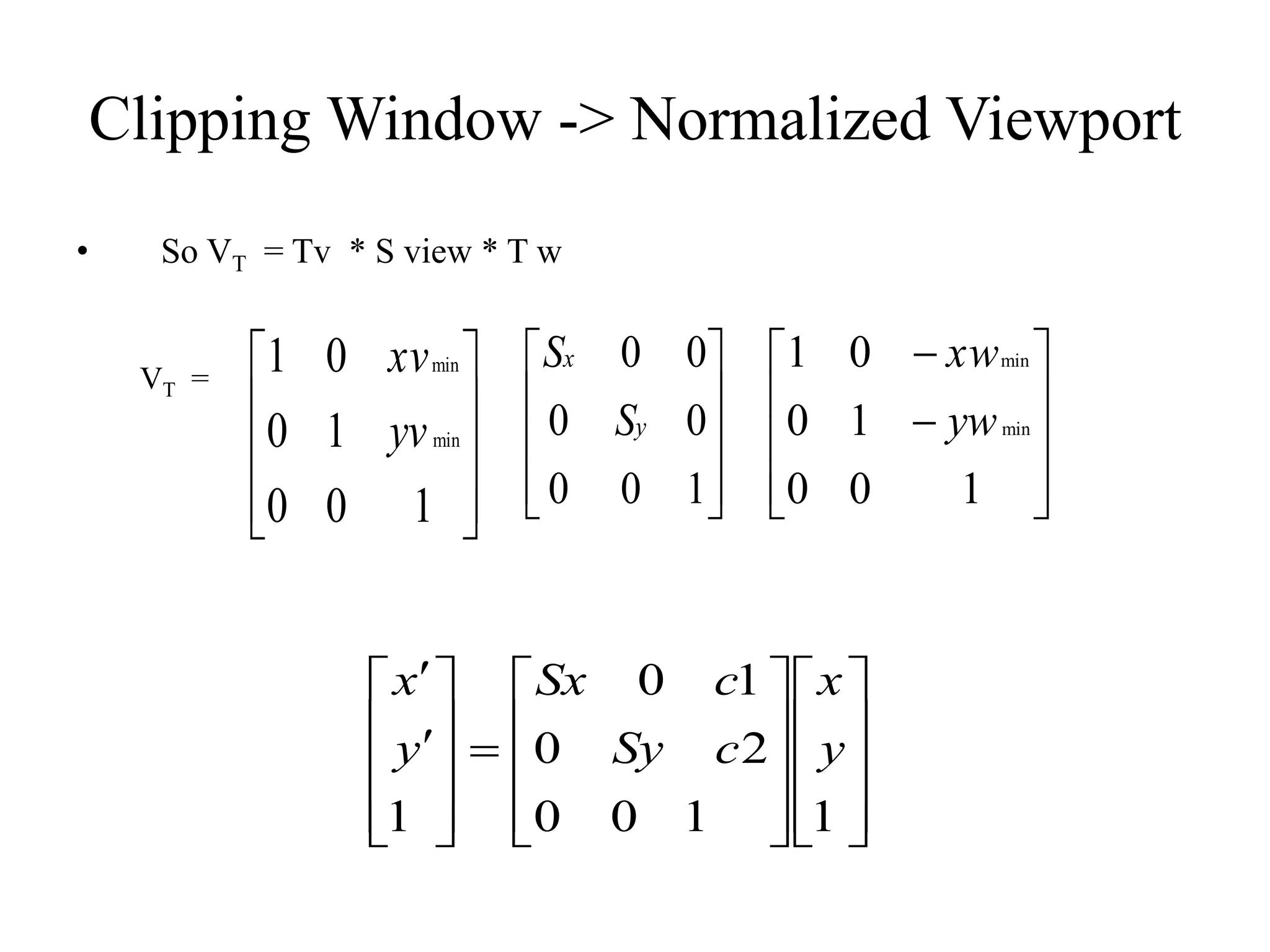
So The window to viewport transformation in matrix form can be
written as follows
When we solve it further we get…
)
(
)
(
min
min
min
min
yw
yw
s
yv
yv
xw
xw
s
xv
xv
y
x






• Note, if Sx = Sy then the relative proportions
of objects are maintained else the world
object will be stretched or contracted in either
x or y direction when displayed on output
device.
The complete window to viewport Transformation is a
compound transformation
That consists of the following 3 transformation.
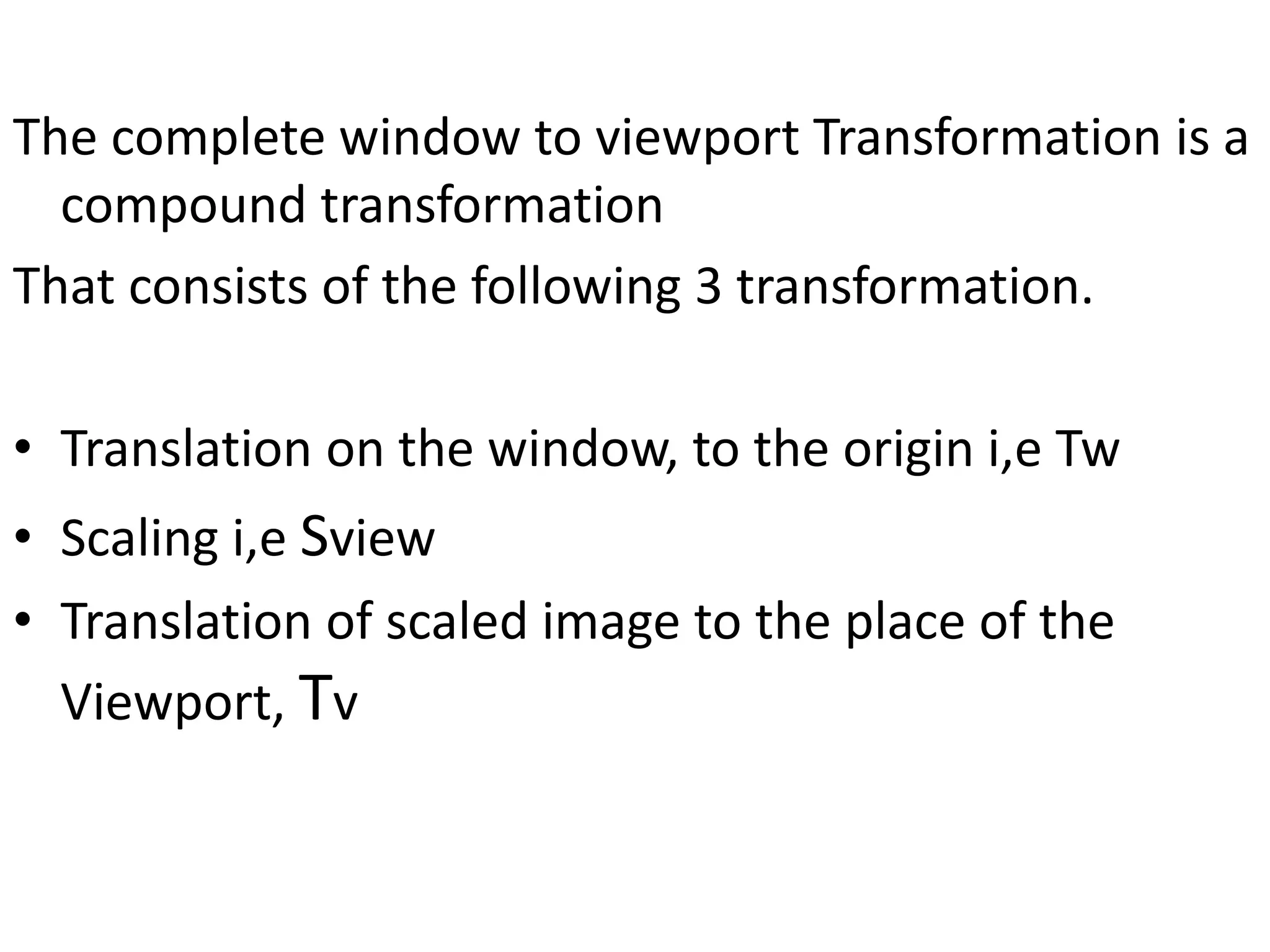
• Translation on the window, to the origin i,e Tw
• Scaling i,e Sview
• Translation of scaled image to the place of the
Viewport, Tv
Clipping Window -> Normalized Viewport
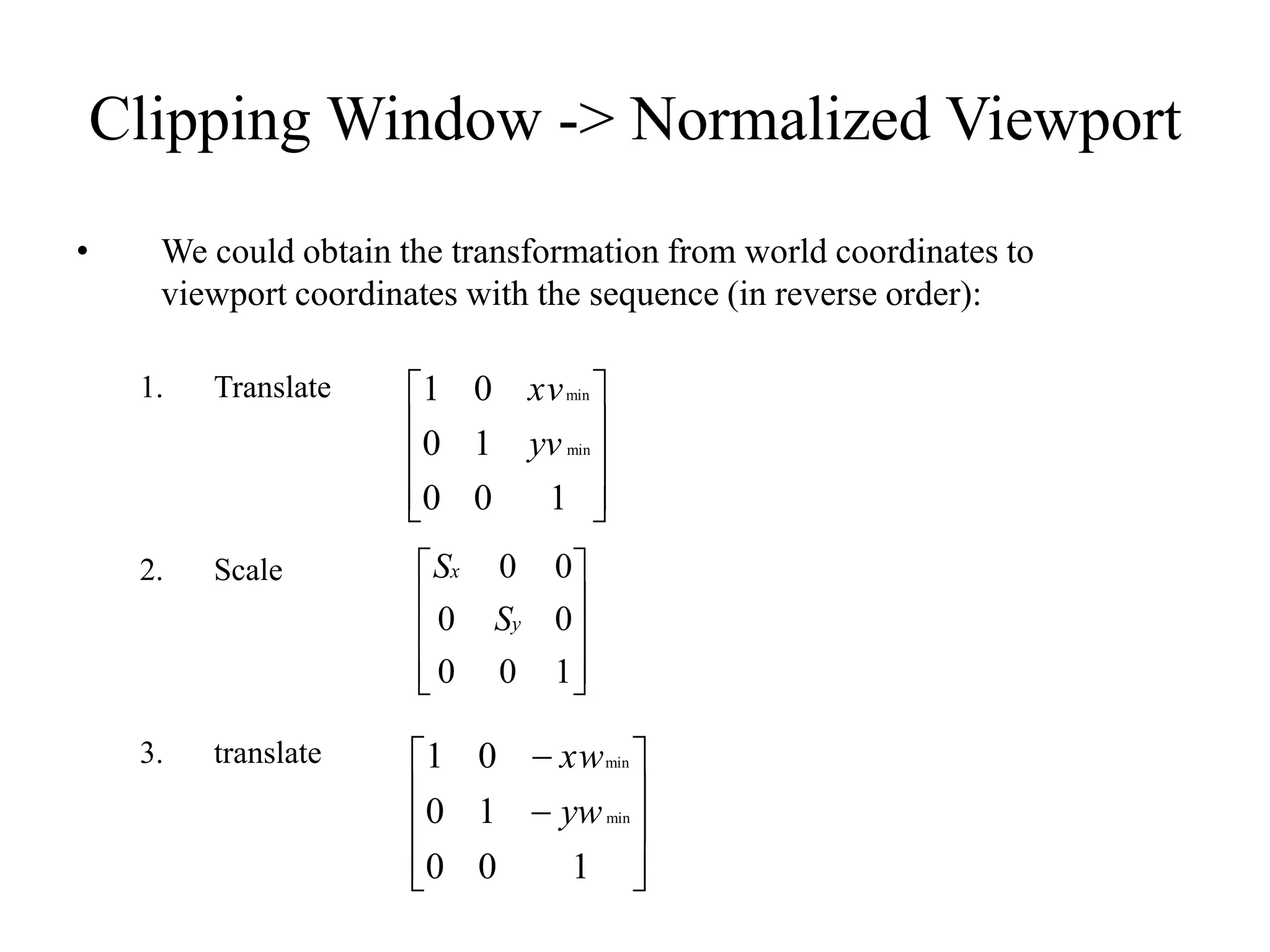
• We could obtain the transformation from world coordinates to
viewport coordinates with the sequence (in reverse order):
1. Translate
2. Scale
3. translate










1
0
0
1
0
0
1
min
min
yv
xv










1
0
0
0
0
0
0
y
x
S
S












1
0
0
1
0
0
1
min
min
yw
xw
Clipping Window -> Normalized Viewport
• So VT = Tv * S view * T w
VT =










1
0
0
1
0
0
1
min
min
yv
xv










1
0
0
0
0
0
0
y
x
S
S












1
0
0
1
0
0
1
min
min
yw
xw

































1
1
0
0
2
0
1
0
1
y
x
c
Sy
c
Sx
y
x
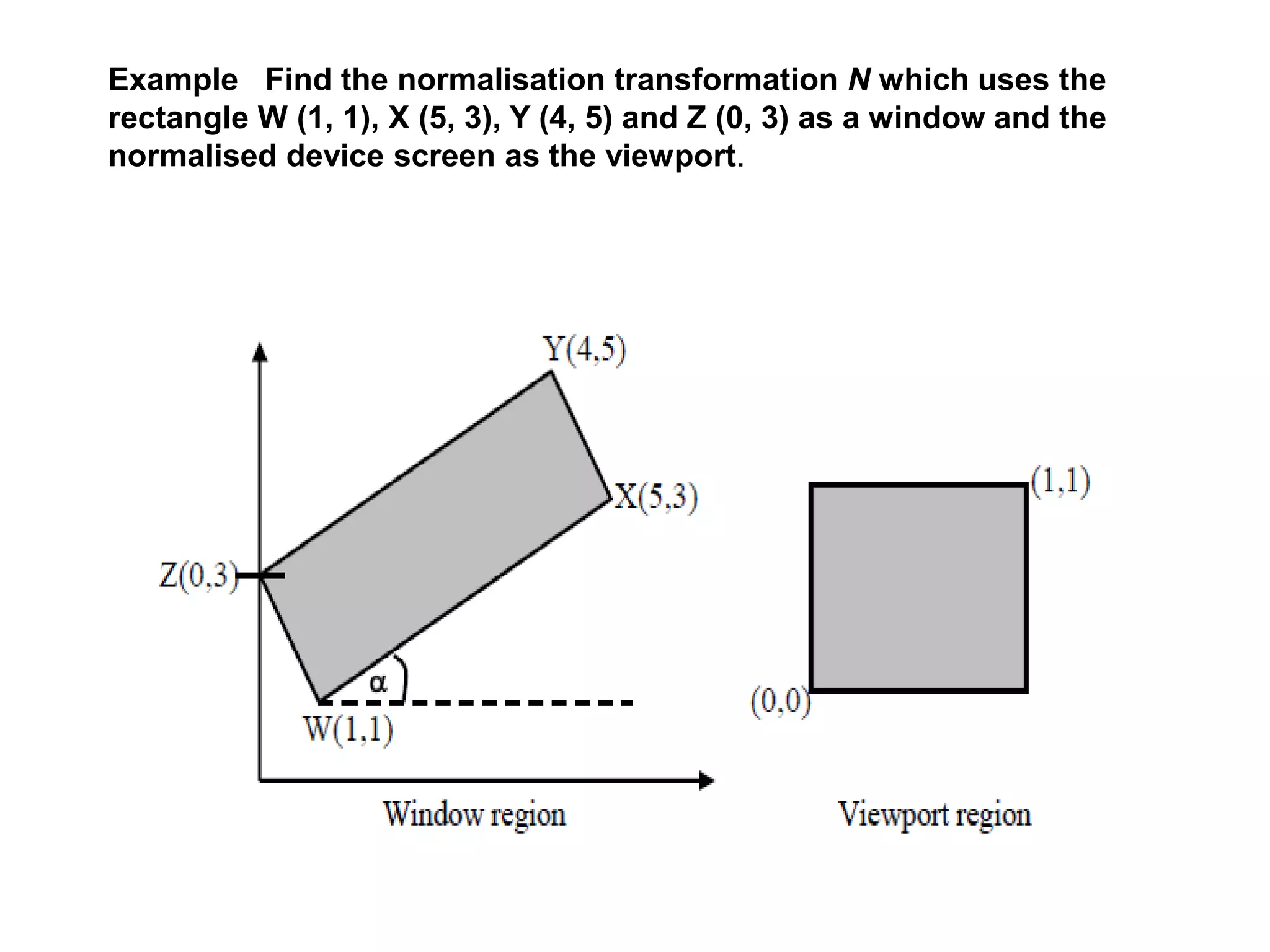
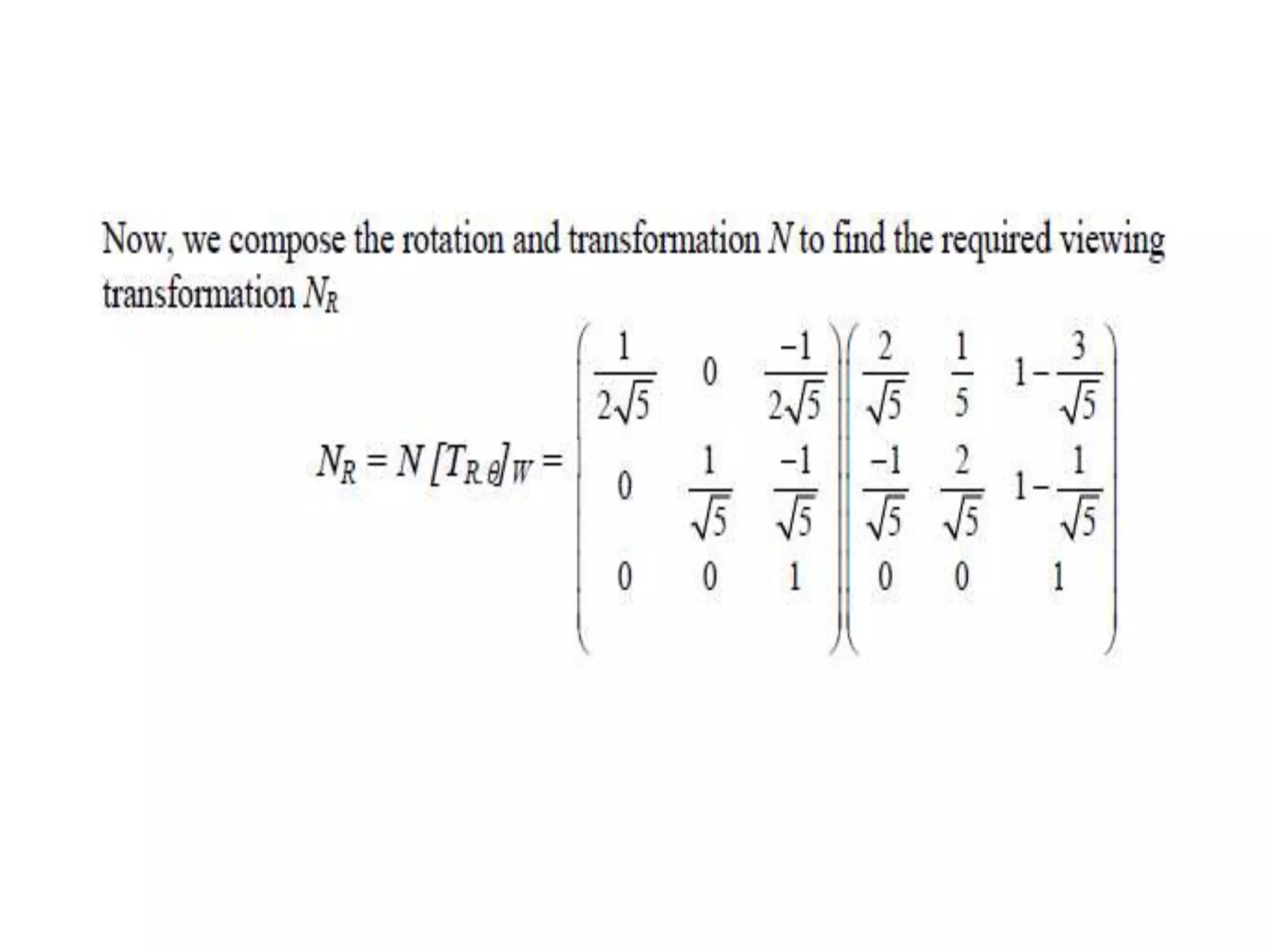
Example Find the normalisation transformation N which uses the
rectangle W (1, 1), X (5, 3), Y (4, 5) and Z (0, 3) as a window and the
normalised device screen as the viewport.
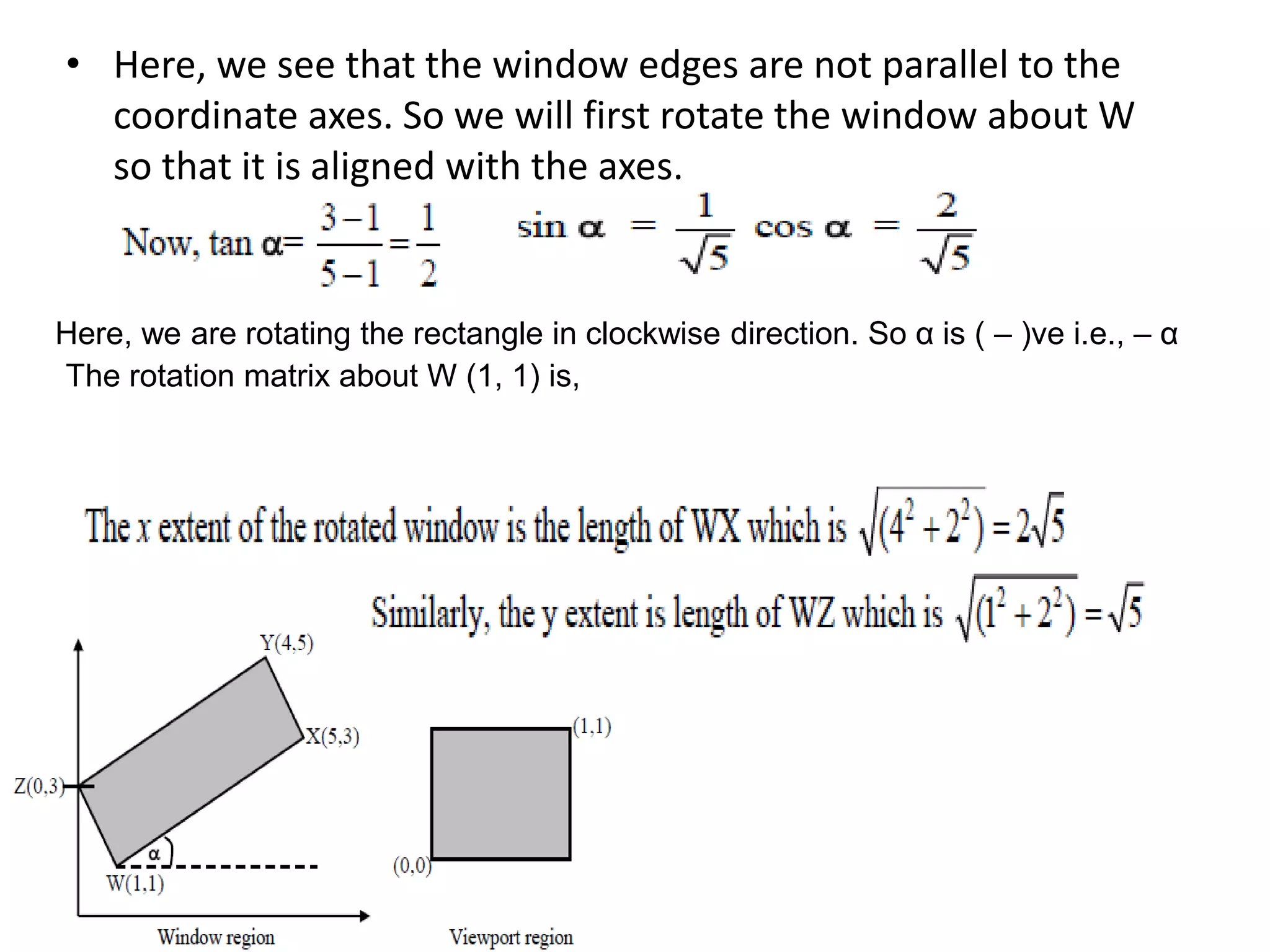
• Here, we see that the window edges are not parallel to the
coordinate axes. So we will first rotate the window about W
so that it is aligned with the axes.
Here, we are rotating the rectangle in clockwise direction. So α is ( – )ve i.e., – α
The rotation matrix about W (1, 1) is,
2D viewing.ppt
2D viewing.ppt
2D viewing.ppt
2D viewing.ppt

2D viewing.ppt

  • 1.
    Windowing I • Ascene is made up of a collection of objects specified in world coordinates World Coordinates
  • 2.
    Windowing II • Whenwe display a scene only those objects within a particular window are displayed wymax wymin wxmin wxmax Window World Coordinates
  • 3.
    Windowing III • Becausedrawing things to a display takes time, we clip everything outside the window wymax wymin wxmin wxmax World Coordinates Window
  • 4.
    Clipping Window • Wecould design our own clipping window with any shape, size and orientation. • But clipping a scene using nonlinear boundaries requires more processing than clipping against a rectangle. • Therefore, graphics packages commonly allow only rectangular clipping windows aligned with the x and y axes.
  • 5.
    Window & Viewport Window/clipping window  a world-coordinate area selected for display  define what is to be viewed  view port  an area on a display device to which a window is mapped  define where it is to be displayed
  • 6.
    Clipping Window • clippingwindow: what to display • viewport: where to be viewed • translation, rotation, scaling, clipping,...
  • 7.
  • 8.
    The clipping window xwminxwmax ywmin ywmax xvmin xvmax yvmin yvmax xvmin xvmax yvmin yvmax x0 y0 xview yview xworld yworld xview yview Rectangular Window Rotated Window
  • 10.
    Viewing Coord. ReferenceFrame (a) translate the viewing origin to the world origin (b) rotate to align the axes of the two systems.
  • 11.
    World-coordinates to ViewingCoordinates • Mwc,vc= R·T x0 y0 xview yview xworld yworld xview yview xview yview xworld yworld yview ) , ( 0 0 y x   T ) ( R  Mwc,vc= R·T
  • 12.
    Window - ViewportTransform • point (xw,yw) in a designated window is mapped to viewport coordinates (xv,yv) so that relative positions in the two areas are the same.
  • 13.
    Clipping Window ->Normalized Viewport • To transform the world-coordinate point into the same relative position within the viewport, we require that min max min min max min min max min min max min yw yw yw yw yv yv yv yv xw xw xw xw xv xv xv xv           For any point: should hold.
  • 14.
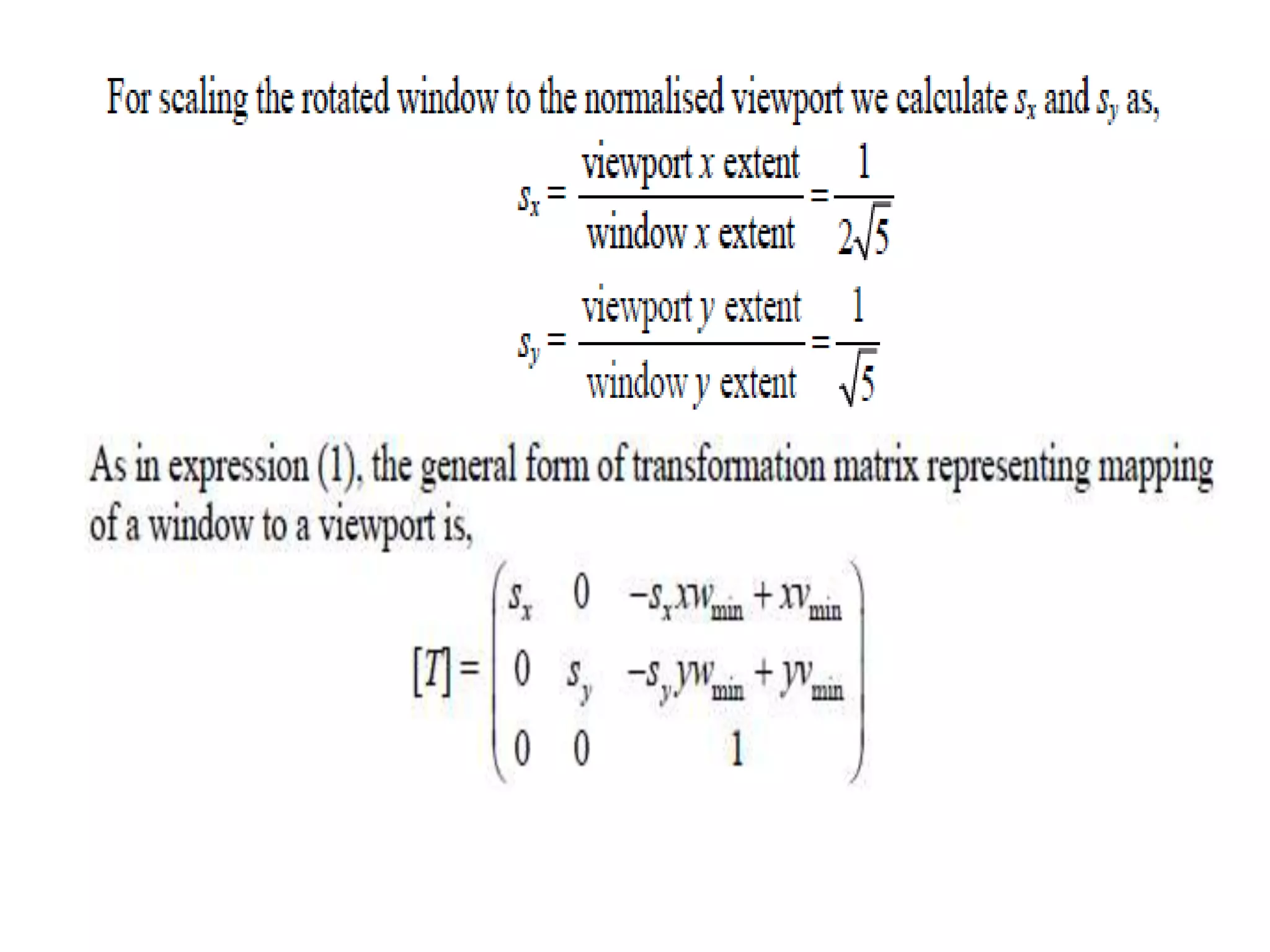
         min max min max min min min max min max min min yw yw yv yv yw yw + yv = yv xw xw xv xv xw xw + xv = xv       • Solving these expressions for the viewport position (xv,yv) we have: where ) ( ) ( min min min min yw yw s yv yv xw xw s xv xv y x       min max min max min max min max yw yw yv yv s xw xw xv xv s y x      
  • 15.
  • 16.
    • Note, ifSx = Sy then the relative proportions of objects are maintained else the world object will be stretched or contracted in either x or y direction when displayed on output device.
  • 17.
    The complete windowto viewport Transformation is a compound transformation That consists of the following 3 transformation. • Translation on the window, to the origin i,e Tw • Scaling i,e Sview • Translation of scaled image to the place of the Viewport, Tv
  • 18.
    Clipping Window ->Normalized Viewport • We could obtain the transformation from world coordinates to viewport coordinates with the sequence (in reverse order): 1. Translate 2. Scale 3. translate           1 0 0 1 0 0 1 min min yv xv           1 0 0 0 0 0 0 y x S S             1 0 0 1 0 0 1 min min yw xw
  • 19.
    Clipping Window ->Normalized Viewport • So VT = Tv * S view * T w VT =           1 0 0 1 0 0 1 min min yv xv           1 0 0 0 0 0 0 y x S S             1 0 0 1 0 0 1 min min yw xw                                  1 1 0 0 2 0 1 0 1 y x c Sy c Sx y x
  • 21.
    Example Find thenormalisation transformation N which uses the rectangle W (1, 1), X (5, 3), Y (4, 5) and Z (0, 3) as a window and the normalised device screen as the viewport.
  • 22.
    • Here, wesee that the window edges are not parallel to the coordinate axes. So we will first rotate the window about W so that it is aligned with the axes. Here, we are rotating the rectangle in clockwise direction. So α is ( – )ve i.e., – α The rotation matrix about W (1, 1) is,